Education
Business
Consumer

Solution

How National Health Research Facilities Replaced Pop-Up Signage with ViewSonic Digital Kiosks

SOLUTION BRIEF

How National Health Research Facilities Replaced Pop-Up Signage with ViewSonic Digital Kiosks

Challenge

A national health research organization needed a better way to communicate with visitors, employees and vendors across more than 20 locations nationwide.

The existing setup relied on pop-up displays and traditional signage, which limited flexibility and created an inconsistent look from one facility to the next.

In place of that patchwork, the organization wanted a secure self-service system for its high-traffic lobbies, hallways and reception areas. It also wanted to improve wayfinding across its facilities and present a more modern, professional appearance nationwide.

Why Did ViewSonic Digital Kiosks Fit This Project?

Facility leaders needed a single platform that could handle day-to-day messaging and interactive self-service without relying on a mix of temporary displays. ViewSonic’s EP5542 digital ePoster kiosks deliver both in one system, offering interactive and static options that give facility managers one consistent platform to manage across every location.

The EP5542 also kept the deployment secure from outside interference. Content runs through the kiosk’s own built-in media player, with no external computer or device to connect. For additional peace of mind, the media player cradle is located behind a locked door to prevent tampering. 

What ViewSonic Solution Did They Deploy?

The organization deployed more than 200 ViewSonic® EP5542 55” Digital ePoster Kiosks across more than 20 facilities nationwide, in a mix of interactive and static configurations.

  • Interactive kiosks let visitors, employees and vendors access facility information, directions and announcements directly, without needing staff assistance.
  • Static kiosks handle high-visibility messaging, facility communications and wayfinding content in high-traffic areas.
  • The freestanding design gives every location a consistent, professional appearance, replacing pop-up displays and printed signage.

What Results Has The Organization Seen?

  • Centralized visitor, employee and vendor communicationsthrough digital messaging.
  • Improved wayfinding and navigation throughout facilities.
  • Reduced reliance on temporary signage and pop-up displays.
  • Created a more consistent, professional appearance across locations.
  • Enabled both interactive self-service and high-visibility static communications.
Spec LDS138-151
Screen size / resolution 138", Full HD 1920x1080
Mobility Foldable design on a motorized, height-adjustable stand with 360-degree wheels; packed in a custom flight case
Setup time Minutes, no system integration required
Durability GOB (Glue-on-Board) protection, IP54 and IK06 rated, built for high-traffic public spaces
Serviceability Hot-swappable front LED modules for minimal downtime
Casting/Connectivity AirSync wireless screen casting (AirPlay, Google Cast); Q-SYS, Crestron, Extron and AMX compatible
Warranty 3-year limited warranty on parts and labor, with on-site service
Recognition Best New Mobile dvLED Product, rAVe Publications' Best of InfoComm, June 2025

The deployment changed how the organization communicates with visitors and employees, putting information and easier navigation within reach throughout lobbies, hallways and check-in areas.

In place of temporary displays and signage, every location now shares a single communications platform that updates quickly and presents a more professional, modern appearance nationwide.

Frequently Asked Questions

What is a Digital ePoster Kiosk, and How is it Used in Healthcare and Research Facilities?

A digital ePoster kiosk is a freestanding, large-format display built for high-traffic public spaces like lobbies and reception areas. Facilities use them to replace printed signage and pop-up displays with content that can update instantly across every location.

Can a Digital Kiosk Support Both Interactive and Static Content in the Same Deployment?

Yes. Interactive kiosks let visitors and staff access information directly, while static kiosks handle high-visibility messaging and wayfinding content, so a facility can mix both formats to match each space’s needs.

How Do Digital Kiosks Improve Wayfinding in a Large Facility?

A kiosk placed in a lobby or hallway gives visitors a clear, consistent point of reference for directions and facility information, rather than relying on printed maps or staff assistance at every turn.

How Do ViewSonic Kiosks Support Secure Self-Service Use?

Content plays back through the EP5542's own built-in media player, so there's no external computer or network device needed to run it. The media player cradle also sits behind a lockable door, which limits physical access to the kiosk's internals.

What is the ViewSonic EP5542 Digital ePoster Kiosk Used for?

The EP5542 is a 55" digital ePoster kiosk used for facility communications, wayfinding and self-service engagement in lobbies, hallways, reception areas and check-in spaces.

Ready to Modernize Your Facility’s Communications?

Learn more about how ViewSonic digital kiosks could support communications and wayfinding across your own facilities.

Learn More

Related Products

Comparative claims are based on specific features and publicly available manufacturer specifications as of the date of publication, and are not intended to represent a comprehensive evaluation of all product attributes. Actual performance, compatibility, delivery schedules, network performance, training outcomes, and user results may vary depending on system configuration, network conditions, usage settings, individual needs, district or agency requirements, implementation, environmental conditions, and other factors. Any references to third-party products, competitors, software platforms, hardware architectures, certification seals, control systems, or corporate trademarks are for identification, compatibility, and comparative reference purposes only and do not imply endorsement, affiliation, or sponsorship by their respective owners. Environmental protection ratings (including GOB, IP54, and IK06 ratings) are based on standard operating conditions; proper wall mounting, structural reinforcement, mobile assembly, freight handling, and professional installation are the sole responsibility of the customer or installer. ViewSonic assumes no liability for property damage or personal injury resulting from improper installation. Programs, pricing, specifications, and availability are subject to change or cancellation without notice. Corporate names and trademarks stated herein are the property of their respective companies. © 2026, ViewSonic Corporation. All rights reserved. 8/26 [26DIG-GOV1527]

How a Florida School District Deployed 2,000+ ViewBoard Interactive Displays On Budget and On Time with STS Education

SOLUTION BRIEF

How a Florida School District Deployed 2,000+ ViewBoard Interactive Displays On Budget and On Time with STS Education

What Challenge Was This School Trying to Solve?

A Florida school district set out to modernize its classrooms with 98” interactive displays as part of a multiyear rollout. The key decision makers on the project, the district’s IT and administration teams, were looking for a partner with credibility, product availability, competitive pricing and long-term support. The partner had to deliver the exact solution within a defined budget and a tight installation window, then stay on as an ongoing support partner through the full rollout.

Why Did the District Choose ViewSonic ViewBoard Displays?

STS Education brought ViewSonic in, and ViewSonic stood out as one of the few partners able to meet the district's budget, lead times and support requirements with product on hand. A successful demo of ViewSonic® ViewBoard® displays with the district's IT administration helped win the deal. The team was impressed by the overall solution, and the included myViewBoard software proved to be a key differentiator that teachers and staff adopted quickly. Every ViewBoard interactive display includes complimentary access to myViewBoard software, so the district got both its classroom software and hardware in one purchase.

How Did ViewSonic and STS Education Deliver the Rollout?

ViewSonic and STS Education project management team collaborated closely to ensure every ViewBoard was delivered within the project's tight timelines. Providing a classroom solution was only the beginning. ViewSonic, drawing on its custom-tailored teacher training and consulting service, delivered several days of professional development so IT staff and teachers could make the most of their ViewBoard displays.

Spec LDS138-151
Screen size / resolution 138", Full HD 1920x1080
Mobility Foldable design on a motorized, height-adjustable stand with 360-degree wheels; packed in a custom flight case
Setup time Minutes, no system integration required
Durability GOB (Glue-on-Board) protection, IP54 and IK06 rated, built for high-traffic public spaces
Serviceability Hot-swappable front LED modules for minimal downtime
Casting/Connectivity AirSync wireless screen casting (AirPlay, Google Cast); Q-SYS, Crestron, Extron and AMX compatible
Warranty 3-year limited warranty on parts and labor, with on-site service
Recognition Best New Mobile dvLED Product, rAVe Publications' Best of InfoComm, June 2025

What Results Has The District Seen?

2,000+ ViewBoard interactive flat panels deployed across the district's classrooms, delivered on budget and within the district's installation window.

20 professional development training sessions equipped IT staff and teachers, driving rapid adoption of myViewBoard software across the district.

A lasting support partnership established between ViewSonic, STS Education and the district, grounded in the credibility, availability, pricing and ongoing support that won the business. 

Frequently Asked Questions

What Software Comes With ViewSonic ViewBoard Interactive Displays?

Every ViewBoard interactive display includes complimentary access to myViewBoard software, a digital whiteboarding solution that has earned an official ISTE Seal. Teachers can build interactive lessons, collaborate in real time and use their existing lesson materials without buying separate software.

Can a School District Deploy Interactive Flat Panels District-Wide on a Tight Timeline?

Yes, when the manufacturer has available stock on hand. A Florida school district deployed 2,000+ ViewSonic ViewBoard interactive displays across its classrooms on budget and within its installation window, with ViewSonic and STS Education coordinating delivery against the project's timelines.

Does ViewSonic Provide Training for Teachers and IT Staff?

Yes. ViewSonic offers professional development and consulting services that can be custom tailored to a district's needs. In this deployment, 20 professional development sessions prepared IT staff and teachers and drove rapid adoption of myViewBoard software across the district.

What Sizes Do ViewBoard Interactive Displays Come In?

ViewBoard interactive displays feature 4K Ultra HD touchscreens ranging from 55” to 110”, so districts can match screen size to room size. This district standardized on 98” panels for its classrooms.

Ready to Modernize Your District's Classrooms?

Talk to a ViewSonic representative or an authorized partner like STS Education about planning a district-wide ViewBoard deployment, from demo to professional development.

Related Links

ViewBoard Interactive Displays for Education: viewsonic.com/edu/products/shop/viewboard

myViewBoard Software: viewsonic.com/edu/myviewboard

ViewSonic Manager: https://www.viewsonic.com/edu/viewsonic-manager

Comparative claims are based on specific features and publicly available manufacturer specifications as of the date of publication, and are not intended to represent a comprehensive evaluation of all product attributes. Delivery schedules, network performance, training outcomes, and user results may vary depending on individual needs, district or agency requirements, implementation, environmental conditions, and other factors. Any references to third-party products, competitors, software platforms, hardware architectures, certification seals, control systems, or corporate trademarks are for identification, compatibility, and comparative reference purposes only and do not imply endorsement, affiliation, or sponsorship by their respective owners. Corporate names and trademarks stated herein are the property of their respective companies. Environmental protection ratings (including GOB, IP54, and IK06 ratings) are based on standard operating conditions; proper wall mounting, structural reinforcement, mobile assembly, freight handling, and professional installation are the sole responsibility of the customer or installer. ViewSonic assumes no liability for property damage or personal injury resulting from improper installation.

How a Southeastern University Replaced Aging Classroom Projectors with Direct View LED Displays in 50+ Classrooms

SOLUTION BRIEF

How a Southeastern University Replaced Aging Classroom Projectors with Direct View LED Displays in 50+ Classrooms

What Challenge Was This University Trying to Solve?

This major state university in the Southeast set out to upgrade its classroom experience and boost student engagement across its campus. For nearly 10 years, each classroom had relied on a single projector paired with a 120” screen.

Those projectors were beginning to fail, and both students and professors had started to complain about the aging setup. The university knew it was time for more than a like-for-like replacement. It wanted a display solution that would genuinely change how lessons landed in the room. 

Why Did the University Move from Projectors to dvLED Displays?

A single centered screen meant students at the edges and the back of the room never got a clear view, and failing projectors made that view dimmer every semester. Rather than buy another round of lamps and replacement units, the university chose to move to Direct View LED technology to truly upgrade its classrooms.

dvLED displays deliver bright, uniform images that hold up with the lights on, with no lamps or filters to replace. ViewSonic's All-in-One Direct View LED LDE136G-152 pairs that with a 100,000-hour rated LED lifespan and 600-nit brightness, a meaningful step up from a decade-old projector. 

What ViewSonic Solution Did They Deploy?

Working with a leading AV integrator, the university standardized on a three-display front wall for the 50+ classroom upgrade:

(2) ViewSonic® 136” LDE136G-152 All-in-One Direct View LED displays, one on each side of the front of the room

(1) ViewSonic 98” CDE9831 4K commercial display, mounted in the center between the two dvLED displays

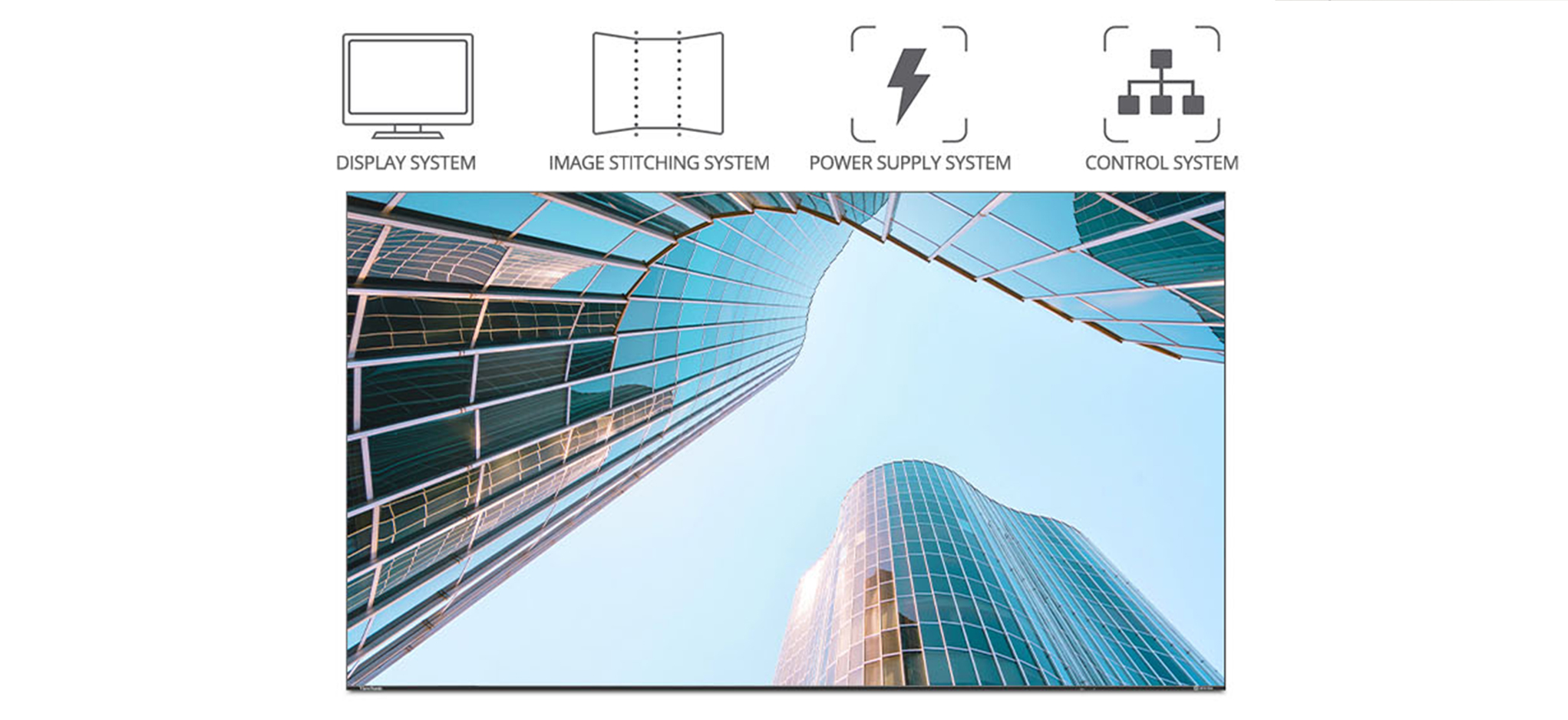
The LDE136G-152 All-in-One Direct View LED display puts power, controls and image stitching directly inside the cabinets. It ships as a single SKU, which simplifies setup in the classroom. Glue-on-Board technology with IP54 and IK06 front protection helps the screen stand up to daily use in high-traffic classrooms, while hot-swappable front modules and included spare tiles streamline ongoing maintenance.

The CDE9831 commercial screen anchors the room with 4K resolution, 500-nit brightness and anti-glare glass. It’s rated for 24/7 operation to ensure constant reliability. Both products integrate with Crestron, Extron, AMX and Q-SYS control systems, letting campus AV teams manage every room from one central dashboard. 

Why Did the University Choose ViewSonic?

The university and their integrator partner chose ViewSonic over alternatives for three reasons: the range of display products ViewSonic offers, pricing versus the competition and ViewSonic's responsiveness to both the reseller and the end user.

Because ViewSonic's portfolio spans dvLED and commercial displays, the university sourced the entire front-of-room solution from one manufacturer and one trusted partner. 

Spec LDS138-151
Screen size / resolution 138", Full HD 1920x1080
Mobility Foldable design on a motorized, height-adjustable stand with 360-degree wheels; packed in a custom flight case
Setup time Minutes, no system integration required
Durability GOB (Glue-on-Board) protection, IP54 and IK06 rated, built for high-traffic public spaces
Serviceability Hot-swappable front LED modules for minimal downtime
Casting/Connectivity AirSync wireless screen casting (AirPlay, Google Cast); Q-SYS, Crestron, Extron and AMX compatible
Warranty 3-year limited warranty on parts and labor, with on-site service
Recognition Best New Mobile dvLED Product, rAVe Publications' Best of InfoComm, June 2025

What Results Has The University Seen?

The result is a completely new and engaging classroom experience that everyone can see no matter where they’re sitting.

Students responded positively, not only seeing better but feeling that lessons were much more engaging.

Professors said the move from projectors to dvLED was even more of an upgrade than they had expected.

With 50+ classrooms complete, the three-display configuration now serves as the university's standard for future classroom refreshes. 

Frequently Asked Questions

Why Replace Classroom Projectors with dvLED Displays?

Projectors dim over time, need lamp and filter replacements and struggle in bright rooms. dvLED displays like ViewSonic's LDE136G-152 deliver 600-nit brightness with a 100,000-hour rated LED lifespan, so content stays bright and readable with the lights on and there's no lamp to replace.

What Display Setup Works for Large University Classrooms?

One proven approach is a three-display front wall with two 136” dvLED displays flanking a 98” 4K commercial display. A major state university in the Southeast deployed this ViewSonic configuration across 50+ classrooms so every student has a clear view regardless of their seat.

What Makes an All-in-One dvLED Display Practical for a Multi-Classroom Rollout?

All-in-One dvLED displays like the ViewSonic LDE136G-152 build power, controls and image stitching directly into the cabinets. They also ship as a single SKU with an included wall mount. Hot-swappable front modules and included spare tiles keep maintenance simple across a large fleet of rooms.

Can Universities Manage dvLED and Commercial Displays Through Existing AV Control Systems?

Yes. ViewSonic's LDE136G-152 dvLED display and CDE9831 commercial display both work with Crestron, Extron and AMX and integrate with the Q-SYS ecosystem, so campus AV teams can control power, volume and inputs across every classroom from one central location.

Ready to Upgrade Your Classrooms?

Talk to a ViewSonic representative about designing a dvLED classroom solution for your campus.

Related Products

Comparative claims are based on specific features and publicly available manufacturer specifications as of the date of publication, and are not intended to represent a comprehensive evaluation of all product attributes. Delivery schedules, network performance, training outcomes, and user results may vary depending on individual needs, district or agency requirements, implementation, environmental conditions, and other factors. Any references to third-party products, competitors, software platforms, hardware architectures, certification seals, control systems, or corporate trademarks are for identification, compatibility, and comparative reference purposes only and do not imply endorsement, affiliation, or sponsorship by their respective owners. Corporate names and trademarks stated herein are the property of their respective companies. Environmental protection ratings (including GOB, IP54, and IK06 ratings) are based on standard operating conditions; proper wall mounting, structural reinforcement, mobile assembly, freight handling, and professional installation are the sole responsibility of the customer or installer. ViewSonic assumes no liability for property damage or personal injury resulting from improper installation.

How a Financial Institution Transformed Its Boardroom with a 136” All-in-One Direct View LED Display

SOLUTION BRIEF

How a Financial Institution Transformed Its Boardroom with a 136” All-in-One Direct View LED Display

What Challenge Was This Financial Institution Trying To Solve?

This large financial institution's boardroom is where its most important conversations happen, and the existing display wasn't holding up its end. The institution wanted to replace it with a larger, brighter, more detailed presentation display worthy of the space. The project infrastructure had three hard constraints.

  1. The new display had to fit an existing recessed space that could accommodate up to 140”.
  2. It had to reach a fifth-floor location, which ruled out traditional large-format displays that can't be transported through elevators and corridors at that size.
  3. It had to be in stock or on site within 30 days. 

What ViewSonic Solution Did They Deploy?

Working with its AV integration partner, the firm chose the ViewSonic® All-in-One Direct View LED LDE136G-152. At 136", the screen filled almost every inch of the boardroom's 140" recessed wall.

The cabinet-based design also solved a major delivery headache. The team couldn't squeeze a giant, one-piece panel up to the fifth floor, so the system arrived in smaller cabinets. These modular units come with built-in power, controls and image stitching, meaning they went up on the wall quickly and fit together easily.

ViewSonic had the product in stock and ready to ship within the firm's tight 30-day window. Because the parts were so lightweight, they were easy to carry upstairs and didn't overload the boardroom wall. And with 600 nits of brightness and a 6,500:1 contrast ratio, the new screen helped keep presentations clear and readable even with ambient lighting.

Spec LDS138-151
Screen size / resolution 138", Full HD 1920x1080
Mobility Foldable design on a motorized, height-adjustable stand with 360-degree wheels; packed in a custom flight case
Setup time Minutes, no system integration required
Durability GOB (Glue-on-Board) protection, IP54 and IK06 rated, built for high-traffic public spaces
Serviceability Hot-swappable front LED modules for minimal downtime
Casting/Connectivity AirSync wireless screen casting (AirPlay, Google Cast); Q-SYS, Crestron, Extron and AMX compatible
Warranty 3-year limited warranty on parts and labor, with on-site service
Recognition Best New Mobile dvLED Product, rAVe Publications' Best of InfoComm, June 2025

What Results Has The Institution Seen?

  • A high-impact, high-brightness, detailed display that made the boardroom come together.
  • A low-maintenance solution: hot-swappable front LED modules with calibrated spare tiles, and a 100,000-hour rated LED lifespan with no lamps or filters to replace.
  • Delivered and installed within the institution's 30-day window, in a 5th floor space traditional large-format displays couldn't reach. 

Frequently Asked Questions

How Do You Get A Large Display into an Upper-Floor Boardroom?

dvLED delivers a seamless image at sizes beyond what single-panel LCD can practically reach, with brightness that holds up in a lit room. The ViewSonic LDE136G-152 produces 600 nits of brightness and a 6,500:1 contrast ratio for greater clarity. Unlike a lamp-based projector, there’s no lamp or filter to replace.

Why Choose dvLED Over a Large LCD or Projector for a Boardroom?

A mobile dvLED display gives you premium large-format visuals without dedicating a permanent room to the technology. Schools and businesses can roll a single display between lecture halls, event spaces and collaboration areas rather than investing in several fixed installations.

Can a dvLED Display Fit An Existing Recessed Wall Space?

Yes. Because All-in-One dvLED displays install as slim, cabinet-based systems with an included wall mount, they can be sized to existing architectural spaces. This institution was able to fit a 136” LDE136G-152 into a recessed boardroom alcove built for up to 140”.

How Much Maintenance Does an All-In-One dvled Display Need?

Very little. The LDE136G-152's LEDs are rated for 100,000 hours, and if a module ever needs service, hot-swappable front modules and included calibrated spare tiles allow replacement in minutes from the front of the display, with no need to remove it from the wall.

Ready to Transform Your Boardroom?

Talk to a ViewSonic representative about All-in-One dvLED displays for executive and presentation spaces, including sites where access and timelines are the hard part.

Related Products

Comparative claims are based on specific features and publicly available manufacturer specifications as of the date of publication, and are not intended to represent a comprehensive evaluation of all product attributes. Actual performance, compatibility, setup time, network performance, and user results may vary depending on system configuration, network conditions, usage settings, environmental conditions, and other factors. Any references to third-party products, hardware architectures, software platforms, control systems, casting protocols, or corporate trademarks, including AirPlay, Google Cast, Q-SYS, Crestron, Extron, and AMX, are for identification purposes only and do not imply endorsement, affiliation, or sponsorship by their respective owners. Environmental protection ratings (including GOB, IP, and IK ratings) and mounting guidelines are for reference only; proper structural reinforcement, rack mounting, and professional installation are the sole responsibility of the customer or installer. ViewSonic assumes no liability for property damage or personal injury resulting from improper installation.

How a Northeast Business School Outfitted Its New Building with a Foldable dvLED Display and Crestron-Ready Commercial Displays

SOLUTION BRIEF

How a Northeast Business School Outfitted Its New Building with a Foldable dvLED Display and Crestron-Ready Commercial Displays

What Challenge Was This Business School Trying To Solve?

A leading business school in the Northeastern United States opened a new building and set out to modernize its learning and collaboration spaces as part of a broader technology refresh. The school needed flexible, technology-driven environments that could support executive education, lecture-based instruction, student collaboration and special events.

Two requirements shaped the project. First, the school wanted a large-format Direct View LED display that could be deployed quickly for events, relocated as needed and stored when not in use, so classrooms and event spaces kept maximum flexibility. Second, classroom displays had to integrate with the campus's already existing Crestron-based AV infrastructure through reliable RS-232 control for centralized power, input switching, monitoring and automation.

Above all, the school wanted a standardized solution that delivered a consistent user experience across campus while keeping complexity low for its IT and AV support teams. 

Why Was a Foldable dvLED Display The Right Fit for Special Events?

Working with a leading AV integrator, the school selected the ViewSonic® LDS138-151 All-in-One Foldable Direct View LED display, a 138” dvLED video wall on a motorized, wheeled stand that folds into a custom flight case for transport and storage.

Key advantages included:

  • Foldable and Mobile Design: The screen rolls between rooms on 360-degree wheels and folds down into a protective flight case. This lets one mobile screen do the work of several permanent installations.
  • Large 138-Inch Screen: The massive size makes sure everyone in the room can see keynotes, guest presentations, executive classes and campus events clearly.
  • Fast Setup: This all-in-one design is ready in minutes. It completely bypasses the complex setup of traditional dvLED installations. Staff just roll it in, unfold it, plug it in and start presenting.
  • Sharp Image Quality: A fine 1.5 mm pixel pitch and 600-nit brightness keep slides and videos sharp, even in brightly lit rooms.
  • Smart Budget Flexibility: The school receives all the benefits of a premium large-format display without losing a dedicated room to permanent hardware.

This mobile setup is also built to handle busy school environments. It features Glue-on-Board (GOB) protection, giving the front an IP54 dust and moisture rating and an IK06 impact rating. It also includes quick-swap front modules and a 3-year limited warranty with on-site service. The industry took notice as well. The LDS138-151 won Best New Mobile dvLED Product at the rAVe Best of InfoComm 2025 awards.

Why Was The CDEG3 Series The Right Fit for Classrooms?

For classrooms and teaching spaces, the school standardized on ViewSonic CDEG3 commercial displays, which met its operational and integration requirements while giving instructors and students a consistent viewing experience.

Key advantages included:

  • Crestron Control Compatibility: Native RS-232 support connects directly with the school's Crestron systems. This lets the AV team manage power, switch inputs and check on screens from a single dashboard.
  • Commercial-Grade Reliability: Built for heavy daily use, these secure, OS-free screens run reliably throughout the school day without slowing down or crashing.
  • Crisp 4K Visuals: High-resolution screens helped make slides, detailed spreadsheets, videos and class notes easier to read from the back row.
  • Flexible Connectivity: Multiple ports let instructors plug in laptops, tablets and other teaching gear without hunting for adapters.
  • Consistent Campus Setup: With sizes ranging from 43 to 98 inches, the school can use the same screen style in every room. This makes support and staff training much simpler.
  • Excellent Value:  The CDEG3 series gave the school streamlined control and exceptional performance without stretching the AV budget.
Spec LDS138-151
Screen size / resolution 138", Full HD 1920x1080
Mobility Foldable design on a motorized, height-adjustable stand with 360-degree wheels; packed in a custom flight case
Setup time Minutes, no system integration required
Durability GOB (Glue-on-Board) protection, IP54 and IK06 rated, built for high-traffic public spaces
Serviceability Hot-swappable front LED modules for minimal downtime
Casting/Connectivity AirSync wireless screen casting (AirPlay, Google Cast); Q-SYS, Crestron, Extron and AMX compatible
Warranty 3-year limited warranty on parts and labor, with on-site service
Recognition Best New Mobile dvLED Product, rAVe Publications' Best of InfoComm, June 2025

How Does The Solution Integrate With the School's Crestron Infrastructure?

Because the campus standardized on Crestron for room control, every display had to act as a reliable, centrally managed endpoint. The CDEG3 series' native RS-232 support lets the AV team automate power, switch inputs and monitor displays from one place. The LDS138-151 is likewise compatible with Crestron, Extron and AMX. It also integrates with the Q-SYS ecosystem through a Q-SYS verified plugin.

What Results Has The School Experienced?

By pairing the LDS138-151 for special events with the CDEG3 series in classrooms, the business school achieved a flexible, campus-wide display strategy that supports both high-profile events and everyday instruction. The solution delivered seamless Crestron integration, simplified management for IT and AV teams and enhanced visual engagement across its learning and collaboration environments.

Frequently Asked Questions

What Is a Foldable dvLED Display and How Does It Work?

A foldable dvLED display is a large-format Direct View LED video wall that folds for transport and storage. ViewSonic's LDS138-151 mounts a 138” screen on a motorized, wheeled stand, packs into a custom flight case and sets up in minutes, so one display can serve events across an entire campus.

Why Choose a Mobile dvLED Display Instead of a Fixed Installation?

A mobile dvLED display gives you premium large-format visuals without dedicating a permanent room to the technology. Schools and businesses can roll a single display between lecture halls, event spaces and collaboration areas rather than investing in several fixed installations.

Do ViewSonic Displays Work With Crestron Control Systems?

Yes. The ViewSonic CDEG3 series of commercial displays includes native RS-232 support for centralized power, input and monitoring control through Crestron. The LDS138-151 dvLED display is also compatible with Crestron, Extron and AMX and integrates with the Q-SYS ecosystem via a Q-SYS verified plugin.

What Sizes Does the CDEG3 Series of Commercial Displays Come In?

The ViewSonic CDEG3 series offers 4K OS-free commercial displays in six sizes: 43”, 55”, 65”, 75”, 86” and 98”. That range lets campuses standardize on one display platform across classrooms, meeting rooms and larger teaching spaces.

Ready to Build a Flexible Campus Display Strategy?

Talk to a ViewSonic representative about pairing mobile dvLED with Crestron-ready classroom displays for your campus.

Related Products

Comparative claims are based on specific features and publicly available manufacturer specifications as of the date of publication, and are not intended to represent a comprehensive evaluation of all product attributes. Delivery schedules, network performance, training outcomes, and user results may vary depending on individual needs, district or agency requirements, implementation, environmental conditions, and other factors. Any references to third-party products, competitors, software platforms, hardware architectures, certification seals, control systems, or corporate trademarks are for identification, compatibility, and comparative reference purposes only and do not imply endorsement, affiliation, or sponsorship by their respective owners. Corporate names and trademarks stated herein are the property of their respective companies. Environmental protection ratings (including GOB, IP54, and IK06 ratings) are based on standard operating conditions; proper wall mounting, structural reinforcement, mobile assembly, freight handling, and professional installation are the sole responsibility of the customer or installer. ViewSonic assumes no liability for property damage or personal injury resulting from improper installation.

How a Global Beverage Enterprise Organization Uses Two ViewSonic LDS138-151 Displays to Cover an Entire Corporate Campus

SOLUTION BRIEF

How a Global Beverage Enterprise Organization Uses Two ViewSonic LDS138-151 Displays to Cover an Entire Corporate Campus

What Challenge Was This Enterprise Organization Trying to Solve?

This global beverage company has a large, multi-building corporate campus. Its main lobby and common areas needed a polished, professional way to greet visitors. The organization wanted a solution that could deliver welcome messages, real-time company news, branding videos and guest greetings that would make a strong first impression on clients.

Individual departments across the campus needed a large-format display for town halls, meetings, live event streaming and multi-language presentations. However, buying and installing a fixed display in every building wasn't practical.

Why Did an All-in-One, Mobile dvLED Fit This Project?

The team discovered ViewSonic's dvLED lineup at InfoComm and didn't formally evaluate other vendors. What stood out was the combination of an All-in-One design with no separate components to integrate and true portability that allowed it to travel between buildings.

The LDS138-151 glides on 360-degree wheels and its foldable design fits into most elevators. This feature helped the shared-display model work. A single unit could travel from the main lobby up into a different building's floor for a town hall, then move again the next week.

What ViewSonic Solution Did They Deploy?

The company has purchased two LDS138-151 138" All-in-One Mobile Direct View LED displays and is now evaluating additional units to use across the campus.

  • Both displays run digital signage in the main lobby and common areas: welcome messages, real-time company news, branding videos and guest greetings for visitors and clients.
  • The same two displays also travel across campus for internal meetings, town halls, internal events, presentations and live event streaming, wherever a department needs a large-format display that week.
  • Because both units are All-in-One and mobile, either one can move between signage duty and event duty as needed. That flexibility gives the campus continuous digital signage plus on-demand access to a large-format display for events, all from the same two units.
Spec LDS138-151
Screen size / resolution 138", Full HD 1920x1080
Mobility Foldable design on a motorized, height-adjustable stand with 360-degree wheels; packed in a custom flight case
Setup time Minutes, no system integration required
Durability GOB (Glue-on-Board) protection, IP54 and IK06 rated, built for high-traffic public spaces
Serviceability Hot-swappable front LED modules for minimal downtime
Casting/Connectivity AirSync wireless screen casting (AirPlay, Google Cast); Q-SYS, Crestron, Extron and AMX compatible
Warranty 3-year limited warranty on parts and labor, with on-site service
Recognition Best New Mobile dvLED Product, rAVe Publications' Best of InfoComm, June 2025

For the full specs and product details of our latest generation mobile dvLED: ViewSonic® 136-152

What Does the Deployment and Day-to-Day Use Look Like?

Because the LDS138-151 is All-in-One, there's no separate cabinet, power, processing or mounting system to coordinate between moves. Its foldable, mobile design lets it roll into most elevators and travel between buildings on its own motorized, height-adjustable stand. It then stores away in a custom flight case between uses, without needing reinstallation or recalibration each time it's used.

That's what makes the internal-rental model work: a department can reserve the display, have it rolled over and up to their floor and use it for a town hall or event. Then they can send it back, without the lead time or cost of specifying a new fixed display for each space.

What Results Has the Company Seen?

With two displays in rotation, the company covers two needs that would otherwise require separate hardware in every building. The setup delivers a consistently polished, professional visitor experience in its main common spaces, plus a flexible, shared large-format display resource that departments can book for meetings, town halls, internal events and presentations.

The company is now considering purchasing additional LDS138-151 units to extend the same shared-display approach to more of the campus.

Frequently Asked Questions

What Is a Mobile All-in-One dvLED Display, and Why Do Large Campuses Use Them?

A mobile All-in-One dvLED display, like ViewSonic's LDS138-151, integrates cabinets, power, processing and mounting into a single foldable unit that can be rolled between rooms or buildings and set up in minutes without a system integrator. Large, multi-building campuses use them to serve more than one space with a single display asset, instead of installing separate fixed displays everywhere they might be needed.

Can a Large dvLED Display Fit in a Standard Elevator?

Yes, with the right design. The ViewSonic LDS138-151 has folding sides that let it collapse down to fit into most elevators, which is what allows a single 138" display to move between floors and buildings on a multi-building campus instead of staying fixed in one location.

What Is the ViewSonic LDS138-151 Used for?

The LDS138-151 is used for both digital signage in lobbies and common areas (welcome messages, news, branding videos) and as a shared, movable display for internal events like town halls, meetings and live-streamed presentations across multiple buildings or floors.

What Are the Benefits of an All-in-One dvLED Display for Corporate Campuses?

An All-in-One dvLED display removes the need to separately source and integrate cabinets, power, processing and control. This means it can be deployed, moved and reused across multiple spaces without a new system design each time. For a multi-building campus, that means one display, on wheels and elevator-ready, can support both permanent signage and rotating internal events, rather than requiring dedicated hardware in every room.

How Many Mobile dvLED Displays Does a Large Campus Need?

It depends on how many use cases need to run at once. Some organizations start with a single mobile dvLED display and add more as demand grows, since each additional unit is still All-inOne and doesn't require new system integration. In this case, the customer started with two LDS138-151 units. They used one for lobby signage and another for events. The company is now evaluating additional units to extend that same coverage further across the campus.

Ready to Explore a Similar Solution?

Talk to a ViewSonic Field Solutions Engineer about how a mobile All-in-One dvLED display could work across your own campus or multi-building footprint.

Comparative claims are based on specific features and publicly available manufacturer specifications as of the date of publication, and are not intended to represent a comprehensive evaluation of all product attributes. Actual performance, compatibility, setup time, network performance, and user results may vary depending on system configuration, network conditions, usage settings, environmental conditions, and other factors. Any references to third-party products, hardware architectures, software platforms, control systems, casting protocols, or corporate trademarks, including AirPlay, Google Cast, Q-SYS, Crestron, Extron, and AMX, are for identification purposes only and do not imply endorsement, affiliation, or sponsorship by their respective owners. Environmental protection ratings (including GOB, IP, and IK ratings) and mounting guidelines are for reference only; proper structural reinforcement, rack mounting, and professional installation are the sole responsibility of the customer or installer. ViewSonic assumes no liability for property damage or personal injury resulting from improper installation.

How a Global Event Production Company Uses ViewSonic LDS138-151 Displays as a Flexible Video Solution Across Events

SOLUTION BRIEF

How a Global Event Production Company Uses ViewSonic LDS138-151 Displays as a Flexible Video Solution Across Events

What Challenge Was This Company Trying to Solve?

This organization is a global event production and audio-visual services company that delivers live event technology for its clients. This includes presentations, meetings, hotel meeting space rentals and tradeshow booths, often in the same week and sometimes the same day.

Rather than needing a single display type for one permanent space, the company needed a video screen that could keep up with its event calendar. The same unit might anchor a keynote on Monday, act as ballroom signage on Wednesday and sit in a tradeshow booth on Friday.

Buying and staging different hardware for each of those formats wasn't practical for a business that had to move fast and stay flexible from client to client.

Why Did an All-in-One, Mobile dvLED Fit This Project?

The team wanted a single display asset that wasn't locked into one type of event or one type of space. They were looking for something that could move with the business instead of sitting in a warehouse waiting for the right job.

An All-in-One mobile dvLED display fit that need well. Because it's self-contained and travels on its own wheeled stand, the same unit can go from a corporate presentation to a hotel meeting space to a tradeshow floor without being reconfigured or rebuilt for each format. That turns one piece of equipment into a flexible asset the company can point at whatever event needs it that week.

What ViewSonic Solution Did They Deploy?

The company deployed multiple 138" ViewSonic® LDS138-151 All-in-One Mobile Direct View LED displays to its event and rental fleet.

  • The displays are used as a high-profile video screen for presentations, meetings and general sessions one week, then redeployed as signage for a hotel meeting space rental the next.
  • They're also brought to tradeshows as a standalone display or folded into a larger production, anchoring a booth or stage as one part of a bigger build. ViewSonic Americas — Event Production Brief
  • Because every unit shares the same All-in-One design, the fleet can shift to match demand across event formats instead of keeping separate, dedicated hardware on hand for each type of event.

For the full specs and product details of our latest generation mobile dvLED: ViewSonic LDS136-152.

What Does the Deployment and Day-to-Day Use Look Like?

Because the LDS138-151 is all-in-one, the same unit works the same way no matter whichcevent it's headed to next. It folds down, rolls in on 360-degree wheels, sets up on its own motorized, height-adjustable stand, then packs back into its custom flight case.

That consistency is what lets the display move across such different event types. A unit running a corporate general session on Monday can be signage in a hotel ballroom by Wednesday and part of a tradeshow booth the following week, without ever needing to be a different piece of equipment for each job.

For the full specs and product details of our latest generation mobile dvLED: ViewSonic® 136-152

What Results Has the Company Seen?

The company now has one flexible display format that covers a wide range of what it produces: presentations and meetings, hotel signage rentals, and tradeshow builds, instead of maintaining separate hardware for each. That flexibility lets the fleet move to wherever demand is that week rather than sitting idle between jobs suited to only one format.

Frequently Asked Questions

What Is a Mobile All-in-One dvLED Display, and Why Do Event Production Companies Use Them?

A mobile All-in-One dvLED display, like ViewSonic's LDS138-151, integrates cabinets, power, processing and mounting into a single foldable unit that rolls into place and sets up in minutes. Event production companies use them because a single unit can serve presentations, signage and tradeshow builds alike, instead of requiring different display hardware for each event type.

How Does a Mobile dvLED Display Support Different Types of Events With the Same Hardware?

Because it's self-contained and easy to move, the same mobile dvLED unit can function as a presentation screen one day, hotel meeting space signage the next, and a tradeshow display after that, all without being reconfigured or rebuilt for each format. It also packs into its own movable case between events, so it's easy to store when it's not on the road.

Can a Mobile dvLED Display Be Used for Tradeshows and Hotel Meeting Spaces?

Yes. Because it's foldable and travels on 360-degree wheels in its own flight case, a mobile dvLED display like the LDS138-151 can easily move between hotel ballrooms, meeting spaces and tradeshow floors.

What Is the ViewSonic LDS138-151 Used for?

The LDS138-151 is used as a large-format video screen across a wide range of event formats: presentations, meetings, general sessions, hotel signage rentals and tradeshow displays.

How Does a Mobile dvLED Display Fit Into a Full Event Production, Not Just a Single Screen?

Because it's self-contained, a mobile dvLED display can be one element of a larger production, staging, lighting and audio included, without requiring its own dedicated rigging crew, which frees up production time for the rest of the build.

Product Specifications

Spec LDS138-151
Screen size / resolution 138", Full HD 1920x1080
Mobility Foldable design on a motorized, height-adjustable stand with 360-degree wheels; packed in a custom flight case
Setup time Minutes, no system integration required
Durability GOB (Glue-on-Board) protection, IP54 and IK06 rated, built for high-traffic public spaces
Serviceability Hot-swappable front LED modules for minimal downtime
Casting / connectivity AirSync wireless screen casting (AirPlay, Google Cast); Q-SYS, Crestron, Extron and AMX compatible
Warranty 3-year limited warranty on parts and labor, with on-site service
Recognition Best New Mobile dvLED Product, rAVe Publications' Best of InfoComm, June 2025

Ready to Explore a Similar Solution?

Talk to a ViewSonic Solutions Engineer about how a mobile All-in-One dvLED display could give your own event production or rental fleet one flexible display asset for presentations, signage and tradeshow builds alike.

Comparative claims are based on specific features and publicly available manufacturer specifications as of the date of publication, and are not intended to represent a comprehensive evaluation of all product attributes. Actual performance, compatibility, setup time, network performance, and user results may vary depending on system configuration, network conditions, usage settings, environmental conditions, and other factors. Any references to third-party products, hardware architectures, software platforms, control systems, casting protocols, or corporate trademarks, including AirPlay, Google Cast, Q-SYS, Crestron, Extron, and AMX, are for identification purposes only and do not imply endorsement, affiliation, or sponsorship by their respective owners. Environmental protection ratings (including GOB, IP, and IK ratings) and mounting guidelines are for reference only; proper structural reinforcement, rack mounting, and professional installation are the sole responsibility of the customer or installer. ViewSonic assumes no liability for property damage or personal injury resulting from improper installation.

How a Global Enterprise Replaced Conference Room Projectors with All-in-One dvLED Displays

SOLUTION BRIEF

How a Global Enterprise Replaced Conference Room Projectors with All-in-One dvLED Displays

What Challenge Was This Enterprise Trying to Solve?

This enterprise wanted to reimagine a heavily used, shared conference center at one of its corporate campuses. The space is built around movable partitions (slider walls) that let staff open up adjoining rooms and combine them into one larger venue.

The center's existing projectors were dated, both in image quality and in the amount of upkeep they required to keep looking good. Leadership wanted a genuine “wow factor” for a room this visible and this heavily booked: a modern, high-impact look paired with a display that didn't need constant attention to stay that way.

Why Did an All-in-One dvLED Display Fit This Project?

As part of its evaluation, the company compared ViewSonic's All-in-One dvLED display against a competing dvLED product from another manufacturer. ViewSonic's solution held up reliably and delivered the high-impact look the company wanted for a flagship meeting space.

That side-by-side comparison settled the decision. The company needed a display technology reliable enough for a room in constant use by many different teams, and durable enough to hold up to the moves, re-staging and heavy day-to-day traffic that come with a shared, high-turnover meeting space with movable walls. ViewSonic's dvLED proved out on both counts.

What Role Did Maintenance Play in the Decision?

Maintenance turned out to be just as important as image quality. The company wanted a display that looked new and modern from day one, and one it could set up once and stop thinking about, not something that needed regular attention to keep looking that way.

The LDM163-182 delivered on both fronts. Its All-in-One Direct View LED technology gives the room a sharper, more modern look than the previous setup, and it needs very little ongoing maintenance to maintain that look over time. If something does go wrong, the LDM163's front-serviceable design lets a technician access and replace an individual module from the front of the display, without pulling down or replacing the entire unit. The LDM163 also carries IP and IK ratings, adding a layer of protection against dust, impact and accidental damage in a high-traffic areas.

What ViewSonic Solution Did They Deploy?

The company installed five ViewSonic® LDM163-182 displays across the conference center. There was one 163" All-in-One Preconfigured Direct View LED unit for each room that was connected by the slider-wall system.

  • Each display delivers a single, high-impact visual presence with a modern, sharp look suited to a flagship conference environment.
  • As an All-in-One dvLED display, the LDM163-182 integrates its cabinets, power, processing and mounting as a single preconfigured system, which simplified an install across five rooms rather than five separate custom builds.
  • Unlike the room's old projectors, the dvLED display's brightness holds up regardless of ambient light, so image quality doesn't dip when shades are open or the lights are on.
  • Front-serviceable access means any issue can be addressed by servicing an individual module from the front of the display, without removing or replacing the entire unit.

What Does the Deployment Look Like?

The install is notably clean: rather than running visible cabling along walls or floors, the installation team routed cabling up into the ceiling, keeping each room's finished look uncluttered and consistent with the rest of the corporate campus.

Each of the five rooms functions independently for smaller meetings, and opens into the adjoining rooms via the slider walls for larger, all-hands-style sessions. That flexibility scales the space from a single 100-person room up to a combined 300–500-person space, with a dvLED display anchoring each segment.

What Results Has the Company Seen?

The conference center now has the visual impact the company was looking for: a consistently sharp, vivid, modern image across every room, with none of the cable clutter that would have undercut the space's finished look. It also replaces the motorized screens the old projector setup required, since each dvLED display installs directly with nothing to lower or retract.

Just as important, the choice has held up in practice. The displays continue to perform reliably under constant, high-traffic use, validating the outcome of the company's side-by-side evaluation against the competing dvLED product.

Maintenance overhead has dropped too. The displays need very little day-to-day upkeep, freeing facilities staff from the routine maintenance the previous setup demanded.

Frequently Asked Questions

What Is an All-in-One dvLED Display Used for in a Corporate Conference Room?

An All-in-One dvLED display is typically used as the main presentation screen in high-visibility or high-traffic conference spaces, giving the room a brighter, more modern, more consistent image that holds up under frequent use.

Why Are Companies Upgrading to dvLED Displays in Conference Rooms?

Companies are moving to dvLED for the combination of a sharper, more modern look and far less ongoing maintenance than older display technology required. For flagship meeting spaces, that upgrade in both appearance and upkeep is a major draw.

What Maintenance Does an All-in-One dvLED Display Need?

Very little. Once installed, an All-in-One dvLED display is largely a set-it-and-forget-it solution, with far less ongoing maintenance than older display technology required to keep its image quality consistent. All ViewSonic dvLEDs carry IP and IK ratings for real-world environments, which helps cut down on downtime and service calls from accidental damage.

What Happens if Something Goes Wrong With a dvLED Display After It's Installed?

ViewSonic's All-in-One dvLED displays are front-serviceable, so a technician can access and replace an individual module directly from the front of the display, without removing or replacing the entire unit. Each ViewSonic dvLED also ships with factory-calibrated spares, so a replacement module matches the rest of the display right out of the box.

How Does an All-in-One dvLED Design Compare to Other dvLED Products on Reliability?

Reliability can vary significantly across dvLED products, and companies evaluating options for high-traffic spaces often run side-by-side comparisons before deciding. ViewSonic's All-in-One dvLED displays feature a preconfigured system with integrated cabinets, power, processing and mounting in a single setup. This helps reduce the points of failure seen in less integrated solutions.

Ready to Explore a Similar Solution?

Talk to a ViewSonic Solutions Engineer about how a large-format All-in-One dvLED display could upgrade a conference center, shared meeting space, or other high-visibility corporate environment.

Comparative claims are based on specific features and publicly available manufacturer specifications as of the date of publication, and are not intended to represent a comprehensive evaluation of all product attributes. Actual performance, compatibility, setup time, network performance, and user results may vary depending on system configuration, network conditions, usage settings, environmental conditions, and other factors. Any references to third-party products, hardware architectures, software platforms, control systems, casting protocols, or corporate trademarks, including AirPlay, Google Cast, Q-SYS, Crestron, Extron, and AMX, are for identification purposes only and do not imply endorsement, affiliation, or sponsorship by their respective owners. Environmental protection ratings (including GOB, IP, and IK ratings) and mounting guidelines are for reference only; proper structural reinforcement, rack mounting, and professional installation are the sole responsibility of the customer or installer. ViewSonic assumes no liability for property damage or personal injury resulting from improper installation.

How a National Retailer Replaced Third-Party Docking Stations with ViewSonic Docking Monitors

SOLUTION BRIEF

How a National Retailer Replaced Third-Party Docking Stations with ViewSonic Docking Monitors

What Challenge Was This Organization Trying to Solve?

This organization had standardized on the same monitor setup for years, and as it prepared to move into a new corporate office, it saw an opportunity to rethink that standard rather than simply replicate it in the new space.

The existing setup relied on third-party docking stations to connect each desk's monitor, keyboard, mouse and peripherals to a laptop, one more component to source, manage and eventually replace. Moving into a new location gave IT a clean opportunity to consolidate that setup rather than carry the same multi-piece configuration into the new office.

Why Did ViewSonic's Docking Monitors Fit This Project?

The organization wanted a monitor that could replace the third-party dock outright, not just sit next to it. ViewSonic's VG2758-2K docking monitors build the dock into the monitor itself, so a single USB-C cable handles video, data and up to 100W of power delivery between the laptop and the monitor.

That consolidation also simplified the rollout. Because the whole setup connects in a clean daisy chain instead of a separate dock, IT could standardize the same configuration across every desk in the new office without a more complex, multi-vendor install.

What ViewSonic Solution Did They Deploy?

The retailer deployed ViewSonic® VG2758-2K docking monitors as the standard primary solution for every desk in its new corporate office (roughly 1,600 units). These were paired with a secondary VG2752-2K monitor at each desk, a matching partner to the VG2758-2K for a two-monitor setup.

  • VG2758-2K: 27" QHD (2560x1440) docking monitor with built-in 100W USB-C, RJ45 Ethernet and a 5-port USB hub, replacing the third-party dock at each desk.
  • A secondary VG2752-2K monitor, daisy-chained off the primary VG2758-2K over a single USB-C cable, giving every employee a standard two-monitor setup.
  • Daisy chain connectivity between the two monitors reduces cabling to one connection per desk rather than separate docks and cables for each monitor.
  • Between the two monitors, that's nine USB ports per desk for keyboard, mouse, phone charging and other peripherals, more than most docking stations offer.

What Does the Deployment Look Like?

Each desk in the new office is built around the same standard configuration. This includes a VG2758-2K connected to the user's laptop over a single USB-C cable that also delivers power and data, and a secondary VG2752-2K monitor daisy-chained off the primary over USB-C. There's no separate dock to source, connect to or eventually replace.

Because the configuration is identical at every desk, IT can deploy and support the setup the same way companywide, rather than troubleshooting a different dock and cable combination in every room.

The VG2758-2K's ergonomic stand empowered employees to adjust the setup to their ideal position so they could work for longer in greater comfort. Because of its intuitive design, the ergonomic stand also enabled monitors to be deployed faster.

What Results Has the Organization Seen?

The move was an opportunity to simplify rather than just relocate the old setup. Replacing the third-party dock with the monitor's built-in docking station has streamlined the workflow for both IT, which now manages one fewer component per desk, and employees, who connect with a single cable.

The standard two-monitor, single-cable setup is now deployed at every desk across the new corporate office, giving the organization a consistent, easy-to-support configuration instead of a patchwork of docks and cables accumulated over time.

Frequently Asked Questions

What Is a USB-C Docking Monitor, and Why Do Companies Use Them Instead of a Separate Dock?

A USB-C docking monitor has a docking station built into the monitor itself, so a single USB-C cable carries video, data and power between a laptop and the monitor. Companies use them to remove a separate docking station from the desk setup, which means one fewer component to buy, cable and eventually replace.

How Does Daisy Chain Connectivity Work for a Two-Monitor Desk Setup?

With daisy chain over USB-C, a secondary monitor connects through the primary monitor rather than running its own separate cable back to the laptop. This means that a two-monitor setup only needs one cable running to the user's laptop. USB ports on the second monitor work without needing an additional cable, something a DisplayPort daisy chain configuration can't do on its own.

Why Would a Company Moving to a New Office Change Its Standard Monitor Setup?

An office move is a natural point to reassess a standing hardware setup, especially when the existing configuration relies on components, like third-party docks, that add cost and complexity to every desk. Standardizing on a docking monitor at that point avoids simply recreating the same setup in a new location.

What Are the Benefits of Consolidating a Dock and Monitor Into One Device?

Consolidating a dock into the monitor reduces the number of components IT has to source, manage and replace at each desk, and it simplifies the connection for employees to a single cable. That tends to lower total cost of ownership compared with maintaining separate docks across an office.

How Many Monitors Can Be Part of a Single USB-C Daisy Chain Setup?

It depends on the specific monitors, cable configuration and laptop graphics card, but ViewSonic's docking monitors, including the VG2758-2K, support single-cable daisy chaining to a second monitor, making a standard two-monitor desk setup possible without any additional docking hardware.

Ready to Explore a Similar Solution?

Talk to a ViewSonic Field Solutions Engineer about how a USB-C docking monitor could simplify your own office's desktop setup, especially during a move or refresh.

Related Products

  • VG2758-2K: 27" QHD USB-C docking monitor with built-in 100W power delivery, RJ45 Ethernet and USB-C daisy chain support.
  • VG2752-2K:: 27" QHD ergonomic monitor, designed to pair with the VG2758-2K over USB-C daisy chain for a matching two-monitor setup.
Comparative claims are based on specific features and publicly available manufacturer specifications as of the date of publication, and are not intended to represent a comprehensive evaluation of all product attributes. Actual performance, compatibility, setup time, network performance, and user results may vary depending on system configuration, network conditions, usage settings, environmental conditions, and other factors. Any references to third-party products, hardware architectures, software platforms, control systems, casting protocols, or corporate trademarks, including AirPlay, Google Cast, Q-SYS, Crestron, Extron, and AMX, are for identification purposes only and do not imply endorsement, affiliation, or sponsorship by their respective owners. Environmental protection ratings (including GOB, IP, and IK ratings) and mounting guidelines are for reference only; proper structural reinforcement, rack mounting, and professional installation are the sole responsibility of the customer or installer. ViewSonic assumes no liability for property damage or personal injury resulting from improper installation.

How a Global Automotive Manufacturer Uses a 231” All-in-One dvLED Display to Power Plant-Floor Safety and Communication

SOLUTION BRIEF

How a Global Automotive Manufacturer Uses a 231” All-in-One dvLED Display to Power Plant-Floor Safety and Communication

What Challenge Was This Manufacturer Trying to Solve?

As part of a major investment to modernize one of its manufacturing facilities, this automotive manufacturer set out to build a new kind of on-floor safety and education station: a dedicated zone on the plant floor where new employees would be trained on safety protocols and all employees would stay current on policies and procedures.

Beyond compliance, the company wanted the space to reinforce a positive floor culture, with room to post recognition and motivational content alongside safety and production updates. The goal from the start was to build a model that could be replicated at other facilities across its manufacturing network.

Why Did an All-in-One dvLED Display Fit This Project?

The company had an existing relationship with ViewSonic across other display categories and brought that same partner in to help design the floor's centerpiece display. The organization needed a single, highly visible surface large enough to be read clearly from across a working manufacturing floor, and durable enough to hold up in a demanding industrial environment.

What ViewSonic Solution Did They Deploy?

The centerpiece of the new safety and education station is a ViewSonic® LDM231-251, a 231" All-in-One Preconfigured Direct View LED display, housed in a custom-built rack positioned to tower above the floor's marked safety zone.

  • The display delivers highly visible, frequently updated content: safety protocols, training material, production and quality updates, and recognition or motivational content for the floor.
  • Its scale and placement mean the content is readable from across the working floor, not just up close, which is an achievement a smaller or standard commercial display couldn't match in the same environment.
  • As an All-in-One dvLED display, the LDM231-251 integrates its cabinets, power, processing and mounting as a single system, simplifying what would otherwise be a far more complex install for a display of this size.

What Does the Deployment Look Like?

The display is mounted in a custom-built rack designed specifically to position it above the taped safety zone, so it's the first thing employees and visitors see when they enter the floor. That elevated placement, combined with the display's size, is what makes the content visible across a large, active manufacturing floor rather than only to people standing directly in front of it.

What Results Has the Company Seen?

Employees and visitors entering the floor now see the large dvLED display towering above the safety zone immediately, reinforcing that safety and quality information is front and center rather than buried on a bulletin board or a standard monitor. It gives floor managers a way to keep the whole team current on safety, quality and production status at a glance.

The same screen also gives floor leaders an easy way to share recognition and motivational content alongside safety and production updates, reinforcing the positive floor culture the company set out to build.

The station is being considered as a model to replicate at other facilities across the company's manufacturing network.

Frequently Asked Questions

What Is a Large-Format dvLED Display Used for on a Manufacturing Floor?

A large-format dvLED display on a manufacturing floor is typically used to broadcast safety protocols, training content, production and quality updates, and company communications where they're visible to the entire floor at once, rather than relying on smaller screens or printed boards that only reach people standing nearby.

How Big of a dvLED Display Works for a Factory Safety and Training Zone?

It depends on the size of the floor and viewing distance, but manufacturers building a dedicated safety and education zone often use large-format displays, such as ViewSonic's 231" LDM231, specifically so content stays readable from across an active floor rather than only up close.

What Makes an All-in-One dvLED Display Durable Enough for a Manufacturing Environment?

ViewSonic's All-in-One dvLED displays use protective-first design, including GOB (Glue-onBoard) surface treatment and IP and IK-rated protection, built to withstand dust, impact and heavy daily use in industrial and other high-traffic environments, not just controlled office settings.

Can One Large dvLED Display Serve Both Safety Training and General Company Communications?

Yes. Because a large-format All-in-One dvLED display can update its content instantly, the same screen can rotate between safety training material, real-time production or quality updates, and recognition or motivational content, without needing separate dedicated displays for each purpose.

Ready to Explore a Similar Solution?

Talk to a ViewSonic Solutions Engineer about how a large-format All-in-One dvLED display could anchor a safety, training or communication zone on your own manufacturing floor.

Comparative claims are based on specific features and publicly available manufacturer specifications as of the date of publication, and are not intended to represent a comprehensive evaluation of all product attributes. Actual performance, compatibility, setup time, network performance, and user results may vary depending on system configuration, network conditions, usage settings, environmental conditions, and other factors. Any references to third-party products, hardware architectures, software platforms, control systems, casting protocols, or corporate trademarks, including AirPlay, Google Cast, Q-SYS, Crestron, Extron, and AMX, are for identification purposes only and do not imply endorsement, affiliation, or sponsorship by their respective owners. Environmental protection ratings (including GOB, IP, and IK ratings) and mounting guidelines are for reference only; proper structural reinforcement, rack mounting, and professional installation are the sole responsibility of the customer or installer. ViewSonic assumes no liability for property damage or personal injury resulting from improper installation.

Paraguayan Soccer Show Revamps Broadcast with ViewSonic ViewBoard Interactive Displays

CASE STUDY

Paraguayan Soccer Show Revamps Broadcast with ViewSonic ViewBoard Interactive Displays

COMPANY

Los Analistas del Fútbol de Primera is a long-running Paraguayan TV show that dives deep into the world of soccer. Aired live every Sunday at noon on C9N, the program features sports journalists, former soccer players, and even audience participation to analyze matches and keep viewers up-to-date on all things fútbol. This year, Los Analistas del Fútbol de Primera celebrated its 20th anniversary and was recognized as the Best Sports Over-the-Air TV Program at the Paraná Awards. C9N is a free-to-air channel known for its news programs.

LogoLogo

“The ViewBoard IFP6550 display is a game-changer for Los Analistas del Fútbol de Primera. It’s allowed us to take our tactical match analysis to a whole new level with interactive graphics and real-time engagement with viewers. It’s a fantastic tool that’s truly transformed the way we present the beautiful game.”


— Marcelo Burgos, Sports Reporter, Los Analistas del Fútbol de Primera

THE CHALLENGE

line drawing of a circular mazeline drawing of a circular maze
  • Modernize the TV broadcast after 20 years on the air

Previously, Los Analistas del Fútbol de Primera relied on a static, third-party managed display for match analysis. This limited their ability to dynamically interact with graphics during the show. Reporters and guests were stuck using pre-loaded graphs, unable to make live modifications to explain plays in detail.

To address this limitation, the program sought a more versatile solution. Ideally, the new system would allow for real-time analysis of tactics discussed by the panelists, alongside the ability to engage with viewer comments live.

THE SOLUTION

line drawing of a jigsaw puzzle pieceline drawing of a jigsaw puzzle piece
  • ViewBoard IFP6550 65” interactive display

  • myViewBoard software

The soccer show required a screen that offered greater interactivity. This meant analysts and guests could visually represent concepts by:

  • Creating on-the-fly graphics: Examples, situations, and plays could be drawn live.
  • Modifying player positions: Players could be added, removed, and repositioned on the field to illustrate strategies.

The ViewSonic® ViewBoard® IFP6550 interactive display became a game-changer. With the included myViewBoard® software, reporters can now easily sketch tactics, strategies, and match analyses directly on the screen at the end of each program. This eliminates the previous limitations of static pre-loaded graphics and allows for dynamic interaction, deletion, and recapture of ideas.

Furthermore, the program’s interactivity extends beyond the on-screen graphics. Viewers can participate by sending live messages through Instagram, X and WhatsApp. These messages are displayed directly on the screen, allowing the hosts to read and respond live, creating a much more dynamic and engaging experience.

“The ViewSonic IFP6550 display is a game-changer for Los Analistas del Fútbol de Primera,” said Marcelo Burgos, a sports reporter for the program. “It’s allowed us to take our tactical match analysis to a whole new level with interactive graphics and real-time engagement with viewers. It’s a fantastic tool that’s truly transformed the way we present the beautiful game.”

RESULTS

Line drawing of a rocketLine drawing of a rocket
  • The TV show was transformed into an interactive and participatory program, boosting engagement with its audience

  • Reporters can now easily sketch tactics, strategies, and match analyses directly on the screen

  • Eliminated the previous limitations of static pre-loaded graphics and allowed for dynamic interaction, deletion, and recapture of ideas

The IFP6550 display breathed new life into Los Analistas del Fútbol de Primera. This interactive touchscreen display transformed the show into a dynamic and participatory experience. Viewers are no longer passive observers; they can now actively engage with the program.

Marcos Paredes, ViewSonic’s Territory Manager for Argentina, Uruguay, and Paraguay, expressed his satisfaction with the project. “We’re thrilled to have provided our IFP6550 Interactive Displays for Los Analistas del Fútbol de Primera,” he said. “At ViewSonic, we’re committed to delivering user-friendly solutions that empower our customers to achieve their goals.”

Related Items

ViewSonic® ViewBoard® IFP7550


Electrical Contractor Gains Updated Conference Space and Outstanding Clarity with ViewSonic® 135-inch Direct View LED Display

CASE STUDY

Electrical Contractor Gains Updated Conference Space and Outstanding Clarity with ViewSonic® 135-inch Direct View LED Display

COMPANY

Headquartered in Santa Fe Springs, California, CSI Electrical Contractors has been a leader in highly technical and innovative electrical design and construction since 1990. Their team of consultants, engineers, project managers, tradespeople, and professionals deliver the best solutions to customers’ greatest electrical engineering and construction needs. With the resources and expertise to handle any commercial, industrial, or one-of-a-kind challenge in aerospace, education, healthcare, biotech, pharmaceutical, entertainment, hospitality, manufacturing, retail, and more, CSI services include electrical construction, technology solutions, and alternative energy, where CSI is regarded as a premier provider of energy development, installation, and maintenance.

LogoLogo

“Given the type of work we do, detail is critical. The ViewSonic Direct View LED display delivers the crystal-clear images our engineers need to showcase project plans and spreadsheets to customers. The brightness and color are also outstanding. We haven’t heard anything negative about the screen. Everything they throw at it presents well.”


— Guy Coria, CSI Director of IT

THE CHALLENGE

line drawing of a circular mazeline drawing of a circular maze
  • Replace outdated projection system

  • Upgrade conference room for VIP customers

The CSI Solar Group conference room had been causing headaches for years. Along with an aging projector system, the original installed equipment never quite worked as intended. More than one AV company failed to find a solution, and the patience (and money) to chase a fix ran out. Things changed when the company began working with larger customers on bigger projects.

“Our business in Solar took off, and we began getting bigger projects and more customers,” said David Pelayo, CSI director of HR and technology. “The budget for this division increased, and our new AV partner Avidex finally figured out the problem.”

At that point, said Pelayo, the team decided to change up the technology entirely. With a bigger budget to work with, and huge solar farm companies looking to partner with them, the decision was made to install a large LED screen as the room’s visual focal point.

“We wanted to create a conference room that reflected the size and scope of the business,” said Pelayo. “Avidex presented us with options and LED displays in the 86-inch to 98-inch size range were the sweet spot in terms of price.”

THE SOLUTION

line drawing of a jigsaw puzzle pieceline drawing of a jigsaw puzzle piece
  • ViewSonic 135-inch Direct View LED display

Among the brands under consideration, the team gravitated toward the ViewSonic® CDE9830 98-inch commercial display. Not only did it offer everything needed to easily support content sharing and collaboration, they were familiar with the brand.

“We began purchasing ViewSonic monitors for our employees about two years ago,” said Guy Coria, CSI director of IT. “The price of our existing brand had gone up, and the quality had declined. The other brand we looked at didn’t perform to our standards. The ViewSonic desktop monitors did.”

Employees have been very satisfied with the ViewSonic monitors, said Coria, adding that feedback on the color and clarity had been particularly positive.

“Because we knew ViewSonic is a great brand in terms of quality, performance and price, we reached out to them to look at their large conference room displays,” said Ruben Estrada, CSI network administrator. “When we got to the ViewSonic showroom and saw the Direct View LED display, we all fell in love with it and didn’t want to consider anything else.”

It wasn’t just bigger, added Pelayo, the ViewSonic 135” Direct View LED display was ideal for creating a high-impact space for the Solar Group to hold its most important customer meetings. It further provided an all-in-one solution with easier front-of-screen maintenance, along with outstanding color and detail.

RESULTS

Line drawing of a rocketLine drawing of a rocket
  • The sleek display provides an upscale, modern look

  • Content is crisp and clear, including spreadsheets and CAD drawings

  • Feedback from users has been universally positive

At over a year since the ViewSonic Direct View LED display was installed, the team has heard nothing but positive feedback from the Solar Group users.

“Given the type of work we do, detail is critical. The ViewSonic Direct View LED display delivers the crystal-clear images our engineers need to showcase project plans and spreadsheets to customers,” said Coria. “The brightness and color are also outstanding. We haven’t heard anything negative about the screen. Everything they throw at it presents well.”

As is typical with AV installations, there were a few bumps along the way. A few parts were delayed, pushing back the initial timeframe; a panel was installed upside down; and the color matrix required adjusting.

“We’re very meticulous, and we asked to have the color coordination adjusted,” said Pelayo. “The ViewSonic tech team came in and dialed it in really well. They were terrific to work with.”

All in all, the installation process went smoothly, the team agreed, including righting the upside-down panel.

“We used the vacuum tool to remove and re-insert panels,” said Pelayo. “We were nervous at first about damaging them, but they’re actually very durable and resilient. It was easy to do.”

Looking back over the experience, the CSI technical and IT team concluded that ViewSonic lived up to its brand reputation, both in product quality and customer experience.

“Our ViewSonic rep, Steve Rodriguez, is a great guy and worked with us closely to ensure that our needs were met,” said Pelayo. “Whether it’s desktop monitors or big-screen conference room displays, the ViewSonic products we’ve tested and used are top-notch.”

Related Items

ViewSonic® ViewBoard® IFP7550


ViewSonic Elevates Event Experience for Bankstown Sports Group with 135” Mobile Direct View LED Display Solution Kit

CASE STUDY

ViewSonic Elevates Event Experience for Bankstown Sports Group with 135” Mobile Direct View LED Display Solution Kit

COMPANY

Bankstown Sports Group is a leading actor in Sydney’s hospitality industry. With over 100,000 active members and 13 dining and entertainment venues, it recently opened the Lady Banks Rooftop, a new premium rooftop bar with panoramic views over the city’s skyline.

logologo

“We wanted something that could be moved in different locations. We had never seen anything like the ViewSonic All-in-One Direct View LED Display Solution Kit before. When we walked past and saw someone folding the screen – we knew it was the right one for us.”


— Joseph Succar, IT Manager at Bankstown Sports Group

THE CHALLENGE

line drawing of a circular mazeline drawing of a circular maze
  • Offer a unique viewing experience of the Melbourne Cup Race to establish the Lady Banks Rooftop as a local key venue

  • Accommodate different spaces within the rooftop bar, and other locations for events, without permanently installing display equipment in each

  • Set up and operation of the display needs to be handled by the staff to save cost, time, and effort

The Lady Banks Rooftop opened in October 2022. In a complex time for the hospitality industry, Bankstown Sports Group was looking to establish its new rooftop as a key venue in the Southwest Sydney area by hosting a public viewing of the Melbourne Cup Race, one of Australia’s biggest sports events.

The Lady Banks Rooftop features an open-plan space with both indoor and outdoor seating. As the bar is bathed with lots of natural light, using a traditional projector or a large TV screen to broadcast the event would provide poor visibility and a negative viewing experience. Moreover, the venue manager didn’t want to disturb the arrangement of the space with a fixed installation as it would only be used on special occasions.

Since it already regularly hosts events, Bankstown Sports Group preferred to avoid expensive rental equipment. It was looking for a display solution that could be installed easily, at will, without requiring external installers, while still providing an outstanding viewing experience.

THE SOLUTION

line drawing of a jigsaw puzzle pieceline drawing of a jigsaw puzzle piece
  • The ViewSonic® LDS135-151 is a 135” All-in-One Direct View LED Display Solution Kit offering instant use and an outstanding audio-visual experience

  • The screen can be folded to save space, making it easier to move, store, and securely transport in the included flight case

  • Wireless content sharing enables quick and seamless multimedia broadcasts without the need for additional equipment

After careful consideration, Bankstown Sports Group decided to invest in a ViewSonic® LDS135-151 All-in-One Direct View LED Display Solution Kit. Boasting a 135” display, this ready-to-use solution is designed to provide large audiences with a big-screen experience. With all components integrated into the device, the display can be operated by anyone without requiring extensive training, sparing time and effort. With its foldable screen and omnidirectional wheels, the LDS135-151 can easily be moved within a room. Delivered pre-assembled in a flight case, it is convenient to transport between floors or from one location to another. The 135” frameless screen provides outstanding luminosity and true-to-life colors, enhanced by the greater visibility offered by the array of LEDs. Broadcasting sports games or shows only takes seconds thanks to the built-in OS and Wi-Fi, enabling wireless content sharing without the need for any additional equipment.

a group of people remotely watching a sporting event on a large screen in a venuea group of people remotely watching a sporting event on a large screen in a venue

THE RESULTS

Line drawing of a rocketLine drawing of a rocket
  • The LDS135-151, the first foldable All-in-One Direct View LED display in Australia, enchanted guests and made the event a huge success

  • The solution kit has since been used at different Bankstown Sports Group venues, with set up and operation handled with ease by the staff

  • When not used during events, the marketing team promotes upcoming shows and activities on the screen

The LDS135-151 All-in-One Direct View LED Display Solution Kit helped make the Lady Banks Rooftop event a huge success. Unfolding the screen just when the race was about to start elicited surprised gasps from the guests. The huge display enabled all attendees to experience a live broadcast like never before. This exceptional viewing experience helped establish the Lady Banks Rooftop as a premium venue.

After the success of the first public viewing at the Lady Banks Rooftop, Bankstown Sports Group could easily transport the solution kit to other venues and use it while hosting other events, such as the FIFA World Cup games. During sporting downtimes, the marketing team would repurpose the Direct View LED display to promote upcoming events. Considering all the advantages the display provides for both event hosting and marketing efforts, Bankstown Sports Group is currently planning on acquiring more units for its other venues, including larger wall-mounted All-in-One Direct View LED displays.

an advertisement for a concert shown on a large display in a shopping areaan advertisement for a concert shown on a large display in a shopping area

Agile Reseller Adds ViewSonic ViewBoard Interactive Displays to Successfully Meet Customers’ Evolving Needs

CASE STUDY

Agile Reseller Adds ViewSonic ViewBoard Interactive Displays to Successfully Meet Customers’ Evolving Needs

COMPANY

With a footprint that spans the Southeast United States, RJ Young is an industry leader providing technology solutions that power businesses. The company helps small to enterprise-level organizations transition into modern workplaces and increase productivity with comprehensive managed IT solutions, office equipment and technology, business process outsourcing, and digital communications. After more than 60 years in operation, RJ Young is a proud workplace to more than 650 team members, serving organizations in more than 30 sales and service locations across nine states. The company is known for being anchored to its core values of honoring its people, customers, and communities.

RJ Young LogoRJ Young Logo

“Our partnership with ViewSonic is over the top. The product is good, if not better, than what else is available and at an outstanding price point. ViewSonic also had the support, quick turnaround, and good relationships that we wanted to allow us to quickly satisfy our customers’ needs.”


— Destin Echols, RJ Young Technology Solutions Architect

THE CHALLENGE

line drawing of a circular mazeline drawing of a circular maze
  • Meet customers’ changing needs for interacting and working with more distributed workforces

  • Provide interactive meeting and video conferencing technology that was compatible with Microsoft Teams Rooms to support the needs of remote workers

  • Have products on hand and installed at its own headquarters for demonstration purposes

Founded in 1955, RJ Young was an established leader in delivering copiers and printers – along with a “We Make It RightTM” guarantee – to businesses across the southeastern United States. In 2020, the company and its customers alike found themselves suddenly inhabiting a changed business landscape.

“When Covid hit, everything shifted for us and for our customers,” said Destin Echols, RJ Young Technology Solutions Architect. “Our customers needed support to do business with a much more distributed workforce. To our leadership’s credit, they took a hard look at our customers’ business needs and how they were changing, and determined what we could do to meet those evolving needs.”

The ability to effectively connect, communicate, and interact with remote workers had become a major pain point for RJ Young’s customers. A critical part of the company’s new focus was the need to be able to provide interactive meeting and video conferencing technology to support the needs of remote workers.

“Now we had to quickly pivot to respond to the sudden changes and challenges that our customers faced,” said Echols. “Interactivity was going to be key. Everyone was already accustomed to the interactivity offered by their smartphones and iPads. We wanted to deliver that to our customers in a way that would facilitate collaborative in-person meetings, and as well as bring together remote and on-site participants.”

THE SOLUTION

line drawing of a jigsaw puzzle pieceline drawing of a jigsaw puzzle piece
  • Implementation of ViewSonic® ViewBoard interactive displays into its product lineup

  • Responsive and packed with features, ViewBoard displays were also intuitive, easy to use, and had a great price tag

  • The 105-inch 21:9 ViewBoard IFP105S was installed at RJ Young headquarters in Nashville, TN – becoming the country’s first installation of this groundbreaking product

Before taking on the role of Technology Solutions Architect at the RJ Young Corporate Office in Nashville, Echols had worked in technology for a decade. That experience led him and his team to question how RJ Young customers would benefit with this type of technology.

Around that time, Echols met ViewSonic Channel Account Manager, Matt Hurley, who showed him the ViewSonic line of ViewBoard® interactive flat panel (IFP) displays.

“We were very impressed with the ViewSonic ViewBoard displays, which were responsive and packed with features, while also being intuitive, easy to use, and having a great price tag,” said Echols. “As we worked with ViewSonic, we became even more impressed with the way they do business. The support they offer is outstanding. In the early days, we had a massive learning curve, and when we had questions, someone at ViewSonic always picked up the phone and had answers for us.”

RJ Young made the decision to partner with ViewSonic to fulfill its customers’ display needs, including commercial displays, digital signage, interactive displays, desktop monitors, and projectors. The rest, as they say, is history.

“Our partnership with ViewSonic is over the top,” said Echols. “The product is good, if not better, than what else is available and at an outstanding price point. ViewSonic also had the support, quick turnaround, and good relationships that we wanted to allow us to quickly satisfy our customers’ needs.”

a windows desktop on a projected screena windows desktop on a projected screen

THE RESULTS

Line drawing of a rocketLine drawing of a rocket
  • ViewBoard displays provided interactivity and visibility for customers’ virtual meetings

  • myViewBoard software made it easy to manage ViewSonic displays across the entire region

  • Ultimately decided to partner with ViewSonic to fulfill its customers’ complete display needs, including commercial displays, digital signage, interactive displays, desktop monitors, and projectors

During the work-at-home days of the Covid pandemic, adding ViewSonic ViewBoard interactive displays to the RJ Young lineup proved to be a wise decision.

“It was easy to show our customers how the ViewBoard displays could help them navigate the changing business landscape,” said Echols. “Not only did the displays provide interactivity and visibility for virtual meetings, they were also a logical extension to the way business had been evolving pre-pandemic.”

“I tell my customers that the ViewBoard interactive display is a common-sense extension of how they already do things, and it all revolves around interactivity,” he said. “Everyone is on a cell phone, which you can show to one or two people. The next step up from that is an iPad or a touchscreen PC, but you’re still limited to the few people that can gather around and see it. The natural extension, if you want five, 10, or more people to see and interact with content, is to throw it onto a giant TV touchscreen.”

Most of the time, his customers say, ‘Yes! That makes sense. That’s exactly what I want!’

Today, RJ Young is both a ViewSonic reseller and customer. The company has installed solutions for their customers using virtually every model in every category of ViewSonic product. They also rely on ViewSonic ViewBoard interactive displays to facilitate meetings in their own conference rooms.

“Every one of our 30-plus offices has at least one ViewSonic CDE display and one ViewBoard interactive display,” said Echols. “The quality and interactivity provide amazing functionality for our all-hands meetings, sales meetings, and breakout sessions. Also, we love the myViewBoard software, which makes it easy to manage our ViewSonic displays across the entire region.”

Echols can easily troubleshoot any situation using the myViewBoard ManagerTM software.

“I can turn on their conference room display – no matter where it is – add a welcome screen with the company’s logo, drop in any other content they need,” he said. “We don’t have to send our IT resources, and no one has to worry about whether there’s someone tech savvy in office. We can remotely manage the device, and it’s been fantastic for us.”

The duality of being a ViewSonic customer and reseller comes in handy.

“It’s ideal to have the products in use and available to demo,” said Echols. “If a customer comes in and asks to see the technology we’ve installed for other customers, we can simply take them to our conference room.”

The most recent installation is the 105-inch ViewBoard IFP105S interactive display with ultra-wide 21:9 aspect ratio. To showcase this flagship product and gain its ultra-wide benefits for themselves, RJ Young installed this 105-inch 21:9 ViewBoard in the conference room at their Nashville headquarters.

“I’m proud to say that our conference room was the first US installation of this groundbreaking product, and we have been thrilled with how much the added screen real estate has increased visibility and efficiency in our meetings,” said Echols. “The ability to cast multiple devices for collaboration and have a picture-in-picture view with different sources is extremely handy when checking jobs and designs against alternate versions. The annotation and tools are invaluable when we are marking up plans, doing systems designs, troubleshooting with customers, and when working internally on any number of tasks from HR to marketing.”

“We often work in collaboration with customers to review building plans, work out locations for their equipment, and show them how it will function in their space,” said Echols. “We use the 105-inch ViewBoard display to work with the customer to design their ideal office space and working environment, and the fact that we are using the same technology at our office speaks volumes.” Soon after their own installation, RJ Young brought the ultra-wide interactivity of the 105-inch ViewBoard display to several customers.

“For us and for our customers, the ViewSonic ViewBoard displays are an outstanding standalone meeting platform,” said Echols. “The 105-inch ultra- wide model takes it to a whole new level, with added space for more effective viewing and content organization, along with support for the Microsoft Teams Room Front Row layout, which delivers a natural and efficient digital meeting experience.”

a windows desktop on a projected screena windows desktop on a projected screen

APPENDIX

Additional ViewSonic Solutions from RJ Young

While ViewSonic ViewBoard interactive displays are the most popular products among his customers, Echols noted that RJ Young has provided customers with solutions using pretty much every product made by ViewSonic. These range from desktop monitors and conference room displays of all types and sizes, to digital signage, and massive Direct View LED displays, and their customers couldn’t be happier with the results.

“Feedback from customers about their ViewSonic products has been excellent,” said Echols. “I recently installed ViewSonic ViewBoard interactive displays and CDE commercial displays using myViewBoard Manager for a large non-profit company, and they just called saying that they wished they had done this installation sooner.”

Of course, he added, as with any supplier, there have been small and infrequent mishaps, like a product damaged in shipping, or the time a board arrived from the factory with a problem. Both were blips on the radar, with ViewSonic immediately replacing the products and making things right.

“We’ve never had a problem that resulted in an unhappy customer,” he said. “ViewSonic is always there for us, making sure our customers are satisfied.”

With ViewSonic’s many product lines to work with, Echols said that he enjoys offering customers everything from basic conference room setups to, “how creative do you want to get?” installations.

Recently, he worked on several projects that made use of the ViewSonic CDE30 commercial displays, which allow for vertical orientation. In one project, the company asked RJ Young to install three displays in a vertical array that ended up looking like windows on a cruise ship. At a local courthouse, Echols helped his customer develop a solution that would segment the content to be seen by the judge, jury, or audience, which included two ViewSonic 65-inch CDE6530 commercial displays hung from the celling to provide the judge with a private view of content. Another display was hung facing the audience, while a ViewSonic ViewBoard interactive display was used to mirror court documents and facilitate zoom calls.

Another recent and “really cool” installation Echols facilitated was for Lenoir- Rhyne University in Hickory, North Carolina.

“The auditorium had concave walls, which made things tricky. We ended up putting a ViewSonic projector in the center with two ViewSonic 135-inch All-in- One Direct View LED displays on either side,” Echols said. “We made a custom frame to straighten out the wall behind the Direct View LED displays, which ViewSonic helped with quite a bit. Content could be programmed to flow from one side to the other, across all three sections, for example showing a wave crashing across them. It was stunning.”

Three years into the partnership, RJ Young has installed ViewSonic products across most of the industries it serves, including higher education, enterprise, and retail. Along with the certainty that ViewSonic hardware will deliver the quality, features, performance, and longevity to fully meet their customers’ needs, Echols said that ViewSonic’s myViewBoard Manager software has been a boon to customer satisfaction.

“We know from our own experience how beneficial the myViewBoard Manager is for remote management of a suite of displays,” said Echols. “We believe in it so much that we include it in every relevant quote, making it an opt-out scenario for customers.”

Ultimately, what makes the partnership with ViewSonic stand out, is the company’s unparalleled service and support, said Echols.

“In every way, before, during, and after a sale, ViewSonic fully supports us,” said Echols. “Matt Hurley is one hundred percent a full member of our team. He joins us at conferences and on customer calls. He does training with us – such as when a customer’s team isn’t sure how to use a display after an installation – and he’s available every day for us. We also get great professional development support for our education customers from ViewSonic folks specialized in that area.”

Circling back to where it all started, Echols recalls that when everything changed in 2020, the team at ViewSonic was integral to helping them quickly acclimate.

“It was all new to us, and we didn’t quite know what we were doing,” he said. “We had to figure out what parts and pieces we need to go with which types of installations. ViewSonic walked us through it all and made sure we had what we needed. They even helped us get in place our systems and people that we needed to support their product lines.”

Because of this support, Echols noted, his company has been able to extend their “Make It Right” guarantee to ViewSonic product installations.

“Part of our history with copiers was our ‘We Make It Right’ guarantee,” he said. “If someone on our team messes something up, we’re going to fix it. If there’s a problem, we’re going to fix it. Because of the support ViewSonic has extended to us on the technology side and on the back end, we’re able to offer this same guarantee for our AV hardware and software.”

a windows desktop on a projected screena windows desktop on a projected screen

Team Honda Enhances Supercross Performance Review and Brand Impact with ViewSonic Displays

CASE STUDY

Team Honda Enhances Supercross Performance Review and Brand Impact with ViewSonic Displays

COMPANY

Honda Powersports is an American Honda Motor Company brand and the sole distributor of Honda motorcycles, scooters, ATVs, and Side-by-Sides in the United States. The Honda Power Sports & Products business unit conducts the sales, marketing, and operational activities for these products through independent authorized Honda retail dealers. Formed in 1982, Honda Racing Corporation (HRC) is a racing division of the Honda Motor Company and is responsible for Honda’s motorcycle racing activities, including AMA Supercross motorcycle racing. Honda Racing Corporation encompasses both the management of motorcycle and teams throughout the world and the development of racing motorcycles.

Splitsville LogoSplitsville Logo

“It was a big improvement over what we were doing in the past, which was a simple fabric banner. The ViewSonic display was much more attention-grabbing. At every event people would go up to it and see what it’s all about.”


— Jose Monge Jr, Red Rider Program Coordinator for American Honda Motor Co.

THE CHALLENGE

line drawing of a circular mazeline drawing of a circular maze
  • Add brand impact at events with mobile digital signage

  • Improve the visual quality of performance reviews

A newer version of motocross (MX), Supercross (SX) brings dirt bike racing indoors, delivering high-energy stadium events with an easy view of the action. Seven manufacturers currently create the motorcycles that compete in the American Motorcyclist Association (AMA) Supercross Championship, which consists of 17 rounds held in venues across the U.S. and Canada. At each event, brands vie for attention from fans in sold-out stadiums. Each motorcycle maker sponsors a team, and the riders themselves are one of the biggest marketing platforms.

To further showcase the Honda Racing Corporation (HRC) and the Honda Motorsports brand, Team Honda highlights its pit and riders with retractable fabric banners in the arena. Recently, a fan with insight into digital signage proposed an enhancement, while also suggesting an improvement to the team’s performance review system.

“We bring a team trailer truck to the events and after warm ups, qualifiers, and races the coaches sit with the riders and review their performance,” said Red Rider Program Coordinator for American Honda Motor Co. Jose Monge Jr. “It’s just like any premier-level sport, like football players going over their plays.”

To enable this rapid, on-site review, Team Honda staff haul monitors and video equipment to each event. The quality of those monitors, they were to discover, could make a notable difference.

THE SOLUTION

line drawing of a jigsaw puzzle pieceline drawing of a jigsaw puzzle piece
  • ViewSonic CDE5010 50-inch digital display with 4K Ultra HD resolution

  • ViewSonic ELITE™ XG320Q 32-inch 1440p gaming monitors with 175Hz (OC) refresh rate and 0.5ms (MPRT) response time, PureXP motion blur reduction and 99% sRGB coverage and 99% Adobe coverage

An unexpected encounter introduced Team Honda to new ways to improve both their on-site messaging and digital performance reviews.

Many Supercross fans like to enhance race day with a pit pass, which allows them to mingle with riders, mechanics, and motorcycles, and experience the energy that surrounds Supercross competition. This was where Monge and his team met Jeff Volpe, President of ViewSonic Americas.

“He saw the monitors we were using to review practice rounds and introduced himself,” said Monge. “He told us, ‘I’m in the monitor business and our monitors can do a better job for you than what you’re using now.’”

Volpe recommended the ViewSonic ELITE™ XG320Q 32-inch gaming monitor, which delivers ultra-smooth images, rapid response time, and a wide color gamut ideal for viewing the intricacies of fast-paced Supercross rides.

Next, Volpe suggested that Team Honda try a rolling promotion to draw attention to both companies’ brands, using two ViewSonic CDE5010 displays housed in weather-proof rolling cases.

Jeff is a terrific Supercross fan,” said Monge. “He’s enthusiastic about Honda racing and we were thrilled to implement his ideas.”

THE RESULTS

Line drawing of a rocketLine drawing of a rocket
  • Performance review visuals are more crisp, clear, and vibrant, with no lag or ghosting

The 2023 AMA Supercross Championship series began on January 7th at the Angel Stadium of Anaheim. Among the excitement and hype, the HRC riders and Team Honda support staff spent many more serious moments reviewing warm ups on the new ViewSonic monitors. Later, between the qualifiers and heats, the performance reviews became even more critical. The visuals, said Monge, were noticeably better. 

“Right away it was clear from looking at them that these are premium monitors,” said Monge. “The images are very crisp and clear; it also helps for us that they’re lighter weight, since we move them around a lot.”

The vibrant 50-inch displays in their rolling cases paired perfectly with the energy-filled scene. A video loop ran an alternating series of Honda Powersports and ViewSonic messaging, along with a QR code linking to the “ViewSonic-Honda Gear Up Giveaway” prize lottery.

“It was a big improvement over what we were doing in the past, which was a simple fabric banner,” said Monge. “The ViewSonic display was much more attention-grabbing. At every event people would go up to it and see what it’s all about.”

The display accompanied Monge and the HRC team to each of the 17 Supercross rounds that year, running for upwards of eight hours each day. The displays and cases held up beautifully, said Monge, even in the occasional rainy weather they encountered.

The season wrapped up on Saturday, May 13th at the Salt Lake City Rice-Eccles Stadium, with Team Honda rider Chase Sexton taking the number one spot, giving Honda its first Supercross Championship in 20 years. A coincidence perhaps, but the crystal-clear performance reviews and added audience hype brought by the ViewSonic displays couldn’t have hurt.

Splitsville Delivers a 21st Century Entertainment Experience Using ViewSonic® Large Format Displays and Projectors

CASE STUDY

Splitsville Delivers a 21st Century Entertainment Experience Using ViewSonic® Large Format Displays and Projectors

PROFILE

Splitsville Entertainment is an expanding Canadian chain of bowling and entertainment centers that provide an innovative, immersive experience for patrons. The Splitsville concept was created in 2006 with a mission to transform bowling into an engaging entertainment-focused experience that would attract the interest of a younger, tech-savvy customer base. The strategy was to acquire, update, and manage bowling venues that had fallen out of favor with the public. Since its inception, Splitsville has opened four locations in Ontario and British Columbia, making it the largest chain of bowling and entertainment centers in Canada. A cornerstone of the revamped entertainment concept has been Splitsville’s significant investment in high-end display and HD projection technologies from ViewSonic.

Splitsville LogoSplitsville Logo

“ViewSonic digital signage, projection systems, and large format displays are now front and center in every area of every Splitsville facility, serving up music, sports, event reminders and acknowledgements, celebratory notices, advertising, and business presentations.”


— Pat Haggerty, President Splitsville Entertainment Group

THE CHALLENGE

line drawing of a circular mazeline drawing of a circular maze
  • Find a way to draw younger audiences and drive more revenue for bowling alley venues

  • Improve the overall entertainment experience through digital technology innovation

The bowling landscape in Canada has undergone significant changes over the years. During that time, it’s lost its appeal for many sectors of the population.

Many people have images of bowling alleys as throwbacks to a decades-old past, says Pat Haggerty, president, Splitsville Entertainment Center. “The typical impression was a place characterized by smelly shoes, unpleasant noise, and ugly shirts.”

Revenues have taken a hit. From the 1960s to the 1980s, bowling revenues came from four areas: corporate teams, birthday parties, open playing, and leagues. During that period, up to 85% of bowling lane revenue was generated from bowling leagues. With the societal shift to home entertainment, the number of registered bowling leagues has dropped dramatically.

“Once entertainment technology came on the scene, leagues shrunk to one-tenth of their original size and technology started to come into play,” Haggerty says.

Shifting demographics have also played their part. As millennials surpass baby boomers in numbers, interest in bowling as a source of entertainment has declined. For Splitsville, that was a wakeup call, Haggerty says. “Millennials carry the money and are much more tech-savvy. We knew that with that shift, bowling had to do something completely different to survive.”

To attract an entirely new generation, Haggerty says they needed to create an attention-grabbing digital and immersive experience. “The question we needed to answer was: How can we communicate to this large group of consumers and turn bowling into an entertainment experience?”

THE SOLUTION

line drawing of a jigsaw puzzle pieceline drawing of a jigsaw puzzle piece
  • ViewSonic CDE Full HD 1080p large format displays

  • ViewSonic Full HD 1080p projector systems

In 2006, Splitsville embarked on a mission to shatter stereotypes and attract a new generation of bowlers to the scene. This major renovation project included leveraging the latest and greatest display technology to create a multi-faceted entertainment experience. The goal was to create an audio-visual extravaganza throughout each facility, from the bowling lanes to the lounges and party rooms.

To accomplish this, Splitsville invested more than $1 million into each installation project. A key factor in the decision to purchase commercial grade displays was the desire to ensure top picture quality and a longer life.

The ultimate solution included ViewSonic product in the following areas:

  • Bowling lanes - Each bowling center features from 16 to 34 bowling lanes. These lanes are divided into zones of six, each of which was outfitted with 10 X 12 foot ViewSonic CDE series (commercial grade) drop-down displays that can be programmed to play different content and music. When not in use, the displays can be raised behind a masking unit via a remote control switch at the front desk.
  • Each site was also equipped with a suspended ViewSonic Full HD LED projector system for the walls behind the lane displays. These can be used to create a wallpaper effect showcasing Splitsville branding, or configured to present multiple image panes and messaging tailored for the audienceand/or time of day.
  • Party Rooms - LED projector systems were installed in each party room, all of which are connected to the main system and can access the satellite network via HDMI cable or cellular port.
  • Bars - The Splitsville bars were adorned with a video wall comprised of multiple 32” to 48” ViewSonic CDE series commercial-grade displays (11 to 14 units depending on the size of the location). Up to three satellite dishes provide customized visual and audio content to the various displays. Screens are connected to the satellite dish or the Bowling Music Network, which runs commercials every 15 minutes.

Additional display synchronization technology was deployed at the Hamilton location to enable increased selection of splitting options based on 16 to 20 inputs. These can be loaded at the head office, which, Haggerty explained enables them to dictate what they want to feed into those lanes at any time.

THE RESULTS

Line drawing of a rocketLine drawing of a rocket
  • New digital display and projector systems deliver eye-catching entertainment experience for a younger audience

  • Digital ads have resulted in increased food and beverage sales

  • Customer base has expanded to include party bookings, business meetings and more

  • Venue quadrupled earnings within 2.5 years of installation

  • Plans are in progress to add interactive displays at each bowling lane

Since its technological evolution, Splitsville has delivered on its promise to bring a state-of-the-art bowling entertainment experience to a new generation of customers.

"ViewSonic digital signage, projection systems, and large format displays are now front and center in every area of every Splitsville facility, serving up music, sports, event reminders and acknowledgements, celebratory notices, advertising, and business presentations," said Haggerty.

“The instant gratification of digital has been a big tool for getting people out,” said Haggerty. “Also, adding more visual richness to our ads has moved people to buy more food, more quickly.”

The first location to undergo an overhaul quadrupled its earnings within two-and-a-half years, said Haggerty. “It took about eight months for it to get its sea legs, but after that, everything came together.”

The sites have become a popular draw for activities outside of bowling, from party bookings to business meetings. “People can even do PowerPoint presentations over the lanes if they like. With one push of the button they can have all screens showing the same input,” said Haggerty.

Plans are in the works to add interactive touchscreen capabilities to displays at the individual bowling lanes to enable sign up, scorekeeping, points collection, and messaging.

Now armed with a proven concept with definitive results, Haggerty has his eyes on expansion into the U.S.

ViewSonic® Delivers Seamless, High-Impact Video Wall Solution for Exclusive Business Center in Costa Rica

CASE STUDY

ViewSonic® Delivers Seamless, High-Impact Video Wall Solution for Exclusive Business Center in Costa Rica.

PROFILE

Suministros Comerciales y Tecnológicos S.A. (Sucotec) is a company in Costa Rica with over nine years of experience on the domestic market. With a group of highly specialized professionals providing tailored IT services, Sucotec S.A. helps increase the competitiveness of its customers, with scalability to manage future growth. Sucotec S.A. primarily provides businesses in Costa Rica with a wide range of simple, highly flexible, in-demand video wall systems. One of Sucotec’s customers is GBT Technologies, a company that offers high technology software solutions to customers of a variety of industries, including the financial, banking and stock market sectors. GBT Technologies is located in the San José Business Center in Escazú, a high-growth business hub in San Jose where a great number of service industry companies are located.

Canvas LogoCanvas Logo

“Many factors motivated our decision to choose the ViewSonic displays – the quality of the equipment, the warranty, the cost, and the support provided during the decision-making process.”


— Salomón Ocón, GBT Technologies Director of Operations

THE CHALLENGE

line drawing of a circular mazeline drawing of a circular maze
  • Install a video wall solution that can effectively display both software development jobs, as well as stock market information, for a busy financial tech company.

For any digital signage solution provider, installing a video wall is always a challenge. For Sucotec S.A, not only did they require perfectly aligned displays, but they also needed to provide equipment that met the expectations of their customers, GBT Technologies.

According to Salomón Ocón, operations director of GBT Technologies, they wanted to invest in a video wall solution that would push effective communication and teamwork throughout the company.

“In our business, since most of our customers are in the financial market, we needed a visual tool capable of managing two main areas: software development and stock market indicator monitoring.

“Our developers needed a video wall for displaying programming jobs in an agile and simultaneous way. The rest of our staff wanted the video wall to display reference information about stock markets around the world. For these reasons, the video wall was installed in the lobby where everyone could see the different messages,” explained Ocón. “Obviously, the quality of the images should be flawless, and the edge of the displays should also be thin enough to make sure we have a better general view.”

To achieve this, Sucotec S.A. suggested to GBT Technologies the use of 12 ViewSonic CDE4803 commercial displays that, in addition to features like high brightness, wide viewing angles and narrow bezels, come with value added features, as highlighted by Ocón.

THE SOLUTION

line drawing of a jigsaw puzzle pieceline drawing of a jigsaw puzzle piece
  • A video wall comprised of 12 ViewSonic CDE4803 48” Full HD 1080p commercial displays

“Many factors motivated our decision to choose the ViewSonic displays – the quality of the equipment, the warranty, the cost, and the support provided during the decision-making process,” said Ocón.

Fernando Ramírez, Sucotec S.A. representative added, “We were always sure that the ViewSonic displays would be the most suitable for this video wall, given the requirements of big screen size, image quality, and symmetric alignment of the displays.”

The representatives of both companies highlighted a very successful purchasing and installation experience, not only due to the quality of the equipment, but also the support provided by ViewSonic and its wholesale distributor.

THE RESULTS

Line drawing of a rocketLine drawing of a rocket
  • Facilitating GBT Technologies staff permanent self-evaluation of their work processes which translates into better quality control and results for their customers.

“How has the installation of this video wall impacted our offices? I can say that it has improved the productivity of our daily activities. It provides better guidance to our staff for very specific software programming processes by sharing and displaying projects in a fast and efficient manner,” said Ocón.

In addition, there are no complaints related to the quality of the equipment provided. 

“Since we installed this solution in our company, we have not had the need to receive technical support at all, which makes us very happy because it is a good indicator of the performance of the ViewSonic displays,” said Ocón.

For Fernando Ramírez, representative of Sucotec S.A., installing this ViewSonic video wall has generated important results for his customer, not only due to the support for the daily workload of the company, but also by creating a visually attractive environment around the solution.

After evaluating these successful results, Sucotec S.A. is certain they will keep a longlasting relationship with ViewSonic to help other companies achieve their goals.

Conference Room Makeover Brings State-of-the-Art ViewSonic Direct View LED and ViewBoard Interactive Displays to School

CASE STUDY

Conference Room Makeover Brings State-of-the-Art ViewSonic Direct View LED and ViewBoard Interactive Displays to School

SCHOOL

Located in Ellisville, MS, the Ellisville State School is a state-operated regional program providing comprehensive services to persons with intellectual and developmental disabilities. Ellisville State School offers services to people in a residential setting and provides an array of programs and services in the community through the Community Services System. Ellisville State School serves approximately 240 people on the main campus and additional persons in the community. It is the goal of Ellisville State School to provide each person with the appropriate services so that each will develop to the maximum of his or her potential.

Canvas LogoCanvas Logo

“They were able to use the ViewBoard interactive display while looking at the audience, and everything they did was mirrored on the big Direct View LED display, which made it highly visible to everyone in the room no matter where they were seated. The two displays are a great pairing.”


— Dean Yelverton, Network Administrator

THE CHALLENGE

line drawing of a circular mazeline drawing of a circular maze
  • Update conference room with state-of-the art interactive display capabilities

  • Maximize space usage with versatile layout and equipment

During the COVID-19 pandemic, when Ellisville State School (ESS) closed its doors to protect residents and staff, Director Rinsey McSwain found herself conducting daily video calls in the conference room. She quickly became frustrated by the limited capabilities of the aging projector and conference phone. This frustration was the springboard for change, as McSwain envisioned the development of a fully-interactive environment powered by the most current technology.

“She wanted top-notch video conferencing equipment that could be used in multiple, flexible ways,” said IT Director Bobby Sterling. “The room was already equipped with a divider, and she wanted to be able to leverage it for simultaneous smaller meetings as well as ones that used the full space.”

Along with Network Administrator Dean Yelverton, Sterling reached out to reseller partner RJ Young for assistance. Together they looked at potential solutions from various manufacturers, and settled on the Direct View LED display as their technology of choice for the room’s main display. This would be supplemented with an interactive flat panel display on the other side of the room.

THE SOLUTION

line drawing of a jigsaw puzzle pieceline drawing of a jigsaw puzzle piece
  • ViewSonic® 135” All-in-one Direct View LED display LD135-151

  • ViewSonic 75-inch ViewBoard® IFP7552-1C-E1

  • ViewSonic Slot-In PC model VPC25-W53-O1-1B

Next, Sterling and Yelverton visited the reseller’s installer, who favored ViewSonic among the suppliers under consideration.

“He showed us photos of ViewSonic Direct View LED display installations he had done,” said Yelverton. “Seeing those, along with the great bang-for-the-buck offered by ViewSonic, took us quickly in that direction. We knew that our director would be pleased with the seamless display.”

It didn’t hurt that both Yelverton and Sterling had previous positive experience with ViewSonic products. “I’ve used ViewSonic displays going back a long time,” said Yelverton. “They’ve always been very good quality at a fair price. And for what you get with the huge Direct View LED display, it’s really rather affordable.”

The team took their proposal to McSwain, who was impressed by the display’s size and features. The final signoff came from business services, and with these approvals, the IT team obtained the required quotes. RJ Young presented the best pricing, and received the purchase order for a ViewSonic® 135” All-in- One LD135-151 Direct View LED display and a ViewSonic® 75-inch ViewBoard® IFP7552-1C-E1 display with VPC25-W53-01-1B slot-in PC, along with Logitech control panel, webcams, a controller and Sure speakers to round out the solution. The IT department further ordered a ViewSonic® LD-MK-001 vacuum maintenance tool, which would enable them to easily remove and replace LED panels without having to bring in third party support.

The final challenge would be installing the new equipment in time for the annual Department of Mental Health Board of Directors meeting that the school would be hosting just three weeks after placing the purchase order. Fortunately, one of the key features of the ViewSonic Direct View LED display system is streamlined installation that makes it faster and easier to deploy than a traditional LED wall.

THE RESULTS

Line drawing of a rocketLine drawing of a rocket
  • The conference space was transformed into a versatile, state-of-the art facility used by staff throughout the school

  • The full solution was delivered and installed in under 3 weeks, meeting a critical deadline

  • Video conferencing is easy and efficient, with both displays delivering a clear view of participants

  • Stakeholders across the organization appreciate the performance and polish provided by the ViewSonic Direct View LED display

  • The ViewSonic ViewBoard display provides an all-new level of interactivity to presenters and trainers

Thanks to the support and hustle from RJ Young and ViewSonic, the equipment arrived about two weeks after the order was placed. This left under a week to get everything installed and working.

“The Department of Mental Health is our school’s oversight organization, and this meeting is very important,” said Sterling. “Our director wanted everything perfect to showcase videos on the new Direct View LED display and to accommodate interactive presentations on the ViewSonic ViewBoard interactive display. We were under a tremendous time crunch.”

Thanks to the efforts of all involved – and the ease of installation because of ViewSonic Direct View LED technology – everything went smoothly, said Yelverton. They even had a couple days to conduct training. The meeting went off without a hitch.

What was once a standard-issue conference room with basic and outdated equipment has become a state-of-the art facility that provides flexibility and ease of use.

“We didn’t realize how much we were going to be able to take advantage of by going from what we had to the fully interactive setup we have now,” said Sterling.

For groups like the board of directors meeting, the full room supports a range of needs, from a larger-than-life video display and immersive video calls on the Direct View LED display, to interactive presentations using the arm-mounted ViewSonic ViewBoard interactive display, which can be height-adjusted and angled to meet user needs as well as a variety of seating arrangements.

“During the board meeting we had several attendees present who were accustomed to using whiteboards,” said Yelverton. “They were able to use the ViewBoard interactive display while looking at the audience, and everything they did was mirrored on the big Direct View LED display, which made it highly visible to everyone in the room no matter where they were seated. The two displays are a great pairing.”

When the full room isn’t needed, the school can book dual meetings in the divided space. The collaborative capabilities of the ViewBoard display have been particularly useful for conducting remote and hybrid training, commented Yelverton, and the room has become an in-demand hub for trainings as much as for meetings.

Sterling and Yelverton emphasized that both RJ Young and ViewSonic went above and beyond, throughout the process.

“I have to give a shout out to ViewSonic’s tech support,” said Yelverton. “We had issues with a couple of the LED panels, which they anticipated by including some spares with the kit. Then after that the tech support team sent us a couple more spares to keep on hand.” The Ellisville State School director who requested the conference room makeover has been more than pleased with the results, the IT duo said. “She still gets a big smile every time she sees the beautiful Direct View LED display,” said Sterling. “When visitors come from our central office it’s the first thing that she shows them.”

Related Items

ViewSonic® ViewBoard® IFP7550