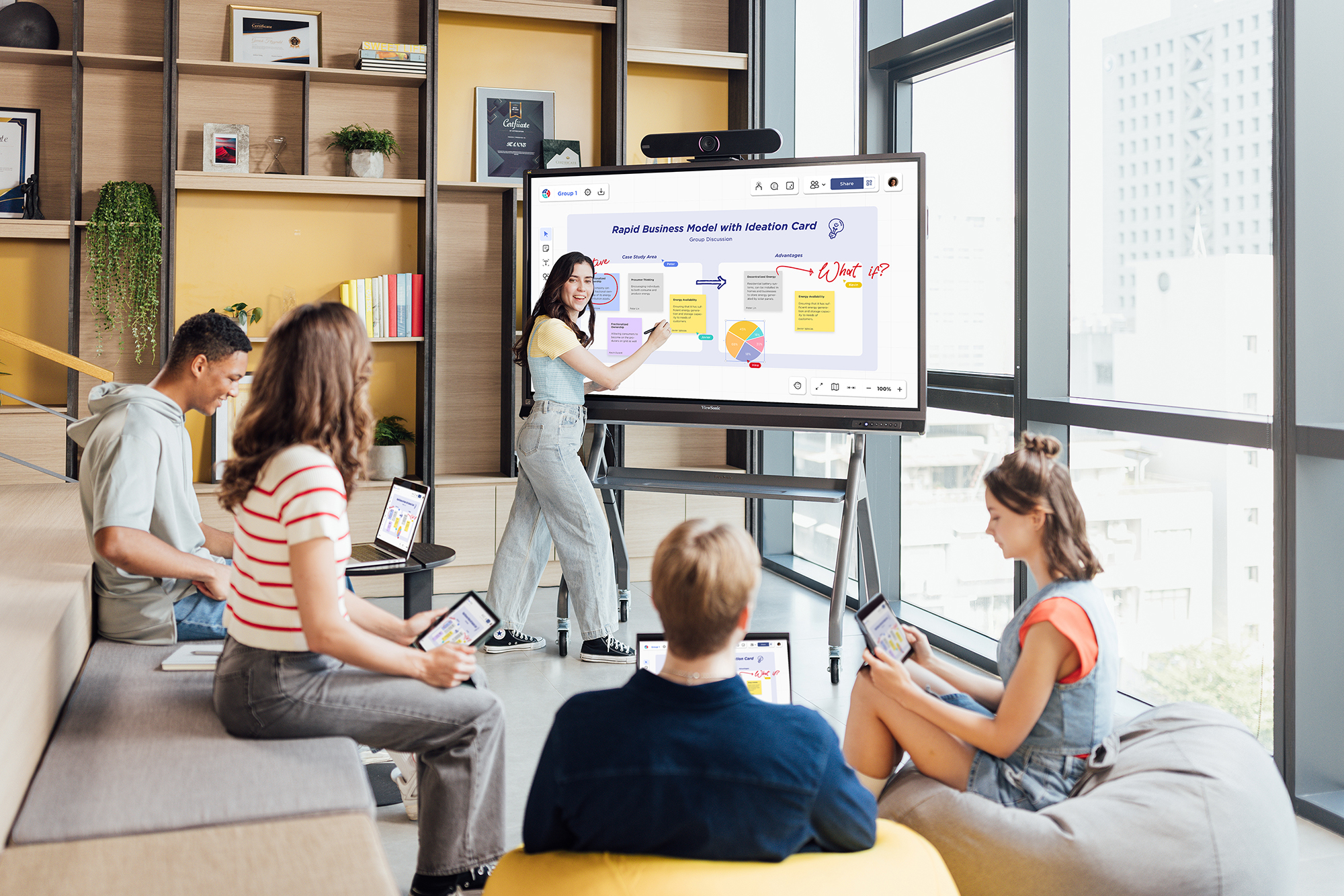
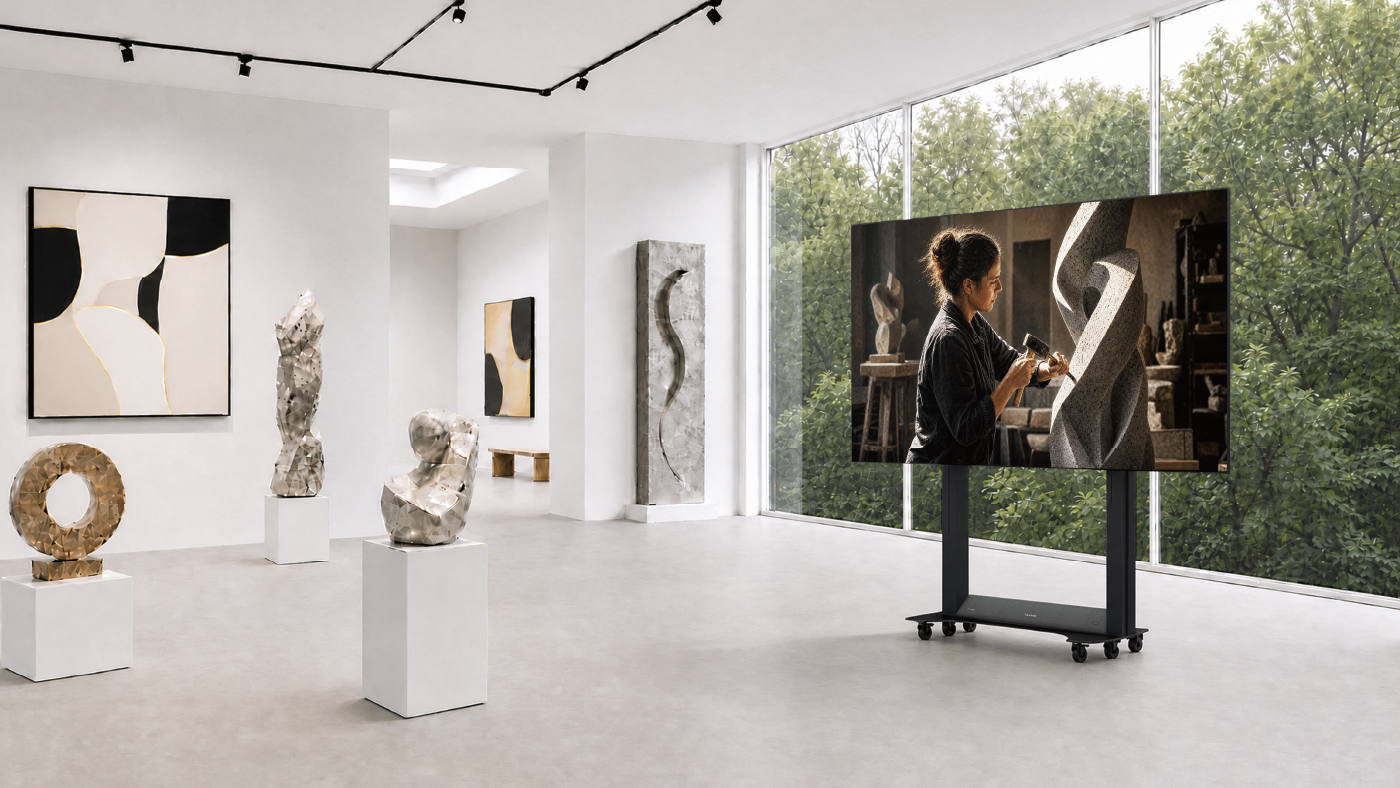
Education
Business
Consumer

Enterprise

All-in-One vs. Component-Based dvLED: What’s the Difference?

Buyer's Guide  |  Oct 14 2026

All-in-One vs. Component-Based dvLED: What’s the Difference?

A Direct View LED (dvLED) display is built from LED modules that tile together into one large image. There are two ways to get one, and what separates them is cost, time and risk.

The traditional approach is component-based. The display cabinets, the processing unit, the power distribution and the control system are separate products that have to be designed, purchased and integrated together. It works well for large-scale custom installations.

The modern approach is All-in-One, where all the separate components are built into a single unit. You specify the display, you receive a complete system, and you install it. For most enterprise buyers and AV integrators, that’s the right starting point.

What Goes Into a Component-Based dvLED Build?

The cabinets, the processor, the power distribution and the control system are separate purchases, each sourced and integrated by whoever is building the system.

The cabinets come from one place and the video processor from another. Power distribution has to be designed for the array. Then the modules have to be stitched into a single image, which means stitching software licensed, configured and color-calibrated on site.

Integrators do this well, and for a genuinely custom installation it’s the right approach. Compared to All-in-One dvLED, what adds to each traditional project is cost, time and risk. Every one of those decisions belongs to somebody, and each additional vendor is a delivery date you don’t control.

What Does All-in-One Change?

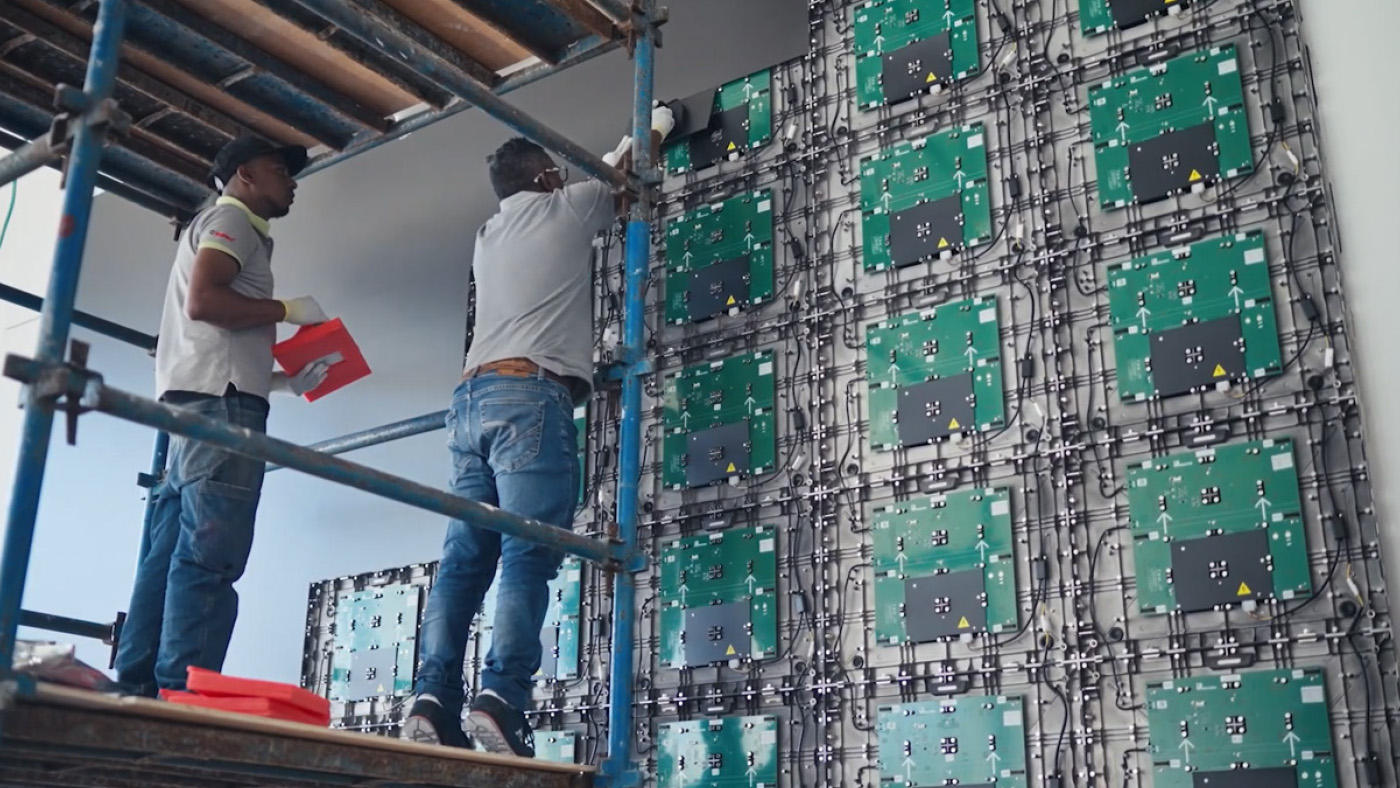
Processing, power and mounting are built in, so there’s no separate media player or control box to source. Image stitching is software-free and factory-calibrated, which means tiles of the wall arrive already matched instead of needing to be color-tuned in the room.

A pre-configured All-in-One display is a single part number. Even a made-to-order configurable one runs two to three, against the dozens of separate components a component-based build requires. That difference is how the project is quoted, how long it takes the project to finalize, and how many delivery dates need to be scheduled.

Control system compatibility comes with the display too. Every ViewSonic dvLED series supports Q-SYS Library Verified plugins plus Crestron, Extron and AMX over IP and RS-232. On a component-based build that’s a separate question, because the control system has to talk to whichever processor was specified, and confirming it is somebody’s job before the room goes live.

Which Factors Decide Between Component-Based and All-in-One?

Both approaches can put a working wall on the site. The differences show up after the sale, in who owns the design, who services the wall and how many suppliers have to deliver on time.

  • Design Ownership: If the finished wall does not fit the space or the content, who is ultimately responsible for the result? A component-based build involves multiple vendors, so the answer depends on which part of the system is at fault, and sorting that out takes time. With an All-in-One display, one manufacturer owns the design and the outcome.
  • Stitching and Calibration: Is the image matched at the factory or configured on site? A component-based build is stitched and color-matched in the room after installation, and that work has to be repeated whenever modules are replaced. ViewSonic All-in-One dvLED arrives factory-calibrated, so a replacement tile matches the wall without a recalibration pass.
  • Service Without the Integrator: When a module fails in year three, can your facilities team handle it, or does the original integrator have to come back? On a component build, service routes back through whoever specified and calibrated the system. ViewSonic tiles are front-serviceable and hot-swappable, and every system ships with calibrated spare tiles equal to 5% of the tile count, so an in-house team can make the swap.
  • Vendors in the Quote: How many companies have to deliver on schedule for the wall to open on time? A component-based build coordinates cabinets, processing, power distribution and control across separate suppliers, and each one is a delivery date you do not control. A pre-configured All-in-One display is a single part number from a single manufacturer.
Where to Start

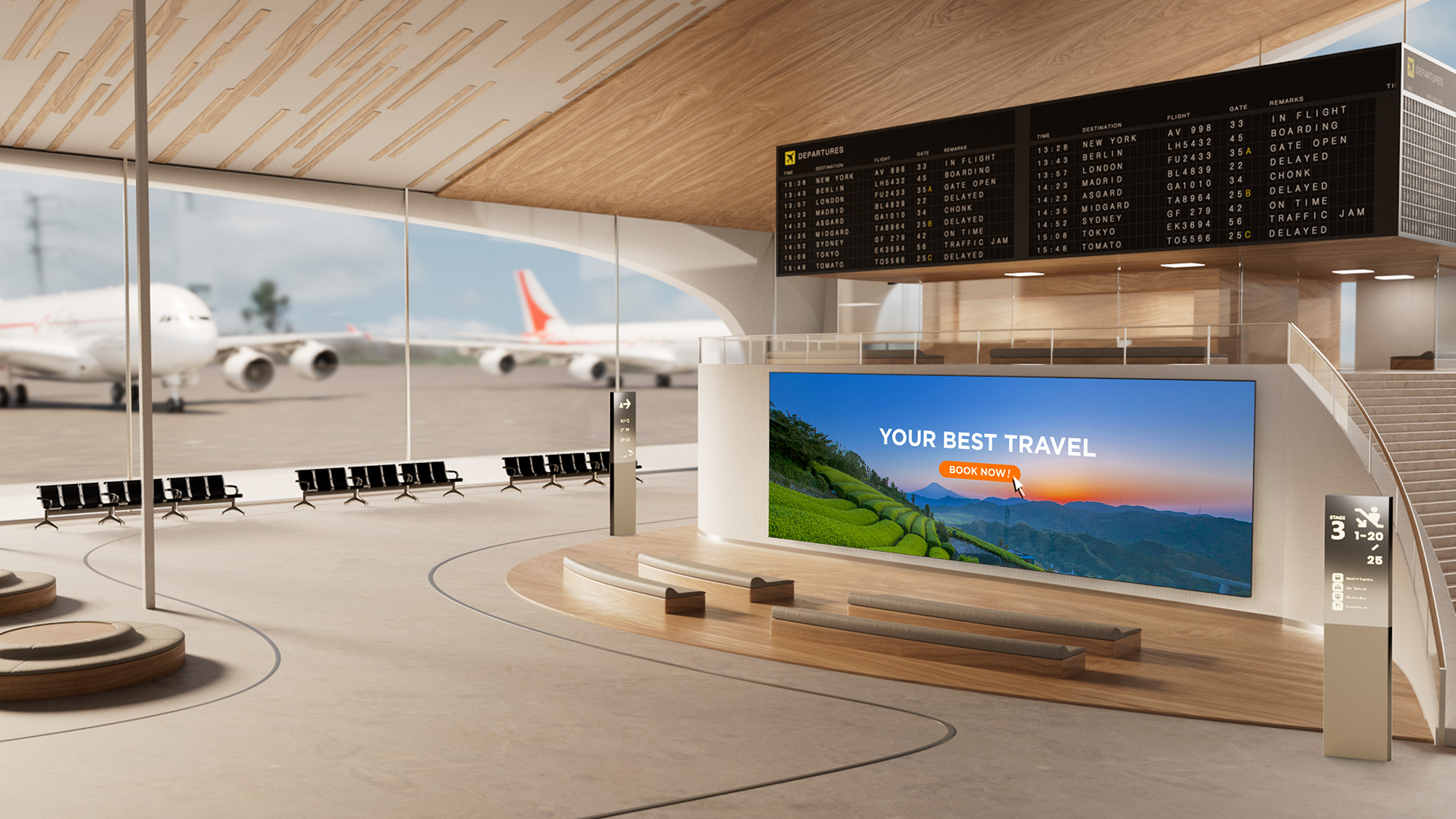
For most rooms, All-in-One is the answer. It reduces project complexity, shortens the timeline and makes the system easier to quote, approve and deploy at scale.

Component-based still has a place in large-scale custom installations when no All-in-One display, pre-configured or configurable, meets the requirement. Outside of that, it adds cost, time and risk without adding benefits.

Once you’ve decided on All-in-One, the next question is which ViewSonic series fits, which comes down to whether a standard size serves your space. Our guide to pre-configured versus configurable dvLED walks through that decision.

Explore ViewSonic large venue solutions to see the All-in-One dvLED range built to command attention with high-impact visuals.

Frequently Asked Questions

What Does All-in-One dvLED Mean?

All-in-One dvLED means the processing, power and mounting are integrated into a single unit, rather than being specified, purchased and assembled from separate components on site. There’s no separate media player or control box to source.

What Is Image Stitching, and Why Does Factory Calibration Matter?

Stitching combines multiple LED modules into one continuous image. On a component-based build it’s configured and color-matched on site, which takes time and has to be redone when modules are replaced. ViewSonic All-in-One dvLED uses software-free stitching that’s calibrated at the factory.

Does All-in-One dvLED Still Need a System Integrator?

Not for the system design, since the display arrives as a complete unit. You’ll still want a qualified installer for the physical mount and the electrical work, and ViewSonic’s U.S.-based Solutions Engineers provide pre-sales site assessment at no additional cost. AV integrators can also earn a ViewSonic dvLED Installation Certification through a two-day training program at the Brea, California headquarters.

When Does a Component-Based Build Still Make Sense?

A component-based build makes sense for large-scale custom installations when no All-in-One display, pre-configured or configurable, meets the requirement. For nearly every other project it adds cost, time and risk without adding capability, which is why All-in-One is the starting point for most enterprise deployments.
Proper wall suitability, reinforcement, and professional installation are the sole responsibility of the customer, installer, or system integrator. ViewSonic assumes no liability for any equipment damage, property damage, or personal injury resulting from incorrect installation. Any references to third-party software, control systems, corporate names, or trademarks are for identification and compatibility purposes only and do not imply endorsement, affiliation, or sponsorship by their respective owners.

dvLED vs. Projection: Which Is Right for Your Space?

Buyer's Guide  |  Oct 14 2026

dvLED vs. Projection: Which Is Right for Your Space?

For decades, putting a large image in a lecture hall or an auditorium meant a projector. Direct View LED changed that. Rather than throwing light onto a screen from across the room, a dvLED display is a wall of LED modules that produce the image directly, at sizes that used to be projection’s exclusive territory.

ViewSonic builds both solutions, so this isn’t a case of one technology replacing the other. Projection still does a specific job well, and there are rooms where it remains the better buy.

What decides the answer is the room itself: how much light you can’t control, what happens when the unit needs service, and whether people will be moving around in front of it.

What’s the Real Difference Between dvLED and Projection?

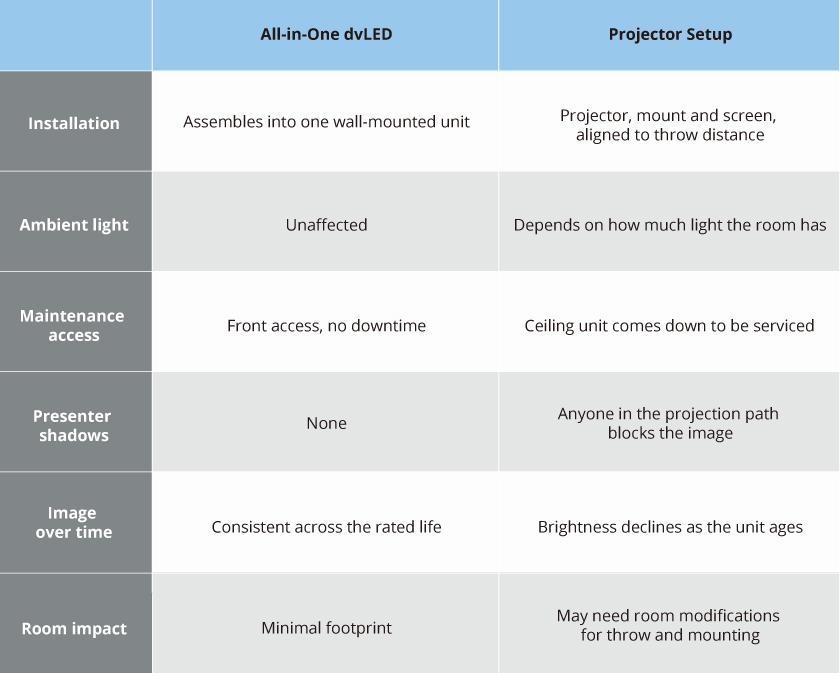
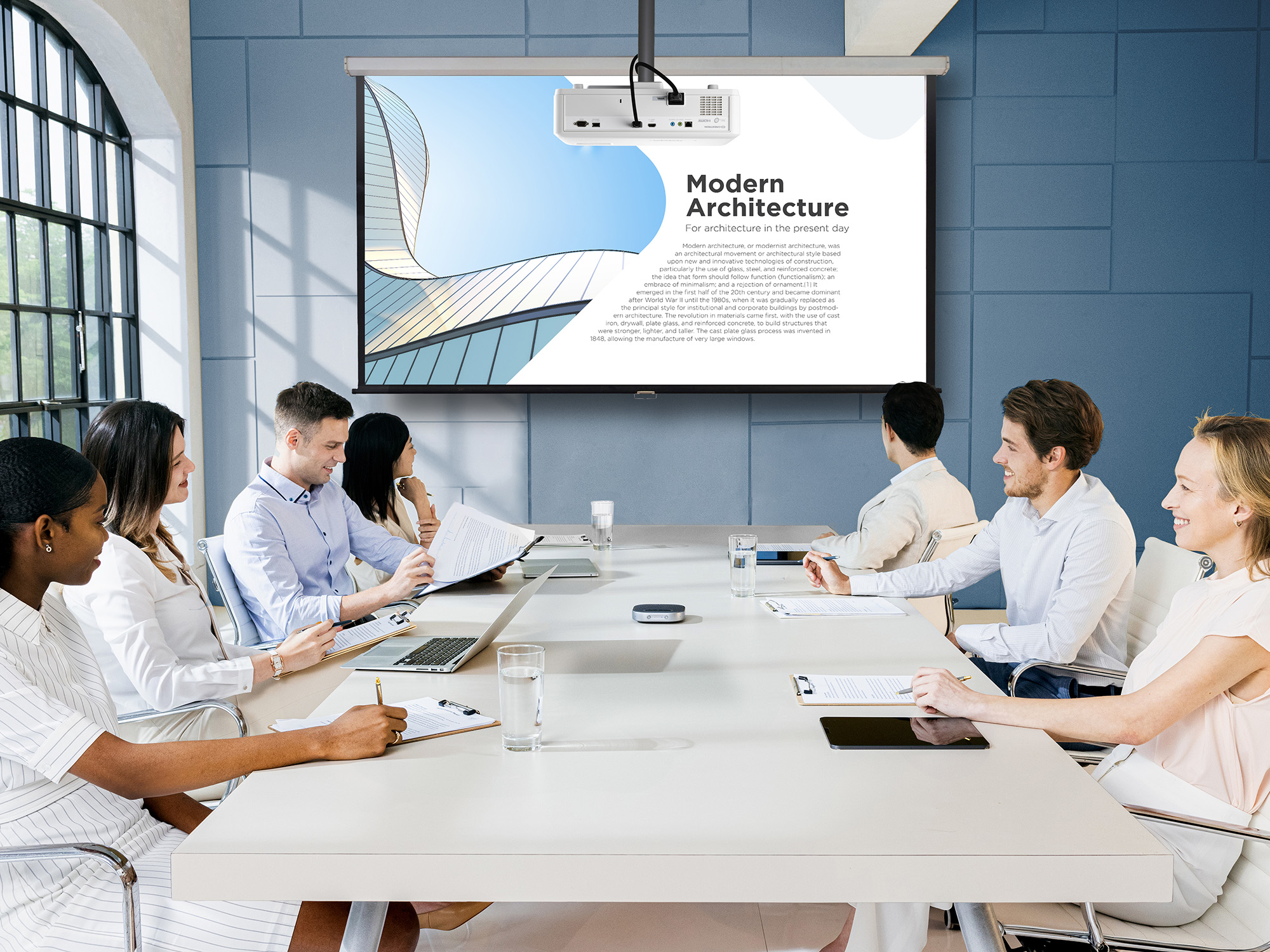
A projector setup has to be designed around the room. Throw distance decides where the unit hangs, the screen has to line up with it, and the ceiling structure has to carry the mount. A dvLED display goes on the wall like any other display, and most of the practical differences between the two follow from that.

What Changes at Install and Service Time?

This is the difference that shows up on a schedule rather than on a spec sheet.

A projector install has to fit the room requirements before it satisfies the audience. Throw distance dictates where the unit hangs, the screen has to be positioned and aligned, and ceiling structure has to support the mount. If the room can’t accommodate that geometry, the layout changes. All-in-One dvLED arrives as a single plug-and-play unit, which cuts installation time and labor cost, and the constraint becomes wall space and power rather than the shape of the room.

Service day is where the gap widens. A ceiling-mounted projector has to be brought down to be worked on, which means a lift, a scheduling window and a room that’s out of service while it happens. dvLED modules are front-serviceable and hot-swappable, so a technician replaces a module from the front of the wall in minutes without taking the room offline.

What Happens When Someone Walks in Front of the Screen?

With a projector, the image travels from the unit to the screen, and anything in that path becomes part of the picture. A presenter who steps the wrong way casts a shadow across their own slide, and so does anyone crossing to a seat.

A dvLED wall produces its image at the surface, so there’s no beam to cross. It’s also large enough that a person standing at it doesn’t obstruct too much. On a 136 or 163-inch video wall, a presenter occupies a fraction of the surface and the content stays readable around them, which means they can work at the display rather than beside it. They also aren’t squinting into a lens while facing the room.

How Much Ambient Light Can Each One Handle?

Think of it as a threshold rather than a verdict.

A high-lumen laser projector handles a room with controlled or moderate light perfectly well. ViewSonic laser installation projectors run 5,000 to 6,000 ANSI lumens and hold a clear image in a lecture hall or a training room with the lights on. If your space is enclosed and you have some control over the lighting, projection is a legitimate answer.

dvLED sits above that threshold entirely. Because it emits its own light rather than reflecting it, ambient light doesn’t factor in at all, which is what lets a dvLED wall cut through daylight in a corporate atrium or an auditorium with glass on two sides. Those are spaces where lighting normally stay at the same level without frequent adjustments.

The question isn’t which one is brighter. It’s how much light is in the room that you can’t do anything about.

When Is Projection Still the Right Choice?

Projection is the right call when the room is dark and stays dark. A dedicated auditorium with a controlled lighting rig already gets a clear image, and dvLED won’t improve on it.

It’s also the right call when you need a very large image and the budget is tight. Projection reaches large sizes for less money up front.

Also, projection is the only choice when the wall can’t take a dvLED array or when a room does not have the structure or the power for it.

If your projector works and your room is dark, keep it.

Where to Start

Start with the light. How much light does the room have that you can’t control? If the answer is a lot, dvLED stops being a preference and becomes the requirement.

Then look at how often the space gets booked and what an hour of downtime costs. The more the room is used, the more the front-service advantage compounds.

Explore ViewSonic large venue solutions to see the All-in-One dvLED range built to command attention with high-impact visuals.

Frequently Asked Questions

Does a dvLED Wall Need a Dark Room?

No. dvLED emits its own light rather than reflecting it off a surface, so ambient light doesn’t wash out the image. That’s the main reason it suits lobbies, atriums and multi-use halls where ambient light is hard to control.

Can a Projector Be Serviced Without Taking the Room Offline?

Usually not. A ceiling-mounted projector has to be unmounted for service, which means a lift, a scheduling window and a room that’s unavailable while the work happens. dvLED modules are front-serviceable and hot-swappable, so a technician works from the front of the wall without the room becoming unavailable.

What’s Included in an All-in-One dvLED Display?

Cabinets, power, processing and mounting arrive pre-integrated as one system, rather than being specified and assembled from separate components on site.

How Long Does a dvLED Display Last?

ViewSonic dvLED is rated for roughly 100,000 hours of LED life, which means far fewer replacements. The warranty covers three years standard, and is extendable to five years.

What Makes a Conference Room Actually Work?

Buyer's Guide  |  Oct 14 2026

What Makes a Conference Room Actually Work?

People collaborate all day, in chat, in shared documents and in threads. Decisions get made in the meeting, and a well-equipped room gets that meeting started quickly and keeps it moving.

With hybrid schedules now standard, a room must work as well for the people dialing in as for the people sitting in it. Time lost to setup gets multiplied by everyone in the room, every time it gets booked, which makes meeting efficiency a productivity question rather than a facilities one.

What decides whether a meeting room works starts with the display on the wall. From there it comes down to how easily people can share to that screen and whether everyone can be seen and heard. The last piece is how well the room fits the systems the building already runs.

Why Do Meetings Take So Long to Start?

Because most conference room technology assumes everyone already knows the system. That worksfor the handful of people who use the room often, and it falls apart for everyone else, which on any given day is most of the people walking into it.

In practice, someone is under the table hunting for the right dongle while someone else clicks through an installer they’ve never seen, and a third person restarts the video call because the wrong input is selected. Then a guest from another company tries to present and none of it works for them at all.

Multiply that across dozens of meetings a day and it adds up to real time. There’s a second cost too, and it’s the one that lasts: people stop booking the room with the bad setup, which puts more pressure on the rooms that work.

How Do You Match the Display to the Room?

Start with how the room gets used in addition to how big it is. Screen size follows from headcount and sightlines, but whether the display needs a touch layer at all depends on what people actually do in that room, and that’s the decision that moves the budget most.

ViewBoard interactive displays suit rooms where people annotate, mark up documents and build on each other’s work directly on the screen. CDE commercial displays cover rooms that only need to present content, which describes most standard conference rooms, and they cost less because they aren’t paying for a touch layer nobody uses. Both run from 43 to 110 inches.

For the largest rooms, All-in-One dvLED delivers one seamless image up to 231 inches, with no bezel lines running through the middle of a slide. That’s what makes it the answer for all-hands spaces and large boardrooms instead of tiling several panels together.

  • Huddle Rooms, Two to Six People: A 55-to-65-inch display puts the screen in comfortable reading range for everyone at the table. Most huddle spaces only present content, so a CDE commercial display covers it without paying for touch.
  • Standard Conference Rooms, Six to Twelve: A 75-to-98-inch display keeps the far end of the table in range. Choose ViewBoard if people mark up documents together, CDE if the room only presents.
  • Boardrooms and Executive Rooms: A large-format display toward the top of the 110-inch range, since these rooms run longer tables and more detailed content than a standard conference room.
  • All-Hands Spaces and Large Boardrooms: All-in-One dvLED, sized to the wall rather than to a standard panel size. A display’s pixel pitch matters more than screen size in these rooms, because the fine pitch a boardroom’s front row needs is different from what a space viewed at 40 feet needs. A useful rule of thumb is that pixel pitch in millimeters times 10 gives the minimum comfortable viewing distance in feet, so a 1.5 mm pixel pitch wall reads well from about 15 feet. ViewSonic large venue solutions covers pitch selection in more detail.

That covers the screen. The rest of the room is about what connects to it.

What Should a Meeting Space Get Right?

The display is the starting point, and three more things decide whether the room works day to day. They cover how people get content onto the screen, whether the people joining remotely can follow along and whether the room cooperates with the systems the building already runs.

  • Getting Content on Screen: How quickly can anyone in the room share, including a guest who has never been in the building before?
  • Being Seen and Heard: Can remote participants see who’s talking and hear the far end of the table, so they can take part rather than just listen?
  • Fitting the Building: Does the room work with the AV control system and scheduling tools already in place?

Get all three working alongside a well-matched display and the room fades into the background, which is what a productive meeting space does. Each one is worth looking at on its own.

How Do You Get Content on Screen Without the Setup Delay?

Take out the two steps that cause most of the delay, which are installing an app and joining a network. Both assume the presenter has permissions, patience and prior experience with the room, and a guest usually has none of the three.

The ViewShare® WPD-900 Wireless Presentation System is a pocket-sized transmitter that plugs into a laptop. Presenting takes seconds, with nothing to install and no network password to track down, because the connection runs peer-to-peer with AES-128 encryption instead of routing through the corporate network.

Some wireless presentation systems still require an app or a Wi-Fi join before anyone can share. That difference shows up the moment a client, a candidate or a new hire needs to present and nobody wants to open a support ticket to make it happen.

The peer-to-peer design matters to IT for a separate reason. A presentation system that never touches the main network is one less endpoint to secure, patch and review. ViewShare also carries USB-C power delivery through the transmitter, so a presenter’s laptop charges while they present, and it supports AirPlay, Miracast and ChromeOS mirroring, which is what makes BYOD work with whatever device someone walks in with.

What Does a Meeting Room Need to Include the People Who Aren’t There?

A camera that finds whoever is speaking and a microphone that reaches the end of the table. Remote participants drop out of a conversation when they can’t tell who’s talking or can’t make out half the room. A good display keeps them watching, and good audio keeps them in the conversation.

  • 4K Conference Camera: The VB-CAM-201 is a 4K conference camera with a 120-degree wide-angle lens, motorized pan and tilt, 5x digital zoom and voice tracking that follows the current speaker. It’s Zoom Certified and includes a four-microphone beamforming array with a 20-foot pickup range.
  • Converse Speakerphone: The ViewSonic Converse (VB-AUD-201) speakerphone adds 360-degree pickup across four omnidirectional microphones with a 20-foot range. It connects over Bluetooth 5.0 or USB-C, and its 6,500mAh battery runs 24 hours of call time, which makes it the option for spaces that aren’t really rooms.
  • Expansion Microphone: The VB-MIC-201 expansion microphone extends pickup to 26 feet and pairs with the VB-CAM-201, covering the end of a long table a single mic array can’t reach.

Buy them together rather than across two budget cycles. Bought as a set they behave as one system, and bought piecemeal they behave like three separate purchases.

Does It Work With the Systems the Building Already Runs?

Usually the room’s system has to fit the building rather than the other way around. Most organizations settled on an AV control platform and a scheduling tool long before this room came up for refresh, and a display that ignores either one becomes a second system somebody has to learn.

ViewSonic displays integrate into the Q-SYS Ecosystem through a Q-SYS Library Verified plugin, and support Crestron, Extron and AMX via IP and RS-232. If the building already runs one of those, the room joins it instead of becoming a separate thing to operate.

Scheduling is the other half of fitting in. The EP1052T-A is a 10.1-inch touch panel that shows room status at the door, handles one-touch join and doubles as a communication display between meetings. A programmable multi-color LED halo shows availability from down the hallway, and the panel installs on a single cable with PoE+. It works with certified scheduling software including EMS, PLANON, Appspace and Pronestor, and supports NFC and RFID badge access for rooms that need it.

Where to Start

Start with the display. Screen size and whether the room needs a touch layer are the decisions that move the budget most, and the rest of the room follows from them.

From there, match the camera and audio to the table, so the people joining remotely can hear the room as clearly as they can see it. Then confirm the room works with the control and scheduling systems the building already runs.

Explore ViewSonic meeting space solutions to see displays, cameras, audio and scheduling panels built to work as one setup.

Frequently Asked Questions

What Is a Wireless Presentation System?

A wireless presentation system lets someone share a laptop or device screen to a conference room display without a cable, usually through a small transmitter or a network connection. ViewSonic’s is the ViewShare WPD-900, which uses a transmitter rather than a network connection.

Does the ViewShare WPD-900 Require an App or a Network Password?

No. It connects through a pocket-sized transmitter using a peer-to-peer AES-128 encrypted link, so there’s no app to install, no network password and no traffic on the corporate network.

How Far Can a Conference Room Microphone Pick Up Voices?

It depends on the device. The VB-CAM-201’s four-microphone beamforming array and the Converse speakerphone both reach about 20 feet, and the VB-MIC-201 expansion microphone extends coverage to 26 feet for longer tables. Measure from the far end of the table rather than from the middle of the room.

Do Meeting Rooms Need Interactive Displays?

Not all of them. Rooms where people annotate and collaborate on the screen together benefit from a ViewBoard interactive display, while rooms that only present content are usually better served by a CDE commercial display at a lower cost. Both ranges span 43 to 110 inches, so the decision is about how the room gets used.

What Does the EP1052T-A Room Scheduling Panel Do?

It displays room availability, supports one-touch join and shows communication content between meetings. It installs over a single PoE+ cable, uses a programmable LED halo to show status at a glance, and works with certified scheduling platforms including EMS, PLANON, Appspace and Pronestor.

Does ViewSonic Meeting Room Equipment Work With Existing AV Control Systems?

Yes. ViewSonic displays integrate into the Q-SYS Ecosystem through a Q-SYS Library Verified plugin and support Crestron, Extron and AMX via IP and RS-232.


Any references to third-party software, control systems, corporate names, or trademarks are for identification and compatibility purposes only and do not imply endorsement, affiliation, or sponsorship by their respective owners.

How Do You Build a Connected Campus Display System?

Buyer's Guide  |  Oct 14 2026

How Do You Build a Connected Campus Display System?

Getting one message onto every screen across a campus should take minutes. On most campuses it takes several logins, more than one vendor and a chunk of somebody’s week.

The screens themselves are usually fine. What’s missing is one place to manage them from, and that gap costs more time than any hardware decision on the campus.

What Kinds of Displays Does a Campus Use?

Before comparing management platforms, it helps to know what you’re managing. Most corporate campuses run four kinds of display, and they don’t all have the same job.

  • Commercial Signage Displays: These cover hallways, break areas and departmental communication. They’re the highest-volume category on most campuses, and they run the longest hours.
  • LED Video Walls: These go in lobbies and atriums, where you want to show impressive images, and there’s too much daylight for a standard display to compete.
  • Interactive Kiosks: These sit at entrances and busy hubs, so visitors and new hires can look up a directory instead of asking at the front desk.
  • Interactive Flat Panels: These belong in meeting rooms and training spaces, where people collaborate on the screen rather than just read it.

Most campuses have all four. Whether they can be run from one platform is what decides how much day-to-day work they create.

Why Do Campus Displays End Up Fragmented?

Because nobody buys them all at once.

A lobby video wall goes in during a renovation. Wayfinding kiosks show up the next year, usually from a different vendor with different software. A building changes tenants and directory screens appear. Three years on, IT has four logins and a spreadsheet tracking which screen belongs to which platform.

Each of those purchases made sense on its own. None of them accounted for the others, and the cost of that doesn’t surface until someone needs to push an emergency alert to every screen at once, or update wayfinding across six buildings before a new tenant moves in Monday. By then what it costs is staff hours, not equipment.

What Should IT Look for in Campus Display Management Software?

Most campuses choose displays based on size, brightness and resolution. The management software matters just as much. Without it, updating a display or putting a message on it means sending someone to that building.

Here’s what to ask about the software:

  • Coverage: Can one login manage every display type, or only one category? Ask for that answer model by model rather than brand by brand, since management support often varies by generation within the same product line. Signage, lobby displays and interactive kiosks on separate platforms leaves you with the same fragmentation, just spread across more logins.
  • Automation: Does the platform handle scheduled tasks across multiple buildings, or does every change need a person?
  • Emergency Broadcast: Can the platform receive alerts from the notification system the campus already runs, and is that integration included? Most campuses already hold a contract for a CAP service. What to watch for is a display vendor that charges again on its own side, or one that expects you to run a separate alerting platform just for the screens.
  • Control System Fit: Does the platform work with the AV control systems already installed, or does it expect to become the new control layer?

Ask them in that order, because the first one rules out the most vendors.

Can Campus Displays Handle Emergency Alerts?

Yes, and facilities and security teams increasingly expect it as a baseline.

Urgent Alert Broadcast is included in both ViewSonic Manager and Manager Advanced, so emergency messaging isn’t gated behind the subscription. It works through ViewSonic and third-party CAP messaging integrations, which means alerts can come from the emergency notification system a campus already runs.

That last part matters most in practice, because during an actual incident nobody should be logging into a second system to send a message.

Does Campus Signage Work With Existing AV Control Systems?

Most campuses have an AV control system in place long before they add displays, so the display has to fit the infrastructure rather than the other way around.

ViewSonic displays integrate into the Q-SYS Ecosystem through a Q-SYS Library Verified plugin, and support Crestron, Extron and AMX control via IP and RS-232. An OpenAPI is shared across the ViewSonic dvLED, commercial display and interactive flat panel lines, so a control system built for one product family doesn’t need rework when another gets added.

The upshot is that new displays connect to what IT already runs, with no parallel control layer and nothing to rip out.

Which ViewSonic Displays Belong in Which Campus Spaces?

Building one connected campus means matching display types to what each space actually needs.

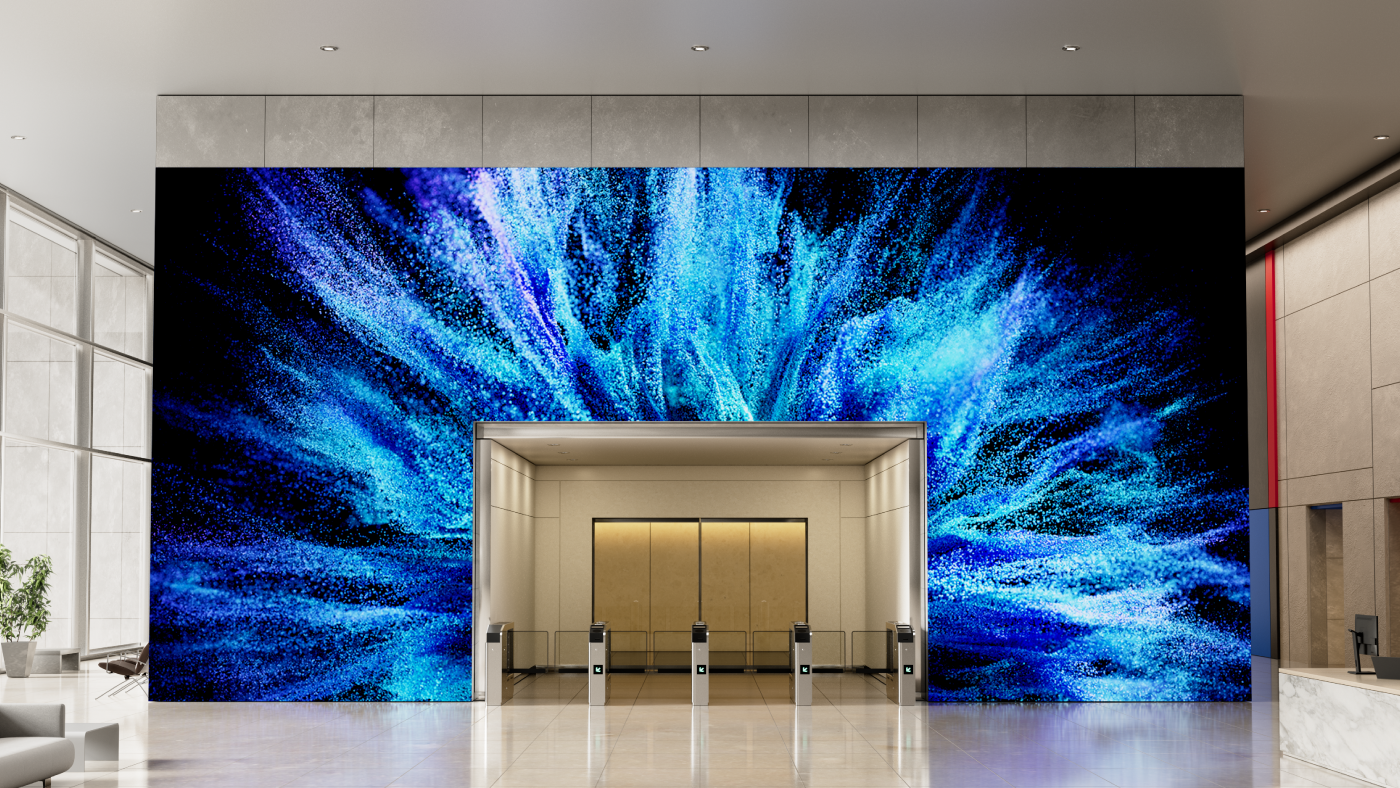
  • Lobbies and Atriums: These spaces need a large-format ViewSonic commercial display or an All-in-One dvLED wall, because ambient light is hard to control here and dvLED holds its image where a standard display washes out.
  • Hallways and Shared Areas: Put ViewSonic CDE series signage displays here, rated for 24/7 operation at 500 nits with anti-glare. Hallway screens run more hours than anything else on campus, so continuous-duty rating matters more than image size.
  • Entrances and Busy Hubs: ViewSonic interactive ePoster kiosks let visitors and new hires search a directory themselves, which takes load off the reception desk.
  • Meeting Rooms and Training Spaces: ViewSonic ViewBoard interactive flat panels from 43 to 110 inches fit these rooms, since collaboration matters more here than broadcast, and touch response and wireless presentation matter more than brightness. ViewSonic meeting space solutions covers sizing and room setup in detail.
  • Auditoriums and All-Hands Spaces: ViewSonic All-in-One dvLED comes in pre-configured sizes from 108 to 231 inches for these rooms, where image size is the priority rather than interactivity. See ViewSonic large venue solutions for sizing guidance.

Mixing display types across a campus is normal, since every space has different requirements. Mixing management platforms is what creates avoidable work, and that’s the part worth sorting out before the next purchase order.

What This Means for Your Next Purchase

Campuses will always add screens at different times, in different renovations, for different reasons. That’s normal and it isn’t going to change.

What makes it manageable is deciding up front how everything gets managed. For some organizations that layer is ViewSonic Manager. For others it’s the Crestron, Extron, Q-SYS or AMX control system already running the buildings, and ViewSonic displays work with those too.

Either way, buying displays from one vendor pays off the same way. One portfolio covers lobbies, hallways, entrances, meeting rooms and auditoriums, which means one support relationship, one firmware path and one integration effort instead of four. Standardizing a management layer is a lot easier when the hardware underneath already speaks the same language.

Explore ViewSonic campus solutions to see how lobby displays, signage and wayfinding kiosks run as one system.

Frequently Asked Questions

What Is Campus Display Management Software?

Campus display management software is a platform that lets IT control every screen across a campus, including lobby displays, digital signage and wayfinding kiosks, from one central dashboard instead of managing each system separately.

Which ViewSonic Displays Enroll in ViewSonic Manager?

CDE series commercial displays, ViewBoard interactive flat panel, and interactive ePoster kiosks enroll in Manager, as do the LDS, LDM, LDP and LDC dvLED series. Three exceptions are worth catching during specification: the CDEG3 series and the IFPG1 series are OS-free by design, and the LDE dvLED series runs a simplified operating system without Manager support.

Is ViewSonic Manager Free?

Yes. ViewSonic Manager is a free browser-based console with no software to install and no server to stand up. It covers device monitoring, batch enrollment, firmware updates and Urgent Alert Broadcast.

What’s the Difference Between ViewSonic Manager and Manager Advanced?

Manager Advanced is a paid tier that adds automation. It includes Task Scheduling for one-off or recurring device actions like screen on and off, power off and media broadcast, plus zoned multimedia broadcast for sending different content to different groups of screens, and remote desktop support for fixing a display without visiting it.

Can Emergency Alerts Be Sent From a System We Already Use?

Yes. Urgent Alert Broadcast works with ViewSonic and third-party CAP messaging integrations, so alerts can come from the emergency notification platform a campus already runs. Staff don’t need to log into a separate display console during an incident.

What AV Control Systems Does ViewSonic Integrate With?

ViewSonic displays integrate into the Q-SYS Ecosystem through a Q-SYS Library Verified plugin and support Crestron, Extron and AMX via IP and RS-232, with a shared OpenAPI across the dvLED, commercial display and interactive flat panel lines.


Performance, security, compliance, and emergency notification outcomes may vary depending on system configuration, usage environment, and agency requirements. Proper wall suitability, reinforcement, and professional installation are the sole responsibility of the customer, installer, or system integrator. ViewSonic assumes no liability for any equipment damage, property damage, or personal injury resulting from incorrect installation. Any references to third-party software, control systems, corporate names, or trademarks are for identification and compatibility purposes only and do not imply endorsement, affiliation, or sponsorship by their respective owners.

How Do You Spec a dvLED Display for a Large Venue?

Buyer's Guide  |  Oct 14 2026

How Do You Spec a dvLED Display for a Large Venue?

How Do You Spec a dvLED Display for a Large Venue?

Auditoriums, lobbies, atriums and event halls are where Direct View LED (dvLED) displays do their best work, and they’re also where a specification mistake gets expensive.

Specifying one starts with the room rather than the product. Measure from the display wall to your closest viewer and divide that distance by 10, and you have the pixel pitch the room calls for. Measure the wall and the sightlines, and you have the screen size it will carry. Take both figures to facilities and confirm the structure, the electrical supply and the freight access can support them.

That order matters, because the price of a dvLED display for a large venue often comes down to size and pixel pitch. Screen size is usually dictated by room size. With pixel pitch, overspend and you may be paying for detail nobody can see from their seat. Underspend and the front row may see individual LEDs.

None of it requires a vendor. A tape measure and a conversation with facilities gets you to a specification accurate enough to quote against, and the sections below show how each figure is derived.

Use the 10x rule. Pixel pitch in millimeters times 10 gives the approximate optimized viewing distance in feet, so a 1.5 mm display looks right from about 15 feet and a 1.8 mm from about 18 feet.

Run the rule in reverse to spec a display for a specific room. Measure from the display wall to your closest viewer and divide by 10, and that gives you the largest pixel pitch that will still look sharp from that distance. In a large venue the closest viewer usually isn’t the person you designed for, since someone will always walk right up to a lobby wall.

The 10x rule gives you a starting point rather than a final specification. What the room shows, how bright it is and how long the display has to stay current all move the starting point, and not always in the same direction:

  • Diminishing Returns: Tighter pitch costs more, but past a certain distance the extra detail is too fine for anyone to see. If your closest viewer is 20 feet from the display, the 10x rule puts a 2.0 mm pixel pitch right at that distance, which means it already delivers sufficient detail for that room. A 1.2 mm display at the same size costs substantially more and looks no different from 20 feet.
  • Content Type: High-resolution video and detailed data visualization reward tighter pitch. General presentations and digital signage can perform well at looser pitch.
  • Ambient Light: In bright rooms, ambient light reduces perceived resolution and brightness matters more than pixel pitch. Every ViewSonic dvLED model delivers 600 nits at a 6,500:1 contrast ratio, or 10,000:1 on the Chip-on-Board LDP Series.
  • Margin for Change: Rated at approximately 100,000 hours, a dvLED wall stays in service well over a decade, long after the room around it changes. Seating plans get rearranged, queue lines form in front of lobby walls, and content that starts as brand video often becomes dashboards and wayfinding. When the budget allows it, specifying one step tighter than your current minimum keeps the display usable if the closest viewer ends up nearer than you planned.

Does the Room Need 4K, or Is 1080p Enough?

On a dvLED wall, pitch and resolution are linked by size. Divide the width of the wall by the pixel pitch and you get the pixel count across it, so a tighter pitch on the same wall produces a higher resolution. What separates them is the question each one answers. Pitch determines how close a viewer can stand before the individual LEDs become visible. Resolution determines how much content the display can show legibly at one time.

The ViewSonic LDS, LDE and LDM Series are 1080p. The LDP Series is 4K. For presentations, video and digital signage, 1080p across a large format is sufficient. For spreadsheets, CAD, GIS, dashboards or any content where small text and fine lines have to stay readable, specify 4K. A boardroom reviewing financial models needs a different display than a lobby playing brand video, even at the same size.

Check source count while you’re there. Most ViewSonic dvLED series provide four video inputs with picture-by-picture and picture-in-picture support. The LDE Series provides two inputs without either, which matters if the room needs to show two sources side by side.

What Should You Confirm About the Room Before You Buy?

These are the room details that keep a large venue project on schedule, and every one of them can be confirmed before you issue an RFQ.

  • Wall Structural Load: Confirm the wall can carry the system weight.
  • Power Availability: Confirm circuit amperage and how close the supply sits to the install location.
  • Mounting Depth and Clearance: ViewSonic All-in-One dvLED mounts at approximately 2.7 inchesdeep. Confirm clearance against any protrusion limits that apply in circulation paths.
  • Conduit and Cable Routing: Map the paths before install day rather than during it.
  • Ceiling Height and Access: Installation equipment needs room to work.
  • HVAC and Ambient Heat: Confirm heat management near the display.

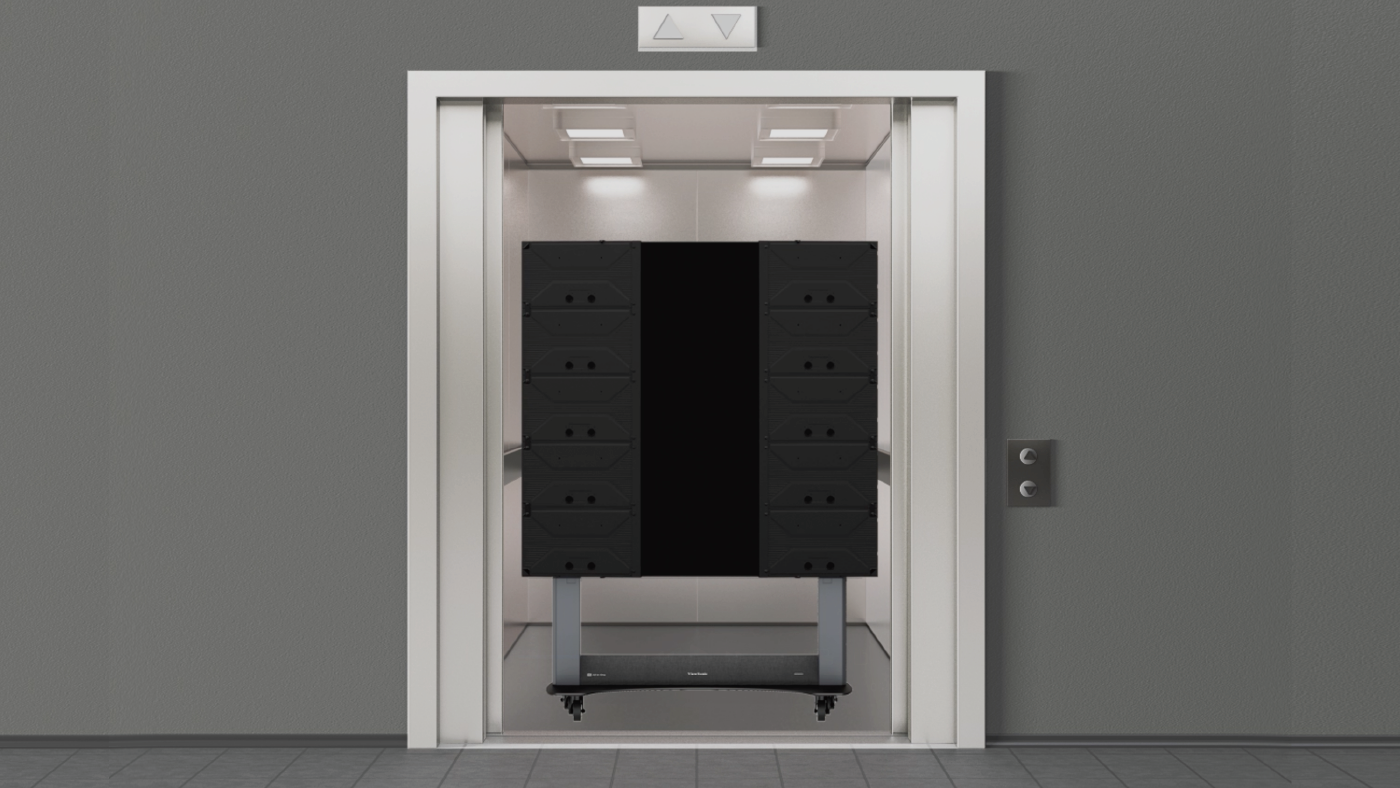
One thing worth checking early for an upper-floor install: a 100-inch-plus LCD display often won’t fit a standard elevator, which rules it out above the ground floor. dvLED arrives in crates and assembles in the room, so its display size is not limited by the logistics of the building.

Who Handles the Installation?

A qualified installer or AV integrator does the physical work, and ViewSonic supports the project on both ends of it. dvLED installation is more involved than mounting a flat panel, so confirm what your vendor includes while you’re still building the budget. A clear scope up front keeps the numbers accurate and the schedule realistic.

ViewSonic’s U.S.-based Solutions Engineers provide pre-sales site assessment at no additional cost and can validate wall structure, power and layout before you commit to a purchase. On-site installation supervision is also included at no additional cost, covering pre-installation site validation, supervision during the install itself and post-installation commissioning support.

How much site work the job takes depends on how the display mounts. ViewSonic dvLED supports wall, floor-standing and ceiling-mount configurations depending on the series and the environment. The Mobile LDS Series requires no fixed mounting, no conduit and no structural work at all, which removes most of the installation question for rooms that need to move the display.

AV integrators who want the expertise in-house can earn a ViewSonic dvLED Installation Certification through a two-day hands-on training program at the Brea, California headquarters and in select U.S. cities. Certification carries CTS renewal units and prepares installers to deploy ViewSonic systems with first-install efficiency.

Where to Start

Measure from the display wall to your closest viewer before you shop for sizes, because that distance determines the pixel pitch, and pixel pitch drives the budget. Then check with facilities to confirm the wall can carry the display.

Explore ViewSonic large venue solutions to see the All-in-One dvLED range built to command attention with high-impact visuals.

Frequently Asked Questions

What Is Pixel Pitch?

Pixel pitch is the distance in millimeters between the centers of two adjacent LED pixels. It determines how close a viewer can stand before individual LEDs become visible, which makes it a major factor in both image quality and cost.

How Do You Calculate the Right Pixel Pitch for a Room?

Use the 10x rule. Pixel pitch in millimeters times 10 gives the approximate optimized viewing distance in feet. Run it in reverse to spec a display: measure to your closest viewer and divide by 10 for the coarsest pitch that will work.

Does a Large Venue dvLED Display Need to Be 4K?

It depends on the content rather than the size. Presentations, video and digital signage read well at 1080p across a large format. Spreadsheets, CAD, GIS and dashboards need 4K, which on ViewSonic dvLED means the LDP Series.

What Should You Check Before Installing a dvLED Display?

Confirm the wall’s structural load capacity, the amperage of the power circuit and how close the supply runs to the install location. Then check mounting depth against any protrusion limits that apply in circulation paths, map the conduit and cable routing, confirm the ceiling height where installation equipment has to work and confirm heat management around the display. Having these answers before you issue an RFQ keeps the project on schedule and removes the most common reasons a dvLED install gets redesigned. ViewSonic Solutions Engineers validate the full list during a pre-sales site assessment at no additional cost.

Does ViewSonic Provide Installation Support?

Yes. ViewSonic’s U.S.-based Solutions Engineers handle pre-sales site assessment at no additional cost, and installation supervision is also included. AV integrators can earn a ViewSonic dvLED Installation.


Proper wall suitability, reinforcement, and professional installation are the sole responsibility of the customer, installer, or system integrator. ViewSonic assumes no liability for any equipment damage, property damage, or personal injury resulting from incorrect installation. Any references to third-party software, control systems, corporate names, or trademarks are for identification and compatibility purposes only and do not imply endorsement, affiliation, or sponsorship by their respective owners.

Foldable dvLED Displays: What to Know Before You Buy

Foldable dvLED Displays: What to Know Before You Buy

A foldable dvLED display unfolds and powers on without an install crew. Here is how mobile dvLED works, how it compares and what to check first.

Foldable dvLED Displays:
What Buyers Should Know

A foldable dvLED display should roll into a room, unfold and power on without a truck, a lift or an integration team. That's the whole premise of mobile dvLED. It's also what separates this tier from the fixed-install LED walls most people picture.

Say you need a large-format display for a boardroom, lobby or event space. Start with two questions: how many rooms do you need to cover, and does the room's job change? If one space needs a permanent centerpiece, a fixed-install dvLED is the best choice. If you want to host an all-hands in one room this month and a customer briefing in another next month, mobile dvLED covers both with one display. And if the room rules out a permanent install altogether, historic walls you cannot touch or glass with nothing to mount to, mobile is the only display that works there.

What is a foldable, all-in-one dvLED display?

A foldable dvLED display is a Direct View LED (dvLED) video wall built to travel. Cabinets, power, processing and mounting are integrated into one folding unit, so there's nothing to source or configure. Think of it like a giant monitor: unfold it, connect power and an input source, and you're presenting.

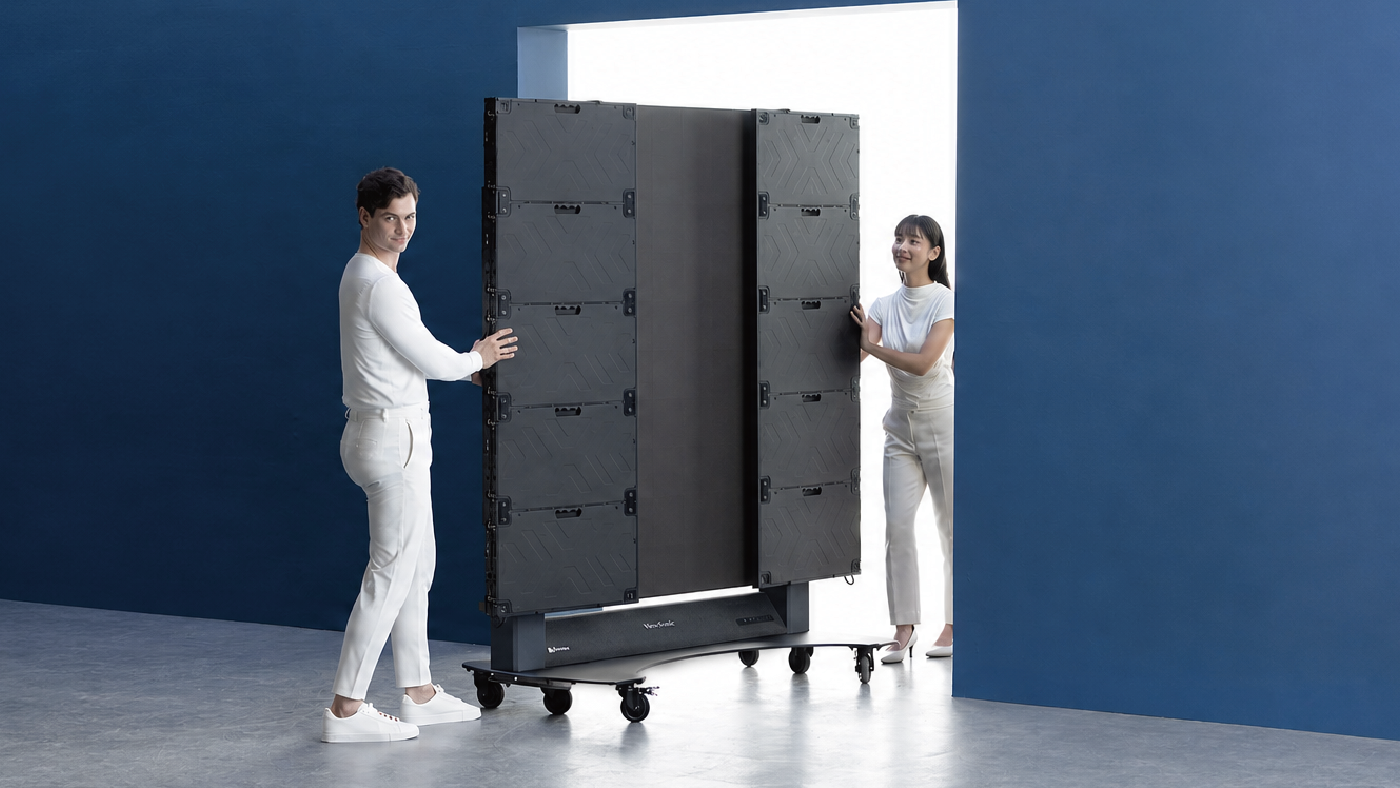
The ViewSonic LDS136-152 is a 136-inch foldable dvLED display with a 1.52 mm pixel pitch. It folds for transport and ships ready to present. There's no system design phase and no control unit to wire in. It rolls on silent wheels, fits a passenger elevator and plugs into a 20-amp outlet.

LDS136-152 specifications at a glance

SpecLDS136-152
Screen size136"
Resolution1920 x 1080
Pixel pitch1.52 mm
Brightness600 nits
Lift travel range2.95 ft
Max height, top of screen9.34 ft
HDMI inputs4 (HDMI 2.0, HDCP 2.2)
Protective designGOB, IP65, IK06
LED lifespan100,000 hours
Power20-amp outlet
Control integrationQ-SYS Library Verified, Crestron, Extron, AMX
Warranty3-year limited, parts and labor, on-site service

How do foldable dvLED displays compare?

Foldable dvLED exists for two reasons: easy assembly and easy transportation. Plenty of vendors now ship an all-in-one dvLED. Fewer belong in the foldable category, and far fewer deliver on both halves of that premise.

The differences show up on install day. Some foldable displays still need an assembly step before they're ready to present. Some ship pre-installed in a transport case that limits how you position the screen. Others leave you mounting and wiring a control box separately, which defeats the point of buying an all-in-one.

Then there is the fold itself, where direction matters more than it sounds. The LDS136-152 folds inward, so the LED surface faces in and stays protected every time the display moves. Some competitors fold outward, leaving the LEDs exposed in transit, which is exactly when a doorframe or a wall corner is most likely to find them. On a display you plan to move often, that difference adds up.

Lift height is the spec buyers most often skip. A 136-inch screen sitting low in the room still blocks sightlines for anyone past the third row. The LDS136-152 lift raises the top of the screen to 9.34 feet across a 2.95-foot travel range, higher than any display in its class. Four HDMI inputs mean you're not choosing which source gets a port.

Is mobile dvLED the same as Samsung The Wall or LG dvLED?

No. Mobile foldable dvLED and premium fixed-install dvLED solve different problems. Samsung's The Wall and LG's large-venue dvLED lines are built to be installed for good. They're usually custom-configured for one space by an integration team. ViewSonic builds fixed-install dvLED too, in preconfigured and custom-sized ranges.

The LDS136-152 is built for the opposite job. Think temporary setups, multi-room deployments, events and any space where a permanent build-out isn't the goal. Comparing the two on specs alone misses the point. The better question is which one matches how and where you deploy.

Why does a fourth-generation product matter?

Most foldable dvLED options on the market today are first-generation products from brands new to the category. That means the setup friction, stability issues and deployment gaps are yours to find. On site. For the first time.

ViewSonic has the longest track record in mobile All-in-One dvLED: four generations of refinement for an innovative, foldable all-in-one design. The upgrades in this fourth generation came from asking corporate IT and AV teams what they actually needed.

  • Increased height range: The motorized lift now raises the top of the screen to 9.34 feet, meaning no more blocked sightlines for the back row.
  • Easy connectivity, built to expand: The I/O moved to the rear, so connecting devices is fast, with no flipping open panels or fumbling with the control bar. An integrated OPS slot lets you add computing power later without swapping out the display.
  • The right size for corporate spaces: At 136 inches with 600 nits of brightness, this dvLED holds up in bright rooms like lobbies, atriums and large conference rooms.

Those preferable upgrades sit on top of what earlier generations already got right. It rolls on silent wheels, folds to fit a passenger elevator and sets up in minutes.

The LDS136-152 is the current version of a product that has already been through three generations of real deployments. It won Best All-in-One LED Display at the rAVe Best of InfoComm 2026 awards.

What should you check before choosing a foldable dvLED display?

A few questions cut through most of the noise.

  • Does it fold and power on without assembly, or does something still need mounting and wiring on site?
  • How high does the lift actually reach, measured at the top of the screen?
  • How many HDMI inputs do you get, and does it work with your control system?
  • Who do you call when you need help, and do they know this specific display?
  • Is this a first-generation product, or has the design been refined across several rounds of real deployments?

Frequently Asked Questions

What is a foldable dvLED display used for?

Foldable all-in-one dvLED displays are built for temporary and multi-room use. Think events, boardrooms, conference rooms and any space where a big display needs to go up fast and move later. They also solve for rooms where a permanent install is not an option: historic buildings where you cannot touch the walls, glass and curtain wall surfaces with nothing to mount to, and leased space where structural changes are off the table. They fold for transport and unfold ready to present, with no separate install phase.

Is mobile dvLED as reliable as a permanent installation?

Mobile dvLED is a different product built for a different job, not a lesser version of a permanent install. The GOB protective design and IP65 and IK06 ratings on the LDS136-152 are built for repeated setup, transport and use. A fixed install is never asked to handle that. Modules are hot-swappable and five calibrated spares ship in the box.

How does the LDS136-152 compare to other 136-inch foldable dvLED displays?

Its lift reaches 9.34 feet at the top of the screen, higher than any display in its class. It also folds and powers on without an assembly step, and it ships with four HDMI inputs plus Q-SYS, Crestron, Extron and AMX control integration.

What installation is required for the LDS136-152?

None. That is the point. The LDS136-152 ships ready to present. Unfold it, roll it into place and plug it into a standard 20-amp outlet. No crew, no lift, no system design phase and no install date on the calendar. Our U.S.-based Field Solutions Engineers are there for customers building a fixed-install dvLED, where design support and installation guidance actually earn their keep.

Why does it matter that this is ViewSonic's fourth generation of mobile dvLED?

Because the design shows it. First-generation foldable dvLED still asks something of you on site: an assembly step, a screen that stands inside the case it shipped in, LEDs facing outward during transport. Four generations of customer feedback is how those get engineered out. The LDS136-152 unfolds, lifts and presents on its own.

See how the LDS136-152 fits your space


*Comparative claims are based on specific features and publicly available manufacturer specifications as of the date of publication, and are not intended to represent a comprehensive evaluation of all product attributes. Any references to competitors' products or trademarks, including Samsung, 'The Wall,' LG, Q-SYS, Crestron, Extron, and AMX, are for identification purposes only and do not imply endorsement, affiliation, or sponsorship by their respective owners.

ViewSonic Modernizes the Technology Infrastructure of One of Mexico’s Leading Pharmacy Chains

SOLUTION BRIEF

ViewSonic Modernizes the Technology Infrastructure of One of Mexico’s Leading Pharmacy Chains

CHALLENGE

One of Mexico’s leading pharmacy chains was undergoing an expansion and modernization of its technology infrastructure, with the need to standardize equipment across both corporate offices and branch locations to improve operations, customer service, and the experience at points of sale.

SOLUTION

The deployment used three ViewSonic monitor lines, each matched to the work happening in that part of the business.

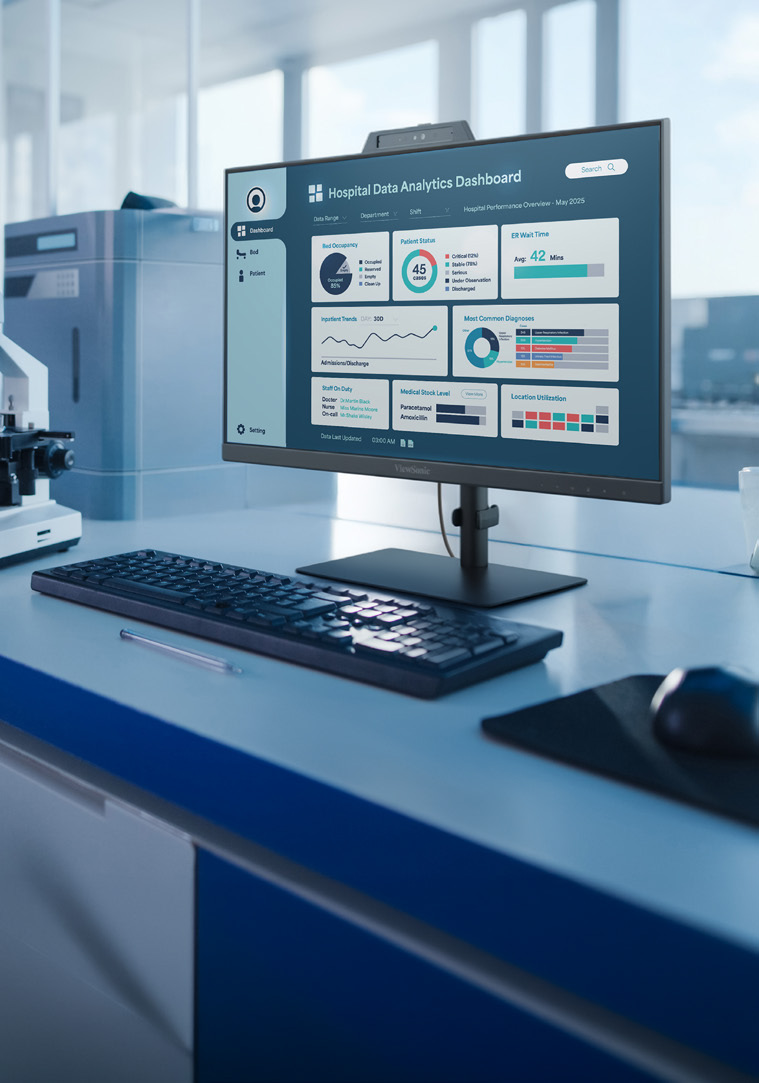
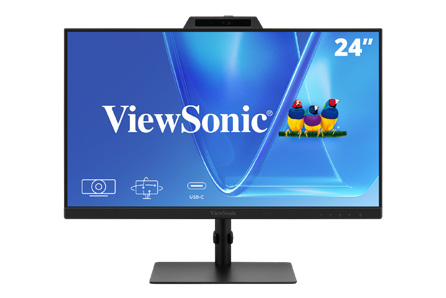
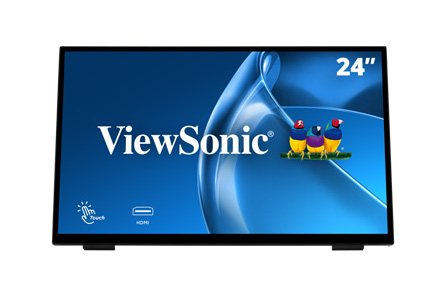
VG2441V monitors equip workstations in the corporate offices. The VG2441V is built for people at a desk all day, with a fully adjustable ergonomic stand and a built-in camera for video calls.

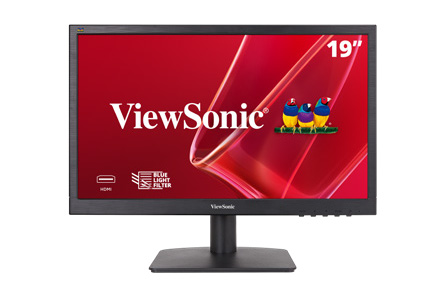
VA1903H monitors run the price lookup and verification stations inside the pharmacies. The VA1903H delivers dependable everyday performance at a price that holds up when you are equipping hundreds of locations.

TD2465 touch monitors run the points of sale at branch locations. The TD2465 is a durable multi-touch display made for continuous use by staff and customers through a full trading day.

The TD2465 deployment marks the second consecutive year this model has been selected for the nationwide rollout, cementing it as the standard platform for the organization’s sales terminals thanks to its reliability and performance in continuous-operation environments.


“The reliability and performance of the TD2465 in continuous-operation environments made it the standard platform for our sales terminals.”


RESULTS

The investment enabled a comprehensive modernization of the chain’s technology, from the corporate level down to every branch, with standardized equipment that streamlines daily operations. In the offices, the VG2441V unified workstations; on the sales floor, the VA1903H facilitates price inquiry and verification; and the TD2465 continues to solidify its position — for the second consecutive year — as the standard point-of-sale platform, thanks to its reliability and performance in continuous-operation environments.

The result is a faster, more consistent shopping experience nationwide, and a technology infrastructure ready to support the chain’s next phase of expansion.

Frequently Asked Questions

What Made the Old Projector Setup a Problem for Hybrid Instruction?

Two ceiling-mounted projectors cast onto dual wall screens, which created three issues at once. Projector light shone into the instructor’s eyes at the front of the room, image brightness and consistency varied with ambient lighting, and the setup was never designed to serve remote students alongside the in-person class.

Why Choose dvLED Instead of Replacing the Projectors?

Direct View LED holds brightness and consistency in a fully lit room, which matters when the same content has to read clearly for students in the room and on a recording. It also removes the consumables and alignment work a projector requires. For a room that runs most of the day and is monitored in real time by IT, that changes the maintenance profile as much as the image quality.

What Does Glue-on-Board Construction Change for Facilities Teams?

Glue-on-Board encapsulates the LEDs and electronics in a thin resin layer, so the display surface tolerates contact rather than losing pixels to it. In a classroom where students walk past the wall every day, that is the difference between a durable install and a recurring repair line. Tiles are also individually replaceable, so a damaged section is a panel swap rather than a full-unit service call.

How Do Confidence Monitors Help an Instructor Teaching to Two Audiences?

An instructor facing the class cannot see the front-of-room displays. Rear-wall confidence monitors let them verify that content is displaying correctly without turning around, and a second monitor keeps remote participants visible. That is what makes it possible to teach to both audiences without treating one as an afterthought.

Can ViewSonic Displays Integrate With an Existing Crestron System?

Yes. In this installation the integrator brought the ViewSonic displays into the classroom’s existing Crestron matrix switcher, so control stayed on the system the campus already runs. ViewSonic also offers integration with Q-SYS, Extron and AMX platforms.

Is This Configuration Repeatable for Other Classrooms?

That was one of the stated goals. The university treats this room as a model for future refreshes, and the configuration scales down for smaller rooms by reducing the number of front-of-room displays while keeping the same podium and confidence monitor pattern.

Ready to Modernize Your Hybrid Classrooms?

Talk to a ViewSonic representative or an authorized partner about a hybrid classroom configuration for your campus, including dvLED sizing, confidence monitor placement and control system integration.

*Actual performance, compatibility, and user experience may vary depending on system configuration, network conditions, usage environment, and other factors. ViewSonic products are not considered medical devices and are not intended for use in the diagnosis of disease or other conditions, or in the cure, mitigation, treatment, or prevention of disease. Programs, pricing, specifications, and availability are subject to change without notice. © ViewSonic Corporation 2026. All rights reserved.

Fourth-Generation Model of the Award-Winning LDS Series of Mobile LED Displays from ViewSonic Now Shipping

The LDS136-152, From the Industry Leading Mobile Direct View LED Line, Offers an All-in-One Solution with Better Accessibility and Effortless Setup


Brea, CA (Sept. 22, 2026) – ViewSonic Corp., a leading global provider of visual and edtech solutions, announces that the latest generation of the award-winning Mobile Direct View LED display solution is now shipping. The ViewSonic LDS136-152 mobile solution delivers a large screen display in a pre-assembled design, which enables effortless setup within minutes. The LDS136-152 is a foldable 136-inch Direct View LED video wall on wheels built for maximum flexibility.

A 4th generation model, the LDS136-152 introduces beneficial upgrades that make setup and operation even easier. The motorized screen lifts higher than any other dvLED in its class, helping everyone get a clearer view of content on the screen. The new commercial-grade built-in motorized stand provides an industry-leading extra 3.7 feet of vertical adjustment. An integrated stand and display remote control allow the management of both the screen settings and motorized lift. Rear I/O ports are easy to reach and provide direct connectivity without opening panels or exposing internal boards, so connecting devices is quick and simple.

“The ViewSonic mobile dvLED solution delivers a giant LED screen that arrives ready to go, so our partners and customers can skip complex installations,” said Shane Roma, Technical Product Manager of dvLED/Commercial Displays at ViewSonic. “The LDS136-152 sets up in minutes and ships in a rugged flight case for easy transport and storage. Just unfold it, plug it in and you’re ready to showcase content or present messaging to your audience. It’s one of the easiest ways to get a larger-than-life, stunning display wherever you need it. We have inventory in the U.S., along with technical support to assist as needed.”

The LDS136-152 features an integrated OPS slot to make it easy to expand the system when needed. Glue-on-Board (GOB) technology protects the LED panels from daily wear-and-tear, while its IP65 and IK06 ratings ensure resistance to bumps, dust, and moisture, ensuring that it can work in public spaces like auditoriums and lobbies. A redesigned hinge adds durability for repeated setup and transport, so the display can be used for events, trade shows and pop-up spaces. It glides silently on 360-degree wheels, making it simple to share between rooms or venues, while the foldable design fits into most elevators.


LDS136-152 All-in-One Direct View Mobile LED Display

  • 136-inch foldable screen pre-assembled in a protective flight case
  • New commercial-grade built-in motorized stand provides an industry-leading extra 3.7 feet of vertical adjustment
  • Integrated stand and display remote control allow management of both the screen settings and motorized lift
  • I/O ports are more accessible and provide direct connectivity without opening panels or exposing internal boards
  • Glue-on-Board (GOB) Technology is designed to provide additional resistance to impact, dust, and moisture for an IP65 rating; IK06 rating for impact protection in heavy-usage environments
  • Versatile connectivity includes HDMI (x4), HDMI output (x1), SPDIF and 3.5mm Audio Out, USB connectivity, WiFi, Bluetooth, Ethernet, RS-232, and an OPS slot
  • Native 1080p (1920x1080) Full HD resolution, 600-nit brightness, 3840Hz refresh rate, 6,500:1 contrast ratio, and dual 30W speakers
  • Supports split-screen functionality, as well as Picture-by-Picture (from up to 4 different inputs) and Picture-in-Picture in real-time (requires an HDMI source input)
  • With the ViewSonic AirSync software, the screen can be shared wirelessly from any device with tools such as AirPlay and Google Cast
  • Can be integrated into the Q-SYS ecosystem via a Q-SYS LIBRARY VERIFIED plug-in; also compatible with Crestron, Extron, and AMX systems

ViewSonic dvLED solutions are developed and engineered to make large-scale display solutions more accessible for AV/IT teams. With the latest features and technologies, the ViewSonic dvLED All-in-One solutions ensure easy deployment, management, and scalability for various applications and real-world environments. The LDS mobile solution is a plug-and-play display that can be used almost anywhere without the extensive setup that comes with a traditional, permanent dvLED installation.

To find out more about ViewSonic, visit ViewSonic.com and follow on Facebook, YouTube, X and Instagram.


About ViewSonic
Founded in 1987 and headquartered in Brea, California, ViewSonic is a leading global provider of visual solutions for the education, business, and consumer markets, with a presence in over 100 countries. Driven by the mission to transform education, workplaces, and lives, the company delivers a unified ecosystem of innovative hardware, software, and services that integrates seamlessly with the platforms, tools, and partners customers trust. Its product portfolio includes monitors, projectors, interactive displays, LED displays, commercial displays, video conferencing systems, and industrial solutions. Complementing its hardware is a robust suite of software offerings—including myViewBoard®, ClassSwift®, TeamOne®, ViewSonic Manager™, and AirSync™—featuring AI-powered tools for collaboration, device optimization, and management. By empowering creativity, collaboration, and lifelong learning, ViewSonic supports customers at every stage in achieving their business and sustainability goals, creating a lasting impact and helping people everywhere connect with purpose—and See the Difference®. Learn more at www.viewsonic.com.


# # #


*Actual performance, compatibility, and user experience may vary depending on system configuration, network conditions, usage environment, and other factors. Features and specifications are subject to change without notice. This news release contains forward-looking statements that reflect the Company’s expectations with regard to future events. Actual events could differ significantly from those anticipated in this document. Trademark footnote: ViewSonic and the ViewSonic trademarks are trademarks or registered trademarks of ViewSonic Corporation in the United States and/or other countries. All other corporate names and trademarks stated herein are the property of their respective companies.


Media Contacts:

Joey Lee
JSL Marketing for ViewSonic [U.S.]
E: joey@jslcomm.com

Miranda Bravo
ViewSonic [U.S. / Canada]
E: miranda.bravo@viewsonic.com

Nury Lavandier
ViewSonic [Latin America]
E: Nury.Lavandier@viewsonic.com

How a Leading Canadian Law Firm Simplified IT Procurement with ViewSonic Docking Monitors

SOLUTION BRIEF

How a Leading Canadian Law Firm Simplified IT Procurement with ViewSonic Docking Monitors

What Challenge Was the Firm Trying To Solve?

A prominent Canadian business law firm was running into administrative and practical issues with its dual-monitor setups. Lawyers and staff worked across separate monitors, docking stations, external power bricks and cable adapters, with each desk collecting its own tangle of hardware. The firm wanted to move to a cleaner setup built on the latest docking technology. From a support standpoint, managing separate line items for monitors, docks and connection cables added unnecessary work for IT. The firm set out to consolidate its hardware into a single docking monitor SKU that could support a standardized two-screen layout, supply 100W power over USB-C and connect seamlessly to its corporate laptop fleet.

What ViewSonic Solution Did the Firm Deploy?

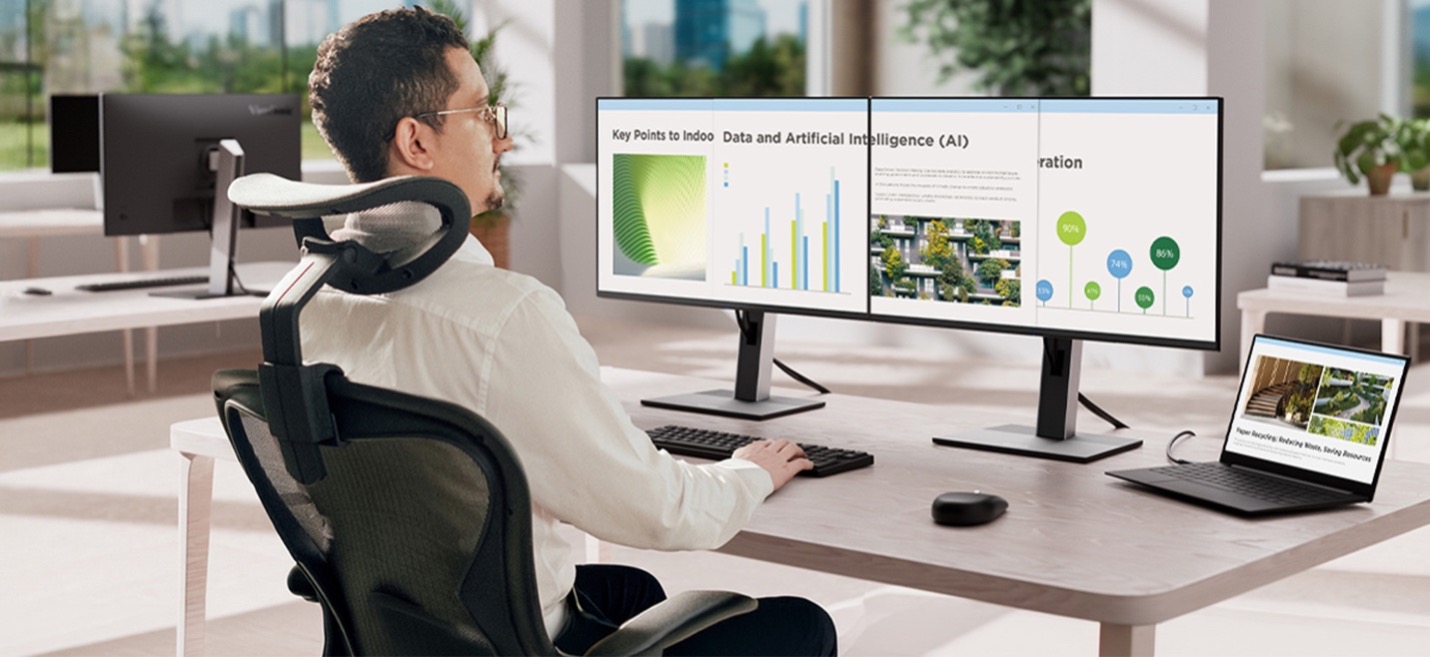
The firm standardized on 700 ViewSonic® 27” VG2758-2K QHD docking monitors, building out 350 dual-display workstations across both offices.

With a built-in docking station featuring 100W USB-C power delivery, an RJ45 Ethernet port and a five-port USB hub, each 27” monitor acts as a complete desktop hub.

Employees can connect their laptop to both screens, the wired network and desk peripherals using a single USB-C cable. Thanks to USB-C daisy-chaining, the two monitors link directly to each other, so only one cable is needed to connect to the laptop.

Beyond simplifying connections, the deployment improved daily physical comfort and long-term hardware management. Fully adjustable ergonomic stands let staff tailor screen height, tilt, swivel and pivot to fit their posture without requiring custom mounting arms.

On the operational side, EPEAT and Energy Star certifications support corporate energy targets, while a three-year limited warranty gives IT predictable long-term hardware reliability. 

Spec LDS138-151
Screen size / resolution 138", Full HD 1920x1080
Mobility Foldable design on a motorized, height-adjustable stand with 360-degree wheels; packed in a custom flight case
Setup time Minutes, no system integration required
Durability GOB (Glue-on-Board) protection, IP54 and IK06 rated, built for high-traffic public spaces
Serviceability Hot-swappable front LED modules for minimal downtime
Casting/Connectivity AirSync wireless screen casting (AirPlay, Google Cast); Q-SYS, Crestron, Extron and AMX compatible
Warranty 3-year limited warranty on parts and labor, with on-site service
Recognition Best New Mobile dvLED Product, rAVe Publications' Best of InfoComm, June 2025

What Results Has the Firm Seen?

  • Consolidated IT procurement into a single monitor SKU across both offices.
  • Cleared desk clutter by eliminating standalone docks, external power bricks and redundant cables.
  • Enabled single-cable docking for power, dual QHD displays, network and USB peripherals. 

By deploying the VG2758-2K, the firm replaced a cluttered multi-vendor setup with a streamlined workstation standard. IT teams now order, deploy and manage one part number instead of tracking three separate hardware components.

For attorneys and staff, starting the workday takes a single connection. Plugging in one USB-C cable charges the laptop, connects to the wired network and extends the workspace across two QHD screens. The lack of cable clutter keeps private offices looking sharp for client meetings. 

Frequently Asked Questions

What Is a Docking Monitor and How Does It Replace a Separate Dock?

A docking monitor combines a high-performance display with an integrated dock, Ethernet port and USB hub. The ViewSonic VG2758-2K monitor supplies 100W of power over USB-C while routing network traffic and peripheral connections straight through the display, eliminating the need for a separate hardware dock, power brick or cable bundle.

Can a Laptop Drive Two Monitors Over a Single Cable?

Yes. The VG2758-2K supports USB-C daisy-chaining, which lets one monitor pass the video signal directly to the second display. The user plugs a single USB-C cable into their laptop to drive both monitors, access the network and charge their battery.

How Does a Docking Monitor Lower IT Overhead?

Combining the dock and display into a single SKU simplifies sourcing, inventory management and lifecycle support. IT teams can track one part number rather than managing separate monitors, standalone docks, dongles and power cables.

Does the VG2758-2K Support Laptops Without USB-C?

Yes. Alongside USB-C, the VG2758-2K includes native HDMI and DisplayPort inputs. This allows legacy laptops to connect easily while giving the firm a clear path to universal single-cable USB-C docking as devices are refreshed.

Ready to Simplify Your Workstations?

Connect with a ViewSonic representative or authorized partner to explore how the VG series of docking monitors can streamline IT procurement and elevate your workspace design.

Related Links

Comparative claims are based on specific features and publicly available manufacturer specifications as of the date of publication, and are not intended to represent a comprehensive evaluation of all product attributes. Actual performance, compatibility, delivery schedules, network performance, training outcomes, and user results may vary depending on system configuration, network conditions, usage settings, individual needs, district or agency requirements, implementation conditions, environmental conditions, and other factors. Any references to third-party products, competitors, software platforms, hardware architectures, certification seals, control systems, or corporate trademarks are for identification, compatibility, and comparative reference purposes only and do not imply endorsement, affiliation, or sponsorship by their respective owners. Environmental protection ratings (including GOB, IP54, and IK06 ratings) are based on standard operating conditions; proper wall mounting, structural reinforcement, mobile assembly, freight handling, and professional installation are the sole responsibility of the customer or installer. ViewSonic assumes no liability for property damage or personal injury resulting from improper installation. Programs, pricing, specifications, and availability are subject to change or cancellation without notice. Corporate names and trademarks stated herein are the property of their respective companies. © 2026, ViewSonic Corporation. All rights reserved. [26ALL-MLT1533d]

ViewSonic ColorPro Standardizes Design Color Across Offices and Stores

SOLUTION BRIEF

ViewSonic ColorPro Standardizes Design Color Across Offices and Stores

CHALLENGE

A global retail brand runs an annual technology refresh across its corporate offices and physical stores. For this cycle the priority was visualization: giving design and product teams a display they could trust when they judge colors and materials.

Small differences in how a screen renders a color can change a decision. When teams at different sites worked on different displays, a material approved at one location did not always look the same at another. The brand needed one color reference everywhere, so a sign-off in one office holds up in the next.

SOLUTION

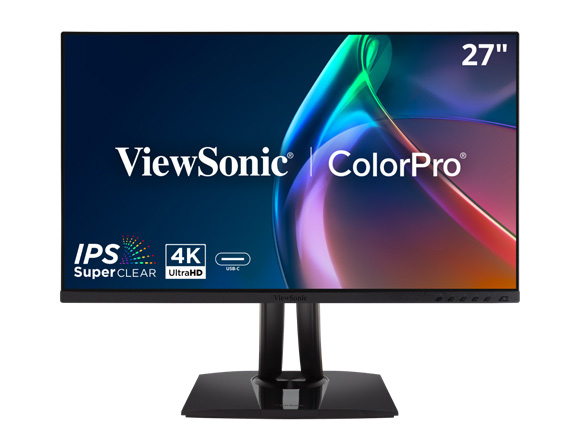
The brand deployed hundreds of ViewSonic® ColorPro® VP2756-4K monitors across its corporate offices and stores.

The ViewSonic monitors sit where color decisions get made. Design and product teams use them to review designs, colors and materials before approval, and cross-functional groups use them when everyone needs to agree on what they are looking at.

That type of work requires more from a display than a standard office monitor can deliver. Office monitors are not calibrated for color accuracy, so a design approved on one screen can look different on the next.

The VP2756-4K is built for the job. Every unit is individually factory calibrated and Pantone Validated, covers 100% of sRGB and Rec. 709, and holds Delta E value under 2. At 4K resolution on a 27-inch IPS panel, reviewers also see detail that earlier displays flattened.


“The color accuracy and level of detail offered by the VP2756-4K allow us to work with greater confidence when reviewing designs and materials, facilitating decision-making and collaboration across our teams.”


RESULTS

Design and product review teams now work from one shared color reference across every site in the project. Working from the same reference removed a recurring source of friction, where two reviewers looking at the same file described two different colors, and product approval cycles move faster because nobody is relitigating what the screen is showing.

The deployment did more than replace hardware. A color-critical display is now part of how design and product decisions get made. The result is more consistency, better accuracy and faster turnaround.

Related Products

Eye care and ergonomic features are designed to help reduce potential discomfort during extended viewing, but individual experiences may vary. Performance, color accuracy, and user experience may vary depending on system configuration, network conditions, signal source, color calibration, usage environment, and other factors. Any references to third-party software, color standards, certifications, or trademarks are for identification and compatibility purposes only and do not imply endorsement, affiliation, or sponsorship by their respective owners.

How a Commuter Rail Agency Captures More Rider Attention with ViewSonic Direct View LED Displays

SOLUTION BRIEF

How a Commuter Rail Agency Captures More Rider Attention with ViewSonic Direct View LED Displays

line drawing of a circular mazeline drawing of a circular maze
  • Static posters weren’t capturing riders’ attention the way the agency wanted.


“The agency can switch out creative in seconds and run multiple ads in rotation, maximizing the revenue potential of station walls. Advertisers gain higher visibility, while the agency eliminates paper waste and manual labor.”


CHALLENGE

A major U.S. commuter rail agency needed a better way to display advertising across its stations. Station walls are filled with ads meant to grab the attention of daily commuters, but the messaging needed to be big and bold to work.

The agency’s previous setup fell short. Printed wall posters, no matter how well designed, weren’t catching riders’ eyes. They needed signage captivating enough to hold attention in a busy station.

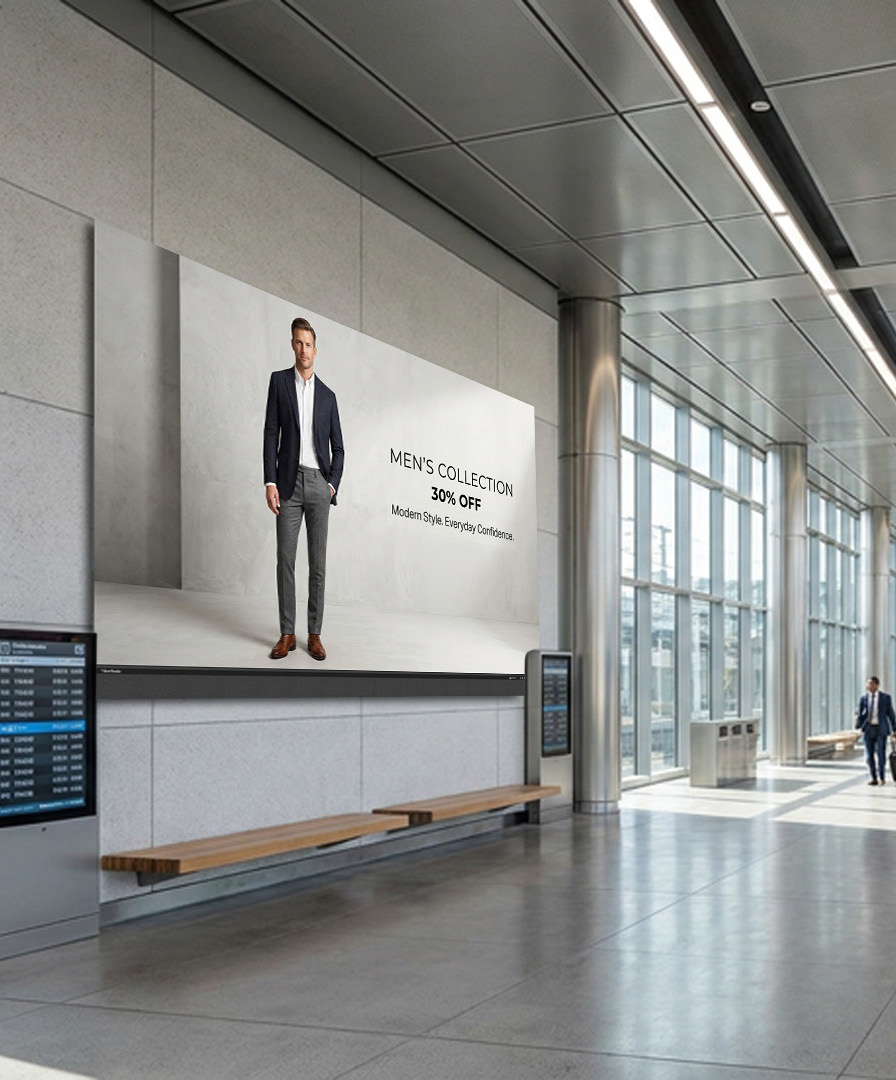
The solution was a bigger, brighter, dynamic display. The agency set its sights on a large-format Direct View LED (dvLED) video wall that could turn static ad spots into high-impact visual experiences.

What ViewSonic Solution Did They Choose?

  • 3 ViewSonic® 136” LDM136-151C All-in-One Direct View LED displays

Partnering with CDW, the agency chose three ViewSonic LDM136-151C displays.

Because each 136-inch All-in-One display ships under a single part number, everything needed for setup arrived in one package. That made specifying, buying and installing straightforward. ViewSonic won out over alternative options by offering the right balance of size, brightness and overall value.

ViewSonic’s dvLED technology was ideal for the busy station environment. A seamless Full HD picture with 600 nits of brightness and a 10,000:1 contrast ratio keeps ads crisp under harsh lighting. For durability, Chip-on-Board (COB) technology brings IP54 dust resistance and IK08 impact protection to heavy foot-traffic areas.

Maintenance stays simple as well, thanks to front-serviceable LED modules and a control bar that detaches to mount up to 30 feet away.

Why is a Direct View LED Display a Strong Fit for Station Advertising?

Paper posters lock stations into fixed messages that demand time-consuming reprints to update.

A 136” dvLED display transforms that same wall space into a bright, dynamic visual footprint. The agency can switch out creative in seconds and run multiple ads in rotation, maximizing the revenue potential of station walls. Advertisers gain higher visibility, while the agency eliminates paper waste and manual labor.

What Outcomes Does the Agency Expect?

  • A bigger, bolder ad display that captures rider attention where static posters failed to generate traction.
  • More impactful placements for advertisers shifting from printed posters to large, bright LED displays.
  • A durable, low-maintenance solution built for busy public stations, featuring IP54 dust and moisture resistance, IK08 impact protection, front- serviceable modules and 100,000-hour rated LEDs.

SOLUTION


Drywall alone is not a structural mounting surface and must never be used as the sole means of support; proper wall suitability, structural reinforcement, load-bearing capacity, and professional installation using commercial-grade mounting hardware are the sole responsibility of the customer, installer, or system integrator. ViewSonic assumes no liability for equipment damage, property damage, or personal injury resulting from incorrect installation or failure to comply with local codes. Performance, security, compliance, and sustainability outcomes may vary depending on agency requirements and environmental factors.

Government Agency Speeds Field Office Setup With ViewSonic Portable Monitors

SOLUTION BRIEF

Government Agency Speeds Field Office Setup With ViewSonic Portable Monitors

Challenge

Employees at this government agency are regularly sent to sites of natural disasters to provide aid and support to affected victims. Setting up traditional field offices used to require trailers, office furniture, desktop computers, bulky monitors and standalone power generators.

These setups were expensive to transport, slow to assemble and tough to adjust when conditions changed quickly. The agency needed a lightweight, secure system that teams could set up in minutes without depending on heavy equipment or massive infrastructure. They needed enough screen space to handle communications, logistics, case management and planning without being weighed down.

Why Did This Agency Choose ViewSonic Portable Monitors?

The agency chose ViewSonic® portable monitors to help power its mobile office strategy. Instead of lugging around full desktop workstations, field personnel can travel light with laptop setups paired with portable monitors.

By trading trailers, generators and desktop workstations for ViewSonic portable monitors, this government agency can now deploy secure, fully functional field offices in minutes instead of hours, freeing personnel to focus on the mission instead of the setup.

What ViewSonic Solutions Did This Agency Deploy?

The agency deployed two ViewSonic portable monitor models across its field teams:

  • ViewSonic 14” VG1457 Dual-Screen Portable Monitor with 65W USB-C Power Delivery and Protective Case
  • ViewSonic 15.6” TD1655 Portable Touch Monitor with 60W USB-C Pass-Through Charging and Protective Cover

The VG1457’s dual 14” screens fold into a 2.6-lb setup that triples the amount of available screen space. Paired with a laptop’s own screen, the two folding panels bring the total workspace to three screens instead of one.

This means that field personnel get enough room to run maps, case files and communications side by side instead of toggling between windows on one screen.

Five display modes, including Extend, Share, Mirror, Full-Screen and Dual Source Mode, let a team member adjust the setup for solo case work, side-by-side briefings or other tasks in the field.

Two-way 65W USB-C power delivery lets the monitor draw power from a connected laptop or charge that laptop when an outlet is available. That flexibility can be helpful at disaster sites, where reliable power infrastructure is not always available.

For workstations that need more hands-on control, the agency deployed the TD1655 touchscreen monitor. Its touch capability lets staff interact directly with maps and software. It also offers 60W USB-C pass-through charging, which powers connected devices through one clean cable setup.

The compact design reduces overall equipment weight and speeds up setup during emergency response missions.

Results

  • Reduced dependence on heavy trailers, office furniture and bulky field equipment
  • Accelerated setup times for temporary field offices in disaster zones
  • Created a more flexible and mobile workforce during emergency operations
  • Simplified workstation setups through USB-C cables and built-in power delivery
  • Boosted user productivity using dual-screen and touchscreen setups
  • Cut transportation and logistical requirements for field operations

Switching to portable monitors changed how the agency sets up shop in emergency situations.

Teams now pack far less gear while keeping the full productivity of a multi-monitor office, letting them focus on relief efforts instead of building out workspace infrastructure.

*Performance, security, compliance, and sustainability outcomes may vary depending on system configuration, usage environment, and agency requirements.

How a Utility Company Replaced Three Cafeteria Displays with a ViewSonic 163” Direct View LED Video Wall

SOLUTION BRIEF

How a Utility Company Replaced Three Cafeteria Displays with a ViewSonic 163” Direct View LED Video Wall

Challenge

A major energy utility company needed a better way to stream daily updates in its main cafeteria, a high-traffic space built for nearly 750 employees.

Three smaller displays mounted on a track system split messaging across separate screens, making company updates hard to follow. At the same time, high ceilings, an open layout and sunlight from large windows created glare that washed out the displays during peak lunch hours.

The utility company needed a single large-format display that was readable from anywhere in the room.

There were other challenges as well. Floor space was off-limits for mounting gear because the room regularly fills to capacity, so hardware had to be mounted cleanly against the wall. To keep daily operations running, the organization needed a fast installation that didn’t require major construction or heavy scaffolding.

What ViewSonic Solution Did They Deploy?

Working with TSI Turtle, the utility company replaced its three-display setup with a single ViewSonic® 163” LDM163-182 All-in-One Direct View LED (dvLED) display. Pushing 600 nits of brightness, the display cuts through daylight so employees can read messaging clearly from any table.

The all-in-one design helped drastically simplify the installation process. With an ultra-slim design and durable Glue-on-Board (GOB) surface treatment that delivers an IP54 rating, the display sits flush on the wall while standing up to everyday bumps and spills. Because the detachable control bar can be placed behind the display or up to 30 feet away, the installers didn’t need floor-standing racks or extra room modifications.

Why Did the Utility Company Choose ViewSonic and How Fast Was the Deployment?

The utility company chose ViewSonic for its rapid turnaround capabilities and hands-on partner support. ViewSonic worked with TSI Turtle on the installation. A ViewSonic Solutions Engineer joined the crew on-site to further streamline the process.

Because power, processing and image stitching are built directly into the display hardware, the crew didn’t have to waste time wiring external control boxes or aligning separate panels.

What Results Has the Utility Company Seen?

  • Replaced three separate displays with one continuous 163” All-in-One LDM163-182 Direct View LED display for clear employee messaging.
  • A 600-nit display remains clear and legible, even during daylight hours.
  • Completed a clean, wall-mounted install without floor equipment.
  • Protected display hardware against public wear with IP54-rated surface protection.

Replacing split screens with a single dvLED video wall gave the utility company a professional, high-impact image for staff communications in its busiest shared space. 

Frequently Asked Questions

What Display Works Best in a Bright Cafeteria with Natural Light?

The ViewSonic LDM163-182 dvLED display delivers 600 nits of brightness, keeping visual content clear and readable across a naturally lit 746-capacity space.

Can a Large Video Wall Mount Without Floor Equipment or Extra Racks?

Yes. The LDM163-182 ships with a dedicated wall mount and features a detachable control bar that sits behind the display or up to 30 feet away, so there’s no need for floor-mounted racks that take up space.

Why Replace Multiple Small Displays with a Single All-in-One dvLED Display?

Multiple screens split content and create distracting bezel lines. A single 163” dvLED display offers one continuous surface, making messages easier to read while upgrading the overall look of shared employee areas.

How Quickly Can an All-in-One dvLED Video Wall Be Installed?

Because power, processing and image calibration are integrated into pre-configured panels, installation moves fast. This project went from purchase to a fully operational video wall without interrupting daily operations.

Ready to Upgrade Your Workplace Messaging?

Talk to a ViewSonic representative or an authorized partner like TSI Turtle about All-in-One dvLED displays for cafeterias, lobbies and employee communication spaces.

Related Products

Comparative claims are based on specific features and publicly available manufacturer specifications as of the date of publication, and are not intended to represent a comprehensive evaluation of all product attributes. Actual performance, compatibility, delivery schedules, network performance, training outcomes, and user results may vary depending on system configuration, network conditions, usage settings, individual needs, district or agency requirements, implementation conditions, environmental conditions, and other factors. Any references to third-party products, competitors, software platforms, hardware architectures, certification seals, control systems, or corporate trademarks are for identification, compatibility, and comparative reference purposes only and do not imply endorsement, affiliation, or sponsorship by their respective owners. Environmental protection ratings (including GOB, IP54, and IK06 ratings) are based on standard operating conditions; proper wall mounting, structural reinforcement, mobile assembly, freight handling, and professional installation are the sole responsibility of the customer or installer. ViewSonic assumes no liability for property damage or personal injury resulting from improper installation. Programs, pricing, specifications, and availability are subject to change or cancellation without notice. Corporate names and trademarks stated herein are the property of their respective companies. © 2026, ViewSonic Corporation. All rights reserved. 8/26 [26ALL-ENT1555Cc]

How a Maritime Defense Contractor Modernized Its Briefing Room with a ViewSonic 163” Direct View LED Display

SOLUTION BRIEF

How a Maritime Defense Contractor Modernized Its Briefing Room with a ViewSonic 163” Direct View LED Display

Challenge

A maritime defense contractor supporting U.S. military and naval operations uses a 52-foot by 32-foot briefing room for daily training, employee onboarding and presentations to visiting Navy leadership. However, its existing dual 85” displays couldn’t deliver the legibility or presence the large space required.

People seated near the back struggled to read detailed content, and high ambient light washed out the screens during daytime sessions. Hosting senior military personnel meant the room needed an executive-level visual upgrade.

At the same time, the project carried strict physical constraints. The hardware had to use existing power and network connections without disturbing decorative teak ceiling panels that would be costly and difficult to remove.

What ViewSonic Solution Did They Deploy?

The contractor deployed a single ViewSonic® 163” LDM163-182 All-in-One Direct View LED (dvLED) display. Delivering Full HD resolution at 600 nits of brightness, the display stays sharp and readable in high ambient light, ensuring even participants 30 feet away can read fine detail clearly.

The display also solved the room’s mounting challenges. Featuring an ultra-slim profile and an included wall mount, its detachable control bar can sit up to 30 feet away.

This setup allowed installers to connect directly to existing power and network infrastructure, leaving the decorative teak ceiling untouched. Guided by the ViewSonic Field Solutions team, the reseller partner completed the display deployment without interrupting daily operations.

Why Did the Contractor Choose a ViewSonic dvLED Display?

The relationship started the winter before, when the contractor installed ViewSonic’s 110” ViewBoard® interactive displays in another conference room. Seeing how well those screens performed gave the contractor full confidence to evaluate large-format dvLED options for its flagship briefing room.

The reseller partner priced out two options, comparing the 163” model against a larger 231” screen. The contractor chose the 163” LDM163-182 because it hit the target budget while supplying the size, brightness and impact required for senior leadership briefings.

What Results Has the Organization Seen?

  • Replaced two 85” displays with one seamless 163” dvLED video wall so participants can read text clearly from 30 feet away.
  • Maintained a sharp, high-contrast image with 600 nits of brightness that doesn’t wash out under daylight.
  • Created an executive-ready environment for briefings with Navy leadership and key stakeholders.
  • Completed a clean installation that reused existing infrastructure while preserving the decorative teak ceiling.

What started as a single room upgrade grew into a complete overhaul of its flagship briefing space. By switching to a unified dvLED solution, the contractor got a high-impact setup that doesn’t falter during critical defense presentations.

Frequently Asked Questions

What Display Works Best in a Large, Brightly Lit Conference or Briefing Room?

High-brightness dvLED displays keep content legible where standard screens wash out. The 163” ViewSonic LDM163-182 provides 600 nits of brightness, allowing participants in a 32-foot-deep room to read presentations clearly regardless of daylight.

How Large Should a Display Be for a Room Where the Back Row Is 30-Plus Feet Away?

In deep spaces, a single large-format video wall outperforms multi-screen setups. Replacing two 85” displays with one 163” dvLED video wall ensured clear visibility across a 52-foot-wide by 32-foot-deep layout.

Can a dvLED Video Wall Be Installed Without Major Construction or Ceiling Work?

Yes. The LDM163-182 uses an ultra-slim wall mount and a detachable control bar that can sit up to 30 feet away. This setup plugs directly into existing power and network lines, which preserved the decorative teak ceiling.

Why Choose an All-in-One dvLED Display Over a Projector or Tiled LCDs for an Executive Briefing Room?

All-in-One dvLED displays deliver a seamless image without bezel gaps or projector shadows. Because they ship as pre-configured units, they install faster and supply the sharp visual impact expected during military leadership briefings.

Ready to Modernize Your Briefing Room?

Talk to a ViewSonic representative or an authorized partner about All-in-One dvLED displays for briefing rooms, training spaces and executive environments.

Related Products

Comparative claims are based on specific features and publicly available manufacturer specifications as of the date of publication, and are not intended to represent a comprehensive evaluation of all product attributes. Actual performance, compatibility, delivery schedules, network performance, training outcomes, and user results may vary depending on system configuration, network conditions, usage settings, individual needs, district or agency requirements, implementation conditions, environmental conditions, and other factors. Any references to third-party products, competitors, software platforms, hardware architectures, certification seals, control systems, or corporate trademarks are for identification, compatibility, and comparative reference purposes only and do not imply endorsement, affiliation, or sponsorship by their respective owners. Environmental protection ratings (including GOB, IP54, and IK06 ratings) are based on standard operating conditions; proper wall mounting, structural reinforcement, mobile assembly, freight handling, and professional installation are the sole responsibility of the customer or installer. ViewSonic assumes no liability for property damage or personal injury resulting from improper installation. Programs, pricing, specifications, and availability are subject to change or cancellation without notice. Corporate names and trademarks stated herein are the property of their respective companies. © 2026, ViewSonic Corporation. All rights reserved. 8/26 [26ALL-ENT1555b]

How a Coworking Organization Standardized Multiple Locations with ViewSonic Commercial Displays

SOLUTION BRIEF

How a Coworking Organization Standardized Multiple Locations with ViewSonic Commercial Displays

Challenge

As one popular coworking organization expanded across the Western United States, managing a patchwork of display brands became a massive operational drain.

Every new space brought a mix of private offices, meeting rooms and event venues that needed screens.

But using multiple display manufacturers meant that every room worked differently, so that IT and its support partner had to handle separate software updates, control setups and support lines for each location.

To continue supporting its rapid growth, the organization couldn’t keep adding separate systems. It needed to consolidate onto one commercial display family and get a cloud management platform that would enable remote updates and device management.

What ViewSonic Solution Did They Deploy?

The organization worked with its integration partner to deploy 96 ViewSonic® CDE31 series of commercial displays across five sizes, ranging from 43 to 86 inches.

Standardizing on one display family gave every room the right screen size while keeping the core hardware identical. Each display features 4K UHD resolution, 500-nit brightness, a 24/7 operation rating, native RS-232 control and compatibility with Crestron, Extron and AMX, plus Q-SYS Library certification.

To further streamline operations, the organization added a 5-year ViewSonic Manager Advanced software license.

Manager Advanced builds on the free ViewSonic Manager platform with added automation and remote desktop access, giving the integration partner visibility across every site. This lets IT admins push software updates, monitor device health and resolve issues remotely without sending a technician on site.

What Results Has the Organization Seen?

  • Standardized 96 displays across multiple locations using a single commercial display line.
  • Centralized fleet monitoring and remote management through one cloud console.
  • Reduced maintenance demands by consolidating onto one manufacturer ecosystem.
  • Delivered a consistent user experience across huddle rooms, offices and event halls.
  • Created a scalable technology foundation to support future site expansions.

By replacing a mixed display setup with one unified ecosystem, the organization cut maintenance demands and gave members a reliable experience in every room.

Centralized oversight through Manager Advanced software lets its partner handle updates proactively, keeping workspace displays running without interrupting daily business.

Frequently Asked Questions

How Can a Multi-Location Business Standardize Its Displays Across Different Room Types?

Standardizing on one manufacturer’s commercial display line lets a business match screen size to each room while keeping software, controls and support identical. This organization deployed 96 ViewSonic CDE31 series of displays in five sizes, from 43” to 86”, across multiple locations to cover every space type.

How Do You Remotely Manage Commercial Displays Across Multiple Sites?

ViewSonic Manager offers free, web-based monitoring for every site. This organization added ViewSonic Manager Advanced, an upgraded tier that layers on automation, device profiles and remote desktop access. The upgrade centralizes device health, settings and software updates into a single cloud-based dashboard. IT teams and managed service partners can then manage displays at any location without physically being on site.

Do ViewSonic CDE31 Series Displays Integrate with AV Control Systems?

Yes. The CDE31 series of commercial displays feature native RS-232 control and Q-SYS Library certification. They’re also compatible with Crestron, Extron and AMX, making them easy to plug into existing room control environments.

Why Consolidate Onto a Single Display Manufacturer?

Consolidating onto one brand cuts maintenance complexity, simplifies procurement and ensures a consistent user experience across every room and location.

Ready to Standardize Your Workspace Technology?

Talk to a ViewSonic representative or an authorized partner about standardizing on CDE31 series of commercial displays and Manager Advanced across your locations.

Related Products

Comparative claims are based on specific features and publicly available manufacturer specifications as of the date of publication, and are not intended to represent a comprehensive evaluation of all product attributes. Actual performance, compatibility, delivery schedules, network performance, training outcomes, and user results may vary depending on system configuration, network conditions, usage settings, individual needs, district or agency requirements, implementation conditions, environmental conditions, and other factors. Any references to third-party products, competitors, software platforms, hardware architectures, certification seals, control systems, or corporate trademarks are for identification, compatibility, and comparative reference purposes only and do not imply endorsement, affiliation, or sponsorship by their respective owners. Environmental protection ratings (including GOB, IP54, and IK06 ratings) are based on standard operating conditions; proper wall mounting, structural reinforcement, mobile assembly, freight handling, and professional installation are the sole responsibility of the customer or installer. ViewSonic assumes no liability for property damage or personal injury resulting from improper installation. Programs, pricing, specifications, and availability are subject to change or cancellation without notice. Corporate names and trademarks stated herein are the property of their respective companies. © 2026, ViewSonic Corporation. All rights reserved. 8/26 [26ALL-ENT1555a]

How a Manufacturer Reduced Security Risks with ViewSonic’s OS-Free Interactive Displays

SOLUTION BRIEF

How a Manufacturer Reduced Security Risks with ViewSonic’s OS-Free Interactive Displays

Challenge

A U.S. metal manufacturer needed a large interactive display for teams to review plans, designs and presentations. Like most industrial firms, it treats every connected device as a security liability. Standard smart displays run an embedded operating system that IT has to constantly patch and protect. The manufacturer wanted touchscreen collaboration without exposing its network to extra intrusion risks.

What ViewSonic Solution Did the Manufacturer Deploy?

The manufacturer worked with integration partner Sidebarr to evaluate two ViewSonic® 86” 4K interactive displays, the standard ViewBoard® IFP8641 and the OS-free IFP86G1. While both provided ample screen space, the IFP86G1 reduced network risks by skipping the built-in operating system entirely.

Presenters simply plug in directly from their laptops. Without local storage or background software, sensitive files never touch the display and malware has nowhere to hide. Sidebarr recommended the IFP86G1 as the best overall value for its touchscreen performance, price point, solid warranty and U.S.-based support.

What Results Has the Manufacturer Seen?

  • Met both collaboration and security requirements with a single display.
  • Kept meeting data off the network by running presentations directly from user laptops.
  • Removed OS patching and software maintenance from IT’s workload.
  • Gave teams fast touch controls and annotation tools for daily plan reviews.

The manufacturer got a massive screen that makes reviewing designs easier while keeping network risk to a minimum. By omitting the built-in operating system, Sidebarr and ViewSonic turned a potential IT security burden into a seamless collaboration tool.

Frequently Asked Questions

What Is an OS-Free Interactive Display?

An OS-free display is a touchscreen with no built-in operating system. With the ViewSonic ViewBoard IFP86G1, users connect directly from their own device or add an optional slot-in PC. There’s no native software to update and no meeting data saved on the screen.

Are OS-Free Interactive Displays More Secure Than Standard Smart Displays?

They reduce risk in two key ways: there’s no embedded OS to exploit and no local storage for sensitive files. An OS-free display like the IFP86G1 leaves a much smaller attack surface than a traditional smart screen. This manufacturer picked it specifically to keep OS vulnerabilities off its network.

Does Removing the Operating System Reduce IT Maintenance?

Yes. Without an embedded OS, there are no software updates, patches or background programs to manage. Users run everything off their own laptops, which takes ongoing maintenance off IT’s workload.

Can Teams Still Collaborate and Use Touch on an OS-Free Display?

Yes. The IFP86G1 delivers fast multi-point touch and annotation for reviewing plans, files and presentations. Users get full interactivity from their connected device without storing any content on the display.

Ready to Collaborate Without the Operating System Risk?

Talk to a ViewSonic representative or an authorized partner like Sidebarr to learn more about OS-free ViewBoard interactive displays for secure teamwork.

Related Products

Comparative claims are based on specific features and publicly available manufacturer specifications as of the date of publication, and are not intended to represent a comprehensive evaluation of all product attributes. Actual performance, compatibility, delivery schedules, network performance, training outcomes, and user results may vary depending on system configuration, network conditions, usage settings, individual needs, district or agency requirements, implementation conditions, environmental conditions, and other factors. Any references to third-party products, competitors, software platforms, hardware architectures, certification seals, control systems, or corporate trademarks are for identification, compatibility, and comparative reference purposes only and do not imply endorsement, affiliation, or sponsorship by their respective owners. Environmental protection ratings (including GOB, IP54, and IK06 ratings) are based on standard operating conditions; proper wall mounting, structural reinforcement, mobile assembly, freight handling, and professional installation are the sole responsibility of the customer or installer. ViewSonic assumes no liability for property damage or personal injury resulting from improper installation. Programs, pricing, specifications, and availability are subject to change or cancellation without notice. Corporate names and trademarks stated herein are the property of their respective companies. © 2026, ViewSonic Corporation. All rights reserved. 8/26 [26ALL-ENT1555Cd]

ViewSonic Launches the LS740-4K, the Company’s Latest High-Performance, Low-Maintenance Laser Projector

With Native 4K Resolution and 5,000 ANSI Lumens, the LS740-4K Delivers Vibrant Colors, Adaptable Mounting Options, and Durable Performance


Brea, CA (Aug. 18, 2026) – ViewSonic Corp., a leading global provider of visual and edtech solutions, introduces the LS740-4K, a new laser-based projector with true 4K Ultra HD resolution and a brightness of 5,000 ANSI lumens. The LS740-4K utilizes the latest laser phosphor technology, ensuring high-performance versatility and installation-friendly features for various applications and settings, including Golf Mode for optimized color accuracy.


The ViewSonic LS740-4K delivers exceptional versatility across education, business, enterprise, corporate, and retail environment, as well as home entertainment settings. It’s a low-maintenance and lamp-free projector built to project vibrant images and colors against ambient light. With the latest laser phosphor technology, the LS740-4K provides up to 30,000 hours of maintenance-free operation (depending on usage) with no lamp replacements needed. Compared to traditional lamp models, the LS740-4K reduces energy consumption by up to 49 percent.


“The LS740-4K laser projector is the latest lamp-free option that we’re offering our customers,” said Jeff Muto, Business Line Director at ViewSonic. “We want to ensure that big-screen display needs are met by providing more value-based solutions. The LS740-4K comes with installation-friendly functionality that can be utilized in various spaces without losing image quality. For golf enthusiasts, the dedicated Golf Mode function optimizes color accuracy to make fairways and putting surfaces look remarkably lifelike.”


To ensure that the LS740-4K can accommodate a variety of spaces, the projector features a 1.6x optical zoom and provides exceptional placement flexibility. The 360-degree projection supports ceiling, floor, or portrait installations. The LS740-4K has an IP6X-rated sealed optical engine that blocks dust to ensure consistent image quality without the need for a filter.


ViewSonic LS740-4K

  • Native 4K UHD (3840x2160) resolution and 5,000 ANSI lumens of brightness
  • Dedicated Golf Mode function for fine-tuning of color output, boosting blues and greens
  • Installation-friendly with 360-degree projection rotation, 1.6x optical zoom, 4-corner adjustment settings, and horizontal/vertical keystone correction
  • Comprehensive system integration supports leading enterprise AV control systems and centralized IT management ecosystems
  • Connectivity options include 2x HDMI 2.0 with HDCP 2.3 support, USB-A 2.0 5V/1.5A, RJ45 LAN control, RS232, and 3.5mm Audio-Out
  • Availability: August 2026 for an estimated street price of $1,899.99 [USD]


To find out more about ViewSonic, visit ViewSonic.com and follow on Facebook, YouTube, X and Instagram.


About ViewSonic
Founded in 1987 and headquartered in Brea, California, ViewSonic is a leading global provider of visual solutions for the education, business, and consumer markets, with a presence in over 100 countries. Driven by the mission to transform education, workplaces, and lives, the company delivers a unified ecosystem of innovative hardware, software, and services that integrates seamlessly with the platforms, tools, and partners customers trust. Its product portfolio includes monitors, projectors, interactive displays, LED displays, commercial displays, video conferencing systems, and industrial solutions. Complementing its hardware is a robust suite of software offerings—including myViewBoard®, ClassSwift®, TeamOne®, ViewSonic Manager™, and AirSync™—featuring AI-powered tools for collaboration, device optimization, and management. By empowering creativity, collaboration, and lifelong learning, ViewSonic supports customers at every stage in achieving their business and sustainability goals, creating a lasting impact and helping people everywhere connect with purpose—and See the Difference®. Learn more at www.viewsonic.com.


# # #


*Actual performance, compatibility, and user experience may vary depending on system configuration, network conditions, usage environment, and other factors. Features and specifications are subject to change without notice. This news release contains forward-looking statements that reflect the Company’s expectations with regard to future events. Actual events could differ significantly from those anticipated in this document. Trademark footnote: ViewSonic and the ViewSonic trademarks are trademarks or registered trademarks of ViewSonic Corporation in the United States and/or other countries. All other corporate names and trademarks stated herein are the property of their respective companies.


Media Contacts:

Joey Lee
JSL Marketing for ViewSonic [U.S.]
E: joey@jslcomm.com

Miranda Bravo
ViewSonic [U.S. / Canada]
E: miranda.bravo@viewsonic.com

Nury Lavandier
ViewSonic [Latin America]
E: Nury.Lavandier@viewsonic.com

dvLED Install Gotcha #4: Do You Actually Have the Right Tools?

BUYER'S GUIDE

dvLED Install Gotcha #4: Do You Actually Have the Right Tools?

You can’t improvise your way through a Direct View LED (dvLED) installation.

Missing the right tool on the day doesn’t mean a quick run to the hardware store. It means a stalled install, a frustrated client and a job that costs more than it should have.

Here’s the fix. It all happens before you show up, not on install day.

What tools does a dvLED install actually require?

The equipment list goes beyond what most general AV installs demand. A few items are non-negotiable.

A panel lift or scissor lift is often needed when a ladder is not safe due to the height. Trying to install with just a ladder when it is too high can lead to lost time and risks damage.

Manufacturer-specific tools matter more than people expect. Many systems have unique mounting and alignment requirements, and generic substitutes often don’t fit or don’t work.

A laser level is essential, but there’s a difference between owning one and using it correctly. Make sure the right person is running it, and match the tool to the job. A small beam meant for a 6-inch level isn’t the right choice for a large-format wall.

What’s the one tool most crews forget?

The ones you can’t grab at a hardware store on the way to the job. That’s the pattern behind almost every tool-related delay.

Some gear has to be rented and reserved ahead of time. A panel lift or scissor lift is the obvious one. Show up without it and there’s no quick fix, and a rental you forgot to book is a day you don’t get back.

Then there are the manufacturer-specific tools that ship with the system itself. Spare tiles, tile removal tools and other items packed in the box are easy to leave behind. Check the packaging before you leave and bring what came with the display.

Finally, use ESD protection on every job. Static damage to LED modules is invisible at install time and shows up later as dead pixels or early failures. Pack spare ESD gloves too, in case a set isn’t included.

This is one place an all-in-one system quietly helps. Every ViewSonic All-in-One dvLED ships with calibrated spare tiles, ESD glove protection and suction tools included, so the gear you’re most likely to forget is already in the box.

How do you build a standard dvLED install kit?

Plenty of installation teams try to run off memory alone. Professionals run from a documented, standardized install kit checklist that assigns responsibility for each item before every job.

That checklist should be a non-negotiable part of your pre-install process, reviewed and signed off by the project lead before anyone leaves for the site. Fewer surprises on-site means fewer delays, and delays are what eat your margin.

Preparation is what makes an install fast. Not rushing.

Frequently Asked Questions

What tools do you need to install a dvLED wall?

At minimum, a panel or scissor lift for anything above eye level, the manufacturer’s specific mounting tools, a properly sized laser level, ESD protection and spare modules on-site. Build these into a documented kit checklist for every job.

Why is ESD protection important for dvLED?

Static discharge can damage LED modules in ways you can’t see at install time. The damage surfaces later as dead pixels or early failures. ESD protection is inexpensive to use and prevents costly callbacks, which is why it should never be skipped.

Do you need spare dvLED tiles on-site?

Yes. Construction environments are tough on hardware, and a dropped tile can crack or damage a module that needs to be swapped on the spot. Without spares on hand, that one damaged tile can stall the whole install while you wait on a replacement to ship. ViewSonic dvLED includes 5% calibrated spare tiles with every unit, so a color-matched replacement is ready and the project stays on schedule.

Show up to every install prepared

Want the complete framework for dvLED installation readiness?

The ViewSonic® dvLED Certification Program is a hands-on, two-day course led by ViewSonic Solutions engineers. Graduates earn CTS and CTS-I renewal units. It covers pre-install checklists, structural planning and real-world field techniques. Reserve your spot today.

Direct View LED (dvLED) Installation Disclaimer: This installation gotcha blog series is provided for informational and convenience purposes only and should not be treated as a comprehensive architectural or engineering blueprint. Actual installation performance, structural suitability, and product outcomes may vary depending on system configuration, network conditions, usage environment, wall construction, agency or local code requirements and other factors. Drywall alone is not a structural mounting surface and must never be used as the sole means of support for a dvLED system. Proper wall flatness verification, load-bearing reinforcement, dedicated circuit power routing, and the use of commercial-grade hardware are the sole responsibility of the customer, installer, or system integrator. ViewSonic does not design, inspect, or certify wall structures or independent installation methods. Installers must consult a licensed contractor, structural engineer, or qualified AV professional prior to execution. ViewSonic assumes no liability for any errors, equipment damage, property damage, or personal injury, including death, caused as a result of incorrect field installation, human factors, or failure to comply with local codes and safety instructions. [26DIG-ENT1494e4]