 Teacher's Community
  Support
What Makes a Conference Room Actually Work?
- Oct 14, 2026
Buyer's Guide | Oct 14 2026
What Makes a Conference Room Actually Work?
People collaborate all day, in chat, in shared documents and in threads. Decisions get made in the meeting, and a well-equipped room gets that meeting started quickly and keeps it moving.
With hybrid schedules now standard, a room must work as well for the people dialing in as for the people sitting in it. Time lost to setup gets multiplied by everyone in the room, every time it gets booked, which makes meeting efficiency a productivity question rather than a facilities one.
What decides whether a meeting room works starts with the display on the wall. From there it comes down to how easily people can share to that screen and whether everyone can be seen and heard. The last piece is how well the room fits the systems the building already runs.
Why Do Meetings Take So Long to Start?
Because most conference room technology assumes everyone already knows the system. That worksfor the handful of people who use the room often, and it falls apart for everyone else, which on any given day is most of the people walking into it.
In practice, someone is under the table hunting for the right dongle while someone else clicks through an installer they’ve never seen, and a third person restarts the video call because the wrong input is selected. Then a guest from another company tries to present and none of it works for them at all.
Multiply that across dozens of meetings a day and it adds up to real time. There’s a second cost too, and it’s the one that lasts: people stop booking the room with the bad setup, which puts more pressure on the rooms that work.
How Do You Match the Display to the Room?
Start with how the room gets used in addition to how big it is. Screen size follows from headcount and sightlines, but whether the display needs a touch layer at all depends on what people actually do in that room, and that’s the decision that moves the budget most.
ViewBoard interactive displays suit rooms where people annotate, mark up documents and build on each other’s work directly on the screen. CDE commercial displays cover rooms that only need to present content, which describes most standard conference rooms, and they cost less because they aren’t paying for a touch layer nobody uses. Both run from 43 to 110 inches.
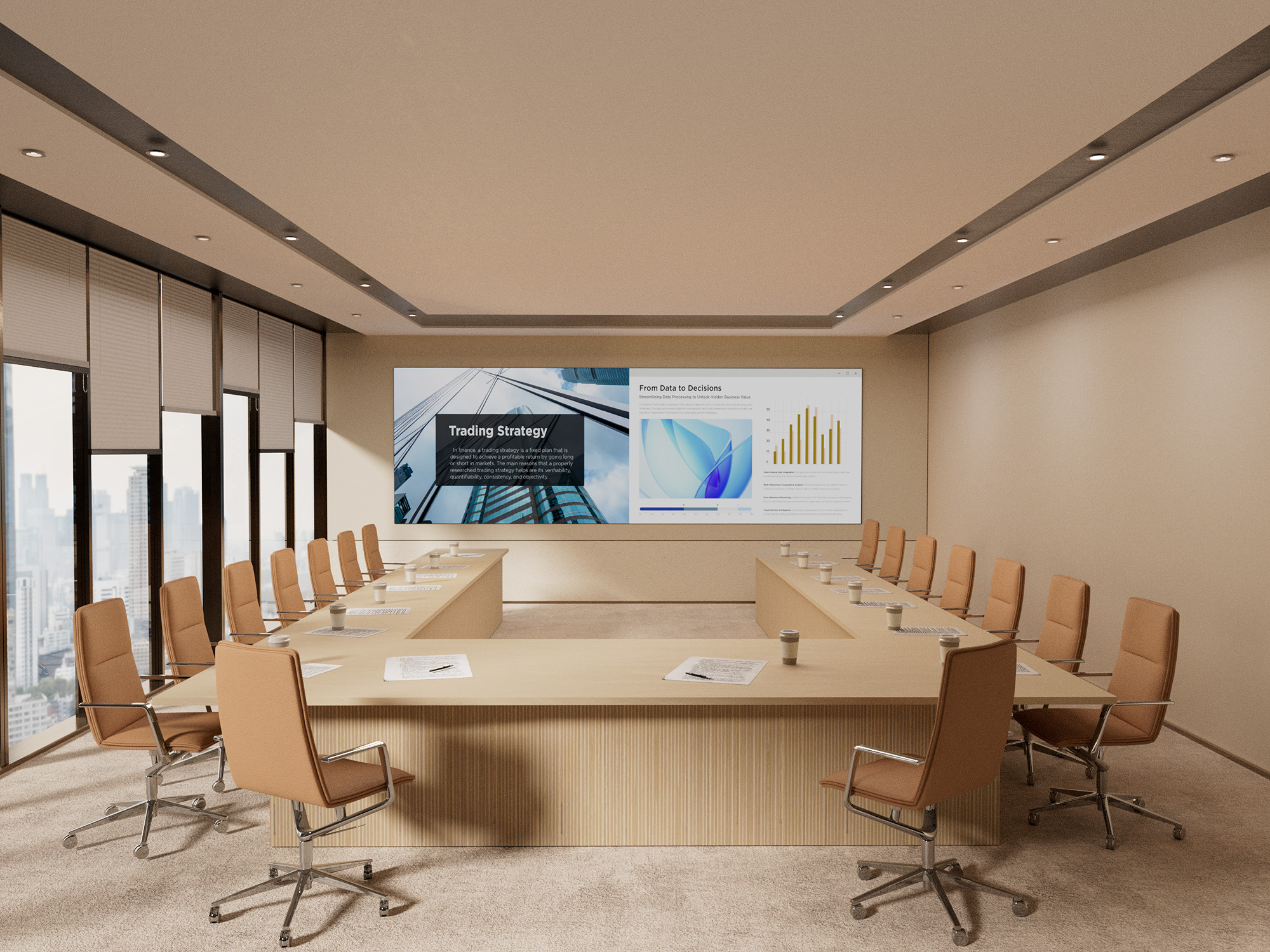
For the largest rooms, All-in-One dvLED delivers one seamless image up to 231 inches, with no bezel lines running through the middle of a slide. That’s what makes it the answer for all-hands spaces and large boardrooms instead of tiling several panels together.
- Huddle Rooms, Two to Six People: A 55-to-65-inch display puts the screen in comfortable reading range for everyone at the table. Most huddle spaces only present content, so a CDE commercial display covers it without paying for touch.
- Standard Conference Rooms, Six to Twelve: A 75-to-98-inch display keeps the far end of the table in range. Choose ViewBoard if people mark up documents together, CDE if the room only presents.
- Boardrooms and Executive Rooms: A large-format display toward the top of the 110-inch range, since these rooms run longer tables and more detailed content than a standard conference room.
- All-Hands Spaces and Large Boardrooms: All-in-One dvLED, sized to the wall rather than to a standard panel size. A display’s pixel pitch matters more than screen size in these rooms, because the fine pitch a boardroom’s front row needs is different from what a space viewed at 40 feet needs. A useful rule of thumb is that pixel pitch in millimeters times 10 gives the minimum comfortable viewing distance in feet, so a 1.5 mm pixel pitch wall reads well from about 15 feet. ViewSonic large venue solutions covers pitch selection in more detail.
That covers the screen. The rest of the room is about what connects to it.
What Should a Meeting Space Get Right?
The display is the starting point, and three more things decide whether the room works day to day. They cover how people get content onto the screen, whether the people joining remotely can follow along and whether the room cooperates with the systems the building already runs.
- Getting Content on Screen: How quickly can anyone in the room share, including a guest who has never been in the building before?
- Being Seen and Heard: Can remote participants see who’s talking and hear the far end of the table, so they can take part rather than just listen?
- Fitting the Building: Does the room work with the AV control system and scheduling tools already in place?
Get all three working alongside a well-matched display and the room fades into the background, which is what a productive meeting space does. Each one is worth looking at on its own.
How Do You Get Content on Screen Without the Setup Delay?
Take out the two steps that cause most of the delay, which are installing an app and joining a network. Both assume the presenter has permissions, patience and prior experience with the room, and a guest usually has none of the three.
The ViewShare® WPD-900 Wireless Presentation System is a pocket-sized transmitter that plugs into a laptop. Presenting takes seconds, with nothing to install and no network password to track down, because the connection runs peer-to-peer with AES-128 encryption instead of routing through the corporate network.
Some wireless presentation systems still require an app or a Wi-Fi join before anyone can share. That difference shows up the moment a client, a candidate or a new hire needs to present and nobody wants to open a support ticket to make it happen.
The peer-to-peer design matters to IT for a separate reason. A presentation system that never touches the main network is one less endpoint to secure, patch and review. ViewShare also carries USB-C power delivery through the transmitter, so a presenter’s laptop charges while they present, and it supports AirPlay, Miracast and ChromeOS mirroring, which is what makes BYOD work with whatever device someone walks in with.
What Does a Meeting Room Need to Include the People Who Aren’t There?
A camera that finds whoever is speaking and a microphone that reaches the end of the table. Remote participants drop out of a conversation when they can’t tell who’s talking or can’t make out half the room. A good display keeps them watching, and good audio keeps them in the conversation.
- 4K Conference Camera: The VB-CAM-201 is a 4K conference camera with a 120-degree wide-angle lens, motorized pan and tilt, 5x digital zoom and voice tracking that follows the current speaker. It’s Zoom Certified and includes a four-microphone beamforming array with a 20-foot pickup range.
- Converse Speakerphone: The ViewSonic Converse (VB-AUD-201) speakerphone adds 360-degree pickup across four omnidirectional microphones with a 20-foot range. It connects over Bluetooth 5.0 or USB-C, and its 6,500mAh battery runs 24 hours of call time, which makes it the option for spaces that aren’t really rooms.
- Expansion Microphone: The VB-MIC-201 expansion microphone extends pickup to 26 feet and pairs with the VB-CAM-201, covering the end of a long table a single mic array can’t reach.
Buy them together rather than across two budget cycles. Bought as a set they behave as one system, and bought piecemeal they behave like three separate purchases.
Does It Work With the Systems the Building Already Runs?
Usually the room’s system has to fit the building rather than the other way around. Most organizations settled on an AV control platform and a scheduling tool long before this room came up for refresh, and a display that ignores either one becomes a second system somebody has to learn.
ViewSonic displays integrate into the Q-SYS Ecosystem through a Q-SYS Library Verified plugin, and support Crestron, Extron and AMX via IP and RS-232. If the building already runs one of those, the room joins it instead of becoming a separate thing to operate.
Scheduling is the other half of fitting in. The EP1052T-A is a 10.1-inch touch panel that shows room status at the door, handles one-touch join and doubles as a communication display between meetings. A programmable multi-color LED halo shows availability from down the hallway, and the panel installs on a single cable with PoE+. It works with certified scheduling software including EMS, PLANON, Appspace and Pronestor, and supports NFC and RFID badge access for rooms that need it.
Where to Start
Start with the display. Screen size and whether the room needs a touch layer are the decisions that move the budget most, and the rest of the room follows from them.
From there, match the camera and audio to the table, so the people joining remotely can hear the room as clearly as they can see it. Then confirm the room works with the control and scheduling systems the building already runs.
Explore ViewSonic meeting space solutions to see displays, cameras, audio and scheduling panels built to work as one setup.
Frequently Asked Questions
What Is a Wireless Presentation System?
A wireless presentation system lets someone share a laptop or device screen to a conference room display without a cable, usually through a small transmitter or a network connection. ViewSonic’s is the ViewShare WPD-900, which uses a transmitter rather than a network connection.
Does the ViewShare WPD-900 Require an App or a Network Password?
No. It connects through a pocket-sized transmitter using a peer-to-peer AES-128 encrypted link, so there’s no app to install, no network password and no traffic on the corporate network.
How Far Can a Conference Room Microphone Pick Up Voices?
It depends on the device. The VB-CAM-201’s four-microphone beamforming array and the Converse speakerphone both reach about 20 feet, and the VB-MIC-201 expansion microphone extends coverage to 26 feet for longer tables. Measure from the far end of the table rather than from the middle of the room.
Do Meeting Rooms Need Interactive Displays?
Not all of them. Rooms where people annotate and collaborate on the screen together benefit from a ViewBoard interactive display, while rooms that only present content are usually better served by a CDE commercial display at a lower cost. Both ranges span 43 to 110 inches, so the decision is about how the room gets used.
What Does the EP1052T-A Room Scheduling Panel Do?
It displays room availability, supports one-touch join and shows communication content between meetings. It installs over a single PoE+ cable, uses a programmable LED halo to show status at a glance, and works with certified scheduling platforms including EMS, PLANON, Appspace and Pronestor.
Does ViewSonic Meeting Room Equipment Work With Existing AV Control Systems?
Yes. ViewSonic displays integrate into the Q-SYS Ecosystem through a Q-SYS Library Verified plugin and support Crestron, Extron and AMX via IP and RS-232.


Login and Registration Form