Education
Business
Consumer

Solution Briefs

Government Agency Speeds Field Office Setup With ViewSonic Portable Monitors

SOLUTION BRIEF

Government Agency Speeds Field Office Setup With ViewSonic Portable Monitors

Challenge

Employees at this government agency are regularly sent to sites of natural disasters to provide aid and support to affected victims. Setting up traditional field offices used to require trailers, office furniture, desktop computers, bulky monitors and standalone power generators.

These setups were expensive to transport, slow to assemble and tough to adjust when conditions changed quickly. The agency needed a lightweight, secure system that teams could set up in minutes without depending on heavy equipment or massive infrastructure. They needed enough screen space to handle communications, logistics, case management and planning without being weighed down.

Why Did This Agency Choose ViewSonic Portable Monitors?

The agency chose ViewSonic® portable monitors to help power its mobile office strategy. Instead of lugging around full desktop workstations, field personnel can travel light with laptop setups paired with portable monitors.

By trading trailers, generators and desktop workstations for ViewSonic portable monitors, this government agency can now deploy secure, fully functional field offices in minutes instead of hours, freeing personnel to focus on the mission instead of the setup.

What ViewSonic Solutions Did This Agency Deploy?

The agency deployed two ViewSonic portable monitor models across its field teams:

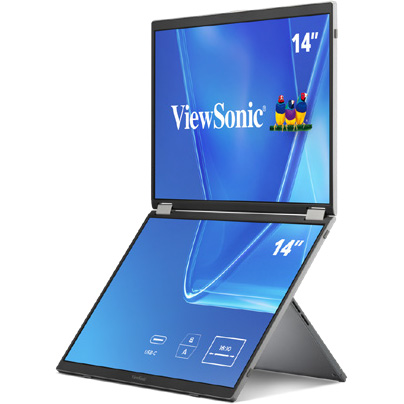
  • ViewSonic 14” VG1457 Dual-Screen Portable Monitor with 65W USB-C Power Delivery and Protective Case
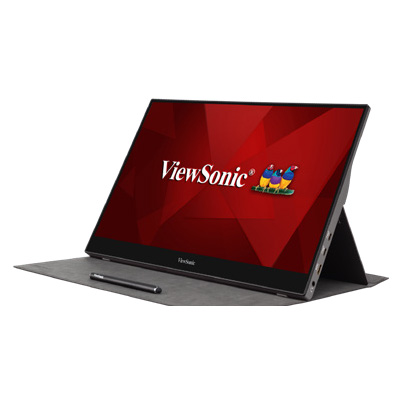
  • ViewSonic 15.6” TD1655 Portable Touch Monitor with 60W USB-C Pass-Through Charging and Protective Cover

The VG1457’s dual 14” screens fold into a 2.6-lb setup that triples the amount of available screen space. Paired with a laptop’s own screen, the two folding panels bring the total workspace to three screens instead of one.

This means that field personnel get enough room to run maps, case files and communications side by side instead of toggling between windows on one screen.

Five display modes, including Extend, Share, Mirror, Full-Screen and Dual Source Mode, let a team member adjust the setup for solo case work, side-by-side briefings or other tasks in the field.

Two-way 65W USB-C power delivery lets the monitor draw power from a connected laptop or charge that laptop when an outlet is available. That flexibility can be helpful at disaster sites, where reliable power infrastructure is not always available.

For workstations that need more hands-on control, the agency deployed the TD1655 touchscreen monitor. Its touch capability lets staff interact directly with maps and software. It also offers 60W USB-C pass-through charging, which powers connected devices through one clean cable setup.

The compact design reduces overall equipment weight and speeds up setup during emergency response missions.

Results

  • Reduced dependence on heavy trailers, office furniture and bulky field equipment
  • Accelerated setup times for temporary field offices in disaster zones
  • Created a more flexible and mobile workforce during emergency operations
  • Simplified workstation setups through USB-C cables and built-in power delivery
  • Boosted user productivity using dual-screen and touchscreen setups
  • Cut transportation and logistical requirements for field operations

Switching to portable monitors changed how the agency sets up shop in emergency situations.

Teams now pack far less gear while keeping the full productivity of a multi-monitor office, letting them focus on relief efforts instead of building out workspace infrastructure.

How a Utility Company Replaced Three Cafeteria Displays with a ViewSonic 163” Direct View LED Video Wall

SOLUTION BRIEF

How a Utility Company Replaced Three Cafeteria Displays with a ViewSonic 163” Direct View LED Video Wall

Challenge

A major energy utility company needed a better way to stream daily updates in its main cafeteria, a high-traffic space built for nearly 750 employees.

Three smaller displays mounted on a track system split messaging across separate screens, making company updates hard to follow. At the same time, high ceilings, an open layout and sunlight from large windows created glare that washed out the displays during peak lunch hours.

The utility company needed a single large-format display that was readable from anywhere in the room.

There were other challenges as well. Floor space was off-limits for mounting gear because the room regularly fills to capacity, so hardware had to be mounted cleanly against the wall. To keep daily operations running, the organization needed a fast installation that didn’t require major construction or heavy scaffolding.

What ViewSonic Solution Did They Deploy?

Working with TSI Turtle, the utility company replaced its three-display setup with a single ViewSonic® 163” LDM163-182 All-in-One Direct View LED (dvLED) display. Pushing 600 nits of brightness, the display cuts through daylight so employees can read messaging clearly from any table.

The all-in-one design helped drastically simplify the installation process. With an ultra-slim design and durable Glue-on-Board (GOB) surface treatment that delivers an IP54 rating, the display sits flush on the wall while standing up to everyday bumps and spills. Because the detachable control bar can be placed behind the display or up to 30 feet away, the installers didn’t need floor-standing racks or extra room modifications.

Why Did the Utility Company Choose ViewSonic and How Fast Was the Deployment?

The utility company chose ViewSonic for its rapid turnaround capabilities and hands-on partner support. ViewSonic worked with TSI Turtle on the installation. A ViewSonic Solutions Engineer joined the crew on-site to further streamline the process.

Because power, processing and image stitching are built directly into the display hardware, the crew didn’t have to waste time wiring external control boxes or aligning separate panels.

What Results Has the Utility Company Seen?

  • Replaced three separate displays with one continuous 163” All-in-One LDM163-182 Direct View LED display for clear employee messaging.
  • A 600-nit display remains clear and legible, even during daylight hours.
  • Completed a clean, wall-mounted install without floor equipment.
  • Protected display hardware against public wear with IP54-rated surface protection.

Replacing split screens with a single dvLED video wall gave the utility company a professional, high-impact image for staff communications in its busiest shared space. 

Frequently Asked Questions

What Display Works Best in a Bright Cafeteria with Natural Light?

The ViewSonic LDM163-182 dvLED display delivers 600 nits of brightness, keeping visual content clear and readable across a naturally lit 746-capacity space.

Can a Large Video Wall Mount Without Floor Equipment or Extra Racks?

Yes. The LDM163-182 ships with a dedicated wall mount and features a detachable control bar that sits behind the display or up to 30 feet away, so there’s no need for floor-mounted racks that take up space.

Why Replace Multiple Small Displays with a Single All-in-One dvLED Display?

Multiple screens split content and create distracting bezel lines. A single 163” dvLED display offers one continuous surface, making messages easier to read while upgrading the overall look of shared employee areas.

How Quickly Can an All-in-One dvLED Video Wall Be Installed?

Because power, processing and image calibration are integrated into pre-configured panels, installation moves fast. This project went from purchase to a fully operational video wall without interrupting daily operations.

Ready to Upgrade Your Workplace Messaging?

Talk to a ViewSonic representative or an authorized partner like TSI Turtle about All-in-One dvLED displays for cafeterias, lobbies and employee communication spaces.

Related Products

Comparative claims are based on specific features and publicly available manufacturer specifications as of the date of publication, and are not intended to represent a comprehensive evaluation of all product attributes. Actual performance, compatibility, delivery schedules, network performance, training outcomes, and user results may vary depending on system configuration, network conditions, usage settings, individual needs, district or agency requirements, implementation conditions, environmental conditions, and other factors. Any references to third-party products, competitors, software platforms, hardware architectures, certification seals, control systems, or corporate trademarks are for identification, compatibility, and comparative reference purposes only and do not imply endorsement, affiliation, or sponsorship by their respective owners. Environmental protection ratings (including GOB, IP54, and IK06 ratings) are based on standard operating conditions; proper wall mounting, structural reinforcement, mobile assembly, freight handling, and professional installation are the sole responsibility of the customer or installer. ViewSonic assumes no liability for property damage or personal injury resulting from improper installation. Programs, pricing, specifications, and availability are subject to change or cancellation without notice. Corporate names and trademarks stated herein are the property of their respective companies. © 2026, ViewSonic Corporation. All rights reserved. 8/26 [26ALL-ENT1555Cc]
How a Maritime Defense Contractor Modernized Its Briefing Room with a ViewSonic 163” Direct View LED Display

SOLUTION BRIEF

How a Maritime Defense Contractor Modernized Its Briefing Room with a ViewSonic 163” Direct View LED Display

Challenge

A maritime defense contractor supporting U.S. military and naval operations uses a 52-foot by 32-foot briefing room for daily training, employee onboarding and presentations to visiting Navy leadership. However, its existing dual 85” displays couldn’t deliver the legibility or presence the large space required.

People seated near the back struggled to read detailed content, and high ambient light washed out the screens during daytime sessions. Hosting senior military personnel meant the room needed an executive-level visual upgrade.

At the same time, the project carried strict physical constraints. The hardware had to use existing power and network connections without disturbing decorative teak ceiling panels that would be costly and difficult to remove.

What ViewSonic Solution Did They Deploy?

The contractor deployed a single ViewSonic® 163” LDM163-182 All-in-One Direct View LED (dvLED) display. Delivering Full HD resolution at 600 nits of brightness, the display stays sharp and readable in high ambient light, ensuring even participants 30 feet away can read fine detail clearly.

The display also solved the room’s mounting challenges. Featuring an ultra-slim profile and an included wall mount, its detachable control bar can sit up to 30 feet away.

This setup allowed installers to connect directly to existing power and network infrastructure, leaving the decorative teak ceiling untouched. Guided by the ViewSonic Field Solutions team, the reseller partner completed the display deployment without interrupting daily operations.

Why Did the Contractor Choose a ViewSonic dvLED Display?

The relationship started the winter before, when the contractor installed ViewSonic’s 110” ViewBoard® interactive displays in another conference room. Seeing how well those screens performed gave the contractor full confidence to evaluate large-format dvLED options for its flagship briefing room.

The reseller partner priced out two options, comparing the 163” model against a larger 231” screen. The contractor chose the 163” LDM163-182 because it hit the target budget while supplying the size, brightness and impact required for senior leadership briefings.

What Results Has the Organization Seen?

  • Replaced two 85” displays with one seamless 163” dvLED video wall so participants can read text clearly from 30 feet away.
  • Maintained a sharp, high-contrast image with 600 nits of brightness that doesn’t wash out under daylight.
  • Created an executive-ready environment for briefings with Navy leadership and key stakeholders.
  • Completed a clean installation that reused existing infrastructure while preserving the decorative teak ceiling.

What started as a single room upgrade grew into a complete overhaul of its flagship briefing space. By switching to a unified dvLED solution, the contractor got a high-impact setup that doesn’t falter during critical defense presentations.

Frequently Asked Questions

What Display Works Best in a Large, Brightly Lit Conference or Briefing Room?

High-brightness dvLED displays keep content legible where standard screens wash out. The 163” ViewSonic LDM163-182 provides 600 nits of brightness, allowing participants in a 32-foot-deep room to read presentations clearly regardless of daylight.

How Large Should a Display Be for a Room Where the Back Row Is 30-Plus Feet Away?

In deep spaces, a single large-format video wall outperforms multi-screen setups. Replacing two 85” displays with one 163” dvLED video wall ensured clear visibility across a 52-foot-wide by 32-foot-deep layout.

Can a dvLED Video Wall Be Installed Without Major Construction or Ceiling Work?

Yes. The LDM163-182 uses an ultra-slim wall mount and a detachable control bar that can sit up to 30 feet away. This setup plugs directly into existing power and network lines, which preserved the decorative teak ceiling.

Why Choose an All-in-One dvLED Display Over a Projector or Tiled LCDs for an Executive Briefing Room?

All-in-One dvLED displays deliver a seamless image without bezel gaps or projector shadows. Because they ship as pre-configured units, they install faster and supply the sharp visual impact expected during military leadership briefings.

Ready to Modernize Your Briefing Room?

Talk to a ViewSonic representative or an authorized partner about All-in-One dvLED displays for briefing rooms, training spaces and executive environments.

Related Products

Comparative claims are based on specific features and publicly available manufacturer specifications as of the date of publication, and are not intended to represent a comprehensive evaluation of all product attributes. Actual performance, compatibility, delivery schedules, network performance, training outcomes, and user results may vary depending on system configuration, network conditions, usage settings, individual needs, district or agency requirements, implementation conditions, environmental conditions, and other factors. Any references to third-party products, competitors, software platforms, hardware architectures, certification seals, control systems, or corporate trademarks are for identification, compatibility, and comparative reference purposes only and do not imply endorsement, affiliation, or sponsorship by their respective owners. Environmental protection ratings (including GOB, IP54, and IK06 ratings) are based on standard operating conditions; proper wall mounting, structural reinforcement, mobile assembly, freight handling, and professional installation are the sole responsibility of the customer or installer. ViewSonic assumes no liability for property damage or personal injury resulting from improper installation. Programs, pricing, specifications, and availability are subject to change or cancellation without notice. Corporate names and trademarks stated herein are the property of their respective companies. © 2026, ViewSonic Corporation. All rights reserved. 8/26 [26ALL-ENT1555b]

How a Coworking Organization Standardized Multiple Locations with ViewSonic Commercial Displays

SOLUTION BRIEF

How a Coworking Organization Standardized Multiple Locations with ViewSonic Commercial Displays

Challenge

As one popular coworking organization expanded across the Western United States, managing a patchwork of display brands became a massive operational drain.

Every new space brought a mix of private offices, meeting rooms and event venues that needed screens.

But using multiple display manufacturers meant that every room worked differently, so that IT and its support partner had to handle separate software updates, control setups and support lines for each location.

To continue supporting its rapid growth, the organization couldn’t keep adding separate systems. It needed to consolidate onto one commercial display family and get a cloud management platform that would enable remote updates and device management.

What ViewSonic Solution Did They Deploy?

The organization worked with its integration partner to deploy 96 ViewSonic® CDE31 series of commercial displays across five sizes, ranging from 43 to 86 inches.

Standardizing on one display family gave every room the right screen size while keeping the core hardware identical. Each display features 4K UHD resolution, 500-nit brightness, a 24/7 operation rating, native RS-232 control and compatibility with Crestron, Extron and AMX, plus Q-SYS Library certification.

To further streamline operations, the organization added a 5-year ViewSonic Manager Advanced software license.

Manager Advanced builds on the free ViewSonic Manager platform with added automation and remote desktop access, giving the integration partner visibility across every site. This lets IT admins push software updates, monitor device health and resolve issues remotely without sending a technician on site.

What Results Has the Organization Seen?

  • Standardized 96 displays across multiple locations using a single commercial display line.
  • Centralized fleet monitoring and remote management through one cloud console.
  • Reduced maintenance demands by consolidating onto one manufacturer ecosystem.
  • Delivered a consistent user experience across huddle rooms, offices and event halls.
  • Created a scalable technology foundation to support future site expansions.

By replacing a mixed display setup with one unified ecosystem, the organization cut maintenance demands and gave members a reliable experience in every room.

Centralized oversight through Manager Advanced software lets its partner handle updates proactively, keeping workspace displays running without interrupting daily business.

Frequently Asked Questions

How Can a Multi-Location Business Standardize Its Displays Across Different Room Types?

Standardizing on one manufacturer’s commercial display line lets a business match screen size to each room while keeping software, controls and support identical. This organization deployed 96 ViewSonic CDE31 series of displays in five sizes, from 43” to 86”, across multiple locations to cover every space type.

How Do You Remotely Manage Commercial Displays Across Multiple Sites?

ViewSonic Manager offers free, web-based monitoring for every site. This organization added ViewSonic Manager Advanced, an upgraded tier that layers on automation, device profiles and remote desktop access. The upgrade centralizes device health, settings and software updates into a single cloud-based dashboard. IT teams and managed service partners can then manage displays at any location without physically being on site.

Do ViewSonic CDE31 Series Displays Integrate with AV Control Systems?

Yes. The CDE31 series of commercial displays feature native RS-232 control and Q-SYS Library certification. They’re also compatible with Crestron, Extron and AMX, making them easy to plug into existing room control environments.

Why Consolidate Onto a Single Display Manufacturer?

Consolidating onto one brand cuts maintenance complexity, simplifies procurement and ensures a consistent user experience across every room and location.

Ready to Standardize Your Workspace Technology?

Talk to a ViewSonic representative or an authorized partner about standardizing on CDE31 series of commercial displays and Manager Advanced across your locations.

Related Products

Comparative claims are based on specific features and publicly available manufacturer specifications as of the date of publication, and are not intended to represent a comprehensive evaluation of all product attributes. Actual performance, compatibility, delivery schedules, network performance, training outcomes, and user results may vary depending on system configuration, network conditions, usage settings, individual needs, district or agency requirements, implementation conditions, environmental conditions, and other factors. Any references to third-party products, competitors, software platforms, hardware architectures, certification seals, control systems, or corporate trademarks are for identification, compatibility, and comparative reference purposes only and do not imply endorsement, affiliation, or sponsorship by their respective owners. Environmental protection ratings (including GOB, IP54, and IK06 ratings) are based on standard operating conditions; proper wall mounting, structural reinforcement, mobile assembly, freight handling, and professional installation are the sole responsibility of the customer or installer. ViewSonic assumes no liability for property damage or personal injury resulting from improper installation. Programs, pricing, specifications, and availability are subject to change or cancellation without notice. Corporate names and trademarks stated herein are the property of their respective companies. © 2026, ViewSonic Corporation. All rights reserved. 8/26 [26ALL-ENT1555a]

How a Manufacturer Reduced Security Risks with ViewSonic’s OS-Free Interactive Displays

SOLUTION BRIEF

How a Manufacturer Reduced Security Risks with ViewSonic’s OS-Free Interactive Displays

Challenge

A U.S. metal manufacturer needed a large interactive display for teams to review plans, designs and presentations. Like most industrial firms, it treats every connected device as a security liability. Standard smart displays run an embedded operating system that IT has to constantly patch and protect. The manufacturer wanted touchscreen collaboration without exposing its network to extra intrusion risks.

What ViewSonic Solution Did the Manufacturer Deploy?

The manufacturer worked with integration partner Sidebarr to evaluate two ViewSonic® 86” 4K interactive displays, the standard ViewBoard® IFP8641 and the OS-free IFP86G1. While both provided ample screen space, the IFP86G1 reduced network risks by skipping the built-in operating system entirely.

Presenters simply plug in directly from their laptops. Without local storage or background software, sensitive files never touch the display and malware has nowhere to hide. Sidebarr recommended the IFP86G1 as the best overall value for its touchscreen performance, price point, solid warranty and U.S.-based support.

What Results Has the Manufacturer Seen?

  • Met both collaboration and security requirements with a single display.
  • Kept meeting data off the network by running presentations directly from user laptops.
  • Removed OS patching and software maintenance from IT’s workload.
  • Gave teams fast touch controls and annotation tools for daily plan reviews.

The manufacturer got a massive screen that makes reviewing designs easier while keeping network risk to a minimum. By omitting the built-in operating system, Sidebarr and ViewSonic turned a potential IT security burden into a seamless collaboration tool.

Frequently Asked Questions

What Is an OS-Free Interactive Display?

An OS-free display is a touchscreen with no built-in operating system. With the ViewSonic ViewBoard IFP86G1, users connect directly from their own device or add an optional slot-in PC. There’s no native software to update and no meeting data saved on the screen.

Are OS-Free Interactive Displays More Secure Than Standard Smart Displays?

They reduce risk in two key ways: there’s no embedded OS to exploit and no local storage for sensitive files. An OS-free display like the IFP86G1 leaves a much smaller attack surface than a traditional smart screen. This manufacturer picked it specifically to keep OS vulnerabilities off its network.

Does Removing the Operating System Reduce IT Maintenance?

Yes. Without an embedded OS, there are no software updates, patches or background programs to manage. Users run everything off their own laptops, which takes ongoing maintenance off IT’s workload.

Can Teams Still Collaborate and Use Touch on an OS-Free Display?

Yes. The IFP86G1 delivers fast multi-point touch and annotation for reviewing plans, files and presentations. Users get full interactivity from their connected device without storing any content on the display.

Ready to Collaborate Without the Operating System Risk?

Talk to a ViewSonic representative or an authorized partner like Sidebarr to learn more about OS-free ViewBoard interactive displays for secure teamwork.

Related Products

Comparative claims are based on specific features and publicly available manufacturer specifications as of the date of publication, and are not intended to represent a comprehensive evaluation of all product attributes. Actual performance, compatibility, delivery schedules, network performance, training outcomes, and user results may vary depending on system configuration, network conditions, usage settings, individual needs, district or agency requirements, implementation conditions, environmental conditions, and other factors. Any references to third-party products, competitors, software platforms, hardware architectures, certification seals, control systems, or corporate trademarks are for identification, compatibility, and comparative reference purposes only and do not imply endorsement, affiliation, or sponsorship by their respective owners. Environmental protection ratings (including GOB, IP54, and IK06 ratings) are based on standard operating conditions; proper wall mounting, structural reinforcement, mobile assembly, freight handling, and professional installation are the sole responsibility of the customer or installer. ViewSonic assumes no liability for property damage or personal injury resulting from improper installation. Programs, pricing, specifications, and availability are subject to change or cancellation without notice. Corporate names and trademarks stated herein are the property of their respective companies. © 2026, ViewSonic Corporation. All rights reserved. 8/26 [26ALL-ENT1555Cd]

How California Correctional Facilities Are Modernizing Inmate Education and Behavioral Health with ViewSonic ViewBoard Displays

SOLUTION BRIEF

How California Correctional Facilities Are Modernizing Inmate Education and Behavioral Health with ViewSonic ViewBoard Displays

SCHOOL

Universidad Anáhuac Mayab, located in Mérida, Yucatán, in southeastern Mexico, is a private higher education institution with nearly 8,000 students from 27 countries. It is widely recognized for its academic excellence and forward-thinking educational approach, which is based on flexible programs and comprehensive learning environments that prepare highly qualified professionals.

Anáhuac is currently ranked among the top 2% of universities worldwide and among the top three private universities in Mexico. It is also one of the three universities with the highest graduate employability rates in the country. The university offers 30 undergraduate programs in a variety of fields. Among them is the Multimedia Design degree program, which contributes to the video game, animation, audiovisual production and digital design industries. These fields have experienced exponential growth in popularity and demand, becoming some of the most important multibillion-dollar sectors in the world.

Multimedia designers play a key role in developing and sustaining these industries by creating innovative, trend-driven digital design solutions. They are experts in managing and marketing digital projects, using specialized software for image, audio, and video editing, as well as 2D and 3D modeling and animation, digital publishing and application development.


CHALLENGE

line drawing of a circular mazeline drawing of a circular maze
  • Replace unsecure dry erase boards to improve instructional workspace.

California correctional facilities needed to replace wall-mounted dry erase boards that created security concerns and limited instructional workspace in training rooms and psychiatric units.


Classrooms, meeting rooms and clinical spaces inside a correctional environment support mission-critical work under strict safety and operational requirements. Staff running inmate programs needed an engaging way to deliver vocational training and academic diploma coursework. Psychiatric units needed a more effective method for reviewing patient progress, treatment plans and care coordination.


Before the deployment, many rooms relied on dry erase boards attached to the wall. Those boards offered limited writing space, required manual erasing and rewriting, and could not display digital content, training materials, schedules or care information. In secured environments, wall-mounted boards and loose accessories also introduced avoidable security concerns.


The replacement solution had to meet several requirements at once:

  • Support interactive instruction and digital content sharing
  • Support collaborative review sessions without adding complexity for instructors, program staff or clinical teams
  • Provide enough workspace for group-based learning and multidisciplinary care discussions
  • Reduce the wall-mounted boards and loose accessories that require oversight in a secured room


Why Did ViewSonic ViewBoard Displays Fit These Environments?


A 75-inch interactive panel changes what a secured room can support. The ViewSonic® ViewBoard® IFP7541 gives instructors, program facilitators and care teams a large shared canvas for presenting content, annotating information and guiding group discussions, with more room to work than a traditional dry erase board.


Multi-touch functionality makes training sessions more participatory. myViewBoard software adds the digital whiteboarding tools staff use to prepare, present, annotate and save instructional or meeting content.


The VPC35 slot-in PC addresses the room itself. It adds a full Windows computing experience directly to compatible ViewBoard displays, which reduces the need for separate external computers or loose cabling in shared spaces.


What ViewSonic Solution Did They Deploy?


The facilities deployed ViewBoard IFP7541 interactive flat panels to create digital teaching and collaboration spaces serving both instructional and clinical workflows:

  • ViewSonic ViewBoard IFP7541: a 75-inch 4K UHD interactive flat panel display with multi-touch capability, used as the primary interactive teaching and collaboration surface in classrooms and psychiatric units
  • ViewSonic VPC35 slot-in PC: an OPS-compatible slot-in PC that adds an integrated Windows computing experience to the ViewBoard display, reducing external computers and loose cabling in shared rooms
  • myViewBoard: ViewSonic’s digital whiteboarding software for preparing, presenting, annotating and saving lessons, meeting notes and care-coordination content


What Does the Deployment Look Like?


Each room pairs one IFP7541 with a VPC35 slot-in PC, so the computing sits inside the display rather than alongside it. That supports cleaner room setups and reduces the external computers and loose cabling that require oversight in a secured space.


The same configuration serves both program areas. In education spaces it supports vocational lessons, academic diploma coursework, diagrams, step-by-step demonstrations and interactive review. In psychiatric units it supports patient progress reviews, treatment planning discussions and structured care coordination meetings.


What Results Have the Facilities Seen?


  • Reduced reliance on fixed dry erase boards in secured rooms, helping address security concerns tied to traditional wall-mounted writing surfaces
  • Expanded usable instructional workspace from a static board to a 75-inch interactive 4K digital canvas
  • Enabled inmate training programs to present, annotate and revisit vocational and academic diploma materials more efficiently
  • Gave psychiatric units a shared digital workspace for reviewing patient progress, care plans and team notes during care coordination sessions
  • Supported cleaner room setups by pairing each interactive display with an integrated slot-in PC rather than a separate external computer


Replacing fixed dry erase boards gave the facilities a more flexible platform for training and care management. Instructors present digital course content, annotate directly on screen and work in a larger visual space to support vocational instruction and academic diploma completion.


In psychiatric units, multidisciplinary teams centralize patient progress discussions on a shared display, which makes it easier to review information together and align on next steps during care meetings. The deployment answers the original operational requirement: a safer alternative to wall-mounted dry erase boards that could also improve learning and care coordination.


LogoLogo

“The upgrade solved daily reliability issues while expanding how the facility operates. Choosing a mobile dvLED screen gave every room in the event center access to high-impact visual capabilities.”


— Zeus Borges, Coordinator of the Multimedia Design Program

SOLUTION

line drawing of a jigsaw puzzle pieceline drawing of a jigsaw puzzle piece
  • ViewBoard® IFP7541: 75-inch 4K interactive flat panel

  • VPC35: Slot-in PC

  • myViewBoard®: Digital whiteboarding software

This year, students in the eighth semester of the Multimedia Design program were responsible for creating the projection mapping animation, which was displayed on square structures using 360° imagery.

ViewSonic equipped the festival with four LS740HD projectors, which deliver 5,000 ANSI lumens and feature lamp-free, third-generation laser phosphor technology to ensure bright and vivid images. They can also project Full HD 1080p images at sizes of up to 300 inches. The LS740HD features 1.3X optical zoom, horizontal and vertical keystone correction, four-corner adjustment, 360° projection and portrait mode, making it the ideal solution for the show developed by the students.

Professor Zeus Borges, Coordinator of the Multimedia Design Program and organizer of the festival, explained: “Through this event, we aim to become a connection hub for the southeastern region. At present, Mexico does not have an initiative that supports animation or audiovisual production for states such as Chiapas, Tabasco, Veracruz, Campeche, Quintana Roo, and, especially, Yucatán. We want to become a meeting point for southeastern Mexico and Central America.”

“We have a large student population from El Salvador, Honduras, Guatemala, Nicaragua, and even Colombia who come to study here in Mérida. Festival PRISMA gives them the opportunity to meet entrepreneurs and leaders from the audiovisual industry, allowing them to interact with these professionals and expand their knowledge. We want Mérida to become that meeting point, a place that creates employment opportunities and serves as a production hub. This year, we welcomed guests guests from Spain and from California, USA,” he added.

Thanks to the LS740HD’s ability to be positioned vertically at virtually any angle, the students were able to develop creative applications with additional support from specialized software.

“There is excellent compatibility between the projectors and the computers. We did not experience any connection or interaction issues. Implementing the ViewSonic projectors was extremely straightforward,” Professor Borges added. “We are currently evaluating new projects involving the façades and buildings around the university. We want to make the most of everything we can achieve in terms of visualization. Now that the projectors are part of our technology toolkit, we have thousands of ideas that we can begin bringing to life.”

“Our students rely on tech-based tools for their projects. Understanding how the equipment works and learning about its features helps them tremendously when they enter the workforce. They already have practical knowledge that gives them useful experience and a professional edge that is invaluable to their development,” the professor explained.

RESULTS

Line drawing of a rocketLine drawing of a rocket
  • A successful projection mapping show during the fourth edition of Festival PRISMA 2026

  • Full compatibility between the projectors and connected equipment, with no connection issues

  • PRISMA strengthened its position as a meeting point for southeastern Mexico and Central America

  • New projects are being evaluated, including projections on university façades and buildings

  • Students gained practical experience and a professional advantage in audiovisual technology

According to Professor Borges, having the equipment available on campus will allow the university to experiment with new projection mapping trends, such as linking multiple projectors and exploring new ideas that enable professors and students to further expand their creativity.

Equipment with capabilities such as those offered by the LS740HD projectors enhances the students’ development and opens the door to more innovative creations that may one day be enjoyed in films, video games, or digital animations displayed on mobile phones or other visual devices.

Technology is one of the most important tools in the multimedia design field, and students must continually prepare to understand how to use it and make the most of its capabilities. This highlights the importance of providing them with high-quality, forward-thinking visual solutions such as those offered by ViewSonic.

FREQUENTLY ASKED QUESTIONS

Why Did Correctional Facilities Replace Dry Erase Boards With Interactive Displays?

Wall-mounted dry erase boards created security concerns in secured rooms, offered limited writing space, required manual erasing and could not display digital content. Interactive flat panels provide a larger digital workspace, reduce loose accessories and support instruction and care coordination more effectively.

How Are Interactive Flat Panels Used in Correctional Education?

Instructors use ViewBoard interactive displays with myViewBoard software to deliver vocational training and academic diploma coursework. They present digital lessons, annotate diagrams and step-by-step demonstrations directly on screen, run interactive review sessions and save content to revisit later, giving inmate education programs a more structured and participatory learning experience.

How Do Interactive Displays Support Behavioral Health and Psychiatric Units?

In psychiatric units, care teams use the ViewBoard IFP7541 and myViewBoard software as a shared digital workspace to review patient progress, discuss treatment plans and coordinate care. Centralizing information on one large display makes it easier for multidisciplinary teams to review details together and align on next steps during care coordination meetings.

What Are the ViewBoard IFP7541, myViewBoard software and the VPC35 Slot-In PC?

The ViewBoard IFP7541 is a 75-inch 4K UHD interactive flat panel display with multi-touch capability, serving as a large shared digital canvas for presenting, annotating and collaborating. myViewBoard software is ViewSonic's digital whiteboarding software for preparing, presenting, annotating and saving content. The VPC35 is an OPS-compatible slot-in PC that adds a full Windows computing experience directly to compatible ViewBoard displays. California correctional facilities deployed all three together.

Are ViewSonic ViewBoard Displays Suitable for Secure Government Environments?

In this California corrections deployment, ViewBoard interactive displays helped reduce reliance on wall-mounted dry erase boards and loose accessories that introduced avoidable security concerns. Pairing each display with an integrated slot-in PC also supported cleaner, easier-to-manage room setups in secured training rooms and psychiatric units.

Ready to Modernize Instruction and Care Coordination in Your Facilities?

Talk to a ViewSonic representative or an authorized government partner about planning a ViewBoard deployment for secured training rooms and clinical spaces.

Related Items

This case study describes a customer deployment. Comparative claims are based on specific features and publicly available manufacturer specifications at publication and do not represent a comprehensive evaluation. Actual performance, security, compliance, training outcomes, and user experience may vary depending on system configuration, network conditions, facility environment, agency requirements, and other factors. References to security concerns describe operational considerations reported in this deployment; ViewSonic products are not security devices and do not constitute a security system, and ViewSonic makes no representation that any product prevents unauthorized access, contraband, injury, or misuse. Use of ViewSonic products in behavioral health and clinical settings as described here is instructional and administrative; ViewSonic products are not medical devices and are not intended for use in the diagnosis of disease or other conditions, or in the cure, mitigation, treatment, or prevention of disease. Customers remain responsible for compliance with applicable privacy, records, and health-information requirements governing content displayed on shared screens. Wall mounting guidelines are for reference only; proper wall suitability, structural reinforcement, and professional contractor consultation are the sole responsibility of the customer, installer, or system integrator. ViewSonic shall not be liable for any equipment damage, property damage, or personal injury, including death, caused as a result of incorrect installation. Programs, pricing, specifications, and availability are subject to change or cancellation without notice. Corporate names and trademarks stated herein are the property of their respective companies. Copyright © 2026, ViewSonic Corporation. All rights reserved.

How a State University Event Center Used a ViewSonic dvLED Display to Create a New Revenue Stream

SOLUTION BRIEF

How a State University Event Center Used a ViewSonic dvLED Display to Create a New Revenue Stream

SCHOOL

Universidad Anáhuac Mayab, located in Mérida, Yucatán, in southeastern Mexico, is a private higher education institution with nearly 8,000 students from 27 countries. It is widely recognized for its academic excellence and forward-thinking educational approach, which is based on flexible programs and comprehensive learning environments that prepare highly qualified professionals.

Anáhuac is currently ranked among the top 2% of universities worldwide and among the top three private universities in Mexico. It is also one of the three universities with the highest graduate employability rates in the country. The university offers 30 undergraduate programs in a variety of fields. Among them is the Multimedia Design degree program, which contributes to the video game, animation, audiovisual production and digital design industries. These fields have experienced exponential growth in popularity and demand, becoming some of the most important multibillion-dollar sectors in the world.

Multimedia designers play a key role in developing and sustaining these industries by creating innovative, trend-driven digital design solutions. They are experts in managing and marketing digital projects, using specialized software for image, audio, and video editing, as well as 2D and 3D modeling and animation, digital publishing and application development.


CHALLENGE

line drawing of a circular mazeline drawing of a circular maze
  • The university needed a large-format portable display for its event center after its decade-old projector started failing.

For nearly a decade, one of the university’s primary event centers relied on a single projector and a 120” screen. That setup served internal faculty meetings, educator workshops and external community rentals, but the aging hardware couldn’t keep up with daily demands.


When the projector repeatedly shut down mid-event, leadership decided to make a permanent change. The AV team evaluated replacing the unit with another projector or upgrading to a portable Direct View LED (dvLED) display that offered superior brightness and flexible room positioning.


Financial considerations helped decide the final strategy. Instead of buying individual fixed displays for every room, the university prioritized a single versatile system that could be used across multiple spaces.


What ViewSonic Solution Did They Deploy?

  • 1 ViewSonic® 138” LDS138-151 All-in-One foldable and mobile Direct View LED display


Working with integration partner FORTE Chicago, the university selected the ViewSonic LDS138-151 All-in-One foldable and mobile Direct View LED display. ViewSonic won the project due to its specialized mobile dvLED design, competitive pricing and responsive support.


The LDS138-151 features a 138” screen mounted on a motorized height-adjustable stand that folds down into a custom flight case. Staff don’t have to keep the screen locked in one location. Instead, they move it wherever it’s needed on 360° wheels.


The 138” display delivers bright, clear visuals at 600 nits of brightness, which wasn’t possible with the old 120” projector. To handle high usage in a variety of locations, Glue-on-Board surface protection gives the panel IP54 dust and water resistance along with IK06 impact ratings against accidental bumps.


What Results Has the University Seen?

  • A 138” All-in-One foldable and mobile dvLED display delivered sharper, brighter visuals than what the university’s previous projector could produce.
  • Eliminated extra hardware costs by sharing one mobile screen across multiple rooms.
  • Created a rentable space that generates new revenue from local community groups.


The upgrade solved daily reliability issues while expanding how the facility operates. Choosing a mobile dvLED screen gave every room in the event center access to high-impact visual capabilities.


The LDS138-151 helped turn the facility into an attractive option for community bookings. Local organizations now regularly rent the venue, creating a steady revenue stream to support the university’s own campus events.


LogoLogo

“The upgrade solved daily reliability issues while expanding how the facility operates. Choosing a mobile dvLED screen gave every room in the event center access to high-impact visual capabilities.”


— Zeus Borges, Coordinator of the Multimedia Design Program

SOLUTION

line drawing of a jigsaw puzzle pieceline drawing of a jigsaw puzzle piece
  • 138” LDS138-151 All-in-One foldable and mobile Direct View LED display

This year, students in the eighth semester of the Multimedia Design program were responsible for creating the projection mapping animation, which was displayed on square structures using 360° imagery.

ViewSonic equipped the festival with four LS740HD projectors, which deliver 5,000 ANSI lumens and feature lamp-free, third-generation laser phosphor technology to ensure bright and vivid images. They can also project Full HD 1080p images at sizes of up to 300 inches. The LS740HD features 1.3X optical zoom, horizontal and vertical keystone correction, four-corner adjustment, 360° projection and portrait mode, making it the ideal solution for the show developed by the students.

Professor Zeus Borges, Coordinator of the Multimedia Design Program and organizer of the festival, explained: “Through this event, we aim to become a connection hub for the southeastern region. At present, Mexico does not have an initiative that supports animation or audiovisual production for states such as Chiapas, Tabasco, Veracruz, Campeche, Quintana Roo, and, especially, Yucatán. We want to become a meeting point for southeastern Mexico and Central America.”

“We have a large student population from El Salvador, Honduras, Guatemala, Nicaragua, and even Colombia who come to study here in Mérida. Festival PRISMA gives them the opportunity to meet entrepreneurs and leaders from the audiovisual industry, allowing them to interact with these professionals and expand their knowledge. We want Mérida to become that meeting point, a place that creates employment opportunities and serves as a production hub. This year, we welcomed guests guests from Spain and from California, USA,” he added.

Thanks to the LS740HD’s ability to be positioned vertically at virtually any angle, the students were able to develop creative applications with additional support from specialized software.

“There is excellent compatibility between the projectors and the computers. We did not experience any connection or interaction issues. Implementing the ViewSonic projectors was extremely straightforward,” Professor Borges added. “We are currently evaluating new projects involving the façades and buildings around the university. We want to make the most of everything we can achieve in terms of visualization. Now that the projectors are part of our technology toolkit, we have thousands of ideas that we can begin bringing to life.”

“Our students rely on tech-based tools for their projects. Understanding how the equipment works and learning about its features helps them tremendously when they enter the workforce. They already have practical knowledge that gives them useful experience and a professional edge that is invaluable to their development,” the professor explained.

RESULTS

Line drawing of a rocketLine drawing of a rocket
  • A successful projection mapping show during the fourth edition of Festival PRISMA 2026

  • Full compatibility between the projectors and connected equipment, with no connection issues

  • PRISMA strengthened its position as a meeting point for southeastern Mexico and Central America

  • New projects are being evaluated, including projections on university façades and buildings

  • Students gained practical experience and a professional advantage in audiovisual technology

According to Professor Borges, having the equipment available on campus will allow the university to experiment with new projection mapping trends, such as linking multiple projectors and exploring new ideas that enable professors and students to further expand their creativity.

Equipment with capabilities such as those offered by the LS740HD projectors enhances the students’ development and opens the door to more innovative creations that may one day be enjoyed in films, video games, or digital animations displayed on mobile phones or other visual devices.

Technology is one of the most important tools in the multimedia design field, and students must continually prepare to understand how to use it and make the most of its capabilities. This highlights the importance of providing them with high-quality, forward-thinking visual solutions such as those offered by ViewSonic.

Related Items

Comparative claims are based on specific features and publicly available manufacturer specifications as of the date of publication, and are not intended to represent a comprehensive evaluation of all product attributes. Actual performance, compatibility, delivery schedules, network performance, training outcomes, and user results may vary depending on system configuration, network conditions, usage settings, individual needs, district or agency requirements, implementation conditions, environmental conditions, and other factors. Any references to third-party products, competitors, software platforms, hardware architectures, certification seals, control systems, or corporate trademarks are for identification, compatibility, and comparative reference purposes only and do not imply endorsement, affiliation, or sponsorship by their respective owners. Environmental protection ratings (including GOB, IP54, and IK06 ratings) are based on standard operating conditions; proper wall mounting, structural reinforcement, mobile assembly, freight handling, and professional installation are the sole responsibility of the customer or installer. ViewSonic assumes no liability for property damage or personal injury resulting from improper installation. Programs, pricing, specifications, and availability are subject to change or cancellation without notice. Corporate names and trademarks stated herein are the property of their respective companies. © 2026, ViewSonic Corporation. All rights reserved. 08/26 [26ALL-ENT1555e]

How National Health Research Facilities Replaced Pop-Up Signage with ViewSonic Digital Kiosks

SOLUTION BRIEF

How National Health Research Facilities Replaced Pop-Up Signage with ViewSonic Digital Kiosks

Challenge

A national health research organization needed a better way to communicate with visitors, employees and vendors across more than 20 locations nationwide.

The existing setup relied on pop-up displays and traditional signage, which limited flexibility and created an inconsistent look from one facility to the next.

In place of that patchwork, the organization wanted a secure self-service system for its high-traffic lobbies, hallways and reception areas. It also wanted to improve wayfinding across its facilities and present a more modern, professional appearance nationwide.

Why Did ViewSonic Digital Kiosks Fit This Project?

Facility leaders needed a single platform that could handle day-to-day messaging and interactive self-service without relying on a mix of temporary displays. ViewSonic’s EP5542 digital ePoster kiosks deliver both in one system, offering interactive and static options that give facility managers one consistent platform to manage across every location.

The EP5542 also kept the deployment secure from outside interference. Content runs through the kiosk’s own built-in media player, with no external computer or device to connect. For additional peace of mind, the media player cradle is located behind a locked door to prevent tampering. 

What ViewSonic Solution Did They Deploy?

The organization deployed more than 200 ViewSonic® EP5542 55” Digital ePoster Kiosks across more than 20 facilities nationwide, in a mix of interactive and static configurations.

  • Interactive kiosks let visitors, employees and vendors access facility information, directions and announcements directly, without needing staff assistance.
  • Static kiosks handle high-visibility messaging, facility communications and wayfinding content in high-traffic areas.
  • The freestanding design gives every location a consistent, professional appearance, replacing pop-up displays and printed signage.

What Results Has The Organization Seen?

  • Centralized visitor, employee and vendor communicationsthrough digital messaging.
  • Improved wayfinding and navigation throughout facilities.
  • Reduced reliance on temporary signage and pop-up displays.
  • Created a more consistent, professional appearance across locations.
  • Enabled both interactive self-service and high-visibility static communications.
Spec LDS138-151
Screen size / resolution 138", Full HD 1920x1080
Mobility Foldable design on a motorized, height-adjustable stand with 360-degree wheels; packed in a custom flight case
Setup time Minutes, no system integration required
Durability GOB (Glue-on-Board) protection, IP54 and IK06 rated, built for high-traffic public spaces
Serviceability Hot-swappable front LED modules for minimal downtime
Casting/Connectivity AirSync wireless screen casting (AirPlay, Google Cast); Q-SYS, Crestron, Extron and AMX compatible
Warranty 3-year limited warranty on parts and labor, with on-site service
Recognition Best New Mobile dvLED Product, rAVe Publications' Best of InfoComm, June 2025

The deployment changed how the organization communicates with visitors and employees, putting information and easier navigation within reach throughout lobbies, hallways and check-in areas.

In place of temporary displays and signage, every location now shares a single communications platform that updates quickly and presents a more professional, modern appearance nationwide.

Frequently Asked Questions

What is a Digital ePoster Kiosk, and How is it Used in Healthcare and Research Facilities?

A digital ePoster kiosk is a freestanding, large-format display built for high-traffic public spaces like lobbies and reception areas. Facilities use them to replace printed signage and pop-up displays with content that can update instantly across every location.

Can a Digital Kiosk Support Both Interactive and Static Content in the Same Deployment?

Yes. Interactive kiosks let visitors and staff access information directly, while static kiosks handle high-visibility messaging and wayfinding content, so a facility can mix both formats to match each space’s needs.

How Do Digital Kiosks Improve Wayfinding in a Large Facility?

A kiosk placed in a lobby or hallway gives visitors a clear, consistent point of reference for directions and facility information, rather than relying on printed maps or staff assistance at every turn.

How Do ViewSonic Kiosks Support Secure Self-Service Use?

Content plays back through the EP5542's own built-in media player, so there's no external computer or network device needed to run it. The media player cradle also sits behind a lockable door, which limits physical access to the kiosk's internals.

What is the ViewSonic EP5542 Digital ePoster Kiosk Used for?

The EP5542 is a 55" digital ePoster kiosk used for facility communications, wayfinding and self-service engagement in lobbies, hallways, reception areas and check-in spaces.

Ready to Modernize Your Facility’s Communications?

Learn more about how ViewSonic digital kiosks could support communications and wayfinding across your own facilities.

Learn More

Related Products

Comparative claims are based on specific features and publicly available manufacturer specifications as of the date of publication, and are not intended to represent a comprehensive evaluation of all product attributes. Actual performance, compatibility, delivery schedules, network performance, training outcomes, and user results may vary depending on system configuration, network conditions, usage settings, individual needs, district or agency requirements, implementation, environmental conditions, and other factors. Any references to third-party products, competitors, software platforms, hardware architectures, certification seals, control systems, or corporate trademarks are for identification, compatibility, and comparative reference purposes only and do not imply endorsement, affiliation, or sponsorship by their respective owners. Environmental protection ratings (including GOB, IP54, and IK06 ratings) are based on standard operating conditions; proper wall mounting, structural reinforcement, mobile assembly, freight handling, and professional installation are the sole responsibility of the customer or installer. ViewSonic assumes no liability for property damage or personal injury resulting from improper installation. Programs, pricing, specifications, and availability are subject to change or cancellation without notice. Corporate names and trademarks stated herein are the property of their respective companies. © 2026, ViewSonic Corporation. All rights reserved. 8/26 [26DIG-GOV1527]

How a Florida School District Deployed 2,000+ ViewBoard Interactive Displays On Budget and On Time with STS Education

SOLUTION BRIEF

How a Florida School District Deployed 2,000+ ViewBoard Interactive Displays On Budget and On Time with STS Education

What Challenge Was This School Trying to Solve?

A Florida school district set out to modernize its classrooms with 98” interactive displays as part of a multiyear rollout. The key decision makers on the project, the district’s IT and administration teams, were looking for a partner with credibility, product availability, competitive pricing and long-term support. The partner had to deliver the exact solution within a defined budget and a tight installation window, then stay on as an ongoing support partner through the full rollout.

Why Did the District Choose ViewSonic ViewBoard Displays?

STS Education brought ViewSonic in, and ViewSonic stood out as one of the few partners able to meet the district's budget, lead times and support requirements with product on hand. A successful demo of ViewSonic® ViewBoard® displays with the district's IT administration helped win the deal. The team was impressed by the overall solution, and the included myViewBoard software proved to be a key differentiator that teachers and staff adopted quickly. Every ViewBoard interactive display includes complimentary access to myViewBoard software, so the district got both its classroom software and hardware in one purchase.

How Did ViewSonic and STS Education Deliver the Rollout?

ViewSonic and STS Education project management team collaborated closely to ensure every ViewBoard was delivered within the project's tight timelines. Providing a classroom solution was only the beginning. ViewSonic, drawing on its custom-tailored teacher training and consulting service, delivered several days of professional development so IT staff and teachers could make the most of their ViewBoard displays.

Spec LDS138-151
Screen size / resolution 138", Full HD 1920x1080
Mobility Foldable design on a motorized, height-adjustable stand with 360-degree wheels; packed in a custom flight case
Setup time Minutes, no system integration required
Durability GOB (Glue-on-Board) protection, IP54 and IK06 rated, built for high-traffic public spaces
Serviceability Hot-swappable front LED modules for minimal downtime
Casting/Connectivity AirSync wireless screen casting (AirPlay, Google Cast); Q-SYS, Crestron, Extron and AMX compatible
Warranty 3-year limited warranty on parts and labor, with on-site service
Recognition Best New Mobile dvLED Product, rAVe Publications' Best of InfoComm, June 2025

What Results Has The District Seen?

2,000+ ViewBoard interactive flat panels deployed across the district's classrooms, delivered on budget and within the district's installation window.

20 professional development training sessions equipped IT staff and teachers, driving rapid adoption of myViewBoard software across the district.

A lasting support partnership established between ViewSonic, STS Education and the district, grounded in the credibility, availability, pricing and ongoing support that won the business. 

Frequently Asked Questions

What Software Comes With ViewSonic ViewBoard Interactive Displays?

Every ViewBoard interactive display includes complimentary access to myViewBoard software, a digital whiteboarding solution that has earned an official ISTE Seal. Teachers can build interactive lessons, collaborate in real time and use their existing lesson materials without buying separate software.

Can a School District Deploy Interactive Flat Panels District-Wide on a Tight Timeline?

Yes, when the manufacturer has available stock on hand. A Florida school district deployed 2,000+ ViewSonic ViewBoard interactive displays across its classrooms on budget and within its installation window, with ViewSonic and STS Education coordinating delivery against the project's timelines.

Does ViewSonic Provide Training for Teachers and IT Staff?

Yes. ViewSonic offers professional development and consulting services that can be custom tailored to a district's needs. In this deployment, 20 professional development sessions prepared IT staff and teachers and drove rapid adoption of myViewBoard software across the district.

What Sizes Do ViewBoard Interactive Displays Come In?

ViewBoard interactive displays feature 4K Ultra HD touchscreens ranging from 55” to 110”, so districts can match screen size to room size. This district standardized on 98” panels for its classrooms.

Ready to Modernize Your District's Classrooms?

Talk to a ViewSonic representative or an authorized partner like STS Education about planning a district-wide ViewBoard deployment, from demo to professional development.

Related Links

ViewBoard Interactive Displays for Education: viewsonic.com/edu/products/shop/viewboard

myViewBoard Software: viewsonic.com/edu/myviewboard

ViewSonic Manager: https://www.viewsonic.com/edu/viewsonic-manager

Comparative claims are based on specific features and publicly available manufacturer specifications as of the date of publication, and are not intended to represent a comprehensive evaluation of all product attributes. Delivery schedules, network performance, training outcomes, and user results may vary depending on individual needs, district or agency requirements, implementation, environmental conditions, and other factors. Any references to third-party products, competitors, software platforms, hardware architectures, certification seals, control systems, or corporate trademarks are for identification, compatibility, and comparative reference purposes only and do not imply endorsement, affiliation, or sponsorship by their respective owners. Corporate names and trademarks stated herein are the property of their respective companies. Environmental protection ratings (including GOB, IP54, and IK06 ratings) are based on standard operating conditions; proper wall mounting, structural reinforcement, mobile assembly, freight handling, and professional installation are the sole responsibility of the customer or installer. ViewSonic assumes no liability for property damage or personal injury resulting from improper installation.

How a Southeastern University Replaced Aging Classroom Projectors with Direct View LED Displays in 50+ Classrooms

SOLUTION BRIEF

How a Southeastern University Replaced Aging Classroom Projectors with Direct View LED Displays in 50+ Classrooms

What Challenge Was This University Trying to Solve?

This major state university in the Southeast set out to upgrade its classroom experience and boost student engagement across its campus. For nearly 10 years, each classroom had relied on a single projector paired with a 120” screen.

Those projectors were beginning to fail, and both students and professors had started to complain about the aging setup. The university knew it was time for more than a like-for-like replacement. It wanted a display solution that would genuinely change how lessons landed in the room. 

Why Did the University Move from Projectors to dvLED Displays?

A single centered screen meant students at the edges and the back of the room never got a clear view, and failing projectors made that view dimmer every semester. Rather than buy another round of lamps and replacement units, the university chose to move to Direct View LED technology to truly upgrade its classrooms.

dvLED displays deliver bright, uniform images that hold up with the lights on, with no lamps or filters to replace. ViewSonic's All-in-One Direct View LED LDE136G-152 pairs that with a 100,000-hour rated LED lifespan and 600-nit brightness, a meaningful step up from a decade-old projector. 

What ViewSonic Solution Did They Deploy?

Working with a leading AV integrator, the university standardized on a three-display front wall for the 50+ classroom upgrade:

(2) ViewSonic® 136” LDE136G-152 All-in-One Direct View LED displays, one on each side of the front of the room

(1) ViewSonic 98” CDE9831 4K commercial display, mounted in the center between the two dvLED displays

The LDE136G-152 All-in-One Direct View LED display puts power, controls and image stitching directly inside the cabinets. It ships as a single SKU, which simplifies setup in the classroom. Glue-on-Board technology with IP54 and IK06 front protection helps the screen stand up to daily use in high-traffic classrooms, while hot-swappable front modules and included spare tiles streamline ongoing maintenance.

The CDE9831 commercial screen anchors the room with 4K resolution, 500-nit brightness and anti-glare glass. It’s rated for 24/7 operation to ensure constant reliability. Both products integrate with Crestron, Extron, AMX and Q-SYS control systems, letting campus AV teams manage every room from one central dashboard. 

Why Did the University Choose ViewSonic?

The university and their integrator partner chose ViewSonic over alternatives for three reasons: the range of display products ViewSonic offers, pricing versus the competition and ViewSonic's responsiveness to both the reseller and the end user.

Because ViewSonic's portfolio spans dvLED and commercial displays, the university sourced the entire front-of-room solution from one manufacturer and one trusted partner. 

Spec LDS138-151
Screen size / resolution 138", Full HD 1920x1080
Mobility Foldable design on a motorized, height-adjustable stand with 360-degree wheels; packed in a custom flight case
Setup time Minutes, no system integration required
Durability GOB (Glue-on-Board) protection, IP54 and IK06 rated, built for high-traffic public spaces
Serviceability Hot-swappable front LED modules for minimal downtime
Casting/Connectivity AirSync wireless screen casting (AirPlay, Google Cast); Q-SYS, Crestron, Extron and AMX compatible
Warranty 3-year limited warranty on parts and labor, with on-site service
Recognition Best New Mobile dvLED Product, rAVe Publications' Best of InfoComm, June 2025

What Results Has The University Seen?

The result is a completely new and engaging classroom experience that everyone can see no matter where they’re sitting.

Students responded positively, not only seeing better but feeling that lessons were much more engaging.

Professors said the move from projectors to dvLED was even more of an upgrade than they had expected.

With 50+ classrooms complete, the three-display configuration now serves as the university's standard for future classroom refreshes. 

Frequently Asked Questions

Why Replace Classroom Projectors with dvLED Displays?

Projectors dim over time, need lamp and filter replacements and struggle in bright rooms. dvLED displays like ViewSonic's LDE136G-152 deliver 600-nit brightness with a 100,000-hour rated LED lifespan, so content stays bright and readable with the lights on and there's no lamp to replace.

What Display Setup Works for Large University Classrooms?

One proven approach is a three-display front wall with two 136” dvLED displays flanking a 98” 4K commercial display. A major state university in the Southeast deployed this ViewSonic configuration across 50+ classrooms so every student has a clear view regardless of their seat.

What Makes an All-in-One dvLED Display Practical for a Multi-Classroom Rollout?

All-in-One dvLED displays like the ViewSonic LDE136G-152 build power, controls and image stitching directly into the cabinets. They also ship as a single SKU with an included wall mount. Hot-swappable front modules and included spare tiles keep maintenance simple across a large fleet of rooms.

Can Universities Manage dvLED and Commercial Displays Through Existing AV Control Systems?

Yes. ViewSonic's LDE136G-152 dvLED display and CDE9831 commercial display both work with Crestron, Extron and AMX and integrate with the Q-SYS ecosystem, so campus AV teams can control power, volume and inputs across every classroom from one central location.

Ready to Upgrade Your Classrooms?

Talk to a ViewSonic representative about designing a dvLED classroom solution for your campus.

Related Products

Comparative claims are based on specific features and publicly available manufacturer specifications as of the date of publication, and are not intended to represent a comprehensive evaluation of all product attributes. Delivery schedules, network performance, training outcomes, and user results may vary depending on individual needs, district or agency requirements, implementation, environmental conditions, and other factors. Any references to third-party products, competitors, software platforms, hardware architectures, certification seals, control systems, or corporate trademarks are for identification, compatibility, and comparative reference purposes only and do not imply endorsement, affiliation, or sponsorship by their respective owners. Corporate names and trademarks stated herein are the property of their respective companies. Environmental protection ratings (including GOB, IP54, and IK06 ratings) are based on standard operating conditions; proper wall mounting, structural reinforcement, mobile assembly, freight handling, and professional installation are the sole responsibility of the customer or installer. ViewSonic assumes no liability for property damage or personal injury resulting from improper installation.

How a Financial Institution Transformed Its Boardroom with a 136” All-in-One Direct View LED Display

SOLUTION BRIEF

How a Financial Institution Transformed Its Boardroom with a 136” All-in-One Direct View LED Display

What Challenge Was This Financial Institution Trying To Solve?

This large financial institution's boardroom is where its most important conversations happen, and the existing display wasn't holding up its end. The institution wanted to replace it with a larger, brighter, more detailed presentation display worthy of the space. The project infrastructure had three hard constraints.

  1. The new display had to fit an existing recessed space that could accommodate up to 140”.
  2. It had to reach a fifth-floor location, which ruled out traditional large-format displays that can't be transported through elevators and corridors at that size.
  3. It had to be in stock or on site within 30 days. 

What ViewSonic Solution Did They Deploy?

Working with its AV integration partner, the firm chose the ViewSonic® All-in-One Direct View LED LDE136G-152. At 136", the screen filled almost every inch of the boardroom's 140" recessed wall.

The cabinet-based design also solved a major delivery headache. The team couldn't squeeze a giant, one-piece panel up to the fifth floor, so the system arrived in smaller cabinets. These modular units come with built-in power, controls and image stitching, meaning they went up on the wall quickly and fit together easily.

ViewSonic had the product in stock and ready to ship within the firm's tight 30-day window. Because the parts were so lightweight, they were easy to carry upstairs and didn't overload the boardroom wall. And with 600 nits of brightness and a 6,500:1 contrast ratio, the new screen helped keep presentations clear and readable even with ambient lighting.

Spec LDS138-151
Screen size / resolution 138", Full HD 1920x1080
Mobility Foldable design on a motorized, height-adjustable stand with 360-degree wheels; packed in a custom flight case
Setup time Minutes, no system integration required
Durability GOB (Glue-on-Board) protection, IP54 and IK06 rated, built for high-traffic public spaces
Serviceability Hot-swappable front LED modules for minimal downtime
Casting/Connectivity AirSync wireless screen casting (AirPlay, Google Cast); Q-SYS, Crestron, Extron and AMX compatible
Warranty 3-year limited warranty on parts and labor, with on-site service
Recognition Best New Mobile dvLED Product, rAVe Publications' Best of InfoComm, June 2025

What Results Has The Institution Seen?

  • A high-impact, high-brightness, detailed display that made the boardroom come together.
  • A low-maintenance solution: hot-swappable front LED modules with calibrated spare tiles, and a 100,000-hour rated LED lifespan with no lamps or filters to replace.
  • Delivered and installed within the institution's 30-day window, in a 5th floor space traditional large-format displays couldn't reach. 

Frequently Asked Questions

How Do You Get A Large Display into an Upper-Floor Boardroom?

dvLED delivers a seamless image at sizes beyond what single-panel LCD can practically reach, with brightness that holds up in a lit room. The ViewSonic LDE136G-152 produces 600 nits of brightness and a 6,500:1 contrast ratio for greater clarity. Unlike a lamp-based projector, there’s no lamp or filter to replace.

Why Choose dvLED Over a Large LCD or Projector for a Boardroom?

A mobile dvLED display gives you premium large-format visuals without dedicating a permanent room to the technology. Schools and businesses can roll a single display between lecture halls, event spaces and collaboration areas rather than investing in several fixed installations.

Can a dvLED Display Fit An Existing Recessed Wall Space?

Yes. Because All-in-One dvLED displays install as slim, cabinet-based systems with an included wall mount, they can be sized to existing architectural spaces. This institution was able to fit a 136” LDE136G-152 into a recessed boardroom alcove built for up to 140”.

How Much Maintenance Does an All-In-One dvled Display Need?

Very little. The LDE136G-152's LEDs are rated for 100,000 hours, and if a module ever needs service, hot-swappable front modules and included calibrated spare tiles allow replacement in minutes from the front of the display, with no need to remove it from the wall.

Ready to Transform Your Boardroom?

Talk to a ViewSonic representative about All-in-One dvLED displays for executive and presentation spaces, including sites where access and timelines are the hard part.

Related Products

Comparative claims are based on specific features and publicly available manufacturer specifications as of the date of publication, and are not intended to represent a comprehensive evaluation of all product attributes. Actual performance, compatibility, setup time, network performance, and user results may vary depending on system configuration, network conditions, usage settings, environmental conditions, and other factors. Any references to third-party products, hardware architectures, software platforms, control systems, casting protocols, or corporate trademarks, including AirPlay, Google Cast, Q-SYS, Crestron, Extron, and AMX, are for identification purposes only and do not imply endorsement, affiliation, or sponsorship by their respective owners. Environmental protection ratings (including GOB, IP, and IK ratings) and mounting guidelines are for reference only; proper structural reinforcement, rack mounting, and professional installation are the sole responsibility of the customer or installer. ViewSonic assumes no liability for property damage or personal injury resulting from improper installation.

How a Northeast Business School Outfitted Its New Building with a Foldable dvLED Display and Crestron-Ready Commercial Displays

SOLUTION BRIEF

How a Northeast Business School Outfitted Its New Building with a Foldable dvLED Display and Crestron-Ready Commercial Displays

What Challenge Was This Business School Trying To Solve?

A leading business school in the Northeastern United States opened a new building and set out to modernize its learning and collaboration spaces as part of a broader technology refresh. The school needed flexible, technology-driven environments that could support executive education, lecture-based instruction, student collaboration and special events.

Two requirements shaped the project. First, the school wanted a large-format Direct View LED display that could be deployed quickly for events, relocated as needed and stored when not in use, so classrooms and event spaces kept maximum flexibility. Second, classroom displays had to integrate with the campus's already existing Crestron-based AV infrastructure through reliable RS-232 control for centralized power, input switching, monitoring and automation.

Above all, the school wanted a standardized solution that delivered a consistent user experience across campus while keeping complexity low for its IT and AV support teams. 

Why Was a Foldable dvLED Display The Right Fit for Special Events?

Working with a leading AV integrator, the school selected the ViewSonic® LDS138-151 All-in-One Foldable Direct View LED display, a 138” dvLED video wall on a motorized, wheeled stand that folds into a custom flight case for transport and storage.

Key advantages included:

  • Foldable and Mobile Design: The screen rolls between rooms on 360-degree wheels and folds down into a protective flight case. This lets one mobile screen do the work of several permanent installations.
  • Large 138-Inch Screen: The massive size makes sure everyone in the room can see keynotes, guest presentations, executive classes and campus events clearly.
  • Fast Setup: This all-in-one design is ready in minutes. It completely bypasses the complex setup of traditional dvLED installations. Staff just roll it in, unfold it, plug it in and start presenting.
  • Sharp Image Quality: A fine 1.5 mm pixel pitch and 600-nit brightness keep slides and videos sharp, even in brightly lit rooms.
  • Smart Budget Flexibility: The school receives all the benefits of a premium large-format display without losing a dedicated room to permanent hardware.

This mobile setup is also built to handle busy school environments. It features Glue-on-Board (GOB) protection, giving the front an IP54 dust and moisture rating and an IK06 impact rating. It also includes quick-swap front modules and a 3-year limited warranty with on-site service. The industry took notice as well. The LDS138-151 won Best New Mobile dvLED Product at the rAVe Best of InfoComm 2025 awards.

Why Was The CDEG3 Series The Right Fit for Classrooms?

For classrooms and teaching spaces, the school standardized on ViewSonic CDEG3 commercial displays, which met its operational and integration requirements while giving instructors and students a consistent viewing experience.

Key advantages included:

  • Crestron Control Compatibility: Native RS-232 support connects directly with the school's Crestron systems. This lets the AV team manage power, switch inputs and check on screens from a single dashboard.
  • Commercial-Grade Reliability: Built for heavy daily use, these secure, OS-free screens run reliably throughout the school day without slowing down or crashing.
  • Crisp 4K Visuals: High-resolution screens helped make slides, detailed spreadsheets, videos and class notes easier to read from the back row.
  • Flexible Connectivity: Multiple ports let instructors plug in laptops, tablets and other teaching gear without hunting for adapters.
  • Consistent Campus Setup: With sizes ranging from 43 to 98 inches, the school can use the same screen style in every room. This makes support and staff training much simpler.
  • Excellent Value:  The CDEG3 series gave the school streamlined control and exceptional performance without stretching the AV budget.
Spec LDS138-151
Screen size / resolution 138", Full HD 1920x1080
Mobility Foldable design on a motorized, height-adjustable stand with 360-degree wheels; packed in a custom flight case
Setup time Minutes, no system integration required
Durability GOB (Glue-on-Board) protection, IP54 and IK06 rated, built for high-traffic public spaces
Serviceability Hot-swappable front LED modules for minimal downtime
Casting/Connectivity AirSync wireless screen casting (AirPlay, Google Cast); Q-SYS, Crestron, Extron and AMX compatible
Warranty 3-year limited warranty on parts and labor, with on-site service
Recognition Best New Mobile dvLED Product, rAVe Publications' Best of InfoComm, June 2025

How Does The Solution Integrate With the School's Crestron Infrastructure?

Because the campus standardized on Crestron for room control, every display had to act as a reliable, centrally managed endpoint. The CDEG3 series' native RS-232 support lets the AV team automate power, switch inputs and monitor displays from one place. The LDS138-151 is likewise compatible with Crestron, Extron and AMX. It also integrates with the Q-SYS ecosystem through a Q-SYS verified plugin.

What Results Has The School Experienced?

By pairing the LDS138-151 for special events with the CDEG3 series in classrooms, the business school achieved a flexible, campus-wide display strategy that supports both high-profile events and everyday instruction. The solution delivered seamless Crestron integration, simplified management for IT and AV teams and enhanced visual engagement across its learning and collaboration environments.

Frequently Asked Questions

What Is a Foldable dvLED Display and How Does It Work?

A foldable dvLED display is a large-format Direct View LED video wall that folds for transport and storage. ViewSonic's LDS138-151 mounts a 138” screen on a motorized, wheeled stand, packs into a custom flight case and sets up in minutes, so one display can serve events across an entire campus.

Why Choose a Mobile dvLED Display Instead of a Fixed Installation?

A mobile dvLED display gives you premium large-format visuals without dedicating a permanent room to the technology. Schools and businesses can roll a single display between lecture halls, event spaces and collaboration areas rather than investing in several fixed installations.

Do ViewSonic Displays Work With Crestron Control Systems?

Yes. The ViewSonic CDEG3 series of commercial displays includes native RS-232 support for centralized power, input and monitoring control through Crestron. The LDS138-151 dvLED display is also compatible with Crestron, Extron and AMX and integrates with the Q-SYS ecosystem via a Q-SYS verified plugin.

What Sizes Does the CDEG3 Series of Commercial Displays Come In?

The ViewSonic CDEG3 series offers 4K OS-free commercial displays in six sizes: 43”, 55”, 65”, 75”, 86” and 98”. That range lets campuses standardize on one display platform across classrooms, meeting rooms and larger teaching spaces.

Ready to Build a Flexible Campus Display Strategy?

Talk to a ViewSonic representative about pairing mobile dvLED with Crestron-ready classroom displays for your campus.

Related Products

Comparative claims are based on specific features and publicly available manufacturer specifications as of the date of publication, and are not intended to represent a comprehensive evaluation of all product attributes. Delivery schedules, network performance, training outcomes, and user results may vary depending on individual needs, district or agency requirements, implementation, environmental conditions, and other factors. Any references to third-party products, competitors, software platforms, hardware architectures, certification seals, control systems, or corporate trademarks are for identification, compatibility, and comparative reference purposes only and do not imply endorsement, affiliation, or sponsorship by their respective owners. Corporate names and trademarks stated herein are the property of their respective companies. Environmental protection ratings (including GOB, IP54, and IK06 ratings) are based on standard operating conditions; proper wall mounting, structural reinforcement, mobile assembly, freight handling, and professional installation are the sole responsibility of the customer or installer. ViewSonic assumes no liability for property damage or personal injury resulting from improper installation.

How a Global Beverage Enterprise Organization Uses Two ViewSonic LDS138-151 Displays to Cover an Entire Corporate Campus

SOLUTION BRIEF

How a Global Beverage Enterprise Organization Uses Two ViewSonic LDS138-151 Displays to Cover an Entire Corporate Campus

What Challenge Was This Enterprise Organization Trying to Solve?

This global beverage company has a large, multi-building corporate campus. Its main lobby and common areas needed a polished, professional way to greet visitors. The organization wanted a solution that could deliver welcome messages, real-time company news, branding videos and guest greetings that would make a strong first impression on clients.

Individual departments across the campus needed a large-format display for town halls, meetings, live event streaming and multi-language presentations. However, buying and installing a fixed display in every building wasn't practical.

Why Did an All-in-One, Mobile dvLED Fit This Project?

The team discovered ViewSonic's dvLED lineup at InfoComm and didn't formally evaluate other vendors. What stood out was the combination of an All-in-One design with no separate components to integrate and true portability that allowed it to travel between buildings.

The LDS138-151 glides on 360-degree wheels and its foldable design fits into most elevators. This feature helped the shared-display model work. A single unit could travel from the main lobby up into a different building's floor for a town hall, then move again the next week.

What ViewSonic Solution Did They Deploy?

The company has purchased two LDS138-151 138" All-in-One Mobile Direct View LED displays and is now evaluating additional units to use across the campus.

  • Both displays run digital signage in the main lobby and common areas: welcome messages, real-time company news, branding videos and guest greetings for visitors and clients.
  • The same two displays also travel across campus for internal meetings, town halls, internal events, presentations and live event streaming, wherever a department needs a large-format display that week.
  • Because both units are All-in-One and mobile, either one can move between signage duty and event duty as needed. That flexibility gives the campus continuous digital signage plus on-demand access to a large-format display for events, all from the same two units.
Spec LDS138-151
Screen size / resolution 138", Full HD 1920x1080
Mobility Foldable design on a motorized, height-adjustable stand with 360-degree wheels; packed in a custom flight case
Setup time Minutes, no system integration required
Durability GOB (Glue-on-Board) protection, IP54 and IK06 rated, built for high-traffic public spaces
Serviceability Hot-swappable front LED modules for minimal downtime
Casting/Connectivity AirSync wireless screen casting (AirPlay, Google Cast); Q-SYS, Crestron, Extron and AMX compatible
Warranty 3-year limited warranty on parts and labor, with on-site service
Recognition Best New Mobile dvLED Product, rAVe Publications' Best of InfoComm, June 2025

For the full specs and product details of our latest generation mobile dvLED: ViewSonic® 136-152

What Does the Deployment and Day-to-Day Use Look Like?

Because the LDS138-151 is All-in-One, there's no separate cabinet, power, processing or mounting system to coordinate between moves. Its foldable, mobile design lets it roll into most elevators and travel between buildings on its own motorized, height-adjustable stand. It then stores away in a custom flight case between uses, without needing reinstallation or recalibration each time it's used.

That's what makes the internal-rental model work: a department can reserve the display, have it rolled over and up to their floor and use it for a town hall or event. Then they can send it back, without the lead time or cost of specifying a new fixed display for each space.

What Results Has the Company Seen?

With two displays in rotation, the company covers two needs that would otherwise require separate hardware in every building. The setup delivers a consistently polished, professional visitor experience in its main common spaces, plus a flexible, shared large-format display resource that departments can book for meetings, town halls, internal events and presentations.

The company is now considering purchasing additional LDS138-151 units to extend the same shared-display approach to more of the campus.

Frequently Asked Questions

What Is a Mobile All-in-One dvLED Display, and Why Do Large Campuses Use Them?

A mobile All-in-One dvLED display, like ViewSonic's LDS138-151, integrates cabinets, power, processing and mounting into a single foldable unit that can be rolled between rooms or buildings and set up in minutes without a system integrator. Large, multi-building campuses use them to serve more than one space with a single display asset, instead of installing separate fixed displays everywhere they might be needed.

Can a Large dvLED Display Fit in a Standard Elevator?

Yes, with the right design. The ViewSonic LDS138-151 has folding sides that let it collapse down to fit into most elevators, which is what allows a single 138" display to move between floors and buildings on a multi-building campus instead of staying fixed in one location.

What Is the ViewSonic LDS138-151 Used for?

The LDS138-151 is used for both digital signage in lobbies and common areas (welcome messages, news, branding videos) and as a shared, movable display for internal events like town halls, meetings and live-streamed presentations across multiple buildings or floors.

What Are the Benefits of an All-in-One dvLED Display for Corporate Campuses?

An All-in-One dvLED display removes the need to separately source and integrate cabinets, power, processing and control. This means it can be deployed, moved and reused across multiple spaces without a new system design each time. For a multi-building campus, that means one display, on wheels and elevator-ready, can support both permanent signage and rotating internal events, rather than requiring dedicated hardware in every room.

How Many Mobile dvLED Displays Does a Large Campus Need?

It depends on how many use cases need to run at once. Some organizations start with a single mobile dvLED display and add more as demand grows, since each additional unit is still All-inOne and doesn't require new system integration. In this case, the customer started with two LDS138-151 units. They used one for lobby signage and another for events. The company is now evaluating additional units to extend that same coverage further across the campus.

Ready to Explore a Similar Solution?

Talk to a ViewSonic Field Solutions Engineer about how a mobile All-in-One dvLED display could work across your own campus or multi-building footprint.

Comparative claims are based on specific features and publicly available manufacturer specifications as of the date of publication, and are not intended to represent a comprehensive evaluation of all product attributes. Actual performance, compatibility, setup time, network performance, and user results may vary depending on system configuration, network conditions, usage settings, environmental conditions, and other factors. Any references to third-party products, hardware architectures, software platforms, control systems, casting protocols, or corporate trademarks, including AirPlay, Google Cast, Q-SYS, Crestron, Extron, and AMX, are for identification purposes only and do not imply endorsement, affiliation, or sponsorship by their respective owners. Environmental protection ratings (including GOB, IP, and IK ratings) and mounting guidelines are for reference only; proper structural reinforcement, rack mounting, and professional installation are the sole responsibility of the customer or installer. ViewSonic assumes no liability for property damage or personal injury resulting from improper installation.

How a Global Event Production Company Uses ViewSonic LDS138-151 Displays as a Flexible Video Solution Across Events

SOLUTION BRIEF

How a Global Event Production Company Uses ViewSonic LDS138-151 Displays as a Flexible Video Solution Across Events

What Challenge Was This Company Trying to Solve?

This organization is a global event production and audio-visual services company that delivers live event technology for its clients. This includes presentations, meetings, hotel meeting space rentals and tradeshow booths, often in the same week and sometimes the same day.

Rather than needing a single display type for one permanent space, the company needed a video screen that could keep up with its event calendar. The same unit might anchor a keynote on Monday, act as ballroom signage on Wednesday and sit in a tradeshow booth on Friday.

Buying and staging different hardware for each of those formats wasn't practical for a business that had to move fast and stay flexible from client to client.

Why Did an All-in-One, Mobile dvLED Fit This Project?

The team wanted a single display asset that wasn't locked into one type of event or one type of space. They were looking for something that could move with the business instead of sitting in a warehouse waiting for the right job.

An All-in-One mobile dvLED display fit that need well. Because it's self-contained and travels on its own wheeled stand, the same unit can go from a corporate presentation to a hotel meeting space to a tradeshow floor without being reconfigured or rebuilt for each format. That turns one piece of equipment into a flexible asset the company can point at whatever event needs it that week.

What ViewSonic Solution Did They Deploy?

The company deployed multiple 138" ViewSonic® LDS138-151 All-in-One Mobile Direct View LED displays to its event and rental fleet.

  • The displays are used as a high-profile video screen for presentations, meetings and general sessions one week, then redeployed as signage for a hotel meeting space rental the next.
  • They're also brought to tradeshows as a standalone display or folded into a larger production, anchoring a booth or stage as one part of a bigger build. ViewSonic Americas — Event Production Brief
  • Because every unit shares the same All-in-One design, the fleet can shift to match demand across event formats instead of keeping separate, dedicated hardware on hand for each type of event.

For the full specs and product details of our latest generation mobile dvLED: ViewSonic LDS136-152.

What Does the Deployment and Day-to-Day Use Look Like?

Because the LDS138-151 is all-in-one, the same unit works the same way no matter whichcevent it's headed to next. It folds down, rolls in on 360-degree wheels, sets up on its own motorized, height-adjustable stand, then packs back into its custom flight case.

That consistency is what lets the display move across such different event types. A unit running a corporate general session on Monday can be signage in a hotel ballroom by Wednesday and part of a tradeshow booth the following week, without ever needing to be a different piece of equipment for each job.

For the full specs and product details of our latest generation mobile dvLED: ViewSonic® 136-152

What Results Has the Company Seen?

The company now has one flexible display format that covers a wide range of what it produces: presentations and meetings, hotel signage rentals, and tradeshow builds, instead of maintaining separate hardware for each. That flexibility lets the fleet move to wherever demand is that week rather than sitting idle between jobs suited to only one format.

Frequently Asked Questions

What Is a Mobile All-in-One dvLED Display, and Why Do Event Production Companies Use Them?

A mobile All-in-One dvLED display, like ViewSonic's LDS138-151, integrates cabinets, power, processing and mounting into a single foldable unit that rolls into place and sets up in minutes. Event production companies use them because a single unit can serve presentations, signage and tradeshow builds alike, instead of requiring different display hardware for each event type.

How Does a Mobile dvLED Display Support Different Types of Events With the Same Hardware?

Because it's self-contained and easy to move, the same mobile dvLED unit can function as a presentation screen one day, hotel meeting space signage the next, and a tradeshow display after that, all without being reconfigured or rebuilt for each format. It also packs into its own movable case between events, so it's easy to store when it's not on the road.

Can a Mobile dvLED Display Be Used for Tradeshows and Hotel Meeting Spaces?

Yes. Because it's foldable and travels on 360-degree wheels in its own flight case, a mobile dvLED display like the LDS138-151 can easily move between hotel ballrooms, meeting spaces and tradeshow floors.

What Is the ViewSonic LDS138-151 Used for?

The LDS138-151 is used as a large-format video screen across a wide range of event formats: presentations, meetings, general sessions, hotel signage rentals and tradeshow displays.

How Does a Mobile dvLED Display Fit Into a Full Event Production, Not Just a Single Screen?

Because it's self-contained, a mobile dvLED display can be one element of a larger production, staging, lighting and audio included, without requiring its own dedicated rigging crew, which frees up production time for the rest of the build.

Product Specifications

Spec LDS138-151
Screen size / resolution 138", Full HD 1920x1080
Mobility Foldable design on a motorized, height-adjustable stand with 360-degree wheels; packed in a custom flight case
Setup time Minutes, no system integration required
Durability GOB (Glue-on-Board) protection, IP54 and IK06 rated, built for high-traffic public spaces
Serviceability Hot-swappable front LED modules for minimal downtime
Casting / connectivity AirSync wireless screen casting (AirPlay, Google Cast); Q-SYS, Crestron, Extron and AMX compatible
Warranty 3-year limited warranty on parts and labor, with on-site service
Recognition Best New Mobile dvLED Product, rAVe Publications' Best of InfoComm, June 2025

Ready to Explore a Similar Solution?

Talk to a ViewSonic Solutions Engineer about how a mobile All-in-One dvLED display could give your own event production or rental fleet one flexible display asset for presentations, signage and tradeshow builds alike.

Comparative claims are based on specific features and publicly available manufacturer specifications as of the date of publication, and are not intended to represent a comprehensive evaluation of all product attributes. Actual performance, compatibility, setup time, network performance, and user results may vary depending on system configuration, network conditions, usage settings, environmental conditions, and other factors. Any references to third-party products, hardware architectures, software platforms, control systems, casting protocols, or corporate trademarks, including AirPlay, Google Cast, Q-SYS, Crestron, Extron, and AMX, are for identification purposes only and do not imply endorsement, affiliation, or sponsorship by their respective owners. Environmental protection ratings (including GOB, IP, and IK ratings) and mounting guidelines are for reference only; proper structural reinforcement, rack mounting, and professional installation are the sole responsibility of the customer or installer. ViewSonic assumes no liability for property damage or personal injury resulting from improper installation.

How a Global Enterprise Replaced Conference Room Projectors with All-in-One dvLED Displays

SOLUTION BRIEF

How a Global Enterprise Replaced Conference Room Projectors with All-in-One dvLED Displays

What Challenge Was This Enterprise Trying to Solve?

This enterprise wanted to reimagine a heavily used, shared conference center at one of its corporate campuses. The space is built around movable partitions (slider walls) that let staff open up adjoining rooms and combine them into one larger venue.

The center's existing projectors were dated, both in image quality and in the amount of upkeep they required to keep looking good. Leadership wanted a genuine “wow factor” for a room this visible and this heavily booked: a modern, high-impact look paired with a display that didn't need constant attention to stay that way.

Why Did an All-in-One dvLED Display Fit This Project?

As part of its evaluation, the company compared ViewSonic's All-in-One dvLED display against a competing dvLED product from another manufacturer. ViewSonic's solution held up reliably and delivered the high-impact look the company wanted for a flagship meeting space.

That side-by-side comparison settled the decision. The company needed a display technology reliable enough for a room in constant use by many different teams, and durable enough to hold up to the moves, re-staging and heavy day-to-day traffic that come with a shared, high-turnover meeting space with movable walls. ViewSonic's dvLED proved out on both counts.

What Role Did Maintenance Play in the Decision?

Maintenance turned out to be just as important as image quality. The company wanted a display that looked new and modern from day one, and one it could set up once and stop thinking about, not something that needed regular attention to keep looking that way.

The LDM163-182 delivered on both fronts. Its All-in-One Direct View LED technology gives the room a sharper, more modern look than the previous setup, and it needs very little ongoing maintenance to maintain that look over time. If something does go wrong, the LDM163's front-serviceable design lets a technician access and replace an individual module from the front of the display, without pulling down or replacing the entire unit. The LDM163 also carries IP and IK ratings, adding a layer of protection against dust, impact and accidental damage in a high-traffic areas.

What ViewSonic Solution Did They Deploy?

The company installed five ViewSonic® LDM163-182 displays across the conference center. There was one 163" All-in-One Preconfigured Direct View LED unit for each room that was connected by the slider-wall system.

  • Each display delivers a single, high-impact visual presence with a modern, sharp look suited to a flagship conference environment.
  • As an All-in-One dvLED display, the LDM163-182 integrates its cabinets, power, processing and mounting as a single preconfigured system, which simplified an install across five rooms rather than five separate custom builds.
  • Unlike the room's old projectors, the dvLED display's brightness holds up regardless of ambient light, so image quality doesn't dip when shades are open or the lights are on.
  • Front-serviceable access means any issue can be addressed by servicing an individual module from the front of the display, without removing or replacing the entire unit.

What Does the Deployment Look Like?

The install is notably clean: rather than running visible cabling along walls or floors, the installation team routed cabling up into the ceiling, keeping each room's finished look uncluttered and consistent with the rest of the corporate campus.

Each of the five rooms functions independently for smaller meetings, and opens into the adjoining rooms via the slider walls for larger, all-hands-style sessions. That flexibility scales the space from a single 100-person room up to a combined 300–500-person space, with a dvLED display anchoring each segment.

What Results Has the Company Seen?

The conference center now has the visual impact the company was looking for: a consistently sharp, vivid, modern image across every room, with none of the cable clutter that would have undercut the space's finished look. It also replaces the motorized screens the old projector setup required, since each dvLED display installs directly with nothing to lower or retract.

Just as important, the choice has held up in practice. The displays continue to perform reliably under constant, high-traffic use, validating the outcome of the company's side-by-side evaluation against the competing dvLED product.

Maintenance overhead has dropped too. The displays need very little day-to-day upkeep, freeing facilities staff from the routine maintenance the previous setup demanded.

Frequently Asked Questions

What Is an All-in-One dvLED Display Used for in a Corporate Conference Room?

An All-in-One dvLED display is typically used as the main presentation screen in high-visibility or high-traffic conference spaces, giving the room a brighter, more modern, more consistent image that holds up under frequent use.

Why Are Companies Upgrading to dvLED Displays in Conference Rooms?

Companies are moving to dvLED for the combination of a sharper, more modern look and far less ongoing maintenance than older display technology required. For flagship meeting spaces, that upgrade in both appearance and upkeep is a major draw.

What Maintenance Does an All-in-One dvLED Display Need?

Very little. Once installed, an All-in-One dvLED display is largely a set-it-and-forget-it solution, with far less ongoing maintenance than older display technology required to keep its image quality consistent. All ViewSonic dvLEDs carry IP and IK ratings for real-world environments, which helps cut down on downtime and service calls from accidental damage.

What Happens if Something Goes Wrong With a dvLED Display After It's Installed?

ViewSonic's All-in-One dvLED displays are front-serviceable, so a technician can access and replace an individual module directly from the front of the display, without removing or replacing the entire unit. Each ViewSonic dvLED also ships with factory-calibrated spares, so a replacement module matches the rest of the display right out of the box.

How Does an All-in-One dvLED Design Compare to Other dvLED Products on Reliability?

Reliability can vary significantly across dvLED products, and companies evaluating options for high-traffic spaces often run side-by-side comparisons before deciding. ViewSonic's All-in-One dvLED displays feature a preconfigured system with integrated cabinets, power, processing and mounting in a single setup. This helps reduce the points of failure seen in less integrated solutions.

Ready to Explore a Similar Solution?

Talk to a ViewSonic Solutions Engineer about how a large-format All-in-One dvLED display could upgrade a conference center, shared meeting space, or other high-visibility corporate environment.

Comparative claims are based on specific features and publicly available manufacturer specifications as of the date of publication, and are not intended to represent a comprehensive evaluation of all product attributes. Actual performance, compatibility, setup time, network performance, and user results may vary depending on system configuration, network conditions, usage settings, environmental conditions, and other factors. Any references to third-party products, hardware architectures, software platforms, control systems, casting protocols, or corporate trademarks, including AirPlay, Google Cast, Q-SYS, Crestron, Extron, and AMX, are for identification purposes only and do not imply endorsement, affiliation, or sponsorship by their respective owners. Environmental protection ratings (including GOB, IP, and IK ratings) and mounting guidelines are for reference only; proper structural reinforcement, rack mounting, and professional installation are the sole responsibility of the customer or installer. ViewSonic assumes no liability for property damage or personal injury resulting from improper installation.

How a National Retailer Replaced Third-Party Docking Stations with ViewSonic Docking Monitors

SOLUTION BRIEF

How a National Retailer Replaced Third-Party Docking Stations with ViewSonic Docking Monitors

What Challenge Was This Organization Trying to Solve?

This organization had standardized on the same monitor setup for years, and as it prepared to move into a new corporate office, it saw an opportunity to rethink that standard rather than simply replicate it in the new space.

The existing setup relied on third-party docking stations to connect each desk's monitor, keyboard, mouse and peripherals to a laptop, one more component to source, manage and eventually replace. Moving into a new location gave IT a clean opportunity to consolidate that setup rather than carry the same multi-piece configuration into the new office.

Why Did ViewSonic's Docking Monitors Fit This Project?

The organization wanted a monitor that could replace the third-party dock outright, not just sit next to it. ViewSonic's VG2758-2K docking monitors build the dock into the monitor itself, so a single USB-C cable handles video, data and up to 100W of power delivery between the laptop and the monitor.

That consolidation also simplified the rollout. Because the whole setup connects in a clean daisy chain instead of a separate dock, IT could standardize the same configuration across every desk in the new office without a more complex, multi-vendor install.

What ViewSonic Solution Did They Deploy?

The retailer deployed ViewSonic® VG2758-2K docking monitors as the standard primary solution for every desk in its new corporate office (roughly 1,600 units). These were paired with a secondary VG2752-2K monitor at each desk, a matching partner to the VG2758-2K for a two-monitor setup.

  • VG2758-2K: 27" QHD (2560x1440) docking monitor with built-in 100W USB-C, RJ45 Ethernet and a 5-port USB hub, replacing the third-party dock at each desk.
  • A secondary VG2752-2K monitor, daisy-chained off the primary VG2758-2K over a single USB-C cable, giving every employee a standard two-monitor setup.
  • Daisy chain connectivity between the two monitors reduces cabling to one connection per desk rather than separate docks and cables for each monitor.
  • Between the two monitors, that's nine USB ports per desk for keyboard, mouse, phone charging and other peripherals, more than most docking stations offer.

What Does the Deployment Look Like?

Each desk in the new office is built around the same standard configuration. This includes a VG2758-2K connected to the user's laptop over a single USB-C cable that also delivers power and data, and a secondary VG2752-2K monitor daisy-chained off the primary over USB-C. There's no separate dock to source, connect to or eventually replace.

Because the configuration is identical at every desk, IT can deploy and support the setup the same way companywide, rather than troubleshooting a different dock and cable combination in every room.

The VG2758-2K's ergonomic stand empowered employees to adjust the setup to their ideal position so they could work for longer in greater comfort. Because of its intuitive design, the ergonomic stand also enabled monitors to be deployed faster.

What Results Has the Organization Seen?

The move was an opportunity to simplify rather than just relocate the old setup. Replacing the third-party dock with the monitor's built-in docking station has streamlined the workflow for both IT, which now manages one fewer component per desk, and employees, who connect with a single cable.

The standard two-monitor, single-cable setup is now deployed at every desk across the new corporate office, giving the organization a consistent, easy-to-support configuration instead of a patchwork of docks and cables accumulated over time.

Frequently Asked Questions

What Is a USB-C Docking Monitor, and Why Do Companies Use Them Instead of a Separate Dock?

A USB-C docking monitor has a docking station built into the monitor itself, so a single USB-C cable carries video, data and power between a laptop and the monitor. Companies use them to remove a separate docking station from the desk setup, which means one fewer component to buy, cable and eventually replace.

How Does Daisy Chain Connectivity Work for a Two-Monitor Desk Setup?

With daisy chain over USB-C, a secondary monitor connects through the primary monitor rather than running its own separate cable back to the laptop. This means that a two-monitor setup only needs one cable running to the user's laptop. USB ports on the second monitor work without needing an additional cable, something a DisplayPort daisy chain configuration can't do on its own.

Why Would a Company Moving to a New Office Change Its Standard Monitor Setup?

An office move is a natural point to reassess a standing hardware setup, especially when the existing configuration relies on components, like third-party docks, that add cost and complexity to every desk. Standardizing on a docking monitor at that point avoids simply recreating the same setup in a new location.

What Are the Benefits of Consolidating a Dock and Monitor Into One Device?

Consolidating a dock into the monitor reduces the number of components IT has to source, manage and replace at each desk, and it simplifies the connection for employees to a single cable. That tends to lower total cost of ownership compared with maintaining separate docks across an office.

How Many Monitors Can Be Part of a Single USB-C Daisy Chain Setup?

It depends on the specific monitors, cable configuration and laptop graphics card, but ViewSonic's docking monitors, including the VG2758-2K, support single-cable daisy chaining to a second monitor, making a standard two-monitor desk setup possible without any additional docking hardware.

Ready to Explore a Similar Solution?

Talk to a ViewSonic Field Solutions Engineer about how a USB-C docking monitor could simplify your own office's desktop setup, especially during a move or refresh.

Related Products

  • VG2758-2K: 27" QHD USB-C docking monitor with built-in 100W power delivery, RJ45 Ethernet and USB-C daisy chain support.
  • VG2752-2K:: 27" QHD ergonomic monitor, designed to pair with the VG2758-2K over USB-C daisy chain for a matching two-monitor setup.
Comparative claims are based on specific features and publicly available manufacturer specifications as of the date of publication, and are not intended to represent a comprehensive evaluation of all product attributes. Actual performance, compatibility, setup time, network performance, and user results may vary depending on system configuration, network conditions, usage settings, environmental conditions, and other factors. Any references to third-party products, hardware architectures, software platforms, control systems, casting protocols, or corporate trademarks, including AirPlay, Google Cast, Q-SYS, Crestron, Extron, and AMX, are for identification purposes only and do not imply endorsement, affiliation, or sponsorship by their respective owners. Environmental protection ratings (including GOB, IP, and IK ratings) and mounting guidelines are for reference only; proper structural reinforcement, rack mounting, and professional installation are the sole responsibility of the customer or installer. ViewSonic assumes no liability for property damage or personal injury resulting from improper installation.

How a Global Automotive Manufacturer Uses a 231” All-in-One dvLED Display to Power Plant-Floor Safety and Communication

SOLUTION BRIEF

How a Global Automotive Manufacturer Uses a 231” All-in-One dvLED Display to Power Plant-Floor Safety and Communication

What Challenge Was This Manufacturer Trying to Solve?

As part of a major investment to modernize one of its manufacturing facilities, this automotive manufacturer set out to build a new kind of on-floor safety and education station: a dedicated zone on the plant floor where new employees would be trained on safety protocols and all employees would stay current on policies and procedures.

Beyond compliance, the company wanted the space to reinforce a positive floor culture, with room to post recognition and motivational content alongside safety and production updates. The goal from the start was to build a model that could be replicated at other facilities across its manufacturing network.

Why Did an All-in-One dvLED Display Fit This Project?

The company had an existing relationship with ViewSonic across other display categories and brought that same partner in to help design the floor's centerpiece display. The organization needed a single, highly visible surface large enough to be read clearly from across a working manufacturing floor, and durable enough to hold up in a demanding industrial environment.

What ViewSonic Solution Did They Deploy?

The centerpiece of the new safety and education station is a ViewSonic® LDM231-251, a 231" All-in-One Preconfigured Direct View LED display, housed in a custom-built rack positioned to tower above the floor's marked safety zone.

  • The display delivers highly visible, frequently updated content: safety protocols, training material, production and quality updates, and recognition or motivational content for the floor.
  • Its scale and placement mean the content is readable from across the working floor, not just up close, which is an achievement a smaller or standard commercial display couldn't match in the same environment.
  • As an All-in-One dvLED display, the LDM231-251 integrates its cabinets, power, processing and mounting as a single system, simplifying what would otherwise be a far more complex install for a display of this size.

What Does the Deployment Look Like?

The display is mounted in a custom-built rack designed specifically to position it above the taped safety zone, so it's the first thing employees and visitors see when they enter the floor. That elevated placement, combined with the display's size, is what makes the content visible across a large, active manufacturing floor rather than only to people standing directly in front of it.

What Results Has the Company Seen?

Employees and visitors entering the floor now see the large dvLED display towering above the safety zone immediately, reinforcing that safety and quality information is front and center rather than buried on a bulletin board or a standard monitor. It gives floor managers a way to keep the whole team current on safety, quality and production status at a glance.

The same screen also gives floor leaders an easy way to share recognition and motivational content alongside safety and production updates, reinforcing the positive floor culture the company set out to build.

The station is being considered as a model to replicate at other facilities across the company's manufacturing network.

Frequently Asked Questions

What Is a Large-Format dvLED Display Used for on a Manufacturing Floor?

A large-format dvLED display on a manufacturing floor is typically used to broadcast safety protocols, training content, production and quality updates, and company communications where they're visible to the entire floor at once, rather than relying on smaller screens or printed boards that only reach people standing nearby.

How Big of a dvLED Display Works for a Factory Safety and Training Zone?

It depends on the size of the floor and viewing distance, but manufacturers building a dedicated safety and education zone often use large-format displays, such as ViewSonic's 231" LDM231, specifically so content stays readable from across an active floor rather than only up close.

What Makes an All-in-One dvLED Display Durable Enough for a Manufacturing Environment?

ViewSonic's All-in-One dvLED displays use protective-first design, including GOB (Glue-onBoard) surface treatment and IP and IK-rated protection, built to withstand dust, impact and heavy daily use in industrial and other high-traffic environments, not just controlled office settings.

Can One Large dvLED Display Serve Both Safety Training and General Company Communications?

Yes. Because a large-format All-in-One dvLED display can update its content instantly, the same screen can rotate between safety training material, real-time production or quality updates, and recognition or motivational content, without needing separate dedicated displays for each purpose.

Ready to Explore a Similar Solution?

Talk to a ViewSonic Solutions Engineer about how a large-format All-in-One dvLED display could anchor a safety, training or communication zone on your own manufacturing floor.

Comparative claims are based on specific features and publicly available manufacturer specifications as of the date of publication, and are not intended to represent a comprehensive evaluation of all product attributes. Actual performance, compatibility, setup time, network performance, and user results may vary depending on system configuration, network conditions, usage settings, environmental conditions, and other factors. Any references to third-party products, hardware architectures, software platforms, control systems, casting protocols, or corporate trademarks, including AirPlay, Google Cast, Q-SYS, Crestron, Extron, and AMX, are for identification purposes only and do not imply endorsement, affiliation, or sponsorship by their respective owners. Environmental protection ratings (including GOB, IP, and IK ratings) and mounting guidelines are for reference only; proper structural reinforcement, rack mounting, and professional installation are the sole responsibility of the customer or installer. ViewSonic assumes no liability for property damage or personal injury resulting from improper installation.

Higher Education Hybrid Classroom Gets Transformative Upgrade with ViewSonic Direct View LED Displays and More

SOLUTION BRIEF

Higher Education Hybrid Classroom Gets Transformative Upgrade with ViewSonic Direct View LED Displays and More

BACKGROUND

For one school district located in western Canada representing a large and diverse network of K-12 public schools, raising the bar of excellence for digital learning was achieved with ViewSonic’s ViewBoard solution.

LogoLogo

Not only is the upgraded classroom now a cutting-edge digital learning environment, it is also a model for future classroom refreshes. The integrated technology seamlessly blends in-person and remote experiences, delivering a host of benefits to faculty, students, and the IT team.


— Miles Brandon, Owner, Capistrano VW

CHALLENGE

line drawing of a circular mazeline drawing of a circular maze
  • Upgrade outdated classroom displays to seamlessly support hybrid learning.

A recognized leader in STEM higher education, this large state university is dedicated to being on the forefront of classroom technology. To facilitate efficient use of technology resources, the university offers instructors a variety of classroom configurations to meet their edtech needs. At the pinnacle of these options are classrooms equipped to simultaneously deliver instruction to in-person and remote students. Live-monitored by university IT staff to prevent tech-related disruption, these rooms serve an important role in extending the reach of instruction.

One such classroom was due for a major technology update. The existing setup relied on two ceiling-mounted projectors, which cast content onto dual wall screens. It was time to upgrade to technology that would support the range of modern learning options and instructional modalities: a state-of-the-art video wall that would deliver bright, consistently sharp visuals for every student. More importantly, the solution needed to seamlessly deliver content to in-person and distance learners, while creating an environment that connected those audiences and provided intuitive control for the instructor.

Several types of displays would be needed to support these goals, including large, vibrant front-of-room displays for on-site learners; displays to bring Zoom participants into the room; confidence displays for the instructor at the back of the room; and an interactive display at the instructor podium. All of which would be maintained and monitored in real time by university IT staff.

SOLUTION

line drawing of a jigsaw puzzle pieceline drawing of a jigsaw puzzle piece
  • ViewBoard IFP8650 86-inch Interactive Display

  • myViewBoard® Digital Whiteboarding Software

To accomplish these goals, the IT group worked with longtime reseller partner ClarkPowell, which recommended ViewSonic for the display component of the installation. The IT team reviewed the recommendations and agreed that this would be an ideal solution for their needs, commenting in particular on the durability of the ViewSonic® Direct View LED (dvLED) display with Glue-on- Board (GOB) technology and the ability to swap individual panels with included spares, which would streamline maintenance.

The final front-of-room solution included two 136-inch ViewSonic All-in-One dvLED video walls (Model LDM136-151) to present class content. These would be mounted on either side of a ViewSonic 98-inch 4K commercial display (model CDE9830). Two ViewSonic 65-inch commercial displays (model CDE6530) would be mounted to the back wall for instructor visibility: one to mirror the instructional content; one to display Zoom participants.

Finally, the instructor podium would be equipped with a ViewSonic 24-inch digital podium touch display (model ID2456-4K) that would enable faculty to intuitively deliver content and connect with students using integrated ViewSonic® ViewDirector™ software. To ensure seamless operation, the ClarkPowell team would integrate the ViewSonic displays into the classroom’s existing Crestron matrix switcher.

RESULTS

Line drawing of a rocketLine drawing of a rocket
  • Stunning 231-inch seamless video wall transformed showroom aesthetics and energy

  • Reliable all-in-one system resolved previous performance and management issues

  • Easy setup with complete kit enabled quick, frustrationfree installation

  • Day-and-night visibility extended promotional impact to freeway traffic

  • Enhanced content flexibility for events, promotions, and employee recognition

  • Long LED lifespan reduces maintenance and supports 24/7 use

  • Dealership excited to expand usage for movie nights, community engagement, and brand storytelling

The integrated technology seamlessly blends in-person and remote experiences, delivering a host of benefits to faculty, students, and the IT team.

Instructors appreciate no longer having to contend with projector lights shining in their eyes, as well as being able to maintain focus on students. The confidence monitors in the back of the room allow presenters to easily confirm that their content is looking as it should on the front screens, while also providing an interface with students joining on Zoom.

The brightness and clarity of the ViewSonic dvLED displays provides classroom and remote students with a clearer view of content in all lighting conditions, while also delivering outstanding recorded images – a critical component of serving the needs of asynchronous distance learners. Along with this consistency in lighting, the IT team benefits from the lower, and easier, maintenance offered by the dvLED displays. All of which provides more streamlined instruction with greater efficiency and reduced costs. /span>

What’s more, a visiting IT specialist mentioned that one of their university’s classrooms had an outdated dvLED display that lacked GOB surface treatment, which resulted in damage, and added repair costs, when students bumped into it.

The university’s stated objective for its top-tier tech classrooms is to empower faculty to deliver modern, high-impact instruction to a range of students, without the burden of technical barriers. In these spaces, the edtech allows faculty to focus on teaching, not troubleshooting. This classroom upgrade has achieved just that, with bright and durable ViewSonic dvLED video walls, commercial displays, and a digital podium touch display shining as the foundational visual technology.