dvLED Procurement Guide For Enterprise End Users and AV Integrators
1. What Is All-in-One dvLED?
Direct View LED (dvLED) is a display technology built from individual LED modules assembled to create large-format screens. Unlike LCD or projection systems, dvLED produces its own light. There is no backlight, no projection gap and no screen-door effect. The result is a display that delivers vivid, consistent image quality at any size.
The term All-in-One means something specific in the dvLED world. Most dvLED systems are component-based: the display cabinets, the processing unit, the power distribution and the control system are separate products that need to be designed, purchased and integrated together. That approach works for large-scale custom installations, and it adds cost, time and risk to nearly every other project.
An All-in-One dvLED system integrates all of those components into a single cohesive unit. Processing, power and mounting are built in. There is no separate media player or control box to source. You specify the display, you receive a complete system, and you install it.
ViewSonic’s entire dvLED portfolio is All-in-One. Every product ships as a complete, integrated system. No component sourcing. No system design from scratch. No surprise line items.
2. All-in-One vs. Component-Based: Why It Matters
If you are evaluating dvLED for the first time, you will encounter two fundamentally different approaches to building a system. Understanding the difference is the most important decision you will make in the procurement process.
| Traditional component-based dvLED |
All-in-One dvLED (ViewSonic) |
| Separate cabinets, processor, power, control |
One integrated system with cabinets, power and processing included |
| Requires custom system design per project |
Pre-engineered. Spec a size, deploy the system |
| Multiple vendors, multiple SKUs |
Single SKU for most configurations |
| Complex quoting, hidden integration costs |
All-inclusive pricing, no surprise line items |
| Longer lead times, custom build required |
U.S.-stocked standard sizes, faster delivery |
| Higher integration risk |
Reduced project risk, U.S.-based deployment support included |
For most enterprise end users and AV integrators, All-in-One is the right starting point. It reduces project complexity, shortens timelines and makes it easier to quote, approve and deploy at scale.
3. Key Buying Criteria
Whether you are an end user evaluating options for a boardroom, lobby or auditorium, or an integrator specifying a system for a client, these are the factors that matter most in a dvLED procurement decision.
3.1 Environment and Viewing Distance
Pixel pitch is the distance in millimeters between the centers of two adjacent LED pixels. It determines how close a viewer can sit before individual LEDs become visible. Tighter pitch means a sharper image at close range and a higher cost, so matching pitch to your actual viewing distance is one of the most important spec decisions you will make.
Use the 10x rule. Pixel pitch multiplied by 10 gives the approximate optimized viewing distance in feet. A 1.5 mm display looks right from about 15 feet, a 1.8 mm from about 18 feet. Run it in reverse to spec a room: divide the distance to your closest viewer by 10, and that is the coarsest pitch that still looks clean.
| Environment |
Closest viewing distance |
Recommended pixel pitch |
ViewSonic series |
| Close viewing / fine pitch |
Under 7 ft |
0.7 mm |
LDP |
| Boardroom, briefing center, control room |
7 to 10 ft |
0.7 to 0.9 mm |
LDP |
| Conference room |
10 to 15 ft |
0.9 to 1.5 mm |
LDP, LDE, LDM, LDC |
| Wayfinding, high-traffic |
12 to 25 ft |
1.2 to 2.5 mm |
LDE, LDM, LDC |
| Corporate lobby, atrium |
15 to 25 ft |
1.5 to 2.5 mm |
LDE, LDM, LDC |
| Auditorium, large venue |
25 ft and beyond |
2.5 mm |
LDM, LDC |
Pixel pitch determines how close a viewer can sit before individual LEDs become visible. A useful rule of thumb: minimum comfortable viewing distance in feet is roughly the pixel pitch in millimeters times 10. Measure from the wall to your nearest seat, divide by 10, and that’s the coarsest pitch that will work in the room.
ViewSonic offers fine-pitch options for close-viewing spaces like boardrooms through coarser pitches built for large venues viewed from across a room. A Solutions Engineer will confirm the right pitch for your space before you commit to a quote.
Pixel Pitch Selection Guide
- Do not over-specify. Tighter pitch costs more. If your closest viewer sits 20 feet away, a 1.2 mm display delivers no visible improvement over a 2.0 mm display at that distance.
- Content type matters. High-resolution video and detailed data visualization benefit from tighter pitch. General-purpose presentations and digital signage perform well at looser pitch.
- Ambient light affects perceived sharpness. In bright environments, ambient light reduces perceived resolution and brightness matters more than pitch. Every ViewSonic dvLED model delivers 600 nits with a 6,500:1 contrast ratio, or 10,000:1 on the Chip-on-Board LDP Series.
- Future-proof modestly. Viewers move closer to displays over time as content density increases. A slightly tighter pitch than your minimum gives you headroom.
ViewSonic Solutions Engineers will validate your pixel pitch selection against your actual environment before you purchase, at no cost.
3.2 Resolution and Content Sources
Pixel pitch and native resolution are related decisions, not the same one. Pitch governs how close a viewer can sit. Resolution governs how much detail the display can show at all.
The LDS, LDE and LDM Series are 1080p. The LDP Series is 4K. For presentations, video and digital signage, 1080p across a large format is entirely appropriate. For spreadsheets, CAD, GIS, dashboards or any content where fine detail carries meaning, specify 4K. A boardroom that reviews financial models needs a different display than a lobby that plays brand video, even at the same size.
Confirm source count as well. Most series provide four video inputs with picture-by-picture and picture-in-picture support. The LDE Series provides two inputs without PBP or PIP, which matters if the room needs to show two sources side by side.
3.3 Screen Size and Aspect Ratio
dvLED screens are modular, so they can be built to virtually any size. That flexibility is powerful, and it adds complexity without a defined target. Start with your wall space and viewing distance, then work backward to the right size and aspect ratio.
- 16:9 is the most common aspect ratio for corporate and enterprise use cases
- Custom aspect ratios are available and typically require longer lead times and custom quoting
- Standard sizes of 108”, 136”, 163”, 217” and 231” simplify procurement and are U.S.-stocked for faster delivery
One practical note for upper-floor installs. A 100-inch-plus LCD display often will not fit a standard elevator, which quietly rules it out above the ground floor. A dvLED arrives in crates and assembles in the room, so the building stops dictating the display size.
3.4 Durability and Protection Ratings
If your display will sit in a high-traffic area, near food service, or in a space where physical contact is likely, durability ratings matter.
- IP rating measures dust and water resistance. IP54 is partial dust protection and splash resistance. IP65 is fully sealed against dust and water jets.
- IK rating measures impact resistance. IK06 withstands a 1-joule impact. IK08 withstands 5 joules.
- Glue-on-Board (GOB) and Chip-on-Board (COB) technology. Glue-on-Board encapsulates the LEDs and electronics in a thin epoxy resin layer, shielding against moisture, dust and physical impact while reducing light reflection and raising contrast. Chip-on-Board mounts LED chips directly to a substrate, delivering higher contrast and enabling sub-1.2 mm pitch.
GOB or COB protection is standard across every ViewSonic dvLED product, not an optional upgrade. Impact protection is IK06
on Glue-on-Board models and IK08 on Chip-on-Board. Ingress protection is IP54 or IP65 depending on model.
- MIP (Micro LED in Package). Micro LED chips individually packaged before mounting, which supports ultra-fine pixel pitches with tighter color uniformity across the wall, higher contrast and optimized thermal management for long-term reliability. Built for premium installations where the display is the focal point of the room.
3.5 Installation Environment
Before specifying a system, confirm the following with your facilities or IT team.
- Wall space and structural load. Confirm the wall can carry the system weight.
- Power availability. Confirm circuit amperage and proximity to the install location.
- Mounting depth and clearance. ViewSonic All-in-One dvLED mounts at approximately 2.7 inches deep, which keeps the display inside the 4-inch protrusion limit ADA sets for circulation paths. An LCD video wall at 6 to 8 inches deep does not.
- Conduit and cable routing paths.
- Ceiling height and access for installation equipment.
- HVAC and ambient heat management near the display.
ViewSonic’s U.S.-based Solutions Engineers provide pre-sales site assessment support and can validate your environment before you purchase, at no additional cost.
3.6 Control System and Management
If your facility uses an AV control system, confirm compatibility before specifying any display. Every ViewSonic dvLED series supports:
- Q-SYS Library Verified plugins
- Crestron, Extron and AMX control via IP and RS-232
- OpenAPI shared across the ViewSonic dvLED, commercial display and IFP portfolio
- Software-free image stitching, factory-calibrated and ready from the box
For remote device management, the LDS, LDM, LDP and LDC Series include ViewSonic Manager, a free browser-based console for device status monitoring, batch enrollment, grouping by site or room, firmware updates and urgent alert broadcast. The LDE Series runs a simplified OS without Manager support, so if central management is a requirement, specify LDM or LDP.
3.7 Installation
dvLED installation is more involved than mounting a flat-panel display. Understanding what the process requires, and what your vendor includes, is essential before you budget and approve a project.
- Site prep. Confirm wall structural capacity, power circuit availability and conduit routing before installation begins. ViewSonic Solutions Engineers can assess your site before you commit.
- Mounting options. ViewSonic dvLED supports wall mounting, floor-standing and ceiling-mount configurations depending on product category and environment. Mobile LDS systems require no fixed mounting at all.
- Installation supervision included at no additional cost. ViewSonic is on-site to support your team when it matters most.
- Certified installer program. AV integrators can earn a ViewSonic dvLED Installation Certification through a two-day hands-on program at the Brea, California headquarters and in select U.S. cities. Certification provides CTS renewal units and prepares installers to deploy ViewSonic systems with first-install efficiency.
The first dvLED install always takes longer than the second. ViewSonic certification and on-site supervision give your team, and your integrator, that experience before they need it on a live customer job.
3.8 Serviceability and Warranty
dvLED displays are long-term investments, so how easily the display can be maintained over its lifetime belongs in the procurement decision.
- Front-serviceable tiles. All ViewSonic dvLED tiles are accessible from the front. No rear access is required, which is critical for displays mounted flush to a wall or in spaces where rear access is impossible.
- Hot-swappable design. Individual tiles can be removed and replaced without powering down the display, which minimizes disruption in mission-critical environments.
- 5% spare tiles included. Every system ships with calibrated spare tiles equal to 5% of the total tile count. Spares are pre-calibrated to match the display, so a replacement does not require color recalibration.
- GOB and COB protection shields LEDs from contact, cleaning products and daily wear, reducing tile damage and extending service intervals.
- LED lifespan of approximately 100,000 hours. At 16 hours per day, that is roughly 17 years before LED degradation becomes significant.
- U.S. support continuity. The same U.S.-based team that supported your pre-sales design and installation manages ongoing technical support. No offshore handoffs, no starting over with a new contact.
- Warranty. Terms vary by product category. Your ViewSonic representative will confirm the term for your configuration in writing as part of the quote.
3.9 Total Cost of Ownership
TCO analysis for dvLED should span five to ten years. Purchase price is the starting point, not the picture
| Cost category |
Component-based system |
ViewSonic All-in-One |
| System purchase price |
Lower upfront, integration adds cost |
All-inclusive, no hidden line items |
| Integration and design |
Significant, custom per project |
Minimal, pre-engineered system |
| Installation supervision |
Typically billed separately |
Included at no extra cost |
| Spare parts |
Sourced separately, calibration required |
5% calibrated spares included |
| Serviceability |
Varies, rear access often required |
Front-serviceable, hot-swappable standard |
| LED lifespan |
Varies by manufacturer |
Approximately 100,000 hours portfolio-wide |
| Technical support |
Varies, often offshore |
U.S.-based, design-to-support continuity |
| Downtime cost |
Higher if rear access required |
Lower, front-serviceable minimizes disruption |
When building a TCO case for internal approval, ViewSonic can provide supporting documentation. Contact your account representative or Solutions Engineer.
4. The ViewSonic dvLED Portfolio
Three categories, all All-in-One. The right category depends on your flexibility requirements, project timeline and budget.
Category 1: Mobile (Plug-and-Play)
BEST FOR: DEMOS, FLEXIBLE SPACES, QUICK DEPLOYMENT
The LDS Series is a foldable, self-contained dvLED system that requires zero fixed installation. Roll it in, power it on, present. It is the fastest path to dvLED for organizations that want the visual impact without committing to a permanent install.
- Fourth-generation foldable All-in-One design, with improvements built from customer feedback
- 136 inches, 1080p, 1.5 mm pitch, IP65 and IK06 rated
- No wall mounting, conduit or structural work required
- Ships in a reusable flight case, ready to use from U.S. stock
Category 2: Pre-configured (Fast Deployment)
BEST FOR: CORPORATE OFFICES, HIGHER ED, GOVERNMENT, LOBBY DISPLAYS
The LDE, LDM and LDP Series are standard-sized systems available as single-SKU orders. These are the right choice when you need a fast, low-risk path to a permanently installed display.
- LDE Series. 108, 136 and 163 inches at 1080p, 1.2 to 1.8 mm. The cost-effective entry point. Simplified OS, so no ViewSonic Manager support and two video inputs.
- LDM Series. 136, 163 and 217 inches at 2K+ or 4K, 0.9 to 1.5 mm. The mainstream choice for lobbies and large meeting spaces.
- LDP Series. 163 and 217 inches at 4K, 0.9 to 1.2 mm Micro LED in Package (MIP) with 10,000:1 contrast. For boardrooms and control rooms where viewers sit close.
- U.S.-stocked, shipping from California
- Single part number simplifies quoting, purchasing and project approval
Category 3: Configurable All-in-One
BEST FOR: NON-STANDARD SIZES, UNIQUE ENVIRONMENTS, LARGE VENUES
The LDC Series provides made-to-order sizing while maintaining All-in-One architecture. If your space requires a non-standard aspect ratio or an unusual size, LDC delivers the fit without introducing component-based complexity.
- Made-to-order sizing, 1.2 to 2.5 mm pitch
- Two to three part numbers per configuration, not dozens of components
- Designed for indoor applications requiring precise fit
- Pre-sales design support included from ViewSonic Solutions Engineers
5. Use Case by Environment
| Environment |
Recommended category |
Key considerations |
| Corporate lobby / atrium |
Pre-configured (LDE, LDM) |
High-traffic durability, ambient light, brand presence |
| Boardroom / executive suite |
Pre-configured (LDP) or Configurable |
Fine pitch at close range, 4K detail, control system integration |
| Auditorium / town hall |
Configurable (LDC) |
Large format, viewing distance, content versatility |
| Training / conference room |
Mobile (LDS) or Pre-configured |
Flexibility, ease of use, no fixed install |
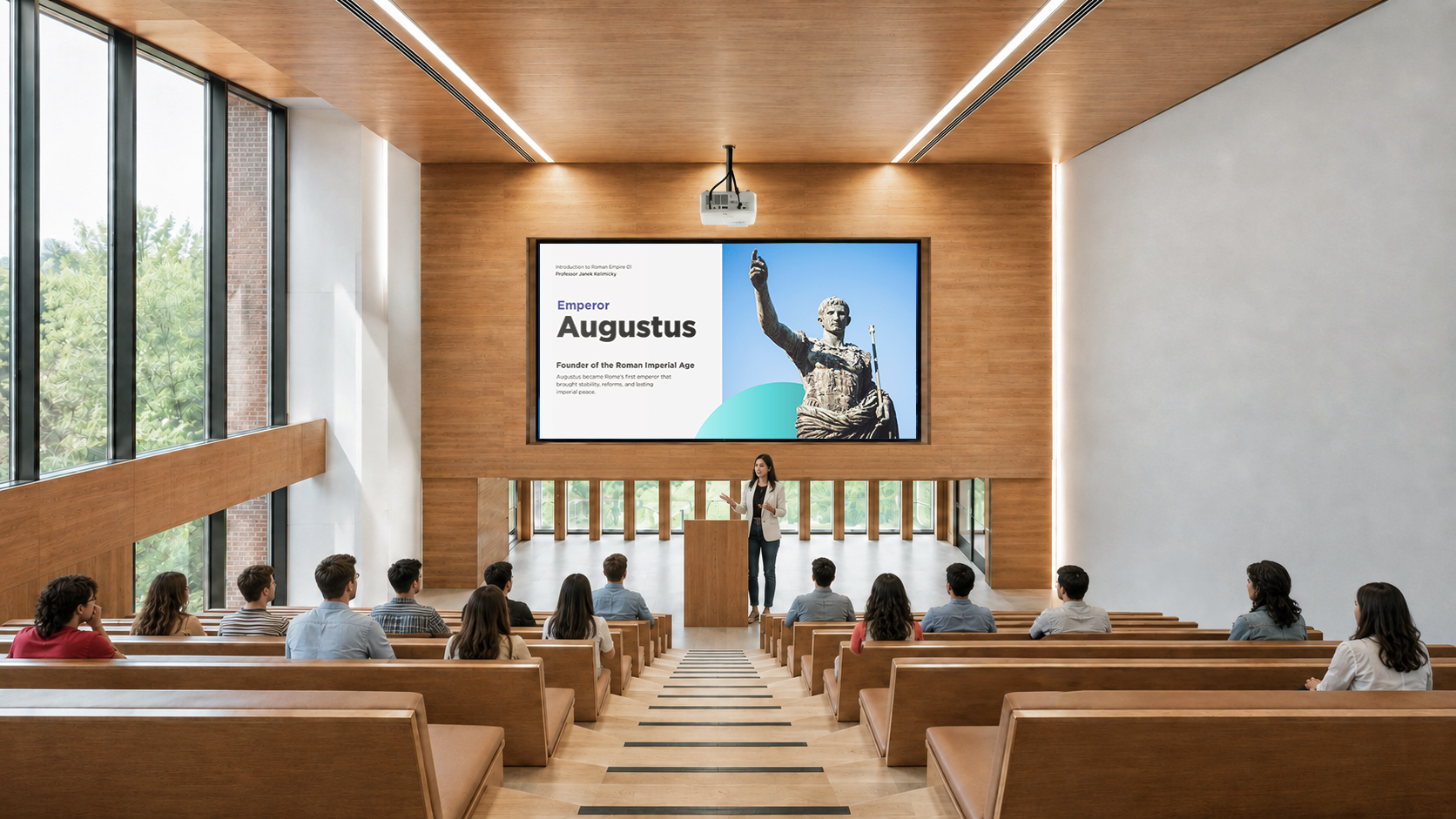
| Higher ed lecture hall |
Pre-configured or Configurable |
Long-term reliability, sightlines, source count |
| Government / public sector |
Pre-configured |
See the note below on procurement compliance |
| Retail / digital signage |
Pre-configured or Configurable |
Ambient brightness, content management, durability |
| Command / control room |
Pre-configured (LDP) or Configurable |
Fine pitch, 24/7 reliability, pixel-level control |
A note for government and public sector buyers
Public sector procurement adds requirements that do not appear in a spec sheet. Three worth raising early with your ViewSonic representative:
- Supplier diversity. ViewSonic is a certified Minority-Owned Business, which counts directly toward supplier diversity requirements in federal, state, local and education procurement.
- Accessibility. Mounting depth of approximately 2.7 inches keeps the display inside the 4-inch protrusion limit ADA sets for circulation paths.
- Contract vehicles and sourcing requirements. Ask your representative to confirm current availability and compliance posture for your specific vehicle.
6. Questions to Ask Before You Buy
For end users evaluating a dvLED purchase
Before you issue an RFQ or engage integrators, make sure you can answer these.
- What is the primary use case? Presentations, wayfinding, video wall, collaboration
- How far away is the closest viewer? This sets the pixel pitch
- What content will run on it? Detail-heavy content calls for 4K rather than 1080p
- What are the wall dimensions and structural load limits?
- What is the ambient light environment? Direct sunlight, controlled, mixed
- What control systems are already in place? Crestron, Q-SYS, Extron, AMX
- What is the full budget including installation, integration and ongoing support?
- Is a permanent or mobile install required?
- Who will manage ongoing support and maintenance?
For AV integrators specifying a dvLED system
- Has the site been physically assessed for power, conduit and wall structure?
- Is a standard-size pre-configured system sufficient, or does the client need custom dimensions?
- What pitch does the closest viewing distance require? • Does the content require 4K, or is 1080p appropriate for the application?
- Are there control system integration requirements?
- Does the client need central device management? If so, specify LDM or LDP rather than LDE
- What is the client’s timeline from approval to installation?
- Is on-site installation supervision needed? Included from ViewSonic at no extra cost
- Has the client approved All-in-One versus component-based architecture?
7. The dvLED Procurement Process
A dvLED purchase involves more steps than a standard display procurement. Here is what
to expect from first contact through installation.
| Step |
Phase |
What happens |
| 1 |
Discovery |
Define use case, environment, viewing distance and budget. Engage ViewSonic Solutions for pre-sales support. |
| 2 |
Site assessment |
Evaluate wall structure, power availability, conduit routing and ambient light. ViewSonic engineers assist remotely or on site. |
| 3 |
Specification |
Select category, pitch, resolution, size and aspect ratio. Receive system drawings and layout documentation. |
| 4 |
Quoting |
Receive all-inclusive pricing: display, delivery, installation supervision and spare tiles. No hidden line items. |
| 5 |
Approval |
Submit for internal budget approval. ViewSonic can provide ROI and TCO documentation to support the business case. |
| 6 |
Order and lead time |
U.S.-stocked pre-configured and mobile solutions ship from California. Configurable LDC requires additional lead time. |
| 7 |
Installation |
On-site ViewSonic installation supervision included. Integrators can earn credentials through the dvLED Certification Program. |
| 8 |
Commissioning |
System powered on, calibrated and validated. 5% spare tiles delivered with the system. |
| 9 |
Ongoing support |
U.S.-based technical support provides continuity from deployment through the life of the system. |
8. Why ViewSonic All-in-One dvLED
100% All-in-One portfolio
ViewSonic is one of the only dvLED manufacturers with All-in-One architecture across the entire product line, at every size from 108 inches through 231 inches plus made-to-order. Their portfolios span both architectures, which gives integrators flexibility and also introduces a decision: buyers must work out which architecture they need, navigate multiple product lines and manage the system design requirements that come with each. ViewSonic’s portfolio is All-in-One only. There is no component-based option to specify, no multi-SKU system design and no fragmented quoting. For most enterprise projects that means a simpler procurement process, a faster path to deployment and less exposure to integration surprises.
Guided deployment
U.S.-based Solutions Engineers are involved from pre-sales design through installation and ongoing support: site validation, system drawings, on-site installation supervision and postdeployment technical support, all under one relationship rather than three.
U.S. operations and support
Mobile and pre-configured solutions are stocked in the U.S. and ship from California. The support team is U.S.-based, which means faster response and people who understand North American compliance requirements and project timelines.
Transparent, all-inclusive pricing
Pricing includes system drawings, shipping, on-site installation supervision and 5% spare tiles. No surprise integration charges. Budget approval moves faster and overrun risk drops.
Proven in corporate, higher ed and government
ViewSonic dvLED solutions are deployed in corporate offices, university lecture halls and government facilities across the Americas. The pre-configured category was specifically designed to fit these verticals without requiring custom builds or extended design cycles. You can also see working systems in person at ViewSonic demo centers across the U.S. and Canada, with your own content on the screen.
Most competitors require component-based design thinking.
ViewSonic delivers solution-based simplicity across every tier.
 Teacher's Community
  Support








Login and Registration Form