Education
Business
Consumer

Solution

ViewSonic® Gaming Monitors Help School District Develop Successful Esports League


Case Study

ViewSonic® Gaming Monitors Help School District Develop Successful Esports League

Company

Fresno Unified School District serves more than 74,000 students, from preschool through grade 12, preparing career-ready graduates through high-quality instruction, district programs and services, and resources. District administration is guided by four key goals designed to improve student outcomes, which state that all students will: 1. Excel in reading, writing, and math; 2. Engage in arts, activities,and athletics; 3. Demonstrate the character and competencies for workplace success; and 4. Stay in school on target to graduate. The district’s 66 elementary schools, 15 middle schools, 9 high schools, 4 alternative schools and 3 special education schools are guided by these goals.

Overview

Problem:

  • Develop and equip an esports league to engage more students in extracurricular activities

Solution:

  • Administration and IT partnership enabled fast development and execution
  • ViewSonic XG2402 24” gaming monitors offered the ideal price point and features to support the league

Result:

  • By its 2nd season the league had over 185 participants
  • Attendance among members has increased considerably
  • Previously uninvolved students are gaining new skills for future success
  • The ViewSonic XG2402 gaming monitors deliver fast, clear images without lag to support league practices and tournament game play

The ViewSonic monitors are great: a quality product at a price that is right for us. With the 144 Hz and 1ms refresh rate, the images constantly refresh. Everything is nice and clear. The students enjoy competing on them.

— Don Soyinthisane, FUSD Director of Information Technology

Problem

Fresno Unified School District structures its administration around four key goals. The second of these states that “All students will engage in arts, activities, and athletics.” The growing popularity of esports presented a significant new opportunity to support Goal 2.

“The benefits of extracurricular involvement and a relationship with a coach to improve academics and social growth are well-documented,” said Joe DiFilippo, Vice Principal on Special Assignment. “From a Goal 2 point of view, esports offered a great opportunity to engage students who would typically hustle home to get on their computer and engage with friends online. We wanted to bring this to the high school campus, to get these students engaging face to face with their peers and an adult coach.”

The challenge was to develop a strong high school esports program at a time when few existed. Certain of the importance of the new activity (whether or not one agrees that it is truly a “sport”), the district was poised to be a trailblazer in this exciting new arena.

“We knew that developing an esports league would not only deliver all the benefits of extracurricular involvement,” said Don Soyinthisane, FUSD Director of Information Technology. “We also wanted to bring focus to a new lucrative and developing industry. We wanted our esports league to foster curiosity into technology and other STEM areas, as well as provide potential career paths to students.”

Solution

Goal 2 Administrator and Assistant Superintendent, Holland Locker, teamed up with the information technology department’s Chief Technology Officer, Kurt Madden, to tackle the task of developing a district-wide esports league. They chose to model their league after a traditional high school sport, which according to Soyinthisane, is somewhat unique among high school esports leagues.

“Our league operates at a district level, like traditional sports,” said Soyinthisane. “Students from each of our high schools can compete against teams from other schools, just like they would with tennis or baseball.”

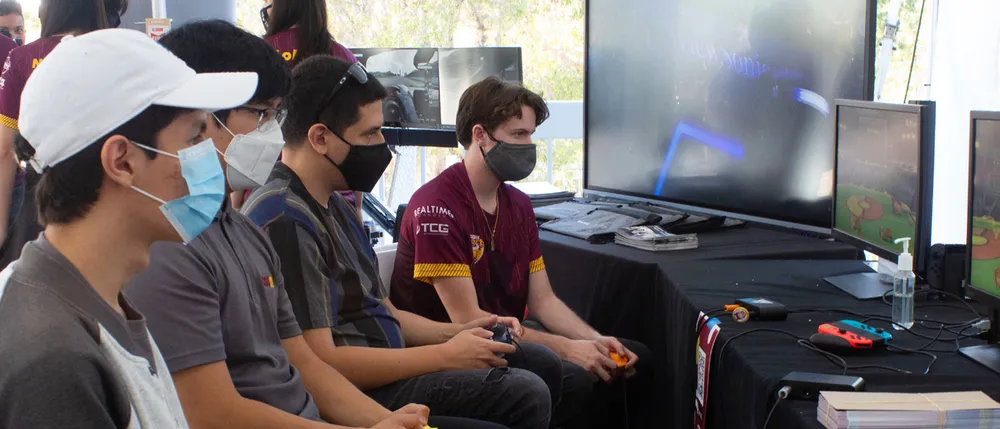
Dubbed the Fresno Unified Esports League better known as FUeL, the fledgling program began in 2018 with members training and competing on Rocket League. Thirteen district high schools participate in the league, practicing weekly then competing across an 8-week season, at the end of which a final tournament determines the district champion.

The IT department handles arena set up and technology procurement and maintenance. The Goal 2 group develops the schedule, runs tournaments and reports stats. The Goal 2 group’s extensive experience managing other athletic teams made for an easy learning curve.

When it came to equipping the league with display technology, Soyinthisane turned to ViewSonic.

“We’re standardized on ViewSonic monitors across the district, with several models that we buy from CDW-G to equip classrooms, computer labs and administrative offices,” he said. “I was hopeful that they would have a gaming-quality option for us, which it turned out they definitely did.”

The IT Team selected the ViewSonic XG2402 24” gaming monitor with 144Hz refresh rate, 1ms response time and AMD FreeSync™ technology to equip FUeL.

Result

In a short period of time, FUeL has attracted a large participation base. Switching to the popular game League of Legends for their second year, increased membership to around 185 participants across 13 district high schools. The league’s size is matched by member diversity, which includes many female and special ed students as well as the traditional male esports athlete.“Our esports league is giving more students an outlet to participate, to feel
and to show school pride. They may not be kids who could make the soccer team, but they’re super stars at esports,” said Soyinthisane. “They have uniforms, just
like any other athlete, and they wear them with pride on game days. They take it very seriously.”

Seeing FUeL students represent their schools at tournaments exemplifies what the league’s founders hoped to accomplish. Another is a measurable increase in attendance. Among students at the district’s alternative education school, for example, a teacher reported that after joining FUeL student attendance rose from a discouragingly low 25% to around 92%.

“We’re definitely reaching more kids and getting more students to be more active in school,” said Soyinthisane. “These kids were probably gaming at home. Now they’re showcasing their skills to the school.”

The ViewSonic XG2402 24-inch gaming monitors have supported the league players well as they prepare for competition, said Soyinthisane.

“The ViewSonic monitors are great: a quality product at a price that is right for us. With the 144 Hz and 1ms refresh rate, the images constantly refresh. Everything is nice and clear. The students enjoy competing on them,” he said.

Team coaches have commented on the image quality as well, Soyinthisane added.

“Our coaches are a big part of the league success. They watch the students play. Rewind the game play and go over it with them – just like a traditional athletic coach would do after a game or training session.”

Soyinthisane and DiFilippo agree that their efforts to build the league have payed off beyond their initial expectations.

“The amount of engagement this program has created is incredible” said DiFilippo. “We’ve seen fantastic growth with these students in peer to peer interaction and school pride. Our eSports athletes wear their jerseys on Fridays with enthusiasm. The coaches are generally young – in their late 20s and early 30s – they are able to build a real connection with their students.”

Once they accomplish that, he added, everything else falls into place – greater focus in class, improved grades and better behavior – because just like with other school sports eligibility requirements apply.

Currently in the midst of its second year, FUeL has held two tournaments in each of the last two years. The Fall tournament is only open to Fresno Unified School District schools. The Spring tournament includes teams from other school districts that want to compete in a professional-level arena.

“The Fall tournament is huge,” said Soyinthisane. “We set up four arenas on a Saturday, equipped with gaming workstations and our ViewSonic monitors. We have ‘shout casters’ commenting throughout. We want to replicate all that in the Spring and just keep making the program bigger and better and involving more students.”

Beyond that, hopes for FUeL include building a dedicated esports arena and continuing to leverage the growth of the burgeoning industry to help students make the connection between their passion for gaming and real prospects for future career and college opportunities.

“There are more than 200 colleges and universities offering full ride scholarships for esports athletes. And there are opportunities beyond playing, such as coding, shout casting, the business aspects of gaming,” said DiFilippo. “We see parents connecting the dots and realizing that this activity can really point their kids on a path in life.”

Any expansion plans will most certainly involve ViewSonic gaming monitors, said Soyinthisane, who credits the monitor maker for a role in FUeL’s success.

“We have a great relationship with ViewSonic as a supplier and appreciate their support of the growth of our esports league,” he said. “They’re a very strategic partner. They deliver good quality product at a good price, and the support from our account manager Lena Cull has been truly awesome.”

Alma College Teams up with Unique Retail Venue and ViewSonic® to Provide Varsity Esports Facilities


Case Study

Alma College Teams up with Unique Retail Venue and ViewSonic® to Provide Varsity Esports Facilities

Company

COLLEGE
Located an hour north of Lansing, Michigan, Alma College is a private four-year liberal arts institution with an enrollment of about 1,450 undergraduate students from 30 states and 15 foreign countries. With a full-time teaching faculty of 103, Alma College has a student-to-faculty ratio of 12:1 and awards degrees including Bachelor of Arts, Bachelor of Science and Bachelor of Science in Nursing.

AV INTEGRATOR
Since 1991, CCS Presentation Systems has served customers in corporate, government and education markets. Located in Warren, MI, CCS Presentation Systems of Michigan provides full-service integration, installation, training and maintenance of a full range of audio and video equipment. From simple accessories to multi-million-dollar integration projects, school classrooms to world-class resorts, CCS of Michigan provides superior audio-video products, services and solutions to meet a wide variety of needs.

ESPORTS VENUE
Block House Esports opened on October 4, 2020, to serve as a community gathering place offering an internationally-inspired menu and a variety of video game entertainment options. Located in a storefront at the renovated historic opera house in downtown Alma, Block House also serves as the official training and competitive venue for the Alma College varsity esports team. Block House
welcomes neighborhood gamers and fans to play in matches, watch league tournaments and receive coaching. It is also equipped to host live performances and stream digitally.

Overview

Problem:

  • Transform an historic site into a vibrant esports facility
  • Equip space to be the competitive and practice facilities for local college esports team
  • Create an environment that further serves as a community gathering place

Solution:

  • 12 ViewSonic 24” LCD Gaming Monitors with ELITE RGB Technology
  • 13 ViewSonic 24” Gaming LED monitors
  • 2 ViewSonic 65” 4K Ultra HD Commercial Displays
  • 4 ViewSonic 50” 4K Ultra HD Commercial Displays
  • ViewSonic 75” 4K UHD Commercial Display
  • ViewSonic 86” 4K Ultra HD Commercial Display
  • ViewSonic 27” 4K UHD Monitor with SuperClear IPS Technology
  • ViewSonic 35” 1440p Ultra-Wide Gaming Monitor with ELITE RGB Technology

Result:

  • Every aspect of the complex AV setup has lived up to and exceeded expectations
  • Alma College now has a formal esports team, with a place to practice and compete
  • The ViewBoard displays facilitated continued collaboration, learning and connection during pandemic conditions

The ViewSonic gaming monitors had great specs, but just to make sure we brought in coaches and members of the Alma College Overwatch and League of Legends teams and we did a brand-blind comparison with competitive products. It was incredible --- each and every one of them picked the 24-inch ViewSonic models.

— Anthony Collamati, Media Studies Professor Alma College

Problem

In 2010, the historic Wright Leppien Opera House in Alma Michigan suffered massive interior damage in a fire. Efforts to renovate the space languished and Alma College took ownership of the space in 2017, investing two years of work to bring it up to code. The upper floors became apartments for Alma College students. The ground floor became home to six storefronts, which the university sought to lease to local businesses that would benefit students and the community.

During renovation, the college asked New Media Studies Professor Anthony Collamati for his thoughts on how to use one of the spaces. The result of that exchange gave birth to an exciting idea: Transform the space into an esports environment that would serve as a practice and competition space for the
Alma College varsity esports team.

“The college didn’t actually have an esports team at that point, but they recognized the value of providing this opportunity to students and plans were in the works,” said Collamati. “One of the biggest roadblocks was the lack of facilities for the team.”

Collamati teamed up with friend and local business owner Nick Lux and leased the space from the university. The plan quickly expanded beyond a simple practice facility.

“As we talked through the options, we realized that we wanted to create a place that lived up to the original historic mission of the building, which was to be a community gathering place for residents to enjoy what was the dominant medium of the time,” said Collamati. “We live in a small town and there aren’t that many places to gather and we wanted to create a space where everyone would feel comfortable and welcome.”

Today’s medium, of course, is gaming. Whereas gaming was seen as a niche hobby for nerds and teenagers two decades ago, today esports has become a multi-billion dollar industry that is still growing. Creating a space that facilitated practice, competition and casual enjoyment – along with comfortable companionship for non-gamers – was an entirely new business and entertainment model.

“We wanted to create a space that would be inviting to anyone who walked in, along with the serious gamers and the Alma esports team,” said Collamati. “The vision encompassed multiple areas designed for different types of game play, as well as areas for the spectating and dining-only crowd.”

A critical component, said Collamati, was a stage area that would replicate the high-level competitive esports experience, which typically takes place in large halls or stadiums, is broadcast live and includes play-by-play “shoutcasting.”

Solution

While there were some challenges related to building on a historic site, building a bar and dining tables proved to be the easy part. Mapping out the varied game spaces, individual team practice stations, a pro-level gaming stage and the AV needed to tie it all together into a vibrant environment was beyond Lux and Collamati’s experience. For this, they turned to Matt Smiley, owner and president
of CCS Presentation Systems of Michigan.

“Matt was tremendous at helping us think through ideas and finding pitfalls before we fell into them,” said Collamati. “Typically, to create the type of environment we sought would require a giant broadcast switcher that costs as much as a house and could run AV feeds from many PCs, along with a control booth, command center and a few producers and operators to manage it all.”

Constrained by costs and space, this full-on esports broadcast approach wasn’t an option, said Collamati. “Our daily team would need to be just a couple of people to edit the broadcast, and we could only afford a dozen AV inputs,” he added.

That’s where CSS presentation systems came in. CSS utilized a dynamic AV over IP solution that used network switching to transition between SDI and HDMI, creating an immersive environment at a budget-friendly price point.

“To do this, we needed monitors and large screen displays with the appropriate integrated connectivity options and Anthony wanted top-notch graphics and color,” said AV pro Matt Smiley. “I’ve worked with ViewSonic for years and they’ve been my go-to monitor brand for some time now. Their products are very dependable, and every client we’ve sold ViewSonic displays to tells us they’re great.”

CCS suggested several ViewSonic® monitors and large screen displays to meet the varied requirements of the installation. Not only were the ViewSonic graphics displays beautiful and the gaming monitor specs up to par, said Collamati, the display’s enabled CCS to bring the entrepreneurs’ vision to life.
“ViewSonic did a great job of sending us demo equipment and helping us pick the right monitors and displays for each area,” said Smiley. “They went above and beyond and together we determined the displays that fit the budget and had the specs Anthony needed.

“A critical feature of the game displays was the refresh rate,” added Smiley.
“And ViewSonic had great monitors specifically for the gaming market.”
Before committing, Collamati put the ViewSonic gaming monitors to the test, determined to make sure that the technology was a good fit for the serious gamers.

“The ViewSonic gaming monitors had great specs, but just to make sure we brought in coaches and members of the Alma College Overwatch and League of Legends teams,” said Collamati. “We did a brand-blind comparison with competitive products. It was incredible --- each and every one of them picked the 24-inch ViewSonic models.”

Ultimately, the CCS and Collamati chose the following ViewSonic products to outfit Block House Esports:

• 12 ViewSonic 24” LCD Gaming Monitors with ELITE RGB Technology, 1920x1080 resolution, 144Hz refresh rate, rapid response time (Model XG240R)

• 13 ViewSonic 24” Gaming LED monitors, 1920x1080 resolution, 144Hz ultra-fast refresh rate, 1ms response time (Model XG2401)

• 2 ViewSonic 65” 4K Ultra HD Commercial Displays (Model CDE6510)

• 4 ViewSonic 50” 4K Ultra HD Commercial Displays, 3840x2160 resolution, 350nits, built-in multi-core media player with 8gb storage
(Model CDE5010)

• 1 ViewSonic 75” 4K UHD Commercial Display (Model CDE7500)

• 1 ViewSonic 86” 4K Ultra HD Commercial Display (Model CDE8600)

• 1 ViewSonic 27” 4K UHD Monitor with SuperClear IPS Technology, 3840x2160 resolution (Model VX2776-4K-MHD)

• 1 ViewSonic 35” 1440p Ultra-Wide Gaming Monitor with ELITE RGB Technology, 3440x1440 resolution, 100Hz refresh rate (Model XG350R-C)

Result

Despite delays and constraints related to the coronavirus pandemic, Block House officially opened on October 4, 2020. The response has been even better than he could have dreamed of, says Collamati.

“We host the Alma varsity team practices and competitions, just like a hockey team rents ice time at a rink,” he said. “Beyond this, the response from the community has been overwhelming. Whenever pandemic conditions have allowed us to serve them, we have people here enjoying the food or the bar, or gaming – or all three.”

The crowd ranges from families and groups of kids to couples on dates, said Collamati, who says he’s thrilled to be helping esports come out of the basement and become a social activity.

The space roughly breaks out into three activity-based areas: The bar/dining tables; gaming stations; and competitive streaming stage. To keep track of the large screen displays and facilitate easier communication and programming (while having fun to boot), Collamati and his team named the large ViewSonic commercial displays after the Greek Gods.

Upon entering the Block House, just inside the doorway, Hades, the massive 86” 4K Ultra HD commercial display greets visitors, provides a family- and group-friendly game zone, and captures the attention of passersby. To the left, drinking, dining and spectating visitors can choose from a bar, four-top tables and a large community high-top.

Two-person gaming nooks with ViewSonic XG2401 24” gaming monitors line the wall with larger ViewSonic 50” displays above that showcase the action to spectators. Venture further into the Block House and you’ll find more game stations nestled against historic bare brick walls and situated throughout open spaces. Couches in front of two pairs of ViewSonic 50” 4K Ultra HD Commercial Displays (Ares, Hephaestus, Apollo and Artemis) invite visitors to get comfortable and grab a controller.

The stage area comes to life with 12 ViewSonic 24” LCD gaming monitors with ELITE RGB Technology, which can be configured for a variety of live competitions ranging from 1v1 to 6v6. “These ViewSonic Elite RGB monitors are really terrific,” said Collamati. “We can program them to use our brand colors or can color code the teams so it’s easy to tell who’s home and who’s away.”

Above the stage and along the back wall of the Block House, Zeus, a ViewSonic 75” 4K UHD commercial display is flanked by Poseidon and Hera, ViewSonic’s 65” 4K Ultra HD commercial displays. Transmitters on top of every player station send signals to the control screen, where the Block House team uses a digital switcher to broadcast gameplay onto the big screens.

“The ViewSonic displays have been fantastic and they’re a big part of how the media staff is able to craft an exciting audio-visual experience for people coming into the venue,” said Collamati. “For example, say there’s a group of four battling it out on Valorant, we can stream their game to Zeus, Hera and Poseidon, amping up the competitive excitement.”

What’s more, Collamati adds, the content on the ViewSonic commercial displays can be easily adapted to fit the season, day or mood – as well as to deliver advertising and promotions. “We like to cycle through some branding for ourselves and our sponsors, like the Alma Esports Team, on at least one display,” said Collamati. “On others we could be running seasonal or themed movies. We can run a Twitch broadcast or a live or virtual football game on another. The possibilities are endless.”

One of the biggest thrills and most heartwarming aspect of the venue, says Collamati, is seeing the ways in which the games and the environment bring people together.

“Say we have a mom and daughter playing Mario Kart and we take their game and put it on a ton of screens around the space; it’s such a joy to see their reaction and the connection between the parent and child,” he said. “I knew we could do that – it was our goal all along to be able to show the game play around the space – but I didn’t realize the huge guest experience value it would bring.”

From start to finish, he added, Block House has been a labor of love. To date, their crew is still working out the kinks and looking forward to the post-COVID days when teams in the Block House can livestream their battles on Twitch, just like the pros. On days when Block House is able to open, the excitement just keeps going.

“We just love seeing people walk by, and the big 86-inch ViewSonic display in the front window catches their eye and draws them in,” said Collamati. “We’ve seen a family with young kids eyeing the couch and the rich colors on the display showcasing Donkey Kong or Mario Kart, and they come in and play together, smiling and laughing. Or a teen with his parents who convinces them to come in and they end up playing together. You gotta ask yourself – would those parents have ended up playing Among Us in their basement with their kid?”

Sports and Event Photography Company Grows Exponentially with ViewSonic Monitors


Case Study

Sports and Event Photography Company Grows Exponentially with ViewSonic Monitors

Company

Founded in 2015 by former Microsoft engineer Jason Asthon, Mad Moose Media is a sports and event photography company dedicated to quality, efficiency and “capturing the moment.” Mad Moose serves clients across the U.S. and has photographed everything from traditional youth sports programs to dirt bike racing to yacht tournaments. Drawing upon his skills as a professional photographer and graphic designer, Ashton runs the business with his extended family.

Overview

Problem:

  • Support growth of sports photography company with monitors
  • Provide an outstanding and reliable customer POS experience
  • Support display needs of staff on-site and in the office Support professional caliber photo editing

Solution:

  • 10 ViewSonic TD2730 10-point multi-touch displays for customer point-of-sale
  • 10 ViewSonic VA2256-mhd displays for use by sales team
  • 1 ViewSonic ViewBoard IFP7550 75” interactive display for indoor events
  • 2 ViewSonic PX701-4K Ultra HD projectors to add excitement
  • 1 ViewSonic VP3881 38” Ultrawide ColorPro™ monitor for image editing
  • 1 ViewSonic VX4380-4K Ultra HD 43” monitor for general office use
  • 1 ViewSonic XG350R-C 35” Ultrawide ELITE gaming monitor for relaxing

Result:

  • Business needs have been successfully met and exceeded
  • Rapid, reliable touch response continue to deliver a satisfying POS experience
  • Zero in-field failures despite years of extreme outdoor conditions
  • Professional photo editing delivers what-you-see-is what-you-get quality that cuts expenses and satisfies customers
  • Large, vibrant images and responsive interactive touch displays drive business
    at indoor events
  • Greater legibility and reduced eyestrain during office work

These monitors – and the projectors – all do what they’re supposed to do, with outstanding quality and without fail,” said Ashton, summing up his experience with the many ViewSonic products he uses daily.  “I think one of the most incredible things is their reliability.  We’ve put them through the worst environments they could be through I’m often shocked that they still work.

— Jason Ashton, Founder, Mad Moose Media

Problem

While working as a Microsoft engineer, Ashton decided to keep his competitive spark alive by working part-time at an event photography company. Despite his enthusiasm, Ashton was frustrated by the lack of professionalism he encountered.

“I was not impressed by the way they went about things and I was constantly giving them ideas,” said Ashton. “They never listened, so my wife and I decided to do it ourselves.”

At the time, he said, there was no major software solution for the event photography space, so they developed their own. Along with their software (which was faster and more efficient than anything else on the market), they needed monitors that could be used for up to 20 hours a day in environments that were often dirty, dusty and wet. These monitors would also need to withstand the constant bumping and jostling that came with constant transportation to and from events – initially throughout the Southwest, then across the country as Mad Moose Media expanded.

Solution

In the early days of Mad Moose, said Ashton, everything was about the bottom line. Their Mad Moose POS, Sort and Photo Grab software was developed entirely in-house. Cost, rather than function, was the priority when it came to purchasing monitors.

“The first monitors we had were what we could get easily and inexpensively from Best Buy. As it turned out, some were from ViewSonic and others weren’t,” he said.

During that first year, Mad Moose Media went to any event they could find near their home base of Nevada and Southern California. At a mountain bike race in Orange County, Ashton met someone who would change his life. A Mad Moose customer noticed the ViewSonic monitors then brought his friend by to meet the Mad Moose crew. That friend turned out to be President of ViewSonic Americas, Jeff Volpe.

“He and I ended up having a lot of common interests,” said Ashton, “We had a great time talking, and of course he commented on how ViewSonic monitors could do a better job for us. I was thrilled to take his advice and try out the monitors he recommended as best for our different needs.”

With a range of vehicles, trailers and tents that traveled to events, Mad Moose Media needed a wide range of monitors to meet their needs. The final solution consisted of:

ViewSonic® TD2730 Multi-Touch Displays
The 10 TD2730 multi-touch displays being used for customer point-of-sale were the most critical component of the business, said Ashton, as they served the interface where customers could see, customize and order photos. Using the VESA compatible mounts on the displays, Ashton connected standard folding wall mounts, flipped them 180-degrees and attached them to a table instead of a wall, creating a fast and easy set-up process.

ViewSonic VA2256-mhd Displays
10 displays are used by the sales team from inside the tent or trailer, mirroring what the customer sees on the outside.

ViewSonic ViewBoard® IFP7550 75” Interactive Flat Panel Display
This giant display, said Ashton, is ideal for circumstances that bring Mad Moose inside to showcase and sell their photography. Mounted on the ViewSonic
LB-STND-003-S mobile stand, the 75” ViewBoard interactive display is quite literally a standout in conference rooms, convention centers and high-end award ceremonies.

ViewSonic PX701-4K Ultra HD Projectors
Two 4K projectors amp up the excitement during events by displaying content onto the ceiling of the tent. With nighttime images that reach up to 20 feet, Aston’s team can livestream races, showcase results and present highlights.

ViewSonic VP3881 38” ColorPro™ Monitor
This powerful color-accurate display is used for image editing in Ashton’s home office to produce pixel-perfect pictures every time.

ViewSonic VX4380-4K 43” Ultra HD Monitor
The Mad Moose team uses this 4K monitor for poster development and general in-office use.

ViewSonic XG350R-C 35” Ultrawide ELITE Gaming Monitor
Running a business is hard work. That’s why for Ashton, a gaming monitor was critical for self-care.

Result

Equipped with the right technology for each job and driven by a passion for excellence, Mad Moose Media has grown exponentially over the past five years. Some of the credit goes to the durability and performance of the ViewSonic displays, said Ashton.

“For one thing, without the touchscreen POS monitors we couldn’t do anything,” he said. “And these ViewSonic multi-touch models do everything we need. The images are great and the high nit count for brightness is very important because we’re outside. Even with the awning providing shade it’s still very bright.”

Not only do the ViewSonic TD2730 touch displays deliver everything needed for point-of-sale customer interaction, they do so again and again, without fail, at nearly 100 events per year.

“The durability of these monitors is mind-blowing,” said Ashton. “We’ve never had a failure in the field and we put them to work in the worst dust you can imagine. They’ve been through rain multiple times plus snow, 20-degree weather, 100-degree weather, you name it. They’ve had thousands of customers pushing on them and they’ve been driven across the country dozens of times.”

This, he said, is beyond critical for the company’s five concessions: A tent with five ViewSonic TD2730 touchscreen displays; two vending trailers, each with four to six TD2730 displays; a golf cart with two TD2730 displays; and the indoor concession: a 75” ViewSonic ViewBoard IFP7550 interactive display.

“We rely completely on our ViewSonic monitors. We can’t have low-quality monitors that break during an event,” said Ashton. “That would cost us thousands of dollars in a day.”

From small to large, outdoor to indoor, ViewSonic displays do not disappoint,
said Ashton, who is particularly fond of the 75” ViewBoard interactive display.

“It’s huge and vibrant and always catches peoples’ attention with its beautiful, massive screen,” he said. “We just push it into the meeting room or convention hall, put it in the corner, and people continually walk up and interact with it.”

While most of the company’s business - from order placement to the final printed product placed in the customers’ hands - is conducted and completed onsite, Mad Moose Media also specializes in creating customized posters produced off-site.

“We take a lot of pride in our posters,” said Ashton. “We know they can stay up
on walls for a long time and we work hard to make sure they’re perfect.”

This is where the ViewSonic VP3881 Ultrawide ColorPro™ monitor shines, enabling Ashton and his team to edit, color-correct and personalize photos taken in the toughest of conditions.

“None of our photographers get it easy. They have to work with odd lighting, dust and water reflections; we don’t get to set up a photoshoot,” Ashton said. “This is where the editing, color coding and color grading that we do on this monitor is critical.

For example, an image may be a bit hazy due to dust but also the best image from the event. The functionality of the ViewSonic VP3881 enables us to edit out the haze and get the colors perfect, said Ashton, adding that this is another important cost-saver for the company.

“When we generate the poster on our giant printer, we know that what we see on the monitor screen will be what we see on the final result. This is critical because we print thousands of posters per year. If it doesn’t look exactly right onscreen compared to what we print, we’d waste a lot of time and expensive paper.”

The Mad Moose headquarters is also home to a ViewSonic VX4380-4K Ultra HD monitor, which supports basic business functions as well as some poster design. “To be honest, I just love this monitor, it’s so easy to read everything on it,” said Ashton. “It’s my general office workstation so I use it daily for emails, PowerPoint, Excel, that sort of thing. The 4K is a whole different feel and I notice way less eye strain.”

Beyond the ViewSonic monitors that support his business, Ashton has one more that’s near and dear to his heart: the ViewSonic XG350R-C 35” Ultrawide ELITE gaming monitor. Designed to deliver an immersive experience for esports and gaming enthusiasts, this elegant, curved display includes ViewSonic exclusive RGB ELITE lighting technology, a 100Hz refresh rate and ClearMotion™ technology to reduce blur.

“I grew up racing and I’m a racer at heart. These days I do a lot of iRacing and sim racing online for fun,” Ashton said. “I’m at races and competitions every weekend, running the Mad Moose show, but when I want to race myself, I can do it anytime online with other people from around the world.”

What started as a pastime became something bigger when the COVID pandemic put a stop to many live events in early 2020. Because of his background, Ashton has become what he calls “tech support” for 20 or so NASCAR drivers, advising them on everything from the software to the workstation setup. And he always recommends the ViewSonic XG350R-C 35” Ultrawide ELITE gaming monitor.

“I tell them that this incredible 35” curved ViewSonic gaming monitor is absolutely what they need. It’s pretty much perfect for sim racing,” he said. “You need the ultrawide because you need to be able to easily see who’s to your left and right, and it gives you a tremendous field of view. It’s an amazing monitor and for the price point it’s even more amazing.”

With a thriving and expanding business, Mad Moose Media captures thousands of athletes and racers in the heat of the action. As soon as those shots are captured, ViewSonic monitors play a vital role in getting those images into the hands of athletes and their fans.

“These monitors – and the projectors – all do what they’re supposed to do, with outstanding quality and without fail,” said Ashton, summing up his experience with the many ViewSonic products he uses daily. “I think one of the most incredible things is their reliability. We’ve put them through the worst environments they could be through. I’m often shocked that they still work.”

Despite the damp, dust and grime spanning five-plus years, none of the ViewSonic monitors have ever been dismantled or professionally cleaned. “We just blow them off and wipe the screens, simple things,” said Ashton. “I joke that we put these monitors through more durability testing than when they’re manufactured. With us they go through hell and back – and keep working.”

Claremont Graduate University Creates Collaborative Learning Space with ViewSonic® ViewBoard® Interactive Displays


Case Study

Claremont Graduate University Creates Collaborative Learning Space with ViewSonic® ViewBoard® Interactive Displays

Company

Located 35 miles east of Los Angeles, Claremont Graduate University is a private all-graduate research university in Claremont, California. Founded in 1925, CGU is a member of the Claremont Colleges, which includes five undergraduate (Pomona, Claremont McKenna, Harvey Mudd, Scripps and Pitzer) and two graduate (CGU and Keck Graduate Institute of Applied Life Sciences) institutions of higher education. CGU offers an intimate, high-touch academic research environment. The university’s unique brand of graduate-only scholarship transcends traditional disciplinary boundaries to foster the creation of new knowledge—and new ways of seeing and improving the world.

Overview

Problem:

  • Create a collaborative learning space suited for university-level education

Solution:

  • One 86” ViewSonic ViewBoard IFP8650 display
  • Four 75” ViewSonic ViewBoard IFP7550 displays
  • Two ViewSonic LS820 short-throw laser projectors 40 laptops

Result:

  • Huddle spaces provide efficient stations for group work.
  • Large screens increase visibility throughout the classroom.
  • Modular furniture and cart-mounted displays offer easy flexibility.
  • Exceeded the expectations of faculty, IT staff and CGU leadership team.
  • In high demand by faculty; was fully booked prior to COVID closures.
  • Faculty have saved time and increased student collaboration.
  • Provides collaborative space for board meetings, special events and faculty/staff training.

The professors really enjoy having a top tier, cutting-edge space that gives them so much teaching flexibility.

— Michael Thomas, Director of Educational Technology and Client Services

Problem

Interactive displays have become a gold standard for technology in K-12 education by empowering students and instructors to communicate and collaborate in ways that have been shown to increase educational outcomes and prepare students for career success. Would it be possible then, wondered Claremont Graduate University’s leadership team, for this technology to be applied to the unique environment of their institution?

What started off as a thought experiment quickly became reality when CGU board members, Trustee Weng Chan and university president Len Jessup met with ViewSonic leadership to discuss different possibilities. The members greenlit a project that would eventually become known as the Advanced Learning Environment (ALE), a room outfitted with several ViewSonic® ViewBoard® interactive displays and short-throw laser projectors, along with enough laptops to accommodate every student. If it worked as anticipated, it would become the prototype for future classrooms.

But before the ALE could change the way CGU approached technology, it first needed to pass muster with the IT team that would be responsible for implementation. Associate Vice President of Finance and Administration/Technology Services and Information Systems Manoj Chitre admits to being skeptical at first.

“ViewBoard displays have great capabilities and deliver a terrific, immersive classroom experience that’s great for K-12 education,” said Chitre. “As a graduate-only institution it wasn’t immediately apparent how our faculty would use the devices. I wondered, how applicable would they be to our class settings?”

Michael Thomas, Director of Educational Technology and Client Services, was of a similar mindset.

“These tools, the ViewBoard displays and myViewBoard™ software, were specifically designed for K-12,” said Thomas. “We were assured by the ViewSonic team that the software would translate well to pedagogy for adults and that it would be regularly updated for this use.”

With all the relevant stakeholders onboard with the project, the IT and leadership teams went to work.

Solution

The ALE was envisioned as an interactive space where teachers could have the flexibility to expand their teaching methods and foster creativity and collaboration individually and in groups.

ViewSonic worked with the CGU team to determine the best technology to bring this collaborative vision to life, ultimately selecting five interactive displays – an 86” ViewSonic® ViewBoard® IFP8650 to serve as the “teaching display” and four 75” ViewSonic ViewBoard IFP7550 displays for use by students – all featuring 4K Ultra HD resolution and immersive 20-point touchscreens. For flexibility, each display was mounted on a cart to enable teachers to move them around the room as desired. Two ViewSonic LS820 short-throw laser projectors and 40 laptops rounded out the room.

“We knew that for this room to embody our vision it needed to be highly versatile,” said Thomas. “My philosophy is that technology alone isn’t always the solution and to achieve our goals every element of the room needed to contribute to the modularity. To achieve this, CGU leadership ultimately invested in a complete remodel of the space.”

With financial backing from the University’s board, the team gave the room a modern makeover to make it more accessible for students. Whereas before there was a typical 800 sq. ft. lab with rows of tables and chairs, there now stood a vibrant, cutting-edge technology center. An electrified glass wall provided a sense of openness but also doubled as a privacy filter by being opaque at the push of a button. Window blinds (which normally took minutes to close) became motorized and could be remotely raised and lowered as a group. A browser-based system provided hassle-free room scheduling and cut down on many of the conflicts that came with booking a regular meeting space.

“The old room was very static. This one is modular and modern,” said Thomas. “The furniture is modular and easy to reconfigure. The ViewBoard displays are on rolling carts. Everything can be easily changed up to accommodate different needs.”

The CGU IT team completed the installation during the summer of 2019. In September, the Advanced Learning Environment was officially open for use. With help from ViewSonic, the IT team laid the groundwork for a successful launch.

“ViewSonic helped train my team members, who became trainers for the faculty,” said Thomas. “We also created documentation on how to use the tools and software in the room, including recommendations on how to use these resources for different teaching modalities.”

Result

The ALE quickly became one of the most popular spots on campus, with five months of increasing use before the university shut down in March of 2020
to slow the spread of COVID-19.

“Pre-pandemic the ALE was being used daily by faculty across the campus,” said Thomas. “The Statistics professors were the first to use it extensively, but soon it was being used for every type of class as well as for board meetings, special events and training faculty and staff from our sister schools.”

It was so in-demand, says Thomas, that they regularly had to turn people away.

“This room provides the faculty with capabilities they didn’t have in the past, and it’s changing the way they teach,” he said. “Some use all the displays at once, for upgraded one-to-many teaching. For example, this approach is good for classes that use the Socratic method, and it adds visibility for vision-impaired students. Many use the displays separately for breakouts and group work, then have the students share their work onto the large screens using myViewBoard software.

In Professor Brian Hilton’s Geographic Information Systems (GIS) class, ViewSonic ViewBoard displays have particularly been effective at saving time for both himself and his students. Consider this “then” versus “now” snapshot of group work in Hilton’s classes with and without the large screen huddle spaces.

“Before I had these resources to use, groups of students would share a single laptop to create the assigned GIS maps or apps. To demonstrate their work, they had to come to the front of the room, login to their account and find the correct content – all before they could begin discussing it, all of which took time,” said Hilton. “Now each group works at a large ViewSonic ViewBoard display, which has many benefits.”

“First of all, it gets them up and moving, getting into groups around their display – a good outcome for evening classes where almost everyone is coming from work at the end of a long day. They then proceed as before with the exercise, but since the screen is large, they have the ability to work together rather than just watch one person manipulate the application. Then, when it’s time for their demonstration, we just move between groups – it’s much more efficient.”

Hilton also talked about another unanticipated bonus, “The groups at each display can easily see what the others are doing, which creates some useful friendly competition.”

The results lived up to the high expectations that the CGU leadership had for the room. What the team couldn’t have anticipated was how useful the ALE would become in the wake of the coronavirus pandemic.

“This room has proved valuable in so many ways we didn’t imagine,” said Chitre. “For one thing, it was an ideal environment for training faculty in online learning tools and techniques before going home in March.”

“For another,” said Chitre, “ViewBoard displays have proven invaluable in facilitating remote teaching in new ways at the outset of the 2020-2021 school year, with the campus closed and the university offering online flexible learning.

“Some faculty can’t or don’t want to teach from home,” he said. “We’ve been able to bring them on campus and enable them to use the big screens to connect with remote students. They can talk to them easily and present though the ViewBoard displays. It’s really been a blessing for them.”

The combination of Zoom plus the ViewSonic ViewBoard displays has been tremendous, added Thomas.

“These tools together have been a huge win this fall for the faculty teaching from campus,” he said. “They wanted to be in a classroom to teach but many found it awkward lecturing on Zoom to an empty room. When we set them up on the ViewBoard displays with webcams and they were able to see a large gallery of their students’ faces and have bidirectional conversations -- definitely a more enjoyable teaching and learning experience.”

To maximize this benefit, the ViewBoard displays were moved to individual classrooms.

According to Thomas, whether it was late 2019, during the transition to remote learning, or in its current distributed locations, feedback has been “overwhelmingly fantastic.”

“The faculty really enjoy the modularity of the ALE and the touchscreen aspect of the displays has been one of the biggest wins,” he said. “The screens are absolutely gorgeous and the touchscreen capabilities are outstanding. We’ve had nothing but positive feedback about the displays.”

All in all (pandemic notwithstanding), the faculty’s expectations were overwhelmingly met, says Thomas.

“The professors really enjoy having a top tier, cutting-edge space that gives them so much teaching flexibility,” he said. “We’re looking forward to extending the concept and are working with ViewSonic to acquire more ViewBoard displays.”

The IT team has also been offering demos of the ALE for CGU’s sister colleges.

“Scripps just bought three and CMC is also in the process acquiring some ViewSonic ViewBoards,” he said. “I’m looking forward to getting more – a lot more.”

12 Tested Strategies To Enhance Learning Anywhere


Enter your email

Thank you for your interest in ViewSonic solutions. Please enter your email to download this white paper.

ViewSonic® ViewBoard® Displays Open a World of Collaborative Learning for Small K-6 School


Case Study

ViewSonic® ViewBoard® Displays Open a World of Collaborative Learning for Small K-6 School

Company

Located in Dewitt, NY, the Syracuse Hebrew Day School (SHDS) is a K-6 independent, religious school serving Jewish and non-Jewish families in Central New York State. SHDS is dedicated to educating the whole child – mind, heart and soul – and providing a joyful and warm learning community. It prepares students for academic achievement through individualized, child-centered education with a focus on experiential learning; students learn to read, write, understand and speak both English and Hebrew every day.

Overview

Problem:

  • Upgrade classroom display technology
  • Prepare students for future technology use
  • Provide students the benefits of collaborative learning

Solution:

  • 75” ViewSonic ViewBoard IFP7550 4K interactive display
  • IFP7550-E2 bundle with display, mobile trolley cart and wireless AC adapter

Result:

  • ViewSonic PD and intuitive interface enabled teachers to quickly use the new resource
  • Teachers now integrate collaborative learning throughout their daily lessons
  • The ViewBoard displays facilitated continued collaboration, learning and connection during pandemic conditions

The ViewSonic ViewBoard displays boosted teacher capabilities both in terms of what they do in their classrooms and in terms of getting them adjusted to learning and teaching remotely through technology. These displays don’t just come in handy, they’re invaluable.

— Laura Lavine, Syracuse Hebrew Day School Head of School

Problem

Upon becoming Head of School at Syracuse Hebrew Day School, one of Laura Lavine’s first priorities was to upgrade classroom technology. A former public school superintendent, she recognized that her SHDS students were missing out on the benefits of interactive and collaborative technology.

“I wanted my students to be as adept at using these devices as other students, so that when they graduate and move on to seventh grade, they won’t have to face a challenging learning curve,” said Lavine. “They also deserved the educational benefits that come with using technology during their primary and intermediate grades.”

Additionally, Lavine wanted to prepare for potential remote learning due to snow days or extended student absences (a prescient move considering the pandemic that surfaced months later).

At that time, classrooms used a mix of old-school tools. The go-to for displaying content at the front of the room was a cart-mounted projector and a pull-down screen. Teachers shared lesson materials on a classic whiteboard.

Lavine was familiar with projector-based interactive whiteboards from her days as a public school superintendent, and began considering this type of solution for SHDS, while also evaluating 1:1 computing devices, taking steps to become a Google school, and beginning professional development to bring teachers up-to- date on the use of online resources.

Solution

In June 2019, as she began her research into technology and online solutions, Lavine visited an area high school. As she peered into classrooms along the way, she noticed teachers and students working at interactive whiteboards that lacked a separate projector.

“That’s when I first became aware of interactive whiteboards that don’t need a projector,” said Lavine. “They were slim, compact and looked easier to use.”

Her colleagues at the high school confirmed her initial impressions and spoke highly of their displays – ViewSonic ViewBoard interactive flat panel displays.

“I started looking at the various products available in this category,” said Lavine. “And I decided I didn’t want to do my usual lengthy amount of research. The school I visited is very large and loves their ViewSonic ViewBoard displays; I decided that if they were good enough for them, they would surely be good enough for our little gem of a school.”

Lavine purchased a 75” ViewSonic ViewBoard IFP7550 4K interactive display within two weeks of her first glimpse of the technology. At the recommendation of her sales representative Nick Gugliuzza, she purchased the IFP7550-E2 bundle, which included everything needed to create an easy-to-use shared resource: the display, a mobile trolley cart and a wireless AC adapter.

It proved to be much more than “good enough” for SHDS.

Result

Thanks to excellent PD provided by Nick, said Lavine, teachers quickly began integrating the ViewBoard into their curriculum and were initially satisfied with using it as a shared resource. (“Back in the pre-COVID days we could do that,” noted Lavine.)

“Nick made the training very hands-on and everyone picked it up quickly,” Lavine said, acknowledging that she herself was a bit nervous about learning to use the display. “A teacher said, ‘Laura it’s just a big iPad’ – so I told myself, I can do this, and it ended up being easy. Our teachers took to it very quickly.”

Soon, however, teachers began asking to have one of their own, so Lavine purchased four more, equipping other classrooms – including every general education classroom – with a ViewSonic ViewBoard interactive display.

“They told me that there was so much more they could do if they had one full time in their rooms,” said Lavine. “Fortunately, we received a grant from an area bank that enabled us to purchase more.”

Along with outstanding customer service, Lavine said the displays themselves did not disappoint.

“The quality of the onscreen picture is extremely high, the sound is good, and the user interface is very intuitive,” she said. “Half of our faculty is over 60 yet everyone is using them. Everything about these displays is great. They are easy to use and there’s been nothing glitchy at all. We love them.”

When schools across the country began closing to slow the spread of COVID-19 in March 2020, Lavine said she was the first one in their county to announce the closing of a school.

“I was confident in doing so because I knew we could handle teaching remotely thanks to the technology and training we had invested in,” she said. “We closed school on Friday March 13th, then on Monday March 16th we were fully online for the next three and a half months.”

When the start of the next school year came around, Lavine opened the doors of SHDS knowing they had the pieces in place to keep everyone safe: small class sizes along with masking, maintaining socially-distanced classroom pods, and the addition of six-foot clear plexiglass booths around each student desk.

“When it came to teaching effectively under these conditions,” she said, “The ViewSonic ViewBoard displays helped tremendously – I don’t think it’s too much to say that they’ve saved our school day.”

In many ways, teachers used the ViewBoard displays exactly as they had for their first seven months at the school – working collaboratively with students using apps like Go Noodle, Brain Pop, Kahoot, Padlet and more. Under these new conditions, the large screen with crisp, clear images made it possible for every student to see and hear lessons clearly, said Lavine. Older students, who could be counted on to take care and use hand sanitizer appropriately, continue to get up and work at the boards.

What has made the biggest difference during the pandemic, said Lavine, is the ability to connect with those who used to come into the building – guest readers, authors and the like – along with the ability to connect to the world at large.

“Once a week, the cantor from an area synagogue came to school to teach Jewish music. Now she connects via Zoom so students get the that same half hour of music each week, displayed on the ViewBoard,” said Lavine. “The same goes for our monthly Kindergarten storyteller. These displays are allowing us to stay connected; they’ve opened up the world to us more than we would have thought possible during this pandemic.”

Another invaluable result of having ViewSonic ViewBoard displays in each classroom during these COVID times is the ability to keep the school’s traditions alive and well. One such tradition is the morning meeting, which, during typical times, brings students of all ages together in one room to get to know one another and share Torah portion lessons. It’s a tradition with countless student benefits, including the development of leadership and public speaking skills. The  ViewSonic ViewBoard displays have enabled a nearly seamless continuation of this tradition.

“Every classroom turns on their display and everyone is together virtually,” said Lavine. “The sixth graders still run the meeting and get the leadership experience. Even though the classrooms are just 20 feet apart, the ViewBoard displays are what bring us together as a community.”

Day-to-day instruction continues within each classroom “pod,” bolstered by the combined use of the ViewSonic ViewBoard interactive displays and individual student devices.

“A teacher’s creativity is the only thing that limits the use of the ViewBoard displays,” said Lavine. “And all of our teachers are really enjoying coming up with ways to use their ViewBoard for instruction.”

A Hebrew teacher uses the Padlet app for teaching Hebrew. Sixth graders read the book Wonder, then watched it on the classroom screen. First graders learn about nouns and verbs using the Kahoot app and respond to questions on the big board using their individual devices. Just about every teacher mines YouTube for resources to display on their classroom ViewBoard.

“These teachers are among the most collaborative and hard-working I have known in forty years, and they were - and are - eager to learn about new resources,” said Lavine. “The ViewSonic ViewBoard displays boosted their capabilities both in terms of what they do in their classrooms and in terms of getting them adjusted to learning and teaching remotely through technology.

“The ViewBoard displays don’t just come in handy, they’re invaluable.”

ViewSonic® ViewBoard® Solution Readies Secondary School


Case Study

ViewSonic® ViewBoard® Solution

Readies Secondary School for Interactive Adaptability Amidst COVID-19

Company

Serving students from Brentwood Tennessee and the surrounding community, Brentwood Academy is an independent co-educational college preparatory school for students in grades six through twelve. Offering a full spectrum of classes including honors and Advanced Placement courses, Brentwood Academy
is located 15 miles south of Nashville.

Overview

Problem:

  • Develop a flexible teaching system to adapt to a changing climate
  • Prepare for in-person learning, while having the ability to shift to a hybrid learning solution

Solution:

  • 65-inch ViewSonic® ViewBoard® IFP6550 4K interactive displays
  • myViewBoardTM software

Result:

  • Brentwood Academy is ready to deliver top-notch education in any foreseeable circumstances
  • Easily accommodate those who need to learn or teach from home
  • Enhance student learning and allow interactivity in new ways that we and the teachers are very excited about

With this new system we’ll be able to more easily accommodate those
who need to learn or teach from home. We’ll also be able to meet the
needs of students who may need to recuperate or quarantine from
home, and we’ll be able to quickly pivot should we need to move to
100% remote learning.

— Jeff Bryant, Brentwood Academy Dean of Academics

Problem

Like thousands of schools across the country, in March of 2020 Brentwood Academy closed its doors and began an unprecedented experiment in distance  learning brought about by the rapid spread of the novel coronavirus. To quickly implement a solution, the IT team aligned teachers around Zoom as the distance learning platform to finish out the educational year.

With this stopgap in place, the team turned its sights on preparing for the upcoming school year. No one could predict whether the spread of COVID-19 would prevent the return of in-person learning in the fall or require another closure if the school was able to reopen as scheduled.

“We took the time to reflect on the current conditions with COVID-19 while school wasn’t in session,” said Brentwood Academy IT Director Chris Allen. “We were exploring options for systems that would enable us to adapt to a changing climate – whether during a complete lockdown or if staff or students needed to self-quarantine.”

The goal, said Allen, was to be ready for in-person learning, while having the ability to nimbly shift at any moment to hybrid or complete virtual learning.

Solution

To achieve their goal of delivering a highly flexible and adaptable teaching system, the Brentwood Academy team realized that they needed more than communication software. Likewise, their current projection system not only limited their options but had inherent in-classroom challenges. Cabled connectivity to laptops, VCR/DVD players and document cameras was cumbersome, messy and time consuming. The ceiling-mounted audio system radiated sound into surrounding classrooms while interactivity and annotation capabilities were limited.

Investing in interactive displays with robust connectivity, communications and annotation capabilities would enable teachers to bring an enhanced classroom- like experience to remote students.

The transition to Zoom for distance learning went well, leading Allen to initially consider a Zoom-based display solution. Then he discovered ViewSonic.

“I was looking into which companies were leveraging Zoom with their interactive displays,” said Allen. “When I discovered ViewSonic it became clear that their solution offered the adaptability that we were looking for. It was clear that ViewSonic® ViewBoard® interactive displays and myViewBoardTM software would open up many options and opportunities.”

More research and testing led to the final decision to create an adaptable system with several components, the centerpiece of which was the 65-inch ViewSonic® ViewBoard® IFP6550 4K interactive display.

“We put the 65-inch ViewSonic ViewBoard displays in every classroom. They are the core of our hybrid-ready virtual learning environment,” said Allen. “Along with the myViewBoard software, they connect all the pieces of the system together. Because they’re agnostic, they are very open to other tools that our teachers use, like document cameras and even legacy VCR players.”

Standardized around Microsoft 365 Education, they moved from Zoom to Microsoft Teams for video collaboration. No additional sound equipment was needed, said Allen, as the integrated ViewSonic® ViewBoard® audio was both sufficient for and contained within each classroom. Intel NUC small form factor PCs power each classroom setup while cloud-based ViewSonic® myViewBoard® software delivers in-person whiteboarding capabilities and the ability to prepare materials and present from anywhere.

“The myViewBoard software combines everything we needed to teach under any circumstances,” said Jeff Bryant, Brentwood Academy Dean of Academics who worked with Allen to develop the new system. “From the first time I saw it I was impressed with the ability of the ViewSonic solution to provide interactivity between teachers and students at a really responsive rate and be adaptable to hybrid scenarios.”

Perhaps the biggest challenge, said Allen, was authentication. While newer ViewBoard interactive displays have an integrated fingerprint reader, Brentwood Academy chose an earlier model to accommodate substitute personnel. The concern: password security. Their solution: Windows Hello, the authentication method integrated into Windows 10 Pro, in conjunction with a FIDO2 USB key.

“It’s essentially like a car key for the ViewBoard display, which has three easy- access USB ports. Each key is bound to a teacher’s Microsoft 365 identity,” said Allen. “Teachers can simply plug the key into any ViewBoard on campus, which then prompts for a PIN.”

Another point of pride in the unique system setup is the two strategically placed 105-degree field of view USB 3.0 webcams with built-in microphone arrays in each classroom.

“We have one webcam mounted on top of each ViewBoard display and another attached to the ceiling about 10 feet into the classroom,” said Allen. “This enables us to capture more than just what’s happening at the front of the room.”

The goal, said Allen, was to replicate seeing and interacting with each participant in a Zoom call.

“The Zoom concept of distance learning enables all the participating students to see and interact with one another,” said Allen. “With our dual-camera setup teachers can flip to the second camera to show the entire class during a discussion, enabling those participating from home or elsewhere to be more fully involved. If we only had the single camera facing the ViewBoard, remote students could only see the teacher and front of the room.”

Last but not least, the team purchased 75 ViewSonic WoodPad drawing tablets, which enable teachers to replicate the whiteboarding experience from home.

Result

While the realities of the 2020-2021 school year are far from certain, Brentwood Academy is ready to deliver top-notch education in any foreseeable circumstances. Teachers will train on the ViewSonic ViewBoard system beginning in early August, then set up their FIDO2 keys during orientation using help desk kiosks to walk them through the process of adding the key to their Microsoft profile.

“From day one we’ll have the added security of this multifactor authentication,” said Allen. “And the teachers will be able to securely launch any programs and apps they have associated with their Microsoft Education account profile from any ViewBoard on campus – including their personal myViewBoard hub and Microsoft OneDrive.”

Students who start the school year in-person will see an impressive new classroom setup and experience enhanced collaboration and interaction with content. Those who need to be out of the classroom for any reason will similarly enjoy enhanced collaborative and interactive learning benefits.

“With this new system we’ll be able to more easily accommodate those who need to learn or teach from home,” said Bryant, “We’ll also be able to meet the needs of students who may need to recuperate or quarantine from home, and we’ll be able to quickly pivot should we need to move to 100% remote learning.”

Those learning remotely (which Bryant points out includes students traveling during the school day for sports or a debate tournament) will receive synchronous learning complete with the sights and sounds of their teacher and classmates, along with full visibility to all content displayed and manipulated on the ViewSonic ViewBoard. For those that can’t sync up live, the solution provides the ability to record visual and auditory content, said Bryant.

“With our block schedule it can be difficult to catch up if a student misses even one class,” said Bryant. “With the myViewBoard and Microsoft Teams combination, they don’t have to wait to get the material second hand. Instructors can record key lesson material and make it available anytime, anywhere.”

This, he added, is a terrific tool for all students, who can use the recorded material for concept review and test prep.

The benefits for teachers are equally notable. First, said Allen, the IT team wanted to offer a solution that was easy for teachers to adapt to their instructional styles and existing toolkit.

“We wanted it to be pretty seamless for teachers. The myViewBoard software and ViewBoard displays are so intuitive they make this easy,” said Allen, adding that because it’s not a proprietary system it will be easy for the teachers to use any tools they are already using. When they walk into their classroom for the first time, everything will be setup and ready to go.

“With the setup we developed, the only thing teachers will need to do is come to class, log into Windows, launch Teams, and launch the myViewBoard software,” said Allen. “From that point they’ll already have a classroom session going within Teams and will be able to share their desktop, which is their myViewBoard whiteboard. They can easily display the myViewBoard session from within Teams as well as bounce in and out of the myViewBoard window to open a web browser, display a YouTube video or open an app. It’s all very straightforward.”

The flexible capabilities address another critical challenge for teachers during COVID-19: the strain of balancing work and family.

“If we do have to go into full distance learning,” said Allen, “teachers will be challenged by having to teach from home. With this system they can come into their classrooms and teach from their ViewBoard displays.”

The ViewBoard WoodPad tablets provide an additional level of flexibility, added Allen, by enabling instructors to interface with their myViewBoard software and develop visual materials from home, whether for advanced prep or because they are self-isolating due to potential coronavirus exposure.

Amid these uncertain times excitement is nonetheless building around the new system, said Allen.

“We had two instructors teaching summer enrichment classes using the ViewSonic ViewBoard displays,” he said. “Other teachers walked by and were mesmerized by it, then came and asked when they were getting one.”

Staff and faculty have been making the same request, leading Allen to put ViewSonic ViewBoard displays in the school’s dens and meeting spaces as well as every classroom.

“We’re all in with ViewSonic and we couldn’t be happier with this solution,” said Bryant. “Even if we never have to do hybrid or remote learning, the ViewSonic ViewBoard displays will enhance student learning and allow interactivity in new ways that we and the teachers are very excited about.”

And if distance learning is called for?

“I’m confident that we met our goal of best-in-class products that will help us deliver a top-notch learning experience whether in or out of the classroom,” Allen concluded.

Private Tutor Improves Student Satisfaction, Attention, and Comprehension in Virtual Classes


Case Study

Private Tutor Improves Student Satisfaction, Attention, and Comprehension in Virtual Classes

with ViewSonic® Interactive Displays

Company

Klicher Sanhueza has been a professor at the Gauss Pre-college School since 2011. With a Master’s in Education from the University of Santiago de Chile, Sanhueza has devoted his career to providing private classes and preparing students for the PSU (University Selection Test). In addition to teaching mathematics and physics to grade school students, Sanhueza also teaches calculus, algebra, and statistics to civil and commercial engineering college students.

Overview

Problem: Help Professor Sanhueza continue his private lessons online.

Solution: ViewSonic® ViewBoard® IFP6550 65-inch interactive display with 4K Ultra HD resolution.

Result:

  • Greater student participation and interactivity during lessons.
  • Feedback has been so positive that he plans to continue using both the IFP6550 interactive display and myViewBoard software to teach remotely after the COVID-19 crisis.
  • Less time spent traveling to classes, more time spent with his family.

With remote classes, since these kids are digital natives, they feel they are in a friendly environment and get excited with all the myViewBoard™ tools. The interactivity makes them constantly attentive

— Klicher Sanhueza, private professor with a Master’s in Education from the University of Santiago de Chile

Problem

In response to COVID-19, Chile began implementing various measures designed to slow the spread of the disease, such as enforcing social distancing, placing residents under quarantine, and closing schools, shops, and restaurants. While Sanhueza had always conducted his one-on-one private classes in person, Chile’s new restrictions forced him to adapt. As teaching was a fundamental part of his economic livelihood, stopping lessons was not an option. In March of 2020, Sanhueza decided to reinvent his teaching process through online classes.

Solution

While Sanhueza was aware of ViewSonic® interactive displays and myViewBoard™ software, he had never considered working with these tools before COVID-19. But since Sanhueza needed products that would enable him to teach his online classes just as effectively as he did in his in-person classes, he decided to invest in ViewSonic products.

On March 15th 2020, Sanhueza purchased a 65-inch ViewSonic ViewBoard® IFP7550 interactive display with 4K Ultra HD resolution and a 20-point immersive touchscreen, to be used in conjunction with Zoom Pro and ViewSonic's myViewBoard™ educational software, in order to teach remotely.

Result

For Sanhueza, acquiring the interactive display was one of the best investments he could have made. Before the pandemic, Sanhueza would spend hours traveling to reach his students. But with virtual classes, he is able to reach them instantly. Now, rather than wasting hours in traffic, Sanhueza is able to spend more time with his family in Peñalolén.

Thanks to the ViewBoard IFP6550 interactive display and myViewBoard software, the quality of his classes has also changed dramatically.

“In my face-to-face classes, the kids interrupted the class to go to the bathroom and look for food. They were not motivated and did everything to avoid the lessons. Instead, with remote classes, since these kids are digital natives, they feel they are in a friendly environment and get excited with all the myViewBoard tools. The interactivity makes them constantly attentive; they do not ask for permission to go to the bathroom or become unmotivated. Students who had two hours of classes started asking me for four, those who had one hour a week asked for two.” says Sanhueza.

The interactivity provided by both the interactive display and myViewBoard software excited students so much that many requested for classes to be continued over the winter holidays (something that had never happened to Sanhueza in his 15-year career as a teacher).

With myViewBoard, Sanhueza can send students and parents QR codes that link to all the work done during a study session, so that students can review their work, and parents can see exactly what is being taught to their children.

Sanhueza believes that once the pandemic is over, at least 80% of his classes will remain remote. One of the main reasons for sticking to remote classes is that the IFP6550 interactive display and myViewBoard enable him to both capture the attention of his students, and easily adapt to their learning style – whether it be audio, kinesthetic, or visual.

“Students have different ways of learning, some do it with the help of sounds, others through touch, or visually. The face-to-face classes are rather explanatory, but the virtual one is more experiential, where I am the intermediary between knowledge and the student, it is a constructive class in which we work together,” explains Sanhueza.

However, not all students liked the idea of having virtual private lessons at first. "There was a young student who wanted face-to-face classes, because supposedly he wasn't going to hook up with the virtual ones and I said, "let's try it.” “We did it and now he is fascinated, he has two classes a week,” says Sanhueza.

For Sanhueza, feedback from his private virtual classes has been so positive that he is now using both the IFP6550 interactive display and myViewBoard for his classes at the Gauss School. Administrators, noticing the substantial improvement among Sanhueza’s students, decided to acquire two more ViewSonic interactive displays for its classes.

“I was quite happy, I was a pioneer in the pre-college school, they congratulated me for my classes. They told me that the best pre-college school classes are the ones I teach using the interactive display. I went from having eight students in my class to having 12 the following week, because the kids spread the word that they were having spectacular classes with me,” says Sanhueza.

Deloitte Uruguay Modernizes Its Boardrooms, Conference Rooms, and Training Rooms


Case Study

Deloitte Uruguay Modernizes Its Boardrooms, Conference Rooms, and Training Rooms with ViewSonic® Interactive Displays

Company

Deloitte is a corporation where thousands of professionals, organized under independent firms, collaborate to offer auditing, consulting, financial advisory, risk management as well as fiscal and legal services.

In Uruguay, Deloitte provides services through Deloitte SC, a subsidiary of Deloitte Spanish Latin America (Deloitte S-LATAM), and a member firm of Deloitte Touche Tohmatsu Limited or “DTTL”.

Deloitte is one of the largest professional services firms in Uruguay. Driven by a dedication to excellence in the training and promotion of human capital, Deloitte is consistently recognized as a firm that goes the extra mile for its clients.

Overview

Problem: To help Deloitte Uruguay modernize its boardrooms, conferences and training rooms with interactive screens in order to make teamwork more interactive, productive and dynamic.

Solution: Equipped with ViewSonic 75, 65, and 55-inch IFP50 ViewBoard ™ interactive displays, touch screen and 4K Ultra HD resolution

Result: Deloitte Uruguay executives and employees were thrilled with the interactive displays as it allowed them to transition from using outdated projectors with poor resolution to state-of-the-art interactive displays that fostered teamwork.

With this ViewSonic solution we are able to satisfy the needs of
everyone, from board members to younger users such as users
of the training rooms or co-working [spaces]

— Rafael Charquero, IT Deloitte Uruguay

Problem

Deloitte (Uruguay) wanted to modernize its conference, training, and meeting rooms.

They were looking for a modern solution to replace the aging projector in their boardroom as well as a way to upgrade their training rooms in order to provide their employees with a more comprehensive training experience. Deloitte Uruguay also wanted to create an innovation center for employees to work, interact, and test the latest technology.

Solution

Representatives at Soluciones en Sistemas de Información (SSI Ltda.), a firm
that specializes in technology and communication, presented Deloitte Uruguay
with ViewSonic interactive displays.

Since their projectors displayed images poorly, Deloitte Uruguay wanted their new screens to be high resolution. These screens also had to be bright enough to be visible in a dark room.

While Deloitte Uruguay’s old projectors were not interactive, having interactivity in the new interactive displays quickly became an essential part of their company.

“We managed to achieve something we didn’t have before - interactivity with presentations - where the presenter can work on his or her presentation in a very easy way. And collaboration, so that participants can also interact with each other”, highlighted Rafael Charquero, IT Deloitte Uruguay.

Deloitte purchased four ViewSonic IFP50 ViewBoard® interactive displays including two 75-inch displays, one 65-inch display, and one 55-inch display as well as two display stands (VB-STND-001).

Each display came with 4K Ultra-HD resolution and a 20-point immersive touchscreen. The equipment was divided as follows: one IFP7550 was installed in the boardroom, the other IFP7550 was installed in the training room, one IFP6550 was installed in the conference room, while the IFP5550 was installed in the co-working space.

Result

Deloitte Uruguay executives and employees were thrilled with the interactive displays as it allowed them to transition from using outdated projectors with poor resolution to state-of-the-art interactive displays that fostered teamwork.

“We were looking for new tools that allow us to innovate our way of working, to make it dynamic, more productive and efficient. We have very different users within the company, and with this ViewSonic solution we are able to satisfy the needs of everyone, from board members to younger users such as users of the training rooms or co-working [spaces]”, highlighted Rafael Charquero.

As for the installation itself, there were no setbacks and the company leaders were satisfied with the training provided by the equipment vendor on how to use the screens.

Deloitte plans to continue modernizing its company and incorporate more IFP units in the following months, both in Uruguay and other countries on the continent.

Urban Campus Gains Three Distinct Advantages with ViewSonic® Solutions


Case Study

Urban Campus Gains Three Distinct Advantages with ViewSonic® Solutions:

Reliable Emergency Alerts, Digital Poster Wall and Interactive Learning

Company

Founded in 1974, the University of Houston-Downtown (UHD) is a comprehensive four-year university offering bachelor’s and master’s degree programs aimed at professional development. Located in the heart of downtown Houston, America’s fourth-largest city, UHD offers bachelor’s degrees in 44 areas of study along with eight master’s degrees. With a 20-to-1 student-to-faculty ratio, UHD provides a unique hands-on learning environment for each student.

Overview

Problem:

  • Upgrade an unreliable and aging emergency alert system
  • Provide an efficient, modern make-over for a print poster wall
  • Replace aging Smartboards with updated interactive displays

Solution:

  • ViewSonic EP1042T 10.1” all-in-one interactive digital ePoster
  • ViewSonic EP5540T 55” all-in-one interactive digital ePoster
  • ViewSonic ViewBoard IFP7750-E1 interactive displays

Result:

  • The new EAS system deployed quickly and is consistently reliable and easy to maintain
  • The digital awards wall is easy and efficient to update, more eco-friendly, and delivers a more modern look
  • Students and instructors are enjoying the enhanced interactivity delivered by ViewSonic ViewBoard interactive displays
  • The university plans more deployments of ViewSonic solutions

We’re very happy with the ViewSonic emergency alert system solution.
It’s very dependable. It works well with our software. It receives signals promptly, and we’ve had zero losses. They’re workhorses.

— Steven Cachia, Assistant Director of Information Technology at University of Houston-Downtown

Problem

Emergency alert systems (EAS) are a critical priority for higher education
campuses, as mandated by the Federal Clery Act. The University of Houston
Downtown Campus had an aging EAS. Deployed in 2011, it never quite met
the school’s objectives.

“At the time we couldn’t find a digital signage system to do what we wanted,” said Steven Cachia, Assistant Director of Information Technology. “So we went with an Android system that ended up presenting some serious challenges.”

In addition to requiring the IT team to modify the tablets, develop their own app
and custom-build a power-up method, the system was high maintenance and not
very reliable.

“Several years back we decided to get serious about making an improvement,” said Cachia. “We began looking for a system that would deliver fast, dependable alerts.”

Additional asks included easy, out-of-the-box deployment and reliable power.

Solution

UHD set out to assess the market. Cachia’s team found his options limited.
“There aren’t many providers in this space who could deliver everything we were looking for,” said Cachia. “In addition to the functional specs, we were looking for a reliable product from a reliable brand – a company that would be there for us down the road.”

ViewSonic, the team discovered, had an ideal product to meet their needs:
the ViewSonic EP1042T 10.1” all-in-one interactive digital ePoster. The company’s
30-plus years in the industry and solid brand reputation clearly checked off
the ‘here for the long haul’ box.

“The ViewSonic EP1042T monitors have an integrated media player that enabled
us to lock it down to prevent tampering,” said Cachia. “And with the power over
ethernet, setup was truly out-of-the-box.”

What’s more, he said, it offered exactly what they were looking for at a good
price point for their budget. Cachia’s team evaluated the displays, which worked
seamlessly with their interactive software provider, Four Winds Interactive.
The decision was clear and Cachia invested in 250 units.

Result

In addition to the easy Power over Ethernet installation, everything about the ViewSonic EP1042T 10-inch monitors made delivering and managing the system simple, Cachia said.

“We’re very happy with the ViewSonic EAS solution,” said Cachia. “It’s very dependable. It works well with our software. It receives signals promptly, and we’ve had zero losses. They’re workhorses.” Basically, he added, UHD’s new alert system has been an “install and forget” application for the IT team. Thankfully, the system hasn’t seen much real-time use. When activated in response to what turned out to be minor incidents, the EAS performed admirably, distributing warnings to impacted classrooms/floors. Regular testing confirms the ongoing health of this critical system, which is monitored and managed by the local police department and campus public relations.

Everything related to the EAS project went so smoothly that UHD turned to ViewSonic for its next digital signage installation, Cachia said. “For years,
the university had been showcasing awards in a high-traffic hallway using large
print posters. It was time for an upgrade. We also felt the need to assess a new
digital signage provider and wanted to see how the back-end part of the puzzle
would work with the front-end portion similar to the EP1042T units.”

“The team in charge of the project asked us to find a digital alternative that would be more efficient,” said Cachia. How would a cloud-based signage provider work with the already proven ViewSonic core technology on a larger display concept?

Once again, ViewSonic had just what they were looking for with the ViewSonic
EP5540T. The 55-inch EP series display even came with the same integrated mediaplayer. Cachia’s team tested the ViewSonic EP5540T displays with cloud software from Zignage and worked with both companies to develop their ideal solution.

“They work very well together and we were able to do exactly what we wanted to
accomplish,” said Cachia. “The finishing touch was the addition of Chief Mfg frames to deliver a dressed-up look to the digital award wall.”

Several months post-deployment the award wall is still performing beautifully. In fact, the university has been so pleased with the performance that it has once again expanded its use of ViewSonic products, this time to classroom teaching,

“We replaced our old Smartboards with nine ViewSonic ViewBoard IFP7750-E1 displays and VPC15-WP-4 slot-in PCs. They look better and are performing well,” said Cachia. “Importantly, the choice of sizes is terrific. When we spec technology, we like to be consistent. If we deploy lots of different brands my staff and the instructors get annoyed – they have to train on and learn different systems.”

With ViewSonic as a partner, Cachia said, he has the ability to choose from a wide array of size options to meet the needs of different room sizes. “Because ViewSonic has such a great array of products in their portfolio, it makes it very easy to work with them,” he said. “And their reps are also great to work with. If we need to talk with someone it’s easy to get the answers you need.”

Across all three project deployments – from the emergency alert system and award wall to the classroom interactive displays – stakeholders have been very happy with the results, Cachia said.

“We haven’t had any issues. It’s all good and I look forward to continuing to work with ViewSonic as a panel provider. By no means is this it. We have a lot more panels to buy.”

Successful Collaboration Rooms Pay for Themselves


Enter your email

Thank you for your interest in ViewSonic solutions. Please enter your email to download this white paper.

ViewBoard® IFP60 Series Interactive Display with Enterprise-Grade Security


Enter your email

Thank you for your interest in ViewSonic solutions. Please enter your email to download this white paper.

Technology in the SCALE-UP Classroom


Enter your email

Thank you for your interest in ViewSonic solutions. Please enter your email to download this white paper.

Contemporary Collaboration: Designing the Perfect Meeting Space


Enter your email

Thank you for your interest in ViewSonic solutions. Please enter your email to download this white paper.

Login to myViewBoard - Blake Everhart


Object Box - Blake Everhart


Annotation Tools - Blake Everhart


Import YouTube Videos - Blake Everhart