How a Global Event Production Company Uses ViewSonic LDS138-151 Displays as a Flexible Video Solution Across Events
What Challenge Was This Company Trying to Solve?
This organization is a global event production and audio-visual services company that delivers live event technology for its clients. This includes presentations, meetings, hotel meeting space rentals and tradeshow booths, often in the same week and sometimes the same day.
Rather than needing a single display type for one permanent space, the company needed a video screen that could keep up with its event calendar. The same unit might anchor a keynote on Monday, act as ballroom signage on Wednesday and sit in a tradeshow booth on Friday.
Buying and staging different hardware for each of those formats wasn't practical for a business that had to move fast and stay flexible from client to client.
Why Did an All-in-One, Mobile dvLED Fit This Project?
The team wanted a single display asset that wasn't locked into one type of event or one type of space. They were looking for something that could move with the business instead of sitting in a warehouse waiting for the right job.
An All-in-One mobile dvLED display fit that need well. Because it's self-contained and travels on its own wheeled stand, the same unit can go from a corporate presentation to a hotel meeting space to a tradeshow floor without being reconfigured or rebuilt for each format. That turns one piece of equipment into a flexible asset the company can point at whatever event needs it that week.
What ViewSonic Solution Did They Deploy?
The company deployed multiple 138" ViewSonic® LDS138-151 All-in-One Mobile Direct View LED displays to its event and rental fleet.
The displays are used as a high-profile video screen for presentations, meetings and general sessions one week, then redeployed as signage for a hotel meeting space rental the next.
They're also brought to tradeshows as a standalone display or folded into a larger production, anchoring a booth or stage as one part of a bigger build. ViewSonic Americas — Event Production Brief
Because every unit shares the same All-in-One design, the fleet can shift to match demand across event formats instead of keeping separate, dedicated hardware on hand for each type of event.
For the full specs and product details of our latest generation mobile dvLED: ViewSonic LDS136-152.
What Does the Deployment and Day-to-Day Use Look Like?
Because the LDS138-151 is all-in-one, the same unit works the same way no matter whichcevent it's headed to next. It folds down, rolls in on 360-degree wheels, sets up on its own motorized, height-adjustable stand, then packs back into its custom flight case.
That consistency is what lets the display move across such different event types. A unit running a corporate general session on Monday can be signage in a hotel ballroom by Wednesday and part of a tradeshow booth the following week, without ever needing to be a different piece of equipment for each job.
For the full specs and product details of our latest generation mobile dvLED: ViewSonic® 136-152
What Results Has the Company Seen?
The company now has one flexible display format that covers a wide range of what it produces: presentations and meetings, hotel signage rentals, and tradeshow builds, instead of maintaining separate hardware for each. That flexibility lets the fleet move to wherever demand is that week rather than sitting idle between jobs suited to only one format.
Frequently Asked Questions
What Is a Mobile All-in-One dvLED Display, and Why Do Event Production Companies Use Them?
A mobile All-in-One dvLED display, like ViewSonic's LDS138-151, integrates cabinets, power, processing and mounting into a single foldable unit that rolls into place and sets up in minutes. Event production companies use them because a single unit can serve presentations, signage and tradeshow builds alike, instead of requiring different display hardware for each event type.
How Does a Mobile dvLED Display Support Different Types of Events With the Same Hardware?
Because it's self-contained and easy to move, the same mobile dvLED unit can function as a presentation screen one day, hotel meeting space signage the next, and a tradeshow display after that, all without being reconfigured or rebuilt for each format. It also packs into its own movable case between events, so it's easy to store when it's not on the road.
Can a Mobile dvLED Display Be Used for Tradeshows and Hotel Meeting Spaces?
Yes. Because it's foldable and travels on 360-degree wheels in its own flight case, a mobile dvLED display like the LDS138-151 can easily move between hotel ballrooms, meeting spaces and tradeshow floors.
What Is the ViewSonic LDS138-151 Used for?
The LDS138-151 is used as a large-format video screen across a wide range of event formats: presentations, meetings, general sessions, hotel signage rentals and tradeshow displays.
How Does a Mobile dvLED Display Fit Into a Full Event Production, Not Just a Single Screen?
Because it's self-contained, a mobile dvLED display can be one element of a larger production, staging, lighting and audio included, without requiring its own dedicated rigging crew, which frees up production time for the rest of the build.
Product Specifications
Spec
LDS138-151
Screen size / resolution
138", Full HD 1920x1080
Mobility
Foldable design on a motorized, height-adjustable stand with 360-degree wheels; packed in a custom flight case
Setup time
Minutes, no system integration required
Durability
GOB (Glue-on-Board) protection, IP54 and IK06 rated, built for high-traffic public spaces
Serviceability
Hot-swappable front LED modules for minimal downtime
Casting / connectivity
AirSync wireless screen casting (AirPlay, Google Cast); Q-SYS, Crestron, Extron and AMX compatible
Warranty
3-year limited warranty on parts and labor, with on-site service
Recognition
Best New Mobile dvLED Product, rAVe Publications' Best of InfoComm, June 2025
Ready to Explore a Similar Solution?
Talk to a ViewSonic Solutions Engineer about how a mobile All-in-One dvLED display could give your own event production or rental fleet one flexible display asset for presentations, signage and tradeshow builds alike.
Comparative claims are based on specific features and publicly available manufacturer specifications as of the date of publication, and are not intended to represent a comprehensive evaluation of all product attributes. Actual performance, compatibility, setup time, network performance, and user results may vary depending on system configuration, network conditions, usage settings, environmental conditions, and other factors. Any references to third-party products, hardware architectures, software platforms, control systems, casting protocols, or corporate trademarks, including AirPlay, Google Cast, Q-SYS, Crestron, Extron, and AMX, are for identification purposes only and do not imply endorsement, affiliation, or sponsorship by their respective owners. Environmental protection ratings (including GOB, IP, and IK ratings) and mounting guidelines are for reference only; proper structural reinforcement, rack mounting, and professional installation are the sole responsibility of the customer or installer. ViewSonic assumes no liability for property damage or personal injury resulting from improper installation.
How a Global Enterprise Replaced Conference Room Projectors with All-in-One dvLED Displays
What Challenge Was This Enterprise Trying to Solve?
This enterprise wanted to reimagine a heavily used, shared conference center at one of its corporate campuses. The space is built around movable partitions (slider walls) that let staff open up adjoining rooms and combine them into one larger venue.
The center's existing projectors were dated, both in image quality and in the amount of upkeep they required to keep looking good. Leadership wanted a genuine “wow factor” for a room this visible and this heavily booked: a modern, high-impact look paired with a display that didn't need constant attention to stay that way.
Why Did an All-in-One dvLED Display Fit This Project?
As part of its evaluation, the company compared ViewSonic's All-in-One dvLED display against a competing dvLED product from another manufacturer. ViewSonic's solution held up reliably and delivered the high-impact look the company wanted for a flagship meeting space.
That side-by-side comparison settled the decision. The company needed a display technology reliable enough for a room in constant use by many different teams, and durable enough to hold up to the moves, re-staging and heavy day-to-day traffic that come with a shared, high-turnover meeting space with movable walls. ViewSonic's dvLED proved out on both counts.
What Role Did Maintenance Play in the Decision?
Maintenance turned out to be just as important as image quality. The company wanted a display that looked new and modern from day one, and one it could set up once and stop thinking about, not something that needed regular attention to keep looking that way.
The LDM163-182 delivered on both fronts. Its All-in-One Direct View LED technology gives the room a sharper, more modern look than the previous setup, and it needs very little ongoing maintenance to maintain that look over time. If something does go wrong, the LDM163's front-serviceable design lets a technician access and replace an individual module from the front of the display, without pulling down or replacing the entire unit. The LDM163 also carries IP and IK ratings, adding a layer of protection against dust, impact and accidental damage in a high-traffic areas.
What ViewSonic Solution Did They Deploy?
The company installed five ViewSonic® LDM163-182 displays across the conference center. There was one 163" All-in-One Preconfigured Direct View LED unit for each room that was connected by the slider-wall system.
Each display delivers a single, high-impact visual presence with a modern, sharp look suited to a flagship conference environment.
As an All-in-One dvLED display, the LDM163-182 integrates its cabinets, power, processing and mounting as a single preconfigured system, which simplified an install across five rooms rather than five separate custom builds.
Unlike the room's old projectors, the dvLED display's brightness holds up regardless of ambient light, so image quality doesn't dip when shades are open or the lights are on.
Front-serviceable access means any issue can be addressed by servicing an individual module from the front of the display, without removing or replacing the entire unit.
What Does the Deployment Look Like?
The install is notably clean: rather than running visible cabling along walls or floors, the installation team routed cabling up into the ceiling, keeping each room's finished look uncluttered and consistent with the rest of the corporate campus.
Each of the five rooms functions independently for smaller meetings, and opens into the adjoining rooms via the slider walls for larger, all-hands-style sessions. That flexibility scales the space from a single 100-person room up to a combined 300–500-person space, with a dvLED display anchoring each segment.
What Results Has the Company Seen?
The conference center now has the visual impact the company was looking for: a consistently sharp, vivid, modern image across every room, with none of the cable clutter that would have undercut the space's finished look. It also replaces the motorized screens the old projector setup required, since each dvLED display installs directly with nothing to lower or retract.
Just as important, the choice has held up in practice. The displays continue to perform reliably under constant, high-traffic use, validating the outcome of the company's side-by-side evaluation against the competing dvLED product.
Maintenance overhead has dropped too. The displays need very little day-to-day upkeep, freeing facilities staff from the routine maintenance the previous setup demanded.
Frequently Asked Questions
What Is an All-in-One dvLED Display Used for in a Corporate Conference Room?
An All-in-One dvLED display is typically used as the main presentation screen in high-visibility or high-traffic conference spaces, giving the room a brighter, more modern, more consistent image that holds up under frequent use.
Why Are Companies Upgrading to dvLED Displays in Conference Rooms?
Companies are moving to dvLED for the combination of a sharper, more modern look and far less ongoing maintenance than older display technology required. For flagship meeting spaces, that upgrade in both appearance and upkeep is a major draw.
What Maintenance Does an All-in-One dvLED Display Need?
Very little. Once installed, an All-in-One dvLED display is largely a set-it-and-forget-it solution, with far less ongoing maintenance than older display technology required to keep its image quality consistent. All ViewSonic dvLEDs carry IP and IK ratings for real-world environments, which helps cut down on downtime and service calls from accidental damage.
What Happens if Something Goes Wrong With a dvLED Display After It's Installed?
ViewSonic's All-in-One dvLED displays are front-serviceable, so a technician can access and replace an individual module directly from the front of the display, without removing or replacing the entire unit. Each ViewSonic dvLED also ships with factory-calibrated spares, so a replacement module matches the rest of the display right out of the box.
How Does an All-in-One dvLED Design Compare to Other dvLED Products on Reliability?
Reliability can vary significantly across dvLED products, and companies evaluating options for high-traffic spaces often run side-by-side comparisons before deciding. ViewSonic's All-in-One dvLED displays feature a preconfigured system with integrated cabinets, power, processing and mounting in a single setup. This helps reduce the points of failure seen in less integrated solutions.
Ready to Explore a Similar Solution?
Talk to a ViewSonic Solutions Engineer about how a large-format All-in-One dvLED display could upgrade a conference center, shared meeting space, or other high-visibility corporate environment.
Comparative claims are based on specific features and publicly available manufacturer specifications as of the date of publication, and are not intended to represent a comprehensive evaluation of all product attributes. Actual performance, compatibility, setup time, network performance, and user results may vary depending on system configuration, network conditions, usage settings, environmental conditions, and other factors. Any references to third-party products, hardware architectures, software platforms, control systems, casting protocols, or corporate trademarks, including AirPlay, Google Cast, Q-SYS, Crestron, Extron, and AMX, are for identification purposes only and do not imply endorsement, affiliation, or sponsorship by their respective owners. Environmental protection ratings (including GOB, IP, and IK ratings) and mounting guidelines are for reference only; proper structural reinforcement, rack mounting, and professional installation are the sole responsibility of the customer or installer. ViewSonic assumes no liability for property damage or personal injury resulting from improper installation.
How a National Retailer Replaced Third-Party Docking Stations with ViewSonic Docking Monitors
What Challenge Was This Organization Trying to Solve?
This organization had standardized on the same monitor setup for years, and as it prepared to move into a new corporate office, it saw an opportunity to rethink that standard rather than simply replicate it in the new space.
The existing setup relied on third-party docking stations to connect each desk's monitor, keyboard, mouse and peripherals to a laptop, one more component to source, manage and eventually replace. Moving into a new location gave IT a clean opportunity to consolidate that setup rather than carry the same multi-piece configuration into the new office.
Why Did ViewSonic's Docking Monitors Fit This Project?
The organization wanted a monitor that could replace the third-party dock outright, not just sit next to it. ViewSonic's VG2758-2K docking monitors build the dock into the monitor itself, so a single USB-C cable handles video, data and up to 100W of power delivery between the laptop and the monitor.
That consolidation also simplified the rollout. Because the whole setup connects in a clean daisy chain instead of a separate dock, IT could standardize the same configuration across every desk in the new office without a more complex, multi-vendor install.
What ViewSonic Solution Did They Deploy?
The retailer deployed ViewSonic® VG2758-2K docking monitors as the standard primary solution for every desk in its new corporate office (roughly 1,600 units). These were paired with a secondary VG2752-2K monitor at each desk, a matching partner to the VG2758-2K for a two-monitor setup.
VG2758-2K: 27" QHD (2560x1440) docking monitor with built-in 100W USB-C, RJ45 Ethernet and a 5-port USB hub, replacing the third-party dock at each desk.
A secondary VG2752-2K monitor, daisy-chained off the primary VG2758-2K over a single USB-C cable, giving every employee a standard two-monitor setup.
Daisy chain connectivity between the two monitors reduces cabling to one connection per desk rather than separate docks and cables for each monitor.
Between the two monitors, that's nine USB ports per desk for keyboard, mouse, phone charging and other peripherals, more than most docking stations offer.
What Does the Deployment Look Like?
Each desk in the new office is built around the same standard configuration. This includes a VG2758-2K connected to the user's laptop over a single USB-C cable that also delivers power and data, and a secondary VG2752-2K monitor daisy-chained off the primary over USB-C. There's no separate dock to source, connect to or eventually replace.
Because the configuration is identical at every desk, IT can deploy and support the setup the same way companywide, rather than troubleshooting a different dock and cable combination in every room.
The VG2758-2K's ergonomic stand empowered employees to adjust the setup to their ideal position so they could work for longer in greater comfort. Because of its intuitive design, the ergonomic stand also enabled monitors to be deployed faster.
What Results Has the Organization Seen?
The move was an opportunity to simplify rather than just relocate the old setup. Replacing the third-party dock with the monitor's built-in docking station has streamlined the workflow for both IT, which now manages one fewer component per desk, and employees, who connect with a single cable.
The standard two-monitor, single-cable setup is now deployed at every desk across the new corporate office, giving the organization a consistent, easy-to-support configuration instead of a patchwork of docks and cables accumulated over time.
Frequently Asked Questions
What Is a USB-C Docking Monitor, and Why Do Companies Use Them Instead of a Separate Dock?
A USB-C docking monitor has a docking station built into the monitor itself, so a single USB-C cable carries video, data and power between a laptop and the monitor. Companies use them to remove a separate docking station from the desk setup, which means one fewer component to buy, cable and eventually replace.
How Does Daisy Chain Connectivity Work for a Two-Monitor Desk Setup?
With daisy chain over USB-C, a secondary monitor connects through the primary monitor rather than running its own separate cable back to the laptop. This means that a two-monitor setup only needs one cable running to the user's laptop. USB ports on the second monitor work without needing an additional cable, something a DisplayPort daisy chain configuration can't do on its own.
Why Would a Company Moving to a New Office Change Its Standard Monitor Setup?
An office move is a natural point to reassess a standing hardware setup, especially when the existing configuration relies on components, like third-party docks, that add cost and complexity to every desk. Standardizing on a docking monitor at that point avoids simply recreating the same setup in a new location.
What Are the Benefits of Consolidating a Dock and Monitor Into One Device?
Consolidating a dock into the monitor reduces the number of components IT has to source, manage and replace at each desk, and it simplifies the connection for employees to a single cable. That tends to lower total cost of ownership compared with maintaining separate docks across an office.
How Many Monitors Can Be Part of a Single USB-C Daisy Chain Setup?
It depends on the specific monitors, cable configuration and laptop graphics card, but ViewSonic's docking monitors, including the VG2758-2K, support single-cable daisy chaining to a second monitor, making a standard two-monitor desk setup possible without any additional docking hardware.
Ready to Explore a Similar Solution?
Talk to a ViewSonic Field Solutions Engineer about how a USB-C docking monitor could simplify your own office's desktop setup, especially during a move or refresh.
Related Products
VG2758-2K: 27" QHD USB-C docking monitor with built-in 100W power delivery, RJ45 Ethernet and USB-C daisy chain support.
VG2752-2K:: 27" QHD ergonomic monitor, designed to pair with the VG2758-2K over USB-C daisy chain for a matching two-monitor setup.
Comparative claims are based on specific features and publicly available manufacturer specifications as of the date of publication, and are not intended to represent a comprehensive evaluation of all product attributes. Actual performance, compatibility, setup time, network performance, and user results may vary depending on system configuration, network conditions, usage settings, environmental conditions, and other factors. Any references to third-party products, hardware architectures, software platforms, control systems, casting protocols, or corporate trademarks, including AirPlay, Google Cast, Q-SYS, Crestron, Extron, and AMX, are for identification purposes only and do not imply endorsement, affiliation, or sponsorship by their respective owners. Environmental protection ratings (including GOB, IP, and IK ratings) and mounting guidelines are for reference only; proper structural reinforcement, rack mounting, and professional installation are the sole responsibility of the customer or installer. ViewSonic assumes no liability for property damage or personal injury resulting from improper installation.
How a Global Automotive Manufacturer Uses a 231” All-in-One dvLED Display to Power Plant-Floor Safety and Communication
What Challenge Was This Manufacturer Trying to Solve?
As part of a major investment to modernize one of its manufacturing facilities, this automotive manufacturer set out to build a new kind of on-floor safety and education station: a dedicated zone on the plant floor where new employees would be trained on safety protocols and all employees would stay current on policies and procedures.
Beyond compliance, the company wanted the space to reinforce a positive floor culture, with room to post recognition and motivational content alongside safety and production updates. The goal from the start was to build a model that could be replicated at other facilities across its manufacturing network.
Why Did an All-in-One dvLED Display Fit This Project?
The company had an existing relationship with ViewSonic across other display categories and brought that same partner in to help design the floor's centerpiece display. The organization needed a single, highly visible surface large enough to be read clearly from across a working manufacturing floor, and durable enough to hold up in a demanding industrial environment.
What ViewSonic Solution Did They Deploy?
The centerpiece of the new safety and education station is a ViewSonic® LDM231-251, a 231" All-in-One Preconfigured Direct View LED display, housed in a custom-built rack positioned to tower above the floor's marked safety zone.
The display delivers highly visible, frequently updated content: safety protocols, training material, production and quality updates, and recognition or motivational content for the floor.
Its scale and placement mean the content is readable from across the working floor, not just up close, which is an achievement a smaller or standard commercial display couldn't match in the same environment.
As an All-in-One dvLED display, the LDM231-251 integrates its cabinets, power, processing and mounting as a single system, simplifying what would otherwise be a far more complex install for a display of this size.
What Does the Deployment Look Like?
The display is mounted in a custom-built rack designed specifically to position it above the taped safety zone, so it's the first thing employees and visitors see when they enter the floor. That elevated placement, combined with the display's size, is what makes the content visible across a large, active manufacturing floor rather than only to people standing directly in front of it.
What Results Has the Company Seen?
Employees and visitors entering the floor now see the large dvLED display towering above the safety zone immediately, reinforcing that safety and quality information is front and center rather than buried on a bulletin board or a standard monitor. It gives floor managers a way to keep the whole team current on safety, quality and production status at a glance.
The same screen also gives floor leaders an easy way to share recognition and motivational content alongside safety and production updates, reinforcing the positive floor culture the company set out to build.
The station is being considered as a model to replicate at other facilities across the company's manufacturing network.
Frequently Asked Questions
What Is a Large-Format dvLED Display Used for on a Manufacturing Floor?
A large-format dvLED display on a manufacturing floor is typically used to broadcast safety protocols, training content, production and quality updates, and company communications where they're visible to the entire floor at once, rather than relying on smaller screens or printed boards that only reach people standing nearby.
How Big of a dvLED Display Works for a Factory Safety and Training Zone?
It depends on the size of the floor and viewing distance, but manufacturers building a dedicated safety and education zone often use large-format displays, such as ViewSonic's 231" LDM231, specifically so content stays readable from across an active floor rather than only up close.
What Makes an All-in-One dvLED Display Durable Enough for a Manufacturing Environment?
ViewSonic's All-in-One dvLED displays use protective-first design, including GOB (Glue-onBoard) surface treatment and IP and IK-rated protection, built to withstand dust, impact and heavy daily use in industrial and other high-traffic environments, not just controlled office settings.
Can One Large dvLED Display Serve Both Safety Training and General Company Communications?
Yes. Because a large-format All-in-One dvLED display can update its content instantly, the same screen can rotate between safety training material, real-time production or quality updates, and recognition or motivational content, without needing separate dedicated displays for each purpose.
Ready to Explore a Similar Solution?
Talk to a ViewSonic Solutions Engineer about how a large-format All-in-One dvLED display could anchor a safety, training or communication zone on your own manufacturing floor.
Comparative claims are based on specific features and publicly available manufacturer specifications as of the date of publication, and are not intended to represent a comprehensive evaluation of all product attributes. Actual performance, compatibility, setup time, network performance, and user results may vary depending on system configuration, network conditions, usage settings, environmental conditions, and other factors. Any references to third-party products, hardware architectures, software platforms, control systems, casting protocols, or corporate trademarks, including AirPlay, Google Cast, Q-SYS, Crestron, Extron, and AMX, are for identification purposes only and do not imply endorsement, affiliation, or sponsorship by their respective owners. Environmental protection ratings (including GOB, IP, and IK ratings) and mounting guidelines are for reference only; proper structural reinforcement, rack mounting, and professional installation are the sole responsibility of the customer or installer. ViewSonic assumes no liability for property damage or personal injury resulting from improper installation.
Paraguayan Soccer Show Revamps Broadcast with
ViewSonic ViewBoard Interactive Displays
COMPANY
Los Analistas del Fútbol de Primera is a long-running Paraguayan TV show
that dives deep into the world of soccer. Aired live every Sunday at noon on
C9N, the program features sports journalists, former soccer players, and even
audience participation to analyze matches and keep viewers up-to-date on all
things fútbol. This year, Los Analistas del Fútbol de Primera celebrated its 20th
anniversary and was recognized as the Best Sports Over-the-Air TV Program at
the Paraná Awards. C9N is a free-to-air channel known for its news programs.
“The ViewBoard IFP6550 display is a game-changer for Los Analistas del Fútbol
de Primera. It’s allowed us to take our tactical match analysis to a whole new level
with interactive graphics and real-time engagement with viewers. It’s a fantastic
tool that’s truly transformed the way we present the beautiful game.”
— Marcelo Burgos, Sports Reporter, Los Analistas del Fútbol de Primera
THE CHALLENGE
Modernize the TV broadcast after 20 years on the air
Previously, Los Analistas del Fútbol de Primera relied on a static, third-party managed display for match analysis. This limited their ability to dynamically interact with graphics during the show. Reporters and guests were stuck using pre-loaded graphs, unable to make live modifications to explain plays in detail.
To address this limitation, the program sought a more versatile solution. Ideally, the new system would allow for real-time analysis of tactics discussed by the panelists, alongside the ability to engage with viewer comments live.
THE SOLUTION
ViewBoard IFP6550 65” interactive display
myViewBoard software
The soccer show required a screen that offered greater interactivity. This meant analysts and guests could visually represent concepts by:
Creating on-the-fly graphics: Examples, situations, and plays could be drawn live.
Modifying player positions: Players could be added, removed, and repositioned on the field to illustrate strategies.
The ViewSonic® ViewBoard® IFP6550 interactive display became a game-changer. With the included myViewBoard® software, reporters can now easily sketch tactics, strategies, and match analyses directly on the screen at the end of each program. This eliminates the previous limitations of static pre-loaded graphics and allows for dynamic interaction, deletion, and recapture of ideas.
Furthermore, the program’s interactivity extends beyond the on-screen graphics. Viewers can participate by sending live messages through Instagram, X and WhatsApp. These messages are displayed directly on the screen, allowing the hosts to read and respond live, creating a much more dynamic and engaging experience.
“The ViewSonic IFP6550 display is a game-changer for Los Analistas del Fútbol de Primera,” said Marcelo Burgos, a sports reporter for the program. “It’s allowed us to take our tactical match analysis to a whole new level with interactive graphics and real-time engagement with viewers. It’s a fantastic tool that’s truly transformed the way we present the beautiful game.”
RESULTS
The TV show was transformed into an interactive and participatory program, boosting engagement with its audience
Reporters can now easily sketch tactics, strategies, and match analyses directly on the screen
Eliminated the previous limitations of static pre-loaded graphics and allowed for dynamic interaction, deletion, and recapture of ideas
The IFP6550 display breathed new life into Los Analistas del Fútbol de Primera. This interactive touchscreen display transformed the show into a dynamic and participatory experience. Viewers are no longer passive observers; they can now actively engage with the program.
Marcos Paredes, ViewSonic’s Territory Manager for Argentina, Uruguay, and Paraguay, expressed his satisfaction with the project. “We’re thrilled to have provided our IFP6550 Interactive Displays for Los Analistas del Fútbol de Primera,” he said. “At ViewSonic, we’re committed to delivering user-friendly solutions that empower our customers to achieve their goals.”
Electrical Contractor Gains Updated Conference Space and Outstanding Clarity with ViewSonic® 135-inch Direct View LED Display
COMPANY
Headquartered in Santa Fe Springs, California, CSI Electrical Contractors
has been a leader in highly technical and innovative electrical design and construction since 1990. Their team of consultants, engineers, project managers, tradespeople, and professionals deliver the best solutions to customers’ greatest electrical engineering and construction needs. With the resources and expertise to handle any commercial, industrial, or one-of-a-kind challenge in aerospace, education, healthcare, biotech, pharmaceutical, entertainment, hospitality, manufacturing, retail, and more, CSI services include electrical construction, technology solutions, and alternative energy, where
CSI is regarded as a premier provider of energy development, installation, and maintenance.
“Given the type of work we do, detail is critical. The ViewSonic Direct
View LED display delivers the crystal-clear images our engineers need to showcase project plans and spreadsheets to customers. The brightness and color are also outstanding. We haven’t heard anything negative about the screen. Everything they throw at it presents well.”
— Guy Coria, CSI Director of IT
THE CHALLENGE
Replace outdated projection system
Upgrade conference room for VIP customers
The CSI Solar Group conference room had been causing headaches for years. Along with an aging projector system, the original installed equipment never quite worked as intended. More than one AV company failed to find a solution, and the patience (and money) to chase a fix ran out. Things changed when the company began working with larger customers on bigger projects.
“Our business in Solar took off, and we began getting bigger projects and more customers,” said David Pelayo, CSI director of HR and technology. “The budget for this division increased, and our new AV partner Avidex finally figured out the problem.”
At that point, said Pelayo, the team decided to change up the technology entirely. With a bigger budget to work with, and huge solar farm companies looking to partner with them, the decision was made to install a large LED screen as the room’s visual focal point.
“We wanted to create a conference room that reflected the size and scope of the business,” said Pelayo. “Avidex presented us with options and LED displays in the 86-inch to 98-inch size range were the sweet spot in terms of price.”
THE SOLUTION
ViewSonic 135-inch Direct View LED display
Among the brands under consideration, the team gravitated toward the ViewSonic® CDE9830 98-inch commercial display. Not only did it offer everything needed to easily support content sharing and collaboration, they were familiar with the brand.
“We began purchasing ViewSonic monitors for our employees about two years ago,” said Guy Coria, CSI director of IT. “The price of our existing brand had gone up, and the quality had declined. The other brand we looked at didn’t perform to our standards. The ViewSonic desktop monitors did.”
Employees have been very satisfied with the ViewSonic monitors, said Coria, adding that feedback on the color and clarity had been particularly positive.
“Because we knew ViewSonic is a great brand in terms of quality, performance and price, we reached out to them to look at their large conference room displays,” said Ruben Estrada, CSI network administrator. “When we got to the ViewSonic showroom and saw the Direct View LED display, we all fell in love with it and didn’t want to consider anything else.”
It wasn’t just bigger, added Pelayo, the ViewSonic 135” Direct View LED display was ideal for creating a high-impact space for the Solar Group to hold its most important customer meetings. It further provided an all-in-one solution with easier front-of-screen maintenance, along with outstanding color and detail.
RESULTS
The sleek display provides an upscale, modern look
Content is crisp and clear, including spreadsheets and CAD drawings
Feedback from users has been universally positive
At over a year since the ViewSonic Direct View LED display was installed, the team has heard nothing but positive feedback from the Solar Group users.
“Given the type of work we do, detail is critical. The ViewSonic Direct View LED display delivers the crystal-clear images our engineers need to showcase project plans and spreadsheets to customers,” said Coria. “The brightness and color are also outstanding. We haven’t heard anything negative about the screen. Everything they throw at it presents well.”
As is typical with AV installations, there were a few bumps along the way. A few parts were delayed, pushing back the initial timeframe; a panel was installed upside down; and the color matrix required adjusting.
“We’re very meticulous, and we asked to have the color coordination adjusted,” said Pelayo. “The ViewSonic tech team came in and dialed it in really well. They were terrific to work with.”
All in all, the installation process went smoothly, the team agreed, including righting the upside-down panel.
“We used the vacuum tool to remove and re-insert panels,” said Pelayo. “We were nervous at first about damaging them, but they’re actually very durable and resilient. It was easy to do.”
Looking back over the experience, the CSI technical and IT team concluded that ViewSonic lived up to its brand reputation, both in product quality and customer experience.
“Our ViewSonic rep, Steve Rodriguez, is a great guy and worked with us closely to ensure that our needs were met,” said Pelayo. “Whether it’s desktop monitors or big-screen conference room displays, the ViewSonic products we’ve tested and used are top-notch.”
ViewSonic Elevates Event Experience for Bankstown Sports Group with 135” Mobile Direct View LED Display Solution Kit
COMPANY
Bankstown Sports Group is a leading actor in Sydney’s hospitality industry. With over 100,000 active members and 13 dining and entertainment venues, it recently opened the Lady Banks Rooftop, a new premium rooftop bar with panoramic views over the city’s skyline.
“We wanted something that could be moved in different locations. We had never seen anything like the ViewSonic All-in-One Direct View LED Display Solution Kit before. When we walked past and saw someone folding the screen – we knew it was the right one for us.”
— Joseph Succar, IT Manager at Bankstown Sports Group
THE CHALLENGE
Offer a unique viewing experience of the Melbourne Cup Race to establish the Lady Banks Rooftop as a local key venue
Accommodate different spaces within the rooftop bar, and other locations for events, without permanently installing display equipment in each
Set up and operation of the display needs to be handled by the staff to save cost, time, and effort
The Lady Banks Rooftop opened in October 2022. In a complex time for the hospitality industry, Bankstown Sports Group was looking to establish its new rooftop as a key venue in the Southwest Sydney area by hosting a public viewing of the Melbourne Cup Race, one of Australia’s biggest sports events.
The Lady Banks Rooftop features an open-plan space with both indoor and outdoor seating. As the bar is bathed with lots of natural light, using a traditional projector or a large TV screen to broadcast the event would provide poor visibility and a negative viewing experience. Moreover, the venue manager didn’t want to disturb the arrangement of the space with a fixed installation as it would only be used on special occasions.
Since it already regularly hosts events, Bankstown Sports Group preferred to avoid expensive rental equipment. It was looking for a display solution that could be installed easily, at will, without requiring external installers, while still providing an outstanding viewing experience.
THE SOLUTION
The ViewSonic® LDS135-151 is a 135” All-in-One Direct View LED Display Solution Kit offering instant use and an outstanding audio-visual experience
The screen can be folded to save space, making it easier to move, store, and securely transport in the included flight case
Wireless content sharing enables quick and seamless multimedia broadcasts without the need for additional equipment
After careful consideration, Bankstown Sports Group decided to invest in a ViewSonic® LDS135-151 All-in-One Direct View LED Display Solution Kit. Boasting a 135” display, this ready-to-use solution is designed to provide large audiences with a big-screen experience. With all components integrated into the device, the display can be operated by anyone without requiring extensive training, sparing time and effort. With its foldable screen and omnidirectional wheels, the LDS135-151 can easily be moved within a room. Delivered pre-assembled in a flight case, it is convenient to transport between floors or from one location to another. The 135” frameless screen provides outstanding luminosity and true-to-life colors, enhanced by the greater visibility offered by the array of LEDs. Broadcasting sports games or shows only takes seconds thanks to the built-in OS and Wi-Fi, enabling wireless content sharing without the need for any additional equipment.
THE RESULTS
The LDS135-151, the first foldable All-in-One Direct View LED display in Australia, enchanted guests and made the event a huge success
The solution kit has since been used at different Bankstown Sports Group venues, with set up and operation handled with ease by the staff
When not used during events, the marketing team promotes upcoming shows and activities on the screen
The LDS135-151 All-in-One Direct View LED Display Solution Kit helped make the Lady Banks Rooftop event a huge success. Unfolding the screen just when the race was about to start elicited surprised gasps from the guests. The huge display enabled all attendees to experience a live broadcast like never before. This exceptional viewing experience helped establish the Lady Banks Rooftop as a premium venue.
After the success of the first public viewing at the Lady Banks Rooftop, Bankstown Sports Group could easily transport the solution kit to other venues and use it while hosting other events, such as the FIFA World Cup games. During sporting downtimes, the marketing team would repurpose the Direct View LED display to promote upcoming events. Considering all the advantages the display provides for both event hosting and marketing efforts, Bankstown Sports Group is currently planning on acquiring more units for its other venues, including larger wall-mounted All-in-One Direct View LED displays.
With a footprint that spans the Southeast United States, RJ Young is an industry leader providing technology solutions that power businesses. The company helps small to enterprise-level organizations transition into modern workplaces and increase productivity with comprehensive managed IT solutions, office equipment and technology, business process outsourcing, and digital communications. After more than 60 years in operation, RJ Young is a proud workplace to more than 650 team members, serving organizations in more than 30 sales and service locations across nine states. The company is known for being anchored to its core values of honoring its people, customers, and communities.
“Our partnership with ViewSonic is over the top. The product is good, if not better, than what else is available and at an outstanding price point. ViewSonic also had the support, quick turnaround, and good relationships that we wanted to allow us to quickly satisfy our customers’ needs.”
— Destin Echols, RJ Young Technology Solutions Architect
THE CHALLENGE
Meet customers’ changing needs for interacting and working with more distributed workforces
Provide interactive meeting and video conferencing technology that was compatible with Microsoft Teams Rooms to support the needs of remote workers
Have products on hand and installed at its own headquarters for demonstration purposes
Founded in 1955, RJ Young was an established leader in delivering copiers and printers – along with a “We Make It RightTM” guarantee – to businesses across the southeastern United States. In 2020, the company and its customers alike found themselves suddenly inhabiting a changed business landscape.
“When Covid hit, everything shifted for us and for our customers,” said Destin Echols, RJ Young Technology Solutions Architect. “Our customers needed support to do business with a much more distributed workforce. To our leadership’s credit, they took a hard look at our customers’ business needs and how they were changing, and determined what we could do to meet those evolving needs.”
The ability to effectively connect, communicate, and interact with remote workers had become a major pain point for RJ Young’s customers. A critical part of the company’s new focus was the need to be able to provide interactive meeting and video conferencing technology to support the needs of remote workers.
“Now we had to quickly pivot to respond to the sudden changes and challenges that our customers faced,” said Echols. “Interactivity was going to be key. Everyone was already accustomed to the interactivity offered by their smartphones and iPads. We wanted to deliver that to our customers in a way that would facilitate collaborative in-person meetings, and as well as bring together remote and on-site participants.”
THE SOLUTION
Implementation of ViewSonic® ViewBoard interactive displays into its product lineup
Responsive and packed with features, ViewBoard displays were also intuitive, easy to use, and had a great price tag
The 105-inch 21:9 ViewBoard IFP105S was installed at RJ Young headquarters in Nashville, TN – becoming the country’s first installation of this groundbreaking product
Before taking on the role of Technology Solutions Architect at the RJ Young Corporate Office in Nashville, Echols had worked in technology for a decade. That experience led him and his team to question how RJ Young customers would benefit with this type of technology.
Around that time, Echols met ViewSonic Channel Account Manager, Matt Hurley, who showed him the ViewSonic line of ViewBoard® interactive flat panel (IFP) displays.
“We were very impressed with the ViewSonic ViewBoard displays, which were responsive and packed with features, while also being intuitive, easy to use, and having a great price tag,” said Echols. “As we worked with ViewSonic, we became even more impressed with the way they do business. The support they offer is outstanding. In the early days, we had a massive learning curve, and when we had questions, someone at ViewSonic always picked up the phone and had answers for us.”
RJ Young made the decision to partner with ViewSonic to fulfill its customers’ display needs, including commercial displays, digital signage, interactive displays, desktop monitors, and projectors. The rest, as they say, is history.
“Our partnership with ViewSonic is over the top,” said Echols. “The product is good, if not better, than what else is available and at an outstanding price point. ViewSonic also had the support, quick turnaround, and good relationships that we wanted to allow us to quickly satisfy our customers’ needs.”
THE RESULTS
ViewBoard displays provided interactivity and visibility for customers’ virtual meetings
myViewBoard software made it easy to manage ViewSonic displays across the entire region
Ultimately decided to partner with ViewSonic to fulfill its customers’ complete display needs, including commercial displays, digital signage, interactive displays, desktop monitors, and projectors
During the work-at-home days of the Covid pandemic, adding ViewSonic ViewBoard interactive displays to the RJ Young lineup proved to be a wise decision.
“It was easy to show our customers how the ViewBoard displays could help them navigate the changing business landscape,” said Echols. “Not only did the displays provide interactivity and visibility for virtual meetings, they were also a logical extension to the way business had been evolving pre-pandemic.”
“I tell my customers that the ViewBoard interactive display is a common-sense extension of how they already do things, and it all revolves around interactivity,” he said. “Everyone is on a cell phone, which you can show to one or two people. The next step up from that is an iPad or a touchscreen PC, but you’re still limited to the few people that can gather around and see it. The natural extension, if you want five, 10, or more people to see and interact with content, is to throw it onto a giant TV touchscreen.”
Most of the time, his customers say, ‘Yes! That makes sense. That’s exactly what I want!’
Today, RJ Young is both a ViewSonic reseller and customer. The company has installed solutions for their customers using virtually every model in every category of ViewSonic product. They also rely on ViewSonic ViewBoard interactive displays to facilitate meetings in their own conference rooms.
“Every one of our 30-plus offices has at least one ViewSonic CDE display and one ViewBoard interactive display,” said Echols. “The quality and interactivity provide amazing functionality for our all-hands meetings, sales meetings, and breakout sessions. Also, we love the myViewBoard software, which makes it easy to manage our ViewSonic displays across the entire region.”
“I can turn on their conference room display – no matter where it is – add a welcome screen with the company’s logo, drop in any other content they need,” he said. “We don’t have to send our IT resources, and no one has to worry about whether there’s someone tech savvy in office. We can remotely manage the device, and it’s been fantastic for us.”
The duality of being a ViewSonic customer and reseller comes in handy.
“It’s ideal to have the products in use and available to demo,” said Echols. “If a customer comes in and asks to see the technology we’ve installed for other customers, we can simply take them to our conference room.”
The most recent installation is the 105-inch ViewBoard IFP105S interactive display with ultra-wide 21:9 aspect ratio. To showcase this flagship product and gain its ultra-wide benefits for themselves, RJ Young installed this 105-inch 21:9 ViewBoard in the conference room at their Nashville headquarters.
“I’m proud to say that our conference room was the first US installation of this groundbreaking product, and we have been thrilled with how much the added screen real estate has increased visibility and efficiency in our meetings,” said Echols. “The ability to cast multiple devices for collaboration and have a picture-in-picture view with different sources is extremely handy when checking jobs and designs against alternate versions. The annotation and tools are invaluable when we are marking up plans, doing systems designs, troubleshooting with customers, and when working internally on any number of tasks from HR to marketing.”
“We often work in collaboration with customers to review building plans, work out locations for their equipment, and show them how it will function in their space,” said Echols. “We use the 105-inch ViewBoard display to work with the customer to design their ideal office space and working environment, and the fact that we are using the same technology at our office speaks volumes.” Soon after their own installation, RJ Young brought the ultra-wide interactivity of the 105-inch ViewBoard display to several customers.
“For us and for our customers, the ViewSonic ViewBoard displays are an outstanding standalone meeting platform,” said Echols. “The 105-inch ultra- wide model takes it to a whole new level, with added space for more effective viewing and content organization, along with support for the Microsoft Teams Room Front Row layout, which delivers a natural and efficient digital meeting experience.”
APPENDIX
Additional ViewSonic Solutions from RJ Young
While ViewSonic ViewBoard interactive displays are the most popular products among his customers, Echols noted that RJ Young has provided customers with solutions using pretty much every product made by ViewSonic. These range from desktop monitors and conference room displays of all types and sizes, to digital signage, and massive Direct View LED displays, and their customers couldn’t be happier with the results.
“Feedback from customers about their ViewSonic products has been excellent,” said Echols. “I recently installed ViewSonic ViewBoard interactive displays and CDE commercial displays using myViewBoard Manager for a large non-profit company, and they just called saying that they wished they had done this installation sooner.”
Of course, he added, as with any supplier, there have been small and infrequent mishaps, like a product damaged in shipping, or the time a board arrived from the factory with a problem. Both were blips on the radar, with ViewSonic immediately replacing the products and making things right.
“We’ve never had a problem that resulted in an unhappy customer,” he said. “ViewSonic is always there for us, making sure our customers are satisfied.”
With ViewSonic’s many product lines to work with, Echols said that he enjoys offering customers everything from basic conference room setups to, “how creative do you want to get?” installations.
Recently, he worked on several projects that made use of the ViewSonic CDE30 commercial displays, which allow for vertical orientation. In one project, the company asked RJ Young to install three displays in a vertical array that ended up looking like windows on a cruise ship. At a local courthouse, Echols helped his customer develop a solution that would segment the content to be seen by the judge, jury, or audience, which included two ViewSonic 65-inch CDE6530 commercial displays hung from the celling to provide the judge with a private view of content. Another display was hung facing the audience, while a ViewSonic ViewBoard interactive display was used to mirror court documents and facilitate zoom calls.
Another recent and “really cool” installation Echols facilitated was for Lenoir- Rhyne University in Hickory, North Carolina.
“The auditorium had concave walls, which made things tricky. We ended up putting a ViewSonic projector in the center with two ViewSonic 135-inch All-in- One Direct View LED displays on either side,” Echols said. “We made a custom frame to straighten out the wall behind the Direct View LED displays, which ViewSonic helped with quite a bit. Content could be programmed to flow from one side to the other, across all three sections, for example showing a wave crashing across them. It was stunning.”
Three years into the partnership, RJ Young has installed ViewSonic products across most of the industries it serves, including higher education, enterprise, and retail. Along with the certainty that ViewSonic hardware will deliver the quality, features, performance, and longevity to fully meet their customers’ needs, Echols said that ViewSonic’s myViewBoard Manager software has been a boon to customer satisfaction.
“We know from our own experience how beneficial the myViewBoard Manager is for remote management of a suite of displays,” said Echols. “We believe in it so much that we include it in every relevant quote, making it an opt-out scenario for customers.”
Ultimately, what makes the partnership with ViewSonic stand out, is the company’s unparalleled service and support, said Echols.
“In every way, before, during, and after a sale, ViewSonic fully supports us,” said Echols. “Matt Hurley is one hundred percent a full member of our team. He joins us at conferences and on customer calls. He does training with us – such as when a customer’s team isn’t sure how to use a display after an installation – and he’s available every day for us. We also get great professional development support for our education customers from ViewSonic folks specialized in that area.”
Circling back to where it all started, Echols recalls that when everything changed in 2020, the team at ViewSonic was integral to helping them quickly acclimate.
“It was all new to us, and we didn’t quite know what we were doing,” he said. “We had to figure out what parts and pieces we need to go with which types of installations. ViewSonic walked us through it all and made sure we had what we needed. They even helped us get in place our systems and people that we needed to support their product lines.”
Because of this support, Echols noted, his company has been able to extend their “Make It Right” guarantee to ViewSonic product installations.
“Part of our history with copiers was our ‘We Make It Right’ guarantee,” he said. “If someone on our team messes something up, we’re going to fix it. If there’s a problem, we’re going to fix it. Because of the support ViewSonic has extended to us on the technology side and on the back end, we’re able to offer this same guarantee for our AV hardware and software.”
Team Honda Enhances Supercross Performance Review
and Brand Impact with ViewSonic Displays
COMPANY
Honda Powersports is an American Honda Motor Company brand and the sole distributor of Honda motorcycles, scooters, ATVs, and Side-by-Sides in the United States. The Honda Power Sports & Products business unit conducts the sales, marketing, and operational activities for these products through independent authorized Honda retail dealers. Formed in 1982, Honda Racing Corporation (HRC) is a racing division of the Honda Motor Company and is responsible for Honda’s motorcycle racing activities, including AMA Supercross motorcycle racing. Honda Racing Corporation encompasses both the management of motorcycle and teams throughout the world and the development of racing motorcycles.
“It was a big improvement over what we were doing in the past, which was a simple fabric banner. The ViewSonic display was much more attention-grabbing. At every event people would go up to it and see what it’s all about.”
— Jose Monge Jr, Red Rider Program Coordinator for American Honda Motor Co.
THE CHALLENGE
Add brand impact at events with mobile digital signage
Improve the visual quality of performance reviews
A newer version of motocross (MX), Supercross (SX) brings dirt bike racing indoors, delivering high-energy stadium events with an easy view of the action. Seven manufacturers currently create the motorcycles that compete in the American Motorcyclist Association (AMA) Supercross Championship, which consists of 17 rounds held in venues across the U.S. and Canada. At each event, brands vie for attention from fans in sold-out stadiums. Each motorcycle maker sponsors a team, and the riders themselves are one of the biggest marketing platforms.
To further showcase the Honda Racing Corporation (HRC) and the Honda Motorsports brand, Team Honda highlights its pit and riders with retractable fabric banners in the arena. Recently, a fan with insight into digital signage proposed an enhancement, while also suggesting an improvement to the team’s performance review system.
“We bring a team trailer truck to the events and after warm ups, qualifiers, and races the coaches sit with the riders and review their performance,” said Red Rider Program Coordinator for American Honda Motor Co. Jose Monge Jr. “It’s just like any premier-level sport, like football players going over their plays.”
To enable this rapid, on-site review, Team Honda staff haul monitors and video equipment to each event. The quality of those monitors, they were to discover, could make a notable difference.
THE SOLUTION
ViewSonic CDE5010 50-inch digital display with 4K Ultra HD resolution
ViewSonic ELITE™ XG320Q 32-inch 1440p gaming monitors with 175Hz (OC) refresh rate and 0.5ms (MPRT) response time, PureXP motion blur reduction and 99% sRGB coverage and 99% Adobe coverage
An unexpected encounter introduced Team Honda to new ways to improve both their on-site messaging and digital performance reviews.
Many Supercross fans like to enhance race day with a pit pass, which allows them to mingle with riders, mechanics, and motorcycles, and experience the energy that surrounds Supercross competition. This was where Monge and his team met Jeff Volpe, President of ViewSonic Americas.
“He saw the monitors we were using to review practice rounds and introduced himself,” said Monge. “He told us, ‘I’m in the monitor business and our monitors can do a better job for you than what you’re using now.’”
Volpe recommended the ViewSonic ELITE™ XG320Q 32-inch gaming monitor, which delivers ultra-smooth images, rapid response time, and a wide color gamut ideal for viewing the intricacies of fast-paced Supercross rides.
Next, Volpe suggested that Team Honda try a rolling promotion to draw attention to both companies’ brands, using two ViewSonic CDE5010 displays housed in weather-proof rolling cases.
Jeff is a terrific Supercross fan,” said Monge. “He’s enthusiastic about Honda racing and we were thrilled to implement his ideas.”
THE RESULTS
Performance review visuals are more crisp, clear, and vibrant, with no lag or ghosting
The 2023 AMA Supercross Championship series began on January 7th at the Angel Stadium of Anaheim. Among the excitement and hype, the HRC riders and Team Honda support staff spent many more serious moments reviewing warm ups on the new ViewSonic monitors. Later, between the qualifiers and heats, the performance reviews became even more critical. The visuals, said Monge, were noticeably better.
“Right away it was clear from looking at them that these are premium monitors,” said Monge. “The images are very crisp and clear; it also helps for us that they’re lighter weight, since we move them around a lot.”
The vibrant 50-inch displays in their rolling cases paired perfectly with the energy-filled scene. A video loop ran an alternating series of Honda Powersports and ViewSonic messaging, along with a QR code linking to the “ViewSonic-Honda Gear Up Giveaway” prize lottery.
“It was a big improvement over what we were doing in the past, which was a simple fabric banner,” said Monge. “The ViewSonic display was much more attention-grabbing. At every event people would go up to it and see what it’s all about.”
The display accompanied Monge and the HRC team to each of the 17 Supercross rounds that year, running for upwards of eight hours each day. The displays and cases held up beautifully, said Monge, even in the occasional rainy weather they encountered.
The season wrapped up on Saturday, May 13th at the Salt Lake City Rice-Eccles Stadium, with Team Honda rider Chase Sexton taking the number one spot, giving Honda its first Supercross Championship in 20 years. A coincidence perhaps, but the crystal-clear performance reviews and added audience hype brought by the ViewSonic displays couldn’t have hurt.
Splitsville Delivers a 21st Century Entertainment Experience Using ViewSonic® Large Format Displays and Projectors
PROFILE
Splitsville Entertainment is an expanding Canadian chain of bowling and entertainment centers that provide an innovative, immersive experience for patrons. The Splitsville concept was created in 2006 with a mission to transform bowling into an engaging entertainment-focused experience that would attract the interest of a younger, tech-savvy customer base. The strategy was to acquire, update, and manage bowling venues that had fallen out of favor with the public. Since its inception, Splitsville has opened four locations in Ontario and British Columbia, making it the largest chain of bowling and entertainment centers in Canada. A cornerstone of the revamped entertainment concept has been Splitsville’s significant investment in high-end display and HD projection technologies from ViewSonic.
“ViewSonic digital signage, projection systems, and large format displays are now front and center in every area of every Splitsville facility, serving up music, sports, event reminders and acknowledgements, celebratory notices, advertising, and business presentations.”
— Pat Haggerty, President Splitsville Entertainment Group
THE CHALLENGE
Find a way to draw younger audiences and drive more revenue for bowling alley venues
Improve the overall entertainment experience through digital technology innovation
The bowling landscape in Canada has undergone significant changes over the years. During that time, it’s lost its appeal for many sectors of the population.
Many people have images of bowling alleys as throwbacks to a decades-old past, says Pat Haggerty, president, Splitsville Entertainment Center. “The typical impression was a place characterized by smelly shoes, unpleasant noise, and ugly shirts.”
Revenues have taken a hit. From the 1960s to the 1980s, bowling revenues came from four areas: corporate teams, birthday parties, open playing, and leagues. During that period, up to 85% of bowling lane revenue was generated from bowling leagues. With the societal shift to home entertainment, the number of registered bowling leagues has dropped dramatically.
“Once entertainment technology came on the scene, leagues shrunk to one-tenth of their original size and technology started to come into play,” Haggerty says.
Shifting demographics have also played their part. As millennials surpass baby boomers in numbers, interest in bowling as a source of entertainment has declined. For Splitsville, that was a wakeup call, Haggerty says. “Millennials carry the money and are much more tech-savvy. We knew that with that shift, bowling had to do something completely different to survive.”
To attract an entirely new generation, Haggerty says they needed to create an attention-grabbing digital and immersive experience. “The question we needed to answer was: How can we communicate to this large group of consumers and turn bowling into an entertainment experience?”
THE SOLUTION
ViewSonic CDE Full HD 1080p large format displays
ViewSonic Full HD 1080p projector systems
In 2006, Splitsville embarked on a mission to shatter stereotypes and attract a new generation of bowlers to the scene. This major renovation project included leveraging the latest and greatest display technology to create a multi-faceted entertainment experience. The goal was to create an audio-visual extravaganza throughout each facility, from the bowling lanes to the lounges and party rooms.
To accomplish this, Splitsville invested more than $1 million into each installation project. A key factor in the decision to purchase commercial grade displays was the desire to ensure top picture quality and a longer life.
The ultimate solution included ViewSonic product in the following areas:
Bowling lanes - Each bowling center features from 16 to 34 bowling lanes. These lanes are divided into zones of six, each of which was outfitted with 10 X 12 foot ViewSonic CDE series (commercial grade) drop-down displays that can be programmed to play different content and music. When not in use, the displays can be raised behind a masking unit via a remote control switch at the front desk.
Each site was also equipped with a suspended ViewSonic Full HD LED projector system for the walls behind the lane displays. These can be used to create a wallpaper effect showcasing Splitsville branding, or configured to present multiple image panes and messaging tailored for the audienceand/or time of day.
Party Rooms - LED projector systems were installed in each party room, all of which are connected to the main system and can access the satellite network via HDMI cable or cellular port.
Bars - The Splitsville bars were adorned with a video wall comprised of multiple 32” to 48” ViewSonic CDE series commercial-grade displays (11 to 14 units depending on the size of the location). Up to three satellite dishes provide customized visual and audio content to the various displays. Screens are connected to the satellite dish or the Bowling Music Network, which runs commercials every 15 minutes.
Additional display synchronization technology was deployed at the Hamilton location to enable increased selection of splitting options based on 16 to 20 inputs. These can be loaded at the head office, which, Haggerty explained enables them to dictate what they want to feed into those lanes at any time.
THE RESULTS
New digital display and projector systems deliver eye-catching entertainment experience for a younger audience
Digital ads have resulted in increased food and beverage sales
Customer base has expanded to include party bookings, business meetings and more
Venue quadrupled earnings within 2.5 years of installation
Plans are in progress to add interactive displays at each bowling lane
Since its technological evolution, Splitsville has delivered on its promise to bring a state-of-the-art bowling entertainment experience to a new generation of customers.
"ViewSonic digital signage, projection systems, and large format displays are now front and center in every area of every Splitsville facility, serving up music, sports, event reminders and acknowledgements, celebratory notices, advertising, and business presentations," said Haggerty.
“The instant gratification of digital has been a big tool for getting people out,” said Haggerty. “Also, adding more visual richness to our ads has moved people to buy more food, more quickly.”
The first location to undergo an overhaul quadrupled its earnings within two-and-a-half years, said Haggerty. “It took about eight months for it to get its sea legs, but after that, everything came together.”
The sites have become a popular draw for activities outside of bowling, from party bookings to business meetings. “People can even do PowerPoint presentations over the lanes if they like. With one push of the button they can have all screens showing the same input,” said Haggerty.
Plans are in the works to add interactive touchscreen capabilities to displays at the individual bowling lanes to enable sign up, scorekeeping, points collection, and messaging.
Now armed with a proven concept with definitive results, Haggerty has his eyes on expansion into the U.S.
ViewSonic® Delivers Seamless, High-Impact Video Wall Solution
for Exclusive Business Center in Costa Rica.
PROFILE
Suministros Comerciales y Tecnológicos S.A. (Sucotec) is a company in Costa Rica
with over nine years of experience on the domestic market. With a group of highly
specialized professionals providing tailored IT services, Sucotec S.A. helps increase
the competitiveness of its customers, with scalability to manage future growth.
Sucotec S.A. primarily provides businesses in Costa Rica with a wide range of simple,
highly flexible, in-demand video wall systems.
One of Sucotec’s customers is GBT Technologies, a company that offers high
technology software solutions to customers of a variety of industries, including the
financial, banking and stock market sectors.
GBT Technologies is located in the San José Business Center in Escazú, a high-growth
business hub in San Jose where a great number of service industry companies are
located.
“Many factors motivated our decision to choose the ViewSonic displays
– the quality of the equipment, the warranty, the cost, and the support
provided during the decision-making process.”
— Salomón Ocón, GBT Technologies Director of Operations
THE CHALLENGE
Install a video wall solution that can effectively display both software development jobs, as well as stock market information, for a busy financial tech company.
For any digital signage solution provider, installing a video wall is always a challenge. For Sucotec S.A, not only did they require perfectly aligned displays, but they also needed to provide equipment that met the expectations of their customers, GBT Technologies.
According to Salomón Ocón, operations director of GBT Technologies, they wanted to invest in a video wall solution that would push effective communication and teamwork throughout the company.
“In our business, since most of our customers are in the financial market, we needed a visual tool capable of managing two main areas: software development and stock market indicator monitoring.
“Our developers needed a video wall for displaying programming jobs in an agile and simultaneous way. The rest of our staff wanted the video wall to display reference information about stock markets around the world. For these reasons, the video wall was installed in the lobby where everyone could see the different messages,” explained Ocón. “Obviously, the quality of the images should be flawless, and the edge of the displays should also be thin enough to make sure we have a better general view.”
To achieve this, Sucotec S.A. suggested to GBT Technologies the use of 12 ViewSonic CDE4803 commercial displays that, in addition to features like high brightness, wide viewing angles and narrow bezels, come with value added features, as highlighted by Ocón.
THE SOLUTION
A video wall comprised of 12
ViewSonic CDE4803 48” Full HD
1080p commercial displays
“Many factors motivated our decision to choose the ViewSonic displays – the quality of the equipment, the warranty, the cost, and the support provided during the decision-making process,” said Ocón.
Fernando Ramírez, Sucotec S.A. representative added, “We were always sure that the ViewSonic displays would be the most suitable for this video wall, given the requirements of big screen size, image quality, and symmetric alignment of the displays.”
The representatives of both companies highlighted a very successful purchasing and installation experience, not only due to the quality of the equipment, but also the support provided by ViewSonic and its wholesale distributor.
THE RESULTS
Facilitating GBT Technologies staff permanent self-evaluation of their work processes which translates into better quality control and results for their customers.
“How has the installation of this video wall impacted our offices? I can say that it has improved the productivity of our daily activities. It provides better guidance to our staff for very specific software programming processes by sharing and displaying projects in a fast and efficient manner,” said Ocón.
In addition, there are no complaints related to the quality of the equipment provided.
“Since we installed this solution in our company, we have not had the need to receive technical support at all, which makes us very happy because it is a good indicator of the performance of the ViewSonic displays,” said Ocón.
For Fernando Ramírez, representative of Sucotec S.A., installing this ViewSonic video wall has generated important results for his customer, not only due to the support for the daily workload of the company, but also by creating a visually attractive environment around the solution.
After evaluating these successful results, Sucotec S.A. is certain they will keep a longlasting relationship with ViewSonic to help other companies achieve their goals.
Conference Room Makeover Brings State-of-the-Art
ViewSonic Direct View LED and ViewBoard Interactive
Displays to School
SCHOOL
Located in Ellisville, MS, the Ellisville State School is a state-operated regional program providing comprehensive services to persons with intellectual and developmental disabilities. Ellisville State School offers services to people in a residential setting and provides an array of programs and services in the community through the Community Services System. Ellisville State School serves approximately 240 people on the main campus and additional persons in the community. It is the goal of Ellisville State School to provide each person with the appropriate services so that each will develop to the maximum of his or her potential.
“They were able to use the ViewBoard interactive display while looking at the audience, and everything they did was mirrored on the big Direct View LED display, which made it highly visible to everyone in the room no matter where they were seated. The two displays are a great pairing.”
— Dean Yelverton, Network Administrator
THE CHALLENGE
Update conference room with state-of-the art interactive display capabilities
Maximize space usage with versatile layout and equipment
During the COVID-19 pandemic, when Ellisville State School (ESS) closed its doors to protect residents and staff, Director Rinsey McSwain found herself conducting daily video calls in the conference room. She quickly became frustrated by the limited capabilities of the aging projector and conference phone. This frustration was the springboard for change, as McSwain envisioned the development of a fully-interactive environment powered by the most current technology.
“She wanted top-notch video conferencing equipment that could be used in multiple, flexible ways,” said IT Director Bobby Sterling. “The room was already equipped with a divider, and she wanted to be able to leverage it for simultaneous smaller meetings as well as ones that used the full space.”
Along with Network Administrator Dean Yelverton, Sterling reached out to reseller partner RJ Young for assistance. Together they looked at potential solutions from various manufacturers, and settled on the Direct View LED display as their technology of choice for the room’s main display. This would be supplemented with an interactive flat panel display on the other side of the room.
THE SOLUTION
ViewSonic® 135” All-in-one Direct
View LED display LD135-151
ViewSonic 75-inch ViewBoard®
IFP7552-1C-E1
ViewSonic Slot-In PC model
VPC25-W53-O1-1B
Next, Sterling and Yelverton visited the reseller’s installer, who favored ViewSonic among the suppliers under consideration.
“He showed us photos of ViewSonic Direct View LED display installations he had done,” said Yelverton. “Seeing those, along with the great bang-for-the-buck offered by ViewSonic, took us quickly in that direction. We knew that our director would be pleased with the seamless display.”
It didn’t hurt that both Yelverton and Sterling had previous positive experience with ViewSonic products. “I’ve used ViewSonic displays going back a long time,” said Yelverton. “They’ve always been very good quality at a fair price. And for what you get with the huge Direct View LED display, it’s really rather affordable.”
The team took their proposal to McSwain, who was impressed by the display’s size and features. The final signoff came from business services, and with these approvals, the IT team obtained the required quotes. RJ Young presented the best pricing, and received the purchase order for a ViewSonic® 135” All-in- One LD135-151 Direct View LED display and a ViewSonic® 75-inch ViewBoard® IFP7552-1C-E1 display with VPC25-W53-01-1B slot-in PC, along with Logitech control panel, webcams, a controller and Sure speakers to round out the solution. The IT department further ordered a ViewSonic® LD-MK-001 vacuum maintenance tool, which would enable them to easily remove and replace LED panels without having to bring in third party support.
The final challenge would be installing the new equipment in time for the annual Department of Mental Health Board of Directors meeting that the school would be hosting just three weeks after placing the purchase order. Fortunately, one of the key features of the ViewSonic Direct View LED display system is streamlined installation that makes it faster and easier to deploy than a traditional LED wall.
THE RESULTS
The conference space was transformed into a versatile, state-of-the art facility used by staff throughout the school
The full solution was delivered and installed in under 3 weeks, meeting a critical deadline
Video conferencing is easy and efficient, with both displays delivering a clear view of participants
Stakeholders across the organization appreciate the performance and polish provided by the ViewSonic Direct View LED display
The ViewSonic ViewBoard display provides an all-new level of interactivity to presenters and trainers
Thanks to the support and hustle from RJ Young and ViewSonic, the equipment arrived about two weeks after the order was placed. This left under a week to get everything installed and working.
“The Department of Mental Health is our school’s oversight organization, and this meeting is very important,” said Sterling. “Our director wanted everything perfect to showcase videos on the new Direct View LED display and to accommodate interactive presentations on the ViewSonic ViewBoard interactive display. We were under a tremendous time crunch.”
Thanks to the efforts of all involved – and the ease of installation because of ViewSonic Direct View LED technology – everything went smoothly, said Yelverton. They even had a couple days to conduct training. The meeting went off without a hitch.
What was once a standard-issue conference room with basic and outdated equipment has become a state-of-the art facility that provides flexibility and ease of use.
“We didn’t realize how much we were going to be able to take advantage of by going from what we had to the fully interactive setup we have now,” said Sterling.
For groups like the board of directors meeting, the full room supports a range of needs, from a larger-than-life video display and immersive video calls on the Direct View LED display, to interactive presentations using the arm-mounted ViewSonic ViewBoard interactive display, which can be height-adjusted and angled to meet user needs as well as a variety of seating arrangements.
“During the board meeting we had several attendees present who were accustomed to using whiteboards,” said Yelverton. “They were able to use the ViewBoard interactive display while looking at the audience, and everything they did was mirrored on the big Direct View LED display, which made it highly visible to everyone in the room no matter where they were seated. The two displays are a great pairing.”
When the full room isn’t needed, the school can book dual meetings in the divided space. The collaborative capabilities of the ViewBoard display have been particularly useful for conducting remote and hybrid training, commented Yelverton, and the room has become an in-demand hub for trainings as much as for meetings.
Sterling and Yelverton emphasized that both RJ Young and ViewSonic went above and beyond, throughout the process.
“I have to give a shout out to ViewSonic’s tech support,” said Yelverton. “We had issues with a couple of the LED panels, which they anticipated by including some spares with the kit. Then after that the tech support team sent us a couple more spares to keep on hand.” The Ellisville State School director who requested the conference room makeover has been more than pleased with the results, the IT duo said. “She still gets a big smile every time she sees the beautiful Direct View LED display,” said Sterling. “When visitors come from our central office it’s the first thing that she shows them.”
AV Integrator Partners with ViewSonic to Help Customers Manage Enterprise-Wide Installations
In the business for over 25 years, this AV professional had become expert at meeting the needs of companies big, small, and everything in between. Being good at what he did meant constantly educating himself on technologies, manufacturers, and business trends. His approach as an industry veteran who had run his own business for many years was to provide comprehensive, integrated solutions whenever possible. By standardizing on a specific brand, customers could expect simplified purchasing, deployment, management, and support – all of which added up to greater efficiencies and reduced costs.
When a company needed a single solution, say a welcome kiosk for their lobby or a large wireless display for a meeting room, he would show them the range of the top brands. Often, they ended up with ViewSonic products based on factors ranging from unique features to price and support. When companies came to him for advice on larger-scale projects – which could be a mix and match of meeting rooms, training facilities, executive offices, huddle spaces, multipurpose rooms, lobby signage, the cafeteria and/or desktop monitors – ViewSonic was his go-to partner. He had learned over the years that he could count on ViewSonic to provide a wide range of products to choose from in each category, along with outstanding device management software created with busy IT administrators in mind.
ViewSonic offered a comprehensive solution, for example, when the IT director at a specialty packaged goods manufacturer needed to replace a fleet of end-of-life workstation displays while also outfitting the company’s various-sized meeting rooms with up-to-date display technology, and adding digital signage for wayfinding and brand enhancement in the lobby and cafeteria. The hardware was just part of the picture; the IT director needed to find solutions that would be easy to manage, as he would not be allocated additional staff to manage these new assets.
As anticipated from the respected brand, the specifications were outstanding: ultra-HD resolution, high brightness, slim designs, and quality construction all around – from the desktop monitors and huddle space interactive displays to the giant commercial-grade displays he was considering for the lobby and cafeteria.
The AV pro informed the harried IT director that ViewSonic not only offered a range of great product options to meet these needs, they also provided robust device management software. A skeptic, who was not at all happy that he would need to take on these additional displays with no added staff, the IT director wanted to first understand the software.
The AV consultant walked him through ViewSonic® myViewBoard ManagerTM Advanced cloud-based solution, with which he would be able to control all critical aspects of the various displays from an intuitive interface on his laptop. For example, from this one centralized location he could power the displays on/off, install or remove apps, execute updates and even plan and advance-schedule tasks for specific times as one-off or recurring events. He could implement the same commands for all displays or segment the displays into separate groups – sending updates to those displays, pushing different multimedia content to the lobby and cafeteria displays, or sending training videos to the handful of huddle spaces where new employees were being brought on board. The software offered a multitude of ways to manage for efficiency, and was adaptable enough to meet any foreseeable circumstances, including facilitating live and multimedia emergency alerts.
The IT director also appreciated the user management features, which would allow his department to maintain system security within the program by managing user access to various features and devices. He and his team would be able to easily maintain and control the different panels based on the needs of various employees while keeping the system running smoothly. Finally, the system backup and restore feature would provide great peace of mind.
Next, they reviewed the functional components of the ViewSonic® ViewBoard® interactive displays. First, the consultant noted that the displays were compatible with Microsoft to provide the best Microsoft Office 365 and Team collaboration experience. The myViewBoard suite of embedded tools was comprehensive and ranged from the basic, like annotation and highlighting tools, to the advanced, such as the ability to record and save sessions, including notes and audio. Designed to easily connect distributed teams, the ViewBoard displays supported seamless collaboration with popular solutions like Intel UNITE, Microsoft Teams, Zoom, Cisco Webex, and more. The flexible web interface would allow multiple users to easily share to the ViewBoard screen with team members. The embedded vCast software was designed to make it easy for users to share content. Finally, a Windows slot-in PC was available to deliver advanced functionality.
The consultant said, ViewSonic could deliver a complete turnkey solution for the company’s collaboration spaces. Additional ViewSonic products available to round out the collaboration ecosystem included optional mobile carts, webcams, speakerphones and more.
Convinced by the functional backbone of the integrated ViewSonic solution, the IT director was ready to look at the hardware. As anticipated from the respected brand, the specifications were outstanding: ultra-HD resolution, high brightness, slim designs, and quality construction all around – from the desktop monitors and huddle space interactive displays to the giant commercial-grade displays he was considering for the lobby and cafeteria.
Expecting desktop displays to be the least exciting of the tech they reviewed, the IT manager was pleased to learn that ViewSonic monitors offered enterprise customers unique, cost-saving options. Of particular interest to him were the dual-pack monitor heads, which reduced waste and would save his department time and expense when meeting the needs of dual-monitor users. Shipped in minimized, bio-degradable, paper-based packaging, this bundle also supported the company’s sustainability efforts. Single-monitor stands were smartly designed to offer ergonomic comfort and easy connectivity.
When the project was complete, the IT director thanked his AV consultant for the trouble-free installation of the ViewBoard interactive displays and commercial signage. He further thanked him, profusely, for steering him towards the ViewSonic solutions. Deployment of the displays had gone particularly well, thanks to the myViewBoard Manager software’s support for batch enrollment to expedite mass device setup.
When next he heard from the IT director, the AV pro was pleased to hear that everything was humming along smoothly. The IT director was making great use of the capabilities offered by myViewBoard Manger Advanced to streamline processes and enhance security and was grateful supporting these new display assets without additional staff was nowhere near the burden he had anticipated. Another satisfied customer.
ViewSonic Meeting Room Solution Adds Efficiency and Collaboration at New Company Headquarters
Founded in 2014, and having reached its current level of nearly 2,000 employees just prior to the start of the pandemic, this logistics management technology company had outgrown its first home. During the work-from-home days, the founders began looking for new headquarters. Historically a culture that relied on creative and strategic team meetings, they had the foresight to plan the collaboration spaces in their new headquarters based on space planning best practices for their type of business.
The suggested ratio was one meeting space for every 10-20 employees. To avoid underutilized space, the recommendation was to avoid mid-sized rooms that were too small or two big for meetings of no more than four people, which account for up to 75% of meetings. The recommended sweet spot was rooms of around 150-200 square feet with seating up to six. Most of their 150 rooms would be this type of space. Finally, they planned to include two large boardrooms that could comfortably seat up to 20. These spaces would be used for more formal meetings like client presentations, executive meetings, training sessions, and employee onboarding.
To accommodate the varied types of meetings that would be held in these rooms, the founders tasked the IT team with sourcing display technology that would enable interactive collaboration, easy content sharing, and efficient hybrid meetings. In addition to seeking reliable display hardware, the IT team was looking for a solution that would facilitate efficient management of the many displays.
Employees found the display features easy to use, and appreciated the many ways they could enhance collaboration and information sharing – such as the ability to annotate on top of any content, record and share sessions, and easily connect users both in the room and joining remotely. As construction of the new building neared completion, the company purchased ViewSonic ViewBoard displays and scheduling panels for their 150 meeting rooms and two boardrooms.
Furthermore, they planned to recommend that the company invest in an improved meeting scheduling system to enable easy and efficient use of the new spaces. As they had grown to over-capacity in their original company headquarters, surprisingly, meeting rooms often sat empty due to scheduling miscommunications and overall frustration, despite high demand.
The IT team met with their reseller representative, who showed them products from several brands. Among them, the ViewSonic® ViewBoard® interactive displays provided an ideal set of features for the price-point, compared to the competitive alternatives. They additionally were pleased with the ability to achieve an integrated single-source solution, using ViewSonic 10.1-inch scheduling panels.
Mounted outside each meeting room, the sleek scheduling panel would provide a touchscreen interface for the room scheduling software, visually signaling whether the room is available with a green or red halo light. Up close, users could interact with the touchscreen to discover details about the meeting in progress, or schedule the room. Other useful features included an echo- cancelling mic and speakers that enable two-way communication between those in the meeting and outside the door – a handy way for a receptionist to announce a guest’s arrival, or for management to quickly resolve facility inquiries and reduce meeting space downtime. The door lock control would help prevent interruptions and uninvited guests, enabling facilities managers to regulate entry to meeting spaces Employees could easily reserve, release, check in, and check out of meeting spaces with their NFC or HID enabled company-issued badge, QR code, or HID mobile access app.
From an IT perspective, the powerful little displays offered state-of-the-art Power over Ethernet (PoE), which would enable easier one-wire installation, for a notable cost-savings across over 150 rooms. Small but mighty, it was an enterprise-grade secured solution that came with SCEP (Self Certificate Enrollment Protocol), Android Enterprise API, ISO27001, IEEE 802.1x and network encryption protection to ensure compatibility with enterprise-grade security requirements.
They chose the 55-inch ViewSonic ViewBoard IFP5550 interactive display for the company’s huddle rooms. The 86-inch ViewSonic ViewBoard IFP8662 offered an eye-catching, executive-sized platform with state-of-the-art hardware and design for the two boardrooms. Both had vibrant screens with smooth 20-point touch and provided an ideal canvas for collaboration and content sharing for remote and in-person users. Both had integrated microphone arrays with echo cancellation and noise reduction technology for clear speech and sound during video conferences. The included myViewBoard® digital whiteboarding software provided additional powerful user tools along with enterprise-level security and cloud-based portability, while the integrated vCast software would enable meeting attendees to easily share content.
The displays themselves were stunning and packed with features. But the IT also needed to ensure efficient management for the many installations. The subscription upgrade to myViewBoard ManagerTM Advanced delivered exactly what they needed. With it, they gained efficient centralized remote management of all important display functions. The desktop interface provided one-look troubleshooting and the ability to remotely manage apps, and the team could create device profiles for mass deployment and firmware upgrades, among other powerful management functions.
Importantly, the Manager Advanced software would also allow administrators to push multimedia messages to every display – or to select groups of displays. For example, if employee onboarding meetings were happening in the two boardrooms, they could send corporate videos to those select displays. The founders also plan to create quarterly update videos, which the IT team will push out to every display in the company, making for efficient all-company meetings.
A critical aspect of the broadcast feature was the ability to interface with a third-party emergency alert systems to deliver immediate CAP messaging, the XML-based Common Alerting Protocol that provides warmings about weather conditions and other urgent news. When sent as an urgent alert, the content would remain locked on the screens until removed by an admin.
Before making the purchase for their new headquarters, the company tested two ViewBoard displays and the Manger Advanced software, allowing employees to stop by and try them out. Feedback was overwhelmingly positive from both the users and the IT administrators who would be responsible for maintaining the displays. Employees found the display features easy to use, and appreciated the many ways they could enhance collaboration and information sharing – such as the ability to annotate on top of any content, record and share sessions, and easily connect users both in the room and joining remotely. As construction of the new building neared completion, the company purchased ViewSonic ViewBoard displays and scheduling panels for their 150 meeting rooms and two boardrooms.
Regional Mall Upgrades Store Directory to ViewSonic ePosters, with Profitable Results
The local property managers at this mid-size mall knew they were behind the times. Their static store listing and map was beyond outdated, and they were missing out on a host of business opportunities provided by digital signage. Grateful to be thriving in a time when many malls were floundering, it was time to implement a digital signage strategy.
The many objectives included:
Gain wayfinding parity with local competitors, while using the signage content to distinguish their brand
Deliver a digital directory that would enable shoppers to browse stores interactively and locate them on a three-dimensional map
Attract and maintain visitors with the modern interface and varied content
Provide advertising opportunities for tenants – a win-win in revenue generation for them both
The ability to broadcast important updates of interest to shoppers, like road closures, store openings, special events, and weather or urgent alerts
Customization of content based on display location and time of day
Data capture for use in fine-tuning content and developing a robust advertising platform
Customers entering the property routinely use the interactive directory. Randomized feedback from shoppers indicates that they notice and appreciate the informational backside of the kiosks. Food court items advertised on the adjacent digital kiosk have seen upticks in sales.
They were familiar with the types of available displays from looking at other similar properties and knew they wanted sleek, two-sided, free-standing kiosks. The interactive store directory would face the mall entryways; the other side would be used to display ads and content to inform and entertain shoppers. Any kiosk with this type of physical design could display content, however, to meet their objectives the solution would need to provide robust management capabilities as well. The hardware would need to be highly reliable, offering a long lifespan and vibrant display. A final criteria would be pricing that enabled a reasonable break-even ROI based on their projections for advertising revenue.
Working with a local AV integrator that specialized in commercial digital signage, the IT team looked at kiosks from several well-known brands. They decisively chose the ViewSonic® EP5542T 55-inch ePoster kiosk based on price, design, and hardware features, purchasing three for the mall’s main entrances and one for placement near the food court.
A beautiful piece of hardware, the IT team appreciated the premium specs provided by the sleek black kiosk. The interactive IPS panel offered 10 touch points, 178°/178° wide-angle viewing with 4K Ultra HD resolution, 450-nit brightness, and a 1,300:1 contrast ratio, which would ensure that images were vivid and clear. The anti-scratch, anti-glare glass faceplate would enhance the vibrant imagery, while also protecting the display. The powerful system provided an embedded quad-core media player and 16GB of internal memory that could handle a good deal of photo and video content playback, but if needed the kiosk also enabled the addition of another media player using a purposed-designed cradle inside the lockable security door.
Importantly, the ePoster included an integrated RJ45 connection that would allow the property managers to remotely set up and manage display content from a PC or laptop via the included vController software, which provided an intuitive interface for remote management, OSD-related settings, and scheduling on deployed displays through RS232C and IP LAN control. Through this easy to learn and use interface, administrators can control individual devices or create groups of devices, then schedule specific commands to specific devices or group of devices within a local network.
This would end up being an important feature that enabled the property managers to differentiate advertising based on the location’s proximity to a tenant. ViewSonic also offered several cloud-based content management systems, from which they chose a Revel Digital solution that provided detailed analytics, which further supported their tenant advertising program.
At about six months since deployment, the property managers are pleased with the results of the deployment so far. Customers entering the property routinely use the interactive directory. Randomized feedback from shoppers indicates that they notice and appreciate the informational backside of the kiosks. Specific comments have included noticing and responding to advertisements, appreciating an exhibition of a local photographer’s work, and finding the weather and traffic notices helpful. Food court items advertised on the adjacent digital kiosk have seen upticks in sales.
For client-centered firms, the conference room is a critical space for wooing prospects, meeting with current clients and working within the team to develop deliverables. Up-to-date technology helps set the tone for success. The best tech enables efficient ideation, collaboration and connectivity.
For one design-built project delivery company, with offices in North America and Europe, taking steps to implement a conference room display upgrade, was a critical part of their client-first, holistic strategy. With services that include design, construction, procurement and maintenance, the conference room upgrade was designed to create a workspace that positively impacts employee motivation and brand equity. The upgrade began with an efficient, easy-to-use videoconferencing solution to connect its distributed teams and provide a more productive central meeting space for architects, designers and engineers to collaborate with clients and show off the intricate details of their CAD designs.
The firm’s outdated Smartboard fell short when it came to displaying crisp detail. The expense and IT time needed for maintenance and calibration assistance added up. Not to mention, it gave the image-focused agency a bit of a dated appearance. The design team wanted a higher quality solution, that enabled them to zoom into designs and still show sharp detail. They also wanted an easy-to-use solution that eliminated the need to replace lamps and calibrate.
In summary, the IT team was challenged to source a solution that eliminated calibration, maintenance and lamp replacement and delivered higher image quality – all in a large touchscreen device that fit their moderate budget.
The most powerful benefits of upgrading the conference room with a ViewSonic ViewBoard interactive flat panel display and integrated myViewBoard annotation software, are enhanced productivity and collaboration.
Following some comprehensive online research that included major brands such as ViewSonic, LG, Samsung, Microsoft Surface, and SMART touchscreen displays, the IT team selected the 86” ViewSonic® ViewBoard® IFP8650 with integrated myViewBoard® annotation software, ViewBoard Cast™ streaming software and 4K Ultra HD resolution. The competitive price point and customer care that accompanied the solution, were also important in making this selection.
For design-build and architectural firms looking for a solution that supports intricate AutoCAD and other intricate drawings, the ViewBoard’s 4K resolution enables teams to zoom in and show precise levels of detail. It also provides easy collaboration and video conferencing for staff and client meetings held in the conference room, through integrated cloud connectivity and whiteboarding tools. With an expansive 86 inches of screen space to work with, teams appreciate the ability to show a PowerPoint presentation and have a Teams or Zoom video conference window side-by-side. To maximize the experience, this team added a wide-angle camera.
The most powerful benefits of upgrading the conference room with a ViewSonic ViewBoard interactive flat panel display and integrated myViewBoard annotation software, are enhanced productivity and collaboration.
Luxury Retailer Showcases Product in Style with Portrait-Mounted ViewSonic Direct View LED Displays
Shopping for apparel in a brick-and-mortar store can be a welcome change from scrolling through online shops. When it comes to high-end apparel, the store environment can be a crucial part of the upscale experience. This successful entrepreneur was looking for a way to set her spaces apart from the competition. ViewSonic® Direct View LED displays provided a perfect canvas for showcasing her stores’ unique brand of style.
An independent upscale boutique with humble beginnings, this retailer was opening new shops in three major urban areas. The setting was ultra-modern: open floor plans with soaring ceilings, skylights, stark white walls, and chrome fixtures created a contemporary ambiance and focused attention on the apparel. Her space designer suggested adding digital signage to enhance the modern décor. Before moving forward with this recommendation, the savvy store owner did some heavy reconnaissance, visiting stores ranging from suburban malls to urban boutiques, with apparel ranging from off-the-rack mass consumer labels to powerhouse luxury brands. She noted two typical uses of digital signage: TV-like displays mounted both vertically and horizontally throughout the store or over the register and large video walls with obvious frame lines breaking up the images. Neither was the right look to reinforce her brand. She needed vertical displays to showcase the designers, but the smallish screens she saw in this orientation would be overwhelmed by the scale of her space. The large displays made of multiple smaller monitors were a better fit size-wise but dark lines running through images of her product was a compromise she would not be happy to make. The retailer contacted a local AV reseller for advice. He recommended that she look at LED displays, which offer large, completely seamless images.
The aesthetics of the massive displays ideally coordinate with and enhance her upscale brand. And, as she had been assured would be the case, the ultra-high defi nition 4K images were brilliant and detailed even with sunlight pouring through the floor-to-ceiling windows.
Together they reviewed several brands, with the retailer ultimately selecting the ViewSonic LDP163-091 163-inch 4K Direct View LED display. Many factors infl uenced this decision. Most of the LED brands they reviewed were sleek and modern looking. The ViewSonic Direct View LED won out based on price, overall lifetime cost considerations, and the ability to be mounted vertically with tiny 5mm edges on all sides, among others.
For an apparel retailer, portrait positioning was critical to showcasing designers and fashion models. Not only did the ViewSonic Direct View LED enable this less-standard format, it also allowed for the ability to detach the system control box that typically would run along the bottom edge in a horizontal installation, providing the symmetry of a virtually frameless 5mm edge on all four sides.
Additionally, these aesthetic capabilities were offered in an all-in-one solution that would make this busy entrepreneur’s life that much easier. Everything needed for installation was included – all controls, cables, and power supply. Her integrator, along with included supervision from a ViewSonic engineer, would be able to complete the installation in around half a day. After that she would need only to turn on the display each morning, which she could do remotely for all three displays using the included and intuitive myViewBoard® Manager® software. With an upgrade to Manager Advanced, she could schedule unique video content for each display, or send the same content to all three.
The retailer was further impressed that on an ongoing basis, maintenance needs would be minimal and any repairs would be minimally intrusive. Unlike traditional TV-like digital signage, the ViewSonic Direct View LED display could be cared for from in front of the screen – without requiring costly, timeconsuming and disruptive removal from the wall. Additionally, she learned that replacing a malfunctioning panel was simple and easy. She was trained to do so herself, and is confident that should the occasion arise, she can personally take on this task.
Another aspect of the ViewSonic Direct View LED that the store owner commented on was the greater durability offered by this newest version of LED technology, which is waterproof, dustproof, and resistant to damage from jostles and bumps, promising a longer lifespan. The displays were a substantial investment for her; it provided peace of mind to know that if a customer elbowed a display, or spilled the complimentary champagne she offered onto the screen, it was unlikely to cause any damage.
Installation went without a hitch in all three stores and the owner has been pleased at how easy it is to manage all three displays remotely with the myViewBoard Manager Advanced software. The aesthetics of the massive displays ideally coordinate with and enhance her upscale brand. And, as she had been assured would be the case, the ultra-high definition 4K images were brilliant and detailed even with sunlight pouring through the fl oor-to-ceiling windows. Fine shadows and details in the drapes, folds and flourishes on the apparel were crisp and clear.
AV Integrator Exceeds Customer Requirements for Massive Atrium Space with ViewSonic 216-inch Direct View LED Display
Meeting spaces are the bread and butter of commercial AV integrators. Enclosed conference rooms and boardrooms typically call for standard setups. Open huddle spaces and large multipurpose areas become more complex. This commercial AV integrator, faced with a unique space to fill, had an exceptionally trouble-free experience and a highly satisfied customer working with ViewSonic to install a 216-inch Direct View LED display.
One of its largest clients, a worldwide name in banking software solutions, sought to install a video wall in their new multipurpose space. A huge open area that included a stairway to the second floor – and an impressive plant wall – the company’s “Staritorim” would be used for company-wide meetings, welcoming guests, and running videos to showcase new products and other company accomplishments.
The video equipment would need to fill as much of the expansive wall as possible, within budget constraints, and be able to perform well with multiple types of content and lighting conditions. The company chose Direct View LED technology over a traditional tiled-screen LCD video wall for its ability to provide a seamless image.
After assessing the competitive field, the final contenders came down to ViewSonic and Planar. The company chose the ViewSonic® 216-inch Direct View LED display based on price, size, and integrated features. In addition to a lower cost, ViewSonic offered an all-in-one solution with integrated processing power, which allowed for an easier, less-complicated installation. This would reduce time and expense related to installation, as well as for ongoing maintenance and daily use.
The bundled ViewSonic EMBEDDED Signage Platform (VESP) eliminated the need for external devices to communicate with the server or to play digital media. The customer appreciated that it was a more compact, easier-to-use solution that would reduce costs.
No additional components were needed: the LED tiles, AV hardware and software, power supplies, and cables were included. The bundled ViewSonic EMBEDDED Signage Platform (VESP) eliminated the need for external devices to communicate with the server or to play digital media. The customer appreciated that it was a more compact, easier-to-use solution that would reduce costs.
The AV integrator in charge of the project appreciated working with ViewSonic at every step of the way, reporting that it was one of the best experiences he’d had with an equipment manufacturer. He noted that the ViewSonic team even found a mistake on the design drawings that would have impacted the fit of the display. Further, the ViewSonic all-in-one Direct View LED solution included the services of a certified technician to assist with installation.
After several months of use, the banking software customer has also been beyond pleased, reporting that the solution simply does what they need it to do, with ease and without fail, launching quickly and running continually every day. The huge display is a vibrant and exciting presence in their corporate atrium. Personnel from various departments have successfully used it for presentations, welcome messages, and brand building.
To facilitate connectivity with remote workers, the company added a video conferencing system. When it was used for the first all-hands meeting, the Direct View LED display amazed the fully-assembled workforce with its looks and performance, even in the brilliance of a bright sunny morning in a space without blinds.
By Clicking "CONTINUE" you agree to receive our newsletter. You can unsubscribe at any time. Discount applies to one (1) item only, not the entire order. Offer is not stackable or combinable with any other promotions or promo codes.
 Teacher's Community
  Support


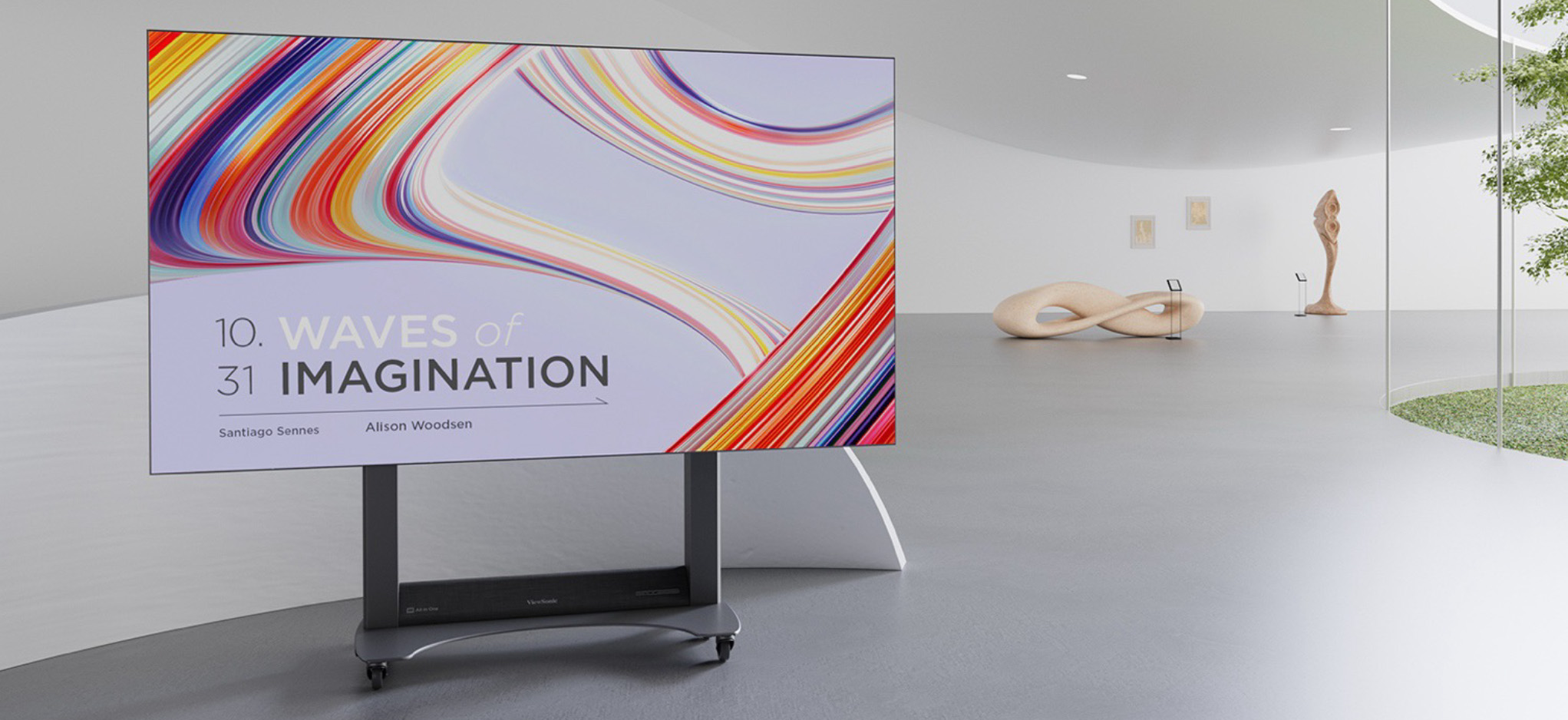
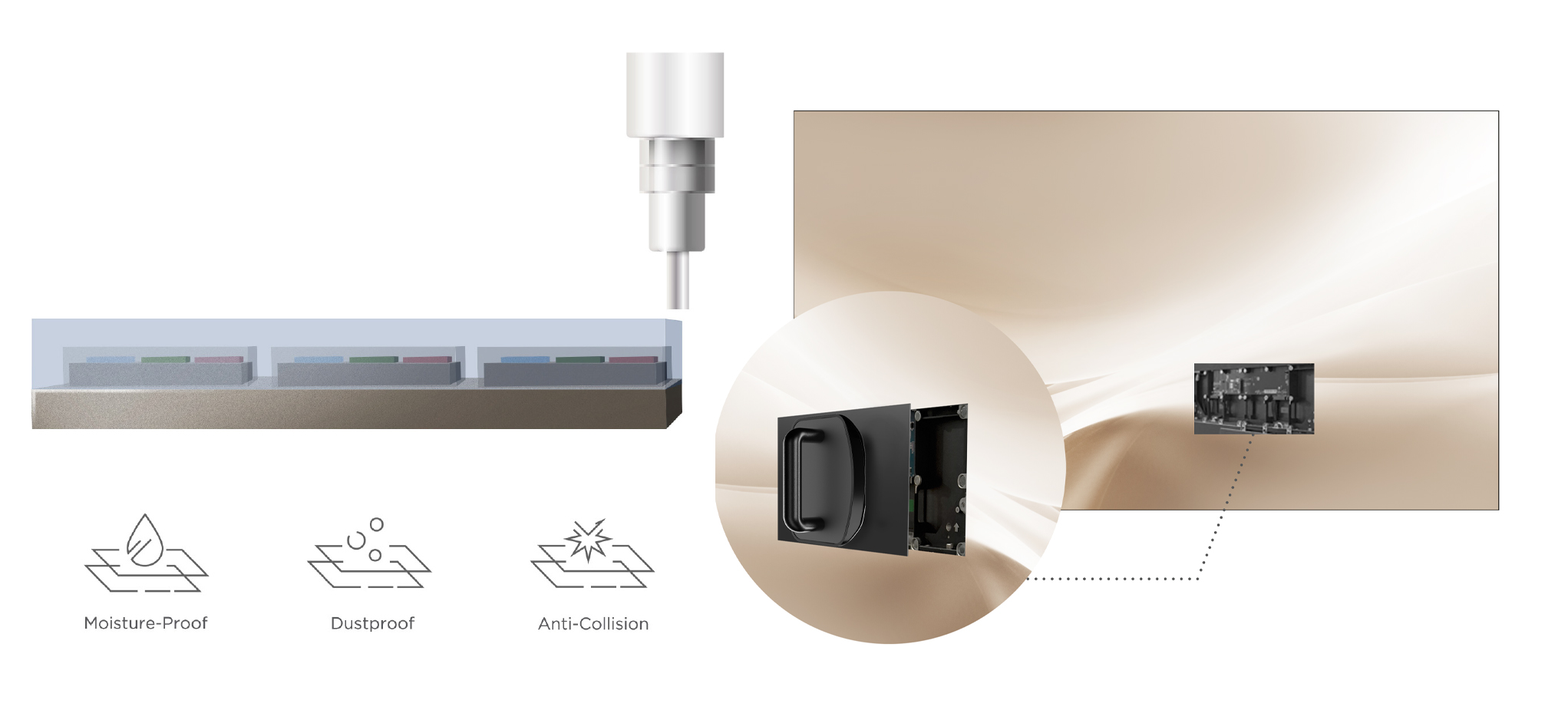
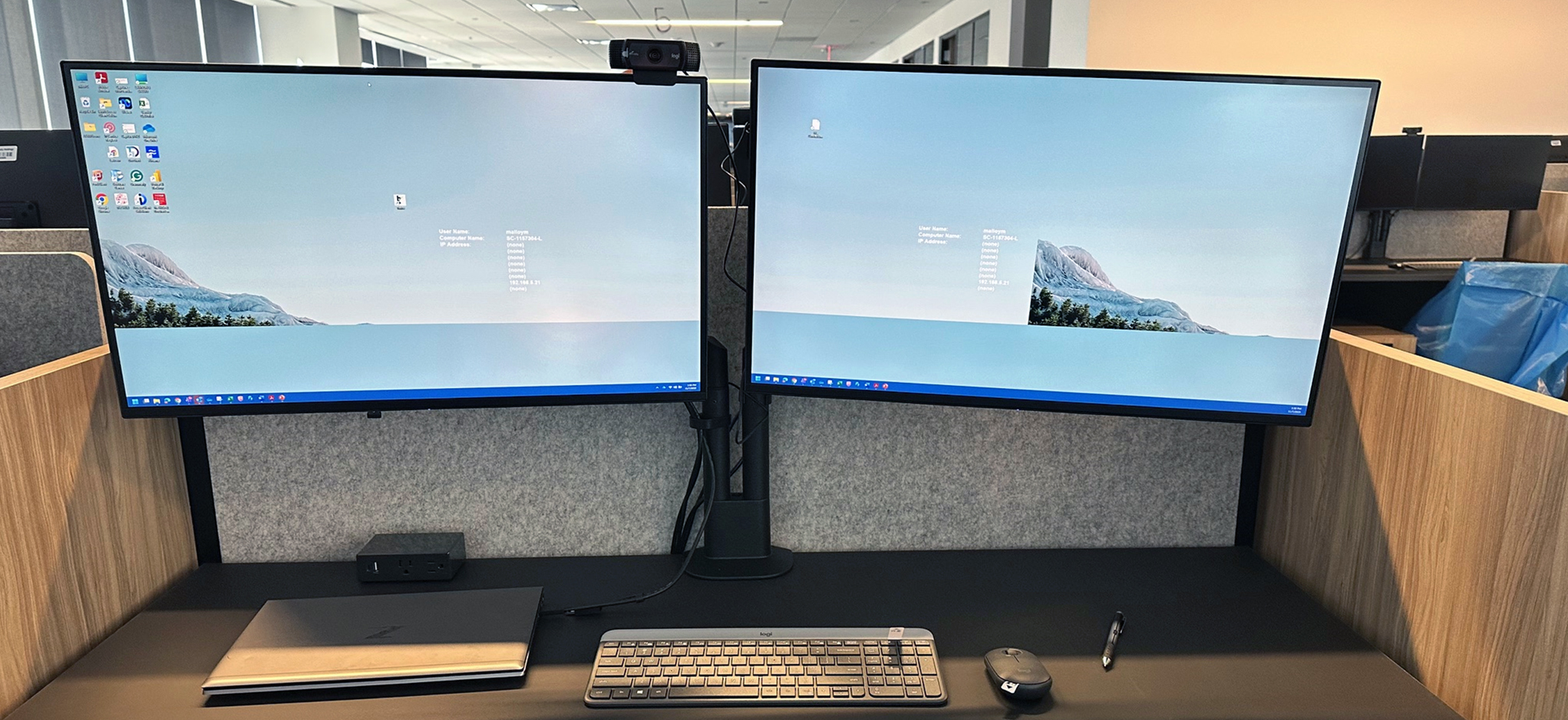

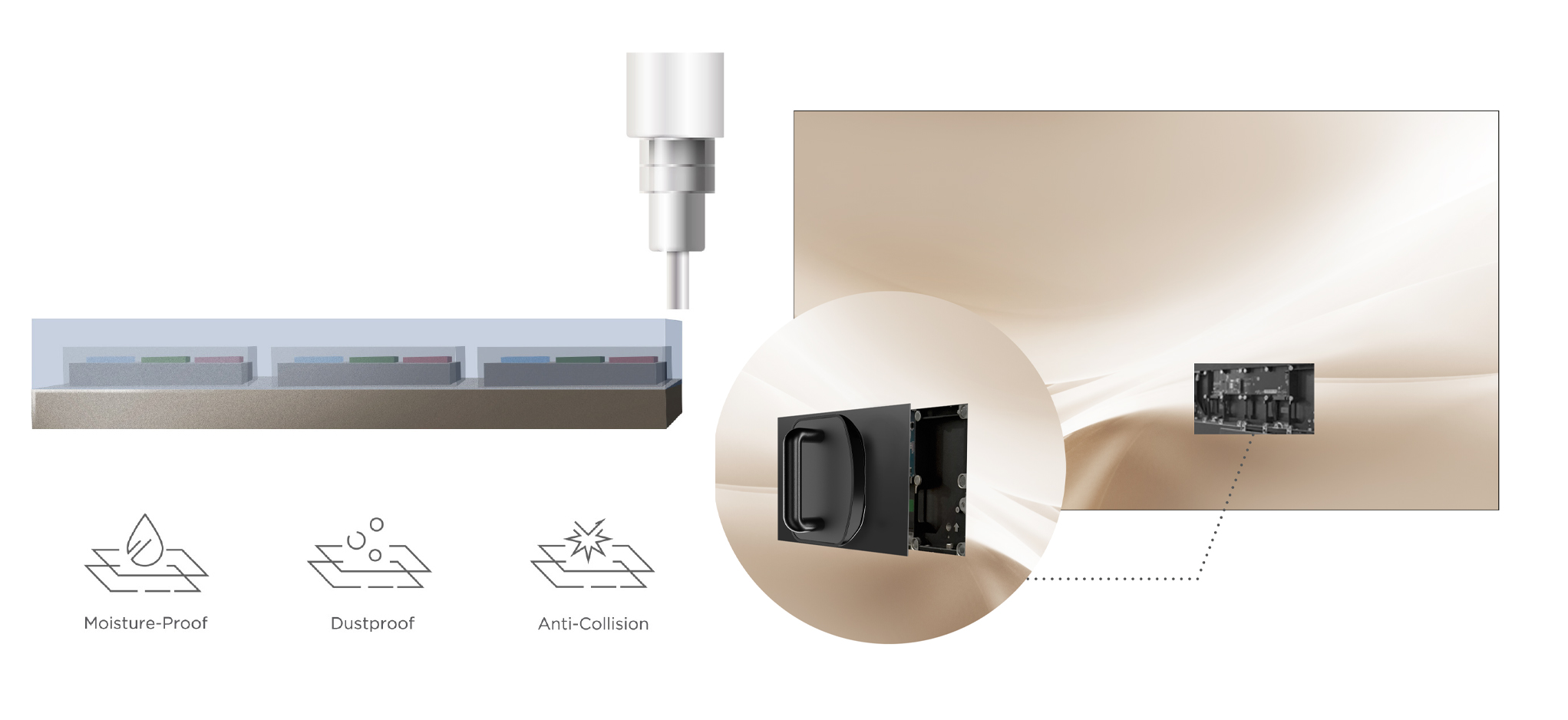


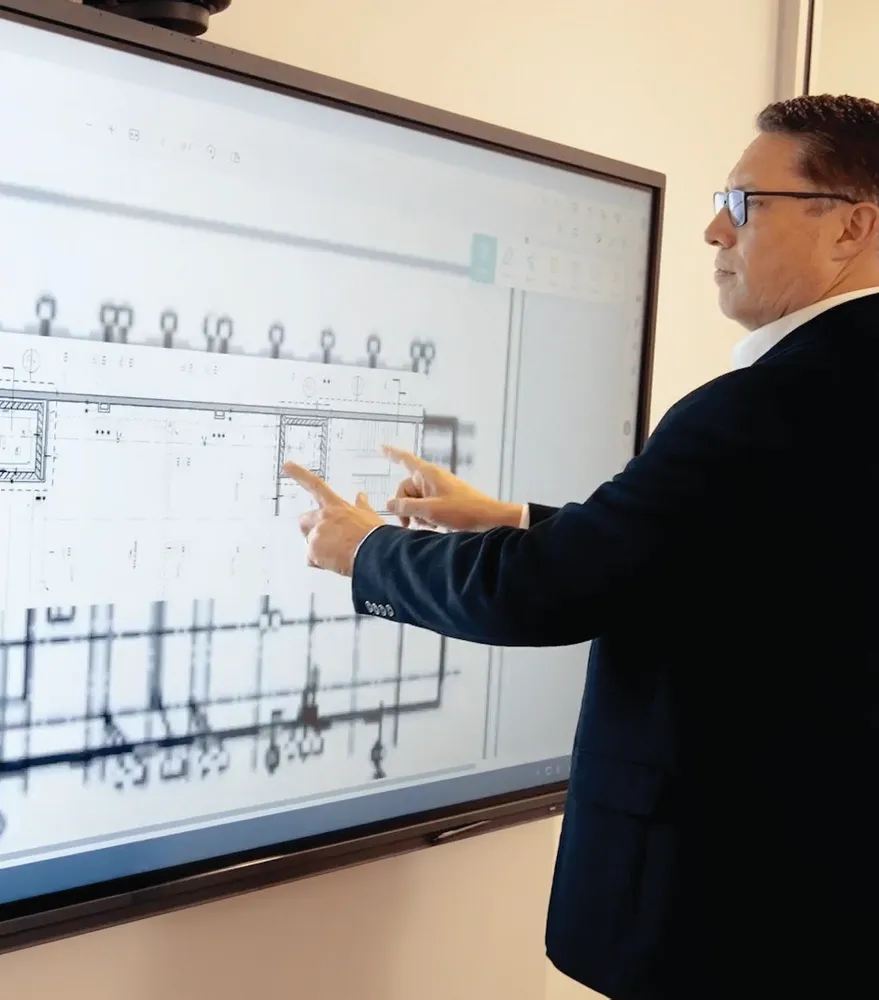


Login and Registration Form