 Teacher's Community
  Support


How a Leading Canadian Law Firm Simplified IT Procurement with ViewSonic Docking Monitors
- Sep 16, 2026
SOLUTION BRIEF
How a Leading Canadian Law Firm Simplified IT Procurement with ViewSonic Docking Monitors
What Challenge Was the Firm Trying To Solve?
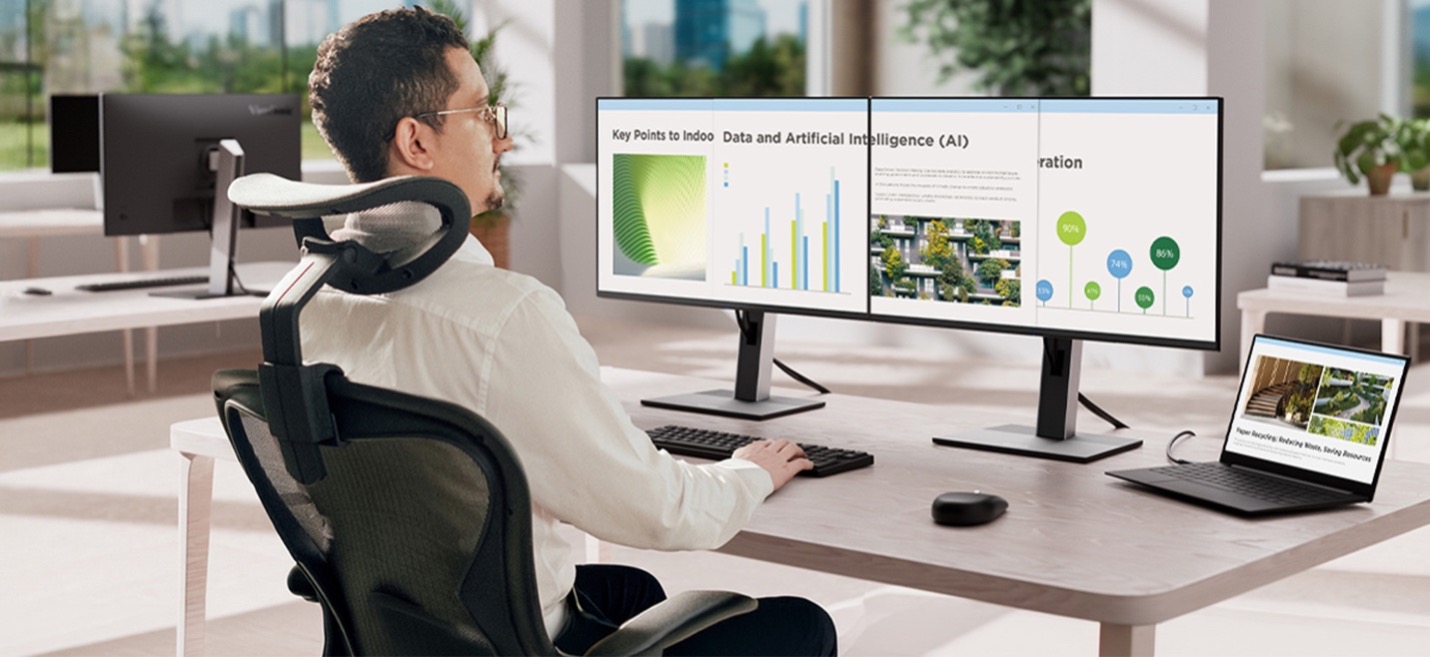
A prominent Canadian business law firm was running into administrative and practical issues with its dual-monitor setups. Lawyers and staff worked across separate monitors, docking stations, external power bricks and cable adapters, with each desk collecting its own tangle of hardware. The firm wanted to move to a cleaner setup built on the latest docking technology. From a support standpoint, managing separate line items for monitors, docks and connection cables added unnecessary work for IT. The firm set out to consolidate its hardware into a single docking monitor SKU that could support a standardized two-screen layout, supply 100W power over USB-C and connect seamlessly to its corporate laptop fleet.
What ViewSonic Solution Did the Firm Deploy?
The firm standardized on 700 ViewSonic® 27” VG2758-2K QHD docking monitors, building out 350 dual-display workstations across both offices.
With a built-in docking station featuring 100W USB-C power delivery, an RJ45 Ethernet port and a five-port USB hub, each 27” monitor acts as a complete desktop hub.
Employees can connect their laptop to both screens, the wired network and desk peripherals using a single USB-C cable. Thanks to USB-C daisy-chaining, the two monitors link directly to each other, so only one cable is needed to connect to the laptop.
Beyond simplifying connections, the deployment improved daily physical comfort and long-term hardware management. Fully adjustable ergonomic stands let staff tailor screen height, tilt, swivel and pivot to fit their posture without requiring custom mounting arms.
On the operational side, EPEAT and Energy Star certifications support corporate energy targets, while a three-year limited warranty gives IT predictable long-term hardware reliability.
| Spec | LDS138-151 |
|---|---|
| Screen size / resolution | 138", Full HD 1920x1080 |
| Mobility | Foldable design on a motorized, height-adjustable stand with 360-degree wheels; packed in a custom flight case |
| Setup time | Minutes, no system integration required |
| Durability | GOB (Glue-on-Board) protection, IP54 and IK06 rated, built for high-traffic public spaces |
| Serviceability | Hot-swappable front LED modules for minimal downtime |
| Casting/Connectivity | AirSync wireless screen casting (AirPlay, Google Cast); Q-SYS, Crestron, Extron and AMX compatible |
| Warranty | 3-year limited warranty on parts and labor, with on-site service |
| Recognition | Best New Mobile dvLED Product, rAVe Publications' Best of InfoComm, June 2025 |
What Results Has the Firm Seen?
- Consolidated IT procurement into a single monitor SKU across both offices.
- Cleared desk clutter by eliminating standalone docks, external power bricks and redundant cables.
- Enabled single-cable docking for power, dual QHD displays, network and USB peripherals.
By deploying the VG2758-2K, the firm replaced a cluttered multi-vendor setup with a streamlined workstation standard. IT teams now order, deploy and manage one part number instead of tracking three separate hardware components.
For attorneys and staff, starting the workday takes a single connection. Plugging in one USB-C cable charges the laptop, connects to the wired network and extends the workspace across two QHD screens. The lack of cable clutter keeps private offices looking sharp for client meetings.
Frequently Asked Questions
What Is a Docking Monitor and How Does It Replace a Separate Dock?
A docking monitor combines a high-performance display with an integrated dock, Ethernet port and USB hub. The ViewSonic VG2758-2K monitor supplies 100W of power over USB-C while routing network traffic and peripheral connections straight through the display, eliminating the need for a separate hardware dock, power brick or cable bundle.
Can a Laptop Drive Two Monitors Over a Single Cable?
Yes. The VG2758-2K supports USB-C daisy-chaining, which lets one monitor pass the video signal directly to the second display. The user plugs a single USB-C cable into their laptop to drive both monitors, access the network and charge their battery.
How Does a Docking Monitor Lower IT Overhead?
Combining the dock and display into a single SKU simplifies sourcing, inventory management and lifecycle support. IT teams can track one part number rather than managing separate monitors, standalone docks, dongles and power cables.
Does the VG2758-2K Support Laptops Without USB-C?
Yes. Alongside USB-C, the VG2758-2K includes native HDMI and DisplayPort inputs. This allows legacy laptops to connect easily while giving the firm a clear path to universal single-cable USB-C docking as devices are refreshed.
Ready to Simplify Your Workstations?
Connect with a ViewSonic representative or authorized partner to explore how the VG series of docking monitors can streamline IT procurement and elevate your workspace design.
Related Links
- 27” VG2758-2K 1440p IPS Ergonomic Docking Monitor: viewsonic.com/us/vg2758-2k.html
Comparative claims are based on specific features and publicly available manufacturer specifications as of the date of publication, and are not intended to represent a comprehensive evaluation of all product attributes. Actual performance, compatibility, delivery schedules, network performance, training outcomes, and user results may vary depending on system configuration, network conditions, usage settings, individual needs, district or agency requirements, implementation conditions, environmental conditions, and other factors. Any references to third-party products, competitors, software platforms, hardware architectures, certification seals, control systems, or corporate trademarks are for identification, compatibility, and comparative reference purposes only and do not imply endorsement, affiliation, or sponsorship by their respective owners. Environmental protection ratings (including GOB, IP54, and IK06 ratings) are based on standard operating conditions; proper wall mounting, structural reinforcement, mobile assembly, freight handling, and professional installation are the sole responsibility of the customer or installer. ViewSonic assumes no liability for property damage or personal injury resulting from improper installation. Programs, pricing, specifications, and availability are subject to change or cancellation without notice. Corporate names and trademarks stated herein are the property of their respective companies. © 2026, ViewSonic Corporation. All rights reserved. [26ALL-MLT1533d]


Login and Registration Form