 Teacher's Community
  Support


Pre-Configured vs. Configurable dvLED: How to Choose
- Sep 16, 2026
Easy to Deploy, Easy to Share: The ViewShare WPD-900 Wireless Presentation System
A boardroom usually needs a pre-configured dvLED video wall. An odd-shaped lobby wall needs a configurable, made-to-order one. Here’s how to tell which fits.
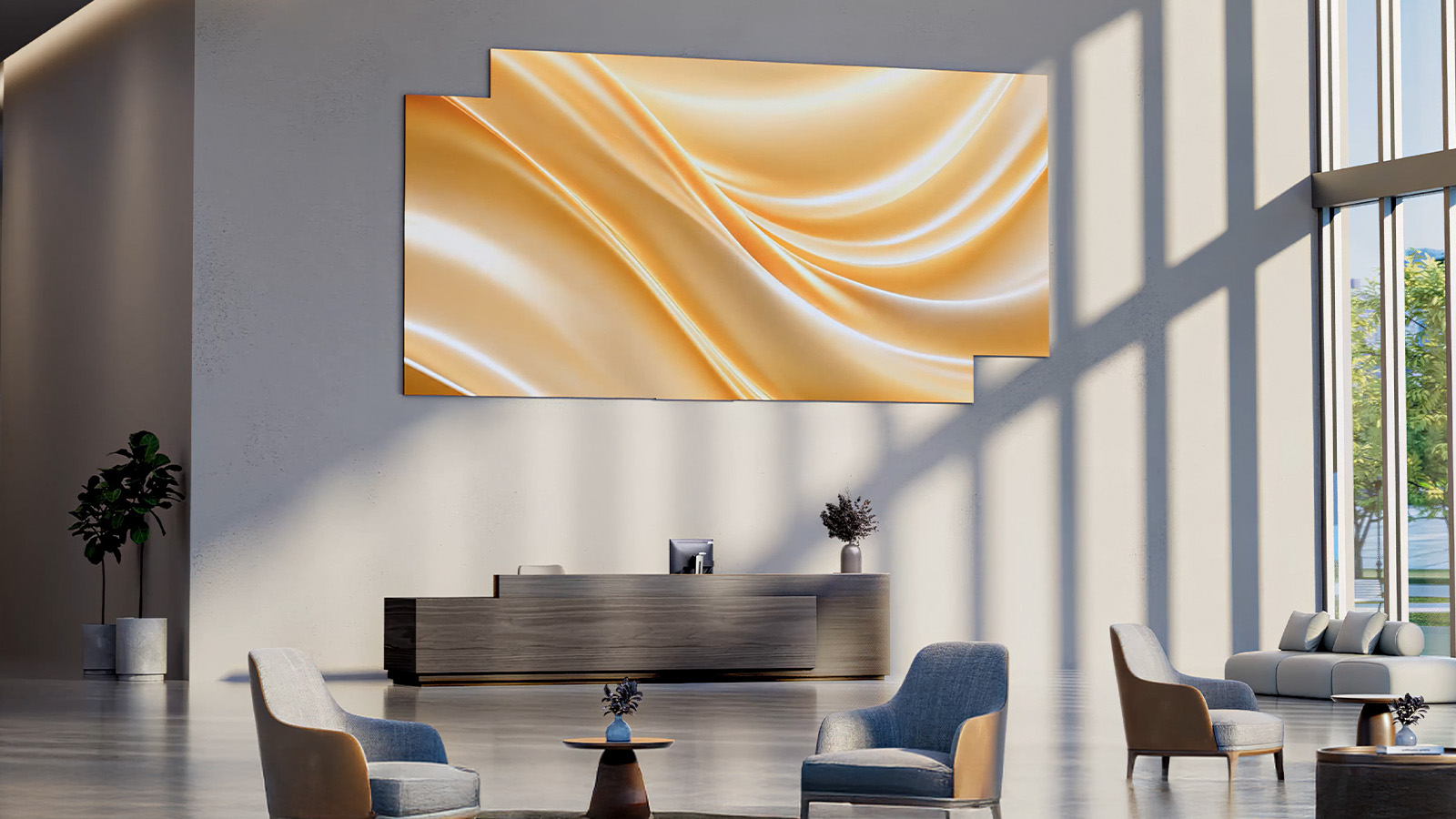
Most buyers assume a Direct View LED (dvLED) video wall means a custom build by default: a design consultation, a made-to-order quote and a project timeline measured in months. That’s true for some spaces. It’s not true for all of them.
ViewSonic builds All-in-One dvLED displays on two fixed-install tracks for exactly this reason. If your space is a standard boardroom, conference room or lobby wall, a pre-configured All-in-One dvLED display ships in a standard size, on a single SKU, with no custom design cycle. If your space has an odd shape, a tight footprint or a specific aspect ratio, a made-to-order dvLED display is built for that exact wall.
Neither path asks you to piece together cabinets, processing and mounting from separate vendors. Every ViewSonic dvLED display is a complete All-in-One dvLED system out of the box.
Do I need a custom LED video wall, or is standard enough?
The better question isn’t what wall you have. It’s what your application needs.
If you’re displaying standard content at a common size and resolution, a pre-configured display delivers the same All-in-One experience with faster deployment and less complexity. If your application requires a specific size, aspect ratio, resolution or content canvas, a configurable display is the right answer.
Most manufacturers route every project through a custom design process whether it’s needed or not. A standard conference room ends up on the same timeline as a one-of-a-kind installation. ViewSonic separates the two paths so a standard space can be ordered like one.
Pre-configured vs. Configurable: what’s the difference?
Both are All-in-One systems, meaning cabinets, power, processing and mounting are integrated into one product rather than a set of components an integrator has to design around. The difference is how the display gets sized and ordered.
Pre-configured (LDE, LDM, LDP series) displays ship in standard sizes and resolutions as single-SKU, U.S.-stocked dvLED video walls. The design work is already done, so a pre- configured display skips the custom fabrication queue entirely.
The Configurable LDC Series is built to order for a specific space, sized to the wall rather than fit to the nearest standard option. A configurable order typically involves two or three part numbers instead of one. The All-in-One simplicity is identical. What changes is that the display is designed around your space instead of the other way around.
Pre-configured vs. Configurable, side by side
Both tracks carry the same protective-first build standard:
| Pre-configured (LDE, LDM, LDP) | Configurable (LDC) | |
| Sizing | Standard sizes and resolutions | Made to order for your specific wall |
| Ordering | Single SKU | Typically 2 to 3 part numbers |
| Best fit | Standard boardrooms, conference rooms, common walls | Odd-shaped walls, tight footprints, specific aspect ratios |
| Design cycle | None. Ships against a known configuration | Built around your space and use case |
| Stocking | U.S.-stocked, ships from California | Built to order |
- Surface protection. Glue-on-Board (GOB), Chip-on-Board (COB) and Micro LED in Package (MIP) technologies, with IP- and IK-rated durability.
- Serviceability. Front-serviceable, hot-swappable tiles, with 5% calibrated spare tiles included with every unit. A damaged section is a tile swap, not a panel replacement and a wait.
- Longevity. 100,000 hours of rated LED life.
- Resolution capability. Pixel pitch down to roughly 0.7 mm, which is what makes close-viewing spaces like a boardroom work at high resolution.
Does a boardroom need a different dvLED option than a lobby?
Usually yes, and it comes down to the shape of the wall rather than the importance of the room.
A standard conference room or boardroom is usually a pre-configured fit. Most boardrooms are built to conventional dimensions, so a standard size and resolution covers the space with no design work. It’s already stocked, so it isn’t waiting behind a fabrication queue.
A lobby wall is more often a configurable fit, and not because lobbies are more demanding. It’s because lobby walls are the space most likely to be an odd shape, a specific width-to- height ratio, or built around an architectural feature the display has to work with rather than replace. That’s the case for a dvLED video wall sized to the actual wall instead of the nearest standard option.
The short version: if you’d describe your wall as a normal size, start with a pre-configured display. If your first sentence about the space includes a caveat, an odd angle, a non- standard width or a column in the way, look at a configurable build.
What are ViewSonic’s LDE, LDM, LDC and LDS dvLED options?
ViewSonic organizes All-in-One dvLED into three series so a buyer doesn’t start every project from a blank design.
- Pre-configured (LDE, LDM, LDP). Standard-size dvLED video walls in set resolutions, single SKU, U.S.-stocked. Built for fast deployment in conventional spaces.
- Configurable (LDC). Made-to-order sizing for indoor spaces that don’t fit a standard configuration, with the same All-in-One design principle.
- Mobile (LDS). A foldable mobile dvLED display that rolls in, powers up and presents, with no integration work at all. Built for spaces that need the display to move rather than stay fixed to one wall.
Together the three cover fixed standard spaces, fixed custom spaces and mobile use cases.
How fast can a pre-configured dvLED display ship?
Faster than a configurable build, because there’s no fabrication queue between the order and the delivery date.
A pre-configured display such as the LDM Series is already designed to a known size and resolution. They are stocked in, and ship from U.S. warehouses. A configurable display goes through a design and build process specific to that wall, which is the right trade-off when the space genuinely calls for it, but it also requires a 90-day lead time.
If timeline is your deciding factor and your wall is a standard size, that alone is often reason enough to start with a pre-configured display.
What’s included, and who installs it?
This is where dvLED projects usually go wrong, and it’s the part most comparisons leave out.
Every ViewSonic dvLED project includes U.S.-based Solutions Engineers, not a handoff to a third party. They do pre-sales design work on size, pixel pitch, power and layout, validate the application before you buy, and provide on-site installation supervision at no additional cost.
Pricing is all-inclusive. Drawings, shipping and on-site supervision are in the quote rather than arriving as change orders. Technical support after deployment is the same U.S.-based team, so there’s continuity from design through commissioning to year three.
Does ViewSonic dvLED work with Q-SYS, Crestron and Extron?
Yes. ViewSonic dvLED displays integrate with Q-SYS, Crestron, Extron and AMX, so a dvLED wall drops into the control system your integrator already runs instead of becoming a separate thing to operate. Power, input switching and source routing stay on the same touch panel as the rest of the room.
That matters most in spaces that are already automated. A boardroom where one button starts the meeting shouldn’t need a second remote for the video wall.
For fleet management outside the control system, the LDS, LDM, LDP and LDC series include ViewSonic Manager, a free browser-based console. From one tab your team can check on/off status, last connection and local IP, enroll displays in batches by QR code, group them by site or room, push firmware updates and broadcast urgent alerts. Scheduling, zoned multimedia broadcast and remote desktop support are available in Manager Advanced.
One thing to catch early: the LDE series runs a simplified OS without Manager support. If central fleet management is a requirement alongside control system integration, raise it during the design conversation so the series gets specified against both requirements rather than one.
The harder decision isn’t the display
Every ViewSonic dvLED display, pre-configured or configurable, is a complete system rather than a set of parts to design around. So the decision isn’t which display technology to buy. It’s matching the track to the wall, and that’s a question about your space and your timeline.
If you’re planning a boardroom, conference room or lobby project and aren’t sure which track fits, a ViewSonic Solutions Engineer will walk through sizing, pixel pitch and layout for your specific space before you commit to a quote.
Send us your wall dimensions and your install date.
We’ll tell you which track fits and what it includes.
Size My Video Wall
Frequently Asked Questions
What pixel pitch do I need for a boardroom?
Start with the rule of thumb the industry uses: minimum comfortable viewing distance in feet is roughly the pixel pitch in millimeters times 10. A 1.5 mm pitch reads cleanly from about 15 feet. A 0.7 mm pitch holds up from about 7 feet.
So measure from the wall to your nearest seat and divide by 10. That gives you the coarsest pitch that will work. A boardroom with the front chair 10 feet out has room for a 1.0 mm panel. A room where someone sits 7 feet from the wall wants 0.7 mm.
Treat it as a starting point rather than a specification. Content matters too, since dense spreadsheets and small type are less forgiving than video or branded graphics, and so does whether people will stand at the wall while presenting.
ViewSonic dvLED goes down to roughly 0.7 mm, which covers close-viewing spaces like boardrooms and conference rooms.
What happens if a tile gets damaged?
Tiles are front-serviceable and hot-swappable, and every unit ships with 5% calibrated spare tiles. A damaged section gets swapped from your own spares rather than waiting on a replacement order, and the spares are pre-calibrated so the swapped tile matches the wall.
The damaged tile then goes back to ViewSonic for repair and returns to your spare inventory once it’s serviced. So the spare pool replenishes instead of depleting with each incident, and the wall stays live through the whole process.
What’s included in a ViewSonic dvLED quote?
Drawings, shipping and on-site installation supervision are included rather than billed separately. Pre-configured displays order as a single SKU and configurable displays typically as two or three part numbers, so the quote is short in both cases.
Can a dvLED video wall be managed remotely?
Yes on the LDS, LDM, LDP and LDC series, which include ViewSonic Manager. It’s browser- based and free, so there’s no software to install and no server to stand up. Your team monitors device status, enrolls displays in batches, groups them by site or room, pushes firmware and broadcasts urgent alerts from one tab. Scheduling, zoned multimedia broadcast and remote desktop are available in Manager Advanced. The LDE series is the exception, running a simplified OS without Manager.


Login and Registration Form