Education
Business
Consumer

21st Century Classroom Collaboration
ViewBoard® Interactive Displays

ViewSonic® ViewBoard® interactive displays deliver an immersive learning experience in any classroom environment. Featuring high-accuracy touchscreens, these interactive displays deliver an intuitive digital whiteboard experience for everyone from the youngest of students to the most experienced teachers.

Every ViewSonic ViewBoard interactive display includes complimentary access to myViewBoard software to deliver an unparalleled classroom experience. With this innovative hardware and software combination, teachers can engage students like never before with dynamic lesson creation, real-time collaboration, and immersive multimedia presentations.

Award-Winning Interactive Displays
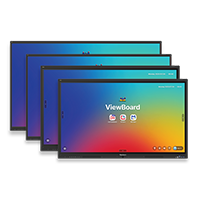
IFP41 Series

Interactive displays running Android™ 16 and featuring Android™ EDLA with instant access to the Google ecosystem.
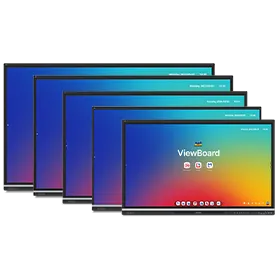
IFP51 Series

Interactive displays running Android™ 14 and featuring Android™ EDLA with instant access to the Google ecosystem.

IFP62 Series

State-of-the-art projected capacitive touchscreen for a one-of-a-kind interactive experience.

IFPG1 Series

Flexible and future-proof presentation solution designed to help you enjoy streamlined collaboration for years to come.

Ultrawide Series

Ultra-wide 21:9 touchscreen ideal for STEM and incubator labs, and conference rooms.
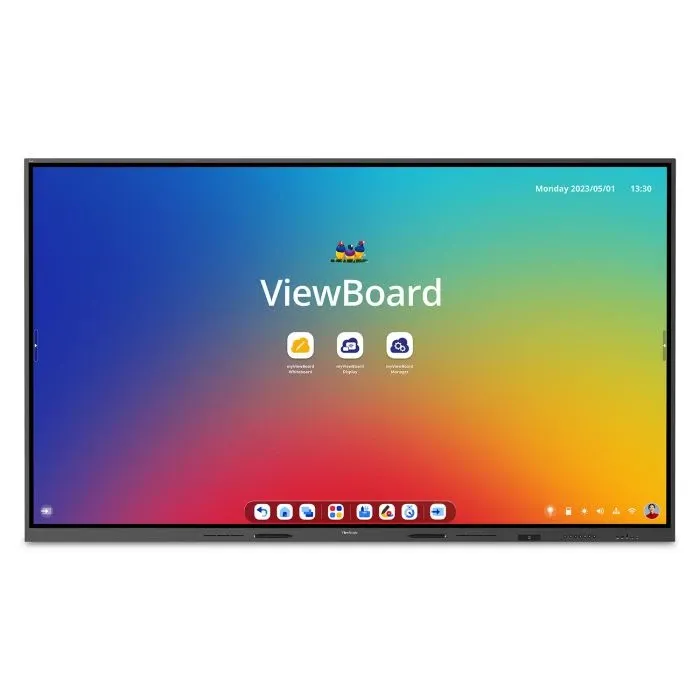
IFP110

110" 4K ViewBoard interactive display with integrated microphone and USB-C
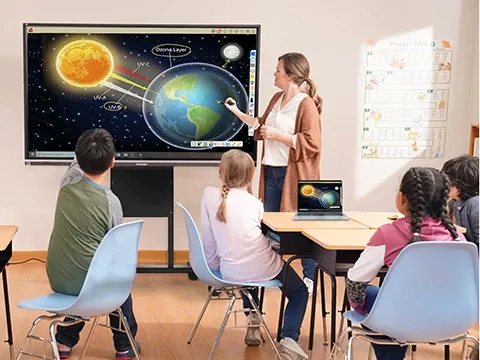
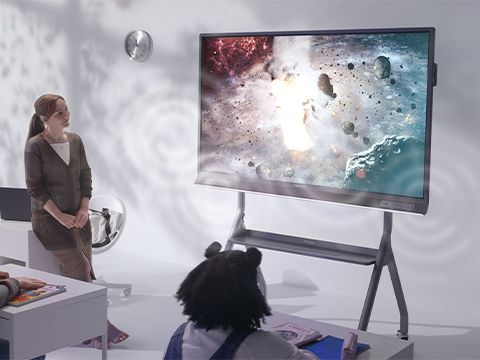
a teacher talking about the solar system with the help of a viewboard displaya teacher talking about the solar system with the help of a viewboard display

Designed for Teachers

Featuring stunning 4K Ultra HD touchscreens ranging from 55” to 105”, our ViewBoard interactive displays are a great fit for teaching environments of any size. Plus, convenient shortcut buttons are located on the front of the screen so educators can quickly access their favorite ViewBoard functions without breaking their workflow.

Complete and Immersive Learning Experiences

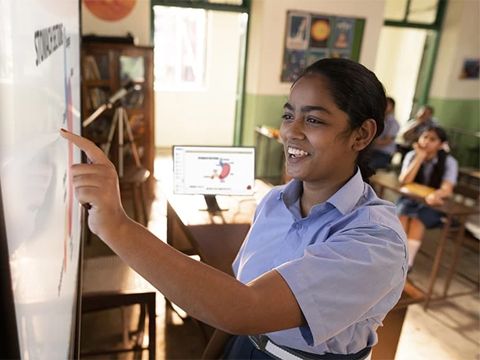
Featuring stunning 4K Ultra HD touchscreens ranging from 55” to 105”, our ViewBoard interactive displays are a great fit in a variety of education environments. By seamlessly integrating with myViewBoard® software, ViewBoard displays create an all-encompassing, interactive learning environment that fosters inclusivity and engagement.
Amazing Audio-Visual Performance

Integrated front-facing soundbars deliver incredible audio to every corner of the classroom – perfect for multimedia lessons, increased engagement and more immersive learning experiences. In addition, stunning 4K touchscreens provide ample space for multiple students to engage and collaborate.
Bring Your Lessons to Life with myViewBoard software

ViewSonic® myViewBoard® software is among the best digital whiteboarding solutions available today. It has also earned an offical ISTE Seal. It immediately boosts classroom engagement by enabling teachers to build interactive lessons, leverage their existing lessons, connect with students, and so much more. 

Gain Insight to Student Learning and Progress


ViewSonic ClassSwift™ software helps teachers to create dynamic, real-time lessons using any format, gain instant insights into student comprehension, reduce prep time, maximize learning outcomes and so much more:

  • Gain Real-Time Insights: Instantly assess student comprehension with interactive quizzes, audio and sketch features, and more.

  • Spark Excitement: Boost engagement with gamified elements, point rewards, and dynamic timers.

  • Personalize Learning: Tailor lessons based on individual student needs with comprehensive performance reports.

  • Flexible Learning: Manage class rosters, assignments, and track student progress for ongoing and one-time sessions.

 

Device Management

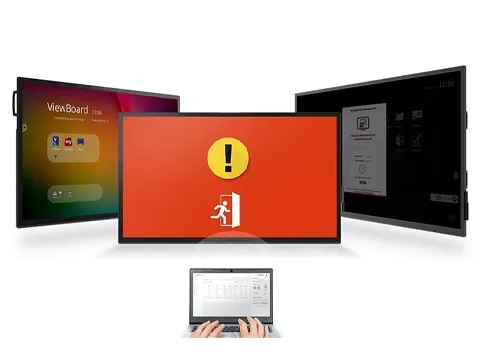
ViewSonic Manager™ is a cloud-based management solution that empowers IT administrators to remotely monitor devices, manage apps, push out broadcasts and more within the myViewBoard ecosystem. Manager lets IT administrators seamlessly monitor and maintain individual displays across large organizations from a single control panel.

Professional Development

We offer a comprehensive teacher support system of professional development and consulting services that can be custom tailored to your needs. Through our differentiated training, you’ll learn cutting-edge solutions that will help you maximize your ViewBoard® display and myViewBoard™ software for better collaboration and teamwork.
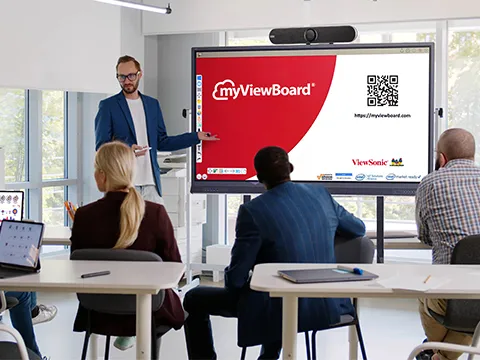
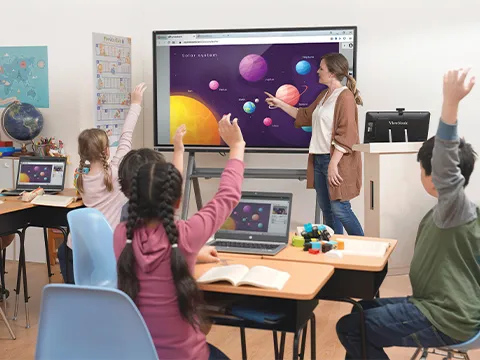
Customize Your ViewBoard

With a few simple add-ons, your ViewBoard display can do much, much more. Optimize your ViewBoard display and ace classroom collaboration with accessories ranging from webcams, mobile carts, slot-in PCs and more.

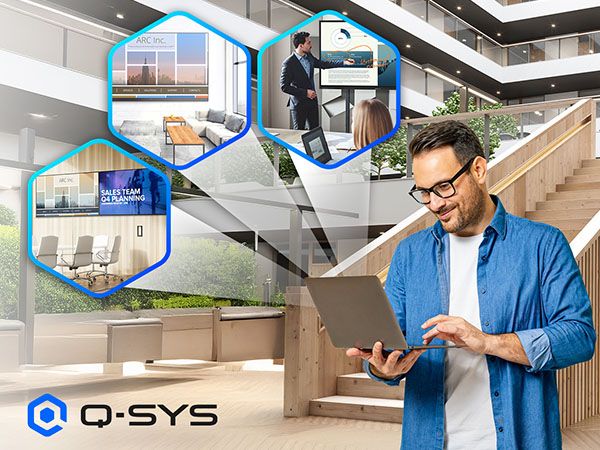
Q-SYS Integration*

ViewSonic displays with Q-SYS integration enable centralized AV control and monitoring. Integrators can remotely manage power, volume, input, and other functions across multiple displays, streamlining deployment, reducing maintenance costs, and enhancing scalability for enterprise, education, and signage environments.

*Applicable on select models only.
Frequently Asked Questions

General Overview & Product Information

What is a ViewBoard?

A ViewBoard display is a massive interactive touchscreen that brings your lessons and presentations to life. We designed these smart displays to upgrade classroom instruction and make teamwork a breeze. It's an all-in-one digital hub packed with built-in computing and seamless connectivity. That means you can easily annotate, share and interact with your content in real time.

You get everything you need to keep your audience completely engaged right out of the box. Every board comes fully loaded with our powerful software ecosystem including myViewBoard, Manager, AirSync and ClassSwift Lite. We've made sure it's incredibly easy to use so you can focus on what matters most.

What are the main advantages of ViewBoard displays?

ViewBoard displays make teamwork effortless. Here is what makes them stand out:

  • Interactive collaboration: Our multi-touch technology lets several people write and draw at the exact same time.
  • Built-in software: You get instant access to premium tools for annotation, screen sharing and cloud storage.
  • Versatile connectivity: Connect your way. We support HDMI, USB-C and wireless casting.
  • Low maintenance: Say goodbye to replacing projector bulbs. You also never have to worry about manual calibration or alignment issues.

What sizes and configurations are available?

We design ViewBoard displays to fit absolutely any room. You can choose from a wide variety of sizes:

  • Standard sizes: 55", 65", 75", 86", 98" and 110”
  • Ultra-wide options: 92" UW and 105" UW

You also get to pick your operating system. Choose an Android EDLA-certified model for the full Google ecosystem. Prefer something simpler? Go with our AOSP models for a streamlined setup without Google services.

Technology & Technical Specs

What operating systems do ViewBoard displays support?

Out of the box, ViewBoard displays run on a fast and intuitive Android OS. Need more power? You can easily slide in an optional PC module available for Windows, Chrome and Android. These are the perfect solution for dynamic hybrid setups.

What is the difference between the Google Launcher and vLauncher on the IFP41 and IFP51?

It comes down to how you want to access your apps.

  • Google Launcher: Gives you total access to Google apps and the Google Play Store.
  • vLauncher: Delivers a simplified interface without Google services. It keeps the focus entirely on ViewSonic software.

Can ViewBoard displays connect to Wi-Fi?

Yes! Connecting your ViewBoard to the internet is quick and easy.

Many of our panels come with a Wi-Fi adapter right out of the box. For example, the IFP41 series includes the VB-WIFI-004 adapter. If you choose the IFP51 series, you get the WB-WIFI-005 module for lightning-fast Wi-Fi 6 and Bluetooth 5.

Getting online takes just a few seconds. Simply plug the included adapter into the dedicated slot on your board. Then open your network settings and pick your Wi-Fi network. It works exactly like connecting your phone or tablet.

Want to use a third-party USB Wi-Fi dongle instead? It might work depending on your firmware version. However, we highly recommend sticking to our validated ViewSonic modules to guarantee a flawless connection. If you aren't sure what works best, check your specific model's Knowledge Base page or reach out to our Tech Support team for help.

What is the lifespan of a ViewBoard?

We build ViewBoard displays to last. They are rated for at least 50,000 hours of continuous use. That guarantees years of reliable performance for your classroom or campus.

Ordering, Shipping & Installation

What is the lead time for ViewBoard displays?

Most of our ViewBoard displays sit fully stocked in U.S. and Canadian warehouses. That means they usually ship within just a few days. Need a custom configuration? Those might take a little extra time.

How do ViewBoard displays ship?

We pack every ViewBoard in specialized protective packaging to keep it safe in transit. Don't want to install it yourself? We offer professional installation services through trusted ViewSonic partners.

What is the recommended installation height?

The perfect height depends entirely on your room size and who will use the board. Elementary students need a lower setup than high schoolers or office workers. Want maximum flexibility? Mount your panel on an adjustable mobile trolley cart like the VB-STND-007. This lets you adjust the height and angle on the fly.

Can ViewBoard displays be mounted on mobile carts or height-adjustable stands?

Absolutely! We offer rugged mobile carts so you can easily roll the board between rooms. We also fully support BalanceBox height-adjustable mounts. These give you smooth and effortless counterbalanced movement. They are perfect for ADA compliance and active interactive learning.

Support & Warranty

What is the warranty for ViewBoard displays?

Every ViewBoard comes with a standard 3-year warranty to give you total peace of mind. Looking for more protection? We make it easy to keep your investment safe.

Most of our customers choose to upgrade to a 5-year extended warranty. It’s the perfect sweet spot for reliable and long-term coverage. Need maximum protection? You can even extend your warranty for up to 7 years.

Does ViewSonic offer training?

We certainly do. We provide a massive library of free online resources (such as our certification courses and Educator Community) to get you started. We also offer premium on-site and remote training packages for educators and IT teams.

What technical support is available?

We have dedicated tech experts based right here in the US. Our team is always ready to help you with setup, troubleshooting and daily maintenance.
