 Teacher's Community
  Support


How Do You Spec a dvLED Display for a Large Venue?
- Oct 14, 2026
Buyer's Guide | Oct 14 2026
How Do You Spec a dvLED Display for a Large Venue?
How Do You Spec a dvLED Display for a Large Venue?
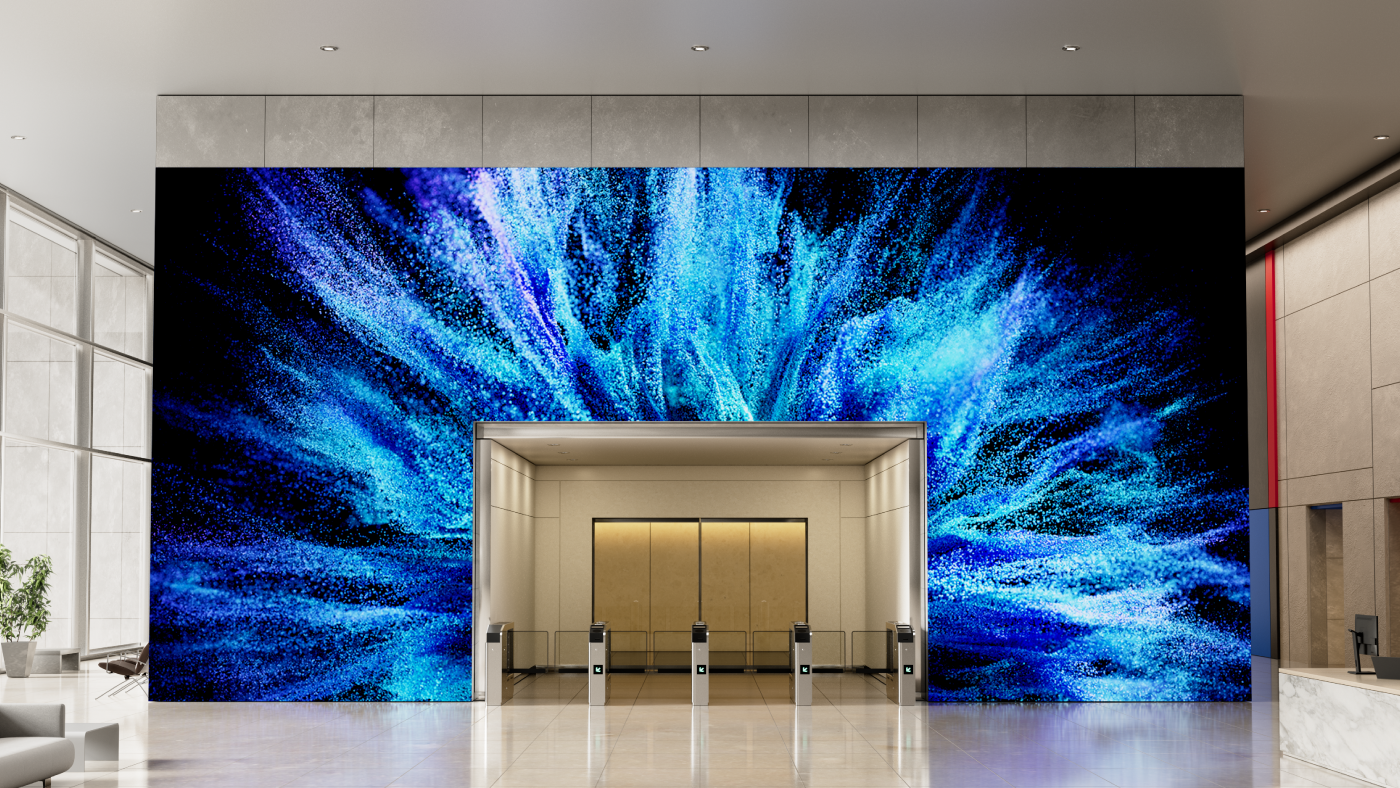
Auditoriums, lobbies, atriums and event halls are where Direct View LED (dvLED) displays do their best work, and they’re also where a specification mistake gets expensive.
Specifying one starts with the room rather than the product. Measure from the display wall to your closest viewer and divide that distance by 10, and you have the pixel pitch the room calls for. Measure the wall and the sightlines, and you have the screen size it will carry. Take both figures to facilities and confirm the structure, the electrical supply and the freight access can support them.
That order matters, because the price of a dvLED display for a large venue often comes down to size and pixel pitch. Screen size is usually dictated by room size. With pixel pitch, overspend and you may be paying for detail nobody can see from their seat. Underspend and the front row may see individual LEDs.
None of it requires a vendor. A tape measure and a conversation with facilities gets you to a specification accurate enough to quote against, and the sections below show how each figure is derived.
Use the 10x rule. Pixel pitch in millimeters times 10 gives the approximate optimized viewing distance in feet, so a 1.5 mm display looks right from about 15 feet and a 1.8 mm from about 18 feet.
Run the rule in reverse to spec a display for a specific room. Measure from the display wall to your closest viewer and divide by 10, and that gives you the largest pixel pitch that will still look sharp from that distance. In a large venue the closest viewer usually isn’t the person you designed for, since someone will always walk right up to a lobby wall.
The 10x rule gives you a starting point rather than a final specification. What the room shows, how bright it is and how long the display has to stay current all move the starting point, and not always in the same direction:
- Diminishing Returns: Tighter pitch costs more, but past a certain distance the extra detail is too fine for anyone to see. If your closest viewer is 20 feet from the display, the 10x rule puts a 2.0 mm pixel pitch right at that distance, which means it already delivers sufficient detail for that room. A 1.2 mm display at the same size costs substantially more and looks no different from 20 feet.
- Content Type: High-resolution video and detailed data visualization reward tighter pitch. General presentations and digital signage can perform well at looser pitch.
- Ambient Light: In bright rooms, ambient light reduces perceived resolution and brightness matters more than pixel pitch. Every ViewSonic dvLED model delivers 600 nits at a 6,500:1 contrast ratio, or 10,000:1 on the Chip-on-Board LDP Series.
- Margin for Change: Rated at approximately 100,000 hours, a dvLED wall stays in service well over a decade, long after the room around it changes. Seating plans get rearranged, queue lines form in front of lobby walls, and content that starts as brand video often becomes dashboards and wayfinding. When the budget allows it, specifying one step tighter than your current minimum keeps the display usable if the closest viewer ends up nearer than you planned.
Does the Room Need 4K, or Is 1080p Enough?
On a dvLED wall, pitch and resolution are linked by size. Divide the width of the wall by the pixel pitch and you get the pixel count across it, so a tighter pitch on the same wall produces a higher resolution. What separates them is the question each one answers. Pitch determines how close a viewer can stand before the individual LEDs become visible. Resolution determines how much content the display can show legibly at one time.
The ViewSonic LDS, LDE and LDM Series are 1080p. The LDP Series is 4K. For presentations, video and digital signage, 1080p across a large format is sufficient. For spreadsheets, CAD, GIS, dashboards or any content where small text and fine lines have to stay readable, specify 4K. A boardroom reviewing financial models needs a different display than a lobby playing brand video, even at the same size.
Check source count while you’re there. Most ViewSonic dvLED series provide four video inputs with picture-by-picture and picture-in-picture support. The LDE Series provides two inputs without either, which matters if the room needs to show two sources side by side.
What Should You Confirm About the Room Before You Buy?
These are the room details that keep a large venue project on schedule, and every one of them can be confirmed before you issue an RFQ.
- Wall Structural Load: Confirm the wall can carry the system weight.
- Power Availability: Confirm circuit amperage and how close the supply sits to the install location.
- Mounting Depth and Clearance: ViewSonic All-in-One dvLED mounts at approximately 2.7 inchesdeep. Confirm clearance against any protrusion limits that apply in circulation paths.
- Conduit and Cable Routing: Map the paths before install day rather than during it.
- Ceiling Height and Access: Installation equipment needs room to work.
- HVAC and Ambient Heat: Confirm heat management near the display.
One thing worth checking early for an upper-floor install: a 100-inch-plus LCD display often won’t fit a standard elevator, which rules it out above the ground floor. dvLED arrives in crates and assembles in the room, so its display size is not limited by the logistics of the building.
Who Handles the Installation?
A qualified installer or AV integrator does the physical work, and ViewSonic supports the project on both ends of it. dvLED installation is more involved than mounting a flat panel, so confirm what your vendor includes while you’re still building the budget. A clear scope up front keeps the numbers accurate and the schedule realistic.
ViewSonic’s U.S.-based Solutions Engineers provide pre-sales site assessment at no additional cost and can validate wall structure, power and layout before you commit to a purchase. On-site installation supervision is also included at no additional cost, covering pre-installation site validation, supervision during the install itself and post-installation commissioning support.
How much site work the job takes depends on how the display mounts. ViewSonic dvLED supports wall, floor-standing and ceiling-mount configurations depending on the series and the environment. The Mobile LDS Series requires no fixed mounting, no conduit and no structural work at all, which removes most of the installation question for rooms that need to move the display.
AV integrators who want the expertise in-house can earn a ViewSonic dvLED Installation Certification through a two-day hands-on training program at the Brea, California headquarters and in select U.S. cities. Certification carries CTS renewal units and prepares installers to deploy ViewSonic systems with first-install efficiency.
Where to Start
Measure from the display wall to your closest viewer before you shop for sizes, because that distance determines the pixel pitch, and pixel pitch drives the budget. Then check with facilities to confirm the wall can carry the display.
Explore ViewSonic large venue solutions to see the All-in-One dvLED range built to command attention with high-impact visuals.
Frequently Asked Questions
What Is Pixel Pitch?
Pixel pitch is the distance in millimeters between the centers of two adjacent LED pixels. It determines how close a viewer can stand before individual LEDs become visible, which makes it a major factor in both image quality and cost.
How Do You Calculate the Right Pixel Pitch for a Room?
Use the 10x rule. Pixel pitch in millimeters times 10 gives the approximate optimized viewing distance in feet. Run it in reverse to spec a display: measure to your closest viewer and divide by 10 for the coarsest pitch that will work.
Does a Large Venue dvLED Display Need to Be 4K?
It depends on the content rather than the size. Presentations, video and digital signage read well at 1080p across a large format. Spreadsheets, CAD, GIS and dashboards need 4K, which on ViewSonic dvLED means the LDP Series.
What Should You Check Before Installing a dvLED Display?
Confirm the wall’s structural load capacity, the amperage of the power circuit and how close the supply runs to the install location. Then check mounting depth against any protrusion limits that apply in circulation paths, map the conduit and cable routing, confirm the ceiling height where installation equipment has to work and confirm heat management around the display. Having these answers before you issue an RFQ keeps the project on schedule and removes the most common reasons a dvLED install gets redesigned. ViewSonic Solutions Engineers validate the full list during a pre-sales site assessment at no additional cost.
Does ViewSonic Provide Installation Support?
Yes. ViewSonic’s U.S.-based Solutions Engineers handle pre-sales site assessment at no additional cost, and installation supervision is also included. AV integrators can earn a ViewSonic dvLED Installation.


Login and Registration Form