Education
Business
Consumer

Education

K-12 Summer IT Checklist for ViewBoard Interactive Displays

K-12 Summer IT Checklist for ViewBoard Interactive Displays

Everything K-12 IT admins need to close out the year: ViewBoard maintenance, firmware updates, staff accounts and summer planning in one guide.

K-12 End-of-Year IT Checklist:
Managing ViewBoard Interactive Displays and Campus Devices

For K-12 IT administrators, the end of the school year is the best opportunity you’ll have to ensure your campus is ready for the fall.

Because active instruction has paused, every task you complete eliminates a potential first-day emergency in September.

This guide outlines exactly how school IT admins can close out the year, optimize ViewBoard® interactive displays and ensure back-to-school readiness.

Plus, because you can complete most of these tasks remotely through ViewSonic Manager™ or Manager Advanced™, you can run your entire end-of-school checklist from a single screen.

Summer IT Maintenance Checklist At a Glance

The following checklist outlines your core priorities and the tools required to execute them before the new school year begins:

MANAGER (free)
Task Tool Priority
Encourage teacher lesson backup myViewBoard High
Panel cleaning and accessory audit On-site High
Enroll new devices On-site / ViewSonic Manager High
Update ViewBoard firmware ViewSonic Manager High
Push app updates ViewSonic Manager High
Remove/add staff accounts ViewSonic Manager High
MANAGER ADVANCED (paid)
Task Tool Priority
Audit remote access credentials Manager Advanced High
Security review Manager Advanced High
Power down unused displays Manager Advanced (automated) Medium
IN-PERSON
Task Tool Priority
Meet with ViewSonic representative ViewSonic VIP Program Medium
Plan professional development ViewSonic Professional Development Medium

Why Summer IT Maintenance Matters

In school IT, deferred maintenance behaves almost exactly like interest: it compounds into massive tech debt by September.

Addressing these tasks over the break means fewer surprises when teachers and students return in the fall.

How ViewSonic Manager Can Help IT Admins Prepare for Summer

ViewSonic Manager is a free, cloud-based device management platform that lets IT admins access, monitor and maintain their district’s ViewBoard® interactive displays from any browser.

Instead of dealing with displays individually, you can use the platform as a secure, centralized command center to control your entire fleet.

For school districts with larger deployments, the upgraded Manager Advanced tier adds automated job scheduling, device profiles and remote desktop access to handle bulk summer workflows without manual intervention.

If you haven’t already, enrolling your displays in ViewSonic Manager is one of the easiest ways to speed up and simplify every other task on your summer checklist.

On-Site Tasks: Checking Hardware Before the Break

A physical walkthrough before summer begins is the most effective way to protect your district’s hardware investment.

Addressing basic classroom wear now prevents minor physical issues from ballooning into expensive hardware replacements in the fall.

Clean and Inspect Every Display

  • Wipe screens and frames with a soft, dry microfiber cloth. Avoid harsh chemicals because they permanently ruin specialized anti-glare coatings.
  • Examine the physical mount, secure loose cables and inspect the connection ports for damage while standing at each panel.

Complete Your Accessory Audit

  • Locate and test every stylus, remote control and cable in each classroom to verify they are present and functioning.
  • Log any missing or damaged accessories immediately so you can place replacement orders early to avoid late-August shipping delays.

Enroll Any New Devices Immediately

  • Enroll newly received ViewBoard displays into ViewSonic Manager or Manager Advanced using a PIN, serial number or QR code.
  • Use the batch enrollment feature to streamline mass setups and bring your entire inventory under centralized control.

Remote Management:
What to Handle Through ViewSonic Manager

Once your physical walkthrough is complete, you can use ViewSonic Manager to handle the rest of your summer checklist.

Update ViewBoard Firmware

  • Review the status of your fleet and prioritize keeping firmware up to date.
  • Deploy updates for ViewBoard interactive displays manually or schedule automated installations using Manager Advanced.
  • Run these updates while classrooms are empty to avoid interrupting active classes.

Push App Updates Across All Devices

Update Your Staff Accounts

  • Revoke directory access for departing staff and pre-create accounts for incoming staff to prevent configuration delays.
  • Configure custom and role-based access permissions to ensure consistent access to devices and features in Manager Advanced.

Back Up Your Manager Console

  • Back up your ViewSonic Manager console before making bulk changes by navigating to Settings and selecting “Back Up and Restore.”
  • Maintain backups before and after major directory updates to secure your custom device groups.

Power Down Unused Displays

  • Scheduling power-offs can help cut utility costs and preserve backlight lifespans.
  • Instead of manually shutting down individual displays, save time by using ViewSonic Manager Advanced to apply shutdown rules to all panels or to specific groups based on usage.

myViewBoard Tasks:
Accounts, Subscriptions and Cloud Storage

Your physical ViewBoard interactive displays and myViewBoard® whiteboarding software function as a connected system. Managing your cloud environment now prevents access issues when teachers begin developing curriculum, creating lessons and collaborating on classroom activities.

Confirm myViewBoard Access

  • Verify that your school or district has active myViewBoard access. Entity accounts receive free access and do not require renewal.
  • Confirm that all accounts are set up and accessible before teachers begin lesson planning for the new year.

Verify Staff Accounts

Encourage Teachers to Back Up Their Lessons

  • Instruct teachers to back up important lessons and instructional materials to myViewBoard cloud storage.
  • Protect localized data from deletion during summer system resets or hardware replacements.

Device Lifecycle Planning:
Putting This Year’s Data to Work

The post-semester break is the ideal time to audit your hardware using ViewSonic Manager utilization reports.

By providing clear performance metrics on screen times, app usage and system uptime, this data helps you pinpoint underutilized displays and catch failing hardware early.

Use these insights to build a proactive, budget-conscious replacement strategy, and review them with your ViewSonic representative.

Setting Up the Next School Year

Decisions made now determine how smoothly your next deployment begins.

Target Professional Development

Audit support tickets to identify which teachers struggled with interactive display features this year. Use these insights to coordinate targeted training sessions with the ViewSonic Professional Development team instead of generic onboarding programs.

Teachers and education professionals can also join ViewSonic’s complimentary Educator Community to get access to free community webinars as well as certification courses.

Review Your Fleet Strategy

Schedule a planning session with your ViewSonic representative to go over hardware performance and plan out your refresh roadmap.

Run a Final Remote Readiness Check

Perform a quick remote audit through ViewSonic Manager and Manager Advanced before buildings reopen. Verify that firmware is current, display profiles are correctly assigned and all panels are online.

Looking to Make Device Management Easier?

ViewSonic Manager and Manager Advanced™ are enterprise device management solutions that can help automate routine maintenance, schedule updates and provide remote desktop support.

Right now, schools can try Manager Advanced free for 30 days.

Start your free 30-day trial

Frequently Asked Questions

What should IT admins do at the end of the school year?

K-12 IT admins should complete a physical hardware walkthrough, update ViewBoard firmware and apps, clean up staff accounts, back up their Manager console and review cybersecurity compliance. Most of these tasks can be handled remotely through ViewSonic Manager or Manager Advanced without leaving your desk.

How do schools manage devices over the summer?

Schools using ViewSonic Manager can handle firmware updates, app installs, power scheduling and account management remotely from a single web-based control panel. Manager Advanced adds automated job scheduling for teams managing larger fleets.

What’s included in the school IT checklist?

A complete K-12 end-of-year IT checklist covers hardware inspection, accessory audits, firmware updates, app updates, staff account management, data backups, cybersecurity review, device lifecycle assessment and back-to-school readiness planning.

How do you prepare classroom technology for next year?

Start with a physical inspection of all displays and accessories. Use ViewSonic Manager and Manager Advanced to update firmware, push app updates, clean up staff accounts and schedule power-offs for unused devices. Finish by pulling lifecycle reports and then meet with your ViewSonic rep to plan any deployments or refreshes before fall.

What is ViewSonic Manager and is it free?

ViewSonic Manager is free web-based device management software included with every ViewBoard interactive display. It allows IT admins to monitor and manage displays remotely across an entire district. Manager Advanced is an upgraded subscription tier that adds automation, device profiles and remote desktop access.

Ready to Make Next Year Your Smoothest One Yet?

Talk to a ViewSonic Education Expert to review your current setup, discuss your summer priorities and build out a school technology plan designed around your district’s needs.


Programs, pricing, specifications and availability are subject to change or cancellation without notice. Actual performance, compatibility and user experience may vary depending on system configuration, network conditions, usage environment and other factors. Selections, offers and programs may vary by country. Corporate names and trademarks stated herein are the property of their respective companies. Copyright © 2026, ViewSonic Corporation. All rights reserved. 6/26 [26ALL-EDU1359]

The Easy Button Universities Want: Improving Higher Ed AV Adoption

The Easy Button Universities Want: Improving Higher Ed AV Adoption

Professors want to walk into a room and have the tech be completely ready. According to the 2026 EDUCAUSE Students and Technology Report, students want their instructors to use technology efficiently and creatively. They actually feel a negative impact on their learning when they experience tech failures like broken projectors or watch instructors struggle to navigate systems. It is imperative that university technology is straightforward, easy to use and highly reliable from the very start.

Seamless Tech Integration

How do these displays connect to the campus? We designed our displays to work flawlessly with the control systems you already use. Because our products connect with RS-232, we easily integrate with industry leaders. ViewSonic® displays integrate into the Q-SYS Ecosystem via a Q-SYS library verified plugin. They are also fully compatible with Crestron, Extron and AMX.

This broad compatibility lets your IT team manage key functions like power, volume and inputs from one central spot. You get a simple setup that makes it easy to expand your system whenever you are ready.

The Power of Launch Commands

Can I launch software with a single button? Yes! Control system launch commands turn complex systems into simple one-touch experiences. A single button on the lectern removes hesitation and reduces support calls.
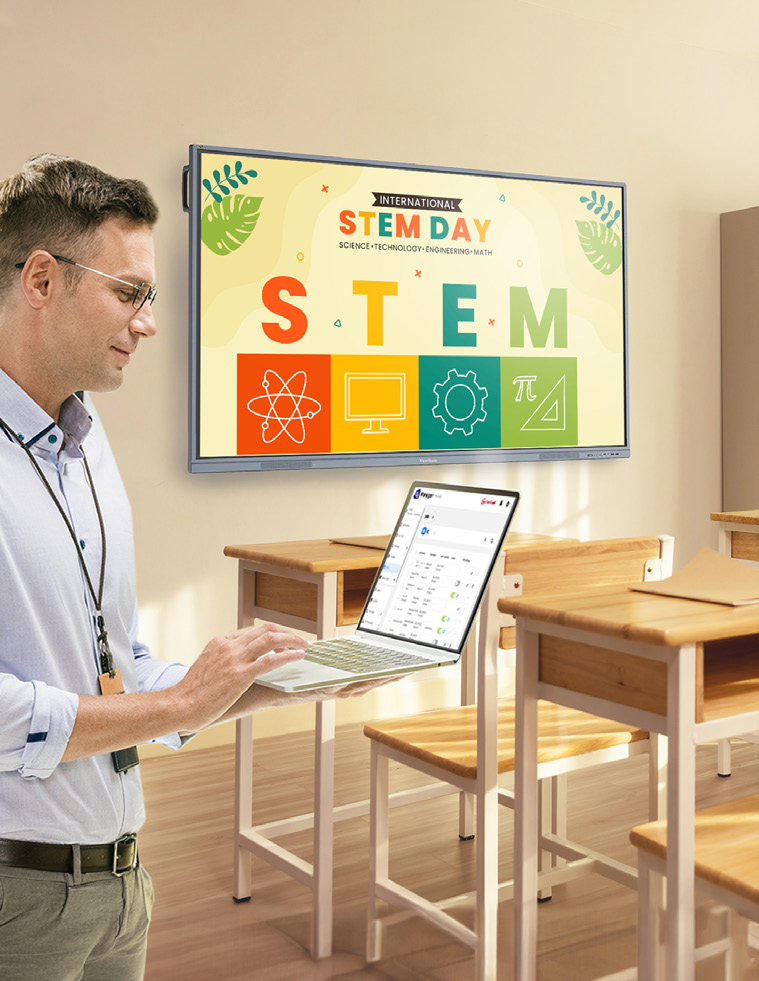
Even our software like myViewBoard® and AirSync™ can be launched using discrete commands on those command centers. This is a meaningful differentiator versus competitors that require manual navigation. It keeps the focus exactly where it belongs.

Benefits for the Entire Campus

How does this improve the classroom experience? The benefit of our products that work with control system launch commands is huge for your entire ecosystem.

  • IT teams do not need new systems or proprietary software from other companies.
  • They can use the exact control systems they are used to and have already implemented.
  • Instructors are actually going to use the tech and teaching becomes much more efficient.
  • Professors can focus entirely on the content instead of fumbling with the tech.
  • Classes move forward without annoying tech issues and students are far more satisfied with their learning.

Compatible Display Solutions

What products work with my control system? We offer a wide variety of products that cater to every instructor’s needs. All of these solutions work perfectly with major control systems like Q-SYS, AMX, Crestron and Extron.

Additional Tools for Instruction

How else can we improve the teaching experience? Beyond large room displays, we offer incredible solutions that help professors stay engaged with their students without worrying about the tech.

  • Podiums: The ID2456-4K touch display ensures instructors don’t turn their backs on students when they present.
  • Software: Tools like myViewBoard software for lectures or AirSync for wireless screencasting make digital sharing a breeze.

Simplify Your Campus AV Setup

Are you ready to upgrade your university displays? Upgrading your campus hardware shouldn’t mean rewriting your entire IT playbook. By choosing displays that respect your existing control systems, you create a stress-free environment for everyone.

Contact our team today to request a demo and explore our complete lineup of higher education display solutions!

Why Teachers Love Split Screen on ViewBoard® Interactive Displays

Why Teachers Love Split Screen on ViewBoard® Interactive Displays

Planning a district refresh? The ViewBoard® IFP41 series of interactive displays offers a Split Screen function that educators can’t get enough of. With Split Screen, teachers can show two sources at once. That means less time navigating between tabs and more time actually teaching.

Teaching requires juggling a dozen tasks at once while trying to keep 30 kids focused. This tool makes the ViewBoard a great SMART Board or Promethean alternative. It works the exact way a teacher thinks.

What Makes Split Screen a Game Changer?

With EDLA-certification, the ViewBoard IFP41 series of interactive displays seamlessly integrates with Google Apps to make multitasking easy. You can finally run two powerful applications side by side to keep your lessons flowing perfectly. It’s exactly what you want out of a classroom interactive display.

Brilliant Ways to Use Split Screen in Your Classroom

How are educators using this feature? Here are a few amazing ways this feature is being used in the classroom right now.

Content and Annotation

Can I write on my slides during a lesson? Yes! You can easily split your screen to show your Google Slides on one side with myViewBoard® software open on the other. This is the best interactive display for teachers who want to annotate and mark up their lessons in real time.

Real-Time Translation

How does split screen help English Language Learners? Using a ViewBoard IFP41 display with a built-in microphone, you can put your presentation slides side by side with Google Translate. This setup lets you translate your teaching into different languages in real time. That’s a massive help for English Language Learners.

Modeling and Research

Can I show my students how to take proper notes? The split screen setup is great for modeling how to read text and take notes. You can actively research a topic on one side and pull key ideas onto the digital whiteboard on the other. For example, nearly every teacher does some variation of opening Google Earth. If you live on a peninsula, you can pull up the map on the left side. Then you can use “peninsula” and “bay” as vocabulary words that you write on myViewBoard next to the image.

Visualizers and Wireless Tech

Does this work with document cameras and screen casting? Absolutely. You can use your visualizer on one side and have your slides or a web page open on the other. This is perfect for teachers who still rely on doc cams. You also have the amazing ability to cast screens with AirSync on one side while keeping your document or web page open on the other.

Preschool Engagement

Is this good for younger students? This tool works brilliantly for our youngest learners too. You can use a PDF with colorful shapes on one side and have the kids create those exact shapes on the other. It’s a really fun and interactive way of modeling for them.

Ready to Transform Your Classroom?

Are you looking for the perfect district refresh? The split screen feature eliminates technical confusion so you can focus on what you do best. It bridges the gap between complicated hardware and actual teaching needs.

Check out this video to see the Split Screen feature in action.

ViewSonic Launches Two New Laser-Based Installation Projectors

The LSD500HD and LSD600W Offer 3rd Generation Laser Technology, High Brightness, and Installation-Friendly Features for Commercial, Business, and Educational Environments


Brea, CA (May 13, 2026)ViewSonic Corp., a leading global provider of visual and edtech solutions, launches two new laser-based installation projectors for commercial, enterprise, and education spaces. The LSD500HD and LSD600W projectors include third-generation laser phosphor technology, high brightness levels, and installation-friendly features, such as 360-degree rotation, for unique applications and settings.


The LSD500HD is a native 1080p, Full HD, 5,500 ANSI lumen projector that can run up to 30,000 hours (depending on usage) with its laser-based technology. It comes with a dedicated Golf Mode function that fine-tunes the color output to boost blues and greens on a screen. The LSD500HD features HDMI 2.0 with HDR10 and HLG support, so it can accept Ultra HD 4K content at 60Hz with no signal compromise. It is certified for Crestron and Q-SYS, and compatible with AMX, PJ Link, and Extron ecosystems, allowing AV teams to manage and monitor multiple projectors from a single location.  With its 360-degree projection rotation, 1.3x optical zoom, and horizontal/vertical keystone correction, the LSD500HD can fit practically any space and installation without compromising image quality. 


The ViewSonic® LSD600W is a laser projector with native WXGA resolution and 6,000 ANSI lumens of brightness. The third-generation laser technology ensures that it can last up to 30,000 hours (depending on usage). It is installation friendly with 360-degree projection rotation, 1.3x optical zoom, and horizontal/vertical keystone correction. A dedicated Golf Mode function fine-tunes color output to boost blues and greens on a screen. An advanced cooling system and sealed engine supports the LSD600W to run 24/7 in demanding environments. 


“With these new LSD laser projectors, ViewSonic can offer more lamp-free options to our customers, and the market, offering more value-based solutions to fulfill big display needs,” said Jeff Muto, Business Line Director at ViewSonic. “The LSD500HD and LSD600W were developed to power on to full brightness with no warm-up period, which is important in commercial environments. The installation friendly features also allow integrators to utilize these projectors mounted to ceilings, portrait modes, or any other type of unconventional space without losing image quality.”


ViewSonic LSD500HD

  • Native 1080p Full HD (1920 x 1080) resolution, and 5,500 ANSI lumens of brightness 
  • Third-generation laser phosphor technology
  • Dedicated Golf Mode function for fine-tuning of color output, boosting blues and greens
  • Installation-friendly with 360-degree projection rotation, 1.3x optical zoom, and horizontal/vertical keystone correction 
  • Certified for Crestron and Q-SYS, and compatible with AMX, PJ Link, and Extron ecosystems
  • Connectivity options include HDMI 2.0 (HDMI/HDCP 2.2), USB 2.0 (Type A), RJ45, RS232, and Audio-Out
  • Availability: May 2026 for an estimated street price of $1,049.99 [USD]


ViewSonic LSD600W

  • Native WXGA (1280x800) resolution, 16:10 aspect ratio, and 6,000 ANSI lumens of brightness 
  • Third-generation laser phosphor technology
  • Installation-friendly with 360-degree projection rotation, 1.3x optical zoom, and horizontal/vertical keystone correction 
  • Dedicated Golf Mode function for fine-tuning of color output, boosting blues and greens
  • Connectivity options include HDMI 1.4, HDMI/HDCP 1.4, USB 2.0 (Type A), RS232, and Audio-Out
  • Availability: May 2026 for an estimated street price of $999.99 [USD]


To find out more about ViewSonic, visit ViewSonic.com and follow on Facebook, YouTube,  X and Instagram.


About ViewSonic
Founded in 1987 and headquartered in Brea, California, ViewSonic is a leading global provider of visual solutions for the education, business, and consumer markets, with a presence in over 100 countries. Driven by the mission to transform education, workplaces, and lives, the company delivers a unified ecosystem of innovative hardware, software, and services that integrates seamlessly with the platforms, tools, and partners customers trust. Its product portfolio includes monitors, projectors, interactive displays, LED displays, commercial displays, video conferencing systems, and industrial solutions. Complementing its hardware is a robust suite of software offerings—including myViewBoard®, ClassSwift®, TeamOne®, ViewSonic Manager™, and AirSync™—featuring AI-powered tools for collaboration, device optimization, and management. By empowering creativity, collaboration, and lifelong learning, ViewSonic supports customers at every stage in achieving their business and sustainability goals, creating a lasting impact and helping people everywhere connect with purpose—and See the Difference®. Learn more at www.viewsonic.com.

#  #  #


* Actual performance, compatibility, and user experience may vary depending on system configuration, network conditions, usage environment, and other factors. Features and specifications are subject to change without notice. This news release contains forward-looking statements that reflect the Company’s expectations with regard to future events. Actual events could differ significantly from those anticipated in this document. Trademark footnote: ViewSonic and the ViewSonic trademarks are trademarks or registered trademarks of ViewSonic Corporation in the United States and/or other countries. All other corporate names and trademarks stated herein are the property of their respective companies.


Media Contacts:

Joey Lee
JSL Marketing for ViewSonic [U.S.]
E: joey@jslcomm.com

Nury Lavandier
ViewSonic [Latin America]
E: Nury.Lavandier@viewsonic.com

Miranda Bravo
ViewSonic [U.S.]
E: miranda.bravo@viewsonic.com

Amplify Your Lessons: The Power of Interactive Displays with a Built-In Microphone

Amplify Your Lessons: The Power of Interactive Displays with a Built-In Microphone

Every laptop or phone you purchase has a built-in microphone. Even your car probably has one! We rely on these tools for a variety of everyday tasks. They help us record audio and seamlessly dictate text. Best of all, they prevent the need to purchase bulky external hardware.

So why should your classroom technology be any different? When searching for the perfect interactive display for schools, audio should not be an afterthought. At ViewSonic, we spend a lot of time listening to educators. We know that managing extra cables and external tech is a massive headache. That’s exactly why we built high-quality microphone arrays directly into our ViewBoard® IFP41 series of interactive displays.

What Is an 8-Array Beamforming Microphone?

ViewBoard IFP41 displays feature a powerful 8-array beamforming mic. Think of a traditional microphone like a flashlight. It usually only picks up sound from one specific direction.

The microphones on our interactive displays are much smarter than that. It uses eight microphones working together to listen to multiple directions. The system then automatically filters out annoying background noises like loud HVAC units or quiet classroom chatter.

Some competitors expect you to buy expensive external mic pods. Others force you to settle for low-quality audio. A standard mic might just hear the teacher. Our display hears the whole room

How Can Built-In Microphones Transform Your Classroom?

Having a powerful microphone changes the game for daily instruction. Here are a few brilliant ways you can use this technology right now.

Can I Record My Lessons Easily?

Yes, lesson recording is seamless. If you are running a Windows device with our myViewBoard® software, you can easily share your screen and record your entire lesson. It’s the absolute easiest way to create flipped classroom content. It’s also a fantastic tool to catch up students who were out sick.

How Does Audio Help ESL Students?

Integrated mics unlock real-time translation. For classes with English Language Learners, tools like Google Translate are a lifesaver. With the integrated mics on the IFP41, you can use the voice feature in real time. A teacher can speak directions at the board. A student can speak right from their desk. The ViewBoard microphone easily picks up both voices to provide instant translations.

Is There a Way to Type Faster?

Use your voice to dictate text. Typing long directions on a large screen takes too much time. It’s especially tough when you have 20 students waiting for a moment to get distracted. The myViewBoard software offers seamless speech to text. You simply dictate your directions and they instantly show up as text on the ViewBoard screen.

Can I Use AI With My Voice?

You can talk directly to your favorite AI tools. The IFP41 is fully EDLA Certified. This means you have instant access to any app on the Google Play store. You can easily pull up your favorite LLM like Gemini or ChatGPT right on the board. Instead of typing out complex prompts, use the microphone to ask questions or generate lesson ideas. It feels incredibly natural. It’s just like having a teaching assistant standing right there with you.

What About Remote Learning and Class Discussions?

Capture every voice in the room. A built-in microphone bridges the gap between in-person and remote students. You can hop into a virtual meeting and every single participant can hear each other clearly. This ensures everyone learns from different perspectives.

You can also record student discussions directly into a document. Instead of taking frantic notes, let the board do the heavy lifting. It’s a great way to gather evidence of student learning and keep a reliable record of class participation.

Ready to Upgrade Your Classroom Technology?

Why settle for complicated audio setups? You shouldn’t have to purchase additional mics and messy cables to do basic things like recording a lesson. The ViewSonic ViewBoard IFP41 series gives you everything you need right out of the box. It makes your teaching better and your life a little easier.

Want to learn more about how our hardware can transform your school? Check out our full lineup of interactive displays today!

Projectors vs dvLED: Which Display Technology Is Right for Your Campus?

Projectors vs dvLED: Which Display Technology Is Right for Your Campus?

Projectors vs dvLED. It’s a big decision for any modern campus. The type of display you pick affects how teachers teach, how students learn, and how your budget looks a few years down the road.

You might be wondering if you should stick with the traditional projector or make the leap to something newer. Let’s break down the differences so you can make the best choice for your school.


Understanding the Tech

Projectors use a light source to throw an image onto a separate screen or wall. They have been the standard in classrooms and lecture halls for decades.

dvLED (Direct View LED) displays are made of LED panels that show images directly on the screen, so there is no projection involved. They are super bright and seamless. You can get them as simple, pre-configured All-in-One video walls that come in standard sizes, or as configurable solutions that you can build to fit a specific shape or wall.


Key Considerations for Schools

When you are weighing projectors vs dvLED, here are the main things you need to think about.

Image Quality and Brightness

Projectors can produce big images, but they often struggle in bright rooms. If you have big windows, you usually have to dim the lights to see the screen clearly.

dvLED offers ultra-bright, vivid images that look great even in sunny rooms. The colors stay sharp, and you do not have to worry about shadows or glare.

Size and Scalability

Projectors are easy to scale up by using bigger screens. However, the image quality can drop as the size increases.

dvLED can be built to fit massive spaces. ViewSonic offers standard All-in-One sizes ranging from 136" all the way up to 231". Need something even bigger? Our configurable options allow you to build a custom video wall larger than 231" to fit huge auditoriums or gymnasiums.

Installation and Space

Projectors require a specific setup to work best. You usually need to install both a mount for the projector and a separate screen on the wall. You also need to account for the space between the lens and the screen, which can lead to shadows if someone walks in front of the light.

dvLED displays mount directly to the wall, which saves space and creates a streamlined look. However, they have their own requirements. The wall needs to be perfectly flat and structurally ready to support the panels. While dvLED eliminates the shadow problem, ensuring your wall is prepped correctly is a key part of the installation.
Maintenance and Cost

Let's talk numbers. Projectors usually look cheaper upfront. But have you really crunched the numbers on maintenance? When you add up the cost of replacement bulbs, filters, and the labor to swap them out over a few years, the price tag jumps up fast.

On the flip side, dvLED displays like the ViewSonic LDE Series are built for the long haul. They offer 24/7 reliability and easy-to-swap panels. Here is the kicker: the cost of an LDE video wall often rivals what you would spend on a high-end projector and a professional tab-tension screen. You get a superior picture for a similar price, without the ongoing maintenance headaches.

The Breakdown: Pros and Cons

Here is a quick look at how the two stack up.

Feature

dvLED Display

Projector

Visual Impact

Ultra-bright, seamless

Can be large, less vivid

Portability

Fixed, wall-mounted, or mobile

Portable, flexible

Maintenance

Easy panel swap

Bulb/part replacement

Installation

Slim, modern

Needs space, mounts

Longevity

Long lifespan

Shorter, fades over time

Versatile Usage

Multi-use, high impact

Multi-use, cost-friendly


When to Stick with Projectors

Projectors still have a place on campus. They are often the right choice for:

  • Tight Budgets: If you need a simple solution for a standard classroom.
  • Controlled Lighting: Spaces where you can easily dim the lights.
  • Small Meeting Rooms: Where you do not need a massive video wall. You can also look into ViewBoard interactive displays for these settings.

When to Upgrade to dvLED

If you want to make an impact, dvLED is the way to go. ViewSonic has a specific series for every need.

  • For the Auditorium: If you need a screen that moves, the LDS Series is a foldable 138" display on wheels. You can roll it out for assemblies and set it up in minutes.
  • For Lobbies and Student Centers: The LDM Series is perfect here. It has Glue-on-Board (GOB) technology, so it is durable enough to handle high-traffic areas.
  • For Premium Learning: The LDP Series offers stunning 4K visuals. It uses Chip-on-Board (COB) technology for extra protection against impact and dust.
  • For Creative Spaces: If you want a unique shape or size, the LDC Series is configurable. It lets you build a screen that fits your specific design.
  • For General Use: The LDE Series is your cost-effective workhorse. It gives you that seamless video wall experience with integrated power and processing.

Questions to Ask Before You Buy

Still on the fence? Ask yourself these four questions.

  1. What is the use case? Are you teaching, hosting events, or showing digital signage?
  2. What is the lighting like? Is the room full of windows or tucked away in a basement?
  3. What is the real budget? Don't just look at the price tag. Think about installation and maintenance costs over five years.
  4. How will it integrate? ViewSonic displays work with systems you likely already use, like Crestron, Extron, and AMX.

Why ViewSonic Has You Covered

When you are deciding between projectors vs dvLED, ViewSonic can help. We offer high-quality projectors for traditional setups and a complete lineup of dvLED video walls for modern spaces.

We can help you create vibrant, engaging environments for your students and staff.

Find Your Perfect Display

Ready to see the difference for yourself? Explore our full range of display solutions today.

Explore ViewSonic Projection Solutions

Explore ViewSonic dvLED Solutions

How dvLED Displays Are Revolutionizing Campus Environments

How dvLED Displays Are Revolutionizing Campus Environments

dvLED (Direct View LED) display technology is changing the look and feel of schools everywhere. From student centers and libraries to auditoriums and event spaces, these advanced screens are making campus environments brighter, more flexible, and more engaging for everyone.

What Is dvLED and How Does It Work?

A dvLED display is a screen built from tiny LED lights that show images and videos directly. Unlike the older LCD screens or projectors you might be used to, these displays are designed to make an impact in large school spaces.

Here is why dvLED is different:

  • Ultra-bright images: They stand out clearly, even in bright lighting.
  • Massive scale: ViewSonic offers huge sizes ranging from 136" to 231" for our pre-configured series of dvLED, and larger non-standard sizes for our configurable series of dvLED.
  • Durable design: They are built to last with minimal upkeep.

The Impact on Immersive Learning

dvLED technology helps campuses do more than just show a slide deck. It transforms how students learn and interact.

Finding the Right Fit for Your Campus

Not every space needs the exact same screen. ViewSonic offers a complete portfolio of dvLED displays to fit different needs across your school.

For the Classroom and Events

If you want to offer the ultimate all-in-one experience, the LDP Series is a great choice. It brings lessons to life in stunning 4K. These displays feature advanced Chip-on-Board (COB) technology, which gives them a tough IP54 and IK08 protection rating against impact and dust.

For Lobbies and Student Centers

For busy areas like lobbies or broadcasting studios, the LDM Series is ideal. It offers 1080p resolution and a detachable system control box. It also features Glue-on-Board (GOB) technology, making it durable enough to handle high-traffic student centers.

For General Use

For general use around campus, the LDE Series is a smart choice. It is a pre-configured, cost-effective 1080p video wall solution. It features integrated power and processing, durable Glue-on-Board (GOB) technology, and 24/7 reliability.

For Creative Spaces

The LDC Series lets you configure video walls with custom resolutions and unique shapes when you don’t need a standard rectangular layout. These customizable displays allow you to make a statement wherever your school needs it.

For Flexible Spaces

The LDS Series is a foldable 138" screen on wheels. You can roll it into the auditorium for assemblies or move it to a donor dinner for a special event. It comes pre-assembled in a flight case and sets up in less than 10 minutes.

Best Practices for Implementing dvLED

Ready to get started? Here are a few tips to make sure your installation goes smoothly.

Plan for Integration

ViewSonic dvLED displays are designed to work with leading control platforms like Crestron, Extron, and AMX. They are also certified with Q-SYS, which simplifies management for your IT team.

Assess Your Goals

Identify where a display will help the most. Are you trying to improve communication in a lobby? Or do you need a massive 231" screen for the gymnasium? Knowing your goal helps you pick the right series.

Prioritize Easy Maintenance

Schools are busy places. You don't have time for complicated repairs. Look for solutions that feature detachable control boxes and durable surface protection.

Why ViewSonic for Campus Solutions?

ViewSonic offers a wide range of dvLED products designed for campus environments from pre-configured, configurable, or mobile. With proven installations, easy content management, and dedicated support, ViewSonic helps campuses create vibrant, flexible, and modern spaces. Their solutions are built to last and easy to use, making campus transformation simple and effective.

How a Mobile dvLED Video Wall Transforms Shared Environments

How a Mobile dvLED Video Wall Transforms Shared Environments

A mobile dvLED display video wall transforms shared spaces like lobbies, classrooms, and auditoriums by giving you a massive, high-impact screen that goes wherever you need it. In the past, you were stuck with a screen that just sat in one spot.

Now, technology has moved forward. You can bring bright, clear visuals right to where your audience is. A mobile video wall makes it simple to share info and wow the crowd. It’s flexible enough to adapt to almost any environment on campus.

What is a dvLED Display? 

A dvLED display (Direct View LED) is a giant screen made of LED panels. Unlike the old LCDs or projectors you're used to, these panels show images directly without needing a backlight.

Here's what makes dvLED tech special:

  • Ultra-bright quality: It's super bright, so you'll see the picture clearly even in sunny rooms.
  • Scalability: While some configurable series let you build a wall to any size or shape, others come in fixed sizes for easy setup.
  • Durability: The panels are built tough for busy spaces and last a long time.

You'll see these displays popping up in lecture halls, gyms, and libraries where standard projectors just can't keep up.

Why Mobility Makes a Difference 

Imagine having a giant 138" screen that you can simply roll into an elevator. A digital video wall that moves is a total game-changer for schools.

Here's why mobility matters:

  • Perfect for multi-purpose spaces: You don't need to bolt a screen to the wall in a room that serves multiple functions. The display is there when you need it and gone when you don't.
  • No permanent installation: You can skip the construction entirely. Since you don't need a permanent install, you save time and avoid drilling into your walls.
  • Save money: Since one mobile video wall serves many spaces, it lowers your total cost of ownership.
  • Better access: It's not locked away in a single lecture hall, so more teachers and departments can use it.
  • Event-ready: It's perfect for assemblies, guest speakers, or school spirit events.
  • Easy setup: You can skip the complex install—just roll it in, plug it in, and you're ready to wow your audience.

Where to Use Mobile Video Walls 

Mobile dvLED video walls are perfect for schools that need flexibility. They work great in a lot of different spots on campus.

Lecture Halls 

You can move the display between large lecture spaces. It's perfect for presentations or guest speakers. The screen is big enough that everyone in the back row can still see clearly.

Auditoriums and Gymnasiums 

These are busy areas, so you need a screen that can handle the action. ViewSonic displays use Glue-on-Board (GOB) technology. This protects the LEDs from daily wear and tear, like bumps, dust, and moisture. It ensures your screen stays safe during pep rallies or performances.

Multi-Purpose Spaces

Schools are full of rooms that do double duty. Maybe it's a cafeteria that hosts town halls, or a library atrium used for special events. You can't always mount a permanent screen in these spots. A mobile video wall allows you to transform any open space into a presentation venue instantly. It rolls in, sets up fast, and is big enough for the whole crowd to see.

Key Features of ViewSonic Mobile Solutions 

ViewSonic is leading the way with mobile dvLED displays. Here are a few features that make them stand out.

Plug-and-Play Mobility 

These displays are designed to move. They come with a motorized stand and a durable flight case for easy transport. The flight case stores and protects the display when not in use. The foldable design even fits into most elevators. You simply roll it to the next location.

All-in-One Design 

You don't need extra boxes or wires. The system has built-in media players and a smart control bar built right into the stand. It keeps things clean and simple so there's nothing to distract from the huge screen.

Easy Screen Sharing 

Teachers and students need to connect quickly. With ViewSonic AirSync software, you can share your screen wirelessly from any device. It works with tools you already use, like AirPlay and Google Cast, so there's no hassle.

Smart Integration 

The display plays nice with other tech. It works with control platforms like Crestron, Extron, and AMX. This makes it easy for your IT team to manage power and inputs from one central spot.

Mobile dvLED vs. Traditional Projectors 

Wondering how a mobile dvLED display stacks up against your old projector? Let's look at the differences.

Feature

Mobile dvLED Video Wall

Traditional LCD/Projector

Visual Impact

Ultra-bright, seamless

Lower brightness

Portability

Easy to move

Fixed in place

Maintenance

Low, hot-swappable

High, bulbs/screens fail

Installation

Plug-and-play

Complex, needs experts

Longevity

Long lifespan

Shorter, more repairs

Versatile Usage

Multi-room, multi-use

One room only


Ready to Upgrade Your Campus? 

ViewSonic’s award winning mobile dvLED video walls help schools create vibrant, flexible spaces. You get an easy-to-use display that makes a big impact without the headache.

Stop relying on dim projectors and fixed screens. It's time to bring your visuals to life.

Explore ViewSonic dvLED Solutions


ViewSonic Recognized in 2025 Tech & Learning Awards of Excellence: Back to School

The LDS138-151 All-in-One Mobile Direct View LED Awarded for Excellence in Display Solutions for Higher Education


Brea, CA (Oct. 2, 2025) – ViewSonic Corp., a leading global provider of visual and edtech solutions, announces the LDS138-151 all-in-one Mobile Direct View LED display has been awarded in the Higher Education category in this year’s Tech & Learning Awards of Excellence: Back to School.


The Tech & Learning Awards of Excellence: Back to School highlight products that offer practical value and support effective teaching and learning in academic environments. Evaluated by a panel of industry professionals, the awards aim to identify solutions that address real classroom needs and can make a profound impact within the education sector.
 

“We’re honored to see the LDS138-151 acknowledged in this year’s awards,” said Shane Roma, Technical Product Manager at ViewSonic. “It was designed to make content more engaging and immersive. It’s an excellent fit for schools, as it seamlessly and easily integrates into a variety of campus settings like auditoriums, lecture halls, gymnasiums, and more. Designed for quick deployment and convenience, the pre-assembled LDS318-151 comes in a durable protective flight case and there’s no complex installation or wall mounting.”


Engineered for long-lasting performance, the LDS138-151 features advanced Glue-on-Board (GOB) surface treatment technology that safeguards the display—earning a IP54 dust and moisture rating and IK06 impact rating. Its rugged construction, including a commercial-grade motorized stand and patent-pending folding hinges delivers enhanced durability in high-usage environments. Setup takes just minutes—simply unfold the display, plug it into a standard 20-amp outlet, and enjoy vibrant, large-format visuals paired with immersive sound.


To find out more about ViewSonic, visit ViewSonic.com and follow on Facebook, YouTube,  X and Instagram.


About ViewSonic

Founded in 1987 and headquartered in Brea, California, ViewSonic is a leading global provider of visual solutions for the education, business, and consumer markets, with a presence in over 100 countries. Driven by the mission to transform education, workplaces, and lives, the company delivers a unified ecosystem of innovative hardware, software, and services that integrates seamlessly with the platforms, tools, and partners customers trust. Its product portfolio includes monitors, projectors, interactive displays, LED displays, commercial displays, video conferencing systems, and industrial solutions. Complementing its hardware is a robust suite of software offerings—including myViewBoard, ClassSwift, TeamOne, Manager, and AirSync—featuring AI-powered tools for collaboration, device optimization, and management. By empowering creativity, collaboration, and lifelong learning, ViewSonic supports customers at every stage in achieving their business and sustainability goals, creating a lasting impact and helping people everywhere connect with purpose—and See the Difference. Learn more at www.viewsonic.com.


#  #  #


* Actual performance may vary depending on system configuration, usage environment, and other conditions. Features and specifications are subject to change without notice. This news release contains forward-looking statements that reflect the Company’s expectations with regard to future events. Actual events could differ significantly from those anticipated in this document. Trademark footnote: ViewSonic and the ViewSonic trademarks are trademarks or registered trademarks of ViewSonic Corporation in the United States and/or other countries. All other corporate names and trademarks stated herein are the property of their respective companies.


Media Contacts:

Joey Lee
JSL Marketing for ViewSonic [U.S.]
E: joey@jslcomm.com

Caroline McGrath
CMM Communications for ViewSonic [Canada]
E: caroline@cmm-communications.com

Nury Lavandier
ViewSonic [Latin America]
E: Nury.Lavandier@viewsonic.com

Miranda Bravo
ViewSonic [U.S.]
E: miranda.bravo@viewsonic.com

ViewSonic Delivers Technology Solutions for Esports Career Pathways, Metaverse Learning, and Hybrid Classrooms with Latest Displays and Tools

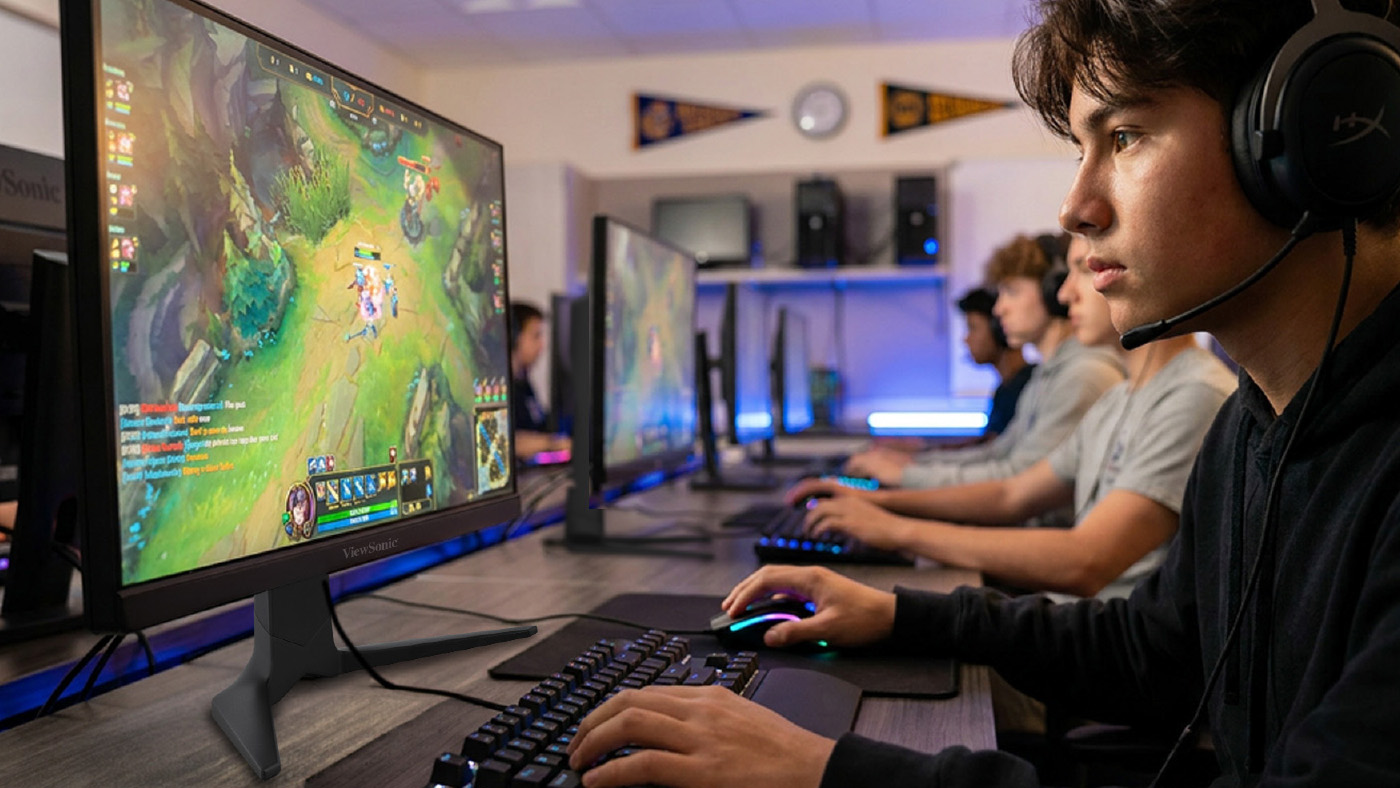
Feamle gamer using a headset and ViewSonic VX16 series monitor to play a game

UNIVERSE by ViewSonic™, Gaming Monitors and Device Management Stations to Showcase Hardware and Software Teaching Applications


NEW ORLEANS – FETC 2023 Booth #2801 – (Jan. 24, 2023) – ViewSonic Corp., a leading global provider of visual solutions, offers solutions for next-generation hybrid teaching and learning at the Future in Education Technology Conference [FETC], Jan. 24-26, 2023 in New Orleans, LA. The ViewSonic® education solutions can transform classrooms and learning spaces into next-generation immersive and collaborative environments.


As leaders in visual display solutions, ViewSonic transforms classrooms into immersive learning environments. With innovative technologies ranging from desktop touch displays and esports monitors, to ViewBoard® interactive displays and the myViewBoard® software ecosystem, ViewSonic education solutions help to optimize participation and empowers teachers with the best tools they need.


ViewSonic continues to support the education community by expanding its teacher certification program and building a community platform to ignite community engagement. The company’s hands-on approach to professional development has proved to be of great benefit for schools according to past participant reviews. Premium services begin with on-site PD that can also leverage virtual services. This helps to consistently infuse ViewSonic technologies throughout the instructional process so that educators can deepen their level of understanding.

 

“At FETC, ViewSonic will have multiple stations to showcase how esports, metaverse teaching and learning, as well as device management can benefit schools,” said Kenneth Mau, Product and Channel Marketing Director at ViewSonic. “The fluidity of today’s learning and teaching environments can be a challenge for teachers and students. We’ve been working with schools and teachers to create solutions so that sharing ideas, while communicating and learning with consistency, is the primary goal. Together we can evolve with tools that take learning to a higher level.”


Ruben Caputo, vertical marketing manager for education at ViewSonic will also be speaking at three presentations during FETC:

  • Tuesday, Jan. 24th from 12:15pm to 12:45pm: ESPORTS THEATER, Booth 551
    “From Player to Creator: Preparing Students for Careers in Interactive 3D”
    Find out how one can leverage student interest in games and esports to amplify a teaching program and prepare students for real-world skills.
  • Wednesday, Jan. 25th from 12:30pm to 1:00pm: ESPORTS THEATER, Booth 551
    “Pathway to Professional Careers in Esports”
    Esports has grown into a viable industry for many alike. This session will discuss the available career options as well as the pathway to obtain the available opportunities within the industries of gaming and esports.

  • Thursday, Jan. 26th from 9:45am to 10:15am: ESPORTS THEATER, Booth 551
    “The Esports Education Playbook: Empowering All Learners Through Inclusive Gaming”
    The esports ecosystem reaches far beyond that of the player. This extends into career possibilities in areas around game design, broadcasting, video production, advertising, and more.


There will also be several Micro-EdTalk sessions throughout the conference, from Digital Whiteboard training to metaverse education, held at the ViewSonic booth.


For further news and information about ViewSonic, visit ViewSonic.com and follow on Facebook, YouTube and Twitter.


About ViewSonic

Founded in California, ViewSonic is a leading global provider of visual solutions and conducts business in over 100 countries worldwide. As an innovator and visionary, ViewSonic is committed to providing comprehensive hardware and software solutions that include monitors, projectors, digital signage, ViewBoard® interactive displays, and myViewBoard® software ecosystem. With 35 years of expertise in visual displays, ViewSonic has established a strong position for delivering innovative and reliable solutions for education, enterprise, consumer, and professional markets and helping customers “See the Difference®.” To find out more about ViewSonic, please visit www.viewsonic.com.


#  #  #


This news release contains forward-looking statements that reflect the Company’s expectations with regard to future events. Actual events could differ significantly from those anticipated in this document. Trademark footnote: ViewSonic and the ViewSonic trademarks are trademarks or registered trademarks of ViewSonic Corporation in the United States and/or other countries. All other corporate names and trademarks stated herein are the property of their respective companies.

The ViewSonic myViewBoard Ecosystem Surpasses Five Million EdTech Users

The myViewBoard Education Ecosystem Used in More than 5,000 Institutions Worldwide

Brea, CA (March 2, 2022) – ViewSonic Corp., a leading global provider of visual solutions, announces that its myViewBoard™ ecosystem has exceeded five million users, with the platform being used in more than 5,000 organizations around the world. Designed to assist in the transition of the digital classroom, the myViewBoard ecosystem is one of the fastest growing EdTech solutions in digital learning, leading the market with educator-centric features for remote and hybrid learning.


Launched in 2018, myViewBoard was built to facilitate digital content creation, communications, and collaboration in the classroom. The platform features a wide range of benefits that make it suitable for several learning applications. As an education technology solution provider, ViewSonic developed myViewBoard software and interactive hardware to provide broad spectrum solutions with a focus on open ecosystems and interoperability. The myViewBoard ecosystem allows educators to benefit from digital and online learning.


“ViewSonic is extremely proud to have hit this milestone,” said Jeff Muto, product and business line Director at ViewSonic. “The way the myViewBoard ecosystem enhances and expands the scope of teaching is something that we continuously strive to achieve. As myViewBoard evolves, to be more open, flexible, and accessible, we’re excited to help drive education technology with comprehensive solutions.”


myViewBoard is a powerful tool for hybrid education that was developed by teachers for teachers. Through an open and agnostic, easy-to-use platform, myViewBoard allows real-time wireless collaboration, screen mirroring/sharing, and digital whiteboarding. myViewBoard tools and features are constantly updated and optimized with feedback from educators to ensure that the software evolves to sustain an effective and engaging learning environment. The platform is hardware agnostic and can be used with devices running on Windows, Android and iOS operating systems, making it simple for schools to incorporate it into their existing infrastructure.


For further news and information about ViewSonic, visit ViewSonic.com and follow on Facebook, YouTube and Twitter.


About ViewSonic

Founded in California, ViewSonic is a leading global provider of visual solutions and conducts business in over 100 countries worldwide. As an innovator and visionary, ViewSonic is committed to providing comprehensive hardware and software solutions that include monitors, projectors, digital signage, ViewBoard® interactive displays, and myViewBoard™ software ecosystem. With over 30 years of expertise in visual displays, ViewSonic has established a strong position for delivering innovative and reliable solutions for education, enterprise, consumer, and professional markets and helping customers “See the Difference®.” To find out more about ViewSonic, please visit www.viewsonic.com.


#  #  #


 This news release contains forward-looking statements that reflect the Company’s expectations with regard to future events. Actual events could differ significantly from those anticipated in this document. Trademark footnote: ViewSonic and the ViewSonic trademarks are trademarks or registered trademarks of ViewSonic Corporation in the United States and/or other countries. All other corporate names and trademarks stated herein are the property of their respective companies.

ViewSonic Launches Latest Generation of ViewBoard Interactive Flat Panels to Enhance the Learning Experience

The IFP52 Series of Interactive Displays Features Advanced Audio Capabilities, New User Interface and Rich Management Tools

Brea, CA (June 29, 2021) – ViewSonic Corp., a leading global provider of visual solutions, introduces its latest generation of ViewBoard® interactive flat panel displays with the IFP52 series. The IFP52 series of interactive displays feature advanced audio capabilities and a user-centric design to enhance the classroom and learning experiences. With sizes from 65- to 86-inches, the ViewBoard IFP52 series comes with a multimedia sound bar built into the display to deliver exceptional audio and comes with front-facing USB-C inputs for easy connectivity to other devices.

The ViewBoard IFP52 series includes the IFP6552, IFP7552 and IFP8652 displays that highlight next-generation whiteboard technologies for immersive learning. All the displays feature native 4K Ultra HD resolution for amazing picture quality, and the multimedia sound bar integrates the speaker and microphones. The front-facing design of the speaker also allows easy accessibility to the various connectivity options, including USB-C, HDMI and USB touch ports. The highly accurate touchscreen and palm recognition technology to ensure an exceedingly intuitive digital whiteboard experience.

As hybrid learning evolves, ViewSonic is leading the way with innovative, teacher-centric solutions, services and support that improve student engagement and outcomes, while adapting to fluid learning environments. This latest generation of ViewBoard IFP displays allows teachers and educators to access legacy files from the cloud and build new interactive lessons. IT administrators and teams can easily manage files from a secure cloud network, and curriculum directors can be rest-assured that the myViewBoard™ software ecosystem can be easily integrated with online resources. The built-in myViewBoard digital whiteboarding and myViewBoard Cast™ software allows users to maximize the interactivity of the IFP52 displays to engage, collaborate and communicate easily. The myViewBoard Manager allows IT administrators to control and monitor devices, as well as broadcast messages to any display panels from anywhere.

“The growth rate of the ViewSonic® ViewBoard interactive displays has been amazing, so we’re continuing to build on this to deliver better hardware and software that meets the needs of our education partners,” said Andy Chien, business line manager of ViewBoard products at ViewSonic America. “With this latest generation of IFP displays, the IFP52 series features a new design and the latest technologies and functions to create environments that are even more engaging. We added a more streamlined layout for connectivity and shortcut keys so users can access frequently used features within a control area, among others.”

ViewBoard IFP52 Series Interactive Display

• Native 4K Ultra HD (3480x2160) resolution


• Integrated 45W sound bar (2x 15W front-facing speakers and 1x 15W subwoofer);


• Built-in microphone array with audio detection and noise cancellation capabilities and front-facing connectivity ports


• Enhanced user interface for access to Side Tool Bars to easily call-up shortcut menus and access to On-Screen Display


• Comes with myViewBoard and ViewBoard Cast software for interactivity, collaboration, communication and engagement


IFP6552 – 65-inch display, available now for an estimated street price of $2,399.00* [USD]

IFP7552 – 75-inch display, available now for an estimated street price of $3,699.00* [USD]

IFP8652 – 86-inch display, available now for an estimated street price of $5,499.00* [USD]


The ViewBoard IFP52 series of displays operate on an Android 9.0 operating system and is compatible with Windows, Mac, Chrome and Linux, with full-touch input functionality for external devices that are connected to the displays. The displays also feature an enhanced flicker-free reduction solution, blue-light reductions, and an anti-glare coating for enhanced eye comfort.


For further news and information about ViewSonic, visit ViewSonic.com and follow on LinkedIn  Facebook, YouTube and Twitter.


About ViewSonic

Founded in California, ViewSonic is a leading global provider of visual solution products and conducts business in more than 100 countries worldwide. As an innovator and visionary, ViewSonic is committed to providing comprehensive hardware and software solutions that include monitors, projectors, digital signage, ViewBoard® interactive displays, and the myViewBoard™ software ecosystem. With more than 30 years of expertise in visual displays, ViewSonic has established a strong position for delivering innovative and reliable solutions for education, enterprise, consumer, and professional markets, and helping customers “See the Difference.” To find out more about ViewSonic, please visit www.viewsonic.com.


#  #  #


*Program, pricing, specifications, and availability are subject to change without notice.


This news release contains forward-looking statements that reflect the Company’s expectations with regard to future events. Actual events could differ significantly from those anticipated in this document. Program, pricing, specifications, and availability are subject to change without notice. ViewSonic and the ViewSonic trademarks are trademarks or registered trademarks of ViewSonic Corporation in the United States and/or other countries. All other corporate names and trademarks stated herein are the property of their respective companies.

ViewSonic myViewBoard Suite Leads Evolution of Learning Environments with Expanded Tools for Collaborative Classroom Transitions

The myViewBoard Manager Advanced, myViewBoard Clips and myViewBoard Classroom 3.0 Enhances Digital Classrooms and Device Management

 Brea, CA (June 28, 2021) – ViewSonic Corp., a leading global provider of visual solutions, introduces the expansion of tools in the myViewBoard™ software suite that assists in the transition of the digital classroom. As one of the fastest growing EdTech solutions in digital learning, the myViewBoard software suite continues to lead the market with educator-centric, management features that transform remote and hybrid learning.

The ViewSonic myViewBoard software is a powerful tool that empowers teachers to build lesson plans, create engaging content and share lessons with students. myViewBoard allows real-time wireless collaboration, screen mirroring/sharing, and digital whiteboarding. It works with Windows-, Android- and cloud-based environments, and can work with existing technology for seamless integration. A part of the ViewSonic myViewBoard education ecosystem, myViewBoard Manager Advanced, myViewBoard Clips and myViewBoard Classroom 3.0 let you do everything from managing multiple devices, creating engaging content to video-assisted learning and so much more.

“The myViewBoard ecosystem was developed by teachers for teachers and is an open and agnostic platform,” said Sean Liu, business line manager, software at ViewSonic America. “The latest updates to myViewBoard Manager, myViewBoard Clips and myViewBoard Classroom were developed to not only be supplementary tools for digitalized learning but help make collaboration easier to manage in this new remote/hybrid learning environment, for both educators and IT administrators. ViewSonic is constantly updating and optimizing all the tools with feedback from educators to ensure that the software evolves to match the needs of changing learning environments.”

myViewBoard Manager Advanced

myViewBoard Manager Advanced is a centralized hub which allows IT administrators to have full control to manage and operate any ViewSonic panels deployed at any location as well as broadcast multimedia messages to those display panels from anywhere and is available to myViewBoard entity users. Designed with built-in enterprise-grade security with AES encryption, the cloud-based myViewBoard Manager provides a secure device management platform to IT no matter where they are. myViewBoard Manager Advanced is a premium version that features more cloud storage, broadcast of multimedia messages, as well as a report for device usage. Updates to myViewBoard Manager Advanced include automating tasks with a job scheduler through the central control board, and metrics and insight for the network of devices.

myViewBoard Clips

The content from myViewBoard Clips is educationally curated, fit for common core standards, and can be sorted based on age level and subject matter. Every video is selected from a library of more than 150 media partners, including: TED Talks, PBS NewsHour, The Economist, and Dow Jones as well as teachers’ favorites such as Crash Course, Minute Earth and LearnZillion. With the myViewBoard Clips, educators can access more than two million licensed educational videos and share with students learning at home. Access to these videos allows educators and teachers to create interactive and engaging content. Enhanced features allow teachers to create quizzes and can view student responses from in-class or at-home activities with the click of a button.

myViewBoard Classroom 3.0

With the latest iteration of myViewBoard Classroom Software, ViewSonic continues to digitally optimize the learning experience. myViewBoard Classroom is a hybrid teaching software tool packed with a variety of features to help teachers easily create a classroom environment in the digital space. The integrated hardware and software solution is integral to creating immersive, next-generation digital classrooms. It allows teachers to engage students with content they already have, and students, both in-person and remote, can engage with a collaborative digital whiteboard. Teachers can assign students to work in “breakout” groups using the huddle features or allow them to work individually. With a comprehensive dashboard, teachers can monitor and manage their class and check that their students are on task.

• The myViewBoard Manager is available now and is complimentary for those who enroll in the myViewBoard ecosystem.

• myViewBoard Manager Advanced is available at $29 a year/per device

• The myViewBoard Clips Hybrid Learning package is available at $3,200 a year/per school

• myViewBoard Classroom is available now for those who enroll in the myViewBoard ecosystem.

For further news and information about ViewSonic, visit ViewSonic.com and follow on LinkedIn  Facebook, YouTube and Twitter.


About ViewSonic

Founded in California, ViewSonic is a leading global provider of visual solution products and conducts business in more than 100 countries worldwide. As an innovator and visionary, ViewSonic is committed to providing comprehensive hardware and software solutions that include monitors, projectors, digital signage, ViewBoard® interactive displays, and the myViewBoard™ software ecosystem. With more than 30 years of expertise in visual displays, ViewSonic has established a strong position for delivering innovative and reliable solutions for education, enterprise, consumer, and professional markets, and helping customers “See the Difference.” To find out more about ViewSonic, please visit www.viewsonic.com.


#  #  #


*Program, pricing, specifications, and availability are subject to change without notice.


This news release contains forward-looking statements that reflect the Company’s expectations with regard to future events. Actual events could differ significantly from those anticipated in this document. Program, pricing, specifications, and availability are subject to change without notice. ViewSonic and the ViewSonic trademarks are trademarks or registered trademarks of ViewSonic Corporation in the United States and/or other countries. All other corporate names and trademarks stated herein are the property of their respective companies.

ViewSonic Wins “Overall e-Learning Solution of the Year” In 2021 EdTech Breakthrough Awards Program

Prestigious Awards Program Recognizes Outstanding Educational Technology Products and Companies

BREA, Calif., – June 9, 2021 – ViewSonic Corp., a leading global provider of visual solutions, today announced that EdTech Breakthrough, a leading market intelligence organization that recognizes the top companies and solutions in the global educational technology market, has selected ViewSonic® myViewBoard™ Classroom as the winner of its “Overall e-Learning Solution of the Year” award in the third annual EdTech Breakthrough Awards program.

ViewSonic’s education ecosystem encompasses one of the widest arrays of display tools and software that engage students in distance, remote and in-classroom learning environments. Developed for both remote and in-class learning environments, the ViewSonic myViewBoard Classroom is a teaching software tool packed with a variety of features to help create a classroom environment in the digital space. With myViewBoard Classroom, teachers have a secure and easy-to-use platform for engaging classroom content, interactive lessons and to encourage participation.


myViewBoard Classroom features include a Collaborative Digital Whiteboard that enables students to interact with a teacher either in class or remotely, as well as the ability for lessons to be recorded for later viewing and exported notes. The platform includes a built-in one-way video streaming that allows students to see teachers but also protect their privacy, classroom management allowing for teachers to control, manage, and moderate the classroom and, importantly, a safe learning space.


“Developed by teachers, for teachers, myViewBoard Classroom delivers a safe virtual learning space and succeeds in making hybrid teaching easier whether you are in the classroom, teaching from home, or reaching students via a combo of both,” said James Johnson, managing director, EdTech Breakthrough. “It was created to be a solution to fill in the gaps between teaching and learning in a new remote and hybrid educational environment by producing a platform that can be integrated in a digital space. Congratulations, again this year, to ViewSonic for winning an EdTech Breakthrough award - this year for ‘Overall e-Learning Solution of the Year.”


The mission of the EdTech Breakthrough Awards is to honor excellence and recognize the innovation, hard work and success in a range of educational technology categories, including Student Engagement, School Administration, Adaptive Learning, STEM Education, e-Learning, Career Preparation and many more. This year’s program attracted more than 2,000 nominations from over 17 different countries throughout the world.


“myViewBoard Classroom was developed to assist teachers, schools and districts with hybrid teaching and learning to make the transition as seamless as possible,” said Jeff Volpe, President ViewSonic Americas. “From allowing teachers to import existing lesson plans via PDF or Google Slides to reaching students with built-in video and audio, as well as live chat functionality, myViewBoard Classroom is a singular solution for hybrid teaching and learning. As hybrid learning evolves, ViewSonic is leading the way with innovative, teacher-centric solutions, services and support that improve student engagement and outcomes, while adapting to fluid learning environments. We are grateful to EdTech Breakthrough for this industry recognition. ”


####


About ViewSonic

Founded in California, ViewSonic is a leading global provider of visual solutions and conducts business in over 100 countries worldwide. As an innovator and visionary, ViewSonic is committed to providing comprehensive hardware and software solutions that include monitors, projectors, digital signage, ViewBoard® interactive displays, and myViewBoard™ software ecosystem. With over 30 years of expertise in visual displays, ViewSonic has established a strong position for delivering innovative and reliable solutions for education, enterprise, consumer, and professional markets and helping customers “See the Difference.” To find out more about ViewSonic, please visit www.viewsonic.com.


About EdTech Breakthrough
Part of Tech Breakthrough, a leading market intelligence and recognition platform for global technology innovation and leadership, the EdTech Breakthrough Awards program is devoted to honoring excellence in educational technology products, companies and people. The EdTech Breakthrough Awards provide a platform for public recognition around the achievements of breakthrough educational technology in categories including e-learning, student engagement, school administration, career preparation, language learning, STEM and more. For more information, visit EdTechBreakthrough.com.

ViewSonic Donates $25,000 to Riverside County Esports League

BREA, CA (March 16, 2021) – ViewSonic Corp., a leading global provider of display solutions, announced today charitable contributions in the amount of $25,000 to the Riverside County Esports League. This donation will enable students to earn scholarships through their participation in the federation as well as help develop online curriculum for esports related content.

The Riverside County Esports League provides scholarship opportunities through esports participation to students from 23 districts and 450 schools. The esports federation prides itself on building talented communities of interconnected players who display leadership, accountability, commitment, and fortitude. The Riverside league has grown to 285 participants and has competed in over 18 individual tournaments for middle and high school students. The league provides an outlet for students, focusing on character development and self-identity. The connection and community esports brings has been an especially beneficial outlet for students during the pandemic.

“We’re very excited to be partnering with one of California’s largest esports leagues,” said Jeff Muto, business line director at ViewSonic. “We believe this scholarship fund can further the mission of esports in education and provide students the support needed to further their education goals. ViewSonic continues to support activities that motivate and engage students and allow them to be more creative.”

“We are grateful to ViewSonic Corp. for its unwavering support of our students and the esports league. During the pandemic, esports has served as an exciting activity to engage students through a combination of modern technology and gaming with academic and interpersonal skills in a virtual environment,” said Dr. Edwin Gomez, Riverside County Superintendent of Schools.

ViewSonic continues to expand their charitable contributions under the Empowering Future Generations initiatives which is designed to identify and support schools and organizations in need of technology resources. With the global esports market valued at $612 million, with an audience of 134 million, according to SuperData, it is only predicted to grow. Universities across the United States are diving into this emerging market with scholarship programs and competitive teams and ViewSonic is humbled and thrilled to be a part of this growing, diverse community.

ViewSonic has a full line of award-winning gaming monitors designed for entry-level gamers to gaming enthusiasts with models that deliver complete immersion and responsiveness for the ultimate gaming experience. Engineered with tournament-grade features, these monitors are designed to give students the edge needed for any gaming environment.

For further news and information about ViewSonic, visit ViewSonic.com and follow on LinkedIn  Facebook, YouTube and Twitter.


About ViewSonic

Founded in California, ViewSonic is a leading global provider of visual solutions and conducts business in over 100 countries worldwide. As an innovator and visionary, ViewSonic is committed to providing comprehensive hardware and software solutions that include monitors, projectors, digital signage, ViewBoard® interactive displays, and myViewBoard™ software ecosystem. With over 30 years of expertise in visual displays, ViewSonic has established a strong position for delivering innovative and reliable solutions for education, enterprise, consumer, and professional markets and helping customers “See the Difference.” To find out more about ViewSonic, please visit www.viewsonic.com.


About RCOE

RCOE is a service agency supporting the county’s 23 school districts that serve more than 430,000 students. RCOE services include administrative support to districts, programs for preschool, special education, pregnant minor, correctional, migrant and vocational students. In addition, the organization provides professional training, support and resources for more than 18,000 teachers, administrators and staff throughout the 7,000 square miles of Riverside County. Learn more at www.rcoe.us


#  #  #


*Program, pricing, specifications, and availability are subject to change without notice. Percentages are calculated by using the specifications as provided by the panel makers and have been rounded to the nearest integer. Actual values may vary by 1% depending on the color mode used.


This news release contains forward-looking statements that reflect the Company’s expectations with regard to future events. Actual events could differ significantly from those anticipated in this document. Trademark footnote: ViewSonic and the ViewSonic trademarks are trademarks or registered trademarks of ViewSonic Corporation in the United States and/or other countries. All other corporate names and trademarks stated herein are the property of their respective companies.

ViewSonic Donates 300 Raspberry Pi Thin Clients to Atlanta Schools, Boys and Girls Clubs the Odyssey Program and Johnson STEM Activity Center

BREA, CA (October 6, 2020) – ViewSonic Corp., a leading global provider of display solution products, in partnership with United Way of Greater Atlanta, has donated 300 Raspberry Pi Thin Client devices to schools and organizations supporting underserved students in the Atlanta metro area under the Empowering Future Generations initiative. The Empowering Future Generations initiative is designed to identify and support schools and organizations in need of technology resources for programs such as STEM and STEAM labs, SCALE-UP classrooms, robotics workshops and esports clubs.


“We are very proud of ViewSonic’s position as a global leader providing technology solutions that support creativity, communication and collaboration,” said Brian Igoe, senior VP of Sales at ViewSonic Americas. “With many schools employing virtual or hybrid learning this fall, we felt compelled to continue to encourage students and promote creativity. As an Atlanta resident, I see first-hand how much support is needed in certain counties, especially STEM,  STEAM and after school programs. This is the perfect technology for students to expand their imaginations and create with their peers while learning at home.”

ViewSonic worked closely with United Way of Greater Atlanta Senior Director of Volunteerism, Kisha Stanley, who facilitated the donation. “Now, more than ever, our teachers need extended resources to engage their students – both virtually and in-person,” says Stanley. “Thanks to ViewSonic’s generous donation, teachers and students across Greater Atlanta will be equipped with the tools they need to delve deeper into STEM projects in a creative and collaborative way.  Most importantly, we are able to provide technology to students who, in many cases, would not have had access to it under normal circumstances.”

Under the Empowering Future Generations banner, ViewSonic is focused on furthering the advancement of learning at all levels by providing professional expertise and innovative technologies in partnership with organizations that support students. With the abrupt shift to online teaching and the uncertainty surrounding going back to school safely, ViewSonic understands that working in education can be challenging right now. As such, the company developed myViewBoard™ Classroom to assist teachers, schools and districts with hybrid teaching and learning to make the transition as seamless as possible for both teachers and students. ViewSonic strives to support students both in successful hybrid learning environments and after-school clubs that allow them to use technology to connect, collaborate and create.

For further news and information about ViewSonic, visit ViewSonic.com and follow on Facebook, YouTube and Twitter.


About ViewSonic

Founded in California, ViewSonic is a leading global provider of visual solutions and conducts business in over 100 countries worldwide. As an innovator and visionary, ViewSonic is committed to providing comprehensive hardware and software solutions that include monitors, projectors, digital signage, ViewBoard® interactive displays, and myViewBoard™ software ecosystem. With over 30 years of expertise in visual displays, ViewSonic has established a strong position for delivering innovative and reliable solutions for education, enterprise, consumer, and professional markets and helping customers “See the Difference.” To find out more about ViewSonic, please visit www.viewsonic.com.


# # #


This news release contains forward-looking statements that reflect the Company’s expectations with regard to future events. Actual events could differ significantly from those anticipated in this document. Trademark footnote: ViewSonic and the ViewSonic trademarks are trademarks or registered trademarks of ViewSonic Corporation in the United States and/or other countries. All other corporate names and trademarks stated herein are the property of their respective companies.

ViewSonic Expands Education Ecosystem with myViewBoard Classroom for Remote- and Hybrid-Based Learning Environments

myViewBoard Classroom Offers a Purpose-Built Software Solution for Both In-Class and Distance Learning

Brea, CA (Sept 9, 2020) – ViewSonic Corp., a leading global provider of visual solutions, announced the launch of its myViewBoard™ Classroom Software for remote- and hybrid-based learning environments. As part of the ViewSonic distance learning initiative during the COVID-19 outbreak, the company introduced the myViewBoard Classroom. myViewBoard Classroom is a hybrid teaching software tool packed with a variety of features to help create a classroom environment in the digital space.


As schools struggle to develop ways to create learning environments for the new school year, teachers and students face new challenges that require new resources from hardware to software. The education system is being restructured to share ideas, communicate, and ensure learning and myViewBoard Classroom delivers a safe virtual learning space. From allowing teachers to import existing lesson plans via PDF or Google Slides to reaching students with built-in video and audio, as well as live chat functionality, myViewBoard Classroom is a singular solution for hybrid teaching and hybrid learning.

There is no software installation required to access myViewBoard Classroom and the latest version will always be available. myViewBoard Classroom is secure with 256-bit encryption that ensures no data breaches, while integration with Google Classroom allows only registered students to enter. It runs on Google Chrome® or Microsoft Edge® and supports Windows, Mac and Chrome OS.

Benefits of myViewBoard Classroom:

• Digital whiteboard – Students can interact with the teacher on the whiteboard without physically being in the classroom.

• Teach and learn anywhere, anytime – Teachers and students can sign in from any computer with no software installation needed. Lessons can be recorded for later viewing.

• Leverage existing content – Compatible with favorite educational resources and web browsers. myViewBoard Classroom allows teachers to import their lessons in PDF, Google Slides. Students can respond and solve problems on the digital whiteboard within myViewBoard Classroom.

• Interactive engagement – Built-in one-way video streaming allows students to see teachers; but to protect their privacy, students are not shown on camera to the rest of the class. Audio conferencing and live chat also help maximize student engagement.

• Classroom management – Teachers can control, manage, and moderate the classroom by giving permissions to students with a virtual “raised hand” to speak or write.

• Safe learning space – Built-in secure authentication with Google and Microsoft single sign-on, ensuring that remote lessons are only attended by those with permission to do so.

“With the abrupt shift to online teaching and the uncertainty surrounding going back to school safely, we know that working in education can be challenging right now. At ViewSonic, we developed myViewBoard Classroom to assist teachers, schools and districts with hybrid teaching and learning to make the transition as seamless as possible for both teachers and students,” said David Naranjo, business line director at ViewSonic Americas. “myViewBoard Classroom was created to be a solution to fill in the gaps between teaching and learning in this new world. We intend to help produce a successful hybrid learning environment that teachers can then integrate into the creation of engaging lessons for their students in a digital space.”

For further news and information about ViewSonic, visit ViewSonic.com and follow on LinkedIn  Facebook, YouTube and Twitter.

About ViewSonic

Founded in California, ViewSonic is a leading global provider of visual solution products and conducts business in more than 100 countries worldwide. As an innovator and visionary, ViewSonic is committed to providing comprehensive hardware and software solutions that include monitors, projectors, digital signage, ViewBoard® interactive displays, and the myViewBoard™ software ecosystem. With more than 30 years of expertise in visual displays, ViewSonic has established a strong position for delivering innovative and reliable solutions for education, enterprise, consumer and professional markets, and helping customers “See the Difference.” To find out more about ViewSonic, please visit www.viewsonic.com.

#  #  #


*This news release contains forward-looking statements that reflect the Company’s expectations with regard to future events. Actual events could differ significantly from those anticipated in this document. Trademark footnote: ViewSonic and the ViewSonic trademarks are trademarks or registered trademarks of ViewSonic Corporation in the United States and/or other countries. All other corporate names and trademarks stated herein are the property of their respective companies.

ViewSonic Donates 300 Raspberry Pi Thin Clients to Los Angeles County Alliance for Boys and Girls Clubs

BREA, CA (August 6, 2020) – ViewSonic Corp., a leading global provider of display solution products, in partnership with United Way, has donated 300 Raspberry Pi Thin Client devices to the Los Angeles County Alliance for Boys and Girls Clubs under the Empowering Future Generations initiative. The Empowering Future Generations initiative is designed to identify and support schools and organizations in need of technology resources for programs such as STEM and STEAM labs, SCALE-UP classrooms, robotics workshops and esports clubs.


“We are very proud of ViewSonic’s position as a global leader providing technology solutions that support collaboration, communication and creativity,” said Jeff Volpe, president of ViewSonic Americas. “With continued distance learning while Los Angeles County schools remain closed, we felt this was the perfect technology to allow students to build, create, and collaborate while sheltering in place. This technology allows students hands-on learning and a creative outlet as they virtually work on STEM and robotic projects with their peers.”

ViewSonic worked closely with United Way of Greater Los Angeles Senior Manager of Corporate Relations, Michelle Reed, who facilitated the donation. “We cannot thank ViewSonic enough for their generous donation of Raspberry Pi Thin Clients for our youth which will help foster curiosity and creativity. During these challenging times, it is important to keep young people occupied and entertained while learning at home. If they are in a Club, Raspberry Pi offers them opportunities to work with other Club members on fun STEM-related projects including coding and robotics,” said Mary Hewitt, executive director, Los Angeles County Alliance for Boys and Girls Clubs.

Under the Empowering Future Generations banner, ViewSonic is focused on furthering the advancement of learning at all levels by providing professional expertise and innovative technologies in partnership with organizations that support students. With the abrupt shift to online teaching and the uncertainty surrounding going back to school safely, ViewSonic understands that working in education can be challenging right now. As such, the company developed myViewBoard Classroom to assist teachers, schools and districts with hybrid teaching and learning to make the transition as seamless as possible for both teachers and students. ViewSonic strives to produce a successful hybrid learning environment that teachers can then integrate into the creation of engaging lessons for their students in a digital space.


For further news and information about ViewSonic, visit ViewSonic.com and follow on Facebook, YouTube and Twitter.


About ViewSonic

Founded in California, ViewSonic is a leading global provider of visual solutions and conducts business in over 100 countries worldwide. As an innovator and visionary, ViewSonic is committed to providing comprehensive hardware and software solutions that include monitors, projectors, digital signage, ViewBoard® interactive displays, and myViewBoard™ software ecosystem. With over 30 years of expertise in visual displays, ViewSonic has established a strong position for delivering innovative and reliable solutions for education, enterprise, consumer, and professional markets and helping customers “See the Difference.” To find out more about ViewSonic, please visit www.viewsonic.com.


# # #


This news release contains forward-looking statements that reflect the Company’s expectations with regard to future events. Actual events could differ significantly from those anticipated in this document. Trademark footnote: ViewSonic and the ViewSonic trademarks are trademarks or registered trademarks of ViewSonic Corporation in the United States and/or other countries. All other corporate names and trademarks stated herein are the property of their respective companies.