Education
Business
Consumer

Software

How a Pennsylvania School District Streamlined Campus Communications with ViewSonic

SOLUTION BRIEF

How a Pennsylvania School District Streamlined Campus Communications with ViewSonic

line drawing of a circular mazeline drawing of a circular maze
  • A Pennsylvania district needed reliable, standardized displays for both classroom learning and campus-wide communications.


“Teachers got intuitive tools for lesson delivery, while administrators secured a direct channel for campus announcements. Standardizing on one platform made planning, deployment and training easier for IT.”


CHALLENGE

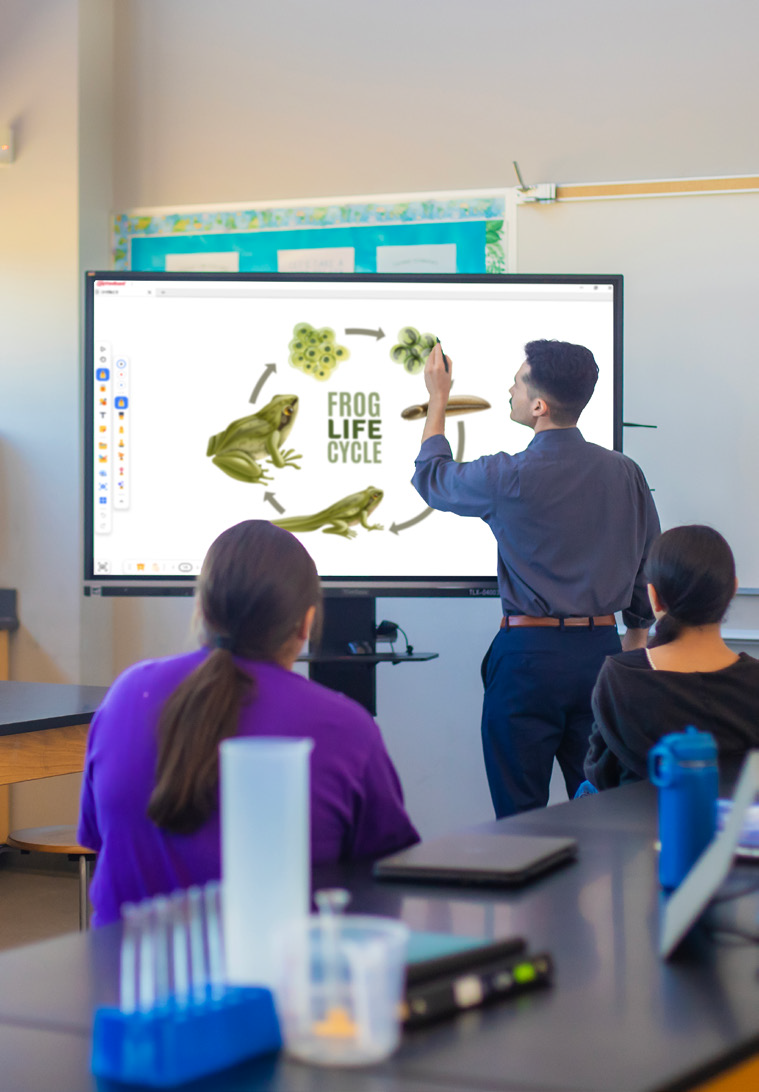
A leading K-12 school district in Pennsylvania wanted to modernize its displays across classrooms and shared spaces. The team needed hardware that could support hands-on learning while providing a reliable network for visual messages across every school.

Existing tech varied by building, was getting unreliable and cost too much to maintain.

That gave the district a chance to standardize on one platform and equip teachers with tools built for active student participation.

At the same time, administrators wanted to boost daily announcements and safety messages in common areas to keep students, staff and visitors connected without breaking the budget.

The district needed a scalable ecosystem that was easy to roll out, manage and support. That led to its partnership with ViewSonic.

What ViewSonic Solutions Did the District Deploy?

The district chose ViewSonic for its broad lineup and consistent user experience across every room. The district’s reseller handled procurement while an installation partner managed the physical deployment across multiple schools.

The district deployed:

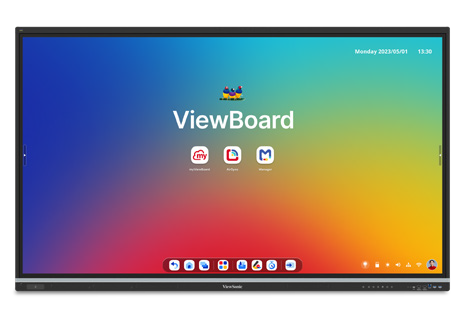
  • 489 ViewBoard® interactive displays for classrooms, including 19 IFP6551 (65”), 455 IFP7551 (75”) and 15 IFP8651 (86”) units.
  • 31 CDE commercial displays for common areas, including 5 CDE5531 (55”), 18 CDE6531 (65”) and 8 CDE7531 (75”) units.
  • 450 ViewSonic Manager® Advanced 7-year software licenses for central fleet management.
  • One day of onsite ViewSonic Professional Development training to prepare staff for a smooth rollout.

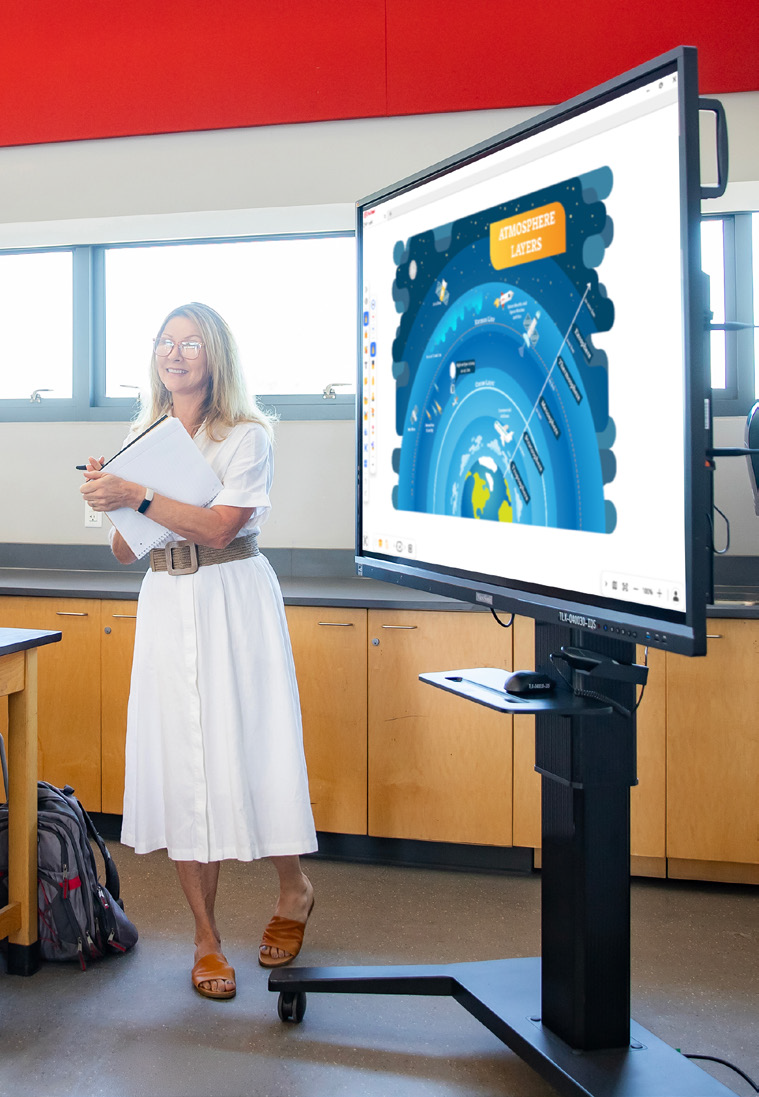
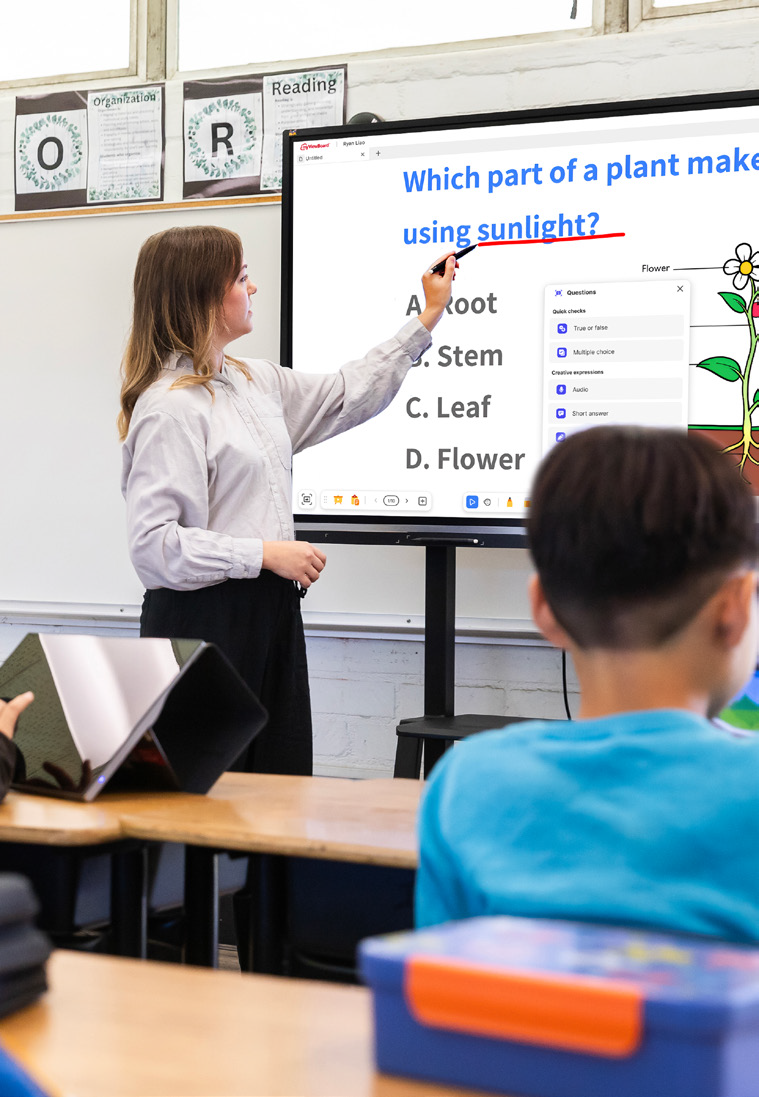
In classrooms, the ViewBoard IFP51 series of interactive displays gives teachers multi-touch recognition, digital annotation and easy content sharing. The IFP51 series of interactive displays is Android EDLA-certified with EPEAT Silver and ENERGY STAR 8.0 ratings, backed by a 3-year limited on-site warranty.

The district made the 75” IFP7551 its standard setup with 455 units, adding 65” and 86” models for specific room layouts.

In shared spaces, the CDE series of commercial displays handles digital signage, daily announcements and event notices in busy hallways. Each display in the CDE series runs 4K UHD visuals at 500-nit brightness and is rated for 24/7 continuous operation.

Because both interactive and commercial displays share one ecosystem, IT handles all hardware through the exact same workflow.

How Does the District Manage Displays Across Multiple Schools?

ViewSonic Manager Advanced software gives the IT department a single dashboard to run the entire fleet. From central offices, technicians can broadcast content instantly, push firmware updates without walking into classrooms and schedule screens to turn off when buildings are empty, cutting energy bills.

ViewSonic’s displays tie directly into emergency alert systems, so critical messages reach classrooms and hallways immediately. That turns everyday communication tools into a core part of district security.

What Results Has the District Seen?

Standardized 520 displays across multiple schools, putting 489 ViewBoard interactive displays in classrooms and 31 CDE commercial displays in common areas.

  • Improved classroom interaction with responsive touch tech that supports group learning.
  • Built a unified digital communication network using CDE commercial displays in high-traffic spots.
  • Simplified deployment, staff training and tech support by using one ecosystem everywhere.
  • Lowered operating expenses and boosted campus safety with remote management, automated power schedules and instant emergency alerts.

Teachers got intuitive tools for lesson delivery, while administrators secured a direct channel for campus announcements. Standardizing on one platform made planning, deployment and training easier for IT.

With ViewSonic Manager Advanced software bringing together safety alerts, energy savings and remote updates, the district now has a flexible tech base built for future growth.
SOLUTION
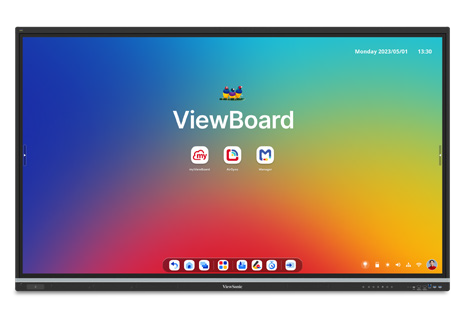
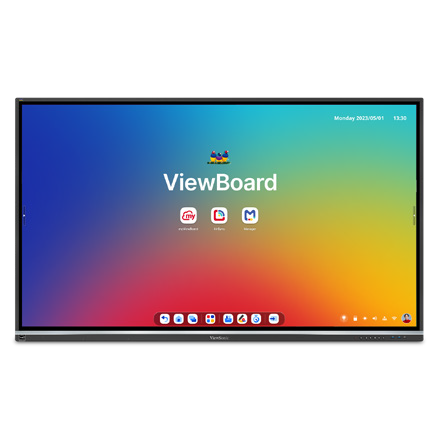
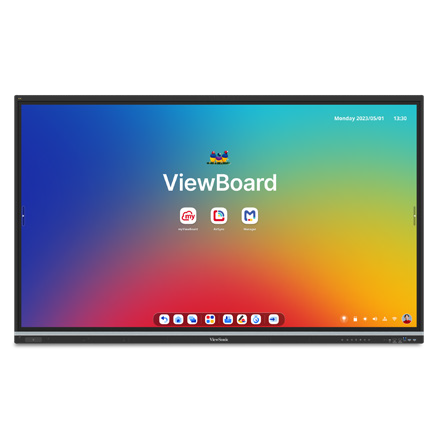
65” IFP6551 ViewBoard interactive display

75” IFP7551 ViewBoard interactive display

86” IFP8651 ViewBoard interactive display
55” CDE5531 commercial display

65” CDE6531 commercial display

75” CDE7531 commercial display

ViewSonic Manager software

Frequently Asked Questions


How Can a School District Standardize Displays for Both Classrooms and Campus Communications?

A single manufacturer ecosystem can cover both needs: interactive displays for teaching and commercial displays for digital signage, managed from one software platform. This district deployed ViewBoard interactive displays in classrooms and CDE commercial displays in common spaces, managing everything with Manager Advanced software.


What ViewBoard Sizes Work for K-12 Classrooms?

The ViewBoard IFP51 series of interactive displays comes in 65” (IFP6551), 75” (IFP7551) and 86” (IFP8651) sizes, all offering 4K resolution and Android EDLA certification. This district installed 489 ViewBoard interactive displays, standardizing on the 75” IFP7551 while using 65” and 86” models for specific room sizes.


Can School Displays Connect to Emergency Alert Systems?

Yes. Manager Advanced software, ViewBoard interactive displays and the CDE series of commercial displays integrate with emergency systems so urgent safety notices hit every screen instantly.


How Does Centralized Display Management Save a District Money?

ViewSonic Manager Advanced software lets IT admins automate power off schedules when schools are empty, push remote updates and broadcast messages across campus from one console. Automated power management cuts electric bills, while remote admin tools reduce support trips and staff hours.


Ready to Modernize Your District’s Displays?

Talk to a ViewSonic representative or an authorized partner about standardizing classrooms and campus communications on ViewBoard interactive displays, CDE commercial displays and ViewSonic Manager Advanced software.


Training outcomes and participant experiences may vary depending on individual needs, district requirements, and implementation. Performance, security, compliance, and sustainability outcomes may vary depending on system configuration, usage environment, and agency requirements.

How a South Carolina District Swapped Discontinued Displays for ViewSonic ViewBoard Interactive Displays

SOLUTION BRIEF

How a South Carolina District Swapped Discontinued Displays for ViewSonic ViewBoard Interactive Displays

line drawing of a circular mazeline drawing of a circular maze
  • A school district needed a replacement for its 500 interactive displays that had started failing.


“The myViewBoard® ecosystem changed how educators teach. Instead of being left idle, digital whiteboarding tools and the ability to import lesson plans meant that ViewSonic displays saw daily usage during lessons.”


CHALLENGE

This South Carolina district invested in roughly 500 interactive displays from a previous vendor in 2021 and 2022, expecting them to last five years under warranty. Instead, the hardware started failing rapidly in year three.

To make matters worse, the vendor exited the interactive display market entirely, leaving the technology director with no official path for repairs or replacements.

IT admins had to convince the school board to reinvest in a dependable district-wide replacement much sooner than planned.

The district turned to its integration partner, which recommended the ViewSonic® ViewBoard® IFP50 and IFP51 series of interactive displays as the most cost-effective and reliable answer.

The IFP50 and IFP51 series both feature a stunning 4K touchscreen and access to ViewSonic’s award-winning myViewBoard software. The IFP51 series goes a step further with Android™ EDLA certification, unlocking verified Play Store access and a wider range of Google Mobile Services-compatible apps for teachers to bring into the classroom.

Because the district was reinvesting early, the evaluation focused on two requirements: the new setup had to be budget-friendly, and it had to last.

Several neighboring districts were already using ViewSonic solutions through the same partner. After a trial run and on-site demos, the district decided to move forward with ViewSonic

What ViewSonic Solution Did the District Deploy?

The district’s integration partner had a strong track record of placing ViewSonic hardware across South Carolina, making it a natural choice to replace the failing displays.

Success stories from nearby schools helped reassure the board during the evaluation process.

The district deployed a complete hardware and software package:

  • 445 75” ViewBoard® IFP50 4K interactive displays, including 210 IFP7550 models and 235 IFP7551 models.
  • ViewSonic Manager Advanced™ software with a 7-year license, one per display.
  • A 7-year ViewSonic® extended limited warranty that protects the entire investment.

The rollout spanned two generations of ViewSonic’s ViewBoard interactive displays. The district began in 2025 with the IFP7550. When that model reached end-of-life the following year, the district moved to its successor, the IFP7551, for the remaining displays.

ViewSonic honored the original pricing on its newer models, so the district was able to finish its rollout without going over budget.

Why Did the District Choose ViewSonic Over the Incumbent Platform?

Price and reliability drove the decision, but the 7-year warranty sealed the deal. After watching its previous fleet break down early with zero manufacturer support, the district wanted a partner that would stand behind its hardware.

That warranty proved reliability as much as it offered peace of mind.

Software made a big difference too. Teachers found the old displays clunky, often using them as nothing more than glorified projectors. The myViewBoard® ecosystem changed how educators teach. Instead of being left idle, digital whiteboarding tools and the ability to import lesson plans meant that ViewSonic displays saw daily usage during lessons.

What Results Has the District Seen?

  • 445 ViewBoard displays were deployed to replace the failing incumbent fleet, starting with 210 IFP7550 units in June 2025 followed by 235 IFP7551 units.
  • The district secured a reliable, feature-rich platform backed by a 7-year limited warranty.
  • IT administrators gained fleet-wide remote control using Manager Advanced, solving the management gaps they had with previous displays.
  • Classroom adoption jumped as teachers stopped using screens as basic projectors and started using the myViewBoard whiteboard and Google Drive lesson imports daily.

ViewSonic proved more reliable, affordable and feature-rich than the platform it replaced. The district plans to keep using year-end funds to finish outfitting roughly 850 classrooms as budget permits.

SOLUTION

75” IFP7550 ViewBoard interactive displays

75” IFP7551 ViewBoard interactive displays (EDLA‑certified)

ViewSonic Manager advanced software

7-year ViewSonic extended warranty

Frequently Asked Questions


What Happens When an Interactive Display Vendor Discontinues Its Displays?

Districts can get stuck with failing hardware and no support path, which is exactly what happened here when the old fleet hit end-of-life early. Choosing a manufacturer committed to the interactive display market with long warranty terms protects your investment. This district made the switch with a full 7-year warranty.


What Software Comes with the IFP50 and IFP51 Series of ViewBoard Interactive Displays?

Both series include access to the myViewBoard ecosystem. This ecosystem includes myViewBoard whiteboard, ViewBoard Cast for wireless content sharing and single sign-on access to cloud storage like Google Drive and OneDrive. Teachers can import existing lesson plans directly, driving everyday classroom adoption.

The IFP51 series adds Android EDLA certification, giving IT teams verified access to the Google Play Store and a wider range of Google Mobile Servicescompatible apps.


How Do School Districts Manage a Large Fleet of Interactive Displays?

ViewSonic Manager Advanced provides a cloud console that lets IT teams check display health, push updates and manage apps across the district from one place. Licensing it one-to-one across all 445 screens closed a major management gap for this district.


How Long Is the Warranty on ViewSonic ViewBoard Interactive Displays?

The ViewBoard IFP50 and IFP51 series of interactive displays comes with an industry-leading 3-year standard on-site warranty covering parts, labor and backlight components. The district chose to extend coverage to 7 years on all 445 displays.


Ready to Replace an Aging or Discontinued IFP Fleet?

Talk to a ViewSonic representative or an authorized partner about a reliable, cost-effective ViewBoard refresh backed by long-term warranty protection and fleet management.


Training outcomes and participant experiences may vary depending on individual needs, district requirements, and implementation.

How a Large Texas District Started a Multi-Phase ViewBoard Interactive Display Rollout with Secure Sign-On

SOLUTION BRIEF

How a Large Texas District Started a Multi-Phase ViewBoard Interactive Display Rollout with Secure Sign-On

line drawing of a circular mazeline drawing of a circular maze
  • A large Texas district needed a secure, centrally managed display solution for its multi-classroom rollout.


“ViewSonic covered every requirement, and validating NFC authentication up front proved the solution met the district’s strict security standards.”


CHALLENGE

A large urban school district in Texas set out to modernize classroom technology across all its schools. The project started with 451 interactive displays in phase one, with plans to expand into thousands of additional classrooms later.

The district didn’t just need hardware. It required a complete solution that fit its Chrome and Google ecosystem, offered secure authentication for staff and students, provided mounting flexibility for different room layouts and enabled central fleet management.

Security was a top priority, especially around validating how badge authentication would work right at the display.

The timing for this project was also tight. Everything had to be sourced, shipped to multiple locations and delivered before a strict fiscal year-end deadline, requiring precise coordination with channel partners.

What ViewSonic Solution Did the District Deploy?

Working with CDW as its reseller partner, the district deployed a complete classroom technology package:

  • 451 ViewBoard® IFP8641 86” 4K Android EDLA interactive displays.
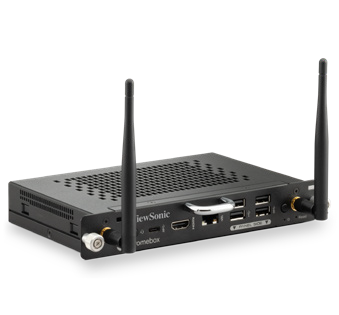
  • 451 VPC13-C33-G1 Chromebox OPS slot-in PCs built for Chrome OS and Google environments.
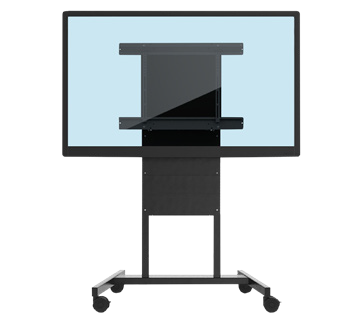
  • 481 VB-BLM-002 BalanceBox height-adjustable mounts, including extra units for existing displays.
  • 451 ViewSonic® Manager Advanced software 7-year licenses for central fleet management.
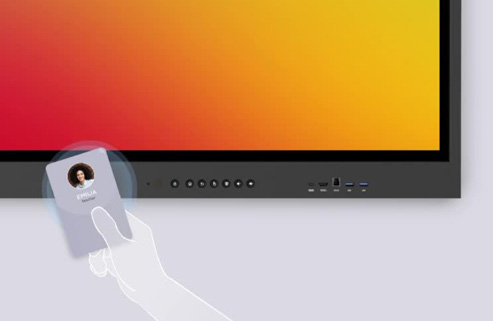
  • 451 NFC card readers for secure sign-on

The 86” ViewBoard IFP8641 anchored each room, VPC13-C33-G1 Chromebox OPS devices matched the district’s Google setup while NFC card readers gave teachers a fast, secure way to sign in at the display. VB-BLM-002 BalanceBox mounts allowed staff to set displays at the right height for every classroom.

The IFP8641 fit the district’s requirements on its own specs: an 86” 4K display with Android EDLA certification, built-in Google security, native access to Google and Microsoft ecosystems, EPEAT Silver and ENERGY STAR 8.0 ratings and a 3-year limited on-site warranty.

ViewSonic Manager Advanced software tied the whole setup together, giving IT central monitoring across every building. Before finalizing the deal, ViewSonic worked directly with the district to validate NFC functionality, resolving its primary security concern.

ViewSonic and its reseller partner coordinated a multi-location delivery plan to ensure all 451 displays and accessories arrived before the district’s fiscal yearend deadline.

Why Did the District Choose ViewSonic?

The district needed one manufacturer that could supply interactive displays, Chrome computing, secure authentication and central management as a complete package, delivered at scale on a tight deadline.

ViewSonic covered every requirement, and validating NFC authentication up front proved the solution met the district’s strict security standards.

ViewSonic’s reseller partner coordinated pricing, ordering and multi-location logistics, letting the district run a large, time-sensitive rollout through a single reseller relationship.

What Results Has the District Seen?

  • Deployed 451 interactive displays across the district on time to hit a strict fiscal year-end deadline.
  • Enabled secure sign-on at the display using NFC card readers, validated before purchase to meet security requirements.
  • Integrated Chrome OS computing into classrooms using Chromebox OPS devices.
  • Centralized fleet management through Manager Advanced software so IT supports every location from one platform.
  • Established a proven standard ready to expand across thousands of additional classrooms in future phases.

Phase one gave the district a secure, centrally managed display platform delivered on schedule. It also created a clear blueprint for the future: with the standard proven, the district and its partners can easily expand the same setup to thousands of other classrooms.

SOLUTION

86” IFP8641 ViewBoard interactive display

VPC13-C33-G1 Chromebox OPS slot-in PC

VB-BLM-002 BalanceBox mount

ViewSonic Manager Advanced software

ACR1552U-M1 NFC card reader

Frequently Asked Questions


How Does NFC Authentication Work on an Interactive Display?

NFC authentication lets users tap a card or badge on a reader at the display to sign in securely without typing passwords. This district added NFC card readers to its ViewBoard deployment so staff could sign on quickly and get started teaching faster.


Can Interactive Displays Run in a Chrome and Google Environment?

Yes. A Chromebox OPS device like the ViewSonic VPC13-C33-G1 turns a ViewBoard interactive display into a Chrome OS endpoint that fits into Google environments. This district paired all 451 IFP8641 displays with VPC13-C33-G1 devices so classrooms matched its existing setup.


How Does a District Manage Hundreds or Thousands of Interactive Displays?

Manager Advanced software is a cloud platform that lets IT teams check status, push updates and manage displays across every school from one dashboard. The district licensed Manager Advanced software for all 451 displays. This made the growing fleet easier to manage from one platform.


Can a District Roll Out Interactive Displays in Phases?

Yes. A phased rollout lets a district standardize on one platform, test it in real classrooms and expand with confidence. This district deployed 451 interactive displays in phase one and is ready to roll out the same setup across thousands of additional classrooms in upcoming phases.


Ready to Plan a District-Wide Display Rollout?

Talk to a ViewSonic representative or an authorized partner about standardizing interactive displays, Chrome computing, secure authentication and central management across your district.

Related Links

*The ACR1552U-M1 NFC card reader is third-party hardware (not a ViewSonic product), so it is named as deployed but not linked.

Performance, security, compliance, and sustainability outcomes may vary depending on system configuration, usage environment, and agency requirements. Training outcomes and participant experiences may vary depending on individual needs, district requirements, and implementation.

How Kentucky’s Largest College System Modernized Learning Spaces with ViewSonic

SOLUTION BRIEF

How a Pennsylvania School District Streamlined Campus Communications with ViewSonic

line drawing of a circular mazeline drawing of a circular maze
  • A 16-campus system needed a scalable display solution to replace decade-old classroom technology.


“By matching display technology to what each room actually needed, the integration partner and ViewSonic helped the school modernize its learning environments with a consistent, future-ready tech setup that balances performance, usability and overall value.”


CHALLENGE

Edtech funding is getting tighter, so higher education institutions have to carefully evaluate which solutions deliver the best value.

Across this 16-campus system serving 70,000+ students, many classrooms relied on technology that was over a decade old. Modernizing these spaces wasn’t optional if the institution wanted to support student recruitment, retention and engagement in a competitive landscape.

The institution needed a partner with a broad portfolio spanning interactive touch displays, commercial displays, Direct View LED video walls, monitors and projectors.

That way, it could match the right technology to each environment rather than force one solution everywhere.

As the system renovated and expanded its classrooms and event spaces, ViewSonic became a preferred partner for its reliable hardware and collaboration tools.

What ViewSonic Solution Did the Institution Deploy?

The institution’s integration partner worked with ViewSonic to build a standardized, scalable display strategy matched to each learning environment

  • 169 ViewBoard® interactive displays went into traditional instructional classrooms, giving faculty an intuitive platform for annotation, wireless content sharing and interactive lessons.
  • 6 ViewSonic® commercial displays were installed in lecture halls, auditoriums and assembly spaces to provide commercial-grade performance, integrate with third-party AV control platforms and run reliably in high-use environments.
  • 2 ViewSonic Direct View LED (dvLED) video walls were placed in spaces for maximum visual impact, delivering seamless, high-brightness images for large audiences.
  • 100 ViewSonic LCD monitors, 18 projectors and 5 ePoster displays were placed in across offices, labs, podiums and campus common spaces.
  • ViewSonic Manager Advanced software provided centralized, multi-campus device management.

By matching display technology to what each room actually needed, the integration partner and ViewSonic helped the school modernize its learning environments with a consistent, future-ready tech setup that balances performance, usability and overall value.

How Does the Institution Manage Displays Across 16 Campuses?

To get the most out of its investment, the institution uses ViewSonic Manager Advanced software to monitor and manage compatible devices across all campuses from one central dashboard. IT admins don’t have to travel to individual classrooms to deploy firmware updates, configure device settings, troubleshoot issues or schedule power on and off times.

Centralized management cuts operational costs, reduces classroom downtime and can extend device lifespan through proactive maintenance. This type of device management can also improve energy efficiency by making sure displays aren’t running when they’re not needed.

What Results Has the Institution Seen?

  • The institution replaced decade-old classroom tech with a standardized visual platform of 370 ViewSonic devices across 16 campuses, including 169 interactive displays, 76 commercial displays, 100 monitors, 18 projectors, 5 ePosters and 2 Direct View LED displays.
  • It lowered its total cost of ownership through centralized management, proactive maintenance and scheduled power controls.
  • IT staff can now support more classrooms across multiple campuses with fewer on-site resources.

SOLUTION

ViewSonic ViewBoard interactive displays

ViewSonic commercial displays

ViewSonic Direct View LED (dvLED) displays

ViewSonic LCD monitors

ViewSonic ePoster displays

ViewSonic Manager Advanced software

Frequently Asked Questions


How Should a University Match Display Types to Different Learning Spaces?

A proven approach uses interactive displays in instructional classrooms where faculty annotate and share content on the fly, commercial displays in lecture halls and auditoriums that need AV control integration, and Direct View LED video walls in large gathering spaces where brightness and scale matter most.

Kentucky’s largest public higher education system standardized on this strategy across 16 campuses with 370 devices, including 169 interactive displays, 76 commercial displays and 100 monitors.


How Do IT Teams Manage Displays Across a Multi-Campus Institution?

ViewSonic Manager Advanced lets IT admins remotely deploy firmware updates, configure settings, troubleshoot issues and schedule power on and off times from one console. That means fewer campus visits, less classroom downtime and displays that aren’t powered when they aren’t being used.


Do Interactive Displays Work for Career and Technical Programs, Not Just Lecture Classrooms?

Yes. This institution’s deployment spans nursing simulation labs, welding programs and traditional classrooms. Matching display types to each space’s function, rather than forcing a one-size-fits-all model, is what makes a multi-campus standard work.


How Do Display Choices Affect Total Cost of Ownership in Higher Education?

Total cost goes beyond the upfront price tag. Centralized management reduces on-site support trips, proactive maintenance extends device lifespan and scheduled power controls cut energy use.

This system paired standardized ViewSonic displays with Manager Advanced software to lower its total cost of ownership while supporting more classrooms with fewer resources.


Ready to Build a Campus-Wide Display Strategy?

Talk to a ViewSonic representative or an authorized partner about matching display technology to every learning space on your campus.


Drywall alone is not a structural mounting surface and must never be used as the sole means of support. Proper wall suitability, reinforcement, and the use of appropriate commercial-grade mounting hardware are the sole responsibility of the customer, installer, or system integrator. ViewSonic shall not be liable for any equipment damage, property damage, or personal injury, including death, caused as a result of incorrect installation, operation, human factors, or failure to comply with local codes. Training outcomes and participant experiences may vary depending on individual needs, district requirements, and implementation.

ViewSonic Makes Distance Learning Easy with Free myViewBoard Software and Tools for Teachers During the Coronavirus Outbreak

myViewBoard™ Ecosystem provides teachers with a complete suite of tools for intuitive content creation and delivery of interactive e-learning programs

• ViewSonic Professional Development (PD) team provides teachers with on-demand, online support on topics including the basics of distance learning, interactive tools, curriculum development and execution


• ViewSonic myViewBoard Clips, powered by Boclips, provides teachers with access to more than two million licensed, curated, and ad-free educational videos for interactive and engaging online lessons


• ViewSonic myViewBoard™ software available free to K-12 schools, colleges and universities during the coronavirus pandemic, as educators prepare for extended school shutdowns and expanded e-learning programs


Toronto, ON (May 20, 2020) – ViewSonic Corporation, a leading global provider of visual solutions, has announced expanded distance learning tools and resources being made available to educators during the coronavirus pandemic. As parents, students and teachers prepare for extended school shutdowns, ViewSonic is working with educators to make e-learning even more accessible, interactive and engaging.

“Remote and distance learning lessons are definitely different than inside the confines of a classroom,” said Blake Everhart, Solution Training Manager at ViewSonic Americas. “As a former teacher, I understand there’s sometimes a gap between learning the scope and sequence of the technology side that can match up with the lessons you want to teach. The ability to create and complete lessons, and how to filter through the many resources that are out there makes it tough to focus. That’s why my team and I at ViewSonic are making ourselves available to help out, and make things less overwhelming.”

One-on-One Online Support with ViewSonic Professional Development (PD) Team

ViewSonic PD teams are offering one-on-one online support for teachers on topics including curriculum development, hardware and software tools for distance learning, video creation and video conferencing for interactive lessons. The program is designed to accelerate e-learning through ideation, communication and online student engagement.

myViewBoard Clips Powered by Boclips

With the myViewBoard Clips video-assisted learning platform, educators can access more than two million licensed, ad-free educational videos that reside on a secure platform. The content has been educationally curated, free of inappropriate content to ensure students’ safety, and fit for common core standards. Specific to age level and subject matter, every video has been selected from a library of more than 150 media partners, including: TED, PBS NewsHour and Bloomberg Media, as well as teachers’ favorites such as Crash Course, Minute Earth and LearnZillion. myViewBoard Clips seamlessly integrates with myViewBoard software to allow for annotation, lecture capture, distance learning and more.

• No copyright infringement or firewall restrictions


• 30-day complimentary trial for new users


• Compatible with Windows and Android O/S


myViewBoard Distance Learning Software free to educators during coronavirus outbreak

myViewBoard software enables teachers to conduct distance learning through an open and agnostic platform, facilitating students and their learning outcomes. Easy to use, the software was designed to enable real-time collaboration through video audio conferencing, huddles and digital whiteboarding, supporting a variety of pedagogies with an emphasis on virtual classroom. Through its inclusive features, myViewBoard helps create a virtual learning environment that is engaging, interactive, and effective.

• Broadcast lessons via YouTube or Facebook with myViewBoard live stream


• Live Teacher-student interactions and video sharing


• Collaborative learning features including shared whiteboarding and instant huddle groups


• Instant saving and screen sharing for delivery of lesson slides, live annotations and cloud capture/distribution


For more information and to access ViewSonic distance learning software and resources, visit https://www.viewsonic.com/us/distance-learning


About ViewSonic

Founded in California, ViewSonic is a leading global provider of visual solutions with a presence in over 100 countries around the world. As an innovator and visionary, ViewSonic is committed to providing comprehensive hardware and software solutions that include monitors, projectors, digital signage, ViewBoard® interactive displays, and myViewBoard™ software ecosystem. With more than 30 years of expertise in visual displays, ViewSonic has established a strong position for delivering innovative and reliable solutions for education, enterprise, consumer, and professional markets and helping customers “See the Difference.” To find out more about ViewSonic, visit www.viewsonic.com.


# # #


 Note to News Editors:

Senior spokespersons from ViewSonic Canada and the myViewBoard education team are available for media interviews on request.

ViewSonic Professional Development Team Offers One-on-One Online Support and Advice for Teachers about Distance Learning

The Team Can Assist on Topics Including: Basics of Distance Learning, Tools to Use, and Curriculum Development and Execution

Brea, CA (April 13, 2020) – ViewSonic Corp., a leading global provider of visual solutions, announced that it has made its Professional Development (PD) team available to assist teachers with distance learning advice and support. As part of the ViewSonic distance learning initiative during the COVID-19 outbreak, the PD team will offer one-on-one online support for teachers with any learning initiatives they may have, including topics such as: distance learning as a whole, tools for distance learning, curriculum development, as well as video creation or conferencing for lessons.


Teachers and students now face an entirely new way of teaching and learning. New tools are required, both on the hardware and software side, and are necessary to share ideas, communicate, and ensure student learning.

Some teachers may have concerns with distance learning as a concept, even without the “learning” part of it. A lot of what happens in the classroom during the instructional piece is being able to individualize the learning process or break it down so that every student is able to understand it. Going digital doesn’t necessarily allow for that direct integration.

The ViewSonic Professional Development team offers some general guidance:

• Adapt to the new normal: It’s important to set out goals and objectives that can be accomplished. It takes time for both the teacher and student to get comfortable with the new environment and pattern of learning.

• Class time replication: Weekly assignments, and projects are all ways to assess learning.  Think about the amount of time for instruction, classwork and discussions that occur in your traditional class period.  It’s important to not assign busy work that goes beyond that amount of time.

• Teach outside the box: Remote and distance learning is about learning and integrating new ways to educate. Get feedback from parents and students and make the most of the resources that are available online, and in a lot of cases, free.

“Remote and distance learning lessons are definitely different than inside the confines of a classroom,” said Blake Everhart, Solution Training Manager at ViewSonic Americas. “As a former teacher, I understand there’s sometimes a gap between learning the scope and sequence of the technology side that can match up with the lessons you want to teach. The ability to create and complete lessons, and how to filter through the many resources that are out there makes it tough to focus. That’s why my team and I at ViewSonic are making ourselves available to help out, and make things less overwhelming.”

For further news and information about ViewSonic, visit ViewSonic.com and follow on LinkedIn  Facebook, YouTube and Twitter.


About ViewSonic

Founded in California, ViewSonic is a leading global provider of visual solution products and conducts business in more than 100 countries worldwide. As an innovator and visionary, ViewSonic is committed to providing comprehensive hardware and software solutions that include: monitors, projectors, digital signage, ViewBoard® interactive displays, and the myViewBoard™ software ecosystem. With more than 30 years of expertise in visual displays, ViewSonic has established a strong position for delivering innovative and reliable solutions for education, enterprise, consumer and professional markets, and helping customers “See the Difference.” To find out more about ViewSonic, please visit www.viewsonic.com.

#  #  #


*This news release contains forward-looking statements that reflect the Company’s expectations with regard to future events. Actual events could differ significantly from those anticipated in this document. Trademark footnote: ViewSonic and the ViewSonic trademarks are trademarks or registered trademarks of ViewSonic Corporation in the United States and/or other countries. All other corporate names and trademarks stated herein are the property of their respective companies.

ViewSonic Launches myViewBoard Clips Video-Assisted Learning Platform

myViewBoard Clips, Powered by Boclips, Delivers Access to more than Two Million Licensed, Curated, and Ad-Free Educational Videos; Educators can Create Interactive and Engaging Lessons

BREA, CA (April 9, 2020) – ViewSonic Corp., a leading global provider of display solutions, announced the availability of myViewBoard Clips, powered by Boclips as part of the myViewBoard ecosystem. The myViewBoard ecosystem delivers a complete suite of tools that make content creation easy and intuitive for educators. Now with the myViewBoard Clips video-assisted learning platform, educators can access more than two million licensed educational videos. The myViewBoard Clips content is educationally curated, ad-free and fit for common core standards.


The videos are carefully curated and specific to age level and subject matter. Every video is selected from a library of more than 150 media partners, including: TED, PBS NewsHour and Bloomberg Media, as well as teachers’ favorites such as Crash Course, Minute Earth and LearnZillion. myViewBoard Clips integrates with myViewBoard software to allow for annotation, lecture capture, distance learning and more.


myViewBoard clips

• More than two (2) million videos from 150+ media partners

• No copyright infringement or firewall restrictions

• Ad-free, curated subjects for grades K-12

• 30-day complimentary trial for new users

• Compatible with myViewBoard for Windows and myViewBoard for Android O/S

• Available now, $1,000 yearly subscription with 20 concurrent streams


“ViewSonic® myViewBoard Clips is on our secure platform and free of inappropriate content to ensure students’ safety and also give teachers peace of mind,” said Sean Liu, software business line manager at ViewSonic Americas. “myViewBoard Clips provides educators the freedom to create interactive and engaging lesson plans with a variety of content directly related to their curriculums. These videos are directly managed and integrated within the myViewBoard ecosystem, so educators can benefit from video-assisted teaching while using myViewBoard products.”

For further news and information about ViewSonic, visit ViewSonic.com and follow on Facebook, YouTube and Twitter.


About ViewSonic

Founded in California, ViewSonic is a leading global provider of visual solutions and conducts business in over 100 countries worldwide. As an innovator and visionary, ViewSonic is committed to providing comprehensive hardware and software solutions that include monitors, projectors, digital signage, ViewBoard® interactive displays, and myViewBoard™ software ecosystem. With more than 30 years of expertise in visual displays, ViewSonic has established a strong position for delivering innovative and reliable solutions for education, enterprise, consumer, and professional markets and helping customers “See the Difference.” To find out more about ViewSonic, please visit www.viewsonic.com.


#  #  #


This news release contains forward-looking statements that reflect the Company’s expectations with regard to future events. Actual events could differ significantly from those anticipated in this document. Trademark footnote: ViewSonic and the ViewSonic trademarks are trademarks or registered trademarks of ViewSonic Corporation in the United States and/or other countries. All other corporate names and trademarks stated herein are the property of their respective companies.


ViewSonic to Offer eSignature Solutions Powered by Namirial Software

Combined Hardware and Software Offerings for Digital Transaction Management

BREA, CA (March 10, 2020) – ViewSonic Corp., a leading global provider of visual solutions, today announced to partner with Namirial S.p.A., a leading global provider of digital transaction management solutions, to provide an eSignature solution for onboarding and agreement automation for customers in the US and Canada. This solution, ViewSonic Electronic Signature & Agreement Solutions (ViewSonic E-SAS), combines hardware and software, as well as substantial consultation on the digitization of business processes.


“We have seen an enormous demand in finance, healthcare and other industries looking to migrate core business processes from paper to digital in all of their channels. The physical aspect has proven to be the most challenging,” said Kevin Chu, Director, Strategic Partnerships at ViewSonic. “Through the collaboration with Namirial, we can address this demand in delivering compelling omnichannel signature experiences with 100% on-premise deployment. The ViewSonic E-SAS solution helps companies to accelerate their onboarding and contracting processes, reduce signature acquisition cost, improve conversion rate, and significantly enhance customer satisfaction.”

Luigi Tomasini, Board Member and Internationalization Manager of Namirial, stated, “ViewSonic became one of our strategic partners in recent years and together we are serving many customers globally. ViewSonic is one of the leading providers of pen input technology and hence a natural fit as one of the key providers of signature capture hardware for Namirial and our customers and partners. We are excited about this new chapter in our collaboration, as well as our growth in the American market together.”

ViewSonic E-SAS delivers technologies tailored for specific requirements in banking, insurance, telecommunications, healthcare and other industries. ViewSonic E-SAS offerings are enhanced via the Namirial software suite that is used worldwide to deliver digital trust services for compliance and efficiency in any instance requiring legal, non-reputable, proofs of intent and the seamless integration of digital processes into existing system environments.

In addition, the tight coupling of Namirial software and ViewSonic hardware captures behavioral biometrics of handwritten signatures that are verifiably unique to an individual to enhance security and reliability of electronic signatures. Biometric elements are seamlessly captured within the handwritten signature, and include time, speed, geometry and pressure. Compared to traditional analog analysis of ink signatures on paper, these biometric data elements can be more precisely verified by forensic handwriting experts and software verification tools.


Full Support for all Signing Scenarios in Omnichannel

ViewSonic and Namirial are cooperating to support all omnichannel scenarios with the broadest range of software and hardware technologies for electronic signature creation, catering to any use case, signing scenario and corresponding legal regulations. Combining both companies’ industry-leading technologies allows businesses to manage any instances between in-person signing, and remote online engagement on virtually any device.

Mike Dana, head of the ViewSonic E-SAS team, commented. “We are excited about the range of technologies in our portfolio and our ability to be ‘flexible by design’ in our solutions approach. Signing on ViewSonic signature pads and pen/touch displays using Namirial software perfectly emulates the “wet ink” signing experience with actual pen and paper.  Namirial software solutions allows this natural signing experience to extend beyond ViewSonic hardware and onto virtually any device for the handwritten signing experience.”

For further news and information about ViewSonic, visit ViewSonic.com and follow on LinkedIn  Facebook, YouTube and Twitter.

About ViewSonic

Founded in California, ViewSonic is a leading global provider of visual solutions with a presence in more than 100 cities around the world. As an innovator and visionary, ViewSonic is committed to providing comprehensive hardware and software solutions that include monitors, projectors, digital signage, ViewBoard® interactive displays, and myViewBoard™ software ecosystem. With more than 30 years of expertise in visual displays, ViewSonic has established a strong position for delivering innovative and reliable solutions for education, enterprise, consumer, and professional markets and helping customers “See the Difference.” To find out more about ViewSonic, please visit www.viewsonic.com.

About Namirial 

Namirial is a multinational provider of information technology, empowering trusted digital transformation worldwide in both private sector and public administration. Namirial core business is the provision of solutions for trusted digital transaction management. These solutions are aggregated in a unique platform including applications for identifying and authenticating users, workflows for orchestrating signatures, providing certificates for generating electronic signatures and seals, procedures for long-term archiving and electronic invoices, as well as electronic delivery services. Together with its international network of over 120 partners, Namirial is serving over one million customers. The company was founded in 2000 at its current headquarters in Senigallia, Italy. Namirial currently is operating from 21 locations in six countries, employing 440 people. Access namirial.com for additional information

#  #  #


This news release contains forward-looking statements that reflect the Company’s expectations with regard to future events. Actual events could differ significantly from those anticipated in this document. Trademark footnote: ViewSonic and the ViewSonic trademarks are trademarks or registered trademarks of ViewSonic Corporation in the United States and/or other countries. All other corporate names and trademarks stated herein are the property of their respective companies.

ViewSonic Introduces Device Management Solution and Display Products for Collaborative Environments at TCEA 2020

Powered by 42Gears, the ViewSonic Device Management Solution Helps Schools Manage Interactive Displays

AUSTIN, TX, Booth #2343 (Feb. 4, 2020)  – ViewSonic Corp., a leader in interactive display technologies, introduces its Device Management solution, as well as its line of display products at the TCEA Convention and Expo, February 4-6, 2020 in Austin, TX. The ViewSonic Device Management solution, powered by 42Gears®, allows schools to easily manage their interactive displays. From ViewBoard® interactive displays and myViewBoard™ collaborative software to the ELITE line of competitive gaming monitors, ViewSonic solutions transform classrooms into immersive learning environments.


ViewSonic offers all-in-one bundles of the Device Management solution to deliver classroom collaboration with easy cloud management, and includes a ViewBoard display with a 42Gears subscription license. This solution allows IT teams to deploy a variety of displays across multiple classrooms. Features include: group configuration where multiple displays can be organized by room or site; instant messaging to broadcast alerts; user interface customization and a curated app store for internally approved apps, among others. Displays can be remotely managed and configured to a school’s specifications, optimize functionality and secure network information, making the management of classroom displays seamless and simple.

ViewSonic Display Solutions at TCEA 2020 include:

• ViewBoard® Interactive Flat Panel Displays


• myViewBoard Interactive Annotation Software


• 42Gears Device Management Software


• Gaming Monitors for esports


• ColorPro® VP3481 and the IFP2410 ViewBoard Mini that transforms podiums and lecterns into collaborative hubs for front-facing teaching


“ViewSonic developed the Device Management solution bundles to ensure schools’ and districts’ IT teams can effortlessly deploy their interactive displays and still be able to manage them in a simplified way,” said Blake Everhart, Training Manager at ViewSonic Americas. “We wanted to show a variety of solutions that can make classroom and campus transformation a straightforward process. As technologies change, ViewSonic wants to make sure that schools, teachers and students aren’t left behind.”

For more news and information about ViewSonic, visit us at ViewSonic.com and follow us on Facebook, YouTube and Twitter.

About ViewSonic

Founded in California, ViewSonic is a leading global provider of visual solutions with a presence in over 100 cities around the world. As an innovator and visionary, ViewSonic is committed to providing comprehensive hardware and software solutions that include monitors, projectors, digital signage, ViewBoard® interactive displays, and myViewBoard™ software ecosystem. With more than 30 years of expertise in visual displays, ViewSonic has established a strong position for delivering innovative and reliable solutions for education, enterprise, consumer, and professional markets and helping customers “See the Difference.” To find out more about ViewSonic, please visit www.viewsonic.com.

# # #


*This news release contains forward-looking statements that reflect the Company’s expectations with regard to future events. Actual events could differ significantly from those anticipated in this document. Trademark footnote: ViewSonic and the ViewSonic trademarks are trademarks or registered trademarks of ViewSonic Corporation in the United States and/or other countries. All other corporate names and trademarks stated herein are the property of their respective companies.

ViewSonic Becomes a Microsoft Education Partner with myViewBoard for Windows

London, UK (January 22, 2020) – ViewSonic Corp., a leading provider of visual solutions, today announces that it becomes a Microsoft Education partner. As a result, ViewSonic’s myViewBoard whiteboard software will be further integrated with the Microsoft Education ecosystem to offer educators a seamless digital teaching experience, and myViewBoard for Windows 10 is currently available as a Desktop application. The Windows Store version is in development and will be available later this year. The integration will also see closer cooperation with Microsoft to promote and advance digital learning.


“We are delighted to be partnering with Microsoft Education to help realize the true potential of EdTech for educators and students alike,” said Craig Scott, CTO of ViewSonic and president of ViewSonic EME/ANZ. “myViewBoard for Windows creates an individualized whiteboard experience that is cloud storage integrated, highly secured and multifunctional. It is truly a one-stop solution for enhancing how educators prepare, present, and interact with students.”

”ViewSonic shares Microsoft’s passion for empowering educators and students with EdTech,” said Dan Ayoub, General Manager, Microsoft Education Experiences at Microsoft. “As a Microsoft Education partner, ViewSonic customers will now be able to access the power of Microsoft Education tools and technologies on myViewBoard seamlessly to enable better learning outcomes.”

For schools committed to the Microsoft ecosystem, ViewSonic offers myViewBoard for Windows. The solution is an easy-to-use and incredibly secure software solution designed specifically for interactive displays, including ViewSonic’s ViewBoard interactive displays. myViewBoard for Windows lets users write, highlight, edit, and transform documents and images on-screen in real-time – leveraging interactive displays to create more engaging lessons and lectures.

To improve overall learning experiences, myViewBoard for Windows has specific integration with Microsoft Education tools. For example, users can use Immersive Reader, a learning tool that provides a full-screen reading experience to increase readability of text to assist in teaching. In addition, myViewBoard for Windows is fully integrated with Bing Image Search, Text to Speech, Microsoft Office 365, OneDrive, and Skype for Business.

myViewBoard for Windows will be showcased at the upcoming BETT Show 2020. For more information, come to ViewSonic booth #SK30, see us on the Apps for Learning area of Microsoft booth #NF40, or visit https://www.viewsonic.com/uk/bett2020/.


About ViewSonic

Founded in California, ViewSonic is a leading global provider of visual solutions with a presence in over 100 cities around the world. As an innovator and visionary, ViewSonic is committed to providing comprehensive hardware and software solutions that include monitors, projectors, digital signage, ViewBoard interactive displays, and myViewBoard software ecosystem. With over 30 years of expertise in visual displays, ViewSonic has established a strong position for delivering innovative and reliable solutions for education, enterprise, consumer, and professional markets and helping customers “See the Difference”. To find out more about ViewSonic, please visit www.viewsonic.com.

ViewSonic Becomes a Google for Education Partner

ViewSonic joins the Google for Education ecosystem with myViewBoard™ Classroom

[Philadelphia, PA (June 24, 2019)] – ViewSonic Corp., a leading global provider of visual solutions, announces that it has become a Google for Education Partner. The ViewSonic myViewBoard™ Classroom platform has become Google for Education certified, signalling the company’s official participation in the Google for Education ecosystem and further commitment to the education market.


“We are thrilled to be recognized by Google for Education for our efforts in the education segment. This partnership further validates our alignment toward developing complete solutions that deliver concrete benefits in the classroom,” said Bonny Cheng, President of Global Product Group at ViewSonic. “Looking ahead, we will continue developing innovative and effective solutions for educators and students alike, and help foster a world where technology in the classroom is the norm, but more importantly, is accessible to as many people as possible.”

With its Google for Education Partner status, myViewBoard Classroom joins an educational ecosystem that consists of certified educators, tools, and technologies. Going forward, ViewSonic remains committed to developing meaningful solutions that can help educators and schools better inspire young minds, impart knowledge, and teach practical skills for the digital working environment.


myViewBoard Classroom – A One-Stop Platform for Educators 

myViewBoard Classroom is a dynamic platform that offers educators easy access to their tools, assignments, courses, and documents in one place, with the added bonus of having an open, agnostic, and secure digital whiteboard at their fingertips. Having everything in one place is of tremendous value to educators as it lessens their need to access multiple platforms for teaching and assessment. myViewBoard Classroom is a one-stop shop for preparing, presenting, participating, and performance reviews.

ViewSonic is utilizing its core competencies toward offering education solutions that integrate interactive display (ViewBoard®), with digital whiteboarding software solutions (myViewBoard & myViewBoard Classroom). This pioneering system operates on an open-agnostic philosophy and fully supports Google Classroom and G Suite for Education.

ViewSonic myViewBoard and myViewBoard Classroom will be on showcased at ISTE Philadelphia (June 24-26, booth #2844). For more information, please visit https://www.viewsonic.com/education, https://myviewboard.com.

For further news and information about ViewSonic, visit ViewSonic.com and follow on Facebook, YouTube and Twitter.


About ViewSonic

Founded in California, USA in 1987, and with over 46 offices around the world, ViewSonic has been a leading global provider of visual solutions for over 30 years. As an innovator and visionary, ViewSonic has continuously helped people “see the difference” with a portfolio of products including monitors, commercial displays, ViewBoard interactive flat panels, touch displays, and projectors. Combined with class leading software and services including the innovative hybrid-cloud myViewBoard ecosystem for digital whiteboards, ViewSonic transforms the learning experience for everyone, everywhere.


###


This news release contains forward-looking statements that reflect the Company’s expectations with regard to future events. Actual events could differ significantly from those anticipated in this document. Trademark footnote: ViewSonic and the ViewSonic trademarks are trademarks or registered trademarks of ViewSonic Corporation in the United States and/or other countries. All other corporate names and trademarks stated herein are the property of their respective companies.

ViewSonic Announces Enhanced Hardware and Software Features to the ViewBoard® IFP50 Series of 4K UHD Interactive Flat Panel Displays

The Award-Winning ViewBoard IFP50 Series Offers Upgrades Including Enhanced Touch, Integrated Speakers and Faster Processor

[Philadelphia, PA (June 24, 2019)] – ViewSonic Corp., a leading global provider of visual solution products, announces upgrades to the hardware and software features of its award-winning ViewBoard IFP50 series of interactive flat panel displays. From an ultra-slim bezel design and enhanced touch screen, to built-in 2.1 stereo speakers with subwoofer and SmartPort USB™, the physical upgrades to the ViewBoard IFP50 series provides outstanding experiences for enhanced classroom learning and next-gen boardroom collaboration. The new embedded Android™ 7 operating system, improved myViewBoard™ whiteboard software and improved casting ensures that IFP50 displays deliver incredible next-level collaboration.


The ViewSonic® ViewBoard IFP50 series now includes an enhanced 20-point touch-enabled panel, which provides not only differentiated tip sizes of IR-based pens, but also simultaneously offers two color writing, in addition to allowing multiple users to write or draw on the display’s surface. The new touch screen also features reduced latency of 4ms for a smooth writing experience.

These interactive flat panel displays provide powerful computing for annotation and multimedia playback without the need for a PC. The IFP50 ViewBoard displays come with a built-in ARM quad-core processor and an Android™ 7.0 operating system, making it 2.3x faster than previous iterations. This offers better application performance, more efficient memory usage and optimized hardware integration, with 2GB memory and 16GB storage. With the improved processor power, IFP50 displays can handle multiple cast streams, allowing up to nine screens, with the vCastSender™ utility. And, users have the option to utilize native Chromecast from any Chrome-enabled devices.

“We wanted to make sure these ViewBoard interactive flat panels are packed with the latest features and technologies that allow users to continue to collaborate and share content in ways that work best for them, whether it’s directly on the display or between devices,” said Andy Chien, product marketing manager at ViewSonic. “The IFP50 series continues to deliver incredible picture quality, and now are even faster with their computing and enhanced responsive touch capabilities. We also made sure to add specific upgrades that matter to end-users, such as the ability to input asset tags to each display for inventory control management.”

The ViewBoard IFP50 series of interactive displays are “out–of-the-box” collaboration ready. It allows users to write, highlight, edit and transform documents and images on the screen in real time. myViewBoard digital whiteboarding software also features Single Sign-On that allows users to easily and securely log-in to multiple cloud drives, multiple meetings, etc., with a single sign on; QR Code Sharing which enables users to share content via unique QR codes on the ViewBoard display; as well as entity management and built-in on-canvas browsing.

The ViewSonic IFP50 series offers a variety of sizes from 55- to 86-inch interactive displays that have native 4K UHD (3840x2160) resolution and come with multiple connectivity options including: HDMI, Composite, VGA, YPbPr, SPDIF audio-out, USB 2.0 and 3.0, RJ45, RS232 in/out, optional slot-in PC and Audio in/out, to connect to a wide variety of computing and multimedia devices. New ports include a SmartPort USB™: a series of front-facing USB ports that follow current input channels; and a dedicated camera port so users can connect a camera to use between a slot-in PC or Android system, with no need to plug/unplug when switching operating systems.

The new ViewBoard IFP50 series of interactive flat panel displays have begun to ship now, starting with the IFP5550, IFP6550, IFP7550 and IFP8650. The IFP9850 will be available in Q3 2019.

At ISTE 2019, ViewSonic also announces its new Teacher Certification Program. ViewSonic® myViewBoard™ software gives teachers a powerful tool for creating engaging lesson plans with videos, instant assessment, screen capture and sharing, and much more. The ViewSonic Teacher Certification program allows teachers to earn badges and continuing education credit, and rewards teachers for their knowledge and training. For more information, visit ViewSonic.com/us/learn.

For further news and information about ViewSonic, visit ViewSonic.com and follow on Facebook, YouTube and Twitter.


About ViewSonic

Founded in California in 1987, ViewSonic is a leading global provider of display solutions. As an innovator and visionary, ViewSonic keeps the world connected with a portfolio of professional level visual solutions that enhance the way we compute, collaborate, communicate and connect. Our products include LED monitors, interactive commercial displays, touch displays, projectors, thin client, zero client and smart displays. To find out more about ViewSonic, visit viewsonic.com.


###


This news release contains forward-looking statements that reflect the Company’s expectations with regard to future events. Actual events could differ significantly from those anticipated in this document. Trademark footnote: ViewSonic and the ViewSonic trademarks are trademarks or registered trademarks of ViewSonic Corporation in the United States and/or other countries. All other corporate names and trademarks stated herein are the property of their respective companies.

ViewSonic Showcases Display Technologies for Collaboration and Immersive Learning Environments at FETC 2019

ViewSonic Demonstrates Classroom Collaboration Tools, Tournament-level Esports Setup, and Projection Solutions to Encourage Connectivity and Interactivity

ORLANDO, FETC, Booth #2031 (Jan. 28, 2019) – ViewSonic Corp., a leader in interactive display technologies, will highlight a wide range of display solutions for next-generation teaching and learning at the FETC Conference, January 27-30, 2018 in Orlando, FL. ViewSonic solutions transform classrooms into immersive learning environments. From ViewBoard® interactive displays and myViewBoard™ collaborative software to flexible projection solutions, ViewSonic’s award-winning education solutions allow teachers and students to connect and collaborate.


ViewSonic display solutions at FETC include:

• ViewBoard® Interactive Flat Panel Displays
◦
Award-winning 65-, and 75-inch ViewBoard interactive displays with responsive multi-touch interactivity for powerful out-of-the box classroom collaboration.

• MyViewBoard Interactive Annotation Software
◦
Digital whiteboard in the cloud allows teachers to connect with students like never before with easy casting, sharing, and annotation. ViewBoard allows teachers to plan lessons, seamlessly import multimedia files, easily save to the cloud and connect with students in exciting new ways.

• NMP660 Chromebox
◦
Chromebox with built-in Chrome OS and Google Play store; combined with a ViewSonic interactive display, it can transform a classroom into a distance learning hub.

• Gaming Monitors for Esports
◦
ViewSonic ELITE gaming monitor products are specifically designed with a sleek and minimalistic aesthetic, while boasting practical gamer-centric designs and integrated RGB lighting customization.

◦ ViewSonic ELITE monitors deliver high-performance features engineered especially for professional level gaming in competitive esports programs.

“ViewSonic education solutions drive engagement that energize and motivate students and make teaching, and learning, more fun,” said Sarah Kearns, commercial marketing director at ViewSonic Americas. “Whether your school or campus is Google, Apple or Microsoft based, our products work with existing technologies and seamlessly integrate into virtually any environment. From interactive learning and esports programs to wayfinding and digital signage all around a campus, ViewSonic offers all the future-proof display solutions that meet your school’s changing needs.”


At FETC 2019, ViewSonic introduces its new Professional Development Training Program. Conducted by ViewSonic Authorized Trainers, these hands-on, in-depth programs help teachers master and maximize the ViewBoard display and myViewBoard software – making teaching easier, and learning more exciting and engaging for students.


SKU DESCRIPTIONS MSRP
PD-IFP-001 Four, 1-hour webinars deliver customized virtual training for ViewBoard key features and workflows $899
PD-IFP-002 A 6-hour on-site training provides hands-on lessons for successful ViewBoard integration $3,499
PD-IFP-003 Comprehensive 2-day, on-site trainings provide hands-on lessons for successful ViewBoard integration $6,999

Continuing to collaborate with top education experts to offer special training, the ViewSonic FETC booth will feature teacher and author of “Ditch that Textbook” Matt Miller who will share insights and best practices in regards to integrating technology into the classroom. Follow @ViewSonicEDU_US to stay up-to-date with the latest training schedule at FETC.

Beyond providing professional development support for educators, ViewSonic has a ViewSchoolSM education program. ViewSchool provides educators the technology, tools, and training to bring the latest learning advantages to their classrooms, schools, or districts. ViewSchool provides exclusive educational product discounts, promotions, and other valuable offers designed specifically for K-12 and higher education. ViewSchool also includes video tutorials from EdTech and industry leaders, as well as white papers, and case studies that help teachers better utilize their ViewBoard interactive flat panel displays and software.

For more news and information about ViewSonic, visit us at ViewSonic.com and follow us on Facebook, YouTube and Twitter.


About ViewSonic

As leaders in interactive display technology, ViewSonic transforms classrooms into immersive learning environments. Our education solutions drive engagement, energize and motivate students, and make teaching more fun. From ViewBoard interactive displays and myViewBoard collaborative software, to projector solutions for aging whiteboards, our award-winning solutions help you connect and collaborate. Whether yours is a Google, Apple, or Microsoft campus, our products work well with existing technology and seamlessly integrate into nearly any environment.

For more information about ViewSonic’s ViewSchool Program, visit viewsonic.com/viewschool/.


#  #  #


This news release contains forward-looking statements that reflect the Company’s expectations with regard to future events. Actual events could differ significantly from those anticipated in this document. Trademark footnote: All corporate names and trademarks are the property of their respective companies.

ViewSonic and NoviSign Digital Signage Announce Partnership to Deliver New Stunning Display and Software Solutions to Transform Education and Restaurant Spaces

High-functioning and reliable ultra HD 4K ViewSonic® hardware paired with NoviSign’s proven digital signage software provides the building blocks for deploying effective and engaging digital signage solutions

Brea, CA (Aug. 3, 2018) – ViewSonic Corp and NoviSign Digital Signage today announced a strategic partnership to rapidly enhance their industry-leading commercial display and digital signage software technologies. Available today, this collaboration now gives professionals a new set of tools to expedite the content design, management, and deployment of digital signage. From digital kiosks to large format ultra 4K displays and pro-grade media players, NoviSign’s industry-leading all-in-one digital signage software suite runs natively on ViewSonic’s full line up.


“Combining ViewSonic’s best-in-class Android, Windows, and Chrome OS hardware with NoviSign’s powerful digital signage software is a natural and effective fit for users that are looking for powerful yet easy to use signage solutions”, said Chad Bogan, Director of Sales and Marketing at NoviSign. “NoviSign’s design editor gives users the ability to create media-rich layouts featuring an unlimited variety of widgets and apps, supports touch screen, remotely update, run analytics reports and monitor all displays and players.”

Solutions for Education Digital Signage

Whether it’s the daily special in the cafeteria, large format school displays, a directory in your entrance areas or a library kiosk, ViewSonic and NoviSign have a solution for you. Make rich content that contains company messages, media slideshows, HD videos, internal communications and more. Create a template from scratch that features multiple zones of media and messages or customize a corporate communications digital signage template.

  • Improve Visitor Experiences: Create a memorable visit by adding a personable greeting

  • Enhance Employee Engagement: Spotlight employees of the month, goals and more

  • Share Targeted Messages: Display daily and weekly meeting times and schedules

  • Company Events: Highlight upcoming special events and fundraising activities

  • HR Bulletins: New insurance bulletins, procedures, messages from upper management


Solutions for Restaurants

 From touch-screen ordering kiosks to vivid digital menu boards, you can now take your restaurant to the next level with technology.  Simply purchase SW-095 (12-month license) or SW-096 (36-month license) per device and you’re ready to go! Once installed you can begin sending your digital menu to the screen! Easily and quickly create beautiful digital menu boards, edit your prices, add images, item descriptions, scrolling text, slideshows, videos. All changes wirelessly update the menu within minutes!

  • Sell More Food: Cross sell and upsell new add-on side items and desserts

  • Improve Efficiency: Remotely manage all of your menu pricing and items

  • Better Advertise:  spotlight new item, promote specials, and sales

  • Stay current with FDA menu requirements


 NoviSign Online Studio is now available:

  • 1-year Software License (SW-095) is $329 MSRP per device

  • 3-year Software License (SW-096) is $999 MSRP per device


About ViewSonic

Founded in California in 1987, ViewSonic is a leading global provider of visual solution products. As an innovator and visionary, ViewSonic keeps the world connected with a portfolio of professional level visual solutions that enhance the way we compute, collaborate, communicate and connect. Our products include LED monitors, interactive commercial displays, touch displays, projectors, a thin client, zero client and smart displays. To find out more about ViewSonic, visit viewsonic.com.

About NoviSign

NoviSign has over 20,000 screens deployed across 5 continents that are all powered by NoviSign. Notifiable clients include Disney, Ikea, Dole, Philip Morris, NASA, Nokia, Ferrari, Papa John’s Pizza and more!

Using NoviSign’s comprehensive web-based digital signage software online studio, you can create beautiful digital signage. With over 25+ drag and drop widgets to choose from you can quickly design and manage engaging content that features live social media streams, data-driven polls, fun interactive games and media-rich zones that feature videos, RSS feeds, HD images, scrolling text, weather and more! To learn more about NoviSign, visit www.NoviSign.com

ViewSonic Introduces New ViewBoard® UHD 4K Interactive Flat Panel Displays for Enterprise-Level Collaboration

Delivering Powerful Collaboration Features, the IFP60 Series Together with ViewSonic myViewBoard Whiteboarding Software Offers Effortless Collaborative and Enhanced Security

LAS VEGAS (June 6, 2018) InfoComm 2018, Booth C2355 – ViewSonic Corp., a leading global provider of visual solution products, adds two new models to the ViewBoard® family of interactive flat panels. The ViewSonic® IFP60 Series includes the IFP6560 (65-inch) and IFP7560 (75-inch) interactive flat panels with UHD 4K (3840x2160) resolution. Combined with exclusive software from ViewSonic, the myViewBoard whiteboarding software, the IFP60 series of displays deliver a powerful enterprise solution for small to large business collaborating environments.


The ViewBoard IFP6560 and IFP7560 interactive flat panels are “out-of-the-box” ready, as they come pre-installed with ViewSonic vBoard™ collaboration software, as well as a ViewBoard Cast™ functions. For even more powerful collaboration tools and features, users can easily download the myViewBoard digital whiteboarding software by ViewSonic. myViewBoard offers advanced annotation tools and enterprise-level security with AES256 encryption for complete security of data and files with single sign-on and sign-off, while cloud-based portability allows users to store and retrieve files with one-touch retrieval.

ViewBoard Cast ensures that content can be shared from any mobile device to the IFP60 series of interactive flat panels while Zoom supports video conferencing and distance learning in various locations, whether it is local and around the world. vController software provides a simple and intuitive interface for remote management.

The ViewSonic ViewBoard IFP60 series is built with a 20-point touch-enabled panel for a flexible shared experience. The InGlass touchscreen technology delivers an ultra-smooth, natural hand-writing experience, letting users collaborate at the screen with different pen and color strokes. The IFP60 interactive flat panels can be upgraded with Intel Unite, which allows the IFP6560 and IFP7560 to wirelessly and securely showcase media from a variety of devices. With a built-in ARM quad core processor, 16GB of storage and an Android™ 5.01 operating system, these interactive flat panel displays provide powerful computing for annotation and multimedia playback without the need for a PC.

“The ViewBoard IFP60 series delivers an incredible level of collaborative capabilities, as well as enterprise-level security, for a variety of applications in corporate and educational environments,” said Andy Chien, product marketing manager at ViewSonic Americas. “The 65- and 75-inch interactive displays are packed with features, security and software functions that allow users to collaborate and share content. These displays deliver incredible picture quality, with their native 4K UHD resolution, as well as powerful computing and responsive touch capabilities for a complete multimedia experience.”

The ViewBoard IFP6560 and IFP7560 feature a brightness level of 350 nits, a 4000:1 contrast ratio and 8ms response time, which ensures sharper, brighter and vivid image quality. With dual, front-facing speakers, the IFP60 interactive displays provide clear sound quality.

Multiple connectivity options include HDMI, VGA, RS232, RJ45 and USB ports. The optional Intel Unite certified slot-in PC offers additional computing power for more intensive applications, when needed. Powered by Intel vPro technology, the Intel Unite solution delivers a secure unified communications platform. An integrated FIPS-201 certified Windows Hello fingerprint reader allows a single, convenient and secure sign-in onto the ViewBoard interactive flat panels.


Model MSRP Availability
IFP6560 $4,999.00 July 2018
IFP7560 $7,999.00 July 2018


For further news and information about ViewSonic, visit ViewSonic.com, the press room, and follow on Facebook, YouTube and Twitter.

 About ViewSonic

Founded in California in 1987, ViewSonic is a leading global provider of visual solution products. As an innovator and visionary, ViewSonic keeps the world connected with a portfolio of professional level visual solutions that enhance the way we compute, collaborate, communicate and connect. Our products include LED monitors, interactive commercial displays, touch displays, projectors, thin client, zero client and smart displays. To find out more about ViewSonic, visit viewsonic.com.


###


This news release contains forward-looking statements that reflect the Company’s expectations with regard to future events. Actual events could differ significantly from those anticipated in this document. Trademark footnote: ViewSonic and the ViewSonic trademarks are trademarks or registered trademarks of ViewSonic Corporation in the United States and/or other countries. All other corporate names and trademarks stated herein are the property of their respective companies.