Education
Business
Consumer

Enterprise

dvLED Install Gotcha #4: Do You Actually Have the Right Tools?

BUYER'S GUIDE

dvLED Install Gotcha #4: Do You Actually Have the Right Tools?

You can’t improvise your way through a Direct View LED (dvLED) installation.

Missing the right tool on the day doesn’t mean a quick run to the hardware store. It means a stalled install, a frustrated client and a job that costs more than it should have.

Here’s the fix. It all happens before you show up, not on install day.

What tools does a dvLED install actually require?

The equipment list goes beyond what most general AV installs demand. A few items are non-negotiable.

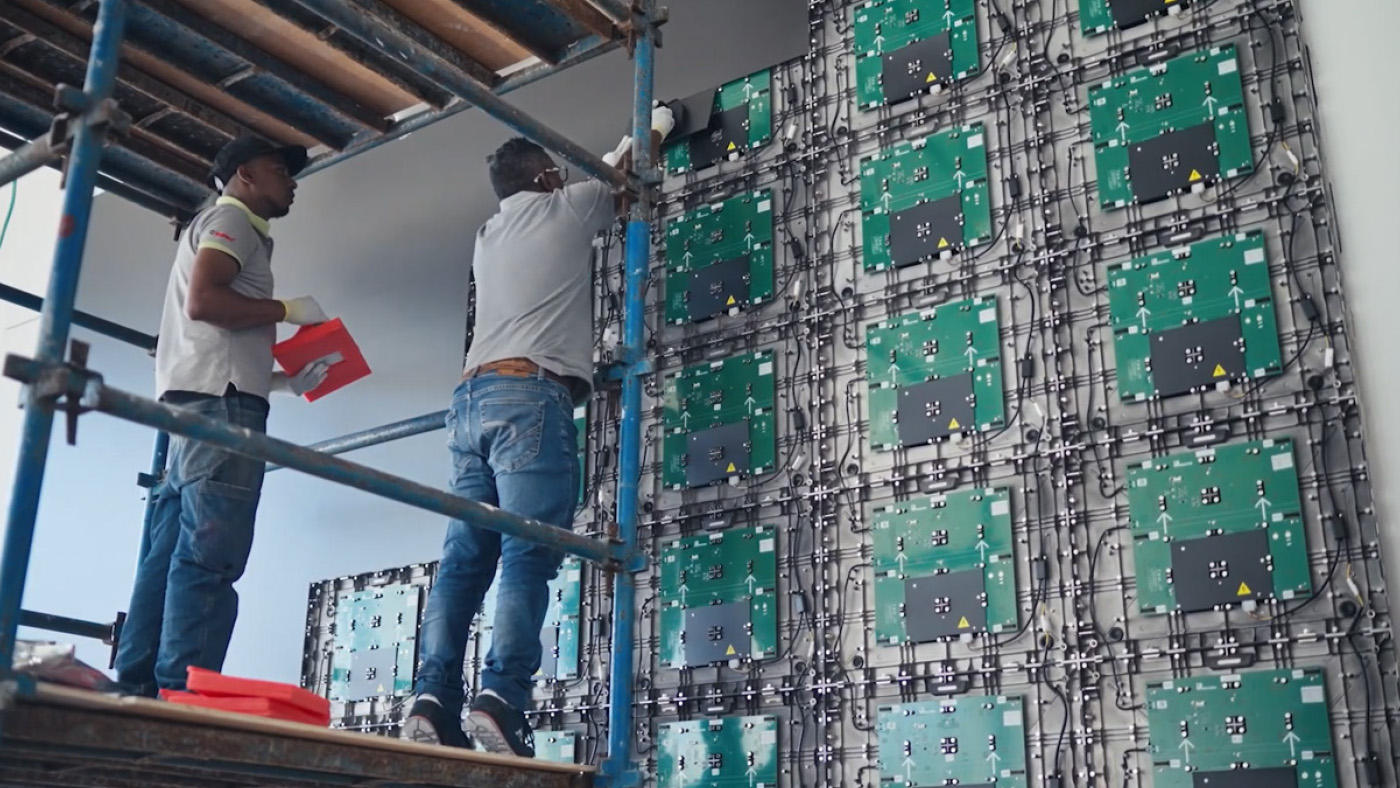
A panel lift or scissor lift is often needed when a ladder is not safe due to the height. Trying to install with just a ladder when it is too high can lead to lost time and risks damage.

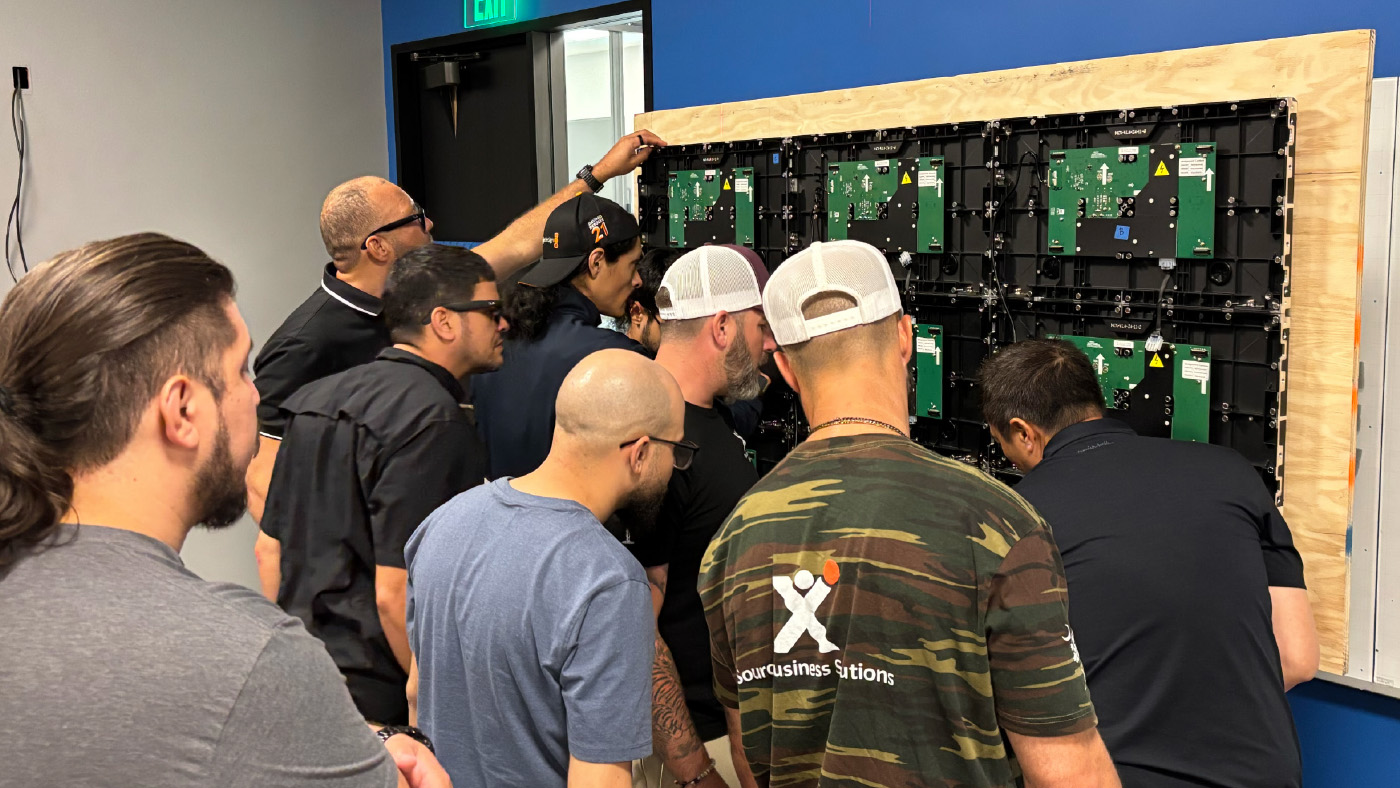
Manufacturer-specific tools matter more than people expect. Many systems have unique mounting and alignment requirements, and generic substitutes often don’t fit or don’t work.

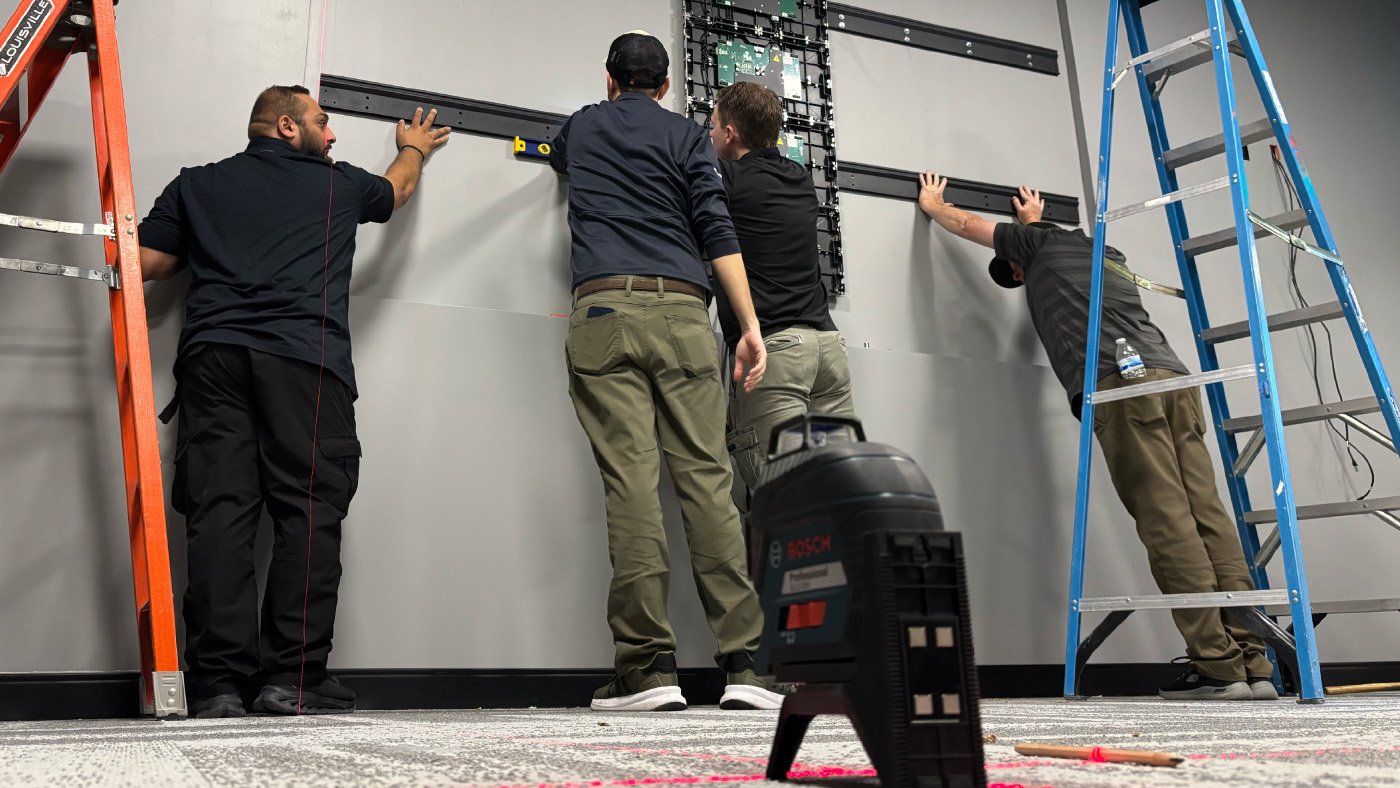
A laser level is essential, but there’s a difference between owning one and using it correctly. Make sure the right person is running it, and match the tool to the job. A small beam meant for a 6-inch level isn’t the right choice for a large-format wall.

What’s the one tool most crews forget?

The ones you can’t grab at a hardware store on the way to the job. That’s the pattern behind almost every tool-related delay.

Some gear has to be rented and reserved ahead of time. A panel lift or scissor lift is the obvious one. Show up without it and there’s no quick fix, and a rental you forgot to book is a day you don’t get back.

Then there are the manufacturer-specific tools that ship with the system itself. Spare tiles, tile removal tools and other items packed in the box are easy to leave behind. Check the packaging before you leave and bring what came with the display.

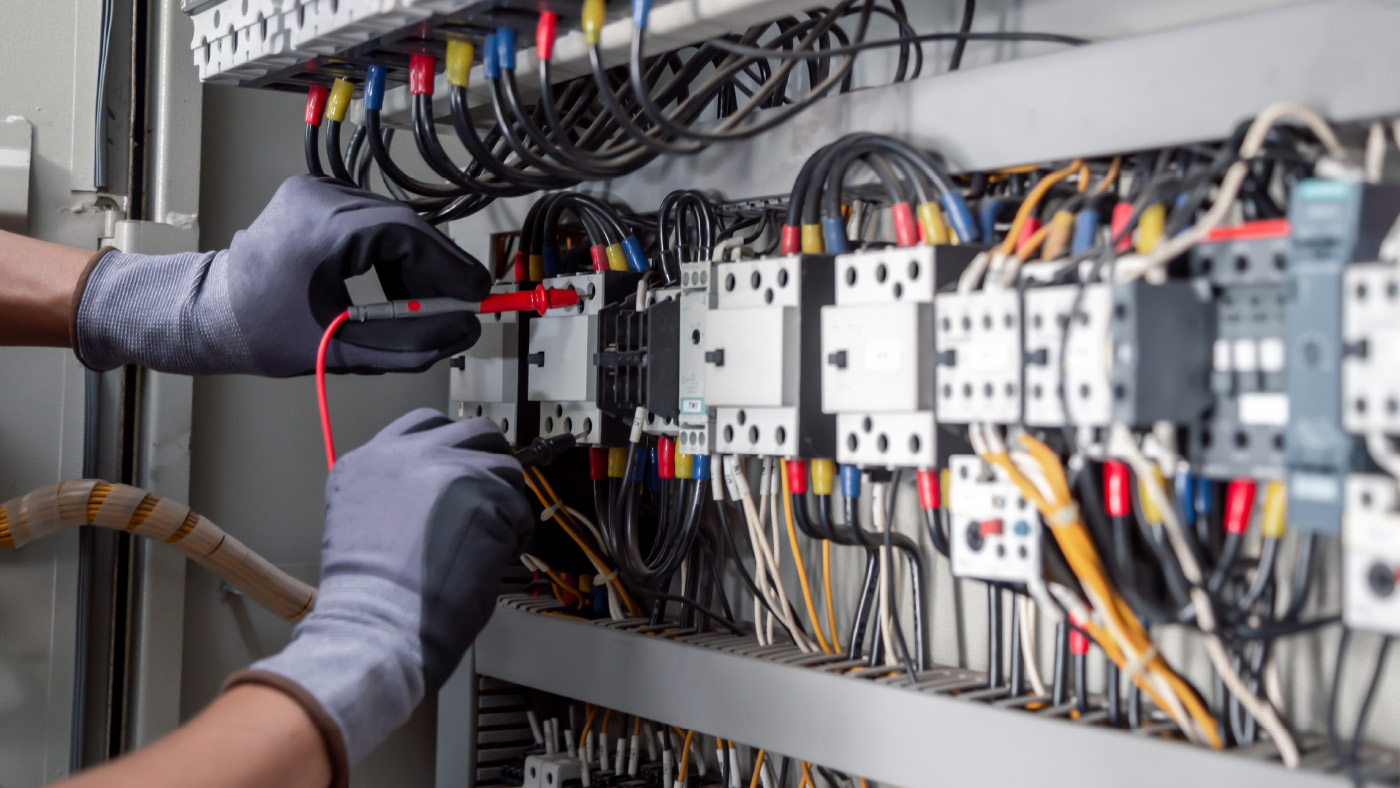
Finally, use ESD protection on every job. Static damage to LED modules is invisible at install time and shows up later as dead pixels or early failures. Pack spare ESD gloves too, in case a set isn’t included.

This is one place an all-in-one system quietly helps. Every ViewSonic All-in-One dvLED ships with calibrated spare tiles, ESD glove protection and suction tools included, so the gear you’re most likely to forget is already in the box.

How do you build a standard dvLED install kit?

Plenty of installation teams try to run off memory alone. Professionals run from a documented, standardized install kit checklist that assigns responsibility for each item before every job.

That checklist should be a non-negotiable part of your pre-install process, reviewed and signed off by the project lead before anyone leaves for the site. Fewer surprises on-site means fewer delays, and delays are what eat your margin.

Preparation is what makes an install fast. Not rushing.
Frequently Asked Questions

What tools do you need to install a dvLED wall?

At minimum, a panel or scissor lift for anything above eye level, the manufacturer’s specific mounting tools, a properly sized laser level, ESD protection and spare modules on-site. Build these into a documented kit checklist for every job.

Why is ESD protection important for dvLED?

Static discharge can damage LED modules in ways you can’t see at install time. The damage surfaces later as dead pixels or early failures. ESD protection is inexpensive to use and prevents costly callbacks, which is why it should never be skipped.

Do you need spare dvLED tiles on-site?

Yes. Construction environments are tough on hardware, and a dropped tile can crack or damage a module that needs to be swapped on the spot. Without spares on hand, that one damaged tile can stall the whole install while you wait on a replacement to ship. ViewSonic dvLED includes 5% calibrated spare tiles with every unit, so a color-matched replacement is ready and the project stays on schedule.

Show up to every install prepared

Want the complete framework for dvLED installation readiness?

The ViewSonic® dvLED Certification Program is a hands-on, two-day course led by ViewSonic Solutions engineers. Graduates earn CTS and CTS-I renewal units. It covers pre-install checklists, structural planning and real-world field techniques. Reserve your spot today.
Direct View LED (dvLED) Installation Disclaimer: This installation gotcha blog series is provided for informational and convenience purposes only and should not be treated as a comprehensive architectural or engineering blueprint. Actual installation performance, structural suitability, and product outcomes may vary depending on system configuration, network conditions, usage environment, wall construction, agency or local code requirements and other factors. Drywall alone is not a structural mounting surface and must never be used as the sole means of support for a dvLED system. Proper wall flatness verification, load-bearing reinforcement, dedicated circuit power routing, and the use of commercial-grade hardware are the sole responsibility of the customer, installer, or system integrator. ViewSonic does not design, inspect, or certify wall structures or independent installation methods. Installers must consult a licensed contractor, structural engineer, or qualified AV professional prior to execution. ViewSonic assumes no liability for any errors, equipment damage, property damage, or personal injury, including death, caused as a result of incorrect field installation, human factors, or failure to comply with local codes and safety instructions. [26DIG-ENT1494e4]

dvLED Install Gotcha #3: “I Have an Outlet, I’m Good, Right?”

BUYER'S GUIDE

dvLED Install Gotcha #3: “I Have an Outlet, I’m Good, Right?”

You have power. You have an outlet on the wall. But that’s just half the story.

Power is the most underestimated part of a Direct View LED (dvLED) installation. Get it wrong and you might not see the problem on install day at all. Your client sees it later, as system instability, early component failures and service calls that never should have happened.

Why isn’t a standard outlet enough for a dvLED wall?

A typical wall outlet wasn’t designed for the demands of a large dvLED install, and the issues stack up fast.

Shared circuits cause voltage drops when other devices pull power on the same line. Flush-mounted outlets tucked behind panels leave no clearance for connectors, which makes the system almost impossible to service without pulling tiles. Cables routed without attention to bend radius cause alignment issues from day one. And power components crammed into tight spaces with no airflow run hot, and hot components fail early.

Here’s the pattern. Some of these problems show up on install day. Others don’t show up for months.

What does proper dvLED power planning look like?

Start with dedicated circuits. This keeps one fault from taking down the whole display. Larger walls often need more than one circuit to cover the full load.

Plan for service access. Recessed electrical boxes create the clearance connectors need, and 90-degree connectors manage cable bend radius without routing cables in ways that damage them over time. If a technician can’t reach the power without pulling the wall apart, the plan isn’t finished.

Design for heat. Airflow and thermal management belong in the conversation before installation begins, not as an afterthought once equipment is already in the wall.

What’s the simple test for a good power plan?

Ask one question before every install. Is there sufficient power for maximum load that is accessible without interference? If the answer is no, the power plan needs another pass.

Power is never an afterthought on a professional installation. It’s infrastructure. Plan it like infrastructure, or plan on callbacks.

Frequently Asked Questions

Can you plug a dvLED wall into a standard outlet on a shared circuit?

Not safely for a large install. A standard outlet and shared circuit can cause amperage overloads and trip the circuit breaker, leading to lost power and unnecessary downtime. Most dvLED walls need dedicated circuits per section, planned service access and proper heat management designed in before installation.

Why do some dvLED power problems show up right away and others months later?

Some problems show up on day one. If a cable bend radius is too tight, you will see alignment issues the moment the wall goes up. Others take longer. Shared circuits can trip later when other equipment is added, and trapped heat wears components down gradually. So the install looks fine on day one, then instability and early failures appear months later as service calls.

Build power systems that actually last

Ready to take the guesswork out of your dvLED power design?

The ViewSonic® dvLED Certification Program is a hands-on, two-day course led by ViewSonic Solutions engineers. Graduates earn CTS and CTS-I renewal units. It covers pre-install checklists, structural planning and real-world field techniques. Reserve your spot today.
Direct View LED (dvLED) Installation Disclaimer: This installation gotcha blog series is provided for informational and convenience purposes only and should not be treated as a comprehensive architectural or engineering blueprint. Actual installation performance, structural suitability, and product outcomes may vary depending on system configuration, network conditions, usage environment, wall construction, agency or local code requirements and other factors. Drywall alone is not a structural mounting surface and must never be used as the sole means of support for a dvLED system. Proper wall flatness verification, load-bearing reinforcement, dedicated circuit power routing, and the use of commercial-grade hardware are the sole responsibility of the customer, installer, or system integrator. ViewSonic does not design, inspect, or certify wall structures or independent installation methods. Installers must consult a licensed contractor, structural engineer, or qualified AV professional prior to execution. ViewSonic assumes no liability for any errors, equipment damage, property damage, or personal injury, including death, caused as a result of incorrect field installation, human factors, or failure to comply with local codes and safety instructions. [26DIG-ENT1494e3]

dvLED Install Gotcha #2: Can Your Wall Actually Support the Weight?

BUYER'S GUIDE

dvLED Install Gotcha #2: Can Your Wall Actually Support the Weight?

A Direct View LED (dvLED) display isn’t just a screen. It’s a system.

Panels, mounting structure, cabling and power components all go on your wall, and all of it adds up.

The question isn’t whether your wall can hold the display during the install. It’s whether it’s built to carry the full load, day after day, for years. This is the gotcha that doesn’t just slow an install down. It stops it completely.

What does a dvLED system actually weigh?

That depends on the size and configuration, but the weight adds up faster than most people expect. A large Direct View LED wall, once you count panels, mounting structure and cabling, can reach several hundred pounds spread across the surface. Standard drywall anchored into wood studs was never rated for that kind of distributed load, especially with years of vibration and thermal cycling working against it.

Before anything goes up, confirm four things: the total system weight (panels plus mounting plus cabling), the stud spacing, the mounting surface type and whether structural backing is required to carry the load safely.

What do you do when the wall isn’t ready?

For most commercial installs, the answer is adding structural backing before the mount goes up. Common solutions include Unistrut channel systems, steel stud framing and plywood backing across the mounting area. The right choice depends on the wall construction, the total load and the mounting system you’re using.

For larger or custom walls, bring in a structural engineer early. A quick review at the planning stage costs far less than finding a load problem mid-install, or worse, after the display is already live and a client is watching.

What’s the one rule that prevents most structural problems?

Add a structural verification step to every pre-install checklist. Confirm the mounting surface. Confirm the load rating. Get written sign-off before your crew arrives. If a structural review is needed, schedule it weeks out, not as a last-minute check the morning of.

The fastest way to slow an install to a stop is to find a structural problem on day one. The fix is almost always cheaper and faster when you catch it on paper.

Frequently Asked Questions

How much does a dvLED video wall weigh?

It varies by size and configuration, but a large dvLED wall including panels, mounting and cabling can reach several hundred pounds distributed across the surface. Always confirm the total system weight before choosing a mounting method or approving the wall.

Can you mount a dvLED wall on drywall?

You can, but only if the drywall surface is flat within tolerance and the structure behind it can carry the load. Install on the studs behind the drywall and use plywood backing if you need a continuous mounting surface. Many walls need shims or a substructure to hit the flatness spec. Always verify with a laser level before install day.

When should you involve a structural engineer?

Bring in a structural engineer early for large or custom dvLED walls, or any time the load or wall construction is uncertain. A short planning-stage review costs far less than discovering a load problem during or after installation.

Build structural planning into every job

Ready to streamline your site prep and deliver seamless installations from day one?

The ViewSonic® dvLED Certification Program is a hands-on, two-day course led by ViewSonic Solutions engineers. Graduates earn CTS and CTS-I renewal units. It covers pre-install checklists, structural planning and real-world field techniques. Reserve your spot today.
Direct View LED (dvLED) Installation Disclaimer: This installation gotcha blog series is provided for informational and convenience purposes only and should not be treated as a comprehensive architectural or engineering blueprint. Actual installation performance, structural suitability, and product outcomes may vary depending on system configuration, network conditions, usage environment, wall construction, agency or local code requirements and other factors. Drywall alone is not a structural mounting surface and must never be used as the sole means of support for a dvLED system. Proper wall flatness verification, load-bearing reinforcement, dedicated circuit power routing, and the use of commercial-grade hardware are the sole responsibility of the customer, installer, or system integrator. ViewSonic does not design, inspect, or certify wall structures or independent installation methods. Installers must consult a licensed contractor, structural engineer, or qualified AV professional prior to execution. ViewSonic assumes no liability for any errors, equipment damage, property damage, or personal injury, including death, caused as a result of incorrect field installation, human factors, or failure to comply with local codes and safety instructions. [26DIG-ENT1494e2]

dvLED Install Gotcha #1: What Happens When Your Wall Isn’t Flat?

BUYER'S GUIDE

dvLED Install Gotcha #1: What Happens When Your Wall Isn’t Flat?

Most Direct View LED (dvLED) installs don’t fail because of the technology. They fail because of the wall behind it.

Wall flatness is the first thing a dvLED install team should verify, and it’s the last thing many crews actually check before they show up on-site. Get it wrong and a one-day install turns into a two- or three-day rework job. The panels are fine. The wall was never ready.

This is the first in our series on the five most common dvLED install gotchas, and it’s the one that catches even experienced teams off guard.

What’s the acceptable flatness tolerance for a dvLED wall?

For a clean dvLED install, the mounting surface needs to be flat to a tight tolerance across the whole wall. A common target is around 5mm over the full surface. Go beyond that and you start to see the problems that make a wall look cheap: visible seams between modules, uneven pixel alignment and brightness that shifts from tile to tile.

Here’s the hard part. Walls that look perfectly flat to the naked eye fail this spec all the time.

Why does wall flatness catch installers off guard?

The problem isn’t that walls are obviously crooked. It’s that small imperfections add up. A slight bow in drywall, framing that isn’t consistent behind the surface, a little waviness in plaster or concrete. On a 4-foot section, nobody notices. Across a 20-foot display wall, those small deviations stack into a seam you can see from across the room./span>

There’s a money side to this too. Every client asks the same question before an install: how long will this take? If you quoted a flat wall and you find a bowed one on day one, your timeline and your margin both take the hit.

Discovering the problem on install day leaves you two options. Shim every mount point by hand, or build a substructure from scratch. Neither is fast. Neither is cheap. And both can delay installation by days.

How do you prevent flatness problems before install day?

Measure the wall before install day, not the morning of. Run a laser level across the full surface, document every deviation and pick your correction strategy in advance. When you plan the fix ahead of time, it’s a task. When you find it live, it’s a crisis. If you cannot measure beforehand, assume the wall isn’t flat and start planning accordingly.

Set the standard with your client up front. Put the flatness requirement in writing, get structural sign-off and build correction time into the project plan instead of hoping your contingency budget covers it.

What belongs on your pre-install flatness checklist?

Keep it simple and do it every time.

First, confirm the wall type and construction. Then laser-level the full surface and log any uneven spots. Compare those numbers against your flatness specs. You should choose your correction method, like shims or a substructure, well before install day.

Don’t forget to get written structural sign-off from the client.

If you can’t check the wall ahead of time, assume it isn’t flat. Prepping early keeps you from facing costly delays on install day.

Frequently Asked Questions

What flatness tolerance does a dvLED wall need?

Most dvLED installs target a flat mounting surface within 5mm across the full wall. Beyond that, you risk visible seams, uneven tile alignment that can’t be fixed once the panels are mounted.

Can you install dvLED on drywall?

You can, but only if the drywall surface is flat within tolerance and the structure behind it can carry the load. Install on the studs behind the drywall and use plywood backing if you need a continuous mounting surface. Many walls need shims or a substructure to hit the flatness spec. Always verify with a laser level before install day.

Get certified before your next install

Want to build the habits that separate fast, profitable installs from expensive rework calls?

The ViewSonic® dvLED Certification Program is a hands-on, two-day course led by ViewSonic Solutions engineers. Graduates earn CTS and CTS-I renewal units. It covers pre-install checklists, structural planning and real-world field techniques. Reserve your spot today.

Direct View LED (dvLED) Installation Disclaimer: This installation gotcha blog series is provided for informational and convenience purposes only and should not be treated as a comprehensive architectural or engineering blueprint. Actual installation performance, structural suitability, and product outcomes may vary depending on system configuration, network conditions, usage environment, wall construction, agency or local code requirements and other factors. Drywall alone is not a structural mounting surface and must never be used as the sole means of support for a dvLED system. Proper wall flatness verification, load-bearing reinforcement, dedicated circuit power routing, and the use of commercial-grade hardware are the sole responsibility of the customer, installer, or system integrator. ViewSonic does not design, inspect, or certify wall structures or independent installation methods. Installers must consult a licensed contractor, structural engineer, or qualified AV professional prior to execution. ViewSonic assumes no liability for any errors, equipment damage, property damage, or personal injury, including death, caused as a result of incorrect field installation, human factors, or failure to comply with local codes and safety instructions. [26DIG-ENT1494e1]

ViewSonic Launches Two New Laser-Based Installation Projectors

The LSD500HD and LSD600W Offer 3rd Generation Laser Technology, High Brightness, and Installation-Friendly Features for Commercial, Business, and Educational Environments


Brea, CA (May 13, 2026)ViewSonic Corp., a leading global provider of visual and edtech solutions, launches two new laser-based installation projectors for commercial, enterprise, and education spaces. The LSD500HD and LSD600W projectors include third-generation laser phosphor technology, high brightness levels, and installation-friendly features, such as 360-degree rotation, for unique applications and settings.


The LSD500HD is a native 1080p, Full HD, 5,500 ANSI lumen projector that can run up to 30,000 hours (depending on usage) with its laser-based technology. It comes with a dedicated Golf Mode function that fine-tunes the color output to boost blues and greens on a screen. The LSD500HD features HDMI 2.0 with HDR10 and HLG support, so it can accept Ultra HD 4K content at 60Hz with no signal compromise. It is certified for Crestron and Q-SYS, and compatible with AMX, PJ Link, and Extron ecosystems, allowing AV teams to manage and monitor multiple projectors from a single location.  With its 360-degree projection rotation, 1.3x optical zoom, and horizontal/vertical keystone correction, the LSD500HD can fit practically any space and installation without compromising image quality. 


The ViewSonic® LSD600W is a laser projector with native WXGA resolution and 6,000 ANSI lumens of brightness. The third-generation laser technology ensures that it can last up to 30,000 hours (depending on usage). It is installation friendly with 360-degree projection rotation, 1.3x optical zoom, and horizontal/vertical keystone correction. A dedicated Golf Mode function fine-tunes color output to boost blues and greens on a screen. An advanced cooling system and sealed engine supports the LSD600W to run 24/7 in demanding environments. 


“With these new LSD laser projectors, ViewSonic can offer more lamp-free options to our customers, and the market, offering more value-based solutions to fulfill big display needs,” said Jeff Muto, Business Line Director at ViewSonic. “The LSD500HD and LSD600W were developed to power on to full brightness with no warm-up period, which is important in commercial environments. The installation friendly features also allow integrators to utilize these projectors mounted to ceilings, portrait modes, or any other type of unconventional space without losing image quality.”


ViewSonic LSD500HD

  • Native 1080p Full HD (1920 x 1080) resolution, and 5,500 ANSI lumens of brightness 
  • Third-generation laser phosphor technology
  • Dedicated Golf Mode function for fine-tuning of color output, boosting blues and greens
  • Installation-friendly with 360-degree projection rotation, 1.3x optical zoom, and horizontal/vertical keystone correction 
  • Certified for Crestron and Q-SYS, and compatible with AMX, PJ Link, and Extron ecosystems
  • Connectivity options include HDMI 2.0 (HDMI/HDCP 2.2), USB 2.0 (Type A), RJ45, RS232, and Audio-Out
  • Availability: May 2026 for an estimated street price of $1,049.99 [USD]


ViewSonic LSD600W

  • Native WXGA (1280x800) resolution, 16:10 aspect ratio, and 6,000 ANSI lumens of brightness 
  • Third-generation laser phosphor technology
  • Installation-friendly with 360-degree projection rotation, 1.3x optical zoom, and horizontal/vertical keystone correction 
  • Dedicated Golf Mode function for fine-tuning of color output, boosting blues and greens
  • Connectivity options include HDMI 1.4, HDMI/HDCP 1.4, USB 2.0 (Type A), RS232, and Audio-Out
  • Availability: May 2026 for an estimated street price of $999.99 [USD]


To find out more about ViewSonic, visit ViewSonic.com and follow on Facebook, YouTube,  X and Instagram.


About ViewSonic
Founded in 1987 and headquartered in Brea, California, ViewSonic is a leading global provider of visual solutions for the education, business, and consumer markets, with a presence in over 100 countries. Driven by the mission to transform education, workplaces, and lives, the company delivers a unified ecosystem of innovative hardware, software, and services that integrates seamlessly with the platforms, tools, and partners customers trust. Its product portfolio includes monitors, projectors, interactive displays, LED displays, commercial displays, video conferencing systems, and industrial solutions. Complementing its hardware is a robust suite of software offerings—including myViewBoard®, ClassSwift®, TeamOne®, ViewSonic Manager™, and AirSync™—featuring AI-powered tools for collaboration, device optimization, and management. By empowering creativity, collaboration, and lifelong learning, ViewSonic supports customers at every stage in achieving their business and sustainability goals, creating a lasting impact and helping people everywhere connect with purpose—and See the Difference®. Learn more at www.viewsonic.com.

#  #  #


* Actual performance, compatibility, and user experience may vary depending on system configuration, network conditions, usage environment, and other factors. Features and specifications are subject to change without notice. This news release contains forward-looking statements that reflect the Company’s expectations with regard to future events. Actual events could differ significantly from those anticipated in this document. Trademark footnote: ViewSonic and the ViewSonic trademarks are trademarks or registered trademarks of ViewSonic Corporation in the United States and/or other countries. All other corporate names and trademarks stated herein are the property of their respective companies.


Media Contacts:

Joey Lee
JSL Marketing for ViewSonic [U.S.]
E: joey@jslcomm.com

Nury Lavandier
ViewSonic [Latin America]
E: Nury.Lavandier@viewsonic.com

Miranda Bravo
ViewSonic [U.S.]
E: miranda.bravo@viewsonic.com

The Rise of dvLED: Why All-in-One Solutions Are the New Enterprise Standard

The Rise of dvLED: Why All-in-One Solutions Are the New Enterprise Standard

The Rise of dvLED: Why All-in-One Solutions Are the New Enterprise Standard

Direct View LED (dvLED) technology has evolved from a niche creative requirement into a critical asset for the modern enterprise. As business workflows become increasingly data-heavy, the industry has shifted toward agility. A high-quality dvLED display provides the massive screen infrastructure needed for high-stakes boardrooms and collaborative flex-spaces.

However, traditional dvLED setups often create a technical bottleneck for businesses. ViewSonic completely eliminates this friction by consolidating high-performance visual excellence into a unified, all-in-one solution that takes the hassle out of custom video walls.

Understanding Traditional dvLED Challenges

Are traditional video walls hard to build?

They certainly can be. You might think that creating a custom video wall for your business is a risky process. The traditional approach requires you to piece together cabinets, power, processing and mounting. Managing multiple vendors can put a lot of pressure on your team to get every detail right. This often leaves the customer to carry the technical risk while hoping remote support is enough to fix any problems.

The ViewSonic All-in-One Advantage

How does ViewSonic eliminate these technical risks?

You do not need to be a dvLED specialist to get a great display. We handle the technical heavy lifting from the initial quote to on-site installation and more. By offering a complete solution, ViewSonic provides a true partnership from start to finish.

Here is a quick look at how our unified approach compares to traditional challenges:

FEATURE

THE VIEWSONIC ADVANTAGE

TRADITIONAL DVLED CHALLENGES

 ORDERING PROCESS

Streamlined SKU ordering confirmed by our engineering review.

Piece together cabinets, power, processing and mounting.

 SETUP AND DESIGN

Design consultation tailored to your space alongside on-site supervision for mounting, wiring and commissioning.

Juggling multiple vendors and managing complex integration.

 TECHNICAL SUPPORT

U.S.-based tech support to keep systems mission-ready 24/7.

Hope remote support is enough.

 RISK MANAGEMENT

We handle the technical heavy lifting from the initial quote to on-site installation and more.

Carry the technical risk and troubleshooting burden.

Why Upgrade Your Business Display?


Is an All-in-One dvLED solution right for my team?

Yes! By choosing a ViewSonic All-in-One solution you are making a strategic decision to prioritize efficiency and reduce technical frustration. You can finally deliver a clean and modern display wall without the engineering headaches.

Choose from pre-configured, configurable or mobile video wall solutions for conference rooms, lobbies, training spaces and more. Whether you are a data analyst presenting large datasets or an executive transitioning between meetings, our dvLED solutions provide the professional visual precision required for the modern workspace.

Ready to get started? Contact us today to book your design consultation call!

The ViewSonic TD1655 and VG1655 Portable Monitors Are Now Shipping

Built for Business Travelers, Remote Workers and Digital Nomads, these Portable Monitors Complement Laptops and Tablets with Additional Screen Space

BREA, CA (July 23, 2020) – ViewSonic Corp., a leading global provider of display solution products, announces that its portable monitors are now available. Designed to boost productivity for those on-the-go, the TD1655 and VG1655 can be paired with laptops and tablets, so users can be more efficient with the additional screen space. Whether for remote workers needing to share content, or business travelers needing a supplemental display, ViewSonic® portable monitors allow users to see more and do more for better output.


The ViewSonic TD1655 is a 10-point projective capacitive touchscreen display. It delivers a smooth and natural writing experience and streamlined navigation. The VG1655 features an anti-glare screen to deliver a vivid viewing experience. Both portable monitors come with two USB Type-C ports, so users can quickly enable transmission of video, audio, and data, while also delivering up to 60W of two-way power.

Portable Monitors

TD1655 Portable Touch Display

• 6-inch portable capacitive touch monitor with 1080p (1920x1080) resolution

• 10-point projective capacitive touchscreen for smooth and natural writing experience (stylus included)

• 3-sided bezel-less design

• Connectors include: two USB Type-C for 2-way charging and mini-HDMI

• Less than one-inch thick (0.6-inch) and a weight of 1.8 pounds

• Available: Now with an estimated street price of $239.00*

VG1655 Portable Monitor

• 6-inch portable monitor with 1080p (1920x1080) resolution

• Less than one-inch thick (0.6-inch) and a weight of 1.8 pounds

• Connectors include: two USB Type-C for 2-way charging and mini-HDMI

• Built in kickstand to support portrait and landscape orientation

• Display cover included

• Available: Now with an estimated street price of $179.00*

“The ViewSonic portable monitors are perfect for users that need the additional screen space to be more efficient in their work,” said Phong Phanel, product marketing manager for professional displays for ViewSonic Americas. “The ViewSonic TD1655 and VG1655 weigh only two pounds and measure less than an inch thick. These ultra-slim portable monitors fit easily into any bag, briefcase, or backpack, making them convenient for traveling.”

For further news and information about ViewSonic, visit ViewSonic.com and follow on Facebook, YouTube and Twitter.


About ViewSonic

Founded in California, ViewSonic is a leading global provider of visual solutions and conducts business in over 100 countries worldwide. As an innovator and visionary, ViewSonic is committed to providing comprehensive hardware and software solutions that include monitors, projectors, digital signage, ViewBoard® interactive displays, and myViewBoard™ software ecosystem. With over 30 years of expertise in visual displays, ViewSonic has established a strong position for delivering innovative and reliable solutions for education, enterprise, consumer, and professional markets and helping customers “See the Difference.” To find out more about ViewSonic, please visit www.viewsonic.com.


# # #


*Program, pricing, specifications, and availability are subject to change without notice.

This news release contains forward-looking statements that reflect the Company’s expectations with regard to future events. Actual events could differ significantly from those anticipated in this document. Trademark footnote: ViewSonic and the ViewSonic trademarks are trademarks or registered trademarks of ViewSonic Corporation in the United States and/or other countries. All other corporate names and trademarks stated herein are the property of their respective companies.

ViewSonic Showcases its ColorPro Series of Professional Monitors at WPPI Expo 2020

With Exceptional Color Accuracy and a High Level of Performance for Color-Critical Applications, the ViewSonic ColorPro Line is Ideal for Professional Photographers

LAS VEGAS, WPPI Booth #851 (Feb. 25, 2019) – ViewSonic Corp., a leading global provider of display solutions, will showcase its full line of ColorPro professional monitors at the WPPI Conference and Expo, Feb. 25-27, 2020 in Las Vegas, NV. The ViewSonic ColorPro™ series of monitors are the ideal display solutions where color accuracy is essential in the creative field. These monitors deliver true-to-life image quality for creatives in photography, editing and touch-up, and video editing.


ViewSonic’s professional ColorPro monitors deliver color-accurate picture quality with industry color standards including sRGB, Adobe RGB, calibration and uniformity. The ColorPro series serve as the ideal display solutions for innovators that rely on precision and exacting image excellence in their line of work. From 24-inch to 38-inch screens, ColorPro monitors produce precise color and amazing detail for an optimized, color-managed workflow.

Blending the art and science of incredible color, ViewSonic ColorPro monitors are individually calibrated at the factory for 100 percent sRGB and Delta E<2 value, and are designed to deliver the highest level of performance expected from demanding professionals and prosumers. Key ColorPro monitors at WPPI include:


ColorPro VP2785-2K

• 27-inch, IPS panel with native 2K QHD (2560x1440) resolution


• Covers 100 percent of the Adobe RGB color space* and 96 percent DCI-P3


• Fogra Certified as a softproof monitor for prints


• Connectivity includes DisplayPort, HDMI, USB Type-C with charging, HDCP 2.2 content support for secure 4K content playback


• Features include 3-sided framless design for seamless viewing and multiple monitor setup; built-in ambient light and presence sensor for energy savings; KVM switch to access different peripherals and systems


ColorPro VP3881

• 38-inch curved screen with native WQHD+ (3840x1600) resolution


• HDR-10 content support for detailed video playback


• ViewSplit™ software to customize the screen, allowing users to simultaneously view and work on multiple applications on the monitor


• Features include: 3-sided framless design for seamless viewing; ultra-wide 21:9 aspect ratio; integrated speakers


• Connectivity includes DisplayPort, HDMI, USB Type-C with charging, HDCP 2.2 content support for secure 4K content playback


All ColorPro monitors support color spaces such as sRGB for websites, Adobe RGB for print, as well as Rec.709, DCI-P3, EBU, DICOM-SIM and more. These monitors also feature various ergonomic adjustments for height, bi-directional pivot, swivel, and tilt for optimal comfort. A built-in G-Sensor knows the orientation of the monitor (whether landscape or portrait), and automatically rotates and maximizes the image on screen. This allows users to easily move from portrait to landscape and back, without having to make any adjustments to the display settings.

“The ViewSonic ColorPro Series of professional monitors was developed to bring innovation and technology for photographers, designers, video editors and other content creators,” said Phong Phanel, vertical marketing manager for professional displays for ViewSonic Americas. “We engineered the ColorPro series to meet the high standards and color accuracy demands of professionals. They need to produce work with true-to-life, accurate color reproduction, contrast and detail, and these ColorPro monitors offer that.”


Learn more about the ColorPro Series and follow on Instagram. For further news and information about ViewSonic, visit ViewSonic.com and follow on Facebook, YouTube and Twitter.


About ViewSonic

Founded in California, ViewSonic is a leading global provider of visual solutions with a presence in more than 100 cities around the world. As an innovator and visionary, ViewSonic is committed to providing comprehensive hardware and software solutions that include monitors, projectors, digital signage, ViewBoard® interactive displays, and myViewBoard™ software ecosystem. With more than 30 years of expertise in visual displays, ViewSonic has established a strong position for delivering innovative and reliable solutions for education, enterprise, consumer, and professional markets and helping customers “See the Difference.” To find out more about ViewSonic, please visit www.viewsonic.com.


#  #  #


*Percentages are calculated by using the specifications as provided by the panel makers, and have been rounded to the nearest integer. Actual values may vary by one percent depending on the color mode used.


This news release contains forward-looking statements that reflect the Company’s expectations with regard to future events. Actual events could differ significantly from those anticipated in this document. Trademark footnote: ViewSonic and the ViewSonic trademarks are trademarks or registered trademarks of ViewSonic Corporation in the United States and/or other countries. All other corporate names and trademarks stated herein are the property of their respective companies.

ViewSonic Launches New Docking Monitor for Transformative and Efficient Workspaces; Integrated Software Offers Easy On-Screen Display Control

Designed as a Workstation Command Center, the VG2456 Features Flexible Network Connectivity and Built-in USB Hub, including USB Type-C

BREA, CA (Feb, 10 2020) – ViewSonic Corp., a leading global provider of display solutions, introduces the VG2456 24-inch docking monitor. Created and engineered to be a workstation command center, the VG2456 can transform a desktop into a streamlined workspace, giving users control of their environment. With built-in ports/connectivity and integrated vDisplay™ software for easily accessed on-screen display settings, the VG2456 becomes an all-in-one command center.


As a complete display solution, the VG2456 monitor eliminates the need for costly docking stations, along with multiple wires, cables and adapters. Users can reduce cable clutter and simplify a dual-monitor setup. Featuring a built-in Ethernet RJ45 port and the latest USB 3.2 Type-C connectivity, this all-in-one display solution eliminates the need for costly docking stations, as well as multiple wires, cables, and adapters. In addition to fast data, audio, and video transfer, USB Type-C also provides quick 60W charging over a single cable.

VG2456 Docking Monitor

• 24-inch IPS monitor with native Full HD (1920x1080) resolution


• Single cable solution with USB 3.2 Type-C connectivity; other inputs include RJ45, HDMI 1.4 and DisplayPort in/out


• vDisplay Manager software to control and adjust display settings of the monitor


• Trouble-free multi-monitor daisy-chain set-up


• Ergonomic design with 40-degree tilt and bi-directional pivot, as well swivel and height adjustment


• Easy-to-install quick-release monitor stand for simple deployment


• Available in February 2020 for an ESP of $275


“The VG2456 docking monitor offers an all-in one, streamlined desktop display solution,” said Nick Lin, Product Marketing manager for ViewSonic.  “By incorporating the various features such as the USB hub and putting in an OSD software function, we essentially offer workplaces a product that can boost productivity and maximize output. The VG2456 is designed for busy workplace environments and can help to reduce gratuitous business costs. From shipping in an eco-friendly, biodegradable package to assist in minimizing recycling fees to excess costs by eliminating the need for docking stations.”


For further news and information about ViewSonic, visit ViewSonic.com and follow on Facebook, YouTube and Twitter.


About ViewSonic

Founded in California, ViewSonic is a leading global provider of visual solutions with a presence in more than 100 cities around the world. As an innovator and visionary, ViewSonic is committed to providing comprehensive hardware and software solutions that include monitors, projectors, digital signage, ViewBoard® interactive displays, and myViewBoard™ software ecosystem. With more than 30 years of expertise in visual displays, ViewSonic has established a strong position for delivering innovative and reliable solutions for education, enterprise, consumer, and professional markets and helping customers “See the Difference.” To find out more about ViewSonic, please visit www.viewsonic.com.


# # #


This news release contains forward-looking statements that reflect the Company’s expectations with regard to future events. Actual events could differ significantly from those anticipated in this document. Trademark footnote: ViewSonic and the ViewSonic trademarks are trademarks or registered trademarks of ViewSonic Corporation in the United States and/or other countries. All other corporate names and trademarks stated herein are the property of their respective companies.

ViewSonic Introduces the VX85 Series of Monitors: New Line of iF Design-Winning Monitors Offer Elevated Viewing Experiences for Home or Office

The VX2785-2K-mhdu and VX2485-mhu Launch as Part of the VX85 Series; Delivers QHD and Full HD Resolution, USB-C Functionality and AMD FreeSync Support

BREA, CA (Jan. 06, 2020) – ViewSonic Corp., a leading global provider of display solutions, introduces the VX2785-2K-mhdu and VX2485-mhu monitors. The VX85 series of monitors from ViewSonic® was designed with style and ergonomics to fit into today’s modern home or office. Both the VX2785-2K-mhdu and VX2485-mhu offer slim and sleek profiles that combine versatility and functionality for an exceptional user experience.


The VX2785-2K-mhdu and VX2485-mhu offer features that are ideal for everyday users, whether streaming, editing or even gaming. With a three-sided borderless design, these monitors provide broader and seamless viewing experiences with more expansive screen space, while the latest USB 3.2 Type-C connectivity delivers charging power, video, and audio over a single cable. The unique circular ringed-base design not only enables convenient rotational tilt/swivel display adjustments and practical cable management, but it was also recognized with an iF Design award


VX2785-2K-MHDU

• 27-inch IPS monitor with native QHD (2560x1440) resolution


• Tilt of -5/+20 degrees; swivel of up to 30-degrees


• Single cable solution with USB 3.2 Type-C connectivity; other inputs include HDMI and DisplayPort


• AMD FreeSync technology virtually eliminates screen tearing and stuttering for fluid and smooth visuals.


• Available in February 2020 for an ESP of $358


VX2485-MHU

• 24-inch IPS monitor with native Full HD (1920x1080) resolution


• Tilt of -5/+20 degrees; swivel of up to 30-degrees


• Single cable solution with USB 3.2 Type-C connectivity; other inputs include HDMI and VGA


• AMD FreeSync technology virtually eliminates screen tearing and stuttering for fluid and smooth visuals.


• Currently available for an ESP of $194


“With the VX85 series, ViewSonic delivers award-winning design and technical features that make user’s desktops as distinctive as their work,” said Kenneth Mau Business Line Director, Monitors, for ViewSonic.  “We’re enabling users to create comfortable and stylish workspaces, while delivering all the features they need for an amazing visual experience, whether they are working or enjoying any type of video content. Both the VX2785-2K-mhdu and VX2485-mhu are perfect for everyday use.”


For further news and information about ViewSonic, visit ViewSonic.com and follow on Facebook, YouTube and Twitter.


About ViewSonic

Founded in California, ViewSonic is a leading global provider of visual solutions with a presence in more than 100 cities around the world. As an innovator and visionary, ViewSonic is committed to providing comprehensive hardware and software solutions that include monitors, projectors, digital signage, ViewBoard® interactive displays, and myViewBoard™ software ecosystem. With more than 30 years of expertise in visual displays, ViewSonic has established a strong position for delivering innovative and reliable solutions for education, enterprise, consumer, and professional markets and helping customers “See the Difference.” To find out more about ViewSonic, please visit www.viewsonic.com.


# # #


This news release contains forward-looking statements that reflect the Company’s expectations with regard to future events. Actual events could differ significantly from those anticipated in this document. Trademark footnote: ViewSonic and the ViewSonic trademarks are trademarks or registered trademarks of ViewSonic Corporation in the United States and/or other countries. All other corporate names and trademarks stated herein are the property of their respective companies.

ViewSonic Launches New 10-Point PCAP Touch Display Monitor for Collaborative Workspaces and Classrooms

The TD2455 Offers Cross-Platform Compatibility, Responsive, In-Cell Touch Technology and an Advanced Ergonomic Design for Effective Hands-On Control

Brea, CA (Dec. 30, 2019) – ViewSonic Corp., a leading global provider of display solution products, today introduced a new 10-point touch display, the TD2455 24-inch monitor. With responsive, in-cell touch technology and an advanced ergonomic design, the ViewSonic TD2455 touch display delivers more hands-on control for collaborative classrooms and more productive workspaces.


The intuitive touch screen delivers a smooth and responsive experience, and with the 10-point multi-touch capabilities, users can simultaneously write or draw on the surface using styluses or fingers. Included with the monitor is a lightweight, optimized stylus pen that can be used to write notes, draw, or perform other detailed tasks that require more accuracy than fingertips. The pen can be easily attached to the base of the display. What’s more, the latest USB 3.2 Type-C input transforms this display into a powerful hub by enabling easy connectivity to PC, laptop, and Chrome systems. In addition, USB Type-C delivers charging power, video, and audio over a single cable.

The  TD2455 features an ergonomic dual hinge stand that allows the screen to be tilted and adjustedto deliver a more comfortable user experience. This sturdy design ensures that the display works in a variety of environments and scenarios to boost interactivity. With an optional mount kit, the TD2455 can be used with VDI client endpoints.

The TD2455 Touch Display Features:

• 24-inch monitor with native Full HD (1920x1080) resolution


• 10-point Projected Capacitive (PCAP) touch screen


• Ergonomic design, SuperClear IPS panel and 3-sided ultra-thin bezel


• USB 3.2 Type-C, DisplayPort and HDMI


• Available: Now; MSRP: $380.99


“The TD2455 is our new touchscreen monitor that can be used in a multitude of environments to boost sharing and productivity,” said Nick Lin, product marketing manager of displays at ViewSonic America. “We included a variety of connectivity options so that the TD2455 can be easily connected to a projector or interactive whiteboard, making the display an ideal solution as a podium touch display option. So whether one uses the display as an office desktop or collaboration station or even a front-of-classroom interactive hub, we’re confident that the TD2455 can enhance efficiency, output and overall teamwork.”


For further news and information about ViewSonic, visit ViewSonic.com and follow on Facebook, YouTube and Twitter.


About ViewSonic

Founded in California, ViewSonic is a leading global provider of visual solutions with a presence in over 100 cities around the world. As an innovator and visionary, ViewSonic is committed to providing comprehensive hardware and software solutions that include monitors, projectors, digital signage, ViewBoard interactive displays, and myViewBoard software ecosystem. With more than 30 years of expertise in visual displays, ViewSonic has established a strong position for delivering innovative and reliable solutions for education, enterprise, consumer, and professional markets and helping customers “See the Difference.” To find out more about ViewSonic, please visit www.viewsonic.com.


# # #


This news release contains forward-looking statements that reflect the Company’s expectations with regard to future events. Actual events could differ significantly from those anticipated in this document. Trademark footnote: ViewSonic and the ViewSonic trademarks are trademarks or registered trademarks of ViewSonic Corporation in the United States and/or other countries. All other corporate names and trademarks stated herein are the property of their respective companies.

ViewSonic Explores Key Issues for Boosting Enterprise Productivity in Monthly Thought Leadership Series

BREA, Calif. – Dec. 19, 2019 – ViewSonic, a leading global provider of display solutions, is addressing the topic of technology and its role in boosting productivity in the enterprise through a series of monthly thought leadership themes. The goal of the series is to share actionable insights designed to assist organizations in leveraging digital transformation for growth and competitive edge.


The first installment, appearing this month, focuses on “Leveraging Technology to Boost Workplace Productivity: Enabling the Enabler.” Technology can have a significant impact across the enterprise in addressing workplace productivity, but five fundamental questions must be addressed so technology can play its essential role as that enabling force.

• How is productivity defined?
• How is it measured?
• What gets in the way of achieving it?
• How can it be improved?
• Who is involved in that process?

In a global business environment with rapid change as a given, a holistic view is needed of the interplay between technology and productivity. Moreover, innovative organizational structures and processes are evolving quickly to address these challenges.

One of the most important considerations in addressing enterprise productivity is nurturing a commitment throughout the enterprise to doing everything possible to enhance opportunities and resources for collaboration.

To remain competitive in a global marketplace, enterprises are continuing to shift toward seamlessly interconnecting individuals anytime and anywhere to leverage their collective expertise. To achieve this goal, a well-thought-out digital workplace is designed to break down communication barriers and transform the employee experience by fostering efficiency, innovation and growth while reducing roadblocks and frustration.

“Leveraging Technology to Boost Workplace Productivity: Enabling the Enabler” can be viewed at https://www.viewsonic.com/library/business/boost-workplace-productivity/.

For information on ViewSonic visual solutions for digital transformation, visit www.viewsonic.com.

###


About ViewSonic
Founded in California, ViewSonic is a leading global provider of visual solutions with a presence in over 100 cities around the world. As an innovator and visionary, ViewSonic is committed to providing comprehensive hardware and software solutions that include monitors, projectors, digital signage, ViewBoard interactive displays and myViewBoard software ecosystem. With over 30 years of expertise in visual displays, ViewSonic has established a strong position for delivering innovative and reliable solutions for education, enterprise, consumer and professional markets and helping customers “See the Difference.” To find out more about ViewSonic, please visit www.viewsonic.com.

ViewSonic Americas President Jeff Volpe Highlights Collaboration, Technology, Inspiration and Leadership as Essential Best Practices for a Competitive Edge in New Seven-Part Video Series

BREA, Calif. – Dec. 9, 2019 – ViewSonic, a leading global provider of display solutions, has launched a series of succinct thought leadership video messages presented by Jeff Volpe, President of ViewSonic Americas, as interviewed by Sean Conrad, CEO of the Internet Marketing Association. The series offers insights into key aspects of collaboration, technology, inspiration and leadership.


“Digital transformation continues to become ever more pervasive in enterprise, education and other sectors as a driver of growth and competitive edge,” said Volpe. “We are very pleased to share these observations based on partnering with our customers around the world and helping them leverage technology to thrive in this digital environment. Moreover, we have successfully navigated many of these issues internally in our drive to build a highly effective organization.”

The seven-part series on Essential Best Practices for a Competitive Edge is being posted weekly to the ViewSonic website (https://www.viewsonic.com/us/viewsonic_vision). Topics include:

• Collaboration in Enterprise and Education – digitizing group learning; enhancing delivery to inspire students; efficiency, communication and focus in the workspace; common cause and organizational goals

• Digital Transformation and Solutions Orientation – leveraging core organizational DNA; synergizing product innovation and teams; digitizing the business to meet change; engaging teams in a bright future; creating a problem-solving, customer-centric ecosystem

• Technology Impact in the Workspace – worldwide collaboration and teamwork; efficiency and ROI on human capital; reducing wasted meeting time; faster, more productive experiences

• Collaboration: Driving Productivity – definition and implementation with teams; moving from analog to digital; productivity with global reach; ideation and optimized outcomes

• Technology and Customer Relationships – sharing data, ideas and best practices; boosting productivity with solutions provided; optimizing flexibility and adaptability; providing intelligence on technology trends

• Sources of Inspiration for Growth – blending outside influences with internal processes; collaborating and inspiring one another; communicating strategic goals, vision and culture internally; empowering with information toward a common cause; encouraging independent thought, initiative and contribution

• Leadership Best Practices – innovating and adapting for success; fostering agility in tactics to achieve strategy; learning from outside and inside sources; surrounding oneself with complementary experts; encouraging collaboration and support; inspiring and empowering the voice of employees


These best practices can be applied in nearly any industry segment or type of organization. They are particularly important as organizations continue to build digital workspaces and strive to boost productivity. ViewSonic technology solutions are designed to provide significant support in achieving these goals.

ViewSonic solutions are at the hub of creating environments designed to fulfill the promise of collaboration and interconnectedness between multiple platforms and users. They are designed to help organizations build competitive advantage, improve customer experience, boost operational efficiency, reduce cost, and enhance value and revenue. The company works diligently to deliver integrated solutions that provide these benefits while also sharing technical expertise and application knowledge for the professional AV community.

For information on ViewSonic visual solutions for digital transformation, visit www.viewsonic.com.


###


About ViewSonic

Founded in California, ViewSonic is a leading global provider of visual solutions with a presence in over 100 cities around the world. As an innovator and visionary, ViewSonic is committed to providing comprehensive hardware and software solutions that include monitors, projectors, digital signage, ViewBoard interactive displays and myViewBoard software ecosystem. With over 30 years of expertise in visual displays, ViewSonic has established a strong position for delivering innovative and reliable solutions for education, enterprise, consumer and professional markets and helping customers “See the Difference.” To find out more about ViewSonic, please visit www.viewsonic.com.

ViewSonic Adds High-Brightness Laser Projectors for Installation Applications

The ViewSonic LS900WU and LS850WU Offer WUXGA Resolution, Installation Flexibility and Configuration Options

Orlando, FL, InfoComm 2019, Booth #909 (June 12, 2019) – ViewSonic Corp., a leading global provider of display solutions, introduces two new bright and versatile WUXGA laser projectors for professional installations that require flexibility and brightness. The ViewSonic® LS900WU features 6,000 lumens of brightness, while the LS850WU features 5,000. To create an immersive viewing experience in large venues, the ViewSonic LS900WU and LS850WU are loaded with professional features that ensure long-term use in lecture halls, large boardrooms, houses of worship and more.


For stunning visual impact, the ViewSonic LS900WU and LS850WU both feature SuperColor™ technology for captivating color and true-to-life images, in just about any environment. Very low 16ms input latency is provided by the 3X Fast Input for faster frame-by-frame action and smoother motion videos and images. The advanced laser light sources in these new models help ensure an impressive 3,000,000:1 contrast ratio, deep blacks, and extremely fine detail over the entire screen.

Both laser projectors deliver flexibility and adaptability for a variety of big picture, high-impact installation environments. With their robust mechanical construction, H/V lens shift, 1,65x optical zoom, and 360-degree orientation function, either projector can be installed in just about any position or any angle from floor to ceiling. Installers can even mount the projector upside-down at a 45-degree angle or in a vertical position to project images in portrait mode.

“ViewSonic developed the LS900WU and LS850WU laser projectors for our channel and ProAV partners that need flexibility and brightness for their installation projects,” said Sean Liu, product marketing manager for ViewSonic Americas. “Both laser projectors offer super bright, high-resolution performance with the latest features and technologies, and are easy to integrate.”

A built-in HDBT receiver ensures they can receive uncompressed HD video and audio via network cable from 200 feet or more away. Other connectivity options include: 2 x HDMI, VGA In/Out, USB Type A, Audio In/Out, RJ45, and RS232. Also included is Crestron® e-Control™ and RoomView Express™ management software so IT administrators can monitor, schedule and manage all of their projectors across an entire campus or enterprise.

The LS900WU provides up to 30,000 hours* of laser light source life, features a 1.15-1.9 throw ratio, and dual 5W speakers. The ViewSonic LS900WU laser projector will be available Q3 2019 at an MSRP of $5,499 (USD).

The LS850WU provides up to 20,000 hours* of laser light source life, features a 1.36-2.18 throw ratio and dual 10W speakers. The LS850WU will be available Q4 2019 at an MSRP of $3,999 (USD).

For further news and information about ViewSonic, visit ViewSonic.com and follow on Facebook, YouTube and Twitter.


About ViewSonic

Founded in California in 1987, ViewSonic is a leading global provider of visual solution products. As an innovator and visionary, ViewSonic keeps the world connected with a portfolio of professional level visual solutions that enhance the way we compute, collaborate, communicate and connect. Our products include LED monitors, interactive commercial displays, touch displays, projectors, thin client, zero client and smart displays. To find out more about ViewSonic, visit viewsonic.com.


# # #


This news release contains forward-looking statements that reflect the Company’s expectations with regard to future events. Actual events could differ significantly from those anticipated in this document. Trademark footnote: ViewSonic and the ViewSonic trademarks are trademarks or registered trademarks of ViewSonic Corporation in the United States and/or other countries. All other corporate names and trademarks stated herein are the property of their respective companies.


*Light source life may vary based on actual usage and other factors.

ViewSonic Launches 98-inch 4K Ultra HD Commercial Display

The CDE9800 is an Impressive Messaging Display with Integrated Multi-Core Processor and Casting Software to Stream Content from Mobile Devices

Orlando, FL, InfoComm 2019, Booth #909 (June 12, 2019) – ViewSonic Corp., a leading global provider of visual solution products, introduces the 98-inch CDE9800 4K Ultra HD commercial display for high-impact messaging in a range of venue installations to connect with various audiences. Whether in corporate boardrooms, conference rooms, classrooms, retail outlets, or VIP lounges, the ViewSonic® CDE9800 is a robust commercial grade 16/7 display solution.


The CDE9800 features stunning 4K UHD (3840x2160) resolution, 500-nits of brightness, wide viewing angles, and dual 16W speakers. An embedded Android SOC allows users to install apps for Android™ rich content broadcasting, while the built-in browser displays internet content without the need for a PC. The CDE9800 also comes bundled with ViewBoard® Cast software that enables content streaming from PC/laptops and mobile devices onto the commercial display through wireless or cable networks, making this massive display an impressive solution in any executive boardroom environment.


“The ViewSonic CDE9800 commercial display offers a larger than life viewing experience at a competitive price point,” said Bryan Phann, senior product marketing manager at ViewSonic. “It easily delivers impactful messaging, and with its size, content developers can utilize every inch of space the CDE9800 provides. We made sure to include our exclusive software bundles to make content sharing and communications easier, and the various connectivity options ensures that this commercial display can be connected to wide variety of input sources and peripherals.”


Built with an Android 8.1 operating system, the ViewSonic CDE9800 offers an integrated multi-core processor and 16GB of internal memory, allowing users to playback multimedia content, from photos and music to videos via USB connection. The CDE9800 features Intel’s Open Pluggable Specification (OPS), providing cable-free integration for easier installation. It can also connect to an external media player to support various multimedia experiences. To simplify maintenance, the CDE9800 commercial display comes with vController software for easy maintenance and intuitive interfaces for remote management via a PC server or laptop.


The ViewSonic CDE9800 commercial display will be available in Q3 2019 for an MSRP of $13,499.


For further news and information about ViewSonic, visit ViewSonic.com, and follow on Facebook, YouTube and Twitter.


About ViewSonic

Founded in California in 1987, ViewSonic is a leading global provider of display solutions. As an innovator and visionary, ViewSonic keeps the world connected with a portfolio of professional level visual solutions that enhance the way we compute, collaborate, communicate and connect. Our products include LED monitors, interactive commercial displays, touch displays, projectors, thin client, zero client and smart displays. To find out more about ViewSonic, visit viewsonic.com.


###


This news release contains forward-looking statements that reflect the Company’s expectations with regard to future events. Actual events could differ significantly from those anticipated in this document. Trademark footnote: ViewSonic and the ViewSonic trademarks are trademarks or registered trademarks of ViewSonic Corporation in the United States and/or other countries. All other corporate names and trademarks stated herein are the property of their respective companies.

Visual Solutions Play Pivotal Role for Enabling Digital Transformation in the Enterprise Workspace

BREA, Calif. – June 5, 2019 – ViewSonic, a leading global provider of display solutions, is playing a central role in the digital transformation that is impacting the enterprise workspace. It is a transformation driven by the need to incorporate enabling technologies that enhance competitiveness, profitability and attractiveness to potential employees, millennials in particular.


However, while surveys have shown that the pace of digital transformation is increasing rapidly, many businesses are not adequately focused on adapting the work environment by investing in the creation of an interconnected, technology-rich ecosystem and culture.

“Achieving digital transformation in the workspace is not a question of when, but of how,” said Jeff Volpe, President of ViewSonic Americas. “It’s imperative that enterprises respond to these challenges with resources that support corporate strategic goals and empower their people in today’s highly competitive business environment to break down barriers to the effective flow of collaboration and information.”

ViewSonic is focused on the role of visual solutions to improve collaboration, productivity and communication as the digital transformation process pervades the modern workspace from conference rooms to huddle spaces to ad hoc areas for the exchange of ideas. Moreover, now more than ever, there is a need to interconnect multiple locations and devices for the seamless sharing of information.

At the center of this process are high-performance, interactive, touchscreen displays that support digital whiteboarding and annotation, wireless multicasting, cloud-based content portability, platform-agnostic integration with operating systems and apps, and enterprise-level security.

These kinds of technology tools are at the heart of efforts to counteract a siloed operational structure as well as eliminating the walls between an organization and its customers. The fundamental goal is a rethinking of data and information resources and how to push intelligence throughout the organization.

A white paper on digital transformation and the role of visual solutions is available here.

For information on ViewSonic visual solutions for digital transformation, visit www.viewsonic.com.


###


About ViewSonic

Founded in California in 1987, ViewSonic is a leading global provider of visual solution products. As an innovator and visionary, ViewSonic keeps the world connected with a portfolio of professional level visual solutions that enhance computing, collaboration, communication and connection. Products include LED monitors, interactive commercial displays, touch displays, projectors, thin client, zero client and smart displays. www.viewsonic.com


This news release contains forward-looking statements that reflect the Company’s expectations with regard to future events. Actual events could differ significantly from those anticipated in this document. Trademark footnote: ViewSonic and the ViewSonic trademarks are trademarks or registered trademarks of ViewSonic Corporation in the United States and/or other countries. All other corporate names and trademarks stated herein are the property of their respective companies.

ViewSonic Introduces New ViewBoard® UHD 4K Interactive Flat Panel Displays for Enterprise-Level Collaboration

Delivering Powerful Collaboration Features, the IFP60 Series Together with ViewSonic myViewBoard Whiteboarding Software Offers Effortless Collaborative and Enhanced Security

LAS VEGAS (June 6, 2018) InfoComm 2018, Booth C2355ViewSonic Corp., a leading global provider of visual solution products, adds two new models to the ViewBoard® family of interactive flat panels. The ViewSonic® IFP60 Series includes the IFP6560 (65-inch) and IFP7560 (75-inch) interactive flat panels with UHD 4K (3840x2160) resolution. Combined with exclusive software from ViewSonic, the myViewBoard whiteboarding software, the IFP60 series of displays deliver a powerful enterprise solution for small to large business collaborating environments.


The ViewBoard IFP6560 and IFP7560 interactive flat panels are “out-of-the-box” ready, as they come pre-installed with ViewSonic vBoard™ collaboration software, as well as a ViewBoard Cast™ functions. For even more powerful collaboration tools and features, users can easily download the myViewBoard digital whiteboarding software by ViewSonic. myViewBoard offers advanced annotation tools and enterprise-level security with AES256 encryption for complete security of data and files with single sign-on and sign-off, while cloud-based portability allows users to store and retrieve files with one-touch retrieval.

ViewBoard Cast ensures that content can be shared from any mobile device to the IFP60 series of interactive flat panels while Zoom supports video conferencing and distance learning in various locations, whether it is local and around the world. vController software provides a simple and intuitive interface for remote management.

The ViewSonic ViewBoard IFP60 series is built with a 20-point touch-enabled panel for a flexible shared experience. The InGlass touchscreen technology delivers an ultra-smooth, natural hand-writing experience, letting users collaborate at the screen with different pen and color strokes. The IFP60 interactive flat panels can be upgraded with Intel Unite, which allows the IFP6560 and IFP7560 to wirelessly and securely showcase media from a variety of devices. With a built-in ARM quad core processor, 16GB of storage and an Android™ 5.01 operating system, these interactive flat panel displays provide powerful computing for annotation and multimedia playback without the need for a PC.

“The ViewBoard IFP60 series delivers an incredible level of collaborative capabilities, as well as enterprise-level security, for a variety of applications in corporate and educational environments,” said Andy Chien, product marketing manager at ViewSonic Americas. “The 65- and 75-inch interactive displays are packed with features, security and software functions that allow users to collaborate and share content. These displays deliver incredible picture quality, with their native 4K UHD resolution, as well as powerful computing and responsive touch capabilities for a complete multimedia experience.”

The ViewBoard IFP6560 and IFP7560 feature a brightness level of 350 nits, a 4000:1 contrast ratio and 8ms response time, which ensures sharper, brighter and vivid image quality. With dual, front-facing speakers, the IFP60 interactive displays provide clear sound quality.

Multiple connectivity options include HDMI, VGA, RS232, RJ45 and USB ports. The optional Intel Unite certified slot-in PC offers additional computing power for more intensive applications, when needed. Powered by Intel vPro technology, the Intel Unite solution delivers a secure unified communications platform. An integrated FIPS-201 certified Windows Hello fingerprint reader allows a single, convenient and secure sign-in onto the ViewBoard interactive flat panels.


Model MSRP Availability
IFP6560 $4,999.00 July 2018
IFP7560 $7,999.00 July 2018


For further news and information about ViewSonic, visit ViewSonic.com, the press room, and follow on Facebook, YouTube and Twitter.

 About ViewSonic

Founded in California in 1987, ViewSonic is a leading global provider of visual solution products. As an innovator and visionary, ViewSonic keeps the world connected with a portfolio of professional level visual solutions that enhance the way we compute, collaborate, communicate and connect. Our products include LED monitors, interactive commercial displays, touch displays, projectors, thin client, zero client and smart displays. To find out more about ViewSonic, visit viewsonic.com.


###


This news release contains forward-looking statements that reflect the Company’s expectations with regard to future events. Actual events could differ significantly from those anticipated in this document. Trademark footnote: ViewSonic and the ViewSonic trademarks are trademarks or registered trademarks of ViewSonic Corporation in the United States and/or other countries. All other corporate names and trademarks stated herein are the property of their respective companies.

ViewSonic Launches Its Chromebox that Delivers an All-in-One Education, Signage and Enterprise Cloud Management Solution

When Paired with an Interactive Flat Panel or Desktop Displays, the ViewSonic® NMP660 Chromebox Provides Secure and Direct Support from Google Play

BREA, CA (March 14, 2018) – ViewSonic Corp., a leading global provider of visual solution products, introduces the ViewSonic NMP660 Chromebox. Paired with the company’s ViewBoard® family of interactive flat panel displays or any ViewSonic display, the ViewSonic NMP660 Chromebox can transform any Google classroom into a collaborative learning hub, or provide content management as a signage player and desktop virtualization solution for conference rooms. The ViewSonic NMP660 Chromebox delivers a complete and secure Chrome OS and Google Play experience.


The ViewSonic NMP660 Chromebox offers a quick out-of-the-box set-up, integrated Google management console and built-in security features, making it an ideal solution for educational and corporate environments. It can drive 4K content, and with the swift set-up, users can quickly access popular applications, websites and even games. Powered by Google Hangouts Meet, Google’s video conferencing software, the NMP660 facilitate presentations, brainstorming, and decision-making – even when employees, clients, or students are spread across the globe.

The ViewSonic NMP660 Chromebox is Google GMS certified and fully supports Google Play and the Chrome web store for a variety of apps. It can also manage, through the Google Management console, education and corporate applications. Integrated security features include automatic updates, sandboxing environment, verified boot control, data encryption with a TPM module and a simple recovery process. The ViewSonic NMP660 Chromebox features an Intel® Kaby Lake processor to drive 4K content and has 4GB of memory, 32GB of storage and connectivity ports include: USB 3.0 and 2.0, USB-C, HDMI, RJ45, Audio-Out, and a SD reader.

“Utilizing an interactive large format display or monitor alongside a ViewSonic Chromebox delivers a compact yet powerful solution with the speed, simplicity and security of Chrome OS,” said Andy Chien, product marketing manager at ViewSonic Americas. “Because Chrome OS is becoming more of an industry standard with enterprise and education peripherals, the ViewSonic NMP 660 Chromebox is an affordable device to manage the platform. We see a limitless amount of solutions for the ViewSonic NMP660 Chromebox, from using it in the classroom and boardroom to leveraging it as a tool for digital signage installations.”

“The Google education, signage and enterprise ecosystem is straightforward, and has been proven successful in the US market,” said Binson Hsieh, business and product planning manager at ViewSonic Global Product Group. “ViewSonic offers innovative display solutions worldwide. With the launch of ViewSonic NMP660 Chromebox, our worldwide customers could also enjoy the benefits brought by Chrome OS.”

Also optional, ViewSonic has partnered with Ximbus® software, a cloud-based collaboration and sharing solution for Google classrooms which features Google Drive™ and content integration. The ViewSonic NMP660 Chromebox will be available in April 2018 for an MSRP of $349.00.

For further news and information about ViewSonic, visit ViewSonic.com and follow on Facebook, YouTube and Twitter.


About ViewSonic

Founded in California in 1987, ViewSonic has 30-years under its belt as a leading global provider of visual solution products. As an innovator and visionary, ViewSonic keeps the world connected with a portfolio of professional level visual solutions that enhance the way we compute, collaborate, communicate and connect. Our products include LED monitors, interactive commercial displays, touch displays, projectors, thin client, zero client and smart displays. To find out more about ViewSonic, visit viewsonic.com.


###


This news release contains forward-looking statements that reflect the Company’s expectations with regard to future events. Actual events could differ significantly from those anticipated in this document. Trademark footnote: ViewSonic and the ViewSonic trademarks are trademarks or registered trademarks of ViewSonic Corporation in the United States and/or other countries. All other corporate names and trademarks stated herein are the property of their respective companies.
