 Teacher's Community
  Support


Wireless Screen Casting: The Equitable Option for Every Teacher, Regardless of Tech Ability
- Oct 15, 2026
Wireless Screen Casting: The Equitable Option for Every Teacher, Regardless of Tech Ability
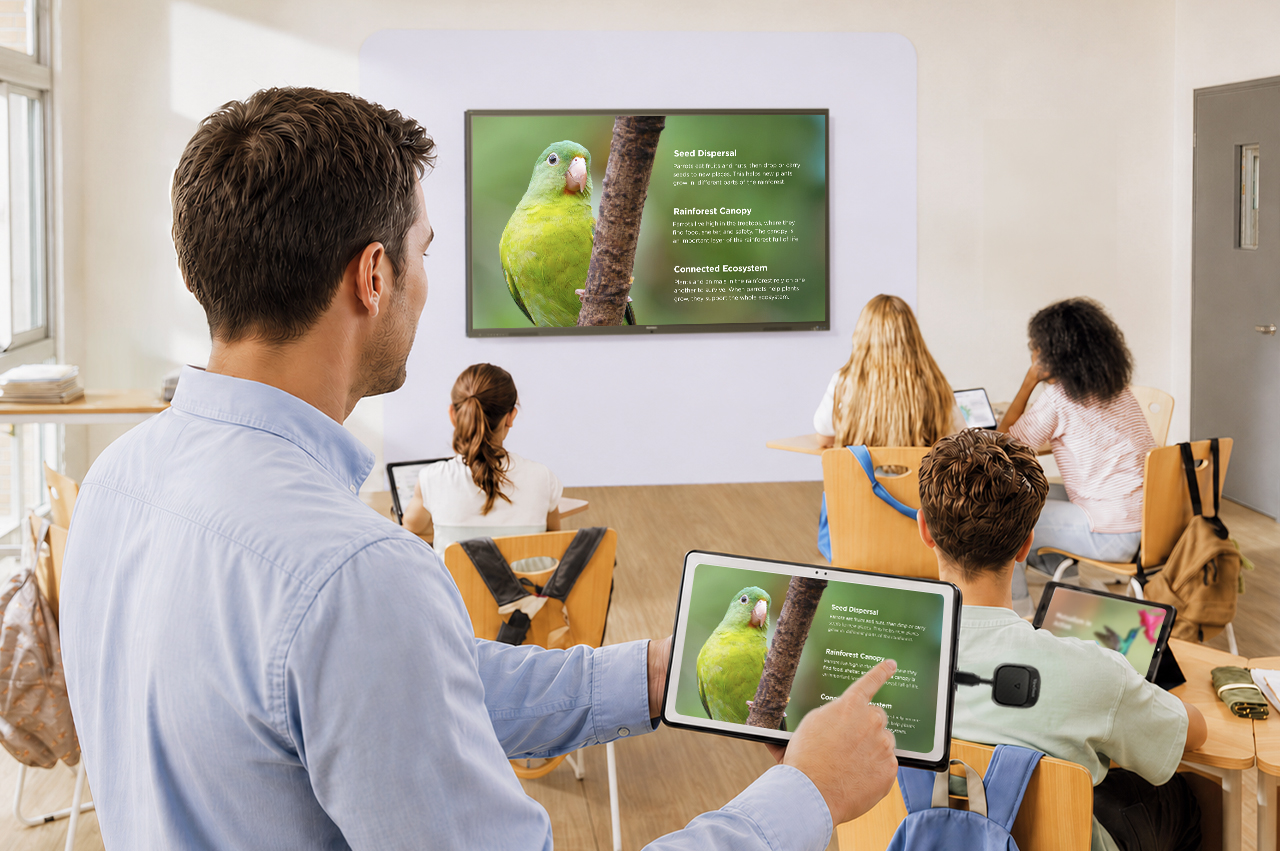

Technology in the classroom is only effective if the teacher knows how to use it. That puts a lot of pressure on already overloaded educators and creates an uneven experience for students. Implementing wireless screen casting is a step on the way to closing the technology gap, giving every teacher a simple, reliable way to share content with their class, regardless of their technical background.
Key Takeaways
- The majority of teachers are already using technology for whole class instruction, but many still face significant barriers to effective integration.
- Common barriers include insufficient training, time constraints, and low confidence with unfamiliar tools.
- Wireless screen casting options like the WPD-900 Wireless Presentation System and AirSync™ offer low-friction entry points.
How Many Teachers Use Edtech?
According to a national survey of 1,755 PK-12 teachers conducted by Hart Research on behalf of the American Federation of Teachers, 65% of teachers use educational technology daily for class instruction.
The data makes one thing clear: teachers are not resistant to technology. However, there’s a difference between having access to technology and being able to use it effectively.
Barriers to Effective Technology Integration in the Classroom
Despite high rates of technology use, many teachers still encounter issues when integrating new tools into their workflow. Some common problems include:
- Insufficient training: Many educators enter the classroom without meaningful preparation in how to use edtech effectively for instruction.
- Low confidence with new tools: Without adequate time and support to get comfortable, teachers may avoid unfamiliar technology altogether.
- Competing priorities: For teachers already navigating classroom management and parent relationships, learning new technology is one more demand on an already stretched workload.
Individually, each of these is a minor inconvenience. Collectively, they eat into instructional time, break the flow of learning, and put unnecessary pressure on teachers and presenters to troubleshoot on the fly. To help bridge this gap, ViewSonic offers dedicated professional development programs designed to build teacher confidence and ensure smooth, effective use of our technology in every classroom.
How ViewSonic’s Wireless Screen Casting Solutions Can Help
Not every teacher is ready to dive into a fully tech-based classroom setup, but wireless screen casting offers a natural and approachable first step. ViewSonic offers two wireless casting solutions that make it easy to get content from a teacher’s device onto the classroom display, without the need for extensive technical know-how:
WPD-900 ViewShare Wireless Presentation System
The WPD-900 is the most accessible entry point for teachers who want zero friction. Simply plug the small dongle into your device and you are sharing within seconds. No network connection, no downloads, no apps.
Developed specifically to ensure teachers maintain full control over what appears on screen, the ViewShare WPD-900E model disables Miracast and AirPlay by default so that students don’t take over the screen.
AirSync
AirSync is ViewSonic’s software-based wireless casting solution. All teachers need to do is visit airsync.net or use the AirSync sender app and type in a short code to connect their device to the display and begin sharing instantly. It runs over the school network and also supports touchback, allowing teachers to interact with their device directly from the display when the lesson calls for it.
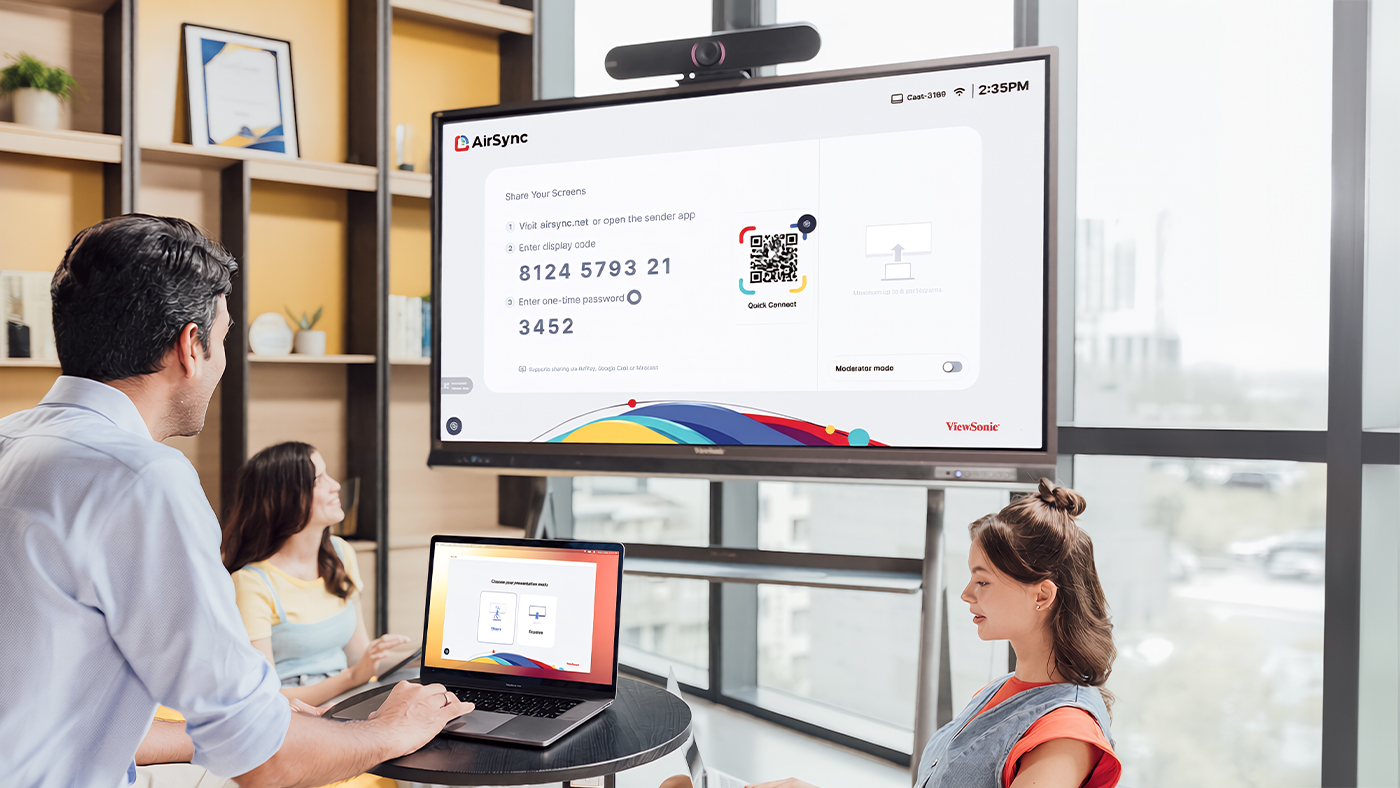
Plus, with built-in moderator controls, teachers can manage student sharing for up to 8 devices.
Final Thoughts
The technology gap in classrooms is rarely about teacher willingness. Most educators are already using technology every day, and many are actively looking for ways to do more with it. The challenge is that the tools available do not always meet teachers where they are, and when technology creates friction instead of removing it, adoption stalls.
Wireless screen casting is a meaningful first step. It gives every teacher, regardless of technical confidence, a reliable way to bring content to the front of the room without the setup complexity that tends to derail lessons. For schools looking to close the EdTech gap, it’s one of the most practical places to start.
ViewSonic’s WPD-900 Wireless Presentation System and AirSync software are designed with that in mind, offering two paths to the same outcome: a teacher who can walk into any classroom, share content with their class in seconds, and get on with teaching.
Frequently Asked Questions
Here are answers to the most frequently asked questions we receive about our wireless screen casting solutions:
What Is Wireless Screen Casting?
Wireless screen casting or screen mirroring is the ability to share what is on your device’s screen, whether that is a laptop, tablet, or phone, onto a larger display without a physical cable connecting the two.
Does the WPD-900 Work With Any Device?
The WPD-900 is compatible with the vast majority of modern devices, such as Windows, Apple, Android, and ChromeOS products, including laptops, tablets, and smartphones. Just ensure your device has a fully enabled USB-C port that supports audio, video, and data transfer.
What Is the Difference Between the WPD-900 and the WPD-900E?
The two models are exactly the same except for one key difference: the WPD-900E disables Miracast and AirPlay by default, giving teachers full control over the content cast to the classroom display and preventing unauthorized student screen takeovers. The standard WPD-900 supports content casting via the plugged-in dongle, Miracast, and AirPlay.
Can AirSync Be Used Without Downloading an App?
Yes. Teachers can cast their screen directly from a browser by visiting airsync.net and entering the display code shown on the ViewSonic display. The AirSync Sender app is available for those who want additional features such as touchback control, but it’s not required to get started.


Login and Registration Form