Education
Business
Consumer

Solution

How a Pennsylvania School District Streamlined Campus Communications with ViewSonic

SOLUTION BRIEF

How a Pennsylvania School District Streamlined Campus Communications with ViewSonic

line drawing of a circular mazeline drawing of a circular maze
  • A Pennsylvania district needed reliable, standardized displays for both classroom learning and campus-wide communications.


“Teachers got intuitive tools for lesson delivery, while administrators secured a direct channel for campus announcements. Standardizing on one platform made planning, deployment and training easier for IT.”


CHALLENGE

A leading K-12 school district in Pennsylvania wanted to modernize its displays across classrooms and shared spaces. The team needed hardware that could support hands-on learning while providing a reliable network for visual messages across every school.

Existing tech varied by building, was getting unreliable and cost too much to maintain.

That gave the district a chance to standardize on one platform and equip teachers with tools built for active student participation.

At the same time, administrators wanted to boost daily announcements and safety messages in common areas to keep students, staff and visitors connected without breaking the budget.

The district needed a scalable ecosystem that was easy to roll out, manage and support. That led to its partnership with ViewSonic.

What ViewSonic Solutions Did the District Deploy?

The district chose ViewSonic for its broad lineup and consistent user experience across every room. The district’s reseller handled procurement while an installation partner managed the physical deployment across multiple schools.

The district deployed:

  • 489 ViewBoard® interactive displays for classrooms, including 19 IFP6551 (65”), 455 IFP7551 (75”) and 15 IFP8651 (86”) units.
  • 31 CDE commercial displays for common areas, including 5 CDE5531 (55”), 18 CDE6531 (65”) and 8 CDE7531 (75”) units.
  • 450 ViewSonic Manager® Advanced 7-year software licenses for central fleet management.
  • One day of onsite ViewSonic Professional Development training to prepare staff for a smooth rollout.

In classrooms, the ViewBoard IFP51 series of interactive displays gives teachers multi-touch recognition, digital annotation and easy content sharing. The IFP51 series of interactive displays is Android EDLA-certified with EPEAT Silver and ENERGY STAR 8.0 ratings, backed by a 3-year limited on-site warranty.

The district made the 75” IFP7551 its standard setup with 455 units, adding 65” and 86” models for specific room layouts.

In shared spaces, the CDE series of commercial displays handles digital signage, daily announcements and event notices in busy hallways. Each display in the CDE series runs 4K UHD visuals at 500-nit brightness and is rated for 24/7 continuous operation.

Because both interactive and commercial displays share one ecosystem, IT handles all hardware through the exact same workflow.

How Does the District Manage Displays Across Multiple Schools?

ViewSonic Manager Advanced software gives the IT department a single dashboard to run the entire fleet. From central offices, technicians can broadcast content instantly, push firmware updates without walking into classrooms and schedule screens to turn off when buildings are empty, cutting energy bills.

ViewSonic’s displays tie directly into emergency alert systems, so critical messages reach classrooms and hallways immediately. That turns everyday communication tools into a core part of district security.

What Results Has the District Seen?

Standardized 520 displays across multiple schools, putting 489 ViewBoard interactive displays in classrooms and 31 CDE commercial displays in common areas.

  • Improved classroom interaction with responsive touch tech that supports group learning.
  • Built a unified digital communication network using CDE commercial displays in high-traffic spots.
  • Simplified deployment, staff training and tech support by using one ecosystem everywhere.
  • Lowered operating expenses and boosted campus safety with remote management, automated power schedules and instant emergency alerts.

Teachers got intuitive tools for lesson delivery, while administrators secured a direct channel for campus announcements. Standardizing on one platform made planning, deployment and training easier for IT.

With ViewSonic Manager Advanced software bringing together safety alerts, energy savings and remote updates, the district now has a flexible tech base built for future growth.
SOLUTION
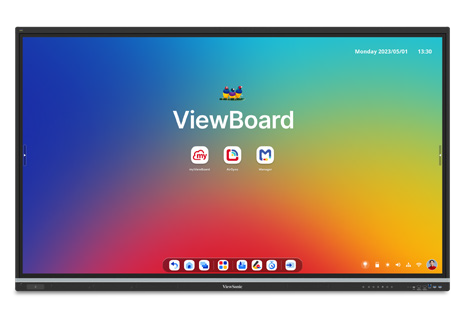
65” IFP6551 ViewBoard interactive display

75” IFP7551 ViewBoard interactive display

86” IFP8651 ViewBoard interactive display

55” CDE5531 commercial display

65” CDE6531 commercial display

75” CDE7531 commercial display

ViewSonic Manager software

Frequently Asked Questions


How Can a School District Standardize Displays for Both Classrooms and Campus Communications?

A single manufacturer ecosystem can cover both needs: interactive displays for teaching and commercial displays for digital signage, managed from one software platform. This district deployed ViewBoard interactive displays in classrooms and CDE commercial displays in common spaces, managing everything with Manager Advanced software.


What ViewBoard Sizes Work for K-12 Classrooms?

The ViewBoard IFP51 series of interactive displays comes in 65” (IFP6551), 75” (IFP7551) and 86” (IFP8651) sizes, all offering 4K resolution and Android EDLA certification. This district installed 489 ViewBoard interactive displays, standardizing on the 75” IFP7551 while using 65” and 86” models for specific room sizes.


Can School Displays Connect to Emergency Alert Systems?

Yes. Manager Advanced software, ViewBoard interactive displays and the CDE series of commercial displays integrate with emergency systems so urgent safety notices hit every screen instantly.


How Does Centralized Display Management Save a District Money?

ViewSonic Manager Advanced software lets IT admins automate power off schedules when schools are empty, push remote updates and broadcast messages across campus from one console. Automated power management cuts electric bills, while remote admin tools reduce support trips and staff hours.


Ready to Modernize Your District’s Displays?

Talk to a ViewSonic representative or an authorized partner about standardizing classrooms and campus communications on ViewBoard interactive displays, CDE commercial displays and ViewSonic Manager Advanced software.


Training outcomes and participant experiences may vary depending on individual needs, district requirements, and implementation. Performance, security, compliance, and sustainability outcomes may vary depending on system configuration, usage environment, and agency requirements.

How a School District in Oregon Standardized 600+ Classroom and Campus Displays on a Single ViewSonic Platform

SOLUTION BRIEF

How a School District in Oregon Standardized 600+ Classroom and Campus Displays on a Single ViewSonic Platform

line drawing of a circular mazeline drawing of a circular maze
  • An Oregon district needed to replace outdated projectors and consolidate several legacy display brands onto one standardized platform.


“ViewSonic won on display size, functionality, product lineup breadth across interactive and commercial displays and centralized management.”


CHALLENGE

An Oregon school district secured voter-approved bond funding to replace its aging classroom displays. Many rooms relied on legacy projectors with frustrating wiring, while other spaces used a mix of piecemeal visual tools.

Teachers couldn’t count on a consistent experience from room to room, which created extra work for IT staff. Managing the old hardware wasn’t efficient either, since technicians had to stand directly in front of each display to push basic updates.

The district needed a unified strategy to standardize hardware across classrooms, offices and common spaces. Leaders wanted a partner that could support clear digital signage in hallways and cafeterias while offering centralized remote management for hundreds of endpoints.

What ViewSonic Solution Did the District Deploy?

The district deployed:

  • 461 ViewBoard® IFP8651 (86”) and 46 IFP6551 (65”) interactive displays.
  • 7 CDE8631 (86”), 71 CDE7531 (75”) and 39 CDE5531 (55”) commercial displays for signage.
  • ViewSonic Manager Advanced™ software 5-year licenses (MVBM_ADV_5Y01) for centralized management of touch and non-touch displays.

The rollout standardizes nearly every classroom on 86” ViewBoard IFP8651 interactive displays, using 65” IFP6551 units in specialty spaces. Offices and staff areas were upgraded from an originally planned 65” to 86” as well.

ViewSonic commercial displays are going into hallways, select offices and cafeterias for digital signage, replacing a mix of legacy brands and static USB setups.

The district manages the whole setup through ViewSonic Manager Advanced software, which pushes firmware updates and digital content across interactive and commercial displays from a secure, cloud-based dashboard.

Why Did the District Choose ViewSonic Over Other Display Brands?

The district ran a head-to-head comparison between ViewSonic and other display brands. ViewSonic won on display size, functionality, product lineup breadth across interactive and commercial displays and centralized management.

Using ViewSonic’s Manager Advanced software to manage touch and non-touch hardware means IT staff no longer have to walk up to individual displays just to update firmware.

What Results Has the District Seen?

  • Replaced outdated projectors and troublesome wiring with a standardized, streamlined display environment across the district.
  • Consolidated four to five legacy display brands into a single, uniform ViewSonic platform across classrooms and common areas.
  • Standardized on one management platform, Manager Advanced software, for both interactive and commercial displays.

Installation is underway across all schools in the district, and early feedback from the technology team has been positive.

Consolidating multiple aging setups onto a single ViewSonic platform simplifies day-to-day management for IT while giving teachers and students a consistent experience everywhere on campus.

SOLUTION

86” IFP8651 ViewBoard interactive display

65” IFP6551 ViewBoard interactive display

86” CDE8631 commercial display

75” CDE7531 commercial display

55” CDE5531 commercial display

ViewSonic Manager Advanced software

Frequently Asked Questions


How Can a School District Standardize Classroom and Campus Displays on One Platform?

A single manufacturer that builds both interactive and commercial displays lets a district standardize classrooms, offices and signage on one platform. This Oregon district deployed 600+ ViewSonic displays, using ViewBoard interactive displays in classrooms and the CDE series of commercial displays for signage, all managed through Manager Advanced software.


Can One Platform Manage Both Interactive and Non-Interactive Displays?

Yes. ViewSonic Manager Advanced software manages ViewBoard interactive displays and the CDE series of commercial displays from one cloud console. Manager Advanced is a licensed upgrade to the free Manager software, adding automated job scheduling, multimedia broadcast and remote desktop access. IT can push firmware updates and digital content across touch and non-touch displays without visiting individual rooms, cutting down the support time legacy hardware required.


Why Replace Classroom Projectors With Interactive Displays?

Projectors bring outdated wiring, dimming lamps and inconsistent room setups. This district replaced projectors district-wide with 86” ViewBoard IFP8651 interactive displays, standardizing nearly every classroom on one bright, wireless-friendly solution instead of an aging patchwork.


How Do Districts Fund a District-Wide Display Refresh?

Many districts use voter-approved bond funding for capital technology investments like classroom displays. This Oregon district secured a bond to modernize technology across schools, replacing projectors and multiple legacy brands with a single standardized ViewSonic platform across 600-plus displays.


Ready to Standardize Your District’s Displays?

Talk to a ViewSonic representative or an authorized partner about standardizing classrooms and campus signage on ViewBoard interactive displays, the CDE series of commercial displays and Manager Advanced software.


Training outcomes and participant experiences may vary depending on individual needs, district requirements, and implementation.

How a South Carolina District Swapped Discontinued Displays for ViewSonic ViewBoard Interactive Displays

SOLUTION BRIEF

How a South Carolina District Swapped Discontinued Displays for ViewSonic ViewBoard Interactive Displays

line drawing of a circular mazeline drawing of a circular maze
  • A school district needed a replacement for its 500 interactive displays that had started failing.


“The myViewBoard® ecosystem changed how educators teach. Instead of being left idle, digital whiteboarding tools and the ability to import lesson plans meant that ViewSonic displays saw daily usage during lessons.”


CHALLENGE

This South Carolina district invested in roughly 500 interactive displays from a previous vendor in 2021 and 2022, expecting them to last five years under warranty. Instead, the hardware started failing rapidly in year three.

To make matters worse, the vendor exited the interactive display market entirely, leaving the technology director with no official path for repairs or replacements.

IT admins had to convince the school board to reinvest in a dependable district-wide replacement much sooner than planned.

The district turned to its integration partner, which recommended the ViewSonic® ViewBoard® IFP50 and IFP51 series of interactive displays as the most cost-effective and reliable answer.

The IFP50 and IFP51 series both feature a stunning 4K touchscreen and access to ViewSonic’s award-winning myViewBoard software. The IFP51 series goes a step further with Android™ EDLA certification, unlocking verified Play Store access and a wider range of Google Mobile Services-compatible apps for teachers to bring into the classroom.

Because the district was reinvesting early, the evaluation focused on two requirements: the new setup had to be budget-friendly, and it had to last.

Several neighboring districts were already using ViewSonic solutions through the same partner. After a trial run and on-site demos, the district decided to move forward with ViewSonic

What ViewSonic Solution Did the District Deploy?

The district’s integration partner had a strong track record of placing ViewSonic hardware across South Carolina, making it a natural choice to replace the failing displays.

Success stories from nearby schools helped reassure the board during the evaluation process.

The district deployed a complete hardware and software package:

  • 445 75” ViewBoard® IFP50 4K interactive displays, including 210 IFP7550 models and 235 IFP7551 models.
  • ViewSonic Manager Advanced™ software with a 7-year license, one per display.
  • A 7-year ViewSonic® extended limited warranty that protects the entire investment.

The rollout spanned two generations of ViewSonic’s ViewBoard interactive displays. The district began in 2025 with the IFP7550. When that model reached end-of-life the following year, the district moved to its successor, the IFP7551, for the remaining displays.

ViewSonic honored the original pricing on its newer models, so the district was able to finish its rollout without going over budget.

Why Did the District Choose ViewSonic Over the Incumbent Platform?

Price and reliability drove the decision, but the 7-year warranty sealed the deal. After watching its previous fleet break down early with zero manufacturer support, the district wanted a partner that would stand behind its hardware.

That warranty proved reliability as much as it offered peace of mind.

Software made a big difference too. Teachers found the old displays clunky, often using them as nothing more than glorified projectors. The myViewBoard® ecosystem changed how educators teach. Instead of being left idle, digital whiteboarding tools and the ability to import lesson plans meant that ViewSonic displays saw daily usage during lessons.

What Results Has the District Seen?

  • 445 ViewBoard displays were deployed to replace the failing incumbent fleet, starting with 210 IFP7550 units in June 2025 followed by 235 IFP7551 units.
  • The district secured a reliable, feature-rich platform backed by a 7-year limited warranty.
  • IT administrators gained fleet-wide remote control using Manager Advanced, solving the management gaps they had with previous displays.
  • Classroom adoption jumped as teachers stopped using screens as basic projectors and started using the myViewBoard whiteboard and Google Drive lesson imports daily.

ViewSonic proved more reliable, affordable and feature-rich than the platform it replaced. The district plans to keep using year-end funds to finish outfitting roughly 850 classrooms as budget permits.

SOLUTION

75” IFP7550 ViewBoard interactive displays

75” IFP7551 ViewBoard interactive displays (EDLA‑certified)

ViewSonic Manager advanced software

7-year ViewSonic extended warranty

Frequently Asked Questions


What Happens When an Interactive Display Vendor Discontinues Its Displays?

Districts can get stuck with failing hardware and no support path, which is exactly what happened here when the old fleet hit end-of-life early. Choosing a manufacturer committed to the interactive display market with long warranty terms protects your investment. This district made the switch with a full 7-year warranty.


What Software Comes with the IFP50 and IFP51 Series of ViewBoard Interactive Displays?

Both series include access to the myViewBoard ecosystem. This ecosystem includes myViewBoard whiteboard, ViewBoard Cast for wireless content sharing and single sign-on access to cloud storage like Google Drive and OneDrive. Teachers can import existing lesson plans directly, driving everyday classroom adoption.

The IFP51 series adds Android EDLA certification, giving IT teams verified access to the Google Play Store and a wider range of Google Mobile Servicescompatible apps.


How Do School Districts Manage a Large Fleet of Interactive Displays?

ViewSonic Manager Advanced provides a cloud console that lets IT teams check display health, push updates and manage apps across the district from one place. Licensing it one-to-one across all 445 screens closed a major management gap for this district.


How Long Is the Warranty on ViewSonic ViewBoard Interactive Displays?

The ViewBoard IFP50 and IFP51 series of interactive displays comes with an industry-leading 3-year standard on-site warranty covering parts, labor and backlight components. The district chose to extend coverage to 7 years on all 445 displays.


Ready to Replace an Aging or Discontinued IFP Fleet?

Talk to a ViewSonic representative or an authorized partner about a reliable, cost-effective ViewBoard refresh backed by long-term warranty protection and fleet management.


Training outcomes and participant experiences may vary depending on individual needs, district requirements, and implementation.

How a Large Texas District Started a Multi-Phase ViewBoard Interactive Display Rollout with Secure Sign-On

SOLUTION BRIEF

How a Large Texas District Started a Multi-Phase ViewBoard Interactive Display Rollout with Secure Sign-On

line drawing of a circular mazeline drawing of a circular maze
  • A large Texas district needed a secure, centrally managed display solution for its multi-classroom rollout.


“ViewSonic covered every requirement, and validating NFC authentication up front proved the solution met the district’s strict security standards.”


CHALLENGE

A large urban school district in Texas set out to modernize classroom technology across all its schools. The project started with 451 interactive displays in phase one, with plans to expand into thousands of additional classrooms later.

The district didn’t just need hardware. It required a complete solution that fit its Chrome and Google ecosystem, offered secure authentication for staff and students, provided mounting flexibility for different room layouts and enabled central fleet management.

Security was a top priority, especially around validating how badge authentication would work right at the display.

The timing for this project was also tight. Everything had to be sourced, shipped to multiple locations and delivered before a strict fiscal year-end deadline, requiring precise coordination with channel partners.

What ViewSonic Solution Did the District Deploy?

Working with CDW as its reseller partner, the district deployed a complete classroom technology package:

  • 451 ViewBoard® IFP8641 86” 4K Android EDLA interactive displays.
  • 451 VPC13-C33-G1 Chromebox OPS slot-in PCs built for Chrome OS and Google environments.
  • 481 VB-BLM-002 BalanceBox height-adjustable mounts, including extra units for existing displays.
  • 451 ViewSonic® Manager Advanced software 7-year licenses for central fleet management.
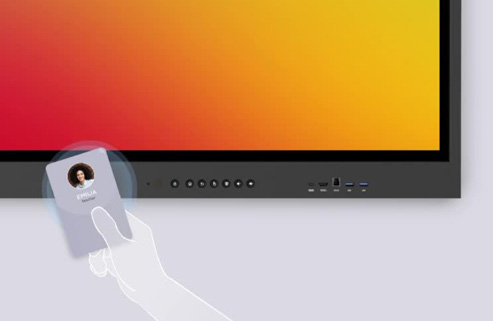
  • 451 NFC card readers for secure sign-on

The 86” ViewBoard IFP8641 anchored each room, VPC13-C33-G1 Chromebox OPS devices matched the district’s Google setup while NFC card readers gave teachers a fast, secure way to sign in at the display. VB-BLM-002 BalanceBox mounts allowed staff to set displays at the right height for every classroom.

The IFP8641 fit the district’s requirements on its own specs: an 86” 4K display with Android EDLA certification, built-in Google security, native access to Google and Microsoft ecosystems, EPEAT Silver and ENERGY STAR 8.0 ratings and a 3-year limited on-site warranty.

ViewSonic Manager Advanced software tied the whole setup together, giving IT central monitoring across every building. Before finalizing the deal, ViewSonic worked directly with the district to validate NFC functionality, resolving its primary security concern.

ViewSonic and its reseller partner coordinated a multi-location delivery plan to ensure all 451 displays and accessories arrived before the district’s fiscal yearend deadline.

Why Did the District Choose ViewSonic?

The district needed one manufacturer that could supply interactive displays, Chrome computing, secure authentication and central management as a complete package, delivered at scale on a tight deadline.

ViewSonic covered every requirement, and validating NFC authentication up front proved the solution met the district’s strict security standards.

ViewSonic’s reseller partner coordinated pricing, ordering and multi-location logistics, letting the district run a large, time-sensitive rollout through a single reseller relationship.

What Results Has the District Seen?

  • Deployed 451 interactive displays across the district on time to hit a strict fiscal year-end deadline.
  • Enabled secure sign-on at the display using NFC card readers, validated before purchase to meet security requirements.
  • Integrated Chrome OS computing into classrooms using Chromebox OPS devices.
  • Centralized fleet management through Manager Advanced software so IT supports every location from one platform.
  • Established a proven standard ready to expand across thousands of additional classrooms in future phases.

Phase one gave the district a secure, centrally managed display platform delivered on schedule. It also created a clear blueprint for the future: with the standard proven, the district and its partners can easily expand the same setup to thousands of other classrooms.

SOLUTION

86” IFP8641 ViewBoard interactive display

VPC13-C33-G1 Chromebox OPS slot-in PC

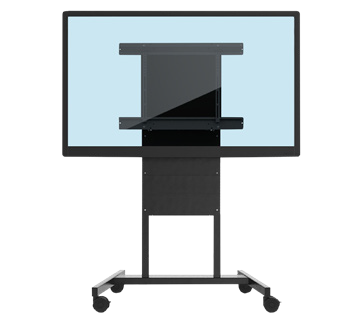
VB-BLM-002 BalanceBox mount

ViewSonic Manager Advanced software

ACR1552U-M1 NFC card reader

Frequently Asked Questions


How Does NFC Authentication Work on an Interactive Display?

NFC authentication lets users tap a card or badge on a reader at the display to sign in securely without typing passwords. This district added NFC card readers to its ViewBoard deployment so staff could sign on quickly and get started teaching faster.


Can Interactive Displays Run in a Chrome and Google Environment?

Yes. A Chromebox OPS device like the ViewSonic VPC13-C33-G1 turns a ViewBoard interactive display into a Chrome OS endpoint that fits into Google environments. This district paired all 451 IFP8641 displays with VPC13-C33-G1 devices so classrooms matched its existing setup.


How Does a District Manage Hundreds or Thousands of Interactive Displays?

Manager Advanced software is a cloud platform that lets IT teams check status, push updates and manage displays across every school from one dashboard. The district licensed Manager Advanced software for all 451 displays. This made the growing fleet easier to manage from one platform.


Can a District Roll Out Interactive Displays in Phases?

Yes. A phased rollout lets a district standardize on one platform, test it in real classrooms and expand with confidence. This district deployed 451 interactive displays in phase one and is ready to roll out the same setup across thousands of additional classrooms in upcoming phases.


Ready to Plan a District-Wide Display Rollout?

Talk to a ViewSonic representative or an authorized partner about standardizing interactive displays, Chrome computing, secure authentication and central management across your district.

Related Links

*The ACR1552U-M1 NFC card reader is third-party hardware (not a ViewSonic product), so it is named as deployed but not linked.

Performance, security, compliance, and sustainability outcomes may vary depending on system configuration, usage environment, and agency requirements. Training outcomes and participant experiences may vary depending on individual needs, district requirements, and implementation.

How Kentucky’s Largest College System Modernized Learning Spaces with ViewSonic

SOLUTION BRIEF

How a Pennsylvania School District Streamlined Campus Communications with ViewSonic

line drawing of a circular mazeline drawing of a circular maze
  • A 16-campus system needed a scalable display solution to replace decade-old classroom technology.


“By matching display technology to what each room actually needed, the integration partner and ViewSonic helped the school modernize its learning environments with a consistent, future-ready tech setup that balances performance, usability and overall value.”


CHALLENGE

Edtech funding is getting tighter, so higher education institutions have to carefully evaluate which solutions deliver the best value.

Across this 16-campus system serving 70,000+ students, many classrooms relied on technology that was over a decade old. Modernizing these spaces wasn’t optional if the institution wanted to support student recruitment, retention and engagement in a competitive landscape.

The institution needed a partner with a broad portfolio spanning interactive touch displays, commercial displays, Direct View LED video walls, monitors and projectors.

That way, it could match the right technology to each environment rather than force one solution everywhere.

As the system renovated and expanded its classrooms and event spaces, ViewSonic became a preferred partner for its reliable hardware and collaboration tools.

What ViewSonic Solution Did the Institution Deploy?

The institution’s integration partner worked with ViewSonic to build a standardized, scalable display strategy matched to each learning environment

  • 169 ViewBoard® interactive displays went into traditional instructional classrooms, giving faculty an intuitive platform for annotation, wireless content sharing and interactive lessons.
  • 6 ViewSonic® commercial displays were installed in lecture halls, auditoriums and assembly spaces to provide commercial-grade performance, integrate with third-party AV control platforms and run reliably in high-use environments.
  • 2 ViewSonic Direct View LED (dvLED) video walls were placed in spaces for maximum visual impact, delivering seamless, high-brightness images for large audiences.
  • 100 ViewSonic LCD monitors, 18 projectors and 5 ePoster displays were placed in across offices, labs, podiums and campus common spaces.
  • ViewSonic Manager Advanced software provided centralized, multi-campus device management.

By matching display technology to what each room actually needed, the integration partner and ViewSonic helped the school modernize its learning environments with a consistent, future-ready tech setup that balances performance, usability and overall value.

How Does the Institution Manage Displays Across 16 Campuses?

To get the most out of its investment, the institution uses ViewSonic Manager Advanced software to monitor and manage compatible devices across all campuses from one central dashboard. IT admins don’t have to travel to individual classrooms to deploy firmware updates, configure device settings, troubleshoot issues or schedule power on and off times.

Centralized management cuts operational costs, reduces classroom downtime and can extend device lifespan through proactive maintenance. This type of device management can also improve energy efficiency by making sure displays aren’t running when they’re not needed.

What Results Has the Institution Seen?

  • The institution replaced decade-old classroom tech with a standardized visual platform of 370 ViewSonic devices across 16 campuses, including 169 interactive displays, 76 commercial displays, 100 monitors, 18 projectors, 5 ePosters and 2 Direct View LED displays.
  • It lowered its total cost of ownership through centralized management, proactive maintenance and scheduled power controls.
  • IT staff can now support more classrooms across multiple campuses with fewer on-site resources.

SOLUTION

ViewSonic ViewBoard interactive displays

ViewSonic commercial displays

ViewSonic Direct View LED (dvLED) displays

ViewSonic LCD monitors

ViewSonic ePoster displays

ViewSonic Manager Advanced software

Frequently Asked Questions


How Should a University Match Display Types to Different Learning Spaces?

A proven approach uses interactive displays in instructional classrooms where faculty annotate and share content on the fly, commercial displays in lecture halls and auditoriums that need AV control integration, and Direct View LED video walls in large gathering spaces where brightness and scale matter most.

Kentucky’s largest public higher education system standardized on this strategy across 16 campuses with 370 devices, including 169 interactive displays, 76 commercial displays and 100 monitors.


How Do IT Teams Manage Displays Across a Multi-Campus Institution?

ViewSonic Manager Advanced lets IT admins remotely deploy firmware updates, configure settings, troubleshoot issues and schedule power on and off times from one console. That means fewer campus visits, less classroom downtime and displays that aren’t powered when they aren’t being used.


Do Interactive Displays Work for Career and Technical Programs, Not Just Lecture Classrooms?

Yes. This institution’s deployment spans nursing simulation labs, welding programs and traditional classrooms. Matching display types to each space’s function, rather than forcing a one-size-fits-all model, is what makes a multi-campus standard work.


How Do Display Choices Affect Total Cost of Ownership in Higher Education?

Total cost goes beyond the upfront price tag. Centralized management reduces on-site support trips, proactive maintenance extends device lifespan and scheduled power controls cut energy use.

This system paired standardized ViewSonic displays with Manager Advanced software to lower its total cost of ownership while supporting more classrooms with fewer resources.


Ready to Build a Campus-Wide Display Strategy?

Talk to a ViewSonic representative or an authorized partner about matching display technology to every learning space on your campus.


Drywall alone is not a structural mounting surface and must never be used as the sole means of support. Proper wall suitability, reinforcement, and the use of appropriate commercial-grade mounting hardware are the sole responsibility of the customer, installer, or system integrator. ViewSonic shall not be liable for any equipment damage, property damage, or personal injury, including death, caused as a result of incorrect installation, operation, human factors, or failure to comply with local codes. Training outcomes and participant experiences may vary depending on individual needs, district requirements, and implementation.

Universidad Peruana de Ciencias Aplicadas (UPC) Finds Versatile Hybrid Education Solution in ViewSonic ViewBoard Interactive Displays

CASE STUDY

Universidad Peruana de Ciencias Aplicadas (UPC) Finds Versatile Hybrid Education Solution in ViewSonic ViewBoard Interactive Displays

SCHOOL

Universidad Peruana de Ciencias Aplicadas (UPC) was founded in 1994 and has been a member of Laureate International Universities, the largest network of private universities in the world, since September 2004. UPC’s vision is to be at the forefront of higher education for its academic excellence and innovation. UPC currently has over 60,000 students, 58 undergraduate programs and more than 20 graduate programs across four campuses in Lima, Peru.

Universidad Peruana de Ciencias Aplicadas logoUniversidad Peruana de Ciencias Aplicadas logo

"We decided to use the ViewBoard interactive displays because they gave us the ease of connecting any type of device. It was also from one of the few brands that could provide the equipment quickly during the pandemic, coupled with our trust in ViewSonic and the relationship we had already built”


— SILVANA BALAREZO, UPC DIGITAL LEARNING EXPERIENCE MANAGER

THE CHALLENGE

line drawing of a circular mazeline drawing of a circular maze
  • Leverage professors’ digital literacy and use of technology during the pandemic. 

  • Engage in hybrid education that is neither complex for teachers to use nor a distraction in their teaching process. 

Following the pandemic, UPC leaders wanted to foster a return to in-person education, without losing the technology literacy they had gained after two years of lockdown.

“We were looking for a technological proposal that would not be complex for teachers to use or distract them from their teaching process, and we wanted a technology that could be feasible over time to take advantage of all the lessons learned by teachers and students,” says Silvana Balarezo, Digital Learning Experience Manager at UPC.

UPC had already been using ViewSonic® ViewBoard® interactive displays in academic environments, creative rooms and a pilot student project which still continues today.

students working on ViewBoard, solving math problemsstudents working on ViewBoard, solving math problems

“We decided to use the ViewBoard interactive displays because they gave us the ease of connecting any type of device. It was also from one of the few brands that could provide the equipment quickly during the pandemic, coupled with our trust in ViewSonic and the relationship we had already built,” Balarezo said.

One of UPC’s main objectives was that students benefit from any education mode. If a student attended face-to-face lessons, they should feel that it was worth coming to the campus, and an online student should feel as if they were inside the classroom sharing the same experience as their classmates, with no need to come to the physical classroom. 

This is the reason why UPC adopted the Hyflex concept in which hybrid classrooms are designed to function as physical, 100% remote or both, without affecting education quality or the learning experience in thanks to the equipment used.

“Our mission was to make professors feel comfortable in the classroom. We didn’t want them to feel that they were in a recording studio,” said Balarezo. “The classroom needed to have the technological tools to motivate learning and support collaborative activities between face-to-face and online students.”

THE SOLUTION

line drawing of a circular mazeline drawing of a circular maze
  • Leverage professors’ digital literacy and use of technology during the pandemic. 

  • Engage in hybrid education that is neither complex for teachers to use nor a distraction in their teaching process. 

ViewSonic set up 72 classrooms with ViewBoard IFP8650 86” Ultra HD 4K displays, along with VPC25-W33-P1 slot-in PCs with Windows 10 Pro, and Viewboard Cast™ software for Windows licenses. This setup allowed students and teachers to make wireless presentations from any of their devices to the displays using a licensed application.

In addition, UPC added wireless physical classroom microphones for teachers and students, a pro camera for streaming and a secondary display so that the teacher can view and manage remote students. This very successful layout was designed after taking into account UPC’s previous experiences with online and hybrid classrooms.

“We should highlight that the ViewSonic slot-in PCs, which are installed on the back of the ViewBoard display, deliver computing power without the traditional wiring required to connect a PC,” said Balarezo. “This provides a user-friendly environment for professors to manage the display, the online sessions, and the use of online classrooms and videoconferences.” 

In addition, a teacher certification process was implemented for the ViewBoard displays. UPC currently has 200 certified professors and 800 teachers undergoing the certification process. 

instructor using ViewBoard to create lessons for his classinstructor using ViewBoard to create lessons for his class

“Our professors were initially apprehensive because of what we had experienced during the pandemic, but once classes started, students also accepted the new education mode. Today, faculty members encourage diversified student interaction in the classroom, including online and face-to-face student groups and work, in addition to promoting autonomous learning,” said Balarezo. 

THE RESULTS

Line drawing of a rocketLine drawing of a rocket
  • Customized learning, access to different educational services and review with recorded lessons.

  • Teacher-friendly technology as if they were using a PC, tablet or cell phone.

  • UPC became a modern, diverse and inclusive teaching university.

Students highly value the possibility of choosing between face-to-face or online learning, with the same advantages and benefits in either learning mode. 

Professors value the convenience and agility with which they work using the ViewBoard interactive displays, including the myViewBoard® Whiteboard software for highlighting and creating content, which helps to provide better presentations. 

“Having a group of face-to-face and online students provides a lot of flexibility to interact. It is essential for the development of autonomous learning and also for students to feel engaged and identify with the university,” said Elías Neira, Education History and Philosophy Professor at UPC. 

Related Items

ViewSonic IFP8650ViewSonic IFP8650

ViewBoard IFP8650

86" interactive display

Learn More

ViewSonic VPC25-W33-P1 ViewBoard OPS-C i5 slot-in PCViewSonic VPC25-W33-P1 ViewBoard OPS-C i5 slot-in PC

VPC25-W33-P1

ViewBoard OPS-C-i5 slot-in PC

Learn More

myViewBoard logomyViewBoard logo

myViewBoard Suite

Full software suite includes secure cloud storage, multiple presentation options, digital whiteboarding and more.

Learn More

Gatineau-Based Private School Adopts ViewSonic Digital Learning Solution to Navigate A Changing Landscape


Case Study

Gatineau-Based Private School Adopts ViewSonic Digital Learning Solution to Navigate A Changing Landscape

Company

For the Collège Nouvelles-Frontières private high school in Gatineau, the pandemic has proven to be a catalyst for innovation. Like many schools, Nouvelles-Frontières had to quickly adapt its existing technology resources to accommodate a distance learning model. The early months of the pandemic were the ideal starting point for the school to develop an entirely new, flexible approach to distance learning that would serve the students’ and teachers’ needs in both the short and long term. One key to its successful transition was investing in ViewSonic’s interactive teaching platform to improve collaboration, increase engagement and ensure that learning could continue uninterrupted – whether students were in the classroom or at home.

Overview

Problem:

  • The technology they had previously had limited applications for distance learning due to issues around image quality, camera performance and connectivity

Solution:

  • ViewSonic ViewBoard® and myViewBoard™ Software

Result:

  • All requirements were met and/or exceeded
  • School’s administration team can remotely control its displays
  • Students are more engaged and can concentrate more easily from home
  • Mac, iOS, Android and Windows formats accommodate presentations and guest speakers

We realized that providing state-of-the-art tools to teachers would be beneficial in managing future waves of the pandemic and would ensure that we could always deliver quality teaching to our students whatever the situation.

— Serge Lévesque, Coordinator of Computer and Material Resources

Problem

According to Serge Lévesque, coordinator of computer and material resources at the Collège Nouvelles-Frontières, the early days of distance learning were difficult because of technological limitations. When Gatineau went into lockdown in the spring, the school was already using projectors and tablets. However, due to issues around image quality, camera performance and connectivity, the technology had limited applications for distance learning.

“It became more difficult when we moved to combined distance and in-class education, with students at school and others at home,” says Lévesque. “We realized that providing state-of-the-art tools to teachers would be beneficial in managing future waves of the pandemic and would ensure that we could always deliver quality teaching to our students whatever the situation.”

The quest was on to find a platform that met the needs of educators, engaged students and was simple to use. After conducting an exhaustive search of different technology platforms, the Collège Nouvelles-Frontières chose the ViewSonic® ViewBoard® advanced interactive teaching platform.

The ViewSonic ViewBoard® education ecosystem includes platform-agnostic interactive flat panel displays and digital whiteboarding software designed for the rapidly evolving needs of today’s education environments. The myViewBoard™ software platform is full-featured, connecting the school’s students and teachers in a more dynamic and engaging way by enabling real-time collaboration from any location, with cloud-based portability, screen mirroring/sharing and digital whiteboarding.

Today, all classes at Collège Nouvelles-Frontières use ViewSonic ViewBoard displays. Because the technology is wireless, it reduces the need for additional projectors and speakers. “Previously we had a lot of wires, and a lot of technical problems,” recalls Lévesque, who says he appreciates the ability to simplify their systems through a single product that meets all the needs of students and teachers, “The ViewSonic solution replaces everything.”

Optional features include the ability to import files, such as lecture notes, from third-party software. Teachers can also browse the web or open apps directly from the interactive screen, saving time that would have otherwise been spent repurposing content. In addition, educators are empowered to choose the collaboration software they need based on their specific requirements. Using vCast™ software, students can even share content from their tablet or computer onto the classroom whiteboard.

Solution

myViewBoard software supports both Mac and iOS environments and is also compatible with Android and Windows formats. Lévesque says this feature was critical in accommodating the presentations of invited external speakers who use different platforms.

Using the myViewBoard.com website, the school’s administration team can remotely control its displays. Administrators and staff can open, close, broadcast and update content without having to physically move to each room.

In the event of a return to remote learning, myViewBoard will enable teachers to run an effective and efficient virtual classroom. With features like virtual discussion groups and warnings when a student is not paying attention, teachers are able to create a more informed learning experience tailored to students’ needs.

As the year progresses, the administration will also be able to use interactive whiteboards to disseminate promotional material and relevant information during open houses and parent meetings. “We will be able to move them everywhere depending on how we need to use them,” says Lévesque.

Lévesque notes that the interactive ViewSonic learning platform stimulates students and improves their concentration, regardless of whether the teaching is done in the classroom, at home, or across different places simultaneously.

Result

Lévesque adds that the Collège Nouvelles-Frontières is known within the education sector as a leader in integrating new technologies, “It’s always been our trademark, but it has to make sense for students.”

In fact, Collège Nouvelles-Frontières showcases its latest investment in ViewSonic solutions in its recruitment campaigns as a way to distinguish itself from other schools.

Whether the school year is managed in class or remotely, Collège Nouvelles- Frontières is ready for any situation that might arise in the coming year, says Lévesque. “Everyone’s tasks will be optimized with this new technology.”

ViewSonic ViewBoard Interactive Displays Help Boost Classroom Engagement for Colegio Bautista de Tamuco


Case Study

ViewSonic ViewBoard Interactive Displays Help Boost Classroom Engagement for Colegio Bautista de Tamuco


Company

Colegio Bautista de Temuco is a Baptist college located in Temuco, Chile and was founded by a missionary named Guillermo Mac Donald. Through his missionary work, Mac Donald established contacts with the Southern Baptist Convention of the United States and managed to receive resources to buy land and build the first building of the Baptist College, today known as the Guillermo Mac Donald building.

Classes at the Colegio Bautista began on March 15, 1922, with 10 externs and 10 interns. Today, Colegio Bautista de Temuco is deeply committed to its students, faculty and administration. Together, they hope to successfully deliver comprehensive education for its students in kindergarten through high school.


Overview


Problem:

  • Students and teachers needed to adapt to online teaching and learning during the pandemic
  • Staff needed to improve technology skills teaching


Solution:

  • Installation of 15 ViewBoard IFP7550 75-inch interactive displays in classrooms
  • Deployment of myViewBoard digital whiteboard software


Result:

  • Interactive lessons that are easy to share and deliver
  • Increased lesson engagement and focus
  • The school is fulfilling its mission to integrate technology into its classrooms, and
  • improving students’ technology skills


We were looking for something that would accommodate the school’s reality as well as our expectations, and ViewSonic exceeded those expectations.

— José Luis Salinas, Rector of Colegio Bautista de Temuco


Problem


Due to the COVID-19 pandemic, Chile, like many other countries, sought to protect its citizens via quarantines, school closings and similar actions. As a result, students and teachers needed to adapt quickly to online learning and teaching. In addition, students and teachers needed to learn how to use new technologies that enabled remote education.

Colegio Bautista began looking for interactive displays that could better help its teachers deliver their lessons from any location. Featuring 4K Ultra HD resolution, a responsive 20-point touchscreen, and included myViewBoard® software that enabled teachers to deliver remote lessons, ViewSonic® ViewBoard® interactive displays were exactly what the school needed.


“We were looking for something that would accommodate the school’s reality as well as our expectations, and ViewSonic exceeded those expectations,” said José Luis Salinas, Rector of Colegio Bautista de Temuco.


Solution


Colegio Bautista de Temuco’s administration searched for interactive displays, and the 75-inch ViewBoard® IFP7550 display won them over. The school met with ViewSonic to discuss display features, learn about the myViewBoard software ecosystem that runs on the ViewBoard displays, and find out first-hand how everything worked.


Salinas learned that not only would the ViewBoard displays serve as a great classroom collaboration tool, but they would also help Colegio Bautista de Temuco’s students become more familiar with interactive technologies.

The school installed 15 ViewBoard IFP7550 displays, and trained 72 of its teachers and staff on how to use the displays and the included myViewBoard software suite. The displays are currently used in fourth through eighth-grade classrooms during this first stage of implementation.

12 more ViewBoard displays will be installed in first through fourth-grade classrooms during a second stage of implementation. Furthermore, 15 additional ViewBoard displays will be installed in kindergarten through third-grade classrooms in a final implementation scheduled for 2023.


Result


Thanks to the ViewBoard IFP7550 and the myViewBoard software suite, teachers at Colegio Bautista can record their lessons and annotations directly on the screen, and then easily share these lessons with both in-classroom and remote students. Despite the teachers’ initial fear of the new technology, they’ve found the ViewSonic solution to be easy-to-use, and that it makes lessons more enjoyable for their students.


“It is a real head-turner for students, so it immediately engages them and makes learning easier for them,” said Javiera Larraguibel, elementary school teacher at Colegio Bautista. “For teachers, the solution is convenient, it has great image and sound quality, and it has been an excellent tool and platform for familiarizing our staff with new technologies.”

Javiera also explained that the ViewBoard IFP7550 interactive display and myViewBoard software allow her to easily and dynamically apply different learning tactics including auditory, kinesthetic and visual, to her classroom. This ultimately boosts the attention of her students for lessons that are more effective.


ViewSonic Helps Create an Immersive Visual Exhibition at German Museum


Case Study

ViewSonic Helps Create an Immersive Visual Exhibition at German Museum

Company

The A.M. Architekturmuseum was established in 1868 as a teaching collective for students of architecture at the present-day Technical University. When Friedrich von Thiersch erected a new building for the University in Gabelsbergerstrasse in 1912, the architectural collection was accommodated in a large, representative wing of the building and formed the center of the Department of Architecture. The museum advanced its programs in September 2002 by opening its own dedicated presentation rooms in the Pinakothek der Moderne.

Overview

Problem:

  • Simplify the art curation workflow and enhance the agility of the “Taiwan Acts!” exhibition at the Architekturmuseum der TUM in Germany
  • Minimize installation time for the visual-based event

Solution:

  • The ViewSonic® LD135-152 is a 135” All-in-One Direct View LED Display Solution Kit that provided easy delivery, installation, and maintenance.

Result:

  • Quick and convenient installation of the LED Display Solution Kit reduced the setup time to a minimum, significantly improving facilitation of the exhibition tour
  • High-level immersive storytelling thanks to advanced visual display technology
  • Stunning visual quality and performance that captivated and charmed over 30,000 visitors at the Architekturmuseum der TUM

ViewSonic’s All-in-One Direct View LED Display Solution Kit really enhances the exhibition space. The audience gets the spirit of the event and is much closer to the artwork with the huge format of the immersive video display. I think that really makes a big difference.

— Dr. Andres Lepik, Director of A.M. Architekturmuseum der TUM

Problem

”Taiwan Acts!” is a visual spectacle curated at the Architekturmuseum der TUM in Munich, Germany. This international exhibition showcases multiple architectural initiatives created after the devastating earthquake in Taiwan on September 21, 1999. The show aims to raise awareness about the role of architecture through social dialogue.

The curators of the exhibit needed to find a way to provide an easy and intuitive installation for an exhibition that will travel across the globe. They also wanted to bring Taiwanese art and culture to an international audience via advanced visual technology solutions.

Solution

The ViewSonic® LD135-152 is a 135” All-in-One Direct View LED Display Solution Kit that provides easy delivery, installation, and maintenance. The pre- assembled, modular design allows for easy setup within minutes from unboxing, while the movable flight case makes for easy transport. With 360° rotational mobility and a built-in motorized height-adjustable stand, this display effortlessly moves through different exhibit layouts, while elevating the curation experience to the next level.

With a huge, bezel-free 135’’ screen size, Full HD resolution, high brightness, and vivid colors, this solution kit meets and exceeds the high quality required within visual arts, creating an immersive atmosphere and engaging visitors on a deeper level, 24 hours a day, 7 days a week.

The preassembled kit lowers the technical barrier for installers, making setup simple and efficient. With just a single click, the large 135” LED display is ready for instant use and comes with built-in power supplies, control systems and stitching machines.

With a built-in motorized floor stand, curators were able to easily adjust the height of the display up to a maximum range of nearly 24-inches with the simple press of a button. Up to four different sets of height preferences can be saved for convenient recurring use.

Result

During the exhibit, various documentaries were played on the massive 135” Direct View LED Display. The museum saw over 30,000 visitors during the exhibit, each of them wowed by the impactful storytelling and immersive visual experience delivered by the ViewSonic display. Over 100 Taiwanese architectural projects were featured, each emphasizing social dialog and engagement including social, economic, humanitarian and cultural topics.

“We’re very happy to collaborate with ViewSonic to prepare this kind of large exhibition,” said Dr. Chen-Yu Chiu, curator of Taiwan Acts! “We used the 135-inch All-in-One Direct View LED Display Solution Kit to play documentary videos showing Taiwan’s urban landscape. It provided a breathtaking viewing experience and simplified the installation time to 10 minutes.”

Because the LD135-152 kit comes pre-assembled, it was quickly installed and allowed the museum staff to focus on the most important part of the exhibit: creating the best visual setup for its visitors. Experimenting with different height adjustments and angles, the staff customized the display according to the exhibit’s objectives and the unique museum space. The ideal position was secured and stabilized with the press of a button.

The Direct View LED Display was ready to go with a single cable plug-in. This reduced the need for multiple cables and provided a cleaner overall installation. Because the kit’s storage space could keep multiple digital files, it granted peace of mind to those managing such a large art event. No additional components or space was required either, maximizing the possible number of visitors. The intuitive use of the display also benefited the museum on a day-to-day basis, by giving operational ease for staff working different shifts.

“I think it made a huge difference compared to exhibitions we’ve done so far,” said Dr. Andres Lepik, Director of A.M. Architekturmuseum der TUM. “ViewSonic’s All-in-One Direct View LED Display Solution Kit really enhances the exhibition space. The audience gets the spirit of the event and is much closer to the artwork with the huge format of the immersive video display. I think that really makes a big difference.”

CSUDH Esports Association Grows with ViewSonic Gaming Monitors and a Vision of Student Success


Case Study

CSUDH Esports Association Grows with ViewSonic Gaming Monitors and a Vision of Student Success

Company

California State Dominguez Hills (CSUDH) is a public university serving over 17,000 students, located in the Los Angeles metro area, in Carson, California. CSUDH is part of the largest system of public higher education in the United States. The campus is strategically located in the heart of a major technological, industrial and transportation complex amidst an international and multiethnic population, and cultural pluralism is a major characteristic of the university. CSUDH provides education, scholarship and service that is, by design, accessible and transformative. The university welcomes students who seek academic achievement, personal fulfillment, and preparation for the work of today and tomorrow.

Overview

Problem:

  • CSUDH needed esports equipment including computers, peripherals, furniture, audio, networking and most importantly state-of-the art displays

Solution:

  • ViewSonic gaming monitors, large screen digital displays and interactive whiteboards

Result:

  • Esports Incubator Lab was equipped with ViewSonic solutions to better serve esports athletes
  • Esports Incubator Lab designed to be creative epicenter for the cultivation of ideas, the promotion of student projects, and a showcase for competitive gaming
  • Internship pipeline for CSUDH students was developed

I couldn’t be happier with the ViewSonic team, they are terrific
to work with. Their vision parallels ours. In addition to their
generous product and apparel support, ViewSonic is working
with us to develop an internship pipeline for CSUDH students,
which will allow them to begin to transfer the skills they’re
learning in esports to the workplace.

— Ruben Caputo, CSUDH Esports Academic Advisor

Problem

The CSUDH esports program began as a grassroots club in 2017 with three student participants. By 2019 it had grown to over 200 members, but lacked a consistent meeting place. For a time, a corner in the lower level of the Student Union became their home, until once again the organization (now known as the CSUDH Esports Association) was bursting at the seams. They needed more space, and they needed more equipment to accommodate growing interest in what has become over a 1.1 billion-dollar industry.

Logistical challenges around space and equipment notwithstanding, possibly the greatest challenge the esports program at CSUDH faced in its first few years was to nurture its growth in a way that would meet the core program tenets set by the administration: academics and research; community engagement; competition, and entertainment, in roughly that order.

“When people think about esports, they think competition and they think about having fun,” said Ruben Caputo, CSUDH Esports Academic Advisor and team general manager, “But esports offers so much more, and we wanted our program to reflect that. First and foremost, we wanted it to provide students with experiences they could readily translate into life skills and career opportunities. Equally important to us was that we spark engagement both within the program and the university, as well as the community at large.”

The objectives below the surface of these four tenets were ambitious.

Under the first pillar, program administrators sought to provide an environment that would promote and enable the development of multidisciplinary competencies, as well as extend their vision of education through esports to other educational organizations. Community engagement would entail fostering a compassionate, multigenerational community rich with community service.
To engage in competition, the program planned to welcome and coach gamers of all experience levels to become a new breed of elite gamers with an appreciation for diversity, healthy living, academic success and life balance. Even entertainment would not be purely for fun – students would directly participate in and develop capabilities around how to broadcast and host high-quality events. Throughout their engagement with these four pillars of the program, student members would develop interpersonal and technical skills.

In the pursuit of these objectives, Caputo and his team encountered both anticipated and unforeseen obstacles, including the pandemic, parental concerns, preconceptions about gaming, and at times the very nature of many gamers themselves. To grow the program as envisioned, Caputo would need to convince students and parents of the many social, academic and career-focused benefits of organized gaming. He would need to find sufficient space, technology and resources to support the group’s goals.

Solution

Looking back over the formative years that led to the CSUDH Esports Association’s third consecutive crowning as the NECC National Gaming Competition champion in 2021, Caputo reflects that the key has been to grow organically. To an outsider looking in, it’s clear that having a passionate advocate like Caputo, paired with strong administrative support, were also prime components of the organization’s success. In 2018, when CSUDH President Dr. Thomas Parham assumed leadership of the university, he and Caputo met to discuss the trajectory of the program, forming the four domains that would guide its ongoing development.

Dr. Parham recalled during a speech at the presentation of the first team jerseys that he had invited potential supporters to consider that, “…gaming…is a strategy not just an outcome. If we can create opportunity through gaming for our students to learn coding, there’s a transferable asset in there to get them through these courses and to get them into that workforce later on once they graduate,” said Parham, adding that, “[esports] is not simply competition, it is about ways in which we as an institution can enhance the lives of our students through gaming.”

The first step toward the program they envisioned, said Caputo, was to explore interest within the university community, which they found to be overwhelming. Next, he brought in faculty from diverse departments to join the Esports Association board and provide multidisciplinary expertise. These 20 individuals now enhance the Association with the unique perspective of fields ranging from computer science, design and communications to marketing, psychology and civic engagement.

The path from there included events and activities to foster dialog with families, community educators, and industry personnel. It was around this time that the organization reached 200 members and received its first official home in the student union, outfitted with a small amount of permanent equipment. The group became more organized, setting up its own Discord communication portal, holding regular meetings and hosting small, casual gaming events on campus.

“Before this, students brought their own equipment with them, lugging in consoles and even monitors,” said Caputo. “With the added stability of our own space, I started to think about how we could get these kids, who tend to be introverted and often shy and reserved, more involved in the processes around the esports industry; to get them problem solving, gaining transferrable skills
and gaining confidence.”

Much of the students’ growth came from the very act of belonging to the club; many had never participated in extracurricular activities and tended to spend their free time gaming alone from home. More learning came from the inherent problem solving and critical thinking required to excel at the games. Even more transformative education occurred as the Association expanded and the students learned to work together as teams, host large events, design promotional materials, program, broadcast competitions, and the many other activities related to the world of esports.

One unique project that Caputo facilitated with the group provided a notable springboard for learning and community building.

“At a group meeting we began talking about the barriers to entry into esports, which can be cost-prohibitive for many students,” said Caputo. “I asked them, how could we lower those barriers and pushed them to do some out-of-the-box thinking. We unpacked the problem without actually using any technology, just sticky notes and a whiteboard.”

Together they dove into the concept of design thinking, while enjoying some carryout pizza. The empty box became their inspiration.

“One student commented that at tournaments you had to bring your own controller, which usually cost around $60, and suggested the idea of making their own, making sure it conformed to the rules but was low cost,” said Caputo. “Another student jumped in and said, ‘Hey, pizza and gaming go together – let’s turn this box into a controller.’ ”

And so they did, market testing their unique controller and a branded model
by surveying fellow gamers. The pizza box won out – whether due to novelty or the added palm space students cited, we will never know. What is certain is that this project helped put the CSUDH esports program into the limelight.

First, a student who worked at Pizza Hut showed the team’s social posts to
their manager, who shared them with the corporate office. This led to a community partnership with Pizza Hut in 2020 that led to the creation of a locally aired commercial.

“The students had the opportunity to participate in the entire process,”
said Caputo. “They worked up the concepts, created the storyboards,
and earned pizzas and pizza boxes to use for more controllers. It was our first mentorship program.”

Next, the pizza-box controller became a showpiece at an alumni event, which was attended by hundreds of parents. It was here that barriers between the Esports Association and families began to crumble, as parents gained clarity about the program and its benefits, recognizing that it was a way for their children to develop passions and skills with a high probability of leading them to job opportunities. From the parents whose children were already participating in CSUDH esports, Caputo heard repeated comments like, “I have never seen my son/daughter be this social before,” and, “They’ve been so much happier since joining the club.”

As the program continued to flourish, its multidisciplinary structure enabled it to add components like health and wellness support, a mentorship program serving local high school students, and professional development curriculum for educators. The program’s efforts and unique focus caught the attention of monitor manufacturer ViewSonic.

“ViewSonic approached us after seeing our social media posts highlighting
the ways in which we’re using esports as a student success strategy,” said Caputo. “Our mentoring program with Compton Unified School District convinced them that CSUDH would be a like-minded partner in developing esports.”

Initial conversations led to a partnership, with ViewSonic serving as the official monitor sponsor for the CSUDH Esports Association, and providing technology and support for career-building opportunities and activities.

Result

It couldn’t have happened at a better time. Concurrent with the ViewSonic- CSUDH Esports Association discussions, the university was in the process of implementing several facilities expansions, including an Esports Incubator Lab. ViewSonic agreed to outfit the new lab with gaming monitors, large screen digital displays, and an interactive whiteboard, as well as to fund team jerseys and other apparel.

“I couldn’t be happier with the ViewSonic team, they are terrific to work with,” said Caputo. “Their vision parallels ours. In addition to their generous product and apparel support, ViewSonic is working with us to develop an internship pipeline for CSUDH students, which will allow them to begin to transfer the skills they’re learning in esports to the workplace. That’s exactly how we want to be supporting our students.”

As the CSUDH Esports Association continues to organically take shape, the Incubator Lab, set to open its doors in the spring of 2022, is destined to become the creative epicenter for the cultivation of ideas, the promotion of student projects, and a showcase for competitive gaming. Caputo looks forward to finding new ways to engage students in the enriching world of esports.

“I’ve had the great joy of seeing so many kids build confidence and competencies through their participation in esports,” he said. “Even those who were once incredibly shy, or had parents who were wary that ‘video games’ are a waste of time. The esports narrative is so much more complex than that. I am thrilled to be a steward of this amazing program.”

Mariscal Caceres de Ayacucho School Transforms its Classrooms with ViewSonic Collaborative Solutions


Case Study

Mariscal Caceres de Ayacucho School Transforms its Classrooms with ViewSonic Collaborative Solutions

Company

SCHOOL
The Mariscal Caceres de Ayacucho School was founded on August 31, 1848, under the name “San Ramon School”. In April 1938, the school changed its name to “Mariscal Caceres School” in honor of Andres Avelino Caceres, a Peruvian military and political leader who served as the constitutional President of Peru during two different terms.

The Mariscal Caceres School provides education services to more than 5,000 students at the primary, secondary, and alternative basic education levels, while also serving as a Productive Technical Education Center. It currently has more than 260 faculty and administrative staff members who are fully committed to pursuing educational excellence.

RESELLER
Tecnologia y Creatividad SAC, a company that has been in business for over 13 years, is a ViewSonic Certified Reseller. It provides technology solutions based on a three-layer model: hardware and software, educational content, and applications. Acting as a project leader, T&C was in charge of deploying equipment in 118 classrooms and took on the enormous challenge of completing one of the largest training programs in the region—on the ViewSonic® myViewBoard™ platform.

Overview

Problem:

  • To modernize and transform classrooms for both students and teachers
  • To provide video collaboration and technology tools that support hybrid learning
  • To equip classrooms with 4K Ultra HD multimedia content capabilities,including stereo sound
  • To provide training for the 200+ faculty members

Solution:

  • Installation of 118 ViewBoard® IFP7550 4K Interactive Displays, 118 VB- STND-001 Mobile Trolley Carts, and 118 LB-WIFI-001 WiFi Adapters in the classrooms
  • Deployment of the myViewBoard Premium digital whiteboard software
  • Training teachers and assistants on the use of
    the myViewBoard platform

Result:

  • Students will be able to take classes in hybrid learning settings, with remote, semi in-person or fully in-person sessions
  • Teachers can now use the myViewBoard platform for teaching teaching, content creation and developing interactive classes
  • Development of social skills based on high quality education parameters
  • Training: all of the school’s 209 teachers and assistants can now use the ViewBoard software

As students gradually return to the traditional classroom setting, this upgraded equipment will be key to encouraging their engagement in both the education process and the development of social skills.

— Felix Valer Torres, Mariscal Caceres de Ayacucho School Principal

Problem

Located in the Huamanga Ayacucho District, the Mariscal Caceres School was looking for modern and interactive collaboration and presentation solutions to transform their traditional classrooms into powerful hybrid classrooms. The school also wanted to boost its faculty’s abilities to present content via interactive displays. With that in mind, they contacted the regional government of Ayacucho and requested their support for this sizable investment.

The school has 118 classrooms and was looking to equip them all with interactive displays, including hardware and software, while also developing an advanced training program for their faculty of over 200 members.

Solution

Along with 18 ViewBoard® interactive displays purchased in 2020, a total of 118 ViewBoard IFP7550 interactive displays were installed. Students were able to enjoy more modern classrooms equipped with video collaboration tools that support hybrid learning. The new platform allowed teachers to teach using interactive content through remote, hybrid or fully in-person sessions.

The ViewBoard displays delivered a major upgrade with 4K Ultra HD, or 3840 x 2160-pixel, resolution, which is 10-times as high as the resolution of the XGA projectors that were traditionally used in class (1024 x 768). These displays provided an enhanced surround sound experience in the classroom thanks to their integrated speakers and sub-woofer configuration.

The myViewBoard™ digital whiteboard software allows for the creation of multimedia content through interactivity, artificial intelligence, cloud-based integration and a built-in browser for downloading videos, images and/or text, which enables collaboration and also promotes student acceptance and engagement.

The casting feature can be used to wirelessly stream and present multimedia content from any device (notebook, tablet or smartphone) to the main display through the school’s WiFi or LAN networks. This makes it easy for students to share and present content on the displays from their desks or even from home, thus transforming classrooms into true hybrid platforms.

Result

Tecnologia y Creatividad, an integrator of ViewSonic® visual solutions, trained a total of 209 teachers and assistants in the use of the myViewBoard software. Training focused on topics such as toolbars, templates, the Magic Box, browser and content search, insertion of videos and images, Artificial Intelligence (AI), myViewBoard Clips, original content and more. The goal was for teachers to use myViewBoard as their main platform for content and lesson creation in hybrid learning settings.

The school’s principal, Felix Valer Torres, said that as students gradually return to the traditional classroom setting, this upgraded equipment will be key to encouraging their engagement in both the education process and the development of social skills. “This undoubtedly helps the process of completing a robust academic, moral and emotional training so that students can achieve personal and professional success in today’s rapidly changing society, in which technology plays a critical role,” he said.

Alex Carlos, ViewSonic Territory Manager for Peru, Ecuador and Colombia, expressed his enthusiasm for boosting digital interaction in Peruvian classrooms.

“It is very important for us to have cities that prioritize their investments in education, as is the case of Ayacucho, a modern region that now also recognizes the value of technology in its education proposal,” said Carlos. “We are confident that with our ViewBoard and myViewBoard platform, teacher training programs, and the natural ease with which today’s young people embrace new technologies, will all help to create genuine 21st century learning environments.”

Torres, who managed and led this project, claimed that “This educational institution has become the most technologically equipped school nationwide with the deployment of ViewSonic IFP7550 displays and ViewSonic myViewBoard digital whiteboard software.”

ViewSonic Direct View LED Display Brightens Up College President’s Boardroom


Case Study

ViewSonic Direct View LED Display Brightens Up College President’s Boardroom

Company

Georgia Military College (GMC) is an accredited public military junior college with twelve community college campuses throughout the state of Georgia, a Global Online College and a flagship campus in Milledgeville. GMC’s Milledgeville campus serves a combination of residential cadets, commuter students and intercollegiate athletes.

Recognized by the federal government as a Predominantly Black Institution (PBI), 56% of GMC’s student body is made up of minority students. The primary goal of GMC is to prepare students for transfer to a four-year college or university.
In addition to associate degrees, Georgia Military College also offers a four-year Bachelor of Applied Science (BAS) program.

Georgia Military College’s mission is to produce educated citizens and contributing members of society in an environment conducive to the development of the intellect and character of its students.

Overview

Problem:

  • Upgrade display in a boardroom with strong ambient lighting

Solution:

  • ViewSonic 163” Direct View LED display

Result:

  • All requirements were met and/or exceeded.
  • Setup was streamlined thanks to pre-calibrated panels.
  • Large screen size made small text legible.
  • High brightness delivered outstanding images in any lighting conditions.
  • Ultra-slim design added cutting-edge style.

We wanted something document friendly and this solution is definitely that and so much more,” said Milner. “In addition to how great the display is, working with ViewSonic has been a pleasure, as always, and the president now has leading collaboration technology in his boardroom that easily connects to laptops.

— Brian Milner, Georgia Military College Director of Technical Support

Problem

The motor on the projection screen in the president’s boardroom had broken and it was the last straw. For years, GMC’s president, William B. Caldwell IV and the staff responsible for setting up his meeting space had been dealing with an unsatisfactory boardroom display. With a projector mounted 30 feet from the screen, images and text were often grainy and difficult to make out even under the best of conditions.

Depending on the time of day or ambient light, visibility could be slightly better or much, much worse.

“The projector had aged and become dimmer and this room has challenges with ambient light,” said Brian Milner, GMC Director of Technical Support Services, “Besides providing a large image, it never really fit what they wanted, although it was the best choice at the time it was installed.”

What’s more, said Milner, the projector had turned into a time-consuming hassle for the support staff, who wasted time every day focusing and refocusing the projector in an attempt to clearly display calendars and spreadsheets.

The death of the screen motor coincided with a visit by President Caldwell to a neighboring university, where he was impressed with a colleague’s boardroom display. This, said Milner, set off the hunt for a suitable new solution.

Solution

Initially, said Milner, President Caldwell was interested in a 98” LCD display - the prevalent technology at the time for this type of installation. Milner and his team began researching various manufacturers and options before turning to long-time partner ViewSonic for pricing and advice.

“We’ve been standardized in all our classrooms with ViewSonic® ViewBoard® IFP8650 interactive displays and ViewSonic CDE8600/8620 commercial displays for about three years,” said Milner. “We initially looked at them because of ViewSonic’s reputation for making great monitors as well as their warranty and we ended up being very impressed with their digital signage and ViewBoard displays.”

On a visit to the conference room, GMC’s ViewSonic rep Ben Pearson confirmed the installation challenges and Milner expected him to recommend ViewSonic’s 98-inch 4K commercial display. Instead, Pearson suggested the latest ViewSonic technology that had launched in Q3 of 2020: Direct View LED displays.

“We turned on the projector and Ben measured the image out at 163 inches,” said Milner. “He said he could offer a Direct View LED wall of the exact same size that would be bright enough to let us keep the lights on and blinds open all the time.”

The benefits of the Direct View LED (DVLED) display didn’t stop there. With an ultra-fine pixel pitch, small text was more legible than ever. And as an all-in-one solution with built-in software, the DVLED display could connect wirelessly to mobile devices and enable multiple users to easily share screens and collaborate. With greater energy efficiency than LCD technology, the DVLED display would be less costly to operate than the proposed 98” display. Fast, easy installation of pre-calibrated panels would also reduce costs compared to a typical wall-mounted LCD installation. Finally, the new technology offered the best color accuracy and refresh rates of any display type currently available.

On paper, the DVLED solution seemed ideal, with outstanding specs and benefits, said Milner. He recommended it to President Caldwell, saying “From what I’ve seen and heard, you’re going to love it.” Caldwell signed off on the purchase and a short while later, GMC had its very own 163” ViewSonic Direct View LED display.

Result

Milner’s prediction was right on the money. As soon as the installation was complete, Caldwell commended the tech team and began sending photos to friends and colleagues.

“He has a group chat with university and college Senior VPs and directors and right away he texted them photos and told them how amazing the screen was,” said Milner. “He told us the images are even better than he expected, and he loves to brag about it.”

With its powerful brightness, seamless images and stunning resolution, it’s easy to see why.

“The resolution and clarity are amazing and it only extends from the wall 1.4 inches. It’s very sleek and high-end looking, which is great for impressing visitors,” said Milner. Plus, it’s so bright, we’re no longer fighting sunlight and ambient light throughout the day.”

The office staff are equally pleased, according to Milner, with an intuitive display solution that’s easy to use and requires virtually no set up or adjusting.

In every way, the ViewSonic DVLED display has met or exceeded expectations. The enormous screen is just as large as the previous projection screen. Text on documents, spreadsheets and calendars is clear, crisp and easily legible in all circumstances. And images stay clear without having to close the blinds or lower the lights.

“We wanted something document-friendly and this solution is definitely that and so much more,” said Milner. “In addition to how great the display is, working with ViewSonic has been a pleasure, as always, and the president now has leading collaboration technology in his boardroom that easily connects to laptops.”

What could be better than exceeding all expectations? The “WOW” factor, of course. “Other college presidents are going to be jealous and want one, we’re sure of it,” said Milner.

ViewSonic Delivers Immersive Classroom Experiences for Teachers and Students at Montevideo’s Colegio y Liceo José Artigas


Case Study

ViewSonic Delivers Immersive Classroom Experiences for Teachers and Students at Montevideo’s Colegio y Liceo José Artigas

Company

Elementary and Middle School
Founded in 1956 as a lay institution, the Colegio y Liceo José Artigas is located in Montevideo City, Uruguay and has approximately 400 students enrolled, ranging from preschool up to the middle school level. The school began operation on March 7, 1956 in the living room of a married couple’s house and was originally called “Escuela José Artigas.”

The middle school curriculum was added in 1999, and the name of the institution was changed to “Colegio y Liceo José Artigas.”

The school continued to grow. Over the years it added a computer room, laboratory, building and perimeter security and fire protection certification.

In 2020, following the events triggered by the global pandemic, the school underwent a major technical retrofitting, including a comprehensive expansion of the computer network and the addition of 13 interactive displays, with 11 ViewSonic® IFP7550 and two IFP6550 Interactive displays, each assigned to a classroom in the school.

Training programs were established for the school’s faculty, providing them with cutting-edge tools to help teach courses. The school became Uruguay’s first education center certified by ViewSonic in the use of specific instructional tools.

Reseller
SSI Ltda. (Information Systems Solutions), is a company operated by IT and communication professionals. It provides an option for companies and organizations to get qualified technical advice that enables them to achieve an optimal cost-benefit ratio. They have extensive experience and numerous clients in the education industry.

Overview

Problem:

  • To better support the teaching/learning process for both teachers and students.
  • To advance from a blackboard to a more modern and interactive learning experience.
  • To develop a more streamlined, dynamic and up-to-date teaching/learning process.

Solution:

  • 11 ViewBoard® IFP7550 interactive displays
  • 2 ViewBoard IFP6550 interactive displays
  • 13 ViewSonic VPC15-WP slot-in PCs
  • 13 ViewSonic VB-Cam-001 webcams
  • 1 ViewSonic VB-STND-001 trolley cart
  • Training of all of theschool’s teaching staff in the use of the ViewSonic myViewBoard™ software

Result:

  • Student engagement skyrocketed through the use of interactive classes, while creating dynamic learning sessions for both the teacher and their students
  • Effective remote learning
  • Trained teaching staff

The children just love it! They are already very acquainted with the displays and that makes the teaching and learning process more interesting

— Leonardo Isola, Board Member of Colegio y Liceo José Artigas

Problem

The Colegio y Liceo José Artigas wanted to implement a number of different IT solutions and new instructional tools that allowed for interactive learning.

To cater to the current reality of their students, the Colegio y Liceo José Artigas decided to replace their outdated blackboards and whiteboards with interactive displays that facilitate the development of a more streamlined, dynamic, interactive and current learning experience.

Solution

Acting as a Certified Reseller, SSI Ltda. introduced the ViewSonic ViewBoard® interactive flat panel displays to the school’s representatives, performing demos for both executives and the middle managers of the institution. SSI Ltda. highlighted the characteristics and benefits of both the hardware and the myViewBoard™ software solution.

The Colegio y Liceo José Artigas initially ordered a total of 11 ViewBoard IFP7550 units and two ViewBoard IFP6550 units.

According to Leonardo Isola, acting member of the school’s Board of Directors,
the ViewBoard interactive displays helped achieve several goals:

• Enhanced engagement: The myViewBoard software suite, along with ViewBoard® Cast 4-way split screen content sharing, enhance students’ attention through interactive classes, while creating dynamic learning sessions for both the teacher and their students.

• Effective remote learning: With the creation of digital content and the planning of digital tasks, teachers and students can interact with lessons from any location.

• Easy installation and setup: Upgrading firmware, installing each display on mobile mounts, updating and setting up all of the software on the slot-in PCs was all simple and straightforward.

• Trained faculty: Teachers participated in training courses led by ViewSonic-certified instructors. These courses use a combination of theory and hands-on learning to train teachers on how to effectively implement interactive learning solutions. Participants must be present for all hours of the course and take a final test to become certified. Course topics range from addressing all aspects related to using ViewSonic products to learning about the latest features in the myViewBoard software solution.

• Ongoing support: Technical assistance is readily available to answer any questions about both solution deployment and equipment installation, as well as questions on the training of the school’s teaching staff.

“The children just love it! They are already very acquainted with the displays and that makes the teaching and learning process more interesting,” said Isola. “And we can no longer imagine having a classroom without this kind of support.”

Result

The Colegio y Liceo José Artigas saw an immediate and positive impact on the teaching/learning process for both teachers and students.

“We chose ViewSonic because of their robust, reliable products, as well as their top quality guidance and support. As a Certified Reseller, SSI Ltda. was entrusted with the training of all teaching staff during long-hour sessions,” said Isola.

“We are very pleased to have provided the solution the school was in need of, especially in terms of comprehensively deploying both our ViewBoard displays and related accessories, and also our myViewBoard solution in all of the school’s classrooms,” said Marcos Paredes, ViewSonic’s Territory Sales Manager for Argentina, Uruguay and Paraguay. “Also, we are very happy to see a quick adoption by teachers and students. With all the teaching staff trained in the use of myViewBoard as an interactive, collaboration tool, a more emotional and dynamic learning process is accomplished, both in-person and remotely.”

The school’s administrator is now considering further project expansion by adding more displays and providing frequent training in order to keep teachers up-to-date and motivated. Based on his experience, for these types of solutions to truly pay off, equipment should be available in all classrooms so that teachers and students can seamlessly integrate it into their way of working.

Upgrading to ViewSonic ViewBoard Displays Helps Langston University “Roll” With Remote and In-Person Learning


Case Study

Upgrading to ViewSonic ViewBoard Displays Helps Langston University “Roll” With Remote and In-Person Learning

Company

CONSULTANT
Founded in 1956 as a typewriter repair company, ImageNet Consulting has evolved to become one of the premier technology companies in the industry today.  With services ranging from IT management to 3D printing to enterprise content, ImageNet prides itself on its ability to use technology to create solutions that maximize efficiency and lower costs for its clients. Today, the company has offices across the United States and offers custom solutions for clients in education, government, manufacturing and financial services.

CUSTOMER
Established as part of a land grant in 1897, Langston University is a HBCU with campuses located in Langston, Oklahoma City, Tulsa and Ardmore. The Langston campus offers programs that cater to its vast international student body including chemistry, nursing, urban education, international studies and technology. Through a partnership with the University Center of Southern Oklahoma, the LU-Ardmore campus offers a degree in nursing.

The LU-OKC and LU-Tulsa campuses offer upper-division and graduate courses that are ideal for students who have completed their associate degree and wish to pursue a bachelor’s degree or a master’s degree. Programs offered on these campuses include urban education, rehabilitation counseling and organizational leadership.

PROJECT TEAM
Monica Nichols – ImageNet Senior Solutions Consultant supporting the Langston University contract since 2007. Works directly with the University President’s staff on key innovative technology enhancements that affect the campus.

Ian Ramsey – ImageNet AV Specialist supporting consultants on AV projects throughout Oklahoma.

Kent Smith – Langston University President. Project approver.

Theresa Powell – Langston University Vice President for Operations. Primary influencer for project; supported advisor for funds allocation and project development.

Dr. Joshua Snavely – Langston University Dean of the School of Business. Primary influencer for project; supported advisor for funds allocation and project allocation. Provided hands-off support, product knowledge training and final device placements.

Overview

Problem:

  • Quickly upgrade technology to support remote learning in classrooms with unconventional shapes and multiple sizes.
  • Provide a blank slate deployment with professional-grade technology that is consistent across all classrooms.

Solution:

  • ViewSonic® ViewBoard® IFP7550 75” 4K interactive flat panel display
  • ViewSonic VPC15-WP-4 Slot-In PC
  • ViewSonic VB-STND-001 mobile trolley cart

Result:

  • The university equipped 50 classrooms with the versatile cart-based solution, then equipped 27 more classrooms after the rousing success of the first deployment.
  • Deployment was significantly cheaper and faster to install than a full pro-AV solution.
  • Instructors are thrilled with the connectivity, content sharing and annotation capabilities.

If we had gone the traditional route of renovating and installing custom solutions for each type of classroom, we might still be in implementation stages. With this fully commercial-grade system on a cart, we were able to equip all 75 lecture halls and classrooms within 6 months.

— Monica Nichols, ImageNet Senior Solutions Consultant

Problem

When the COVID-19 pandemic began closing schools in the spring of 2020, Langston University quickly shifted its resources online to support a remote learning initiative. Although plans to upgrade their aging technology infrastructure were already in the works, the university was still working on defining their needs and creating timelines for implementation. That’s when Langston University turned to ImageNet Consulting for a consultation.

“We’ve worked with Langston for many years, providing a wide range of products and services,” said Ian Ramsey, ImageNet audio & video sales specialist. “Our senior solutions consultant for Langston, Monica Nichols, has built a great relationship with them.”

Thanks to funds from the CARES Act and additional grants, the university selected ImageNet as their partner to assess and solve their remote learning challenges. Langston’s dean of business, Joshua Snavely, and the President’s chief of staff, Theresa Powell, teamed up to spearhead the process within Langston. Working with key personnel throughout the university as well as university president Kent Smith, the team defined the project’s multiple goals:

• To install professional-grade technology that would enable instructors to connect via Zoom or other videoconferencing platforms.
• To enable teaching using an interactive touchscreen.
• To implement a new system without changing existing programs and platforms.
• To enable students to see both their instructors and content on the board.
• To implement a standardized solution that would be consistent across all classrooms.

Together the ImageNet and Langston teams walked through the main campus to assess the spaces.

Nichols and Ramsey quickly recognized some hurdles that would need to be addressed during installation. Due to the unusual configurations in many classrooms and variety in classroom shapes and sizes, a full teardown and installation would be difficult. And because there was no existing technology that could be integrated into a new solution, this would have to be a blank slate deployment.

Solution

The ImageNet AV team put their heads together and recalled a previous solution they had considered for another client – a basic conference room AV setup on a rolling cart. Langston wanted a system that delivered more complexity, including more robust functionality and longer-lasting professional-grade materials.

“We asked ourselves whether we could create a mobile rolling cart that would be everything they needed,” said Ramsey. “We had never done that but thought it was possible. The critical factor would be delivering an outstanding user experience and for that we would need the right equipment.

“With all the chaos going on with COVID, we didn’t have time to waste. It came down to our relationship with ViewSonic. We knew that they make a great product and our ViewSonic reps have always been great – their support has been second to none for us.”

This, he said, along with ViewSonic’s history of being on the mark with pricing and inventory, makes it easy to put the ViewSonic product line in front of clients.

The right product for Langston University, said Ramsey, turned out to be the ViewSonic® ViewBoard® IFP7550 75” 4K interactive flat panel display, combined with the ViewSonic VPC15-WP-4 Slot-In PC and a just-released beamforming microphone, mounted on a ViewSonic VB-STND-001 Mobile Trolley Cart.

Based on a wish list that the Langston University team had put together, the AV team built a proof-of-concept model and placed it in the president’s office. After testing and putting the demo unit through its paces, the trial run was deemed successful and the project was given the green light.

Result

The trolley units were a success. Both teachers and students reported outstanding user experiences and the university was able to rapidly equip their learning spaces with a fully functional professional-grade solution at a very reasonable price point.

The university ordered 50 mobile cart solutions over the summer of 2020. By the end of October, they had ordered another 27, for a total of just over 75 solutions across three campuses.

“LU named them ‘CTUs’ for ‘Classroom Technology Unit,’” said Ramsey, adding that at ImageNet they like to think of them as Conference Technology Units for the broader possibilities. “It’s been an incredible solution for them.”

The units have met the critical need to connect remote students and gone beyond even that, noted chemistry professor Dr. Nisa Ganewatta, who uses the CTUs in all her classes:

“The CTUs are very useful in teaching subjects like chemistry and physical sciences, which have lots of calculations that need to be explained and worked out on the board to support student understanding of the materials. All the content, visualizations and videos are clearly visible and audible to both the students who join via Zoom and the students who attend classes in-person,” said Ganewatta, adding that “The myViewBoard app in these CTUs is tremendously helpful in the above tasks. Powerful speakers, microphones, and the camera in the unit completes its job!”

The university has so much faith in their ViewSonic-powered CTUs that they now use them for everything, including connecting remote participants for their Board of Regents meetings, said Nichols.

Department of English Professor, Wonderful Faison, points out the ViewSonic ViewBoard display’s central role in remote learning:

“The CTUs give instructors a more realistic face-to-face classroom feel during remote learning. The size of the display lets instructors see their entire class, which makes the lecture more organic. Other CTU functions also allow instructors to write notes and highlight specific material to focus student’s attention on specific ideas or concepts.”

Biology professor, Dr. Julia Reed, praised the ViewSonic CTUs for their ability to share lab class content with remote students.

“I use a CTU for every Human Anatomy class, and they’re critical for lab classes,” said Reed. “The wide-angle camera enables my virtual students to see the bones, models and other objects that I present to the students that are present in class. I can walk around the classroom and students at home can see exactly what I’m doing.”

Not only does the innovative solution meet and exceed instructor needs, but its unique form also allowed the university to deploy it in time for the freshman class re-entry for the 2020-2021 school year.

“If we had gone the traditional route of renovating and installing custom solutions for each type of classroom, we might still be in implementation stages,” said Nichols. “With this fully commercial-grade system on a cart, we were able to equip all 75 lecture halls and classrooms within 6 months. We are very grateful to President Smith, Mrs. Powell, and Dean Snavely for their hard work, diligent efforts and prowess – and most especially for their partnership and trust to award ImageNet such an exciting and monumental project!”

The only thing a room needs, added Ramsey, is a wall outlet and available Wi-Fi. Outside of that, the mobile cart is an entire professional, commercial-grade videoconferencing system on a rolling platform.

“We’re thrilled that Langston has been so happy with it,” said Nichols, noting that they’ve already had interest in the solution from other clients. “The ViewSonic ViewBoard IFP7550 75” 4K interactive flat panel display with slot-in PC alone gives clients an entire computer and with all the controls built-in on the cart.”

Despite the speed of deployment, Ramsey noted that this in no way represents a compromise in quality.

“There are some great ‘icing on the cake’ outcomes from this solution as well,” he said. “Langston University got all the upgraded professional-grade technology that they needed at an excellent price point. This increased the number of units they could place and assures them a long-term return on investment, with a high-quality product that will be long lasting and adaptable.”

What’s more, he added, these commercial-grade mobile technology units could be easily transformed into stationary, professional wall-mounted solutions at any time, for just the cost of additional labor.

“If Langston ever wants to create a clean, seamless, wall-mounted environment in any of the rooms, we can do that with a few ancillary parts,” said Ramsey. “On the other hand, the cart solution will never be useless. This solution represents a big value to all education sector clients with ‘technology on wheels.’”

UNT Expands Esports Success with ViewSonic® Gaming Monitors


Case Study

UNT Expands Esports Success with ViewSonic® Gaming Monitors

Company

The University of North Texas is located in Denton, a town of about 136,000 people only 36 miles north of Dallas-Fort Worth, the country’s fourth-largest metropolitan area. This metropolitan area offers a wealth of job opportunities, plus entertainment, culture, shopping and professional sports. A college town offers a peaceful haven for study and research. UNT has the advantages of both. As one of the nation’s largest universities, UNT offers 105 bachelor’s, 88 master’s and 37 doctoral degree programs.

Overview

Problem:

  • Support growing program with added practice space
  • Equip new facilitieswith state-of-the art gaming technology

Solution:

  • University support for providing a pathway to the growing billion-dollar esports industry delivers needed funding
  • ViewSonic XG2530 25-inch Full HD gaming monitors with 240Hz refresh rate deliver competitive advantage

Result:

  • The esports team unanimously favors the ViewSonic XG2530 monitors
  • The team has an added competitive advantage due to the ViewSonic XG2530 features
  • The 240Hz refresh rate enables nimbler, more nuanced gameplay
  • The large screen and high resolution deliver expansive, clear viewing
  • The swivel stand system enables rapid transport and setup
  • The high-quality design/build allows for easy adjustments and connectivity
  • Students enjoy flaunting the sleek, space-saving design with attractive red accents

Training on the ViewSonic monitors absolutely gives us an advantage at tournaments.

— Dylan Wray, University of North Texas Esports Coordinator

Problem

In 2018, UNT became the first public university in the state to launch a varsity- level collegiate esports program. A year later the university became the first in the state to offer esports scholarships to current and incoming students. The program’s rapid growth resulted in the need for added facilities.

“When the program began, the university opened a practice space called The Nest inside the Media Library,” said Dylan Wray, Esports Coordinator. “It’s a great space, but it’s open to anyone who enjoys gaming, or who wants do game design, multimedia work or 3D immersion. It’s not dedicated for our use alone.”

For the program to continue to expand, it needed more space and leading technology to support its players.

Solution

With ongoing support from UNT President Neal Smatresk, the esports program was granted space within the University’s POHL Recreation Center to renovate and call its own. The build-out and hardware was funded by the UNT Esports operational budget, with added support from UNT Division of Student Affairs.

Opened in December 2019 and given the moniker “the Eyrie,” (definition: a large nest of a bird of prey, especially an eagle), the space provides a home to varsity esports members and coaches.

“Our collegiate spirit animal is an eagle, and we wanted to maintain the theme begun with the Nest facility” said Wray, “It’s a fantastic space – glass-enclosed, like a fishbowl, and located at the entrance of the Rec Center. We get visibility from thousands of visitors every day.”

Working with ViewSonic marketing manager for gaming, Jason Maryne, Wray outfitted the new facilities with 15 ViewSonic XG2530 25-inch Full HD gaming monitors.

“Right away we found these to be outstanding gaming-quality monitors,” said Wray. “Everything about them seemed ideal for our needs. The 240Hz refresh rate is incredible and the image quality is fantastic. Plus, the design includes great added features like a headphone hook, adjustable stand, cable management – the little things that make life easier.”

Result

Now in its second competitive season, the UNT varsity esports program is going strong. More than 35 students participate on four teams, competing at Hearthstone, League of Legends, Overwatch and Rocket League. The university offers 20k annually in scholarships to recruit and support high school esports athletes.

“It’s been a busy two years, taking over a club-level program and turning it into a winning varsity team,” said Wray. “Having a dedicated practice facility with leading gaming technology has played an important part in our success.”

The ViewSonic monitors help prepare players to be their best for competition, said Wray, noting that without exception the players are all big fans of the ViewSonic XG2530 gaming monitor’s 240Hz refresh rate.

“Immediately when they sit down to play, they notice the difference,” said Wray. “Even the monitors in the other facility don’t hold a candle to these.”

While there is no mandated standard for tournament play, most players agree that training on a high refresh rate boosts their competitive advantage.

“Training on the ViewSonic monitors absolutely gives us an advantage at tournaments,” said Wray. “At the competitions they usually have some form of gamer monitor. If players are used to being on a lower-grade set up, like they may have at their home, then when they go to a LAN experience, they’re at a disadvantage.”

As UNT Rocket League player Tristan King put it: “The 240-frame rate makes a massive difference in gameplay. Rocket League is a very fast-paced game, so it can be the difference between winning a challenge or getting beat.”

Fellow Rocket League player Dylan Windebank agrees.

“The higher refresh rate makes the game easier to process when I’m getting more information per second than if I was on a 144Hz monitor,” said Windebank. “It makes the game feel smoother and makes me play better. I don’t have the opportunity to play on a monitor this fast at home so being able to use a monitor that makes me play better at practices and CRL matches really improves my performance.”

The program’s content manager, Dylan Acrey is another of the many fans of the ViewSonic gaming monitors in the Eyrie practice facility.

“The monitor I use at home is only 75Hz,” said Acrey. “There’s a distinct advantage to using the ViewSonic XG2530, particularly in terms of player control and awareness of surroundings.”

Another big plus of the ViewSonic XG2530 gaming monitor is the swivel stand, said Wray, noting that it’s his staff’s favorite feature.

“It’s a great design. Picking it up and moving it is easy,” he said. “And to be able to flip it on the side, pull everything out and put it back together, without having to lift up the monitor is a huge help.”

Also charged with hauling and setting up monitors at events, Dylan Acrey couldn’t agree more.

“The stand/support system for the ViewSonic XG2530 monitor is great. My work program uses these monitors for public esports events and we often have to set up 20 to 30 of them at a time,” said Acrey. “Detaching and re-attaching screens from their stands is quick and easy, and is a lifesaver on the job.”

UNT varsity esports team members have noted many other positive features of the ViewSonic XG2530 monitors, said Wray. These include: the “exceptional build quality,” great visual clarity, easy height adjustability, tilting head and integrated USB connectivity. Many have commented on the slim, space-saving and attractive design.

“The 240Hz is by far my favorite thing about these ViewSonic monitors,” said League of Legends player Andrew Schmidhausler. “I also like the design, with the sparks of red with the black. It’s a great-looking monitor. A lot of people who make monitors just make them plain, when what many people are looking for is a nice monitor with a sleek look.”Himself a “laptop gamer,” Wray said his experience with the ViewSonic XG2530 gaming monitors has made him want to move up to big-screen gaming.

“These top-quality monitors definitely provide an edge over someone who doesn’t have a monitor like this,” he said. “It’s like in football, not all wide receivers use gloves, but gloves usually make it easier to catch so those who do use them have an edge over someone who doesn’t have them.”

ViewSonic® Gaming Monitors Help School District Develop Successful Esports League


Case Study

ViewSonic® Gaming Monitors Help School District Develop Successful Esports League

Company

Fresno Unified School District serves more than 74,000 students, from preschool through grade 12, preparing career-ready graduates through high-quality instruction, district programs and services, and resources. District administration is guided by four key goals designed to improve student outcomes, which state that all students will: 1. Excel in reading, writing, and math; 2. Engage in arts, activities,and athletics; 3. Demonstrate the character and competencies for workplace success; and 4. Stay in school on target to graduate. The district’s 66 elementary schools, 15 middle schools, 9 high schools, 4 alternative schools and 3 special education schools are guided by these goals.

Overview

Problem:

  • Develop and equip an esports league to engage more students in extracurricular activities

Solution:

  • Administration and IT partnership enabled fast development and execution
  • ViewSonic XG2402 24” gaming monitors offered the ideal price point and features to support the league

Result:

  • By its 2nd season the league had over 185 participants
  • Attendance among members has increased considerably
  • Previously uninvolved students are gaining new skills for future success
  • The ViewSonic XG2402 gaming monitors deliver fast, clear images without lag to support league practices and tournament game play

The ViewSonic monitors are great: a quality product at a price that is right for us. With the 144 Hz and 1ms refresh rate, the images constantly refresh. Everything is nice and clear. The students enjoy competing on them.

— Don Soyinthisane, FUSD Director of Information Technology

Problem

Fresno Unified School District structures its administration around four key goals. The second of these states that “All students will engage in arts, activities, and athletics.” The growing popularity of esports presented a significant new opportunity to support Goal 2.

“The benefits of extracurricular involvement and a relationship with a coach to improve academics and social growth are well-documented,” said Joe DiFilippo, Vice Principal on Special Assignment. “From a Goal 2 point of view, esports offered a great opportunity to engage students who would typically hustle home to get on their computer and engage with friends online. We wanted to bring this to the high school campus, to get these students engaging face to face with their peers and an adult coach.”

The challenge was to develop a strong high school esports program at a time when few existed. Certain of the importance of the new activity (whether or not one agrees that it is truly a “sport”), the district was poised to be a trailblazer in this exciting new arena.

“We knew that developing an esports league would not only deliver all the benefits of extracurricular involvement,” said Don Soyinthisane, FUSD Director of Information Technology. “We also wanted to bring focus to a new lucrative and developing industry. We wanted our esports league to foster curiosity into technology and other STEM areas, as well as provide potential career paths to students.”

Solution

Goal 2 Administrator and Assistant Superintendent, Holland Locker, teamed up with the information technology department’s Chief Technology Officer, Kurt Madden, to tackle the task of developing a district-wide esports league. They chose to model their league after a traditional high school sport, which according to Soyinthisane, is somewhat unique among high school esports leagues.

“Our league operates at a district level, like traditional sports,” said Soyinthisane. “Students from each of our high schools can compete against teams from other schools, just like they would with tennis or baseball.”

Dubbed the Fresno Unified Esports League better known as FUeL, the fledgling program began in 2018 with members training and competing on Rocket League. Thirteen district high schools participate in the league, practicing weekly then competing across an 8-week season, at the end of which a final tournament determines the district champion.

The IT department handles arena set up and technology procurement and maintenance. The Goal 2 group develops the schedule, runs tournaments and reports stats. The Goal 2 group’s extensive experience managing other athletic teams made for an easy learning curve.

When it came to equipping the league with display technology, Soyinthisane turned to ViewSonic.

“We’re standardized on ViewSonic monitors across the district, with several models that we buy from CDW-G to equip classrooms, computer labs and administrative offices,” he said. “I was hopeful that they would have a gaming-quality option for us, which it turned out they definitely did.”

The IT Team selected the ViewSonic XG2402 24” gaming monitor with 144Hz refresh rate, 1ms response time and AMD FreeSync™ technology to equip FUeL.

Result

In a short period of time, FUeL has attracted a large participation base. Switching to the popular game League of Legends for their second year, increased membership to around 185 participants across 13 district high schools. The league’s size is matched by member diversity, which includes many female and special ed students as well as the traditional male esports athlete.“Our esports league is giving more students an outlet to participate, to feel
and to show school pride. They may not be kids who could make the soccer team, but they’re super stars at esports,” said Soyinthisane. “They have uniforms, just
like any other athlete, and they wear them with pride on game days. They take it very seriously.”

Seeing FUeL students represent their schools at tournaments exemplifies what the league’s founders hoped to accomplish. Another is a measurable increase in attendance. Among students at the district’s alternative education school, for example, a teacher reported that after joining FUeL student attendance rose from a discouragingly low 25% to around 92%.

“We’re definitely reaching more kids and getting more students to be more active in school,” said Soyinthisane. “These kids were probably gaming at home. Now they’re showcasing their skills to the school.”

The ViewSonic XG2402 24-inch gaming monitors have supported the league players well as they prepare for competition, said Soyinthisane.

“The ViewSonic monitors are great: a quality product at a price that is right for us. With the 144 Hz and 1ms refresh rate, the images constantly refresh. Everything is nice and clear. The students enjoy competing on them,” he said.

Team coaches have commented on the image quality as well, Soyinthisane added.

“Our coaches are a big part of the league success. They watch the students play. Rewind the game play and go over it with them – just like a traditional athletic coach would do after a game or training session.”

Soyinthisane and DiFilippo agree that their efforts to build the league have payed off beyond their initial expectations.

“The amount of engagement this program has created is incredible” said DiFilippo. “We’ve seen fantastic growth with these students in peer to peer interaction and school pride. Our eSports athletes wear their jerseys on Fridays with enthusiasm. The coaches are generally young – in their late 20s and early 30s – they are able to build a real connection with their students.”

Once they accomplish that, he added, everything else falls into place – greater focus in class, improved grades and better behavior – because just like with other school sports eligibility requirements apply.

Currently in the midst of its second year, FUeL has held two tournaments in each of the last two years. The Fall tournament is only open to Fresno Unified School District schools. The Spring tournament includes teams from other school districts that want to compete in a professional-level arena.

“The Fall tournament is huge,” said Soyinthisane. “We set up four arenas on a Saturday, equipped with gaming workstations and our ViewSonic monitors. We have ‘shout casters’ commenting throughout. We want to replicate all that in the Spring and just keep making the program bigger and better and involving more students.”

Beyond that, hopes for FUeL include building a dedicated esports arena and continuing to leverage the growth of the burgeoning industry to help students make the connection between their passion for gaming and real prospects for future career and college opportunities.

“There are more than 200 colleges and universities offering full ride scholarships for esports athletes. And there are opportunities beyond playing, such as coding, shout casting, the business aspects of gaming,” said DiFilippo. “We see parents connecting the dots and realizing that this activity can really point their kids on a path in life.”

Any expansion plans will most certainly involve ViewSonic gaming monitors, said Soyinthisane, who credits the monitor maker for a role in FUeL’s success.

“We have a great relationship with ViewSonic as a supplier and appreciate their support of the growth of our esports league,” he said. “They’re a very strategic partner. They deliver good quality product at a good price, and the support from our account manager Lena Cull has been truly awesome.”

Alma College Teams up with Unique Retail Venue and ViewSonic® to Provide Varsity Esports Facilities


Case Study

Alma College Teams up with Unique Retail Venue and ViewSonic® to Provide Varsity Esports Facilities

Company

COLLEGE
Located an hour north of Lansing, Michigan, Alma College is a private four-year liberal arts institution with an enrollment of about 1,450 undergraduate students from 30 states and 15 foreign countries. With a full-time teaching faculty of 103, Alma College has a student-to-faculty ratio of 12:1 and awards degrees including Bachelor of Arts, Bachelor of Science and Bachelor of Science in Nursing.

AV INTEGRATOR
Since 1991, CCS Presentation Systems has served customers in corporate, government and education markets. Located in Warren, MI, CCS Presentation Systems of Michigan provides full-service integration, installation, training and maintenance of a full range of audio and video equipment. From simple accessories to multi-million-dollar integration projects, school classrooms to world-class resorts, CCS of Michigan provides superior audio-video products, services and solutions to meet a wide variety of needs.
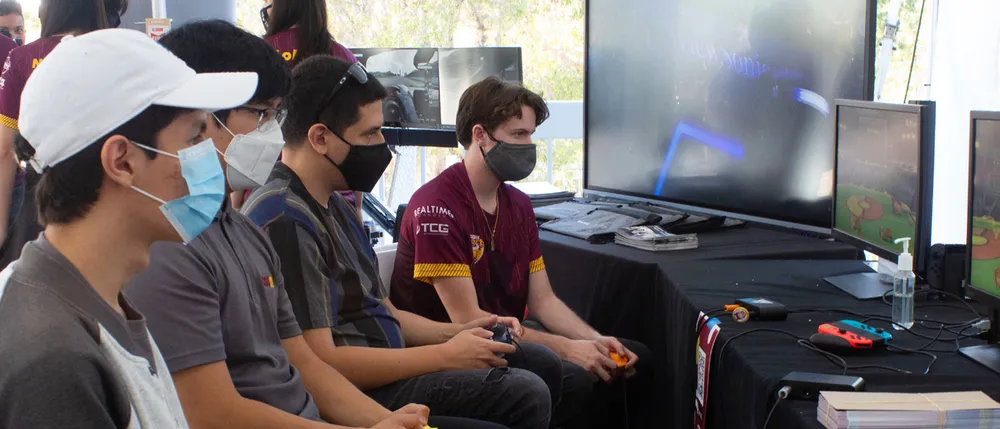
ESPORTS VENUE
Block House Esports opened on October 4, 2020, to serve as a community gathering place offering an internationally-inspired menu and a variety of video game entertainment options. Located in a storefront at the renovated historic opera house in downtown Alma, Block House also serves as the official training and competitive venue for the Alma College varsity esports team. Block House
welcomes neighborhood gamers and fans to play in matches, watch league tournaments and receive coaching. It is also equipped to host live performances and stream digitally.

Overview

Problem:

  • Transform an historic site into a vibrant esports facility
  • Equip space to be the competitive and practice facilities for local college esports team
  • Create an environment that further serves as a community gathering place

Solution:

  • 12 ViewSonic 24” LCD Gaming Monitors with ELITE RGB Technology
  • 13 ViewSonic 24” Gaming LED monitors
  • 2 ViewSonic 65” 4K Ultra HD Commercial Displays
  • 4 ViewSonic 50” 4K Ultra HD Commercial Displays
  • ViewSonic 75” 4K UHD Commercial Display
  • ViewSonic 86” 4K Ultra HD Commercial Display
  • ViewSonic 27” 4K UHD Monitor with SuperClear IPS Technology
  • ViewSonic 35” 1440p Ultra-Wide Gaming Monitor with ELITE RGB Technology

Result:

  • Every aspect of the complex AV setup has lived up to and exceeded expectations
  • Alma College now has a formal esports team, with a place to practice and compete
  • The ViewBoard displays facilitated continued collaboration, learning and connection during pandemic conditions

The ViewSonic gaming monitors had great specs, but just to make sure we brought in coaches and members of the Alma College Overwatch and League of Legends teams and we did a brand-blind comparison with competitive products. It was incredible --- each and every one of them picked the 24-inch ViewSonic models.

— Anthony Collamati, Media Studies Professor Alma College

Problem

In 2010, the historic Wright Leppien Opera House in Alma Michigan suffered massive interior damage in a fire. Efforts to renovate the space languished and Alma College took ownership of the space in 2017, investing two years of work to bring it up to code. The upper floors became apartments for Alma College students. The ground floor became home to six storefronts, which the university sought to lease to local businesses that would benefit students and the community.

During renovation, the college asked New Media Studies Professor Anthony Collamati for his thoughts on how to use one of the spaces. The result of that exchange gave birth to an exciting idea: Transform the space into an esports environment that would serve as a practice and competition space for the
Alma College varsity esports team.

“The college didn’t actually have an esports team at that point, but they recognized the value of providing this opportunity to students and plans were in the works,” said Collamati. “One of the biggest roadblocks was the lack of facilities for the team.”

Collamati teamed up with friend and local business owner Nick Lux and leased the space from the university. The plan quickly expanded beyond a simple practice facility.

“As we talked through the options, we realized that we wanted to create a place that lived up to the original historic mission of the building, which was to be a community gathering place for residents to enjoy what was the dominant medium of the time,” said Collamati. “We live in a small town and there aren’t that many places to gather and we wanted to create a space where everyone would feel comfortable and welcome.”

Today’s medium, of course, is gaming. Whereas gaming was seen as a niche hobby for nerds and teenagers two decades ago, today esports has become a multi-billion dollar industry that is still growing. Creating a space that facilitated practice, competition and casual enjoyment – along with comfortable companionship for non-gamers – was an entirely new business and entertainment model.

“We wanted to create a space that would be inviting to anyone who walked in, along with the serious gamers and the Alma esports team,” said Collamati. “The vision encompassed multiple areas designed for different types of game play, as well as areas for the spectating and dining-only crowd.”

A critical component, said Collamati, was a stage area that would replicate the high-level competitive esports experience, which typically takes place in large halls or stadiums, is broadcast live and includes play-by-play “shoutcasting.”

Solution

While there were some challenges related to building on a historic site, building a bar and dining tables proved to be the easy part. Mapping out the varied game spaces, individual team practice stations, a pro-level gaming stage and the AV needed to tie it all together into a vibrant environment was beyond Lux and Collamati’s experience. For this, they turned to Matt Smiley, owner and president
of CCS Presentation Systems of Michigan.

“Matt was tremendous at helping us think through ideas and finding pitfalls before we fell into them,” said Collamati. “Typically, to create the type of environment we sought would require a giant broadcast switcher that costs as much as a house and could run AV feeds from many PCs, along with a control booth, command center and a few producers and operators to manage it all.”

Constrained by costs and space, this full-on esports broadcast approach wasn’t an option, said Collamati. “Our daily team would need to be just a couple of people to edit the broadcast, and we could only afford a dozen AV inputs,” he added.

That’s where CSS presentation systems came in. CSS utilized a dynamic AV over IP solution that used network switching to transition between SDI and HDMI, creating an immersive environment at a budget-friendly price point.

“To do this, we needed monitors and large screen displays with the appropriate integrated connectivity options and Anthony wanted top-notch graphics and color,” said AV pro Matt Smiley. “I’ve worked with ViewSonic for years and they’ve been my go-to monitor brand for some time now. Their products are very dependable, and every client we’ve sold ViewSonic displays to tells us they’re great.”

CCS suggested several ViewSonic® monitors and large screen displays to meet the varied requirements of the installation. Not only were the ViewSonic graphics displays beautiful and the gaming monitor specs up to par, said Collamati, the display’s enabled CCS to bring the entrepreneurs’ vision to life.
“ViewSonic did a great job of sending us demo equipment and helping us pick the right monitors and displays for each area,” said Smiley. “They went above and beyond and together we determined the displays that fit the budget and had the specs Anthony needed.

“A critical feature of the game displays was the refresh rate,” added Smiley.
“And ViewSonic had great monitors specifically for the gaming market.”
Before committing, Collamati put the ViewSonic gaming monitors to the test, determined to make sure that the technology was a good fit for the serious gamers.

“The ViewSonic gaming monitors had great specs, but just to make sure we brought in coaches and members of the Alma College Overwatch and League of Legends teams,” said Collamati. “We did a brand-blind comparison with competitive products. It was incredible --- each and every one of them picked the 24-inch ViewSonic models.”

Ultimately, the CCS and Collamati chose the following ViewSonic products to outfit Block House Esports:

• 12 ViewSonic 24” LCD Gaming Monitors with ELITE RGB Technology, 1920x1080 resolution, 144Hz refresh rate, rapid response time (Model XG240R)

• 13 ViewSonic 24” Gaming LED monitors, 1920x1080 resolution, 144Hz ultra-fast refresh rate, 1ms response time (Model XG2401)

• 2 ViewSonic 65” 4K Ultra HD Commercial Displays (Model CDE6510)

• 4 ViewSonic 50” 4K Ultra HD Commercial Displays, 3840x2160 resolution, 350nits, built-in multi-core media player with 8gb storage
(Model CDE5010)

• 1 ViewSonic 75” 4K UHD Commercial Display (Model CDE7500)

• 1 ViewSonic 86” 4K Ultra HD Commercial Display (Model CDE8600)

• 1 ViewSonic 27” 4K UHD Monitor with SuperClear IPS Technology, 3840x2160 resolution (Model VX2776-4K-MHD)

• 1 ViewSonic 35” 1440p Ultra-Wide Gaming Monitor with ELITE RGB Technology, 3440x1440 resolution, 100Hz refresh rate (Model XG350R-C)

Result

Despite delays and constraints related to the coronavirus pandemic, Block House officially opened on October 4, 2020. The response has been even better than he could have dreamed of, says Collamati.

“We host the Alma varsity team practices and competitions, just like a hockey team rents ice time at a rink,” he said. “Beyond this, the response from the community has been overwhelming. Whenever pandemic conditions have allowed us to serve them, we have people here enjoying the food or the bar, or gaming – or all three.”

The crowd ranges from families and groups of kids to couples on dates, said Collamati, who says he’s thrilled to be helping esports come out of the basement and become a social activity.

The space roughly breaks out into three activity-based areas: The bar/dining tables; gaming stations; and competitive streaming stage. To keep track of the large screen displays and facilitate easier communication and programming (while having fun to boot), Collamati and his team named the large ViewSonic commercial displays after the Greek Gods.

Upon entering the Block House, just inside the doorway, Hades, the massive 86” 4K Ultra HD commercial display greets visitors, provides a family- and group-friendly game zone, and captures the attention of passersby. To the left, drinking, dining and spectating visitors can choose from a bar, four-top tables and a large community high-top.

Two-person gaming nooks with ViewSonic XG2401 24” gaming monitors line the wall with larger ViewSonic 50” displays above that showcase the action to spectators. Venture further into the Block House and you’ll find more game stations nestled against historic bare brick walls and situated throughout open spaces. Couches in front of two pairs of ViewSonic 50” 4K Ultra HD Commercial Displays (Ares, Hephaestus, Apollo and Artemis) invite visitors to get comfortable and grab a controller.

The stage area comes to life with 12 ViewSonic 24” LCD gaming monitors with ELITE RGB Technology, which can be configured for a variety of live competitions ranging from 1v1 to 6v6. “These ViewSonic Elite RGB monitors are really terrific,” said Collamati. “We can program them to use our brand colors or can color code the teams so it’s easy to tell who’s home and who’s away.”

Above the stage and along the back wall of the Block House, Zeus, a ViewSonic 75” 4K UHD commercial display is flanked by Poseidon and Hera, ViewSonic’s 65” 4K Ultra HD commercial displays. Transmitters on top of every player station send signals to the control screen, where the Block House team uses a digital switcher to broadcast gameplay onto the big screens.

“The ViewSonic displays have been fantastic and they’re a big part of how the media staff is able to craft an exciting audio-visual experience for people coming into the venue,” said Collamati. “For example, say there’s a group of four battling it out on Valorant, we can stream their game to Zeus, Hera and Poseidon, amping up the competitive excitement.”

What’s more, Collamati adds, the content on the ViewSonic commercial displays can be easily adapted to fit the season, day or mood – as well as to deliver advertising and promotions. “We like to cycle through some branding for ourselves and our sponsors, like the Alma Esports Team, on at least one display,” said Collamati. “On others we could be running seasonal or themed movies. We can run a Twitch broadcast or a live or virtual football game on another. The possibilities are endless.”

One of the biggest thrills and most heartwarming aspect of the venue, says Collamati, is seeing the ways in which the games and the environment bring people together.

“Say we have a mom and daughter playing Mario Kart and we take their game and put it on a ton of screens around the space; it’s such a joy to see their reaction and the connection between the parent and child,” he said. “I knew we could do that – it was our goal all along to be able to show the game play around the space – but I didn’t realize the huge guest experience value it would bring.”

From start to finish, he added, Block House has been a labor of love. To date, their crew is still working out the kinks and looking forward to the post-COVID days when teams in the Block House can livestream their battles on Twitch, just like the pros. On days when Block House is able to open, the excitement just keeps going.

“We just love seeing people walk by, and the big 86-inch ViewSonic display in the front window catches their eye and draws them in,” said Collamati. “We’ve seen a family with young kids eyeing the couch and the rich colors on the display showcasing Donkey Kong or Mario Kart, and they come in and play together, smiling and laughing. Or a teen with his parents who convinces them to come in and they end up playing together. You gotta ask yourself – would those parents have ended up playing Among Us in their basement with their kid?”

Sports and Event Photography Company Grows Exponentially with ViewSonic Monitors


Case Study

Sports and Event Photography Company Grows Exponentially with ViewSonic Monitors

Company

Founded in 2015 by former Microsoft engineer Jason Asthon, Mad Moose Media is a sports and event photography company dedicated to quality, efficiency and “capturing the moment.” Mad Moose serves clients across the U.S. and has photographed everything from traditional youth sports programs to dirt bike racing to yacht tournaments. Drawing upon his skills as a professional photographer and graphic designer, Ashton runs the business with his extended family.

Overview

Problem:

  • Support growth of sports photography company with monitors
  • Provide an outstanding and reliable customer POS experience
  • Support display needs of staff on-site and in the office Support professional caliber photo editing

Solution:

  • 10 ViewSonic TD2730 10-point multi-touch displays for customer point-of-sale
  • 10 ViewSonic VA2256-mhd displays for use by sales team
  • 1 ViewSonic ViewBoard IFP7550 75” interactive display for indoor events
  • 2 ViewSonic PX701-4K Ultra HD projectors to add excitement
  • 1 ViewSonic VP3881 38” Ultrawide ColorPro™ monitor for image editing
  • 1 ViewSonic VX4380-4K Ultra HD 43” monitor for general office use
  • 1 ViewSonic XG350R-C 35” Ultrawide ELITE gaming monitor for relaxing

Result:

  • Business needs have been successfully met and exceeded
  • Rapid, reliable touch response continue to deliver a satisfying POS experience
  • Zero in-field failures despite years of extreme outdoor conditions
  • Professional photo editing delivers what-you-see-is what-you-get quality that cuts expenses and satisfies customers
  • Large, vibrant images and responsive interactive touch displays drive business
    at indoor events
  • Greater legibility and reduced eyestrain during office work

These monitors – and the projectors – all do what they’re supposed to do, with outstanding quality and without fail,” said Ashton, summing up his experience with the many ViewSonic products he uses daily.  “I think one of the most incredible things is their reliability.  We’ve put them through the worst environments they could be through I’m often shocked that they still work.

— Jason Ashton, Founder, Mad Moose Media

Problem

While working as a Microsoft engineer, Ashton decided to keep his competitive spark alive by working part-time at an event photography company. Despite his enthusiasm, Ashton was frustrated by the lack of professionalism he encountered.

“I was not impressed by the way they went about things and I was constantly giving them ideas,” said Ashton. “They never listened, so my wife and I decided to do it ourselves.”

At the time, he said, there was no major software solution for the event photography space, so they developed their own. Along with their software (which was faster and more efficient than anything else on the market), they needed monitors that could be used for up to 20 hours a day in environments that were often dirty, dusty and wet. These monitors would also need to withstand the constant bumping and jostling that came with constant transportation to and from events – initially throughout the Southwest, then across the country as Mad Moose Media expanded.

Solution

In the early days of Mad Moose, said Ashton, everything was about the bottom line. Their Mad Moose POS, Sort and Photo Grab software was developed entirely in-house. Cost, rather than function, was the priority when it came to purchasing monitors.

“The first monitors we had were what we could get easily and inexpensively from Best Buy. As it turned out, some were from ViewSonic and others weren’t,” he said.

During that first year, Mad Moose Media went to any event they could find near their home base of Nevada and Southern California. At a mountain bike race in Orange County, Ashton met someone who would change his life. A Mad Moose customer noticed the ViewSonic monitors then brought his friend by to meet the Mad Moose crew. That friend turned out to be President of ViewSonic Americas, Jeff Volpe.

“He and I ended up having a lot of common interests,” said Ashton, “We had a great time talking, and of course he commented on how ViewSonic monitors could do a better job for us. I was thrilled to take his advice and try out the monitors he recommended as best for our different needs.”

With a range of vehicles, trailers and tents that traveled to events, Mad Moose Media needed a wide range of monitors to meet their needs. The final solution consisted of:

ViewSonic® TD2730 Multi-Touch Displays
The 10 TD2730 multi-touch displays being used for customer point-of-sale were the most critical component of the business, said Ashton, as they served the interface where customers could see, customize and order photos. Using the VESA compatible mounts on the displays, Ashton connected standard folding wall mounts, flipped them 180-degrees and attached them to a table instead of a wall, creating a fast and easy set-up process.

ViewSonic VA2256-mhd Displays
10 displays are used by the sales team from inside the tent or trailer, mirroring what the customer sees on the outside.

ViewSonic ViewBoard® IFP7550 75” Interactive Flat Panel Display
This giant display, said Ashton, is ideal for circumstances that bring Mad Moose inside to showcase and sell their photography. Mounted on the ViewSonic
LB-STND-003-S mobile stand, the 75” ViewBoard interactive display is quite literally a standout in conference rooms, convention centers and high-end award ceremonies.

ViewSonic PX701-4K Ultra HD Projectors
Two 4K projectors amp up the excitement during events by displaying content onto the ceiling of the tent. With nighttime images that reach up to 20 feet, Aston’s team can livestream races, showcase results and present highlights.

ViewSonic VP3881 38” ColorPro™ Monitor
This powerful color-accurate display is used for image editing in Ashton’s home office to produce pixel-perfect pictures every time.

ViewSonic VX4380-4K 43” Ultra HD Monitor
The Mad Moose team uses this 4K monitor for poster development and general in-office use.

ViewSonic XG350R-C 35” Ultrawide ELITE Gaming Monitor
Running a business is hard work. That’s why for Ashton, a gaming monitor was critical for self-care.

Result

Equipped with the right technology for each job and driven by a passion for excellence, Mad Moose Media has grown exponentially over the past five years. Some of the credit goes to the durability and performance of the ViewSonic displays, said Ashton.

“For one thing, without the touchscreen POS monitors we couldn’t do anything,” he said. “And these ViewSonic multi-touch models do everything we need. The images are great and the high nit count for brightness is very important because we’re outside. Even with the awning providing shade it’s still very bright.”

Not only do the ViewSonic TD2730 touch displays deliver everything needed for point-of-sale customer interaction, they do so again and again, without fail, at nearly 100 events per year.

“The durability of these monitors is mind-blowing,” said Ashton. “We’ve never had a failure in the field and we put them to work in the worst dust you can imagine. They’ve been through rain multiple times plus snow, 20-degree weather, 100-degree weather, you name it. They’ve had thousands of customers pushing on them and they’ve been driven across the country dozens of times.”

This, he said, is beyond critical for the company’s five concessions: A tent with five ViewSonic TD2730 touchscreen displays; two vending trailers, each with four to six TD2730 displays; a golf cart with two TD2730 displays; and the indoor concession: a 75” ViewSonic ViewBoard IFP7550 interactive display.

“We rely completely on our ViewSonic monitors. We can’t have low-quality monitors that break during an event,” said Ashton. “That would cost us thousands of dollars in a day.”

From small to large, outdoor to indoor, ViewSonic displays do not disappoint,
said Ashton, who is particularly fond of the 75” ViewBoard interactive display.

“It’s huge and vibrant and always catches peoples’ attention with its beautiful, massive screen,” he said. “We just push it into the meeting room or convention hall, put it in the corner, and people continually walk up and interact with it.”

While most of the company’s business - from order placement to the final printed product placed in the customers’ hands - is conducted and completed onsite, Mad Moose Media also specializes in creating customized posters produced off-site.

“We take a lot of pride in our posters,” said Ashton. “We know they can stay up
on walls for a long time and we work hard to make sure they’re perfect.”

This is where the ViewSonic VP3881 Ultrawide ColorPro™ monitor shines, enabling Ashton and his team to edit, color-correct and personalize photos taken in the toughest of conditions.

“None of our photographers get it easy. They have to work with odd lighting, dust and water reflections; we don’t get to set up a photoshoot,” Ashton said. “This is where the editing, color coding and color grading that we do on this monitor is critical.

For example, an image may be a bit hazy due to dust but also the best image from the event. The functionality of the ViewSonic VP3881 enables us to edit out the haze and get the colors perfect, said Ashton, adding that this is another important cost-saver for the company.

“When we generate the poster on our giant printer, we know that what we see on the monitor screen will be what we see on the final result. This is critical because we print thousands of posters per year. If it doesn’t look exactly right onscreen compared to what we print, we’d waste a lot of time and expensive paper.”

The Mad Moose headquarters is also home to a ViewSonic VX4380-4K Ultra HD monitor, which supports basic business functions as well as some poster design. “To be honest, I just love this monitor, it’s so easy to read everything on it,” said Ashton. “It’s my general office workstation so I use it daily for emails, PowerPoint, Excel, that sort of thing. The 4K is a whole different feel and I notice way less eye strain.”

Beyond the ViewSonic monitors that support his business, Ashton has one more that’s near and dear to his heart: the ViewSonic XG350R-C 35” Ultrawide ELITE gaming monitor. Designed to deliver an immersive experience for esports and gaming enthusiasts, this elegant, curved display includes ViewSonic exclusive RGB ELITE lighting technology, a 100Hz refresh rate and ClearMotion™ technology to reduce blur.

“I grew up racing and I’m a racer at heart. These days I do a lot of iRacing and sim racing online for fun,” Ashton said. “I’m at races and competitions every weekend, running the Mad Moose show, but when I want to race myself, I can do it anytime online with other people from around the world.”

What started as a pastime became something bigger when the COVID pandemic put a stop to many live events in early 2020. Because of his background, Ashton has become what he calls “tech support” for 20 or so NASCAR drivers, advising them on everything from the software to the workstation setup. And he always recommends the ViewSonic XG350R-C 35” Ultrawide ELITE gaming monitor.

“I tell them that this incredible 35” curved ViewSonic gaming monitor is absolutely what they need. It’s pretty much perfect for sim racing,” he said. “You need the ultrawide because you need to be able to easily see who’s to your left and right, and it gives you a tremendous field of view. It’s an amazing monitor and for the price point it’s even more amazing.”

With a thriving and expanding business, Mad Moose Media captures thousands of athletes and racers in the heat of the action. As soon as those shots are captured, ViewSonic monitors play a vital role in getting those images into the hands of athletes and their fans.

“These monitors – and the projectors – all do what they’re supposed to do, with outstanding quality and without fail,” said Ashton, summing up his experience with the many ViewSonic products he uses daily. “I think one of the most incredible things is their reliability. We’ve put them through the worst environments they could be through. I’m often shocked that they still work.”

Despite the damp, dust and grime spanning five-plus years, none of the ViewSonic monitors have ever been dismantled or professionally cleaned. “We just blow them off and wipe the screens, simple things,” said Ashton. “I joke that we put these monitors through more durability testing than when they’re manufactured. With us they go through hell and back – and keep working.”