 Teacher's Community
  Support


Why Thunderbolt Monitors Future-Proof Your School
- Aug 31, 2026
Why Thunderbolt Monitors
Future-Proof Your School
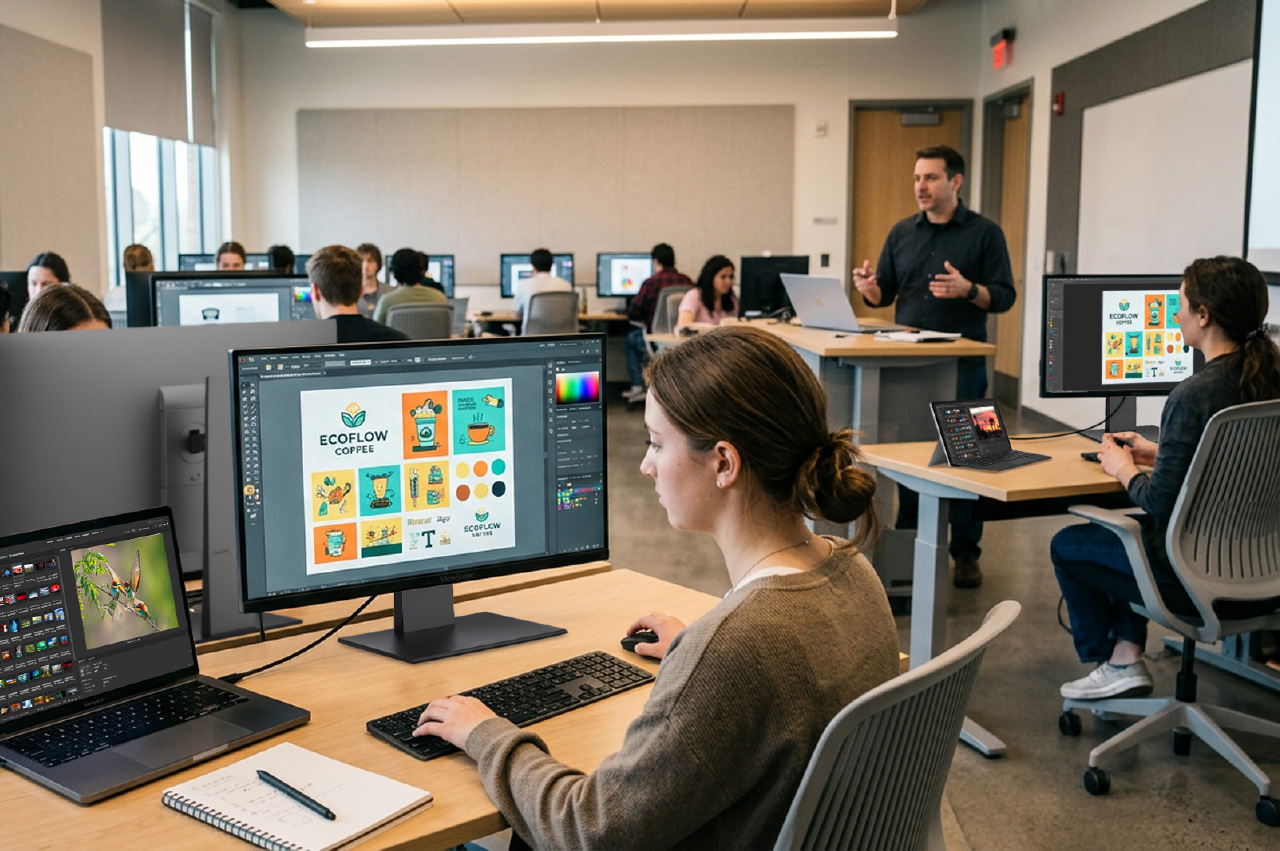

Every student and teacher on your campus has a device. But here’s the thing: those devices don’t all age at the same speed. Laptops take a beating and get replaced frequently. The monitor on the desk? It can easily outlast two or three rounds of laptops.
That gap is exactly why the display you buy today matters. A Thunderbolt monitor for schools is built to work with the laptops you have now and the ones you’ll buy later. Here’s why buying one now saves you money down the road.
The short version: Thunderbolt monitors are backward compatible with older Thunderbolt and USB-C devices and ready for new standards like USB4. So when you refresh your laptops, your monitors keep working. One display covers Mac labs, computer labs, and faculty desks alike.
Your Laptops and Monitors Don’t Age at the Same Rate
Most schools refresh student and teacher laptops frequently. There’s a good reason for that. Students aren’t gentle with their gear. Laptops get stuffed into backpacks, dropped in lockers, and opened and closed thousands of times. Hinges loosen, ports wear out, and screens crack.
It’s not just wear and tear, either. Plenty of students bring their own laptops, and no two are quite the same. You’ve got a wide range of brands, ages, and preferences plugging in across campus, so the monitors on your desks have to work with all of them, not just the machines you bought.
Monitors live an easier life. They sit on a desk. They don’t have hinges to break or get tossed around campus, so a quality monitor can keep going for years longer than the laptop in front of it.
That means it is a smart move to invest in a Thunderbolt monitor that can easily outlast the lifecycle of regular laptops or MacBooks. The smart move is to buy a monitor that won’t care which laptop you plug into it, this year or a few years from now.
What Makes a Thunderbolt Monitor Future-Proof?
A future-proof display has to do one job really well: connect to whatever device comes next. ViewSonic® Thunderbolt monitors are designed for exactly that.
Here’s what keeps them ready for the long haul:
- Backward compatible. They work with Thunderbolt 3 and Thunderbolt 2 devices, so older MacBooks or laptops in your fleet aren’t left behind.
- Universal connection. Any laptop with a video-capable Thunderbolt or USB-C port connects and works, Mac or Windows.
- USB4 ready. They support USB4 protocols, so you’re prepared for the next wave of laptops and tablets.
Thunderbolt is an Intel-developed standard, which is part of why it plays so well across brands and generations. Whether your next purchase is a MacBook, a Windows laptop, or something that hasn’t launched yet, the monitor on the desk stays useful.
Better Specs That Keep Up with Demanding Work
Future-proofing isn’t only about ports. It’s also about performance that won’t feel dated in a year.
ViewSonic Thunderbolt monitors deliver higher specs and better resolution, with crisp 4K and 5K options for design, photo, and video work. They also support daisy chaining, so you can run dual 4K or 5K displays from a single connection. That’s a clean, cable-light setup for labs and studios, and it scales as your program grows.
One Monitor for Mac Labs and Computer Labs
A lot of campuses run mixed environments. The design department is on Macs. The library and general labs are on Windows. Buying different monitors for each is a headache and a budget drain.
Thunderbolt monitors work great in a Mac lab or a regular computer lab. The same display can sit in a creative arts studio and a general-purpose lab. That’s one product line, one thing to standardize on.

Meet the ViewSonic Thunderbolt Monitor Lineup
Four models in the ViewSonic ColorPro® VP series check every box for a future-proof campus. All of them connect to Mac and Windows devices over Thunderbolt and USB-C, and they share the same baseline features:
- Thunderbolt 4 with 100W charging
- Tested EDID for reliable plug-and-play recognition
- Full DDC/CI support for ColorPro Display Manager
- Pantone Validated color accuracy
- 98% to 99% DCI-P3 coverage
- Full ergonomic adjustments: height, tilt, swivel, and pivot
- Built-in USB hub
- Three-year limited warranty
The difference comes down to size, resolution, and docking features. Here’s how to pick the right one.
VP2788-5K: 27” 5K ColorPro Monitor
The VP2788-5K is the lineup’s sharpest display. At 218 PPI, its 5K panel matches the quality of a MacBook Pro screen, so everything stays consistent when students and faculty look between the two. It’s a natural fit for design and media labs, and dual 5K daisy chaining lets you run two of them from a single Thunderbolt cable.
- Panel: 27-inch IPS, 5K (5120×2880), 218 PPI, 60Hz, and HDR400
- Color: 99% DCI-P3, 100% sRGB, and Pantone Validated
- Connectivity: Thunderbolt 4 with 100W power delivery, dual 5K daisy chain, HDMI, DisplayPort, and a USB hub
VP2488-4K: 24” 4K ColorPro Monitor
The VP2488-4K delivers strong pixel density without taking over the desk. At 24 inches and 184 PPI, it gives you sharp text and clean HiDPI scaling in a compact footprint. That makes it a great choice for libraries, shared workstations, and faculty offices. It supports dual 4K daisy chaining too, so you can wire two together from a single port.
- Panel: 24-inch IPS, 4K (3840×2160), 184 PPI, and 60Hz
- Color: 98% DCI-P3, 100% sRGB, and Pantone Validated
- Connectivity: Thunderbolt 4 with 100W power delivery, dual 4K daisy chain, HDMI, DisplayPort, and a USB hub
VP2776T-4K: 27” 4K ColorPro Docking Monitor
The VP2776T-4K turns the monitor into a full single-cable docking station. Its built-in RJ45 Ethernet port routes a wired network connection straight through the Thunderbolt cable to the laptop, Mac or Windows. That means fewer adapters at every desk and no spotty Wi-Fi during video calls or large file uploads, which is ideal for busy labs and front-desk workstations.
- Panel: 27-inch IPS, 4K (3840×2160), 60Hz, and HDR400
- Color: 98% DCI-P3, 100% sRGB, and Pantone Validated
- Connectivity: Thunderbolt 4 with 100W power delivery, RJ45 Ethernet, dual 4K daisy chain, HDMI 2.1, DisplayPort, USB hub, and dual speakers
VP3276T-4K: 32” 4K ColorPro Docking Monitor
The VP3276T-4K gives editors, engineers, and designers serious screen real estate without adding to the cable clutter. The 32-inch 4K screen leaves plenty of room for long video timelines, layer panels, and side-by-side apps. Like the 27-inch docking model, it features RJ45 Ethernet and a full USB hub, so the whole desk connects through one cable.
- Panel: 32-inch IPS, 4K (3840×2160), 60Hz, and HDR400
- Color: 98% DCI-P3 and Pantone Validated
- Connectivity: Thunderbolt 4 with 100W power delivery, RJ45 Ethernet, dual 4K daisy chain, HDMI, DisplayPort, USB hub, and VESA mounting See the VP3276T-4K

Common Questions About Thunderbolt Monitors for Schools
Are Thunderbolt monitors backward compatible?
Yes. ViewSonic Thunderbolt monitors work with Thunderbolt 3 and Thunderbolt 2 devices, plus standard USB-C laptops. Older devices in your fleet will still connect.
Will a Thunderbolt monitor work with future laptops?
It should. These monitors support USB4 protocols, the foundation for upcoming Thunderbolt and USB-C devices, so they’re built to keep pace with new hardware.
Do they work with both Mac and Windows?
Yes. Thunderbolt is cross-platform, so one monitor serves Mac labs, Windows labs, and faculty offices equally well.
Future-Proof Your School With ViewSonic
Buying a Thunderbolt monitor now lets you spend once and stay ready for device refreshes. You get a display that works with today’s laptops, tomorrow’s laptops, and both Mac and Windows along the way.
Working with a tighter budget? We have other great monitors that can fit your needs too.
Talk to a ViewSonic rep to find the right displays for your campus.


Login and Registration Form