Monitors

ViewSonic Launches Two New 27-Inch VP ColorPro Monitors Designed for Video Editing, Graphic Design, and Other Creative Works

The VP2766‑2K and VP2766‑4K are Pantone‑Validated Displays that Feature 120Hz Refresh Rate, QHD and UHD Resolutions, and USB‑C Connectivity for Streamlined Cable Management

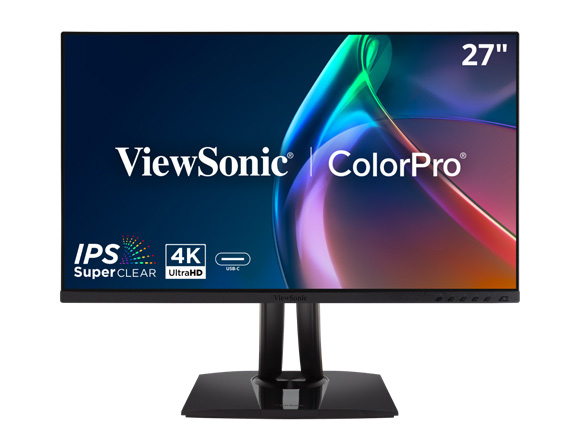
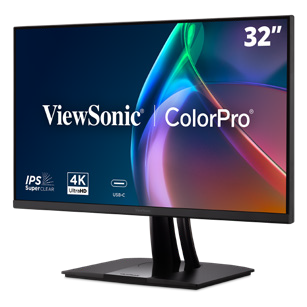
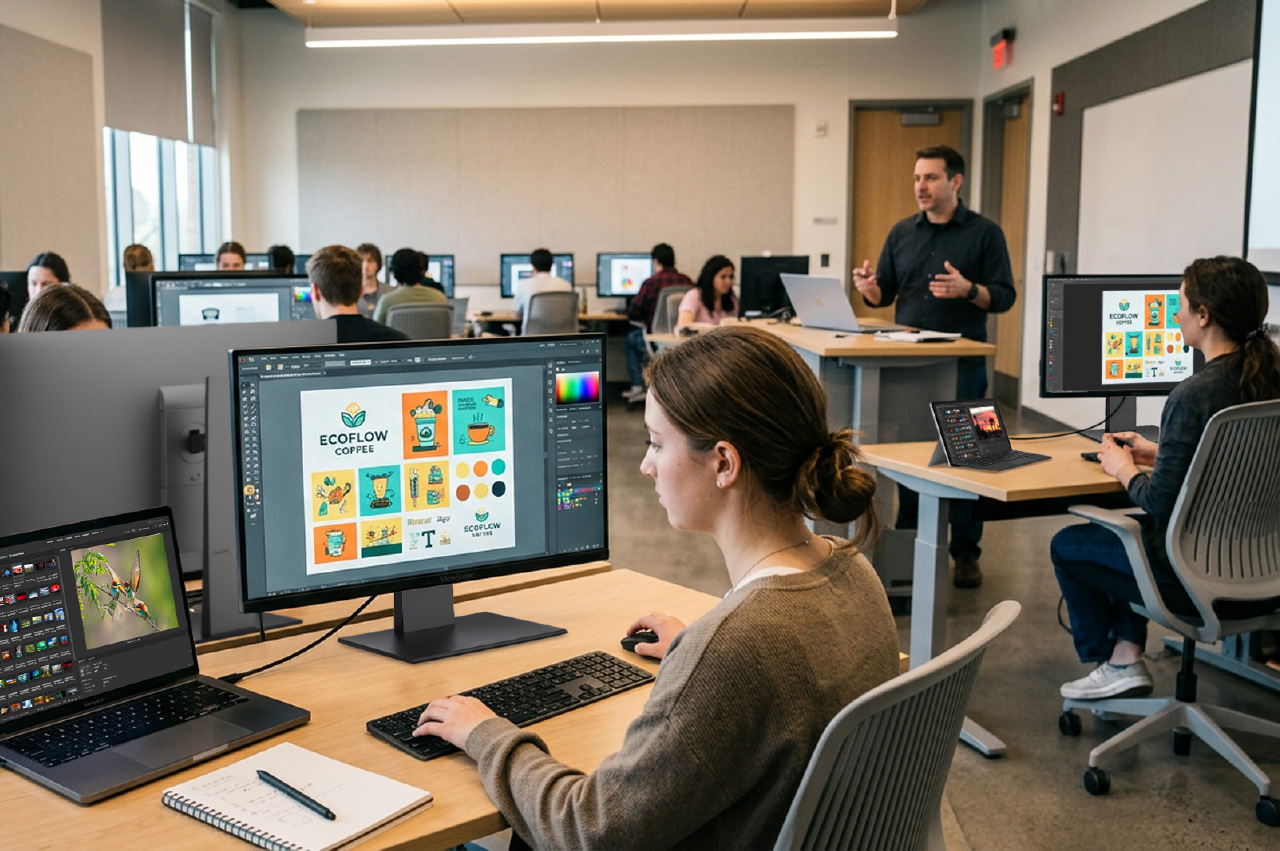
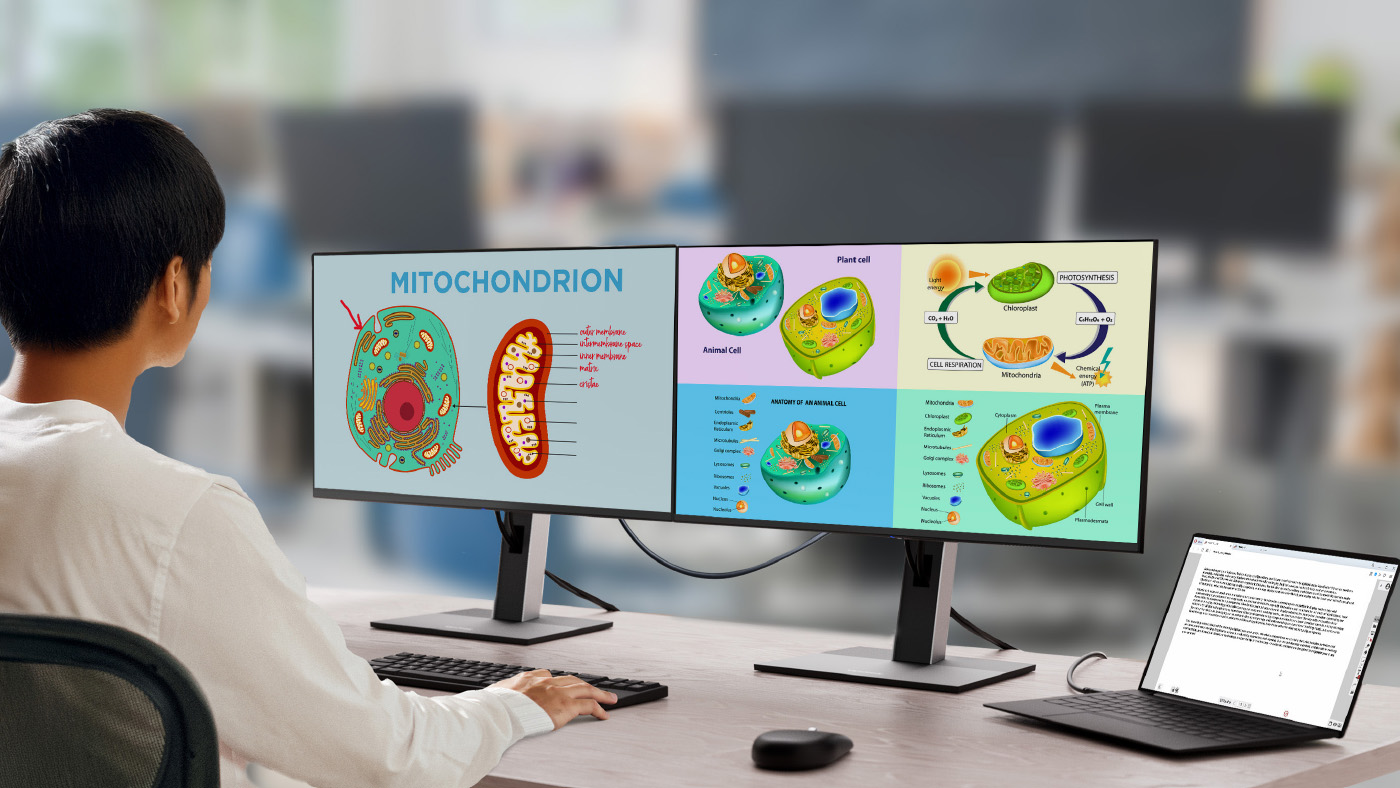
Brea, CA (Sept. 30, 2026) – ViewSonic Corp., a leading global provider of visual and edtech solutions, announces the launch of the VP2766-2K and VP2766-4K, the company’s latest 27-inch ColorPro® monitors. Both monitors bring precision and stunning color performance for graphic design, animations, video editing, and other creative endeavors. For more accurate and consistent color performance, the VP2766-2K and VP2766-4K are Pantone® validated with factory hardware calibration, which fine-tunes color settings within the monitor itself, without relying solely on computer-side software adjustments. With 100 percent sRGB coverage, the two monitors deliver true-to-life color reproductions, so the content looks exactly as intended.

The ViewSonic® VP2766-2K features a native 2K QHD (2560x1440) resolution and the VP2766-4K comes a native 4K UHD (3840x2160) panel. Both monitors come with a 120Hz refresh rate for smooth visual motion and playback. The USB-C connection makes cable management easy, as the single USB-C cable handles video, data and up to 90W of power delivery while an HDMI port adds greater flexibility. A USB hub with three USB-C ports and one USB-A port provides ample options for connecting a keyboard and mouse or charging other devices such as a phone or tablet. The VP2766-2K and VP2766-4K both have a sleek ergonomic stand that can easily adjust the tilt, swivel, pivot, and height. Built-in flicker-free technology and a low blue light solution can help reduce eye fatigue.

“To offer more options for the creative community, we’ve added the VP2766-2K and VP2766-4K monitors to the ColorPro line-up,” said Jenny Lopez, Sr. Product Manager of Monitors at ViewSonic. “Creative work requires precision and accuracy, whether it’s with color or motion, and both these monitors offer that at great price points. We also made sure that the monitors can be used easily with Macs. With ColorPro® Display Manager, brightness and volume are easily adjusted using Mac function keys. The on-screen menu allows users to personalize settings like ViewMode™ and customize other display options to match.”

VP2766-2K ColorPro Monitor

  • 27-inch monitor with native 2K QHD (2560 x 1440) resolution
  • 120Hz refresh rate with 5ms response time
  • Connectivity options include USB-C, USB-A, HDMI 2.1, and Audio-Out
  • Available: Now for an estimated street price of $239.99 [USD]

VP2766-4K ColorPro Monitor

  • 27-inch monitor with native 4K UHD (3840 x 2160) resolution
  • 120Hz refresh rate with 5ms response time
  • Connectivity options include USB-C, USB-A, HDMI 2.1, and Audio-Out
  • Available: Now for an estimated street price of $339.99 [USD]

To find out more about ViewSonic, visit ViewSonic.com and follow on Facebook, YouTube, X and Instagram.

About ViewSonic

Founded in 1987 and headquartered in Brea, California, ViewSonic is a leading global provider of visual solutions for the education, business, and consumer markets, with a presence in over 100 countries. Driven by the mission to transform education, workplaces, and lives, the company delivers a unified ecosystem of innovative hardware, software, and services that integrates seamlessly with the platforms, tools, and partners customers trust. Its product portfolio includes monitors, projectors, interactive displays, LED displays, commercial displays, video conferencing systems, and industrial solutions. Complementing its hardware is a robust suite of software offerings—including myViewBoard, ClassSwift, TeamOne, Manager, and AirSync—featuring AI-powered tools for collaboration, device optimization, and management. By empowering creativity, collaboration, and lifelong learning, ViewSonic supports customers at every stage in achieving their business and sustainability goals, creating a lasting impact and helping people everywhere connect with purpose—and See the Difference. Learn more at www.viewsonic.com.

# # #

* Actual performance, compatibility, and user experience may vary depending on system configuration, network conditions, usage environment, and other factors. Eye care and ergonomic features are designed to help reduce potential discomfort during extended viewing, but individual experiences may vary. Programs, pricing, specifications and availability are subject to change without notice. This news release contains forward-looking statements that reflect the Company’s expectations with regard to future events; actual events could differ significantly from those anticipated in this document. Corporate names and trademarks stated herein are the property of their respective companies. © 2026 ViewSonic Corporation. All rights reserved.
Media Contacts:

Joey Lee
JSL Marketing for ViewSonic [U.S.]
E: joey@jslcomm.com

Miranda Bravo
ViewSonic [U.S. / Canada]
E: miranda.bravo@viewsonic.com

Nury Lavandier
ViewSonic [Latin America]
E: Nury.Lavandier@viewsonic.com

Complete Guide to Dual-Screen Portable Monitors | ViewSonic

Complete Guide to Dual-Screen Portable Monitors

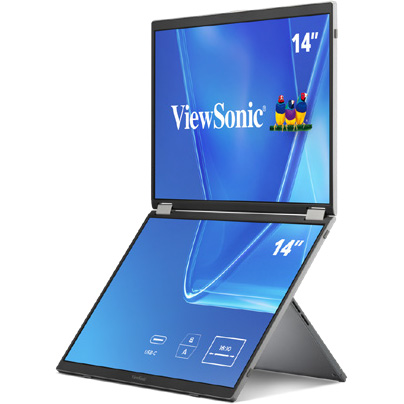
A dual-screen portable monitor is a foldable external display with two built-in screens that expands a laptop into a multi-monitor setup.

This solution is useful for business travel, remote work, coding, presentations, financial workflows, content review or any task that would benefit from keeping multiple windows visible at once. The best models are easy to carry, connect through USB-C, support multiple viewing modes and clearly explain device compatibility.

In this guide, we’ll break down how dual-screen displays boost productivity, key features to look for, real-world setups for mobile work and more.

We’ll also explain why the ViewSonic® VG1457 is one of our top picks for a dual-screen portable monitor.

What Is a Dual-Screen Portable Monitor?

A dual-screen portable monitor is a single unit that folds open to reveal two separate screens, usually connected by a center hinge. That sets it apart from two other common setups people often mix up:

A single portable monitor adds one extra screen to a laptop. It’s a lighter, simpler setup than a dual-screen unit, and a solid fit for anyone who just needs one extra screen rather than a full three-screen workspace.

A laptop screen extender (the kind that clips onto the back of a laptop lid) adds a second screen physically connected to the laptop.

Because it’s tied to the laptop’s exact screen size, it can’t fold flat for travel the way a standalone dual-screen unit does. Most extenders rely on adhesive mounts, which make them a semi-permanent fit for one laptop rather than something you move easily between devices.

They also add weight directly onto the laptop and often need multiple cables depending on the laptop’s connectivity.

Dual-Screen Portable Monitor Use Cases

Business Travelers

Business travelers want an easy way to boost productivity no matter where work takes them. But when you’re constantly on the go, every extra charger becomes one more thing you have to carry around.

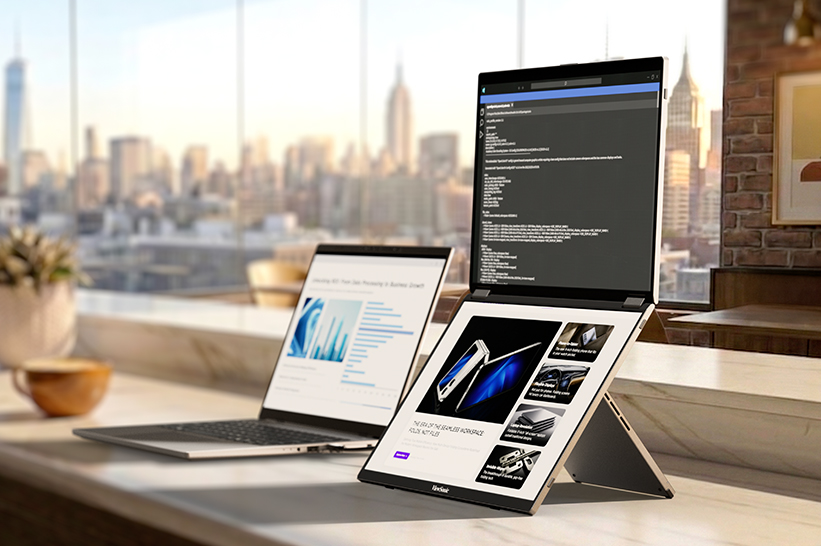
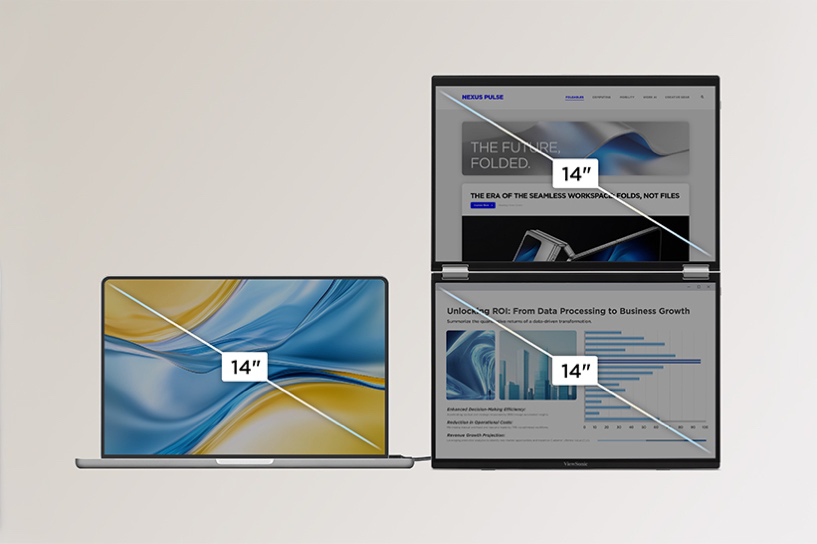
The ViewSonic VG1457 portable monitor solves this with an ultra-lightweight design with 65W two-way USB-C Power Delivery. Its dual 14-inch WUXGA screens give you an expanded workspace that requires just a single power source.

Hybrid and Remote Workers

Hybrid and remote workers frequently move between home, office desks and temporary workspaces, meaning they don’t always have an ideal setup. A dual-screen portable monitor gives them an instant multi-screen layout for emails, documents and spreadsheets, then folds flat to travel with them when work is over.

Sales, Customer Success and Field Teams

For sales, customer success and field teams, a dual-screen portable monitor simplifies client interactions and call management. Reps can compare quotes and specs side by side, or keep CRM notes visible on a second screen during a presentation. On the VG1457, Share mode turns the screens outward so two people sitting across a table can view the same content simultaneously.

Developers, Analysts and Finance Professionals

Financial analysts and developers rely heavily on multi-monitor setups, but lose that efficiency when working away from their main setup. A dual-screen portable display restores that multi-window workspace for professionals on the go.

Instead of constantly cycling through overlapping windows, they can keep key tools visible side by side, running code next to a live preview, keeping spreadsheets alongside dashboards or referencing documentation next to a terminal.

Creators and Review Workflows

For creators in the field, a dual-screen portable monitor works well as a secondary workspace for reviewing footage, referencing notes and scripts or keeping tool panels open next to a timeline.

If color grading, high brightness or OLED-level color performance is the priority, ViewSonic’s single-screen portable OLED monitors (like the VP16-OLED and VX1655-4K-OLED) are worth looking into.

Why Choose a Dual-Screen Portable Monitor?

A dual-screen portable monitor solves a simple problem: one laptop screen isn’t enough for serious multitasking. Here’s what two screens make possible.

    Desktop-level productivity anywhere: Bring a true multi-monitor workflow on the go instead of downsizing to a single extra display.

    An expanded canvas: Combine two panels into one larger workspace for deep-focus tasks.

    Face-to-face sharing: Present across a table in Share mode without crowding around a single screen.

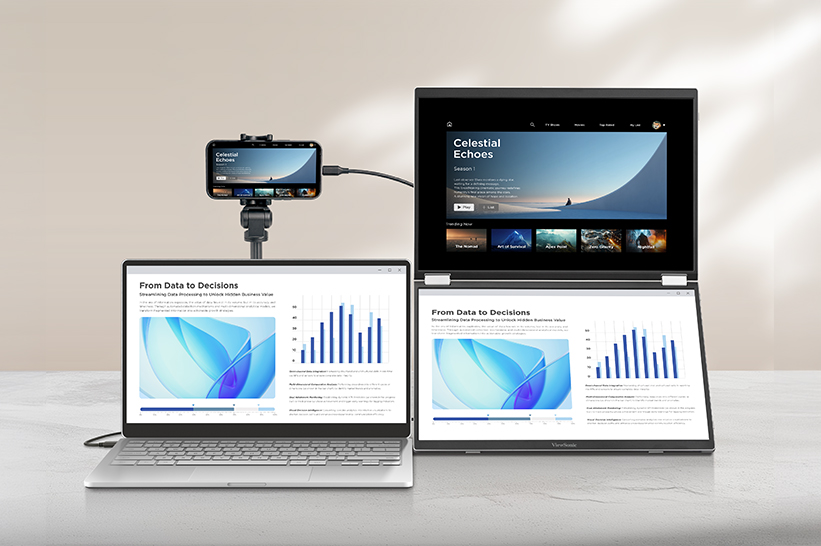
    Two inputs, one unit: Run two separate devices side by side at the same time.
Features of a Dual-Screen Portable Monitor

A few setup details determine whether a dual-screen portable monitor will work with a given laptop or phone.

USB-C DisplayPort Alt Mode: This lets a single USB-C port carry a video signal, not just data and charging. It’s what most USB-C monitors, portable or otherwise, rely on to receive a picture from a laptop. Your laptop or phone needs a USB-C port that specifically supports DisplayPort Alt Mode for this to work, since not every USB-C port does.

USB-C Power Delivery: Power flows through that same cable, in either direction. That two-way flow means the cable can pull power from a laptop or power bank to run the monitor, or pass power the other way to charge the laptop when the monitor is plugged into an outlet. On the VG1457, dual USB-C inputs support 65W two-way Power Delivery.

HDMI vs. USB-C: HDMI carries video only, so a monitor that relies on HDMI alone needs a separate power cable. Some portable monitors offer HDMI as a fallback for laptops that don’t support DisplayPort Alt Mode over USB-C.

Drivers vs. Plug-and-Play: A plug-and-play monitor works the moment it’s connected. Others need drivers installed first, which adds setup time and depends on OS compatibility.

MST Limitations: MST (Multi-Stream Transport) is the technology that lets a single video output drive more than one display. This feature is unavailable on macOS and mobile devices due to MST limitations over USB-C. Only the lower display activates when extending on these devices.

Power Source: Options include a connected laptop, a wall adapter or a power bank with enough wattage to run the unit.
Display Modes Explained

Different portable monitors can offer different display modes. Here are some of the most popular ones explained.

Mirror Mode

Mirror mode shows the same content on the laptop and the monitor. It’s the simplest mode to set up and works well for demos, training sessions or presentations where separate windows on each screen aren’t necessary.

Extend Mode

Extend mode treats the monitor’s screen space as additional desktop rather than a duplicate of the laptop screen. On a dual-screen unit like the VG1457, that means the two panels function as extended workspace alongside the laptop, which is the mode most people reach for when multitasking is the goal.

Not every device can extend content across both screens of a dual-screen monitor because of MST limitations.

Dual-screen Extend mode isn’t available on macOS or mobile devices for the VG1457, since macOS doesn’t support MST via USB-C. Only the lower display activates when extending on those devices. Windows laptops generally handle it without issue, though MST support can still vary by specific hardware.

Full-Screen Mode

Full-Screen mode is different from Extend mode in one important way. Instead of treating the two panels as separate extended space, it merges them into a single continuous area. On the VG1457, that means both 14-inch panels combine into one 19-inch workspace, which works well for work that benefits from one larger screen rather than two adjacent windows.

Share Mode

Share mode turns the screens outward so two people can view them from opposite sides at once. It’s built for client meetings, interviews and small-group reviews, where someone needs to show something to a person across a table rather than share their own screen. In Share mode, the VG1457 uses a built-in G-sensor to auto-rotate the upper display, so its orientation adjusts automatically for the person on that side.

Dual Source Mode

Dual Source mode uses two independent USB-C ports to run two separate devices on screen at the same time. Whether that’s pairing a laptop with a smartphone or managing two laptops on one desk, it provides users with a live side-by-side view without juggling cables or input toggles.

Dual-Screen Portable Monitor vs. Single Portable Monitor

Feature Single Portable Monitor Dual-Screen Portable Monitor
Best For Streamlined single-screen focus Multi-window power workflows
Portability Lightweight, single monitor Two panels in one slim, foldable unit
Presentation Use Good for solo demos, one screen to share Better for two-person viewing via Share mode
Workflow Fit Great for quick tasks and multitasking Best for deep multitasking and side-by-side work
Ideal Users Anyone who just needs one extra screen Business travelers, remote workers, analysts, coders, creators

Not sure which fits your workflow? Browse the full lineup of ViewSonic portable monitors, including single-screen options, to compare.

What to Look For in a Dual-Screen Portable Monitor

Screen Size and Resolution

Screen sizes on dual-screen units are typically dual 14-inch panels, like the VG1457’s dual 14-inch WUXGA displays, though single 14-inch and 15.6-inch models are common in the single-screen category.

Aspect ratio is almost as important as screen size. A 16:10 panel gives more vertical space than a standard 16:9 panel, which matters for reading documents, scrolling spreadsheets or following code top to bottom. WUXGA resolution (1920 x 1200) is the 16:10 counterpart to Full HD, with extra vertical pixels that come from the taller aspect ratio rather than a wider one.

The VG1457's 16:10 panels also pair cleanly with newer 16:10 laptops for a matching aspect ratio.

Weight and Thickness

Dual-screen monitors naturally add size, making total weight and thickness key considerations before buying. A practical setup needs to stay thin enough to slide into a bag alongside your laptop without taking over the whole compartment.

USB-C Power Delivery

Power Delivery over USB-C cuts down on cable clutter and eliminates the need to pack extra wall chargers. The most versatile monitors feature two-way power, meaning you can charge your laptop through the display when plugged into an outlet, or run the screens off your laptop battery when working away from a plug.

Compatibility

Before buying, check compatibility across Windows, macOS and mobile devices, along with USB-C Alt Mode support, MST limitations, HDMI fallback options and whether drivers or software are required. This is one of the most common sources of buyer frustration with portable monitors, since a unit that works perfectly on one laptop can behave differently on another.

Display Modes

Confirm the monitor actually supports the modes you need: Mirror, Extend, Full-Screen, Share and Dual Source. Not every portable monitor offers all five, and naming can vary by brand, so check the specs of the model you’re considering. The VG1457 does offer all five modes.

Ergonomics and Orientation

Hinge range, tilt, orientation and auto-pivot support can all affect how comfortable the monitor is to use day to day.

The VG1457 lists specific swivel, pivot and tilt ranges, including a 340-degree hinge for Share mode, and supports ViewSonic Display Portal and vDisplay Manager software for auto-pivot control, which automatically switches the display into portrait orientation when needed.

When a Dual-Screen Portable Monitor May Not Be the Right Choice

A dual-screen portable monitor is built for expansive productivity. It may not be the right fit if:

  • You only need one extra display, not two.
  • You do color-critical creative work that needs OLED or higher brightness than most dual-screen portable panels offer.
  • You want to play games and require a higher refresh rate.
  • Your device doesn’t support the USB-C display output the monitor requires.
  • You’re on a Mac or mobile device and expect full dual-screen Extend mode, which runs into MST limitations on those platforms.
  • You want one seamless larger screen instead of two hinged panels.
  • You want a wireless connection instead of a wired USB-C setup.

ViewSonic’s portable OLED monitors are designed for exceptional color accuracy. ViewSonic’s portable gaming monitors, like the 144Hz VX1754, can help players work hard and play harder on the go.

Want one continuous screen instead of two hinged panels? That same 17-inch VX1754 delivers a single larger display in a similarly portable design.

And for a cable-free setup, the VG1656N pairs a 16-inch display with built-in wireless casting, so you can skip the USB-C connection altogether.

How to Set Up a Dual-Screen Portable Monitor

Portable monitor setup varies between devices, but the sequence is largely the same across brands.

Step 1: Check your laptop ports. Confirm your laptop’s USB-C port supports DisplayPort Alt Mode, not just charging and data. This is the single most common reason why a portable monitor won’t display a picture.

Step 2: Connect power. Depending on the monitor, you can run it from the laptop itself, a wall adapter or a power bank rated for enough wattage.

Step 3: Choose your display mode. Pick Mirror, Extend, Full-Screen or Dual Source in the on-screen display (OSD) menu.

Step 4: Adjust orientation. Select landscape or portrait manually or enable auto-pivot using vDisplay Manager (downloadable from the ViewSonic Display Portal). Auto-pivot automatically rotates your display based on screen content and physical monitor position.

Step 5: Arrange displays in your OS. On Windows, use Display Settings to arrange screen order and orientation. On macOS, check for the Extend mode limitations covered above before assuming both screens will behave like an extended desktop. On mobile, confirm the device supports external display output at all before connecting.

Troubleshooting: Why Is My Portable Monitor Not Detected?

If a USB-C portable monitor isn’t detected, work through these steps in order:

  1. Confirm the USB-C cable supports video, not just charging or data. Not every USB-C cable does.
  2. Confirm the laptop’s USB-C port supports DisplayPort Alt Mode.
  3. Connect external power if the monitor needs it to turn on.
  4. Check for MST limitations if you’re trying to extend across two screens rather than mirror.
  5. Select the correct input on the monitor if it has more than one.
  6. Check your operating system’s display settings to confirm the second screen is recognized.
  7. Update firmware or software tools if the manufacturer provides them.
  8. Confirm a power bank is rated to deliver enough wattage if that’s your power source.

Why the ViewSonic VG1457 Is Built for Mobile Productivity

The VG1457 is ViewSonic’s first portable dual-screen monitor, built around the idea that a single laptop screen shouldn’t be the ceiling for productivity.

Two 14-inch WUXGA displays fold into a 2.6-lb setup that fits in a laptop bag, and open into 19 inches of combined viewing space in Full-Screen mode.

Five viewing modes cover everything from solo focused work to a face-to-face client presentation: Mirror, Extend, Full-Screen, Share and Dual Source. Two independent USB-C inputs mean separate devices can each run on their own screen at the same time.

A single USB-C cable handles the rest of the setup. 65W two-way Power Delivery keeps a connected laptop charged while both screens run, or lets the laptop power the monitor directly when there’s no outlet nearby. Connect over USB-C and both screens come on in seconds, with no drivers or software installation required.

The VG1457 ships with a protective sleeve case, includes dual built-in speakers and is backed by an industry-leading three-year limited warranty.

Frequently Asked Questions

What is a dual-screen portable monitor? A dual-screen portable monitor is a foldable external display with two built-in screens that connects to a laptop, usually over USB-C, to add a multi-window workspace without a full desktop setup.

Are dual-screen portable monitors worth it? For anyone accustomed to a dual-display setup, yes. Coders, analysts, field teams and hybrid workers can see an immediate benefit simply by keeping critical reference documents, spreadsheets and emails open side by side.

Can a dual-screen portable monitor replace a desktop setup? For daily work, hot-desking and remote setups, yes. It gives you the full workspace of a dual-monitor desk setup wherever you choose to work, making it easy to handle spreadsheets, coding, video calls and heavy multitasking without feeling cramped.

Do dual-screen portable monitors work with MacBooks? Yes, but Extend mode across both screens is limited on macOS due to MST limitations. Mirror mode and single-screen usage typically work without issue.

Why does dual-screen Extend mode not always work on macOS? Extending a single video signal across two separate screens depends on MST (Multi-Stream Transport) support, which macOS handles differently than Windows. On monitors like the VG1457, only the lower display activates when extending on macOS or mobile devices.

Can I use a dual-screen portable monitor with two devices? Yes, monitors that support Dual Source mode let two separate devices each run on their own screen at the same time, which is useful for comparing systems or working from two laptops.

Do I need drivers for a dual-screen portable monitor? Not for a plug-and-play model. The ViewSonic VG1457, for example, connects over USB-C with no drivers or software installation required.

What is the best dual-screen portable monitor for business travel? Look for an ultralight device, a protective case, USB-C Power Delivery and a single-cable setup. The ViewSonic VG1457 weighs 2.6 lbs, ships with a protective sleeve case and runs on 65W two-way USB-C Power Delivery.

What is the difference between Mirror, Extend, Share, Full-Screen and Dual Source modes? Mirror duplicates the laptop screen. Extend adds workspace across both panels where supported. Full-Screen merges both panels into one larger screen instead of two separate windows. Share turns the screens outward for two-person viewing. Dual Source connects two separate devices at once, one per screen.

Why is my USB-C portable monitor not detected? The most common causes are a USB-C cable that doesn’t support video, a laptop port that doesn’t support DisplayPort Alt Mode or a monitor that needs external power to turn on. Working through each of these usually resolves it.

Is OLED better than IPS for portable monitors? It depends on the job. OLED panels, such as ViewSonic’s OLED portable monitors, generally offer deeper black levels and wider color coverage, which matters for color-critical creative work. IPS panels are typically lighter, less expensive and well suited to general productivity.

What cable do I need for a dual-screen portable monitor? You’ll need a full-featured USB-C cable that supports video output (DisplayPort Alt Mode), not just standard charging. If you plan to pass power through the monitor to charge your laptop, check the cable’s wattage rating too. USB-C cables are rated in fixed tiers, typically 60W or 100W, so a monitor drawing up to 65W (like the VG1457) needs a cable rated for at least 100W to deliver its full Power Delivery.

Eye care and ergonomic features are designed to help reduce potential discomfort during extended viewing, but individual experiences may vary. Any references to third-party hardware, operating systems, software platforms, or corporate trademarks are for identification and compatibility purposes only and do not imply endorsement, affiliation, or sponsorship by their respective owners.

How Kentucky’s Largest College System Modernized Learning Spaces with ViewSonic

SOLUTION BRIEF

How a Pennsylvania School District Streamlined Campus Communications with ViewSonic

line drawing of a circular mazeline drawing of a circular maze
  • A 16-campus system needed a scalable display solution to replace decade-old classroom technology.


“By matching display technology to what each room actually needed, the integration partner and ViewSonic helped the school modernize its learning environments with a consistent, future-ready tech setup that balances performance, usability and overall value.”


CHALLENGE

Edtech funding is getting tighter, so higher education institutions have to carefully evaluate which solutions deliver the best value.

Across this 16-campus system serving 70,000+ students, many classrooms relied on technology that was over a decade old. Modernizing these spaces wasn’t optional if the institution wanted to support student recruitment, retention and engagement in a competitive landscape.

The institution needed a partner with a broad portfolio spanning interactive touch displays, commercial displays, Direct View LED video walls, monitors and projectors.

That way, it could match the right technology to each environment rather than force one solution everywhere.

As the system renovated and expanded its classrooms and event spaces, ViewSonic became a preferred partner for its reliable hardware and collaboration tools.

What ViewSonic Solution Did the Institution Deploy?

The institution’s integration partner worked with ViewSonic to build a standardized, scalable display strategy matched to each learning environment

  • 169 ViewBoard® interactive displays went into traditional instructional classrooms, giving faculty an intuitive platform for annotation, wireless content sharing and interactive lessons.
  • 6 ViewSonic® commercial displays were installed in lecture halls, auditoriums and assembly spaces to provide commercial-grade performance, integrate with third-party AV control platforms and run reliably in high-use environments.
  • 2 ViewSonic Direct View LED (dvLED) video walls were placed in spaces for maximum visual impact, delivering seamless, high-brightness images for large audiences.
  • 100 ViewSonic LCD monitors, 18 projectors and 5 ePoster displays were placed in across offices, labs, podiums and campus common spaces.
  • ViewSonic Manager Advanced software provided centralized, multi-campus device management.

By matching display technology to what each room actually needed, the integration partner and ViewSonic helped the school modernize its learning environments with a consistent, future-ready tech setup that balances performance, usability and overall value.

How Does the Institution Manage Displays Across 16 Campuses?

To get the most out of its investment, the institution uses ViewSonic Manager Advanced software to monitor and manage compatible devices across all campuses from one central dashboard. IT admins don’t have to travel to individual classrooms to deploy firmware updates, configure device settings, troubleshoot issues or schedule power on and off times.

Centralized management cuts operational costs, reduces classroom downtime and can extend device lifespan through proactive maintenance. This type of device management can also improve energy efficiency by making sure displays aren’t running when they’re not needed.

What Results Has the Institution Seen?

  • The institution replaced decade-old classroom tech with a standardized visual platform of 370 ViewSonic devices across 16 campuses, including 169 interactive displays, 76 commercial displays, 100 monitors, 18 projectors, 5 ePosters and 2 Direct View LED displays.
  • It lowered its total cost of ownership through centralized management, proactive maintenance and scheduled power controls.
  • IT staff can now support more classrooms across multiple campuses with fewer on-site resources.

SOLUTION

ViewSonic ViewBoard interactive displays

ViewSonic commercial displays

ViewSonic Direct View LED (dvLED) displays

ViewSonic LCD monitors

ViewSonic ePoster displays

ViewSonic Manager Advanced software

Frequently Asked Questions


How Should a University Match Display Types to Different Learning Spaces?

A proven approach uses interactive displays in instructional classrooms where faculty annotate and share content on the fly, commercial displays in lecture halls and auditoriums that need AV control integration, and Direct View LED video walls in large gathering spaces where brightness and scale matter most.

Kentucky’s largest public higher education system standardized on this strategy across 16 campuses with 370 devices, including 169 interactive displays, 76 commercial displays and 100 monitors.


How Do IT Teams Manage Displays Across a Multi-Campus Institution?

ViewSonic Manager Advanced lets IT admins remotely deploy firmware updates, configure settings, troubleshoot issues and schedule power on and off times from one console. That means fewer campus visits, less classroom downtime and displays that aren’t powered when they aren’t being used.


Do Interactive Displays Work for Career and Technical Programs, Not Just Lecture Classrooms?

Yes. This institution’s deployment spans nursing simulation labs, welding programs and traditional classrooms. Matching display types to each space’s function, rather than forcing a one-size-fits-all model, is what makes a multi-campus standard work.


How Do Display Choices Affect Total Cost of Ownership in Higher Education?

Total cost goes beyond the upfront price tag. Centralized management reduces on-site support trips, proactive maintenance extends device lifespan and scheduled power controls cut energy use.

This system paired standardized ViewSonic displays with Manager Advanced software to lower its total cost of ownership while supporting more classrooms with fewer resources.


Ready to Build a Campus-Wide Display Strategy?

Talk to a ViewSonic representative or an authorized partner about matching display technology to every learning space on your campus.


Drywall alone is not a structural mounting surface and must never be used as the sole means of support. Proper wall suitability, reinforcement, and the use of appropriate commercial-grade mounting hardware are the sole responsibility of the customer, installer, or system integrator. ViewSonic shall not be liable for any equipment damage, property damage, or personal injury, including death, caused as a result of incorrect installation, operation, human factors, or failure to comply with local codes. Training outcomes and participant experiences may vary depending on individual needs, district requirements, and implementation.

How to Choose Gaming Monitors for Schools

How to Choose
Gaming Monitors for Schools

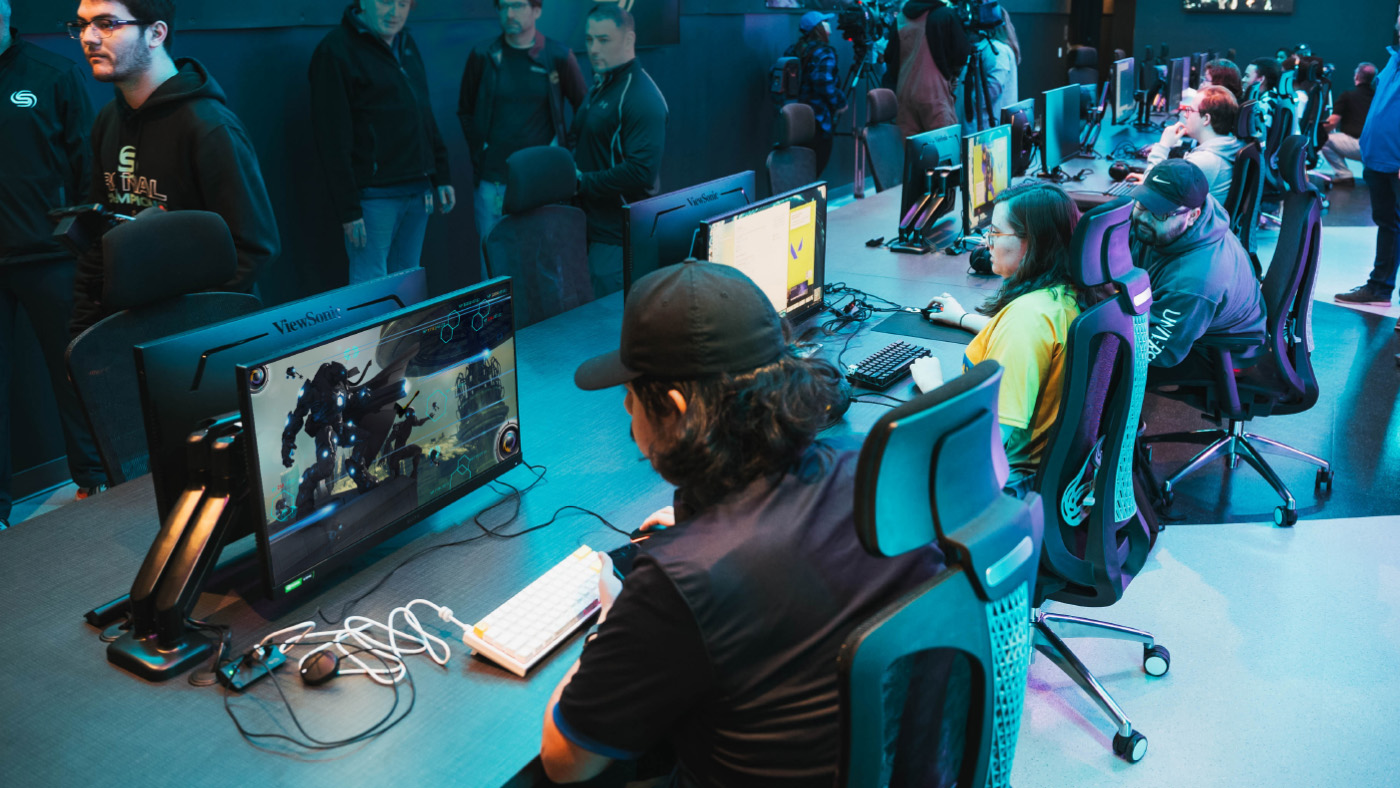
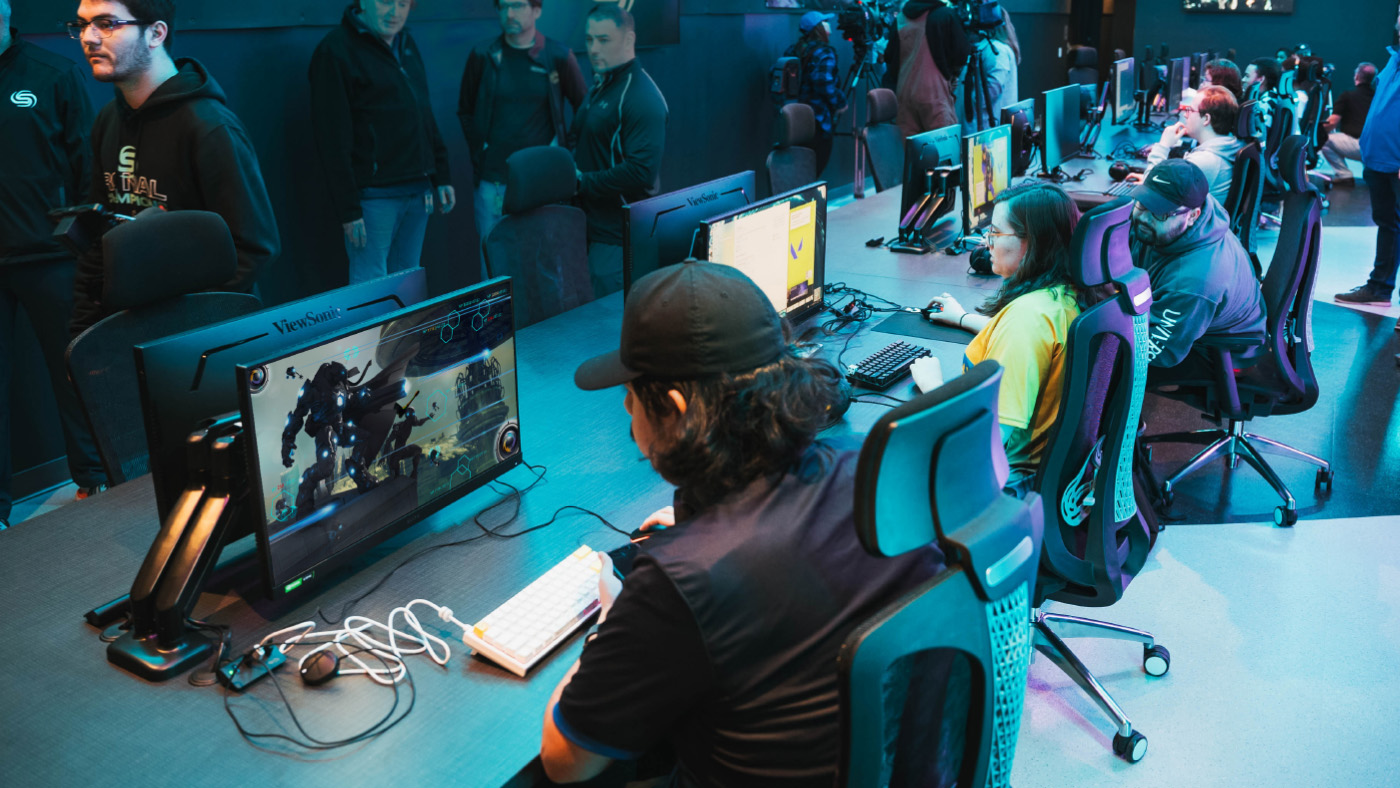
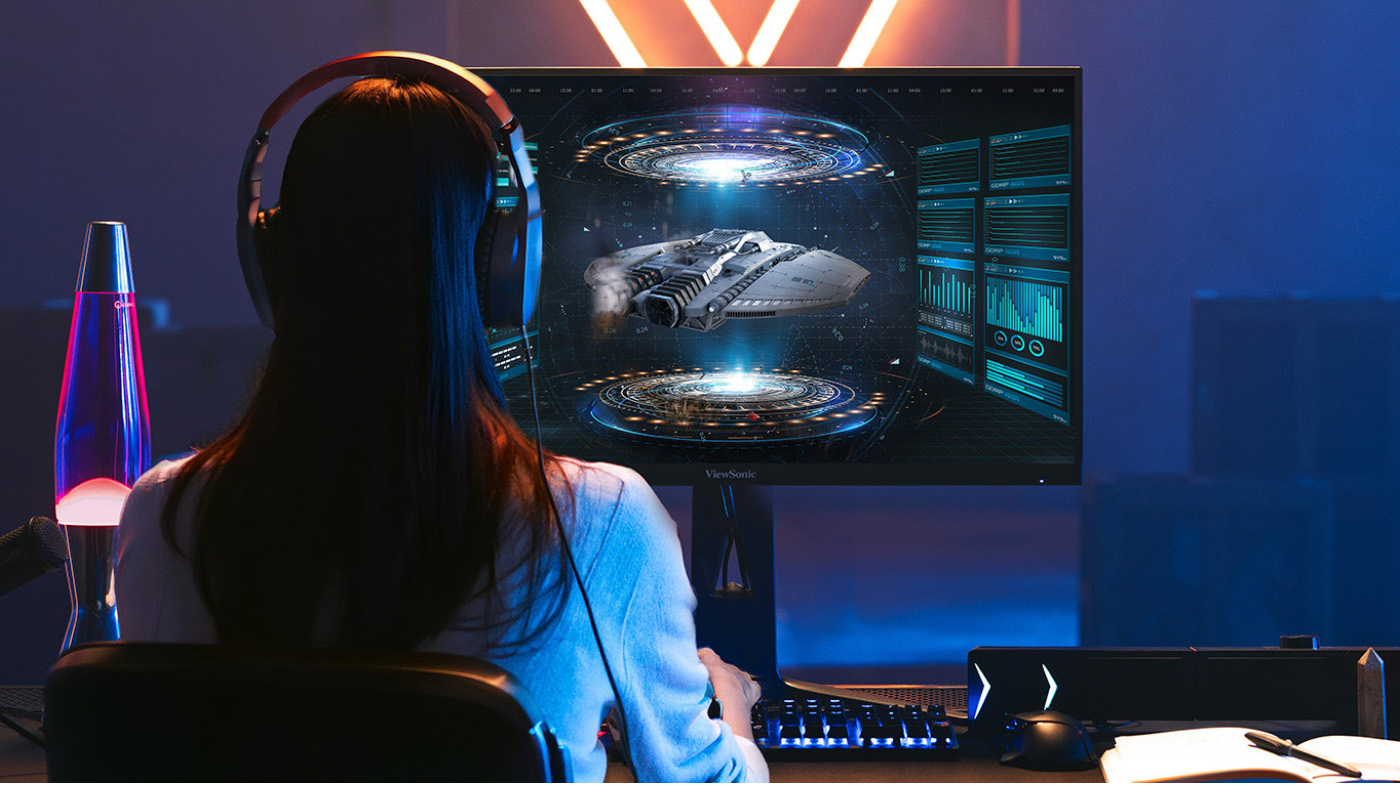
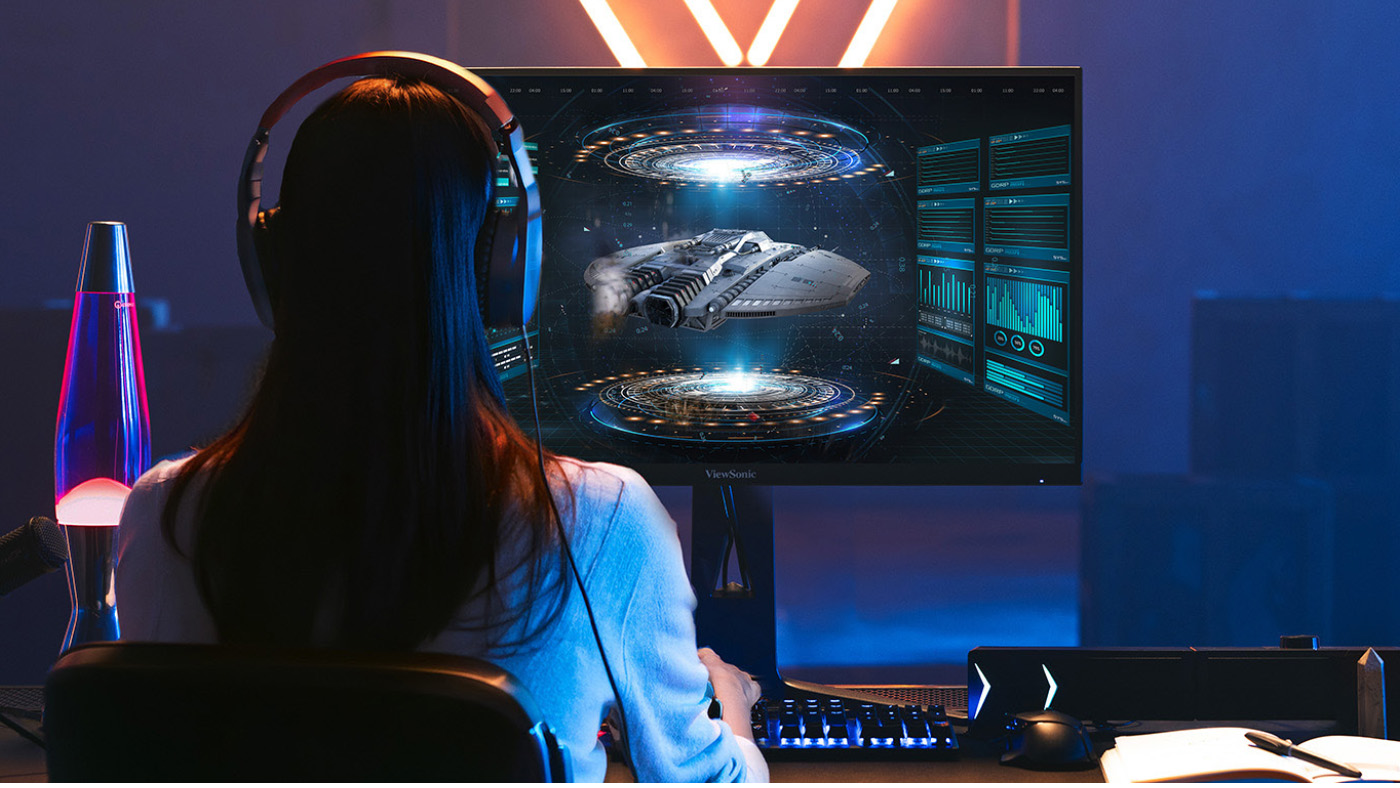
Esports has become a real asset in K-12 and higher ed, helping students build college and career readiness, and the right monitor is where it all comes together. But the right gaming monitor for a middle school club looks a lot different from the one a college esports team needs. The good news is there’s a ViewSonic option for nearly every space, budget, and skill level.

This guide breaks down how to choose gaming monitors for schools based on the one thing that matters most: your scenario.

The short version: If you don’t have dedicated space, go portable. If you have a lab, choose by budget and competitive level. Entry-level competitive play starts at 180Hz, while dedicated esports programs benefit from 25-inch displays that reach 280Hz. Larger 27-inch screen sizes are great for more immersive gaming.
Start With Your Space, Not the Spec Sheet
It’s tempting to lead with refresh rates and screen sizes. But the smarter first question is simpler: where will these monitors live?

A program without a dedicated room has very different needs than one with a built-out lab. Once you know your space, the rest of the decision gets much easier. So let’s start there.

No Dedicated Space? You Have Options

Not every school has a room to spare for esports. The good news is you don’t need one to get started. There are two proven ways to build a program in shared or borrowed space.

Option 1: Go portable with a monitor cart.

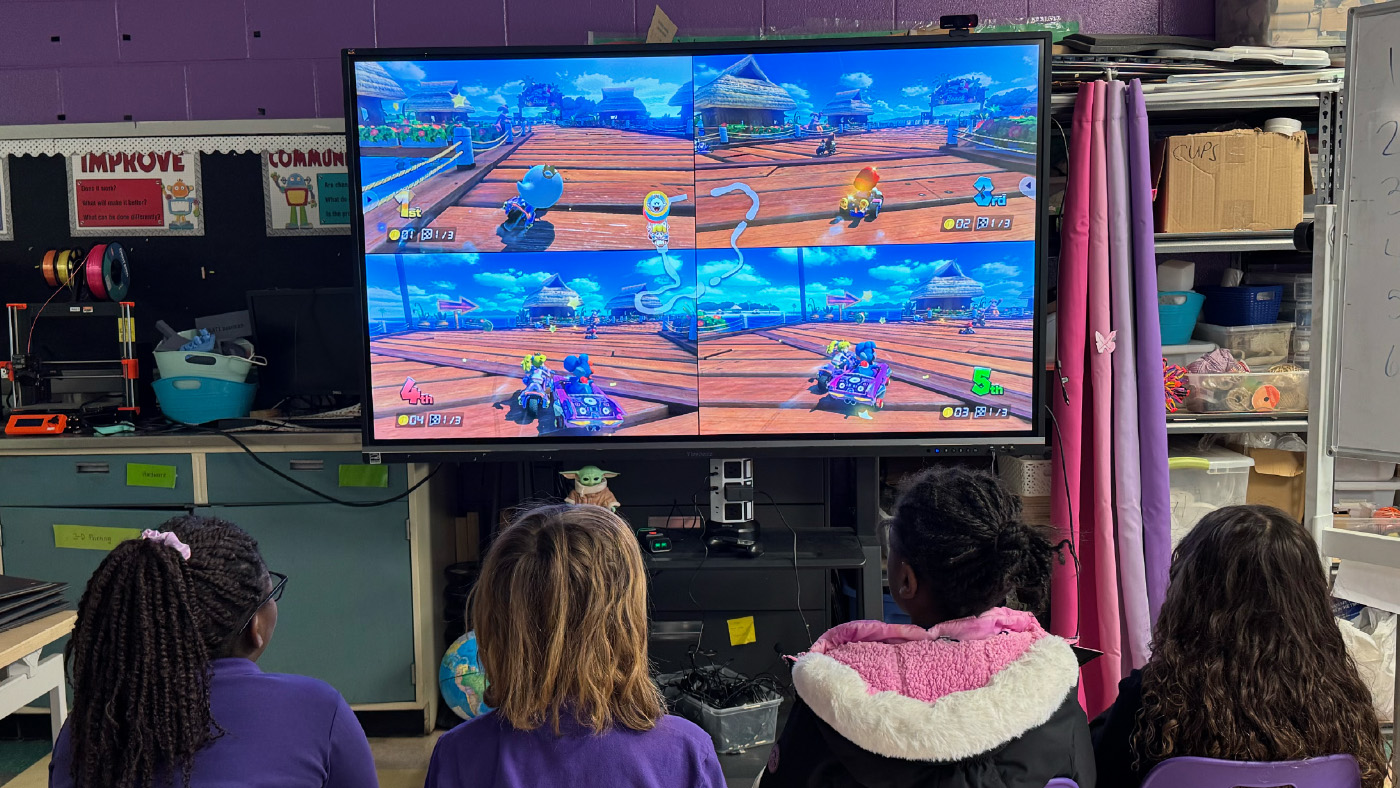
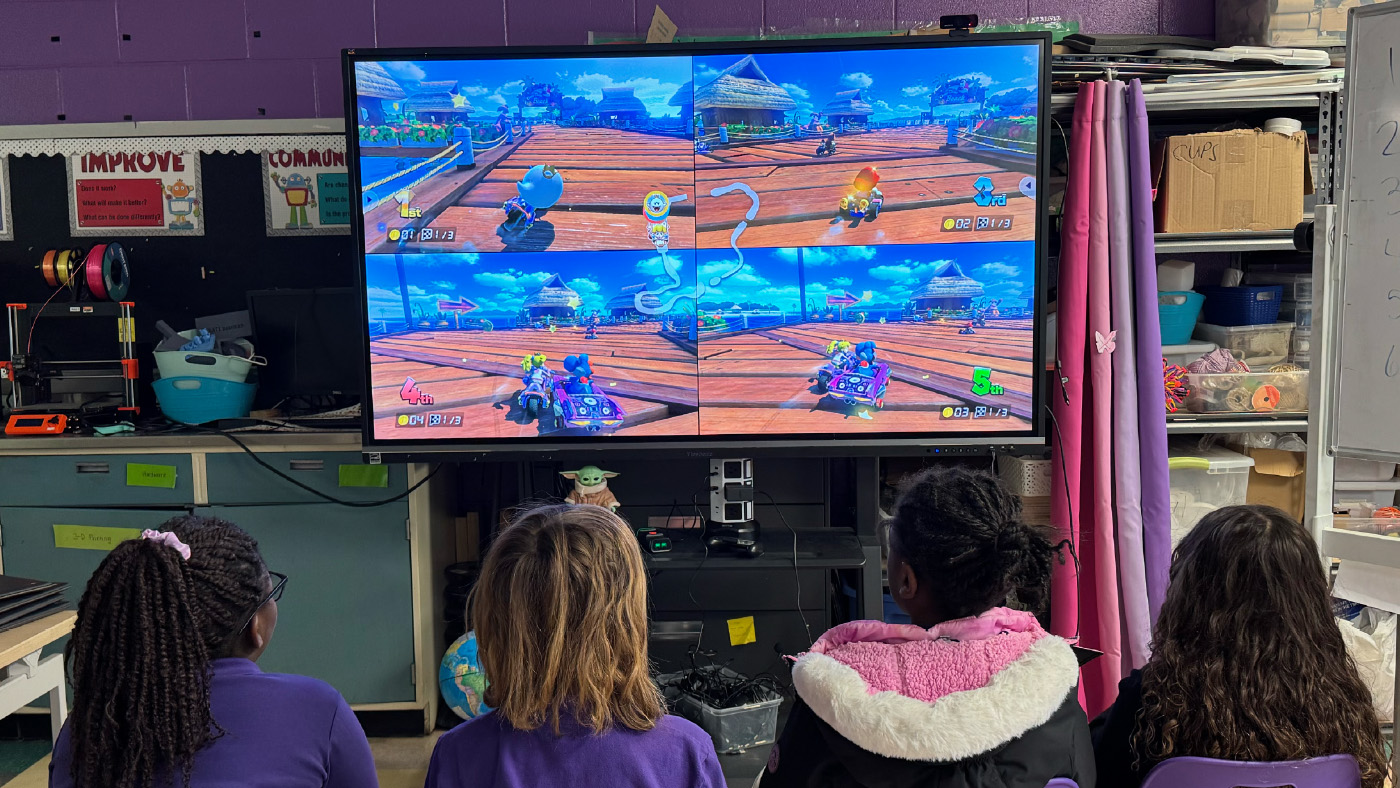
The VX1654 (15.6 inches) and VX1754 (17.3 inches) are built to move. Both are Full HD IPS displays with a 144Hz refresh rate and AMD FreeSync, and both connect over a single USB-C cable that carries video, audio, and 60W of two-way power. At just 1.5 to 2 pounds and about as thin as a deck of cards, they slip right into a backpack or onto a cart. Pair a few with Nintendo Switch consoles and you’ve got a portable esports lab that rolls from room to room.

Portables are an underrated option in education. Many schools don’t think of them for gaming at all. But for programs without dedicated space, or with tight budgets, a portable setup is a creative and cost-effective way to launch esports without renovating a single room.

Option 2: Put the displays you already own to work.

If your classrooms have interactive flat panels, you may already have everything you need. That’s exactly how Fayette County Public Schools in Kentucky built the state’s first elementary esports program. Rather than buy new equipment, they leveraged their existing 75-inch ViewSonic ViewBoard displays, rolling cart-mounted panels into libraries and media centers to create pop-up esports lounges after school. Staff even packed “gamer backpacks” with everything students needed to connect, so a single plug turned any room into a ready-to-compete arena. The approach worked: the program grew from one pilot school to 41 schools in just two years, at no cost to participants.

The takeaway is simple. A big, vivid ViewBoard makes gameplay feel exciting on a screen the whole club can gather around, and it does double duty as an instruction tool by day and an esports arena after the bell.

Have a Dedicated Lab? Choose by Need

If you do have a dedicated space, the decision comes down to three things: your budget, the competitive level you’re aiming for, and how the lab will actually be used. Here are three tiers to consider.

Entry-Level Competitive: VX2418C and VX2428A

  • Refresh rate: 180Hz
  • Best for: schools that want solid gaming specs at a lower cost

Both 24-inch monitors hit a fast 180Hz refresh rate at a budget-friendly price. The VX2418C is a 1500R curved panel with a 1ms response time for an immersive feel, while the VX2428A uses a fast IPS panel with a 0.5ms response time and HDR10 support. Either one is a practical choice for labs that serve a wide range of students, from casual players to your competitive club.

Versatile Multi-Purpose: VX2730D-4K

  • Refresh rate: switchable between 144Hz at 4K and 288Hz at Full HD
  • Best for: labs that balance free play, classwork, video content, and competitive gaming

The VX2730D-4K is the chameleon of the lineup. Run it at 4K and 144Hz for immersive casual gaming, video, or general coursework. Then switch to Full HD at a blazing 288Hz when competitive play takes priority. It also has a 24.5-inch esports mode that shrinks the viewable area to the ideal competitive size, keeping the action in the player’s peripheral vision and reducing head movement. With AMD FreeSync Premium and NVIDIA G-Sync compatibility, it’s a true multi-purpose display that adapts to whatever the lab needs on any given day.

Ultra-Competitive: XG2536

  • Screen size: 25-inch display (24.5-inch viewable)
  • Refresh rate: 280Hz (overclocked)
  • Best for: dedicated esports programs focused on competitive play

When the goal is serious competition, the XG253 6 is built for it. The 24.5-inch viewable area sits at the ideal esports size, and the overclockable 280Hz refresh rate with a 0.5ms response time keeps fast action razor-smooth. It adds FreeSync Premium, G-Sync compatibility, RGB lighting, a narrow-footprint stand, and 65W USB-C charging, plus it connects to PCs and consoles alike, from PlayStation and Xbox to the Switch and Steam Deck.

From Amateur to Pro at a Glance

Not sure where to land? This simple framework is an easy starting point.

TIER

MODEL

WHAT YOU GET

BEST FOR

AMATEUR

VX2418C

24-inch, 1080p, 180Hz curved display at the best value

New clubs and casual play on a per-seat budget

COMPETITIVE

VX2728J-2K

27-inch, 1440p, 180Hz with advanced ergonomics

Growing programs that want sharper visuals and all-day comfort

PRO

XG2736-2K

27-inch, 1440p, 240Hz with USB-C and RGB

Established teams chasing every competitive edge


Each step up adds resolution, screen space, or speed, so match the tier to how seriously your program plays.

Compare ViewSonic Gaming Monitors for Education

Here’s the full lineup side by side.

MODEL

SIZE

WHAT YOU GET

MAX REFRESH RATE

BEST FOR

VX1654

15.6"

1080p

144Hz

Portable carts, no dedicated space

VX1754

17.3"

1080p

144Hz

A bigger screen for portable carts

VX2418C

24"

1080p (curved)

180Hz

Budget entry-level competitive

VX2428A

24"

 1080p

 180Hz

Budget entry-level competitive 

VX2728J-2K

27"

1440p 

 180Hz

Step-up sharpness and screen space

VX2730D-4K

27"

4K or 1080p 

 288Hz (at 1080p)

Multi-purpose: free play and competitive 

XG2536

25"

1080p 

 280Hz (OC)

Dedicated esports and pure speed

XG2736-2K

27"

 1440p

240Hz 

Top all-rounder: speed plus resolution

VX3218-PC-MHD

32"

 1080p

 180Hz

Large, immersive curved screen


How to Choose the Right Monitor Size

Screen size shapes the experience as much as refresh rate does. Here’s a quick guide to what works best where.

SIZE

BEST FOR

24 INCHES

The budget pick. Not perfect for any one thing, but a solid, affordable choice that still handles competitive play

25 INCHES

The competitive edge. The ideal esports size that keeps content in peripheral vision and minimizes head movement

27 INCHES

The versatile sweet spot. Not ideal for fast competitive genres like FPS and MOBA, but big enough for immersive RPGs and racing games

32 INCHES AND ABOVE

Built for immersion, plus fighting games where a bigger screen lets players gather around and play together


The VX2730D-4K deserves a special mention here. As a 27-inch monitor with a 24.5-inch esports mode, it bridges the gap between versatile sizing and competitive performance, which makes it a strong multi-purpose pick for labs that wear a lot of hats.

Common Questions About Gaming Monitors for Schools

What gaming monitor is best for a school with no dedicated space?

A portable monitor like the VX1654 or VX1754. Paired with a cart and consoles like the Nintendo Switch, it creates a mobile esports lab you can move between rooms.

What refresh rate do school esports programs need?

Entry-level competitive play works well at 180Hz. Dedicated esports teams benefit from higher rates, up to 280Hz on the XG2536, for the smoothest fast-paced gameplay.

What size monitor is best for esports?

About 25 inches is the sweet spot for competitive play. It keeps the action in the player’s peripheral vision and reduces head movement, which can make a real difference in fast games. We also offer a 27-inch model that features a 24.5-inch esports mode. This is a great dual-purpose option for computer labs.

Gaming Monitors Built With Education in Mind

ViewSonic designs gaming monitors with education in mind, balancing competitive performance, classroom versatility, and budget-conscious features across every product tier. Whether you’re rolling out a portable cart for a brand-new club or building a full esports arena, there’s a fit for your program.

Talk to a ViewSonic rep to find the right gaming monitors for your school.

Why Thunderbolt Monitors Future-Proof Your School

Why Thunderbolt Monitors
Future-Proof Your School

Every student and teacher on your campus has a device. But here’s the thing: those devices don’t all age at the same speed. Laptops take a beating and get replaced frequently. The monitor on the desk? It can easily outlast two or three rounds of laptops.

That gap is exactly why the display you buy today matters. A Thunderbolt monitor for schools is built to work with the laptops you have now and the ones you’ll buy later. Here’s why buying one now saves you money down the road.

The short version: Thunderbolt monitors are backward compatible with older Thunderbolt and USB-C devices and ready for new standards like USB4. So when you refresh your laptops, your monitors keep working. One display covers Mac labs, computer labs, and faculty desks alike.

Your Laptops and Monitors Don’t Age at the Same Rate

Most schools refresh student and teacher laptops frequently. There’s a good reason for that. Students aren’t gentle with their gear. Laptops get stuffed into backpacks, dropped in lockers, and opened and closed thousands of times. Hinges loosen, ports wear out, and screens crack.

It’s not just wear and tear, either. Plenty of students bring their own laptops, and no two are quite the same. You’ve got a wide range of brands, ages, and preferences plugging in across campus, so the monitors on your desks have to work with all of them, not just the machines you bought.

Monitors live an easier life. They sit on a desk. They don’t have hinges to break or get tossed around campus, so a quality monitor can keep going for years longer than the laptop in front of it.

That means it is a smart move to invest in a Thunderbolt monitor that can easily outlast the lifecycle of regular laptops or MacBooks. The smart move is to buy a monitor that won’t care which laptop you plug into it, this year or a few years from now.

What Makes a Thunderbolt Monitor Future-Proof?

A future-proof display has to do one job really well: connect to whatever device comes next. ViewSonic® Thunderbolt monitors are designed for exactly that.

Here’s what keeps them ready for the long haul:

  • Backward compatible. They work with Thunderbolt 3 and Thunderbolt 2 devices, so older MacBooks or laptops in your fleet aren’t left behind.
  • Universal connection. Any laptop with a video-capable Thunderbolt or USB-C port connects and works, Mac or Windows.
  • USB4 ready. They support USB4 protocols, so you’re prepared for the next wave of laptops and tablets.

Thunderbolt is an Intel-developed standard, which is part of why it plays so well across brands and generations. Whether your next purchase is a MacBook, a Windows laptop, or something that hasn’t launched yet, the monitor on the desk stays useful.

Better Specs That Keep Up with Demanding Work

Future-proofing isn’t only about ports. It’s also about performance that won’t feel dated in a year.

ViewSonic Thunderbolt monitors deliver higher specs and better resolution, with crisp 4K and 5K options for design, photo, and video work. They also support daisy chaining, so you can run dual 4K or 5K displays from a single connection. That’s a clean, cable-light setup for labs and studios, and it scales as your program grows.

One Monitor for Mac Labs and Computer Labs

A lot of campuses run mixed environments. The design department is on Macs. The library and general labs are on Windows. Buying different monitors for each is a headache and a budget drain.

Thunderbolt monitors work great in a Mac lab or a regular computer lab. The same display can sit in a creative arts studio and a general-purpose lab. That’s one product line, one thing to standardize on.

Meet the ViewSonic Thunderbolt Monitor Lineup

Four models in the ViewSonic ColorPro® VP series check every box for a future-proof campus. All of them connect to Mac and Windows devices over Thunderbolt and USB-C, and they share the same baseline features:

  • Thunderbolt 4 with 100W charging
  • Tested EDID for reliable plug-and-play recognition
  • Full DDC/CI support for ColorPro Display Manager
  • Pantone Validated color accuracy
  • 98% to 99% DCI-P3 coverage
  • Full ergonomic adjustments: height, tilt, swivel, and pivot
  • Built-in USB hub
  • Three-year limited warranty

The difference comes down to size, resolution, and docking features. Here’s how to pick the right one.

VP2788-5K: 27” 5K ColorPro Monitor

The VP2788-5K is the lineup’s sharpest display. At 218 PPI, its 5K panel matches the quality of a MacBook Pro screen, so everything stays consistent when students and faculty look between the two. It’s a natural fit for design and media labs, and dual 5K daisy chaining lets you run two of them from a single Thunderbolt cable.

  • Panel: 27-inch IPS, 5K (5120×2880), 218 PPI, 60Hz, and HDR400
  • Color: 99% DCI-P3, 100% sRGB, and Pantone Validated
  • Connectivity: Thunderbolt 4 with 100W power delivery, dual 5K daisy chain, HDMI, DisplayPort, and a USB hub

See the VP2788-5K


VP2488-4K: 24” 4K ColorPro Monitor

The VP2488-4K delivers strong pixel density without taking over the desk. At 24 inches and 184 PPI, it gives you sharp text and clean HiDPI scaling in a compact footprint. That makes it a great choice for libraries, shared workstations, and faculty offices. It supports dual 4K daisy chaining too, so you can wire two together from a single port.

  • Panel: 24-inch IPS, 4K (3840×2160), 184 PPI, and 60Hz
  • Color: 98% DCI-P3, 100% sRGB, and Pantone Validated
  • Connectivity: Thunderbolt 4 with 100W power delivery, dual 4K daisy chain, HDMI, DisplayPort, and a USB hub

See the VP2488-4K


VP2776T-4K: 27” 4K ColorPro Docking Monitor

The VP2776T-4K turns the monitor into a full single-cable docking station. Its built-in RJ45 Ethernet port routes a wired network connection straight through the Thunderbolt cable to the laptop, Mac or Windows. That means fewer adapters at every desk and no spotty Wi-Fi during video calls or large file uploads, which is ideal for busy labs and front-desk workstations.

  • Panel: 27-inch IPS, 4K (3840×2160), 60Hz, and HDR400
  • Color: 98% DCI-P3, 100% sRGB, and Pantone Validated
  • Connectivity: Thunderbolt 4 with 100W power delivery, RJ45 Ethernet, dual 4K daisy chain, HDMI 2.1, DisplayPort, USB hub, and dual speakers

See the VP2776T-4K


VP3276T-4K: 32” 4K ColorPro Docking Monitor

The VP3276T-4K gives editors, engineers, and designers serious screen real estate without adding to the cable clutter. The 32-inch 4K screen leaves plenty of room for long video timelines, layer panels, and side-by-side apps. Like the 27-inch docking model, it features RJ45 Ethernet and a full USB hub, so the whole desk connects through one cable.

  • Panel: 32-inch IPS, 4K (3840×2160), 60Hz, and HDR400
  • Color: 98% DCI-P3 and Pantone Validated
  • Connectivity: Thunderbolt 4 with 100W power delivery, RJ45 Ethernet, dual 4K daisy chain, HDMI, DisplayPort, USB hub, and VESA mounting See the VP3276T-4K

See the VP3276T-4K

Common Questions About Thunderbolt Monitors for Schools

Are Thunderbolt monitors backward compatible?

Yes. ViewSonic Thunderbolt monitors work with Thunderbolt 3 and Thunderbolt 2 devices, plus standard USB-C laptops. Older devices in your fleet will still connect.

Will a Thunderbolt monitor work with future laptops?

It should. These monitors support USB4 protocols, the foundation for upcoming Thunderbolt and USB-C devices, so they’re built to keep pace with new hardware.

Do they work with both Mac and Windows?

Yes. Thunderbolt is cross-platform, so one monitor serves Mac labs, Windows labs, and faculty offices equally well.

Future-Proof Your School With ViewSonic

Buying a Thunderbolt monitor now lets you spend once and stay ready for device refreshes. You get a display that works with today’s laptops, tomorrow’s laptops, and both Mac and Windows along the way.

Working with a tighter budget? We have other great monitors that can fit your needs too.

Talk to a ViewSonic rep to find the right displays for your campus.

16:10 Portable Monitors for Business

16:10 Portable Monitors for Business

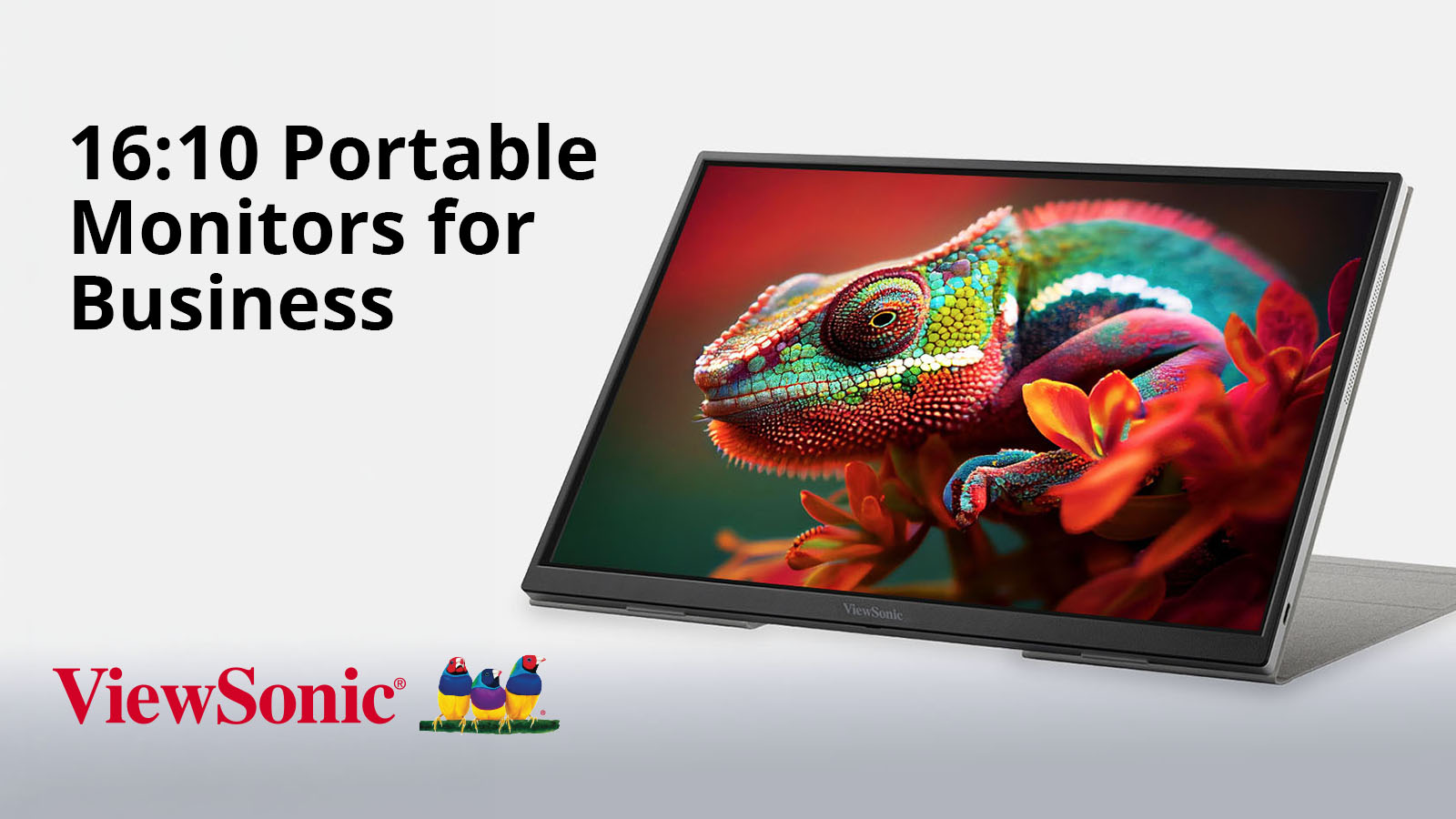
Discover why 16:10 is the new enterprise portable monitor standard. ViewSonic’s portable 16:10 monitors deliver sharper resolution and USB-C connectivity for modern business teams.

Best 16:10 Portable Monitors for Business Laptops and Hybrid Work

If you’ve upgraded your work laptop recently, you’ve probably noticed that the screens are suddenly getting taller.

Behind this shift is one of the biggest trends right now in enterprise hardware: modern business laptops abandoning the widescreen format in favor of 16:10 displays to give users more room to work.

But if your portable monitor doesn’t match, dragging windows between screens can break your layout. You’ll end up wasting time resizing windows and reformatting documents instead of getting things done.

A matching 16:10 portable monitor fixes this headache. It gives you that same extra vertical space for spreadsheets, documents, code, dashboards and presentations so everything flows together.

The ViewSonic® VG1656-2K, TD1656-2K, VG1656N, VP1656 and VG1457 are built specifically to complement this new generation of 16:10 business hardware. They turn your laptop into a cohesive multi-screen workstation anywhere work happens.

Why the Shift?

Widescreen 16:9 displays were originally built for video, not productivity.

The business world simply inherited the format because it was the default layout for consumer TVs and monitors at the time.

However, using a video layout for data and text can create constant friction. The lack of vertical space forces you to scroll endlessly through files and data sheets, while mismatched screen shapes disrupt your focus every time you move a window.

As laptops move to 16:10 displays for more screen real estate, ViewSonic now offers portable monitors to pair with them for a seamless multi-screen setup.

What Are The Benefits Of A 16:10 Portable Monitor For Business?

Switching to a 16:10 portable display provides some distinct advantages:

  • Extra Vertical Workspace: A 16:10 monitor delivers significantly more vertical area than a standard widescreen. That means more lines of text, more rows of data and more project details are visible at once.
  • Visual Continuity: When your portable screen matches your laptop’s aspect ratio, moving windows between displays is completely fluid. You won’t have to deal with stretched windows, weird scaling issues or broken layouts.
  • Matches Modern Resolution Standards: Running at WQXGA (2560 x 1600) or WUXGA (1920 x 1200) resolution, these monitors render text, data and design assets with razor-sharp clarity.

ViewSonic 16:10 Portable Monitor Portfolio

Feature Matrix

Model Screen Size Resolution Connectivity and Power Standout Features Best For
VG1656-2K 16" WQXGA
2560 x 1600
Dual USB-C with
65W Pass-through
Charging
Lightweight layout
with G-sensor
and auto-rotation
Financial modeling,
coding and data
analysis
TD1656-2K 16" WQXGA
2560 x 1600
Dual USB-C with
65W Pass-through
Charging
10-point capacitive
touchscreen
Touch annotation,
digital signatures
and presentations
VG1656N 16" WUXGA
1920 x 1200
Dual USB-C with
60W Pass-through
Charging
Built-in battery
(~3 hrs) and
wireless casting
Wireless and
battery-powered
mobile workflows
VP1656 16" WUXGA
1920 x 1200
Dual USB-C with
40W Pass-through
Charging
Pantone Validated,
Delta E <2 color
accuracy
Color-critical
work and creative
fieldwork
VG1457 Dual
14"
WUXGA
1920 x 1200
per screen
Dual USB-C with
65W External Pass-
through
Foldable dual-
screen with 340°
Share mode and
Dual Source mode
Triple-screen
mobile setup and
client collaboration

Which 16:10 Portable Monitor Is Right for Your Workflow?

VG1656-2K: Best Overall for Business Productivity

The VG1656-2K serves as an excellent everyday workhorse for data analysts, developers, consultants and general business users looking for a high-performing second screen. It’s a reliable choice for hybrid workers who want to maximize their desktop space without dragging around heavy equipment.

  • Stunning Visuals: Over four million pixels across the 16-inch WQXGA IPS panel keep text, spreadsheet cells and complex code looking incredibly sharp.
  • USB-C Connectivity: Dual bidirectional USB-C ports let you handle video, data and up to 65W of pass-through charging, all over a single connection.
  • Auto-Rotation: An internal G-sensor tracks the screen’s physical orientation and rotates your view automatically when you flip between wide sheets and long document columns.*
  • Built for Travel: The entire display weighs under 2 lbs. and measures less than half an inch thick, featuring a protective smart cover that folds right into an adjustable desk stand without needing extra accessories.
Shop the VG1656-2K Portable Monitor

TD1656-2K: Best for Touch and Annotation

If your daily workflow relies on direct hands-on interaction, the TD1656-2K adds touch to the same premium 16:10 display. It’s built specifically for users who need a more interactive approach to digital documentation and live presentations.

  • Intuitive Screen Control: A 10-point capacitive touchscreen lets you naturally annotate documents, swipe through dashboards and navigate files with the speed and directness of a tablet.
  • Fluid Gestures: Everyday actions like pinching, swiping and marking up files work in a way no mouse can replicate.
  • Cross-Platform Capabilities: Mac users get full interactive touch feedback by using ViewSonic vTouch software, while Windows users get native plug-and-play support right out of the box.
  • Highly Portable Design: The device retains the same lightweight, sub-2 lb. framework as the VG1656-2K, delivering full WQXGA 2K clarity, dual 65W USB-C connectivity and G-sensor auto-rotation.*
Shop the TD1656-2K Portable Monitor

VG1656N: Best for Wireless Presentations and Travel

Professionals who constantly present on the move without guaranteed access to power outlets or video cables will find freedom in the battery-powered VG1656N. It’s optimized for client locations, shared workspaces and on-the-road travel.

  • Cable-Free Casting: An included USB-C wireless dongle allows you to cast your laptop screen from up to 50 feet away with zero physical cords.
  • Reliable Standalone Power: The internal 4,000mAh battery provides up to three hours of standalone operation, so you can step into a meeting without scouting the room for an outlet first.
  • Versatile Mobile Layouts: Its 1920 x 1200 WUXGA resolution displays razor-sharp text for spreadsheets, documents and dashboards while traveling comfortably at around 3 lbs.
  • Flexible Charging: When you prefer a wired setup, the dual USB-C ports handle 60W of bidirectional power.
Shop the VG1656N Portable Monitor

VP1656: Best for Creative Review

When precise color replication is critical for on-location reviews and visual mockups, the ColorPro® VP1656 provides a specialized studio experience anywhere in the field. It brings factory-calibrated accuracy to designers, photographers and content creators.

  • Color You Can Trust: The display comes Pantone® Validated and factory hardware calibrated to a Delta E <2 with 100% sRGB coverage to guarantee what you see matches your final export.
  • Flexible Height Adjustments: A dedicated height-adjustable stand replaces typical fixed-angle covers, letting you position the screen before folding completely flat for your travel bag.
  • Production-Ready Framing: An integrated tripod mount lets you mount the monitor directly onto a camera rig to turn it into a tethered preview screen on any active shoot.
  • Expanded Field Connectivity: Dual 40W USB-C ports handle your video and charging needs simultaneously, while a micro-HDMI port provides direct camera connectivity.
Shop the VP1656 Portable Monitor

VG1457: Best for Triple-Screen Productivity

Power users who require the expansive screen real estate of a multi-display setup can deploy the VG1457 to instantly turn any notebook into a mobile powerhouse. It provides a complete triple-screen workstation within a single travel-ready device.

  • Double the Workspace: The unit opens like a book to reveal two independent 14-inch WUXGA IPS screens (equivalent to one 19-inch screen) that use a productivity-boosting 16:10 aspect ratio.
  • Versatile Display Modes: Five distinct viewing modes let you match your layout to the task by choosing Mirror, Extend, Full Screen, Dual Source or Share options in a foldable, travel-ready design.
  • Effortless Face-to-Face Collaboration: Share mode swivels the screens back up to 340 degrees so two people sitting face-to-face can view their own display simultaneously while a G-sensor rotates the layout automatically.
  • Efficient Passthrough Charging: Dual USB-C inputs connect to your laptop with a single cable and support up to 65W of passthrough charging when plugged into an external power source.
Shop the VG1457 Portable Monitor

Quick Recommendation Guide

If your primary need is: Your best match is:
Best all-around business portable monitor VG1656-2K
Best for spreadsheets, dashboards and coding VG1656-2K
Best for touch, annotation and signatures TD1656-2K
Best for wireless presentations VG1656N
Best for business travel without reliable power access VG1656N
Best for color-critical creative work VP1656
Best for a portable triple-screen setup VG1457

Why IT Teams Should Consider 16:10 Portable Monitors

For employees, an external screen is a daily productivity tool, but for IT leaders and procurement managers, this lineup offers systemic advantages that compound across an entire organization:

  • Fleet Simplicity: Standardizing on a single portable monitor SKU that connects universally with any USB-C or Thunderbolt-equipped laptop reduces deployment confusion and cuts down technical support overhead.
  • Visual Cohesion: Deploying secondary displays that align with the modern 16:10 native aspect ratio creates a unified visual environment across a hybrid workforce.
  • Longevity of Investment: Because 16:10 is the reigning design standard for premium enterprise laptops, investing in matching portable displays ensures your mobile hardware fleet stays completely compatible with future computer refreshes.
  • For most corporate teams, the VG1656-2K serves as an excellent company-wide standard. Specialized departments can then add the TD1656-2K for touch workflows, the VG1656N for untethered sales teams, the VP1656 for creative marketing units or the VG1457 for power-user analysts.

Frequently Asked Questions

Will a 16:10 portable monitor work with a traditional 16:9 laptop?

Yes. All five models connect with any USB-C or Thunderbolt-equipped laptop, regardless of its native screen shape. While the visual alignment benefit is strongest when paired with a modern 16:10 notebook, these displays function beautifully as high-performing secondary screens for legacy 16:9 machines.


What is the difference between WQXGA and WUXGA resolution?

WQXGA stands for Wide Quad Extended Graphics Array, representing a high-density resolution of 2560 x 1600 pixels. It packs over four million pixels onscreen for crisp text. WUXGA resolution runs at 1920 x 1200 pixels, which also preserves the taller 16:10 aspect ratio and stays visibly crisper than a baseline 1080p display. Both formats are optimized for detailed data work, long-form reading and high-fidelity project reviews.


Does the automatic rotation feature require extra software?

To enable auto pivot, you’ll need to download the free vDisplayManager app. It’s required to switch between Mirror, Extend and Full-Screen mode.

On the VG1457, the app also lets you switch between portrait and landscape modes.


Does the TD1656-2K work with stylus or pen input?

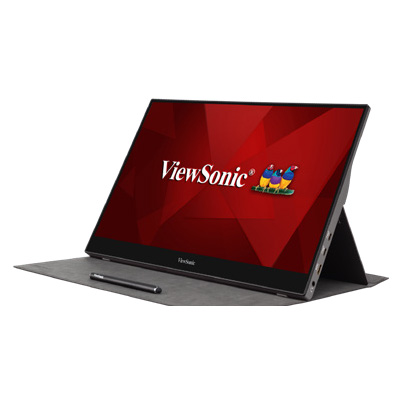
The TD1656-2K works with both finger touch and stylus input. It uses a 10-point capacitive touchscreen that supports finger interactions like tapping, pinching and swiping. An included stylus adds pen input for note-taking and sketching. Mac users can enable touch by installing ViewSonic vTouch software.


Can these monitors be standardized across a large enterprise fleet?

Yes, this is one of the strongest arguments for corporate deployment. Universal USB-C and Thunderbolt compatibility combined with an easy single-cable installation ensures deployment is simple. Plus, clean, matching specifications across the lineup make these portable displays easy to distribute, manage and support at scale.

Build a Better Mobile Workstation

A laptop gives you the freedom to work from anywhere, but a matching 16:10 portable monitor gives you the space to do it efficiently. Aligning your mobile hardware with a taller aspect ratio lets you work faster, scroll less and build a complete dual-screen workstation wherever your business takes you.

Ready to Close the Gap Between Your Laptop and Your Workflow?

Ready to see the difference a taller screen makes? Align your mobile setup with the future of business monitors.

Explore ViewSonic’s full lineup of 16:10 portable monitors at viewsonic.com.


*vDisplayManager app required through Display Portal.
Programs, pricing, specifications and availability are subject to change or cancellation without notice. Actual performance, compatibility and user experience may vary depending on system configuration, network conditions, usage environment and other factors. Selections, offers and programs may vary by country. Corporate names and trademarks stated herein are the property of their respective companies. Copyright © 2026, ViewSonic Corporation. All rights reserved. 7/26 [26DIG-ENT1275a]

The Essential Role of Technology in the Return to the Office

The Essential Role of Technology in the Return to the Office 
By Deidre Deacon, ViewSonic Corp.


Canada’s workplace landscape is undergoing its most significant reset since the early pandemic years—but not because workers are suddenly eager to trade home offices for cubicles. The renewed push toward in‑person work is being driven almost entirely by mandates: from governments, from major employers, and from the shifting economics of commercial real estate. Yet there’s another force reshaping this transition just as profoundly: technology. After years of refining highly efficient home‑office setups, employees now expect the same seamless, intuitive experience when they walk through the office door. As a result, the tools that once supported remote work have become the critical infrastructure enabling a smooth, sustainable shift back to more office‑centric hybrid models.


The public sector is leading the return to the office (RTO) charge, and the scale is unprecedented. CBC has reported that tens of thousands of provincial government employees in Ontario and Alberta have been ordered back to the office full time starting in 2026. This follows the federal government’s September 2024 directive requiring public servants to be onsite at least three days per week.


These are not gentle nudges. They are sweeping, top-down directives affecting the single largest employment block in the country. When governments mandate attendance, the ripple effects extend far beyond the workplace—reshaping transit patterns, downtown economies, and the broader labour market.


In the private sector, Canada’s major banks—RBC, Scotiabank, TD, and BMO—are reinforcing the shift. Employees are now expected to be in the office at least four days per week, with many roles moving to a full five-day schedule. Banks employ tens of thousands of workers, and their policies often set the tone for other large employers. Their pivot toward near-full-time office attendance signals a broader corporate recalibration: flexibility is narrowing, and the office is once again becoming the default.


The commercial real estate market is already reflecting this shift. According to CBRE’s national office report, Canada’s office vacancy rate fell from 18.7% in 2024 to 18% by the end of 2025—a 0.7‑point drop and the first decline since the pandemic began. A falling vacancy rate is a concrete indicator that more people are physically returning to office spaces – a change that is being attributed directly to the acceleration of RTO mandates—not voluntary worker behaviour. In other words, the market is responding to policy, not preference.


Yet even as employers tighten expectations, many workers remain deeply reluctant to give up remote work. Angus Reid data shows that three in five Canadians prefer to work mostly from home, and one in four would likely quit if forced back full time. This resistance is slowing actual attendance, even where mandates exist. Many employees comply only partially, and others are actively seeking roles that preserve hybrid or remote options. The tension between employer requirements and worker preferences has become one of the defining workplace dynamics of this era.


With new return to the office mandates in place, technology has evolved from a convenience to a critical infrastructure for ensuring a seamless transition. As companies implement these mandates, they’re discovering a truth employees have known for years: the physical workplace must now earn its relevance and compete with the efficiency of home setups by offering “phygital” environments – digital and physical spaces that are perfectly synchronized. After experiencing the autonomy and efficiency of remote work, professionals aren’t simply returning to desks; they’re evaluating whether the office can match the seamless, personalized workspaces they are accustomed to at home.


Forward‑thinking organizations are blending physical and digital experiences so fluidly that employees barely notice the seams. When a meeting room recognizes you, when collaboration tools sync instantly across devices, when hybrid meetings feel equitable rather than awkward—suddenly the office becomes a destination, not an obligation.


This isn’t a matter of perks; it’s a matter of performance. Research shows that most employees view high‑quality technology as essential to doing their jobs well, and companies that invest strategically in advanced tools can unlock significant productivity gains. Technology is no longer a “nice to have” in the return‑to‑office era. It is the infrastructure that determines whether collaboration thrives or stalls.

The mandate may bring people back—but only the right technology will make them stay.


Organizations that want to make the return to office a seamless experience need to implement technology ecosystems that remove friction rather than create it. This is where ViewSonic’s approach becomes a compelling blueprint for what a high performance “phygital” workplace can look like. ViewSonic’s portfolio of display solutions prioritize seamless connectivity and real-time collaboration across devices and spaces, bridging the hybrid gap that many organizations are struggling to close.


Personal Productivity Without the Clutter
At the individual desk, USB-C docking monitors like the ViewSonic® VG2756-4K
 consolidate the entire workstation. This 27-inch display delivers high-speed data, 4K video, and 90W of power through a single cable connection. It also prioritizes user well-being with advanced ergonomics designed for all-day comfort. The integrated docking capability delivers immediate savings by removing the need for separate docking hardware, lowering total cost of ownership from day one. It also simplifies IT operations by standardizing on a single, fully compatible solution—eliminating the headaches that come with managing mixed‑brand displays and docks, and avoiding the interoperability issues that slow teams down. The result is a clean, centralized hub that allows professionals to move from commute to deep focus without the usual tangle of adapters and peripherals.


Mobility for the Modern Hybrid Professional
Work is no longer confined to a single desk, and productivity shouldn’t be either. ViewSonic’s VG1656N portable monitor gives laptop users a completely wire-free second screen experience wherever they land—at a hot desk, a café, or between offices. With a built-in battery and wireless casting, this 16-inch display eliminates the need for power outlets or video cables, supporting the kind of complex multitasking that today’s flexible roles demand.


Collaboration at the Speed of Thought
In shared spaces, ViewSonic ViewBoard® interactive displays transform passive meetings into dynamic working sessions.

"...ViewSonic is a global leader in visual solutions and remains the #1 brand in market share for interactive displays worldwide (excluding China).¹"*

ViewSonic provides a platform that bridges the physical and digital worlds. Paired with TeamOne™ software, these displays turn any room into an interactive collaboration hub where in-person and remote participants can co-create on an infinite digital canvas.


For meeting environments where presentation takes precedence over interactivity, ViewSonic’s CDEG3 and CDE31 commercial displays offer a powerful alternative. For rooms requiring seamless integration with Microsoft Teams Rooms (MTR) or existing meeting systems, the CDEG3 commercial display series integrates seamlessly. Designed as an OS-less solution, it prioritizes security and boots up quickly, allowing meetings to start without delay. For spaces demanding even greater endurance, the CDE31 series is built for heavy-duty use. With 24/7 performance capabilities, it serves as a reliable workhorse for both high-traffic meeting rooms and continuous digital signage.


As organizations bring employees back into the office, the need for impactful, campus‑wide communication has never been greater. ViewSonic Direct View LED delivers a powerful platform to elevate corporate messaging, enhance collaboration, and modernize shared spaces. With purpose‑built solutions for every environment—LDS for dynamic company events and large‑scale functions, LDM and LDP for boardrooms and expansive meeting areas with stunning 1080p or 4K clarity, and LDE for cost‑effective video wall refreshes. Everything needed for deployment is delivered in one fully integrated package, making installation effortless, minimizing complexity, and enabling organizations to realize value significantly faster.


Reliability at Enterprise Scale
Behind the scenes, the ViewSonic Manager™ cloud platform gives IT teams the ability to monitor, update, and manage the entire display network remotely. This ensures that every workspace—from conference rooms to individual desks—remains a dependable, high-performance environment.


Together, these solutions demonstrate a simple truth: the return to the office succeeds only when the experience is worth returning to. By integrating rapid start hardware with intuitive personal and collaborative tools, ViewSonic isn’t just supporting hybrid work—it’s redefining what a modern, technology driven workplace can be.


As the return to the office continues to take hold, the gap between what workers want and what employers require will continue to shape the future of work—and determine how sustainable this mandated return truly is. Technology will play a pivotal role in bridging that divide, including visual solutions that enhance collaboration, creativity, and productivity across distributed, hybrid work teams.


# # #


Actual performance may vary depending on system configuration, usage environment, and other conditions; programs, pricing, specifications and availability are subject to change or cancellation without notice.

*"¹ Source: FutureSource Consulting, [Q3 2025] Interactive Displays Quarterly Market Tracker. Market share rankings exclude mainland China."


Two ViewSonic Products Named Winners of Tech & Learning Magazine’s Awards of Excellence: Best of 2022

Tech&Learning Award of Excellence Best of 2022 Winner badge

The ViewSonic ID2456 Touch Display and the ViewSonic UNIVERSE Metaverse Platform Won in Their Respective Categories of Higher Education and Secondary Education


BREA, CA (Feb. 02, 2023) – ViewSonic Corp., a leading global provider of display solution products, announces that two of its products were recognized by Tech & Learning Magazine’s Awards of Excellence: Best of 2022. The ViewSonic® ID2456 Touch Display won in the “Higher Education” category and UNIVERSE by ViewSonic™ won in the “Secondary 6-12” category.


The Tech & Learning Awards of Excellence rewards the very best products in the education technology industry from the last 12 months, selecting those that really help to aid education professionals, students and/or teachers. The winning ViewSonic products were judged based on feature sets, innovation, perceived value and ease of use, following which it was deemed to be a standout within the sector and selected as a winner.


The awards’ editorial team have said that “each year the Awards of Excellence grow to include a more diverse range of products and companies. With this being the case, judging and finding our winners becomes a tougher decision with each award. All of our judging is performed by industry experts, meaning those who have impressed and won the award should be truly proud of their achievement. Well done from all of Tech & Learning.”


“We are proud and thrilled that these two ViewSonic products were named winners in their respective categories by Tech & Learning,” said Jeff Volpe, President at ViewSonic Corp. “ViewSonic developed these products and solutions for the education market and to support in-person, distance- and hybrid learning. We will continue to lead the way with innovative, teacher-centric solutions, services and support that improve student-educator relationships. It’s exciting that the ID2456 and ViewSonic UNIVERSE solutions won their categories.”


ID2456 Touch Display

  • Multifunctional 24-inch touch display with native 1080p Full HD (1920x1080) resolution
  • Projected capacitive [PCAP] touch and palm rejection technologies
  • Works with MPP2.0 [Microsoft Pen Protocol] active pens with 4096 pressure sensitivity for precision and accuracy
  • Sleek, bezel-less design and weight of five pounds ensure transportability
  • USB-C connectivity for single-cable solution; delivers 90W of power to charge other devices
  • Advanced ergonomics with a built-in kickstand allows for 15–70-degree adjustment
  • Compatible with Windows, Android, Chrome, and Mac OS


UNIVERSE by ViewSonic™

  • An immersive 3D virtual environment
  • Communications:
  • Promote interaction and Peer Learning; Engage via open discussion or break-out groups
  • Text and emojis for non-audio/vocal communications
  • Spatial Audio: simulates true-to-life sound and volume according to the distance between avatars.
  • For example, a classmate standing at the virtual whiteboard would sound “farther away” compared to a student avatar seated next to the user.


  • Management:
  • Teachers can track interactivity and levels of engagement in classrooms and breakout rooms
  • Can utilize existing Learning Management Systems [LMS] to schedule classes and import information and files
  • Dashboard offers reporting and monitoring of attendance rates and attention measurement


To find out more about ViewSonic, visit ViewSonic.com and follow on Facebook, YouTube,  Twitter and Instagram.


About ViewSonic

Founded in California, ViewSonic is a leading global provider of visual solutions and conducts business in over 100 countries worldwide. As an innovator and visionary, ViewSonic is committed to providing comprehensive hardware and software solutions that include monitors, projectors, digital signage, ViewBoard® interactive displays, and myViewBoard® software ecosystem. With 35 years of expertise in visual displays, ViewSonic has established a strong position for delivering innovative and reliable solutions for education, enterprise, consumer, and professional markets and helping customers “See the Difference.” To find out more about ViewSonic, please visit www.viewsonic.com.


#  #  #


*Program, pricing, specifications, and availability are subject to change without notice.


This news release contains forward-looking statements that reflect the Company’s expectations with regard to future events. Actual events could differ significantly from those anticipated in this document. Trademark footnote: ViewSonic and the ViewSonic trademarks are trademarks or registered trademarks of ViewSonic Corporation in the United States and/or other countries. All other corporate names and trademarks stated herein are the property of their respective companies.

ViewSonic Delivers Technology Solutions for Esports Career Pathways, Metaverse Learning, and Hybrid Classrooms with Latest Displays and Tools

Female using ViewBoards to instruct a group of employees in a large room

UNIVERSE by ViewSonic™, Gaming Monitors and Device Management Stations to Showcase Hardware and Software Teaching Applications


SAN ANTONIO, TX – TCEA 2023, Booth #1153 – (Jan. 31, 2023) – ViewSonic Corp., a leading global provider of visual solutions, offers solutions for next-generation hybrid teaching and learning at the TCEA Convention and Expo, Jan. 31- Feb. 2, 2023 in San Antonio, TX. The ViewSonic® education solutions can transform classrooms and learning spaces into next-generation immersive and collaborative environments.


With innovative technologies ranging from desktop touch displays and esports monitors, to ViewBoard® interactive displays and the myViewBoard® software ecosystem, ViewSonic education solutions help to optimize participation and empower teachers with the best tools they need.


ViewSonic continues to support the education community by expanding its teacher certification program and building a community platform to ignite community engagement. The company’s hands-on approach to professional development has proved to be of great benefit for schools according to past participant reviews. Premium services begin with on-site PD that can also leverage virtual services. This helps to consistently infuse ViewSonic technologies throughout the instructional process so that educators can deepen their level of understanding.


“At TCEA, ViewSonic will have multiple stations to showcase how esports, metaverse teaching and learning, as well as device management can benefit schools,” said Kenneth Mau, Product and Channel Marketing Director at ViewSonic. “The fluidity of today’s learning and teaching environments can be a challenge for teachers and students. Together we can evolve with tools that take learning to a higher level. ViewSonic has been working with schools and teachers to create solutions so that sharing ideas, while communicating and learning with consistency, is the primary goal.”


There will also be several Micro-EdTalk sessions throughout the conference, from Digital Whiteboard training to metaverse education, held at the ViewSonic booth.


For further news and information about ViewSonic, visit ViewSonic.com and follow on Facebook, YouTube and Twitter.


About ViewSonic

Founded in California, ViewSonic is a leading global provider of visual solutions and conducts business in over 100 countries worldwide. As an innovator and visionary, ViewSonic is committed to providing comprehensive hardware and software solutions that include monitors, projectors, digital signage, ViewBoard® interactive displays, and myViewBoard® software ecosystem. With 35 years of expertise in visual displays, ViewSonic has established a strong position for delivering innovative and reliable solutions for education, enterprise, consumer, and professional markets and helping customers “See the Difference®.” To find out more about ViewSonic, please visit www.viewsonic.com.


#  #  #


This news release contains forward-looking statements that reflect the Company’s expectations with regard to future events. Actual events could differ significantly from those anticipated in this document. Trademark footnote: ViewSonic and the ViewSonic trademarks are trademarks or registered trademarks of ViewSonic Corporation in the United States and/or other countries. All other corporate names and trademarks stated herein are the property of their respective companies.

ViewSonic Delivers Technology Solutions for Esports Career Pathways, Metaverse Learning, and Hybrid Classrooms with Latest Displays and Tools

Feamle gamer using a headset and ViewSonic VX16 series monitor to play a game

UNIVERSE by ViewSonic™, Gaming Monitors and Device Management Stations to Showcase Hardware and Software Teaching Applications


NEW ORLEANS – FETC 2023 Booth #2801 – (Jan. 24, 2023) – ViewSonic Corp., a leading global provider of visual solutions, offers solutions for next-generation hybrid teaching and learning at the Future in Education Technology Conference [FETC], Jan. 24-26, 2023 in New Orleans, LA. The ViewSonic® education solutions can transform classrooms and learning spaces into next-generation immersive and collaborative environments.


As leaders in visual display solutions, ViewSonic transforms classrooms into immersive learning environments. With innovative technologies ranging from desktop touch displays and esports monitors, to ViewBoard® interactive displays and the myViewBoard® software ecosystem, ViewSonic education solutions help to optimize participation and empowers teachers with the best tools they need.


ViewSonic continues to support the education community by expanding its teacher certification program and building a community platform to ignite community engagement. The company’s hands-on approach to professional development has proved to be of great benefit for schools according to past participant reviews. Premium services begin with on-site PD that can also leverage virtual services. This helps to consistently infuse ViewSonic technologies throughout the instructional process so that educators can deepen their level of understanding.


“At FETC, ViewSonic will have multiple stations to showcase how esports, metaverse teaching and learning, as well as device management can benefit schools,” said Kenneth Mau, Product and Channel Marketing Director at ViewSonic. “The fluidity of today’s learning and teaching environments can be a challenge for teachers and students. We’ve been working with schools and teachers to create solutions so that sharing ideas, while communicating and learning with consistency, is the primary goal. Together we can evolve with tools that take learning to a higher level.”


Ruben Caputo, vertical marketing manager for education at ViewSonic will also be speaking at three presentations during FETC:

  • Tuesday, Jan. 24th from 12:15pm to 12:45pm: ESPORTS THEATER, Booth 551
    “From Player to Creator: Preparing Students for Careers in Interactive 3D”
    Find out how one can leverage student interest in games and esports to amplify a teaching program and prepare students for real-world skills.
  • Wednesday, Jan. 25th from 12:30pm to 1:00pm: ESPORTS THEATER, Booth 551
    “Pathway to Professional Careers in Esports”
    Esports has grown into a viable industry for many alike. This session will discuss the available career options as well as the pathway to obtain the available opportunities within the industries of gaming and esports.

  • Thursday, Jan. 26th from 9:45am to 10:15am: ESPORTS THEATER, Booth 551
    “The Esports Education Playbook: Empowering All Learners Through Inclusive Gaming”
    The esports ecosystem reaches far beyond that of the player. This extends into career possibilities in areas around game design, broadcasting, video production, advertising, and more.


There will also be several Micro-EdTalk sessions throughout the conference, from Digital Whiteboard training to metaverse education, held at the ViewSonic booth.


For further news and information about ViewSonic, visit ViewSonic.com and follow on Facebook, YouTube and Twitter.


About ViewSonic

Founded in California, ViewSonic is a leading global provider of visual solutions and conducts business in over 100 countries worldwide. As an innovator and visionary, ViewSonic is committed to providing comprehensive hardware and software solutions that include monitors, projectors, digital signage, ViewBoard® interactive displays, and myViewBoard® software ecosystem. With 35 years of expertise in visual displays, ViewSonic has established a strong position for delivering innovative and reliable solutions for education, enterprise, consumer, and professional markets and helping customers “See the Difference®.” To find out more about ViewSonic, please visit www.viewsonic.com.


#  #  #


This news release contains forward-looking statements that reflect the Company’s expectations with regard to future events. Actual events could differ significantly from those anticipated in this document. Trademark footnote: ViewSonic and the ViewSonic trademarks are trademarks or registered trademarks of ViewSonic Corporation in the United States and/or other countries. All other corporate names and trademarks stated herein are the property of their respective companies.

ViewSonic Launches OMNI VX16 Series of Monitors for Budget Friendly Gaming

Feamle gamer using a headset and ViewSonic VX16 series monitor to play a game

The VX2416 and VX2716 Offer Smooth Gameplay Features for Casual and Novice Gamers


Brea, CA (January 19, 2023) – ViewSonic Corp., a leading global provider of visual solutions, introduces the ViewSonic OMNI™ VX16 series of gaming monitors. Available in 24- and 27-inch sizes, the ViewSonic® VX2416 and VX2716 monitors were created to deliver amazing performance, from graphics to refresh rates, for budget-centric casual gaming fans. Loaded with all the features for an immersive gaming experience, the two VX16 models offer versatility and functionality at great price points.


The ViewSonic 24-inch VX2416 and 27-inch VX2716 monitors feature native 1080p Full HD resolution, 100Hz refresh rate, and a 1ms MPRT response time. With AMD FreeSync technology, users can enjoy smooth gameplay by synchronizing the GPU and monitor outputs. Connectivity options include DisplayPort, HDMI 1.4 and audio-out.


“The ViewSonic OMNI VX16 series of monitors were developed to offer the best gaming display solution at budget-friendly prices,” said Jeff Muto, business line director at ViewSonic. “Both monitors include the key features that can make a casual or beginner gamer feel immersed in their games, while also maximizing the monitor’s use for work and productivity.”


VX2416

  • 24-inch monitor with native Full HD (1920x1080) resolution
  • 100Hz refresh rate and 1ms MPRT response time for smooth gameplay
  • AMD FreeSync technology
  • Connectivity options include: HDMI 1.4; DisplayPort and Audio-Out
  • Dual integrated speakers for stereo sound; and VESA wall-mount compatibility
  • Available: Now for an estimated street price of $119.99* [USD]


VX2716

  • 27-inch monitor with native Full HD (1920x1080) resolution
  • 100Hz refresh rate and 1ms MPRT response time for smooth gameplay
  • AMD FreeSync technology
  • Connectivity options include: HDMI 1.4; DisplayPort and Audio-Out
  • Dual integrated speakers for stereo sound; and VESA wall-mount compatibility
  • Available: Now for an estimated street price of $139.99* [USD]


To find out more about ViewSonic, visit ViewSonic.com and follow on Facebook, YouTube, Twitter and Instagram.


About ViewSonic

Founded in California, ViewSonic is a leading global provider of visual solutions and conducts business in over 100 countries worldwide. As an innovator and visionary, ViewSonic is committed to providing comprehensive hardware and software solutions that include monitors, projectors, digital signage, ViewBoard® interactive displays, and myViewBoard™ software ecosystem. With 35 years of expertise in visual displays, ViewSonic has established a strong position for delivering innovative and reliable solutions for education, enterprise, consumer, and professional markets and helping customers “See the Difference.” To find out more about ViewSonic, please visit www.viewsonic.com.


#  #  #


*Program, pricing, specifications, and availability are subject to change without notice.


This news release contains forward-looking statements that reflect the Company’s expectations with regard to future events. Actual events could differ significantly from those anticipated in this document. Trademark footnote: ViewSonic and the ViewSonic trademarks are trademarks or registered trademarks of ViewSonic Corporation in the United States and/or other countries. All other corporate names and trademarks stated herein are the property of their respective companies.

ViewSonic Launches Two New 34-inch Curved Gaming Monitors

OCBJ - 2022 Best Places to Work logoOCBJ - 2022 Best Places to Work logo

The ELITE XG340C-2K and ELITE XG341C-2K Feature HDMI 2.1, 180Hz + refresh rates, USB- C and immersive curves.

Brea, CA (Oct. 12, 2022) – ViewSonic Corp., a leading global provider of visual solutions, adds two new monitors to the ELITE gaming line-up. The ViewSonic ELITE™ XG340C-2K and XG341C-2K join the XG series of premium gaming monitors. These 34-inch monitors feature native 3440x1440 resolutions, HDMI 2.1 connectivity, curved screens and  fast 180+ Hz refresh rates. Gamers can immerse themselves in new worlds and experience games with ultra-smooth gameplay, lightning-fast response times, and VR-like immersion.


“By adding these amazing 34-inch curved gaming monitors to the ELITE XG line, ViewSonic is ensuring that immersion is part of the gaming experience,” said Jeff Muto, business line director at ViewSonic. “These monitors were engineered to perform. We added in features like HDMI 2.1, USB-C, AMD FreeSync Premium Pro and even a KVM switch to connect to anything a gamer would want to and seamless jump between those premium digital experiences.”


The ELITE XG340C-2K features a fast, native, 165Hz refresh rate, overclockable to a rapid 180Hz output. AMD FreeSync Premium Pro technology automatically synchronizes the monitor and GPU output to effortlessly reduce screen tearing and lag. The “Pro” in AMD FreeSync Premium Pro speaks to the HDR experience providing an incredible combination of smooth gaming, low latency, and lifelike colors and contrast. The XG340C-2K , via USB-C, provides 65W of charging power, and video, audio, and data over a single connector. The VESA-certified DisplayHDR400 delivers dynamic contrast and intense image quality. HDMI 2.1 means 4K at max refresh rate on PC and 120Hz gameplay on all modern consoles that support 120Hz output.


ELITE XG340C-2K

  • 34-inch curved gaming monitor with native UWUHD (3440x1440) resolution
  • 1000R curved screen with a 180Hz (OC) refresh rate and a 1ms (GTG) response time
  • AMD FreeSync Premium Pro and VESA DisplayHDR
  • Connectivity includes: HDMI v2.1, DisplayPort, USB-C, USB-A and USB-B, (1x upstream, 3x downstream) and one Audio-Out (3.5mm)
  • Customizable ViewSonic ELITE RGB Lighting
  • Built-in KVM feature to control multiple devices with a single mouse, keyboard and monitor set-up
  • Available: November 2022 for an estimated street price of $799.99* [USD]


Featuring a native  3440x1440 resolution and a VESA DisplayHDR 1400 certification, the ELITE XG341C-2K is a 34-inch, 1500R curved screen mini-LED monster. Utilizing 1152-zone mini-LED backlighting with full-array local dimming, the monitor brings out the details with the brightest whites and darkest blacks for true-to-life colors and contrast, on any content when compared to conventional gaming monitors .  With a super swift 200Hz (OC) refresh rate, AMD FreeSync Premium Pro technology, and PureXP black frame insertion technology, the XG341C-2K delivers smooth gaming, exceptional visual quality, smooth graphics, and low latency. The HDMI 2.1 means 4K at max refresh rate on PC and 120Hz gameplay on all modern consoles that support 120Hz output.  Our USB-C implementation builds on what the XG340C-2K offers with a higher 90W power output to charge even more powerful laptops and USB-C equipped devices.


ELITE XG341C-2K

  • 34-inch, mini-LED, curved gaming monitor with native UWUHD (3440x1440) resolution
  • 1500R curved screen with a 200Hz (OC) refresh rate and a 1ms (GTG) response time
  • AMD FreeSync Premium Pro and VESA DisplayHDR 1400
  • PureXP Motion Blur Reduction technology to improve left-to-right motion image clarity
  • Connectivity includes: HDMI v2.1, DisplayPort, USB-C, USB-A and USB-B, (1x upstream, 3x downstream) and one Audio-Out (3.5mm)
  • Customizable ViewSonic ELITE RGB Lighting
  • Built-in KVM feature to control multiple devices with a single mouse, keyboard and monitor set-up
  • Available: December 2022 for an estimated street price of $1,499.99* [USD]

For further news and information about ViewSonic, visit ViewSonic.com and follow on Facebook, YouTube and Twitter.


About ViewSonic

Founded in California, ViewSonic is a leading global provider of visual solutions and conducts business in over 100 countries worldwide. As an innovator and visionary, ViewSonic is committed to providing comprehensive hardware and software solutions that include monitors, projectors, digital signage, ViewBoard® interactive displays, and myViewBoard™ software ecosystem. With 35 years of expertise in visual displays, ViewSonic has established a strong position for delivering innovative and reliable solutions for education, enterprise, consumer, and professional markets and helping customers “See the Difference.” To find out more about ViewSonic, please visit www.viewsonic.com.


#  #  #


*Program, pricing, specifications, and availability are subject to change without notice.


This news release contains forward-looking statements that reflect the Company’s expectations with regard to future events. Actual events could differ significantly from those anticipated in this document. Trademark footnote: ViewSonic and the ViewSonic trademarks are trademarks or registered trademarks of ViewSonic Corporation in the United States and/or other countries. All other corporate names and trademarks stated herein are the property of their respective companies.

ViewSonic Launches ColorPro VP16-OLED Ultra-Thin Portable Monitor

Photographer using VP16-OLED to view images from his digital cameraPhotographer using VP16-OLED to view images from his digital camera

Engineered and Designed for Exceptional Color Performance; Features Flexible Foldable Stand for Easy Height Adjustment, and a Protective Monitor Hood/Screen Cover

Brea, CA – (Oct 12, 2022) – ViewSonic Corp., a leading global provider of visual solutions, introduces the ViewSonic® ColorPro™ VP16-OLED Portable Display. A 15.6-inch portable monitor with native 1080p Full HD resolution, it is ideal for creative professionals looking for remarkable color performance with advanced OLED technology. The VP16-OLED is Pantone-Validated, and factory calibrated to deliver richer color uniformity, accuracy, and enhanced details, ensuring that it meets the demands of professional content creators.


The ColorPro VP16-OLED is specifically designed with its mainboard in the stand, which allows the display to have one of the thinnest CNC aluminum-framed OLED panels on a portable monitor . The stand’s flexible, foldable design offers easy height adjustment to secure the perfect angle. A tripod mount is integrated into the stand so that the display can be used as an incredibly high-quality photo or video preview display for fine adjustments in the field, while a protective screen cover also doubles as a shading hood for a “dark room” effect.


“The ViewSonic ColorPro VP16-OLED portable monitor was designed for portability and flexibility,” said Jeff Muto, business line director at ViewSonic. “Its unique folding stand design with its light and simple form factor allows users to take it just about anywhere. The distinctive screen cover can also be used as a shading hood. This integrated design creates a “dark room” type of setting when used in a high-brightness environment or even outdoors where lighting can affect what’s on the screen. As part of the ColorPro VP series, we made sure that even our portable monitor meets the demands of color-critical work of professional creators.”


ColorPro VP16-OLED

  • 15.6-inch portable monitor with a native 1080p Full HD (1920x1080) resolution
  • 100% DCI-P3 coverage, 400nits of brightness, 1ms response time, 60Hz refresh rate
  • Connectivity includes: 2x USB Type-C for 2-way charging, mini-HDMI and 3.5mm headphone jack
  • OLED panel with highly adjustable stand and built-in hood and cover accessory
  • 14-inches in length and less than one-inch thick; 2.2 pounds
  • 100% DCI-P3 coverage, Pantone-Validated, and factory calibrated for color critical work
  • Available: November 2022 with an estimated street price of $399.99 [USD]

For further news and information about ViewSonic, visit ViewSonic.com and follow on Facebook, YouTube and Twitter.


About ViewSonic

Founded in California, ViewSonic is a leading global provider of visual solutions and conducts business in over 100 countries worldwide. As an innovator and visionary, ViewSonic is committed to providing comprehensive hardware and software solutions that include monitors, projectors, digital signage, ViewBoard® interactive displays, and myViewBoard™ software ecosystem. With 35 years of expertise in visual displays, ViewSonic has established a strong position for delivering innovative and reliable solutions for education, enterprise, consumer, and professional markets and helping customers “See the Difference.” To find out more about ViewSonic, please visit www.viewsonic.com.


#  #  #


*Program, pricing, specifications, and availability are subject to change without notice.


This news release contains forward-looking statements that reflect the Company’s expectations with regard to future events. Actual events could differ significantly from those anticipated in this document. Trademark footnote: ViewSonic and the ViewSonic trademarks are trademarks or registered trademarks of ViewSonic Corporation in the United States and/or other countries. All other corporate names and trademarks stated herein are the property of their respective companies.

ViewSonic Launches Newest 4K ColorPro Monitor with Fogra Certification and Pantone Validation

artist working on a ViewSonic VP2786-4K, editing photos during a photo shootartist working on a ViewSonic VP2786-4K, editing photos during a photo shoot

The VP2786-4K Features ColorPro Sense Software and Integrated ColorPro Wheel for Instant, Comprehensive Color Control


Brea, CA (August 23, 2022) – ViewSonic Corp., a leading global provider of visual solutions, launches the ViewSonic® ColorPro™ VP2786-4K professional monitor. The VP2786-4K is a Fogra-certified and Pantone® validated 27-inch monitor designed for amazing visual performance and color accuracy. With native 4K Ultra HD resolution, 100% Adobe RGB and 98% DCI-P3 capability, the VP2786 delivers extraordinary, true-to-life colors, exceeding expectations of professional content creators.


The VP2786-4K is tailored with the new ColorPro Sense software, which automatically suggests color combinations from Pantone’s color library. The monitor also comes equipped with the ColorPro Wheel, an external device that includes a built-in color calibrator for long-term color accuracy and a wide Mac-compatible color gamut. The ColorPro Wheel provides users with instant access to Adobe Photoshop and Capture One editing software, color calibration and control of OSD settings at the user’s fingertips.


“At ViewSonic, we’re always focused on giving creators the tools and solutions to make their work exceptional,” said Jeff Muto, business line director at ViewSonic. “With the ColorPro VP2786-4K, we can offer a creator-centric monitor that will provide the color accuracy for their design work, whether in print or digital. With both Fogra certification and Pantone validation, this monitor is packed with the features that can make their creations even better.”


The VP2786-4K comes with USB-C connectivity and 90W of power delivery, along with HDMI 2.0, DisplayPort, USB-A/B, micro-USB and audio-out ports. It is factory calibrated to deliver an amazing Delta E<2 value and includes a detailed calibration report for DCI-P3, sRGB, Rec. 709 and uniformity color space.


ColorPro VP2786-4K

  • 27-inch Nano IPS monitor with native 4K Ultra HD (3840x2160) resolution
  • Fogra certified and Pantone validated for color accuracy in print and digital mediums
  • ColorPro Sense software which automatically suggests color combinations from Pantone’s color library
  • Exclusive ColorPro Wheel for instant access to compatible Adobe PhotoShop and Capture One editing software, color calibration and OSD settings
  • 100% Adobe RGB and 98% DCI-P3 capability; Factory calibrated at Delta E>2
  • Easy-to-attach magnetic hood to reduce screen reflection and glare
  • Available: September 2022 for an estimated street price of $1,004.00* [USD]


To find out more about ViewSonic, visit ViewSonic.com and follow on Facebook, YouTube,  Twitter and Instagram.


About ViewSonic

Founded in California, ViewSonic is a leading global provider of visual solutions and conducts business in over 100 countries worldwide. As an innovator and visionary, ViewSonic is committed to providing comprehensive hardware and software solutions that include monitors, projectors, digital signage, ViewBoard® interactive displays, and myViewBoard™ software ecosystem. With 35 years of expertise in visual displays, ViewSonic has established a strong position for delivering innovative and reliable solutions for education, enterprise, consumer, and professional markets and helping customers “See the Difference.” To find out more about ViewSonic, please visit www.viewsonic.com.


#  #  #


Program, pricing, specifications, and availability are subject to change without notice.


This news release contains forward-looking statements that reflect the Company’s expectations with regard to future events. Actual events could differ significantly from those anticipated in this document. Trademark footnote: ViewSonic and the ViewSonic trademarks are trademarks or registered trademarks of ViewSonic Corporation in the United States and/or other countries. All other corporate names and trademarks stated herein are the property of their respective companies.

Demand for Visual Solutions Drives Strong First Quarter for ViewSonic Canada

Advancements in hybrid work and EdTech fueling demand for collaboration solutions, driving revenue growth for ViewSonic and its channel partners

Toronto, ON (May 5, 2022) – ViewSonic Canada, a subsidiary of ViewSonic Corp., a leading global provider of visual solutions, today announced strong first quarter performance driven by demand for its visual solutions across hybrid work and EdTech markets. In the transition back to the office and classroom, visual engagement solutions that connect people wherever they are, have proven to be critical enablers. This demand accompanies ViewSonic’s best-in-class partner program and one of the industry’s widest arrays of visual solutions encompassing hardware, software, service integration and best-in-class support. To support accelerating market demand, the ViewSonic Partner Program has been continually expanded with financial rewards and incentives to help drive partner growth at every stage of business.


“With 40% year-over-year growth, and 33% year-over-year for the quarter, our visual solutions are proven enablers for anywhere operations, digital learning and creating the digital spaces that are so essential for collaboration, content creation and sharing,” says Deidre Deacon, General Manager and Channel Chief for ViewSonic Canada. “From our strong partner network and robust inventory to more competitive pricing and expanded channel programs, we’ve exceeded growth expectations in Q1 and are on track for continued performance as we look towards closing the second half. Creating more opportunities for national, regional and market-focused VARs is our focus as we deepen our reach into growth markets for visual solutions and help drive partner profitability.”


In the first quarter, ViewSonic introduced a range of new visual solutions across all categories including commercial displays, interactive flat panel displays and whiteboarding software, desktop and gaming monitors, and projection display systems. The company’s depth and breadth of displays include the latest interactive and touch technology, in screen sizes for every application – from 15”to 98”. The company also expanded its bounty programs to include both virtual and in-person demo options that can be booked online 24/7, providing even more flexibility and paths for partners to build margin.


Gartner forecasts that by the end of 2023, 40% of organizations will move to anywhere operations blending virtual and physical experiences for increased productivity and customer reach. With its breadth of collaboration solutions that unlock the potential of anywhere collaboration and distributed workflows, ViewSonic and its partners are positioned for continued growth. Financial incentives at the core of its channel program provides ViewSonic’s partners with monthly rewards and rebates on focused lines of business, volume pricing opportunities and access to extensive digital resources through an accessible, easy to use online partner portal.


"As the pandemic subsides, innovative new digital spaces where people can interact are emerging across hybrid work, e-learning and commercial markets,” says Deacon. “We’re only starting to scratch the surface on realizing the true potential of collaboration solutions in connecting people in these new digital spaces, driving content creation, sharing and productivity. To support this innovation and enable continued growth, we’re expanding our national sales team with the addition of a new senior team member. Based in Vancouver, B.C., Don Kwan will support help us reach aggressive revenue targets in enterprise, commercial and education sectors for the western region. With a strong first quarter in the books and a track record of year-over-year growth, our team couldn’t be better positioned or more excited for the opportunities ahead.”


ViewSonic Partner Program

ViewSonic is a partner-first company, with a strong global partner network and diverse multi-source supply chain uniquely positions it as a vendor of choice within today’s enterprise, education, commercial and consumer markets. For more information or to join the ViewSonic Partner Program, click here.

For further news and information about ViewSonic, visit ViewSonic.com and follow on LinkedIn  Facebook, YouTube and Twitter.


About ViewSonic

Founded in California, ViewSonic is a leading global provider of visual solution products and conducts business in more than 100 countries worldwide. As an innovator and visionary, ViewSonic is committed to providing comprehensive hardware and software solutions that include monitors, projectors, digital signage, ViewBoard® interactive displays, and the myViewBoard™ software ecosystem. With more than 30 years of expertise in visual displays, ViewSonic has established a strong position for delivering innovative and reliable solutions for education, enterprise, consumer, and professional markets, and helping customers “See the Difference.” To find out more about ViewSonic, please visit www.viewsonic.com.


#  #  #


Media Contact:

Caroline McGrath

CMM Communications for ViewSonic Corp.

T: 416-972-1642

E: caroline@cmm-communications.com

ViewSonic to Hold Global Online Auction with Unique NFT and Print Art by Artist Cliff Cramp to Benefit Make-A-Wish Orange County & the Inland Empire

Bids for “The Hatchlings” NFT and Original Print Will be Taken Through May 28, 2022

Brea, CA (May 04, 2022) – ViewSonic Corp., a leading global provider of visual solutions, will hold an online charity auction for a one-of-a-kind NFT art piece from ViewSonic ColorPro Partner and Star Wars and Lucasfilm illustrator Cliff Cramp. Proceeds from the auction will benefit Make-A-Wish Orange County & the Inland Empire. The online auction will run until May 28th, 2022 and ends at 11:59 PM Pacific Time. A valid and active crypto-wallet and account is required to place a bid.


“ViewSonic developed the ColorPro series of professional-grade monitors to address the needs of the most demanding content creators,” said Phong Phanel, vertical marketing manager for professional displays for ViewSonic Americas. “We’ve connected with some of the best professional creators to partner with, including Cliff Cramp, who is renowned in the entertainment industry for working with Lucasfilm, Nickelodeon TV Animation, Disney Entertainment and DC Comics, among others. As a ColorPro partner, we tasked him to create an exclusive piece for us to auction for charity.”


“When ViewSonic reached out and asked me for a custom piece of art to auction off for charity, I was more than happy to provide something cool and unique that reflects both ViewSonic and my art said Cliff Cramp. I’ve been working with the ColorPro team and use the ColorPro™ VP3268-4K monitor for my work. My illustrations consist of gradients of light and shadows, and I rely on my display to deliver the detail and precision I need. Knowing that the ColorPro monitors can match my level of detail is why it’s the only monitor I use. Being able to create art for charity makes it even better.”


“We are so grateful for ViewSonic’s support of our mission and wish families through this exciting NFT auction,” said Gloria Jetter Crockett, President and CEO of Make-A-Wish Orange County & the Inland Empire. “Thanks to their creativity, collaboration and commitment to our mission, ViewSonic is helping create life-changing wishes for children with critical illnesses in Orange, Riverside and San Bernardino counties.”


The ViewSonic ColorPro™ series of professional monitors are the display solution of choice for creative work where color-accuracy is critical. ColorPro monitors deliver stunning colors, meeting the demands of visual content professionals. Blending the art and science of incredible color, ViewSonic ColorPro monitors are individually calibrated at the factory for 100 percent sRGB and Delta E<2 values and are designed to deliver the highest level of performance.


To find out more about ViewSonic, visit ViewSonic.com and follow on Facebook, YouTube,  Twitter and Instagram.


About Cliff Cramp

Cliff Cramp is a veteran illustrator, painter and storyteller working in popular entertainment. In his twenty-plus years as a professional Cliff has contributed his skills to a wide range of media — including animation, comics, music, games, books and editorials — for companies as diverse as LucasFilms, 20th Century Fox, United Artists, MGM Studios, Trailer Park, Shout Factory, Hollywood Records, Nickelodeon TV Animation, Disney Entertainment, Warner bros, DC Comics, Acme Archives Direct, Penguin Books, Philomel Books, Ingram Micro, Menagerie Creative, and Dik Entertainment, among others.

The artist enjoys licensing deals associated with LucasFilm, Fox, Warner Brothers, DreamWorks, and Disney — allowing him to legally work on their intellectual properties and earning Cliff awards and accolades in a number of genres. Lucasfilm/20th Century Fox via Menagerie Creative picked Cramp — out of a top list of talent — to illustrate the collectible Blue Ray covers for Star Wars: The Complete Saga, Star Wars: Episodes 1 to 3, and Star Wars: Episodes 4 to 6. Currently, Corel features his works as exemplars in their Painter software and includes the artist among their ranks of Master Elites.


About Make-A-Wish Orange County & the Inland Empire

Make-A-Wish Orange County and the Inland Empire creates life-changing wishes for children with critical illnesses in Orange, Riverside and San Bernardino counties. We seek to bring every eligible child's wish to life because every child deserves a childhood. Research shows children who have wishes granted can build the physical and emotional strength they need to fight their illness. Together with generous donors, supporters, staff and more than 500 volunteers, Make-A-Wish Orange County and the Inland Empire has granted more than 7,500 wishes across the local region. For more information about Make-A-Wish Orange County and the Inland Empire, visit wish.org/ocie.


About ViewSonic

Founded in California, ViewSonic is a leading global provider of visual solutions and conducts business in over 100 countries worldwide. As an innovator and visionary, ViewSonic is committed to providing comprehensive hardware and software solutions that include monitors, projectors, digital signage, ViewBoard® interactive displays, and myViewBoard™ software ecosystem. With 35 years of expertise in visual displays, ViewSonic has established a strong position for delivering innovative and reliable solutions for education, enterprise, consumer, and professional markets and helping customers “See the Difference.” To find out more about ViewSonic, please visit www.viewsonic.com.


#  #  #


*Color uniformity function works within the following color spaces: Adobe RGB, sRGB, DCI-P3, EBU, SMPTE-C and REC709


Program, pricing, specifications, and availability are subject to change without notice. Subject to official online auction terms and conditions.


This news release contains forward-looking statements that reflect the Company’s expectations with regard to future events. Actual events could differ significantly from those anticipated in this document. Trademark footnote: ViewSonic and the ViewSonic trademarks are trademarks or registered trademarks of ViewSonic Corporation in the United States and/or other countries. All other corporate names and trademarks stated herein are the property of their respective companies.

ViewSonic Showcases Breadth and Depth of ELITE Gaming Monitors at PAX East

The Company’s Complete Lineup of Esports Solutions Benefit Gamers of All Levels

BOSTON – PAX East, Booth #10049 (April 21, 2022) – ViewSonic Corp., a leading global provider of visual solutions, showcases its range of ViewSonic ELITE™ gaming monitors for casual to professional-level esports gamers at PAX East, April 21-24, 2022 in Boston, MA. The line-up includes the 2K resolution-based ELITE XG271QG, the competition-ready ELITE XG251G 25-inch monitor and the newest portable gaming monitor, the VX1755.


Engineered and designed specifically for gamers and esports competitions, these monitors deliver power, speed, and stunning graphics to meet the demands of the latest games. Other features include a range of variable refresh rate capabilities, super-fast response times, low input lag and amazing color reproduction.


“The popularity of gaming continues to grow” said Danny Ordway, vertical marketing manager, gaming.  “ViewSonic is here to support the needs of the gaming community from the esports athlete to the casual gamers and everyone in between with a diverse line of products. We have one of the broadest product lines and continue to invest in displays that provide higher refresh rates, ultra-low response times and extraordinary visual experiences.”


ELITE XG271QG

• 27-inch IPS with native 2K (2560x1440) resolution


• 240Hz refresh rate; 1ms response time


• NVIDIA G-Sync Certification and NVIDIA Reflex Analyzer


• Supports VESA DisplayHDR 400 and Adobe 99% color coverage and factory color calibrated


• Connectivity includes: 2x HDMI (v2.0), 1x DisplayPort (v1.4), 4x USB (1x upstream, 3x downstream) and one Audio-Out (3.5mm)


• Available: Now with an estimated street price of $899.99 [USD]


ELITE XG251G

• 25-inch IPS with 1080p Full HD (1920x1080) resolution


• 360Hz refresh rate and 1ms response time (GtG w/OD)


• NVIDIA G-Sync Certification and NVIDIA Reflex Analyzer


• VESA DisplayHDR400 certified with 99% sRGB color coverage; SDR brightness of 400 cd/m2


• Connectivity includes: 2x HDMI (v2.0), 1x DisplayPort (v1.4), 4x USB (1x upstream, 3x downstream) and one Audio-Out (3.5mm)


• Available: Now with an estimated street price of $799.99* [USD]


VX1755 Portable Gaming Monitor

• 17.2-inch portable monitor with a native 1080p (1920x1080) resolution


• 144Hz refresh rate, 4ms response time and AMD FreeSync Premium technology


• Connectivity includes: 2x USB Type-C for 2-way charging, mini-HDMI and 3.5mm headphone jack


• Less than one-inch thick (0.6-inch) with a weight of 2.2 pounds


• 3-sided bezel-less design with built-in stand; dual integrated speakers


• Available: Now with an estimated street price of $299.00* [USD]


For further news and information about ViewSonic, visit ViewSonic.com and follow on Instagram,  Facebook, YouTube and Twitter.


About ViewSonic

Founded in California, ViewSonic is a leading global provider of visual solutions and conducts business in over 100 countries worldwide. As an innovator and visionary, ViewSonic is committed to providing comprehensive hardware and software solutions that include monitors, projectors, digital signage, ViewBoard® interactive displays, and myViewBoard™ software ecosystem. With over 30 years of expertise in visual displays, ViewSonic has established a strong position for delivering innovative and reliable solutions for education, enterprise, consumer, and professional markets and helping customers “See the Difference®.” To find out more about ViewSonic, please visit www.viewsonic.com.


#  #  #


*Pricing, specifications and availability are subject to change without notice.


This news release contains forward-looking statements that reflect the Company’s expectations with regard to future events. Actual events could differ significantly from those anticipated in this document. Trademark footnote: ViewSonic and the ViewSonic trademarks are trademarks or registered trademarks of ViewSonic Corporation in the United States and/or other countries. All other corporate names and trademarks stated herein are the property of their respective companies.

ViewSonic Unveils ColorPro VP76 Series of Professional Monitors with an Extended ColorPro Wheel

The VP2776 Features QHD Resolution, ICCSync Color Matching Technology; The ColorPro Wheel Offers Instant, Comprehensive Color Control

Brea, CA (April 19, 2022) – ViewSonic Corp., a leading global provider of visual solutions, introduces the ViewSonic® ColorPro™ VP76 series of professional-grade monitors. The first monitor from the VP76 series to be launched is the ColorPro VP2776, a 27-inch monitor engineered for precise color and amazing visual performance. With Nano IPS technology, 98% DCI-P3 capability and QHD (2560x1440) resolution, the VP2776 delivers stunning colors, meeting the demands of visual content professionals.


The exclusive ColorPro Wheel is an external device that includes a built-in color calibrator for long-term color accuracy and a wide Mac-compatible color gamut. It provides creators with instant access to Adobe Photoshop and Capture One editing software, color calibration and control of OSD settings at the user’s fingertips. The monitor features VESA DisplayHDR 400 and is Pantone-validated. It is factory calibrated to deliver an amazing Delta E<2 value and includes a detailed calibration report for DCI-P3, sRGB, Rec. 709 and uniformity color space. A speedy refresh rate of 165Hz ensures every frame is crisp and fine details are captured. The monitor comes with USB-C connectivity and 90W of power delivery, along with HDMI 2.0, DisplayPort, USB-A/B and audio-out ports.


“With the ColorPro VP2776, ViewSonic is taking color accuracy and creator-centric production and design to the next level,” said Jeff Muto, business line director at ViewSonic. “There’s an integrated color uniformity function that ensures consistent color and luminance across the screen, meaning the user gets full screen-wide true color from edge to edge, corner to corner, every time.* The VP2776 is packed with features that give creators the color spectrum accuracy, levels of detail and smooth responsiveness for a remarkable experience.”


ColorPro VP2776

• 27-inch Nano IPS monitor with native QHD (2560x1440) resolution


• VESA DisplayHDR 400 and Pantone-validated color accuracy


• Exclusive ColorPro Wheel for instant access to compatible Adobe Create Suite and Capture One editing software, color calibration and OSD settings


• 98% DCI-P3 wide color gamut and ICCSync Color Matching technology


• Super-fast refresh rate of 165Hz and 90W power delivery with USB-C port


• G Sync compatible


• Available: May 2022 for an estimated street price of $799.99* [USD]


To find out more about ViewSonic, visit ViewSonic.com and follow on Facebook, YouTube,  Twitter and Instagram.


About ViewSonic

Founded in California, ViewSonic is a leading global provider of visual solutions and conducts business in over 100 countries worldwide. As an innovator and visionary, ViewSonic is committed to providing comprehensive hardware and software solutions that include monitors, projectors, digital signage, ViewBoard® interactive displays, and myViewBoard™ software ecosystem. With over 30 years of expertise in visual displays, ViewSonic has established a strong position for delivering innovative and reliable solutions for education, enterprise, consumer, and professional markets and helping customers “See the Difference.” To find out more about ViewSonic, please visit www.viewsonic.com.


#  #  #


*Color uniformity function works within the following color spaces: Adobe RGB, sRGB, DCI-P3, EBU, SMPTE-C and REC709


Program, pricing, specifications, and availability are subject to change without notice.


This news release contains forward-looking statements that reflect the Company’s expectations with regard to future events. Actual events could differ significantly from those anticipated in this document. Trademark footnote: ViewSonic and the ViewSonic trademarks are trademarks or registered trademarks of ViewSonic Corporation in the United States and/or other countries. All other corporate names and trademarks stated herein are the property of their respective companies.