Education
Business
Consumer

Software

How a Pennsylvania School District Streamlined Campus Communications with ViewSonic

SOLUTION BRIEF

How a Pennsylvania School District Streamlined Campus Communications with ViewSonic

line drawing of a circular mazeline drawing of a circular maze
  • A Pennsylvania district needed reliable, standardized displays for both classroom learning and campus-wide communications.


“Teachers got intuitive tools for lesson delivery, while administrators secured a direct channel for campus announcements. Standardizing on one platform made planning, deployment and training easier for IT.”


CHALLENGE

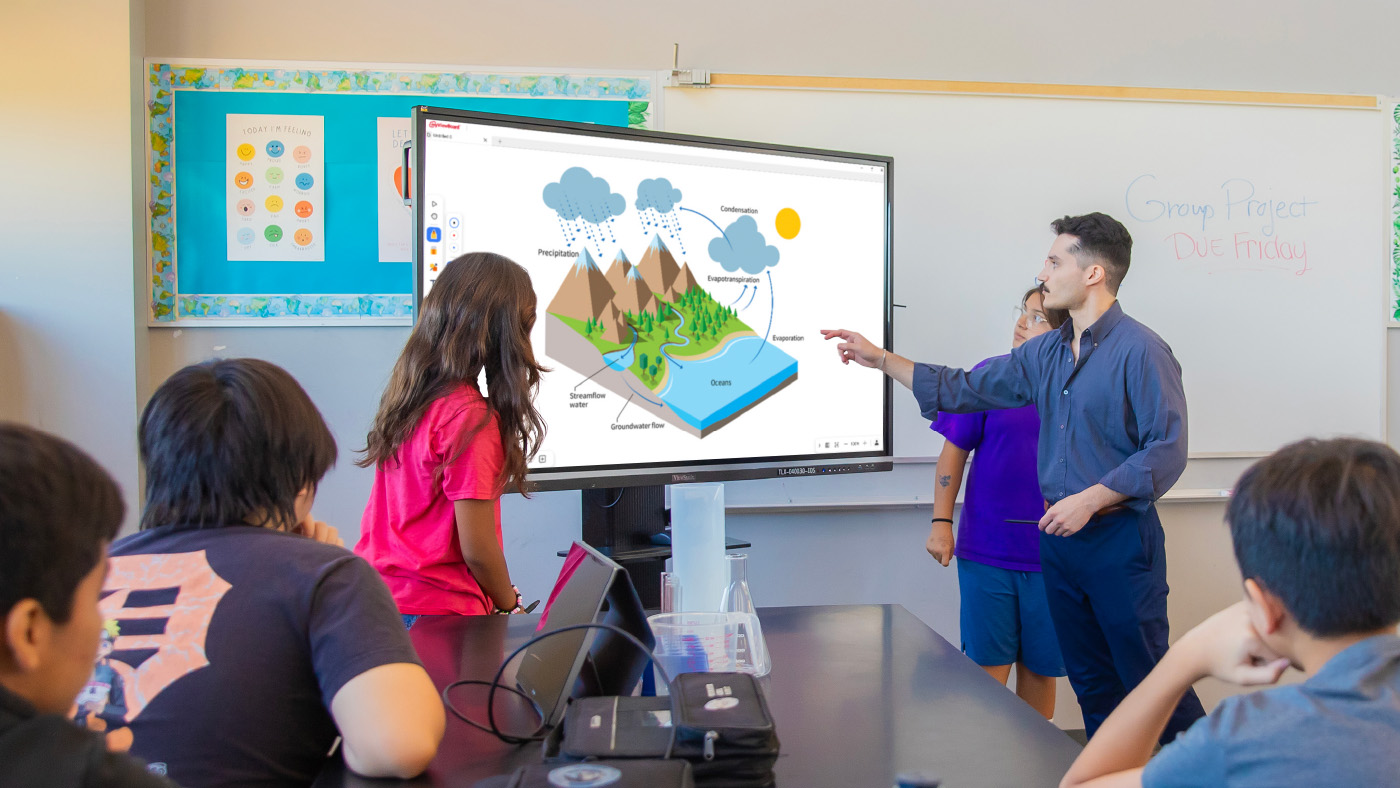
A leading K-12 school district in Pennsylvania wanted to modernize its displays across classrooms and shared spaces. The team needed hardware that could support hands-on learning while providing a reliable network for visual messages across every school.

Existing tech varied by building, was getting unreliable and cost too much to maintain.

That gave the district a chance to standardize on one platform and equip teachers with tools built for active student participation.

At the same time, administrators wanted to boost daily announcements and safety messages in common areas to keep students, staff and visitors connected without breaking the budget.

The district needed a scalable ecosystem that was easy to roll out, manage and support. That led to its partnership with ViewSonic.

What ViewSonic Solutions Did the District Deploy?

The district chose ViewSonic for its broad lineup and consistent user experience across every room. The district’s reseller handled procurement while an installation partner managed the physical deployment across multiple schools.

The district deployed:

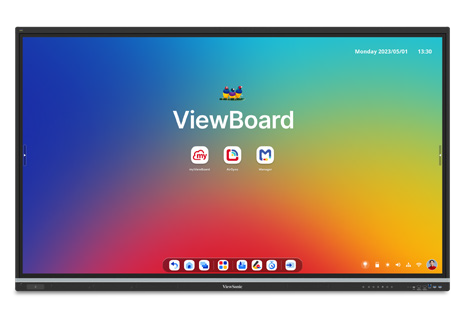
  • 489 ViewBoard® interactive displays for classrooms, including 19 IFP6551 (65”), 455 IFP7551 (75”) and 15 IFP8651 (86”) units.
  • 31 CDE commercial displays for common areas, including 5 CDE5531 (55”), 18 CDE6531 (65”) and 8 CDE7531 (75”) units.
  • 450 ViewSonic Manager® Advanced 7-year software licenses for central fleet management.
  • One day of onsite ViewSonic Professional Development training to prepare staff for a smooth rollout.

In classrooms, the ViewBoard IFP51 series of interactive displays gives teachers multi-touch recognition, digital annotation and easy content sharing. The IFP51 series of interactive displays is Android EDLA-certified with EPEAT Silver and ENERGY STAR 8.0 ratings, backed by a 3-year limited on-site warranty.

The district made the 75” IFP7551 its standard setup with 455 units, adding 65” and 86” models for specific room layouts.

In shared spaces, the CDE series of commercial displays handles digital signage, daily announcements and event notices in busy hallways. Each display in the CDE series runs 4K UHD visuals at 500-nit brightness and is rated for 24/7 continuous operation.

Because both interactive and commercial displays share one ecosystem, IT handles all hardware through the exact same workflow.

How Does the District Manage Displays Across Multiple Schools?

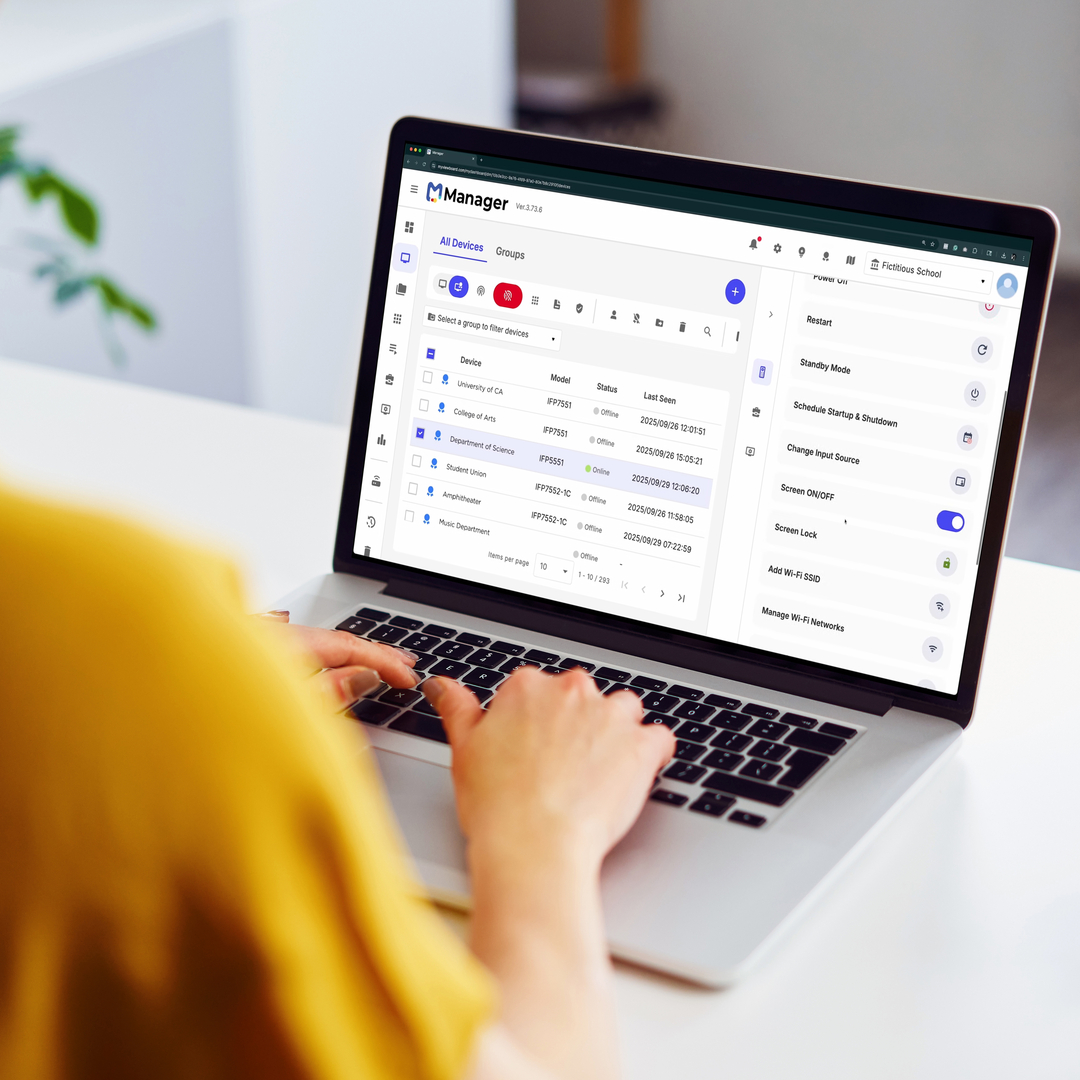
ViewSonic Manager Advanced software gives the IT department a single dashboard to run the entire fleet. From central offices, technicians can broadcast content instantly, push firmware updates without walking into classrooms and schedule screens to turn off when buildings are empty, cutting energy bills.

ViewSonic’s displays tie directly into emergency alert systems, so critical messages reach classrooms and hallways immediately. That turns everyday communication tools into a core part of district security.

What Results Has the District Seen?

Standardized 520 displays across multiple schools, putting 489 ViewBoard interactive displays in classrooms and 31 CDE commercial displays in common areas.

  • Improved classroom interaction with responsive touch tech that supports group learning.
  • Built a unified digital communication network using CDE commercial displays in high-traffic spots.
  • Simplified deployment, staff training and tech support by using one ecosystem everywhere.
  • Lowered operating expenses and boosted campus safety with remote management, automated power schedules and instant emergency alerts.

Teachers got intuitive tools for lesson delivery, while administrators secured a direct channel for campus announcements. Standardizing on one platform made planning, deployment and training easier for IT.

With ViewSonic Manager Advanced software bringing together safety alerts, energy savings and remote updates, the district now has a flexible tech base built for future growth.
SOLUTION
65” IFP6551 ViewBoard interactive display

75” IFP7551 ViewBoard interactive display

86” IFP8651 ViewBoard interactive display
55” CDE5531 commercial display

65” CDE6531 commercial display

75” CDE7531 commercial display

ViewSonic Manager software

Frequently Asked Questions


How Can a School District Standardize Displays for Both Classrooms and Campus Communications?

A single manufacturer ecosystem can cover both needs: interactive displays for teaching and commercial displays for digital signage, managed from one software platform. This district deployed ViewBoard interactive displays in classrooms and CDE commercial displays in common spaces, managing everything with Manager Advanced software.


What ViewBoard Sizes Work for K-12 Classrooms?

The ViewBoard IFP51 series of interactive displays comes in 65” (IFP6551), 75” (IFP7551) and 86” (IFP8651) sizes, all offering 4K resolution and Android EDLA certification. This district installed 489 ViewBoard interactive displays, standardizing on the 75” IFP7551 while using 65” and 86” models for specific room sizes.


Can School Displays Connect to Emergency Alert Systems?

Yes. Manager Advanced software, ViewBoard interactive displays and the CDE series of commercial displays integrate with emergency systems so urgent safety notices hit every screen instantly.


How Does Centralized Display Management Save a District Money?

ViewSonic Manager Advanced software lets IT admins automate power off schedules when schools are empty, push remote updates and broadcast messages across campus from one console. Automated power management cuts electric bills, while remote admin tools reduce support trips and staff hours.


Ready to Modernize Your District’s Displays?

Talk to a ViewSonic representative or an authorized partner about standardizing classrooms and campus communications on ViewBoard interactive displays, CDE commercial displays and ViewSonic Manager Advanced software.


Training outcomes and participant experiences may vary depending on individual needs, district requirements, and implementation. Performance, security, compliance, and sustainability outcomes may vary depending on system configuration, usage environment, and agency requirements.

How a South Carolina District Swapped Discontinued Displays for ViewSonic ViewBoard Interactive Displays

SOLUTION BRIEF

How a South Carolina District Swapped Discontinued Displays for ViewSonic ViewBoard Interactive Displays

line drawing of a circular mazeline drawing of a circular maze
  • A school district needed a replacement for its 500 interactive displays that had started failing.


“The myViewBoard® ecosystem changed how educators teach. Instead of being left idle, digital whiteboarding tools and the ability to import lesson plans meant that ViewSonic displays saw daily usage during lessons.”


CHALLENGE

This South Carolina district invested in roughly 500 interactive displays from a previous vendor in 2021 and 2022, expecting them to last five years under warranty. Instead, the hardware started failing rapidly in year three.

To make matters worse, the vendor exited the interactive display market entirely, leaving the technology director with no official path for repairs or replacements.

IT admins had to convince the school board to reinvest in a dependable district-wide replacement much sooner than planned.

The district turned to its integration partner, which recommended the ViewSonic® ViewBoard® IFP50 and IFP51 series of interactive displays as the most cost-effective and reliable answer.

The IFP50 and IFP51 series both feature a stunning 4K touchscreen and access to ViewSonic’s award-winning myViewBoard software. The IFP51 series goes a step further with Android™ EDLA certification, unlocking verified Play Store access and a wider range of Google Mobile Services-compatible apps for teachers to bring into the classroom.

Because the district was reinvesting early, the evaluation focused on two requirements: the new setup had to be budget-friendly, and it had to last.

Several neighboring districts were already using ViewSonic solutions through the same partner. After a trial run and on-site demos, the district decided to move forward with ViewSonic

What ViewSonic Solution Did the District Deploy?

The district’s integration partner had a strong track record of placing ViewSonic hardware across South Carolina, making it a natural choice to replace the failing displays.

Success stories from nearby schools helped reassure the board during the evaluation process.

The district deployed a complete hardware and software package:

  • 445 75” ViewBoard® IFP50 4K interactive displays, including 210 IFP7550 models and 235 IFP7551 models.
  • ViewSonic Manager Advanced™ software with a 7-year license, one per display.
  • A 7-year ViewSonic® extended limited warranty that protects the entire investment.

The rollout spanned two generations of ViewSonic’s ViewBoard interactive displays. The district began in 2025 with the IFP7550. When that model reached end-of-life the following year, the district moved to its successor, the IFP7551, for the remaining displays.

ViewSonic honored the original pricing on its newer models, so the district was able to finish its rollout without going over budget.

Why Did the District Choose ViewSonic Over the Incumbent Platform?

Price and reliability drove the decision, but the 7-year warranty sealed the deal. After watching its previous fleet break down early with zero manufacturer support, the district wanted a partner that would stand behind its hardware.

That warranty proved reliability as much as it offered peace of mind.

Software made a big difference too. Teachers found the old displays clunky, often using them as nothing more than glorified projectors. The myViewBoard® ecosystem changed how educators teach. Instead of being left idle, digital whiteboarding tools and the ability to import lesson plans meant that ViewSonic displays saw daily usage during lessons.

What Results Has the District Seen?

  • 445 ViewBoard displays were deployed to replace the failing incumbent fleet, starting with 210 IFP7550 units in June 2025 followed by 235 IFP7551 units.
  • The district secured a reliable, feature-rich platform backed by a 7-year limited warranty.
  • IT administrators gained fleet-wide remote control using Manager Advanced, solving the management gaps they had with previous displays.
  • Classroom adoption jumped as teachers stopped using screens as basic projectors and started using the myViewBoard whiteboard and Google Drive lesson imports daily.

ViewSonic proved more reliable, affordable and feature-rich than the platform it replaced. The district plans to keep using year-end funds to finish outfitting roughly 850 classrooms as budget permits.

SOLUTION

75” IFP7550 ViewBoard interactive displays

75” IFP7551 ViewBoard interactive displays (EDLA‑certified)

ViewSonic Manager advanced software

7-year ViewSonic extended warranty

Frequently Asked Questions


What Happens When an Interactive Display Vendor Discontinues Its Displays?

Districts can get stuck with failing hardware and no support path, which is exactly what happened here when the old fleet hit end-of-life early. Choosing a manufacturer committed to the interactive display market with long warranty terms protects your investment. This district made the switch with a full 7-year warranty.


What Software Comes with the IFP50 and IFP51 Series of ViewBoard Interactive Displays?

Both series include access to the myViewBoard ecosystem. This ecosystem includes myViewBoard whiteboard, ViewBoard Cast for wireless content sharing and single sign-on access to cloud storage like Google Drive and OneDrive. Teachers can import existing lesson plans directly, driving everyday classroom adoption.

The IFP51 series adds Android EDLA certification, giving IT teams verified access to the Google Play Store and a wider range of Google Mobile Servicescompatible apps.


How Do School Districts Manage a Large Fleet of Interactive Displays?

ViewSonic Manager Advanced provides a cloud console that lets IT teams check display health, push updates and manage apps across the district from one place. Licensing it one-to-one across all 445 screens closed a major management gap for this district.


How Long Is the Warranty on ViewSonic ViewBoard Interactive Displays?

The ViewBoard IFP50 and IFP51 series of interactive displays comes with an industry-leading 3-year standard on-site warranty covering parts, labor and backlight components. The district chose to extend coverage to 7 years on all 445 displays.


Ready to Replace an Aging or Discontinued IFP Fleet?

Talk to a ViewSonic representative or an authorized partner about a reliable, cost-effective ViewBoard refresh backed by long-term warranty protection and fleet management.


Training outcomes and participant experiences may vary depending on individual needs, district requirements, and implementation.

How a Large Texas District Started a Multi-Phase ViewBoard Interactive Display Rollout with Secure Sign-On

SOLUTION BRIEF

How a Large Texas District Started a Multi-Phase ViewBoard Interactive Display Rollout with Secure Sign-On

line drawing of a circular mazeline drawing of a circular maze
  • A large Texas district needed a secure, centrally managed display solution for its multi-classroom rollout.


“ViewSonic covered every requirement, and validating NFC authentication up front proved the solution met the district’s strict security standards.”


CHALLENGE

A large urban school district in Texas set out to modernize classroom technology across all its schools. The project started with 451 interactive displays in phase one, with plans to expand into thousands of additional classrooms later.

The district didn’t just need hardware. It required a complete solution that fit its Chrome and Google ecosystem, offered secure authentication for staff and students, provided mounting flexibility for different room layouts and enabled central fleet management.

Security was a top priority, especially around validating how badge authentication would work right at the display.

The timing for this project was also tight. Everything had to be sourced, shipped to multiple locations and delivered before a strict fiscal year-end deadline, requiring precise coordination with channel partners.

What ViewSonic Solution Did the District Deploy?

Working with CDW as its reseller partner, the district deployed a complete classroom technology package:

  • 451 ViewBoard® IFP8641 86” 4K Android EDLA interactive displays.
  • 451 VPC13-C33-G1 Chromebox OPS slot-in PCs built for Chrome OS and Google environments.
  • 481 VB-BLM-002 BalanceBox height-adjustable mounts, including extra units for existing displays.
  • 451 ViewSonic® Manager Advanced software 7-year licenses for central fleet management.
  • 451 NFC card readers for secure sign-on

The 86” ViewBoard IFP8641 anchored each room, VPC13-C33-G1 Chromebox OPS devices matched the district’s Google setup while NFC card readers gave teachers a fast, secure way to sign in at the display. VB-BLM-002 BalanceBox mounts allowed staff to set displays at the right height for every classroom.

The IFP8641 fit the district’s requirements on its own specs: an 86” 4K display with Android EDLA certification, built-in Google security, native access to Google and Microsoft ecosystems, EPEAT Silver and ENERGY STAR 8.0 ratings and a 3-year limited on-site warranty.

ViewSonic Manager Advanced software tied the whole setup together, giving IT central monitoring across every building. Before finalizing the deal, ViewSonic worked directly with the district to validate NFC functionality, resolving its primary security concern.

ViewSonic and its reseller partner coordinated a multi-location delivery plan to ensure all 451 displays and accessories arrived before the district’s fiscal yearend deadline.

Why Did the District Choose ViewSonic?

The district needed one manufacturer that could supply interactive displays, Chrome computing, secure authentication and central management as a complete package, delivered at scale on a tight deadline.

ViewSonic covered every requirement, and validating NFC authentication up front proved the solution met the district’s strict security standards.

ViewSonic’s reseller partner coordinated pricing, ordering and multi-location logistics, letting the district run a large, time-sensitive rollout through a single reseller relationship.

What Results Has the District Seen?

  • Deployed 451 interactive displays across the district on time to hit a strict fiscal year-end deadline.
  • Enabled secure sign-on at the display using NFC card readers, validated before purchase to meet security requirements.
  • Integrated Chrome OS computing into classrooms using Chromebox OPS devices.
  • Centralized fleet management through Manager Advanced software so IT supports every location from one platform.
  • Established a proven standard ready to expand across thousands of additional classrooms in future phases.

Phase one gave the district a secure, centrally managed display platform delivered on schedule. It also created a clear blueprint for the future: with the standard proven, the district and its partners can easily expand the same setup to thousands of other classrooms.

SOLUTION

86” IFP8641 ViewBoard interactive display

VPC13-C33-G1 Chromebox OPS slot-in PC

VB-BLM-002 BalanceBox mount

ViewSonic Manager Advanced software

ACR1552U-M1 NFC card reader

Frequently Asked Questions


How Does NFC Authentication Work on an Interactive Display?

NFC authentication lets users tap a card or badge on a reader at the display to sign in securely without typing passwords. This district added NFC card readers to its ViewBoard deployment so staff could sign on quickly and get started teaching faster.


Can Interactive Displays Run in a Chrome and Google Environment?

Yes. A Chromebox OPS device like the ViewSonic VPC13-C33-G1 turns a ViewBoard interactive display into a Chrome OS endpoint that fits into Google environments. This district paired all 451 IFP8641 displays with VPC13-C33-G1 devices so classrooms matched its existing setup.


How Does a District Manage Hundreds or Thousands of Interactive Displays?

Manager Advanced software is a cloud platform that lets IT teams check status, push updates and manage displays across every school from one dashboard. The district licensed Manager Advanced software for all 451 displays. This made the growing fleet easier to manage from one platform.


Can a District Roll Out Interactive Displays in Phases?

Yes. A phased rollout lets a district standardize on one platform, test it in real classrooms and expand with confidence. This district deployed 451 interactive displays in phase one and is ready to roll out the same setup across thousands of additional classrooms in upcoming phases.


Ready to Plan a District-Wide Display Rollout?

Talk to a ViewSonic representative or an authorized partner about standardizing interactive displays, Chrome computing, secure authentication and central management across your district.

Related Links

*The ACR1552U-M1 NFC card reader is third-party hardware (not a ViewSonic product), so it is named as deployed but not linked.

Performance, security, compliance, and sustainability outcomes may vary depending on system configuration, usage environment, and agency requirements. Training outcomes and participant experiences may vary depending on individual needs, district requirements, and implementation.

How Kentucky’s Largest College System Modernized Learning Spaces with ViewSonic

SOLUTION BRIEF

How a Pennsylvania School District Streamlined Campus Communications with ViewSonic

line drawing of a circular mazeline drawing of a circular maze
  • A 16-campus system needed a scalable display solution to replace decade-old classroom technology.


“By matching display technology to what each room actually needed, the integration partner and ViewSonic helped the school modernize its learning environments with a consistent, future-ready tech setup that balances performance, usability and overall value.”


CHALLENGE

Edtech funding is getting tighter, so higher education institutions have to carefully evaluate which solutions deliver the best value.

Across this 16-campus system serving 70,000+ students, many classrooms relied on technology that was over a decade old. Modernizing these spaces wasn’t optional if the institution wanted to support student recruitment, retention and engagement in a competitive landscape.

The institution needed a partner with a broad portfolio spanning interactive touch displays, commercial displays, Direct View LED video walls, monitors and projectors.

That way, it could match the right technology to each environment rather than force one solution everywhere.

As the system renovated and expanded its classrooms and event spaces, ViewSonic became a preferred partner for its reliable hardware and collaboration tools.

What ViewSonic Solution Did the Institution Deploy?

The institution’s integration partner worked with ViewSonic to build a standardized, scalable display strategy matched to each learning environment

  • 169 ViewBoard® interactive displays went into traditional instructional classrooms, giving faculty an intuitive platform for annotation, wireless content sharing and interactive lessons.
  • 6 ViewSonic® commercial displays were installed in lecture halls, auditoriums and assembly spaces to provide commercial-grade performance, integrate with third-party AV control platforms and run reliably in high-use environments.
  • 2 ViewSonic Direct View LED (dvLED) video walls were placed in spaces for maximum visual impact, delivering seamless, high-brightness images for large audiences.
  • 100 ViewSonic LCD monitors, 18 projectors and 5 ePoster displays were placed in across offices, labs, podiums and campus common spaces.
  • ViewSonic Manager Advanced software provided centralized, multi-campus device management.

By matching display technology to what each room actually needed, the integration partner and ViewSonic helped the school modernize its learning environments with a consistent, future-ready tech setup that balances performance, usability and overall value.

How Does the Institution Manage Displays Across 16 Campuses?

To get the most out of its investment, the institution uses ViewSonic Manager Advanced software to monitor and manage compatible devices across all campuses from one central dashboard. IT admins don’t have to travel to individual classrooms to deploy firmware updates, configure device settings, troubleshoot issues or schedule power on and off times.

Centralized management cuts operational costs, reduces classroom downtime and can extend device lifespan through proactive maintenance. This type of device management can also improve energy efficiency by making sure displays aren’t running when they’re not needed.

What Results Has the Institution Seen?

  • The institution replaced decade-old classroom tech with a standardized visual platform of 370 ViewSonic devices across 16 campuses, including 169 interactive displays, 76 commercial displays, 100 monitors, 18 projectors, 5 ePosters and 2 Direct View LED displays.
  • It lowered its total cost of ownership through centralized management, proactive maintenance and scheduled power controls.
  • IT staff can now support more classrooms across multiple campuses with fewer on-site resources.

SOLUTION

ViewSonic ViewBoard interactive displays

ViewSonic commercial displays

ViewSonic Direct View LED (dvLED) displays

ViewSonic LCD monitors

ViewSonic ePoster displays

ViewSonic Manager Advanced software

Frequently Asked Questions


How Should a University Match Display Types to Different Learning Spaces?

A proven approach uses interactive displays in instructional classrooms where faculty annotate and share content on the fly, commercial displays in lecture halls and auditoriums that need AV control integration, and Direct View LED video walls in large gathering spaces where brightness and scale matter most.

Kentucky’s largest public higher education system standardized on this strategy across 16 campuses with 370 devices, including 169 interactive displays, 76 commercial displays and 100 monitors.


How Do IT Teams Manage Displays Across a Multi-Campus Institution?

ViewSonic Manager Advanced lets IT admins remotely deploy firmware updates, configure settings, troubleshoot issues and schedule power on and off times from one console. That means fewer campus visits, less classroom downtime and displays that aren’t powered when they aren’t being used.


Do Interactive Displays Work for Career and Technical Programs, Not Just Lecture Classrooms?

Yes. This institution’s deployment spans nursing simulation labs, welding programs and traditional classrooms. Matching display types to each space’s function, rather than forcing a one-size-fits-all model, is what makes a multi-campus standard work.


How Do Display Choices Affect Total Cost of Ownership in Higher Education?

Total cost goes beyond the upfront price tag. Centralized management reduces on-site support trips, proactive maintenance extends device lifespan and scheduled power controls cut energy use.

This system paired standardized ViewSonic displays with Manager Advanced software to lower its total cost of ownership while supporting more classrooms with fewer resources.


Ready to Build a Campus-Wide Display Strategy?

Talk to a ViewSonic representative or an authorized partner about matching display technology to every learning space on your campus.


Drywall alone is not a structural mounting surface and must never be used as the sole means of support. Proper wall suitability, reinforcement, and the use of appropriate commercial-grade mounting hardware are the sole responsibility of the customer, installer, or system integrator. ViewSonic shall not be liable for any equipment damage, property damage, or personal injury, including death, caused as a result of incorrect installation, operation, human factors, or failure to comply with local codes. Training outcomes and participant experiences may vary depending on individual needs, district requirements, and implementation.

How California Correctional Facilities Are Modernizing Inmate Education and Behavioral Health with ViewSonic ViewBoard Displays

SOLUTION BRIEF

How California Correctional Facilities Are Modernizing Inmate Education and Behavioral Health with ViewSonic ViewBoard Displays

SCHOOL

Universidad Anáhuac Mayab, located in Mérida, Yucatán, in southeastern Mexico, is a private higher education institution with nearly 8,000 students from 27 countries. It is widely recognized for its academic excellence and forward-thinking educational approach, which is based on flexible programs and comprehensive learning environments that prepare highly qualified professionals.

Anáhuac is currently ranked among the top 2% of universities worldwide and among the top three private universities in Mexico. It is also one of the three universities with the highest graduate employability rates in the country. The university offers 30 undergraduate programs in a variety of fields. Among them is the Multimedia Design degree program, which contributes to the video game, animation, audiovisual production and digital design industries. These fields have experienced exponential growth in popularity and demand, becoming some of the most important multibillion-dollar sectors in the world.

Multimedia designers play a key role in developing and sustaining these industries by creating innovative, trend-driven digital design solutions. They are experts in managing and marketing digital projects, using specialized software for image, audio, and video editing, as well as 2D and 3D modeling and animation, digital publishing and application development.


CHALLENGE

line drawing of a circular mazeline drawing of a circular maze
  • Replace unsecure dry erase boards to improve instructional workspace.

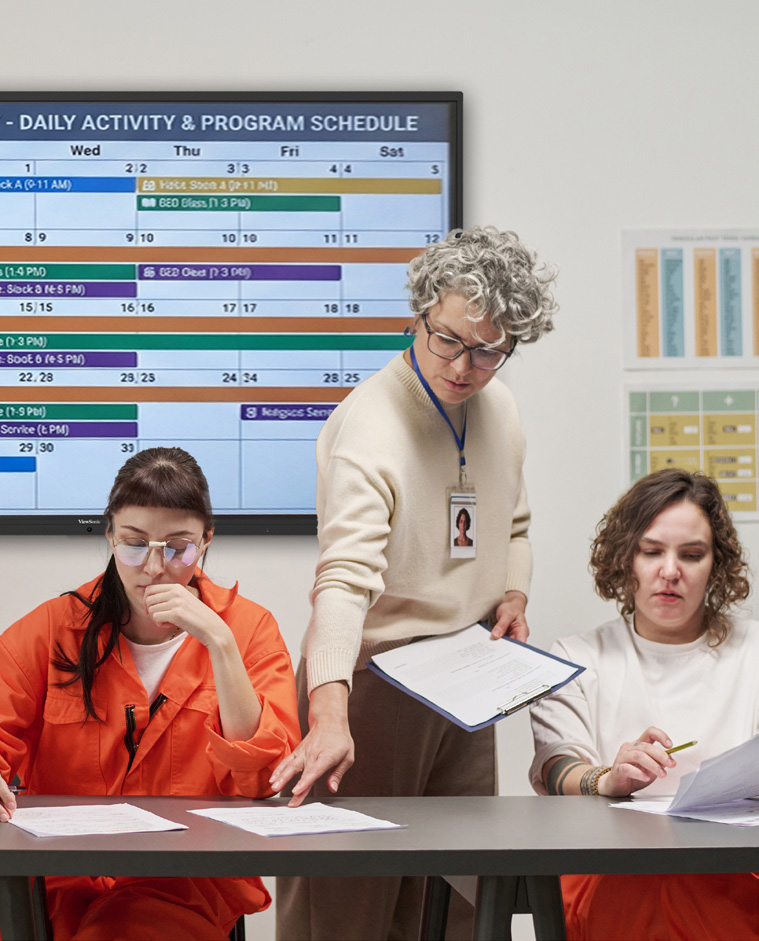
California correctional facilities needed to replace wall-mounted dry erase boards that created security concerns and limited instructional workspace in training rooms and psychiatric units.

 

Classrooms, meeting rooms and clinical spaces inside a correctional environment support mission-critical work under strict safety and operational requirements. Staff running inmate programs needed an engaging way to deliver vocational training and academic diploma coursework. Psychiatric units needed a more effective method for reviewing patient progress, treatment plans and care coordination.
 

Before the deployment, many rooms relied on dry erase boards attached to the wall. Those boards offered limited writing space, required manual erasing and rewriting, and could not display digital content, training materials, schedules or care information. In secured environments, wall-mounted boards and loose accessories also introduced avoidable security concerns.
 

The replacement solution had to meet several requirements at once:

  • Support interactive instruction and digital content sharing
  • Support collaborative review sessions without adding complexity for instructors, program staff or clinical teams
  • Provide enough workspace for group-based learning and multidisciplinary care discussions
  • Reduce the wall-mounted boards and loose accessories that require oversight in a secured room


Why Did ViewSonic ViewBoard Displays Fit These Environments?


A 75-inch interactive panel changes what a secured room can support. The ViewSonic® ViewBoard® IFP7541 gives instructors, program facilitators and care teams a large shared canvas for presenting content, annotating information and guiding group discussions, with more room to work than a traditional dry erase board.


Multi-touch functionality makes training sessions more participatory. myViewBoard software adds the digital whiteboarding tools staff use to prepare, present, annotate and save instructional or meeting content.
 

The VPC35 slot-in PC addresses the room itself. It adds a full Windows computing experience directly to compatible ViewBoard displays, which reduces the need for separate external computers or loose cabling in shared spaces.


What ViewSonic Solution Did They Deploy?


The facilities deployed ViewBoard IFP7541 interactive flat panels to create digital teaching and collaboration spaces serving both instructional and clinical workflows:

  • ViewSonic ViewBoard IFP7541: a 75-inch 4K UHD interactive flat panel display with multi-touch capability, used as the primary interactive teaching and collaboration surface in classrooms and psychiatric units
  • ViewSonic VPC35 slot-in PC: an OPS-compatible slot-in PC that adds an integrated Windows computing experience to the ViewBoard display, reducing external computers and loose cabling in shared rooms
  • myViewBoard: ViewSonic’s digital whiteboarding software for preparing, presenting, annotating and saving lessons, meeting notes and care-coordination content


What Does the Deployment Look Like?


Each room pairs one IFP7541 with a VPC35 slot-in PC, so the computing sits inside the display rather than alongside it. That supports cleaner room setups and reduces the external computers and loose cabling that require oversight in a secured space.


The same configuration serves both program areas. In education spaces it supports vocational lessons, academic diploma coursework, diagrams, step-by-step demonstrations and interactive review. In psychiatric units it supports patient progress reviews, treatment planning discussions and structured care coordination meetings.


What Results Have the Facilities Seen?


  • Reduced reliance on fixed dry erase boards in secured rooms, helping address security concerns tied to traditional wall-mounted writing surfaces
  • Expanded usable instructional workspace from a static board to a 75-inch interactive 4K digital canvas
  • Enabled inmate training programs to present, annotate and revisit vocational and academic diploma materials more efficiently
  • Gave psychiatric units a shared digital workspace for reviewing patient progress, care plans and team notes during care coordination sessions
  • Supported cleaner room setups by pairing each interactive display with an integrated slot-in PC rather than a separate external computer


Replacing fixed dry erase boards gave the facilities a more flexible platform for training and care management. Instructors present digital course content, annotate directly on screen and work in a larger visual space to support vocational instruction and academic diploma completion.


In psychiatric units, multidisciplinary teams centralize patient progress discussions on a shared display, which makes it easier to review information together and align on next steps during care meetings. The deployment answers the original operational requirement: a safer alternative to wall-mounted dry erase boards that could also improve learning and care coordination.


LogoLogo

“The upgrade solved daily reliability issues while expanding how the facility operates. Choosing a mobile dvLED screen gave every room in the event center access to high-impact visual capabilities.”


— Zeus Borges, Coordinator of the Multimedia Design Program

SOLUTION

line drawing of a jigsaw puzzle pieceline drawing of a jigsaw puzzle piece
  • ViewBoard® IFP7541: 75-inch 4K interactive flat panel

  • VPC35: Slot-in PC

  • myViewBoard®: Digital whiteboarding software

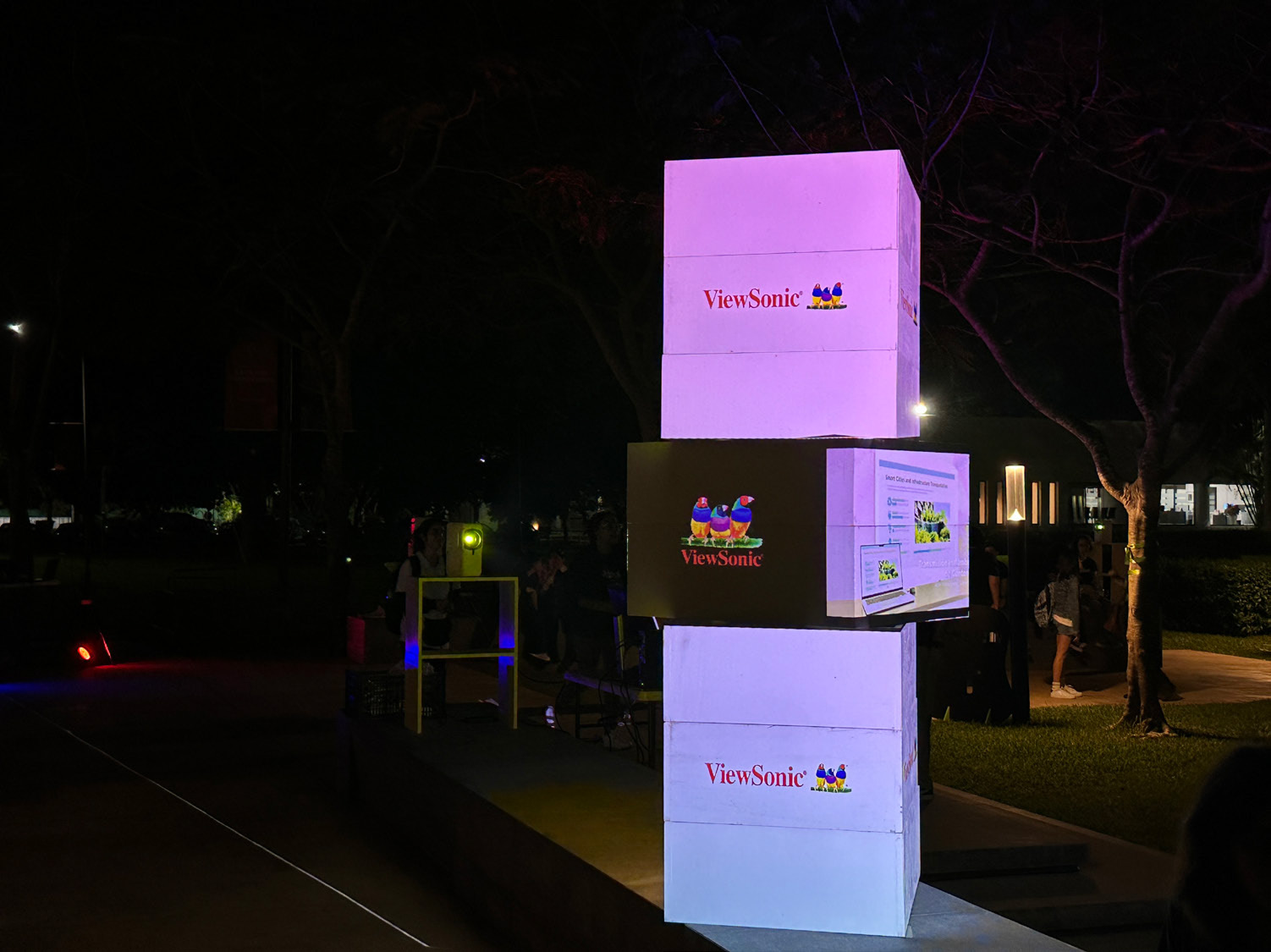
This year, students in the eighth semester of the Multimedia Design program were responsible for creating the projection mapping animation, which was displayed on square structures using 360° imagery.

ViewSonic equipped the festival with four LS740HD projectors, which deliver 5,000 ANSI lumens and feature lamp-free, third-generation laser phosphor technology to ensure bright and vivid images. They can also project Full HD 1080p images at sizes of up to 300 inches. The LS740HD features 1.3X optical zoom, horizontal and vertical keystone correction, four-corner adjustment, 360° projection and portrait mode, making it the ideal solution for the show developed by the students.

Professor Zeus Borges, Coordinator of the Multimedia Design Program and organizer of the festival, explained: “Through this event, we aim to become a connection hub for the southeastern region. At present, Mexico does not have an initiative that supports animation or audiovisual production for states such as Chiapas, Tabasco, Veracruz, Campeche, Quintana Roo, and, especially, Yucatán. We want to become a meeting point for southeastern Mexico and Central America.”

“We have a large student population from El Salvador, Honduras, Guatemala, Nicaragua, and even Colombia who come to study here in Mérida. Festival PRISMA gives them the opportunity to meet entrepreneurs and leaders from the audiovisual industry, allowing them to interact with these professionals and expand their knowledge. We want Mérida to become that meeting point, a place that creates employment opportunities and serves as a production hub. This year, we welcomed guests guests from Spain and from California, USA,” he added.

Thanks to the LS740HD’s ability to be positioned vertically at virtually any angle, the students were able to develop creative applications with additional support from specialized software.

“There is excellent compatibility between the projectors and the computers. We did not experience any connection or interaction issues. Implementing the ViewSonic projectors was extremely straightforward,” Professor Borges added. “We are currently evaluating new projects involving the façades and buildings around the university. We want to make the most of everything we can achieve in terms of visualization. Now that the projectors are part of our technology toolkit, we have thousands of ideas that we can begin bringing to life.”

“Our students rely on tech-based tools for their projects. Understanding how the equipment works and learning about its features helps them tremendously when they enter the workforce. They already have practical knowledge that gives them useful experience and a professional edge that is invaluable to their development,” the professor explained.

RESULTS

Line drawing of a rocketLine drawing of a rocket
  • A successful projection mapping show during the fourth edition of Festival PRISMA 2026

  • Full compatibility between the projectors and connected equipment, with no connection issues

  • PRISMA strengthened its position as a meeting point for southeastern Mexico and Central America

  • New projects are being evaluated, including projections on university façades and buildings

  • Students gained practical experience and a professional advantage in audiovisual technology

According to Professor Borges, having the equipment available on campus will allow the university to experiment with new projection mapping trends, such as linking multiple projectors and exploring new ideas that enable professors and students to further expand their creativity.

Equipment with capabilities such as those offered by the LS740HD projectors enhances the students’ development and opens the door to more innovative creations that may one day be enjoyed in films, video games, or digital animations displayed on mobile phones or other visual devices.

Technology is one of the most important tools in the multimedia design field, and students must continually prepare to understand how to use it and make the most of its capabilities. This highlights the importance of providing them with high-quality, forward-thinking visual solutions such as those offered by ViewSonic.

FREQUENTLY ASKED QUESTIONS

Why Did Correctional Facilities Replace Dry Erase Boards With Interactive Displays?

Wall-mounted dry erase boards created security concerns in secured rooms, offered limited writing space, required manual erasing and could not display digital content. Interactive flat panels provide a larger digital workspace, reduce loose accessories and support instruction and care coordination more effectively.

How Are Interactive Flat Panels Used in Correctional Education?

Instructors use ViewBoard interactive displays with myViewBoard software to deliver vocational training and academic diploma coursework. They present digital lessons, annotate diagrams and step-by-step demonstrations directly on screen, run interactive review sessions and save content to revisit later, giving inmate education programs a more structured and participatory learning experience.

How Do Interactive Displays Support Behavioral Health and Psychiatric Units?

In psychiatric units, care teams use the ViewBoard IFP7541 and myViewBoard software as a shared digital workspace to review patient progress, discuss treatment plans and coordinate care. Centralizing information on one large display makes it easier for multidisciplinary teams to review details together and align on next steps during care coordination meetings.

What Are the ViewBoard IFP7541, myViewBoard software and the VPC35 Slot-In PC?

The ViewBoard IFP7541 is a 75-inch 4K UHD interactive flat panel display with multi-touch capability, serving as a large shared digital canvas for presenting, annotating and collaborating. myViewBoard software is ViewSonic's digital whiteboarding software for preparing, presenting, annotating and saving content. The VPC35 is an OPS-compatible slot-in PC that adds a full Windows computing experience directly to compatible ViewBoard displays. California correctional facilities deployed all three together.

Are ViewSonic ViewBoard Displays Suitable for Secure Government Environments?

In this California corrections deployment, ViewBoard interactive displays helped reduce reliance on wall-mounted dry erase boards and loose accessories that introduced avoidable security concerns. Pairing each display with an integrated slot-in PC also supported cleaner, easier-to-manage room setups in secured training rooms and psychiatric units.

Ready to Modernize Instruction and Care Coordination in Your Facilities?

Talk to a ViewSonic representative or an authorized government partner about planning a ViewBoard deployment for secured training rooms and clinical spaces.

Related Items

This case study describes a customer deployment. Comparative claims are based on specific features and publicly available manufacturer specifications at publication and do not represent a comprehensive evaluation. Actual performance, security, compliance, training outcomes, and user experience may vary depending on system configuration, network conditions, facility environment, agency requirements, and other factors. References to security concerns describe operational considerations reported in this deployment; ViewSonic products are not security devices and do not constitute a security system, and ViewSonic makes no representation that any product prevents unauthorized access, contraband, injury, or misuse. Use of ViewSonic products in behavioral health and clinical settings as described here is instructional and administrative; ViewSonic products are not medical devices and are not intended for use in the diagnosis of disease or other conditions, or in the cure, mitigation, treatment, or prevention of disease. Customers remain responsible for compliance with applicable privacy, records, and health-information requirements governing content displayed on shared screens. Wall mounting guidelines are for reference only; proper wall suitability, structural reinforcement, and professional contractor consultation are the sole responsibility of the customer, installer, or system integrator. ViewSonic shall not be liable for any equipment damage, property damage, or personal injury, including death, caused as a result of incorrect installation. Programs, pricing, specifications, and availability are subject to change or cancellation without notice. Corporate names and trademarks stated herein are the property of their respective companies. Copyright © 2026, ViewSonic Corporation. All rights reserved.

ViewSonic Showcases Next-Generation EdTech Solutions for Connected Campuses and Classrooms at ISTE LIVE 2026

The Company’s Hardware and Software Tools are Ready to Enhance Educators’ Teaching Methods and Encourage Student Learning and Collaboration

ORLANDO (June 29, 2026) ISTE 2026 – Booth 1928 – ViewSonic Corp., a leading global provider of visual and edtech solutions, highlights its line-up of hardware and software solutions to ISTE LIVE, June 29–July 1, 2026. From the latest interactive flat panel and Direct View LED displays to commercial and desktop displays, along with the ISTE Seal designated myViewBoard® 3.0 (now integrated with ClassSwift® education software), ViewSonic brings its wide range of solutions for collaboration, sharing, and communications in schools and classrooms.


ViewSonic continues to deliver solutions that help reconfigure classrooms and learning spaces into next-generation environments that are more immersive, interactive, and collaboration-ready. These technologies and displays integrate hardware and software options to ensure educators and teachers can optimize experiences and lessons.


“ViewSonic is focused on how to simplify solutions for use in classrooms, around campus, and other learning spaces to boost creativity, collaboration, and communication,” said Jeff Muto, Business Line Director at ViewSonic. “We understand how needs constantly evolve in the education market because we work with educators to gather feedback. That’s how ViewSonic can offer comprehensive tools that students, teachers, and IT teams can utilize easily.”


ISTE PRODUCT HIGHLIGHTS:


DIRECT VIEW LED SOLUTIONS

LDS136-152 All-in-One Direct View mobile LED Display

  • 136-inch foldable screen pre-assembled in a protective flight case
  • New commercial grade built-in motorized stand provides an industry-leading extra 3.7 feet of vertical adjustment
  • Integrated stand and display remote control allow management of both screen settings and motorized lift
  • I/O ports are more accessible and provide direct connectivity without opening panels or exposing internal boards
  • Glue-on-Board (GOB) Technology is designed to provide additional resistance to impact, dust, and moisture for an IP54 rating; IK06 rating for impact protection in heavy-use environments
  • Versatile connectivity includes HDMI (x4), HDMI output (x1), SPDIF and 3.5mm Audio Out, USB connectivity, WiFi Bluetooth, Ethernet, RS-232, and an OPS slot
  • Native 1080p (1920x1080) Full HD resolution, 600-nit brightness, 6,500:1 contrast ratio, and dual 30W speakers


LDE 108-123 Direct View LED Display

  • A 108-inch pre-configured All-in-One solution with native 1080p resolution and a simplified OS designed to streamline setup and operation
  • Combines the display, power, control, and image stitching into a single, cohesive system that is integrated into the cabinets
  • With no external control box, it achieves a lightweight design with a 99 percent screen-to-body ratio and maintains an ADA-compliant 2.05-inch depth profile when installed with the included mounts
  • Glue-on-Board (GOB) Technology is designed to provide additional resistance to impact, dust, and moisture for an IP54 rating; IK06 rating for impact protection in heavy-use environments
  • Compatibility with leading AV control systems for simplified control and monitoring, including Q-SYS library verified status and compatibility with Crestron, Extron, and AMX


INTERACTIVE FLAT PANEL SOLUTIONS

ViewSonic ViewBoard IFP51 Series Interactive Touch Display

  • Available in sizes from 55- to 98-inches; interactive display with native 4K Ultra HD resolution
  • 50-point multi-touch display supports simultaneous writing or drawing with styluses or fingers, with palm rejection technology
  • Security with Android™ 16 EDLA which provides automatic Google updates, Google Play Protect, data encryption, and two-way authentication, designed to help protect school networks and user data
  • Google Workspace™ Enterprise Management provides IT administrators with tools for policy enforcement, app management, network configuration, and remote security control /li>
  • Seamless integration with Google Education Ecosystem
  • Engaging lessons with built-in ViewSonic® Education Software including myViewBoard, AirSync™, and Manager™, among others
  • Features a front-facing 80W (max) multimedia sound bar with an integrated subwoofer; Built-in 8-microphone beam-forming array to capture voices from up to 25 feet away
  • Instant Sign-In for one-step sign-in via QR code, NFC, or Single Sign-On (SSO) simplifies device management and improves efficiency
  • Connectivity options include HDMI 2.1, VGA, DisplayPort, SPDIF, USB Type A/B, RS232, RJ45, Intel OPS Slot-In (80 pin), Line-In, and Mic-In


ViewSonic ViewBoard IFP41 Series Interactive Touch Display

  • Available in sizes from 55- to 98-inches; interactive display with native 4K Ultra HD resolution
  • 64-point multi-touch display supports simultaneous writing or drawing with styluses or fingers, with palm rejection technology
  • Security with Android 16 EDLA along with secure, built-in access to Google Workspace, Microsoft 365, and other applications; Seamless integration with Google Education Ecosystem
  • Deployment is streamlined, and IT teams can easily manage and offer support through ViewSonic Manager, Google Workspace Enterprise Management, and Microsoft Intune
  • An upgraded octa-core CPU paired with high-bandwidth DDR5 memory delivers faster load times and stable performance
  • Engaging lessons with built-in ViewSonic Education Software including myViewBoard, AirSync, Manager, and other ViewSonic education tools
  • Features a front-facing 70W (max) multimedia sound bar with an integrated subwoofer; Built-in 8-microphone beam-forming array to capture voices from up to 25 feet away
  • Integrated ambient light and Passive Infrared (PIR) motion sensors automatically optimize power by waking the display upon approach and entering power-saving mode when idle, significantly reducing energy use and operating costs


ViewSonic ID2456-4K Podium Touch Display

  • Multifunctional 24-inch touch display with native 4K Ultra HD resolution
  • 10-point Projected Capacitive (PCAP) touch technology supports simultaneous writing or drawing with styluses or fingers, with palm rejection technology
  • Supports 100% sRGB color for accurate color representation
  • Works with Microsoft Pen Protocol [MPP2.0] active pens to deliver precision and accuracy
  • The USB-C connectivity offers single-cable video, audio, and power, along with HDMI v2.0, and DisplayPort for screen mirroring or desktop extension, supporting seamless integration
  • Compatible with Windows, Android, Chrome, and macOS (via vTouch™ software), the display supports a wide range of devices and platforms
  • The sleek, bezel-less design allows it to easily become an extension for podiums without taking up extra room
  • Built-in kickstand adjusts from 15- to 70-degrees tilt for a comfortable viewing angle whether seated or standing; can also be mounted, offering flexibility for different room layouts


COMMERCIAL AND DESKTOP DISPLAYS

CDE31 Series Commercial Displays

  • Native 4K UHD resolution for detailed graphics, crisp text, and lifelike video in landscape or portrait orientation; 500nits of brightness and 24/7 reliability
  • Offers landscape or portrait mode flexibility
  • Instant-On Warm Boot (<10 seconds) so presentations and signage can start up immediately
  • Powerful secured embedded platform; Android AOSP with the newest security patches, app compatibility, and open platform for custom integration
  • One cable USB-C convenience with 65W USB-C delivers video, data, and power
  • Picture-in-Picture (PIP) and Picture-by-Picture (PBP) options allow up to two independent sources to run at the same time
  • Certified with AppSpace, Navori, and other CMS software so external media players are not needed
  • Universal BYOD compatibility to connect with any laptop, mini-PC, media player, or OPS module (65-inch and larger only) without ecosystem lock-in
  • All-in-one connectivity & management with ViewSonic Manager, AirSync wireless casting, USB media playback, and 3.5mm audio I/O
  • Comes in sizes from 43- to 98-inches


ColorPro® VP2788-5K Thunderbolt 4 Docking Monitor

  • 27-inch monitor with native 5K (5120x2880) resolution for Mac and PC ecosystems
  • 99% DCI-P3 color gamut providing a vibrant and powerful complement to Apple’s scaling functionality for sharp details and Retina-like clarity
  • Supports multi-display set-up with daisy-chaining up to two 5K monitors
  • Thunderbolt 4 docking station with 100W power delivery and other connectivity options
  • 60Hz refresh rate and data transfer speeds up to 40Gbps
  • Connectivity options include Thunderbolt 4, HDMI 2.1, DisplayPort, USB-A, and USB-C


SOFTWARE SOLUTIONS

ViewSonic myViewBoard 3.0 Whiteboarding Software with Quiz Tools

  • Interactive learning solution designed to simplify and enable ideas, and foster creativity with embedded EdTech software to create dynamic, real-time lessons, gain insights, enhance student engagement, and maximize learning
  • Software allows lesson planning, classroom engagement, real-time wireless collaboration, screen mirroring/sharing, and digital whiteboarding
  • Works with Windows-, Android-, and cloud-based environments and can work with existing technology for seamless integration
  • Multi-format file sharing now allows teachers to add tabs to open multiple files and import existing materials from a variety of file formats through cloud storage
  • Teachers can utilize existing materials for more efficient teaching, create interactive, push-and-response content, and integrate into lessons
  • Includes one of the most extensive varieties of background styles to accommodate different teaching scenarios and students with diverse learning needs
  • Includes support for text-to-speech (TTS), immersive reading, and multilingual tools to enhance interactive learning
  • Features real-time student performance insights, so teachers can modify lessons and adapt new tactics based on student preferences


To find out more about ViewSonic, visit ViewSonic.com and follow on Facebook, YouTube, X and Instagram.


About ViewSonic

Founded in 1987 and headquartered in Brea, California, ViewSonic is a leading global provider of visual solutions for the education, business, and consumer markets, with a presence in over 100 countries. Driven by the mission to transform education, workplaces, and lives, the company delivers a unified ecosystem of innovative hardware, software, and services that integrates seamlessly with the platforms, tools, and partners customers trust. Its product portfolio includes monitors, projectors, interactive displays, LED displays, commercial displays, video conferencing systems, and industrial solutions. Complementing its hardware is a robust suite of software offerings—including myViewBoard®, ClassSwift®, TeamOne®, ViewSonic Manager™, and AirSync™—featuring AI-powered tools for collaboration, device optimization, and management. By empowering creativity, collaboration, and lifelong learning, ViewSonic supports customers at every stage in achieving their business and sustainability goals, creating a lasting impact and helping people everywhere connect with purpose—and See the Difference®. Learn more at www.viewsonic.com.


*Actual performance, compatibility, and user experience may vary depending on system configuration, network conditions, usage environment, and other factors. Programs, pricing, specifications and availability are subject to change without notice. This news release contains forward-looking statements that reflect the Company’s expectations with regard to future events. Actual events could differ significantly from those anticipated in this document. Trademark footnote: ViewSonic and the ViewSonic trademarks are trademarks or registered trademarks of ViewSonic Corporation in the United States and/or other countries. All other corporate names and trademarks stated herein are the property of their respective companies.


Media Contacts:

Joey Lee
JSL Marketing for ViewSonic [U.S.]
E: joey@jslcomm.com

Miranda Bravo
ViewSonic [U.S. & CA]
E: miranda.bravo@viewsonic.com

Nury Lavandier
ViewSonic [Latin America]
E: nury.lavandier@viewsonic.com

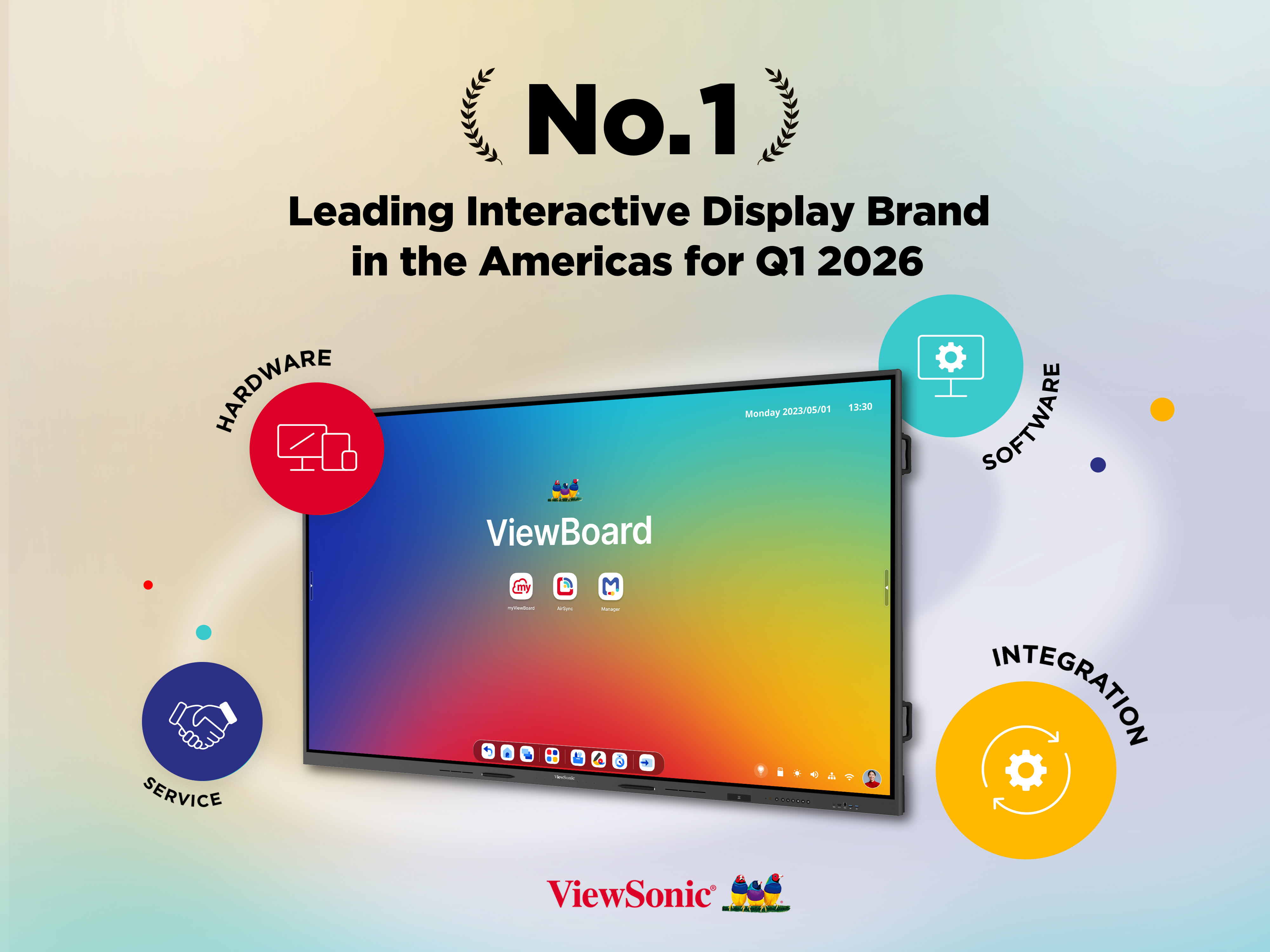
ViewSonic is the Leading Interactive Display Brand in the Americas for Q1 2026

Brea, CA (May 20, 2026) – ViewSonic Corp., a leading global provider of visual and edtech solutions, announces that it is the leading interactive display brand in the Americas in Q1 2026. According to the latest report from FutureSource Consulting, ViewSonic holds the top market share position in the Americas*. This leading position has been fueled by the adoption of the company's ViewBoard® interactive displays across the education sector.


Demand for large-format interactive displays continues to grow as schools expand digital learning models and technology-enabled classrooms. Larger screens improve visibility across flexible classroom layouts. The ViewSonic® ViewBoard® product line supports collaborative content sharing and better accommodates hybrid learning environments. This makes ViewBoard a leading solution for daily instruction and engagement.


“Interactive displays have become essential for driving collaboration in modern classrooms, and schools are looking for reliable solutions that deliver consistent performance,” said Sean Liu, Senior Business Line Manager at ViewSonic. “Our continued leadership in the market showcases the commitment ViewSonic has in the education space. We are dedicated to providing classrooms with seamless, durable hardware that will support teachers and students year after year.”


To ensure that modern classroom requirements are met, ViewSonic has introduced Android™ 16 on select ViewBoard models*, making it the first brand in the interactive display industry to adopt the new operating system. Android 16 is optimized for large-format displays, offering responsive touch interaction, adaptable layouts, smoother system navigation, and efficient multitasking. These enhancements help create a more seamless and intuitive experience in any teaching environment.


Along with ViewBoard interactive displays, ViewSonic continues to expand its education ecosystem by integrating interactive displays with myViewBoard®, Manager™, AirSync™, and other ViewSonic education software. These products continue to enhance classroom collaboration, device management, and teacher-student engagement.


The ViewSonic ecosystem includes myViewBoard, the company’s digital whiteboarding platform. The 2026 version of the platform offers a new and improved interface, real-time collaboration, and Participate Mode for student interaction. Its high degree of built-in accessibility allows flexible lesson creation and seamless content use across devices. AirSync provides wireless casting while Manager offers centralized IT control of ViewSonic displays. Utilized together, these solutions simplify classroom deployment, streamline teaching workflows, and efficiently manage campus devices.


For more information on ViewSonic interactive displays, visit the official website: https://www.viewsonic.com/edu/education/viewboard.


To find out more about ViewSonic, visit ViewSonic.com and follow on Facebook, YouTube, X and Instagram.


About ViewSonic

Founded in 1987 and headquartered in Brea, California, ViewSonic is a leading global provider of visual solutions for the education, business, and consumer markets, with a presence in over 100 countries. Driven by the mission to transform education, workplaces, and lives, the company delivers a unified ecosystem of innovative hardware, software, and services that integrates seamlessly with the platforms, tools, and partners customers trust. Its product portfolio includes monitors, projectors, interactive displays, LED displays, commercial displays, video conferencing systems, and industrial solutions. Complementing its hardware is a robust suite of software offerings—including myViewBoard®, ClassSwift®, TeamOne®, ViewSonic Manager™, and AirSync™—featuring AI-powered tools for collaboration, device optimization, and management. By empowering creativity, collaboration, and lifelong learning, ViewSonic supports customers at every stage in achieving their business and sustainability goals, creating a lasting impact and helping people everywhere connect with purpose—and See the Difference®. Learn more at www.viewsonic.com.


* According to the Q1 2026 report from Futuresource Consulting, ViewSonic holds the top market share position for interactive displays in the Americas. Actual performance, compatibility, and user experience may vary depending on system configuration, network conditions, usage environment, and other factors. Specifications and availability are subject to change without notice. This news release contains forward-looking statements that reflect the Company’s expectations with regard to future events. Actual events could differ significantly from those anticipated in this document. Trademark footnote: ViewSonic and the ViewSonic trademarks are trademarks or registered trademarks of ViewSonic Corporation in the United States and/or other countries. All other corporate names and trademarks stated herein are the property of their respective companies.

*ViewBoard availability may vary by region. Customers are encouraged to consult their regional partner for availability.


Media Contacts:

Joey Lee
JSL Marketing for ViewSonic [U.S.]
E: joey@jslcomm.com

Miranda Bravo
ViewSonic [U.S.]
E: miranda.bravo@viewsonic.com

Nury Lavandier
ViewSonic [Latin America]
E: nury.lavandier@viewsonic.com

How Teacher Feedback Shapes the Future of the Classroom

Buyer's Guide

How Teacher Feedback Shapes the Future of the Classroom

There was a time when teacher feedback was just a nice bonus for tech companies. Today, it has become the absolute primary driver of classroom innovation. A common misconception is that educational technology is just about replacing an old chalkboard with a shiny new screen. However, true Edtech is about building a teacher-centric roadmap that drives real student engagement and better learning outcomes. When companies listen to the educators who actually use their tools every single day, they can create hardware and software that truly changes the game.

Let’s look at exactly how your feedback has influenced the latest product updates at ViewSonic.

Upgrading the ID2456-4K Touch Display

How did teachers improve this podium display? You shared a major classroom frustration with us. For years, teachers had to turn their backs to students to write on the whiteboard or front-of-classroom display. You asked for a better way. We listened and created the myPodium™ ID2456 touch display. This 24-inch screen lets educators face the class while writing. Whatever you draw instantly shows up on the large classroom display or projector for the whole class to see. It keeps you completely engaged with the room.

But we didn’t stop there. We kept listening to your direct feedback to make the next version even better. You wanted sharper visuals, cleaner setups and smarter tools. We took those notes and rolled out the second generation. We upgraded the screen to stunning 4K. We also made two massive physical design changes.

First, we moved all the cable ports to the back of the device facing downward. This ensures messy wires are no longer sticking out of the sides. Your workspace stays perfectly neat. The entire setup connects to a laptop via one single USB-C cable.

Second, we added a dedicated dock that charges the smart pen wirelessly. Now you never have to plug in a USB cable to charge it again. Your pen is simply always ready to go.

Building a Better myViewBoard 3.0

What’s new in our whiteboarding software? We originally created myViewBoard to give teachers a powerful digital whiteboard. But as educators used the software day to day, they quickly noticed a few practical features were missing. Teachers specifically asked for a way to use tabs and a method for saving participate mode. We listened to those ideas and completely redesigned the user interface to build myViewBoard 3.0.

The absolute biggest win for educators is the brand new tabs feature. Teachers can now open multiple lessons in tabs exactly like a web browser. This allows instructors to switch between different class periods instantly without losing their place.

Teachers also loved Participate Mode, but wanted a way to customize and save work. This mode allows up to six students to write on the ViewBoard display at the exact same time. Thanks to teacher input, the new updates allow you to change the background to things like grid paper for math lessons. You can also easily save the final session as a file for student portfolios.

Lastly, we added crucial accessibility tools to make sure no student is left behind. This includes a Spotlight tool to focus student attention, Irlen filters for color blindness and an Immersive Reader for translation and literacy support. It’s a smarter digital whiteboard built entirely around daily classroom needs.

Creating Safer Wireless Casting With AirSync

Why did we build a dedicated casting tool? We packed myViewBoard with tons of amazing features for the classroom. But we heard from plenty of teachers who didn’t want all those extra bells and whistles. You told us you just wanted a simple and reliable way to cast your screen. We listened to that feedback and created AirSync.

This wireless casting software allows you to mirror your screen from any device to one or multiple larger displays. We also added a highly requested Moderator Mode so teachers can see a list of students who want to share their screens. You can approve them one by one. This completely prevents unapproved content from showing up on the board.

It also offers incredible flexibility for everyone in the room. It supports native casting like AirPlay and Chromecast, but it also has a convenient browser-based version at AirSync.net. This means guests can quickly share their screens without downloading a separate app. It is simple, secure and exactly what you asked for.

Learn more about AirSync

Expanding Classroom Safety Tools

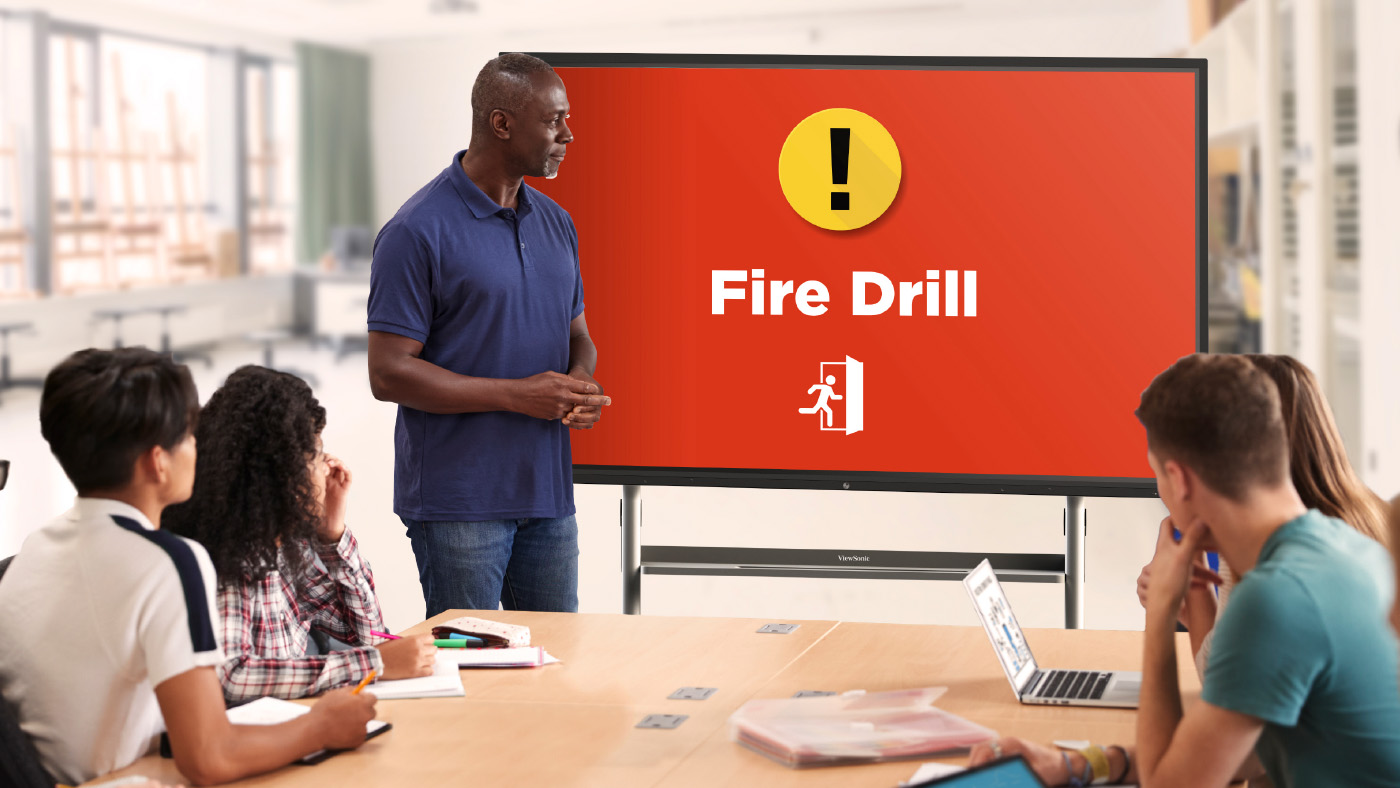
What does ViewSonic Manager software offer schools? School security is a massive issue these days. Administrators came to us with a critical problem. They needed a secure way to send alerts directly to classroom devices. Relying on a loudspeaker simply isn’t safe when a threat could hear it. We listened and updated Manager. Manager is our remote management tool designed specifically for IT staff. It includes a free feature called CAP Messaging. This tool connects your classroom displays directly to the school’s emergency alert system like CrisisGo or Raptor. Thanks to these integrations, teachers can now see clear visual alerts right on their board for fire drills or lockdowns.

Learn more about Manager

How to Share Your Feedback

Where can teachers submit their new ideas? We always want to hear from you! You can easily submit ideas using the in-app form located directly inside your myViewBoard settings. You can also join the ViewSonic Educator Community to request new features, share lesson plans and connect with other amazing teachers.

Summative vs Formative Assessments: When to Use Them and How ClassSwift Can Help

BLOG

Summative vs Formative Assessments: When to Use Them and How ClassSwift Can Help

Assessment has always been a core part of teaching, and it plays an essential role in supporting student learning. Educators are expected to monitor understanding, provide meaningful feedback, meet curriculum requirements, and manage grading and reporting, often within limited instructional time.

Choosing the right type of assessment at the right moment helps teachers support student growth, adjust instruction more effectively, and measure learning outcomes with confidence.

Importantly, assessments do not have to wait until homework is checked or tests are graded.

This guide explains formative and summative assessments, offers practical guidance on when to use each, and shows how tools like ViewSonic ClassSwift can help support better teaching and learning.

What Are Formative and Summative Assessments?

Formative and summative assessments serve different purposes within the learning process. Both are essential, but they answer different questions for teachers and students.

Formative assessment is used during instruction to check understanding and guide next steps. These assessments are typically low stakes and ongoing. The primary goal is to provide feedback that helps students improve while learning is still happening. 

Common examples include:

  • Quick quizzes or polls
  • Exit tickets
  • Class discussions
  • Practice activities
  • Peer feedback
  • Checks for understanding during lessons 

Summative assessment is used after instruction to evaluate overall learning. These assessments are usually higher stakes and often contribute to final grades or reporting.

Common examples include:

  • Unit tests and final exams
  • End-of-term projects
  • Standardized assessments
  • Final presentations or portfolios

Used together, formative and summative assessments provide a more complete picture of student learning.


Key Differences Between Formative and Summative Assessment

While both assessment types measure learning, they differ in purpose, timing, and how the results are used. Understanding these differences helps educators choose the right approach for each instructional moment.

Category Formative Assessment Summative Assessment
Purpose Improve learning during instruction Evaluate learning after instruction
Timing Ongoing throughout lessons At the end of a unit, term, or course
Feedback Immediate and actionable Often provided after completion
Impact on Grades Low or no grade impact High grade impact
Instructional Role Guides instructional adjustments Confirms learning outcomes
Common Formats Polls, quizzes, discussions Exams, projects, standardized tests


Rather than choosing one over the other, effective assessment strategies use both intentionally.

When to Use Each Type of Assessment

The best assessment choice depends on your instructional goals and where students are in the learning process.

Factors to Consider When Choosing Assessment Types

Before deciding which assessment to use, consider:

  • Instructional goals: Are you supporting learning or evaluating mastery?
  • Student needs: Do students need feedback, practice, or a final measure of understanding?
  • Curriculum expectations: What standards or outcomes must be demonstrated?
  • School or district policy: Are specific assessments required?
  • Timing: Is learning still in progress, or has instruction concluded?

These factors help ensure assessment supports learning rather than interrupting it.

When to Use Formative Assessment

If your goal is to guide learning and adjust instruction, formative assessment is the right choice. It works best when you need to:

  • Check understanding during a lesson
  • Identify misconceptions early
  • Adjust pacing or instructional strategies
  • Support student confidence and engagement
  • Encourage reflection and self-assessment
  • Monitor progress on ongoing projects

Formative assessments help teachers respond while there is still time to make a difference.

When to Use Summative Assessment

If your goal is to measure mastery and document learning outcomes, summative assessment is the better fit. Use it when you need to:

  • Evaluate understanding at the end of a unit or course
  • Assign final grades
  • Measure progress toward standards
  • Prepare students for standardized testing
  • Assess final projects or presentations
  • Report achievement to families or administrators

Summative assessments confirm what students have learned after instruction is complete. 


The Role of Technology in Modern Assessment

Technology has changed how assessments are created, delivered, and analyzed. Digital assessment tools reduce manual work while giving educators clearer insights into student learning.

Modern assessment technology can:

  • Automate grading and reduce administrative tasks
  • Deliver instant, actionable feedback to students
  • Monitor student progress in real time
  • Support equity and accessibility
  • Centralize data and reporting
  • Enhance security for high-stakes assessments
  • Integrate with classroom tools and LMS platforms 

For a deeper look at how technology supports assessment, explore ViewSonic’s guide to educational assessment tools for formative and summative learning.


How ClassSwift Supports Both Formative and Summative Assessment

ClassSwift is built to simplify assessment, not complicate it. It supports both formative and summative workflows in one intuitive platform, helping teachers spend less time managing assessments and more time teaching.

With ClassSwift, educators can:

  • Quickly design, assign, and deliver formative assessments
  • Use digital delivery across devices
  • Provide instant feedback with auto-grading tools
  • View analytics dashboards that highlight trends and learning gaps (paid subscription required)
  • Differentiate instruction based on assessment data
  • Support a wide range of question types and formats
  • Ensure test security for summative assessments
  • Integrate smoothly with leading LMS platforms and gradebooks (paid subscription required) 

ClassSwift also supports responsive teaching by turning assessment data into clear next steps.

Learn more about ClassSwift’s holistic approach here.


Tips for Balancing Formative and Summative Assessments in the Classroom


A balanced assessment strategy combines both types to support learning and accountability. These tips can help teachers strike the right balance.

  • Blend assessment types: Use formative assessments to guide instruction and summative assessments to confirm mastery.
  • Use formative data to prepare students: Address learning gaps before high-stakes assessments.
  • Make feedback clear and constructive: Feedback should help students understand how to improve, not just what they missed.
  • Avoid assessment overload: Focus on meaningful assessments rather than frequent testing.
  • Plan ahead: Use ClassSwift’s planning and scheduling tools to align assessments with instruction.
  • Review data regularly: Look for patterns that can inform future lessons and interventions. For more guidance on feedback strategies, check out this resource on creating effective feedback with education technology. 

For more guidance on feedback strategies, check out this resource on creating effective feedback with education technology.


Getting Started with ClassSwift for Smarter Assessment

Effective assessment supports better learning for students and better decision-making for teachers. With the right tools, assessment becomes a natural part of instruction rather than an added burden.

ClassSwift, part of ViewSonic’s education solutions ecosystem, helps schools streamline formative and summative assessments while supporting engagement and responsive teaching.

From quick understanding checks to preparation for end-of-term exams, ClassSwift provides the flexibility, insights, and simplicity educators need.

Learn more about ClassSwift and how to get started:

 https://www.viewsonic.com/edu/classswift-software

Explore additional education solutions from ViewSonic:

 https://www.viewsonic.com/edu/ 

4 Proven Ways to Increase Student Engagement and Learning

BLOG

4 Proven Ways to Increase Student Engagement and Learning

Keeping students engaged while driving meaningful learning is one of the biggest challenges educators face today. With diverse learning styles, evolving classroom technology, and rising expectations, it can be difficult to keep every student involved and motivated. 

Student engagement plays a critical role in academic success. Research shows that when students are actively engaged, they are more likely to understand concepts, retain information, and participate with confidence (Gallup, 2019).

Interactive tools such as ClassSwift help educators apply proven engagement strategies in practical, classroom-ready ways.

Below are four proven ways to increase student engagement and learning, along with examples of how ClassSwift supports responsive and inclusive instruction.

Why Student Engagement Matters for Learning Success

Student engagement refers to how involved students are in the learning process. This includes participation, motivation, and the ability to think critically about what they are learning.

Studies consistently show a strong link between student engagement and positive learning outcomes. Engaged students tend to perform better academically, demonstrate stronger retention, and develop more positive attitudes toward learning (Fredricks, Blumenfeld, & Paris, 2004).

Active learning strategies such as collaboration, real-time feedback, and student choice help move learning beyond passive listening.

For a deeper look at the research behind engagement, check out ViewSonic’s guide on what student engagement is and why it matters for helpful context and classroom insights.

How ClassSwift Can Help Increase Student Engagement and Learning

ClassSwift is designed to support everyday classroom engagement by helping teachers gather insight quickly, adapt instruction, and keep students actively involved throughout a lesson.

It allows teachers to collect a range of student responses, including multiple choice answers, short written responses, sketches, and audio submissions. This helps participation extend beyond hand-raising or verbal discussion.

1. Real-Time Polls and Quizzes for Instant Feedback

Checking understanding during a lesson helps teachers respond before confusion grows. Real-time polls and short quizzes give educators immediate insight into what students understand and where they may need support.

With ClassSwift, teachers can launch live polls or short quizzes as lessons unfold.

These tools encourage participation from every student, not just those who raise their hands, and provide timely insights so educators can adjust their lessons as needed.

This type of responsive teaching aligns with best practices outlined in ViewSonic’s article on student engagement in the modern classroom. 


2. Interactive Assignments and Multimedia Responses

Students engage more deeply when they have multiple ways to demonstrate understanding. Assignments that allow students to respond using drawings, images, multiple choice answers, short written responses, or audio recordings help reach learners with different strengths and preferences.

ClassSwift supports these varied response formats, making it easier for teachers to design activities that keep lessons dynamic while encouraging students to take ownership of their learning.

For more ideas on engaging diverse learners, ViewSonic’s resource on student engagement strategies for learners of all ages offers practical classroom examples. 


3.Gamified Learning for Greater Motivation

Gamification is a proven way to increase motivation and participation. Timed challenges, progress tracking, and recognition features help turn learning into an active experience.

ClassSwift includes game-inspired tools such as timers, buzzers, and interactive activities that encourage healthy competition and sustained focus. When learning feels fun and rewarding, students are more likely to stay engaged and push through challenges.


4. Personalized and Adaptive Learning Pathways

Every student learns at a different pace. Personalized instruction helps ensure that learners feel supported without being overwhelmed or bored.

With ClassSwift, teachers can assign differentiated tasks based on individual student needs. Struggling learners receive targeted support, while advanced students can explore more challenging material.

Personalized pathways help improve both engagement and learning outcomes by meeting students at their current level of understanding.

Additional ClassSwift Features That Support Engagement

Beyond daily classroom activities, ClassSwift Pro (for schools and districts) includes features that support engagement for both teachers and students.

These features include the following, which may require a paid subscription:

  • Analytics dashboards that provide insight into participation and understanding
  • Integration with classroom technology, including interactive displays

Together, these tools help create a more supportive and engaging classroom experience.

For a closer look at how these features work together, explore ViewSonic’s overview of ClassSwift’s holistic approach to engagement, assessment, and responsive teaching.


Real Classroom Results: Success Stories with ClassSwift

Educators using ClassSwift have seen measurable improvements in engagement and learning across different subjects and grade levels.

In one real-world example, teachers at Mayfair Middle/High school used ClassSwift in language classrooms to increase participation and accountability.

Gamified tools such as timers and buzzers encouraged students to respond more quickly and stay focused, while real-time insights helped teachers adjust instruction and provide targeted feedback.

See the full case study on how ClassSwift enhanced language learning.

In another instance, teachers at Heathlands Primary Academy used ClassSwift’s push-and-respond quizzes to gather instant feedback during lessons. This allowed educators to revisit topics immediately when students struggled, leading to stronger understanding and higher participation.

Learn how Heathlands Primary Academy improved engagement with ClassSwift.

These examples show how pairing proven engagement strategies with the right technology can support measurable improvements in student learning.


How to Get Started with ClassSwift

Improving student engagement does not require a complete change in teaching approach. Starting with small steps, such as real-time check-ins or interactive assignments, can make a meaningful difference.

ClassSwift helps educators apply these strategies efficiently and at scale. To learn more, visit the ClassSwift software page or explore ViewSonic’s full range of education solutions. 

The Essential Role of Technology in the Return to the Office

The Essential Role of Technology in the Return to the Office 
By Deidre Deacon, ViewSonic Corp.


Canada’s workplace landscape is undergoing its most significant reset since the early pandemic years—but not because workers are suddenly eager to trade home offices for cubicles. The renewed push toward in‑person work is being driven almost entirely by mandates: from governments, from major employers, and from the shifting economics of commercial real estate. Yet there’s another force reshaping this transition just as profoundly: technology. After years of refining highly efficient home‑office setups, employees now expect the same seamless, intuitive experience when they walk through the office door. As a result, the tools that once supported remote work have become the critical infrastructure enabling a smooth, sustainable shift back to more office‑centric hybrid models.


The public sector is leading the return to the office (RTO) charge, and the scale is unprecedented. CBC has reported that tens of thousands of provincial government employees in Ontario and Alberta have been ordered back to the office full time starting in 2026. This follows the federal government’s September 2024 directive requiring public servants to be onsite at least three days per week.


These are not gentle nudges. They are sweeping, top-down directives affecting the single largest employment block in the country. When governments mandate attendance, the ripple effects extend far beyond the workplace—reshaping transit patterns, downtown economies, and the broader labour market.


In the private sector, Canada’s major banks—RBC, Scotiabank, TD, and BMO—are reinforcing the shift. Employees are now expected to be in the office at least four days per week, with many roles moving to a full five-day schedule. Banks employ tens of thousands of workers, and their policies often set the tone for other large employers. Their pivot toward near-full-time office attendance signals a broader corporate recalibration: flexibility is narrowing, and the office is once again becoming the default.


The commercial real estate market is already reflecting this shift. According to CBRE’s national office report, Canada’s office vacancy rate fell from 18.7% in 2024 to 18% by the end of 2025—a 0.7‑point drop and the first decline since the pandemic began. A falling vacancy rate is a concrete indicator that more people are physically returning to office spaces – a change that is being attributed directly to the acceleration of RTO mandates—not voluntary worker behaviour. In other words, the market is responding to policy, not preference.


Yet even as employers tighten expectations, many workers remain deeply reluctant to give up remote work. Angus Reid data shows that three in five Canadians prefer to work mostly from home, and one in four would likely quit if forced back full time. This resistance is slowing actual attendance, even where mandates exist. Many employees comply only partially, and others are actively seeking roles that preserve hybrid or remote options. The tension between employer requirements and worker preferences has become one of the defining workplace dynamics of this era.


With new return to the office mandates in place, technology has evolved from a convenience to a critical infrastructure for ensuring a seamless transition. As companies implement these mandates, they’re discovering a truth employees have known for years: the physical workplace must now earn its relevance and compete with the efficiency of home setups by offering “phygital” environments – digital and physical spaces that are perfectly synchronized. After experiencing the autonomy and efficiency of remote work, professionals aren’t simply returning to desks; they’re evaluating whether the office can match the seamless, personalized workspaces they are accustomed to at home.


Forward‑thinking organizations are blending physical and digital experiences so fluidly that employees barely notice the seams. When a meeting room recognizes you, when collaboration tools sync instantly across devices, when hybrid meetings feel equitable rather than awkward—suddenly the office becomes a destination, not an obligation.


This isn’t a matter of perks; it’s a matter of performance. Research shows that most employees view high‑quality technology as essential to doing their jobs well, and companies that invest strategically in advanced tools can unlock significant productivity gains. Technology is no longer a “nice to have” in the return‑to‑office era. It is the infrastructure that determines whether collaboration thrives or stalls.

The mandate may bring people back—but only the right technology will make them stay.


Organizations that want to make the return to office a seamless experience need to implement technology ecosystems that remove friction rather than create it. This is where ViewSonic’s approach becomes a compelling blueprint for what a high performance “phygital” workplace can look like. ViewSonic’s portfolio of display solutions prioritize seamless connectivity and real-time collaboration across devices and spaces, bridging the hybrid gap that many organizations are struggling to close.


Personal Productivity Without the Clutter
At the individual desk, USB-C docking monitors like the ViewSonic® VG2756-4K
 consolidate the entire workstation. This 27-inch display delivers high-speed data, 4K video, and 90W of power through a single cable connection. It also prioritizes user well-being with advanced ergonomics designed for all-day comfort. The integrated docking capability delivers immediate savings by removing the need for separate docking hardware, lowering total cost of ownership from day one. It also simplifies IT operations by standardizing on a single, fully compatible solution—eliminating the headaches that come with managing mixed‑brand displays and docks, and avoiding the interoperability issues that slow teams down. The result is a clean, centralized hub that allows professionals to move from commute to deep focus without the usual tangle of adapters and peripherals.


Mobility for the Modern Hybrid Professional
Work is no longer confined to a single desk, and productivity shouldn’t be either. ViewSonic’s VG1656N portable monitor gives laptop users a completely wire-free second screen experience wherever they land—at a hot desk, a café, or between offices. With a built-in battery and wireless casting, this 16-inch display eliminates the need for power outlets or video cables, supporting the kind of complex multitasking that today’s flexible roles demand.


Collaboration at the Speed of Thought
In shared spaces, ViewSonic ViewBoard® interactive displays transform passive meetings into dynamic working sessions.

"...ViewSonic is a global leader in visual solutions and remains the #1 brand in market share for interactive displays worldwide (excluding China).¹"*

ViewSonic provides a platform that bridges the physical and digital worlds. Paired with TeamOne™ software, these displays turn any room into an interactive collaboration hub where in-person and remote participants can co-create on an infinite digital canvas.


For meeting environments where presentation takes precedence over interactivity, ViewSonic’s CDEG3 and CDE31 commercial displays offer a powerful alternative. For rooms requiring seamless integration with Microsoft Teams Rooms (MTR) or existing meeting systems, the CDEG3 commercial display series integrates seamlessly. Designed as an OS-less solution, it prioritizes security and boots up quickly, allowing meetings to start without delay. For spaces demanding even greater endurance, the CDE31 series is built for heavy-duty use. With 24/7 performance capabilities, it serves as a reliable workhorse for both high-traffic meeting rooms and continuous digital signage.


As organizations bring employees back into the office, the need for impactful, campus‑wide communication has never been greater. ViewSonic Direct View LED delivers a powerful platform to elevate corporate messaging, enhance collaboration, and modernize shared spaces. With purpose‑built solutions for every environment—LDS for dynamic company events and large‑scale functions, LDM and LDP for boardrooms and expansive meeting areas with stunning 1080p or 4K clarity, and LDE for cost‑effective video wall refreshes. Everything needed for deployment is delivered in one fully integrated package, making installation effortless, minimizing complexity, and enabling organizations to realize value significantly faster.


Reliability at Enterprise Scale
Behind the scenes, the ViewSonic Manager™ cloud platform gives IT teams the ability to monitor, update, and manage the entire display network remotely. This ensures that every workspace—from conference rooms to individual desks—remains a dependable, high-performance environment.


Together, these solutions demonstrate a simple truth: the return to the office succeeds only when the experience is worth returning to. By integrating rapid start hardware with intuitive personal and collaborative tools, ViewSonic isn’t just supporting hybrid work—it’s redefining what a modern, technology driven workplace can be.


As the return to the office continues to take hold, the gap between what workers want and what employers require will continue to shape the future of work—and determine how sustainable this mandated return truly is. Technology will play a pivotal role in bridging that divide, including visual solutions that enhance collaboration, creativity, and productivity across distributed, hybrid work teams.


# # #


Actual performance may vary depending on system configuration, usage environment, and other conditions; programs, pricing, specifications and availability are subject to change or cancellation without notice.

*"¹ Source: FutureSource Consulting, [Q3 2025] Interactive Displays Quarterly Market Tracker. Market share rankings exclude mainland China."


Quick Checks, Big Gains: Why Real-Time Comprehension Matters in the Classroom

BLOG

Quick Checks, Big Gains: Why Real-Time Comprehension Matters in the Classroom

Student understanding can change quickly during a lesson. A concept may seem clear one minute and confusing the next. If teachers wait until a quiz or test to find out, valuable learning time can be lost.

That’s why formative assessments play such an important role in today’s classrooms. Quick, in-the-moment feedback helps teachers adjust instruction right away and helps students stay engaged and confident as they learn.

With interactive tools like ViewSonic® ViewBoard® interactive displays and ClassSwift® software, educators can make quick assessments part of everyday instruction without disrupting lesson flow. 

What are Real-Time Comprehension Checks?

Real-time comprehension checks refer to assessing student understanding during a lesson instead of after it ends. These checks are informal, frequent, and designed to guide instruction in the moment.

Unlike traditional tests that measure learning at the end of a unit, real-time comprehension checks focus on what students understand right now. 

Common examples include:

  • Quick polls or multiple-choice questions
  • Short quizzes or warm-up questions
  • Emoji or traffic light check-ins
  • Live annotation or problem-solving activities
  • Collaborative responses on an interactive screen 

In digital and hybrid classrooms, interactive displays and classroom software make these strategies easier to manage and more inclusive for all students.

Why Real-Time Comprehension Checks Support Student Learning

When teachers understand how students are doing in the moment, learning becomes more effective and more student-centered.

Assessment checks help support learning in several key ways.

Stronger Student Engagement

Students are more likely to stay focused when they know they’ll be asked to participate during the lesson. Quick checks encourage active involvement instead of passive listening.

Early Identification of Confusion

Small misunderstandings can quickly grow into learning gaps. Real-time feedback helps teachers spot confusion early and address it before moving on.

Support for Differentiated Instruction

Not all students learn at the same pace. Real-time responses help teachers adjust instruction, offer clarification, or provide extra challenges when needed.

Increased Student Ownership

When students reflect on their understanding, they become more aware of their learning progress and areas where they may need support. 

Common Challenges With Real-Time Comprehension Checks

While the benefits are clear, some classrooms face challenges when trying to implement real-time comprehension strategies.

Limited Access to Classroom Technology

Without the right tools, collecting responses from every student can feel time-consuming or difficult to manage.

Time Constraints During Lessons

Teachers may worry that frequent check-ins will slow down instruction or take time away from content.

Comfort Level With Classroom Technology

New tools can feel overwhelming without proper training or intuitive design.

Reliance on Traditional Assessments

Classrooms that depend heavily on tests and worksheets may miss opportunities for immediate feedback. 

Key Considerations for Bringing Real-Time Comprehension to the Classroom

Modern education technology helps remove many of these barriers. By combining hardware and software to provide integrated solutions, educators can make assessment checks quick, visual, and easy to manage without adding complexity to the lesson.

Interactive Displays and Whiteboarding Software

ViewBoard® interactive displays come with the award-winning myViewBoard 3.0 whiteboarding software built-in. With this powerful tool, educators can annotate lessons, highlight key concepts, and manipulate digital content in real time. Multi-touch screens encourage collaboration, allowing students to solve problems directly at the board alongside the teacher.

Student Response Tools

For individual feedback, digital tools allow students to respond from their own devices. ClassSwift integrates directly with the display to let teachers run polls, send quizzes, and check understanding instantly. This seamless connection between student devices and the front-of-room display reduces setup time and ensures every student has a voice.

Visual Cues and Live Annotation

Highlighting key ideas, annotating text, or solving problems live on a digital whiteboard helps teachers see how students are thinking and where clarification is needed. 

Easy Ways to Add Quick Checks to Daily Lessons

Real-time assessments don’t require a complete change in teaching style. Small adjustments can make a big difference.

Simple ways to integrate quick checks include:

  • Starting class with a short warm-up question or poll.
  • Asking students to respond to a question during a presentation using audio or text.
  • Ending a lesson with an interactive exit ticket or emoji-based check-in.
  • Using peer discussion followed by a quick class response.
  • Inviting students to annotate or solve problems on a ViewBoard interactive display using sketch-based response tools.

These strategies work especially well when supported by interactive classroom technology. 

Why ViewBoard Interactive Displays Work Well for Real-Time Comprehension Checks

ViewBoard interactive displays are designed to support interactive, student-centered instruction and real-time feedback.

Seamless Student Interaction

Multi-touch functionality and built-in collaboration tools make it easy for students to participate directly at the screen or from connected devices.

Compatibility With Popular EdTech Tools

ViewBoard interactive displays integrate with commonly used classroom software tools such as Google Classroom or ClassSwift, making it simple to add formative assessments and live questioning into lessons.

Live Annotation and Immediate Feedback

Teachers and students can write, highlight, and interact with content in real time. This helps make thinking visible and supports deeper understanding. 

Make Every Learning Moment Count With Real-Time Feedback

Quick assessment checks lead to meaningful learning gains. When teachers can see what students understand in the moment, they can respond with clarity and confidence.

Real-time assessments support stronger engagement, better retention, and more effective instruction. With tools like ViewBoard interactive displays and education software tools like ClassSwift, educators can turn everyday lessons into interactive learning experiences that support student success.

Explore ViewSonic’s education solutions to see how real-time learning can fit naturally into your classroom.

ViewSonic Makes Distance Learning Easy with Free myViewBoard Software and Tools for Teachers During the Coronavirus Outbreak

myViewBoard™ Ecosystem provides teachers with a complete suite of tools for intuitive content creation and delivery of interactive e-learning programs

• ViewSonic Professional Development (PD) team provides teachers with on-demand, online support on topics including the basics of distance learning, interactive tools, curriculum development and execution


• ViewSonic myViewBoard Clips, powered by Boclips, provides teachers with access to more than two million licensed, curated, and ad-free educational videos for interactive and engaging online lessons


• ViewSonic myViewBoard™ software available free to K-12 schools, colleges and universities during the coronavirus pandemic, as educators prepare for extended school shutdowns and expanded e-learning programs


Toronto, ON (May 20, 2020) – ViewSonic Corporation, a leading global provider of visual solutions, has announced expanded distance learning tools and resources being made available to educators during the coronavirus pandemic. As parents, students and teachers prepare for extended school shutdowns, ViewSonic is working with educators to make e-learning even more accessible, interactive and engaging.

“Remote and distance learning lessons are definitely different than inside the confines of a classroom,” said Blake Everhart, Solution Training Manager at ViewSonic Americas. “As a former teacher, I understand there’s sometimes a gap between learning the scope and sequence of the technology side that can match up with the lessons you want to teach. The ability to create and complete lessons, and how to filter through the many resources that are out there makes it tough to focus. That’s why my team and I at ViewSonic are making ourselves available to help out, and make things less overwhelming.”

One-on-One Online Support with ViewSonic Professional Development (PD) Team

ViewSonic PD teams are offering one-on-one online support for teachers on topics including curriculum development, hardware and software tools for distance learning, video creation and video conferencing for interactive lessons. The program is designed to accelerate e-learning through ideation, communication and online student engagement.

myViewBoard Clips Powered by Boclips

With the myViewBoard Clips video-assisted learning platform, educators can access more than two million licensed, ad-free educational videos that reside on a secure platform. The content has been educationally curated, free of inappropriate content to ensure students’ safety, and fit for common core standards. Specific to age level and subject matter, every video has been selected from a library of more than 150 media partners, including: TED, PBS NewsHour and Bloomberg Media, as well as teachers’ favorites such as Crash Course, Minute Earth and LearnZillion. myViewBoard Clips seamlessly integrates with myViewBoard software to allow for annotation, lecture capture, distance learning and more.

• No copyright infringement or firewall restrictions


• 30-day complimentary trial for new users


• Compatible with Windows and Android O/S


myViewBoard Distance Learning Software free to educators during coronavirus outbreak

myViewBoard software enables teachers to conduct distance learning through an open and agnostic platform, facilitating students and their learning outcomes. Easy to use, the software was designed to enable real-time collaboration through video audio conferencing, huddles and digital whiteboarding, supporting a variety of pedagogies with an emphasis on virtual classroom. Through its inclusive features, myViewBoard helps create a virtual learning environment that is engaging, interactive, and effective.

• Broadcast lessons via YouTube or Facebook with myViewBoard live stream


• Live Teacher-student interactions and video sharing


• Collaborative learning features including shared whiteboarding and instant huddle groups


• Instant saving and screen sharing for delivery of lesson slides, live annotations and cloud capture/distribution


For more information and to access ViewSonic distance learning software and resources, visit https://www.viewsonic.com/us/distance-learning


About ViewSonic

Founded in California, ViewSonic is a leading global provider of visual solutions with a presence in over 100 countries around the world. As an innovator and visionary, ViewSonic is committed to providing comprehensive hardware and software solutions that include monitors, projectors, digital signage, ViewBoard® interactive displays, and myViewBoard™ software ecosystem. With more than 30 years of expertise in visual displays, ViewSonic has established a strong position for delivering innovative and reliable solutions for education, enterprise, consumer, and professional markets and helping customers “See the Difference.” To find out more about ViewSonic, visit www.viewsonic.com.


# # #


 Note to News Editors:

Senior spokespersons from ViewSonic Canada and the myViewBoard education team are available for media interviews on request.

ViewSonic Professional Development Team Offers One-on-One Online Support and Advice for Teachers about Distance Learning

The Team Can Assist on Topics Including: Basics of Distance Learning, Tools to Use, and Curriculum Development and Execution

Brea, CA (April 13, 2020) – ViewSonic Corp., a leading global provider of visual solutions, announced that it has made its Professional Development (PD) team available to assist teachers with distance learning advice and support. As part of the ViewSonic distance learning initiative during the COVID-19 outbreak, the PD team will offer one-on-one online support for teachers with any learning initiatives they may have, including topics such as: distance learning as a whole, tools for distance learning, curriculum development, as well as video creation or conferencing for lessons.


Teachers and students now face an entirely new way of teaching and learning. New tools are required, both on the hardware and software side, and are necessary to share ideas, communicate, and ensure student learning.

Some teachers may have concerns with distance learning as a concept, even without the “learning” part of it. A lot of what happens in the classroom during the instructional piece is being able to individualize the learning process or break it down so that every student is able to understand it. Going digital doesn’t necessarily allow for that direct integration.

The ViewSonic Professional Development team offers some general guidance:

• Adapt to the new normal: It’s important to set out goals and objectives that can be accomplished. It takes time for both the teacher and student to get comfortable with the new environment and pattern of learning.

• Class time replication: Weekly assignments, and projects are all ways to assess learning.  Think about the amount of time for instruction, classwork and discussions that occur in your traditional class period.  It’s important to not assign busy work that goes beyond that amount of time.

• Teach outside the box: Remote and distance learning is about learning and integrating new ways to educate. Get feedback from parents and students and make the most of the resources that are available online, and in a lot of cases, free.

“Remote and distance learning lessons are definitely different than inside the confines of a classroom,” said Blake Everhart, Solution Training Manager at ViewSonic Americas. “As a former teacher, I understand there’s sometimes a gap between learning the scope and sequence of the technology side that can match up with the lessons you want to teach. The ability to create and complete lessons, and how to filter through the many resources that are out there makes it tough to focus. That’s why my team and I at ViewSonic are making ourselves available to help out, and make things less overwhelming.”

For further news and information about ViewSonic, visit ViewSonic.com and follow on LinkedIn  Facebook, YouTube and Twitter.


About ViewSonic

Founded in California, ViewSonic is a leading global provider of visual solution products and conducts business in more than 100 countries worldwide. As an innovator and visionary, ViewSonic is committed to providing comprehensive hardware and software solutions that include: monitors, projectors, digital signage, ViewBoard® interactive displays, and the myViewBoard™ software ecosystem. With more than 30 years of expertise in visual displays, ViewSonic has established a strong position for delivering innovative and reliable solutions for education, enterprise, consumer and professional markets, and helping customers “See the Difference.” To find out more about ViewSonic, please visit www.viewsonic.com.

#  #  #


*This news release contains forward-looking statements that reflect the Company’s expectations with regard to future events. Actual events could differ significantly from those anticipated in this document. Trademark footnote: ViewSonic and the ViewSonic trademarks are trademarks or registered trademarks of ViewSonic Corporation in the United States and/or other countries. All other corporate names and trademarks stated herein are the property of their respective companies.

ViewSonic Launches myViewBoard Clips Video-Assisted Learning Platform

myViewBoard Clips, Powered by Boclips, Delivers Access to more than Two Million Licensed, Curated, and Ad-Free Educational Videos; Educators can Create Interactive and Engaging Lessons

BREA, CA (April 9, 2020) – ViewSonic Corp., a leading global provider of display solutions, announced the availability of myViewBoard Clips, powered by Boclips as part of the myViewBoard ecosystem. The myViewBoard ecosystem delivers a complete suite of tools that make content creation easy and intuitive for educators. Now with the myViewBoard Clips video-assisted learning platform, educators can access more than two million licensed educational videos. The myViewBoard Clips content is educationally curated, ad-free and fit for common core standards.


The videos are carefully curated and specific to age level and subject matter. Every video is selected from a library of more than 150 media partners, including: TED, PBS NewsHour and Bloomberg Media, as well as teachers’ favorites such as Crash Course, Minute Earth and LearnZillion. myViewBoard Clips integrates with myViewBoard software to allow for annotation, lecture capture, distance learning and more.


myViewBoard clips

• More than two (2) million videos from 150+ media partners

• No copyright infringement or firewall restrictions

• Ad-free, curated subjects for grades K-12

• 30-day complimentary trial for new users

• Compatible with myViewBoard for Windows and myViewBoard for Android O/S

• Available now, $1,000 yearly subscription with 20 concurrent streams


“ViewSonic® myViewBoard Clips is on our secure platform and free of inappropriate content to ensure students’ safety and also give teachers peace of mind,” said Sean Liu, software business line manager at ViewSonic Americas. “myViewBoard Clips provides educators the freedom to create interactive and engaging lesson plans with a variety of content directly related to their curriculums. These videos are directly managed and integrated within the myViewBoard ecosystem, so educators can benefit from video-assisted teaching while using myViewBoard products.”

For further news and information about ViewSonic, visit ViewSonic.com and follow on Facebook, YouTube and Twitter.


About ViewSonic

Founded in California, ViewSonic is a leading global provider of visual solutions and conducts business in over 100 countries worldwide. As an innovator and visionary, ViewSonic is committed to providing comprehensive hardware and software solutions that include monitors, projectors, digital signage, ViewBoard® interactive displays, and myViewBoard™ software ecosystem. With more than 30 years of expertise in visual displays, ViewSonic has established a strong position for delivering innovative and reliable solutions for education, enterprise, consumer, and professional markets and helping customers “See the Difference.” To find out more about ViewSonic, please visit www.viewsonic.com.


#  #  #


This news release contains forward-looking statements that reflect the Company’s expectations with regard to future events. Actual events could differ significantly from those anticipated in this document. Trademark footnote: ViewSonic and the ViewSonic trademarks are trademarks or registered trademarks of ViewSonic Corporation in the United States and/or other countries. All other corporate names and trademarks stated herein are the property of their respective companies.


ViewSonic to Offer eSignature Solutions Powered by Namirial Software

Combined Hardware and Software Offerings for Digital Transaction Management

BREA, CA (March 10, 2020) – ViewSonic Corp., a leading global provider of visual solutions, today announced to partner with Namirial S.p.A., a leading global provider of digital transaction management solutions, to provide an eSignature solution for onboarding and agreement automation for customers in the US and Canada. This solution, ViewSonic Electronic Signature & Agreement Solutions (ViewSonic E-SAS), combines hardware and software, as well as substantial consultation on the digitization of business processes.


“We have seen an enormous demand in finance, healthcare and other industries looking to migrate core business processes from paper to digital in all of their channels. The physical aspect has proven to be the most challenging,” said Kevin Chu, Director, Strategic Partnerships at ViewSonic. “Through the collaboration with Namirial, we can address this demand in delivering compelling omnichannel signature experiences with 100% on-premise deployment. The ViewSonic E-SAS solution helps companies to accelerate their onboarding and contracting processes, reduce signature acquisition cost, improve conversion rate, and significantly enhance customer satisfaction.”

Luigi Tomasini, Board Member and Internationalization Manager of Namirial, stated, “ViewSonic became one of our strategic partners in recent years and together we are serving many customers globally. ViewSonic is one of the leading providers of pen input technology and hence a natural fit as one of the key providers of signature capture hardware for Namirial and our customers and partners. We are excited about this new chapter in our collaboration, as well as our growth in the American market together.”

ViewSonic E-SAS delivers technologies tailored for specific requirements in banking, insurance, telecommunications, healthcare and other industries. ViewSonic E-SAS offerings are enhanced via the Namirial software suite that is used worldwide to deliver digital trust services for compliance and efficiency in any instance requiring legal, non-reputable, proofs of intent and the seamless integration of digital processes into existing system environments.

In addition, the tight coupling of Namirial software and ViewSonic hardware captures behavioral biometrics of handwritten signatures that are verifiably unique to an individual to enhance security and reliability of electronic signatures. Biometric elements are seamlessly captured within the handwritten signature, and include time, speed, geometry and pressure. Compared to traditional analog analysis of ink signatures on paper, these biometric data elements can be more precisely verified by forensic handwriting experts and software verification tools.


Full Support for all Signing Scenarios in Omnichannel

ViewSonic and Namirial are cooperating to support all omnichannel scenarios with the broadest range of software and hardware technologies for electronic signature creation, catering to any use case, signing scenario and corresponding legal regulations. Combining both companies’ industry-leading technologies allows businesses to manage any instances between in-person signing, and remote online engagement on virtually any device.

Mike Dana, head of the ViewSonic E-SAS team, commented. “We are excited about the range of technologies in our portfolio and our ability to be ‘flexible by design’ in our solutions approach. Signing on ViewSonic signature pads and pen/touch displays using Namirial software perfectly emulates the “wet ink” signing experience with actual pen and paper.  Namirial software solutions allows this natural signing experience to extend beyond ViewSonic hardware and onto virtually any device for the handwritten signing experience.”

For further news and information about ViewSonic, visit ViewSonic.com and follow on LinkedIn  Facebook, YouTube and Twitter.

About ViewSonic

Founded in California, ViewSonic is a leading global provider of visual solutions with a presence in more than 100 cities around the world. As an innovator and visionary, ViewSonic is committed to providing comprehensive hardware and software solutions that include monitors, projectors, digital signage, ViewBoard® interactive displays, and myViewBoard™ software ecosystem. With more than 30 years of expertise in visual displays, ViewSonic has established a strong position for delivering innovative and reliable solutions for education, enterprise, consumer, and professional markets and helping customers “See the Difference.” To find out more about ViewSonic, please visit www.viewsonic.com.

About Namirial 

Namirial is a multinational provider of information technology, empowering trusted digital transformation worldwide in both private sector and public administration. Namirial core business is the provision of solutions for trusted digital transaction management. These solutions are aggregated in a unique platform including applications for identifying and authenticating users, workflows for orchestrating signatures, providing certificates for generating electronic signatures and seals, procedures for long-term archiving and electronic invoices, as well as electronic delivery services. Together with its international network of over 120 partners, Namirial is serving over one million customers. The company was founded in 2000 at its current headquarters in Senigallia, Italy. Namirial currently is operating from 21 locations in six countries, employing 440 people. Access namirial.com for additional information

#  #  #


This news release contains forward-looking statements that reflect the Company’s expectations with regard to future events. Actual events could differ significantly from those anticipated in this document. Trademark footnote: ViewSonic and the ViewSonic trademarks are trademarks or registered trademarks of ViewSonic Corporation in the United States and/or other countries. All other corporate names and trademarks stated herein are the property of their respective companies.

ViewSonic Introduces Device Management Solution and Display Products for Collaborative Environments at TCEA 2020

Powered by 42Gears, the ViewSonic Device Management Solution Helps Schools Manage Interactive Displays

AUSTIN, TX, Booth #2343 (Feb. 4, 2020)  – ViewSonic Corp., a leader in interactive display technologies, introduces its Device Management solution, as well as its line of display products at the TCEA Convention and Expo, February 4-6, 2020 in Austin, TX. The ViewSonic Device Management solution, powered by 42Gears®, allows schools to easily manage their interactive displays. From ViewBoard® interactive displays and myViewBoard™ collaborative software to the ELITE line of competitive gaming monitors, ViewSonic solutions transform classrooms into immersive learning environments.


ViewSonic offers all-in-one bundles of the Device Management solution to deliver classroom collaboration with easy cloud management, and includes a ViewBoard display with a 42Gears subscription license. This solution allows IT teams to deploy a variety of displays across multiple classrooms. Features include: group configuration where multiple displays can be organized by room or site; instant messaging to broadcast alerts; user interface customization and a curated app store for internally approved apps, among others. Displays can be remotely managed and configured to a school’s specifications, optimize functionality and secure network information, making the management of classroom displays seamless and simple.

ViewSonic Display Solutions at TCEA 2020 include:

• ViewBoard® Interactive Flat Panel Displays


• myViewBoard Interactive Annotation Software


• 42Gears Device Management Software


• Gaming Monitors for esports


• ColorPro® VP3481 and the IFP2410 ViewBoard Mini that transforms podiums and lecterns into collaborative hubs for front-facing teaching


“ViewSonic developed the Device Management solution bundles to ensure schools’ and districts’ IT teams can effortlessly deploy their interactive displays and still be able to manage them in a simplified way,” said Blake Everhart, Training Manager at ViewSonic Americas. “We wanted to show a variety of solutions that can make classroom and campus transformation a straightforward process. As technologies change, ViewSonic wants to make sure that schools, teachers and students aren’t left behind.”

For more news and information about ViewSonic, visit us at ViewSonic.com and follow us on Facebook, YouTube and Twitter.

About ViewSonic

Founded in California, ViewSonic is a leading global provider of visual solutions with a presence in over 100 cities around the world. As an innovator and visionary, ViewSonic is committed to providing comprehensive hardware and software solutions that include monitors, projectors, digital signage, ViewBoard® interactive displays, and myViewBoard™ software ecosystem. With more than 30 years of expertise in visual displays, ViewSonic has established a strong position for delivering innovative and reliable solutions for education, enterprise, consumer, and professional markets and helping customers “See the Difference.” To find out more about ViewSonic, please visit www.viewsonic.com.

# # #


*This news release contains forward-looking statements that reflect the Company’s expectations with regard to future events. Actual events could differ significantly from those anticipated in this document. Trademark footnote: ViewSonic and the ViewSonic trademarks are trademarks or registered trademarks of ViewSonic Corporation in the United States and/or other countries. All other corporate names and trademarks stated herein are the property of their respective companies.