Education
Business
Consumer

Pen Displays

How Teacher Feedback Shapes the Future of the Classroom

Buyer's Guide

How Teacher Feedback Shapes the Future of the Classroom

There was a time when teacher feedback was just a nice bonus for tech companies. Today, it has become the absolute primary driver of classroom innovation. A common misconception is that educational technology is just about replacing an old chalkboard with a shiny new screen. However, true Edtech is about building a teacher-centric roadmap that drives real student engagement and better learning outcomes. When companies listen to the educators who actually use their tools every single day, they can create hardware and software that truly changes the game.

Let’s look at exactly how your feedback has influenced the latest product updates at ViewSonic.

Upgrading the ID2456-4K Touch Display

How did teachers improve this podium display? You shared a major classroom frustration with us. For years, teachers had to turn their backs to students to write on the whiteboard or front-of-classroom display. You asked for a better way. We listened and created the myPodium™ ID2456 touch display. This 24-inch screen lets educators face the class while writing. Whatever you draw instantly shows up on the large classroom display or projector for the whole class to see. It keeps you completely engaged with the room.

But we didn’t stop there. We kept listening to your direct feedback to make the next version even better. You wanted sharper visuals, cleaner setups and smarter tools. We took those notes and rolled out the second generation. We upgraded the screen to stunning 4K. We also made two massive physical design changes.

First, we moved all the cable ports to the back of the device facing downward. This ensures messy wires are no longer sticking out of the sides. Your workspace stays perfectly neat. The entire setup connects to a laptop via one single USB-C cable.

Second, we added a dedicated dock that charges the smart pen wirelessly. Now you never have to plug in a USB cable to charge it again. Your pen is simply always ready to go.

Building a Better myViewBoard 3.0

What’s new in our whiteboarding software? We originally created myViewBoard to give teachers a powerful digital whiteboard. But as educators used the software day to day, they quickly noticed a few practical features were missing. Teachers specifically asked for a way to use tabs and a method for saving participate mode. We listened to those ideas and completely redesigned the user interface to build myViewBoard 3.0.

The absolute biggest win for educators is the brand new tabs feature. Teachers can now open multiple lessons in tabs exactly like a web browser. This allows instructors to switch between different class periods instantly without losing their place.

Teachers also loved Participate Mode, but wanted a way to customize and save work. This mode allows up to six students to write on the ViewBoard display at the exact same time. Thanks to teacher input, the new updates allow you to change the background to things like grid paper for math lessons. You can also easily save the final session as a file for student portfolios.
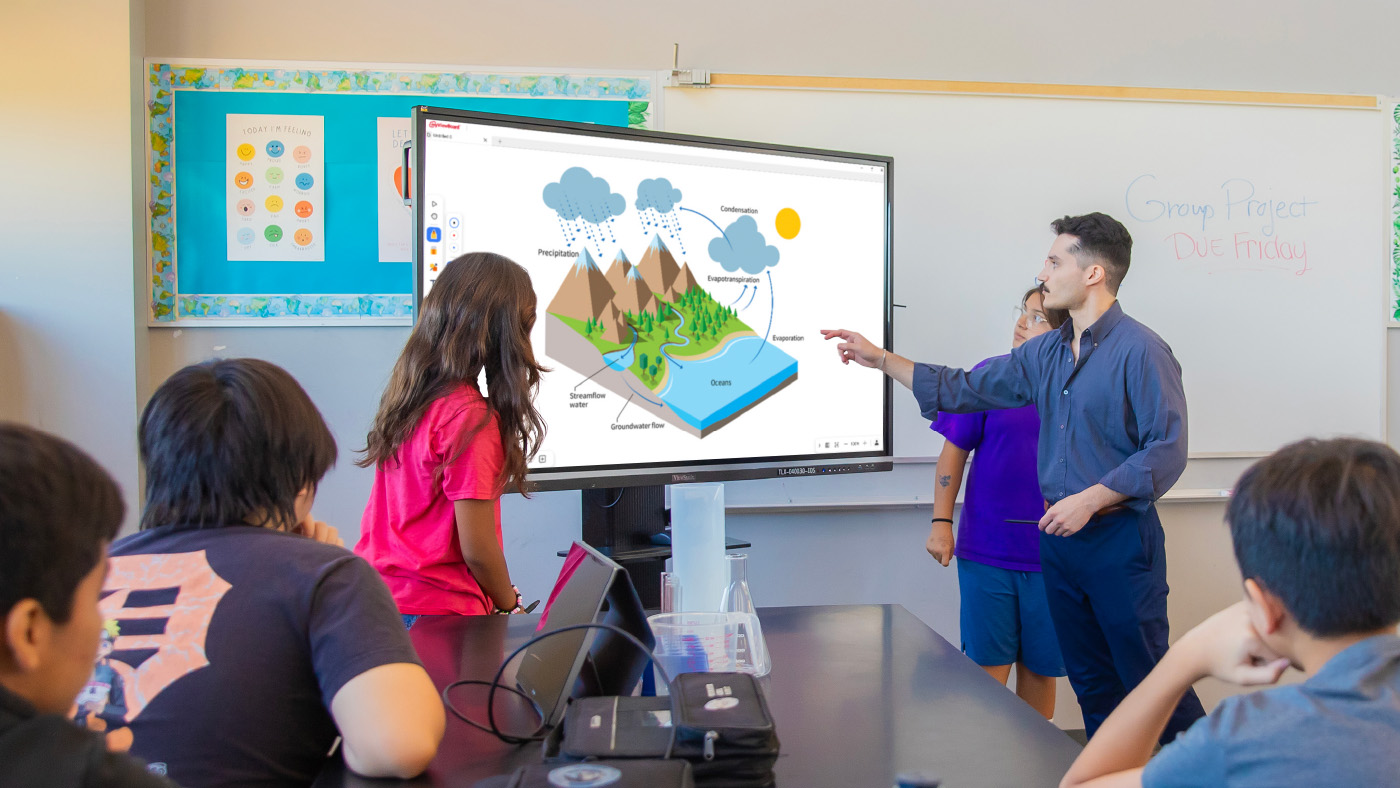
Lastly, we added crucial accessibility tools to make sure no student is left behind. This includes a Spotlight tool to focus student attention, Irlen filters for color blindness and an Immersive Reader for translation and literacy support. It’s a smarter digital whiteboard built entirely around daily classroom needs.

Creating Safer Wireless Casting With AirSync

Why did we build a dedicated casting tool? We packed myViewBoard with tons of amazing features for the classroom. But we heard from plenty of teachers who didn’t want all those extra bells and whistles. You told us you just wanted a simple and reliable way to cast your screen. We listened to that feedback and created AirSync.

This wireless casting software allows you to mirror your screen from any device to one or multiple larger displays. We also added a highly requested Moderator Mode so teachers can see a list of students who want to share their screens. You can approve them one by one. This completely prevents unapproved content from showing up on the board.

It also offers incredible flexibility for everyone in the room. It supports native casting like AirPlay and Chromecast, but it also has a convenient browser-based version at AirSync.net. This means guests can quickly share their screens without downloading a separate app. It is simple, secure and exactly what you asked for.

Learn more about AirSync

Expanding Classroom Safety Tools

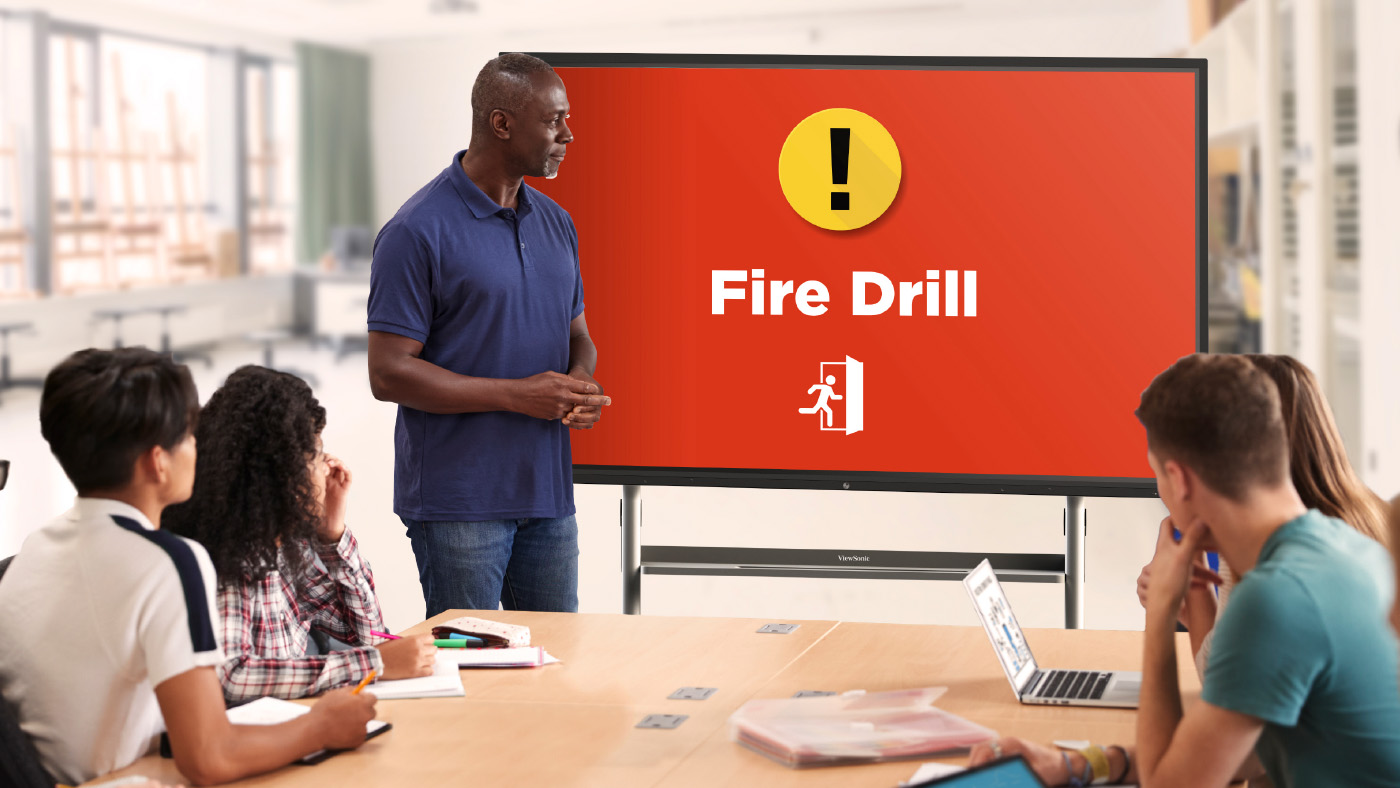
What does ViewSonic Manager software offer schools? School security is a massive issue these days. Administrators came to us with a critical problem. They needed a secure way to send alerts directly to classroom devices. Relying on a loudspeaker simply isn’t safe when a threat could hear it. We listened and updated Manager. Manager is our remote management tool designed specifically for IT staff. It includes a free feature called CAP Messaging. This tool connects your classroom displays directly to the school’s emergency alert system like CrisisGo or Raptor. Thanks to these integrations, teachers can now see clear visual alerts right on their board for fire drills or lockdowns.
Learn more about Manager

How to Share Your Feedback

Where can teachers submit their new ideas? We always want to hear from you! You can easily submit ideas using the in-app form located directly inside your myViewBoard settings. You can also join the ViewSonic Educator Community to request new features, share lesson plans and connect with other amazing teachers.

ViewSonic Showcases Latest Classroom Collaboration Tools for Remote- and Hybrid-Based Learning Environments at FETC 2021

ViewSonic Introduces myViewBoard Manager and Clips, myViewBoard Box and a Line of Pen Displays for Education

Brea, CA (Jan. 26, 2021) – ViewSonic Corp., a leading global provider of visual solutions, introduces the myViewBoard™ Manager, myViewBoard Clips Hybrid Package, myViewBoard Box and a line of Pen Displays for remote and hybrid-based learning environments at the Future of Education Technology Conference, Jan. 26-29, 2021. A part of the ViewSonic myViewBoard education ecosystem, myViewBoard Clips and Pen Displays offer interactive and portable solutions in the classroom or at home for digitized learning.

As schools continue to develop new and creative learning environments to match the needs of remote- and hybrid-learning environments, teachers and students face challenges that require resources from hardware to software. The ViewSonic® myViewBoard™ software is a powerful tool that empowers teachers to build lesson plans, create engaging content and share lessons with students. It works with Windows-, Android- and cloud-based environments, and can work with existing technology for seamless integration.

With the myViewBoard Clips hybrid package, educators can access more than two million licensed educational videos and share with students learning at home. The content is educationally curated, fit for common core standards, and can be sorted based on age level and subject matter. Every video is selected from a library of more than 150 media partners, including: TED, PBS NewsHour and Bloomberg Media, as well as teachers’ favorites such as Crash Course, Minute Earth and LearnZillion.

The myViewBoard Manager allows IT administrators to control and monitor devices, as well as broadcast messages to any display panels from anywhere, and is available to myViewBoard entity users. myViewBoard Manager Advanced is a premium version that features management for up to 100 administrators, more cloud storage, broadcast of multimedia messages, as well as a report for device usage. The broadcasting function allows users to disseminate messages, videos and information to all devices from one location. The bigger cloud storage ensures the space availability for different media content, while the reporting feature shows analytics based on usage and devices, among others.

The new Pen Display devices include the ID1330 ViewBoard Pen Display. The ID1330 is an ultra-thin 13.3-inch pen display that features a battery-free pen to create, manage and share digital content. With this pen display, instructors in science, technology, engineering, arts and mathematics can enjoy better control and greater precision as they draw diagrams, equations and sketches. Teachers can use the ID1330 as a convenient second screen during online lessons or to create annotations during in-class presentations. The ID0730 ViewBoard Notepad is a user-friendly device that allows users to take digitalized notes in real-time. Both the ViewBoard Pen Display and ViewBoard Notepad work seamlessly with ViewSonic myViewBoard™ software and are compatible with Windows, Mac and Chrome OS.

The myViewBoard Box VBA100-A is a companion device for the myViewBoard ecosystem. It instantly transforms any touch display into a digital whiteboard. Any interactive projector, flat panel or touch monitor can be used as a hub to share content. By just connecting the myViewBoard Box directly to any display, via USB-C or HDMI and USB-A connector, it can mirror any myViewBoard canvas to share content from anywhere (through the built-in myViewBoard Display app).

“ViewSonic is excited to introduce these solutions that are part of the myViewBoard ecosystem and can help teachers and students with sharing and collaboration, even at a distance,” said Sean Liu, business line manager, software at ViewSonic America. “myViewBoard Clips and the Pen Displays were developed to provide supplementary tools for digitalized learning in this new distance/remote/hybrid learning environment. While myViewBoard Manager provides the tools needed for IT administrators to manage devices remotely and make hybrid setup hassle-free for teachers.”

myViewBoard Manager is available now and is complimentary for those who enroll in the myViewBoard ecosystem. myViewBoard Manager Advanced will be available in April 2021. The myViewBoard Clips In-Class Learning package is $1,000 a year/per school (20 concurrent streams) and the Hybrid Learning package is $2,200 a year/per school (31 concurrent streams per classroom).

The ID1330 Pen Display is available now for an estimated street price of $349.99, and the ID0730 Notepad is available now for an estimated street price of $69.99.

The VBS100-A myViewBoard Box is available now for an estimated street price of $269.99

For further news and information about ViewSonic, visit ViewSonic.com and follow on Facebook, YouTube and Twitter.


About ViewSonic

Founded in California, ViewSonic is a leading global provider of visual solutions and conducts business in over 100 countries worldwide. As an innovator and visionary, ViewSonic is committed to providing comprehensive hardware and software solutions that include monitors, projectors, digital signage, ViewBoard® interactive displays, and myViewBoard™ software ecosystem. With over 30 years of expertise in visual displays, ViewSonic has established a strong position for delivering innovative and reliable solutions for education, enterprise, consumer, and professional markets and helping customers “See the Difference.” To find out more about ViewSonic, please visit www.viewsonic.com.


#  #  #


*Program, pricing, specifications, and availability are subject to change without notice

This news release contains forward-looking statements that reflect the Company’s expectations with regard to future events. Actual events could differ significantly from those anticipated in this document. Trademark footnote: ViewSonic and the ViewSonic trademarks are trademarks or registered trademarks of ViewSonic Corporation in the United States and/or other countries. All other corporate names and trademarks stated herein are the property of their respective companies.


ViewSonic Introduces the ViewBoard Pen Display and ViewBoard Notepad Interactive Devices

These Next-Generation Portable Solutions Support Distance/Hybrid and Digitalized Learning

 BREA, CA (December 16, 2020) – ViewSonic Corp., a leading global provider of display solutions, introduces the launch of the ViewBoard® Pen Display and the ViewBoard Notepad. These new portable and interactive solutions can be used as supplementary devices in the classroom or home for distance/hybrid and digitalized learning.

The ID1330 ViewBoard Pen Display is an ultra thin 13.3-inch pen display that features a battery-free pen to create, manage and share digital content. It can be connected with any PC or laptop as a secondary touch device to share content. The ID0730 ViewBoard Notepad is a user-friendly device that allows users to take digitalized notes in real-time. Both the ViewBoard Pen Display and ViewBoard Notepad work seamlessly with the ViewSonic® myViewBoard™ software.

“ViewSonic is excited to introduce these new interactive display devices that can help boost sharing and productivity,” said Sean Liu, business line manager, software at ViewSonic America. “These solutions were developed to provide supplementary tools in a classroom or at home for digitalized learning in this new distance/hybrid learning environment. Whether users are creating, managing or sharing digital content, the Pen Display and Notepad can enhance efficiency.”

ID1330 ViewBoard Pen Display

• 3-inch interactive display equipped with a patented electromagnetic pen

• Delivers intuitive and accurate handwriting with 8,192 levels of pressure sensitivity, along with +/- 60-degree tilt

• 250pps response rate minimizes latency to less than 30ms

• Ultra-thin design and weighs 1.8 pounds

• Supports HDMI/USB or 2-way Power with USB-C connectivity

• Compatible with Windows, MacOS, and Chome operating systems

• Available now for an estimated street price of $349.99*

ID0730 ViewBoard Notepad

• A 7.5-inch interactive solution equipped with a patented electromagnetic pen

• Delivers intuitive and accurate handwriting with 4,096 levels of pressure sensitivity

• Pen also features real ink, and allows users to write or draw on real paper, while the pen strokes are digitized in real time

• Plug-and-play functionality with no driver installations;

• Single-cable connectivity with a micro-USB cable to a PC or laptop

• Compact in size and lightweight at 0.4 pounds

• Compatible with Windows, MacOS, Chome OS, and Android 7.0+

• Available in December for an estimated street price of $69.99*


For further news and information about ViewSonic, visit ViewSonic.com and follow on Facebook, YouTube and Twitter.


About ViewSonic

Founded in California, ViewSonic is a leading global provider of visual solutions and conducts business in over 100 countries worldwide. As an innovator and visionary, ViewSonic is committed to providing comprehensive hardware and software solutions that include monitors, projectors, digital signage, ViewBoard® interactive displays, and myViewBoard™ software ecosystem. With over 30 years of expertise in visual displays, ViewSonic has established a strong position for delivering innovative and reliable solutions for education, enterprise, consumer, and professional markets and helping customers “See the Difference.” To find out more about ViewSonic, please visit www.viewsonic.com.


#  #  #


*Program, pricing, specifications, and availability are subject to change without notice.

 This news release contains forward-looking statements that reflect the Company’s expectations with regard to future events. Actual events could differ significantly from those anticipated in this document. Trademark footnote: ViewSonic and the ViewSonic trademarks are trademarks or registered trademarks of ViewSonic Corporation in the United States and/or other countries. All other corporate names and trademarks stated herein are the property of their respective companies.