 Teacher's Community
  Support


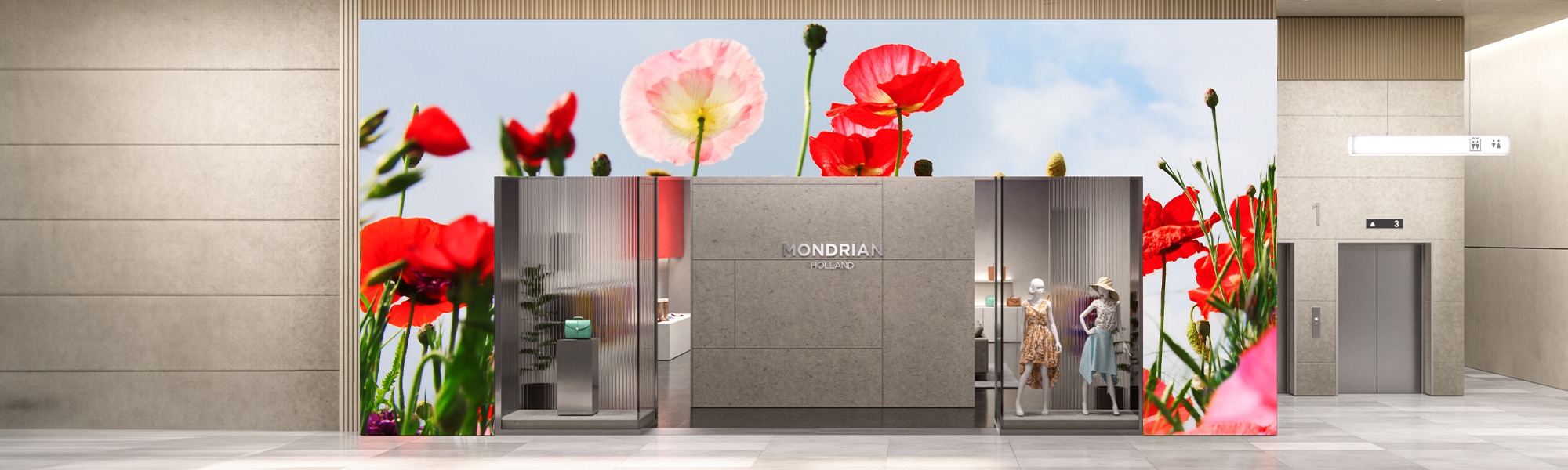
The LDC series lets you design a Direct View LED video wall perfectly tailored to your space. Every Direct View LED video wall is comprised of multiple LED tiles within an LED cabinet. Depending on your desired screen size and aspect ratio, the quantity of LED cabinets will vary.

Custom Configurations Made Easy
ViewSonic® Configurable All-in-One dvLED Displays
The LDC series breaks free from traditional 16:9 constraints, allowing you to design the perfect video wall for your specific needs. Whether you require a unique aspect ratio or a digital signage of extraordinary dimensions, the LDC series delivers.
Lets Build Your Perfect Screen


Flexible Cabinet Size
Pixel Pitch
Choose from four distinct LDC Direct View options – 1.2, 1.5, 1.8, and 2.5 pixel pitch – to design a video wall that delivers the optimal viewing experience for your space and audience. These pixel pitch variations cater to a range of viewing distances, ensuring stunning visuals no matter where viewers stand.
Resolutions
Regardless of the shape, size and configuration of your video wall, rest assured that it will deliver amazingly vibrant and stunning images in 1080p, 4K and non-standard resolutions.
Glue-on-Board Technology
Glue-on-board (GOB) technology provides a protective shield that safeguards the LEDs during installation and daily use. The IP54 rating of the LED module surface ensures resistance to dust, and moisture, making it perfect for busy public spaces.
All-in-One Design
Everything you need is included and built to your exact requirements: the LED displays, power supply, control system, and image stitching.*

*Professional installation is required.
Lower Energy Consumption
LDC video walls offer 30-40% lower energy consumption compared to traditional video walls, reducing operational costs and significantly impacting the total cost of ownership.

Clear Communication
Elevate your visual experience with ViewSonic Direct View LED displays. With ultra-fine pixel pitches, our cutting-edge technology delivers stunning image quality, clear text, vibrant colors, and exceptional detail. Choose from four distinct LDC Direct View options – 1.2, 1.5, 1.8, and 2.5 pixel pitch – to find the perfect fit for your boardroom or control room.

Sleek Designs
LDC video walls feature sleek, bezel-free designs, creating a seamless and immersive viewing experience ideal for high-impact messaging and content delivery in a variety of environments.

Industry Leading Features
LDC video walls offer industry-leading features such as exceptional color accuracy, easy maintenance, and an extended lifespan, ensuring reliable and stunning performance for years to come.


Color Accuracy
Thanks to 100% Rec.709 wide color gamut, high contrast and stunning screen performance, audiences will experience vibrant, true-to-life visuals.
Front Serviceability
Our user-friendly design prioritizes easy maintenance. Because the LED modules are accessible from the front of the display, maintenance and replacement is self-serviceable, eliminating the need to access anything from the back of the display.
Built to Last
A remarkable 100,000-hour LED lifespan ensures years of reliable, high-performance 24/7 operation, maximizing your investment and minimizing maintenance costs.
Multiple Inputs on One Screen
Integrated Picture-in-Picture (PIP) and Picture-by-Picture (PBP) functionality allows you to use up to four HDMI source inputs.
Durable Glue-on-Board Surface Treatment
Flexible Installation Orientation
Forget limitations. The ViewSonic LDC series takes Direct View LED displays to a whole new level of customization. These all-in-one displays adapt perfectly to your space, with flexible landscape and portrait configurations that break free from standard sizes and aspect ratios.

Pre-Configured Universal Control Bar
We offer a range of pre-configured control box options to suit various design and installation needs, including single power, dual power, with or without speakers, and rack-mountable versions. Control boxes can be installed directly connected to the display, discreetly hidden behind it, or positioned up to 10 meters away for greater flexibility. *Hidden and separate installation kits sold separately.
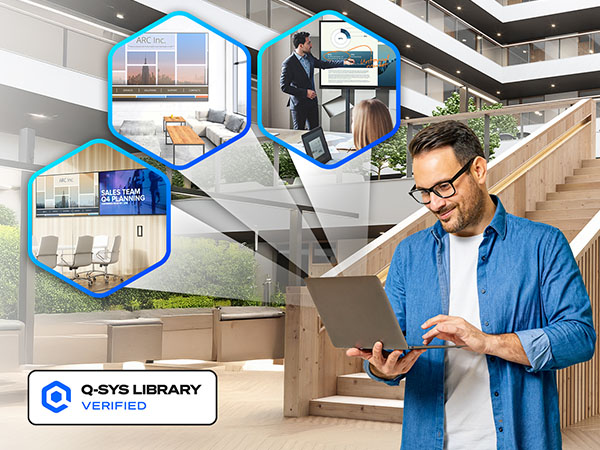
SEAMLESS IT AND AV INTEGRATION
We designed these displays to work with the control systems you already use. They integrate into the Q-SYS Ecosystem via a Q-SYS LIBRARY VERIFIED plugin. They are also compatible with Crestron, Extron, and AMX.
This broad compatibility lets your IT team manage key functions like power, volume, and inputs from one central spot. You get a simple setup that makes it easy to expand your system whenever you’re ready.
Unmatched ViewSonic Support
An experienced US-based ViewSonic Field Solutions Architect will guide you through every step, including design, site preparation, product and spec recommendations, and installation planning, all at no extra cost. We’ll also verify site readiness and provide on-site supervision during installation.

Become a Certified dvLED Installer
With the ViewSonic Direct View LED Installation Certification Program, you’ll gain the hands-on skills to install and maintain our All-in-One displays. In just two days, earn CTS Renewal Units and the confidence to manage projects independently. Become the technical expert your organization relies on.
Convenient Rack Mount
Tired of bulky and complicated setups? The ViewSonic LD-SCB-023 rack mount provides a simplified solution. Its compact two-unit design integrates power and control modules for easier installation. Unlike traditional setups, this all-in-one approach reduces energy consumption and simplifies operations. You can power your displays on and off from a single location, saving both time and effort.

ViewSonic Insights
Learn how we are helping our customers


Product Documentations
Refer to the following documents for detailed specifications and installation instructions
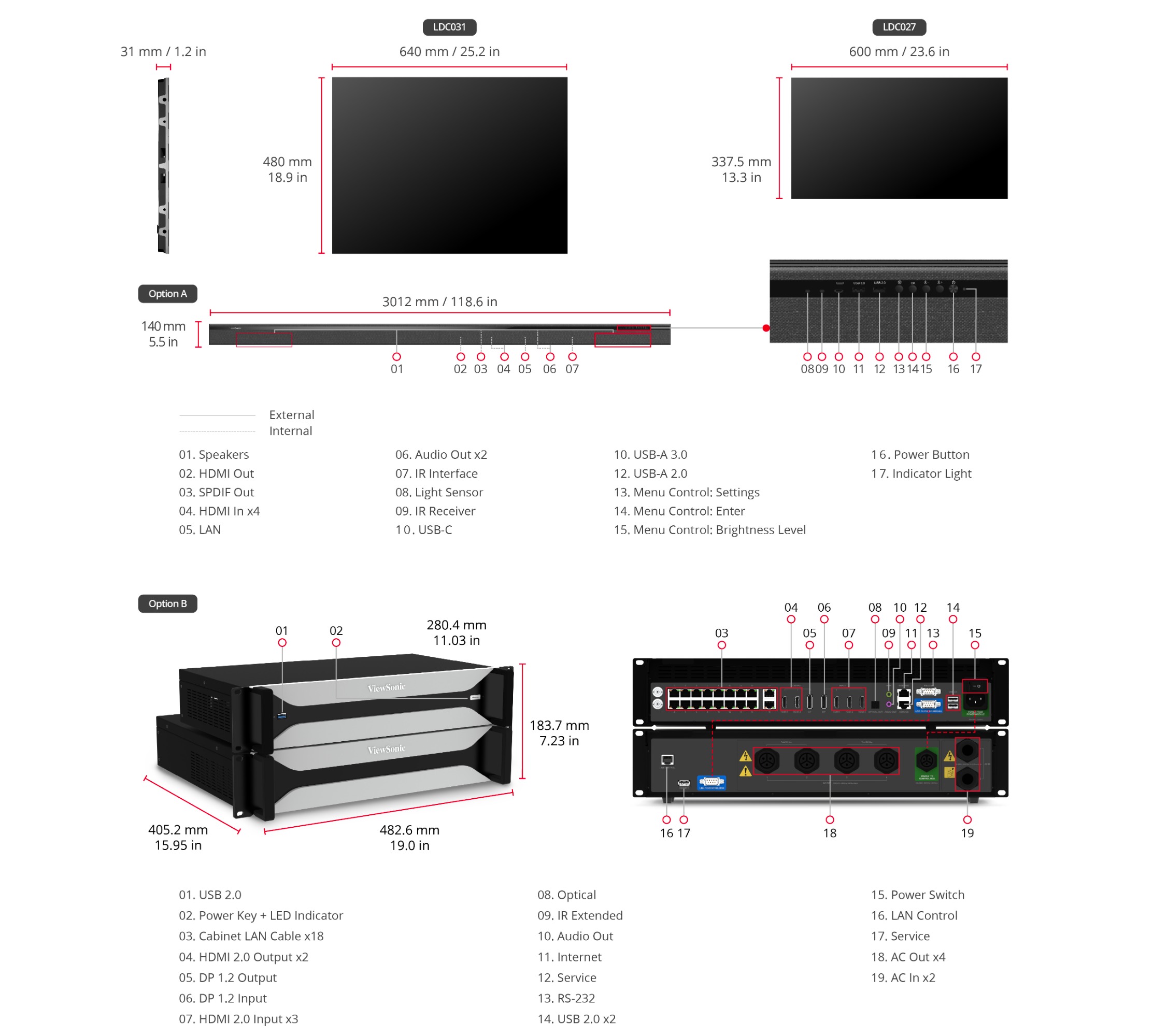
01. Speakers
02. HDMI Out
03. SPDIF Out
04. HDMI In*4
05. LAN
06. Audio Out*2
07. IR Interface
08. Light Sensor
09. IR Receiver
10. USB-C
11. USB-A 3.0
12. USB-A 2.0
13. Menu Control:Setting
14. Menu Control:Enter
15. Menu Control:Brightness Level
16. Power Button
17. Indicator Light
Driver and Software
To build your configurable screen


Unlock
15% OFF
when you subscribe.
By Clicking "CONTINUE" you agree to receive our newsletter. You can unsubscribe at any time. Discount applies to one (1) item only, not the entire order. Offer is not stackable or combinable with any other promotions or promo codes.
Login and Registration Form