The IFP41 Series of Interactive Displays Recognized for its Education-Friendly Features
ORLANDO (July 6, 2026) – ViewSonic Corp., a leading global provider of visual and edtech solutions, announced that the company’s ViewBoard® IFP41 Series of interactive displays has been selected as a winner of Future’s Best of Show Award, presented at ISTELive 2026 by Tech & Learning in the Secondary Education category.
Tech & Learning’s Best of Show Awards are evaluated by a panel of industry experts and editors, based on a range of criteria, including innovation, feature set, reliability, and performance. Winners were revealed at ISTELive and announced on techlearning.com.
The IFP41 Series is available in sizes ranging from 55- to 98-inches and are designed to drive collaboration in modern classrooms. With Android 16 EDLA certification, the series provides secure, built-in access to Google Workspace, Microsoft 365, and other applications. The display features a 64-point multi-touch display with advanced palm rejection that allows multiple users to write or draw simultaneously. It also includes a 55W front-facing multimedia soundbar and an eight-microphone beam-forming array that captures voices up to 25 feet away.
“The products nominated for the Best of Show program, provide an outstanding overview of new technology on the show floor and shine a spotlight on the products, and businesses behind them, who are transforming education in schools around the world,” said the awards editorial team.
“We’re proud to have the IFP41 Series recognized as a Best of Show Award winner at ISTE 2026,” said Jeff Muto, Business Line Director at ViewSonic. “This series was designed to make collaboration easier for educators with minimal set-up. By including Android 16 EDLA certification and access to popular apps like Google Workspace, classrooms can run more efficiently.”
Founded in 1987 and headquartered in Brea, California, ViewSonic is a leading global provider of visual solutions for the education, business, and consumer markets, with a presence in over 100 countries. Driven by the mission to transform education, workplaces, and lives, the company delivers a unified ecosystem of innovative hardware, software, and services that integrates seamlessly with the platforms, tools, and partners customers trust. Its product portfolio includes monitors, projectors, interactive displays, LED displays, commercial displays, video conferencing systems, and industrial solutions. Complementing its hardware is a robust suite of software offerings—including myViewBoard®, ClassSwift®, TeamOne®, ViewSonic Manager™, and AirSync™—featuring AI-powered tools for collaboration, device optimization, and management. By empowering creativity, collaboration, and lifelong learning, ViewSonic supports customers at every stage in achieving their business and sustainability goals, creating a lasting impact and helping people everywhere connect with purpose—and See the Difference®. Learn more at www.viewsonic.com.
*Actual performance, compatibility, and user experience may vary depending on system configuration, network conditions, usage environment, and other factors. Programs, pricing, specifications, and availability are subject to change without notice. This news release contains forward-looking statements that reflect the Company’s expectations with regard to future events. Actual events could differ significantly from those anticipated in this document. Trademark footnote: ViewSonic and the ViewSonic trademarks are trademarks or registered trademarks of ViewSonic Corporation in the United States and/or other countries. All other corporate names and trademarks stated herein are the property of their respective companies.
The Company’s Hardware and Software Tools are Ready to Enhance Educators’ Teaching Methods and Encourage Student Learning and Collaboration
ORLANDO (June 29, 2026) ISTE 2026 – Booth 1928 – ViewSonic Corp., a leading global provider of visual and edtech solutions, highlights its line-up of hardware and software solutions to ISTE LIVE, June 29–July 1, 2026. From the latest interactive flat panel and Direct View LED displays to commercial and desktop displays, along with the ISTE Seal designated myViewBoard® 3.0 (now integrated with ClassSwift® education software), ViewSonic brings its wide range of solutions for collaboration, sharing, and communications in schools and classrooms.
ViewSonic continues to deliver solutions that help reconfigure classrooms and learning spaces into next-generation environments that are more immersive, interactive, and collaboration-ready. These technologies and displays integrate hardware and software options to ensure educators and teachers can optimize experiences and lessons.
“ViewSonic is focused on how to simplify solutions for use in classrooms, around campus, and other learning spaces to boost creativity, collaboration, and communication,” said Jeff Muto, Business Line Director at ViewSonic. “We understand how needs constantly evolve in the education market because we work with educators to gather feedback. That’s how ViewSonic can offer comprehensive tools that students, teachers, and IT teams can utilize easily.”
LDS136-152 All-in-One Direct View mobile LED Display
136-inch foldable screen pre-assembled in a protective flight case
New commercial grade built-in motorized stand provides an industry-leading extra 3.7 feet of vertical adjustment
Integrated stand and display remote control allow management of both screen settings and motorized lift
I/O ports are more accessible and provide direct connectivity without opening panels or exposing internal boards
Glue-on-Board (GOB) Technology is designed to provide additional resistance to impact, dust, and moisture for an IP54 rating; IK06 rating for impact protection in heavy-use environments
Versatile connectivity includes HDMI (x4), HDMI output (x1), SPDIF and 3.5mm Audio Out, USB connectivity, WiFi Bluetooth, Ethernet, RS-232, and an OPS slot
Native 1080p (1920x1080) Full HD resolution, 600-nit brightness, 6,500:1 contrast ratio, and dual 30W speakers
LDE 108-123 Direct View LED Display
A 108-inch pre-configured All-in-One solution with native 1080p resolution and a simplified OS designed to streamline setup and operation
Combines the display, power, control, and image stitching into a single, cohesive system that is integrated into the cabinets
With no external control box, it achieves a lightweight design with a 99 percent screen-to-body ratio and maintains an ADA-compliant 2.05-inch depth profile when installed with the included mounts
Glue-on-Board (GOB) Technology is designed to provide additional resistance to impact, dust, and moisture for an IP54 rating; IK06 rating for impact protection in heavy-use environments
Compatibility with leading AV control systems for simplified control and monitoring, including Q-SYS library verified status and compatibility with Crestron, Extron, and AMX
ViewSonic ViewBoard IFP51 Series Interactive Touch Display
Available in sizes from 55- to 98-inches; interactive display with native 4K Ultra HD resolution
50-point multi-touch display supports simultaneous writing or drawing with styluses or fingers, with palm rejection technology
Security with Android™ 16 EDLA which provides automatic Google updates, Google Play Protect, data encryption, and two-way authentication, designed to help protect school networks and user data
Google Workspace™ Enterprise Management provides IT administrators with tools for policy enforcement, app management, network configuration, and remote security control /li>
Seamless integration with Google Education Ecosystem
Engaging lessons with built-in ViewSonic® Education Software including myViewBoard, AirSync™, and Manager™, among others
Features a front-facing 80W (max) multimedia sound bar with an integrated subwoofer; Built-in 8-microphone beam-forming array to capture voices from up to 25 feet away
Instant Sign-In for one-step sign-in via QR code, NFC, or Single Sign-On (SSO) simplifies device management and improves efficiency
Connectivity options include HDMI 2.1, VGA, DisplayPort, SPDIF, USB Type A/B, RS232, RJ45, Intel OPS Slot-In (80 pin), Line-In, and Mic-In
ViewSonic ViewBoard IFP41 Series Interactive Touch Display
Available in sizes from 55- to 98-inches; interactive display with native 4K Ultra HD resolution
64-point multi-touch display supports simultaneous writing or drawing with styluses or fingers, with palm rejection technology
Security with Android 16 EDLA along with secure, built-in access to Google Workspace, Microsoft 365, and other applications; Seamless integration with Google Education Ecosystem
Deployment is streamlined, and IT teams can easily manage and offer support through ViewSonic Manager, Google Workspace Enterprise Management, and Microsoft Intune
An upgraded octa-core CPU paired with high-bandwidth DDR5 memory delivers faster load times and stable performance
Engaging lessons with built-in ViewSonic Education Software including myViewBoard, AirSync, Manager, and other ViewSonic education tools
Features a front-facing 70W (max) multimedia sound bar with an integrated subwoofer; Built-in 8-microphone beam-forming array to capture voices from up to 25 feet away
Integrated ambient light and Passive Infrared (PIR) motion sensors automatically optimize power by waking the display upon approach and entering power-saving mode when idle, significantly reducing energy use and operating costs
ViewSonic ID2456-4K Podium Touch Display
Multifunctional 24-inch touch display with native 4K Ultra HD resolution
10-point Projected Capacitive (PCAP) touch technology supports simultaneous writing or drawing with styluses or fingers, with palm rejection technology
Supports 100% sRGB color for accurate color representation
Works with Microsoft Pen Protocol [MPP2.0] active pens to deliver precision and accuracy
The USB-C connectivity offers single-cable video, audio, and power, along with HDMI v2.0, and DisplayPort for screen mirroring or desktop extension, supporting seamless integration
Compatible with Windows, Android, Chrome, and macOS (via vTouch™ software), the display supports a wide range of devices and platforms
The sleek, bezel-less design allows it to easily become an extension for podiums without taking up extra room
Built-in kickstand adjusts from 15- to 70-degrees tilt for a comfortable viewing angle whether seated or standing; can also be mounted, offering flexibility for different room layouts
Native 4K UHD resolution for detailed graphics, crisp text, and lifelike video in landscape or portrait orientation; 500nits of brightness and 24/7 reliability
Offers landscape or portrait mode flexibility
Instant-On Warm Boot (<10 seconds) so presentations and signage can start up immediately
Powerful secured embedded platform; Android AOSP with the newest security patches, app compatibility, and open platform for custom integration
One cable USB-C convenience with 65W USB-C delivers video, data, and power
Picture-in-Picture (PIP) and Picture-by-Picture (PBP) options allow up to two independent sources to run at the same time
Certified with AppSpace, Navori, and other CMS software so external media players are not needed
Universal BYOD compatibility to connect with any laptop, mini-PC, media player, or OPS module (65-inch and larger only) without ecosystem lock-in
All-in-one connectivity & management with ViewSonic Manager, AirSync wireless casting, USB media playback, and 3.5mm audio I/O
Comes in sizes from 43- to 98-inches
ColorPro® VP2788-5K Thunderbolt 4 Docking Monitor
27-inch monitor with native 5K (5120x2880) resolution for Mac and PC ecosystems
99% DCI-P3 color gamut providing a vibrant and powerful complement to Apple’s scaling functionality for sharp details and Retina-like clarity
Supports multi-display set-up with daisy-chaining up to two 5K monitors
Thunderbolt 4 docking station with 100W power delivery and other connectivity options
60Hz refresh rate and data transfer speeds up to 40Gbps
Connectivity options include Thunderbolt 4, HDMI 2.1, DisplayPort, USB-A, and USB-C
SOFTWARE SOLUTIONS
ViewSonic myViewBoard 3.0 Whiteboarding Software with Quiz Tools
Interactive learning solution designed to simplify and enable ideas, and foster creativity with embedded EdTech software to create dynamic, real-time lessons, gain insights, enhance student engagement, and maximize learning
Software allows lesson planning, classroom engagement, real-time wireless collaboration, screen mirroring/sharing, and digital whiteboarding
Works with Windows-, Android-, and cloud-based environments and can work with existing technology for seamless integration
Multi-format file sharing now allows teachers to add tabs to open multiple files and import existing materials from a variety of file formats through cloud storage
Teachers can utilize existing materials for more efficient teaching, create interactive, push-and-response content, and integrate into lessons
Includes one of the most extensive varieties of background styles to accommodate different teaching scenarios and students with diverse learning needs
Includes support for text-to-speech (TTS), immersive reading, and multilingual tools to enhance interactive learning
Features real-time student performance insights, so teachers can modify lessons and adapt new tactics based on student preferences
Founded in 1987 and headquartered in Brea, California, ViewSonic is a leading global provider of visual solutions for the education, business, and consumer markets, with a presence in over 100 countries. Driven by the mission to transform education, workplaces, and lives, the company delivers a unified ecosystem of innovative hardware, software, and services that integrates seamlessly with the platforms, tools, and partners customers trust. Its product portfolio includes monitors, projectors, interactive displays, LED displays, commercial displays, video conferencing systems, and industrial solutions. Complementing its hardware is a robust suite of software offerings—including myViewBoard®, ClassSwift®, TeamOne®, ViewSonic Manager™, and AirSync™—featuring AI-powered tools for collaboration, device optimization, and management. By empowering creativity, collaboration, and lifelong learning, ViewSonic supports customers at every stage in achieving their business and sustainability goals, creating a lasting impact and helping people everywhere connect with purpose—and See the Difference®. Learn more at www.viewsonic.com.
*Actual performance, compatibility, and user experience may vary depending on system configuration, network conditions, usage environment, and other factors. Programs, pricing, specifications and availability are subject to change without notice. This news release contains forward-looking statements that reflect the Company’s expectations with regard to future events. Actual events could differ significantly from those anticipated in this document. Trademark footnote: ViewSonic and the ViewSonic trademarks are trademarks or registered trademarks of ViewSonic Corporation in the United States and/or other countries. All other corporate names and trademarks stated herein are the property of their respective companies.
From Passive to Participatory: Transforming Classrooms with ViewBoard Interactivity
In our latest Community webinar, ViewSonic Professional Development Trainer, Enrique Hug, shared how educators can move from passive instruction to active student participation. The goal is to bring students to the front-of-class ViewBoard® interactive display to lead their own learning. With ViewBoard displays, the classroom becomes a collaborative hub rather than a teacher-centered lecture.
The 90% Problem: Why Interactivity Matters
Research suggests that in a traditional classroom, teachers tend to call on only 5% to 10% of students daily. This leaves 90% of the class sitting passively. While many teachers select popsicle sticks or ask for group answers, our strategy focuses on a better way. You can use the ViewBoard to engage that silent majority through tactile tools.
1. Participate Mode: The Engagement Multiplier
Why have one student at the board when you can have six? Participate Mode leverages the board’s 50+ point touch technology to create independent workspaces. This is one of the most powerful ways to turn a lesson into a hands-on experience.
Split Screen: Perfect for small group rotations or student-led modeling.
Exit Tickets: Quickly check for understanding by having group reps write answers simultaneously.
Independent Backgrounds: Set an XY-coordinate plane for one student and a world map
2. The Magic Box: Turning Math Into Manipulatives
One of the most versatile features of the myViewBoard whiteboarding software is the Magic Box. Itallows teachers to bridge the gap between abstract concepts and visual mastery by creating live math manipulatives in seconds. Here are just a few of the math features:
FEATURE
CLASSROOM APPLICATION
DIGITAL DICE
Generate numerators and denominators in real-time for probability or fraction lessons.
MATH FORMULA ASSISTANT
A tool where users can write math formulas and symbols. Once finished, press insert to add it to the canvas as text.
TACTILE MASTERY
Students can physically pull off a slice of a fraction to visualize the parts of a whole, making the learning kinesthetic.
3. Tailored Environments: Backgrounds That Work for You
One of the most powerful ways to streamline your workflow is through Background Customization. Your ViewBoard display shouldn’t just be a blank slate; it should be an environment tailored to your specific subject and teaching style.
Curated Originals: Access a massive library of pre-made backgrounds. Find exactly what you need, from XY-coordinate planes and world maps to primary lined paper and musical staves.
The Favorite Workflow: You can favorite the backgrounds you use every day, ensuring your primary teaching tools are always one tap away. Log in and save your favorites here.
Full Customization: You can upload your own custom PNGs or JPEGs directly to your cloud-connected folders. Whether it’s a specific graphic organizer or a school-branded template, your ViewBoard display works exactly how you work.
Empower Your Students
The true power of a ViewBoard display isn’t in what the teacher can do with it, but in what the students can discover through it. By shifting the focus toward student-led interactivity, students become active participants who look forward to coming to class every day, eager to see what they will create next on the board.
Watch the entire webinar here:
ViewSonic Educator Community
The ViewSonic® Educator Community is an interactive and collaborative forum designed to inspire and connect you with fellow educators from around the world. When joining our community, educators can share their own creativity and ideas, leverage the expertise of others, and gain new friends. It’s collaboration and growth at its finest.
Community Webinar Recap: 3 Dynamic Ways to Level Up Whiteboard Content
The myViewBoard® ecosystem is designed to be more than just a blank space. It’s a true hub for interactive learning! In a recent ViewSonic Community webinar, professional development trainer Carissa El-Chahabi showed us how to move beyond basic annotation. She demonstrated exactly how to transform your canvas into a rich multimedia experience.
Here are three powerful ways to bring your lessons to life.
1. Direct File Imports
There is no need to reinvent the wheel when planning your week. If you have existing resources saved as Google Docs, Promethean Flipcharts, Smart Notebook files, presentation slides or PDFs, you can open them directly inside your session.
2. Magic Box: Seamless YouTube Integration
Stop fumbling with browser tabs and distracting web links. The Magic Box allows you to search for and embed YouTube videos directly onto your canvas.
Why is this a game changer? It automatically skips all those annoying advertisements. This keeps the classroom focus entirely on your curriculum. Because the video is embedded right into your file, you never have to leave the myViewBoard environment to hit play.
3. Magic Box: Integrated Image Search
Need a quick diagram of a plant cell or a high-res photo of the Colosseum? You can search and add images without having to go to the web or save on your computer.
Once you drop an image onto the canvas, our adorning menu gives you instant control. You can freely resize, crop or lock the image in seconds to fit your lesson layout perfectly.
Keep Learning With Us
We are always sharing new ideas and helpful tricks to make teaching easier. Ready to see these digital whiteboard features for yourself?
K-12 Summer IT Checklist for ViewBoard Interactive Displays
Everything K-12 IT admins need to close out the year: ViewBoard maintenance, firmware updates, staff accounts and summer planning in one guide.
K-12 End-of-Year IT Checklist: Managing ViewBoard Interactive Displays and Campus Devices
For K-12 IT administrators, the end of the school year is the best opportunity you’ll have to ensure your campus is ready for the fall.
Because active instruction has paused, every task you complete eliminates a potential first-day emergency in September.
This guide outlines exactly how school IT admins can close out the year, optimize ViewBoard® interactive displays and ensure back-to-school readiness.
Plus, because you can complete most of these tasks remotely through ViewSonic Manager™ or Manager Advanced™, you can run your entire end-of-school checklist from a single screen.
Summer IT Maintenance Checklist At a Glance
The following checklist outlines your core priorities and the tools required to execute them before the new school year begins:
MANAGER (free)
Task
Tool
Priority
Encourage teacher lesson backup
myViewBoard
High
Panel cleaning and accessory audit
On-site
High
Enroll new devices
On-site / ViewSonic Manager
High
Update ViewBoard firmware
ViewSonic Manager
High
Push app updates
ViewSonic Manager
High
Remove/add staff accounts
ViewSonic Manager
High
MANAGER ADVANCED (paid)
Task
Tool
Priority
Audit remote access credentials
Manager Advanced
High
Security review
Manager Advanced
High
Power down unused displays
Manager Advanced (automated)
Medium
IN-PERSON
Task
Tool
Priority
Meet with ViewSonic representative
ViewSonic VIP Program
Medium
Plan professional development
ViewSonic Professional Development
Medium
Why Summer IT Maintenance Matters
In school IT, deferred maintenance behaves almost exactly like interest: it compounds into massive tech debt by September.
Addressing these tasks over the break means fewer surprises when teachers and students return in the fall.
How ViewSonic Manager Can Help IT Admins Prepare for Summer
ViewSonic Manager is a free, cloud-based device management platform that lets IT admins access, monitor and maintain their district’s ViewBoard® interactive displays from any browser.
Instead of dealing with displays individually, you can use the platform as a secure, centralized command center to control your entire fleet.
For school districts with larger deployments, the upgraded Manager Advanced tier adds automated job scheduling, device profiles and remote desktop access to handle bulk summer workflows without manual intervention.
If you haven’t already, enrolling your displays in ViewSonic Manager is one of the easiest ways to speed up and simplify every other task on your summer checklist.
On-Site Tasks: Checking Hardware Before the Break
A physical walkthrough before summer begins is the most effective way to protect your district’s hardware investment.
Addressing basic classroom wear now prevents minor physical issues from ballooning into expensive hardware replacements in the fall.
Clean and Inspect Every Display
Wipe screens and frames with a soft, dry microfiber cloth. Avoid harsh chemicals because they permanently ruin specialized anti-glare coatings.
Examine the physical mount, secure loose cables and inspect the connection ports for damage while standing at each panel.
Complete Your Accessory Audit
Locate and test every stylus, remote control and cable in each classroom to verify they are present and functioning.
Log any missing or damaged accessories immediately so you can place replacement orders early to avoid late-August shipping delays.
Enroll Any New Devices Immediately
Enroll newly received ViewBoard displays into ViewSonic Manager or Manager Advanced using a PIN, serial number or QR code.
Use the batch enrollment feature to streamline mass setups and bring your entire inventory under centralized control.
Remote Management: What to Handle Through ViewSonic Manager
Once your physical walkthrough is complete, you can use ViewSonic Manager to handle the rest of your summer checklist.
Instead of manually shutting down individual displays, save time by using ViewSonic Manager Advanced to apply shutdown rules to all panels or to specific groups based on usage.
myViewBoard Tasks: Accounts, Subscriptions and Cloud Storage
Your physical ViewBoard interactive displays and myViewBoard® whiteboarding software function as a connected system. Managing your cloud environment now prevents access issues when teachers begin developing curriculum, creating lessons and collaborating on classroom activities.
Confirm myViewBoard Access
Verify that your school or district has active myViewBoard access. Entity accounts receive free access and do not require renewal.
Confirm that all accounts are set up and accessible before teachers begin lesson planning for the new year.
Address account provisioning issues early while support response times are fastest.
Encourage Teachers to Back Up Their Lessons
Instruct teachers to back up important lessons and instructional materials to myViewBoard cloud storage.
Protect localized data from deletion during summer system resets or hardware replacements.
Device Lifecycle Planning: Putting This Year’s Data to Work
The post-semester break is the ideal time to audit your hardware using ViewSonic Manager utilization reports.
By providing clear performance metrics on screen times, app usage and system uptime, this data helps you pinpoint underutilized displays and catch failing hardware early.
Use these insights to build a proactive, budget-conscious replacement strategy, and review them with your ViewSonic representative.
Setting Up the Next School Year
Decisions made now determine how smoothly your next deployment begins.
Target Professional Development
Audit support tickets to identify which teachers struggled with interactive display features this year. Use these insights to coordinate targeted training sessions with the ViewSonic Professional Development team instead of generic onboarding programs.
Teachers and education professionals can also join ViewSonic’s complimentary Educator Community to get access to free community webinars as well as certification courses.
Review Your Fleet Strategy
Schedule a planning session with your ViewSonic representative to go over hardware performance and plan out your refresh roadmap.
Run a Final Remote Readiness Check
Perform a quick remote audit through ViewSonic Manager and Manager Advanced before buildings reopen. Verify that firmware is current, display profiles are correctly assigned and all panels are online.
Looking to Make Device Management Easier?
ViewSonic Manager and Manager Advanced™ are enterprise device management solutions that can help automate routine maintenance, schedule updates and provide remote desktop support.
Right now, schools can try Manager Advanced free for 30 days.
What should IT admins do at the end of the school year?
K-12 IT admins should complete a physical hardware walkthrough, update ViewBoard firmware and apps, clean up staff accounts, back up their Manager console and review cybersecurity compliance. Most of these tasks can be handled remotely through ViewSonic Manager or Manager Advanced without leaving your desk.
How do schools manage devices over the summer?
Schools using ViewSonic Manager can handle firmware updates, app installs, power scheduling and account management remotely from a single web-based control panel. Manager Advanced adds automated job scheduling for teams managing larger fleets.
What’s included in the school IT checklist?
A complete K-12 end-of-year IT checklist covers hardware inspection, accessory audits, firmware updates, app updates, staff account management, data backups, cybersecurity review, device lifecycle assessment and back-to-school readiness planning.
How do you prepare classroom technology for next year?
Start with a physical inspection of all displays and accessories. Use ViewSonic Manager and Manager Advanced to update firmware, push app updates, clean up staff accounts and schedule power-offs for unused devices. Finish by pulling lifecycle reports and then meet with your ViewSonic rep to plan any deployments or refreshes before fall.
What is ViewSonic Manager and is it free?
ViewSonic Manager is free web-based device management software included with every ViewBoard interactive display. It allows IT admins to monitor and manage displays remotely across an entire district. Manager Advanced is an upgraded subscription tier that adds automation, device profiles and remote desktop access.
Ready to Make Next Year Your Smoothest One Yet?
Talk to a ViewSonic Education Expert to review your current setup, discuss your summer priorities and build out a school technology plan designed around your district’s needs.
ViewSonic at InfoComm 2026: What to See at Booth #C7010
Event: InfoComm 2026 | June 17–19, 2026 | Las Vegas Convention Center | Booth #C7010
InfoComm 2026 is the show where display technology decisions get made — and ViewSonic is coming with a full lineup. From direct view LED innovations to EDLA-certified interactive flat panels, Booth #C7010 is where you'll see what's next for enterprise, education and commercial AV.
What Is ViewSonic Showing at InfoComm 2026?
dvLED leads the story. ViewSonic is showcasing its latest innovations across the direct view LED lineup, including next-generation display technology built for both mobile deployments and permanent installations. The LDS136-152 — 4th generation, 136 inches, motorized height-adjustable stand, packaged flight case — is designed for organizations that need large-format impact without committing to a fixed install. The LDS138-151 brings 138 inches in a foldable format that sets up without tools. And the LDC Series offers configurable video wall panels with built-in Android OS for environments that need a custom footprint. Across the lineup: GOB and COB protective treatment, IP54 and IK ratings, and a 100,000-hour LED lifespan.
On the commercial display side, the CDE31 Series delivers 4K digital signage with a 10-second startup and 65W USB-C, rated for 24/7 operation. The CDEG3 Series takes an OS-free approach with swappable compute — giving IT teams full control over the environment.
ViewSonic's ViewBoard lineup covers education and enterprise: the IFP41 (Android 16 EDLA), IFP51 (Android 14 EDLA, octa-core) and IFP63 (Android 15 EDLA, PCAP touch) are all EDLA certified, meaning they meet Google's security and compatibility requirements for managed device deployments. The software ecosystem — myViewBoard 3.0, ClassSwift, AirSync and ViewSonic Manager — runs natively across the hardware and handles everything from collaborative whiteboarding to multi-site device management.
Plan Your Visit
Schedule a meeting with the ViewSonic team before the show and you're entered to win a WPD-900 Wireless Presentation System. Stop by Booth #C7010 during the show for a chance to win a 27" 4K Thunderbolt monitor.
Use code INFOCOMM2026 at viewsonic.com for 15% off and free shipping — valid June 15–30, 2026.
Where is ViewSonic at InfoComm 2026? Booth #C7010 at the Las Vegas Convention Center, June 17–19, 2026.
What new products is ViewSonic debuting at InfoComm 2026? ViewSonic is debuting the LDS136-152 4th-generation mobile dvLED display and showcasing next-generation direct view LED technology innovations alongside the IFP63 enterprise interactive flat panel and the CDE31 and CDEG3 commercial display series.
Are ViewSonic's interactive displays compatible with Google and Microsoft platforms? Yes. The ViewBoard IFP51 and IFP63 are EDLA certified and support both Google Workspace and Microsoft 365. EDLA certification means the devices meet Google's security and app compatibility standards — a common enterprise and education procurement requirement.
What makes ViewSonic's dvLED different from other direct view LED solutions? ViewSonic dvLED is a true all-in-one solution — display, stand, software and support are built to work together out of the box. The mobile LED series is now in its 4th generation, a milestone driven by direct customer feedback that has shaped every iteration. And when something needs attention, ViewSonic's US-based support team is the one picking up the phone — not a third-party service desk.
* Actual performance, compatibility, and user experience may vary depending on system configuration, network conditions, usage environment, and other factors. Features and specifications are subject to change without notice. This news release contains forward-looking statements that reflect the Company’s expectations with regard to future events. Actual events could differ significantly from those anticipated in this document. Trademark footnote: ViewSonic and the ViewSonic trademarks are trademarks or registered trademarks of ViewSonic Corporation in the United States and/or other countries. All other corporate names and trademarks stated herein are the property of their respective companies
The Easy Button Universities Want: Improving Higher Ed AV Adoption
Professors want to walk into a room and have the tech be completely ready. According to the 2026 EDUCAUSE Students and Technology Report, students want their instructors to use technology efficiently and creatively. They actually feel a negative impact on their learning when they experience tech failures like broken projectors or watch instructors struggle to navigate systems. It is imperative that university technology is straightforward, easy to use and highly reliable from the very start.
Seamless Tech Integration
How do these displays connect to the campus? We designed our displays to work flawlessly with the control systems you already use. Because our products connect with RS-232, we easily integrate with industry leaders. ViewSonic® displays integrate into the Q-SYS Ecosystem via a Q-SYS library verified plugin. They are also fully compatible with Crestron, Extron and AMX.
This broad compatibility lets your IT team manage key functions like power, volume and inputs from one central spot. You get a simple setup that makes it easy to expand your system whenever you are ready.
The Power of Launch Commands
Can I launch software with a single button? Yes! Control system launch commands turn complex systems into simple one-touch experiences. A single button on the lectern removes hesitation and reduces support calls.
Even our software like myViewBoard® and AirSync™ can be launched using discrete commands on those command centers. This is a meaningful differentiator versus competitors that require manual navigation. It keeps the focus exactly where it belongs.
Benefits for the Entire Campus
How does this improve the classroom experience? The benefit of our products that work with control system launch commands is huge for your entire ecosystem.
IT teams do not need new systems or proprietary software from other companies.
They can use the exact control systems they are used to and have already implemented.
Instructors are actually going to use the tech and teaching becomes much more efficient.
Professors can focus entirely on the content instead of fumbling with the tech.
Classes move forward without annoying tech issues and students are far more satisfied with their learning.
Compatible Display Solutions
What products work with my control system? We offer a wide variety of products that cater to every instructor’s needs. All of these solutions work perfectly with major control systems like Q-SYS, AMX, Crestron and Extron.
Large Spaces: Our Direct View LED displays are ideal for massive environments like lecture halls.
Seminars:CDE series displays are built specifically for conference, seminar and meeting rooms.
Additional Tools for Instruction
How else can we improve the teaching experience? Beyond large room displays, we offer incredible solutions that help professors stay engaged with their students without worrying about the tech.
Podiums: The ID2456-4K touch display ensures instructors don’t turn their backs on students when they present.
Software: Tools like myViewBoard software for lectures or AirSync for wireless screencasting make digital sharing a breeze.
Simplify Your Campus AV Setup
Are you ready to upgrade your university displays? Upgrading your campus hardware shouldn’t mean rewriting your entire IT playbook. By choosing displays that respect your existing control systems, you create a stress-free environment for everyone.
Brea, CA (May 20, 2026) – ViewSonic Corp., a leading global provider of visual and edtech solutions, announces that it is the leading interactive display brand in the Americas in Q1 2026. According to the latest report from FutureSource Consulting, ViewSonic holds the top market share position in the Americas*. This leading position has been fueled by the adoption of the company's ViewBoard® interactive displays across the education sector.
Demand for large-format interactive displays continues to grow as schools expand digital learning models and technology-enabled classrooms. Larger screens improve visibility across flexible classroom layouts. The ViewSonic® ViewBoard® product line supports collaborative content sharing and better accommodates hybrid learning environments. This makes ViewBoard a leading solution for daily instruction and engagement.
“Interactive displays have become essential for driving collaboration in modern classrooms, and schools are looking for reliable solutions that deliver consistent performance,” said Sean Liu, Senior Business Line Manager at ViewSonic. “Our continued leadership in the market showcases the commitment ViewSonic has in the education space. We are dedicated to providing classrooms with seamless, durable hardware that will support teachers and students year after year.”
To ensure that modern classroom requirements are met, ViewSonic has introduced Android™ 16 on select ViewBoard models*, making it the first brand in the interactive display industry to adopt the new operating system. Android 16 is optimized for large-format displays, offering responsive touch interaction, adaptable layouts, smoother system navigation, and efficient multitasking. These enhancements help create a more seamless and intuitive experience in any teaching environment.
Along with ViewBoard interactive displays, ViewSonic continues to expand its education ecosystem by integrating interactive displays with myViewBoard®, Manager™, AirSync™, and other ViewSonic education software. These products continue to enhance classroom collaboration, device management, and teacher-student engagement.
The ViewSonic ecosystem includes myViewBoard, the company’s digital whiteboarding platform. The 2026 version of the platform offers a new and improved interface, real-time collaboration, and Participate Mode for student interaction. Its high degree of built-in accessibility allows flexible lesson creation and seamless content use across devices. AirSync provides wireless casting while Manager offers centralized IT control of ViewSonic displays. Utilized together, these solutions simplify classroom deployment, streamline teaching workflows, and efficiently manage campus devices.
Founded in 1987 and headquartered in Brea, California, ViewSonic is a leading global provider of visual solutions for the education, business, and consumer markets, with a presence in over 100 countries. Driven by the mission to transform education, workplaces, and lives, the company delivers a unified ecosystem of innovative hardware, software, and services that integrates seamlessly with the platforms, tools, and partners customers trust. Its product portfolio includes monitors, projectors, interactive displays, LED displays, commercial displays, video conferencing systems, and industrial solutions. Complementing its hardware is a robust suite of software offerings—including myViewBoard®, ClassSwift®, TeamOne®, ViewSonic Manager™, and AirSync™—featuring AI-powered tools for collaboration, device optimization, and management. By empowering creativity, collaboration, and lifelong learning, ViewSonic supports customers at every stage in achieving their business and sustainability goals, creating a lasting impact and helping people everywhere connect with purpose—and See the Difference®. Learn more at www.viewsonic.com.
* According to the Q1 2026 report from Futuresource Consulting, ViewSonic holds the top market share position for interactive displays in the Americas. Actual performance, compatibility, and user experience may vary depending on system configuration, network conditions, usage environment, and other factors. Specifications and availability are subject to change without notice. This news release contains forward-looking statements that reflect the Company’s expectations with regard to future events. Actual events could differ significantly from those anticipated in this document. Trademark footnote: ViewSonic and the ViewSonic trademarks are trademarks or registered trademarks of ViewSonic Corporation in the United States and/or other countries. All other corporate names and trademarks stated herein are the property of their respective companies.
*ViewBoard availability may vary by region. Customers are encouraged to consult their regional partner for availability.
Designed to make classroom collaboration simple, secure, and affordable, the IFP35 series integrates the Google Education ecosystem with powerful performance to transform the learning experience
TORONTO, ON (May 18, 2026) – ViewSonic Corp., a leading global provider of visual solutions, announces the launch of the ViewBoard® IFP35 interactive display series. Available in 65-, 75-, and 86-inch models, these touchscreens are designed to deliver a premium, easy-to-use experience for teachers and students without stretching school budgets.
The IFP35 series is powered by Android 16 and features Android™ EDLA (Enterprise Devices Licensing Agreement) certification, providing native and secure access to the Google Education ecosystem. Educators can enhance lesson plans with direct access to hundreds of educational apps from the Google Play Store and collaborate using Google Drive, Google Docs, Google Sheets, and Google Slides.
“The ViewSonic IFP35 is a versatile, easy-to-use display designed for everyday use,” said Sean Liu Sr. Business Line Manager at ViewSonic. “We remain committed to delivering future-ready technology to Canadian schools and helping educators bring lessons to life while keeping their students connected and engaged.”
Equipped with an upgraded octa-core CPU and high-bandwidth DDR5 memory, the IFP35 series ensures faster load times and stable performance for multimedia-heavy lessons. The 64-point multi-touch display allows multiple students to write or draw at the same time using styluses, fingers, or both. Built-in palm rejection ignores accidental touches, delivering smooth, accurate writing that feels natural and distraction-free. A one-cable USB-C connection keeps classroom setups clean and makes it easy to connect and present from a single device.
For school IT administrators, the IFP35 series offers centralized management and robust security features like automatic Google updates, Google Play Protect, and data encryption. Devices can be managed effortlessly through ViewSonic Manager™, Google Workspace Enterprise Management, and Microsoft Intune, allowing for remote configuration and real-time monitoring from a single dashboard.
To support school sustainability goals, the displays include smart ambient light and motion sensors that automatically adjust brightness and power states. The series features ENERGY STAR 8.0 certification and Silver EPEAT certification, helping to lower operating costs with no extra effort.
IFP35 Series Key Features:
65-, 75-, and 86-Inch 4K UHD Display: Delivers sharp Ultra HD visuals with wide viewing angles for immersive classroom learning.
Native Google Access: Direct access to Google Workspace and the Google Play Store for seamless classroom collaboration.
Responsive Writing Experience: 64-point multi-touch technology with palm rejection for natural, lag-free writing.
Powerful Hardware: Upgraded octa-core CPU and DDR5 memory for smooth multitasking and stable performance.
Integrated Audio: Soundbar design with 40W (20W x 2) speakers for clear classroom audio.
Eco-Friendly Design: Smart sensors for energy efficiency and EPEAT/ENERGY STAR 8.0 certifications.
Included Education Software: Features myViewBoard®, AirSync™, and Manager™ at no extra cost to support real-time quizzes and annotation.
Versatile Connectivity: Supports HDMI 2.1, VGA, and USB-C (up to 65W Power Delivery) for flexible device connection.
Founded in 1987 and headquartered in Brea, California, ViewSonic is a leading global provider of visual solutions for the education, business, and consumer markets, with a presence in over 100 countries. Driven by the mission to transform education, workplaces, and lives, the company delivers a unified ecosystem of innovative hardware, software, and services that integrates seamlessly with the platforms, tools, and partners customers trust. Its product portfolio includes monitors, projectors, interactive displays, LED displays, commercial displays, video conferencing systems, and industrial solutions. Complementing its hardware is a robust suite of software offerings—including myViewBoard®, ClassSwift®, TeamOne™, Manager™, and AirSync™—featuring AI-powered tools for collaboration, device optimization, and management. By empowering creativity, collaboration, and lifelong learning, ViewSonic supports customers at every stage in achieving their business and sustainability goals, creating a lasting impact and helping people everywhere connect with purpose—and See the Difference®. Learn more at www.viewsonic.com.
This news release contains forward-looking statements that reflect the Company’s expectations with regard to future events. Actual performance may vary depending on system configuration, usage environment, and other conditions. Actual events could differ significantly from those anticipated in this document. Trademark footnote: ViewSonic and the ViewSonic trademarks are trademarks or registered trademarks of ViewSonic Corporation in the United States and/or other countries. All other corporate names and trademarks stated herein are the property of their respective companies.
Why Teachers Love
Split Screen on ViewBoard®
Interactive Displays
Planning a district refresh? The ViewBoard® IFP41 series of interactive displays offers a Split Screen function that educators can’t get enough of. With Split Screen, teachers can show two sources at once. That means less time navigating between tabs and more time actually teaching.
Teaching requires juggling a dozen tasks at once while trying to keep 30 kids focused. This tool makes the ViewBoard a great SMART Board or Promethean alternative. It works the exact way a teacher thinks.
What Makes Split Screen a Game Changer?
With EDLA-certification, the ViewBoard IFP41 series of interactive displays seamlessly integrates with Google Apps to make multitasking easy. You can finally run two powerful applications side by side to keep your lessons flowing perfectly. It’s exactly what you want out of a classroom interactive display.
Brilliant Ways to Use Split Screen in Your Classroom
How are educators using this feature? Here are a few amazing ways this feature is being used in the classroom right now.
Content and Annotation
Can I write on my slides during a lesson? Yes! You can easily split your screen to show your Google Slides on one side with myViewBoard® software open on the other. This is the best interactive display for teachers who want to annotate and mark up their lessons in real time.
Real-Time Translation
How does split screen help English Language Learners? Using a ViewBoard IFP41 display with a built-in microphone, you can put your presentation slides side by side with Google Translate. This setup lets you translate your teaching into different languages in real time. That’s a massive help for English Language Learners.
Modeling and Research
Can I show my students how to take proper notes? The split screen setup is great for modeling how to read text and take notes. You can actively research a topic on one side and pull key ideas onto the digital whiteboard on the other. For example, nearly every teacher does some variation of opening Google Earth. If you live on a peninsula, you can pull up the map on the left side. Then you can use “peninsula” and “bay” as vocabulary words that you write on myViewBoard next to the image.
Visualizers and Wireless Tech
Does this work with document cameras and screen casting? Absolutely. You can use your visualizer on one side and have your slides or a web page open on the other. This is perfect for teachers who still rely on doc cams. You also have the amazing ability to cast screens with AirSync on one side while keeping your document or web page open on the other.
Preschool Engagement
Is this good for younger students? This tool works brilliantly for our youngest learners too. You can use a PDF with colorful shapes on one side and have the kids create those exact shapes on the other. It’s a really fun and interactive way of modeling for them.
Ready to Transform Your Classroom?
Are you looking for the perfect district refresh? The split screen feature eliminates technical confusion so you can focus on what you do best. It bridges the gap between complicated hardware and actual teaching needs.
Amplify Your Lessons:
The Power of Interactive Displays with a Built-In Microphone
Every laptop or phone you purchase has a built-in microphone. Even your car probably has one! We rely on these tools for a variety of everyday tasks. They help us record audio and seamlessly dictate text. Best of all, they prevent the need to purchase bulky external hardware.
So why should your classroom technology be any different? When searching for the perfect interactive display for schools, audio should not be an afterthought. At ViewSonic, we spend a lot of time listening to educators. We know that managing extra cables and external tech is a massive headache. That’s exactly why we built high-quality microphone arrays directly into our ViewBoard® IFP41 series of interactive displays.
What Is an 8-Array Beamforming Microphone?
ViewBoard IFP41 displays feature a powerful 8-array beamforming mic. Think of a traditional microphone like a flashlight. It usually only picks up sound from one specific direction.
The microphones on our interactive displays are much smarter than that. It uses eight microphones working together to listen to multiple directions. The system then automatically filters out annoying background noises like loud HVAC units or quiet classroom chatter.
Some competitors expect you to buy expensive external mic pods. Others force you to settle for low-quality audio. A standard mic might just hear the teacher. Our display hears the whole room
How Can Built-In Microphones Transform Your Classroom?
Having a powerful microphone changes the game for daily instruction. Here are a few brilliant ways you can use this technology right now.
Can I Record My Lessons Easily?
Yes, lesson recording is seamless. If you are running a Windows device with our myViewBoard® software, you can easily share your screen and record your entire lesson. It’s the absolute easiest way to create flipped classroom content. It’s also a fantastic tool to catch up students who were out sick.
How Does Audio Help ESL Students?
Integrated mics unlock real-time translation. For classes with English Language Learners, tools like Google Translate are a lifesaver. With the integrated mics on the IFP41, you can use the voice feature in real time. A teacher can speak directions at the board. A student can speak right from their desk. The ViewBoard microphone easily picks up both voices to provide instant translations.
Is There a Way to Type Faster?
Use your voice to dictate text. Typing long directions on a large screen takes too much time. It’s especially tough when you have 20 students waiting for a moment to get distracted. The myViewBoard software offers seamless speech to text. You simply dictate your directions and they instantly show up as text on the ViewBoard screen.
Can I Use AI With My Voice?
You can talk directly to your favorite AI tools. The IFP41 is fully EDLA Certified. This means you have instant access to any app on the Google Play store. You can easily pull up your favorite LLM like Gemini or ChatGPT right on the board. Instead of typing out complex prompts, use the microphone to ask questions or generate lesson ideas. It feels incredibly natural. It’s just like having a teaching assistant standing right there with you.
What About Remote Learning and Class Discussions?
Capture every voice in the room. A built-in microphone bridges the gap between in-person and remote students. You can hop into a virtual meeting and every single participant can hear each other clearly. This ensures everyone learns from different perspectives.
You can also record student discussions directly into a document. Instead of taking frantic notes, let the board do the heavy lifting. It’s a great way to gather evidence of student learning and keep a reliable record of class participation.
Ready to Upgrade Your Classroom Technology?
Why settle for complicated audio setups? You shouldn’t have to purchase additional mics and messy cables to do basic things like recording a lesson. The ViewSonic ViewBoard IFP41 series gives you everything you need right out of the box. It makes your teaching better and your life a little easier.
Want to learn more about how our hardware can transform your school? Check out our full lineup of interactive displays today!
With the Latest Android 16 OS, Built-In Access to Google Workspace, and Microsoft 365, Among Others, the IFP41 Series Delivers Performance and Value
Brea, CA (March 24, 2026) – ViewSonic Corp., a leading global provider of visual and edtech solutions, launches ViewBoard® IFP41 series of Interactive Flat Panel Displays with Android 16 EDLA certification. The IFP41 series, which is available in 55-, 65-, 75-, 86-, and 98-inch screen sizes, delivers performance and value, along with secure, built-in access to Google Workspace, Microsoft 365, and other applications.
The ViewBoard IFP41 series features a 64-point multi-touch display that allows multiple users to write or draw at the same time, whether using styluses, fingers, or both. The built-in palm rejection ignores accidental touches from hands or sleeves, which allows for smooth, accurate writing. An upgraded octa-core CPU paired with high-bandwidth DDR5 memory delivers faster load times and stable performance. Users can easily run apps, switch inputs, and play multimedia content without slowdowns, ensuring lessons and/or meetings stay on track and interruption-free.
Setup is simple with a single USB-C cable that handles video, touch, audio, data, networking, and up to 100W power delivery. myViewBoard®, AirSync™, Manager™, and other ViewSonic® education software tools are included. Deployment is streamlined, and IT teams can easily manage and offer support through ViewSonic Manager, Google Workspace Enterprise Management, and Microsoft Intune. IT teams can easily enforce policies, manage devices remotely, and maintain secure networks across multiple locations.
The displays come with a front-facing 55W multimedia sound bar with an integrated subwoofer, ensuring clear, room-filling sound. A built-in eight-microphone beam-forming array with noise cancellation can capture voices from up to 25 feet away. Integrated ambient light and Passive Infrared (PIR) motion sensors automatically optimize power by waking the display upon approach and entering power-saving mode when idle, significantly reducing energy use and operating costs.
“The ViewSonic IFP41 series is one of our solutions that makes it easier for educators and enterprise teams to get up and running with minimal set-up,” said Sean Liu, Senior Business Line Manager at ViewSonic. “These displays were developed to provide the right balance of value, features, and performance, whether in a classroom or for meeting spaces. Additionally, the IFP41 serves as the perfect replacement for customers currently using the IFP50 series, offering a seamless upgrade to their existing workflow.”
ViewSonic ViewBoard IFP41 Series
Native 4K Ultra HD (3840 x 2160) resolution and a 5,000:1 contrast ratio
Front-facing 55W soundbar with an integrated subwoofer; Built-in 8-microphone beamforming array with noise cancellation
Available in 55, 65-, 75-, 86-, and 98-inch screen sizes
Upgraded octa-core CPU paired with high-bandwidth DDR5 memory delivers faster load times and stable performance
Includes myViewBoard®, AirSync™, and Manager™ and other ViewSonic® education software tools at no extra cost.
Connectivity options include: HDMI in 2.1 x 3, VGA x 1, HDMI out x 1, DP in x 1, Audio in x 1, Audio out x 1, SPDIF x 1, USB-B x 3, USB-A x 5 (SmartPort), USB-C (up to 100W Power Delivery) x 2, LAN RJ45 x 2, RS232, and an 80pin OPS slot x 1
Founded in 1987 and headquartered in Brea, California, ViewSonic is a leading global provider of visual solutions for the education, business, and consumer markets, with a presence in over 100 countries. Driven by the mission to transform education, workplaces, and lives, the company delivers a unified ecosystem of innovative hardware, software, and services that integrates seamlessly with the platforms, tools, and partners customers trust. Its product portfolio includes monitors, projectors, interactive displays, LED displays, commercial displays, video conferencing systems, and industrial solutions. Complementing its hardware is a robust suite of software offerings—including myViewBoard®, ClassSwift®, TeamOne®, ViewSonic Manager™, and AirSync™—featuring AI-powered tools for collaboration, device optimization, and management. By empowering creativity, collaboration, and lifelong learning, ViewSonic supports customers at every stage in achieving their business and sustainability goals, creating a lasting impact and helping people everywhere connect with purpose—and See the Difference®. Learn more at www.viewsonic.com.
# # #
* Actual performance may vary depending on system configuration, usage environment, and other conditions. Features and specifications are subject to change without notice. This news release contains forward-looking statements that reflect the Company’s expectations with regard to future events. Actual events could differ significantly from those anticipated in this document. Trademark footnote: ViewSonic and the ViewSonic trademarks are trademarks or registered trademarks of ViewSonic Corporation in the United States and/or other countries. All other corporate names and trademarks stated herein are the property of their respective companies.
Higher Education Hybrid Classroom Gets Transformative Upgrade with ViewSonic Direct View LED Displays and More
BACKGROUND
For one school district located in western Canada representing a large and
diverse network of K-12 public schools, raising the bar of excellence for digital
learning was achieved with ViewSonic’s ViewBoard solution.
Not only is the upgraded classroom now a cutting-edge digital learning environment, it is also a model for future classroom refreshes. The integrated technology seamlessly blends in-person and remote experiences, delivering a host of benefits to faculty, students, and the IT team.
— Miles Brandon, Owner, Capistrano VW
CHALLENGE
Upgrade outdated classroom
displays to seamlessly support
hybrid learning.
A recognized leader in STEM higher education, this large state university is
dedicated to being on the forefront of classroom technology. To facilitate
efficient use of technology resources, the university offers instructors a variety
of classroom configurations to meet their edtech needs. At the pinnacle of
these options are classrooms equipped to simultaneously deliver instruction to
in-person and remote students. Live-monitored by university IT staff to prevent
tech-related disruption, these rooms serve an important role in extending the
reach of instruction.
One such classroom was due for a major technology update. The existing setup
relied on two ceiling-mounted projectors, which cast content onto dual wall
screens. It was time to upgrade to technology that would support the range of
modern learning options and instructional modalities: a state-of-the-art video
wall that would deliver bright, consistently sharp visuals for every student.
More importantly, the solution needed to seamlessly deliver content to in-person
and distance learners, while creating an environment that connected those
audiences and provided intuitive control for the instructor.
Several types of displays would be needed to support these goals, including
large, vibrant front-of-room displays for on-site learners; displays to bring Zoom
participants into the room; confidence displays for the instructor at the back of
the room; and an interactive display at the instructor podium. All of which would
be maintained and monitored in real time by university IT staff.
SOLUTION
ViewBoard IFP8650 86-inch
Interactive Display
myViewBoard® Digital
Whiteboarding Software
To accomplish these goals, the IT group worked with longtime reseller partner
ClarkPowell, which recommended ViewSonic for the display component of the
installation. The IT team reviewed the recommendations and agreed that this
would be an ideal solution for their needs, commenting in particular on the
durability of the ViewSonic® Direct View LED (dvLED) display with Glue-on-
Board (GOB) technology and the ability to swap individual panels with included
spares, which would streamline maintenance.
The final front-of-room solution included two 136-inch ViewSonic All-in-One
dvLED video walls (Model LDM136-151) to present class content. These would
be mounted on either side of a ViewSonic 98-inch 4K commercial display
(model CDE9830). Two ViewSonic 65-inch commercial displays (model
CDE6530) would be mounted to the back wall for instructor visibility: one
to mirror the instructional content; one to display Zoom participants.
Finally, the instructor podium would be equipped with a ViewSonic 24-inch
digital podium touch display (model ID2456-4K) that would enable faculty
to intuitively deliver content and connect with students using integrated
ViewSonic® ViewDirector™ software. To ensure seamless operation, the
ClarkPowell team would integrate the ViewSonic displays into the classroom’s
existing Crestron matrix switcher.
RESULTS
Stunning 231-inch seamless
video wall transformed
showroom aesthetics
and energy
Reliable all-in-one
system resolved previous
performance and
management issues
Easy setup with complete
kit enabled quick, frustrationfree installation
Day-and-night visibility
extended promotional
impact to freeway traffic
Enhanced content flexibility
for events, promotions, and
employee recognition
Long LED lifespan reduces
maintenance and supports
24/7 use
Dealership excited to expand
usage for movie nights,
community engagement,
and brand storytelling
The integrated technology seamlessly blends in-person and remote experiences,
delivering a host of benefits to faculty, students, and the IT team.
Instructors appreciate no longer having to contend with projector lights shining
in their eyes, as well as being able to maintain focus on students. The confidence
monitors in the back of the room allow presenters to easily confirm that their
content is looking as it should on the front screens, while also providing an
interface with students joining on Zoom.
The brightness and clarity of the ViewSonic dvLED displays provides classroom
and remote students with a clearer view of content in all lighting conditions,
while also delivering outstanding recorded images – a critical component of
serving the needs of asynchronous distance learners. Along with this consistency
in lighting, the IT team benefits from the lower, and easier, maintenance offered
by the dvLED displays. All of which provides more streamlined instruction with
greater efficiency and reduced costs.
/span>
What’s more, a visiting IT specialist mentioned that one of their university’s
classrooms had an outdated dvLED display that lacked GOB surface treatment,
which resulted in damage, and added repair costs, when students bumped into it.
The university’s stated objective for its top-tier tech classrooms is to empower
faculty to deliver modern, high-impact instruction to a range of students,
without the burden of technical barriers. In these spaces, the edtech allows
faculty to focus on teaching, not troubleshooting. This classroom upgrade
has achieved just that, with bright and durable ViewSonic dvLED video
walls, commercial displays, and a digital podium touch display shining
as the foundational visual technology.
The Essential Role of Technology in the Return to the Office By Deidre Deacon, ViewSonic Corp.
Canada’s workplace landscape is undergoing its most significant reset since the early pandemic years—but not because workers are suddenly eager to trade home offices for cubicles. The renewed push toward in‑person work is being driven almost entirely by mandates: from governments, from major employers, and from the shifting economics of commercial real estate. Yet there’s another force reshaping this transition just as profoundly: technology. After years of refining highly efficient home‑office setups, employees now expect the same seamless, intuitive experience when they walk through the office door. As a result, the tools that once supported remote work have become the critical infrastructure enabling a smooth, sustainable shift back to more office‑centric hybrid models.
The public sector is leading the return to the office (RTO) charge, and the scale is unprecedented. CBC has reported that tens of thousands of provincial government employees in Ontario and Alberta have been ordered back to the office full time starting in 2026. This follows the federal government’s September 2024 directive requiring public servants to be onsite at least three days per week.
These are not gentle nudges. They are sweeping, top-down directives affecting the single largest employment block in the country. When governments mandate attendance, the ripple effects extend far beyond the workplace—reshaping transit patterns, downtown economies, and the broader labour market.
In the private sector, Canada’s major banks—RBC, Scotiabank, TD, and BMO—are reinforcing the shift. Employees are now expected to be in the office at least four days per week, with many roles moving to a full five-day schedule. Banks employ tens of thousands of workers, and their policies often set the tone for other large employers. Their pivot toward near-full-time office attendance signals a broader corporate recalibration: flexibility is narrowing, and the office is once again becoming the default.
The commercial real estate market is already reflecting this shift. According to CBRE’s national office report, Canada’s office vacancy rate fell from 18.7% in 2024 to 18% by the end of 2025—a 0.7‑point drop and the first decline since the pandemic began. A falling vacancy rate is a concrete indicator that more people are physically returning to office spaces – a change that is being attributed directly to the acceleration of RTO mandates—not voluntary worker behaviour. In other words, the market is responding to policy, not preference.
Yet even as employers tighten expectations, many workers remain deeply reluctant to give up remote work. Angus Reid data shows that three in five Canadians prefer to work mostly from home, and one in four would likely quit if forced back full time. This resistance is slowing actual attendance, even where mandates exist. Many employees comply only partially, and others are actively seeking roles that preserve hybrid or remote options. The tension between employer requirements and worker preferences has become one of the defining workplace dynamics of this era.
With new return to the office mandates in place, technology has evolved from a convenience to a critical infrastructure for ensuring a seamless transition. As companies implement these mandates, they’re discovering a truth employees have known for years: the physical workplace must now earn its relevance and compete with the efficiency of home setups by offering “phygital” environments – digital and physical spaces that are perfectly synchronized. After experiencing the autonomy and efficiency of remote work, professionals aren’t simply returning to desks; they’re evaluating whether the office can match the seamless, personalized workspaces they are accustomed to at home.
Forward‑thinking organizations are blending physical and digital experiences so fluidly that employees barely notice the seams. When a meeting room recognizes you, when collaboration tools sync instantly across devices, when hybrid meetings feel equitable rather than awkward—suddenly the office becomes a destination, not an obligation.
This isn’t a matter of perks; it’s a matter of performance. Research shows that most employees view high‑quality technology as essential to doing their jobs well, and companies that invest strategically in advanced tools can unlock significant productivity gains. Technology is no longer a “nice to have” in the return‑to‑office era. It is the infrastructure that determines whether collaboration thrives or stalls.
The mandate may bring people back—but only the right technology will make them stay.
Organizations that want to make the return to office a seamless experience need to implement technology ecosystems that remove friction rather than create it. This is where ViewSonic’s approach becomes a compelling blueprint for what a high performance “phygital” workplace can look like. ViewSonic’s portfolio of display solutions prioritize seamless connectivity and real-time collaboration across devices and spaces, bridging the hybrid gap that many organizations are struggling to close.
Personal Productivity Without the Clutter At the individual desk, USB-C docking monitors like the ViewSonic® VG2756-4K consolidate the entire workstation. This 27-inch display delivers high-speed data, 4K video, and 90W of power through a single cable connection. It also prioritizes user well-being with advanced ergonomics designed for all-day comfort. The integrated docking capability delivers immediate savings by removing the need for separate docking hardware, lowering total cost of ownership from day one. It also simplifies IT operations by standardizing on a single, fully compatible solution—eliminating the headaches that come with managing mixed‑brand displays and docks, and avoiding the interoperability issues that slow teams down. The result is a clean, centralized hub that allows professionals to move from commute to deep focus without the usual tangle of adapters and peripherals.
Mobility for the Modern Hybrid Professional Work is no longer confined to a single desk, and productivity shouldn’t be either. ViewSonic’s VG1656N portable monitor gives laptop users a completely wire-free second screen experience wherever they land—at a hot desk, a café, or between offices. With a built-in battery and wireless casting, this 16-inch display eliminates the need for power outlets or video cables, supporting the kind of complex multitasking that today’s flexible roles demand.
"...ViewSonic is a global leader in visual solutions and remains the #1 brand in market share for interactive displays worldwide (excluding China).¹"*
ViewSonic provides a platform that bridges the physical and digital worlds. Paired with TeamOne™ software, these displays turn any room into an interactive collaboration hub where in-person and remote participants can co-create on an infinite digital canvas.
For meeting environments where presentation takes precedence over interactivity, ViewSonic’s CDEG3 and CDE31 commercial displays offer a powerful alternative. For rooms requiring seamless integration with Microsoft Teams Rooms (MTR) or existing meeting systems, the CDEG3 commercial display series integrates seamlessly. Designed as an OS-less solution, it prioritizes security and boots up quickly, allowing meetings to start without delay. For spaces demanding even greater endurance, the CDE31 series is built for heavy-duty use. With 24/7 performance capabilities, it serves as a reliable workhorse for both high-traffic meeting rooms and continuous digital signage.
As organizations bring employees back into the office, the need for impactful, campus‑wide communication has never been greater. ViewSonic Direct View LED delivers a powerful platform to elevate corporate messaging, enhance collaboration, and modernize shared spaces. With purpose‑built solutions for every environment—LDS for dynamic company events and large‑scale functions, LDM and LDP for boardrooms and expansive meeting areas with stunning 1080p or 4K clarity, and LDE for cost‑effective video wall refreshes. Everything needed for deployment is delivered in one fully integrated package, making installation effortless, minimizing complexity, and enabling organizations to realize value significantly faster.
Reliability at Enterprise Scale Behind the scenes, the ViewSonic Manager™ cloud platform gives IT teams the ability to monitor, update, and manage the entire display network remotely. This ensures that every workspace—from conference rooms to individual desks—remains a dependable, high-performance environment.
Together, these solutions demonstrate a simple truth: the return to the office succeeds only when the experience is worth returning to. By integrating rapid start hardware with intuitive personal and collaborative tools, ViewSonic isn’t just supporting hybrid work—it’s redefining what a modern, technology driven workplace can be.
As the return to the office continues to take hold, the gap between what workers want and what employers require will continue to shape the future of work—and determine how sustainable this mandated return truly is. Technology will play a pivotal role in bridging that divide, including visual solutions that enhance collaboration, creativity, and productivity across distributed, hybrid work teams.
# # #
Actual performance may vary depending on system configuration, usage environment, and other conditions; programs, pricing, specifications and availability are subject to change or cancellation without notice.
Quick Checks, Big Gains: Why Real-Time Comprehension Matters in the Classroom
Student understanding can change quickly during a lesson. A concept may seem clear one minute and confusing the next. If teachers wait until a quiz or test to find out, valuable learning time can be lost.
That’s why formative assessments play such an important role in today’s classrooms. Quick, in-the-moment feedback helps teachers adjust instruction right away and helps students stay engaged and confident as they learn.
With interactive tools like ViewSonic® ViewBoard® interactive displays and ClassSwift® software, educators can make quick assessments part of everyday instruction without disrupting lesson flow.
What are Real-Time Comprehension Checks?
Real-time comprehension checks refer to assessing student understanding during a lesson instead of after it ends. These checks are informal, frequent, and designed to guide instruction in the moment.
Unlike traditional tests that measure learning at the end of a unit, real-time comprehension checks focus on what students understand right now.
Common examples include:
Quick polls or multiple-choice questions
Short quizzes or warm-up questions
Emoji or traffic light check-ins
Live annotation or problem-solving activities
Collaborative responses on an interactive screen
In digital and hybrid classrooms, interactive displays and classroom software make these strategies easier to manage and more inclusive for all students.
Why Real-Time Comprehension Checks Support Student Learning
When teachers understand how students are doing in the moment, learning becomes more effective and more student-centered.
Assessment checks help support learning in several key ways.
Stronger Student Engagement
Students are more likely to stay focused when they know they’ll be asked to participate during the lesson. Quick checks encourage active involvement instead of passive listening.
Early Identification of Confusion
Small misunderstandings can quickly grow into learning gaps. Real-time feedback helps teachers spot confusion early and address it before moving on.
Support for Differentiated Instruction
Not all students learn at the same pace. Real-time responses help teachers adjust instruction, offer clarification, or provide extra challenges when needed.
Increased Student Ownership
When students reflect on their understanding, they become more aware of their learning progress and areas where they may need support.
Common Challenges With Real-Time Comprehension Checks
While the benefits are clear, some classrooms face challenges when trying to implement real-time comprehension strategies.
Limited Access to Classroom Technology
Without the right tools, collecting responses from every student can feel time-consuming or difficult to manage.
Time Constraints During Lessons
Teachers may worry that frequent check-ins will slow down instruction or take time away from content.
Comfort Level With Classroom Technology
New tools can feel overwhelming without proper training or intuitive design.
Reliance on Traditional Assessments
Classrooms that depend heavily on tests and worksheets may miss opportunities for immediate feedback.
Key Considerations for Bringing Real-Time Comprehension to the Classroom
Modern education technology helps remove many of these barriers. By combining hardware and software to provide integrated solutions, educators can make assessment checks quick, visual, and easy to manage without adding complexity to the lesson.
Interactive Displays and Whiteboarding Software
ViewBoard® interactive displays come with the award-winning myViewBoard 3.0 whiteboarding software built-in. With this powerful tool, educators can annotate lessons, highlight key concepts, and manipulate digital content in real time. Multi-touch screens encourage collaboration, allowing students to solve problems directly at the board alongside the teacher.
Student Response Tools
For individual feedback, digital tools allow students to respond from their own devices. ClassSwift integrates directly with the display to let teachers run polls, send quizzes, and check understanding instantly. This seamless connection between student devices and the front-of-room display reduces setup time and ensures every student has a voice.
Visual Cues and Live Annotation
Highlighting key ideas, annotating text, or solving problems live on a digital whiteboard helps teachers see how students are thinking and where clarification is needed.
Easy Ways to Add Quick Checks to Daily Lessons
Real-time assessments don’t require a complete change in teaching style. Small adjustments can make a big difference.
Simple ways to integrate quick checks include:
Starting class with a short warm-up question or poll.
Asking students to respond to a question during a presentation using audio or text.
Ending a lesson with an interactive exit ticket or emoji-based check-in.
Using peer discussion followed by a quick class response.
Inviting students to annotate or solve problems on a ViewBoard interactive display using sketch-based response tools.
These strategies work especially well when supported by interactive classroom technology.
Why ViewBoard Interactive Displays Work Well for Real-Time Comprehension Checks
ViewBoard interactive displays are designed to support interactive, student-centered instruction and real-time feedback.
Seamless Student Interaction
Multi-touch functionality and built-in collaboration tools make it easy for students to participate directly at the screen or from connected devices.
Compatibility With Popular EdTech Tools
ViewBoard interactive displays integrate with commonly used classroom software tools such as Google Classroom or ClassSwift, making it simple to add formative assessments and live questioning into lessons.
Live Annotation and Immediate Feedback
Teachers and students can write, highlight, and interact with content in real time. This helps make thinking visible and supports deeper understanding.
Make Every Learning Moment Count With Real-Time Feedback
Quick assessment checks lead to meaningful learning gains. When teachers can see what students understand in the moment, they can respond with clarity and confidence.
Real-time assessments support stronger engagement, better retention, and more effective instruction. With tools like ViewBoard interactive displays and education software tools like ClassSwift, educators can turn everyday lessons into interactive learning experiences that support student success.
Explore ViewSonic’s education solutions to see how real-time learning can fit naturally into your classroom.
School District Offers Esports to All Ages by Leveraging ViewSonic Display Infrastructure
PROFILE
Fayette County Public Schools is a large district encompassing the city
of Lexington, Kentucky and serving approximately 42,000 students
across 57 schools. The second-largest school district in Kentucky,
it includes 38 elementary schools, 13 middle schools and 6 high schools,
along with preschools and several additional programs/technical centers,
with a 60% minority enrollment and over a third of students whose families
are economically disadvantaged.
“Just one plug is all it takes for the ViewSonic ViewBoard to launch
an instant esports lounge. That single connection makes the display the
unquestioned focal point—where any room is a ready-to-compete arena.”
— Shad Lacefield, FCPS STEM Learning Coach
CHALLENGE
Establish the state’s first
elementary school esports
program to positively
impact student success and
engagement.
Overcome the lack of
dedicated space and budget
to accommodate significant
student interest.
Find funding for career
connection projects, such as
producing student-designed
team jerseys.
Boasting several state championships, the Fayette County Public Schools
(FCPS) high schools had enjoyed the benefits of a thriving esports program
since 2019. In 2023, the principal of the G. W. Carver STEM Academy, Lamar
Allen, set his sights on bringing these benefits to his students.
“He was determined to become the first elementary esports program in the
state,” said Shad Lacefield, FCPS STEM Learning Coach, who provides tech
support throughout the district and helps esport coordinators with program
startup. “As the leader of a STEM school, he knew how much this program
could positively impact student success.”
The most immediate challenge to establishing the program was finding the
space and equipment to accommodate significant student interest. After that,
program staff were challenged with how to fund projects designed to engage
students in esports career connections.
SOLUTION
Leveraged existing
infrastructure of 75-inch
ViewSonic® ViewBoard®
interactive flat panel displays
to create equitable access.
Utilized mobile carts to create
flexible “pop-up” esports
lounges in shared spaces like
libraries and media centers.
Deployed the ViewSonic All-
in-One Direct View LED mobile
and foldable display for large-
scale competitions and events.
Partnered with ViewSonic to
cover production costs for
team jerseys.
In the five years preceding the dream of an all-ages esports program, FCPS
had installed 75-inch ViewSonic ViewBoard interactive flat panel displays
in every classroom in order to create a universal classroom experience and
equitable environment for student learning across the district. These existing
displays, Lacefield realized, could be leveraged to support the elementary
esports expansion.
“The ViewSonic IFP displays bring outstanding interactivity and engagement
to classroom learning,” said Lacefield. “It was a tremendous investment in our
students that we were able to extend as a shared resource to create popup
esports lounges. This solved the universal problems of one, how to afford the
equipment, and two, where are we going to put it.”
The inaugural club was launched in the G. W. Carver STEM Academy
library, which housed a media space ripe for conversion into a part-time
esports environment.
“There were several ViewSonic IFP displays already in the room, which serves
as a flexible learning space for students, and the school had other ViewSonic
ViewBoard displays on mobile carts,” said Lacefield. “It was easy to simply
roll them in for the after-school club meetings.”
And with that, mission accomplished: FCPS had the first-ever elementary
esports lounge in the state. Next, the team found exciting ways to leverage
another ViewSonic display resource: an all-in-one mobile Direct View LED
Display folding travel kit.
“The district purchased it for use in large spaces like the auditoriums where
we hold conferences and professional development programs,” said Lacefield.
“Of course, it also shines as a focal point at in-person esports competitions,
where we’re able to display four screens at a time on the one massive display.”
Ultimately, the district was able to provide the after-school club at no cost
to participants, thanks to existing infrastructure and support from grants
and partnerships. However, when students designed team logos and jerseys,
the club had no funds to produce them.
“The project would have had to remain a creative exercise,” said Lacefield, “But
ViewSonic stepped in and covered the cost of every jersey for every player.”
RESULTS
Rapid program expansion
from a single pilot school to 41
schools (30 elementary and 11
middle) in just two years.
Created a cost-free, inclusive
extracurricular activity that
improves social-emotional and
academic outcomes.
Maximized hardware
investment by using displays
for instruction during the day
and gaming after school.
Fast setup allowed staff to
launch an esports arena
instantly with just one plug.
Developed a strong pipeline
of enthusiastic students and
supportive parents feeding into
high school esports programs.
What started with one school quickly exploded to thirty in the span of just two
years. By the 2025-2026 school year, spaces in 30 elementary and 11 middle
schools were being used for the after-school esports program – with more
to come. At one school, the club used a conference room already outfitted
with 75-inch ViewSonic ViewBoard IFP displays. At another, the maker space
was a perfect fit. Each school was unique, but all made use of existing wall-
or mobile cart-mounted ViewSonic ViewBoard displays.
“The ViewSonic cart-mounted displays offer incredible flexibility of use,” said
Lacefield. “They can be moved during the day to meet instructional needs,
and used after school to support extracurriculars.”
To easily facilitate the transformations, Lacefield created gamer backpacks that
house everything needed for the students to connect to and use the displays.
“Once the IFP displays are wheeled in, the students can set up the gaming
space quickly and easily,” said Lacefield. “Just one plug is all it takes for the
ViewSonic ViewBoard IFP to launch an instant esports lounge. That single
connection makes the display the unquestioned focal point—where any room
is a ready-to-compete arena.”
In all cases, the results were exciting and impactful.
“The kids absolutely love playing on what to them looks like massive TV
screens,” said Lacefield. “And the video quality and speed are incredible
– even when running a LAN tournament. The huge screens make it feel
so exciting and real to the kids.”
Within a year, the program Lacefield managed merged with the Girls Who
Game club, led by Ashley Faulkner. Together they became EPIC Esports
and began creating curriculum around the esports industry and other
important gaming topics.
“We realized that we were teaching students how to be digital citizens online
with their Chromebooks, but not necessarily through gaming. To gain insight,
we surveyed a sample of students from across the district,” said Lacefield.
“We discovered that 90% were gaming weekly, with 79% engaging with people
they didn’t know. To address this, we created content for students and parents
on how to safely navigate this ecosystem.”
Along with gathering to game, members of the EPIC Esports program learn
about the inner workings of the esports industry and its career opportunities.
“We’re showing our students that, while they may not end up pro gamers,
their love of video games could lead them down related career paths,”
said Lacefield. “They could become game designers, shout casters,
graphic designers, and more.”
To bring these opportunities to life, Lacefield and Faulkner engage students
in career connection activities like designing team logos and jerseys.
“Thanks to ViewSonic we were able to produce and provide jerseys with
student-designed logos for all of our teams,” said Lacefield. “We are so
grateful to them for their support.”
The club’s name, which stands for Engaging Players in Inclusive Competitions,
epitomizes its impact on students. At its heart, the FCPS EPIC Esports Club
is about engagement. Research has consistently demonstrated that students
who participate in extracurricular activities thrive. In every way, involved
students do better: academically, socially-emotionally, and in their lives
beyond school.
“Most of our esports students weren’t involved in any other extracurricular
activities; this club was their first,” said Lacefield. “Now they’re making
new friends and expanding their experiences, and the impact on student
growth is amazing.”
A district middle school exemplifies this impact.
“These kids have been extremely successful in our region, which includes teams
from Florida up through New York,” said Lacefield. “They were in the top five
out of 170 teams in a recent competition. Later their coach told us that she
saw a big change in students’ behavior and demeanor in school. It gave them
a boost of confidence to be one of the best Super Smash teams in the region.”
Coaches at other schools have shared similar feedback, from students
and parents.
“A parent of one of my students got emotional during a meeting, while sharing
how EPIC Esports helped her son find a place and make friends,” said Jennifer
Reams, an Elementary EPIC Esports Coach, “This is a student who has
a learning disability and struggles academically, but in esports he excelled,
becoming one of our top Mario Kart racers.”
Parental appreciation for the EPIC Esports program has impacted the pipeline
to high school esports participation as well.
“In the past, parents were often skeptical about their kids participating,” said
Chris Griffith, Esports Coach at Esports State Champion Lafayette High School.
“However this year, when I hosted the booth for our esports team at orientation,
the middle school parents were thrilled to sign their kids up for our team. There
were many students and families excited to continue what they started with
EPIC Esports. That was really cool to me.”
The EPIC Esports program has been an unequivocal success, said Lacefield,
thanks to the help of partners like ViewSonic.
“It’s been everything we’ve hoped for,” he said. “We have been able to provide
a free, safe community where kids can make friends and do what they love,
and we’ve seen the positive impact in improved academic and
social-emotional outcomes.”
By Integrating ViewSonic Technology, Preuniversitario Gauss Redefines Pre-University Education in Chile
PROFILE
In Chile, a preuniversitario is a private educational institution that prepares high
school students—typically in their final four years—for the Higher Education
Admission Test (PAES), a critical exam for university admission.
Founded in 2011, Preuniversitario Gauss was established with a clear mission:
to prepare students for higher education through a model rooted in academic
excellence. With more than 15 years of experience, Gauss now operates seven
physical campuses—Los Trapenses, Chamisero, La Reina, Huechuraba, Peñalolén,
Montemar, and La Serena—alongside a robust online campus. This expansion has
positioned the institution as one of Chile’s most innovative and forward-thinking
pre-university programs.
In 2019, Cathia Morais joined Gauss as Business Development Manager with
a bold vision to elevate the institution. “My mission was to lead a digital
transformation and turn Preu Gauss into a five-star pre-university institution,
where academic excellence and technology go hand in hand,” she recalls.
Since the arrival of Morais, Gauss has focused on delivering an academic
experience defined by excellence, innovation, and outstanding service—setting a
new benchmark for pre-university education in Chile.
“Thanks to the swift execution by our distributor and the dedicated support of
the after-sales training team, we implemented the technology in record time.
Since then, we’ve become the first pre-university institution in Chile—and likely
the first educational institution overall—to equip every classroom on every
campus with interactive screens.”
— Cathia Morais, Business Development Manager
CHALLENGE
Redesign the conventional
education framework,
replacing outdated tools
like blackboards, projectors,
and notebooks with a
comprehensive digital
approach.
Position Gauss Pre-University
as a leading premium
institution, recognized for its
superior level of service.
Maintain the delivery of
online classes throughout the
pandemic, while preserving
the quality and personal
connection of the learning
experience.
Since its establishment, Preuniversitario Gauss has aimed to distinguish itself
from traditional pre-university institutions in Chile. From the outset, the institution
recognized the growing need for a digital learning model—one that would enable
students to attend classes from anywhere. “We already saw the need for a digital
transformation that would allow us to reach students throughout Chile,” recalls
Morais.
The leadership team understood that the future of education lay in hybrid and
connected learning, a trend already evident in more advanced educational
systems, such as those in the United States and Europe. Before embarking on
its transformation, Gauss’s instructional approach mirrored that of most Chilean
institutions: a traditional setup dependent on blackboards, projectors, and
limited digital interaction.
“Everything was done manually—attendance, notes, exercises. Students had to
be physically present to learn,” Morais explains. While this model had served its
purpose, it offered little flexibility and left minimal room for innovation.
The onset of the COVID-19 pandemic dramatically accelerated the institution’s
digital strategy. Almost overnight, Gauss was faced with a dual challenge:
to establish itself as a premium pre-university institution while also ensuring
continuity of learning during lockdowns. “We had two challenges,” says Morais.
“We wanted to differentiate ourselves as a premium pre-university institution
with a higher standard of service, and at the same time, ensure that all students
could continue learning—even if they couldn’t attend in person.”
The greatest hurdle was delivering the same level of quality and personal
connection students experienced in physical classrooms through a fully online or
hybrid format. What had once been a long-term digital vision became an urgent
operational priority. With the pandemic, we told ourselves: this is the moment—
we have to invest in putting screens in every classroom,” Morais concludes.
SOLUTION
Implemented 42 ViewBoard®
IFP6550 interactive displays
across all classrooms.
Adopted the myViewBoard®
ecosystem for managing
classroom content, digital
materials, and attendance
tracking.
Transitioned to a hybrid and
online learning model, making
classes accessible to students
across Chile.
Preuniversitario Gauss’s technological journey began in 2018 with the acquisition of its first ViewSonic® ViewBoard® interactive display. Though initially dependent on an external computer, this first device offered an early glimpse into the tool’s potential. Shortly after launching its digital transformation strategy, Gauss outlined a more ambitious plan to modernize its academic model. The arrival of the COVID-19 pandemic served as a powerful catalyst, accelerating that plan and prompting the rapid, simultaneous rollout of interactive displays across all campuses.
The project advanced with remarkable speed. Backed by distributor LACE Educación and supported by ViewSonic’s after-sales and training teams, Gauss successfully equipped every classroom in just two weeks.
“Thanks to our distributor’s rapid execution and the after-sales training team, we were able to implement the technology in record time. Since then, we’ve been the first pre-university—and likely the first educational institution—in Chile to have interactive screens in every classroom and on every campus,” explains Morais.
Today, 42 ViewBoard IFP6550 interactive displays form part of Gauss’s core educational infrastructure. Each 65-inch screen is integrated with cameras, microphones, and myViewBoard software, enabling seamless, real-time hybrid classes enriched with dynamic digital resources. “Teachers can annotate documents, grade essays directly on screen, or play YouTube videos to illustrate concepts. It makes teaching far more interactive and visual,” Morais adds.
Beyond enhancing classroom learning, the technology has also been adopted to improve internal operations—for example, during enrollment sessions, when staff use the interactive displays to present services and deliver live demonstrations of the Gauss experience to prospective families.
RESULTS
Ensured uninterrupted learning
and rapid adaptation during
the COVID-19 pandemic.
Achieved greater classroom
interaction, engagement, and
student motivation.
Strengthened Preuniversitario
Gauss’s position as a leading,
technology-driven institution in
Chile’s education sector.
The implementation of ViewSonic interactive displays marked a defining
milestone in the evolution of Preuniversitario Gauss. For students, it ensured
uninterrupted academic preparation—regardless of external circumstances.
“Students can log in from home if they’re sick or traveling and still participate
in class as if they were physically there,” explains Morais, highlighting the
immersive nature of the hybrid experience.
For teachers, the impact was equally transformative. “It was revolutionary.
Teachers now have tools that make their classes more dynamic,” she adds. The
new technology introduced interactive learning capabilities through videos,
3D graphics, and digital presentations—significantly improving both teaching
quality and student engagement.
The benefits extended beyond the classroom. The use of cutting-edge
technology quickly became a key differentiator for Gauss in the education
market. “When we show our classes live on screen, parents instantly recognize
the innovation and professionalism. It’s a decisive factor in their choice,” Morais
notes. As a result, technological innovation has become central to Gauss’s
identity as a premium institution.
Even after five years of active use, Gauss continues to push forward. The
institution regularly explores new features within myViewBoard, keeps its
equipment up to date, and ensures ongoing teacher training. At the start of
each academic year, educators participate in refresher sessions to maximize the
effective use of technology in their classrooms.
Looking ahead, Preuniversitario Gauss plans to integrate artificial intelligence
and more advanced interactive tools to further enhance the student learning
experience. “We are incredibly proud. This transformation didn’t just change
how we teach—it solidified Gauss’s reputation as a premium institution,”
concludes Morais.
ViewSonic Revolutionizes Education in Costa Rica with
ViewBoard® Interactive Displays
PROFILE
The Diocesan Catholic Education Project (PRODIECA) is a Catholic organization composed of three educational centers in the province of Guanacaste, Costa Rica:
Centro Educativo Católico San Ambrosio (1994) Centro Educativo Católico Eulogio López Obando (2007) Centro Educativo Católico Vittorino Girardi Stellin (2014)
PRODIECA created its educational communities as a response to the educational crisis arising from challenges in forming meaningful educational relationships. For these relationships to be authentic, they must convey essential values and life principles that support each individual’s growth and maturity, while also contributing to the common good.
PRODIECA works to overcome the disconnect in traditional education by fostering authentic, value-based relationships that support personal growth and collective well-being. It also contributes to faith communities by promoting values aligned with peace, justice and humanity.
“The use and implementation of technological tools has had a positive impact, generating strong interest and motivation”.
— Rodolfo Araya Rojas, PRODIECA Principal
CHALLENGE
Replace outdated projectors and whiteboards with low-maintenance, high-resolution interactive displays, eliminating visual quality and calibration issues
Provide comprehensive training to facilitate seamless adoption of new interactive technologies
Transform spaces into collaborative hubs for video conferencing and interactive learning experiences
Acquire high-resolution displays with advanced features and minimal maintenance requirements
Provide students with access to interactive content, enabling seamless integration with their tablets
Implement operating systems compatible with all educational tools
Enhance student learning and attention through interactive, immersive experiences
Classroom instruction was outdated and limited to physical tools like chalkboards and printed worksheets. There was a critical need to modernize the teaching process through digital tools and more engaging methods.
One key challenge was the need to diversify classroom practices by incorporating technology into the teaching process.
This included integrating principles of Universal Design for Learning and gamification to enhance educational mediation. This need was one of the main factors that led PRODIECA to initiate the project.
Additionally, in subjects such as Mathematics and Physics, there was a specific need to create learning situations that promoted both graphical and algebraic analysis.
The project launched at the beginning of the 2024 school year focused on raising awareness about the use of new technological tools. This was followed by hands-on exploration and implementation in subject-specific areas, enabling teachers to integrate these tools into their mediation strategies based on their particular disciplines.
SOLUTION
Deployed 23 ViewBoard IFP8650 interactive displays across key classrooms
Seamlessly connected the displays with existing school systems for efficient operation
Activated myViewBoard PRO licenses for all entity accounts, maximizing interactive capabilities
Provided comprehensive teacher training to ensure effective utilization of the new technology
To support the project’s goal of diversifying classroom activities through the integration of innovative technological tools, the distributor SOINED not only provided the necessary equipment but also delivered comprehensive training to ensure its effective adoption and pedagogical integration. This training played a key role in strengthening both the use and educational application of the technology.
Previously reliant on standard whiteboards, PRODIECA recognized the need for transformation. In response, SOINED, committed to delivering forward-thinking educational solutions, arranged a demonstration.
A thorough evaluation followed, leading to the selection of ViewSonic’s IFP52-2ED ViewBoard interactive displays —a solution that not only addresses current classroom needs but also significantly enhanced the overall educational experience.
The presentation —led by SOINED’s pedagogical and commercial teams—reinforced a shared commitment to innovation. It was followed by well-coordinated logistics for delivery, installation, and personalized teacher training, ensuring the technology was seamlessly implemented and fully utilized driven by a vision to transform education, a demonstration was promptly arranged, followed by a thorough evaluation that led to the selection of ViewSonic IFP52-EDLA ViewBoard interactive displays.
This solution not only meets the current needs of the schools but also significantly enhances the overall educational experience.
Significantly, this initiative marks the first time PRODIECA has incorporated ViewSonic equipment into its educational model. ViewSonic offers a comprehensive solution that combines cutting-edge technology with pedagogical innovation. Partnering with SOINED has further enhanced the value and effectiveness of the implementation.
The installation process was swift and precise, allowing both students and teachers to benefit from the new tools almost immediately. ViewSonic’s technology fostered collaborative learning and enabled interaction with 3D models, human anatomy, geographic data, and even traditional subjects such as mathematics.
RESULTS
Students actively participate without fear of equipment damage
Streamlined IT resource management
Significant savings through energy-efficient technology
Alignment with ISO standards
Elevated satisfaction with the overall learning environment and a commitment to continuous improvement improvement
The installation of this equipment has allowed for greater diversification of classroom activities, enriching the teaching process through the integration of innovative and engaging resources.
Encouraged by the positive results, the organization plans to expand the use of this and other ViewSonic solutions in the future.
These tools have led to more efficient use of instructional time and have significantly boosted motivation among both students and teachers. This renewed enthusiasm is reflected in improved analytical thinking and other qualitatively assessed skills.
By Clicking "CONTINUE" you agree to receive our newsletter. You can unsubscribe at any time. Discount applies to one (1) item only, not the entire order. Offer is not stackable or combinable with any other promotions or promo codes.
 Teacher's Community
  Support

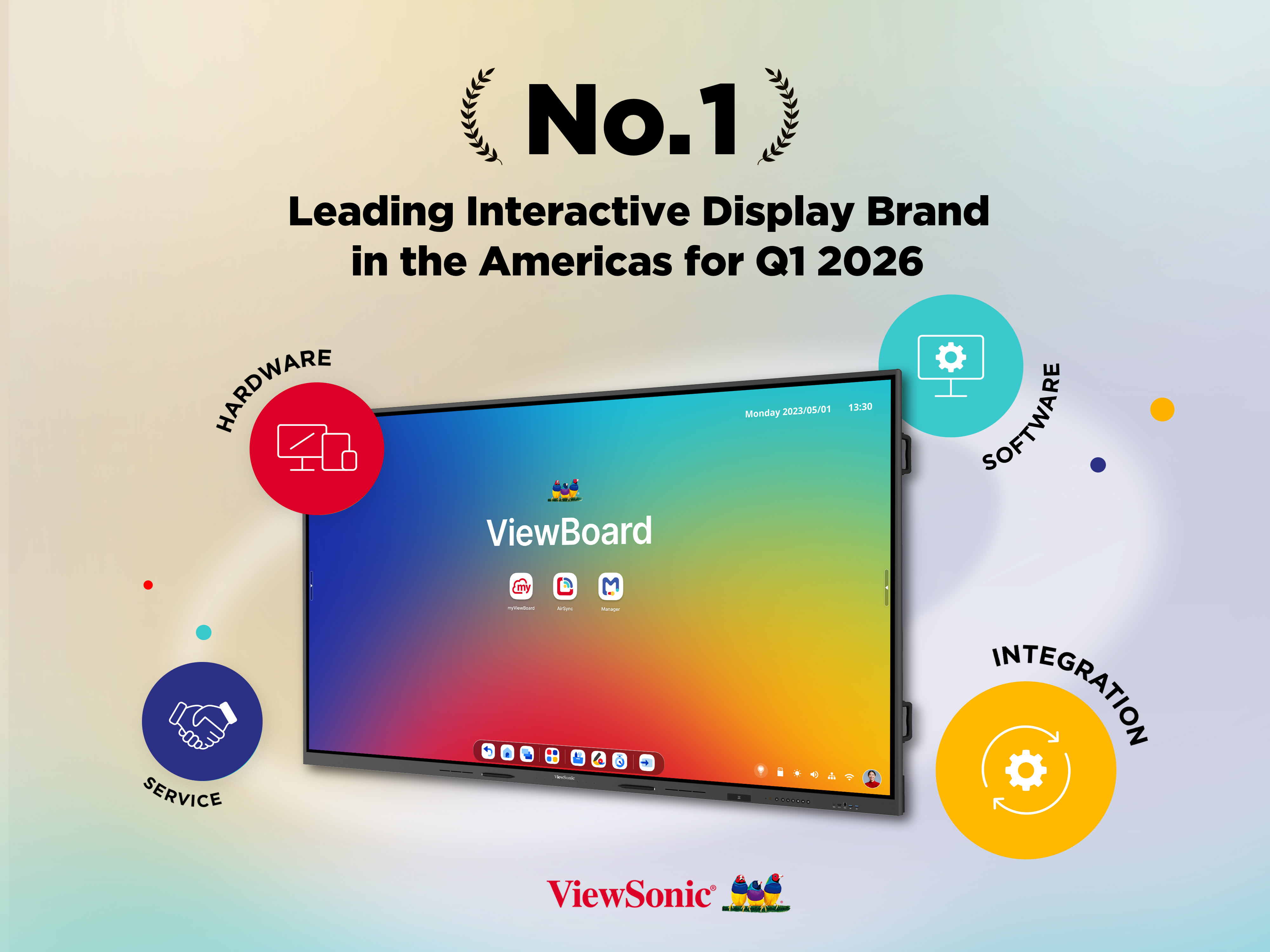
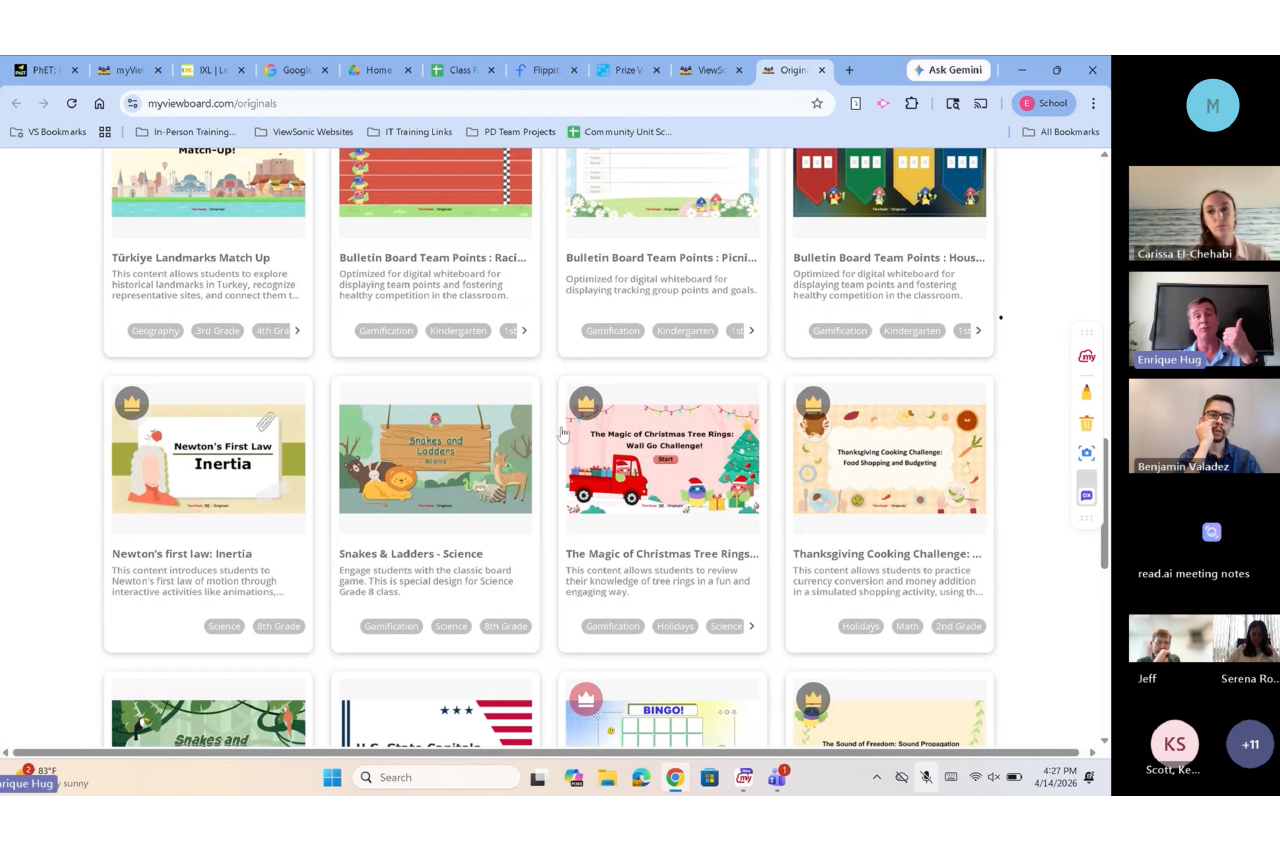
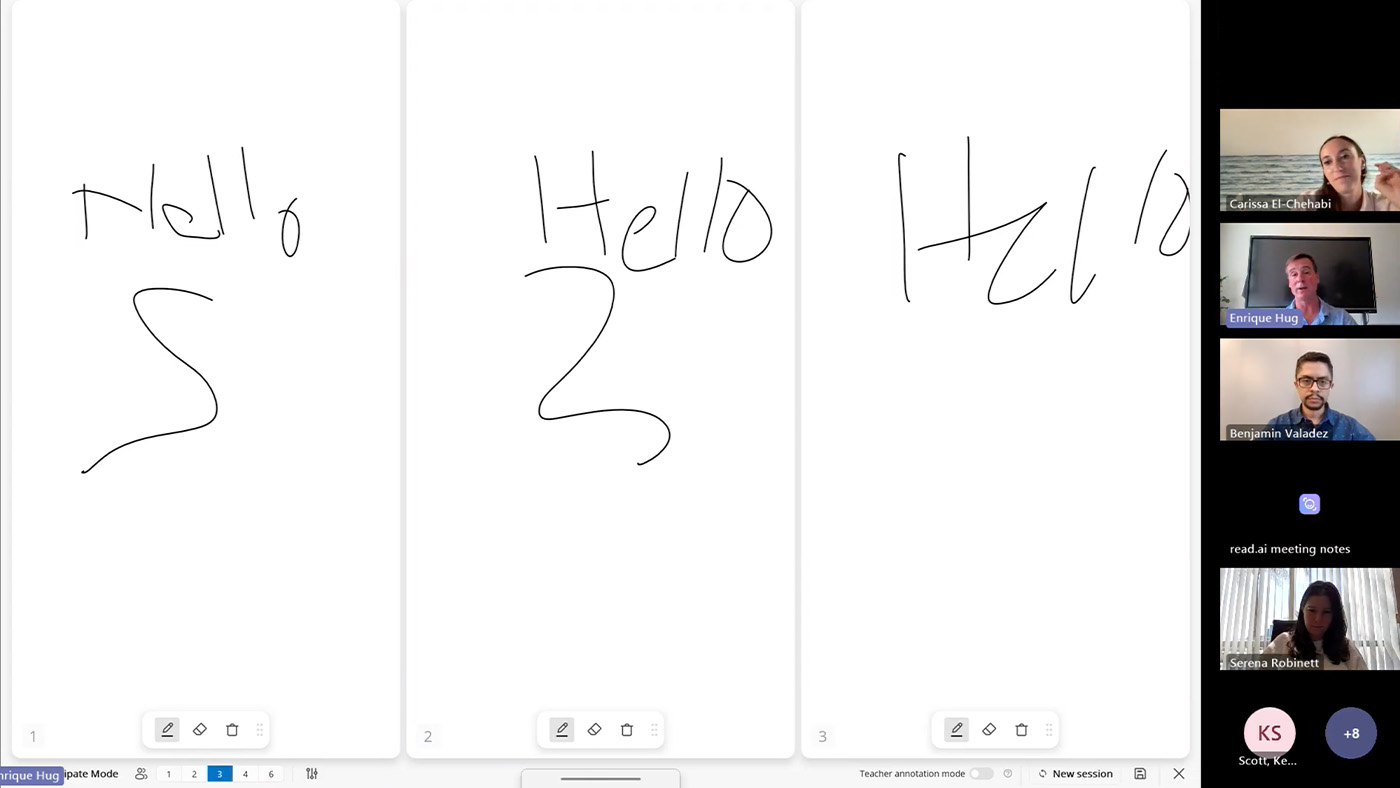
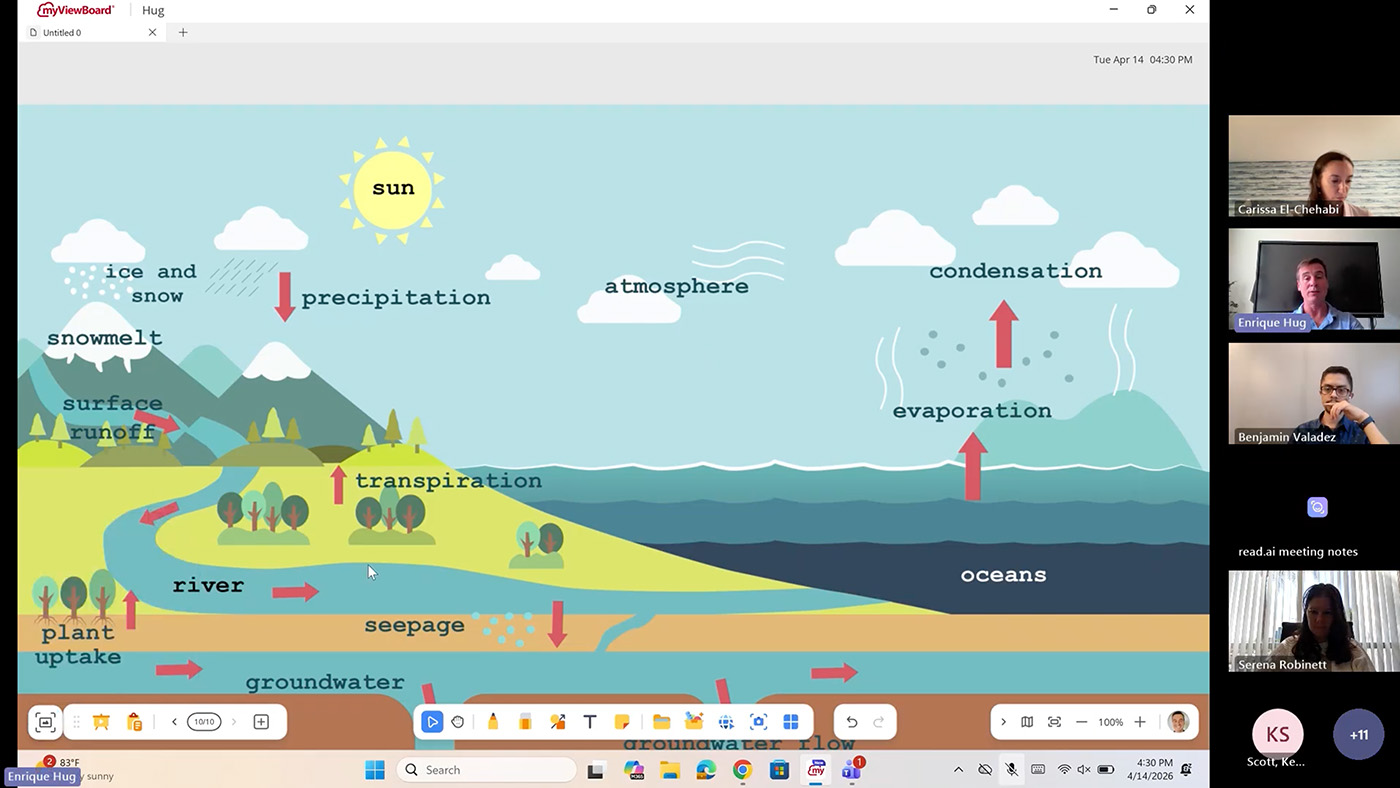
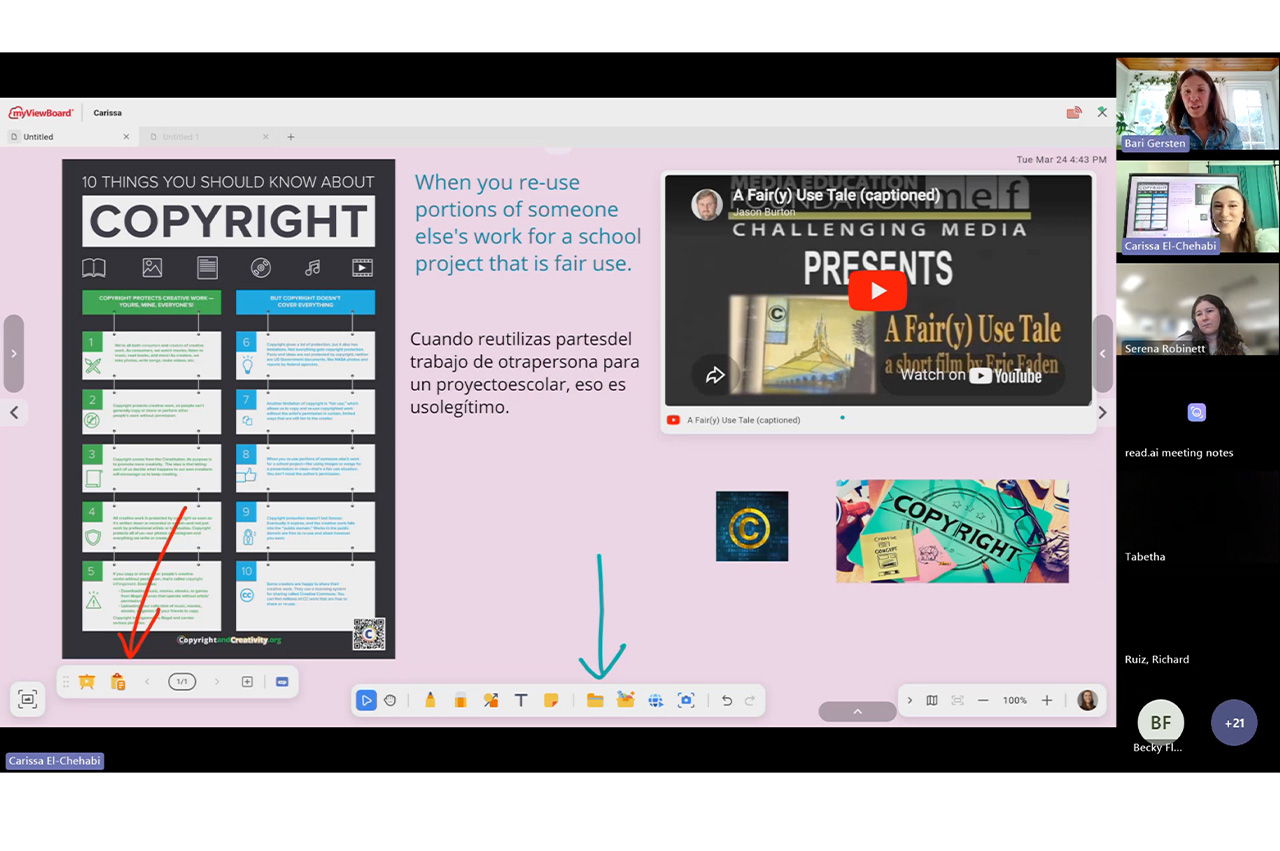
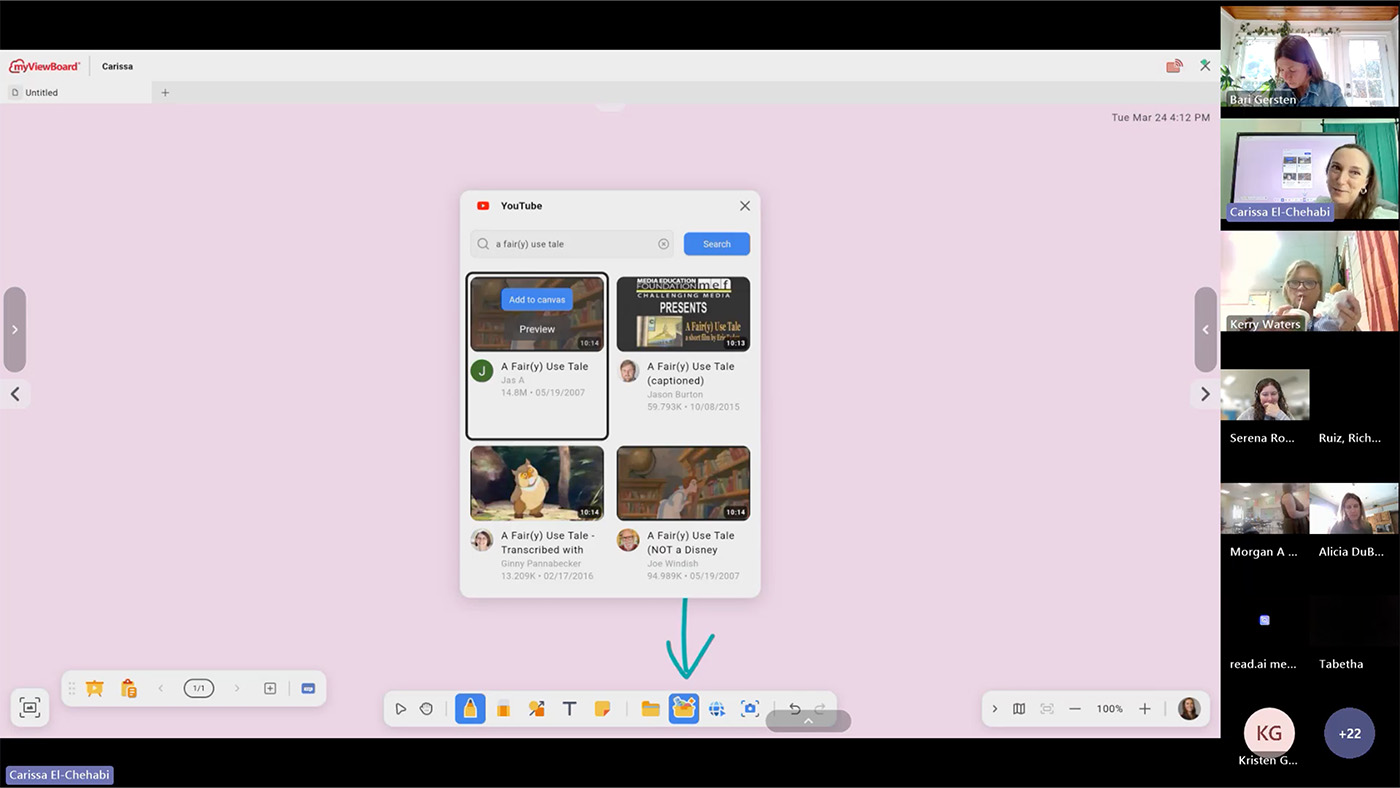
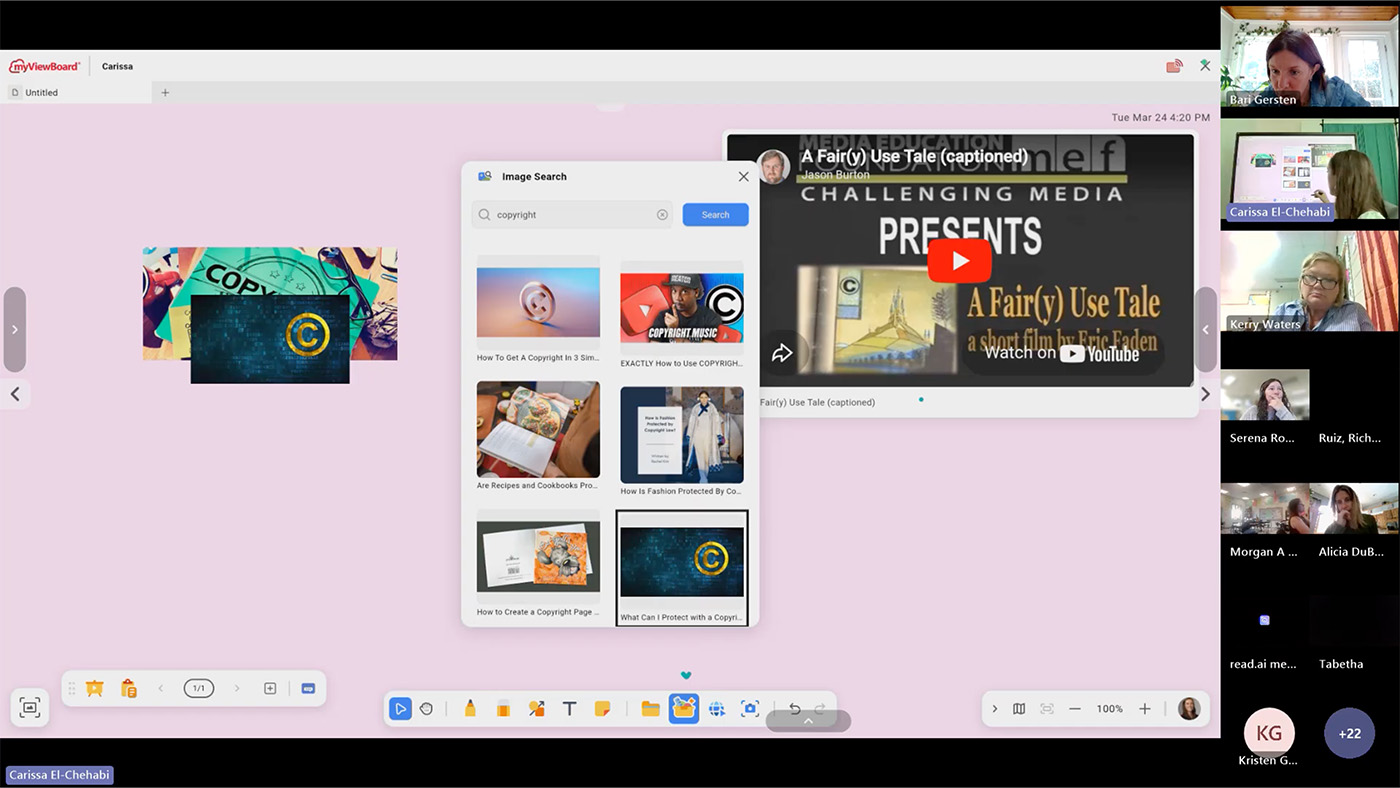
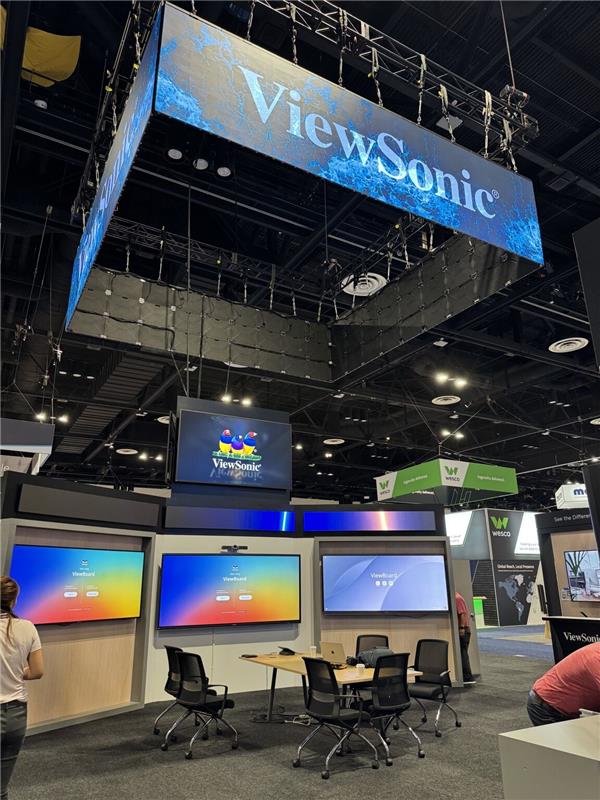
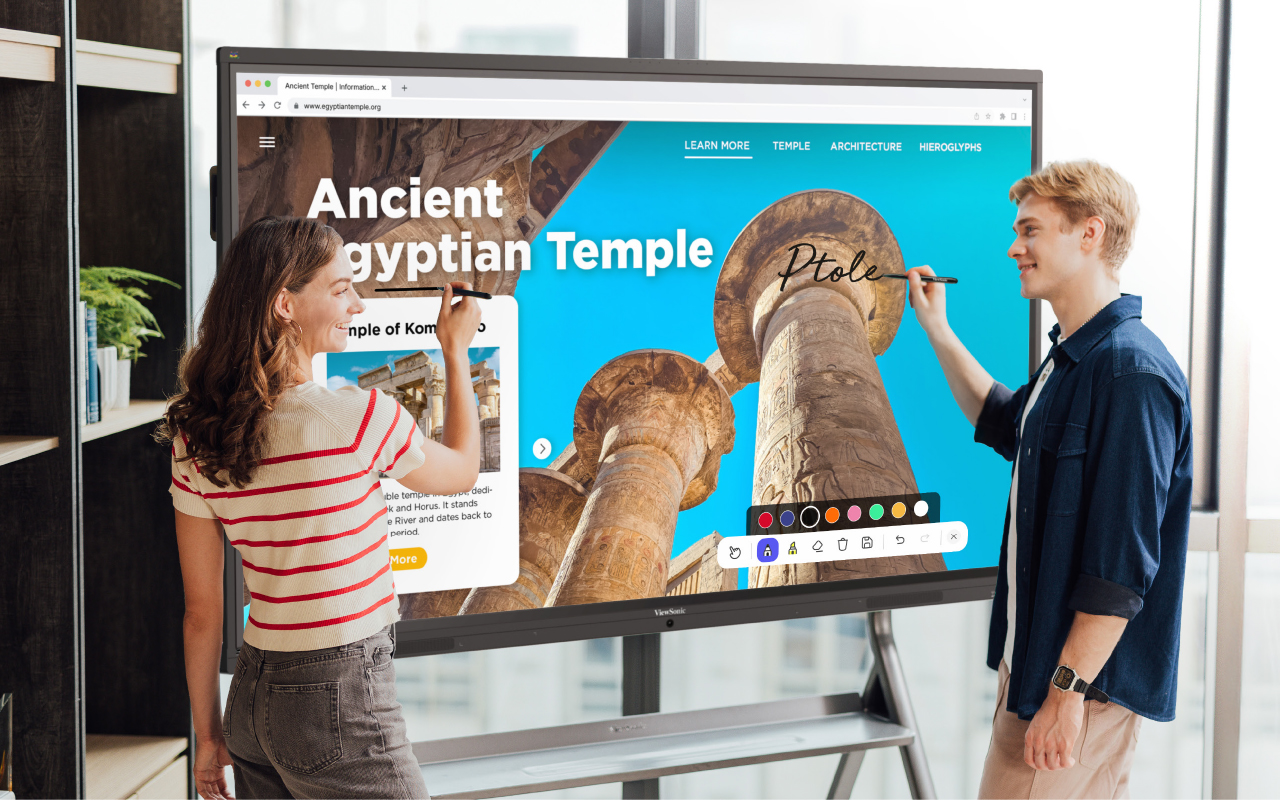
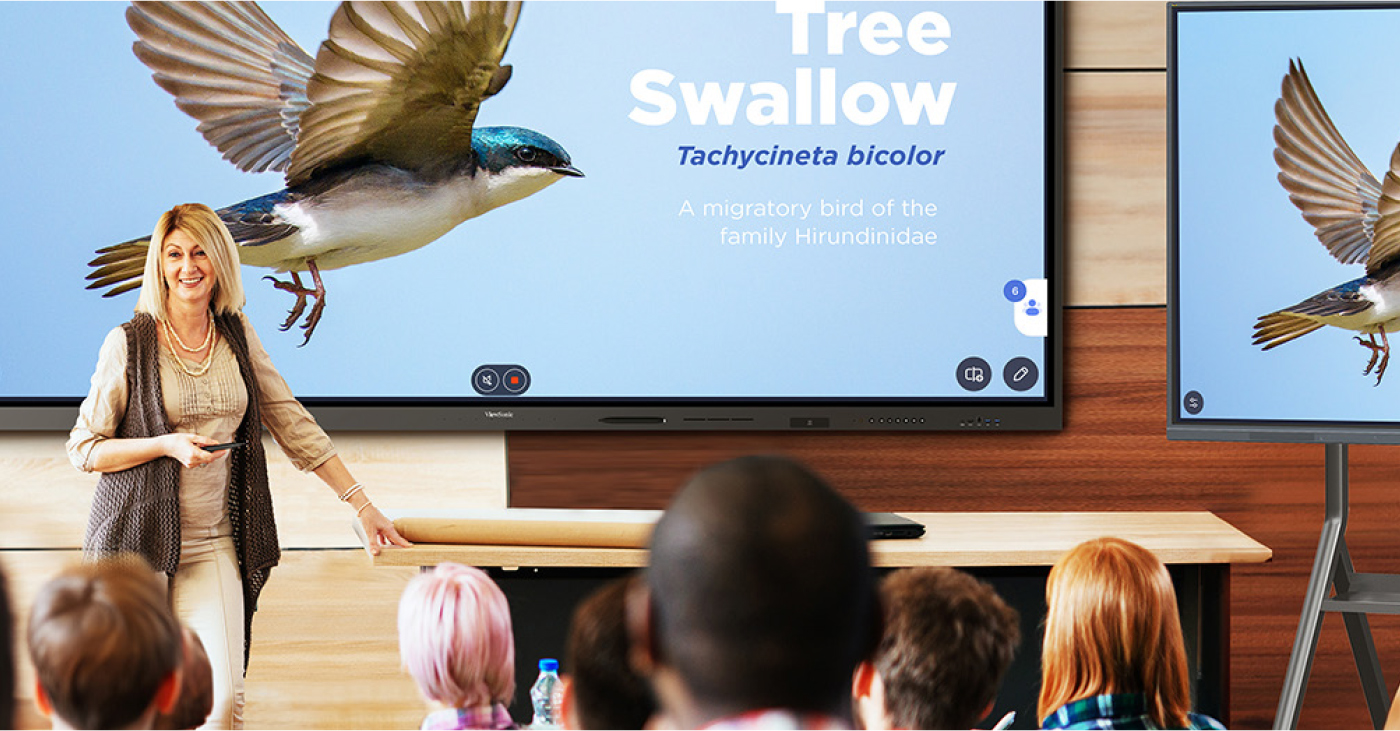
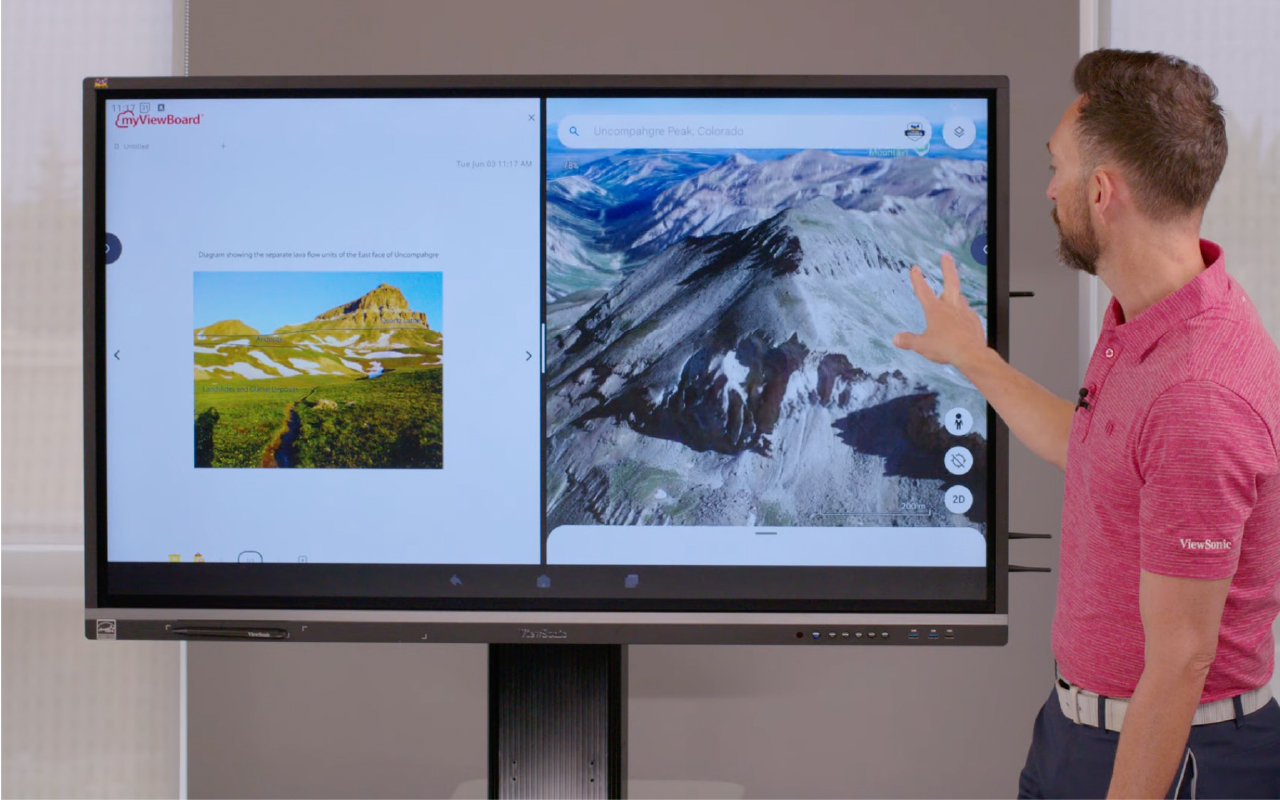
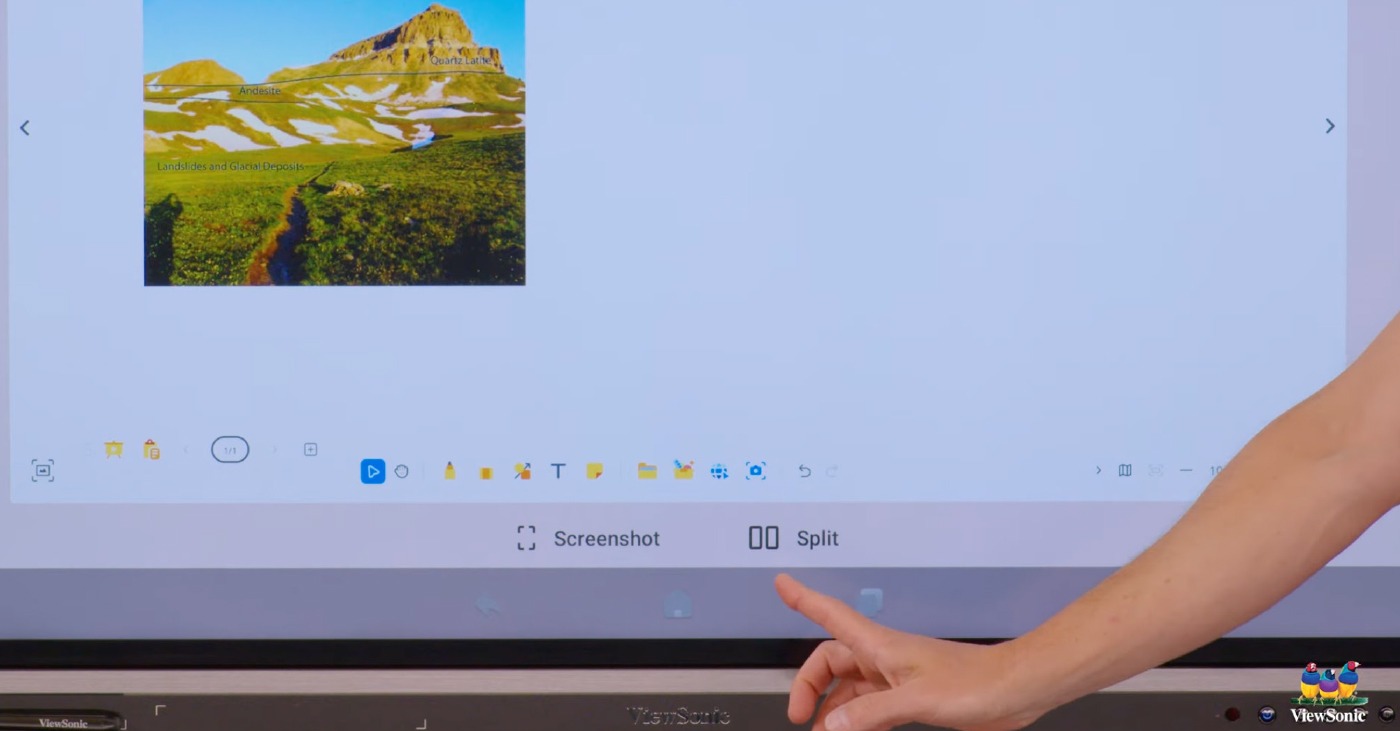
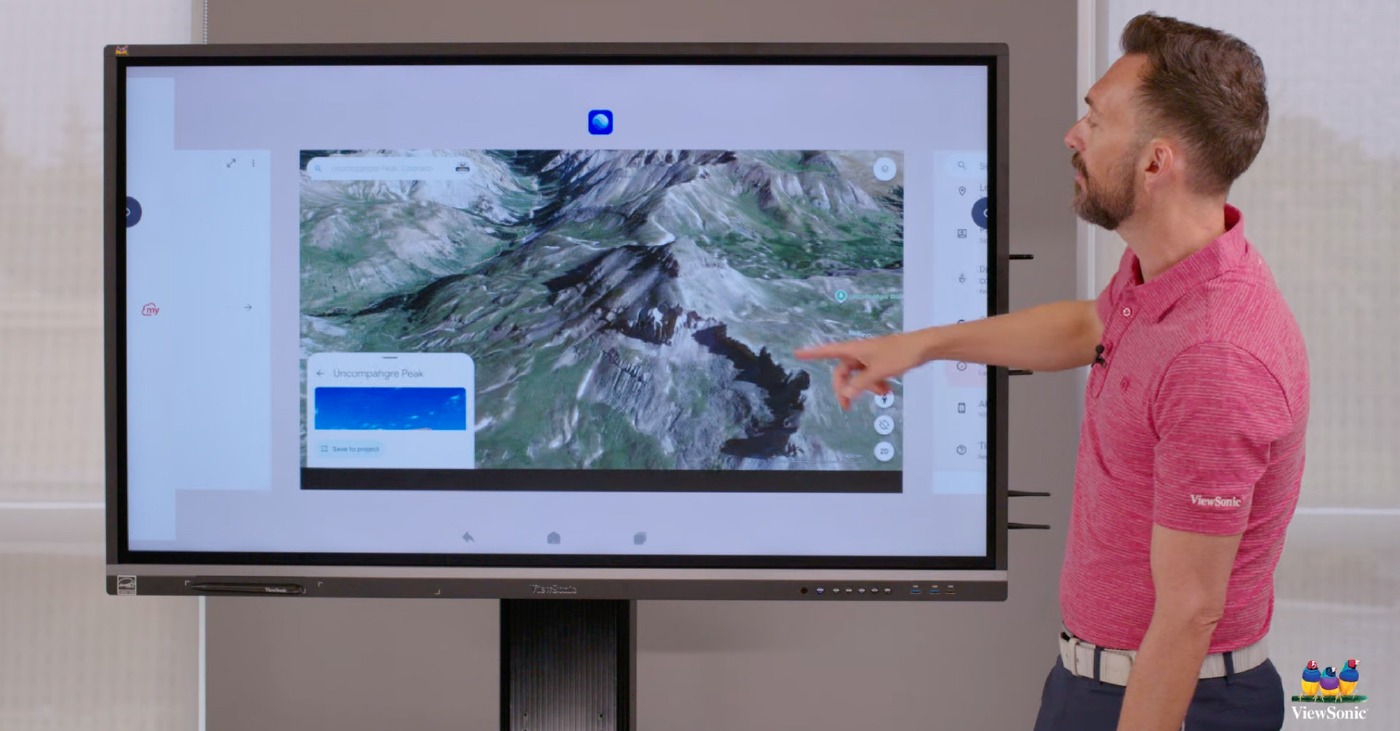
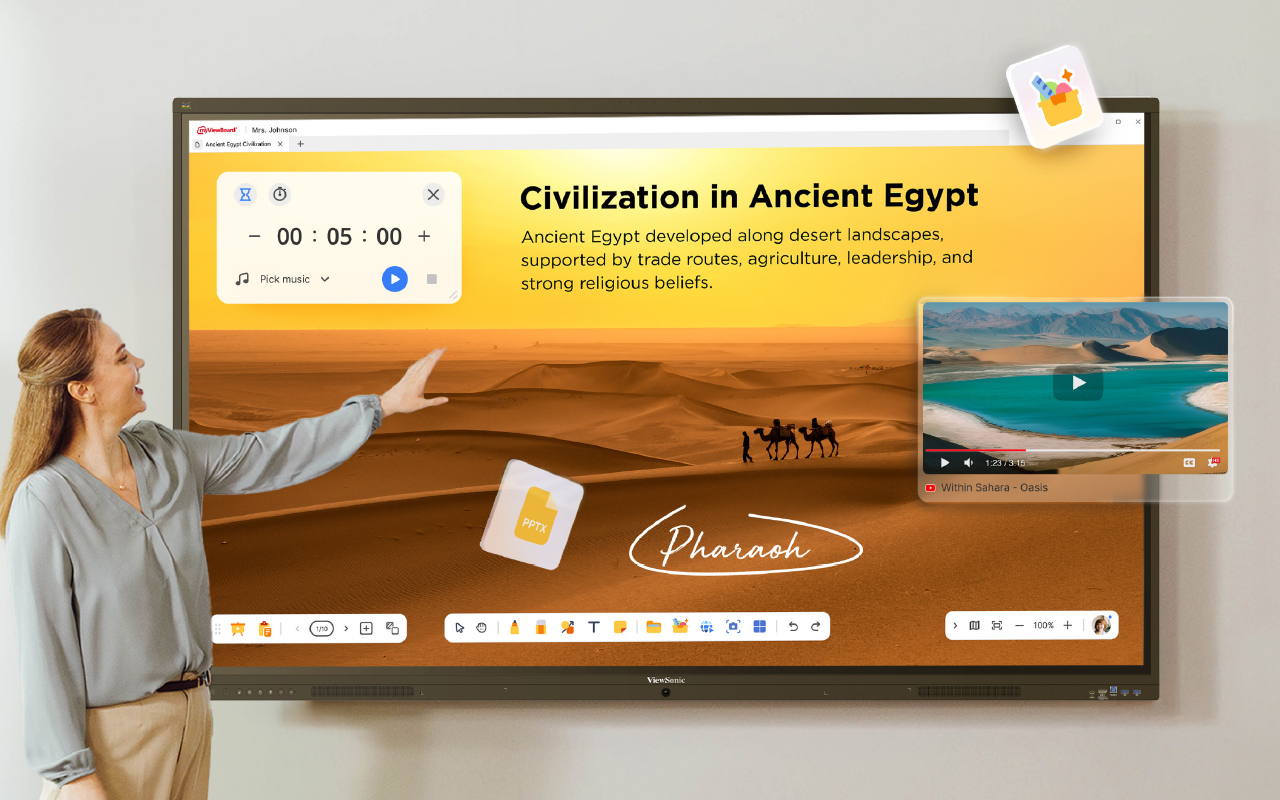
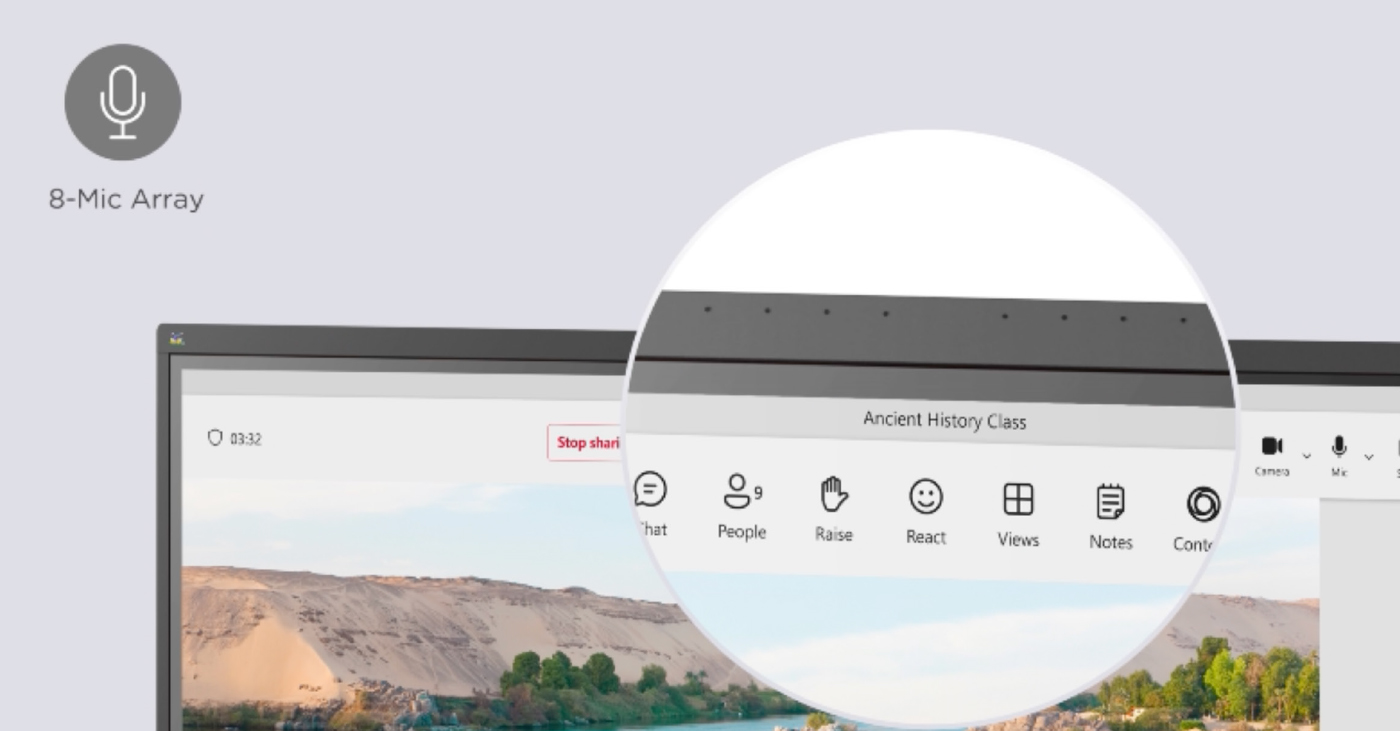
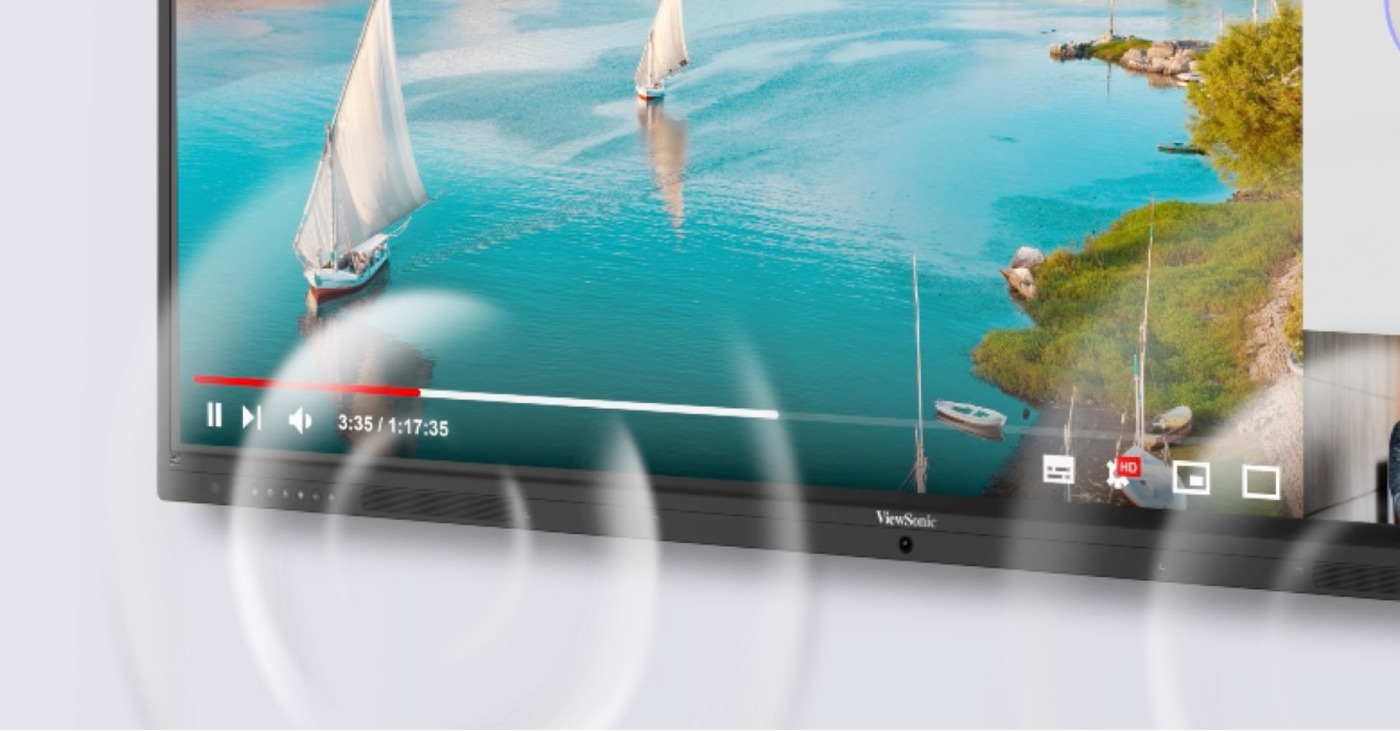






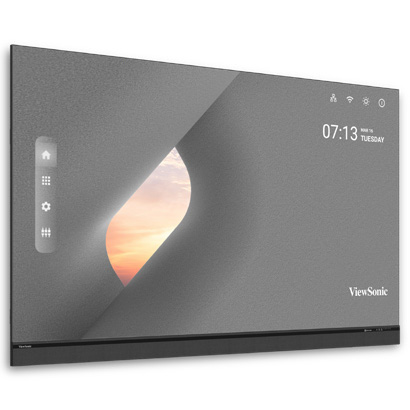
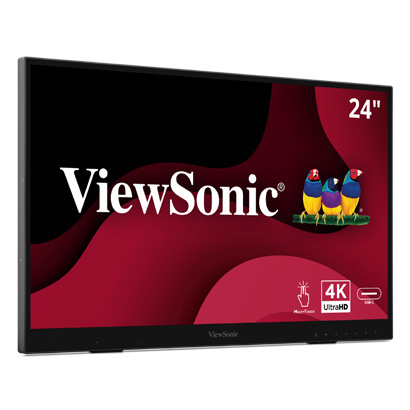

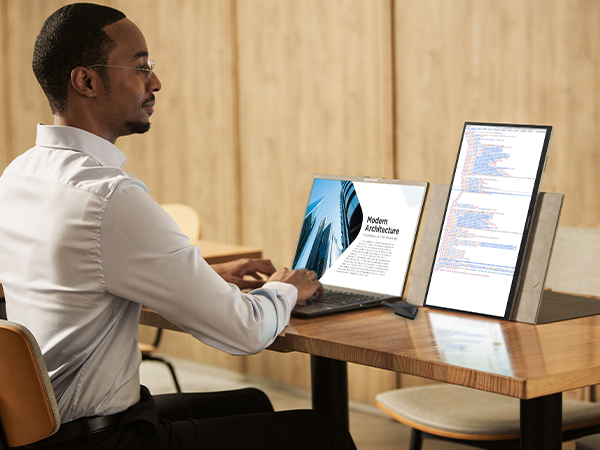
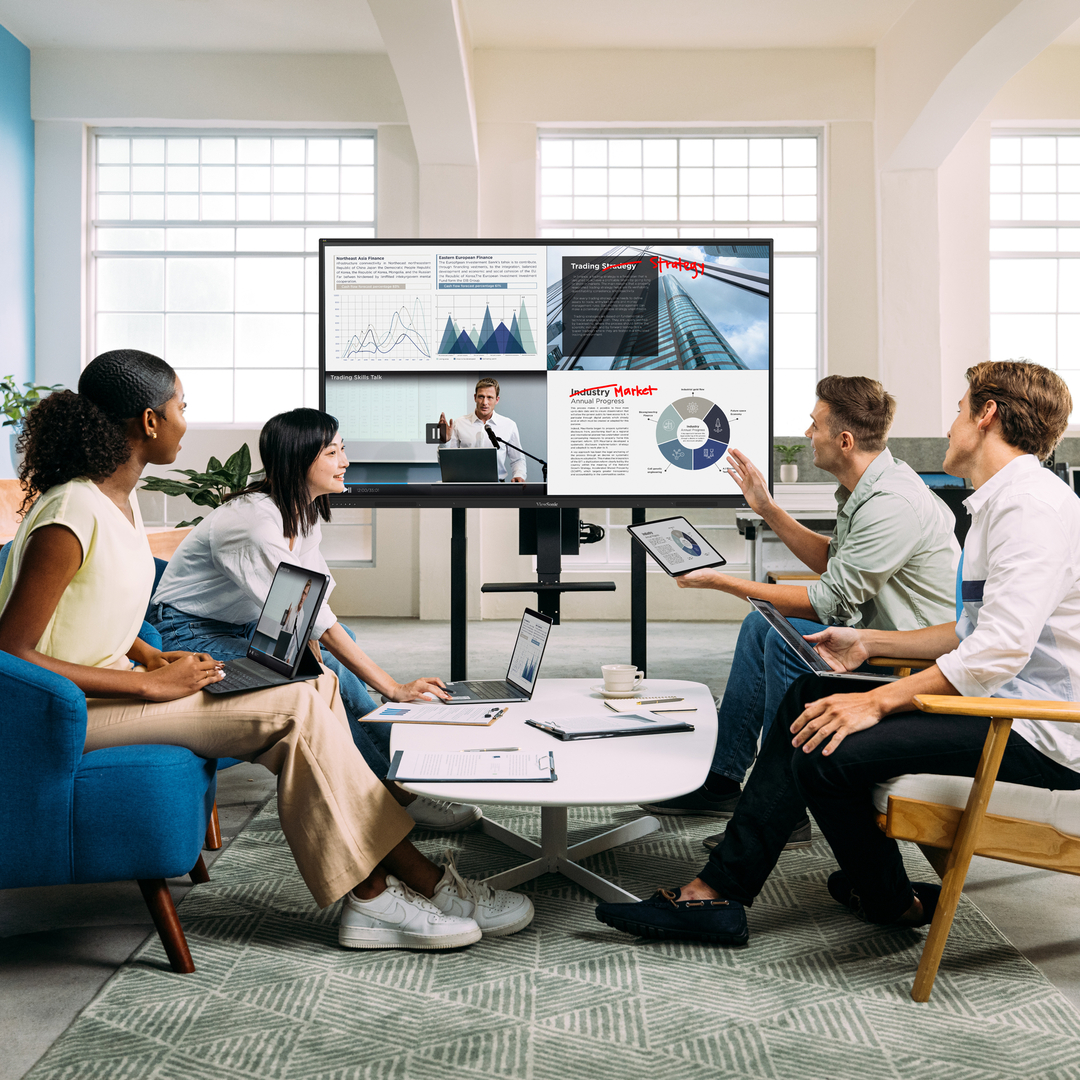
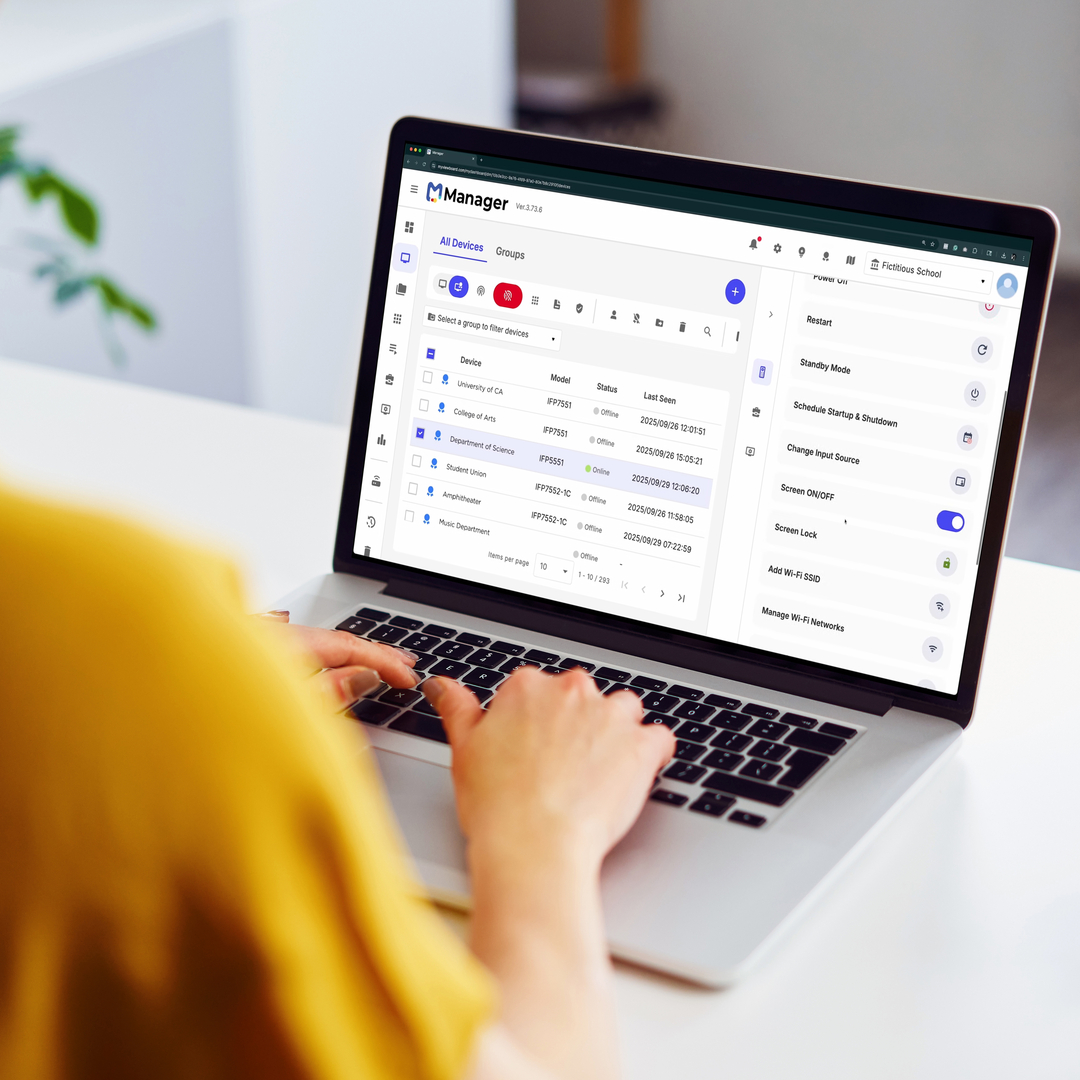




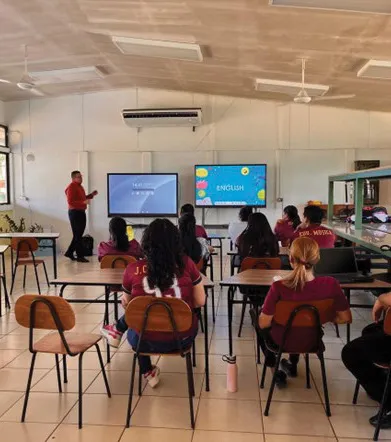
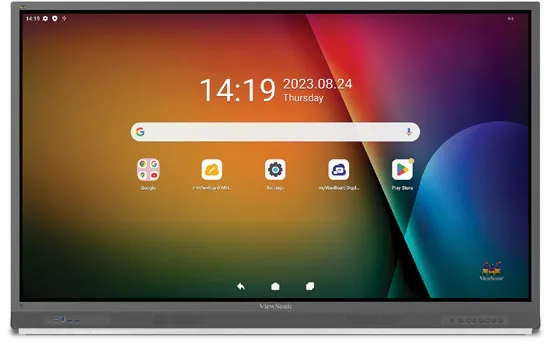


Login and Registration Form