Education
Business
Consumer

News

The ViewSonic LDS136-152 Mobile Direct View LED Display Solution Recognized as a 2026 Pro AV Best in Market Award Winner

The LDS136-152 Was Honored by AV Technology, Systems Contractor News, and Sound & Video Contractor Magazines

Brea, CA (Oct. 5, 2026) – ViewSonic Corp., a leading global provider of visual and edtech solutions, announced that the LDS136-152 Mobile Direct View LED Display Solution has been awarded Pro AV Best in Market Award from AV Technology, Systems Contractor News, and Sound & Video Contractor magazines. The award recognizes the LDS136-152 as one of the standout products making an impact across the professional audiovisual industry, highlighting ViewSonic’s commitment to developing innovative solutions that meet the evolving needs of today's Pro AV market.

The Pro AV Best in Market Awards shine a spotlight on the products and technologies helping to shape the future of professional audiovisual. Judged by a panel of experienced industry experts, the awards recognize solutions that demonstrate innovation, excellence and real impact within the Pro AV landscape. For ViewSonic, this award is a testament to the innovation and expertise behind the LDS136-152, and the value it brings to AV professionals and their customers.

The Pro AV Best in Market Awards editorial team stated, “The Pro AV Best in Market Awards celebrate the companies and products driving innovation across the professional AV industry. This year's entries showcased an exciting range of new ideas, technologies and solutions, and our industry experts were impressed by the quality and innovation on display. Congratulations to all of our 2026 winners.”

“We’re excited that the LDS136-152 was recognized as a winner by all three editorial publications,” said Jeff Muto, Business Line Director at ViewSonic. “This fourth-generation mobile display solution provides users the flexibility to deliver high-impact visuals wherever they’re needed without the complexity or permanence of traditional dvLEDs. Without the limitation of a fixed installation, it can be utilized as a mobile solution in various markets and industries.”

The ViewSonic® LDS136-152 is a 136-inch all-in-one, foldable Direct View mobile LED display. It is a mobile video wall solution on wheels built for maximum flexibility and delivers a large screen display in a pre-assembled design, which enables effortless setup within minutes.

A 4th generation model, the LDS136-152 features beneficial upgrades that make setup and operation even easier. The motorized lift raises the top of the screen to 9.34 feet, helping everyone get a clearer view. An integrated stand and display remote control allow the management of both the screen settings and motorized lift. Rear I/O ports are easy to reach and provide direct connectivity without opening panels or exposing internal boards, so connecting devices is quick and simple.

The display features durable Glue-on-Board (GOB) surface treatment technology that safeguards the display against impact, dust, and moisture—earning an IP65 rating. The robust construction delivers IK06-rated impact protection for extra durability in heavy-use environments.

To find out more about ViewSonic, visit ViewSonic.com and follow on Facebook, YouTube, X and Instagram.

About ViewSonic

Founded in 1987 and headquartered in Brea, California, ViewSonic is a leading global provider of visual solutions for the education, business, and consumer markets, with a presence in over 100 countries. Driven by the mission to transform education, workplaces, and lives, the company delivers a unified ecosystem of innovative hardware, software, and services that integrates seamlessly with the platforms, tools, and partners customers trust. Its product portfolio includes monitors, projectors, interactive displays, LED displays, commercial displays, video conferencing systems, and industrial solutions. Complementing its hardware is a robust suite of software offerings—including myViewBoard, ClassSwift, TeamOne, Manager, and AirSync—featuring AI-powered tools for collaboration, device optimization, and management. By empowering creativity, collaboration, and lifelong learning, ViewSonic supports customers at every stage in achieving their business and sustainability goals, creating a lasting impact and helping people everywhere connect with purpose—and See the Difference. Learn more at www.viewsonic.com.

# # #

* Actual performance, compatibility, and user experience may vary depending on system configuration, network conditions, usage environment, and other factors. Eye care and ergonomic features are designed to help reduce potential discomfort during extended viewing, but individual experiences may vary. Programs, pricing, specifications and availability are subject to change without notice. This news release contains forward-looking statements that reflect the Company’s expectations with regard to future events; actual events could differ significantly from those anticipated in this document. Corporate names and trademarks stated herein are the property of their respective companies. © 2026 ViewSonic Corporation. All rights reserved.
Media Contacts:

Joey Lee
JSL Marketing for ViewSonic [U.S.]
E: joey@jslcomm.com

Miranda Bravo
ViewSonic [U.S. / Canada]
E: miranda.bravo@viewsonic.com

Nury Lavandier
ViewSonic [Latin America]
E: Nury.Lavandier@viewsonic.com

Three ViewSonic Products Named Winners in the Tech & Learning Awards of Excellence Back to School 2026

myViewBoard with Quiz Tools, WPD-900E Wireless Presentation System, and LDE Series of Direct View LED Displays Each Won in Their Respective Categories

Brea, CA (Oct. 2, 2026) – ViewSonic Corp., a leading global provider of visual and edtech solutions, announced that three of the company’s products have been recognized by the Tech & Learning Awards of Excellence: Back to School 2026. myViewBoard with Quiz Tools won in the Primary Education category, the WPD-900E Wireless Presentation System won in the Secondary Education category, and the LDE Series of Direct View LED Displays won in the Higher Education category.

Now celebrating another year of recognizing innovation across the education industry, the Tech & Learning Awards of Excellence highlight the products and solutions making a meaningful difference to educators and learners. The Back-to-School awards recognize products and solutions that demonstrate versatility, value, innovation, and the ability to address real-world challenges across today’s education landscape.

Judged by a panel of experienced education technology experts, the awards represent recognition from one of the industry’s leading education technology publications. The awards showcase the products and solutions that are helping educators deliver more engaging, effective and innovative teaching and learning experiences as the new academic year gets underway.

The Tech & Learning awards editorial team commented, “The 2026 awards saw an impressive range of products and solutions designed to meet the evolving needs of today’s education sector. Our expert judges were particularly impressed by the quality, innovation and practical impact demonstrated by this year’s winners. Each winning product has shown its ability to support educators and learners in meaningful ways, and we’re delighted to recognize their achievements. Congratulations to all of this year’s well-deserved winners.”

“We’re proud to have all three products recognized as winners in their respective categories,” said Jeff Muto, Business Line Director at ViewSonic. “To be recognized with a Tech & Learning Award of Excellence: Back to School 2026 means that myViewBoard with Quiz Tools, the WPD-900E, and the LDE Series are making an impact in the highly competitive education market, and that our focus on making sure these products enhance learning is moving in the right direction.”

myViewBoard with Quiz Tools, the WPD-900E, and the LDE Series will be featured across Tech & Learning’s editorial and promotional channels, including the website and newsletter, providing further recognition of this achievement among the publication’s engaged education technology audience.

To find out more about ViewSonic, visit ViewSonic.com and follow on Facebook, YouTube, X and Instagram.

About ViewSonic

Founded in 1987 and headquartered in Brea, California, ViewSonic is a leading global provider of visual solutions for the education, business, and consumer markets, with a presence in over 100 countries. Driven by the mission to transform education, workplaces, and lives, the company delivers a unified ecosystem of innovative hardware, software, and services that integrates seamlessly with the platforms, tools, and partners customers trust. Its product portfolio includes monitors, projectors, interactive displays, LED displays, commercial displays, video conferencing systems, and industrial solutions. Complementing its hardware is a robust suite of software offerings—including myViewBoard, ClassSwift, TeamOne, Manager, and AirSync—featuring AI-powered tools for collaboration, device optimization, and management. By empowering creativity, collaboration, and lifelong learning, ViewSonic supports customers at every stage in achieving their business and sustainability goals, creating a lasting impact and helping people everywhere connect with purpose—and See the Difference. Learn more at www.viewsonic.com.

# # #

* Actual performance, compatibility, and user experience may vary depending on system configuration, network conditions, usage environment, and other factors. Eye care and ergonomic features are designed to help reduce potential discomfort during extended viewing, but individual experiences may vary. Programs, pricing, specifications and availability are subject to change without notice. This news release contains forward-looking statements that reflect the Company’s expectations with regard to future events; actual events could differ significantly from those anticipated in this document. Corporate names and trademarks stated herein are the property of their respective companies. © 2026 ViewSonic Corporation. All rights reserved.
Media Contacts:

Joey Lee
JSL Marketing for ViewSonic [U.S.]
E: joey@jslcomm.com

Miranda Bravo
ViewSonic [U.S. / Canada]
E: miranda.bravo@viewsonic.com

Nury Lavandier
ViewSonic [Latin America]
E: Nury.Lavandier@viewsonic.com

ViewSonic Launches Two New 27-Inch VP ColorPro Monitors Designed for Video Editing, Graphic Design, and Other Creative Works

The VP2766‑2K and VP2766‑4K are Pantone‑Validated Displays that Feature 120Hz Refresh Rate, QHD and UHD Resolutions, and USB‑C Connectivity for Streamlined Cable Management

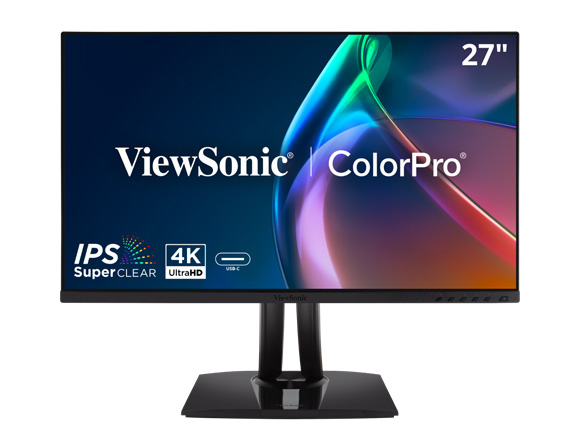
Brea, CA (Sept. 30, 2026) – ViewSonic Corp., a leading global provider of visual and edtech solutions, announces the launch of the VP2766-2K and VP2766-4K, the company’s latest 27-inch ColorPro® monitors. Both monitors bring precision and stunning color performance for graphic design, animations, video editing, and other creative endeavors. For more accurate and consistent color performance, the VP2766-2K and VP2766-4K are Pantone® validated with factory hardware calibration, which fine-tunes color settings within the monitor itself, without relying solely on computer-side software adjustments. With 100 percent sRGB coverage, the two monitors deliver true-to-life color reproductions, so the content looks exactly as intended.

The ViewSonic® VP2766-2K features a native 2K QHD (2560x1440) resolution and the VP2766-4K comes a native 4K UHD (3840x2160) panel. Both monitors come with a 120Hz refresh rate for smooth visual motion and playback. The USB-C connection makes cable management easy, as the single USB-C cable handles video, data and up to 90W of power delivery while an HDMI port adds greater flexibility. A USB hub with three USB-C ports and one USB-A port provides ample options for connecting a keyboard and mouse or charging other devices such as a phone or tablet. The VP2766-2K and VP2766-4K both have a sleek ergonomic stand that can easily adjust the tilt, swivel, pivot, and height. Built-in flicker-free technology and a low blue light solution can help reduce eye fatigue.

“To offer more options for the creative community, we’ve added the VP2766-2K and VP2766-4K monitors to the ColorPro line-up,” said Jenny Lopez, Sr. Product Manager of Monitors at ViewSonic. “Creative work requires precision and accuracy, whether it’s with color or motion, and both these monitors offer that at great price points. We also made sure that the monitors can be used easily with Macs. With ColorPro® Display Manager, brightness and volume are easily adjusted using Mac function keys. The on-screen menu allows users to personalize settings like ViewMode™ and customize other display options to match.”

VP2766-2K ColorPro Monitor

  • 27-inch monitor with native 2K QHD (2560 x 1440) resolution
  • 120Hz refresh rate with 5ms response time
  • Connectivity options include USB-C, USB-A, HDMI 2.1, and Audio-Out
  • Available: Now for an estimated street price of $239.99 [USD]

VP2766-4K ColorPro Monitor

  • 27-inch monitor with native 4K UHD (3840 x 2160) resolution
  • 120Hz refresh rate with 5ms response time
  • Connectivity options include USB-C, USB-A, HDMI 2.1, and Audio-Out
  • Available: Now for an estimated street price of $339.99 [USD]

To find out more about ViewSonic, visit ViewSonic.com and follow on Facebook, YouTube, X and Instagram.

About ViewSonic

Founded in 1987 and headquartered in Brea, California, ViewSonic is a leading global provider of visual solutions for the education, business, and consumer markets, with a presence in over 100 countries. Driven by the mission to transform education, workplaces, and lives, the company delivers a unified ecosystem of innovative hardware, software, and services that integrates seamlessly with the platforms, tools, and partners customers trust. Its product portfolio includes monitors, projectors, interactive displays, LED displays, commercial displays, video conferencing systems, and industrial solutions. Complementing its hardware is a robust suite of software offerings—including myViewBoard, ClassSwift, TeamOne, Manager, and AirSync—featuring AI-powered tools for collaboration, device optimization, and management. By empowering creativity, collaboration, and lifelong learning, ViewSonic supports customers at every stage in achieving their business and sustainability goals, creating a lasting impact and helping people everywhere connect with purpose—and See the Difference. Learn more at www.viewsonic.com.

# # #

* Actual performance, compatibility, and user experience may vary depending on system configuration, network conditions, usage environment, and other factors. Eye care and ergonomic features are designed to help reduce potential discomfort during extended viewing, but individual experiences may vary. Programs, pricing, specifications and availability are subject to change without notice. This news release contains forward-looking statements that reflect the Company’s expectations with regard to future events; actual events could differ significantly from those anticipated in this document. Corporate names and trademarks stated herein are the property of their respective companies. © 2026 ViewSonic Corporation. All rights reserved.
Media Contacts:

Joey Lee
JSL Marketing for ViewSonic [U.S.]
E: joey@jslcomm.com

Miranda Bravo
ViewSonic [U.S. / Canada]
E: miranda.bravo@viewsonic.com

Nury Lavandier
ViewSonic [Latin America]
E: Nury.Lavandier@viewsonic.com

Formative Assessment Tools for Teachers | myViewBoard

Formative Assessment Tools for Teachers | myViewBoard

See how free Quiz Tools inside myViewBoard 3.0 turn any lesson into a live check for understanding, from a former science teacher’s webinar.

Formative Assessment Tools for Teachers: Webinar Recap

Feedback works best the moment students need it, not at the end of the semester.


That’s the premise behind Smarter Formative Assessment Made Simple, a recent ViewSonic webinar on myViewBoard® Quiz Tools powered by ClassSwift®. It was led by Bari Gersten, a former middle school science teacher who has spent more than twenty years in professional development and the last seven at ViewSonic.


Her argument, in one line: formative assessment gets easier when it works with the content you already have. No need to build any quizzes on separate apps.

Why real-time feedback changes what you do next

Most teachers know the feeling. You ask a question, a few hands go up, and you’re left guessing about the other 25 students in the room.


A quiz grade tells you who struggled three days after the moment you could have helped. A live check tells you before the class moves on. That’s the whole difference, and Bari framed it around the answers most software treats as failures:


“I always appreciate when I see a wrong answer, because that allows me to have information into what’s going on in my classroom.”


Formative assessment isn’t more testing. It’s faster information, while you can still act on it.


She also named the limit that makes this necessary. She loves that interactive panels are “getting students out of their seat and up to the board” but she wants every student to participate, not just a few. Only a few can be at the board at once. Quiz Tools is how the other 25 participate at the same time.

Capture, share, collect: one workflow, no tab switching

The session’s throughline was that the whole loop happens in one place.

  • Capture. Bari opened a PDF on physical and chemical changes, a file she already had rather than something she had to build. Using the screen capture tool, she shared the static image from that PDF into a quick quiz. Later she did the same with a live PhET simulation, loaded inside myViewBoard’s Embedded Browser so the site opens with the page. Her reason for that one is pure classroom management:

    “As soon as I had to turn my back and enter in a website, I was going to lose my students.”
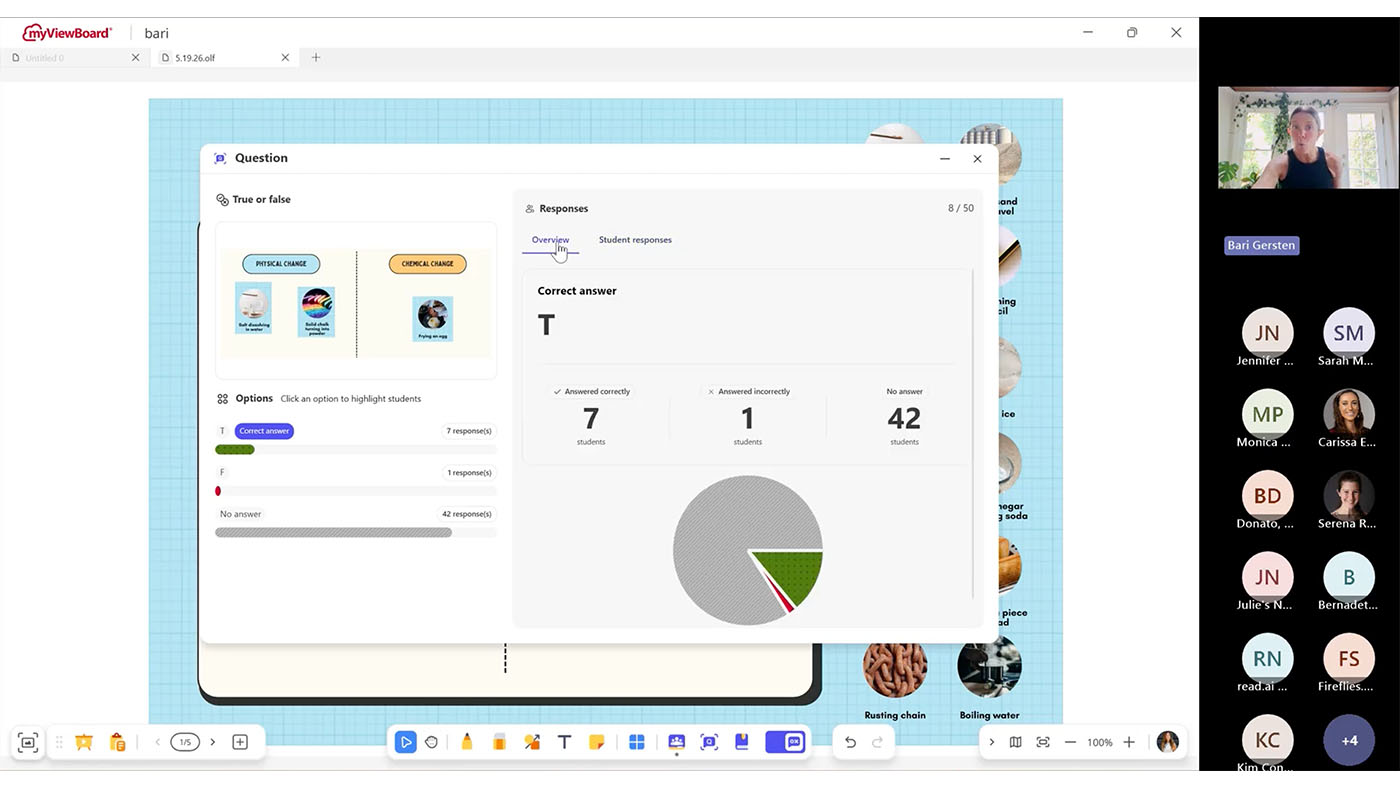
  • Share. One toggle turned the lesson into a live session. Students joined from a phone, tablet or Chromebook by scanning a QR code or opening a link. Nothing to install on the student side. Bari shared the content that she screenshotted.
  • Collect. Answers arrived on her screen as students submitted, along with how quickly they came in, which is its own read on the room. She demonstrated True/False on the image captured from the PDF and Multiple Choice on perimeter using the simulation. When she was ready, she revealed the correct answer and reviewed results as a whole-class view and then student by student.

Questions can be built into a lesson in advance or created on the spot. An attendee asked about exactly that mid-session, and Bari answered it by building one live on a blank page.


The mechanism is the same screen capture tool she used on the PDF. Screenshot a question you already wrote, wherever it happens to live, and that becomes the prompt students see. Or annotate the question on the board by hand and screenshot that.


So there’s no separate quiz authoring step. A question you wrote in your lesson plan last night and a question you thought of ten seconds ago both get into Quiz Tools the same way.

What students see, and what stays private

Results show the distribution of answers to the room. Student names can stay hidden in that view, so the class can look at what went wrong together without anyone’s name attached to it.

For a teacher trying to build a room where students feel comfortable sharing any misunderstandings, that setting matters more than any feature on the list.

What you need before you try it

  • myViewBoard 3.0. Quiz Tools live in 3.0. If you don’t see the Quiz Tool toggle on your whiteboard, you’re likely on 2.0 or your administrator needs to run an update in Manager.
  • Windows or Android. Free on both, with macOS coming soon.
  • Any student device. Phone, tablet or Chromebook all work.

For IT teams evaluating panels, the same facts read differently: the assessment software is included rather than licensed per teacher, and there’s nothing to deploy to student devices. This saves you from having to purchase a panel and formative assessment software like Kahoot, PearDeck or Wayground.

Frequently Asked Questions

Do I need myViewBoard 3.0?

Yes. Quiz Tools are built into myViewBoard 3.0. On 2.0 the toggle won’t appear.

Does Quiz Tools work on an iPad?

Students can answer on an iPad, but myViewBoard does not offer the Quiz Tools features on macOS yet. It’s free on Windows and Android today, with macOS coming soon. Students can respond from any device once you’re running the session from a supported panel or computer.

What if my students don’t all have devices?

It still works. Students can share a device or work in pairs. You may also consider using Participate Mode to get students or groups of students to board.

Can students see who got the answer wrong?

Only if you want them to. Hide student names in the results view and the class sees the distribution without the names.

Watch the replay, then try one question

For the step-by-step mechanics, the six question types, class rosters and engagement tools like the Spinner and Buzzer, see the myViewBoard Quiz Tools quick-start guide https://www.viewsonic.com/solution/kb/en_PH/qt-overview/quizzing-tool-overview.


Then pick one lesson you already teach and add a single True/False question. That’s the whole first step.


Programs, pricing, specifications and availability are subject to change or cancellation without notice. Actual performance, compatibility and user experience may vary depending on system configuration, network conditions, usage environment and other factors. Selections, offers and programs may vary by country. Corporate names and trademarks stated herein are the property of their respective companies. Copyright © 2026, ViewSonic Corporation. All rights reserved. 8/26 [26SFT-EDU1565a]

Rolling Into Learning: Why Mobile Carts Are the Secret to Flexible, High-Engagement Classrooms

Buyer's Guide  |  Nov 12 2025

Rolling Into Learning: Why Mobile Carts Are the Secret to Flexible, High-Engagement Classrooms


When people picture an interactive display, they usually picture it mounted at the front of the classroom. That’s changing. More schools and districts are moving their panels onto mobile carts, and the reasons go well beyond convenience.


Beyond the Front of the Room: Why Schools Are Taking ViewBoard Displays Off the Wall


Moving a ViewBoard display onto a cart does more than free up wall space. It changes how teachers actually use the room.


Reclaiming the Whiteboard: Keeping Your Marker Space While Adding Digital Power


Teachers still love a good old whiteboard marker, and that isn’t going away. Putting your ViewBoard display on a mobile cart frees up the wall space teachers already use for analog teaching. You get digital power without giving up the marker board behind it. This kind of setup works well in schools that combine interactive technology with analog instruction, where the digital display and the traditional marker board serve complementary purposes instead of competing for space.


Breaking the “Fixed Front” Classroom Model


A wall mount keeps your panel in one spot. And while that might be helpful in many classrooms, a mobile cart lets you roll it wherever a lesson needs it, whether that’s a reading corner, a different wall or the center of the room. So much changes in a classroom throughout the day, and a panel that moves with the lesson keeps students more engaged than one that stays fixed in place.


Sizing and Accessibility: Solving the “Kindergarten Height” Problem


Every classroom has a mix of heights, from kindergartners to teachers well over six feet tall. Mobile carts help you meet everyone in the middle.


Reaching Every Student: How Adjustable Carts Bridge the Gap for Early Learners


Younger students need to actually reach the screen, and teachers need to write on it without bending over all day. A cart with adjustable height solves both problems at once, so the same board works for a kindergartner and a six-foot-tall teacher in the same classroom.


Motorized Precision: Using BalanceBox® and Motorized Carts for Ergonomic Teaching


Our motorized carts, including the BalanceBox line, let you raise or lower the panel with the push of a button. That means the board is always at the right height for whoever is using it, whether that’s a student reaching the screen or a teacher writing at the top. This kind of ergonomic accessory often gets overlooked in procurement conversations, but it has a real impact on daily usability, especially in early education where students and teachers of very different heights share the same display.


The “Anywhere” Board: Utilizing ViewBoard Displays in Hallways, Gyms and Beyond


A ViewBoard display doesn’t have to stay in one classroom. Once it’s on a cart, it can go wherever your campus needs it that day.


From Gallery Walks to Parent Nights: Interactive Tech Outside the Classroom


A mobile cart means your ViewBoard display isn’t stuck in one room. For a back-to-school night, a teacher can display student work in the classroom, then roll the panel into the hallway for a gallery walk. During a parent-teacher event, the same board can run a sign-in station right outside the door, so parents stay engaged while they wait. One panel can do the job that used to take several.


Strategy in the Gymnasium: Safe, Mobile Tech for Coaches and Athletics


Another option is placing the board in strategic spaces, such as a basketball court or a gymnasium. A basketball or volleyball coach can use it to highlight strategy and plan out plays for students before they play. While you may not want to put a permanent wall mount in a gymnasium where balls are flying, a mobile cart allows you to move the panel out of the way when the game is in progress but still lets you strategize during practice.


Scaling Your Campus Fleet: Finding the Right Fit for Every Space


Different spaces call for different setups, and ViewSonic gives you room to mix and match across your campus.


Choosing Between Fixed Mounts and Mobile Deployment Strategies


Every district has different needs, so ViewSonic offers both options. Choose a wall mount for spaces that need a permanent, secure setup, or choose a mobile cart for spaces that need flexibility. Most campuses end up using a mix of both.


Centralized Control: Managing Your Mobile ViewBoard Displays via ViewSonic Manager


Moving panels between rooms doesn’t mean losing visibility. With ViewSonic Manager, IT teams can push updates, monitor device status and manage security settings remotely, no matter which room or gym a panel is in that day.


There’s no single right answer. Some spaces need a fixed wall mount. Others need a cart that can roll from the classroom to the hallway to the gym. ViewSonic offers both, so you can build a fleet that matches how your campus actually teaches.


Ready to find the right setup for your classroom? Contact your ViewSonic education representative to explore mobile cart and wall mount options.

How Modern Visual Communication Systems Keep Campuses Connected and Safe

How Modern Visual Communication Systems Keep Campuses Connected and Safe

When severe weather moves in or a schedule shifts on short notice, getting the word out fast isn’t just convenient; it’s critical. Relying on printed notices or manual updates across multiple buildings can leave gaps in campus communication.

A campus visual communication system solves this by connecting every display to a single central dashboard, giving administrators the power to reach the entire campus in just a few clicks. IT retains full control over every device on the network, from firmware to content permissions.

What is a Campus Visual Communication System?

At its core, a campus visual communication system connects digital screens, media players and device management software across every building on campus.

Instead of treating every screen like an isolated TV, content management software like TSN Visual Communication Solutions links commercial displays into a single network.

TSN Visual Communication Solutions and ViewSonic ManagerTM device management software are built to work together.

TSN handles the content side, letting campus teams create and schedule what appears on screen, while ViewSonic Manager handles the device side, keeping every screen updated, monitored and running smoothly.

Together, the two cover both halves of a campus communication system.

Why Digital Displays Beat Paper Announcements

Paper posters and static signs often get ignored, blending into the background once people have walked past them a few times. Connected digital signage is live and responsive, reflecting campus activity as it happens.

A long line at the campus bookstore or cafeteria feels much shorter when nearby screens show live social media feeds, athletic game countdowns or student photos. When hooked up to live data feeds, displays can turn into helpful daily assistants. They can show upcoming bus arrival times or pull room calendars so student groups can instantly spot open meeting spaces.

Safety, Wayfinding and Campus Culture

Schools lean on their large-format displays for several everyday responsibilities.

Instant Safety Alerts

When bad weather hits or a hazard arises, ViewSonic Manager’s CAP messaging integrates with the campus emergency alert system to trigger an automatic override. Displays can instantly switch from regular programming to bold, high-visibility messages or instructions that can be seen throughout the school.

Stress-Free Wayfinding

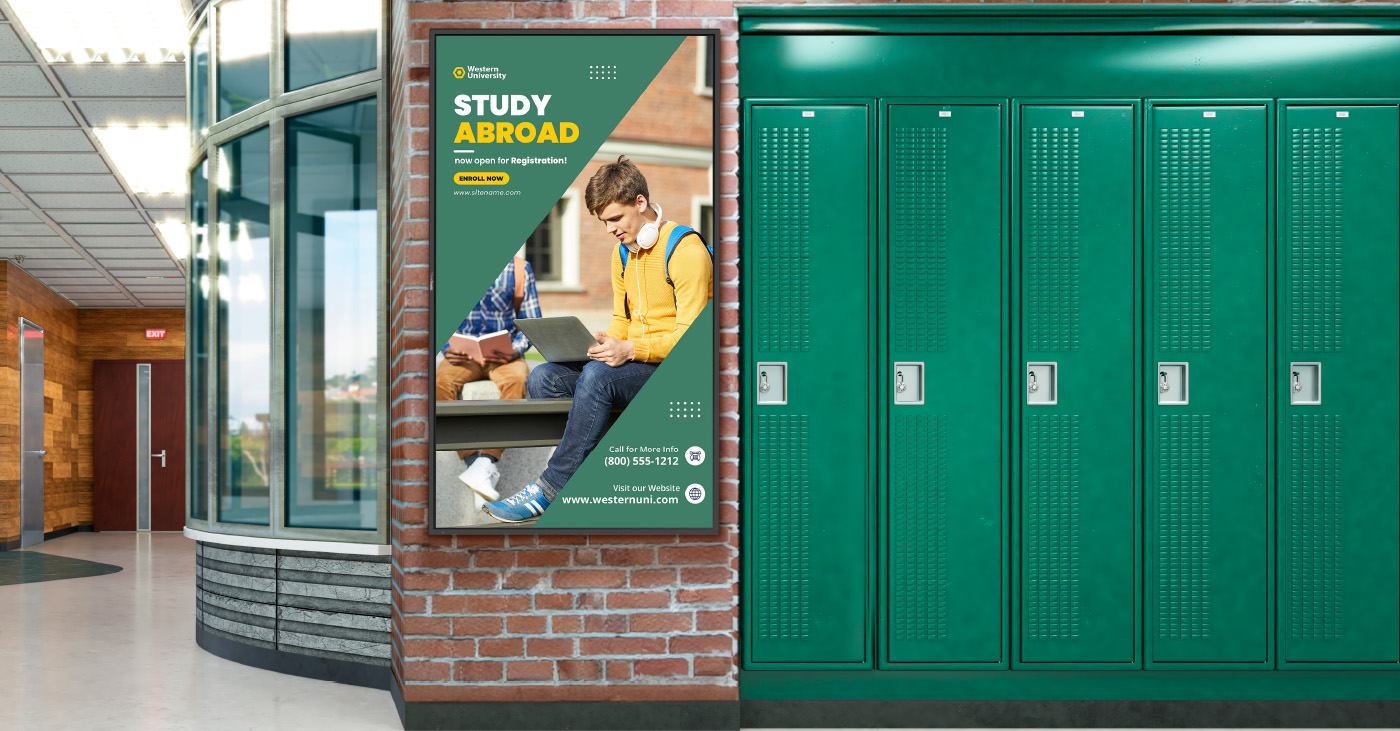
Getting lost on a sprawling campus can be a common frustration for visitors and new students alike. ViewSonic’s interactive ePoster kiosks let people tap, zoom and search a digital directory to find their way.

Building Campus Spirit

Large-format displays help bring the campus together. Spotlighting student art, congratulating the debate team and posting club signups keeps the whole community feeling involved.

Commercial Displays vs Standard Consumer TVs

It can be tempting to buy cheap consumer TVs from a local retail store for school hallways, but home electronics aren’t built for that kind of daily demand.

Consumer TVs are designed for use in a dim living room, while commercial displays are heavy-duty units built to handle continuous operation in bright spaces.

The Feature Consumer TVs Commercial Displays (like the ViewSonic CDE31 series)
Daily Runtime Built for intermittent home viewing, typically not rated for continuous commercial use 16 to 24 hours a day, 7 days a week
Screen Glare High gloss finish that turns into a mirror under bright lights Matte anti-glare finish for clear reading in bright sunlight
Warranty Usually voided if installed in a school or business 3-year commercial warranty with extended options
Durability Plastic shells that trap internal heat Durable construction built for continuous commercial use


Choosing purpose-built hardware like the ViewSonic CDE31 series of commercial displays prevents frequent screen failures and can help protect school budgets long-term.

The Advantage of Remote Device Management

Remote device management platforms like ViewSonic Manager let IT teams update, troubleshoot and control every screen across multiple buildings without leaving their desks.

Imagine a campus with 50 screens spread across five buildings right when Daylight Savings Time kicks in. Without centralized management software, an IT technician has to physically walk to every single screen with a remote control just to change the clock.

With a solid management platform, the tech team can push firmware updates, set automatic power schedules to save electricity at night and fix software glitches remotely. That keeps the entire network running smoothly without turning minor tech hiccups into full-day headaches.

Finding the Right Display for Every Space

Every location on campus serves a different purpose, so a smart setup mixes standing displays, touch kiosks and wall mounts based on what people need in that area.

  • Direct View LED Displays: Place these high-impact messaging solutions in lobbies and cafeterias to reach students throughout campus.
  • ePoster Kiosks: Position these kiosks in busy hubs like student unions or main courtyards where people need to look up directories, browse digital maps or view announcements.
  • Commercial Displays: Set up these reliable workhorses in classrooms, lecture halls, hallways and breakrooms. The ViewSonic CDE31 series of commercial displays offers wide viewing angles so everyone in the back of the room can read the text without eye strain.
  • Interactive Displays: Installing ViewSonic® ViewBoard® interactive displays in classrooms turns lessons into a hands-on learning experience that facilitates participation and boosts learning outcomes.

Planning Checklist Before Buying

A great display system brings the right hardware, software and network together, so everything keeps working in sync as campus needs grow. Here’s what to check before buying.

  • Open Software Compatibility: Ensure the hardware works with the school’s preferred content management software without locking it into a restrictive ecosystem.
  • Security: Restrict who can push content to the screens with role-based user permissions.
  • Room Lighting: Test how displays handle unique lighting challenges, like bright sunlit glass atriums versus harsh fluorescent hallway lights.
  • Room to Grow: Make sure the network setup can easily expand to add a dozen more screens next semester.
  • Reliable Support: Verify what level of professional B2B tech support and warranty backing is available when a screen needs immediate troubleshooting. 

Frequently Asked Questions

How Fast Can Screens Switch Over to an Emergency Alert?

Almost instantly. ViewSonic Manager integrates with a school’s primary emergency alert system using CAP messaging, triggering an automatic override the moment an alert goes live and swapping in clear, on-screen safety guidance.

Do We Need a Separate Media Player for Every Single Screen?

Not necessarily. Many modern commercial displays, including the ViewSonic CDE31 series, include a built-in Android media player, so there’s no external hardware required out of the box. For more demanding setups, the same displays also include an OPS (Open Pluggable Specification) slot, letting you add a dedicated PC module without an external box hanging off the display.

Can Student Clubs Create and Post Content to the Screens?

Yes, if your school permits it. Content management systems let you set up user permissions. Solutions like TSN Visual Communication Solutions come with a student-specific portal that lets students share information while administrators retain final control over what shows up and when.

What Happens if Campus Wi-Fi Drops Out?

Most high-quality commercial displays and media players have local storage built in. If the internet blinks out, the screen will keep playing its cached loop of content rather than going blank or displaying an error message.

Tight Edtech Budget? An OPS Slot-In PC Can Help You Do More with Less

Tight Edtech Budget? An OPS Slot-In PC Can Help You Do More with Less


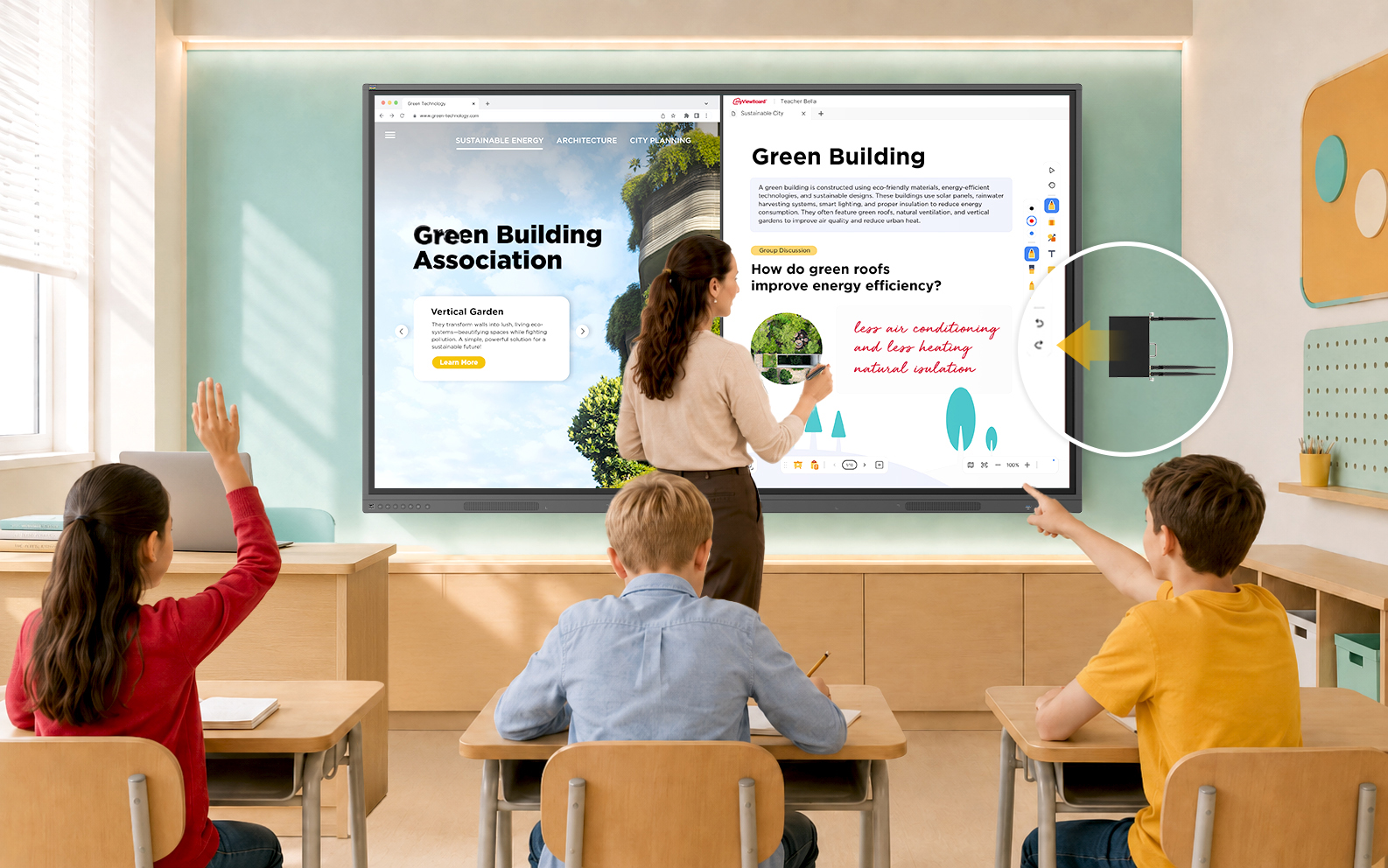
Today’s classrooms move fast, and the technology supporting them needs to keep up. But budget cycles don’t always align with full hardware refreshes. When a complete display upgrade isn’t in this year’s budget, IT teams shouldn’t have to compromise on classroom performance.


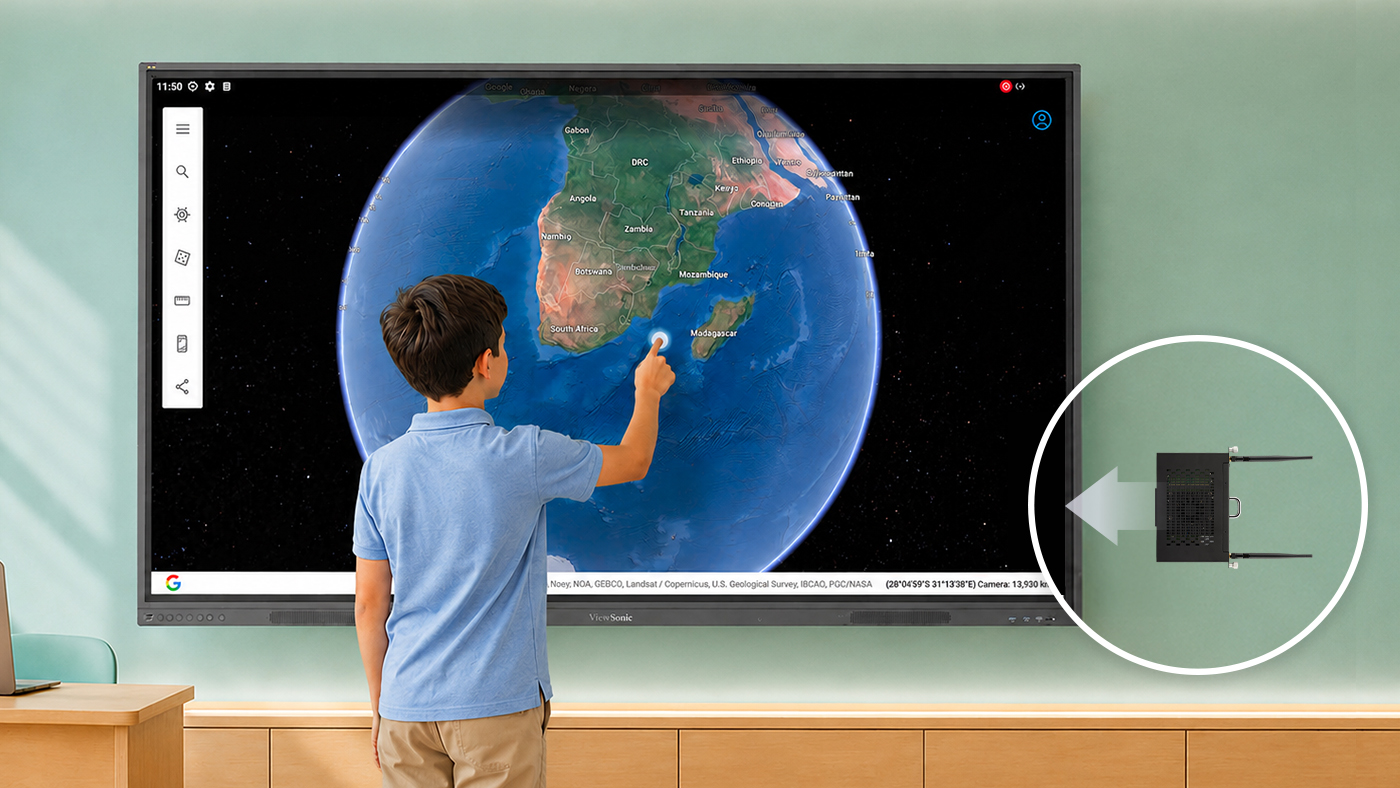
ViewSonic® slot-in PCs offer a seamless bridge strategy. By upgrading the computing engine behind your existing screens, you can deliver immediate speed and memory gains for teachers today while keeping your long-term refresh strategy on track.


Change the Brain: Upgrade Aging Interactive Displays with a Slot-In PC


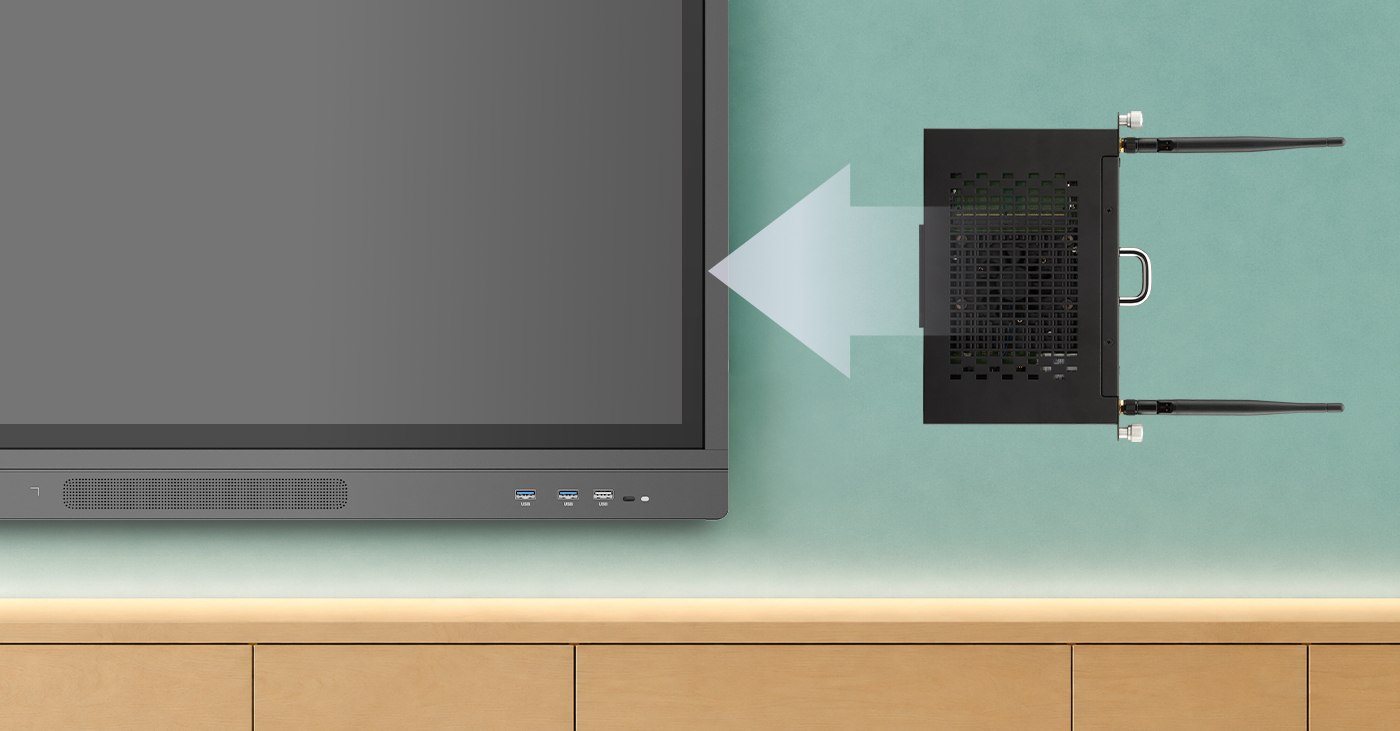
The most cost-effective way to increase the processing speed of your existing interactive flat panels is with an OPS (Open Pluggable Specification) slot-in device.


Think of it as a brain transplant for your classroom technology. Instead of replacing the entire 65”, 75”, or 86” screen—which is often still in great physical condition—you simply add in a new ViewSonic OPS unit to replace the original processor inside.


Why Choose a ViewSonic Slot-In PC?


  • Instant Speed Boost: An OPS slot-in PC lets you upgrade your interactive whiteboards with the latest processors and expanded memory when you’re facing tight budget for a new panel update.
  • Near-universal Compatibility: ViewSonic slot-in PCs are compatible with many other brands, including Newline, Promethean, Smart, and BenQ. So even if your district has a mix of panels, our OPS PC units can likely fit those as well (talk to our experts to find the right match for your setup).


  • Future-Proofing: As educational software and AI tools demand more power over time, modular slot-in PCs let you upgrade computing performance effortlessly. Your displays stay capable and ready for tomorrow’s tech updates without needing a full system redesign.
  • Minimal Downtime: An IT admin can swap an OPS unit in seconds, keeping classrooms functional and teachers productive without losing a full day to installation.
  • Ecosystem Flexibility: If you’ve already purchased or are planning to buy new panels, a slot-in PC can still work for you. Slotting an OPS module into an OS-free or compatible panel allows you to align with your district’s tech stack—whether that’s ChromeOS, Android EDLA, or Windows. Teachers get seamless access to their everyday apps, while you retain the flexibility to adapt as your needs evolve.


Maximize Your Current Investment


You don’t have to settle for “old” just because your classroom technology budget is tight. By focusing on “brains” rather than the external display, you can ensure a fast, premium experience for both teachers and students at a fraction of the cost of a new installation.


Explore ViewSonic slot-in PCs for education now.


Frequently Asked Questions About OPS Slot-In PCs


Can you upgrade an old interactive display without replacing it?
Yes. If the display includes an OPS slot, you can add a slot-in PC instead of purchasing a whole new display. ViewSonic OPS slot-in PCs provide modern processing power that can help older interactive whiteboards run faster and support newer educational applications.


What is an OPS slot-in PC?
An OPS (Open Pluggable Specification) slot-in PC is a compact computer that slides directly into a compatible interactive display. ViewSonic OPS slot-in PCs add processing power, memory, and storage to the display without requiring you to replace the entire unit.


Are ViewSonic OPS slot-in PCs compatible with non-ViewSonic displays?
Many interactive displays from major manufacturers support the OPS standard. While compatibility should always be verified before purchase, ViewSonic OPS slot-in PCs can often be used with compatible displays from multiple brands.


Why are schools upgrading OPS modules instead of replacing displays?
Many older interactive displays still have functional screens and touch technology. Replacing the OPS computing module allows schools to improve performance and support newer software at a lower cost than replacing the entire display. ViewSonic OPS solutions help districts extend technology investments while reducing refresh costs.


How much performance improvement can an OPS upgrade provide?
Performance improvements depend on the age of the existing hardware and the specifications of the new OPS module. Upgrading to a newer ViewSonic OPS slot-in PC can improve application responsiveness, multitasking, startup times, and support for modern classroom software.


What are the benefits of using an OPS slot-in PC in education?
An OPS slot-in PC helps schools extend the life of interactive displays, reduce technology replacement costs, minimize classroom downtime, and provide teachers with a faster, more reliable classroom experience. ViewSonic OPS solutions make these upgrades simple and scalable for school districts, fitting seamlessly into your existing tech stack with ChromeOS, EDLA, or Windows.


Comparative claims and compatibility statements are based on specific features and publicly available manufacturer specifications as of the date of publication, and do not represent a comprehensive evaluation of all product attributes. Actual performance, computing speed, compatibility, and user experience may vary depending on system configuration, legacy panel model, network conditions, usage environment, and other factors. Any references to competitor products, brands, or corporate trademarks, including Newline, Promethean, SMART, and BenQ are for identification and compatibility reference purposes only and do not imply endorsement, affiliation, or sponsorship by their respective owners. Programs, pricing, specifications, and availability are subject to change without notice. Corporate names and trademarks stated herein are the property of their respective companies. © 2026, ViewSonic Corporation. All rights reserved.

Why the LSD500HD is the Perfect Replacement for Aging School Projectors

Buyer's Guide  |  Nov 12 2025

Why the LSD500HD is the Perfect
Replacement for Aging School
Projectors

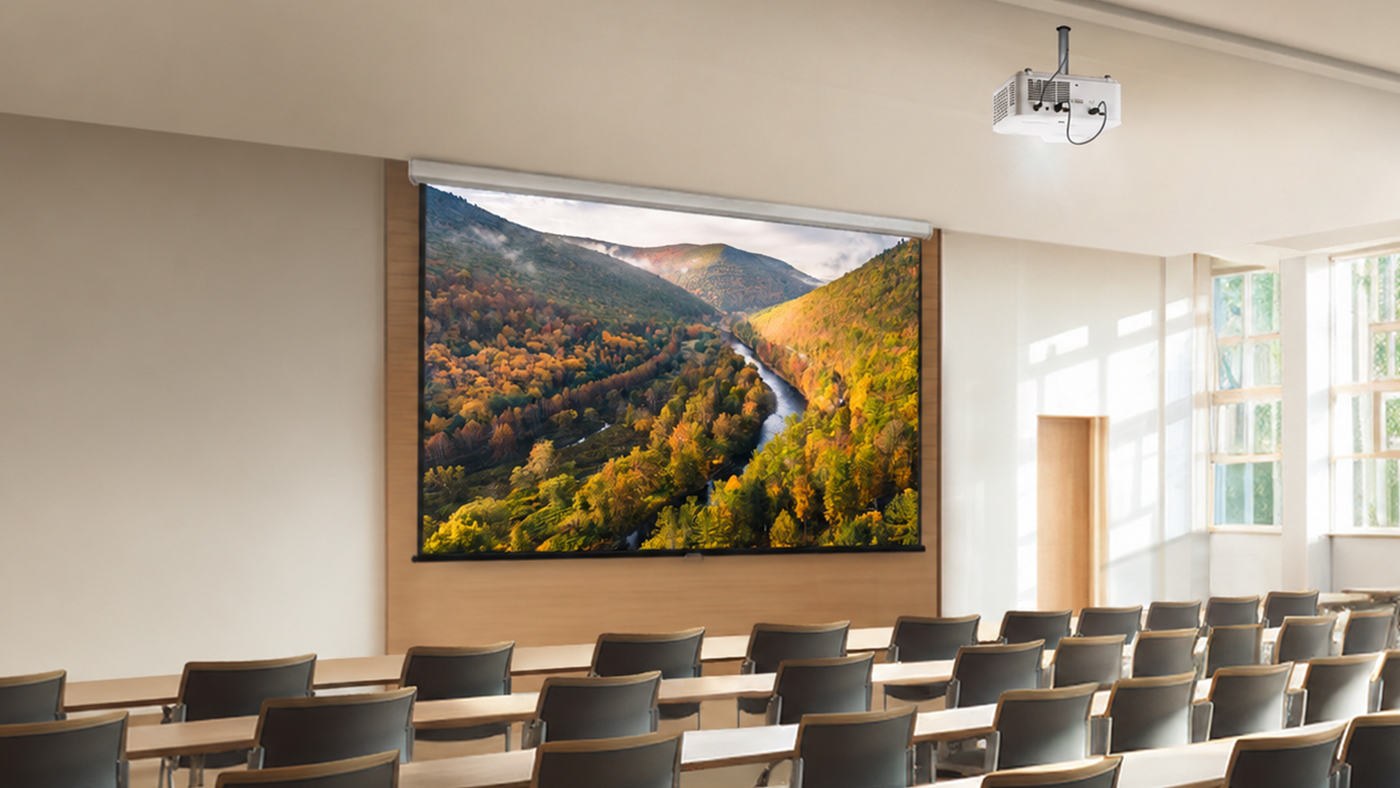
Projector technology has come a long way, and the gap between today’s units and decades-old models still in use in many schools is significant. For teachers who already spend enough time on lesson preparation, a modern projector means they don’t have to worry about whether the projector will be bright enough, or whether it will be ready to go when class starts.

The best part is, with a laser projector like the ViewSonic® LSD500HD, it doesn’t have to become a full infrastructure project.

Key Takeaways

  • Aging lamp projectors lose brightness over time and come with ongoing bulb replacement costs that add up fast.
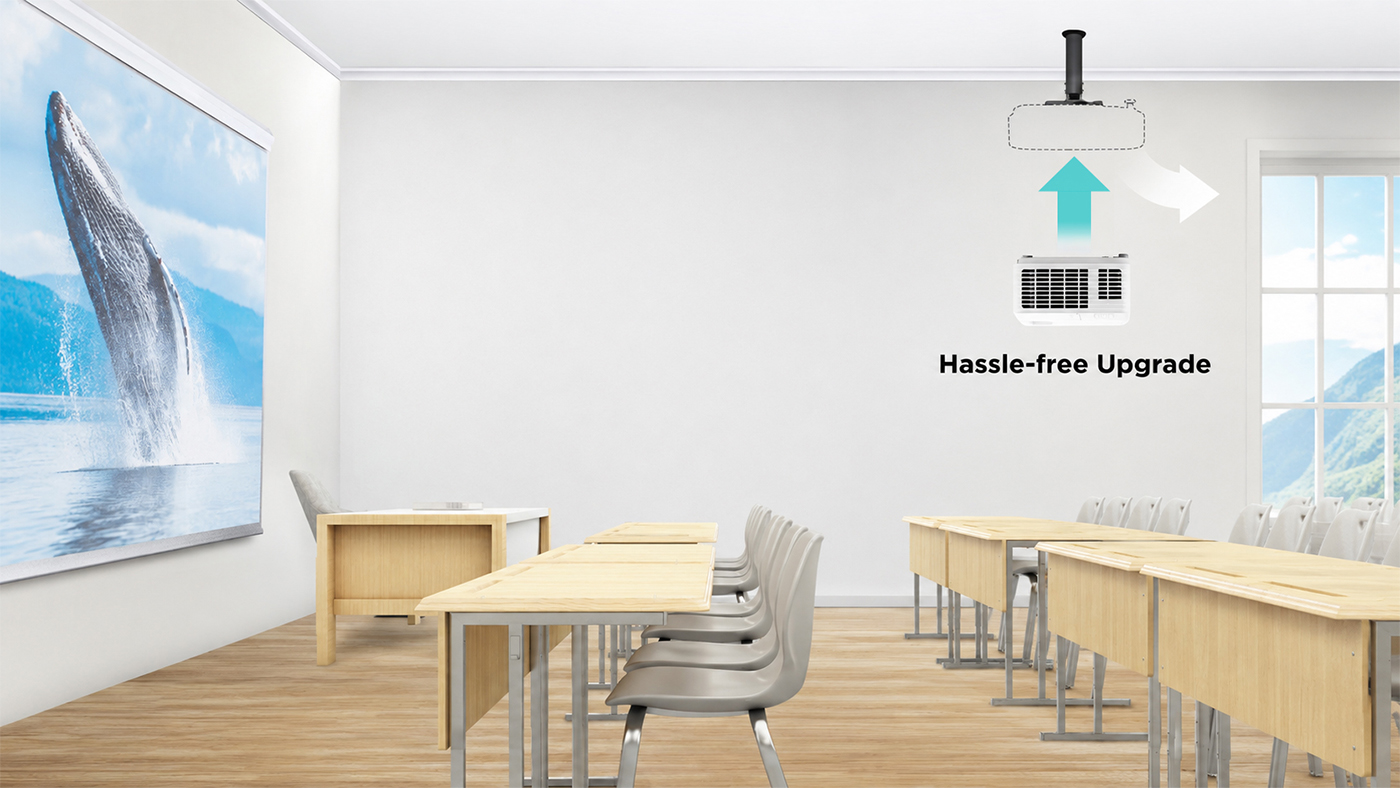
  • A drop-in replacement projector can modernize every classroom without moving your existing ceiling mounts.
  • The LSD500HD offers up to 30,000 hours of use and up to 62% less power consumption than traditional lamp models.
  • Pairing the LSD500HD with a wireless sharing solution simplifies classroom presenting.

How to Approach Projector Replacements Across Your Campus

A campus-wide refresh goes smoother when you know what to prioritize before the first unit gets swapped out.

Ensure Compatibility with Existing Infrastructure

Having to remeasure and redrill mounts and patch up holes left behind from old ceiling mounts can quickly turn a simple hardware swap into an expensive and time-consuming infrastructure project. However, this can all be avoided by choosing a replacement projector that fits into your current setup.


The LSD500HD was designed to match the standard throw ratios and zoom profiles of the most common classroom Epson models. Specifically, it offers:

  • Flexible 1.3x optical zoom
  • 1.13~1.47 throw ratio
  • Vertical/horizontal keystone correction
  • Full 360-degree projection capability
  • Centralized LAN control

It’s thanks to these features that the LSD500HD can adapt perfectly to your existing infrastructure. Your AV team simply unmounts the old unit, installs the LSD500HD in the same position, uses the 4-corner adjustment to square the image, and moves on to the next room. No new drilling, no ceiling patching.

Look for High Brightness

One of the most common complaints about aging projectors is declining brightness, as lamp-based projectors lose luminosity steadily over time. A projector that was adequate at installation may be producing a noticeably dimmer image a few years later, particularly in classrooms with large windows and ambient light.

High-brightness projectors deliver 5,000 or more ANSI lumens, which is strong enough to hold up in real classroom environments. The image is clear and vibrant regardless of the time of day, making it a meaningful upgrade for any classroom that has been making do with a dimming lamp-based unit.

The ViewSonic LSD500HD also powers on instantly at full brightness with no warm-up period, which means teachers are not standing in front of a class waiting for the projector to be ready before the lesson can begin.

Choose a Laser Projector

Bulb replacements are one of the most persistent ongoing costs of traditional lamp projector ownership. Replacement lamps need to be installed every 2,000-5,000 hours and can run anywhere from $50 to $400 apiece, plus any labor cost. Schools also bear the responsibility of disposing of them properly when they fail, as some projector lamps contain hazardous materials that require specific disposal processes.

A laser projector eliminates this hassle entirely. Unlike lamp-based models, laser projectors require no bulb replacements and are typically rated for between 20,000 and 30,000 hours of use. To put that in context, a projector used for eight hours a day, five days a week across a 40-week school year accumulates roughly 1,600 hours of use annually.

Complete the Upgrade with a Wireless Screen Sharing Solution

A brighter, longer-lasting projector solves the infrastructure side of the problem. But there is another side: the teacher experience. There’s nothing more disruptive to a lesson than ten minutes of troubleshooting a laptop connection. Missing adapters, dropped Wi-Fi, and incompatible cables are a daily reality in many classrooms. Pairing a projector like the LSD500HD with the ViewSonic® ViewShare™ WPD-900 wireless presentation system closes that gap.

Teachers just plug a small transmitter into their device of choice and are sharing their screen within seconds. There’s no need for app downloads or network passwords, and it works with any laptop, MacBook, iPad, tablet, or smartphone with a fully enabled USB-C port. And if you’re concerned about unauthorized student takeovers, the WPD-900E model disables Miracast and AirPlay by default.

The result is a classroom where the technology simply works. Teachers walk in, connect, and teach while students get more out of the lesson.

Final Thoughts

Replacing aging projectors doesn’t have to mean a disruptive, expensive infrastructure overhaul. With the right hardware, it can be as straightforward as swapping the unit, adjusting the image, and the projector is ready for use. By adopting the same throw ratio as the most common models found in classrooms, the ViewSonic LSD500HD laser projector is designed to make that upgrade as painless as possible. Paired with the WPD-900, it gives both IT teams and teachers a setup they can rely on for many years to come.

Learn more about how the ViewSonic LSD500HD can provide a better teaching experience in your school or district.

Frequently Asked Questions

What is the difference between a laser projector and a lamp-based projector?

The core difference between a laser projector and a lamp-based projector is the light source. As the name suggests, lamp-based projectors use a replaceable bulb that dims over time and typically needs replacing every 2,000 to 5,000 hours.

Laser projectors use a solid-state light source that maintains consistent brightness for up to 20,000 to 30,000 hours with no replacements required. Laser projectors also power on instantly at full brightness, whereas lamp-based models often require a warm-up period.

What throw ratio should I look for when replacing an existing projector?

When replacing an existing unit, the ideal replacement matches or closely approximates the throw ratio of the outgoing model so that no repositioning of the ceiling mount is required.

A projector with optical zoom gives additional flexibility, allowing it to fill the same screen size from a slightly different distance.

Will the LSD500HD fit my existing ceiling mount?

The LSD500HD’s 1.3x optical zoom, keystone correction, and 360-degree projection capability are designed to accommodate a wide range of existing installations without requiring new mounts or structural changes.

How bright does a projector need to be for classroom use?

It depends on the room. As a general rule, a classroom with controlled lighting can get by with 2,500 to 3,500 ANSI lumens. For rooms with ambient light, large windows, or no ability to dim the lights, 4,000 to 5,500 lumens or more is recommended.

Comparative claims are based on specific features and publicly available manufacturer specifications as of the date of publication, and are not intended to represent a comprehensive evaluation of all product attributes. Any references to competitors’ products or trademarks, including ‘Epson,’ as well as third-party hardware or software platforms, are for identification and compatibility purposes only and do not imply endorsement, affiliation, or sponsorship by their respective owners.

Fourth-Generation Model of the Award-Winning LDS Series of Mobile LED Displays from ViewSonic Now Shipping

The LDS136-152, From the Industry Leading Mobile Direct View LED Line, Offers an All-in-One Solution with Better Accessibility and Effortless Setup


Brea, CA (Sept. 22, 2026) – ViewSonic Corp., a leading global provider of visual and edtech solutions, announces that the latest generation of the award-winning Mobile Direct View LED display solution is now shipping. The ViewSonic LDS136-152 mobile solution delivers a large screen display in a pre-assembled design, which enables effortless setup within minutes. The LDS136-152 is a foldable 136-inch Direct View LED video wall on wheels built for maximum flexibility.

A 4th generation model, the LDS136-152 introduces beneficial upgrades that make setup and operation even easier. The motorized screen lifts higher than any other dvLED in its class, helping everyone get a clearer view of content on the screen. The new commercial-grade built-in motorized stand provides an industry-leading extra 3.7 feet of vertical adjustment. An integrated stand and display remote control allow the management of both the screen settings and motorized lift. Rear I/O ports are easy to reach and provide direct connectivity without opening panels or exposing internal boards, so connecting devices is quick and simple.

“The ViewSonic mobile dvLED solution delivers a giant LED screen that arrives ready to go, so our partners and customers can skip complex installations,” said Shane Roma, Technical Product Manager of dvLED/Commercial Displays at ViewSonic. “The LDS136-152 sets up in minutes and ships in a rugged flight case for easy transport and storage. Just unfold it, plug it in and you’re ready to showcase content or present messaging to your audience. It’s one of the easiest ways to get a larger-than-life, stunning display wherever you need it. We have inventory in the U.S., along with technical support to assist as needed.”

The LDS136-152 features an integrated OPS slot to make it easy to expand the system when needed. Glue-on-Board (GOB) technology protects the LED panels from daily wear-and-tear, while its IP65 and IK06 ratings ensure resistance to bumps, dust, and moisture, ensuring that it can work in public spaces like auditoriums and lobbies. A redesigned hinge adds durability for repeated setup and transport, so the display can be used for events, trade shows and pop-up spaces. It glides silently on 360-degree wheels, making it simple to share between rooms or venues, while the foldable design fits into most elevators.


LDS136-152 All-in-One Direct View Mobile LED Display

  • 136-inch foldable screen pre-assembled in a protective flight case
  • New commercial-grade built-in motorized stand provides an industry-leading extra 3.7 feet of vertical adjustment
  • Integrated stand and display remote control allow management of both the screen settings and motorized lift
  • I/O ports are more accessible and provide direct connectivity without opening panels or exposing internal boards
  • Glue-on-Board (GOB) Technology is designed to provide additional resistance to impact, dust, and moisture for an IP65 rating; IK06 rating for impact protection in heavy-usage environments
  • Versatile connectivity includes HDMI (x4), HDMI output (x1), SPDIF and 3.5mm Audio Out, USB connectivity, WiFi, Bluetooth, Ethernet, RS-232, and an OPS slot
  • Native 1080p (1920x1080) Full HD resolution, 600-nit brightness, 3840Hz refresh rate, 6,500:1 contrast ratio, and dual 30W speakers
  • Supports split-screen functionality, as well as Picture-by-Picture (from up to 4 different inputs) and Picture-in-Picture in real-time (requires an HDMI source input)
  • With the ViewSonic AirSync software, the screen can be shared wirelessly from any device with tools such as AirPlay and Google Cast
  • Can be integrated into the Q-SYS ecosystem via a Q-SYS LIBRARY VERIFIED plug-in; also compatible with Crestron, Extron, and AMX systems

ViewSonic dvLED solutions are developed and engineered to make large-scale display solutions more accessible for AV/IT teams. With the latest features and technologies, the ViewSonic dvLED All-in-One solutions ensure easy deployment, management, and scalability for various applications and real-world environments. The LDS mobile solution is a plug-and-play display that can be used almost anywhere without the extensive setup that comes with a traditional, permanent dvLED installation.

To find out more about ViewSonic, visit ViewSonic.com and follow on Facebook, YouTube, X and Instagram.


About ViewSonic
Founded in 1987 and headquartered in Brea, California, ViewSonic is a leading global provider of visual solutions for the education, business, and consumer markets, with a presence in over 100 countries. Driven by the mission to transform education, workplaces, and lives, the company delivers a unified ecosystem of innovative hardware, software, and services that integrates seamlessly with the platforms, tools, and partners customers trust. Its product portfolio includes monitors, projectors, interactive displays, LED displays, commercial displays, video conferencing systems, and industrial solutions. Complementing its hardware is a robust suite of software offerings—including myViewBoard®, ClassSwift®, TeamOne®, ViewSonic Manager™, and AirSync™—featuring AI-powered tools for collaboration, device optimization, and management. By empowering creativity, collaboration, and lifelong learning, ViewSonic supports customers at every stage in achieving their business and sustainability goals, creating a lasting impact and helping people everywhere connect with purpose—and See the Difference®. Learn more at www.viewsonic.com.


# # #


*Actual performance, compatibility, and user experience may vary depending on system configuration, network conditions, usage environment, and other factors. Features and specifications are subject to change without notice. This news release contains forward-looking statements that reflect the Company’s expectations with regard to future events. Actual events could differ significantly from those anticipated in this document. Trademark footnote: ViewSonic and the ViewSonic trademarks are trademarks or registered trademarks of ViewSonic Corporation in the United States and/or other countries. All other corporate names and trademarks stated herein are the property of their respective companies.


Media Contacts:

Joey Lee
JSL Marketing for ViewSonic [U.S.]
E: joey@jslcomm.com

Miranda Bravo
ViewSonic [U.S. / Canada]
E: miranda.bravo@viewsonic.com

Nury Lavandier
ViewSonic [Latin America]
E: Nury.Lavandier@viewsonic.com

dvLED Procurement Guide For Enterprise End Users and AV Integrators

dvLED Procurement Guide For Enterprise End Users and AV Integrators

1. What Is All-in-One dvLED?

Direct View LED (dvLED) is a display technology built from individual LED modules assembled to create large-format screens. Unlike LCD or projection systems, dvLED produces its own light. There is no backlight, no projection gap and no screen-door effect. The result is a display that delivers vivid, consistent image quality at any size.

The term All-in-One means something specific in the dvLED world. Most dvLED systems are component-based: the display cabinets, the processing unit, the power distribution and the control system are separate products that need to be designed, purchased and integrated together. That approach works for large-scale custom installations, and it adds cost, time and risk to nearly every other project.

An All-in-One dvLED system integrates all of those components into a single cohesive unit. Processing, power and mounting are built in. There is no separate media player or control box to source. You specify the display, you receive a complete system, and you install it.

ViewSonic’s entire dvLED portfolio is All-in-One. Every product ships as a complete, integrated system. No component sourcing. No system design from scratch. No surprise line items.

2. All-in-One vs. Component-Based: Why It Matters

If you are evaluating dvLED for the first time, you will encounter two fundamentally different approaches to building a system. Understanding the difference is the most important decision you will make in the procurement process.

Traditional component-based dvLED All-in-One dvLED (ViewSonic)
Separate cabinets, processor, power, control One integrated system with cabinets, power and processing included
Requires custom system design per project Pre-engineered. Spec a size, deploy the system
Multiple vendors, multiple SKUs Single SKU for most configurations
Complex quoting, hidden integration costs All-inclusive pricing, no surprise line items
Longer lead times, custom build required U.S.-stocked standard sizes, faster delivery
Higher integration risk Reduced project risk, U.S.-based deployment support included

For most enterprise end users and AV integrators, All-in-One is the right starting point. It reduces project complexity, shortens timelines and makes it easier to quote, approve and deploy at scale.

3. Key Buying Criteria

Whether you are an end user evaluating options for a boardroom, lobby or auditorium, or an integrator specifying a system for a client, these are the factors that matter most in a dvLED procurement decision.

3.1 Environment and Viewing Distance

Pixel pitch is the distance in millimeters between the centers of two adjacent LED pixels. It determines how close a viewer can sit before individual LEDs become visible. Tighter pitch means a sharper image at close range and a higher cost, so matching pitch to your actual viewing distance is one of the most important spec decisions you will make.

Use the 10x rule. Pixel pitch multiplied by 10 gives the approximate optimized viewing distance in feet. A 1.5 mm display looks right from about 15 feet, a 1.8 mm from about 18 feet. Run it in reverse to spec a room: divide the distance to your closest viewer by 10, and that is the coarsest pitch that still looks clean.

Environment Closest viewing distance Recommended pixel pitch ViewSonic series
Close viewing / fine pitch Under 7 ft 0.7 mm LDP
Boardroom, briefing center, control room 7 to 10 ft 0.7 to 0.9 mm LDP
Conference room 10 to 15 ft 0.9 to 1.5 mm LDP, LDE, LDM, LDC
Wayfinding, high-traffic 12 to 25 ft 1.2 to 2.5 mm LDE, LDM, LDC
Corporate lobby, atrium 15 to 25 ft 1.5 to 2.5 mm LDE, LDM, LDC
Auditorium, large venue 25 ft and beyond 2.5 mm LDM, LDC

Pixel pitch determines how close a viewer can sit before individual LEDs become visible. A useful rule of thumb: minimum comfortable viewing distance in feet is roughly the pixel pitch in millimeters times 10. Measure from the wall to your nearest seat, divide by 10, and that’s the coarsest pitch that will work in the room.

ViewSonic offers fine-pitch options for close-viewing spaces like boardrooms through coarser pitches built for large venues viewed from across a room. A Solutions Engineer will confirm the right pitch for your space before you commit to a quote.

Pixel Pitch Selection Guide

  • Do not over-specify. Tighter pitch costs more. If your closest viewer sits 20 feet away, a 1.2 mm display delivers no visible improvement over a 2.0 mm display at that distance.
  • Content type matters. High-resolution video and detailed data visualization benefit from tighter pitch. General-purpose presentations and digital signage perform well at looser pitch.
  • Ambient light affects perceived sharpness. In bright environments, ambient light reduces perceived resolution and brightness matters more than pitch. Every ViewSonic dvLED model delivers 600 nits with a 6,500:1 contrast ratio, or 10,000:1 on the Chip-on-Board LDP Series.
  • Future-proof modestly. Viewers move closer to displays over time as content density increases. A slightly tighter pitch than your minimum gives you headroom.

ViewSonic Solutions Engineers will validate your pixel pitch selection against your actual environment before you purchase, at no cost.

3.2 Resolution and Content Sources

Pixel pitch and native resolution are related decisions, not the same one. Pitch governs how close a viewer can sit. Resolution governs how much detail the display can show at all.

The LDS, LDE and LDM Series are 1080p. The LDP Series is 4K. For presentations, video and digital signage, 1080p across a large format is entirely appropriate. For spreadsheets, CAD, GIS, dashboards or any content where fine detail carries meaning, specify 4K. A boardroom that reviews financial models needs a different display than a lobby that plays brand video, even at the same size.

Confirm source count as well. Most series provide four video inputs with picture-by-picture and picture-in-picture support. The LDE Series provides two inputs without PBP or PIP, which matters if the room needs to show two sources side by side.

3.3 Screen Size and Aspect Ratio

dvLED screens are modular, so they can be built to virtually any size. That flexibility is powerful, and it adds complexity without a defined target. Start with your wall space and viewing distance, then work backward to the right size and aspect ratio.

  • 16:9 is the most common aspect ratio for corporate and enterprise use cases
  • Custom aspect ratios are available and typically require longer lead times and custom quoting
  • Standard sizes of 108”, 136”, 163”, 217” and 231” simplify procurement and are U.S.-stocked for faster delivery

One practical note for upper-floor installs. A 100-inch-plus LCD display often will not fit a standard elevator, which quietly rules it out above the ground floor. A dvLED arrives in crates and assembles in the room, so the building stops dictating the display size.

3.4 Durability and Protection Ratings

If your display will sit in a high-traffic area, near food service, or in a space where physical contact is likely, durability ratings matter.

  • IP rating measures dust and water resistance. IP54 is partial dust protection and splash resistance. IP65 is fully sealed against dust and water jets.
  • IK rating measures impact resistance. IK06 withstands a 1-joule impact. IK08 withstands 5 joules.
  • Glue-on-Board (GOB) and Chip-on-Board (COB) technology. Glue-on-Board encapsulates the LEDs and electronics in a thin epoxy resin layer, shielding against moisture, dust and physical impact while reducing light reflection and raising contrast. Chip-on-Board mounts LED chips directly to a substrate, delivering higher contrast and enabling sub-1.2 mm pitch.

GOB or COB protection is standard across every ViewSonic dvLED product, not an optional upgrade. Impact protection is IK06 on Glue-on-Board models and IK08 on Chip-on-Board. Ingress protection is IP54 or IP65 depending on model.

  • MIP (Micro LED in Package). Micro LED chips individually packaged before mounting, which supports ultra-fine pixel pitches with tighter color uniformity across the wall, higher contrast and optimized thermal management for long-term reliability. Built for premium installations where the display is the focal point of the room.

3.5 Installation Environment

Before specifying a system, confirm the following with your facilities or IT team.

  • Wall space and structural load. Confirm the wall can carry the system weight.
  • Power availability. Confirm circuit amperage and proximity to the install location.
  • Mounting depth and clearance. ViewSonic All-in-One dvLED mounts at approximately 2.7 inches deep, which keeps the display inside the 4-inch protrusion limit ADA sets for circulation paths. An LCD video wall at 6 to 8 inches deep does not.
  • Conduit and cable routing paths.
  • Ceiling height and access for installation equipment.
  • HVAC and ambient heat management near the display.

ViewSonic’s U.S.-based Solutions Engineers provide pre-sales site assessment support and can validate your environment before you purchase, at no additional cost.

3.6 Control System and Management

If your facility uses an AV control system, confirm compatibility before specifying any display. Every ViewSonic dvLED series supports:

  • Q-SYS Library Verified plugins
  • Crestron, Extron and AMX control via IP and RS-232
  • OpenAPI shared across the ViewSonic dvLED, commercial display and IFP portfolio
  • Software-free image stitching, factory-calibrated and ready from the box

For remote device management, the LDS, LDM, LDP and LDC Series include ViewSonic Manager, a free browser-based console for device status monitoring, batch enrollment, grouping by site or room, firmware updates and urgent alert broadcast. The LDE Series runs a simplified OS without Manager support, so if central management is a requirement, specify LDM or LDP.

3.7 Installation

dvLED installation is more involved than mounting a flat-panel display. Understanding what the process requires, and what your vendor includes, is essential before you budget and approve a project.

  • Site prep. Confirm wall structural capacity, power circuit availability and conduit routing before installation begins. ViewSonic Solutions Engineers can assess your site before you commit.
  • Mounting options. ViewSonic dvLED supports wall mounting, floor-standing and ceiling-mount configurations depending on product category and environment. Mobile LDS systems require no fixed mounting at all.
  • Installation supervision included at no additional cost. ViewSonic is on-site to support your team when it matters most.
  • Certified installer program. AV integrators can earn a ViewSonic dvLED Installation Certification through a two-day hands-on program at the Brea, California headquarters and in select U.S. cities. Certification provides CTS renewal units and prepares installers to deploy ViewSonic systems with first-install efficiency.

The first dvLED install always takes longer than the second. ViewSonic certification and on-site supervision give your team, and your integrator, that experience before they need it on a live customer job.

3.8 Serviceability and Warranty

dvLED displays are long-term investments, so how easily the display can be maintained over its lifetime belongs in the procurement decision.

  • Front-serviceable tiles. All ViewSonic dvLED tiles are accessible from the front. No rear access is required, which is critical for displays mounted flush to a wall or in spaces where rear access is impossible.
  • Hot-swappable design. Individual tiles can be removed and replaced without powering down the display, which minimizes disruption in mission-critical environments.
  • 5% spare tiles included. Every system ships with calibrated spare tiles equal to 5% of the total tile count. Spares are pre-calibrated to match the display, so a replacement does not require color recalibration.
  • GOB and COB protection shields LEDs from contact, cleaning products and daily wear, reducing tile damage and extending service intervals.
  • LED lifespan of approximately 100,000 hours. At 16 hours per day, that is roughly 17 years before LED degradation becomes significant.
  • U.S. support continuity. The same U.S.-based team that supported your pre-sales design and installation manages ongoing technical support. No offshore handoffs, no starting over with a new contact.
  • Warranty. Terms vary by product category. Your ViewSonic representative will confirm the term for your configuration in writing as part of the quote.

3.9 Total Cost of Ownership

TCO analysis for dvLED should span five to ten years. Purchase price is the starting point, not the picture

Cost category Component-based system ViewSonic All-in-One
System purchase price Lower upfront, integration adds cost All-inclusive, no hidden line items
Integration and design Significant, custom per project Minimal, pre-engineered system
Installation supervision Typically billed separately Included at no extra cost
Spare parts Sourced separately, calibration required 5% calibrated spares included
Serviceability Varies, rear access often required Front-serviceable, hot-swappable standard
LED lifespan Varies by manufacturer Approximately 100,000 hours portfolio-wide
Technical support Varies, often offshore U.S.-based, design-to-support continuity
Downtime cost Higher if rear access required Lower, front-serviceable minimizes disruption

When building a TCO case for internal approval, ViewSonic can provide supporting documentation. Contact your account representative or Solutions Engineer.

4. The ViewSonic dvLED Portfolio

Three categories, all All-in-One. The right category depends on your flexibility requirements, project timeline and budget.

Category 1: Mobile (Plug-and-Play)

BEST FOR: DEMOS, FLEXIBLE SPACES, QUICK DEPLOYMENT

The LDS Series is a foldable, self-contained dvLED system that requires zero fixed installation. Roll it in, power it on, present. It is the fastest path to dvLED for organizations that want the visual impact without committing to a permanent install.

  • Fourth-generation foldable All-in-One design, with improvements built from customer feedback
  • 136 inches, 1080p, 1.5 mm pitch, IP65 and IK06 rated
  • No wall mounting, conduit or structural work required
  • Ships in a reusable flight case, ready to use from U.S. stock

Category 2: Pre-configured (Fast Deployment)

BEST FOR: CORPORATE OFFICES, HIGHER ED, GOVERNMENT, LOBBY DISPLAYS

The LDE, LDM and LDP Series are standard-sized systems available as single-SKU orders. These are the right choice when you need a fast, low-risk path to a permanently installed display.

  • LDE Series. 108, 136 and 163 inches at 1080p, 1.2 to 1.8 mm. The cost-effective entry point. Simplified OS, so no ViewSonic Manager support and two video inputs.
  • LDM Series. 136, 163 and 217 inches at 2K+ or 4K, 0.9 to 1.5 mm. The mainstream choice for lobbies and large meeting spaces.
  • LDP Series. 163 and 217 inches at 4K, 0.9 to 1.2 mm Micro LED in Package (MIP) with 10,000:1 contrast. For boardrooms and control rooms where viewers sit close.
  • U.S.-stocked, shipping from California
  • Single part number simplifies quoting, purchasing and project approval

Category 3: Configurable All-in-One

BEST FOR: NON-STANDARD SIZES, UNIQUE ENVIRONMENTS, LARGE VENUES

The LDC Series provides made-to-order sizing while maintaining All-in-One architecture. If your space requires a non-standard aspect ratio or an unusual size, LDC delivers the fit without introducing component-based complexity.

  • Made-to-order sizing, 1.2 to 2.5 mm pitch
  • Two to three part numbers per configuration, not dozens of components
  • Designed for indoor applications requiring precise fit
  • Pre-sales design support included from ViewSonic Solutions Engineers

5. Use Case by Environment

Environment Recommended category Key considerations
Corporate lobby / atrium Pre-configured (LDE, LDM) High-traffic durability, ambient light, brand presence
Boardroom / executive suite Pre-configured (LDP) or Configurable Fine pitch at close range, 4K detail, control system integration
Auditorium / town hall Configurable (LDC) Large format, viewing distance, content versatility
Training / conference room Mobile (LDS) or Pre-configured Flexibility, ease of use, no fixed install
Higher ed lecture hall Pre-configured or Configurable Long-term reliability, sightlines, source count
Government / public sector Pre-configured See the note below on procurement compliance
Retail / digital signage Pre-configured or Configurable Ambient brightness, content management, durability
Command / control room Pre-configured (LDP) or Configurable Fine pitch, 24/7 reliability, pixel-level control

A note for government and public sector buyers

Public sector procurement adds requirements that do not appear in a spec sheet. Three worth raising early with your ViewSonic representative:

  • Supplier diversity. ViewSonic is a certified Minority-Owned Business, which counts directly toward supplier diversity requirements in federal, state, local and education procurement.
  • Accessibility. Mounting depth of approximately 2.7 inches keeps the display inside the 4-inch protrusion limit ADA sets for circulation paths.
  • Contract vehicles and sourcing requirements. Ask your representative to confirm current availability and compliance posture for your specific vehicle.

6. Questions to Ask Before You Buy

For end users evaluating a dvLED purchase

Before you issue an RFQ or engage integrators, make sure you can answer these.

  • What is the primary use case? Presentations, wayfinding, video wall, collaboration
  • How far away is the closest viewer? This sets the pixel pitch
  • What content will run on it? Detail-heavy content calls for 4K rather than 1080p
  • What are the wall dimensions and structural load limits?
  • What is the ambient light environment? Direct sunlight, controlled, mixed
  • What control systems are already in place? Crestron, Q-SYS, Extron, AMX
  • What is the full budget including installation, integration and ongoing support?
  • Is a permanent or mobile install required?
  • Who will manage ongoing support and maintenance?

For AV integrators specifying a dvLED system

  • Has the site been physically assessed for power, conduit and wall structure?
  • Is a standard-size pre-configured system sufficient, or does the client need custom dimensions?
  • What pitch does the closest viewing distance require? • Does the content require 4K, or is 1080p appropriate for the application?
  • Are there control system integration requirements?
  • Does the client need central device management? If so, specify LDM or LDP rather than LDE
  • What is the client’s timeline from approval to installation?
  • Is on-site installation supervision needed? Included from ViewSonic at no extra cost
  • Has the client approved All-in-One versus component-based architecture?

7. The dvLED Procurement Process

A dvLED purchase involves more steps than a standard display procurement. Here is what to expect from first contact through installation.

Step Phase What happens
1 Discovery Define use case, environment, viewing distance and budget. Engage ViewSonic Solutions for pre-sales support.
2 Site assessment Evaluate wall structure, power availability, conduit routing and ambient light. ViewSonic engineers assist remotely or on site.
3 Specification Select category, pitch, resolution, size and aspect ratio. Receive system drawings and layout documentation.
4 Quoting Receive all-inclusive pricing: display, delivery, installation supervision and spare tiles. No hidden line items.
5 Approval Submit for internal budget approval. ViewSonic can provide ROI and TCO documentation to support the business case.
6 Order and lead time U.S.-stocked pre-configured and mobile solutions ship from California. Configurable LDC requires additional lead time.
7 Installation On-site ViewSonic installation supervision included. Integrators can earn credentials through the dvLED Certification Program.
8 Commissioning System powered on, calibrated and validated. 5% spare tiles delivered with the system.
9 Ongoing support U.S.-based technical support provides continuity from deployment through the life of the system.

8. Why ViewSonic All-in-One dvLED

100% All-in-One portfolio

ViewSonic is one of the only dvLED manufacturers with All-in-One architecture across the entire product line, at every size from 108 inches through 231 inches plus made-to-order. Their portfolios span both architectures, which gives integrators flexibility and also introduces a decision: buyers must work out which architecture they need, navigate multiple product lines and manage the system design requirements that come with each. ViewSonic’s portfolio is All-in-One only. There is no component-based option to specify, no multi-SKU system design and no fragmented quoting. For most enterprise projects that means a simpler procurement process, a faster path to deployment and less exposure to integration surprises.

Guided deployment

U.S.-based Solutions Engineers are involved from pre-sales design through installation and ongoing support: site validation, system drawings, on-site installation supervision and postdeployment technical support, all under one relationship rather than three.

U.S. operations and support

Mobile and pre-configured solutions are stocked in the U.S. and ship from California. The support team is U.S.-based, which means faster response and people who understand North American compliance requirements and project timelines.

Transparent, all-inclusive pricing

Pricing includes system drawings, shipping, on-site installation supervision and 5% spare tiles. No surprise integration charges. Budget approval moves faster and overrun risk drops.

Proven in corporate, higher ed and government

ViewSonic dvLED solutions are deployed in corporate offices, university lecture halls and government facilities across the Americas. The pre-configured category was specifically designed to fit these verticals without requiring custom builds or extended design cycles. You can also see working systems in person at ViewSonic demo centers across the U.S. and Canada, with your own content on the screen.

Most competitors require component-based design thinking. ViewSonic delivers solution-based simplicity across every tier.

9. Frequently Asked Questions

How do I determine the right pixel pitch for my space?

Use the 10x rule. Pixel pitch multiplied by 10 gives the approximate optimized viewing distance in feet, so divide the distance to your closest viewer by 10 to find the coarsest pitch that still looks clean. A 15-foot closest viewer suggests 1.5 mm or tighter. A 10-foot boardroom suggests 1.0 mm or tighter, which means the LDP Series. Solutions Engineers will validate the calculation against your actual room.

Do I need 4K, or is 1080p enough?

It depends on the content, not the size. Presentations, video and signage look excellent at 1080p across a large format. Spreadsheets, CAD, GIS and dashboards benefit from 4K because the detail carries meaning. The LDP Series is 4K. LDS, LDE and LDM are 1080p.

How long does a dvLED installation take?

A Mobile LDS deployment can be operational in minutes. A permanently installed preconfigured system typically takes one to three days depending on wall prep, cable routing and commissioning. Configurable LDC systems may require additional time. Installation supervision is included at no extra cost and helps first-time installs go smoothly.

Does ViewSonic offer installation support?

Yes. On-site installation supervision is included at no additional cost. The U.S.-based Solutions Engineering team provides pre-installation site validation, on-site supervision during the install and post-installation commissioning support. Integrators building a dvLED practice can also earn credentials through the two-day dvLED Installation Certification Program.

What control systems are compatible with ViewSonic dvLED?

Every series supports Q-SYS through Library Verified plugins, plus Crestron, Extron and AMX via IP and RS-232. The portfolio shares an OpenAPI across ViewSonic dvLED, commercial displays and IFPs. Image stitching is handled in the display, factory-calibrated, with no stitching software to license or configure.

Can I manage a ViewSonic dvLED remotely?

Yes on the LDS, LDM, LDP and LDC Series, which include ViewSonic Manager, a free browser-based console. Monitor device status, enroll displays in batches, group them by site or room, push firmware and broadcast alerts from one tab. The LDE Series runs a simplified OS without Manager.

How does ViewSonic dvLED compare to Samsung or LG?

Samsung and LG both offer All-in-One and component-based dvLED, so buyers and integrators have to determine which product line fits the project and then manage the design and quoting complexity that follows. ViewSonic’s portfolio is All-in-One only, at every size, so there is no architecture decision to make. ViewSonic also includes U.S.-based presales design support, on-site installation supervision and post-deployment technical support as standard rather than as billable services.

Can ViewSonic dvLED be used outdoors?

ViewSonic dvLED is designed for indoor use. Ingress protection of IP54 or IP65 depending on model, combined with GOB or COB encapsulation, gives real latitude in demanding indoor and outdoor-adjacent spaces such as covered entrances, atriums with exterior glazing, and areas exposed to cleaning and foot traffic. For any space that is not fully enclosed and climate-controlled, have the Solutions Engineering team assess the specific conditions before you specify.

How do I get started with a ViewSonic dvLED quote?

Contact ViewSonic Americas or your regional account manager. The Solutions Engineering team will engage within one business day to collect your environment details, viewing distance and project timeline, and provide a preliminary specification and pricing estimate.

10. Ready to Take the Next Step?

Talk to a Specialist

Get expert guidance on the right system for your space.

https://www.viewsonic.com/business/led-displays

Request a Quote

All-inclusive pricing with no hidden integration fees.

https://www.viewsonic.com/business/led-displays

Get Certified

AV integrators: earn your dvLED installation credential.

https://www.viewsonic.com/business/direct-view-led-certification-program

Any references to third-party software, control systems, corporate names, or trademarks (including Crestron, Q-SYS, Extron, AMX, Samsung, and LG) are for identification and compatibility purposes only and do not imply endorsement, affiliation, or sponsorship by their respective owners, and compliance with local codes, structural load limits, and ADA mounting guidelines remains the responsibility of the customer or installer.

How a Canadian School District Simplified IT Support Across 155 Classrooms with ViewSonic

SOLUTION BRIEF

How a Canadian School District Simplified IT Support Across 155 Classrooms with ViewSonic

What Challenge Was the District Trying to Solve?

This district set out to modernize its classrooms by replacing aging, non-interactive displays across 155 classrooms. The goal was to equip every room with identical interactive capabilities without overloading IT support staff.

Operating under provincial public procurement rules, the district issued a competitive Request for Quotation (RFQ) for 86” commercial and interactive displays.

Beyond initial prices, evaluation criteria focused heavily on system standardization, simplified IT maintenance and long-term operating costs. 

What ViewSonic Solution Did the District Deploy?

The contract was awarded to an audio-visual integration partner bidding with ViewSonic, delivering an identical hardware kit for each of the 155 classrooms. In total, the district ordered:

  • 155 ViewBoard® 86” IFP86G1 4K OS-free interactive displays
  • 155 IFP-EW-86-05 extended warranty coverage for each display, extending coverage to 5 years total
  • 155 WMK-047-2 wall mounts with Mini PC bracket
  • 155 WPD-900 ViewShare wireless presentation systems

Choosing OS-free displays gave the district total control over its software setup. IT teams paired each 86-inch panel with their preferred Windows, Chrome OS or Android computing engine. Down the road, technicians can upgrade system performance simply by swapping out the PC module rather than replacing the display.

The rest of the kit completed the classroom setup, using custom mounts to hide cables, wireless casting to reduce cable clutter and five-year warranties to protect budgets. 

Why Did the District Choose ViewSonic?

The contract was won through open competition against established display manufacturers.

What started as a standard request for display panels grew into a complete per classroom solution covering hardware, custom mounting, wireless presentation tools and multiyear protection.

Rather than forcing IT staff to source piecemeal accessories from different suppliers, ViewSonic and its integration partner delivered a single package built for reliable, daily classroom use. 

Spec LDS138-151
Screen size / resolution 138", Full HD 1920x1080
Mobility Foldable design on a motorized, height-adjustable stand with 360-degree wheels; packed in a custom flight case
Setup time Minutes, no system integration required
Durability GOB (Glue-on-Board) protection, IP54 and IK06 rated, built for high-traffic public spaces
Serviceability Hot-swappable front LED modules for minimal downtime
Casting/Connectivity AirSync wireless screen casting (AirPlay, Google Cast); Q-SYS, Crestron, Extron and AMX compatible
Warranty 3-year limited warranty on parts and labor, with on-site service
Recognition Best New Mobile dvLED Product, rAVe Publications' Best of InfoComm, June 2025

What Results Has the District Seen?

  • Standardized 155 classrooms on an identical hardware kit containing a display, wall mount, wireless presentation system and extended warranty. •
  • Established a single, predictable hardware platform for IT staff to install, manage and support district-wide.
  • Protected hardware budgets with OS-free displays that allow computing modules to be upgraded without replacing entire displays.
  • Gave teachers reliable equipment and uniform technology in every building. 


Frequently Asked Questions

What Does a Complete ViewBoard Classroom Kit Include?

The district's standard package pairs an OS-free 86” ViewBoard IFP86G1 interactive display with a WMK-047-2 wall mount, an integrated Mini PC bracket, a WPD-900 ViewShare wireless presentation system and extended warranty coverage. Deploying one identical kit per classroom simplifies installation, daily operation and spare parts inventory district-wide.

What Is an OS-Free Interactive Display?

An OS-free display like the ViewBoard IFP86G1 ships without a built-in operating system. Instead of being locked into factory software, IT departments can run Windows, Chrome OS or Android using their choice of slot-in PC or media device. Omitting onboard software reduces common network security risks while allowing IT to refresh computing performance years later without replacing the entire display.

How Do Teachers Share Their Screens Wirelessly on an OS-Free ViewBoard Interactive Display?

Teachers can connect using the WPD-900 ViewShare wireless presentation system, which provides full casting capabilities without relying on an onboard display OS or Wi Fi. The teacher plugs the USB-C transmitter button into their laptop or device, while the receiver module connects directly to the HDMI port on the ViewBoard interactive display. This creates an isolated, encrypted peer-to-peer connection from any Mac, Windows, Chromebook or mobile device without installing software or entering network passwords.

Why Bundle Extended Warranties Into a Classroom Display Purchase?

Bundling extended coverage aligns display protection with the actual expected life of classroom hardware. For public sector buyers managing school board budgets, locking in five full years of coverage upfront establishes total cost of ownership and eliminates unexpected repair expenses.

Ready to Standardize Your District's Classrooms?

Talk to a ViewSonic Canada representative or an authorized AV integration partner about complete ViewBoard classroom kits for your next refresh.

Related Links

Comparative claims are based on specific features and publicly available manufacturer specifications as of the date of publication, and are not intended to represent a comprehensive evaluation of all product attributes. Actual performance, compatibility, delivery schedules, network performance, training outcomes, and user results may vary depending on system configuration, network conditions, usage settings, individual needs, district or agency requirements, implementation conditions, environmental conditions, and other factors. Any references to third-party products, competitors, software platforms, hardware architectures, certification seals, control systems, or corporate trademarks are for identification, compatibility, and comparative reference purposes only and do not imply endorsement, affiliation, or sponsorship by their respective owners. Environmental protection ratings (including GOB, IP54, and IK06 ratings) are based on standard operating conditions; proper wall mounting, structural reinforcement, mobile assembly, freight handling, and professional installation are the sole responsibility of the customer or installer. ViewSonic assumes no liability for property damage or personal injury resulting from improper installation. Programs, pricing, specifications, and availability are subject to change or cancellation without notice. Corporate names and trademarks stated herein are the property of their respective companies. © 2026, ViewSonic Corporation. All rights reserved. [26ALL MLT1533c]

Making the Move: Transitioning to ViewSonic ViewBoard Interactive Displays

Buyer's Guide  |  Nov 12 2025

Making the Move: Transitioning to ViewSonic ViewBoard Interactive Displays

ViewSonic® ViewBoard® interactive displays are the centerpiece of a modern, connected classroom ecosystem built to replace aging, static technology. As the demand for dynamic, interactive classrooms grows, many districts find their current tools just aren’t keeping up.


Maybe you're moving away from projectors or an aging smart board. Maybe your current brand no longer offers the stability or service you need. Either way, ViewSonic offers a high-quality alternative. We don’t just provide a board for the front of the room. We offer a complete portfolio of interactive flat panels backed by strong support and seamless software integration.

Why Schools Are Upgrading to Interactive Displays

Education is shifting toward tech-enabled spaces that put the student experience first. Modern interactive technology needs to do more than display content. It needs to respond, connect and adapt. Modern schools are moving toward:

  • Personalized Learning: More classrooms need tools that let students engage with content at their own pace.
  • Seamless Tool Access: Educators need their everyday apps and platforms to work without technical hiccups.
  • Budget-Friendly Longevity: Districts want upgrades that hold their value over time instead of high-maintenance tech that needs constant repairs.

Signs It’s Time to Transition

If your current setup is causing more headaches than it’s solving, it might be time to look at your options. Common signs include:

  • Outdated Hardware: Projectors or older boards that aren’t bright or effective enough for a modern classroom.
  • Incompatibility: Systems that don’t play well with your current software or cloud platforms. Outdated firmware or a lack of USB-C and HDMI support makes it harder to keep up with the devices your staff and students already use.
  • Lack of Support: Frustration with vendors who don’t provide timely service or have moved to AI-only troubleshooting.
  • Missing Resources: Little to no training or professional development to help staff actually use the tech they have.
  • Vendor Financial Stability: A low price today doesn’t help if your vendor can’t support you tomorrow. When it’s time to refresh your technology, it’s worth weighing a company’s financial health along with its hardware.

What Is a ViewSonic® ViewBoard® Display?

Interactive displays have become standard equipment in classrooms, not an occasional upgrade. Teachers rely on them daily for lessons, collaboration and assessment, so panel quality matters. A display that lags, disconnects or breaks down creates more work, not less.


That’s where a ViewBoard display comes in. It’s a high-performance interactive flat panel built for real classroom use, with intuitive touch input and the option to add a slot-in PC for extra computing power. Think of it as a big display with interactive touch capability built for the realities of modern education. Sizes range from 55 inches all the way up to 110 inches, so there’s a fit for any space.


A ViewBoard display goes beyond a touch panel on the wall. Here’s what comes with it:

  • The ViewSonic Education Ecosystem: Our built-in software suite for whiteboarding, annotation, formative assessment and device management, included at no extra cost.
  • Professional Development: Every panel comes with complimentary training, including one-on-one sessions, video tutorials and a certification program, so your staff feels confident from day one.
  • US-Based Support: We’re a US-based company with a support team you can actually talk to. When you need help, you get a real person on the phone or by email.
  • Built to Last: Every panel is built for daily classroom use, with impact-resistant glass and flexible warranty options so your investment lasts.

Key Features That Support Seamless Collaboration

Our hardware and software work together, so teachers get a smooth workflow and IT admins can manage devices with ease.

  • ViewBoard Display Hardware: multi-touch functionality lets multiple students work on the screen at the same time.
  • Integrated Software: get real-time annotation, wireless screencasting with touchback control, engagement tools like myViewBoard Quiz Tools for formative assessments, and device management through ViewSonic Manager.
  • Dedicated Support: you get access to our professional learning team, a certification course and an active online community where teachers share lessons and tips.

Benefits of Switching to ViewSonic ViewBoard Displays

We aim for the right balance of value and performance, so you get a high-quality product backed by people who care about your success.


For Educators and Trainers


Teachers get tools that make daily lessons easier to plan, deliver and reuse.


Increased Student Engagement During Lessons


With myViewBoard Quiz Tools, teachers can run real-time comprehension checks right from the toolbar, snip and share content from the screen in seconds and turn a quick check-in into a game with buzzers and timers. Flexible response options like multiple choice, audio and sketch mean every student can answer in a way that works for them.


Access to Teaching Tools All in One Place


Our Android EDLA certified panels give you direct access to the Google Play Store. Run Google apps or Microsoft apps right on the board, or use split-screen mode to work in Google Slides and Google Translate at the same time.


Simplified Content Delivery and Reusability


We know how hard teachers work on their lessons. If your district switches brands, you shouldn’t lose your files. With myViewBoard, you can import your existing Google Slides, PowerPoint files, PDFs, Promethean whiteboard files, SMART Notebook files and even legacy files from other interactive whiteboard brands, then turn them into board files you can still interact with.


Ongoing Training


Our professional development team offers one-on-one meetings, YouTube tutorials and a full certification program, so you feel confident using every feature. You can also purchase premium in-person or virtual training led by our ViewSonic experts, former educators with real classroom and school experience.


A Community of Teachers Who Get It


Our online community connects you with other educators using ViewBoard displays every day. Share lesson ideas, ask questions and see how other teachers use their panels in real classrooms.


Resources Whenever You Need Them


Beyond live training, you get access to a library of guides, lesson templates and how-to articles. Look something up whenever you need it, without waiting on a support ticket.


For IT Administrators


IT teams get centralized control, easy integration and hardware built to survive daily classroom use.


Simplified Device Management and Security


With ViewSonic Manager, you can manage every panel from a single web dashboard. Check device status, install or uninstall apps and broadcast emergency messages across the whole school instantly. You can even push firmware updates remotely across your entire fleet, so every panel stays current without a technician visiting each one in person.


Easy Integration With Existing Network Systems


Our panels work with the AV systems you already have, including Crestron, Extron, AMX and Q-SYS.


Durable Hardware With Low Maintenance


ViewBoard displays are built for the classroom with anti-glare, 9H pencil-hardness glass and flexible warranty options up to seven years, because we know this is a big investment and we want it to last. Lower maintenance costs and remote firmware management also help keep your total cost of ownership down over the life of the product.


Optional Accessories That Complete Your Setup


Round out your deployment with accessories built for the way your campus works. Add a wall mount or mobile cart depending on your space, a slot-in PC to fit your existing systems and workflows and ViewShare™ WPD-900E for wireless presentation without extra apps or cables.


A Reputable Brand Built to Support Schools


When you choose a vendor, you’re also choosing a long-term partner. ViewSonic has built a stable, well- established business serving schools for years, so you can count on us to support your panels long after the sale. That matters most when it’s time for warranty service, a software update or a support call.


For Students and Learners


Every student gets more ways to participate and stay engaged in the lesson.


More Personalized and Interactive Learning Experiences


With myViewBoard Quiz Tools, students get quick, game-like check-ins with buzzers and timers instead of another worksheet. They can answer in whatever way feels most natural, whether that’s multiple choice, a quick sketch or a recorded audio response. That flexibility turns passive listening into active participation for every kind of learner.

The Transition Process: What to Expect

Here’s how a switch to ViewSonic typically comes together, step by step.


Planning and Assessment


We work with you to find the right sizes, models and accessories for your campus. Contact our sales team to discuss your needs.


Shipping and Delivery


We ship from warehouses across the US and Canada, so your panels and accessories arrive quickly without extra customs delays.


Installation and Setup


Our team makes sure your panels are installed correctly and integrated with your network from day one.


Training and Onboarding


We don’t just drop off a board. Every district gets complimentary training and resources to get started, with premium professional development available for purchase if you want a deeper, hands-on experience.


Software Integration


For teachers who want simple screen casting, AirSync™ makes it effortless. For those with years of lessons to bring over, we make migrating your files easy, so you don’t have to recreate years of work. Once your files are in myViewBoard, they become fully interactive.


Ongoing Professional Development


The support doesn’t stop after the sale. Training and professional development options let your teachers keep building their skills over time, and many can even earn CE credits along the way.


Frequently Asked Questions

Here are quick answers to the questions we hear most often from districts considering a switch.


Will Our Staff Be Overwhelmed by New Technology?


No. Our interface is simple and intuitive, and every district gets complimentary training and one-on-one support.


How Hard Is It to Switch from Another Platform?


Less than you’d think. We handle installation and network setup, help you migrate your existing files and provide training so your staff feels confident from day one.


Is It Compatible With Our Existing Systems?


Yes. ViewBoard displays work across major platforms, operating systems and professional AV setups.


Will It Be Worth the Cost?


Yes. Long-term durability, low maintenance and included software help ViewSonic save you money over the life of the product.


Getting Started With ViewSonic ViewBoard Displays

Whether you need a single 55-inch interactive display for a huddle space or a 110-inch panel for a lecture hall, ViewSonic has a solution. Professional development is often included in the bid, so your staff is ready on day one.


Ready to make the move?
Contact your ViewSonic education representative to start planning your transition.

How a Leading Canadian Law Firm Simplified IT Procurement with ViewSonic Docking Monitors

SOLUTION BRIEF

How a Leading Canadian Law Firm Simplified IT Procurement with ViewSonic Docking Monitors

What Challenge Was the Firm Trying To Solve?

A prominent Canadian business law firm was running into administrative and practical issues with its dual-monitor setups. Lawyers and staff worked across separate monitors, docking stations, external power bricks and cable adapters, with each desk collecting its own tangle of hardware. The firm wanted to move to a cleaner setup built on the latest docking technology. From a support standpoint, managing separate line items for monitors, docks and connection cables added unnecessary work for IT. The firm set out to consolidate its hardware into a single docking monitor SKU that could support a standardized two-screen layout, supply 100W power over USB-C and connect seamlessly to its corporate laptop fleet.

What ViewSonic Solution Did the Firm Deploy?

The firm standardized on 700 ViewSonic® 27” VG2758-2K QHD docking monitors, building out 350 dual-display workstations across both offices.

With a built-in docking station featuring 100W USB-C power delivery, an RJ45 Ethernet port and a five-port USB hub, each 27” monitor acts as a complete desktop hub.

Employees can connect their laptop to both screens, the wired network and desk peripherals using a single USB-C cable. Thanks to USB-C daisy-chaining, the two monitors link directly to each other, so only one cable is needed to connect to the laptop.

Beyond simplifying connections, the deployment improved daily physical comfort and long-term hardware management. Fully adjustable ergonomic stands let staff tailor screen height, tilt, swivel and pivot to fit their posture without requiring custom mounting arms.

On the operational side, EPEAT and Energy Star certifications support corporate energy targets, while a three-year limited warranty gives IT predictable long-term hardware reliability. 

Spec LDS138-151
Screen size / resolution 138", Full HD 1920x1080
Mobility Foldable design on a motorized, height-adjustable stand with 360-degree wheels; packed in a custom flight case
Setup time Minutes, no system integration required
Durability GOB (Glue-on-Board) protection, IP54 and IK06 rated, built for high-traffic public spaces
Serviceability Hot-swappable front LED modules for minimal downtime
Casting/Connectivity AirSync wireless screen casting (AirPlay, Google Cast); Q-SYS, Crestron, Extron and AMX compatible
Warranty 3-year limited warranty on parts and labor, with on-site service
Recognition Best New Mobile dvLED Product, rAVe Publications' Best of InfoComm, June 2025

What Results Has the Firm Seen?

  • Consolidated IT procurement into a single monitor SKU across both offices.
  • Cleared desk clutter by eliminating standalone docks, external power bricks and redundant cables.
  • Enabled single-cable docking for power, dual QHD displays, network and USB peripherals. 

By deploying the VG2758-2K, the firm replaced a cluttered multi-vendor setup with a streamlined workstation standard. IT teams now order, deploy and manage one part number instead of tracking three separate hardware components.

For attorneys and staff, starting the workday takes a single connection. Plugging in one USB-C cable charges the laptop, connects to the wired network and extends the workspace across two QHD screens. The lack of cable clutter keeps private offices looking sharp for client meetings. 

Frequently Asked Questions

What Is a Docking Monitor and How Does It Replace a Separate Dock?

A docking monitor combines a high-performance display with an integrated dock, Ethernet port and USB hub. The ViewSonic VG2758-2K monitor supplies 100W of power over USB-C while routing network traffic and peripheral connections straight through the display, eliminating the need for a separate hardware dock, power brick or cable bundle.

Can a Laptop Drive Two Monitors Over a Single Cable?

Yes. The VG2758-2K supports USB-C daisy-chaining, which lets one monitor pass the video signal directly to the second display. The user plugs a single USB-C cable into their laptop to drive both monitors, access the network and charge their battery.

How Does a Docking Monitor Lower IT Overhead?

Combining the dock and display into a single SKU simplifies sourcing, inventory management and lifecycle support. IT teams can track one part number rather than managing separate monitors, standalone docks, dongles and power cables.

Does the VG2758-2K Support Laptops Without USB-C?

Yes. Alongside USB-C, the VG2758-2K includes native HDMI and DisplayPort inputs. This allows legacy laptops to connect easily while giving the firm a clear path to universal single-cable USB-C docking as devices are refreshed.

Ready to Simplify Your Workstations?

Connect with a ViewSonic representative or authorized partner to explore how the VG series of docking monitors can streamline IT procurement and elevate your workspace design.

Related Links

Comparative claims are based on specific features and publicly available manufacturer specifications as of the date of publication, and are not intended to represent a comprehensive evaluation of all product attributes. Actual performance, compatibility, delivery schedules, network performance, training outcomes, and user results may vary depending on system configuration, network conditions, usage settings, individual needs, district or agency requirements, implementation conditions, environmental conditions, and other factors. Any references to third-party products, competitors, software platforms, hardware architectures, certification seals, control systems, or corporate trademarks are for identification, compatibility, and comparative reference purposes only and do not imply endorsement, affiliation, or sponsorship by their respective owners. Environmental protection ratings (including GOB, IP54, and IK06 ratings) are based on standard operating conditions; proper wall mounting, structural reinforcement, mobile assembly, freight handling, and professional installation are the sole responsibility of the customer or installer. ViewSonic assumes no liability for property damage or personal injury resulting from improper installation. Programs, pricing, specifications, and availability are subject to change or cancellation without notice. Corporate names and trademarks stated herein are the property of their respective companies. © 2026, ViewSonic Corporation. All rights reserved. [26ALL-MLT1533d]

How Canadian School District NLSchools Standardized Classroom Displays and Projectors with ViewSonic

SOLUTION BRIEF

How Canadian School District NLSchools Standardized Classroom Displays and Projectors with ViewSonic

What Challenge Was NLSchools Trying To Solve?

As the public school system for Newfoundland and Labrador, NLSchools operates across one of the most geographically spread-out regions in Canada. Upgrading technology across a territory that size involves far more than unboxing new displays. Because the district was replacing its legacy interactive displays and annotation software, getting teachers comfortable with the new system was critical. That meant pairing a new software suite with hands-on training from day one.

From an IT perspective, supporting remote Labrador classrooms required cloud tools, simply because sending a technician on-site often meant booking a flight or a ferry. Adding to the challenge, several older school buildings featured unique structural layouts, including solid rock walls that ruled out standard hardware mounts. 

What ViewSonic Solution Did NLSchools Deploy?

  • 820 ViewBoard® interactive displays deployed across the province, replacing older legacy hardware
  • 273 ViewSonic® projectors
  • OS-free IFPG1 Series displays paired with ViewSonic VPC Windows slot-in PCs
  • The complete ViewSonic education software suite
  • ViewSonic Manager Advanced for remote cloud management
  • BalanceBox specialized wall mounts for complex wall surfaces 

Pairing OS-free ViewBoard IFPG1 displays with Windows VPC slot-in PCs brought flexible desktop computing directly into classrooms. Manager Advanced software provided IT admins remote access to classroom displays. For older facilities, specialized BalanceBox mounts solved structural hurdles by safely anchoring heavy gear directly onto solid rock walls.

Why Did the NLSchools Move to ViewSonic?

Replacing a brand that had been standard issue across Canadian classrooms for decades took more than a competitive price tag. NLSchools needed a partner that could solve their classroom software and geographic hurdles at the same time.

ViewSonic earned the district's trust because its displays, classroom software and cloud management tools functioned as a unified system.

To help teachers adapt, ViewSonic backed its software suite with direct, hands-on training, taking the stress out of moving away from legacy tools.

On the operational side, ViewSonic Manager Advanced software gave IT full control over displays in remote Labrador classrooms. Being able to monitor and update hardware remotely from a single dashboard eliminated unnecessary flight and ferry trips, saving significant travel expenses every school year. 

How Did Microsoft-Restricted Funding Shape the IFPG1 Purchase?

NLSchools received a grant exclusively for Microsoft products. ViewSonic's OS-free IFPG1 ViewBoard offered a direct fit. Pairing the display with a VPC slot-in PC running Windows 11 Pro satisfied the grant requirement while equipping classrooms with a complete Windows system.

That modular setup also protects the district's investment over time. Instead of replacing an entire display when computing hardware ages, IT can simply swap in an upgraded PC module. By removing the operating system from the display itself, the district eliminated potential security backdoors into school networks. 

Spec LDS138-151
Screen size / resolution 138", Full HD 1920x1080
Mobility Foldable design on a motorized, height-adjustable stand with 360-degree wheels; packed in a custom flight case
Setup time Minutes, no system integration required
Durability GOB (Glue-on-Board) protection, IP54 and IK06 rated, built for high-traffic public spaces
Serviceability Hot-swappable front LED modules for minimal downtime
Casting/Connectivity AirSync wireless screen casting (AirPlay, Google Cast); Q-SYS, Crestron, Extron and AMX compatible
Warranty 3-year limited warranty on parts and labor, with on-site service
Recognition Best New Mobile dvLED Product, rAVe Publications' Best of InfoComm, June 2025

What Results Has the NLSchools Seen?

  • Standardized classroom technology across the province, deploying 820 ViewBoard interactive displays, including the OS-free IFPG1 series paired with VPC slot-in PCs, alongside 273 ViewSonic projectors.
  • Helped teachers fully migrate from legacy annotation tools to the ViewSonic education software suite without disrupting daily instruction.
  • Empowered IT admins to manage remote classroom displays through Manager Advanced software, eliminating expensive flight and ferry service trips.
  • Safely mounted heavy displays in legacy buildings with solid rock walls using specialized BalanceBox hardware. 


Frequently Asked Questions

Why Do School Districts Switch to ViewSonic?

NLSchools switched 820 classrooms to ViewSonic because the decision delivered a complete, long-term ecosystem. The district gained an interactive software suite backed by hands-on educator training, ensuring teachers didn't struggle during the transition off old annotation tools. On the operational side, centralized cloud management solved massive geographic hurdles by allowing remote updates for isolated schools. Ultimately, districts make the switch when they need intuitive software, reliable teacher adoption support and lower total cost of ownership across the hardware lifecycle.

How Do Districts Manage Classroom Displays in Remote Communities?

ViewSonic Manager Advanced provides cloud-based device management, so IT teams can monitor, update and manage ViewBoard displays remotely. NLSchools uses it to support schools across Labrador without sending technicians to communities reachable only by air or ferry.

Can Interactive Displays Be Installed on Nonstandard Walls?

Yes. NLSchools used BalanceBox specialized wall mounts to install ViewBoard displays in buildings with special construction, including rock walls and remote schools built with nonstandard materials.

What Is the ViewBoard IFPG1 Series?

The IFPG1 is a 4K interactive display built without an onboard operating system. Instead, districts add a slot-in PC that fits their exact network and security setup. Sliding in a ViewSonic VPC module creates a full Windows classroom environment. Future hardware refreshes stay affordable, requiring just a new PC module rather than replacing the whole screen.

Ready to Standardize Your District's Classrooms?

Talk to a ViewSonic Canada representative about ViewBoard displays, the education software suite and remote device management for your district.

Related Links

Comparative claims are based on specific features and publicly available manufacturer specifications as of the date of publication, and are not intended to represent a comprehensive evaluation of all product attributes. Actual performance, compatibility, delivery schedules, network performance, training outcomes, and user results may vary depending on system configuration, network conditions, usage settings, individual needs, district or agency requirements, implementation conditions, environmental conditions, and other factors. Any references to third-party products, competitors, software platforms, hardware architectures, certification seals, control systems, or corporate trademarks are for identification, compatibility, and comparative reference purposes only and do not imply endorsement, affiliation, or sponsorship by their respective owners. Environmental protection ratings (including GOB, IP54, and IK06 ratings) are based on standard operating conditions; proper wall mounting, structural reinforcement, mobile assembly, freight handling, and professional installation are the sole responsibility of the customer or installer. ViewSonic assumes no liability for property damage or personal injury resulting from improper installation. Programs, pricing, specifications, and availability are subject to change or cancellation without notice. Corporate names and trademarks stated herein are the property of their respective companies. © 2026, ViewSonic Corporation. All rights reserved. [26ALL-MLT1533b]

Training outcomes and participant experiences may vary depending on individual needs, district requirements, and implementation.

ViewSonic Standardizes the Patient Experience Across a Leading Clinical Laboratory Network in Mexico

SOLUTION BRIEF

ViewSonic Standardizes the Patient Experience Across a Leading Clinical Laboratory Network in Mexico

CHALLENGE

One of the country’s leading clinical laboratory and diagnostics networks, with a presence in more than 240 clinics across Mexico, needed to standardize the equipment in its patient-care areas and specialized consulting rooms to deliver a more efficient and uniform work experience.

SOLUTION 

An initial 120 ViewSonic VX2476-SMHD monitors were deployed for lab result-delivery stations and consulting rooms where studies such as electrocardiograms are performed. The model was chosen for its ultra-thin design, which optimizes workspace, and its DisplayPort connectivity, which simplifies integration with existing equipment. This project is part of an ongoing technology refresh plan that continues with monthly deliveries to gradually equip the organization’s infrastructure.

RESULT

Standardizing equipment at result-delivery stations and specialized consulting rooms is helping this laboratory network deliver a more consistent experience to patients and medical staff across its more than 240 clinics. The VX2476-SMHD’s ultra-thin design optimizes space in consulting rooms where every inch counts, while its DisplayPort connectivity simplifies integration with already-installed diagnostic equipment. With 30 to 40 additional units shipping every month, the organization is steadily scaling toward a uniform technology infrastructure across all of its locations nationwide.


“The ultra-thin design and DisplayPort connectivity of the VX2476-SMHD let us integrate the solution without disrupting our clinics’ daily operations.” 


Related Items

Actual performance and user experience may vary depending on system configuration, usage environment, and other conditions. ViewSonic products are not considered medical devices and are not intended for use in the diagnosis of disease or other conditions, or in the cure, mitigation, treatment, or prevention of disease. This document contains forward-looking statements that reflect the company’s expectations regarding upcoming events and product offers. Actual events and product offers may differ significantly from those referred to herein. Specifications and availability are subject to change without notice. Corporate names and trademarks stated herein are the property of their respective companies. Copyright © 2026, ViewSonic Corporation. All rights reserved. 8/26 [26MON-LAT1552]

ViewSonic Modernizes Institutional Communication for a Government Agency in Paraguay with Digital Signage

SOLUTION BRIEF

ViewSonic Modernizes Institutional Communication for a Government Agency in Paraguay with Digital Signage

CHALLENGE

To strengthen how it communicates with citizens and modernize its service areas, a Ministry in Paraguay needed a better way to share public information, awareness campaigns and important notices. Printed signage couldn’t keep pace. Every update meant a new print run, and content across locations drifted out of sync.

SOLUTION 

The deployment paired ViewSonic® EP5542T digital ePosters, 55-inch 4K multitouch displays, with a centralized content management platform that runs every screen from one place.

The scope covered supply and installation of the ePosters, configuration of the central management system, training for the staff who would run it, and go-live with technical support in place.

RESULT

The Ministry now updates content across all ePosters remotely and in real time from a single platform, so every location shows the same message on the same day.

Printed signage is no longer the bottleneck for public communication, and staff who once waited on a print cycle can publish a notice in minutes.


"Combining ViewSonic ePosters with a centralized management platform gave the Ministry a flexible, scalable and easy-to-manage solution.” 


Related Items

Actual performance, compatibility, user experience, security, compliance, and sustainability outcomes may vary depending on system configuration, network conditions, usage environment, agency requirements, and other factors. Specifications and availability are subject to change without notice. Corporate names and trademarks stated herein are the property of their respective companies. Copyright © 2026, ViewSonic Corporation. All rights reserved. 9/26 [26MON-LAT1560]

ViewSonic ColorPro Standardizes Design Color Across Offices and Stores

SOLUTION BRIEF

ViewSonic ColorPro Standardizes Design Color Across Offices and Stores

CHALLENGE

A global retail brand runs an annual technology refresh across its corporate offices and physical stores. For this cycle the priority was visualization: giving design and product teams a display they could trust when they judge colors and materials.

Small differences in how a screen renders a color can change a decision. When teams at different sites worked on different displays, a material approved at one location did not always look the same at another. The brand needed one color reference everywhere, so a sign-off in one office holds up in the next.

SOLUTION

The brand deployed hundreds of ViewSonic® ColorPro® VP2756-4K monitors across its corporate offices and stores.

The ViewSonic monitors sit where color decisions get made. Design and product teams use them to review designs, colors and materials before approval, and cross-functional groups use them when everyone needs to agree on what they are looking at.

That type of work requires more from a display than a standard office monitor can deliver. Office monitors are not calibrated for color accuracy, so a design approved on one screen can look different on the next.

The VP2756-4K is built for the job. Every unit is individually factory calibrated and Pantone Validated, covers 100% of sRGB and Rec. 709, and holds Delta E value under 2. At 4K resolution on a 27-inch IPS panel, reviewers also see detail that earlier displays flattened.


“The color accuracy and level of detail offered by the VP2756-4K allow us to work with greater confidence when reviewing designs and materials, facilitating decision-making and collaboration across our teams.”


RESULTS

Design and product review teams now work from one shared color reference across every site in the project. Working from the same reference removed a recurring source of friction, where two reviewers looking at the same file described two different colors, and product approval cycles move faster because nobody is relitigating what the screen is showing.

The deployment did more than replace hardware. A color-critical display is now part of how design and product decisions get made. The result is more consistency, better accuracy and faster turnaround.

Related Products

Eye care and ergonomic features are designed to help reduce potential discomfort during extended viewing, but individual experiences may vary. Performance, color accuracy, and user experience may vary depending on system configuration, network conditions, signal source, color calibration, usage environment, and other factors. Any references to third-party software, color standards, certifications, or trademarks are for identification and compatibility purposes only and do not imply endorsement, affiliation, or sponsorship by their respective owners.

Classroom Screens: When to Choose a Projector Over an Interactive Flat Panel

Buyer's Guide  |  Nov 12 2025

Classroom Screens: When to
Choose a Projector Over an
Interactive Flat Panel

Interactive flat panels (IFPs) play a big role in modern schools, turning lessons into engaging, hands-on learning experiences. However, when you’re outfitting a large lecture hall or planning a district-wide refresh with a limited budget, you might have to look at other solutions.


That’s where projectors come in. When the goal is maximum visual impact per dollar, a high-brightness projector like the ViewSonic® LSD500HD laser projector is a better choice.

Interactive Display vs Projector: What’s the Difference?

Both interactive flat panels and projectors have a place in modern education. The right choice comes down to the size of the space, how the screen will be used, and what your AV budget allows for.

Here is a closer look at what each brings to the table.

Benefits of a Projector for Education

For venues like lecture halls or auditoriums or when your goal is maximum visual impact per dollar, projectors are the best choice. They come with several benefits for school environments:


They come with several benefits for school environments:

  • Large image size: Projectors like the ViewSonic LSD500HD can project up to a 300” screen, offering a lower cost-per-inch compared to other types of screens.
  • Brightness that holds up in daylight: Gone are the days of darkening the room to see a washed-out image. Projectors delivering over 5,000 ANSI lumens ensure vibrant, sharp projection across all campus spaces.
  • Flexible installation: Projectors can be installed in a wide variety of room configurations, including ceiling-mounted, portrait mode, or non-standard setups.
  • Wireless casting ready: Paired with a casting device like the ViewShare™ WPD-900, instructors can wirelessly share their content instantly, supporting BYOD environments without any app or network dependency.

Benefits of an Interactive Display for Education

Interactive flat panels are the premium option for active, small to medium-sized classrooms where interactivity and collaboration are central to the teaching approach.


Key benefits of these displays include:

  • Touch interactivity: Interactie whiteboards allow teachers and students to interact directly with content on screen, supporting hands-on learning and collaborative activities.
  • Split-screen multitasking: Teachers can run side-by-side applications, such as displaying a textbook or quiz on one side while taking whiteboarding notes on the other, without switching tabs or losing context.
  • Built-in software ecosystem: Models like the ViewSonic IFP41 Series come with myViewBoard built in and feature Android EDLA, providing access to the Google Play Store.
  • All-in-one simplicity: With a built-in microphone, speakers, and software, interactive displays are a single-device solution that minimizes cable clutter and setup time.
  Interactive Flat Panel Projector
Best for Small to medium classrooms Large venues and budget-conscious rollouts
Max screen size Typically up to 110" Up to 300"
Upfront cost Higher Lower
Image in ambient light Consistent regardless of lighting Good with a high-brightness projector
Installation flexibility Fixed wall mount or trolley Ceiling, floor, portrait, or non-standard setups
Interactivity Yes No
Maintenance Minimal Minimal (lamp-free projector)
Lifespan 50,000+ hours (LED backlight) 20,000-30,000 hrs (laser) / 2,000-5,000 hrs (lamp)


Final Thoughts

Choosing between an interactive flat panel and a projector isn’t about deciding which technology is better. It’s about matching the right tool to the right environment.

If your priority is improving collaboration in classrooms, an IFP is the clear winner. However, if you need to fill a massive space, outfit multiple rooms on a tight budget, or simply need high-impact visual delivery, a high-brightness projector like the ViewSonic LSD500HD provides unmatched value per inch.


Frequently Asked Questions

Your hardware shouldn’t dictate your physical space. From portrait mode setups for digital signage to floor projections for unique learning experiences, look for 360° rotation capabilities that open up new teaching possibilities.

How do I decide between an IFP and a projector for my school?

Here’s a quick rule of thumb:

  • Choose an interactive display for small to medium-sized classrooms where interactivity, group work, and integrated software would enhance the teaching and learning experience.
  • Choose a projector for large spaces like auditoriums and lecture halls requiring display sizes over 100 inches.

Do projectors require frequent maintenance?

Traditional lamp-based projectors require regular bulb changes. LCD technology-based projectors require air filter replacements. Modern LED and laser-powered DLP projectors, on the other hand, offer lifespans between 20,000 and 30,000 hours with no lamps or filters to replace.

Can a projector be used in a bright classroom?

Yes, provided it has sufficient brightness. Many modern laser projectors offer high ANSI lumen ratings (often 4,000 to 5,000+ lumens), allowing them to project clear, vibrant images even in rooms with ambient light.

Can teachers and students wirelessly stream content to a projector?

Yes. While interactive flat panels often include built-in wireless casting software, standard projectors can easily support wireless streaming when paired with a casting device, such as the ViewShare WPD-900 Wireless Presentation System. If you’re looking for more control and want to have Miracast and AirPlay disabled by default, choose the WPD-900E model.

What is the cost difference between an IFP and a projector?

Depending on the size of the display, a quality interactive flat panel typically ranges from a thousand dollars for entry-level models up to significantly more for larger sizes with advanced features. A high-quality laser projector, by comparison, can deliver a much larger image at a lower upfront cost. Additionally, the ViewSonic LSD500HD uses 62% less power than traditional lamp models, keeping energy bills low.


Comparative claims are based on specific features and publicly available manufacturer specifications as of the date of publication, and are not intended to represent a comprehensive evaluation of all product attributes. Any references to competitors’ products or trademarks, including ‘Epson,’ as well as third-party hardware or software platforms, are for identification and compatibility purposes only and do not imply endorsement, affiliation, or sponsorship by their respective owners.