 Teacher's Community
  Support
Making the Move: Transitioning to ViewSonic ViewBoard Interactive Displays
- Sep 17, 2026
Buyer's Guide | Nov 12 2025
Making the Move: Transitioning to ViewSonic ViewBoard Interactive Displays
ViewSonic® ViewBoard® interactive displays are the centerpiece of a modern, connected classroom ecosystem built to replace aging, static technology. As the demand for dynamic, interactive classrooms grows, many districts find their current tools just aren’t keeping up.
Maybe you're moving away from projectors or an aging smart board. Maybe your current brand no longer offers the stability or service you need. Either way, ViewSonic offers a high-quality alternative. We don’t just provide a board for the front of the room. We offer a complete portfolio of interactive flat panels backed by strong support and seamless software integration.
Why Schools Are Upgrading to Interactive Displays
Education is shifting toward tech-enabled spaces that put the student experience first. Modern interactive technology needs to do more than display content. It needs to respond, connect and adapt. Modern schools are moving toward:
- Personalized Learning: More classrooms need tools that let students engage with content at their own pace.
- Seamless Tool Access: Educators need their everyday apps and platforms to work without technical hiccups.
- Budget-Friendly Longevity: Districts want upgrades that hold their value over time instead of high-maintenance tech that needs constant repairs.
Signs It’s Time to Transition
If your current setup is causing more headaches than it’s solving, it might be time to look at your options. Common signs include:
- Outdated Hardware: Projectors or older boards that aren’t bright or effective enough for a modern classroom.
- Incompatibility: Systems that don’t play well with your current software or cloud platforms. Outdated firmware or a lack of USB-C and HDMI support makes it harder to keep up with the devices your staff and students already use.
- Lack of Support: Frustration with vendors who don’t provide timely service or have moved to AI-only troubleshooting.
- Missing Resources: Little to no training or professional development to help staff actually use the tech they have.
- Vendor Financial Stability: A low price today doesn’t help if your vendor can’t support you tomorrow. When it’s time to refresh your technology, it’s worth weighing a company’s financial health along with its hardware.
What Is a ViewSonic® ViewBoard® Display?
Interactive displays have become standard equipment in classrooms, not an occasional upgrade. Teachers rely on them daily for lessons, collaboration and assessment, so panel quality matters. A display that lags, disconnects or breaks down creates more work, not less.
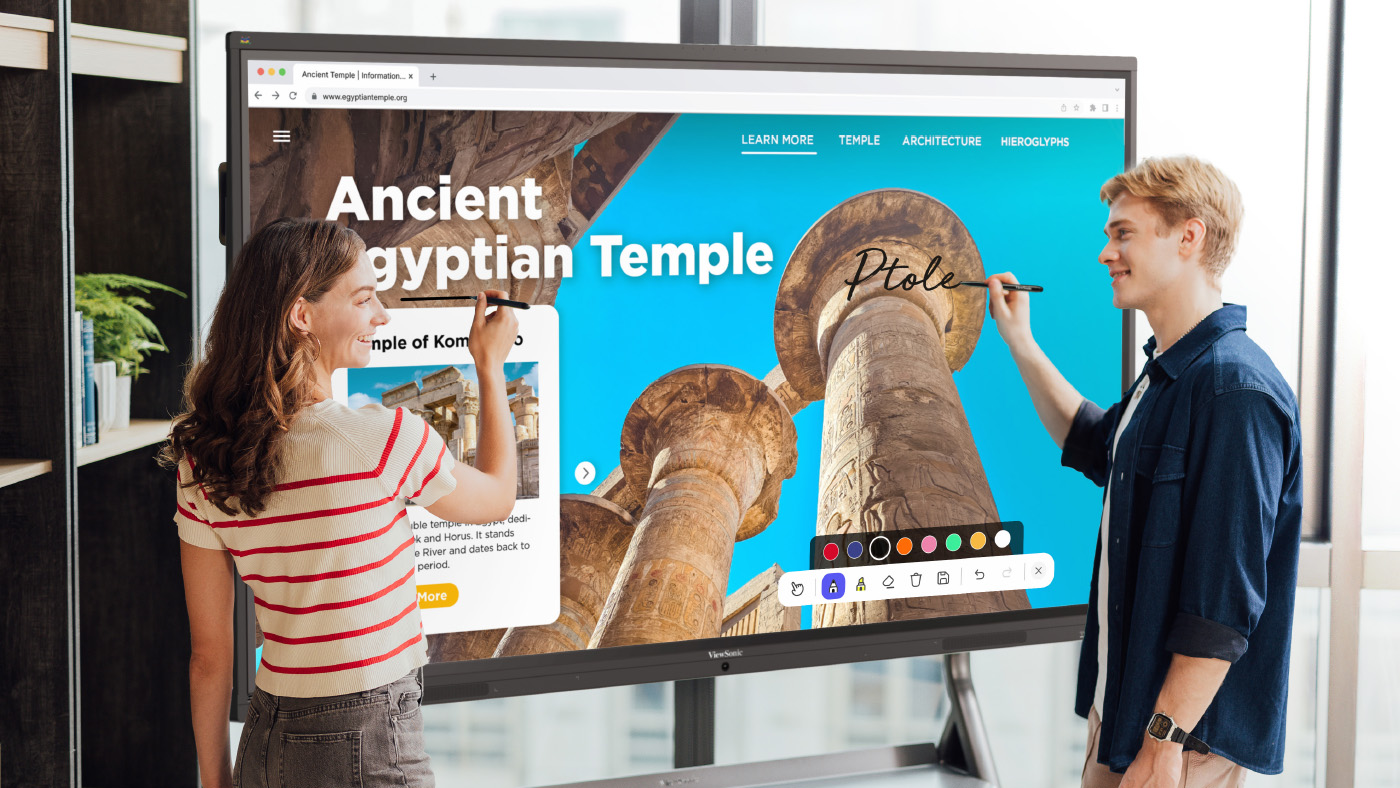
That’s where a ViewBoard display comes in. It’s a high-performance interactive flat panel built for real classroom use, with intuitive touch input and the option to add a slot-in PC for extra computing power. Think of it as a big display with interactive touch capability built for the realities of modern education. Sizes range from 55 inches all the way up to 110 inches, so there’s a fit for any space.
A ViewBoard display goes beyond a touch panel on the wall. Here’s what comes with it:
- The ViewSonic Education Ecosystem: Our built-in software suite for whiteboarding, annotation, formative assessment and device management, included at no extra cost.
- Professional Development: Every panel comes with complimentary training, including one-on-one sessions, video tutorials and a certification program, so your staff feels confident from day one.
- US-Based Support: We’re a US-based company with a support team you can actually talk to. When you need help, you get a real person on the phone or by email.
- Built to Last: Every panel is built for daily classroom use, with impact-resistant glass and flexible warranty options so your investment lasts.
Key Features That Support Seamless Collaboration
Our hardware and software work together, so teachers get a smooth workflow and IT admins can manage devices with ease.
- ViewBoard Display Hardware: multi-touch functionality lets multiple students work on the screen at the same time.
- Integrated Software: get real-time annotation, wireless screencasting with touchback control, engagement tools like myViewBoard Quiz Tools for formative assessments, and device management through ViewSonic Manager.
- Dedicated Support: you get access to our professional learning team, a certification course and an active online community where teachers share lessons and tips.
Benefits of Switching to ViewSonic ViewBoard Displays
We aim for the right balance of value and performance, so you get a high-quality product backed by people who care about your success.
For Educators and Trainers
Teachers get tools that make daily lessons easier to plan, deliver and reuse.
Increased Student Engagement During Lessons
With myViewBoard Quiz Tools, teachers can run real-time comprehension checks right from the toolbar, snip and share content from the screen in seconds and turn a quick check-in into a game with buzzers and timers. Flexible response options like multiple choice, audio and sketch mean every student can answer in a way that works for them.
Access to Teaching Tools All in One Place
Our Android EDLA certified panels give you direct access to the Google Play Store. Run Google apps or Microsoft apps right on the board, or use split-screen mode to work in Google Slides and Google Translate at the same time.
Simplified Content Delivery and Reusability
We know how hard teachers work on their lessons. If your district switches brands, you shouldn’t lose your files. With myViewBoard, you can import your existing Google Slides, PowerPoint files, PDFs, Promethean whiteboard files, SMART Notebook files and even legacy files from other interactive whiteboard brands, then turn them into board files you can still interact with.
Ongoing Training
Our professional development team offers one-on-one meetings, YouTube tutorials and a full certification program, so you feel confident using every feature. You can also purchase premium in-person or virtual training led by our ViewSonic experts, former educators with real classroom and school experience.
A Community of Teachers Who Get It
Our online community connects you with other educators using ViewBoard displays every day. Share lesson ideas, ask questions and see how other teachers use their panels in real classrooms.
Resources Whenever You Need Them
Beyond live training, you get access to a library of guides, lesson templates and how-to articles. Look something up whenever you need it, without waiting on a support ticket.
For IT Administrators
IT teams get centralized control, easy integration and hardware built to survive daily classroom use.
Simplified Device Management and Security
With ViewSonic Manager, you can manage every panel from a single web dashboard. Check device status, install or uninstall apps and broadcast emergency messages across the whole school instantly. You can even push firmware updates remotely across your entire fleet, so every panel stays current without a technician visiting each one in person.
Easy Integration With Existing Network Systems
Our panels work with the AV systems you already have, including Crestron, Extron, AMX and Q-SYS.
Durable Hardware With Low Maintenance
ViewBoard displays are built for the classroom with anti-glare, 9H pencil-hardness glass and flexible warranty options up to seven years, because we know this is a big investment and we want it to last. Lower maintenance costs and remote firmware management also help keep your total cost of ownership down over the life of the product.
Optional Accessories That Complete Your Setup
Round out your deployment with accessories built for the way your campus works. Add a wall mount or mobile cart depending on your space, a slot-in PC to fit your existing systems and workflows and ViewShare™ WPD-900E for wireless presentation without extra apps or cables.
A Reputable Brand Built to Support Schools
When you choose a vendor, you’re also choosing a long-term partner. ViewSonic has built a stable, well- established business serving schools for years, so you can count on us to support your panels long after the sale. That matters most when it’s time for warranty service, a software update or a support call.
For Students and Learners
Every student gets more ways to participate and stay engaged in the lesson.
More Personalized and Interactive Learning Experiences
With myViewBoard Quiz Tools, students get quick, game-like check-ins with buzzers and timers instead of another worksheet. They can answer in whatever way feels most natural, whether that’s multiple choice, a quick sketch or a recorded audio response. That flexibility turns passive listening into active participation for every kind of learner.
The Transition Process: What to Expect
Here’s how a switch to ViewSonic typically comes together, step by step.
Planning and Assessment
We work with you to find the right sizes, models and accessories for your campus. Contact our sales team to discuss your needs.
Shipping and Delivery
We ship from warehouses across the US and Canada, so your panels and accessories arrive quickly without extra customs delays.
Installation and Setup
Our team makes sure your panels are installed correctly and integrated with your network from day one.
Training and Onboarding
We don’t just drop off a board. Every district gets complimentary training and resources to get started, with premium professional development available for purchase if you want a deeper, hands-on experience.
Software Integration
For teachers who want simple screen casting, AirSync™ makes it effortless. For those with years of lessons to bring over, we make migrating your files easy, so you don’t have to recreate years of work. Once your files are in myViewBoard, they become fully interactive.
Ongoing Professional Development
The support doesn’t stop after the sale. Training and professional development options let your teachers keep building their skills over time, and many can even earn CE credits along the way.
Frequently Asked Questions
Here are quick answers to the questions we hear most often from districts considering a switch.
Will Our Staff Be Overwhelmed by New Technology?
No. Our interface is simple and intuitive, and every district gets complimentary training and one-on-one support.
How Hard Is It to Switch from Another Platform?
Less than you’d think. We handle installation and network setup, help you migrate your existing files and provide training so your staff feels confident from day one.
Is It Compatible With Our Existing Systems?
Yes. ViewBoard displays work across major platforms, operating systems and professional AV setups.
Will It Be Worth the Cost?
Yes. Long-term durability, low maintenance and included software help ViewSonic save you money over the life of the product.
Getting Started With ViewSonic ViewBoard Displays
Whether you need a single 55-inch interactive display for a huddle space or a 110-inch panel for a lecture hall, ViewSonic has a solution. Professional development is often included in the bid, so your staff is ready on day one.
Ready to make the move?
Contact your ViewSonic education representative to start planning your transition.


Login and Registration Form