 Teacher's Community
  Support
How Modern Visual Communication Systems Keep Campuses Connected and Safe
- Sep 15, 2026
How Modern Visual
Communication Systems Keep
Campuses Connected and Safe
When severe weather moves in or a schedule shifts on short notice, getting the word out fast isn’t just convenient; it’s critical. Relying on printed notices or manual updates across multiple buildings can leave gaps in campus communication.
A campus visual communication system solves this by connecting every display to a single central dashboard, giving administrators the power to reach the entire campus in just a few clicks. IT retains full control over every device on the network, from firmware to content permissions.
What is a Campus Visual Communication System?
At its core, a campus visual communication system connects digital screens, media players and device management software across every building on campus.
Instead of treating every screen like an isolated TV, content management software like TSN Visual Communication Solutions links commercial displays into a single network.
TSN Visual Communication Solutions and ViewSonic ManagerTM device management software are built to work together.
TSN handles the content side, letting campus teams create and schedule what appears on screen, while ViewSonic Manager handles the device side, keeping every screen updated, monitored and running smoothly.
Together, the two cover both halves of a campus communication system.

Why Digital Displays Beat Paper Announcements
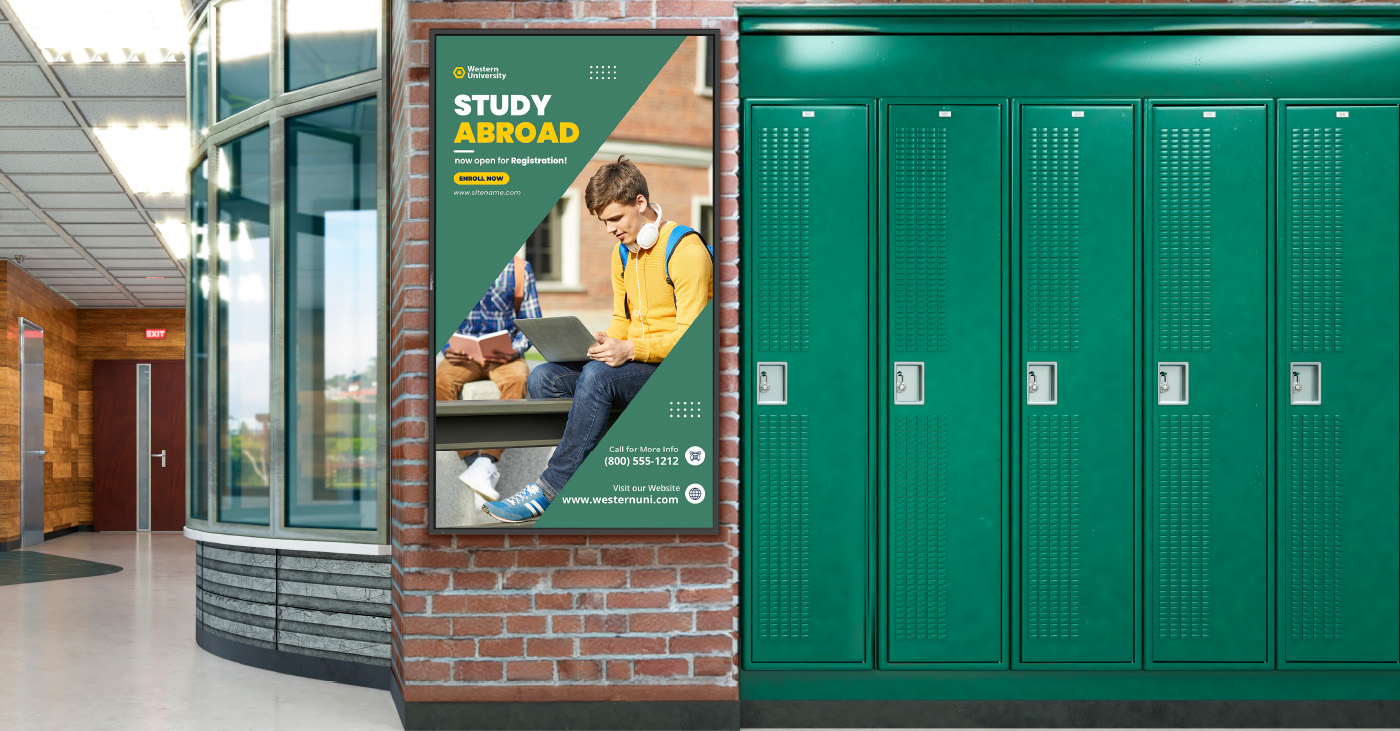
Paper posters and static signs often get ignored, blending into the background once people have walked past them a few times. Connected digital signage is live and responsive, reflecting campus activity as it happens.
A long line at the campus bookstore or cafeteria feels much shorter when nearby screens show live social media feeds, athletic game countdowns or student photos. When hooked up to live data feeds, displays can turn into helpful daily assistants. They can show upcoming bus arrival times or pull room calendars so student groups can instantly spot open meeting spaces.
Safety, Wayfinding and Campus Culture
Schools lean on their large-format displays for several everyday responsibilities.
Instant Safety Alerts
When bad weather hits or a hazard arises, ViewSonic Manager’s CAP messaging integrates with the campus emergency alert system to trigger an automatic override. Displays can instantly switch from regular programming to bold, high-visibility messages or instructions that can be seen throughout the school.
Stress-Free Wayfinding
Getting lost on a sprawling campus can be a common frustration for visitors and new students alike. ViewSonic’s interactive ePoster kiosks let people tap, zoom and search a digital directory to find their way.
Building Campus Spirit
Large-format displays help bring the campus together. Spotlighting student art, congratulating the debate team and posting club signups keeps the whole community feeling involved.
Commercial Displays vs Standard Consumer TVs
It can be tempting to buy cheap consumer TVs from a local retail store for school hallways, but home electronics aren’t built for that kind of daily demand.
Consumer TVs are designed for use in a dim living room, while commercial displays are heavy-duty units built to handle continuous operation in bright spaces.
| The Feature | Consumer TVs | Commercial Displays (like the ViewSonic CDE31 series) |
| Daily Runtime | Built for intermittent home viewing, typically not rated for continuous commercial use | 16 to 24 hours a day, 7 days a week |
| Screen Glare | High gloss finish that turns into a mirror under bright lights | Matte anti-glare finish for clear reading in bright sunlight |
| Warranty | Usually voided if installed in a school or business | 3-year commercial warranty with extended options |
| Durability | Plastic shells that trap internal heat | Durable construction built for continuous commercial use |
Choosing purpose-built hardware like the ViewSonic CDE31 series of commercial displays prevents frequent screen failures and can help protect school budgets long-term.
The Advantage of Remote Device Management
Remote device management platforms like ViewSonic Manager let IT teams update, troubleshoot and control every screen across multiple buildings without leaving their desks.
Imagine a campus with 50 screens spread across five buildings right when Daylight Savings Time kicks in. Without centralized management software, an IT technician has to physically walk to every single screen with a remote control just to change the clock.
With a solid management platform, the tech team can push firmware updates, set automatic power schedules to save electricity at night and fix software glitches remotely. That keeps the entire network running smoothly without turning minor tech hiccups into full-day headaches.
Finding the Right Display for Every Space
Every location on campus serves a different purpose, so a smart setup mixes standing displays, touch kiosks and wall mounts based on what people need in that area.
- Direct View LED Displays: Place these high-impact messaging solutions in lobbies and cafeterias to reach students throughout campus.
- ePoster Kiosks: Position these kiosks in busy hubs like student unions or main courtyards where people need to look up directories, browse digital maps or view announcements.
- Commercial Displays: Set up these reliable workhorses in classrooms, lecture halls, hallways and breakrooms. The ViewSonic CDE31 series of commercial displays offers wide viewing angles so everyone in the back of the room can read the text without eye strain.
- Interactive Displays: Installing ViewSonic® ViewBoard® interactive displays in classrooms turns lessons into a hands-on learning experience that facilitates participation and boosts learning outcomes.
Planning Checklist Before Buying
A great display system brings the right hardware, software and network together, so everything keeps working in sync as campus needs grow. Here’s what to check before buying.
- Open Software Compatibility: Ensure the hardware works with the school’s preferred content management software without locking it into a restrictive ecosystem.
- Security: Restrict who can push content to the screens with role-based user permissions.
- Room Lighting: Test how displays handle unique lighting challenges, like bright sunlit glass atriums versus harsh fluorescent hallway lights.
- Room to Grow: Make sure the network setup can easily expand to add a dozen more screens next semester.
- Reliable Support: Verify what level of professional B2B tech support and warranty backing is available when a screen needs immediate troubleshooting.
Frequently Asked Questions
How Fast Can Screens Switch Over to an Emergency Alert?
Almost instantly. ViewSonic Manager integrates with a school’s primary emergency alert system using CAP messaging, triggering an automatic override the moment an alert goes live and swapping in clear, on-screen safety guidance.
Do We Need a Separate Media Player for Every Single Screen?
Not necessarily. Many modern commercial displays, including the ViewSonic CDE31 series, include a built-in Android media player, so there’s no external hardware required out of the box. For more demanding setups, the same displays also include an OPS (Open Pluggable Specification) slot, letting you add a dedicated PC module without an external box hanging off the display.
Can Student Clubs Create and Post Content to the Screens?
Yes, if your school permits it. Content management systems let you set up user permissions. Solutions like TSN Visual Communication Solutions come with a student-specific portal that lets students share information while administrators retain final control over what shows up and when.
What Happens if Campus Wi-Fi Drops Out?
Most high-quality commercial displays and media players have local storage built in. If the internet blinks out, the screen will keep playing its cached loop of content rather than going blank or displaying an error message.


Login and Registration Form