 Teacher's Community
  Support
Formative Assessment Tools for Teachers | myViewBoard
- Sep 29, 2026
Formative Assessment Tools for Teachers | myViewBoard
See how free Quiz Tools inside myViewBoard 3.0 turn any lesson into a live check for understanding, from a former science teacher’s webinar.
Formative Assessment Tools for Teachers: Webinar Recap
Feedback works best the moment students need it, not at the end of the semester.
That’s the premise behind Smarter Formative Assessment Made Simple, a recent ViewSonic webinar on myViewBoard® Quiz Tools powered by ClassSwift®. It was led by Bari Gersten, a former middle school science teacher who has spent more than twenty years in professional development and the last seven at ViewSonic.
Her argument, in one line: formative assessment gets easier when it works with the content you already have. No need to build any quizzes on separate apps.
Why real-time feedback changes what you do next
Most teachers know the feeling. You ask a question, a few hands go up, and you’re left guessing about the other 25 students in the room.
A quiz grade tells you who struggled three days after the moment you could have helped. A live check tells you before the class moves on. That’s the whole difference, and Bari framed it around the answers most software treats as failures:
“I always appreciate when I see a wrong answer, because that allows me to have information into what’s going on in my classroom.”
Formative assessment isn’t more testing. It’s faster information, while you can still act on it.
She also named the limit that makes this necessary. She loves that interactive panels are “getting students out of their seat and up to the board” but she wants every student to participate, not just a few. Only a few can be at the board at once. Quiz Tools is how the other 25 participate at the same time.
Capture, share, collect: one workflow, no tab switching
The session’s throughline was that the whole loop happens in one place.
- Capture. Bari opened a PDF on physical and chemical changes, a file she already had rather than something she had to build. Using the screen capture tool, she shared the static image from that PDF into a quick quiz. Later she did the same with a live PhET simulation, loaded inside myViewBoard’s Embedded Browser so the site opens with the page. Her reason for that one is pure classroom management:
“As soon as I had to turn my back and enter in a website, I was going to lose my students.” - Share. One toggle turned the lesson into a live session. Students joined from a phone, tablet or Chromebook by scanning a QR code or opening a link. Nothing to install on the student side. Bari shared the content that she screenshotted.
- Collect. Answers arrived on her screen as students submitted, along with how quickly they came in, which is its own read on the room. She demonstrated True/False on the image captured from the PDF and Multiple Choice on perimeter using the simulation. When she was ready, she revealed the correct answer and reviewed results as a whole-class view and then student by student.
Questions can be built into a lesson in advance or created on the spot. An attendee asked about exactly that mid-session, and Bari answered it by building one live on a blank page.
The mechanism is the same screen capture tool she used on the PDF. Screenshot a question you already wrote, wherever it happens to live, and that becomes the prompt students see. Or annotate the question on the board by hand and screenshot that.
So there’s no separate quiz authoring step. A question you wrote in your lesson plan last night and a question you thought of ten seconds ago both get into Quiz Tools the same way.
What students see, and what stays private
Results show the distribution of answers to the room. Student names can stay hidden in that view, so the class can look at what went wrong together without anyone’s name attached to it.
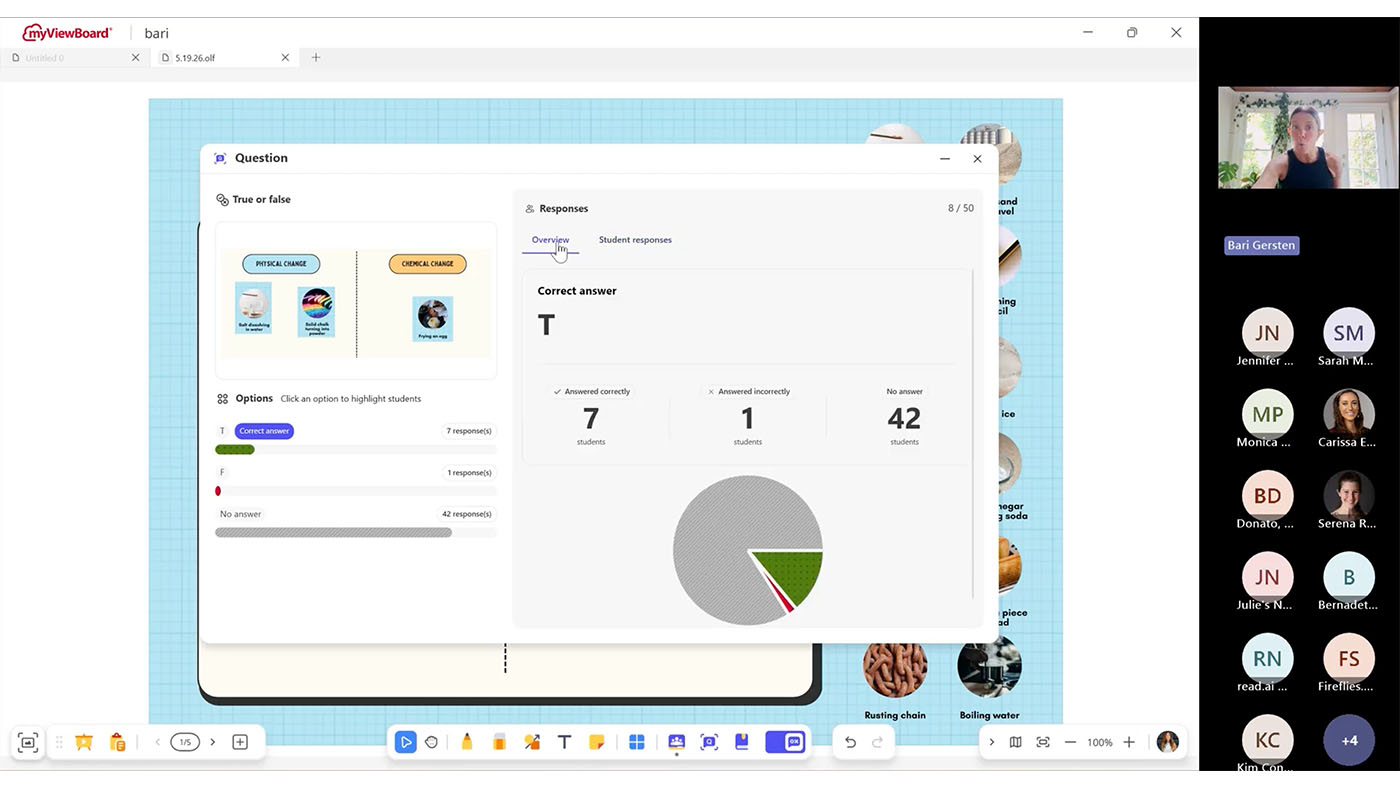
For a teacher trying to build a room where students feel comfortable sharing any misunderstandings, that setting matters more than any feature on the list.
What you need before you try it
- myViewBoard 3.0. Quiz Tools live in 3.0. If you don’t see the Quiz Tool toggle on your whiteboard, you’re likely on 2.0 or your administrator needs to run an update in Manager.
- Windows or Android. Free on both, with macOS coming soon.
- Any student device. Phone, tablet or Chromebook all work.
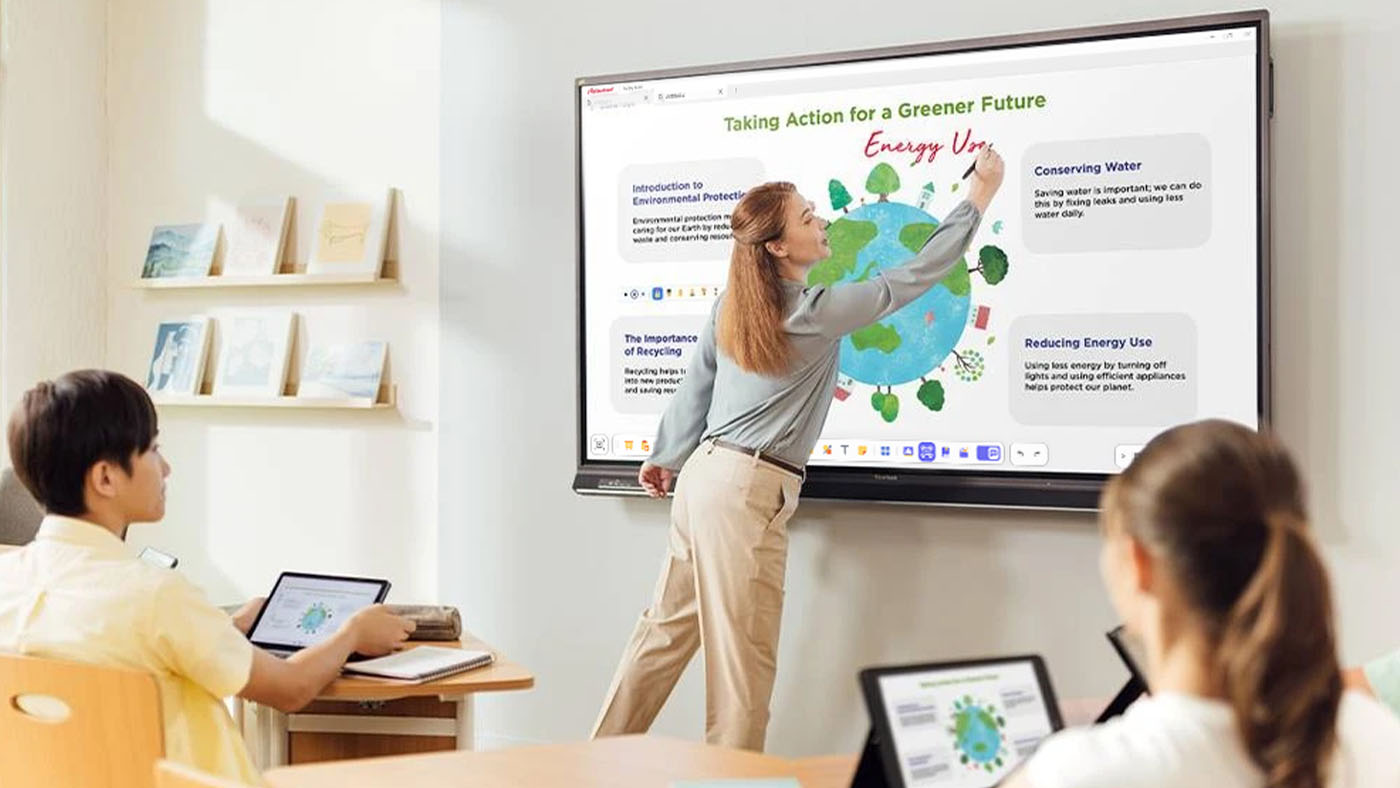
For IT teams evaluating panels, the same facts read differently: the assessment software is included rather than licensed per teacher, and there’s nothing to deploy to student devices. This saves you from having to purchase a panel and formative assessment software like Kahoot, PearDeck or Wayground.
Frequently Asked Questions
Do I need myViewBoard 3.0?
Yes. Quiz Tools are built into myViewBoard 3.0. On 2.0 the toggle won’t appear.
Does Quiz Tools work on an iPad?
Students can answer on an iPad, but myViewBoard does not offer the Quiz Tools features on macOS yet. It’s free on Windows and Android today, with macOS coming soon. Students can respond from any device once you’re running the session from a supported panel or computer.
What if my students don’t all have devices?
It still works. Students can share a device or work in pairs. You may also consider using Participate Mode to get students or groups of students to board.
Can students see who got the answer wrong?
Only if you want them to. Hide student names in the results view and the class sees the distribution without the names.
Watch the replay, then try one question
For the step-by-step mechanics, the six question types, class rosters and engagement tools like the Spinner and Buzzer, see the myViewBoard Quiz Tools quick-start guide https://www.viewsonic.com/solution/kb/en_PH/qt-overview/quizzing-tool-overview.
Then pick one lesson you already teach and add a single True/False question. That’s the whole first step.


Login and Registration Form