Education
Business
Consumer

News

ViewSonic is the Leading Interactive Display Brand in the Americas for Q1 2026

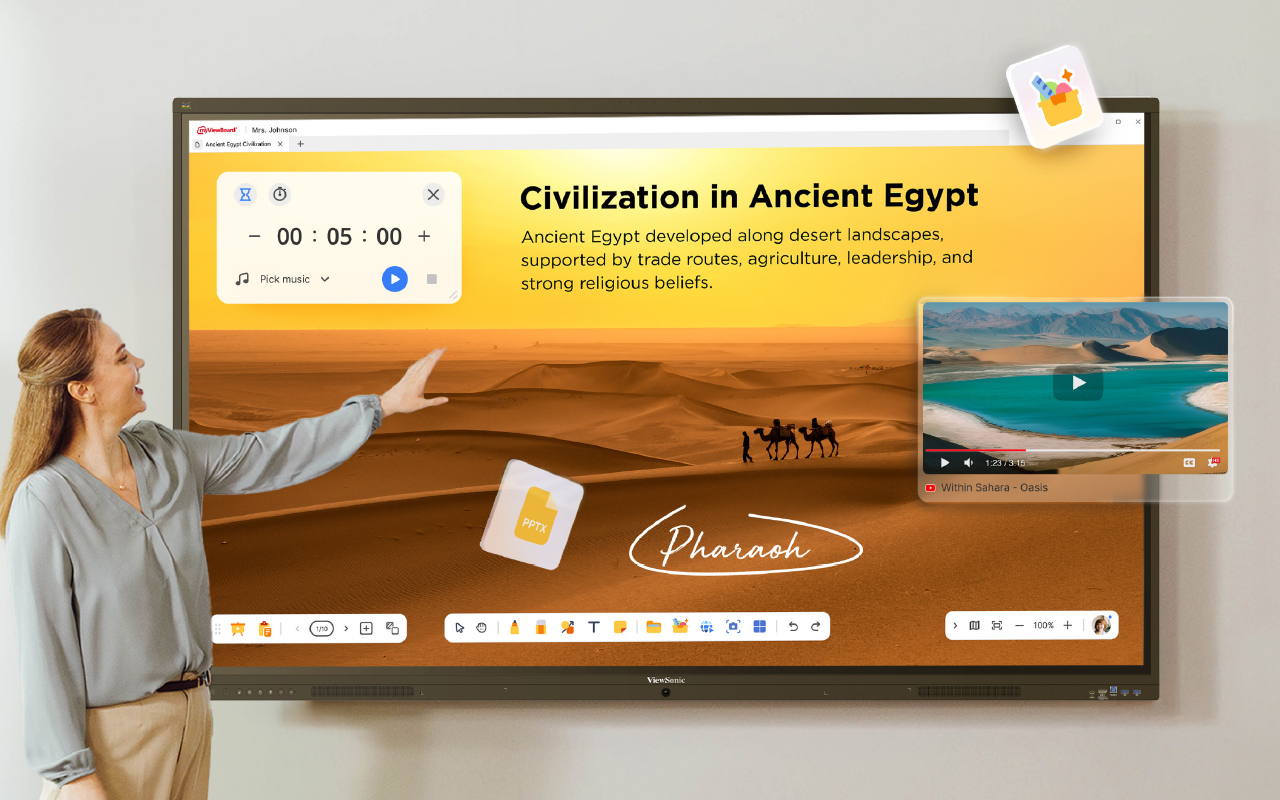
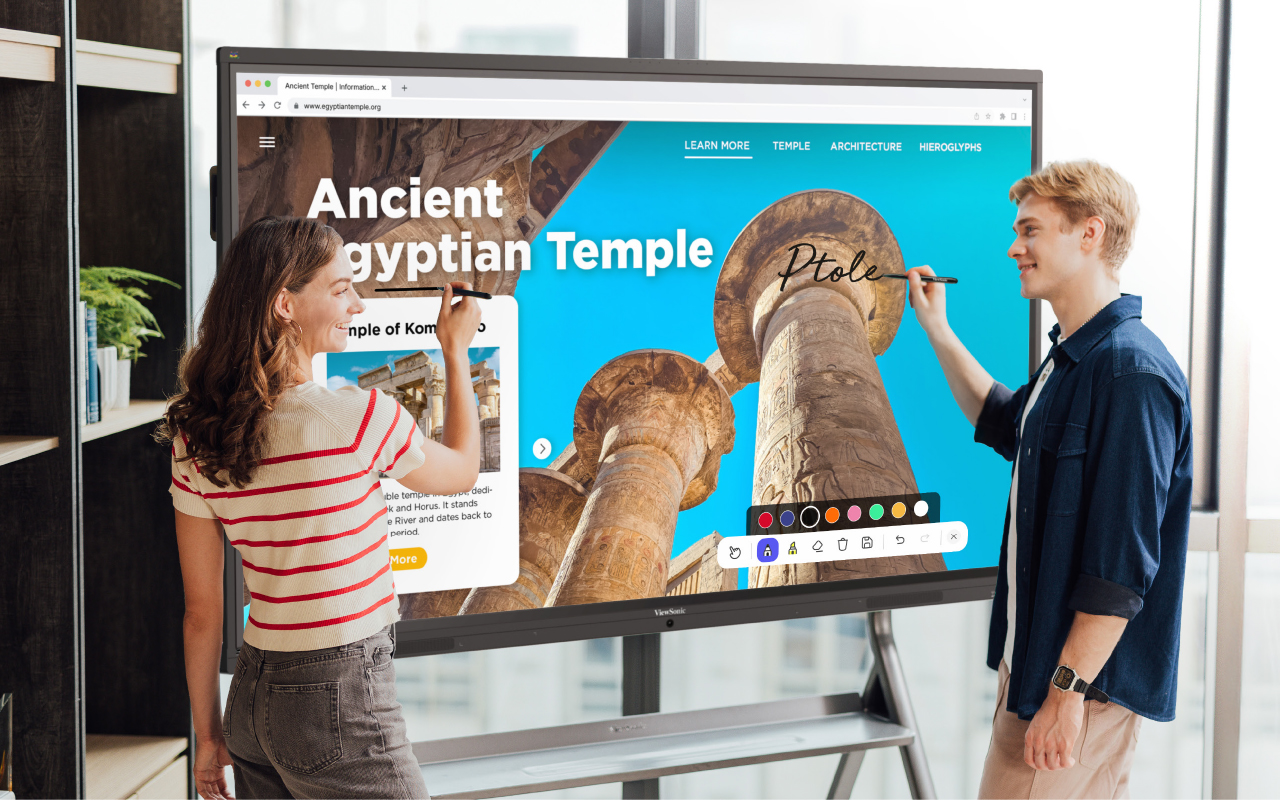
Brea, CA (May 20, 2026)ViewSonic Corp., a leading global provider of visual and edtech solutions, announces that it is the leading interactive display brand in the Americas in Q1 2026. According to the latest report from FutureSource Consulting, ViewSonic holds the top market share position in the Americas*. This leading position has been fueled by the adoption of the company's ViewBoard® interactive displays across the education sector.


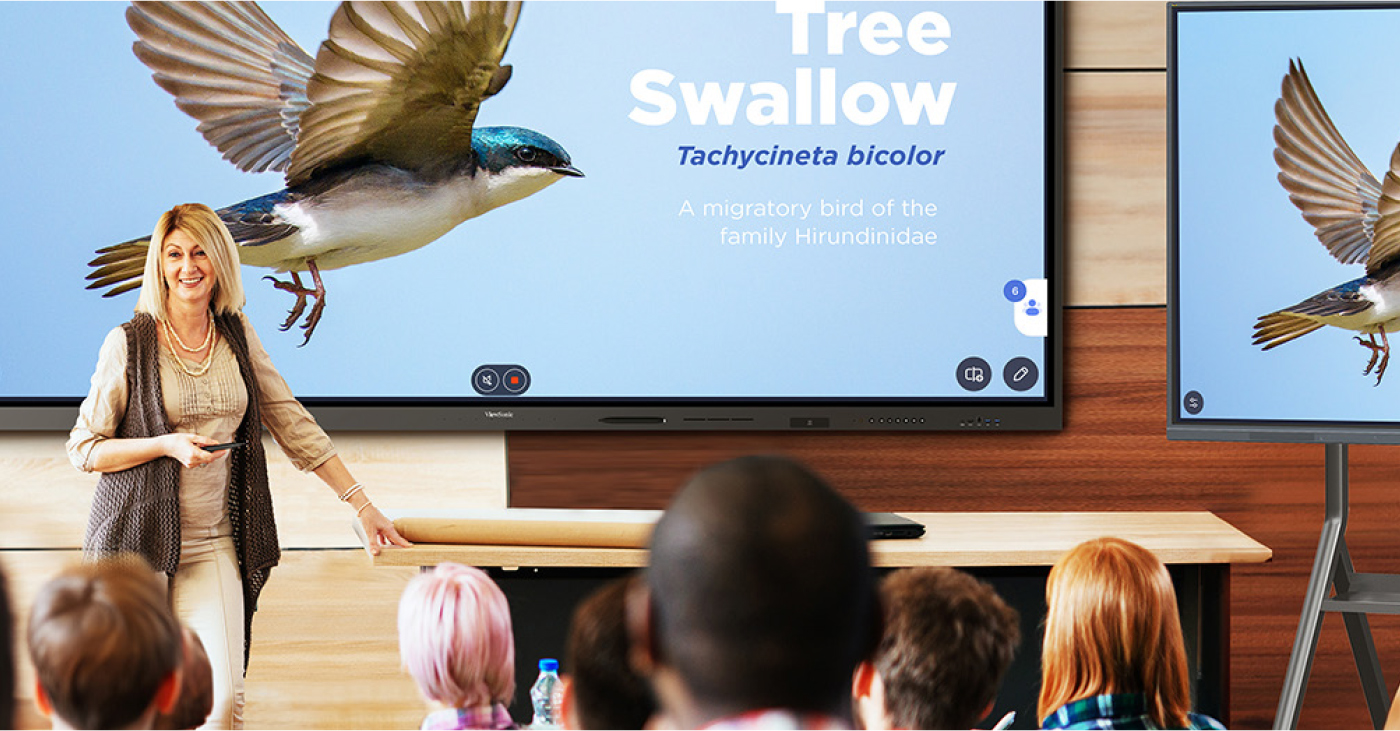
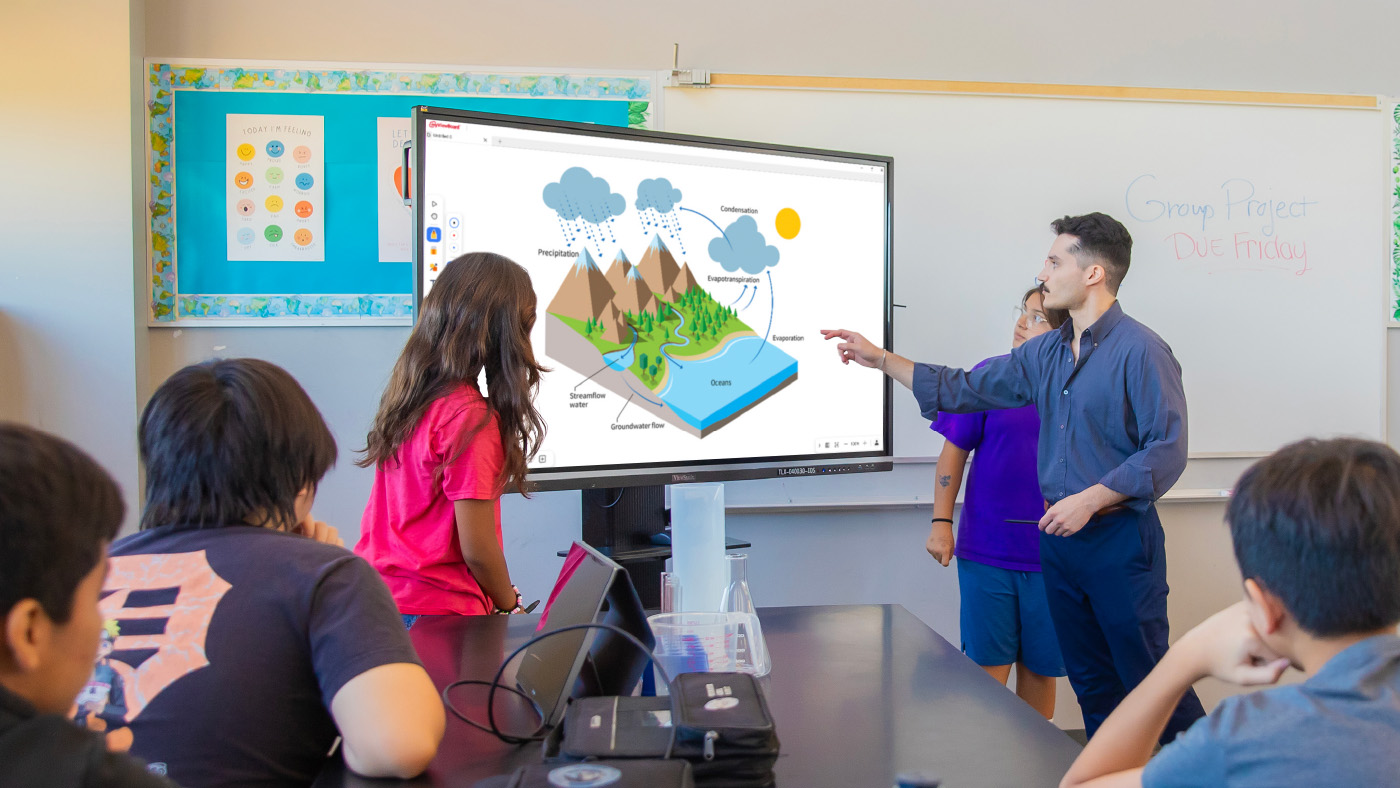
Demand for large-format interactive displays continues to grow as schools expand digital learning models and technology-enabled classrooms. Larger screens improve visibility across flexible classroom layouts. The ViewSonic® ViewBoard® product line supports collaborative content sharing and better accommodates hybrid learning environments. This makes ViewBoard a leading solution for daily instruction and engagement.


“Interactive displays have become essential for driving collaboration in modern classrooms, and schools are looking for reliable solutions that deliver consistent performance,” said Sean Liu, Senior Business Line Manager at ViewSonic. “Our continued leadership in the market showcases the commitment ViewSonic has in the education space. We are dedicated to providing classrooms with seamless, durable hardware that will support teachers and students year after year.”


To ensure that modern classroom requirements are met, ViewSonic has introduced Android™ 16 on select ViewBoard models*, making it the first brand in the interactive display industry to adopt the new operating system. Android 16 is optimized for large-format displays, offering responsive touch interaction, adaptable layouts, smoother system navigation, and efficient multitasking. These enhancements help create a more seamless and intuitive experience in any teaching environment.


Along with ViewBoard interactive displays, ViewSonic continues to expand its education ecosystem by integrating interactive displays with myViewBoard®, Manager™, AirSync™, and other ViewSonic education software. These products continue to enhance classroom collaboration, device management, and teacher-student engagement.


The ViewSonic ecosystem includes myViewBoard, the company’s digital whiteboarding platform. The 2026 version of the platform offers a new and improved interface, real-time collaboration, and Participate Mode for student interaction. Its high degree of built-in accessibility allows flexible lesson creation and seamless content use across devices. AirSync provides wireless casting while Manager offers centralized IT control of ViewSonic displays. Utilized together, these solutions simplify classroom deployment, streamline teaching workflows, and efficiently manage campus devices.


For more information on ViewSonic interactive displays, visit the official website: https://www.viewsonic.com/edu/education/viewboard.


To find out more about ViewSonic, visit ViewSonic.com and follow on Facebook, YouTube, X and Instagram.


About ViewSonic

Founded in 1987 and headquartered in Brea, California, ViewSonic is a leading global provider of visual solutions for the education, business, and consumer markets, with a presence in over 100 countries. Driven by the mission to transform education, workplaces, and lives, the company delivers a unified ecosystem of innovative hardware, software, and services that integrates seamlessly with the platforms, tools, and partners customers trust. Its product portfolio includes monitors, projectors, interactive displays, LED displays, commercial displays, video conferencing systems, and industrial solutions. Complementing its hardware is a robust suite of software offerings—including myViewBoard®, ClassSwift®, TeamOne®, ViewSonic Manager™, and AirSync™—featuring AI-powered tools for collaboration, device optimization, and management. By empowering creativity, collaboration, and lifelong learning, ViewSonic supports customers at every stage in achieving their business and sustainability goals, creating a lasting impact and helping people everywhere connect with purpose—and See the Difference®. Learn more at www.viewsonic.com.


* According to the Q1 2026 report from Futuresource Consulting, ViewSonic holds the top market share position for interactive displays in the Americas. Actual performance, compatibility, and user experience may vary depending on system configuration, network conditions, usage environment, and other factors. Specifications and availability are subject to change without notice. This news release contains forward-looking statements that reflect the Company’s expectations with regard to future events. Actual events could differ significantly from those anticipated in this document. Trademark footnote: ViewSonic and the ViewSonic trademarks are trademarks or registered trademarks of ViewSonic Corporation in the United States and/or other countries. All other corporate names and trademarks stated herein are the property of their respective companies.

*ViewBoard availability may vary by region. Customers are encouraged to consult their regional partner for availability.


Media Contacts:

Joey Lee
JSL Marketing for ViewSonic [U.S.]
E: joey@jslcomm.com

Miranda Bravo
ViewSonic [U.S.]
E: miranda.bravo@viewsonic.com

Nury Lavandier
ViewSonic [Latin America]
E: nury.lavandier@viewsonic.com
The Easy Button Universities Want: Improving Higher Ed AV Adoption

The Easy Button Universities Want: Improving Higher Ed AV Adoption

Professors want to walk into a room and have the tech be completely ready. According to the 2026 EDUCAUSE Students and Technology Report, students want their instructors to use technology efficiently and creatively. They actually feel a negative impact on their learning when they experience tech failures like broken projectors or watch instructors struggle to navigate systems. It is imperative that university technology is straightforward, easy to use and highly reliable from the very start.

Seamless Tech Integration

How do these displays connect to the campus? We designed our displays to work flawlessly with the control systems you already use. Because our products connect with RS-232, we easily integrate with industry leaders. ViewSonic® displays integrate into the Q-SYS Ecosystem via a Q-SYS library verified plugin. They are also fully compatible with Crestron, Extron and AMX.

This broad compatibility lets your IT team manage key functions like power, volume and inputs from one central spot. You get a simple setup that makes it easy to expand your system whenever you are ready.

The Power of Launch Commands

Can I launch software with a single button? Yes! Control system launch commands turn complex systems into simple one-touch experiences. A single button on the lectern removes hesitation and reduces support calls.

Even our software like myViewBoard® and AirSync™ can be launched using discrete commands on those command centers. This is a meaningful differentiator versus competitors that require manual navigation. It keeps the focus exactly where it belongs.

Benefits for the Entire Campus

How does this improve the classroom experience? The benefit of our products that work with control system launch commands is huge for your entire ecosystem.

  • IT teams do not need new systems or proprietary software from other companies.
  • They can use the exact control systems they are used to and have already implemented.
  • Instructors are actually going to use the tech and teaching becomes much more efficient.
  • Professors can focus entirely on the content instead of fumbling with the tech.
  • Classes move forward without annoying tech issues and students are far more satisfied with their learning.

Compatible Display Solutions

What products work with my control system? We offer a wide variety of products that cater to every instructor’s needs. All of these solutions work perfectly with major control systems like Q-SYS, AMX, Crestron and Extron.

Additional Tools for Instruction

How else can we improve the teaching experience? Beyond large room displays, we offer incredible solutions that help professors stay engaged with their students without worrying about the tech.

  • Podiums: The ID2456-4K touch display ensures instructors don’t turn their backs on students when they present.
  • Software: Tools like myViewBoard software for lectures or AirSync for wireless screencasting make digital sharing a breeze.

Simplify Your Campus AV Setup

Are you ready to upgrade your university displays? Upgrading your campus hardware shouldn’t mean rewriting your entire IT playbook. By choosing displays that respect your existing control systems, you create a stress-free environment for everyone.

Contact our team today to request a demo and explore our complete lineup of higher education display solutions!

ViewSonic Introduces the CDE14 Series of 4K Commercial Displays that Deliver Stunning Images and Ensure High Impact Messaging

The Value Driven Series Comes in Six Display Sizes, and Offers Remote Management and Centralized Device Control Options


Brea, CA (May 19, 2026)ViewSonic Corp., a leading global provider of visual and edtech solutions, introduces the CDE14 series of native 4K Commercial Displays for the North American market. The CDE14 series comes in six sizes, including 43-, 50-, 55-, 65-, 75-, and 86-inch screen sizes, and delivers exceptional functionality and performance at a value price point. The CDE14 line of displays features 16/7 operation, 350 nits of brightness, and native Ultra HD 4K resolution, making these displays an ideal choice for everything from corporate huddle rooms to retail storefronts, among others.


The ViewSonic® CDE14 series is a line of high-performance commercial displays that have been designed with a 25 percent high-haze, anti-glare coating, and 350 nits of brightness, to have clear and reflection-free viewing under bright ambient lighting, no matter the space or environment. The warm boot-up ensures rapid wake/start, so meetings can start quickly; while the two built-in 10W speakers with external audio support ensure clear, room-filling sound.


Setup is simple, right out of the box, with USB-C connectivity that handles video, audio, and data, and up to 15W power delivery. The secure Android™ platform and AirSync™ wireless casting means users don’t need proprietary hardware or licenses. The CDE14 line integrates seamlessly and is compatible with certified ProAV systems including Crestron, Extron, AMX, and the Q-SYS Ecosystem via the Q-SYS Library verified plugin. The displays also come with ViewSonic Manager™ software for centralized device control. 


ViewSonic CDE14 Commercial Display Series 

  • Available in six sizes: 43-, 50-, 55-, 65-, 75-, and 86-inch screen sizes 
  • Native 4K Ultra HD (3840 x 2160) resolution and a 60Hz refresh rate
  • Run on the Android 14 platform; with 4GB DDR4 memory with 32GB internal storage, and Android AOSP
  • Includes AirSync™ and Manager™ and is compatible with Crestron, Extron, AMX, and Q-SYS
  • Connectivity options include 3x HDMI (HDCP 1.4/2.2, CEC; ARC on HDMI 3), USB C (DP 1.2 + USB 2.0 + 15W power), 2x USB A (USB 2.0), RS 232, RJ 45, audio out, SPDIF
  • Wi Fi/Bluetooth via optional VB WIFI 005 module
  • Available: Now shipping [all SKUs in North America]
  • Pricing (estimated street prices)
    • CDE4314: $599.00 [USD]
    • CDE5014: $699.00 [USD]
    • CDE5514: $799.00 [USD]
    • CDE6514: $1,099.00 [USD]
    • CDE7514: $1,399.00 [USD]
    • CDE8614: $1,999.00 [USD]


To find out more about ViewSonic, visit ViewSonic.com and follow on Facebook, YouTube,  X and Instagram.


About ViewSonic

Founded in 1987 and headquartered in Brea, California, ViewSonic is a leading global provider of visual solutions for the education, business, and consumer markets, with a presence in over 100 countries. Driven by the mission to transform education, workplaces, and lives, the company delivers a unified ecosystem of innovative hardware, software, and services that integrates seamlessly with the platforms, tools, and partners customers trust. Its product portfolio includes monitors, projectors, interactive displays, LED displays, commercial displays, video conferencing systems, and industrial solutions. Complementing its hardware is a robust suite of software offerings—including myViewBoard®, ClassSwift®, TeamOne®, ViewSonic Manager™, and AirSync™—featuring AI-powered tools for collaboration, device optimization, and management. By empowering creativity, collaboration, and lifelong learning, ViewSonic supports customers at every stage in achieving their business and sustainability goals, creating a lasting impact and helping people everywhere connect with purpose—and See the Difference®. Learn more at www.viewsonic.com.

#  #  #


* Actual performance, compatibility, and user experience may vary depending on system configuration, network conditions, usage environment, and other factors.  Features and specifications are subject to change without notice. This news release contains forward-looking statements that reflect the Company’s expectations with regard to future events. Actual events could differ significantly from those anticipated in this document. Trademark footnote: ViewSonic and the ViewSonic trademarks are trademarks or registered trademarks of ViewSonic Corporation in the United States and/or other countries. All other corporate names and trademarks stated herein are the property of their respective companies.


Media Contacts:

Joey Lee
JSL Marketing for ViewSonic [U.S.]
E: joey@jslcomm.com

Nury Lavandier
ViewSonic [Latin America]
E: Nury.Lavandier@viewsonic.com
Miranda Bravo
ViewSonic [U.S.]
E: miranda.bravo@viewsonic.com

ViewSonic Launches New ViewBoard IFP35 Interactive Display Series with Android EDLA Certification in Canada

Designed to make classroom collaboration simple, secure, and affordable, the IFP35 series integrates the Google Education ecosystem with powerful performance to transform the learning experience

TORONTO, ON (May 18, 2026)ViewSonic Corp., a leading global provider of visual solutions, announces the launch of the ViewBoard® IFP35 interactive display series. Available in 65-, 75-, and 86-inch models, these touchscreens are designed to deliver a premium, easy-to-use experience for teachers and students without stretching school budgets.

The IFP35 series is powered by Android 16 and features Android™ EDLA (Enterprise Devices Licensing Agreement) certification, providing native and secure access to the Google Education ecosystem. Educators can enhance lesson plans with direct access to hundreds of educational apps from the Google Play Store and collaborate using Google Drive, Google Docs, Google Sheets, and Google Slides.

“The ViewSonic IFP35 is a versatile, easy-to-use display designed for everyday use,” said Sean Liu Sr. Business Line Manager at ViewSonic. “We remain committed to delivering future-ready technology to Canadian schools and helping educators bring lessons to life while keeping their students connected and engaged.”

Equipped with an upgraded octa-core CPU and high-bandwidth DDR5 memory, the IFP35 series ensures faster load times and stable performance for multimedia-heavy lessons. The 64-point multi-touch display allows multiple students to write or draw at the same time using styluses, fingers, or both. Built-in palm rejection ignores accidental touches, delivering smooth, accurate writing that feels natural and distraction-free. A one-cable USB-C connection keeps classroom setups clean and makes it easy to connect and present from a single device.

For school IT administrators, the IFP35 series offers centralized management and robust security features like automatic Google updates, Google Play Protect, and data encryption. Devices can be managed effortlessly through ViewSonic Manager™, Google Workspace Enterprise Management, and Microsoft Intune, allowing for remote configuration and real-time monitoring from a single dashboard.

To support school sustainability goals, the displays include smart ambient light and motion sensors that automatically adjust brightness and power states. The series features ENERGY STAR 8.0 certification and Silver EPEAT certification, helping to lower operating costs with no extra effort.

IFP35 Series Key Features:

  • 65-, 75-, and 86-Inch 4K UHD Display: Delivers sharp Ultra HD visuals with wide viewing angles for immersive classroom learning.
  • Native Google Access: Direct access to Google Workspace and the Google Play Store for seamless classroom collaboration.
  • Responsive Writing Experience: 64-point multi-touch technology with palm rejection for natural, lag-free writing.
  • Powerful Hardware: Upgraded octa-core CPU and DDR5 memory for smooth multitasking and stable performance.
  • Integrated Audio: Soundbar design with 40W (20W x 2) speakers for clear classroom audio.
  • Eco-Friendly Design: Smart sensors for energy efficiency and EPEAT/ENERGY STAR 8.0 certifications.
  • Included Education Software: Features myViewBoard®, AirSync™, and Manager™ at no extra cost to support real-time quizzes and annotation.
  • Versatile Connectivity: Supports HDMI 2.1, VGA, and USB-C (up to 65W Power Delivery) for flexible device connection.

To find out more about ViewSonic, visit ViewSonic.com and follow on Facebook, YouTube, X and Instagram.

About ViewSonic

Founded in 1987 and headquartered in Brea, California, ViewSonic is a leading global provider of visual solutions for the education, business, and consumer markets, with a presence in over 100 countries. Driven by the mission to transform education, workplaces, and lives, the company delivers a unified ecosystem of innovative hardware, software, and services that integrates seamlessly with the platforms, tools, and partners customers trust. Its product portfolio includes monitors, projectors, interactive displays, LED displays, commercial displays, video conferencing systems, and industrial solutions. Complementing its hardware is a robust suite of software offerings—including myViewBoard®, ClassSwift®, TeamOne™, Manager™, and AirSync™—featuring AI-powered tools for collaboration, device optimization, and management. By empowering creativity, collaboration, and lifelong learning, ViewSonic supports customers at every stage in achieving their business and sustainability goals, creating a lasting impact and helping people everywhere connect with purpose—and See the Difference®. Learn more at www.viewsonic.com.


This news release contains forward-looking statements that reflect the Company’s expectations with regard to future events. Actual performance may vary depending on system configuration, usage environment, and other conditions. Actual events could differ significantly from those anticipated in this document. Trademark footnote: ViewSonic and the ViewSonic trademarks are trademarks or registered trademarks of ViewSonic Corporation in the United States and/or other countries. All other corporate names and trademarks stated herein are the property of their respective companies.


Media Contacts:

Miranda Bravo
ViewSonic [U.S.]
E: miranda.bravo@viewsonic.com

Why Teachers Love Split Screen on ViewBoard® Interactive Displays

Why Teachers Love Split Screen on ViewBoard® Interactive Displays

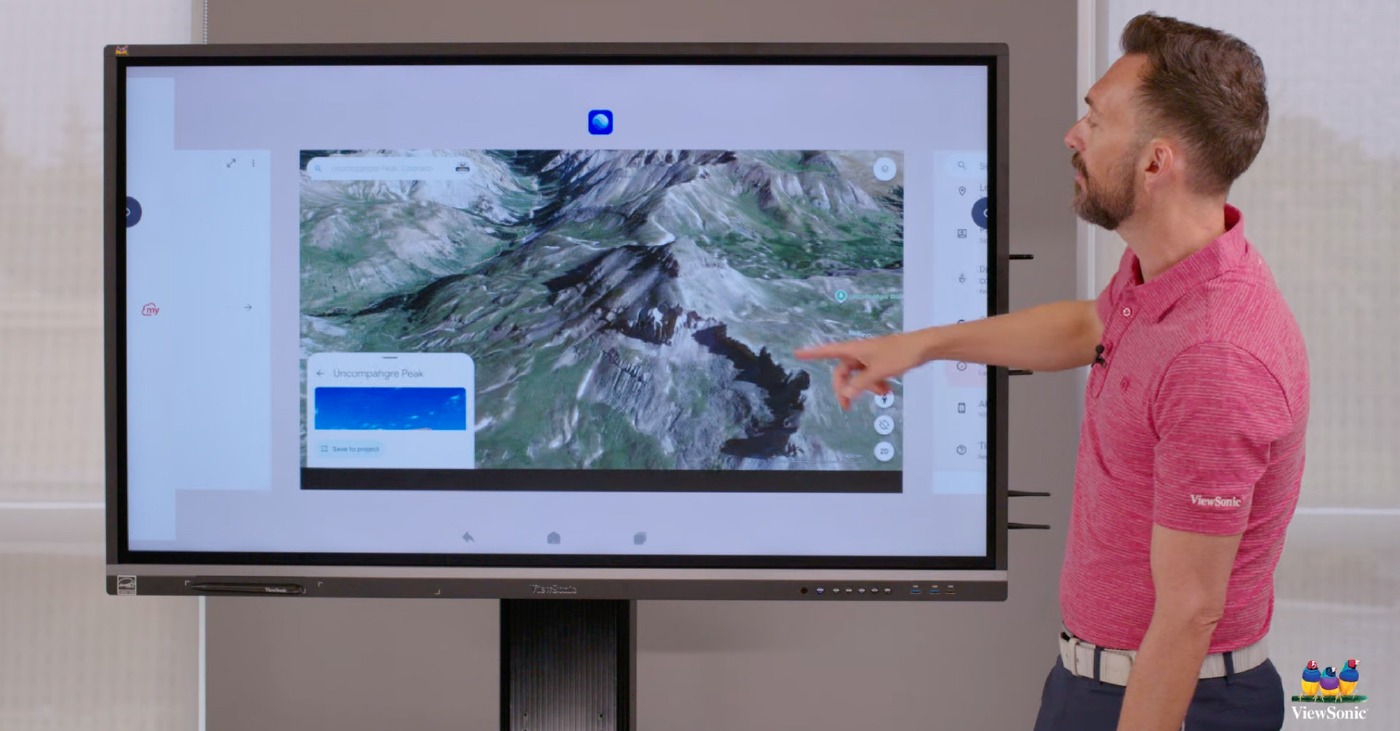
Planning a district refresh? The ViewBoard® IFP41 series of interactive displays offers a Split Screen function that educators can’t get enough of. With Split Screen, teachers can show two sources at once. That means less time navigating between tabs and more time actually teaching.

Teaching requires juggling a dozen tasks at once while trying to keep 30 kids focused. This tool makes the ViewBoard a great SMART Board or Promethean alternative. It works the exact way a teacher thinks.

What Makes Split Screen a Game Changer?

With EDLA-certification, the ViewBoard IFP41 series of interactive displays seamlessly integrates with Google Apps to make multitasking easy. You can finally run two powerful applications side by side to keep your lessons flowing perfectly. It’s exactly what you want out of a classroom interactive display.

Brilliant Ways to Use Split Screen in Your Classroom

How are educators using this feature? Here are a few amazing ways this feature is being used in the classroom right now.

Content and Annotation

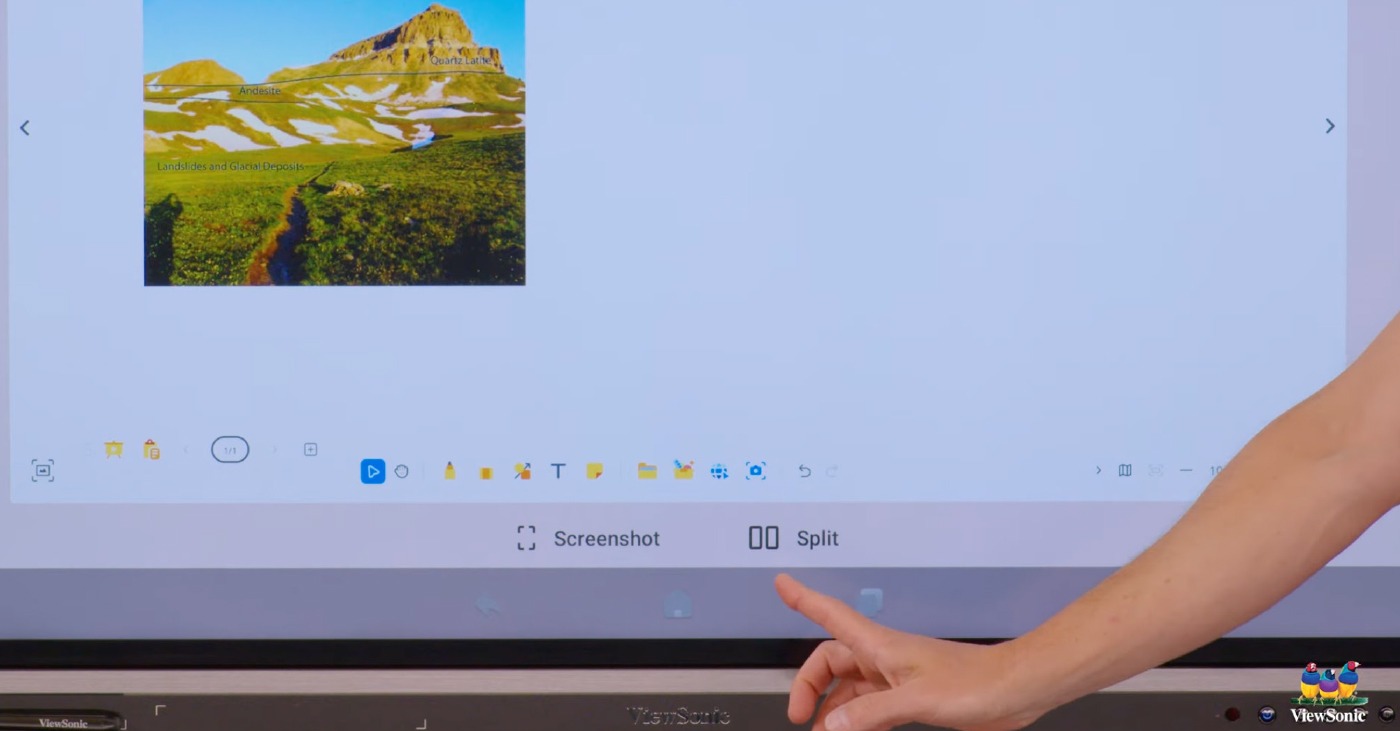
Can I write on my slides during a lesson? Yes! You can easily split your screen to show your Google Slides on one side with myViewBoard® software open on the other. This is the best interactive display for teachers who want to annotate and mark up their lessons in real time.

Real-Time Translation

How does split screen help English Language Learners? Using a ViewBoard IFP41 display with a built-in microphone, you can put your presentation slides side by side with Google Translate. This setup lets you translate your teaching into different languages in real time. That’s a massive help for English Language Learners.

Modeling and Research

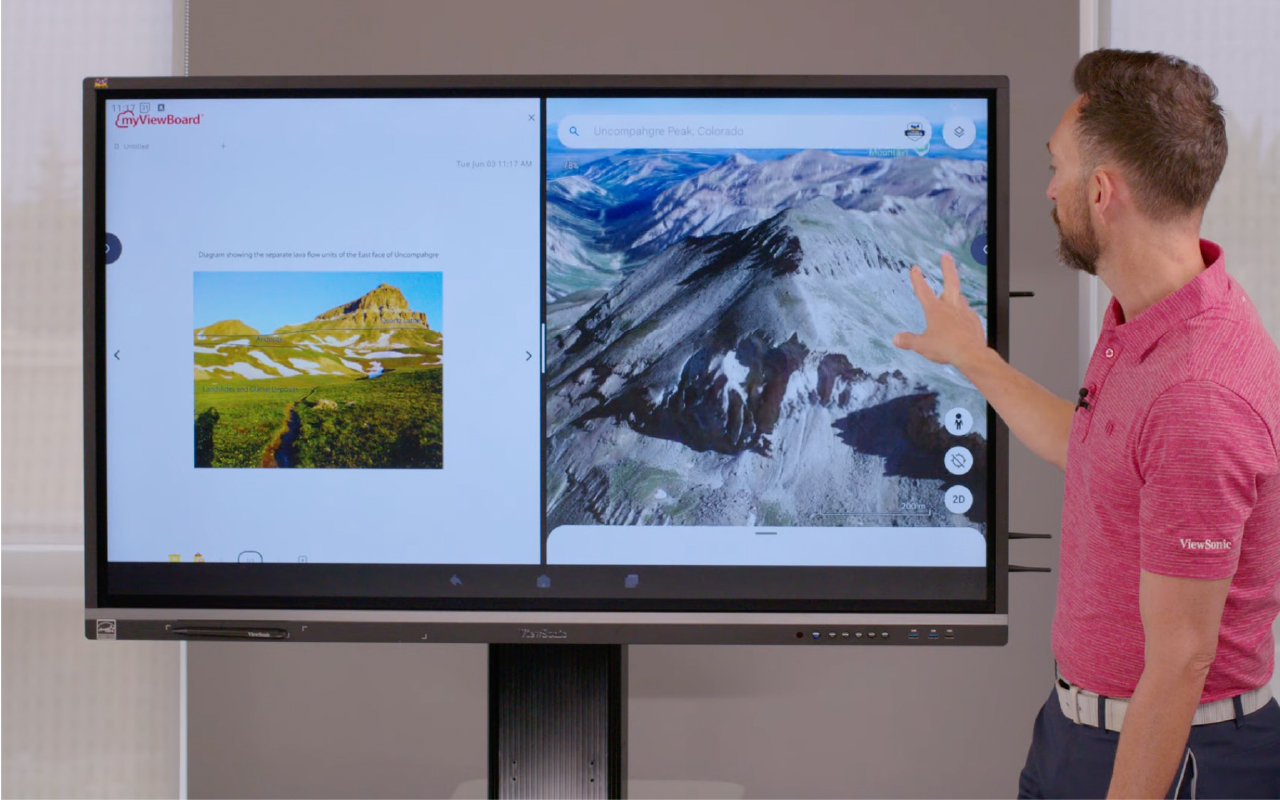
Can I show my students how to take proper notes? The split screen setup is great for modeling how to read text and take notes. You can actively research a topic on one side and pull key ideas onto the digital whiteboard on the other. For example, nearly every teacher does some variation of opening Google Earth. If you live on a peninsula, you can pull up the map on the left side. Then you can use “peninsula” and “bay” as vocabulary words that you write on myViewBoard next to the image.

Visualizers and Wireless Tech

Does this work with document cameras and screen casting? Absolutely. You can use your visualizer on one side and have your slides or a web page open on the other. This is perfect for teachers who still rely on doc cams. You also have the amazing ability to cast screens with AirSync on one side while keeping your document or web page open on the other.

Preschool Engagement

Is this good for younger students? This tool works brilliantly for our youngest learners too. You can use a PDF with colorful shapes on one side and have the kids create those exact shapes on the other. It’s a really fun and interactive way of modeling for them.

Ready to Transform Your Classroom?

Are you looking for the perfect district refresh? The split screen feature eliminates technical confusion so you can focus on what you do best. It bridges the gap between complicated hardware and actual teaching needs.

Check out this video to see the Split Screen feature in action.

ViewSonic Launches Two New Laser-Based Installation Projectors

The LSD500HD and LSD600W Offer 3rd Generation Laser Technology, High Brightness, and Installation-Friendly Features for Commercial, Business, and Educational Environments


Brea, CA (May 13, 2026)ViewSonic Corp., a leading global provider of visual and edtech solutions, launches two new laser-based installation projectors for commercial, enterprise, and education spaces. The LSD500HD and LSD600W projectors include third-generation laser phosphor technology, high brightness levels, and installation-friendly features, such as 360-degree rotation, for unique applications and settings.


The LSD500HD is a native 1080p, Full HD, 5,500 ANSI lumen projector that can run up to 30,000 hours (depending on usage) with its laser-based technology. It comes with a dedicated Golf Mode function that fine-tunes the color output to boost blues and greens on a screen. The LSD500HD features HDMI 2.0 with HDR10 and HLG support, so it can accept Ultra HD 4K content at 60Hz with no signal compromise. It is certified for Crestron and Q-SYS, and compatible with AMX, PJ Link, and Extron ecosystems, allowing AV teams to manage and monitor multiple projectors from a single location.  With its 360-degree projection rotation, 1.3x optical zoom, and horizontal/vertical keystone correction, the LSD500HD can fit practically any space and installation without compromising image quality. 


The ViewSonic® LSD600W is a laser projector with native WXGA resolution and 6,000 ANSI lumens of brightness. The third-generation laser technology ensures that it can last up to 30,000 hours (depending on usage). It is installation friendly with 360-degree projection rotation, 1.3x optical zoom, and horizontal/vertical keystone correction. A dedicated Golf Mode function fine-tunes color output to boost blues and greens on a screen. An advanced cooling system and sealed engine supports the LSD600W to run 24/7 in demanding environments. 


“With these new LSD laser projectors, ViewSonic can offer more lamp-free options to our customers, and the market, offering more value-based solutions to fulfill big display needs,” said Jeff Muto, Business Line Director at ViewSonic. “The LSD500HD and LSD600W were developed to power on to full brightness with no warm-up period, which is important in commercial environments. The installation friendly features also allow integrators to utilize these projectors mounted to ceilings, portrait modes, or any other type of unconventional space without losing image quality.”


ViewSonic LSD500HD

  • Native 1080p Full HD (1920 x 1080) resolution, and 5,500 ANSI lumens of brightness 
  • Third-generation laser phosphor technology
  • Dedicated Golf Mode function for fine-tuning of color output, boosting blues and greens
  • Installation-friendly with 360-degree projection rotation, 1.3x optical zoom, and horizontal/vertical keystone correction 
  • Certified for Crestron and Q-SYS, and compatible with AMX, PJ Link, and Extron ecosystems
  • Connectivity options include HDMI 2.0 (HDMI/HDCP 2.2), USB 2.0 (Type A), RJ45, RS232, and Audio-Out
  • Availability: May 2026 for an estimated street price of $1,049.99 [USD]


ViewSonic LSD600W

  • Native WXGA (1280x800) resolution, 16:10 aspect ratio, and 6,000 ANSI lumens of brightness 
  • Third-generation laser phosphor technology
  • Installation-friendly with 360-degree projection rotation, 1.3x optical zoom, and horizontal/vertical keystone correction 
  • Dedicated Golf Mode function for fine-tuning of color output, boosting blues and greens
  • Connectivity options include HDMI 1.4, HDMI/HDCP 1.4, USB 2.0 (Type A), RS232, and Audio-Out
  • Availability: May 2026 for an estimated street price of $999.99 [USD]


To find out more about ViewSonic, visit ViewSonic.com and follow on Facebook, YouTube,  X and Instagram.


About ViewSonic
Founded in 1987 and headquartered in Brea, California, ViewSonic is a leading global provider of visual solutions for the education, business, and consumer markets, with a presence in over 100 countries. Driven by the mission to transform education, workplaces, and lives, the company delivers a unified ecosystem of innovative hardware, software, and services that integrates seamlessly with the platforms, tools, and partners customers trust. Its product portfolio includes monitors, projectors, interactive displays, LED displays, commercial displays, video conferencing systems, and industrial solutions. Complementing its hardware is a robust suite of software offerings—including myViewBoard®, ClassSwift®, TeamOne®, ViewSonic Manager™, and AirSync™—featuring AI-powered tools for collaboration, device optimization, and management. By empowering creativity, collaboration, and lifelong learning, ViewSonic supports customers at every stage in achieving their business and sustainability goals, creating a lasting impact and helping people everywhere connect with purpose—and See the Difference®. Learn more at www.viewsonic.com.

#  #  #


* Actual performance, compatibility, and user experience may vary depending on system configuration, network conditions, usage environment, and other factors. Features and specifications are subject to change without notice. This news release contains forward-looking statements that reflect the Company’s expectations with regard to future events. Actual events could differ significantly from those anticipated in this document. Trademark footnote: ViewSonic and the ViewSonic trademarks are trademarks or registered trademarks of ViewSonic Corporation in the United States and/or other countries. All other corporate names and trademarks stated herein are the property of their respective companies.


Media Contacts:

Joey Lee
JSL Marketing for ViewSonic [U.S.]
E: joey@jslcomm.com

Nury Lavandier
ViewSonic [Latin America]
E: Nury.Lavandier@viewsonic.com

Miranda Bravo
ViewSonic [U.S.]
E: miranda.bravo@viewsonic.com

Level Up Learning: How Esports Contributes to College and Career Readiness

Buyer's Guide

Level Up Learning: How Esports Contributes to College and Career Readiness

For a long time, people thought video games were just a distraction. We've spent decades working side by side with educators and IT directors. We know firsthand that the old misconception of esports being simply a frivolous distraction from academics is fading fast, replaced by a more data-driven understanding. Organized and competitive gaming is a powerful engine for driving real educational value and cultivating indispensable career skills.

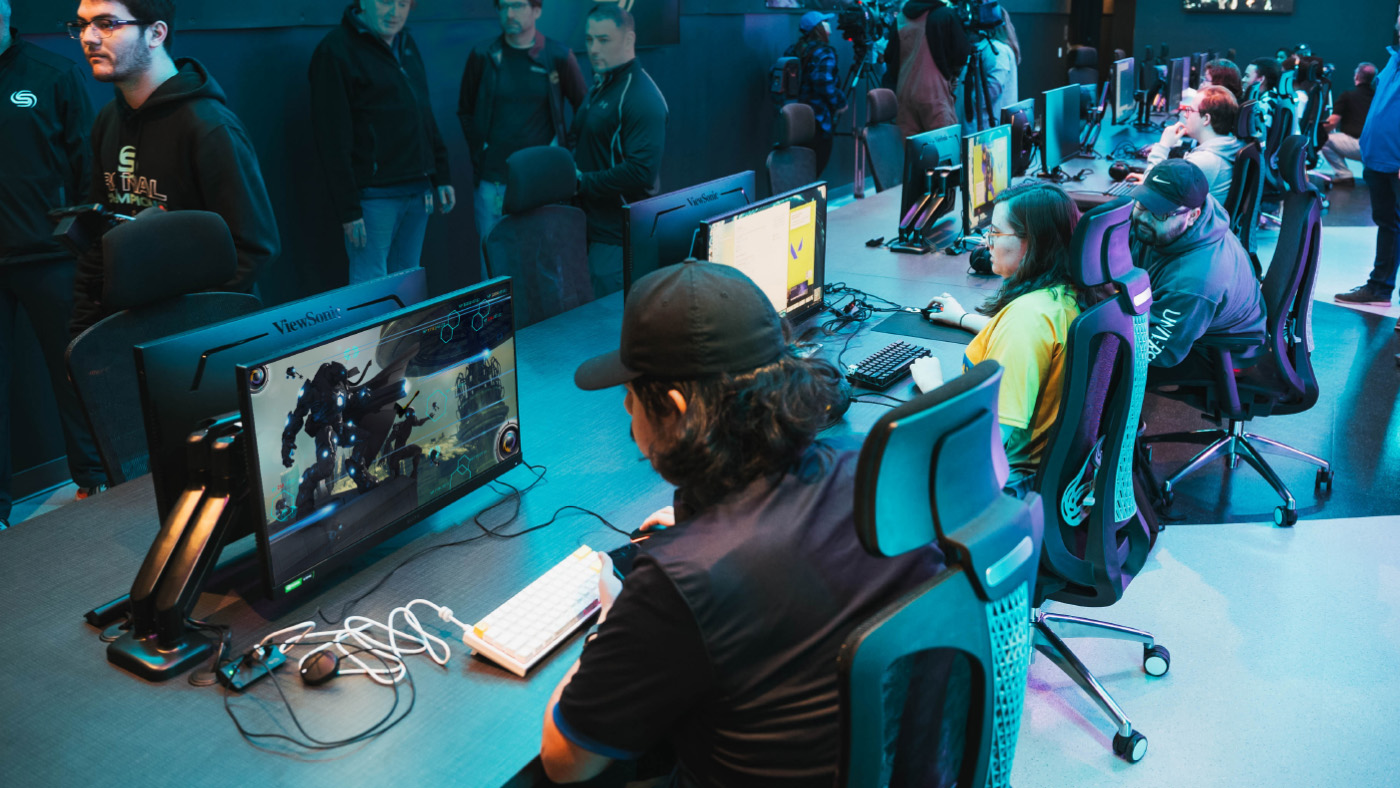
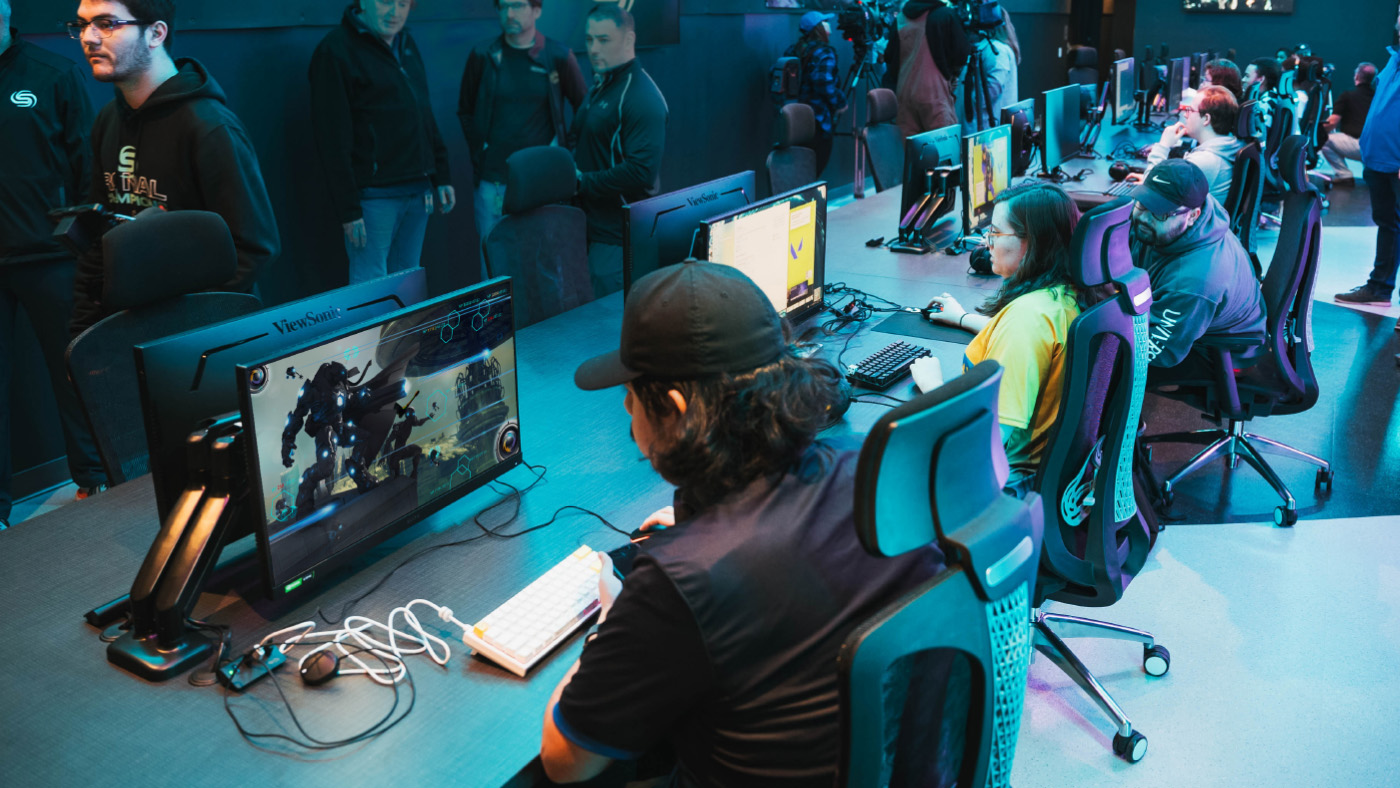
When schools build competitive gaming programs, they see a massive boost in student engagement. Kids who never joined traditional sports or clubs are suddenly excited to participate in school activities. Scholastic esports refers to organized video gaming competitions within an educational setting. It's a powerful educational tool that builds 21st-century skills and prepares students for high-paying careers.

Let's dive into exactly how competitive gaming sets students up for lifelong success.

Why Should Schools Embrace Esports?

Is esports really good for students? Yes! While students engage with esports because it is something they are passionately excited about, educators see another layer of value with the organic development of critical soft skills. Competitive gaming teaches students how to work together under intense pressure. It goes far beyond simply playing games and actively builds a massive range of technical and leadership skills.

Leadership Skills

Can video games help students build college and career skills? Yes, they absolutely can. In fact, the World Economic Forum's The Future of Jobs Report 2025 identifies analytical thinking, creative thinking, leadership and social influence as some of the top core skills that will only increase in importance. Fast-paced competitive gaming requires incredibly clear, concise and effective communication. Students must learn how to cooperate seamlessly and develop shared strategies in a high-stakes environment. Players are constantly forced to analyze complex challenges. When a match changes from second to second they learn how to adapt their strategies on the fly, think critically about cause and effect and make quick decisions under extreme pressure.

Beyond the screen, the esports ecosystem offers a wide range of roles where students can exercise leadership and social influence. They can easily step up to take on roles as team captains or peer coaches. This hands-on experience teaches them how to handle adversity, recover from significant setbacks and maintain a positive focus under intense pressure. It's real-time problem-solving at its most engaging.

Good Digital Citizenship

Can gaming teach good citizenship? Yes. A structured school program creates a safe environment for students to play and learn. Left on their own online, students might run into or participate in toxic behavior. But school coaches teach them how to interact respectfully and handle wins and losses with grace. They develop crucial digital literacy by learning how to be responsible digital citizens and practice healthy online behaviors.

Academic Achievement and Attendance

Can esports improve grades? Yes, they can. When schools build an esports team, they give unengaged students a reason to show up. By setting a minimum GPA requirement to participate, schools give students a massive motivation to try harder in their academics. It provides a crucial new avenue for school engagement and dramatically improves attendance and a sense of belonging. The chance to compete motivates students to pay attention in class, finish their homework and show up to school every single day.

Exploring Esports Career Pathways

Can you get a job in esports? Absolutely. The skills gained in esports don't just stay in the classroom, lab or arena. They are highly transferable and open doors to incredible future opportunities in fields like IT, marketing, graphic design and event organization.

College Scholarships and Academic Programs

Can you get a scholarship for playing video games? Yes, you absolutely can. One of the most rapidly growing facets of higher education is the expansion of esports scholarships and varsity teams. Thousands of colleges now offer substantial financial aid to talented gamers. You can even explore directories of college esports programs to see exactly which schools are actively recruiting players. Beyond the playing field, universities are creating dedicated degree and certificate programs in related fields. Students can now major in game design, media production, esports management and marketing to turn their passion into a legitimized academic path.

Broadcasting and Shoutcasting

What’s a shoutcaster? A shoutcaster is like a sports announcer for video games. Students interested in media can manage the entire backend of an event by handling AV work or coordinating live streams as shoutcasters. This is fantastic practice for a future career in event production and broadcasting.

Video Editing

Can making gaming videos lead to a job? Yes. Many professional editors for major esports teams, popular influencers and top tech companies actually got their start right in this space. They began by making fan edits of pro gameplay or cutting together highlight reels of their own matches. When students create this kind of engaging content, they naturally learn the ropes of media production. This hands-on experience lets them build an impressive portfolio of work before they even graduate.

Game Design and Development

How do students make games? Playing games naturally sparks an interest in how they're built from the ground up. If a student has a passion for the art of gaming, they might be inspired to learn coding and software development to create their own games. They can also learn storytelling, storyboarding and animation, and audio production to build compelling characters and worlds.

Event Management and Marketing

Who runs the program and the tournaments? Schools often partner with official providers like NASEF to host competitive tournaments. But an esports event takes a huge amount of work to pull off successfully and so does running the actual team. Getting students actively involved in day-to-day program management is hugely beneficial alongside live event production. Students can easily take charge of scheduling, marketing, content creation and project management. These hands-on experiences are invaluable for future roles in business operations, marketing and community management.

IT Support and Network Engineering

How does esports teach IT skills? Someone has to keep the computers running and the internet connection stable. Students interested in technology can help set up the gaming lab. This gives them practical experience for future careers in IT and network management.

Best Practices for Implementing Esports Programs

How do you start a successful scholastic esports team? Implementing a successful program requires careful planning and a commitment to positive student outcomes. Here are a few key best practices to guide you:

  • Build an inclusive culture: Prioritize diversity and sportsmanship from day one to ensure a safe and welcoming environment for everyone.
  • Ensure academic balance: Create clear eligibility guidelines and promote a healthy balance between screen time, studies and other activities.
  • Provide quality equipment: Equitable access is key. Secure reliable hardware to level the playing field for all students.
  • Train coaches and mentors: Invest in the development of staff who can serve as effective role models and guides.
  • Partner with the community: Connect with local esports organizations and industry partners to create new learning opportunities and pathways.

Equipping Your Campus for Success

What equipment do you need for a school esports program? You do not have to build a massive arena on day one. Building a new setup from scratch can feel overwhelming but schools can easily take a tiered approach based on their budget and space to get students playing right away.


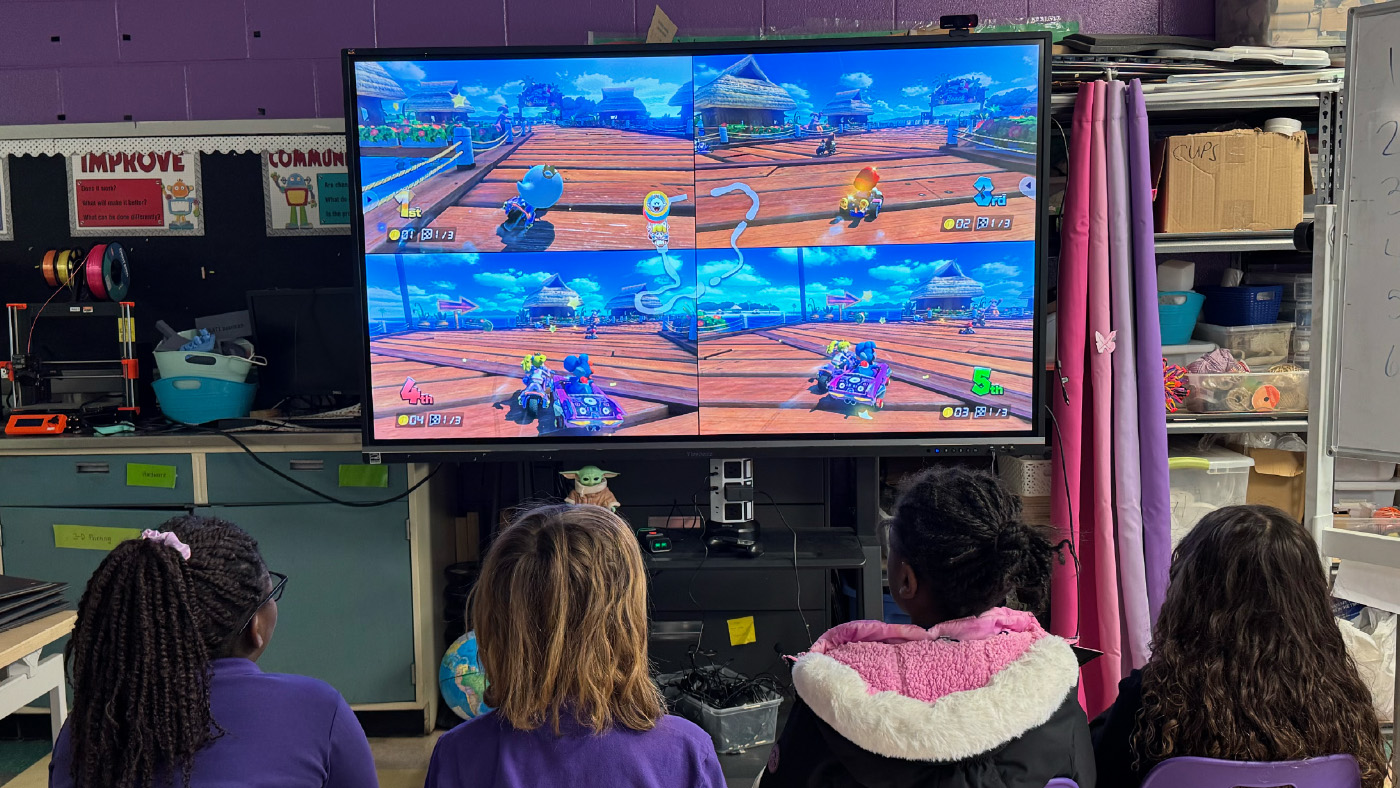
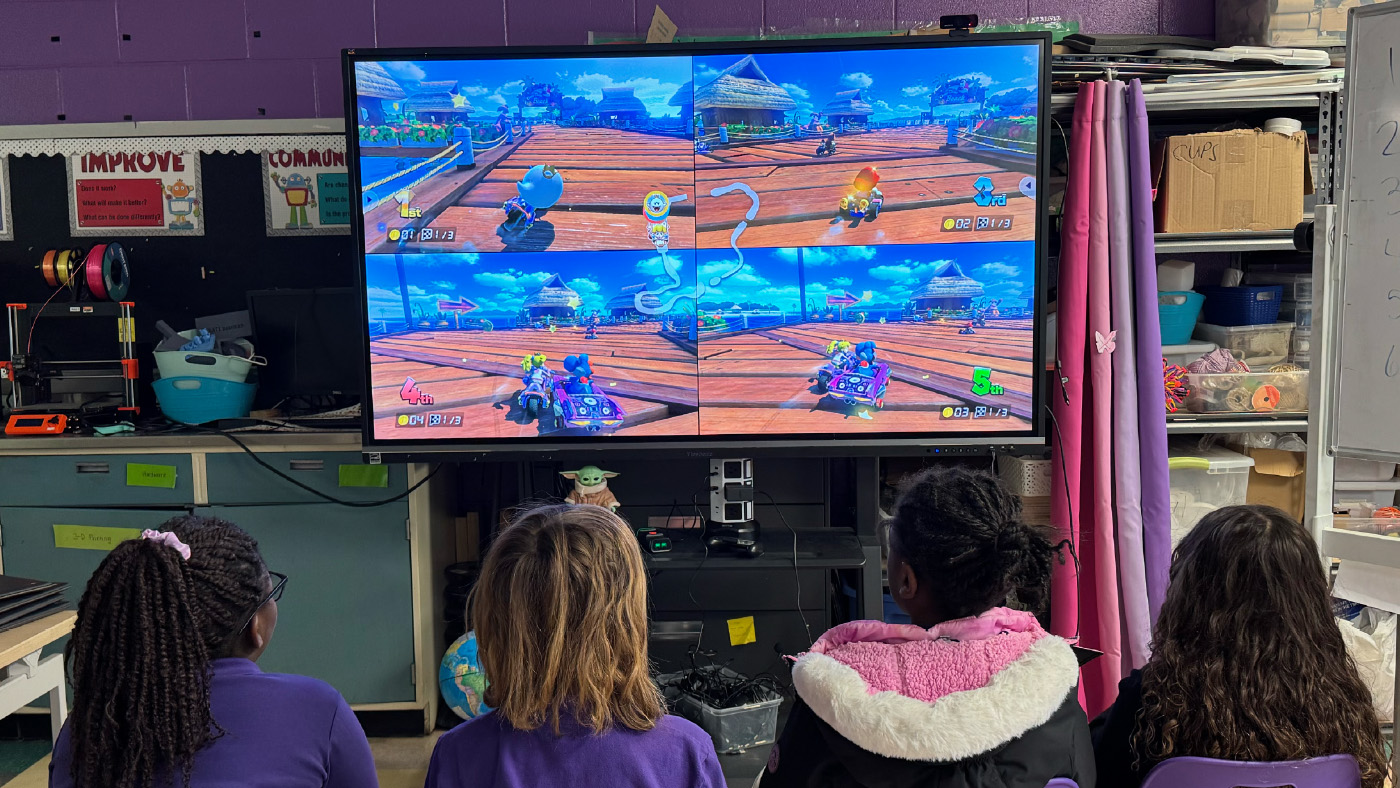
  • The Economical Approach: Start small with portable monitors paired with a Nintendo Switch. The library media teacher can easily manage these compact displays and allow kids to check them out for flexible play anywhere on campus.
  • The Mid-Level Approach: Use products your school already has. You can easily connect a console to an Interactive Flat Panel (IFP) for instant team gaming in any classroom. Check out our video on an easy way to get started in esports to see why starting simple with games like Mario Kart on the Nintendo Switch is affordable, easy to learn and incredibly fun. You can also explore real-world school examples in our gaming setup video. It shows how educators use IFPs and "gamer backpacks" to create flexible gaming spaces while teaching students responsibility for their setup.
  • The High-End Approach: Build a dedicated lab. This means outfitting a room with a whole fleet of high-performance gaming monitors for a true varsity experience or designing a dedicated esports lounge when your funding allows. You can explore our esports solutions for schools to find the perfect equipment for your new arena.


ViewSonic has extensive experience helping schools build out their esports programs to meet these exact needs. You can see how transformative this technology is by reading how one school district offers esports to all ages by leveraging ViewSonic display infrastructure.

Why the Right Hardware Matters

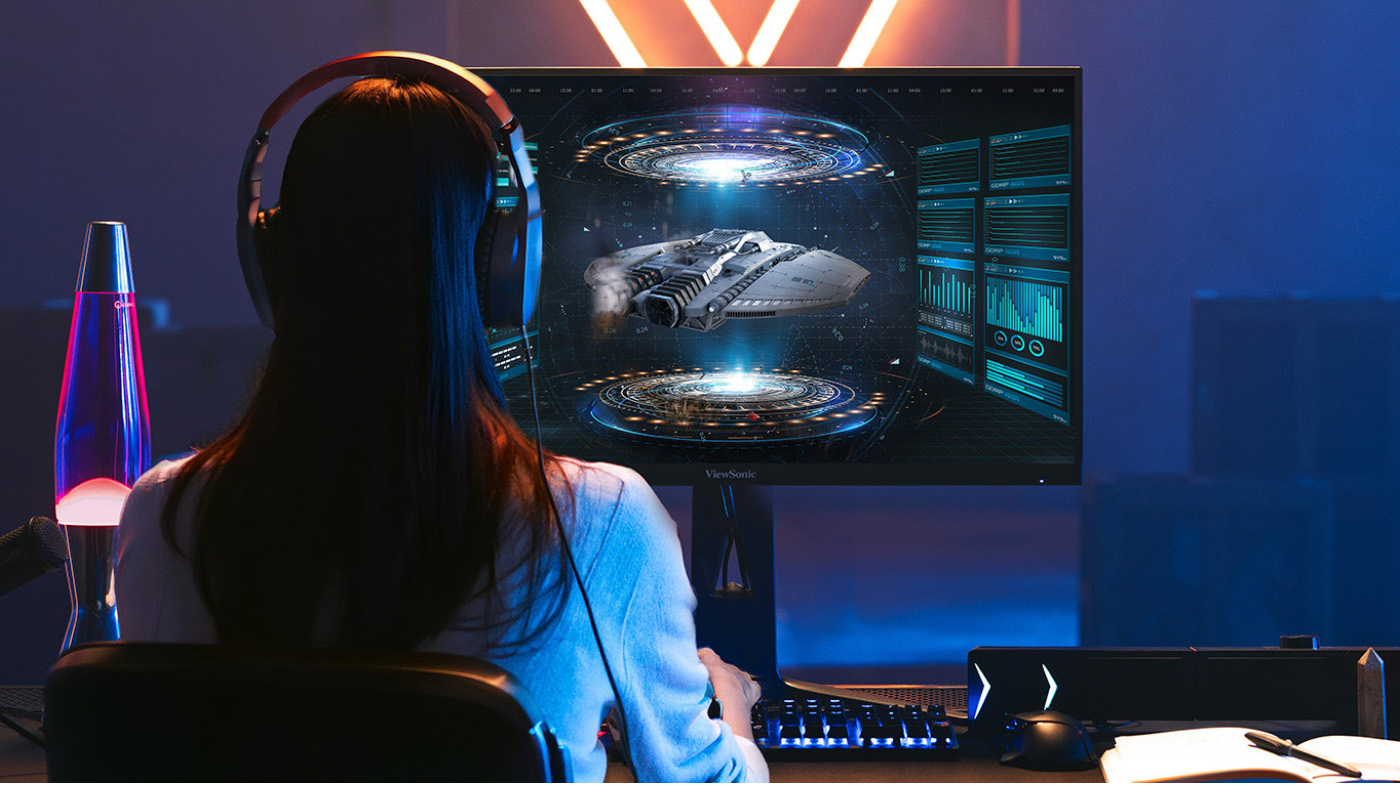
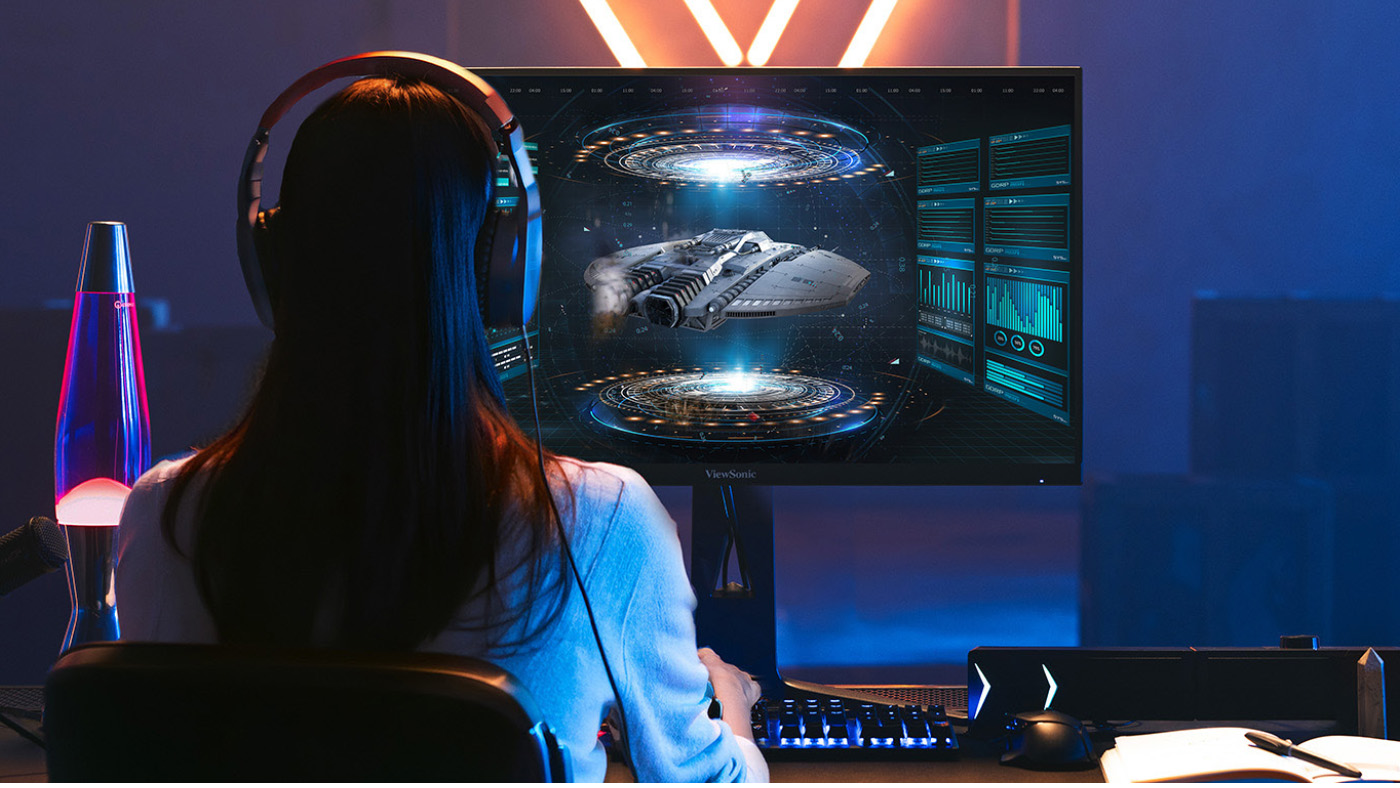
Do monitors impact gaming performance? They make a massive difference. Standard office monitors usually refresh graphics 60 times a second. That's too slow for competitive gaming and causes motion blur. ViewSonic offers a range of high-performance esports displays that deliver the crucial features that competitive players need.

We recently introduced a gaming monitor with switchable refresh rates that's absolutely perfect for school labs. It lets students swap between a stunning 4K resolution for creative design work during the school day and an ultra-fast 288Hz refresh rate for competitive gaming after the bell rings.

**Actual refresh rates may vary depending on system configuration, cable quality, and connected devices.

Build Your Esports Program Today

Every student deserves a place to belong and a clear path to success. By bringing competitive gaming to your school you provide a highly engaging way for students to learn crucial life skills. You aren't just building a place to play games. You're building a modern classroom that prepares them for college and their future careers.

IT Support and Network Engineering

Ready to build your campus arena and inspire your students? Browse our full lineup of ViewSonic gaming monitors and grab the perfect equipment for your school today.

Amplify Your Lessons: The Power of Interactive Displays with a Built-In Microphone

Amplify Your Lessons: The Power of Interactive Displays with a Built-In Microphone

Every laptop or phone you purchase has a built-in microphone. Even your car probably has one! We rely on these tools for a variety of everyday tasks. They help us record audio and seamlessly dictate text. Best of all, they prevent the need to purchase bulky external hardware.

So why should your classroom technology be any different? When searching for the perfect interactive display for schools, audio should not be an afterthought. At ViewSonic, we spend a lot of time listening to educators. We know that managing extra cables and external tech is a massive headache. That’s exactly why we built high-quality microphone arrays directly into our ViewBoard® IFP41 series of interactive displays.

What Is an 8-Array Beamforming Microphone?

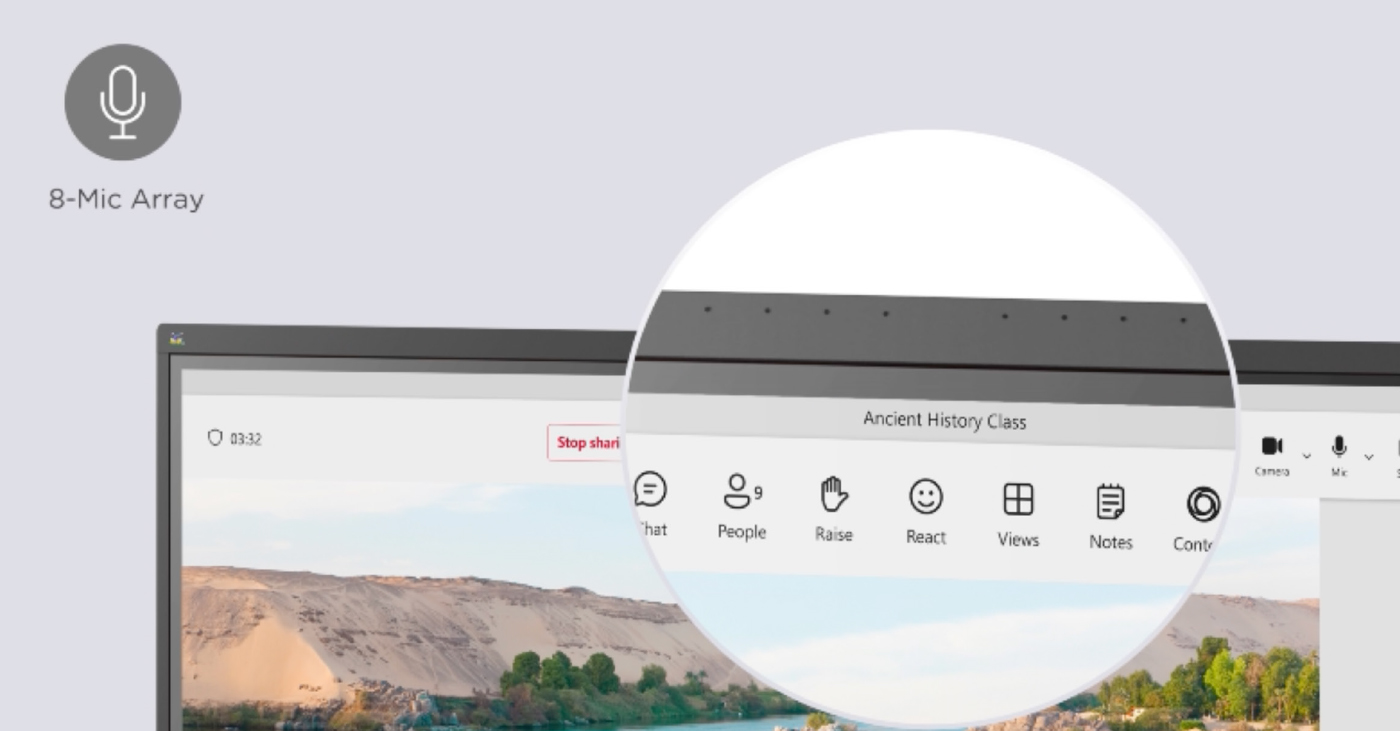
ViewBoard IFP41 displays feature a powerful 8-array beamforming mic. Think of a traditional microphone like a flashlight. It usually only picks up sound from one specific direction.

The microphones on our interactive displays are much smarter than that. It uses eight microphones working together to listen to multiple directions. The system then automatically filters out annoying background noises like loud HVAC units or quiet classroom chatter.

Some competitors expect you to buy expensive external mic pods. Others force you to settle for low-quality audio. A standard mic might just hear the teacher. Our display hears the whole room

How Can Built-In Microphones Transform Your Classroom?

Having a powerful microphone changes the game for daily instruction. Here are a few brilliant ways you can use this technology right now.

Can I Record My Lessons Easily?

Yes, lesson recording is seamless. If you are running a Windows device with our myViewBoard® software, you can easily share your screen and record your entire lesson. It’s the absolute easiest way to create flipped classroom content. It’s also a fantastic tool to catch up students who were out sick.

How Does Audio Help ESL Students?

Integrated mics unlock real-time translation. For classes with English Language Learners, tools like Google Translate are a lifesaver. With the integrated mics on the IFP41, you can use the voice feature in real time. A teacher can speak directions at the board. A student can speak right from their desk. The ViewBoard microphone easily picks up both voices to provide instant translations.

Is There a Way to Type Faster?

Use your voice to dictate text. Typing long directions on a large screen takes too much time. It’s especially tough when you have 20 students waiting for a moment to get distracted. The myViewBoard software offers seamless speech to text. You simply dictate your directions and they instantly show up as text on the ViewBoard screen.

Can I Use AI With My Voice?

You can talk directly to your favorite AI tools. The IFP41 is fully EDLA Certified. This means you have instant access to any app on the Google Play store. You can easily pull up your favorite LLM like Gemini or ChatGPT right on the board. Instead of typing out complex prompts, use the microphone to ask questions or generate lesson ideas. It feels incredibly natural. It’s just like having a teaching assistant standing right there with you.

What About Remote Learning and Class Discussions?

Capture every voice in the room. A built-in microphone bridges the gap between in-person and remote students. You can hop into a virtual meeting and every single participant can hear each other clearly. This ensures everyone learns from different perspectives.

You can also record student discussions directly into a document. Instead of taking frantic notes, let the board do the heavy lifting. It’s a great way to gather evidence of student learning and keep a reliable record of class participation.

Ready to Upgrade Your Classroom Technology?

Why settle for complicated audio setups? You shouldn’t have to purchase additional mics and messy cables to do basic things like recording a lesson. The ViewSonic ViewBoard IFP41 series gives you everything you need right out of the box. It makes your teaching better and your life a little easier.

Want to learn more about how our hardware can transform your school? Check out our full lineup of interactive displays today!

How Teacher Feedback Shapes the Future of the Classroom

Buyer's Guide

How Teacher Feedback Shapes the Future of the Classroom

There was a time when teacher feedback was just a nice bonus for tech companies. Today, it has become the absolute primary driver of classroom innovation. A common misconception is that educational technology is just about replacing an old chalkboard with a shiny new screen. However, true Edtech is about building a teacher-centric roadmap that drives real student engagement and better learning outcomes. When companies listen to the educators who actually use their tools every single day, they can create hardware and software that truly changes the game.

Let’s look at exactly how your feedback has influenced the latest product updates at ViewSonic.

Upgrading the ID2456-4K Touch Display

How did teachers improve this podium display? You shared a major classroom frustration with us. For years, teachers had to turn their backs to students to write on the whiteboard or front-of-classroom display. You asked for a better way. We listened and created the myPodium™ ID2456 touch display. This 24-inch screen lets educators face the class while writing. Whatever you draw instantly shows up on the large classroom display or projector for the whole class to see. It keeps you completely engaged with the room.

But we didn’t stop there. We kept listening to your direct feedback to make the next version even better. You wanted sharper visuals, cleaner setups and smarter tools. We took those notes and rolled out the second generation. We upgraded the screen to stunning 4K. We also made two massive physical design changes.

First, we moved all the cable ports to the back of the device facing downward. This ensures messy wires are no longer sticking out of the sides. Your workspace stays perfectly neat. The entire setup connects to a laptop via one single USB-C cable.

Second, we added a dedicated dock that charges the smart pen wirelessly. Now you never have to plug in a USB cable to charge it again. Your pen is simply always ready to go.

Building a Better myViewBoard 3.0

What’s new in our whiteboarding software? We originally created myViewBoard to give teachers a powerful digital whiteboard. But as educators used the software day to day, they quickly noticed a few practical features were missing. Teachers specifically asked for a way to use tabs and a method for saving participate mode. We listened to those ideas and completely redesigned the user interface to build myViewBoard 3.0.

The absolute biggest win for educators is the brand new tabs feature. Teachers can now open multiple lessons in tabs exactly like a web browser. This allows instructors to switch between different class periods instantly without losing their place.

Teachers also loved Participate Mode, but wanted a way to customize and save work. This mode allows up to six students to write on the ViewBoard display at the exact same time. Thanks to teacher input, the new updates allow you to change the background to things like grid paper for math lessons. You can also easily save the final session as a file for student portfolios.

Lastly, we added crucial accessibility tools to make sure no student is left behind. This includes a Spotlight tool to focus student attention, Irlen filters for color blindness and an Immersive Reader for translation and literacy support. It’s a smarter digital whiteboard built entirely around daily classroom needs.

Creating Safer Wireless Casting With AirSync

Why did we build a dedicated casting tool? We packed myViewBoard with tons of amazing features for the classroom. But we heard from plenty of teachers who didn’t want all those extra bells and whistles. You told us you just wanted a simple and reliable way to cast your screen. We listened to that feedback and created AirSync.

This wireless casting software allows you to mirror your screen from any device to one or multiple larger displays. We also added a highly requested Moderator Mode so teachers can see a list of students who want to share their screens. You can approve them one by one. This completely prevents unapproved content from showing up on the board.

It also offers incredible flexibility for everyone in the room. It supports native casting like AirPlay and Chromecast, but it also has a convenient browser-based version at AirSync.net. This means guests can quickly share their screens without downloading a separate app. It is simple, secure and exactly what you asked for.

Learn more about AirSync

Expanding Classroom Safety Tools

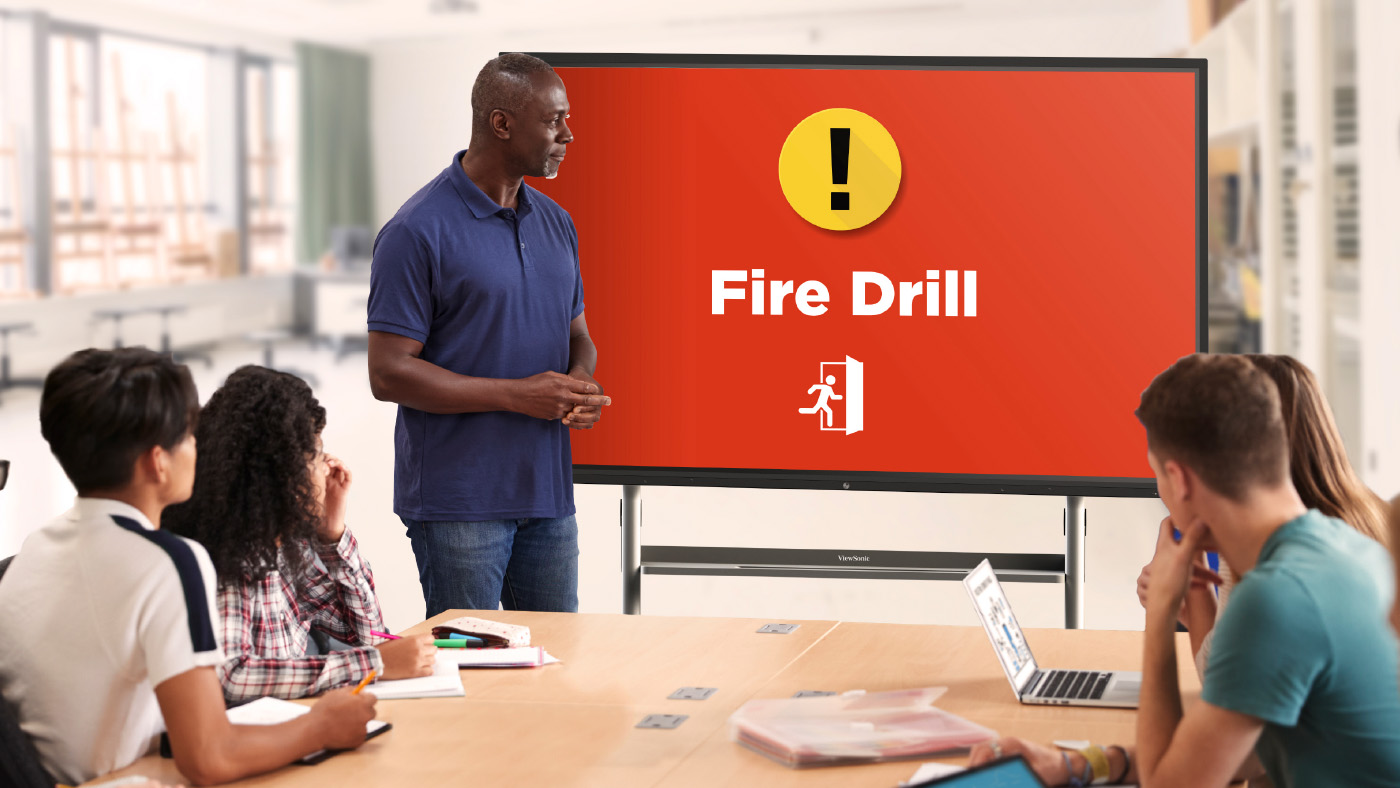
What does ViewSonic Manager software offer schools? School security is a massive issue these days. Administrators came to us with a critical problem. They needed a secure way to send alerts directly to classroom devices. Relying on a loudspeaker simply isn’t safe when a threat could hear it. We listened and updated Manager. Manager is our remote management tool designed specifically for IT staff. It includes a free feature called CAP Messaging. This tool connects your classroom displays directly to the school’s emergency alert system like CrisisGo or Raptor. Thanks to these integrations, teachers can now see clear visual alerts right on their board for fire drills or lockdowns.

Learn more about Manager

How to Share Your Feedback

Where can teachers submit their new ideas? We always want to hear from you! You can easily submit ideas using the in-app form located directly inside your myViewBoard settings. You can also join the ViewSonic Educator Community to request new features, share lesson plans and connect with other amazing teachers.

Deidre Deacon, Yesenia Martinez, and Christine Krajewski of ViewSonic Named to the 2026 CRN Women of the Channel List


Brea, CA (May 4, 2026)ViewSonic Corp., a leading global provider of visual and edtech solutions, announces CRN®, a brand of The Channel Company, has named Deidre Deacon, Yesenia Martinez, and Christine Krajewski to its Women of the Channel list for 2026. With this recognition, CRN honors these women leaders whose expertise and vision are leaving a lasting impact. 


Each year, CRN celebrates women from vendors, distributors, solution providers and other channel-focused organizations who make a positive difference in the technology industry. The CRN 2026 Women of the Channel honorees are innovative and strategic leaders committed to advancing channel excellence and supporting the success of their partners and customers.


Women of the Channel from ViewSonic:

  • Deidre Deacon, General Manager, Channel Chief, ViewSonic Canada
    Deidre Deacon oversees every facet of the company's operations in Canada. Her role includes driving future sales growth, enhancing channel and dealer networks, and leading strategic business planning. As a proponent of channel-first strategies, Deidre guides a proactive team focused on expanding visual solutions across enterprise, education, consumer, and commercial markets, with an emphasis on hybrid work and education models.
  • Yesenia Martinez, Channel Marketing Manager, ViewSonic America
    Yesenia drives strategic partner enablement and brand growth across the U.S. AV and VAR channels. She is instrumental in developing integrated marketing resources that empower partners to scale their businesses with ViewSonic. By developing high-impact training programs and expert-led webinars, Yesenia bridges the knowledge gap for partners, ensuring they are positioned as market leaders in visual and edtech solutions. Her leadership in executing industry events and tailored communications continues to strengthen ViewSonic’s presence and partner loyalty within the channel.
  • Christine Krajewski, Channel Marketing Manager, ViewSonic America
    Christine spearheads marketing strategy for ViewSonic’s U.S. and Canadian distribution networks. With over a decade of experience across both manufacturing and sales, she leverages a 360-degree view of the channel to drive creative, high-impact programs. Christine is recognized for her ability to translate complex market needs into actionable programs that deliver measurable results for distributors, consistently driving brand growth and deepening regional channel engagement.


“We are proud to have three incredible women from ViewSonic get recognized by CRN and placed on the 2026 Women of the Channel list,” said Kenneth Mau, director of Marketing Communications at ViewSonic. “This list celebrates the trailblazers of the IT industry and seeing three members of our team on this list is a great honor for the company. It reflects the dedication and expertise they bring to our partners and customers each day. We congratulate Deidre, Yesenia, and Christine for making this year’s list and for continuing to make an impact as we expand and grow.”


“It’s a privilege to celebrate the remarkable achievements of these women who are driving meaningful change across the IT channel,” said Jennifer Follett, VP of U.S. Content and Executive Editor, CRN at The Channel Company. “Each honoree has demonstrated exceptional leadership and a commitment to bold, innovative strategies that fuel transformation, growth, and success for their organizations and the broader channel. We’re proud to recognize their impact and look forward to seeing how they continue to shape the future of our industry.”


The 2026 Women of the Channel will be featured online beginning May 4 at www.CRN.com/WOTC.

To find out more about ViewSonic, visit ViewSonic.com and follow on Facebook, YouTube,  X and Instagram.


About ViewSonic

Founded in 1987 and headquartered in Brea, California, ViewSonic is a leading global provider of visual solutions for the education, business, and consumer markets, with a presence in over 100 countries. Driven by the mission to transform education, workplaces, and lives, the company delivers a unified ecosystem of innovative hardware, software, and services that integrates seamlessly with the platforms, tools, and partners customers trust. Its product portfolio includes monitors, projectors, interactive displays, LED displays, commercial displays, video conferencing systems, and industrial solutions. Complementing its hardware is a robust suite of software offerings—including myViewBoard®, ClassSwift®, TeamOne®, ViewSonic Manager™, and AirSync™—featuring AI-powered tools for collaboration, device optimization, and management. By empowering creativity, collaboration, and lifelong learning, ViewSonic supports customers at every stage in achieving their business and sustainability goals, creating a lasting impact and helping people everywhere connect with purpose—and See the Difference®. Learn more at www.viewsonic.com.

#  #  #


* This news release contains forward-looking statements that reflect the Company’s expectations with regard to future events. Actual events could differ significantly from those anticipated in this document. Trademark footnote: ViewSonic and the ViewSonic trademarks are trademarks or registered trademarks of ViewSonic Corporation in the United States and/or other countries. All other corporate names and trademarks stated herein are the property of their respective companies.


ViewSonic Media Contacts:

Joey Lee
JSL Marketing for ViewSonic [U.S.]
E: joey@jslcomm.com

Miranda Bravo
ViewSonic [U.S.]
E: miranda.bravo@viewsonic.com

Nury Lavandier
ViewSonic [Latin America]
E: Nury.Lavandier@viewsonic.com


The Channel Company Contact:

Jessica Beaudet
The Channel Company
E: jbeaudet@thechannelcompany.com


About The Channel Company

The Channel Company (TCC) is the global leader in channel growth for the world’s top technology brands. We accelerate success across strategic channels for tech vendors, solution providers and end users with premier media brands, integrated marketing and event services, strategic consulting, and exclusive market and audience insights. TCC is a portfolio company of investment funds managed by EagleTree Capital, a New York City-based private equity firm. For more information, visit thechannelco.com.

Follow The Channel Company: LinkedIn and X.

© 2026 The Channel Company, Inc. CRN is a registered trademark of The Channel Company, Inc. All rights reserved.

The Rise of dvLED: Why All-in-One Solutions Are the New Enterprise Standard

The Rise of dvLED: Why All-in-One Solutions Are the New Enterprise Standard

The Rise of dvLED: Why All-in-One Solutions Are the New Enterprise Standard

Direct View LED (dvLED) technology has evolved from a niche creative requirement into a critical asset for the modern enterprise. As business workflows become increasingly data-heavy, the industry has shifted toward agility. A high-quality dvLED display provides the massive screen infrastructure needed for high-stakes boardrooms and collaborative flex-spaces.

However, traditional dvLED setups often create a technical bottleneck for businesses. ViewSonic completely eliminates this friction by consolidating high-performance visual excellence into a unified, all-in-one solution that takes the hassle out of custom video walls.

Understanding Traditional dvLED Challenges

Are traditional video walls hard to build?

They certainly can be. You might think that creating a custom video wall for your business is a risky process. The traditional approach requires you to piece together cabinets, power, processing and mounting. Managing multiple vendors can put a lot of pressure on your team to get every detail right. This often leaves the customer to carry the technical risk while hoping remote support is enough to fix any problems.

The ViewSonic All-in-One Advantage

How does ViewSonic eliminate these technical risks?

You do not need to be a dvLED specialist to get a great display. We handle the technical heavy lifting from the initial quote to on-site installation and more. By offering a complete solution, ViewSonic provides a true partnership from start to finish.

Here is a quick look at how our unified approach compares to traditional challenges:

FEATURE

THE VIEWSONIC ADVANTAGE

TRADITIONAL DVLED CHALLENGES

 ORDERING PROCESS

Streamlined SKU ordering confirmed by our engineering review.

Piece together cabinets, power, processing and mounting.

 SETUP AND DESIGN

Design consultation tailored to your space alongside on-site supervision for mounting, wiring and commissioning.

Juggling multiple vendors and managing complex integration.

 TECHNICAL SUPPORT

U.S.-based tech support to keep systems mission-ready 24/7.

Hope remote support is enough.

 RISK MANAGEMENT

We handle the technical heavy lifting from the initial quote to on-site installation and more.

Carry the technical risk and troubleshooting burden.

Why Upgrade Your Business Display?


Is an All-in-One dvLED solution right for my team?

Yes! By choosing a ViewSonic All-in-One solution you are making a strategic decision to prioritize efficiency and reduce technical frustration. You can finally deliver a clean and modern display wall without the engineering headaches.

Choose from pre-configured, configurable or mobile video wall solutions for conference rooms, lobbies, training spaces and more. Whether you are a data analyst presenting large datasets or an executive transitioning between meetings, our dvLED solutions provide the professional visual precision required for the modern workspace.

Ready to get started? Contact us today to book your design consultation call!

How USB-C Docking Monitors Reduce School District IT Costs and Complexity

Buyer's Guide

How USB-C Docking Monitors Reduce School District IT Costs and Complexity

USB-C docking monitors are a powerful tool for modernizing school districts from the front office to the classroom. As educational technology becomes more integrated into the daily curriculum, the hidden costs of expensive docking stations, cable management and lost dongles are beginning to pile up.

But the problem goes way beyond just the initial price tag. Think about the massive deployment and asset management headache traditional setups create. Your IT team has to buy, track and maintain separate monitors, bulky docking stations and a huge tangle of power and display cables for every single desk. When a cord breaks or a dongle goes missing, it creates instant frustration for teachers and piles up support tickets for your staff.

For IT directors and school administrators looking to streamline their hardware footprint while staying within budget, the transition to a single-cable solution isn't just a luxury. It's an innovative, strategic move to reduce technical friction for teachers and dramatically cut down the time and money spent managing campus technology.

What is a Docking Monitor?

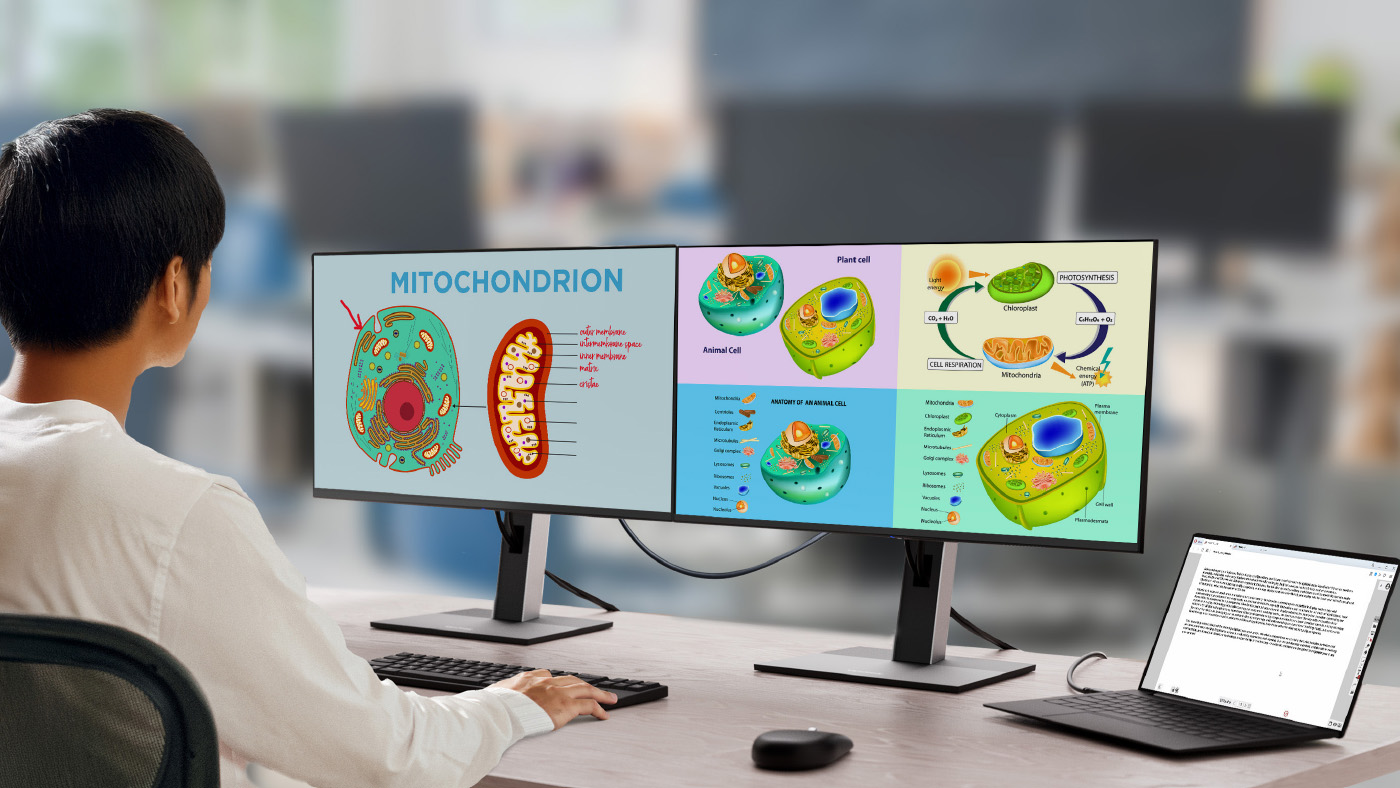
How does a USB-C docking monitor work? A docking monitor is a high-performance display that acts as a central hub for a workstation. Unlike traditional monitors that only receive a video signal, a USB-C monitor uses a single USB-C cable to handle high-speed data transfer, video output and laptop charging simultaneously.

What really makes it a true docking monitor are the extra built-in features that completely replace a separate external dock:

  • RJ45 Port: This provides a secure and lightning-fast hardwired internet connection directly to your laptop.
  • USB Hub: This lets you easily connect all your daily accessories like a mouse, keyboard and webcam right to the monitor.
  • Daisy Chaining: Select models let you easily link a second monitor directly to the first one for a massive dual-screen setup.

In a school setting, this means a teacher or staff member can walk up to a desk, plug in one cable and instantly have their laptop connected to the school network, their favorite accessories and a large display all while their battery charges.

The Benefits of USB-C Docking Monitors in Education

Why are schools switching to docking monitors? The primary driver behind the shift to docking monitors is unmatched ease of use. By removing the spaghetti mess of cables and the confusion of multiple ports, schools create an environment where technology is a tool rather than a barrier.

Accessibility for All Staff

Are docking monitors easy to use? Technology should never be intimidating. For office staff or educators who may not feel tech-savvy, the docking monitor is a great solution. There's no need to worry about which port goes where or whether they have the right adapter. Once deployed, it’s a simple plug-and-play experience that builds confidence and saves time during busy school days.

Versatility for Shared Spaces and Substitutes

How do these monitors help shared classrooms? Classrooms are high-traffic environments and a USB-C docking monitor makes a classroom truly universal. The classroom teacher can use the large screen for grading and lesson planning in the morning. Then if a substitute or traveling teacher takes over the room later, they can simply plug in their own device and be ready to go in seconds. This flexibility ensures that every workstation remains functional regardless of who is using it.

Creating Learning Stations for Students

Can students use the teacher's monitor? The docking monitor transforms the teacher’s desk into a collaborative learning hub. Instead of a teacher bending down to look at a student’s small laptop screen, the student can simply plug their device into the USB-C cable. The desktop instantly becomes a high-visibility station for one-on-one feedback or small-group work. This allows the teacher to see student work clearly and comfortably. You can see how one school district supports small group and hybrid learning with the ViewSonic 24-inch VG2456 docking monitor to bring this exact concept to life.

Cutting Costs and Reducing IT Complexity

How do docking monitors save money? Budget transparency is vital for school districts. Transitioning to docking monitors provides a clear path to reducing hardware expenditures.

Eliminating the Docking Station Tax

Do you still need a separate dock? You do not. Traditional setups require purchasing a separate docking station in addition to the monitor. Those separate docks can cost between $150 and $300. By choosing a display with a built-in dock, you eliminate an entire category of hardware. This cost saving makes it feasible to outfit all your classrooms and office desks with a professional-grade workstation.

Maximizing Screen Space

Are laptop screens big enough for teachers and staff? While laptops are portable, they often lack the screen size needed for heavy lifting. Tasks like handling IEPs, grading programs or master scheduling software require educators to see more data at once. With sizes ranging from 24” to 34”, a docking monitor provides the necessary space for these high-detail tasks at a fraction of the cost of a multi-component setup.

Maximizing Productivity with Daisy Chaining

What is daisy chaining? One of the most powerful features of modern docking station monitors is the ability to daisy chain. This allows you to connect a second monitor directly to the first one using a single output rather than running two separate cables to the laptop.

How does it help school staff?

  • For Office Staff: A staff member managing substitute schedules can spread their spreadsheets across two screens to see the whole week at a glance.
  • For Teachers: Grading becomes much faster when you can have student work open on one screen and the digital grading platform open on the other. This allows for side-by-side comparison and instant data entry.

Best Practices for Implementing Docking Monitors

How do you set up a successful monitor refresh? To get the most out of your hardware refresh, consider these implementation tips:

  • Standardize Cables: Ensure every room is equipped with a high-quality and high-bandwidth USB-C cable to prevent connectivity issues.
  • Prioritize Power Delivery: Look for monitors that offer at least 60W to 100W of power delivery to ensure even the most powerful faculty laptops stay charged.

Get Best-in-Class Docking Monitors with ViewSonic

ViewSonic provides a range of USB-C docking monitors specifically designed to simplify school environments. With features like built-in Ethernet ports, daisy-chaining capabilities and ergonomic stands, ViewSonic monitors help schools cut costs without sacrificing performance.

Ready to simplify your school's workstations? Explore ViewSonic's full line of education monitors and see how much your district can save today.

ViewSonic Receives a 2026 SCN Stellar Service Award

The Field Solutions Team Honored as Platinum Recipient in “Best Tech Support” Category


Brea, CA (April 23, 2026)ViewSonic Corp., a leading global provider of visual and edtech solutions, announces that the company’s Field Solutions Team has been recognized as the Platinum winner in the Best Tech Support category in this year’s SCN Stellar Service Awards. 

This award acknowledges companies who lead with their exceptional service. Voted upon exclusively by the SCN readers and subscribers, this achievement exemplifies ViewSonic’s commitment to providing cutting-edge and impactful support in today’s Pro AV ecosystem, all while prioritizing customer satisfaction and partner trust.

“We’re honored to have the Field Solutions Team recognized in this year’s awards,” said Jeff Muto, Business Line Director at ViewSonic. “They’ve come a long way evolving as a team and adapting to the ever-changing Pro AV environment. This recognition validates the hard work and commitment they have invested in delivering service excellence.”


ViewSonic Field Solutions Team

  • John Kruse
  • Maaz Qidwai
  • Hung Tang
  • Scott Camp


For more information on the 2026 SCN Stellar Service Awards, visit SCN Announces 2026 Stellar Service Awards | AVNetwork.

To find out more about ViewSonic, visit ViewSonic.com and follow on Facebook, YouTube,  X and Instagram.


About ViewSonic

Founded in 1987 and headquartered in Brea, California, ViewSonic is a leading global provider of visual solutions for the education, business, and consumer markets, with a presence in over 100 countries. Driven by the mission to transform education, workplaces, and lives, the company delivers a unified ecosystem of innovative hardware, software, and services that integrates seamlessly with the platforms, tools, and partners customers trust. Its product portfolio includes monitors, projectors, interactive displays, LED displays, commercial displays, video conferencing systems, and industrial solutions. Complementing its hardware is a robust suite of software offerings—including myViewBoard®, ClassSwift®, TeamOne®, ViewSonic Manager™, and AirSync™—featuring AI-powered tools for collaboration, device optimization, and management. By empowering creativity, collaboration, and lifelong learning, ViewSonic supports customers at every stage in achieving their business and sustainability goals, creating a lasting impact and helping people everywhere connect with purpose—and See the Difference®. Learn more at www.viewsonic.com.

#  #  #


* Actual performance, compatibility, and user experience may vary depending on system configuration, network conditions,usage environment, and other factors. Features and specifications are subject to change without notice. This news release contains forward-looking statements that reflect the Company’s expectations with regard to future events. Actual events could differ significantly from those anticipated in this document. Trademark footnote: ViewSonic and the ViewSonic trademarks are trademarks or registered trademarks of ViewSonic Corporation in the United States and/or other countries. All other corporate names and trademarks stated herein are the property of their respective companies.


Media Contacts:

Joey Lee
JSL Marketing for ViewSonic [U.S.]
E: joey@jslcomm.com

Nury Lavandier
ViewSonic [Latin America]
E: Nury.Lavandier@viewsonic.com
Miranda Bravo
ViewSonic [U.S.]
E: miranda.bravo@viewsonic.com
Community Webinar Recap: Turn Your ViewBoard Into a Classroom Powerhouse

BLOG

Community Webinar Recap: Turn Your ViewBoard Into a Classroom Powerhouse

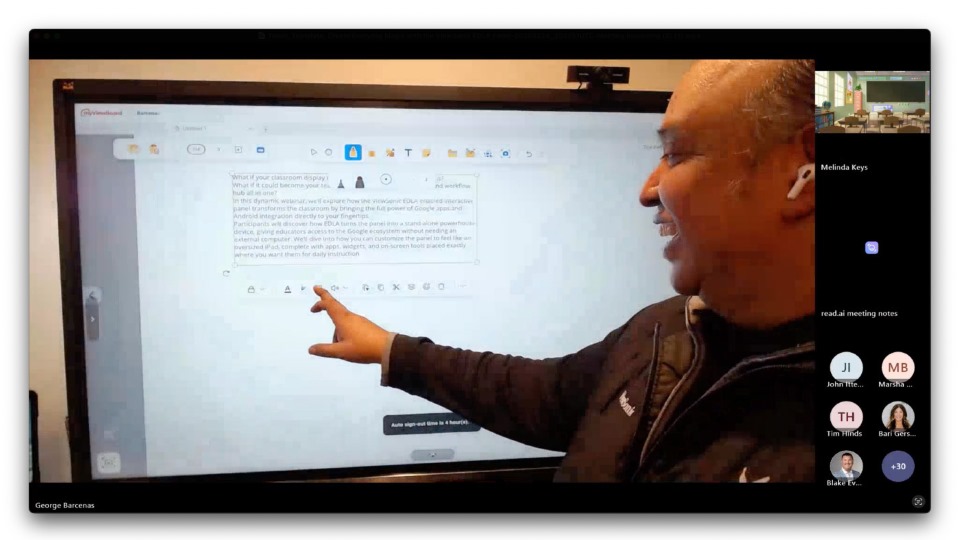
Did you miss our recent webinar: Teach, Translate, Create: Everyday Magic with the ViewSonic® EDLA Panel? Don’t worry. We’ve rounded up the best tips from George Barcenas, a professional development trainer who knows these ViewBoard displays inside and out.

If you’re using one of our Android™ EDLA-certified ViewBoard®displays (like the IFP41 or IFP51 series), you already have a world of Google apps at your fingertips. Here’s how George turns that technology into something truly special.

Make Your ViewBoard Feel Like a Giant Phone

Most of us are used to clicking buttons at the bottom of a screen. George showed a better way. By updating your settings, you can switch to gesture-based navigation.

Imagine swiping down for settings or swiping up to see all your apps. It makes the ViewBoard feel just like a giant smartphone. It is fast, intuitive and keeps your lesson moving without you having to hunt for icons. 

Breaking Language Barriers in Real Time

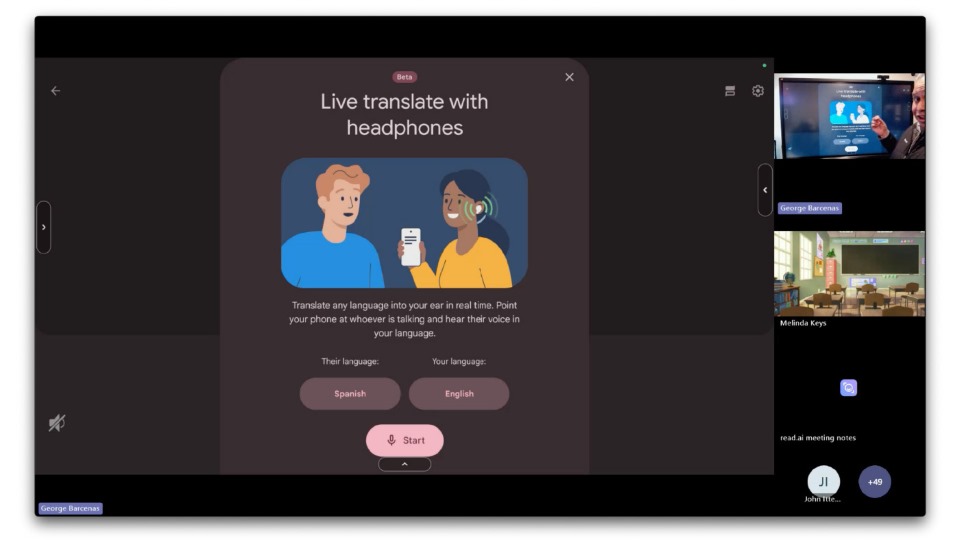
One of the most powerful tools George highlighted was Google Translate. Because these panels have the Google Play Store, you can download the app directly to your ViewBoard.

George shared a funny story about translating his own parent-teacher conferences as a kid. He joked about “tweaking” the translation so he wouldn’t get in trouble! By using Google Translate on your board, parents will know exactly what you’re saying. Students won’t be able to translate the opposite of your words. 

You can use the split-screen feature to run Google Translate next to your slides or Chrome. As long as your ViewBoard has a microphone (such as the IFP41 series), you can provide live captions for ELL students. It is an easy way to make sure every student and parent feels included.

Level Up Your Engagement with Canva

We all know teachers love Canva. When you run the Canva app on your ViewBoard, you can sync it with your phone.

George showed how you can use your phone as a remote to add fun effects like digital curtains or bubbles. It turns a standard presentation into an interactive experience that keeps students focused. Remember,almost any app you know and love can be used on our ViewBoards® with Google Play Store. 

See the Magic for Yourself

It was even great to see George learn something new! He discovered how to screen record directly on the panel during the session. We are all learning together in this community.

Thunderbolt Connectivity: The Strategic Investment for Modern Business Workspaces

Buyer's Guide

Thunderbolt Connectivity: The Strategic Investment for Modern Business Workspaces

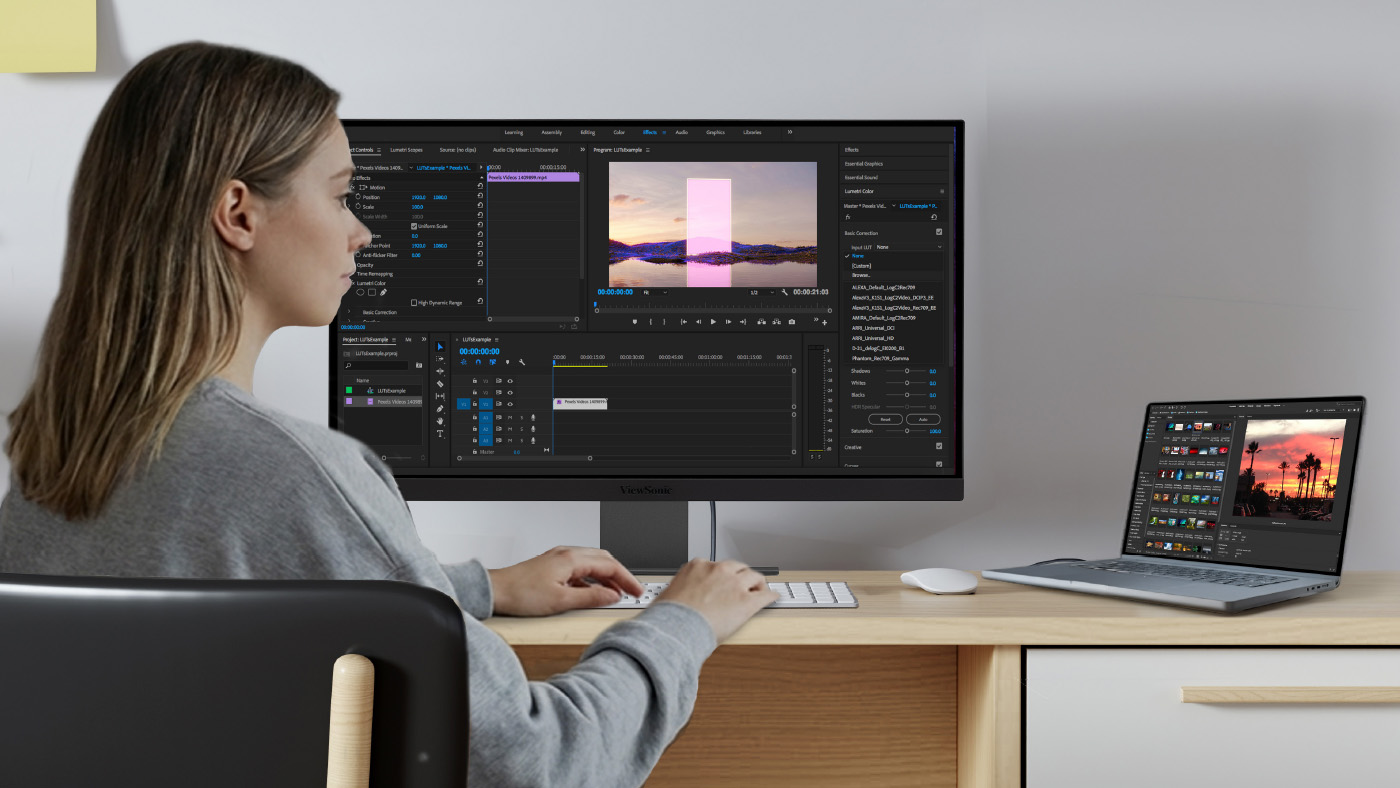
Thunderbolt connectivity has evolved from an essential tool for creative professionals into a critical asset for the modern enterprise. As business workflows become increasingly data-heavy, the hardware supporting your team must do more than just display information. It must serve as a high-speed engine for productivity and seamless transitions.

The traditional office desk anchored by a desktop tower and a nest of cables is a relic of the past. Today’s executives and managers operate in a hybrid reality, moving between high-stakes boardrooms, home offices and collaborative flex-spaces.

What Makes a Thunderbolt Monitor Different?

For a business, the difference between USB-C and Thunderbolt is the difference between a standard road and a dedicated express lane. Thunderbolt provides a dedicated tunnel for data and video, ensuring that a large file download never compromises the quality of a video presentation.

Feature Standard USB-C Thunderbolt 3 / 4
Max Bandwidth 10–20 Gbps 40 Gbps
PCIe Data Support Limited Full Support (Internal-drive speeds)
Daisy Chaining DisplayPort alt mode Native (Up to 6 devices)
Ethernet Speed Typically 1 GbE Up to 10 GbE

Why Business Professionals Are Making the Switch

Why should your team upgrade to Thunderbolt? The move to Thunderbolt is a strategic decision to prioritize efficiency and reduce technical friction. Standard HDMI and basic USB-C hubs were not engineered for the simultaneous demands of 4K video conferencing, rapid data backups and high-wattage laptop charging. When professionals rely on underpowered hubs they face flickering displays, slow file transfers and the frustration of dongle management.

To maintain a high-performance, laptop-centric studio without sacrificing desktop-class reliability, Thunderbolt has become the enterprise standard.

Single-Cable Executive Simplicity

How does a single cable save time? For the professional on the move, seamless transitions are essential. Thunderbolt allows a laptop to instantly transform into a fully powered executive workstation with a single connection. By simultaneously supporting data, audio, video and power delivery up to 100W, it eliminates the daily hassle and wasted time of wrestling with separate cables. Beyond saving setup time, this single-cable solution drives cost efficiency by removing the need to purchase expensive standalone docking stations. This easily eliminates the need for bulky power bricks and multiple adapters to create a cleaner, more organized workspace that reduces troubleshooting and mental clutter.

High-Speed Data Management

Does Thunderbolt speed up file transfers? Modern business depends on massive datasets from cloud-synced libraries to external encrypted drives. Because Thunderbolt supports PCIe data transfer, external storage operates at speeds nearly identical to internal drives. This allows for rapid media ingestion, lightning-fast backups and the ability to work directly off external drives with minimal lag.

Multi-Display Expansion

Can you connect multiple monitors easily? Efficient multitasking requires screen real estate. Whether it is managing complex spreadsheets on one screen while video conferencing on another, Thunderbolt’s support for daisy chaining allows you to link multiple monitors together via a single chain. To set this up you simply need a primary monitor equipped with both Thunderbolt in and out ports. Crucially, Thunderbolt provides the massive bandwidth needed to support high-resolution daisy chaining like running dual 4K displays without sacrificing smooth refresh rates or visual clarity. This creates a high- productivity multi-monitor array with minimal cable complexity.

Professional Visual Precision

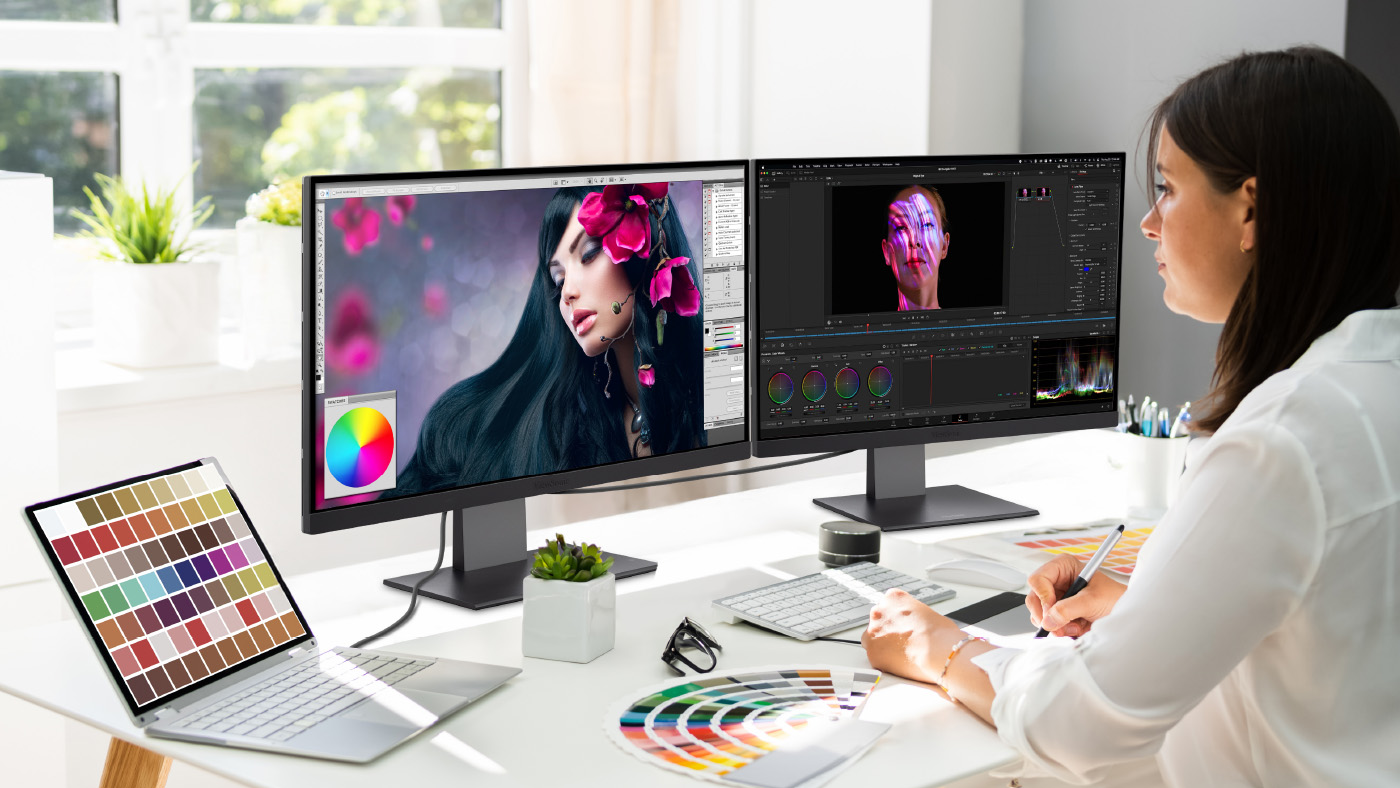
Does connection type affect image quality? Color accuracy and panel quality are vital for business professionals who handle high-end presentations, data visualization and brand-consistent collateral. Standard connections often force a compromise between display resolution and data transfer speeds but Thunderbolt’s massive 40 Gbps bandwidth eliminates this bottleneck.

This massive bandwidth allows you to:

  • Drive uncompressed 4K and 5K displays at optimal refresh rates to ensure absolute clarity for complex visual data.
  • Scrub through uncompressed video or manipulate giant design files directly from external drives without experiencing screen lag, dropped frames or artifacting.
  • Deliver professional-grade visual fidelity while concurrently running high-speed network transfers or daisy-chaining additional hardware without signal degradation.

Thunderbolt’s Impact Across Professional Disciplines

Who benefits the most from a Thunderbolt setup? The industry has shifted toward agility, with high-performance laptops increasingly replacing traditional desktops as the primary computing engine for modern professionals. Thunderbolt monitors act as the bridge in this evolution. They provide the desktop-class infrastructure needed to turn a portable device into a permanent professional centerpiece.

  • Data Analysts: Benefit from massive bandwidth to move large datasets and the screen real estate to visualize them.
  • Executives: Enjoy the single-cable connectivity between meetings and deep-work sessions.
  • Project Managers: Use multi-monitor setups to track timelines, communications and budgets simultaneously.
  • IT Departments: Enjoy simplified asset management by eliminating the need for standalone docking stations. This universal standard guarantees incredible ease of use and rapid deployment to keep your entire team working smoothly.

Furthermore, Thunderbolt provides seamless cross-platform compatibility to effortlessly drive high-resolution dual-monitor setups whether your users operate an Apple-centric or high-end Windows fleet. This universal standard eliminates the headache of managing fragmented docking solutions for mixed-device environments.

When Thunderbolt Delivers the Highest ROI

How does this investment pay off? You will see the greatest long-term return on a Thunderbolt setup when focusing on:

  • Future-proofing laptop-based workflows: By investing in Thunderbolt 4’s massive 40 Gbps bandwidth, you ensure your display and docking infrastructure won’t become obsolete as your team upgrades to next-generation laptops.
  • Maximizing output on data transfers: For professionals managing heavy external storage, the hours saved by moving massive files at internal-drive speeds directly translate to increased productivity and less downtime.
  • Streamlining shared workspaces: In collaborative environments that require frequent docking, the universal standard and cross-platform reliability of Thunderbolt reduce IT support tickets, minimize hardware wear-and-tear and keep teams working smoothly.

How ViewSonic Monitors Support Professional Workflows

What are the best Thunderbolt monitors for business? ViewSonic designs its ColorPro™ series and professional displays to align with the rigors of the modern business environment. These monitors offer high-resolution panels, substantial power delivery and integrated docking functionality on select models that replaces expensive standalone docks. With factory-calibrated visual quality and a focus on ergonomic design, they are the anchor of a high-efficiency workspace.

Find the Right Thunderbolt Monitor for Your Organization

Are you ready to upgrade your office? Upgrading to a Thunderbolt monitor is an investment in your team’s daily output. By consolidating power, data and visual excellence into a single-cable solution, you eliminate the friction that slows down modern business. If you are looking to maximize the efficiency of your Apple-centric or high-end Windows fleet, our Thunderbolt 4 monitors offer the most seamless integration available.

You can learn more and find the professional display that will redefine your workspace by checking out ViewSonic Mac Monitors.

Disclaimer: Specifications and availability are subject to change without notice. Actual performance, data transfer speeds, and user experience may vary depending on system configuration, cable quality, connected devices, and usage conditions. Thunderbolt and the Thunderbolt logo are trademarks of Intel Corporation or its subsidiaries. All other corporate names and trademarks stated herein, including Apple and Windows, are the property of their respective companies. Copyright @2026, ViewSonic Corporation. All rights reserved.

Beyond the Apple Ecosystem: Budget-Friendly MacBook Air Monitors for Higher Education

Buyer's Guide

Beyond the Apple Ecosystem: Budget-Friendly MacBook Air Monitors for Higher Education

We've spent decades working closely with educators and students to understand exactly what works in the classroom. We know firsthand that the MacBook Air is a massive hit on college campuses. It's lightweight, powerful and boasts amazing battery life. But there's a catch: the standard 13-inch screen can feel incredibly small when you're juggling research papers, spreadsheets and video lectures. 

Adding an external monitor is the perfect way to boost your daily productivity. However, staying strictly inside the Apple ecosystem can quickly break a student budget. We believe every student deserves access to a great workstation. That's why high-quality, budget-friendly monitors for the MacBook Air are driving equity in higher education.

Bridging the Gap with ViewSonic® Monitors

What is the best budget monitor for a MacBook Air? We designed our displays to deliver premium features without the premium price tag. For a complete look at our top recommendations, you can read our comprehensive guide on the best monitors for MacBook Air.

Let's look at why these high-value monitors are the ideal companions for your MacBook Air setup.

Single-Cable Simplicity with Thunderbolt 4

Can you connect a MacBook Air to a monitor with one cable? Yes! Our advanced monitors feature lightning-fast Thunderbolt 4 connectivity.

You can connect your laptop to the monitor and charge it at the exact same time using just one cable. This eliminates bulky power adapters and messy cords on your desk. It keeps your study space clean, streamlined and organized.

Ergonomics for Long Study Sessions

Do these monitors have good ergonomics? They absolutely do. Comfort is key when you're pulling a late-night study session.

Our ergonomic monitors let you tilt, swivel, pivot and adjust the height to find your perfect viewing angle. This helps prevent neck and back pain during long hours at your desk.

Crisp Visuals and Color Accuracy

Do budget monitors look as good as a Mac screen? When you're used to the brilliant Retina display on a MacBook Air, you want an external monitor that looks just as vibrant.

Our standard professional monitors use SuperClear IPS panel technology to ensure you get stunning colors and wide viewing angles. However, if you're a creative arts student who needs absolute perfection, we've got you covered there too. Our ColorPro 4K and 5K monitors for Mac and PC ecosystems give graphic designers and video editors elite color accuracy without the massive price tag.

Multi-Monitor Setups with Daisy Chaining

Can you connect two monitors to a MacBook Air? Yes, you can easily expand your workstation using a method called daisy chaining.

Advanced models like the ViewSonic VP2488-4K and VP2788-5K support daisy chaining through lightning-fast Thunderbolt 4. This means you can plug your MacBook Air into the first monitor using a single cable. Then, you just connect that first monitor directly to a second screen. This gives you a massive dual-monitor setup with minimal cable clutter. It's the ultimate productivity hack for handling complex projects, editing videos and managing massive spreadsheets.

Built for the Institution

Why do universities choose ViewSonic? It's not just about individual students. IT departments and university administrators need reliable technology that fits within their campus budgets.

Our monitors are built for the institution. They offer a lower total cost of ownership, easy deployment and industry-leading warranties. This makes them a smart investment for universities looking to upgrade their computer labs, libraries and faculty offices while simultaneously promoting equity across the student body.

Find the Perfect Monitor for Your College Setup

Every student deserves the tools they need to reach their full potential. You don't have to overspend on expensive brand names to get a professional, high-quality workstation.

Best for Creators: ViewSonic VP2788-5K

If you’re an art, film or design student, color accuracy is everything. This monitor delivers breathtaking details and true-to-life colors for your most demanding creative projects.

Standout features:

  • 27-inch 5K resolution for incredibly sharp and detailed visuals.
  • Thunderbolt 4 connectivity for lightning-fast data transfer and easy daisy chaining.
  • Elite color accuracy to bring your photos, graphics and videos to life.
  • Brilliant DCI-P3 color matches Apple's native color space.
  • Advanced ergonomic stand to keep you comfortable during long editing sessions.

Best for Research: ViewSonic VP2488-4K

When you spend hours reading articles, analyzing data and writing essays, you need a screen that is crisp and easy on the eyes. This monitor is the perfect size for cramped dorm desks while still giving you tons of digital workspace.

Standout features:

  • 24-inch 4K resolution for crystal-clear text and vibrant images.
  • Thunderbolt 4 support for a simple one-cable setup and daisy chaining.
  • Built-in eye care technology to reduce eye strain during late-night study sessions.
  • Fully adjustable stand to help you find the perfect viewing angle.

Upgrade Your Setup Today Ready to boost your productivity? Browse our full lineup of ViewSonic monitors and grab the perfect display for your dorm room or home office today.

ViewSonic Direct View LED Display Accentuates Entryway in Technology-Focused Medical Center

CASE STUDY

ViewSonic Direct View LED Display Accentuates Entryway in Technology-Focused Medical Center

CUSTOMER

Formed by the 2018 merger of Bon Secours Health System and Mercy Health, Bon Secours Mercy Health is the fifth largest Catholic health care company in United States and one of the nation’s 20 largest health care systems. With 48 hospitals, thousands of providers, more than 1,000 points of care and over 60,000 employees, Bon Secours Mercy Health is dedicated to continually improving health care quality, safety and cost effectiveness. The company’s hospitals, care sites and clinicians are recognized for clinical and operational excellence, and it uses robust measurement and reporting processes to continually enhance care and improve outcomes.

LogoLogo

“I was very impressed with both the level of service we received from ViewSonic and the quality of the product. All the components of the system went together nicely – everything was milled correctly, and the panels self-aligned and snapped on easily.”


— Richard Banus, Account Manager at Onyx Audio Visual

PARTNER

A design-build firm dedicated to working closely with clients to identify their requirements and vision, Onyx is an industry leader in audio visual technology with over 30 years of experience in the U.S. and internationally. The company leverages its extensive experience in engineering to install and integrate highly complex systems. With a track record of successful, timely project execution, Onyx continues to cultivate relationships with government agencies, corporate enterprises, houses of worship, and educational institutions.

LogoLogo

CHALLENGE

line drawing of a circular mazeline drawing of a circular maze
  • The hospital required a high-tech entryway display to honor donors for its new smart facility expansion.

  • IT needed a state-of-the- art video wall that visually matched the hospital’s advanced medical technology.

  • The team faced the challenge of sourcing a large, seamless display that was easy to install.

  • The chosen solution also needed to overcome typical technical hurdles to ensure easy long-term maintenance.

Part of the Bon Secours medical group, The Harbour View Campus in Suffolk, Virginia was being expanded with a three-story, 100,000 square foot addition. Slated to become the system’s first smart hospital, the facility required a dedicated entryway space to give thanks to the donors who made the expansion possible. The primary challenge for the IT team was sourcing a state-of-the-art digital video wall that visually corresponded with the hospital’s advanced medical technology.

Furthermore, they needed a solution that could overcome the typical hurdles of large-scale video walls: it needed to be a large, seamless display that was both easy to install and easy for the customer to maintain. To find a system that met all these strict requirements, the team turned to their longtime partner, Onyx Audio Visual, for help. Their account manager, Richard Banus, recognized these specific challenges and recommended dvLED technology as the ideal solution.

“The benefits offered by dvLED technology are outstanding,” said Banus. “Not only does it deliver a large, seamless display, it is easier to install and easier for customers to maintain.”

SOLUTION

line drawing of a jigsaw puzzle pieceline drawing of a jigsaw puzzle piece
  • Onyx recommended the ViewSonic 136-inch dvLED (LDM136-151) because it offered the exact features the hospital needed.

  • The display featured high brightness, integrated speakers, and a surface treatment resisting dust, moisture and impact.

  • This All-in-One solution included wireless casting for easy management over the hospital’s LAN.

  • The display also featured an ultra-thin aesthetic with a detachable control box that enabled an even sleeker look.

Banus acquired quotes from display brands he had worked with in the past and was pleased to discover that ViewSonic also offered a 136-inch dvLED.

“While I’ve used ViewSonic monitors and IFP displays, we were just becoming an official ViewSonic dealer,” said Banus. “They had exactly what I was looking for in a dvLED – high brightness, integrated speakers and GOB surface treatment, which makes it impervious to dust, moisture and bumps. It’s truly an All-in-One solution with everything included that’s needed for installation. It even provided wireless casting that would allow my customers to manage easily over their LAN.”

It was also a winner aesthetically, Banus added, with an ultra-thin appearance and detachable control box that enabled an even sleeker look.

Banus shared the results of his comparison with the Bon Secours IT team and together they chose the ViewSonic (LDM136-151) 136-inch dvLED. The product shipped quickly and the team was ready to complete the installation in time for the grand opening, just a week away.

RESULTS

Line drawing of a rocketLine drawing of a rocket
  • The sleek, vibrant digital display now greets patients and visitors, rotating content to thank donors and provide important announcements.

  • The installation perfectly echoes the high-tech design of the medical center and has been very well received by staff and visitors.

  • The All-in-One design made installation easy, as components were milled correctly and panels self-aligned.

  • The hospital was highly pleased with both the price point and the final visual outcome.

Patients and visitors who enter the Bon Secours Harbour View Medical Center’s main entrance are greeted with a sleek and vibrant digital display that echoes the Center’s high-tech design and service. Rotating content thanks donors and provides important announcements.

“The project lead sent an email letting me know how well-liked the display is by Center staff and visitors,” said Banus. “They were pleased with the price-point, and I haven’t had a single negative comment since it’s been up and running.” Banus noted that while he had installed many ViewSonic ViewBoard® interactive IFP displays in the health system’s offices and conference rooms, this was his first time working with a ViewSonic All-in-One dvLED video wall.

“I was very impressed with both the level of service we received from ViewSonic and the quality of the product,” he said. “All the components of the system went together nicely – everything was milled correctly, and the panels self-aligned and snapped on easily.”

The All-in-One design is ideal for an easy, streamlined process, he added, since the installers have everything they need right at hand, including cabinets, tiles, power supplies, and cables.

“When they were done, we turned on the display and it lit up and looked great,” he concluded. “The client loves how it looks and is happy with the outcome.”

Summative vs Formative Assessments: When to Use Them and How ClassSwift Can Help

BLOG

Summative vs Formative Assessments: When to Use Them and How ClassSwift Can Help

Assessment has always been a core part of teaching, and it plays an essential role in supporting student learning. Educators are expected to monitor understanding, provide meaningful feedback, meet curriculum requirements, and manage grading and reporting, often within limited instructional time.

Choosing the right type of assessment at the right moment helps teachers support student growth, adjust instruction more effectively, and measure learning outcomes with confidence.

Importantly, assessments do not have to wait until homework is checked or tests are graded.

This guide explains formative and summative assessments, offers practical guidance on when to use each, and shows how tools like ViewSonic ClassSwift can help support better teaching and learning.

What Are Formative and Summative Assessments?

Formative and summative assessments serve different purposes within the learning process. Both are essential, but they answer different questions for teachers and students.

Formative assessment is used during instruction to check understanding and guide next steps. These assessments are typically low stakes and ongoing. The primary goal is to provide feedback that helps students improve while learning is still happening. 

Common examples include:

  • Quick quizzes or polls
  • Exit tickets
  • Class discussions
  • Practice activities
  • Peer feedback
  • Checks for understanding during lessons 

Summative assessment is used after instruction to evaluate overall learning. These assessments are usually higher stakes and often contribute to final grades or reporting.

Common examples include:

  • Unit tests and final exams
  • End-of-term projects
  • Standardized assessments
  • Final presentations or portfolios

Used together, formative and summative assessments provide a more complete picture of student learning.


Key Differences Between Formative and Summative Assessment

While both assessment types measure learning, they differ in purpose, timing, and how the results are used. Understanding these differences helps educators choose the right approach for each instructional moment.

Category Formative Assessment Summative Assessment
Purpose Improve learning during instruction Evaluate learning after instruction
Timing Ongoing throughout lessons At the end of a unit, term, or course
Feedback Immediate and actionable Often provided after completion
Impact on Grades Low or no grade impact High grade impact
Instructional Role Guides instructional adjustments Confirms learning outcomes
Common Formats Polls, quizzes, discussions Exams, projects, standardized tests


Rather than choosing one over the other, effective assessment strategies use both intentionally.

When to Use Each Type of Assessment

The best assessment choice depends on your instructional goals and where students are in the learning process.

Factors to Consider When Choosing Assessment Types

Before deciding which assessment to use, consider:

  • Instructional goals: Are you supporting learning or evaluating mastery?
  • Student needs: Do students need feedback, practice, or a final measure of understanding?
  • Curriculum expectations: What standards or outcomes must be demonstrated?
  • School or district policy: Are specific assessments required?
  • Timing: Is learning still in progress, or has instruction concluded?

These factors help ensure assessment supports learning rather than interrupting it.

When to Use Formative Assessment

If your goal is to guide learning and adjust instruction, formative assessment is the right choice. It works best when you need to:

  • Check understanding during a lesson
  • Identify misconceptions early
  • Adjust pacing or instructional strategies
  • Support student confidence and engagement
  • Encourage reflection and self-assessment
  • Monitor progress on ongoing projects

Formative assessments help teachers respond while there is still time to make a difference.

When to Use Summative Assessment

If your goal is to measure mastery and document learning outcomes, summative assessment is the better fit. Use it when you need to:

  • Evaluate understanding at the end of a unit or course
  • Assign final grades
  • Measure progress toward standards
  • Prepare students for standardized testing
  • Assess final projects or presentations
  • Report achievement to families or administrators

Summative assessments confirm what students have learned after instruction is complete. 


The Role of Technology in Modern Assessment

Technology has changed how assessments are created, delivered, and analyzed. Digital assessment tools reduce manual work while giving educators clearer insights into student learning.

Modern assessment technology can:

  • Automate grading and reduce administrative tasks
  • Deliver instant, actionable feedback to students
  • Monitor student progress in real time
  • Support equity and accessibility
  • Centralize data and reporting
  • Enhance security for high-stakes assessments
  • Integrate with classroom tools and LMS platforms 

For a deeper look at how technology supports assessment, explore ViewSonic’s guide to educational assessment tools for formative and summative learning.


How ClassSwift Supports Both Formative and Summative Assessment

ClassSwift is built to simplify assessment, not complicate it. It supports both formative and summative workflows in one intuitive platform, helping teachers spend less time managing assessments and more time teaching.

With ClassSwift, educators can:

  • Quickly design, assign, and deliver formative assessments
  • Use digital delivery across devices
  • Provide instant feedback with auto-grading tools
  • View analytics dashboards that highlight trends and learning gaps (paid subscription required)
  • Differentiate instruction based on assessment data
  • Support a wide range of question types and formats
  • Ensure test security for summative assessments
  • Integrate smoothly with leading LMS platforms and gradebooks (paid subscription required) 

ClassSwift also supports responsive teaching by turning assessment data into clear next steps.

Learn more about ClassSwift’s holistic approach here.


Tips for Balancing Formative and Summative Assessments in the Classroom


A balanced assessment strategy combines both types to support learning and accountability. These tips can help teachers strike the right balance.

  • Blend assessment types: Use formative assessments to guide instruction and summative assessments to confirm mastery.
  • Use formative data to prepare students: Address learning gaps before high-stakes assessments.
  • Make feedback clear and constructive: Feedback should help students understand how to improve, not just what they missed.
  • Avoid assessment overload: Focus on meaningful assessments rather than frequent testing.
  • Plan ahead: Use ClassSwift’s planning and scheduling tools to align assessments with instruction.
  • Review data regularly: Look for patterns that can inform future lessons and interventions. For more guidance on feedback strategies, check out this resource on creating effective feedback with education technology. 

For more guidance on feedback strategies, check out this resource on creating effective feedback with education technology.


Getting Started with ClassSwift for Smarter Assessment

Effective assessment supports better learning for students and better decision-making for teachers. With the right tools, assessment becomes a natural part of instruction rather than an added burden.

ClassSwift, part of ViewSonic’s education solutions ecosystem, helps schools streamline formative and summative assessments while supporting engagement and responsive teaching.

From quick understanding checks to preparation for end-of-term exams, ClassSwift provides the flexibility, insights, and simplicity educators need.

Learn more about ClassSwift and how to get started:

 https://www.viewsonic.com/edu/classswift-software

Explore additional education solutions from ViewSonic:

 https://www.viewsonic.com/edu/