Education
Business
Consumer

Case Studies

Agile Reseller Adds ViewSonic ViewBoard Interactive Displays to Successfully Meet Customers’ Evolving Needs

CASE STUDY

Agile Reseller Adds ViewSonic ViewBoard Interactive Displays to Successfully Meet Customers’ Evolving Needs

COMPANY

With a footprint that spans the Southeast United States, RJ Young is an industry leader providing technology solutions that power businesses. The company helps small to enterprise-level organizations transition into modern workplaces and increase productivity with comprehensive managed IT solutions, office equipment and technology, business process outsourcing, and digital communications. After more than 60 years in operation, RJ Young is a proud workplace to more than 650 team members, serving organizations in more than 30 sales and service locations across nine states. The company is known for being anchored to its core values of honoring its people, customers, and communities.

RJ Young LogoRJ Young Logo

“Our partnership with ViewSonic is over the top. The product is good, if not better, than what else is available and at an outstanding price point. ViewSonic also had the support, quick turnaround, and good relationships that we wanted to allow us to quickly satisfy our customers’ needs.”


— Destin Echols, RJ Young Technology Solutions Architect

THE CHALLENGE

line drawing of a circular mazeline drawing of a circular maze
  • Meet customers’ changing needs for interacting and working with more distributed workforces

  • Provide interactive meeting and video conferencing technology that was compatible with Microsoft Teams Rooms to support the needs of remote workers

  • Have products on hand and installed at its own headquarters for demonstration purposes

Founded in 1955, RJ Young was an established leader in delivering copiers and printers – along with a “We Make It RightTM” guarantee – to businesses across the southeastern United States. In 2020, the company and its customers alike found themselves suddenly inhabiting a changed business landscape.

“When Covid hit, everything shifted for us and for our customers,” said Destin Echols, RJ Young Technology Solutions Architect. “Our customers needed support to do business with a much more distributed workforce. To our leadership’s credit, they took a hard look at our customers’ business needs and how they were changing, and determined what we could do to meet those evolving needs.”

The ability to effectively connect, communicate, and interact with remote workers had become a major pain point for RJ Young’s customers. A critical part of the company’s new focus was the need to be able to provide interactive meeting and video conferencing technology to support the needs of remote workers.

“Now we had to quickly pivot to respond to the sudden changes and challenges that our customers faced,” said Echols. “Interactivity was going to be key. Everyone was already accustomed to the interactivity offered by their smartphones and iPads. We wanted to deliver that to our customers in a way that would facilitate collaborative in-person meetings, and as well as bring together remote and on-site participants.”

THE SOLUTION

line drawing of a jigsaw puzzle pieceline drawing of a jigsaw puzzle piece
  • Implementation of ViewSonic® ViewBoard interactive displays into its product lineup

  • Responsive and packed with features, ViewBoard displays were also intuitive, easy to use, and had a great price tag

  • The 105-inch 21:9 ViewBoard IFP105S was installed at RJ Young headquarters in Nashville, TN – becoming the country’s first installation of this groundbreaking product

Before taking on the role of Technology Solutions Architect at the RJ Young Corporate Office in Nashville, Echols had worked in technology for a decade. That experience led him and his team to question how RJ Young customers would benefit with this type of technology.

Around that time, Echols met ViewSonic Channel Account Manager, Matt Hurley, who showed him the ViewSonic line of ViewBoard® interactive flat panel (IFP) displays.

“We were very impressed with the ViewSonic ViewBoard displays, which were responsive and packed with features, while also being intuitive, easy to use, and having a great price tag,” said Echols. “As we worked with ViewSonic, we became even more impressed with the way they do business. The support they offer is outstanding. In the early days, we had a massive learning curve, and when we had questions, someone at ViewSonic always picked up the phone and had answers for us.”

RJ Young made the decision to partner with ViewSonic to fulfill its customers’ display needs, including commercial displays, digital signage, interactive displays, desktop monitors, and projectors. The rest, as they say, is history.

“Our partnership with ViewSonic is over the top,” said Echols. “The product is good, if not better, than what else is available and at an outstanding price point. ViewSonic also had the support, quick turnaround, and good relationships that we wanted to allow us to quickly satisfy our customers’ needs.”

a windows desktop on a projected screena windows desktop on a projected screen

THE RESULTS

Line drawing of a rocketLine drawing of a rocket
  • ViewBoard displays provided interactivity and visibility for customers’ virtual meetings

  • myViewBoard software made it easy to manage ViewSonic displays across the entire region

  • Ultimately decided to partner with ViewSonic to fulfill its customers’ complete display needs, including commercial displays, digital signage, interactive displays, desktop monitors, and projectors

During the work-at-home days of the Covid pandemic, adding ViewSonic ViewBoard interactive displays to the RJ Young lineup proved to be a wise decision.

“It was easy to show our customers how the ViewBoard displays could help them navigate the changing business landscape,” said Echols. “Not only did the displays provide interactivity and visibility for virtual meetings, they were also a logical extension to the way business had been evolving pre-pandemic.”

“I tell my customers that the ViewBoard interactive display is a common-sense extension of how they already do things, and it all revolves around interactivity,” he said. “Everyone is on a cell phone, which you can show to one or two people. The next step up from that is an iPad or a touchscreen PC, but you’re still limited to the few people that can gather around and see it. The natural extension, if you want five, 10, or more people to see and interact with content, is to throw it onto a giant TV touchscreen.”

Most of the time, his customers say, ‘Yes! That makes sense. That’s exactly what I want!’

Today, RJ Young is both a ViewSonic reseller and customer. The company has installed solutions for their customers using virtually every model in every category of ViewSonic product. They also rely on ViewSonic ViewBoard interactive displays to facilitate meetings in their own conference rooms.

“Every one of our 30-plus offices has at least one ViewSonic CDE display and one ViewBoard interactive display,” said Echols. “The quality and interactivity provide amazing functionality for our all-hands meetings, sales meetings, and breakout sessions. Also, we love the myViewBoard software, which makes it easy to manage our ViewSonic displays across the entire region.”

Echols can easily troubleshoot any situation using the myViewBoard ManagerTM software.

“I can turn on their conference room display – no matter where it is – add a welcome screen with the company’s logo, drop in any other content they need,” he said. “We don’t have to send our IT resources, and no one has to worry about whether there’s someone tech savvy in office. We can remotely manage the device, and it’s been fantastic for us.”

The duality of being a ViewSonic customer and reseller comes in handy.

“It’s ideal to have the products in use and available to demo,” said Echols. “If a customer comes in and asks to see the technology we’ve installed for other customers, we can simply take them to our conference room.”

The most recent installation is the 105-inch ViewBoard IFP105S interactive display with ultra-wide 21:9 aspect ratio. To showcase this flagship product and gain its ultra-wide benefits for themselves, RJ Young installed this 105-inch 21:9 ViewBoard in the conference room at their Nashville headquarters.

“I’m proud to say that our conference room was the first US installation of this groundbreaking product, and we have been thrilled with how much the added screen real estate has increased visibility and efficiency in our meetings,” said Echols. “The ability to cast multiple devices for collaboration and have a picture-in-picture view with different sources is extremely handy when checking jobs and designs against alternate versions. The annotation and tools are invaluable when we are marking up plans, doing systems designs, troubleshooting with customers, and when working internally on any number of tasks from HR to marketing.”

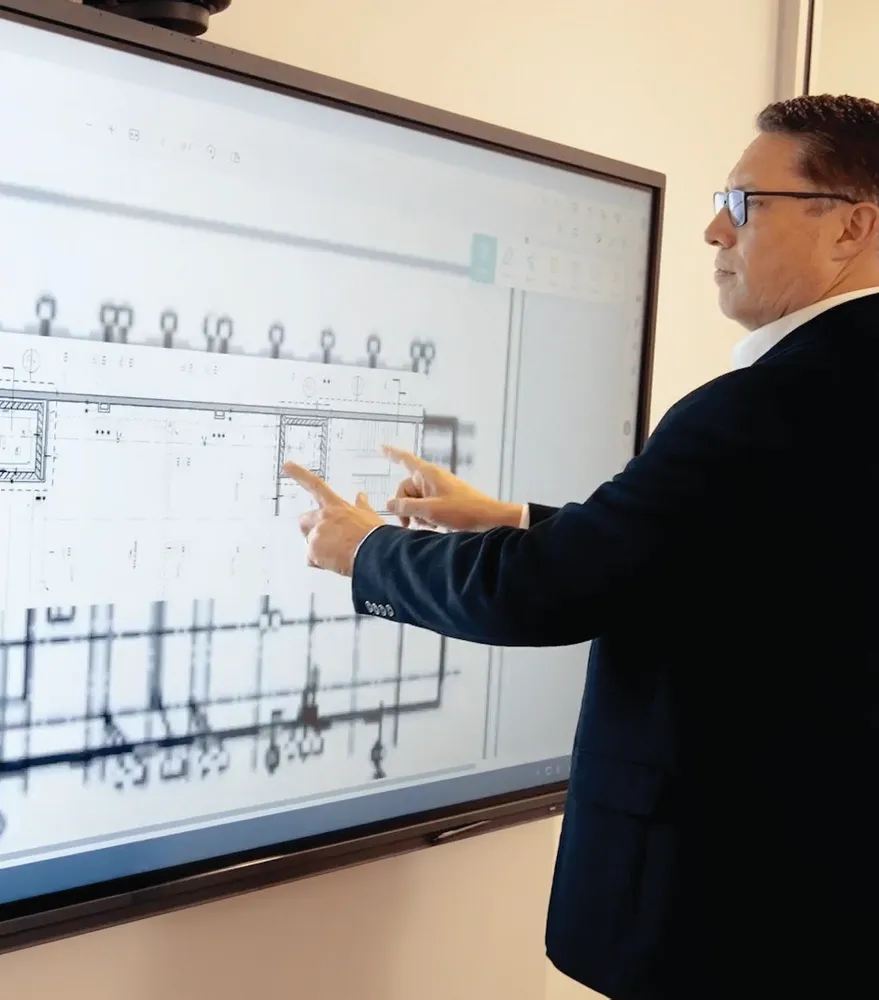
“We often work in collaboration with customers to review building plans, work out locations for their equipment, and show them how it will function in their space,” said Echols. “We use the 105-inch ViewBoard display to work with the customer to design their ideal office space and working environment, and the fact that we are using the same technology at our office speaks volumes.” Soon after their own installation, RJ Young brought the ultra-wide interactivity of the 105-inch ViewBoard display to several customers.

“For us and for our customers, the ViewSonic ViewBoard displays are an outstanding standalone meeting platform,” said Echols. “The 105-inch ultra- wide model takes it to a whole new level, with added space for more effective viewing and content organization, along with support for the Microsoft Teams Room Front Row layout, which delivers a natural and efficient digital meeting experience.”

a windows desktop on a projected screena windows desktop on a projected screen

APPENDIX

Additional ViewSonic Solutions from RJ Young

While ViewSonic ViewBoard interactive displays are the most popular products among his customers, Echols noted that RJ Young has provided customers with solutions using pretty much every product made by ViewSonic. These range from desktop monitors and conference room displays of all types and sizes, to digital signage, and massive Direct View LED displays, and their customers couldn’t be happier with the results.

“Feedback from customers about their ViewSonic products has been excellent,” said Echols. “I recently installed ViewSonic ViewBoard interactive displays and CDE commercial displays using myViewBoard Manager for a large non-profit company, and they just called saying that they wished they had done this installation sooner.”

Of course, he added, as with any supplier, there have been small and infrequent mishaps, like a product damaged in shipping, or the time a board arrived from the factory with a problem. Both were blips on the radar, with ViewSonic immediately replacing the products and making things right.

“We’ve never had a problem that resulted in an unhappy customer,” he said. “ViewSonic is always there for us, making sure our customers are satisfied.”

With ViewSonic’s many product lines to work with, Echols said that he enjoys offering customers everything from basic conference room setups to, “how creative do you want to get?” installations.

Recently, he worked on several projects that made use of the ViewSonic CDE30 commercial displays, which allow for vertical orientation. In one project, the company asked RJ Young to install three displays in a vertical array that ended up looking like windows on a cruise ship. At a local courthouse, Echols helped his customer develop a solution that would segment the content to be seen by the judge, jury, or audience, which included two ViewSonic 65-inch CDE6530 commercial displays hung from the celling to provide the judge with a private view of content. Another display was hung facing the audience, while a ViewSonic ViewBoard interactive display was used to mirror court documents and facilitate zoom calls.

Another recent and “really cool” installation Echols facilitated was for Lenoir- Rhyne University in Hickory, North Carolina.

“The auditorium had concave walls, which made things tricky. We ended up putting a ViewSonic projector in the center with two ViewSonic 135-inch All-in- One Direct View LED displays on either side,” Echols said. “We made a custom frame to straighten out the wall behind the Direct View LED displays, which ViewSonic helped with quite a bit. Content could be programmed to flow from one side to the other, across all three sections, for example showing a wave crashing across them. It was stunning.”

Three years into the partnership, RJ Young has installed ViewSonic products across most of the industries it serves, including higher education, enterprise, and retail. Along with the certainty that ViewSonic hardware will deliver the quality, features, performance, and longevity to fully meet their customers’ needs, Echols said that ViewSonic’s myViewBoard Manager software has been a boon to customer satisfaction.

“We know from our own experience how beneficial the myViewBoard Manager is for remote management of a suite of displays,” said Echols. “We believe in it so much that we include it in every relevant quote, making it an opt-out scenario for customers.”

Ultimately, what makes the partnership with ViewSonic stand out, is the company’s unparalleled service and support, said Echols.

“In every way, before, during, and after a sale, ViewSonic fully supports us,” said Echols. “Matt Hurley is one hundred percent a full member of our team. He joins us at conferences and on customer calls. He does training with us – such as when a customer’s team isn’t sure how to use a display after an installation – and he’s available every day for us. We also get great professional development support for our education customers from ViewSonic folks specialized in that area.”

Circling back to where it all started, Echols recalls that when everything changed in 2020, the team at ViewSonic was integral to helping them quickly acclimate.

“It was all new to us, and we didn’t quite know what we were doing,” he said. “We had to figure out what parts and pieces we need to go with which types of installations. ViewSonic walked us through it all and made sure we had what we needed. They even helped us get in place our systems and people that we needed to support their product lines.”

Because of this support, Echols noted, his company has been able to extend their “Make It Right” guarantee to ViewSonic product installations.

“Part of our history with copiers was our ‘We Make It Right’ guarantee,” he said. “If someone on our team messes something up, we’re going to fix it. If there’s a problem, we’re going to fix it. Because of the support ViewSonic has extended to us on the technology side and on the back end, we’re able to offer this same guarantee for our AV hardware and software.”
a windows desktop on a projected screena windows desktop on a projected screen

ICESI University Modernizes Classrooms with ViewSonic Technology

CASE STUDY

ICESI University Modernizes Classrooms with ViewSonic Technology

UNIVERSITY PROFILE

Universidad ICESI is one of the best higher education institutions in Colombia and has been rated as one of the best in Latin America and the world in different rankings. It is particularly distinguished for its work in the industry, international perspective, research and teaching.

Universidad ICESI's professional education offerings include 29 undergraduate programs, 2 doctorates, 35 master's degree programs, 24 medical/surgical specialties and 17 specializations.

In addition, Universidad ICESI has 27 academic departments with a faculty of top academic quality, including 267 professors, with 153 of them having earned or currently pursuing a PhD degree.

Universidad ICESI LogoUniversidad ICESI Logo

"We reviewed projectors that would fit in our classroom spaces for several months. Obviously, we assessed price, quality, technology and support, among other variables, and chose ViewSonic, a company with which we had already worked successfully on other projects."


— Jorge Eliecer Pineda, Events and New Audiovisual Resources Manager at Universidad ICESI

THE CHALLENGE

line drawing of a circular mazeline drawing of a circular maze
  • Replace aging projectors that were obsolete and required frequent lamp replacement

  • Implement new technologies to facilitate teacher performance

  • Provide students with enhanced technological tools

Belonging to a select group of universities that compete to rank first imposes the responsibility to constantly strengthen its infrastructure and equipment. Because the older projectors that the university was using needed frequent lamp replacements, the technological services division set out to find a better alternative. Under this scenario, they decided to go out and look for the best options offered by the market and approach new solutions that would allow them to optimize their resources, in addition to improving the service for their students.

"We reviewed projectors that would fit in our classroom spaces for several months. Obviously, we assessed price, quality, technology and support, among other variables, and chose ViewSonic, a company with which we had already worked successfully on other projects," said Jorge Eliecer Pineda, Events and New Audiovisual Resources Manager at Universidad ICESI.

THE SOLUTION

line drawing of a jigsaw puzzle pieceline drawing of a jigsaw puzzle piece
  • Implementation of LS600W and LS610WH projectors, which are specifically designed for educational environments and allow upgrading to a new projection format.

  • With this project it was easy to supervise, program and manage the projector remotely, facilitating the management of the Technology Department and allowing teachers to handle the devices with ease.

Universidad ICESI initially purchased 50 LS600W projectors. This technology would allow upgrading to a new projection format that is especially designed for educational environments. The response was so good that 100 LS600W and LS610WH projectors were purchased in a second implementation phase.

As Jorge Eliecer Pineda pointed out, one of the great advantages is that the IT manager can supervise, set up and manage the projector remotely, which not only facilitates his job, but also that of the teachers, who find the devices easy to operate.

The LS600W and LS610WH are high brightness WXGA lamp-free projectors designed for educational environments. The sustainable choice to embrace industry-leading LED technology featuring 4,000 ANSI lumens eliminates the need to swap out environmentally toxic mercury lamps, reducing the cost and effort of frequent lamp replacement and lowering the total cost of ownership.

The lamp-free light source offers greater sustainability for a greener environment, while providing a wider color gamut for bright, vivid images in meeting rooms, classrooms or any other environment. These projectors deliver crisp, high-quality, HD resolution images for smooth and engaging presentations at all times.

THE RESULTS

Line drawing of a rocketLine drawing of a rocket
  • Accommodation of a more user-friendly technology for teachers.

  • Enhanced student learning tools.

  • Extremely positive purchase and implementation experience, which made the University share the initiative with other universities to encourage them to engage in new projects.

According to Universidad ICESI Events and New Audiovisual Resources Manager, Universidad ICESI, the results could not be better. "Both our students and the faculty are enjoying the benefits of these new projectors. Users are satisfied and we have received positive feedback," he said.

The purchase and implementation experience was so good that the University decided to continue changing their equipment and shared this initiative with other universities, with which ViewSonic is already engaged in the process of negotiation and execution of new projects.

In the same way, Jorge Eliecer Pineda positively rated ViewSonic's full support, both in terms of installation and advice on how to use the projectors.

a windows desktop on a projected screena windows desktop on a projected screen

Team Honda Enhances Supercross Performance Review and Brand Impact with ViewSonic Displays

CASE STUDY

Team Honda Enhances Supercross Performance Review and Brand Impact with ViewSonic Displays

COMPANY

Honda Powersports is an American Honda Motor Company brand and the sole distributor of Honda motorcycles, scooters, ATVs, and Side-by-Sides in the United States. The Honda Power Sports & Products business unit conducts the sales, marketing, and operational activities for these products through independent authorized Honda retail dealers. Formed in 1982, Honda Racing Corporation (HRC) is a racing division of the Honda Motor Company and is responsible for Honda’s motorcycle racing activities, including AMA Supercross motorcycle racing. Honda Racing Corporation encompasses both the management of motorcycle and teams throughout the world and the development of racing motorcycles.

Splitsville LogoSplitsville Logo

“It was a big improvement over what we were doing in the past, which was a simple fabric banner. The ViewSonic display was much more attention-grabbing. At every event people would go up to it and see what it’s all about.”


— Jose Monge Jr, Red Rider Program Coordinator for American Honda Motor Co.

THE CHALLENGE

line drawing of a circular mazeline drawing of a circular maze
  • Add brand impact at events with mobile digital signage

  • Improve the visual quality of performance reviews

A newer version of motocross (MX), Supercross (SX) brings dirt bike racing indoors, delivering high-energy stadium events with an easy view of the action. Seven manufacturers currently create the motorcycles that compete in the American Motorcyclist Association (AMA) Supercross Championship, which consists of 17 rounds held in venues across the U.S. and Canada. At each event, brands vie for attention from fans in sold-out stadiums. Each motorcycle maker sponsors a team, and the riders themselves are one of the biggest marketing platforms.

To further showcase the Honda Racing Corporation (HRC) and the Honda Motorsports brand, Team Honda highlights its pit and riders with retractable fabric banners in the arena. Recently, a fan with insight into digital signage proposed an enhancement, while also suggesting an improvement to the team’s performance review system.

“We bring a team trailer truck to the events and after warm ups, qualifiers, and races the coaches sit with the riders and review their performance,” said Red Rider Program Coordinator for American Honda Motor Co. Jose Monge Jr. “It’s just like any premier-level sport, like football players going over their plays.”

To enable this rapid, on-site review, Team Honda staff haul monitors and video equipment to each event. The quality of those monitors, they were to discover, could make a notable difference.

THE SOLUTION

line drawing of a jigsaw puzzle pieceline drawing of a jigsaw puzzle piece
  • ViewSonic CDE5010 50-inch digital display with 4K Ultra HD resolution

  • ViewSonic ELITE™ XG320Q 32-inch 1440p gaming monitors with 175Hz (OC) refresh rate and 0.5ms (MPRT) response time, PureXP motion blur reduction and 99% sRGB coverage and 99% Adobe coverage

An unexpected encounter introduced Team Honda to new ways to improve both their on-site messaging and digital performance reviews.

Many Supercross fans like to enhance race day with a pit pass, which allows them to mingle with riders, mechanics, and motorcycles, and experience the energy that surrounds Supercross competition. This was where Monge and his team met Jeff Volpe, President of ViewSonic Americas.

“He saw the monitors we were using to review practice rounds and introduced himself,” said Monge. “He told us, ‘I’m in the monitor business and our monitors can do a better job for you than what you’re using now.’”

Volpe recommended the ViewSonic ELITE™ XG320Q 32-inch gaming monitor, which delivers ultra-smooth images, rapid response time, and a wide color gamut ideal for viewing the intricacies of fast-paced Supercross rides.

Next, Volpe suggested that Team Honda try a rolling promotion to draw attention to both companies’ brands, using two ViewSonic CDE5010 displays housed in weather-proof rolling cases.

Jeff is a terrific Supercross fan,” said Monge. “He’s enthusiastic about Honda racing and we were thrilled to implement his ideas.”

THE RESULTS

Line drawing of a rocketLine drawing of a rocket
  • Performance review visuals are more crisp, clear, and vibrant, with no lag or ghosting

The 2023 AMA Supercross Championship series began on January 7th at the Angel Stadium of Anaheim. Among the excitement and hype, the HRC riders and Team Honda support staff spent many more serious moments reviewing warm ups on the new ViewSonic monitors. Later, between the qualifiers and heats, the performance reviews became even more critical. The visuals, said Monge, were noticeably better. 

“Right away it was clear from looking at them that these are premium monitors,” said Monge. “The images are very crisp and clear; it also helps for us that they’re lighter weight, since we move them around a lot.”

The vibrant 50-inch displays in their rolling cases paired perfectly with the energy-filled scene. A video loop ran an alternating series of Honda Powersports and ViewSonic messaging, along with a QR code linking to the “ViewSonic-Honda Gear Up Giveaway” prize lottery.

“It was a big improvement over what we were doing in the past, which was a simple fabric banner,” said Monge. “The ViewSonic display was much more attention-grabbing. At every event people would go up to it and see what it’s all about.”

The display accompanied Monge and the HRC team to each of the 17 Supercross rounds that year, running for upwards of eight hours each day. The displays and cases held up beautifully, said Monge, even in the occasional rainy weather they encountered.

The season wrapped up on Saturday, May 13th at the Salt Lake City Rice-Eccles Stadium, with Team Honda rider Chase Sexton taking the number one spot, giving Honda its first Supercross Championship in 20 years. A coincidence perhaps, but the crystal-clear performance reviews and added audience hype brought by the ViewSonic displays couldn’t have hurt.

School Builds Strong Foundation for Digital Learning with ViewSonic Education Solutions

CASE STUDY

School Builds Strong Foundation for Digital Learning with ViewSonic Education Solutions

SCHOOL

Foundations for the Future Charter Academy (FFCA) has had a long-standing reputation for academic leadership. Today, it operates eight campuses within the city of Calgary, including four elementary, two middle and two high schools. Technology innovation has played an integral role for FFCA in both student development and academic success.

“Our results are consistently above the provincial average,” says Jeff Cullen, Director of Technology for Foundations for the Future Charter Academy. He attributes part of that success to the school’s investments in the latest visual learning technology for its eight campuses, all of which are now equipped with the ViewSonic® ViewBoard® Interactive Displays and the myViewBoard® digital learning platform.

Splitsville LogoSplitsville Logo

“The upgrade to ViewSonic is our most recent, and we couldn’t be happier with the results. Teacher adoption and student engagement is high, and the future looks very bright.”


— Jeff Cullen, FFCA Director of Technology

CHALLENGE

line drawing of a circular mazeline drawing of a circular maze
  • Replace outdated SMART Board systems

  • Ambient light in various classrooms necessitated high-brightness solution

  • Existing maintenance costs and licensing fees were high

FFCA recently completed a major technology upgrade which included the replacement of outdated visual technology and equipment, including 15-year-old projector/SMART Board systems. Image brightness was difficult to achieve in various classroom settings, and maintenance costs and licensing fees were high. The systems also required a lot of manual calibration which was difficult and time consuming for the IT team to manage. “If the walls weren’t completely straight, they didn’t work,” said Cullen.

The search for replacement technology began immediately after a ceiling had collapsed at its North Calgary campus building and students had to be relocated to a remote building in the south end of the city. The decision to deploy ViewSonic® ViewBoard® interactive displays for the temporary building was an easy one for FFCA because of the cost savings from easier maintenance along with robust remote management features.

“We settled on ViewSonic and moved the ViewBoard displays into the new high school as quickly as we could because we had only a few days to get everything done. The set up was easy and given the success of that installation, we chose ViewSonic as the established standard for all of our campuses moving forward,” said Cullen.

SOLUTION

line drawing of a jigsaw puzzle pieceline drawing of a jigsaw puzzle piece
  • 170 ViewSonic® ViewBoard® IFP8650 interactive displays

  • myViewBoard software suite Manager Advanced software provided remote device management

Changing classroom learning technologies can create resistance on the part of teachers, Cullen notes. “For teachers, their classrooms are their offices. That’s where they work and live each day.”

But that wasn’t the case with the ViewSonic® myViewBoard® ecosystem, he adds. “When the first ViewBoard displays were installed, the teachers dove into the software, and many have begun to transition their SMART Board Notebook files over to the new myViewBoard platform.”

In the summer of 2022, FFCA’s team completed the replacement of all its SMART systems with 170 ViewBoard interactive displays. Moving from the older SMART Boards has delivered considerable advantages for the schools – from easy maintenance, to portability, to remote management and wireless casting.

“We don’t have to worry about alignment and bulb replacement anymore, and we don’t have to pay licensing fees. We also have much more flexibility because the myViewBoard software allows for wireless casting and screen sharing,” said Cullen.

A key feature for Cullen is remote device management capabilities. “With Manager Advanced, I can centrally manage our entire network. I can see everything across the network and push out updates remotely. This has solved a lot of issues for us.”

As teachers work with myViewBoard, Cullen reports that the uptake ranges from straightforward whiteboard functions to more advanced digital learning applications.

“For example, at the elementary school level there was lot of excitement over the integrated reader and translation software and how easy it is to use in teaching phonics and literacy. Elementary teachers are usually the hardest to impress. But when we showed them these new software features, there were ‘oohs’ and ‘aahs’.”

FFCA also plans to install another 40 ViewBoard displays in one of its newest campuses which is scheduled to open in North Calgary in the Spring of 2024. With this school, Cullen says they are taking technology innovation a step further. “We plan to take a very mobile approach for our computer and learning labs, and are working with the idea of using a virtual approach. For this campus, most of the ViewSonic ViewBoards will be all mounted on mobile carts.”

Over his 13 years at FFCA, Cullen says he has overseen three technology refreshes. “The upgrade to ViewSonic is our most recent, and we couldn’t be happier with the results. Teacher adoption and student engagement is high, and the future looks very bright.”

RESULTS

Line drawing of a rocketLine drawing of a rocket
  • No need for bulb replacement or licensing fees with ViewBoard interactive displays

  • Teachers didn’t lose any of their existing lessons thanks to easy and direct importing of legacy SMART Notebook files

  • myViewBoard software enabled easy maintenance, portability and wireless casting

Since its technological evolution, Splitsville has delivered on its promise to bring a state-of-the-art bowling entertainment experience to a new generation of customers.

"ViewSonic digital signage, projection systems, and large format displays are now front and center in every area of every Splitsville facility, serving up music, sports, event reminders and acknowledgements, celebratory notices, advertising, and business presentations," said Haggerty.

“The instant gratification of digital has been a big tool for getting people out,” said Haggerty. “Also, adding more visual richness to our ads has moved people to buy more food, more quickly.”

The first location to undergo an overhaul quadrupled its earnings within two-and-a-half years, said Haggerty. “It took about eight months for it to get its sea legs, but after that, everything came together.”

The sites have become a popular draw for activities outside of bowling, from party bookings to business meetings. “People can even do PowerPoint presentations over the lanes if they like. With one push of the button they can have all screens showing the same input,” said Haggerty.

Plans are in the works to add interactive touchscreen capabilities to displays at the individual bowling lanes to enable sign up, scorekeeping, points collection, and messaging.

Now armed with a proven concept with definitive results, Haggerty has his eyes on expansion into the U.S.

Third Grade Teacher Achieves Increased Engagement, Visibility and Collaboration with ViewSonic® ViewBoard® Interactive Displays

CASE STUDY

Third Grade Teacher Achieves Increased Engagement, Visibility and Collaboration with ViewSonic® ViewBoard® Interactive Displays

SCHOOL

Denver Green School Southeast serves around 570 students from kindergarten through eighth grade. A part of the Luminary Learning Network (LLN) and the Innovation School Zone established in 2008 by the Colorado General Assembly, Denver Green Schools (DGS) use relevant instruction and shared leadership to serve a diverse community and create an inclusive environment that engages all learners to flourish and live a sustainable life. Along with high academic achievement, goals for learners at DGS campuses include partnering with teachers to engage in relevant, student-directed learning; building leadership capacity by embracing a democratic decision-making model; using service learning as a way to become community stewards; creating mind-body connections as well as community connections; and using the school buildings and neighbourhoods as laboratories for the study and implementation of carbon footprint reduction and sustainable living.

Splitsville LogoSplitsville Logo

“There was so much excitement from the kids around going up to the ViewBoard and working on it. Engagement increased one hundred percent. Everyone actually wanted to come up and show their work. That didn’t used to happen nearly this much. Honestly, the kids just love it.”


Sam Sheppard, Third Grade Teacher

THE CHALLENGE

line drawing of a circular mazeline drawing of a circular maze
  • Replace old, barely functional projector with state-of-the art interactive display

Now looking forward to her fifth year at the school, third grade teacher, Sam Sheppard, began her career at the Denver Green School Southeast as a student teacher, and has never looked back. Grateful to be hired as a staff teacher at this innovative school, which empowers teachers with greater autonomy than typical public schools, Sheppard describes the learning environment as rewarding and joyful.

“I love it here. We have a farm where the kids harvest things that end up on their lunch table, and we raise chickens in the classroom,” said Sheppard. “Teachers have a voice here. We’re able to write our own plans and have ownership over how we teach.”

As a Title One school, DGS Southeast has limited funding for technology. Sheppard did her best with an old, glitchy projector.

“I’d say it only worked about half the time,” she said. “We got used to waiting for it to warm up. The kids invented ‘magic fi ngers’ that they would wiggle at the projector to help it get going.”

When it did work, Sheppard said it was often hard for the kids to see what she was projecting, due to shadows and fuzzy images. Thinking back to her own school years, she reminisced about the usefulness of Smart Boards.

“It made me sad that my kids didn’t have this advantage,” she said. “Asking myself why not, it came down to funding. Projectors were what the school could afford.”

THE SOLUTION

line drawing of a jigsaw puzzle pieceline drawing of a jigsaw puzzle piece
  • 65-inch ViewSonic® ViewBoard® IFP6550 4K interactive display

  • ViewSonic VB-STND-005 rolling cart

In her fourth year at the school, Sheppard decided to take action. She created a project page on DonorsChoose – like a GoFundMe just for teachers – asking donors to contribute to her request for a ViewSonic ViewBoard interactive display.

“I had done some research and discovered the ViewSonic ViewBoard displays,” said Sheppard. “They had great reviews and I wanted a great interactive display that was clear and easy for the kids to see. I also really liked that it could be put on a cart and could move around the classroom with us.”

As a crowdfunding platform, projects on DonorsChoose are most often supported by small individual contributions. Sheppard had high hopes for her project to get fully funded (around 70% of projects do), and was working hard to drum up supporters, but recognized that progress might take a while. Little did she know that ViewSonic had caught wind of her DonorsChoose fundraiser and decided to surprise her with a 65-inch ViewSonic ViewBoard IFP6550 4K Interactive Display.

On a typical Monday, Sheppard was going about her usual classroom routine when DGS Southeast Lead Partner, Jessica Krichbaum, showed up at her door. Two ViewSonic team members brought in a ViewSonic ViewBoard display on a rolling cart. Sheppard was astonished. Her excitement, as well as the fast and easy setup are captured in this Instagram reveal: vsfinch.es/DenverGreenSchoolIG

“I was so surprised,” said Sheppard. “It was amazing. Such an amazing surprise for which we are all so grateful.”

Her students had a similar reaction when the board rolled in, happily yelling things like, “Yay! No more projector!”

THE RESULTS

Line drawing of a rocketLine drawing of a rocket
  • Teacher reports huge increase in student engagement

  • Students love interacting with the display

  • Clear visibility of content for all students at all times

  • Output from integrated speakers is audible to students throughout the room

As anticipated based on her research, Sheppard’s students absolutely adored the new classroom technology. Although they only had three weeks of the school year left, Sheppard made sure to make the most of the beautiful new display. Active participation in math and learning games were two of her students’ favorite activities, she said, and collaboration and engagement went through the roof.

“There was so much excitement from the kids around going up to the ViewBoard and working on it,” she said. “Engagement increased one hundred percent. Everyone actually wanted to come up and show their work. That didn’t used to happen nearly this much. Honestly, the kids just love it.”

Another big benefi t provided by the new tech was the clear visibility for every student in the classroom, with no more “weird head shadows” blocking the view.

“Like many classrooms, we celebrate at the end of the year by watching movies,” said Sheppard. “It was so amazing to have clear views and builtin speakers. Finally, my kids could see and hear clearly, and I didn’t have to keep asking them to scootch down in their seats so their heads wouldn’t cast shadows on the screen.”

Krichbaum seconded all the above, commenting that, “It has been amazing to see the ViewBoard display up and running so quickly, and kids being so much more engaged as they manipulate things on the screen. Not to mention that everyone can actually see what is happening on it!”

Despite only having the new technology for a few weeks, Sheppard and her students were able to quickly learn how to use it.

“The ViewSonic ViewBoard display is so user-friendly for the kids, which aligns perfectly with my goal of putting more student voice into the classroom next year,” Sheppard commented. “I envision more student leadership; things like having them rotate through roles where they’re in charge of the board in one way or another.”

Sheppard looks forward to many more applications for her new ViewSonic ViewBoard interactive display in the upcoming school year, including the use of Google Slides to structure the day – a growing trend among Google Classroom teachers.

“I am so excited to use it for full year next year. Along with all our teachers I’ll be moving toward using Google Slides,” said Sheppard. “Everything throughout the day will be presented on slides, and will be visible on the big display. My students and I will be able to interact with each slide using whatever type of content I’ve embedded into it.”

Happily, Sheppard won’t be the only teacher at DGS Southeast using a ViewSonic ViewBoard interactive display.

“Amazingly, the ViewBoard on my DonorsChoose page was fully funded, so my teaching partner will have one next year too,” said Sheppard. “It will be great to collaborate together on ways to use them, and we hope to do some PD with ViewSonic to deepen our understanding of what’s possible when teaching with this amazing interactive display.”

Splitsville Delivers a 21st Century Entertainment Experience Using ViewSonic® Large Format Displays and Projectors

CASE STUDY

Splitsville Delivers a 21st Century Entertainment Experience Using ViewSonic® Large Format Displays and Projectors

PROFILE

Splitsville Entertainment is an expanding Canadian chain of bowling and entertainment centers that provide an innovative, immersive experience for patrons. The Splitsville concept was created in 2006 with a mission to transform bowling into an engaging entertainment-focused experience that would attract the interest of a younger, tech-savvy customer base. The strategy was to acquire, update, and manage bowling venues that had fallen out of favor with the public. Since its inception, Splitsville has opened four locations in Ontario and British Columbia, making it the largest chain of bowling and entertainment centers in Canada. A cornerstone of the revamped entertainment concept has been Splitsville’s significant investment in high-end display and HD projection technologies from ViewSonic.

Splitsville LogoSplitsville Logo

“ViewSonic digital signage, projection systems, and large format displays are now front and center in every area of every Splitsville facility, serving up music, sports, event reminders and acknowledgements, celebratory notices, advertising, and business presentations.”


— Pat Haggerty, President Splitsville Entertainment Group

THE CHALLENGE

line drawing of a circular mazeline drawing of a circular maze
  • Find a way to draw younger audiences and drive more revenue for bowling alley venues

  • Improve the overall entertainment experience through digital technology innovation

The bowling landscape in Canada has undergone significant changes over the years. During that time, it’s lost its appeal for many sectors of the population.

Many people have images of bowling alleys as throwbacks to a decades-old past, says Pat Haggerty, president, Splitsville Entertainment Center. “The typical impression was a place characterized by smelly shoes, unpleasant noise, and ugly shirts.”

Revenues have taken a hit. From the 1960s to the 1980s, bowling revenues came from four areas: corporate teams, birthday parties, open playing, and leagues. During that period, up to 85% of bowling lane revenue was generated from bowling leagues. With the societal shift to home entertainment, the number of registered bowling leagues has dropped dramatically.

“Once entertainment technology came on the scene, leagues shrunk to one-tenth of their original size and technology started to come into play,” Haggerty says.

Shifting demographics have also played their part. As millennials surpass baby boomers in numbers, interest in bowling as a source of entertainment has declined. For Splitsville, that was a wakeup call, Haggerty says. “Millennials carry the money and are much more tech-savvy. We knew that with that shift, bowling had to do something completely different to survive.”

To attract an entirely new generation, Haggerty says they needed to create an attention-grabbing digital and immersive experience. “The question we needed to answer was: How can we communicate to this large group of consumers and turn bowling into an entertainment experience?”

THE SOLUTION

line drawing of a jigsaw puzzle pieceline drawing of a jigsaw puzzle piece
  • ViewSonic CDE Full HD 1080p large format displays

  • ViewSonic Full HD 1080p projector systems

In 2006, Splitsville embarked on a mission to shatter stereotypes and attract a new generation of bowlers to the scene. This major renovation project included leveraging the latest and greatest display technology to create a multi-faceted entertainment experience. The goal was to create an audio-visual extravaganza throughout each facility, from the bowling lanes to the lounges and party rooms.

To accomplish this, Splitsville invested more than $1 million into each installation project. A key factor in the decision to purchase commercial grade displays was the desire to ensure top picture quality and a longer life.

The ultimate solution included ViewSonic product in the following areas:

  • Bowling lanes - Each bowling center features from 16 to 34 bowling lanes. These lanes are divided into zones of six, each of which was outfitted with 10 X 12 foot ViewSonic CDE series (commercial grade) drop-down displays that can be programmed to play different content and music. When not in use, the displays can be raised behind a masking unit via a remote control switch at the front desk.
  • Each site was also equipped with a suspended ViewSonic Full HD LED projector system for the walls behind the lane displays. These can be used to create a wallpaper effect showcasing Splitsville branding, or configured to present multiple image panes and messaging tailored for the audienceand/or time of day.
  • Party Rooms - LED projector systems were installed in each party room, all of which are connected to the main system and can access the satellite network via HDMI cable or cellular port.
  • Bars - The Splitsville bars were adorned with a video wall comprised of multiple 32” to 48” ViewSonic CDE series commercial-grade displays (11 to 14 units depending on the size of the location). Up to three satellite dishes provide customized visual and audio content to the various displays. Screens are connected to the satellite dish or the Bowling Music Network, which runs commercials every 15 minutes.

Additional display synchronization technology was deployed at the Hamilton location to enable increased selection of splitting options based on 16 to 20 inputs. These can be loaded at the head office, which, Haggerty explained enables them to dictate what they want to feed into those lanes at any time.

THE RESULTS

Line drawing of a rocketLine drawing of a rocket
  • New digital display and projector systems deliver eye-catching entertainment experience for a younger audience

  • Digital ads have resulted in increased food and beverage sales

  • Customer base has expanded to include party bookings, business meetings and more

  • Venue quadrupled earnings within 2.5 years of installation

  • Plans are in progress to add interactive displays at each bowling lane

Since its technological evolution, Splitsville has delivered on its promise to bring a state-of-the-art bowling entertainment experience to a new generation of customers.

"ViewSonic digital signage, projection systems, and large format displays are now front and center in every area of every Splitsville facility, serving up music, sports, event reminders and acknowledgements, celebratory notices, advertising, and business presentations," said Haggerty.

“The instant gratification of digital has been a big tool for getting people out,” said Haggerty. “Also, adding more visual richness to our ads has moved people to buy more food, more quickly.”

The first location to undergo an overhaul quadrupled its earnings within two-and-a-half years, said Haggerty. “It took about eight months for it to get its sea legs, but after that, everything came together.”

The sites have become a popular draw for activities outside of bowling, from party bookings to business meetings. “People can even do PowerPoint presentations over the lanes if they like. With one push of the button they can have all screens showing the same input,” said Haggerty.

Plans are in the works to add interactive touchscreen capabilities to displays at the individual bowling lanes to enable sign up, scorekeeping, points collection, and messaging.

Now armed with a proven concept with definitive results, Haggerty has his eyes on expansion into the U.S.

University Adds Esports Impact with ViewSonic ELITE Gaming Monitors and LAN Center Partnership

CASE STUDY

University Adds Esports Impact with ViewSonic ELITE™ Gaming Monitors and LAN Center Partnership

SCHOOL

Harrisburg University of Science and Technology (HU) is a private non-profit university accredited by the Middle States Commission on Higher Education. Located in Harrisburg, PA, the university serves a student body of nearly 7,000 students from over 100 countries, offering bachelor and graduate degree programs in science, technology, and math fields. Every undergraduate major requires an internship, giving students real-world experiences that are valued by employers.

Harrisburg University LogoHarrisburg University Logo

“In a rapidly evolving digital world, it’s essential for academic institutions to embrace emerging technologies and provide students with opportunities to learn and explore their passions through experiential learning. This stateof-the-art equipment will bring a wide range of possibilities for growth and learning to our students.”


— Charles Palmer, Program Lead and Associate Professor of Interactive Media

THE CHALLENGE

line drawing of a circular mazeline drawing of a circular maze
  • Outfit multipurpose esports LAN center with leading-edge technology

  • Equipment must be suitable for users ranging from casual to professional

With a STEM curriculum that prepares students for in-demand careers, it’s no surprise that HU has become an esports powerhouse. A growing billion-dollar industry, esports relies on employees with a range of creative and technical skills, and HU is distinguished as a trailblazer in developing programs that connect students to these careers. The university’s esports focus began by blazing trails in esports participation.

In 2017, the university launched its fi rst (and only) varsity sports team, the HU Storm, which went on to win the Collegiate Overwatch National Championship in its fi rst two seasons. The university invested in state-of-the-art arena space, full scholarships for team members, and hosting an annual competition, the HUE invitational, the largest esports invitational competition in North America. Continuing its pioneering ways, the HU Storm was the fi rst collegiate team to employ former professional esports players as coaches. For those interested in more casual competition, HU offers an esports club open to all students.

Shortly thereafter, the university introduced a Bachelor of Science degree designed to prepare students for careers in the burgeoning esports industry. One of only a handful of schools offering a degree in this area, HU Esports Management, Production and Performance courses develop the skills needed to become a media content creator, event manager, specialized coach, organizational/team manager, marketing manager, analyst, and more. According to HU materials, this program combines three of the university’s strengths – business administration, interactive media, and technology integration – to build an industry pipeline for the next generation of esports decision-makers in management, production entrepreneurship and innovation.

Finally, in 2019, HU President Dr. Eric Darr and Professor Charles Palmer provided strategic direction and support for the launch of the Harrisburg, PA-based Soniqs professional esports team. From this winning partnership came a shared vision for the development of a LAN Center that would be the official competitive home of the Soniqs, while also providing space to support students, the HU Storm, and the surrounding community.

“We wanted to build on our successes in a way that would support the need for a growing number of esports professionals,” said Palmer, whose roles at the university include Program Lead & Associate Professor of Interactive Media, and Executive Director of the Center for Advanced Entertainment & Learning Technologies. “Our vision was to expand the ways in which we could position our students to become those professionals, and we wanted to do it in a way that supported our community.”

gaming monitors lined up down both sides of the center of a long tablegaming monitors lined up down both sides of the center of a long table

THE SOLUTION

That initial conversation in January 2021 triggered the formation of a development team, which Palmer worked with to develop the concept into a workable plan. Participants included HU CEO and President Dr. Eric Darr and HU CFO Duane Maun; Soniqs CEO Darren Moore and Soniqs Director of Operations and HU Adjunct Professor Luke Goodling; and Dr. Jennifer Metz, Associate Professor and Program Lead of Esports Management.

“The facilities we envisioned would not only be the home of the Soniqs, it would be like the labs in our life science departments,” said Palmer. “A place where our students can get hands-on learning about the products, services, and management of esports.”

During this phase, the working group sought partners to help bring the plan to life. A known advocate in the esports ecosystem, ViewSonic was thrilled to join the team though its community outreach division.

“ViewSonic is committed to both community outreach as part of our Empowering Future Generations initiative and to growing within esports,” said Danny Ordway, Vertical Marketing Manager at ViewSonic. “Supporting Harrisburg University and the Soniqs was a natural partnership for us. We’re thrilled to back an organization that is so focused on investing in the success of its students.”

a woman sitting at a long table gaming on a VX gaming monitor with a controller and a headseta woman sitting at a long table gaming on a VX gaming monitor with a controller and a headset

The LAN Center team connected with Ordway who recommended ViewSonic products to meet their needs.

“We were excited to partner with HU, which shares our holistic vision for esports in education. By providing the latest ViewSonic ELITE™ gaming monitors, as well as the latest commercial displays and other display solutions, we’re helping the Soniqs’ coaches and staff develop strategies and prepare players,” said Ordway. “We’re also supporting HU in providing learning opportunities that create a pathway to careers within the esports industry.”

Ultimately, the team selected 20 ViewSonic ELITE™ XG270 27-inch 240Hz G-Sync gaming monitors to provide smooth, ultra-responsive gameplay. Nine 65-inch ViewSonic CDE6520-W premium 4K digital displays would be mounted throughout the space to showcase competitions, support the LAN Center brand, and deliver dynamic background videos, with one ViewSonic CDE8620-W 86-inch premium 4K digital display serving as a dramatic focal point.

THE RESULTS

Line drawing of a rocketLine drawing of a rocket
  • LAN Center is equipped to meet the needs of the university, community, and professional esports team with 20 state-of-the-art gaming stations

  • Large, 24/7 rated commercialgrade displays throughout the facility enable easy competition viewing, branding and dynamic multimedia background content

Along with additional sponsors, Intel and Zipchair, the team created a worldclass esports LAN center, with power-packed stations that feature Intel NUC PCs with 12th Gen Intel® Core™ i9-12900 CPUs, 16GB of RAM, and RTX 3060 Tis; ViewSonic ELITE™ 27-inch 1080p 240Hz IPS gaming monitors; and Zipchair Glide Gaming Chairs with numerous ergonomic settings. With gratitude to their partners, Palmer notes that leading tech is about so much more than feeds, speeds, and specs.

“In a rapidly evolving digital world, it’s essential for academic institutions to embrace emerging technologies and provide students with opportunities to learn and explore their passions through experiential learning,” said Palmer. “This state-of-the-art equipment will bring a wide range of possibilities for growth and learning to our students.”

The 2,000-square-foot LAN Center opened its doors on March 27, 2023, with a ribbon cutting ceremony attended by everyone in the local esports community. Moore delivered a brief speech and, with HU President Eric Darr beside him, cut the ribbon that symbolized the center’s o cial opening for private events. Press and other visitors got a taste of the action ahead, as HU esports club members tested out the top-of-the-line gaming stations.

The main gaming room features a central row of tables with 10 gaming stations on each side. It is both dim and dynamic, with enough ambient light to help reduce eye strain, plus LED accent lights in Soniq-blue and purple for added aesthetic impact. Standing room behind the players, along with adjacent seating facing a large 86-inch ViewSonic digital display, will allow spectators an up-close and in-person view of esports events. Additional 65-inch ViewSonic digital displays throughout the space allow for extended viewing along with the display of stakeholder brands and mood-enhancing multimedia content.

Centrally located in downtown Harrisburg, the LAN Center is a leisurely twominute walk from Harrisburg’s Whittaker Center for Science and the Arts, the offcial home stadium for HU’s esports arena, practice space and digital locker room, as well as the hub for esports scrimmages, competitions, tournaments, conferences and meet-and-greets.

“The location meets all of our initial objectives,” said Palmer. “We can engage the community, opening the Center for people to enjoy esports as entertainment, while we provide convenient and state-of-the art facilities for our esports management students to grow their professional skills.” An additional advantage of the location, added Palmer, is its proximity to two Harrisburg high schools.

“We envision our esports management students developing and running events for the high school students,” he said. “This will be a great experiential learning opportunity for them, while adding another link in the pipeline, engaging younger students and introducing them to the broader opportunities offered by esports.”

Community members of all ages will be able to participate in educational workshops taught by esports pros, use the Center’s gaming stations during public hours, and watch games as spectators, both in person and online. The space will also be available to rent for community and private events.

“We are deeply grateful to our sponsors for helping bring our vision to life. The LAN Center not only enhances the educational experience of HU students, it also creates opportunities for networking, mentorship, and career development in the competitive esports industry,” said Palmer. “Students will be able to conceive, design, plan, produce and refl ect on their own events, and they’ll do so while increasing the understanding of esports in our community. It’s a win for everyone involved.”

gamers at a liong table in a room lit with blue lightsgamers at a liong table in a room lit with blue lights
someone gaming on PC with a mouse and keyboardsomeone gaming on PC with a mouse and keyboard

Related Items

ViewSonic® ViewBoard® IFP7550


ViewSonic® Delivers Seamless, High-Impact Video Wall Solution for Exclusive Business Center in Costa Rica

CASE STUDY

ViewSonic® Delivers Seamless, High-Impact Video Wall Solution for Exclusive Business Center in Costa Rica.

PROFILE

Suministros Comerciales y Tecnológicos S.A. (Sucotec) is a company in Costa Rica with over nine years of experience on the domestic market. With a group of highly specialized professionals providing tailored IT services, Sucotec S.A. helps increase the competitiveness of its customers, with scalability to manage future growth. Sucotec S.A. primarily provides businesses in Costa Rica with a wide range of simple, highly flexible, in-demand video wall systems. One of Sucotec’s customers is GBT Technologies, a company that offers high technology software solutions to customers of a variety of industries, including the financial, banking and stock market sectors. GBT Technologies is located in the San José Business Center in Escazú, a high-growth business hub in San Jose where a great number of service industry companies are located.

Canvas LogoCanvas Logo

“Many factors motivated our decision to choose the ViewSonic displays – the quality of the equipment, the warranty, the cost, and the support provided during the decision-making process.”


— Salomón Ocón, GBT Technologies Director of Operations

THE CHALLENGE

line drawing of a circular mazeline drawing of a circular maze
  • Install a video wall solution that can effectively display both software development jobs, as well as stock market information, for a busy financial tech company.

For any digital signage solution provider, installing a video wall is always a challenge. For Sucotec S.A, not only did they require perfectly aligned displays, but they also needed to provide equipment that met the expectations of their customers, GBT Technologies.

According to Salomón Ocón, operations director of GBT Technologies, they wanted to invest in a video wall solution that would push effective communication and teamwork throughout the company.

“In our business, since most of our customers are in the financial market, we needed a visual tool capable of managing two main areas: software development and stock market indicator monitoring.

“Our developers needed a video wall for displaying programming jobs in an agile and simultaneous way. The rest of our staff wanted the video wall to display reference information about stock markets around the world. For these reasons, the video wall was installed in the lobby where everyone could see the different messages,” explained Ocón. “Obviously, the quality of the images should be flawless, and the edge of the displays should also be thin enough to make sure we have a better general view.”

To achieve this, Sucotec S.A. suggested to GBT Technologies the use of 12 ViewSonic CDE4803 commercial displays that, in addition to features like high brightness, wide viewing angles and narrow bezels, come with value added features, as highlighted by Ocón.

THE SOLUTION

line drawing of a jigsaw puzzle pieceline drawing of a jigsaw puzzle piece
  • A video wall comprised of 12 ViewSonic CDE4803 48” Full HD 1080p commercial displays

“Many factors motivated our decision to choose the ViewSonic displays – the quality of the equipment, the warranty, the cost, and the support provided during the decision-making process,” said Ocón.

Fernando Ramírez, Sucotec S.A. representative added, “We were always sure that the ViewSonic displays would be the most suitable for this video wall, given the requirements of big screen size, image quality, and symmetric alignment of the displays.”

The representatives of both companies highlighted a very successful purchasing and installation experience, not only due to the quality of the equipment, but also the support provided by ViewSonic and its wholesale distributor.

THE RESULTS

Line drawing of a rocketLine drawing of a rocket
  • Facilitating GBT Technologies staff permanent self-evaluation of their work processes which translates into better quality control and results for their customers.

“How has the installation of this video wall impacted our offices? I can say that it has improved the productivity of our daily activities. It provides better guidance to our staff for very specific software programming processes by sharing and displaying projects in a fast and efficient manner,” said Ocón.

In addition, there are no complaints related to the quality of the equipment provided. 

“Since we installed this solution in our company, we have not had the need to receive technical support at all, which makes us very happy because it is a good indicator of the performance of the ViewSonic displays,” said Ocón.

For Fernando Ramírez, representative of Sucotec S.A., installing this ViewSonic video wall has generated important results for his customer, not only due to the support for the daily workload of the company, but also by creating a visually attractive environment around the solution.

After evaluating these successful results, Sucotec S.A. is certain they will keep a longlasting relationship with ViewSonic to help other companies achieve their goals.

ViewSonic myViewBoard Software Brings Streamlined Collaborative Learning to Fourth Grade Classroom

CASE STUDY

ViewSonic myViewBoard Software Brings Streamlined Collaborative Learning to Fourth Grade Classroom

SCHOOL

Granite School District, located in Salt Lake City, Utah, serves around 67,000 students enrolled in programs ranging from kindergarten to twelfth grade. Granite is the third largest district in Utah, with nine high schools, 15 junior high schools, 62 elementary schools, as well as several specialty schools. Jim Bridger Elementary serves approximately 478 students in grades PK-6.

Granite School District LogoGranite School District Logo

“Most teachers are using it much more than they did the basic smart boards. They like being able to have more than one student at a time write, draw, or interact with the ViewBoard displays. And everyone likes the ability to get away from their desk, to be able to work directly at the ViewBoard or move around the room with their laptops.”


— Wendy Jones, Granite Technology Coach

THE CHALLENGE

line drawing of a circular mazeline drawing of a circular maze
  • Integrate new display technology in district classrooms

  • Assist instructors in leveraging the expanded capabilities of the new technology

  • Leverage display capabilities to facilitate small group collaboration

Like many districts, the classroom displays at Granite School District were an assortment of aging projectors and projection-based smart boards. Then came the pandemic, and with it the Elementary and Secondary School Emergency Relief (ESSER) Funds from the Department of Education, which the district used in part to upgrade classroom displays for enhanced digital learning. The first challenge the team faced was selecting display models to deploy.

“The Granite way is to provide building principals with options, so we narrowed the field to ViewSonic ViewBoard interactive displays and a board from another manufacturer,” said Granite EdTech Team Lead Heidi Meenen. “The other option was a holdover from an initial elementary school deployment several years prior. Once we were introduced to ViewSonic ViewBoard interactive displays, it became the more appealing choice due to the robust whiteboarding software.”

Along with the deployment of the ViewSonic® ViewBoard® 86-inch IFP8650 interactive displays came the typical challenges of getting teachers acquainted with new tech. As is also often the case, one teacher was particularly enthusiastic about scaling the learning curve. At Jim Bridger Elementary School, enterprising fourth grade teacher Heidi Ritchie and her tech-savvy students challenged the ViewSonic® myViewBoard® software to deliver collaborative group learning.

THE SOLUTION

line drawing of a jigsaw puzzle pieceline drawing of a jigsaw puzzle piece
  • A video wall comprised of 12 ViewSonic CDE4803 48” Full HD 1080p commercial displays

The ViewSonic ViewBoard displays were deployed at Jim Bridger Elementary over winter break. By mid-January, Ritchie had reached out to Granite Technology Coach Wendy Jones.

“Everyone was in the very early stages of learning what they could do with the displays, but Heidi was already thinking about how to use the panel in more expansive ways,” said Jones. “She wanted to do more than just display content or write on the screen.”

ViewSonic myViewBoard software is included with every ViewBoard display. So Jones downloaded the app and she and Ritchie began exploring, guided by the mantra, “Let’s see what we can do!”

Their esports led them to the Classroom component of the myViewBoard ecosystem, which provides students with their own canvas that can be shared with classmates to form team “huddles.”

Available as a browser-based app for Windows, Android, and iOS, Classroom can be used on any teacher or student device with a web browser.

One of Ritchie’s aspirations was to use the app to facilitate small group projects. The myViewBoard Classroom software provided the (almost) perfect solution.

Imagine a typical elementary classroom. The teacher has just shown an informational video or slides about a topic. Now students arranged in small groups, each working on one part of a lesson, such as identifying components of the water cycle. Some work together to agree on what they want to say; some are less involved. Invariably, one student takes control and begins to fill in the paper diagram provided by the teacher. When the groups are finished, the teacher may simply collect the sheets or capture each one with a document camera and project them onto the classroom screen.

Now consider a classroom such as Ritchie’s, equipped with a ViewSonic ViewBoard interactive display and myViewBoard software. Using the Classroom component of the software, the teacher can start in lecture mode, which shares her canvas – such as the informational videos or slides – onto the ViewBoard screen, and/or to each student’s Chromebook. Next, she can switch seamlessly to huddle mode, which enables her to arrange students into groups that each receive segments of the work. The student Chromebooks replace the paper documents and students use tools like text, pen, and sticky notes to add content to the digital worksheet.

The teacher can track each groups’ work on her laptop and provide feedback digitally or verbally to each student and/or huddle group. When everyone is finished, students share their group canvasses to the big screen with a click. Everything is quick and seamless – and can accommodate hybrid learning for students that are unable to be in the classroom.

These huddle capabilities were exactly what Ritchie was looking for. Working with Jones to master setting up huddles, Ritchie developed lesson plans that leveraged this collaborative functionality.

Ritchie’s first huddles involved creating images and diagrams then assigning students to add labels.

“My students and I learned how to use it together, and it was an amazing journey,” said Ritchie. “To start, I created pictures of a plant, or an animal, then put them in groups to label the various parts. They were so enthusiastic about doing lessons this way.”

Then one day, the students were midway through a huddle-based lesson when class time ended and Ritchie realized that the only way to save the huddle was by using the snippet tool to grab a screen shot. This captured the students’ progress, but would not allow them to manipulate the content. When students returned the next day to complete the project, they had to start from scratch.

Jones and Meenen reached out to their ViewSonic rep Max Green, who worked with the company’s development team on a fix.

“We contacted Max on a Wednesday,” said Jones. “By Monday, the problem was fixed and huddle content was automatically saved to Google Classroom; the students didn’t have to do a thing. It was a game changer for us.”

THE RESULT

Line drawing of a rocketLine drawing of a rocket
  • Teachers are leveraging multiple capabilities to streamline workflow

  • Digital huddles are easy to create, manage, and save

  • Virtually all students report enjoying this method of working together

  • Digital substitute plans add data security and efficiency

On any given day, Heidi Ritchie’s fourth grade students can be seen gathering in groups to huddle over a science, social studies, or language arts assignment. Students view teacher-created canvases on their Chromebook web browser, individually or as a group. Ritchie can pre-select huddle teams or allow students to choose and create their own group of huddle-mates.

Ritchie can customize lessons to fi t learning objectives, providing students with a pre-built chart, graphic organizer, or diagram, or giving them a blank canvas with instructions on what she’s looking for. Either way, students view the canvas on their individual Chromebooks, sitting together with their huddle companions. To encourage collaboration each student has a role in completing the assignment.

“Every student in each huddle sees the full canvas, but they each are responsible for completing one particular part,” said Meenen. “Each of them can add content, attach a sticky note, create a drawing, or pull in an image, but Heidi sets it up so that they can only create and edit in their own content area. This helps encourage everyone to participate.”

To reinforce concepts covered in a literacy unit, for example, Ritchie created a graphic organizer for the key components of a story.

“Students logged onto myViewBoard and clicked the URL that Ritchie sent them, which linked them to their huddle groups,” said Meehen. “Each student was assigned an area, such as setting, plot, or character development, which they could complete using their choice of tools.”

Along with the collaborative, paper-free learning that her ViewBoard display and myViewBoard Classroom bring to her students, Ritchie also loves the ease with which she can create and deliver lessons.

“I can build a lesson on my laptop, save it to Google Drive, then pull it up on the ViewBoard display without needing to attach my computer,” she said. “It’s fast and convenient; everything is seamless with Google.”

The ViewSonic solution has also streamlined the process of prepping for days off - often a great source of stress for teachers.

“I created a PowerPoint with an entire day laid out to guide substitute teachers, which I save to a USB drive,” said Ritchie. “The subjust plugs the USB into the ViewBoard and opens it on the large screen. Having this template makes creating a sub plan so much easier. I just love it.”

Another important benefi t of this method, added Jones, is that it eliminates the need for subs to get content from teachers’ personal Google Drives. Plus, she said, the substitutes that have been the benefi ciaries of this system so far have been big fans.

“They don’t need to worry about compatibility or connecting their laptop,” said Jones. “They just open the file on the ViewBoard and all the lessons are right there, step by step, with instructions for the students. So far, the subs who have used it told us that it was one of the easiest days they’ve had as a substitute teacher.”

Similarly, said Meehen, instructors at district high schools, like those who teach upper-level math, use the Record feature to save lessons for use by substitutes.

“When a sub comes in, they don’t need to actually know calculus,” said Meehen. “They can plug in the USB drive and show the recorded lesson on the ViewBoard. It’s a huge win for everyone.”

Word of Ritchie’s successes using the ViewSonic solutions are spreading through the school, as instructors at various points along the learning curve find ways to integrate the new tech into their teaching.

“Most teachers are using it much more than they did the basic smart boards. They like being able to have more than one student at a time write, draw, or interact with the ViewBoard displays,” said Jones. “And everyone likes the ability to get away from their desk, to be able to work directly at the ViewBoard or move around the room with their laptops.”

Jones has been holding PD sessions on advanced features like pop quizzes and the huddles, and anticipates that teachers across the district will begin using them throughout the remainder of the school year, and beyond.

As for students, just about all of them appreciate the integrated learning games embedded in the myViewBoard software, said Jones. When it comes to huddles, said Ritchie, virtually all her students like working together in this way.

“My kids love using it, and they absolutely love the save feature,” said Ritchie. “They know they won’t lose their work, that they can pick up where they were the next day and keep working on their huddle project. We all very much appreciate the way ViewSonic jumped in and figured out a fix for this so quickly. They’ve been just great to work with.”

a teacher using a viewboard in front of class while students have the same image on their laptop screensa teacher using a viewboard in front of class while students have the same image on their laptop screens

Related Items

ViewSonic® ViewBoard® IFP8650
86-inch 4K interactive display


High School Principal Broadcasts Positivity with ViewSonic Manager Advanced and ViewBoard Interactive Displays

CASE STUDY

High School Principal Broadcasts Positivity with ViewSonic Manager Advanced and ViewBoard Interactive Displays

SCHOOL

Robert E. Lee High School is a public secondary school in Montgomery, Alabama, serving grades 9 - 12. Operating since September, 1955, the school is one of 10 high schools in the Montgomery Public Schools system. According to U.S. News & World Report data, among the student population of 1,386 the total minority enrollment is 95%, and 86% of students are economically disadvantaged.

Canvas LogoCanvas Logo

“Students can interact with text on the board, which allows them to annotate, highlight, and request audio readings, which is an outstanding way to improve vocabulary and comprehension.”


— Dr. Antjuan Marsh, Principle at Robert E. Lee High School

THE CHALLENGE

line drawing of a circular mazeline drawing of a circular maze
  • Leverage installed ViewBoard displays to broadcast multimedia messages

When Dr. Antjuan Marsh became principal at Robert E. Lee High School in Montgomery, Alabama, one of the first things he did was assess the school’s education technology. The classroom displays, he discovered, were aged, underutilized, and included a difficult-to-manage mix of models that included ViewSonic® ViewBoard® interactive displays. Teachers reported that they preferred the ViewSonic ViewBoard interactive displays because they were easier to use and enabled them to do much more digitally than the Promethean boards.

After assessing the ViewBoard interactive displays, Marsh and the school improvement team agreed to purchase current-model 75-inch ViewSonic ViewBoard interactive displays for every classroom. It was a wise investment. Teachers use the ViewBoard displays daily for instruction, Dr. Marsh said, and are well-versed in using the included myViewBoard® software tools to boost collaboration and engagement.

“For example, one English teacher breaks students into workstations, with one group working at the ViewBoard display,” said Dr. Marsh. “Students can interact with text on the board, which allows them to annotate, highlight, and request audio readings, which is an outstanding way to improve vocabulary and comprehension.”

With the instructional technology upgrade behind him, Dr. Marsh turned his attention to finding innovative ways to build a stronger school-wide community. The leader of a school where 80% of the students qualify for free or reduced lunches and live in an often violent and uncertain environment, Dr. Marsh recognized a unique opportunity presented by the ViewSonic ViewBoard displays installed in every classroom across the school. His plan was to leverage the displays to extend the power of the positive through dynamic and compelling school-wide multimedia messaging.

THE SOLUTION

line drawing of a jigsaw puzzle pieceline drawing of a jigsaw puzzle piece
  • Upgrade to ViewSonic Manager Advanced™ subscription

  • Deployment of ViewSonic® ViewBoard® IFP7550 interactive displays and the myViewBoard software platform in classrooms

The ViewSonic Manager™ software included with ViewSonic ViewBoard displays allows for remote centralized management of all networked displays, along with the ability to distribute text-based messages across some or all ViewBoard displays. Text alone, however, was not compelling enough to meet Dr. Marsh’s goals. To deliver video and other media messaging, he would need the Manager Advanced™ subscription-based software upgrade.

After a 90-day free trial, Dr. Marsh was ready to go all-in with the subscription at the start of the next school year. Guided by the school improvement theme Connectedness, Dr. Marsh began creating videos that highlighted the good stuff: students winning awards, following the rules, having fun, attending school events, and supporting one another. Most were fun, but decidedly not frivolous.

“The CDC defines ‘school connectedness’ as when students know that adults in their building care about them academically and also as a person,” said Dr. Marsh. “By broadcasting videos showing the positive things they’re doing we are showing them that we see them and recognize them as valuable.

”When students feel connected to their school, the CDC further notes, they’re less likely to experience poor mental health, sexual health risks, substance abuse, and violence. The ViewSonic ViewBoard classroom displays provided an important means of reaching these critical goals.

Dr. Marsh uses the Connectedness videos to shape school culture, positively impact social-emotional learning, provide public service announcements, and run safety drills. To capture student attention, he broadcasts these messages to every ViewBoard display in the school at random times – including in the middle of classes.

“I’ve broadcast many types of messages,” said Dr. Marsh. “Most of them are about the great things our students are doing, but the broadcasts are also helpful for utilitarian messages. For example, yesterday we ran a PSA on where and when students can and cannot use cell phones. Teachers appreciate these PSAs because when they see students in the hallways not following the rules, they can remind them of the videos.”

Other examples noted by Dr. Mash were a looping broadcast highlighting award-winning students, including one who won a national competition based on her work with tornado victims; clips from sporting and fine arts events; and a collage of students from the required career preparedness class looking sharp in their interview attire.

Creating the broadcasts is as easy as using his iPhone to record video, along with using apps on his laptop, Dr. Marsh says, which enable him to edit and add captions. The Manager Advanced software further enables him to broadcast YouTube videos or other web-based content, another feature that he leverages for positive impact. Occasionally he will send messages to certain classes, easily identifying and selecting the ViewBoard display endpoints using the Manager Advanced interface. Next on his agenda is learning how to use the Manager Advanced software to broadcast Google Slides presentations.

As hoped for, the videos have become a happily anticipated part of the school environment.

“The more videos I create, the more they want to see them,” said Dr. Marsh. “If I can’t make it to an event or leave something out that they think should be there, the students let me know.”

The opportunities to notice, capture and broadcast connection and caring are endless. On March 14th, otherwise known as “Pi Day,” the school held a pie-throwing event. A student unexpectedly tossed the edible kind at the principal, who accepted the gesture with extreme grace. The student exclaimed that she was now wanted for “pie-ing” the principal. Someone caught it all on video and it became a hit among the many memorable broadcasts bolstering the community at Lee High School.

Related Items

ViewSonic® ViewBoard® IFP7550


Conference Room Makeover Brings State-of-the-Art ViewSonic Direct View LED and ViewBoard Interactive Displays to School

CASE STUDY

Conference Room Makeover Brings State-of-the-Art ViewSonic Direct View LED and ViewBoard Interactive Displays to School

SCHOOL

Located in Ellisville, MS, the Ellisville State School is a state-operated regional program providing comprehensive services to persons with intellectual and developmental disabilities. Ellisville State School offers services to people in a residential setting and provides an array of programs and services in the community through the Community Services System. Ellisville State School serves approximately 240 people on the main campus and additional persons in the community. It is the goal of Ellisville State School to provide each person with the appropriate services so that each will develop to the maximum of his or her potential.

Canvas LogoCanvas Logo

“They were able to use the ViewBoard interactive display while looking at the audience, and everything they did was mirrored on the big Direct View LED display, which made it highly visible to everyone in the room no matter where they were seated. The two displays are a great pairing.”


— Dean Yelverton, Network Administrator

THE CHALLENGE

line drawing of a circular mazeline drawing of a circular maze
  • Update conference room with state-of-the art interactive display capabilities

  • Maximize space usage with versatile layout and equipment

During the COVID-19 pandemic, when Ellisville State School (ESS) closed its doors to protect residents and staff, Director Rinsey McSwain found herself conducting daily video calls in the conference room. She quickly became frustrated by the limited capabilities of the aging projector and conference phone. This frustration was the springboard for change, as McSwain envisioned the development of a fully-interactive environment powered by the most current technology.

“She wanted top-notch video conferencing equipment that could be used in multiple, flexible ways,” said IT Director Bobby Sterling. “The room was already equipped with a divider, and she wanted to be able to leverage it for simultaneous smaller meetings as well as ones that used the full space.”

Along with Network Administrator Dean Yelverton, Sterling reached out to reseller partner RJ Young for assistance. Together they looked at potential solutions from various manufacturers, and settled on the Direct View LED display as their technology of choice for the room’s main display. This would be supplemented with an interactive flat panel display on the other side of the room.

THE SOLUTION

line drawing of a jigsaw puzzle pieceline drawing of a jigsaw puzzle piece
  • ViewSonic® 135” All-in-one Direct View LED display LD135-151

  • ViewSonic 75-inch ViewBoard® IFP7552-1C-E1

  • ViewSonic Slot-In PC model VPC25-W53-O1-1B

Next, Sterling and Yelverton visited the reseller’s installer, who favored ViewSonic among the suppliers under consideration.

“He showed us photos of ViewSonic Direct View LED display installations he had done,” said Yelverton. “Seeing those, along with the great bang-for-the-buck offered by ViewSonic, took us quickly in that direction. We knew that our director would be pleased with the seamless display.”

It didn’t hurt that both Yelverton and Sterling had previous positive experience with ViewSonic products. “I’ve used ViewSonic displays going back a long time,” said Yelverton. “They’ve always been very good quality at a fair price. And for what you get with the huge Direct View LED display, it’s really rather affordable.”

The team took their proposal to McSwain, who was impressed by the display’s size and features. The final signoff came from business services, and with these approvals, the IT team obtained the required quotes. RJ Young presented the best pricing, and received the purchase order for a ViewSonic® 135” All-in- One LD135-151 Direct View LED display and a ViewSonic® 75-inch ViewBoard® IFP7552-1C-E1 display with VPC25-W53-01-1B slot-in PC, along with Logitech control panel, webcams, a controller and Sure speakers to round out the solution. The IT department further ordered a ViewSonic® LD-MK-001 vacuum maintenance tool, which would enable them to easily remove and replace LED panels without having to bring in third party support.

The final challenge would be installing the new equipment in time for the annual Department of Mental Health Board of Directors meeting that the school would be hosting just three weeks after placing the purchase order. Fortunately, one of the key features of the ViewSonic Direct View LED display system is streamlined installation that makes it faster and easier to deploy than a traditional LED wall.

THE RESULTS

Line drawing of a rocketLine drawing of a rocket
  • The conference space was transformed into a versatile, state-of-the art facility used by staff throughout the school

  • The full solution was delivered and installed in under 3 weeks, meeting a critical deadline

  • Video conferencing is easy and efficient, with both displays delivering a clear view of participants

  • Stakeholders across the organization appreciate the performance and polish provided by the ViewSonic Direct View LED display

  • The ViewSonic ViewBoard display provides an all-new level of interactivity to presenters and trainers

Thanks to the support and hustle from RJ Young and ViewSonic, the equipment arrived about two weeks after the order was placed. This left under a week to get everything installed and working.

“The Department of Mental Health is our school’s oversight organization, and this meeting is very important,” said Sterling. “Our director wanted everything perfect to showcase videos on the new Direct View LED display and to accommodate interactive presentations on the ViewSonic ViewBoard interactive display. We were under a tremendous time crunch.”

Thanks to the efforts of all involved – and the ease of installation because of ViewSonic Direct View LED technology – everything went smoothly, said Yelverton. They even had a couple days to conduct training. The meeting went off without a hitch.

What was once a standard-issue conference room with basic and outdated equipment has become a state-of-the art facility that provides flexibility and ease of use.

“We didn’t realize how much we were going to be able to take advantage of by going from what we had to the fully interactive setup we have now,” said Sterling.

For groups like the board of directors meeting, the full room supports a range of needs, from a larger-than-life video display and immersive video calls on the Direct View LED display, to interactive presentations using the arm-mounted ViewSonic ViewBoard interactive display, which can be height-adjusted and angled to meet user needs as well as a variety of seating arrangements.

“During the board meeting we had several attendees present who were accustomed to using whiteboards,” said Yelverton. “They were able to use the ViewBoard interactive display while looking at the audience, and everything they did was mirrored on the big Direct View LED display, which made it highly visible to everyone in the room no matter where they were seated. The two displays are a great pairing.”

When the full room isn’t needed, the school can book dual meetings in the divided space. The collaborative capabilities of the ViewBoard display have been particularly useful for conducting remote and hybrid training, commented Yelverton, and the room has become an in-demand hub for trainings as much as for meetings.

Sterling and Yelverton emphasized that both RJ Young and ViewSonic went above and beyond, throughout the process.

“I have to give a shout out to ViewSonic’s tech support,” said Yelverton. “We had issues with a couple of the LED panels, which they anticipated by including some spares with the kit. Then after that the tech support team sent us a couple more spares to keep on hand.” The Ellisville State School director who requested the conference room makeover has been more than pleased with the results, the IT duo said. “She still gets a big smile every time she sees the beautiful Direct View LED display,” said Sterling. “When visitors come from our central office it’s the first thing that she shows them.”

Related Items

ViewSonic® ViewBoard® IFP7550


School District Upgrades Teaching and Learning Capabilities with ViewBoard Interactive Displays and myViewBoard Software

CASE STUDY

School District Upgrades Teaching and Learning Capabilities with ViewBoard Interactive Displays and myViewBoard Software

SCHOOL

The Alisal Union School District (AUSD) serves around 7,500 students in 12 neighborhood K-6th grade schools (including preschool programs) and one virtual school in East Salinas, California. Many of the teachers and staff are from the community, and a significant number of the students served are from farmworker and immigrant families. In addition to its 13 schools, AUSD offers three family resource centers. Each school is also supported by its own counselor, library specialist, instructional coach, and assistant principal. Additionally, every school is further supported by district-wide psychologists, school nurses and LVNs, and speech therapists. Additional offerings include seasonal sports, music, folklórico dance, and after-school and weekend academic support and enrichment, including NASA STEM Academy and Intro to Coder Dojo.

Canvas LogoCanvas Logo

“When we looked at the reliability and price point of ViewSonic’s ViewBoard product, along with the training and support they were offering, it all added up for ViewSonic. They were the sweet spot of everything we were looking for.”


— Joshua Harris, AUSD Director of Edtech

THE CHALLENGE

line drawing of a circular mazeline drawing of a circular maze
  • Replace severely outdated projectors and screens

  • Replacement tech must offer intuitive ease for a hesitant teaching staff

  • Display technology must allow teachers the freedom to move around the room

  • Solution must be reliable and eliminate downtime from maintenance

Imagine using the same edtech – for 20 years. That’s how long the Alisal Union School District had relied on classroom projectors and pull-down screens. The time to replace them was long overdue.

“The projectors just weren’t cutting it,” said AUSD Director of Edtech Joshua Harris. “20 years is quite old for digital and electronics technology. It’s not going to be reliable.”

The push to purchase new front-of-classroom display technology came from a newly appointed superintendent, who intended to update classrooms for 21st century learning. Café seating and other flexible furnishings were planned to support active, project-based learning. Harris was asked to find a complete solution that would support this classroom modernization.

“The edtech professional mindset deeply considers teacher perspective,” said Harris. “Top of mind for us was finding a solution that would ease the transition for teachers unaccustomed to modern instructional technology.”

Another key requirement was the ability to untether teachers from their desks, which would allow them to take full advantage of the updated classroom and evolving pedagogical direction.

“We wanted a solution that allowed the teacher to be freed from their desk and from the need for added tech like a document camera or tablet,” said Harris. “We also wanted a simple, stable solution.”

Asking themselves, ‘what will meet these goals while giving us the closest to 100% uptime,’ the IT team assessed current available technology and found the answer: interactive flat panel (IFP) displays.

THE SOLUTION

line drawing of a jigsaw puzzle pieceline drawing of a jigsaw puzzle piece
  • ViewSonic® ViewBoard® IFP7550 75-inch interactive displays with myViewBoard® software

  • Intentional, repeated, high quality professional development with ViewSonic

After some months of research, the team further determined that interactive flat panel displays would meet all their criteria. They narrowed the field to ViewSonic® ViewBoard® interactive displays with myViewBoard® software, which provided them with an ideal combination of features.

“When we looked at the reliability and price point of ViewSonic’s ViewBoard product, along with the training and support they were offering, it all added up for ViewSonic,” said Harris. “They were the sweet spot of everything we were looking for.”

After piloting the solution in 14 K-6 classrooms, the edtech and IT teams together recommended that the district outfit all learning spaces with ViewSonic ViewBoard interactive displays. The district purchased 300 ViewSonic ViewBoard IFP7550 75-inch interactive displays with myViewBoard software, which would be installed in waves following the start of the next school year.

THE RESULTS

Line drawing of a rocketLine drawing of a rocket
  • Teachers quickly adapted to using the new display technology

  • Active learning, with interaction and collaboration has increased

  • Students are more engaged with class content

  • Bright images allow teachers to keep lights on/shades open

As with any change, some teachers were initially resistant. At the same time, teachers in the pilot classrooms began talking about how much they enjoyed using the new interactive displays.

“We’re a very word-of-mouth community, and the teachers who had used the ViewBoard interactive displays were sharing their opinions,” said Harris. “They commented on the improved clarity and brightness of the images, and how much they liked being able to keep the lights on and shades open. The early adopters quickly started using the myViewBoard digital whiteboarding software and spread the word about how useful it was to be able to annotate and highlight content.”

While the peer encouragement helped immensely, Harris knew that much more was needed to smooth the transition.

“We lean heavily into training teachers,” said Harris. “My motto for this department is that investment in teachers is investment in students.”

First, he and his team introduced the full teaching staff to the new tech at the annual district convocation meeting, where they demonstrated the solution’s capabilities, including the handy toolbar with one-touch access to apps, pens, and other front-of-glass tools; the ability to share and receive content using the ViewBoard Cast™ software; and the smooth 20-point touchscreen.

“Our goal was to build positive anticipation for the devices,” said Harris. “I think this demo definitely did that. For one thing, there were audible gasps when we demonstrated some capabilities – like the ability to draw 3D shapes.”

For another, Harris said, after the presentation he was approached by teachers who told him how excited they were to use the interactive displays in their classrooms. Resistance among change-and tech-averse teachers was waning.

In line with the district’s reputation for commitment to professional development, district leaders agreed to compensate teachers for time spent training with the ViewBoard interactive displays prior to their installation. A ViewSonic trainer held 10 two-hour zoom trainings, each covering the same ViewSonic Level 1 Module 1 lessons. Teachers were paid for their time spent after contracted hours and were allowed to attend the trainings as many times as they liked.

“Our ViewSonic trainer, George, did such a great job with the virtual training,” said Harris. “It wouldn’t be the easiest thing to do – teaching how to use a touch-based device on Zoom – but he did it. The teachers found it very valuable.” One week after the training, the most ambitious teachers were getting students out of their seats, working at the boards, and mirroring content to and from their Chromebooks. Other teachers were getting their feet wet with the intuitive teacher-centered tools on the one-touch toolbar. Student enthusiasm was palpable. Younger cohorts enjoyed anything from simple annotation, starting and stopping the timer, and erasing content – all perfect stepping stones for where the technology would take them. Virtually all students were more engaged with content displayed on the ViewBoard displays.

With around 70% of the ViewBoard solutions deployed, Harris reported that the next steps would include training in using the myViewBoard lesson creation software, which will enable teachers to develop and share content from their Google Drives.

Related Items

ViewSonic myViewBoard Software

Peruvian School Boosts Hybrid Learning and English Language Instruction with ViewSonic ViewBoard Interactive Displays

CASE STUDY

Peruvian School Boosts Hybrid Learning and English Language Instruction with ViewSonic ViewBoard Interactive Displays

SCHOOL

Founded in 1954, Centro Cultural Peruano Norteamericano (CCPNA) is a distinguished educational institution dedicated to English language instruction in southern Peru. Headquartered in the city of Arequipa, it not only serves as a center for language learning but also plays a vital role in fostering cultural exchange and promoting American culture through a diverse range of events such as plays, musicals, art galleries, film screenings, round tables, conferences, and more.

Apart from its main office in Arequipa, CCPNA has branches in the cities of Puno, Juliaca, Ilo, Moquegua, and Tacna. With a comprehensive array of 20 English learning programs tailored to different age groups, academic intensity, and frequency, the institution accommodates a total of 7,000 students. These programs offer immersive National Geographic Learning experiences, ensuring a dynamic and engaging learning environment.

Canvas LogoCanvas Logo

“ViewSonic was the most suitable solution to meet our needs. The fact that other companies off ered similar teaching support tools that were only compatible with Android helped us make our decision.”


— Álvaro Salinas, CCPNA General Director

THE CHALLENGE

line drawing of a circular mazeline drawing of a circular maze
  • Contar con pantallas táctiles que potencien la experiencia híbrida del aprendizaje del idioma inglés en todas sus sedes

  • Que los equipos ofrezcan la posibilidad de usar herramientas no solo dentro del ecosistema Android, sino en Windows y la plataforma Workspace de Google

  • Integrar una plataforma que permita el uso de herramientas para la fácil administración de los equipos en cuanto a encendido y apagado remoto, mensajería y demás para los profesores

  • Implementar todas estas mejoras en pocos meses para el retorno a clases de los alumnos en los primeros meses de 2023

CCPNA needed an easy way of implementing hybrid teaching across all of its campuses. Initially, they experimented with non-native touchscreen solutions and television sets. However, these options proved unsatisfactory due to subpar resolution and limited functionality. As a result, CCPNA embarked on a quest to find alternative teaching methods that could eff ectively support their new educational approach.

Álvaro Salinas, General Director of CCPNA, explains, “To achieve this, we required a cutting-edge interactive display as the cornerstone of our implementation. While we were already utilizing AI cameras and microphones in our classrooms, we lacked an interactive display solution with a robust platform to complement this transition.”

Consequently, the institution’s authorities directed their efforts towards finding a display that off ered user-friendly teaching tools and functionalities, such as those provided by the ViewSonic® myViewBoard® platform for content creation and casting. They sought an easily manageable application that could enhance both physical and online learning experiences.

The implementation process was a race against time as it needed to be completed by the beginning of 2023. To accomplish this, they relied on a slot-in OPS mini PC to power the display, making it the central component of the interactive learning experience. This setup enabled the utilization of myViewBoard software and provided teachers and students with an extensive range of resources.

THE SOLUTION

line drawing of a jigsaw puzzle pieceline drawing of a jigsaw puzzle piece
  • 109 ViewBoard IFP6532 interactive displays, and 11 ViewBoard IFP8632 interactive displays across all CCPNA sites in southern Peru. An additional display was installed at Instituto de Diseño Thomas Jefferson

  • Teacher training to effectively utilize all the functionalities that enhance the hybrid learning experience

  • myViewBoard software and Manager Advanced

After careful evaluation of various market proposals, CCPNA made the decision to procure a total of 120 ViewSonic® ViewBoard® interactive displays for their campuses. This included 109 ViewBoard IFP6532 65-inch interactive displays, and 11 ViewBoard IFP8632 86-inch interactive displays. To complement these displays, 120 VPC25-W53-O1 slot-in PC units were also included in the order. These technology resources were installed not only at CCPNA branches in southern Peru but also at their sister institution, the Instituto de Diseño Thomas Jefferson.

To facilitate efficient management and control of the interactive display network, ViewSonic® Manager Advanced™ software was seamlessly integrated into the solution. This software offers centralized control for executing tasks, performing updates, and sending messages or alarms directly to the displays, eliminating the need for physical presence in the classroom. Undoubtedly, this feature is a significant time and resource-saving advantage. Thanks to this implementation, 100% of the classrooms at the CCPNA Arequipa headquarters are now equipped with interactive displays. In the other cities, coverage reaches an impressive 90%, with the remaining margin representing areas where this implementation is not currently necessary.

RESULTS

Line drawing of a rocketLine drawing of a rocket
  • Significant improvement in the hybrid learning experience
  • Access to a broader range of tools for both teaching and administrative tasks for teachers
  • Fulfi llment of all the institution’s requirements at its various sites
  • Platform versatility to seamlessly work with different ecosystems
  • CCPNA has emerged as the leading English teaching institution in Peru, thanks to its advanced technological facilities

The ViewSonic solution has significantly improved the hybrid teaching experience within the CCPNA educational community.

One notable aspect of the ViewSonic solution is its compatibility with both Android-supported tools and Windows-based applications for delivering classes, as well as integration with the Google Workspace platform. Additionally, the inclusion of myViewBoard software for content creation further enhances the teaching experience.

“ViewSonic was the most suitable solution to meet our needs,” said Salinas. “The fact that other companies offered similar teaching support tools that were only compatible with Android helped us make our decision.”

Salinas further adds that the teacher training process progressed smoothly, as the use of the new equipment proved intuitive, and many teachers already possessed a clear understanding of how to handle technology. This familiarity with the capabilities of the interactive displays made it easier for them to leverage all the features.

The delivery of technology resources began in the fi nal months of the previous year, and the implementation proceeded swiftly, concluding in March 2023. According to Alex Carlos, Regional Sales Manager of ViewSonic in Peru, CCPNA has now become “the best-equipped English educational center in the country, surpassing institutions in both the south and even those operating in Lima or the north of Peru. Moreover, it has emerged as a leading educational institution in terms of technological facilities in the Andean region.”

The CCPNA representative concludes, “For us, it was essential that this experience be extended to all students, not limited to certain classrooms, such as schools or universities. We aimed to create hybrid classrooms equipped with state-of-the-art technology, ensuring that all our students can enjoy a high-quality hybrid learning experience.”

Related Items

ViewSonic® ViewBoard® IFP7550


Retail Market Chain Shines with Cost Savings and Contemporary Look of ViewSonic Digital Signage

CASE STUDY

Retail Market Chain Shines with Cost Savings and Contemporary Look of ViewSonic Digital Signage

CUSTOMER PROFILE

Founded in 1951 by brothers Bernard and Eugene Gelson as an extraordinary grocery shopping experience for discerning consumers, Gelson’s Markets is recognized today as one of the nation’s premier supermarket chains. With stores in neighborhoods throughout Southern California, each location is singularly known as the area’s best market for superior produce, highest quality meat, seafood and deli, an unmatched selection of wine and liquor, and exceptional service.

Canvas LogoCanvas Logo

“Everything on the ViewSonic displays looks better than printed signs. Images and text are crisp and clear and we can also use video. It’s a lot more compelling and eye catching.”


— Yvonne Manganaro, SVP Customer and Team Experience

THE CHALLENGE

line drawing of a circular mazeline drawing of a circular maze
  • Upscale retail market sought to upgrade print signage with a more contemporary alternative that would enable them to change out content more quickly and cost-effectively

Known as “the ultimate foodie paradise,” and a “place to spoil yourself,” by fans on Yelp, Gelson’s is not your average supermarket. Amenities like wine and craft beer bars, gourmet cheese islands, and chef-led prepared food stations distinguish Gelson’s shopping experience. Offering made-fresh daily dishes is clearly an outstanding recipe for customer satisfaction. However, keeping the signage as fresh and up-to-date became a costly and time-consuming burden.

“Many of our departments needed to update their signage on a very regular basis,” said Yvonne Manganaro, SVP Customer and Team Experience. “We realized that we needed to do something different that would allow us to reduce print costs while also bringing a more contemporary look to the stores.”

To find a solution for this dilemma, Manganaro and a coworker from the company’s procurement department traveled to a digital signage trade show in Las Vegas to assess the options.

THE SOLUTION

line drawing of a jigsaw puzzle pieceline drawing of a jigsaw puzzle piece
  • ViewSonic 43-inch CDE4320 professional-grade commercial displays

  • ViewSonic network media players models NMP309-W and NMP589-W with included digital signage software

  • ViewSonic 42-inch EP4220 ePoster

The duo visited a host of booths, talking to reps from many companies. By the time they left the ViewSonic booth, Manganaro was convinced that they had found their digital signage partner.

“The first thing that we liked about ViewSonic was that they’re based in California, close enough for us to easily visit their showroom,” she said. “Along with that, and probably the primary deciding factor, was the free software that is included with their digital signage solutions.”

While not as feature-packed as some of the available software, said Manganaro, the ViewSonic software had everything they needed to meet their retail signage needs.

“The more robust software usually has monthly or annual subscription fees and that would have added a lot of cost to each unit,” she said. “We loved that the ViewSonic program was included and very functional for what we needed.”

Manganaro was sold on the ViewSonic solution, which included vibrant ViewSonic® 43-inch CDE4320 professional-grade commercial displays and ViewSonic network media players (models NMP309-W and NMP589-W) with included Signage Manager software. Gelson’s began installing the ViewSonic digital signage throughout their stores, for what has amounted to a total of 16 ViewSonic CDE4320 displays (plus one EP4220 ePoster) in each of 27 stores over the past 10 years.

THE RESULTS

Line drawing of a rocketLine drawing of a rocket
  • Return on investment was achieved across all departments in under a year

  • Department managers can now update content as often as needed

  • Digital signage and ePosters deliver a more modern, upscale look

  • The digital platforms provide vendor partners with message showcase opportunities

  • Customer satisfaction increased, with compelling content to view while waiting for service

Take one look and it’s clear that the digital screens deliver a more modern look than printed signage, easily meeting Manganaro’s first goal.

“Everything on the ViewSonic displays looks better than printed signs. Images and text are crisp and clear and we can also use video,” she said. “It’s a lot more compelling and eye catching.”

What’s more, department managers can update content in a fraction of the time it took when the stores relied on printed signs.

“The ViewSonic digital signage gives us a lot more flexibility,” said Manganaro. “There were times in the past when budget wouldn’t allow us to update a menu because it was going to cost a couple thousand dollars to change out signs. Now that’s not even a factor; we can change content whenever department owners want to.”

The convenience and good looks of the ViewSonic digital signage came with another outstanding benefit – substantial cost savings.

“We calculated the ROI before we purchased the displays,” said Manganaro. “For our departments that had the most variability in menu and ingredient content it took about 10 months to break even. A few took a bit longer, but not much.”

As the Gelson’s business continued to grow and add departments, increasing the number of screens to manage with the ViewSonic software, Manganaro acknowledged that they did encounter a constraint in the free software.

“The ViewSonic software has a limit of 50 screens on one set up, but because it’s so wonderfully straightforward and easy to work with our IT team was able to create a work around,” she said. “They created channels of content for departments – one for meat and seafood, one for the front desk, and so on.”

This, she added, makes it easy for their designer to create content, then copy and paste as needed, and finally upload quickly to multiple units. Content is then scheduled through the software, another basic yet critical feature, according to Manganaro.

“The ability to schedule is key,” she said. “I can’t imagine trying to have a designer physically at a computer at 6 am before we open or right when our ad breaks, or on Friday when suddenly there’s something new to communicate in the produce department.”

After nearly 10 years of using the ViewSonic CDE displays and software, Manganaro says that the most beautiful thing about the solution is that it ‘just works.’

“We didn’t need or want to pay for bells and whistles; this is a very functional program that does everything we need it to do in a retail environment,” she said. “We looked at a lot of other systems and we’re so glad to be working with ViewSonic. We service hundreds of thousands of customers per week and need to deliver a uniformly good experience – our stores get so busy that the last thing we need to worry about is tech failing.”

In fact, Manganaro confessed, they once installed a digital signage system in a store because of a technology ViewSonic didn’t have at the time, and it has been a headache.

“The downtime at that store has been horrible,” she said. “The ViewSonic system is just so reliable. I don’t have to worry about it and my team doesn’t have to worry about it. It just works.”

As Manganaro and her team became more experienced with the digital signage equipment and its benefi ts, they began looking for a solution to the unwieldly signage in the stores’ entryway.

“We replaced some rather cluttered-looking printed signage with the sleek ViewSonic EP4220 ePoster,” she said. “Now we can display multiple moving images and when visitors walk into the store it delivers an upscale look in line with our brand.”

Beyond saving a substantial amount of time and money, and imparting a contemporary feel, the ViewSonic digital displays have added value to Gelson’s markets in another notable way, said Manganaro – for their partners.

“We are able to do some terrific storytelling and create videos that showcase our amazing partners,” she said. “For example, our director of meat and seafood went on a fishing trip with a vendor and shot a video we used to showcase their sustainable practices and how they bring product to market so quickly.”

Gelson’s partners are thrilled to receive this additional visibility and support, she added, and customers are big fans of the content as well.

“While they’re waiting for service customers have something interesting to watch,” she said. “This compelling content helps improve customer satisfaction and informs them about the vendors, products and care that sets us apart from other groceries.”

In every way, working with ViewSonic has been a very positive experience, concluded Manganaro.

“We manage well over 300 screens in our chain, and when there’s a problem it’s virtually always because one of our team members accidentally bumped a media player, unplugged something, or broke an antenna,” she said. “It’s rarely a problem with the ViewSonic solutions.”

Related Items

ViewSonic 43-inch CDE4320

ViewSonic NMP309-W media player

ViewSonic NMP589-W media player

ViewSonic 42-inch EP4220 ePoster

Custom Motocross Gear Company Creates High-Impact Dealer Sales Kit with ViewSonic ePoster Interactive Kiosk

CASE STUDY

Custom Motocross Gear Company Creates High-Impact Dealer Sales Kit with ViewSonic ePoster Interactive Kiosk

CUSTOMER PROFILE

Founded in 2015 by former professional supercross racer Michael Leib, Canvas MX is a motocross gear manufacturer that specializes in completely customizable kits and other apparel. The first MX gear company to offer the clean look of blank black and white gear, Canvas MX evolved into its current bespoke design focus, offering a wide range of customization lines through its 3D design portal at canvasmx.com.

Canvas LogoCanvas Logo

“It showcases our 3D design portal beautifully, and I love how you just can’t miss the ViewSonic kiosk in a store. It’s big, clean, modern and high-quality – a perfect partner for displaying our modern, high-quality product.”


— Michael Leib, Founder of Canvas MX

THE CHALLENGE

line drawing of a circular mazeline drawing of a circular maze
  • Create a dealer sales package that included an interactive kiosk for in-store ordering of customized motocross apparel

After leaving the racing circuit in 2020, pro rider Michael Leib had more time to focus on his business enterprise, Canvas MX, which offers customizable motocross apparel though its 3D website portal. The company fills a unique niche in a business where fans, riders and dealers looking for custom apparel typically wait 18 months for customized apparel shipped from overseas – or settle for off-the-shelf designs.

Until recently, the company’s sole operational focus was on internet sales. By producing its product in the US, Canvas MX was able to deliver items quickly, within three to four weeks. The 3D portal was well-designed and easy to use. With these pieces in place, Leib was ready to expand on the concept.

“We knew that to scale the business we needed a way to take it into the dealerships,” said Leib. “We have an outstanding website customization and ordering interface, so we knew that what we needed was a way to take that interface directly to the dealers.”

In fact, Leib had already discovered the ideal solution during the early days of the business, while Leib was still spending most of his time involved in racing.

“I connected with Mad Moose Media, an on-site event photography company, at a race. They were using ViewSonic kiosks to display photos of race participants,” said Leib. “Riders and fans could scroll through images and order directly from the kiosk. I immediately realized that this was the platform we needed to use when we were ready to move forward with the dealership model.”

THE SOLUTION

line drawing of a jigsaw puzzle pieceline drawing of a jigsaw puzzle piece
  • ViewSonic EP5542T 55-inch Multi-touch Digital ePoster

The slim, freestanding kiosk Leib saw at the photo display was a ViewSonic® EP5542T 55-inch Multi-touch Digital ePoster. He tried one out at a tradeshow, which confirmed his initial reaction to the display.

“It was exactly what we wanted as the centerpiece of our dealer package,” he said. “It’s tall, great-looking, and attention-grabbing, and it was easy to run our website and offer customization right there on demand.”

With this vision in mind, Leib ramped up the company’s manufacturing capabilities in the US. When he was satisfi ed that he could meet dealer demand, he created the Canvas MX Dealer Kit, which includes a 55-inch ViewSonic ePoster kiosk, a mannequin, and 50 sets of dealer-specific
gear fit kits.

THE RESULTS

Line drawing of a rocketLine drawing of a rocket
  • The large, vibrant kiosk delivers an eye-catching showcase for dealers

  • Customers can easily create and order custom apparel using the smooth touchscreen interface

The Canvas MX Dealer Kit enables motorcycle dealers to easily offer custom gear and apparel in a way that conserves floor space and cash flow. Importantly, it also enables dealers to incorporate their own brand on the gear.

“It’s everything we need to deliver for our dealer partners,” said Leib. “This package lets them offer their own branded apparel without taking up tons of floor space, or tying up cash flow while waiting months and months for delivery of the product.”

Offered for a set base price, with no ongoing costs, the Canvas MX Dealer Kit revolutionizes the way gear is purchased in store, said Leib.

“Now customers can order custom motocross gear directly from their dealership,” he said. “Our Fit Kit is really cool because it allows people to touch and feel and try on the products as they’re designing their own custom gear on our ViewSonic kiosk.”

In an industry where motorcycle dealers that want to carry apparel typically must commit to buying upwards of 100,000 pieces then wait many months for delivery, this model is indeed ground breaking. The ViewSonic kiosk, said Leib, was central to making it happen.

“It showcases our 3D design portal beautifully, and I love how you just can’t miss the ViewSonic kiosk in a store,” said Leib. “It’s big, clean, modern and high-quality – a perfect partner for displaying our modern, high-quality product.”

Among the excellent features, he added, are the vibrant colors, crisp graphics, and smooth touchscreen response.

“The ViewSonic kiosk enabled us to provide dealers with an amazing display,” said Leib. “It has enabled us expand into new markets and to do it in a way that fully meets dealer needs for a great-looking showcase.”

Related Items

ViewSonic IFP8650ViewSonic IFP8650

EP5542T - 55" Display, 3840 x 2160 Resolution, 450 cd/m2 Brightness, 16/7

Learn More

Related Items

ViewSonic® ViewBoard® IFP7550


Special Needs Classrooms Add Adaptable, Expanded Access with ViewSonic ViewBoard Displays

CASE STUDY

Special Needs Classrooms Add Adaptable, Expanded Access with ViewSonic ViewBoard Displays

CUSTOMER PROFILE

Founded in 1864, Seymour Community Schools is a public school district located within Jackson County in Seymour, Indiana. With facilities that include five elementary schools, a 6th grade center, a middle school and a high school, Seymour has a culturally diverse student population of over 5,000 and employs over 680 faculty and staff . The district’s high school boasts the world’s largest high school gymnasium, seating 8,228, and the district offers a wide array of both college preparatory courses and technical career courses.

Seymour Community Schools LogoSeymour Community Schools Logo

“I had one elementary teacher tell me on her first day of using the ViewBoard display that it was the most successful morning calendar meeting she had ever had. Her classroom has students with significant autism needs, and the really big touchscreen held their attention like nothing ever before.”


— Mika Ahlbrand, Director of Special Education

THE CHALLENGE

line drawing of a circular mazeline drawing of a circular maze
  • Deploy interactive touchscreen displays in all developmental and life skills classrooms

  • Find a solution that enables full deployment within the constraints grant funds

Seymour Community Schools meets the needs of differently-abled students in developmental and life skills classrooms at each learning level. In 2011, three of these classrooms were outfitted with touchscreen displays, which quickly proved to enhance accessibility and learning. This success compelled Mika Ahlbrand, Director of Special Education, to find a way to extend these benefits to the remaining special needs classrooms.

THE SOLUTION

line drawing of a jigsaw puzzle pieceline drawing of a jigsaw puzzle piece
  • 75-inch ViewSonic ViewBoard 4K Ultra HD Interactive Display

“We had some grant funds available,” said Ahlbrand. “And I wanted to use them to enhance learning with interactive displays in the rest of our classrooms.”

Ahlbrand approached district Technology Director Brian Rodman, who agreed with her recommendation to apply these funds to the purchase of large screen interactive displays. Working through reseller partner AVI, the team purchased three 75-inch ViewSonic® ViewBoard® 4K Ultra HD interactive displays.

“We thought we wanted the same brand and model we were used to,” said Ahlbrand, “But as it turned out, the ViewSonic ViewBoard touchscreen displays were much more cost effective, even for much larger displays.”

student working on ViewBoard display in classroomstudent working on ViewBoard display in classroom

THE RESULTS

Line drawing of a rocketLine drawing of a rocket
  • Every developmental classroom now has an interactive display

  • Height-adjustable mobile carts enable access to more students

  • Teachers report increased engagement in all areas

Because of the cost advantage presented by the ViewSonic ViewBoard displays, Ahlbrand was able to purchase larger displays and outfit more classrooms than would have been possible with the other options she and her team looked at.

“The size of the ViewSonic ViewBoard displays is just about double that of our other displays, and this has been very helpful for my classrooms,” said Ahlbrand. “Being able to present larger content is terrific for students with visual or cognitive diffculties, who are more easily able to engage with a bigger screen, whether it’s a website, a Google doc, 1:1 curriculum, or a teachercreated activity.”

Additionally, she said, the smooth, accurate touchscreen response, crisp graphics, and clear sound quality further augment the positive experience for these students, for whom these features are particularly important.

Mounted on height-adjustable mobile carts, the ViewBoard displays gain added adaptability to meet the varied needs of students.

“We were pleased at how easy it was to adapt the displays to function on mobile carts,” said Ahlbrand. “Teachers can roll the display next to students in adaptive seating, and adjust the height perfectly to give them an up-close-and-personal view of the material.”

Similarly, teachers can easily move the cart around the classroom throughout the day to support curriculum – one corner for the morning meeting, another area for small group stations, and again to facilitate one-to-one lessons.

“Versatility in the classrooms is critical for us to achieve our goal of meeting varied student needs, and the ViewBoard displays accomplish that beautifully,” said Ahlbrand.

Teachers unanimously report that the ViewSonic ViewBoard displays have improved engagement for their students in every area, she added. And they’ve also found that the displays are intuitive to use, offering easy accessibility for themselves as well as their students.

“I had one elementary teacher tell me on her first day of using the ViewBoard display that it was the most successful morning calendar meeting she had ever had,” said Ahlbrand. “Her classroom has students with significant autism needs, and the really big touchscreen held their attention like nothing ever before.”

Today, eight of the Seymour Community Schools developmental preschool and life skills classrooms meet student needs using large screen interactive displays. Soon, the district hopes to add ViewSonic ViewBoard displays district-wide.

Related Items

ViewSonic IFP8650ViewSonic IFP8650

ViewBoard IFP8650

86" interactive display

Learn More

ViewSonic VPC25-W33-P1 ViewBoard OPS-C i5 slot-in PCViewSonic VPC25-W33-P1 ViewBoard OPS-C i5 slot-in PC

VPC25-W33-P1

ViewBoard OPS-C-i5 slot-in PC

Learn More

myViewBoard logomyViewBoard logo

myViewBoard Suite

Full software suite includes secure cloud storage, multiple presentation options, digital whiteboarding and more.

Learn More

Related Items

ViewSonic® ViewBoard® IFP7550


ViewSonic Partners with Esports Event Group to Promote Career Pathways

CASE STUDY

ViewSonic Partners with Esports Event Group to Promote Career Pathways

CUSTOMER PROFILE

College Esports International (CESI) is a strategic production group focused on elevating the esports industry and collegiate competition by creating national and international events that emphasize education, networking and safety.

CESI events support and encourage the development of college students by helping them expand their abilities and providing insight into a variety of trending global markets.

Collegiate Esports International LogoCollegiate Esports International Logo

“We’re not just offering access to a game or tournament; we’re providing a way for students to learn about and develop their passions; to meet leaders in the industry that may one day become mentors or employers”


— Gordon Hinkle, CESI President

THE CHALLENGE

line drawing of a circular mazeline drawing of a circular maze
  • To create and advocate for student participation, education and engagement with esports.

The main challenge for scholastic esports is educating students, families and schools about the myriad of ways that esports can serve as a foundation for their future.

Although esports is a 198 billion dollar industry, many administrators and students remain unaware of the abundance of opportunities available in the field.

Digital marketing, logistics, game development, event planning and broadcasting are all components of competitive esports and potential career pathways for today’s students.

Students who participate in esports often experience improved academic performance and self-esteem, along with decreased negative behaviors like truancy and illegal drug use. School-based esports also fosters the development of social-emotional skills in a cohort that is often less inclined to participate in social activities.

At both the high school and college level, participation in organized esports provides a place for students interested something other than playing. This includes activities like shoutcasting, technical setup, game development and marketing.

“Esports creates an exciting convergence of the tech world and competitive gaming,” said CESI President Gordon Hinkle, “It’s a lot more than just a video game.”

THE SOLUTION

line drawing of a jigsaw puzzle pieceline drawing of a jigsaw puzzle piece
  • CESI hosted five different events in its first year, drawing in collegiate players and students from around the world. Students were able to connect, learn and compete on professional equipment like ViewSonic ELITE™ gaming monitors.

Founded by former entertainment professionals, CESI was created to provide a platform for college students in esports – one which centers a career-oriented education as much as it does entertainment and competition.

“It’s still pretty much the wild west out there when it comes to collegiate esports competition,” said Hinkle. “We are laser-focused on providing events that offer a safe space, education on career opportunities and introductions to industry leaders like ViewSonic, who has been an outstanding partner for us since day one.”

Thanks to the energy, experience and resources Hinkle and his partner Margaret Wong brought to CESI, the organization was able to hold five large-scale events in its first year.

Participants were able to use equipment like ViewSonic ELITE™ gaming monitors - the same gaming monitors used by professional esports teams across the country - for tournaments, training and events.

a long desk containing many gaming setupsa long desk containing many gaming setups

“Our events aren’t just about showing up, playing the game and leaving,” said Hinkle. “They’re about showing students, families and higher education personnel that there is a bigger ecosystem connected to esports. An ecosystem with many pathways to career success.”

That, said Hinkle, is what excites him the most about what CESI has to offer.

“We’re not just offering access to a game or tournament; we’re providing a way for students to learn about and develop their passions; to meet leaders in the industry that may one day become mentors or employers.”

THE RESULTS

Line drawing of a rocketLine drawing of a rocket
  • Students who participated in events were able to compete for thousands of dollars in prizes.

  • Parents who were previously skeptical of esports became advocates after seeing their students’ interest in esports as a pastime and career opportunity.

  • Students also learned about different career pathways in esports.

  • CESI is now helping different schools and universities across the country with implementing esports programs.

Five large events within a year speaks to the success of CESI as an event production company. The structure of these events reveals the organization’s success at connecting students to a broader network of related career paths.

“We offer so much more than just competitive participation,” said Hinkle. “At every event we facilitate in-person social interactions and educational activities with industry leaders. We get students there with the excitement of competition and while they’re there, we introduce them to ideas to get them thinking beyond the short term.”

The Second Annual CESI Championship tournament held in Sacramento exemplified this unique approach. 22 teams from universities in California, Oregon, Utah, Arizona, Colorado and New York battled for $50,000 in prizes, bringing over 2,000 spectators to the Golden 1 Center. Another 5,000 logged in to watch the livestream.

CESI welcomed registered participants with a message highlighting their mission:

“Congratulations on your team’s successful registration!... The 2022 CESI Tournament will not only create an exciting environment for your team to interact in a healthy esports tournament… more importantly, [it] also provides a creative platform for interactions with other great teams and numerous business and community leaders – to share, learn and inspire!”

As with all CESI events, the activities kicked off with an in-person bonding and networking event – in this case, tickets to a Sacramento Rivercats baseball game.

Competition began the following day after students had participated in two educational activities. First up was a one-on-one conversation with Hinkle and Sharon Gill, founder of Purpose Centered Leadership and an esports strategist. They discussed leveraging esports as a means of developing student leadership, team building and career development.

Next was a panel of four industry insiders who discussed the growth of the esports industry and different career opportunities. The panelists broke down misconceptions about esports and ways in which participants can overcome stereotypes associated with gaming.

“Our panel of participants ranged from Ruben Caputo of ViewSonic Gaming, who founded the very successful CSUDH esports league, to a former Intel and General Motors executive with extensive expertise in AI and complex data solutions, to an award-winning event producer and director that works at the intersection of performance and technology,” said Hinkle. “We encouraged them to share insights from their personal experiences and roles, which we hope was meaningful and inspiring to the student participants.”

Also unique to CESI events are the students they enlisted to help develop, set up and run the tournaments.

“We have students manage the livestreaming of events and tournaments,” said Hinkle. “We let them produce content themselves, allowing them to use and showcase their skills.”

In addition to hosting events and competitions, CESI works with colleges and universities to help implement their esports programs. Recent examples include the University of Colorado, Butler University and the University of Las Vegas, which is looking to expand its globally-acclaimed hospitality school to include esports.

“Each university has different needs. Some have big programs and are trying to nail down specific objectives. Others need help getting started or growing an existing esports club. Often, they want help getting buy-in from their administration,” said Hinkle.

“We offer our expertise and operate as an advocate for esports, helping schools demonstrate the ways in which esports can impact students in a positive way. We’ve seen amazing responses when faculty and administrators understand the wide range of opportunities it presents for students.”

Just as esports represents a unique convergence of technology, gaming and entertainment, CESI connects esports, education and business. This positions them as a key resource for schools and students looking to make a mark in this rapidly growing industry.

a group of teenagers and young adults crowded around a table in a corner bootha group of teenagers and young adults crowded around a table in a corner booth

“We’re building personal relationships with students, schools, university clubs and so much more,” said Hinkle “We become a trusted source for them. I have students calling me, asking for letters of recommendation, asking what CESI can do to help. We are thrilled to get those calls.”

Producing successful events is undeniably rewarding, said Hinkle. But being a catalyst for positive student growth is the most satisfying part of what CESI does.

“Anyone can put on a tournament,” says Hinkle. “Bringing that educational component, introducing students to esports leaders and business leaders, opening their eyes to the entire ecosystem of gaming – that’s what excites me the most.”

Helping parents get on the bandwagon is a close second. Many start out decidedly anti-esports, like the parent Hinkle met at a reception following the first day of competition at the 2021 CESI Finals.

“This parent pulled me aside and told me that he was planning to encourage his child to stop playing games and focus on his studies,” said Hinkle. “But then he said that he had come to realize how much the esports community provides to his son, who now wants to study technology and pursue a related career. He told me that since joining the esports club that his son was more enthusiastic than ever about school and he wanted to thank me!”

Next up, Hinkle and Wong plan to expand on their West Coast success and have been asked to consult with colleges and universities in New Jersey, Atlanta and more. They are likewise connecting with K-12 schools and adult-learning organizations that recognize the potential inherent to the esports industry.

“Many schools want to learn more about the educational side of esports - about the benefits and career pathways,” said Hinkle. “Eighty percent of college students consider themselves gamers and only about a half percent ever go pro. There’s huge potential there for helping students of all ages cultivate their interests in a future-focused way.”


two gamers at computers sitting next to each othertwo gamers at computers sitting next to each other
teen talking and eating at a table in front of street art style graffititeen talking and eating at a table in front of street art style graffiti

Related Items

ViewSonic IFP8650ViewSonic IFP8650

LD135-151 Direct View LED

135" Display, 1920 x 1080 Resolution, 600-nit Brightness, 24/7

Learn More

ViewSonic VPC25-W33-P1 ViewBoard OPS-C i5 slot-in PCViewSonic VPC25-W33-P1 ViewBoard OPS-C i5 slot-in PC

ViewSonic ViewBoard IFP8662 Interactive Display

86" 4K Touch Enabled ViewBoard Smart Display

Learn More

myViewBoard logomyViewBoard logo

ViewSonic VB-STND-003 Motorized Trolley Cart

90-degree tilting for tabletop mode, Integrated tray for pens and other items, ADA Compliant

Learn More

Related Items

ViewSonic® ViewBoard® IFP7550


Esports Education Learning Center and ViewSonic Bring the Magic of Esports to a Broader Audience

CASE STUDY

Esports Education Learning Center and ViewSonic Bring the Magic of Esports to a Broader Audience

CUSTOMER PROFILE

Esposure is a global education technology company focused on increasing access and opportunities for future innovators seeking careers in the esports industry. Esposure has built an Educate to Entertain (E2E) ecosystem that connects immersive learning experiences with proprietary gamifi cation technology.

Esposure’s Global Learning Experience Platform, DEEP™, helps educators, parents, and STEM professionals prepare learners for the future by developing skills and creating opportunities to engage and contribute to the growing demand of digital professions of the gaming and esports industry.

Esposure LogoEsposure Logo

“Being able to view the content together, to interact as a group instead of in silos, really brings everyone together. The ViewBoard display lets everyone visualize the same content at once and creates more dialog around the topic being presented. This helps teachers, administrators and parents learn about the value of esports and draws them into the excitement their students are feeling about the industry.”


— Brittney Seals, Esposure COO

THE CHALLENGE

line drawing of a circular mazeline drawing of a circular maze
  • To bring the magic of esports, awareness of the industry’s career opportunities, and related digital skills training into educational environments by amplifying the company’s learning experience platform in a physical setting.

Esports is a rapidly expanding $1.38 billion-dollar global industry that encompasses over 200 related digital careers including front-line pro gamers and a huge range of behind-the-scenes roles like talent manager, tournament promoter, shout caster and digital marketer, to name just a few. Regrettably, for both aspiring young people and an industry in need of talent, these opportunities are not widely recognized.

Increasing awareness of esports career prospects and training students in the corresponding skills is exactly what esports education company Esposure is all about. Founded by a mother-son team with deep experience in technology and gaming, Esposure highlights core esports career areas and helps students build related skills through a variety of educational resources. CEO Danny Martin entered the collegiate gaming scene when he became the go-to console repair person on his college campus. Martin’s mother and Esposure CTO, Rose Johnson, owned a technology consulting firm for 30 years.

“Through his connections at school, Danny learned who was playing which games, and he started creating tournaments, first in the dorm, then the student center, then business locations in and around San Antonio,” said Johnson. “He became known as ‘Esports Danny’ and his dorm room served as the breeding ground for talent, and esports organizations started asking for his recruiting expertise.”

In the early days Martin mentored talent, facilitated tournaments, and grew his esports network. Johnson began exploring ways to use technology to build a much-needed ecosystem to support the gaps of the industry. Then came Covid.

“Schools started contacting us, saying football is out, basketball is out, volleyball is out – what can we do with esports?” said Johnson. “The global pandemic exposed the learning gaps with traditional classroom environments that became evident with the abrupt transition to online learning. The opportunity to bridge the technological gap presented itself and we were able to deliver a solution to create more engagement in education.”

The first component of the solution was to build a digital learning experience platform that could be used from any location. The result was a program designed to grow awareness and build competencies by combining education with entertainment in a way that engages and empowers learners. The second component turns knowledge into experiential learning, with a communal online space that allows learners to create, share their work, and connect with likeminded peers in a secure environment. The final piece was to create a physical space for hands-on and immersive learning plus workforce development.

“Ultimately we wanted to focus on providing fun and engaging experiences for students,” said Martin. “We understand the value of classroom education, and learning through our digital platform, but more importantly, we understand the value of hands-on experience in the industry.”

THE SOLUTION

line drawing of a jigsaw puzzle pieceline drawing of a jigsaw puzzle piece
  • Five ViewSonic® ViewBoard® IFP5550 interactive displays mounted on mobile carts

Today the company provides services from an 8,000 square foot facility conveniently located just off a main highway in the Dallas suburb of Duncanville, TX. This custom-built space has allowed the founder’s dreams to flourish.

“Our Esports Studio and Education Center brings it all together: the curriculumbased learning, the digital collaborative workspace, and the hands-on experience,” said Martin. “We have 20+ pro-gaming stations – plus a shout caster booth, production booth, video editing equipment, and a podcast room, along with classroom spaces – everything needed to learn, produce, manage and participate in esports.”

What they realized was missing was a way to maximize the learning experience platform in a physical environment. The solution became clear when they connected with ViewSonic team members at an Esposure Discovered LIVE experience.

“We learned about the ViewSonic ViewBoard interactive displays, tested them, and ultimately integrated five IFP5550 ViewBoard displays on mobile carts throughout our facilities,” said Martin. “They’re exactly what we needed – the magic sauce that connects the digital platform with in-person engagement and collaboration.”

THE RESULTS

Line drawing of a rocketLine drawing of a rocket
  • The ViewSonic ViewBoard interactive displays elevate solo learning to collaborative experiences that bring the learning to larger groups, facilitate peer interaction, and inform educators, administrators and family members about the opportunities inherent to the esports industry.

Even in a facility decked-out with high-end digital and production equipment, the ViewSonic ViewBoard displays quickly stood out as a game-changer.

“Esports is all about the entertainment and the experience,” said Brittney Seals, Esposure COO. “We designed our competitive space to deliver a truly immersive experience that conveys this excitement. The ViewBoard displays allow us to bring that feeling to every learning area by enabling a larger number of people to see the content and to work hands-on with the collaborative features.”

For example, Seals also stated that “when a student is working with a large ViewBoard display in the arena or any other learning zone, peers are more engaged and excited to get involved, interact, and learn along with a team.”

The same goes for students reviewing their digital portfolios. When their work is displayed on the big screen, conversations begin, feedback flows, and peer-to-peer learning is in full force.

“The peer learning model works,” said Johnson. “Using the ViewBoard displays with our curriculum allows students to be much more interactive, to learn from each other, and to collaborate. And it’s much more immersive.”

Along with amping up the interaction at their facilities, the Esposure team now takes a ViewSonic ViewBoard display with them for their off-site experience across the Dallas/Fort Worth metro area, in what they call “activations.”

“Schools ask us to bring our mobile interactive experience to their location, and we work closely with the Dallas Independent School District, which is huge,” said Martin. “They have partnered with us to visit more than 200 DISD schools by the end of 2023.”

It was at his first activation using a ViewSonic ViewBoard display that Martin had a powerful “ah-ha moment” about the value of the interactive displays. “We were at Austin ISD and the students were engaged in our ‘Test Your Knowledge’ esports quiz, which invites learners to showcase their knowledge of the industry. It was at that moment I realized the value and impact we can make with a ViewSonic ViewBoard. It was actually enlightening for me,” said Martin.

“We have activated many Discovered LIVE experiences before but none that brought the experience to life until we integrated the ViewBoard.”

In the past, a student would tackle the quiz on their individual laptop, a purely solo endeavor.

“The ViewBoard display allowed the experience to become interactive and collaborative,” Martin said. “There was a group surrounding the student, helping with the quiz, learning together. The use of the ViewBoard display was critical to elevating the experience, which elevates the learning. It was a profound moment for me.”

What’s more, Martin was able to witness the impact and excitement among educators observing the engagement and interaction fostered by the use of the ViewBoard display.

Seal agrees: “Being able to view the content together, to interact as a group instead of in silos, really brings everyone together,” she said. “The ViewBoard display lets everyone visualize the same content at once and creates more dialog around the topic being presented. This helps teachers, administrators and parents learn about the value of esports and draws them into the excitement their students are feeling about the industry.”

Along with the collaborative big-screen benefits brought by the ViewBoard displays, the Esposure team was thrilled with how easy they were to set up and use.

“The ViewSonic team was going to send someone out to help with set up, but we didn’t need it; everything was very intuitive,” said Seals, adding that using the displays has likewise been easy and intuitive.

Furthermore, the Esposure team noted, they appreciate the aesthetic appeal of the ViewSonic ViewBoard displays – from the crisp, clear graphics to the ViewSonic brand cachet and the sleek product design that compliments their modern facilities.

“We love the way our platform looks on the ViewSonic ViewBoards; it looks digitally superior, and the colors are crisp, clean and engaging,” said Johnson. “The ViewBoard displays amplify our highly digitized user interface. Students get excited about using the LXP because the crisp and clear display on the ViewBoard doesn’t make it look like a traditional learning management system – it looks more like a fun game.”

And that, the team agrees, is exactly what they needed to bring the magic of esports – and its vast career potential – to their learners, their community, and beyond.

a young girl playing video games in front of a large screena young girl playing video games in front of a large screen

Related Items

ViewSonic IFP8650ViewSonic IFP8650

LD135-151 Direct View LED

135" Display, 1920 x 1080 Resolution, 600-nit Brightness, 24/7

Learn More

ViewSonic VPC25-W33-P1 ViewBoard OPS-C i5 slot-in PCViewSonic VPC25-W33-P1 ViewBoard OPS-C i5 slot-in PC

ViewSonic ViewBoard IFP8662 Interactive Display

86" 4K Touch Enabled ViewBoard Smart Display

Learn More

myViewBoard logomyViewBoard logo

ViewSonic VB-STND-003 Motorized Trolley Cart

90-degree tilting for tabletop mode, Integrated tray for pens and other items, ADA Compliant

Learn More

Related Items

ViewSonic® ViewBoard® IFP5550
Interactive Flat Panel Display


IFP5550 ViewBoard Interactive Flat Panel DisplayIFP5550 ViewBoard Interactive Flat Panel Display