Education
Business
Consumer

Software

Summative vs Formative Assessments: When to Use Them and How ClassSwift Can Help

BLOG

Summative vs Formative Assessments: When to Use Them and How ClassSwift Can Help

Assessment has always been a core part of teaching, and it plays an essential role in supporting student learning. Educators are expected to monitor understanding, provide meaningful feedback, meet curriculum requirements, and manage grading and reporting, often within limited instructional time.

Choosing the right type of assessment at the right moment helps teachers support student growth, adjust instruction more effectively, and measure learning outcomes with confidence.

Importantly, assessments do not have to wait until homework is checked or tests are graded.

This guide explains formative and summative assessments, offers practical guidance on when to use each, and shows how tools like ViewSonic ClassSwift can help support better teaching and learning.

What Are Formative and Summative Assessments?

Formative and summative assessments serve different purposes within the learning process. Both are essential, but they answer different questions for teachers and students.

Formative assessment is used during instruction to check understanding and guide next steps. These assessments are typically low stakes and ongoing. The primary goal is to provide feedback that helps students improve while learning is still happening. 

Common examples include:

  • Quick quizzes or polls
  • Exit tickets
  • Class discussions
  • Practice activities
  • Peer feedback
  • Checks for understanding during lessons 

Summative assessment is used after instruction to evaluate overall learning. These assessments are usually higher stakes and often contribute to final grades or reporting.

Common examples include:

  • Unit tests and final exams
  • End-of-term projects
  • Standardized assessments
  • Final presentations or portfolios

Used together, formative and summative assessments provide a more complete picture of student learning.


Key Differences Between Formative and Summative Assessment

While both assessment types measure learning, they differ in purpose, timing, and how the results are used. Understanding these differences helps educators choose the right approach for each instructional moment.

Category Formative Assessment Summative Assessment
Purpose Improve learning during instruction Evaluate learning after instruction
Timing Ongoing throughout lessons At the end of a unit, term, or course
Feedback Immediate and actionable Often provided after completion
Impact on Grades Low or no grade impact High grade impact
Instructional Role Guides instructional adjustments Confirms learning outcomes
Common Formats Polls, quizzes, discussions Exams, projects, standardized tests


Rather than choosing one over the other, effective assessment strategies use both intentionally.

When to Use Each Type of Assessment

The best assessment choice depends on your instructional goals and where students are in the learning process.

Factors to Consider When Choosing Assessment Types

Before deciding which assessment to use, consider:

  • Instructional goals: Are you supporting learning or evaluating mastery?
  • Student needs: Do students need feedback, practice, or a final measure of understanding?
  • Curriculum expectations: What standards or outcomes must be demonstrated?
  • School or district policy: Are specific assessments required?
  • Timing: Is learning still in progress, or has instruction concluded?

These factors help ensure assessment supports learning rather than interrupting it.

When to Use Formative Assessment

If your goal is to guide learning and adjust instruction, formative assessment is the right choice. It works best when you need to:

  • Check understanding during a lesson
  • Identify misconceptions early
  • Adjust pacing or instructional strategies
  • Support student confidence and engagement
  • Encourage reflection and self-assessment
  • Monitor progress on ongoing projects

Formative assessments help teachers respond while there is still time to make a difference.

When to Use Summative Assessment

If your goal is to measure mastery and document learning outcomes, summative assessment is the better fit. Use it when you need to:

  • Evaluate understanding at the end of a unit or course
  • Assign final grades
  • Measure progress toward standards
  • Prepare students for standardized testing
  • Assess final projects or presentations
  • Report achievement to families or administrators

Summative assessments confirm what students have learned after instruction is complete. 


The Role of Technology in Modern Assessment

Technology has changed how assessments are created, delivered, and analyzed. Digital assessment tools reduce manual work while giving educators clearer insights into student learning.

Modern assessment technology can:

  • Automate grading and reduce administrative tasks
  • Deliver instant, actionable feedback to students
  • Monitor student progress in real time
  • Support equity and accessibility
  • Centralize data and reporting
  • Enhance security for high-stakes assessments
  • Integrate with classroom tools and LMS platforms 

For a deeper look at how technology supports assessment, explore ViewSonic’s guide to educational assessment tools for formative and summative learning.


How ClassSwift Supports Both Formative and Summative Assessment

ClassSwift is built to simplify assessment, not complicate it. It supports both formative and summative workflows in one intuitive platform, helping teachers spend less time managing assessments and more time teaching.

With ClassSwift, educators can:

  • Quickly design, assign, and deliver formative assessments
  • Use digital delivery across devices
  • Provide instant feedback with auto-grading tools
  • View analytics dashboards that highlight trends and learning gaps (paid subscription required)
  • Differentiate instruction based on assessment data
  • Support a wide range of question types and formats
  • Ensure test security for summative assessments
  • Integrate smoothly with leading LMS platforms and gradebooks (paid subscription required) 

ClassSwift also supports responsive teaching by turning assessment data into clear next steps.

Learn more about ClassSwift’s holistic approach here.


Tips for Balancing Formative and Summative Assessments in the Classroom


A balanced assessment strategy combines both types to support learning and accountability. These tips can help teachers strike the right balance.

  • Blend assessment types: Use formative assessments to guide instruction and summative assessments to confirm mastery.
  • Use formative data to prepare students: Address learning gaps before high-stakes assessments.
  • Make feedback clear and constructive: Feedback should help students understand how to improve, not just what they missed.
  • Avoid assessment overload: Focus on meaningful assessments rather than frequent testing.
  • Plan ahead: Use ClassSwift’s planning and scheduling tools to align assessments with instruction.
  • Review data regularly: Look for patterns that can inform future lessons and interventions. For more guidance on feedback strategies, check out this resource on creating effective feedback with education technology. 

For more guidance on feedback strategies, check out this resource on creating effective feedback with education technology.


Getting Started with ClassSwift for Smarter Assessment

Effective assessment supports better learning for students and better decision-making for teachers. With the right tools, assessment becomes a natural part of instruction rather than an added burden.

ClassSwift, part of ViewSonic’s education solutions ecosystem, helps schools streamline formative and summative assessments while supporting engagement and responsive teaching.

From quick understanding checks to preparation for end-of-term exams, ClassSwift provides the flexibility, insights, and simplicity educators need.

Learn more about ClassSwift and how to get started:

 https://www.viewsonic.com/edu/classswift-software

Explore additional education solutions from ViewSonic:

 https://www.viewsonic.com/edu/ 

4 Proven Ways to Increase Student Engagement and Learning

BLOG

4 Proven Ways to Increase Student Engagement and Learning

Keeping students engaged while driving meaningful learning is one of the biggest challenges educators face today. With diverse learning styles, evolving classroom technology, and rising expectations, it can be difficult to keep every student involved and motivated. 

Student engagement plays a critical role in academic success. Research shows that when students are actively engaged, they are more likely to understand concepts, retain information, and participate with confidence (Gallup, 2019).

Interactive tools such as ClassSwift help educators apply proven engagement strategies in practical, classroom-ready ways.

Below are four proven ways to increase student engagement and learning, along with examples of how ClassSwift supports responsive and inclusive instruction.

Why Student Engagement Matters for Learning Success

Student engagement refers to how involved students are in the learning process. This includes participation, motivation, and the ability to think critically about what they are learning.

Studies consistently show a strong link between student engagement and positive learning outcomes. Engaged students tend to perform better academically, demonstrate stronger retention, and develop more positive attitudes toward learning (Fredricks, Blumenfeld, & Paris, 2004).

Active learning strategies such as collaboration, real-time feedback, and student choice help move learning beyond passive listening.

For a deeper look at the research behind engagement, check out ViewSonic’s guide on what student engagement is and why it matters for helpful context and classroom insights.

How ClassSwift Can Help Increase Student Engagement and Learning

ClassSwift is designed to support everyday classroom engagement by helping teachers gather insight quickly, adapt instruction, and keep students actively involved throughout a lesson.

It allows teachers to collect a range of student responses, including multiple choice answers, short written responses, sketches, and audio submissions. This helps participation extend beyond hand-raising or verbal discussion.

1. Real-Time Polls and Quizzes for Instant Feedback

Checking understanding during a lesson helps teachers respond before confusion grows. Real-time polls and short quizzes give educators immediate insight into what students understand and where they may need support.

With ClassSwift, teachers can launch live polls or short quizzes as lessons unfold.

These tools encourage participation from every student, not just those who raise their hands, and provide timely insights so educators can adjust their lessons as needed.

This type of responsive teaching aligns with best practices outlined in ViewSonic’s article on student engagement in the modern classroom


2. Interactive Assignments and Multimedia Responses

Students engage more deeply when they have multiple ways to demonstrate understanding. Assignments that allow students to respond using drawings, images, multiple choice answers, short written responses, or audio recordings help reach learners with different strengths and preferences.

ClassSwift supports these varied response formats, making it easier for teachers to design activities that keep lessons dynamic while encouraging students to take ownership of their learning.

For more ideas on engaging diverse learners, ViewSonic’s resource on student engagement strategies for learners of all ages offers practical classroom examples. 


3.Gamified Learning for Greater Motivation

Gamification is a proven way to increase motivation and participation. Timed challenges, progress tracking, and recognition features help turn learning into an active experience.

ClassSwift includes game-inspired tools such as timers, buzzers, and interactive activities that encourage healthy competition and sustained focus. When learning feels fun and rewarding, students are more likely to stay engaged and push through challenges.


4. Personalized and Adaptive Learning Pathways

Every student learns at a different pace. Personalized instruction helps ensure that learners feel supported without being overwhelmed or bored.

With ClassSwift, teachers can assign differentiated tasks based on individual student needs. Struggling learners receive targeted support, while advanced students can explore more challenging material.

Personalized pathways help improve both engagement and learning outcomes by meeting students at their current level of understanding.

Additional ClassSwift Features That Support Engagement

Beyond daily classroom activities, ClassSwift Pro (for schools and districts) includes features that support engagement for both teachers and students.

These features include the following, which may require a paid subscription:

  • Analytics dashboards that provide insight into participation and understanding
  • Integration with classroom technology, including interactive displays

Together, these tools help create a more supportive and engaging classroom experience.

For a closer look at how these features work together, explore ViewSonic’s overview of ClassSwift’s holistic approach to engagement, assessment, and responsive teaching.


Real Classroom Results: Success Stories with ClassSwift

Educators using ClassSwift have seen measurable improvements in engagement and learning across different subjects and grade levels.

In one real-world example, teachers at Mayfair Middle/High school used ClassSwift in language classrooms to increase participation and accountability.

Gamified tools such as timers and buzzers encouraged students to respond more quickly and stay focused, while real-time insights helped teachers adjust instruction and provide targeted feedback.

See the full case study on how ClassSwift enhanced language learning.

In another instance, teachers at Heathlands Primary Academy used ClassSwift’s push-and-respond quizzes to gather instant feedback during lessons. This allowed educators to revisit topics immediately when students struggled, leading to stronger understanding and higher participation.

Learn how Heathlands Primary Academy improved engagement with ClassSwift.

These examples show how pairing proven engagement strategies with the right technology can support measurable improvements in student learning.


How to Get Started with ClassSwift

Improving student engagement does not require a complete change in teaching approach. Starting with small steps, such as real-time check-ins or interactive assignments, can make a meaningful difference.

ClassSwift helps educators apply these strategies efficiently and at scale. To learn more, visit the ClassSwift software page or explore ViewSonic’s full range of education solutions

The Essential Role of Technology in the Return to the Office

The Essential Role of Technology in the Return to the Office 
By Deidre Deacon, ViewSonic Corp.


Canada’s workplace landscape is undergoing its most significant reset since the early pandemic years—but not because workers are suddenly eager to trade home offices for cubicles. The renewed push toward inperson work is being driven almost entirely by mandates: from governments, from major employers, and from the shifting economics of commercial real estate. Yet there’s another force reshaping this transition just as profoundly: technology. After years of refining highly efficient homeoffice setups, employees now expect the same seamless, intuitive experience when they walk through the office door. As a result, the tools that once supported remote work have become the critical infrastructure enabling a smooth, sustainable shift back to more officecentric hybrid models.


The public sector is leading the return to the office (RTO) charge, and the scale is unprecedented. CBC has reported that tens of thousands of provincial government employees in Ontario and Alberta have been ordered back to the office full time starting in 2026. This follows the federal government’s September 2024 directive requiring public servants to be onsite at least three days per week.


These are not gentle nudges. They are sweeping, top-down directives affecting the single largest employment block in the country. When governments mandate attendance, the ripple effects extend far beyond the workplace—reshaping transit patterns, downtown economies, and the broader labour market.


In the private sector, Canada’s major banks—RBC, Scotiabank, TD, and BMO—are reinforcing the shift. Employees are now expected to be in the office at least four days per week, with many roles moving to a full five-day schedule. Banks employ tens of thousands of workers, and their policies often set the tone for other large employers. Their pivot toward near-full-time office attendance signals a broader corporate recalibration: flexibility is narrowing, and the office is once again becoming the default.


The commercial real estate market is already reflecting this shift. According to CBRE’s national office report, Canada’s office vacancy rate fell from 18.7% in 2024 to 18% by the end of 2025—a 0.7‑point drop and the first decline since the pandemic began. A falling vacancy rate is a concrete indicator that more people are physically returning to office spaces – a change that is being attributed directly to the acceleration of RTO mandates—not voluntary worker behaviour. In other words, the market is responding to policy, not preference.


Yet even as employers tighten expectations, many workers remain deeply reluctant to give up remote work. Angus Reid data shows that three in five Canadians prefer to work mostly from home, and one in four would likely quit if forced back full time. This resistance is slowing actual attendance, even where mandates exist. Many employees comply only partially, and others are actively seeking roles that preserve hybrid or remote options. The tension between employer requirements and worker preferences has become one of the defining workplace dynamics of this era.


With new return to the office mandates in place, technology has evolved from a convenience to a critical infrastructure for ensuring a seamless transition. As companies implement these mandates, they’re discovering a truth employees have known for years: the physical workplace must now earn its relevance and compete with the efficiency of home setups by offering “phygital” environments – digital and physical spaces that are perfectly synchronized. After experiencing the autonomy and efficiency of remote work, professionals aren’t simply returning to desks; they’re evaluating whether the office can match the seamless, personalized workspaces they are accustomed to at home.


Forwardthinking organizations are blending physical and digital experiences so fluidly that employees barely notice the seams. When a meeting room recognizes you, when collaboration tools sync instantly across devices, when hybrid meetings feel equitable rather than awkward—suddenly the office becomes a destination, not an obligation.


This isn’t a matter of perks; it’s a matter of performance. Research shows that most employees view highquality technology as essential to doing their jobs well, and companies that invest strategically in advanced tools can unlock significant productivity gains. Technology is no longer a “nice to have” in the returntooffice era. It is the infrastructure that determines whether collaboration thrives or stalls.

The mandate may bring people back—but only the right technology will make them stay.


Organizations that want to make the return to office a seamless experience need to implement technology ecosystems that remove friction rather than create it. This is where ViewSonic’s approach becomes a compelling blueprint for what a high performance “phygital” workplace can look like. ViewSonic’s portfolio of display solutions prioritize seamless connectivity and real-time collaboration across devices and spaces, bridging the hybrid gap that many organizations are struggling to close.


Personal Productivity Without the Clutter
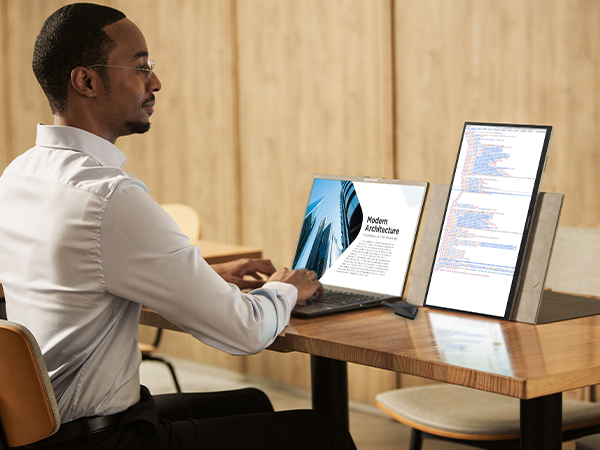
At the individual desk, USB-C docking monitors like the ViewSonic® VG2756-4K
 consolidate the entire workstation. This 27-inch display delivers high-speed data, 4K video, and 90W of power through a single cable connection. It also prioritizes user well-being with advanced ergonomics designed for all-day comfort. The integrated docking capability delivers immediate savings by removing the need for separate docking hardware, lowering total cost of ownership from day one. It also simplifies IT operations by standardizing on a single, fully compatible solution—eliminating the headaches that come with managing mixedbrand displays and docks, and avoiding the interoperability issues that slow teams down. The result is a clean, centralized hub that allows professionals to move from commute to deep focus without the usual tangle of adapters and peripherals.


Mobility for the Modern Hybrid Professional
Work is no longer confined to a single desk, and productivity shouldn’t be either. ViewSonic’s VG1656N portable monitor gives laptop users a completely wire-free second screen experience wherever they land—at a hot desk, a café, or between offices. With a built-in battery and wireless casting, this 16-inch display eliminates the need for power outlets or video cables, supporting the kind of complex multitasking that today’s flexible roles demand.


Collaboration at the Speed of Thought
In shared spaces, ViewSonic ViewBoard® interactive displays transform passive meetings into dynamic working sessions.

"...ViewSonic is a global leader in visual solutions and remains the #1 brand in market share for interactive displays worldwide (excluding China).¹"*

ViewSonic provides a platform that bridges the physical and digital worlds. Paired with TeamOne™ software, these displays turn any room into an interactive collaboration hub where in-person and remote participants can co-create on an infinite digital canvas.


For meeting environments where presentation takes precedence over interactivity, ViewSonic’s CDEG3 and CDE31 commercial displays offer a powerful alternative. For rooms requiring seamless integration with Microsoft Teams Rooms (MTR) or existing meeting systems, the CDEG3 commercial display series integrates seamlessly. Designed as an OS-less solution, it prioritizes security and boots up quickly, allowing meetings to start without delay. For spaces demanding even greater endurance, the CDE31 series is built for heavy-duty use. With 24/7 performance capabilities, it serves as a reliable workhorse for both high-traffic meeting rooms and continuous digital signage.


As organizations bring employees back into the office, the need for impactful, campuswide communication has never been greater. ViewSonic Direct View LED delivers a powerful platform to elevate corporate messaging, enhance collaboration, and modernize shared spaces. With purposebuilt solutions for every environment—LDS for dynamic company events and largescale functions, LDM and LDP for boardrooms and expansive meeting areas with stunning 1080p or 4K clarity, and LDE for costeffective video wall refreshes. Everything needed for deployment is delivered in one fully integrated package, making installation effortless, minimizing complexity, and enabling organizations to realize value significantly faster.


Reliability at Enterprise Scale
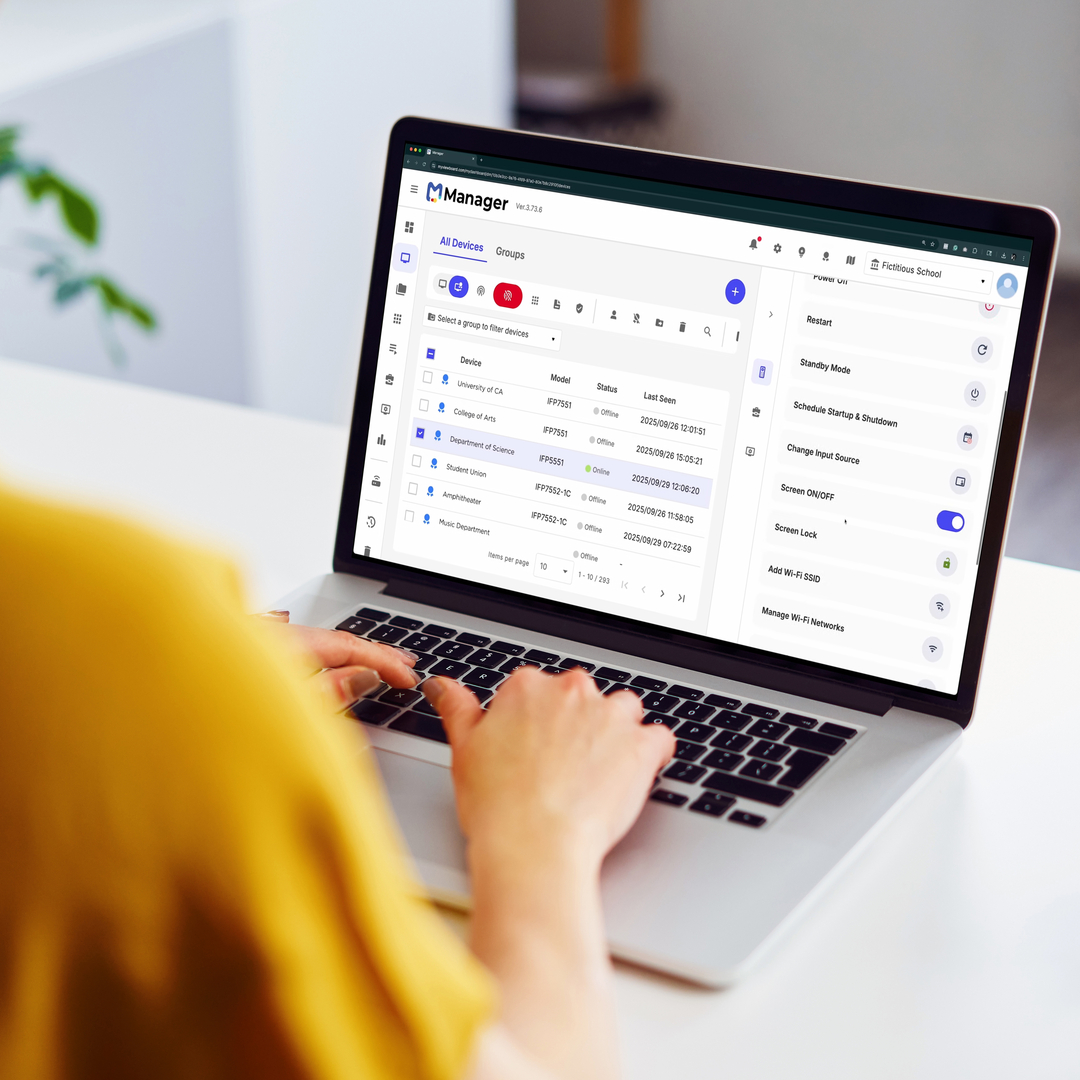
Behind the scenes, the ViewSonic Manager™ cloud platform gives IT teams the ability to monitor, update, and manage the entire display network remotely. This ensures that every workspace—from conference rooms to individual desks—remains a dependable, high-performance environment.


Together, these solutions demonstrate a simple truth: the return to the office succeeds only when the experience is worth returning to. By integrating rapid start hardware with intuitive personal and collaborative tools, ViewSonic isn’t just supporting hybrid work—it’s redefining what a modern, technology driven workplace can be.


As the return to the office continues to take hold, the gap between what workers want and what employers require will continue to shape the future of work—and determine how sustainable this mandated return truly is. Technology will play a pivotal role in bridging that divide, including visual solutions that enhance collaboration, creativity, and productivity across distributed, hybrid work teams.


# # #


Actual performance may vary depending on system configuration, usage environment, and other conditions; programs, pricing, specifications and availability are subject to change or cancellation without notice.

*"¹ Source: FutureSource Consulting, [Q3 2025] Interactive Displays Quarterly Market Tracker. Market share rankings exclude mainland China."


Quick Checks, Big Gains: Why Real-Time Comprehension Matters in the Classroom

BLOG

Quick Checks, Big Gains: Why Real-Time Comprehension Matters in the Classroom

Student understanding can change quickly during a lesson. A concept may seem clear one minute and confusing the next. If teachers wait until a quiz or test to find out, valuable learning time can be lost.

That’s why formative assessments play such an important role in today’s classrooms. Quick, in-the-moment feedback helps teachers adjust instruction right away and helps students stay engaged and confident as they learn.

With interactive tools like ViewSonic® ViewBoard® interactive displays and ClassSwift® software, educators can make quick assessments part of everyday instruction without disrupting lesson flow. 

What are Real-Time Comprehension Checks?

Real-time comprehension checks refer to assessing student understanding during a lesson instead of after it ends. These checks are informal, frequent, and designed to guide instruction in the moment.

Unlike traditional tests that measure learning at the end of a unit, real-time comprehension checks focus on what students understand right now. 

Common examples include:

  • Quick polls or multiple-choice questions
  • Short quizzes or warm-up questions
  • Emoji or traffic light check-ins
  • Live annotation or problem-solving activities
  • Collaborative responses on an interactive screen 

In digital and hybrid classrooms, interactive displays and classroom software make these strategies easier to manage and more inclusive for all students.

Why Real-Time Comprehension Checks Support Student Learning

When teachers understand how students are doing in the moment, learning becomes more effective and more student-centered.

Assessment checks help support learning in several key ways.

Stronger Student Engagement

Students are more likely to stay focused when they know they’ll be asked to participate during the lesson. Quick checks encourage active involvement instead of passive listening.

Early Identification of Confusion

Small misunderstandings can quickly grow into learning gaps. Real-time feedback helps teachers spot confusion early and address it before moving on.

Support for Differentiated Instruction

Not all students learn at the same pace. Real-time responses help teachers adjust instruction, offer clarification, or provide extra challenges when needed.

Increased Student Ownership

When students reflect on their understanding, they become more aware of their learning progress and areas where they may need support. 

Common Challenges With Real-Time Comprehension Checks

While the benefits are clear, some classrooms face challenges when trying to implement real-time comprehension strategies.

Limited Access to Classroom Technology

Without the right tools, collecting responses from every student can feel time-consuming or difficult to manage.

Time Constraints During Lessons

Teachers may worry that frequent check-ins will slow down instruction or take time away from content.

Comfort Level With Classroom Technology

New tools can feel overwhelming without proper training or intuitive design.

Reliance on Traditional Assessments

Classrooms that depend heavily on tests and worksheets may miss opportunities for immediate feedback. 

Key Considerations for Bringing Real-Time Comprehension to the Classroom

Modern education technology helps remove many of these barriers. By combining hardware and software to provide integrated solutions, educators can make assessment checks quick, visual, and easy to manage without adding complexity to the lesson.

Interactive Displays and Whiteboarding Software

ViewBoard® interactive displays come with the award-winning myViewBoard 3.0 whiteboarding software built-in. With this powerful tool, educators can annotate lessons, highlight key concepts, and manipulate digital content in real time. Multi-touch screens encourage collaboration, allowing students to solve problems directly at the board alongside the teacher.

Student Response Tools

For individual feedback, digital tools allow students to respond from their own devices. ClassSwift integrates directly with the display to let teachers run polls, send quizzes, and check understanding instantly. This seamless connection between student devices and the front-of-room display reduces setup time and ensures every student has a voice.

Visual Cues and Live Annotation

Highlighting key ideas, annotating text, or solving problems live on a digital whiteboard helps teachers see how students are thinking and where clarification is needed. 

Easy Ways to Add Quick Checks to Daily Lessons

Real-time assessments don’t require a complete change in teaching style. Small adjustments can make a big difference.

Simple ways to integrate quick checks include:

  • Starting class with a short warm-up question or poll.
  • Asking students to respond to a question during a presentation using audio or text.
  • Ending a lesson with an interactive exit ticket or emoji-based check-in.
  • Using peer discussion followed by a quick class response.
  • Inviting students to annotate or solve problems on a ViewBoard interactive display using sketch-based response tools.

These strategies work especially well when supported by interactive classroom technology. 

Why ViewBoard Interactive Displays Work Well for Real-Time Comprehension Checks

ViewBoard interactive displays are designed to support interactive, student-centered instruction and real-time feedback.

Seamless Student Interaction

Multi-touch functionality and built-in collaboration tools make it easy for students to participate directly at the screen or from connected devices.

Compatibility With Popular EdTech Tools

ViewBoard interactive displays integrate with commonly used classroom software tools such as Google Classroom or ClassSwift, making it simple to add formative assessments and live questioning into lessons.

Live Annotation and Immediate Feedback

Teachers and students can write, highlight, and interact with content in real time. This helps make thinking visible and supports deeper understanding. 

Make Every Learning Moment Count With Real-Time Feedback

Quick assessment checks lead to meaningful learning gains. When teachers can see what students understand in the moment, they can respond with clarity and confidence.

Real-time assessments support stronger engagement, better retention, and more effective instruction. With tools like ViewBoard interactive displays and education software tools like ClassSwift, educators can turn everyday lessons into interactive learning experiences that support student success.

Explore ViewSonic’s education solutions to see how real-time learning can fit naturally into your classroom.

ViewSonic Makes Distance Learning Easy with Free myViewBoard Software and Tools for Teachers During the Coronavirus Outbreak

myViewBoard Ecosystem provides teachers with a complete suite of tools for intuitive content creation and delivery of interactive e-learning programs

• ViewSonic Professional Development (PD) team provides teachers with on-demand, online support on topics including the basics of distance learning, interactive tools, curriculum development and execution


• ViewSonic myViewBoard Clips, powered by Boclips, provides teachers with access to more than two million licensed, curated, and ad-free educational videos for interactive and engaging online lessons


• ViewSonic myViewBoard™ software available free to K-12 schools, colleges and universities during the coronavirus pandemic, as educators prepare for extended school shutdowns and expanded e-learning programs


Toronto, ON (May 20, 2020) – ViewSonic Corporation, a leading global provider of visual solutions, has announced expanded distance learning tools and resources being made available to educators during the coronavirus pandemic. As parents, students and teachers prepare for extended school shutdowns, ViewSonic is working with educators to make e-learning even more accessible, interactive and engaging.

“Remote and distance learning lessons are definitely different than inside the confines of a classroom,” said Blake Everhart, Solution Training Manager at ViewSonic Americas. “As a former teacher, I understand there’s sometimes a gap between learning the scope and sequence of the technology side that can match up with the lessons you want to teach. The ability to create and complete lessons, and how to filter through the many resources that are out there makes it tough to focus. That’s why my team and I at ViewSonic are making ourselves available to help out, and make things less overwhelming.”

One-on-One Online Support with ViewSonic Professional Development (PD) Team

ViewSonic PD teams are offering one-on-one online support for teachers on topics including curriculum development, hardware and software tools for distance learning, video creation and video conferencing for interactive lessons. The program is designed to accelerate e-learning through ideation, communication and online student engagement.

myViewBoard Clips Powered by Boclips

With the myViewBoard Clips video-assisted learning platform, educators can access more than two million licensed, ad-free educational videos that reside on a secure platform. The content has been educationally curated, free of inappropriate content to ensure students’ safety, and fit for common core standards. Specific to age level and subject matter, every video has been selected from a library of more than 150 media partners, including: TED, PBS NewsHour and Bloomberg Media, as well as teachers’ favorites such as Crash Course, Minute Earth and LearnZillion. myViewBoard Clips seamlessly integrates with myViewBoard software to allow for annotation, lecture capture, distance learning and more.

• No copyright infringement or firewall restrictions


• 30-day complimentary trial for new users


• Compatible with Windows and Android O/S


myViewBoard Distance Learning Software free to educators during coronavirus outbreak

myViewBoard software enables teachers to conduct distance learning through an open and agnostic platform, facilitating students and their learning outcomes. Easy to use, the software was designed to enable real-time collaboration through video audio conferencing, huddles and digital whiteboarding, supporting a variety of pedagogies with an emphasis on virtual classroom. Through its inclusive features, myViewBoard helps create a virtual learning environment that is engaging, interactive, and effective.

• Broadcast lessons via YouTube or Facebook with myViewBoard live stream


• Live Teacher-student interactions and video sharing


• Collaborative learning features including shared whiteboarding and instant huddle groups


• Instant saving and screen sharing for delivery of lesson slides, live annotations and cloud capture/distribution


For more information and to access ViewSonic distance learning software and resources, visit https://www.viewsonic.com/us/distance-learning


About ViewSonic

Founded in California, ViewSonic is a leading global provider of visual solutions with a presence in over 100 countries around the world. As an innovator and visionary, ViewSonic is committed to providing comprehensive hardware and software solutions that include monitors, projectors, digital signage, ViewBoard® interactive displays, and myViewBoard™ software ecosystem. With more than 30 years of expertise in visual displays, ViewSonic has established a strong position for delivering innovative and reliable solutions for education, enterprise, consumer, and professional markets and helping customers “See the Difference.” To find out more about ViewSonic, visit www.viewsonic.com.


# # #


 Note to News Editors:

Senior spokespersons from ViewSonic Canada and the myViewBoard education team are available for media interviews on request.

ViewSonic Professional Development Team Offers One-on-One Online Support and Advice for Teachers about Distance Learning

The Team Can Assist on Topics Including: Basics of Distance Learning, Tools to Use, and Curriculum Development and Execution

Brea, CA (April 13, 2020) – ViewSonic Corp., a leading global provider of visual solutions, announced that it has made its Professional Development (PD) team available to assist teachers with distance learning advice and support. As part of the ViewSonic distance learning initiative during the COVID-19 outbreak, the PD team will offer one-on-one online support for teachers with any learning initiatives they may have, including topics such as: distance learning as a whole, tools for distance learning, curriculum development, as well as video creation or conferencing for lessons.


Teachers and students now face an entirely new way of teaching and learning. New tools are required, both on the hardware and software side, and are necessary to share ideas, communicate, and ensure student learning.

Some teachers may have concerns with distance learning as a concept, even without the “learning” part of it. A lot of what happens in the classroom during the instructional piece is being able to individualize the learning process or break it down so that every student is able to understand it. Going digital doesn’t necessarily allow for that direct integration.

The ViewSonic Professional Development team offers some general guidance:

• Adapt to the new normal: It’s important to set out goals and objectives that can be accomplished. It takes time for both the teacher and student to get comfortable with the new environment and pattern of learning.

• Class time replication: Weekly assignments, and projects are all ways to assess learning.  Think about the amount of time for instruction, classwork and discussions that occur in your traditional class period.  It’s important to not assign busy work that goes beyond that amount of time.

• Teach outside the box: Remote and distance learning is about learning and integrating new ways to educate. Get feedback from parents and students and make the most of the resources that are available online, and in a lot of cases, free.

“Remote and distance learning lessons are definitely different than inside the confines of a classroom,” said Blake Everhart, Solution Training Manager at ViewSonic Americas. “As a former teacher, I understand there’s sometimes a gap between learning the scope and sequence of the technology side that can match up with the lessons you want to teach. The ability to create and complete lessons, and how to filter through the many resources that are out there makes it tough to focus. That’s why my team and I at ViewSonic are making ourselves available to help out, and make things less overwhelming.”

For further news and information about ViewSonic, visit ViewSonic.com and follow on LinkedIn  Facebook, YouTube and Twitter.


About ViewSonic

Founded in California, ViewSonic is a leading global provider of visual solution products and conducts business in more than 100 countries worldwide. As an innovator and visionary, ViewSonic is committed to providing comprehensive hardware and software solutions that include: monitors, projectors, digital signage, ViewBoard® interactive displays, and the myViewBoard™ software ecosystem. With more than 30 years of expertise in visual displays, ViewSonic has established a strong position for delivering innovative and reliable solutions for education, enterprise, consumer and professional markets, and helping customers “See the Difference.” To find out more about ViewSonic, please visit www.viewsonic.com.

#  #  #


*This news release contains forward-looking statements that reflect the Company’s expectations with regard to future events. Actual events could differ significantly from those anticipated in this document. Trademark footnote: ViewSonic and the ViewSonic trademarks are trademarks or registered trademarks of ViewSonic Corporation in the United States and/or other countries. All other corporate names and trademarks stated herein are the property of their respective companies.

ViewSonic Launches myViewBoard Clips Video-Assisted Learning Platform

myViewBoard Clips, Powered by Boclips, Delivers Access to more than Two Million Licensed, Curated, and Ad-Free Educational Videos; Educators can Create Interactive and Engaging Lessons

BREA, CA (April 9, 2020) – ViewSonic Corp., a leading global provider of display solutions, announced the availability of myViewBoard Clips, powered by Boclips as part of the myViewBoard ecosystem. The myViewBoard ecosystem delivers a complete suite of tools that make content creation easy and intuitive for educators. Now with the myViewBoard Clips video-assisted learning platform, educators can access more than two million licensed educational videos. The myViewBoard Clips content is educationally curated, ad-free and fit for common core standards.


The videos are carefully curated and specific to age level and subject matter. Every video is selected from a library of more than 150 media partners, including: TED, PBS NewsHour and Bloomberg Media, as well as teachers’ favorites such as Crash Course, Minute Earth and LearnZillion. myViewBoard Clips integrates with myViewBoard software to allow for annotation, lecture capture, distance learning and more.


myViewBoard clips

• More than two (2) million videos from 150+ media partners

• No copyright infringement or firewall restrictions

• Ad-free, curated subjects for grades K-12

• 30-day complimentary trial for new users

• Compatible with myViewBoard for Windows and myViewBoard for Android O/S

• Available now, $1,000 yearly subscription with 20 concurrent streams


“ViewSonic® myViewBoard Clips is on our secure platform and free of inappropriate content to ensure students’ safety and also give teachers peace of mind,” said Sean Liu, software business line manager at ViewSonic Americas. “myViewBoard Clips provides educators the freedom to create interactive and engaging lesson plans with a variety of content directly related to their curriculums. These videos are directly managed and integrated within the myViewBoard ecosystem, so educators can benefit from video-assisted teaching while using myViewBoard products.”

For further news and information about ViewSonic, visit ViewSonic.com and follow on Facebook, YouTube and Twitter.


About ViewSonic

Founded in California, ViewSonic is a leading global provider of visual solutions and conducts business in over 100 countries worldwide. As an innovator and visionary, ViewSonic is committed to providing comprehensive hardware and software solutions that include monitors, projectors, digital signage, ViewBoard® interactive displays, and myViewBoard™ software ecosystem. With more than 30 years of expertise in visual displays, ViewSonic has established a strong position for delivering innovative and reliable solutions for education, enterprise, consumer, and professional markets and helping customers “See the Difference.” To find out more about ViewSonic, please visit www.viewsonic.com.


#  #  #


This news release contains forward-looking statements that reflect the Company’s expectations with regard to future events. Actual events could differ significantly from those anticipated in this document. Trademark footnote: ViewSonic and the ViewSonic trademarks are trademarks or registered trademarks of ViewSonic Corporation in the United States and/or other countries. All other corporate names and trademarks stated herein are the property of their respective companies.


ViewSonic to Offer eSignature Solutions Powered by Namirial Software

Combined Hardware and Software Offerings for Digital Transaction Management

BREA, CA (March 10, 2020) – ViewSonic Corp., a leading global provider of visual solutions, today announced to partner with Namirial S.p.A., a leading global provider of digital transaction management solutions, to provide an eSignature solution for onboarding and agreement automation for customers in the US and Canada. This solution, ViewSonic Electronic Signature & Agreement Solutions (ViewSonic E-SAS), combines hardware and software, as well as substantial consultation on the digitization of business processes.


“We have seen an enormous demand in finance, healthcare and other industries looking to migrate core business processes from paper to digital in all of their channels. The physical aspect has proven to be the most challenging,” said Kevin Chu, Director, Strategic Partnerships at ViewSonic. “Through the collaboration with Namirial, we can address this demand in delivering compelling omnichannel signature experiences with 100% on-premise deployment. The ViewSonic E-SAS solution helps companies to accelerate their onboarding and contracting processes, reduce signature acquisition cost, improve conversion rate, and significantly enhance customer satisfaction.”

Luigi Tomasini, Board Member and Internationalization Manager of Namirial, stated, “ViewSonic became one of our strategic partners in recent years and together we are serving many customers globally. ViewSonic is one of the leading providers of pen input technology and hence a natural fit as one of the key providers of signature capture hardware for Namirial and our customers and partners. We are excited about this new chapter in our collaboration, as well as our growth in the American market together.”

ViewSonic E-SAS delivers technologies tailored for specific requirements in banking, insurance, telecommunications, healthcare and other industries. ViewSonic E-SAS offerings are enhanced via the Namirial software suite that is used worldwide to deliver digital trust services for compliance and efficiency in any instance requiring legal, non-reputable, proofs of intent and the seamless integration of digital processes into existing system environments.

In addition, the tight coupling of Namirial software and ViewSonic hardware captures behavioral biometrics of handwritten signatures that are verifiably unique to an individual to enhance security and reliability of electronic signatures. Biometric elements are seamlessly captured within the handwritten signature, and include time, speed, geometry and pressure. Compared to traditional analog analysis of ink signatures on paper, these biometric data elements can be more precisely verified by forensic handwriting experts and software verification tools.


Full Support for all Signing Scenarios in Omnichannel

ViewSonic and Namirial are cooperating to support all omnichannel scenarios with the broadest range of software and hardware technologies for electronic signature creation, catering to any use case, signing scenario and corresponding legal regulations. Combining both companies’ industry-leading technologies allows businesses to manage any instances between in-person signing, and remote online engagement on virtually any device.

Mike Dana, head of the ViewSonic E-SAS team, commented. “We are excited about the range of technologies in our portfolio and our ability to be ‘flexible by design’ in our solutions approach. Signing on ViewSonic signature pads and pen/touch displays using Namirial software perfectly emulates the “wet ink” signing experience with actual pen and paper.  Namirial software solutions allows this natural signing experience to extend beyond ViewSonic hardware and onto virtually any device for the handwritten signing experience.”

For further news and information about ViewSonic, visit ViewSonic.com and follow on LinkedIn  Facebook, YouTube and Twitter.

About ViewSonic

Founded in California, ViewSonic is a leading global provider of visual solutions with a presence in more than 100 cities around the world. As an innovator and visionary, ViewSonic is committed to providing comprehensive hardware and software solutions that include monitors, projectors, digital signage, ViewBoard® interactive displays, and myViewBoard™ software ecosystem. With more than 30 years of expertise in visual displays, ViewSonic has established a strong position for delivering innovative and reliable solutions for education, enterprise, consumer, and professional markets and helping customers “See the Difference.” To find out more about ViewSonic, please visit www.viewsonic.com.

About Namirial 

Namirial is a multinational provider of information technology, empowering trusted digital transformation worldwide in both private sector and public administration. Namirial core business is the provision of solutions for trusted digital transaction management. These solutions are aggregated in a unique platform including applications for identifying and authenticating users, workflows for orchestrating signatures, providing certificates for generating electronic signatures and seals, procedures for long-term archiving and electronic invoices, as well as electronic delivery services. Together with its international network of over 120 partners, Namirial is serving over one million customers. The company was founded in 2000 at its current headquarters in Senigallia, Italy. Namirial currently is operating from 21 locations in six countries, employing 440 people. Access namirial.com for additional information

#  #  #


This news release contains forward-looking statements that reflect the Company’s expectations with regard to future events. Actual events could differ significantly from those anticipated in this document. Trademark footnote: ViewSonic and the ViewSonic trademarks are trademarks or registered trademarks of ViewSonic Corporation in the United States and/or other countries. All other corporate names and trademarks stated herein are the property of their respective companies.

ViewSonic Introduces Device Management Solution and Display Products for Collaborative Environments at TCEA 2020

Powered by 42Gears, the ViewSonic Device Management Solution Helps Schools Manage Interactive Displays

AUSTIN, TX, Booth #2343 (Feb. 4, 2020)  – ViewSonic Corp., a leader in interactive display technologies, introduces its Device Management solution, as well as its line of display products at the TCEA Convention and Expo, February 4-6, 2020 in Austin, TX. The ViewSonic Device Management solution, powered by 42Gears®, allows schools to easily manage their interactive displays. From ViewBoard® interactive displays and myViewBoard™ collaborative software to the ELITE line of competitive gaming monitors, ViewSonic solutions transform classrooms into immersive learning environments.


ViewSonic offers all-in-one bundles of the Device Management solution to deliver classroom collaboration with easy cloud management, and includes a ViewBoard display with a 42Gears subscription license. This solution allows IT teams to deploy a variety of displays across multiple classrooms. Features include: group configuration where multiple displays can be organized by room or site; instant messaging to broadcast alerts; user interface customization and a curated app store for internally approved apps, among others. Displays can be remotely managed and configured to a school’s specifications, optimize functionality and secure network information, making the management of classroom displays seamless and simple.

ViewSonic Display Solutions at TCEA 2020 include:

• ViewBoard® Interactive Flat Panel Displays


myViewBoard Interactive Annotation Software


42Gears Device Management Software


Gaming Monitors for esports


ColorPro® VP3481 and the IFP2410 ViewBoard Mini that transforms podiums and lecterns into collaborative hubs for front-facing teaching


“ViewSonic developed the Device Management solution bundles to ensure schools’ and districts’ IT teams can effortlessly deploy their interactive displays and still be able to manage them in a simplified way,” said Blake Everhart, Training Manager at ViewSonic Americas. “We wanted to show a variety of solutions that can make classroom and campus transformation a straightforward process. As technologies change, ViewSonic wants to make sure that schools, teachers and students aren’t left behind.”

For more news and information about ViewSonic, visit us at ViewSonic.com and follow us on Facebook, YouTube and Twitter.

About ViewSonic

Founded in California, ViewSonic is a leading global provider of visual solutions with a presence in over 100 cities around the world. As an innovator and visionary, ViewSonic is committed to providing comprehensive hardware and software solutions that include monitors, projectors, digital signage, ViewBoard® interactive displays, and myViewBoard™ software ecosystem. With more than 30 years of expertise in visual displays, ViewSonic has established a strong position for delivering innovative and reliable solutions for education, enterprise, consumer, and professional markets and helping customers “See the Difference.” To find out more about ViewSonic, please visit www.viewsonic.com.

# # #


*This news release contains forward-looking statements that reflect the Company’s expectations with regard to future events. Actual events could differ significantly from those anticipated in this document. Trademark footnote: ViewSonic and the ViewSonic trademarks are trademarks or registered trademarks of ViewSonic Corporation in the United States and/or other countries. All other corporate names and trademarks stated herein are the property of their respective companies.

ViewSonic Becomes a Microsoft Education Partner with myViewBoard for Windows

London, UK (January 22, 2020) – ViewSonic Corp., a leading provider of visual solutions, today announces that it becomes a Microsoft Education partner. As a result, ViewSonic’s myViewBoard whiteboard software will be further integrated with the Microsoft Education ecosystem to offer educators a seamless digital teaching experience, and myViewBoard for Windows 10 is currently available as a Desktop application. The Windows Store version is in development and will be available later this year. The integration will also see closer cooperation with Microsoft to promote and advance digital learning.


“We are delighted to be partnering with Microsoft Education to help realize the true potential of EdTech for educators and students alike,” said Craig Scott, CTO of ViewSonic and president of ViewSonic EME/ANZ. “myViewBoard for Windows creates an individualized whiteboard experience that is cloud storage integrated, highly secured and multifunctional. It is truly a one-stop solution for enhancing how educators prepare, present, and interact with students.”

”ViewSonic shares Microsoft’s passion for empowering educators and students with EdTech,” said Dan Ayoub, General Manager, Microsoft Education Experiences at Microsoft. “As a Microsoft Education partner, ViewSonic customers will now be able to access the power of Microsoft Education tools and technologies on myViewBoard seamlessly to enable better learning outcomes.”

For schools committed to the Microsoft ecosystem, ViewSonic offers myViewBoard for Windows. The solution is an easy-to-use and incredibly secure software solution designed specifically for interactive displays, including ViewSonic’s ViewBoard interactive displays. myViewBoard for Windows lets users write, highlight, edit, and transform documents and images on-screen in real-time – leveraging interactive displays to create more engaging lessons and lectures.

To improve overall learning experiences, myViewBoard for Windows has specific integration with Microsoft Education tools. For example, users can use Immersive Reader, a learning tool that provides a full-screen reading experience to increase readability of text to assist in teaching. In addition, myViewBoard for Windows is fully integrated with Bing Image Search, Text to Speech, Microsoft Office 365, OneDrive, and Skype for Business.

myViewBoard for Windows will be showcased at the upcoming BETT Show 2020. For more information, come to ViewSonic booth #SK30, see us on the Apps for Learning area of Microsoft booth #NF40, or visit https://www.viewsonic.com/uk/bett2020/.


About ViewSonic

Founded in California, ViewSonic is a leading global provider of visual solutions with a presence in over 100 cities around the world. As an innovator and visionary, ViewSonic is committed to providing comprehensive hardware and software solutions that include monitors, projectors, digital signage, ViewBoard interactive displays, and myViewBoard software ecosystem. With over 30 years of expertise in visual displays, ViewSonic has established a strong position for delivering innovative and reliable solutions for education, enterprise, consumer, and professional markets and helping customers “See the Difference”. To find out more about ViewSonic, please visit www.viewsonic.com.

ViewSonic Becomes a Google for Education Partner

ViewSonic joins the Google for Education ecosystem with myViewBoard™ Classroom

[Philadelphia, PA (June 24, 2019)] ViewSonic Corp., a leading global provider of visual solutions, announces that it has become a Google for Education Partner. The ViewSonic myViewBoard™ Classroom platform has become Google for Education certified, signalling the company’s official participation in the Google for Education ecosystem and further commitment to the education market.


“We are thrilled to be recognized by Google for Education for our efforts in the education segment. This partnership further validates our alignment toward developing complete solutions that deliver concrete benefits in the classroom,” said Bonny Cheng, President of Global Product Group at ViewSonic. “Looking ahead, we will continue developing innovative and effective solutions for educators and students alike, and help foster a world where technology in the classroom is the norm, but more importantly, is accessible to as many people as possible.”

With its Google for Education Partner status, myViewBoard Classroom joins an educational ecosystem that consists of certified educators, tools, and technologies. Going forward, ViewSonic remains committed to developing meaningful solutions that can help educators and schools better inspire young minds, impart knowledge, and teach practical skills for the digital working environment.


myViewBoard Classroom – A One-Stop Platform for Educators 

myViewBoard Classroom is a dynamic platform that offers educators easy access to their tools, assignments, courses, and documents in one place, with the added bonus of having an open, agnostic, and secure digital whiteboard at their fingertips. Having everything in one place is of tremendous value to educators as it lessens their need to access multiple platforms for teaching and assessment. myViewBoard Classroom is a one-stop shop for preparing, presenting, participating, and performance reviews.

ViewSonic is utilizing its core competencies toward offering education solutions that integrate interactive display (ViewBoard®), with digital whiteboarding software solutions (myViewBoard & myViewBoard Classroom). This pioneering system operates on an open-agnostic philosophy and fully supports Google Classroom and G Suite for Education.

ViewSonic myViewBoard and myViewBoard Classroom will be on showcased at ISTE Philadelphia (June 24-26, booth #2844). For more information, please visit https://www.viewsonic.com/education, https://myviewboard.com.

For further news and information about ViewSonic, visit ViewSonic.com and follow on Facebook, YouTube and Twitter.


About ViewSonic

Founded in California, USA in 1987, and with over 46 offices around the world, ViewSonic has been a leading global provider of visual solutions for over 30 years. As an innovator and visionary, ViewSonic has continuously helped people “see the difference” with a portfolio of products including monitors, commercial displays, ViewBoard interactive flat panels, touch displays, and projectors. Combined with class leading software and services including the innovative hybrid-cloud myViewBoard ecosystem for digital whiteboards, ViewSonic transforms the learning experience for everyone, everywhere.


###


This news release contains forward-looking statements that reflect the Company’s expectations with regard to future events. Actual events could differ significantly from those anticipated in this document. Trademark footnote: ViewSonic and the ViewSonic trademarks are trademarks or registered trademarks of ViewSonic Corporation in the United States and/or other countries. All other corporate names and trademarks stated herein are the property of their respective companies.

ViewSonic Announces Enhanced Hardware and Software Features to the ViewBoard® IFP50 Series of 4K UHD Interactive Flat Panel Displays

The Award-Winning ViewBoard IFP50 Series Offers Upgrades Including Enhanced Touch, Integrated Speakers and Faster Processor

[Philadelphia, PA (June 24, 2019)] ViewSonic Corp., a leading global provider of visual solution products, announces upgrades to the hardware and software features of its award-winning ViewBoard IFP50 series of interactive flat panel displays. From an ultra-slim bezel design and enhanced touch screen, to built-in 2.1 stereo speakers with subwoofer and SmartPort USB™, the physical upgrades to the ViewBoard IFP50 series provides outstanding experiences for enhanced classroom learning and next-gen boardroom collaboration. The new embedded Android™ 7 operating system, improved myViewBoard™ whiteboard software and improved casting ensures that IFP50 displays deliver incredible next-level collaboration.


The ViewSonic® ViewBoard IFP50 series now includes an enhanced 20-point touch-enabled panel, which provides not only differentiated tip sizes of IR-based pens, but also simultaneously offers two color writing, in addition to allowing multiple users to write or draw on the display’s surface. The new touch screen also features reduced latency of 4ms for a smooth writing experience.

These interactive flat panel displays provide powerful computing for annotation and multimedia playback without the need for a PC. The IFP50 ViewBoard displays come with a built-in ARM quad-core processor and an Android™ 7.0 operating system, making it 2.3x faster than previous iterations. This offers better application performance, more efficient memory usage and optimized hardware integration, with 2GB memory and 16GB storage. With the improved processor power, IFP50 displays can handle multiple cast streams, allowing up to nine screens, with the vCastSender™ utility. And, users have the option to utilize native Chromecast from any Chrome-enabled devices.

“We wanted to make sure these ViewBoard interactive flat panels are packed with the latest features and technologies that allow users to continue to collaborate and share content in ways that work best for them, whether it’s directly on the display or between devices,” said Andy Chien, product marketing manager at ViewSonic. “The IFP50 series continues to deliver incredible picture quality, and now are even faster with their computing and enhanced responsive touch capabilities. We also made sure to add specific upgrades that matter to end-users, such as the ability to input asset tags to each display for inventory control management.”

The ViewBoard IFP50 series of interactive displays are “out–of-the-box” collaboration ready. It allows users to write, highlight, edit and transform documents and images on the screen in real time. myViewBoard digital whiteboarding software also features Single Sign-On that allows users to easily and securely log-in to multiple cloud drives, multiple meetings, etc., with a single sign on; QR Code Sharing which enables users to share content via unique QR codes on the ViewBoard display; as well as entity management and built-in on-canvas browsing.

The ViewSonic IFP50 series offers a variety of sizes from 55- to 86-inch interactive displays that have native 4K UHD (3840x2160) resolution and come with multiple connectivity options including: HDMI, Composite, VGA, YPbPr, SPDIF audio-out, USB 2.0 and 3.0, RJ45, RS232 in/out, optional slot-in PC and Audio in/out, to connect to a wide variety of computing and multimedia devices. New ports include a SmartPort USB™: a series of front-facing USB ports that follow current input channels; and a dedicated camera port so users can connect a camera to use between a slot-in PC or Android system, with no need to plug/unplug when switching operating systems.

The new ViewBoard IFP50 series of interactive flat panel displays have begun to ship now, starting with the IFP5550, IFP6550, IFP7550 and IFP8650. The IFP9850 will be available in Q3 2019.

At ISTE 2019, ViewSonic also announces its new Teacher Certification Program. ViewSonic® myViewBoard™ software gives teachers a powerful tool for creating engaging lesson plans with videos, instant assessment, screen capture and sharing, and much more. The ViewSonic Teacher Certification program allows teachers to earn badges and continuing education credit, and rewards teachers for their knowledge and training. For more information, visit ViewSonic.com/us/learn.

For further news and information about ViewSonic, visit ViewSonic.com and follow on Facebook, YouTube and Twitter.


About ViewSonic

Founded in California in 1987, ViewSonic is a leading global provider of display solutions. As an innovator and visionary, ViewSonic keeps the world connected with a portfolio of professional level visual solutions that enhance the way we compute, collaborate, communicate and connect. Our products include LED monitors, interactive commercial displays, touch displays, projectors, thin client, zero client and smart displays. To find out more about ViewSonic, visit viewsonic.com.


###


This news release contains forward-looking statements that reflect the Company’s expectations with regard to future events. Actual events could differ significantly from those anticipated in this document. Trademark footnote: ViewSonic and the ViewSonic trademarks are trademarks or registered trademarks of ViewSonic Corporation in the United States and/or other countries. All other corporate names and trademarks stated herein are the property of their respective companies.

ViewSonic Showcases Display Technologies for Collaboration and Immersive Learning Environments at FETC 2019

ViewSonic Demonstrates Classroom Collaboration Tools, Tournament-level Esports Setup, and Projection Solutions to Encourage Connectivity and Interactivity

ORLANDO, FETC, Booth #2031 (Jan. 28, 2019) – ViewSonic Corp., a leader in interactive display technologies, will highlight a wide range of display solutions for next-generation teaching and learning at the FETC Conference, January 27-30, 2018 in Orlando, FL. ViewSonic solutions transform classrooms into immersive learning environments. From ViewBoard® interactive displays and myViewBoard™ collaborative software to flexible projection solutions, ViewSonic’s award-winning education solutions allow teachers and students to connect and collaborate.


ViewSonic display solutions at FETC include:

• ViewBoard® Interactive Flat Panel Displays
Award-winning 65-, and 75-inch ViewBoard interactive displays with responsive multi-touch interactivity for powerful out-of-the box classroom collaboration.

• MyViewBoard Interactive Annotation Software
Digital whiteboard in the cloud allows teachers to connect with students like never before with easy casting, sharing, and annotation. ViewBoard allows teachers to plan lessons, seamlessly import multimedia files, easily save to the cloud and connect with students in exciting new ways.

• NMP660 Chromebox
Chromebox with built-in Chrome OS and Google Play store; combined with a ViewSonic interactive display, it can transform a classroom into a distance learning hub.

• Gaming Monitors for Esports
ViewSonic ELITE gaming monitor products are specifically designed with a sleek and minimalistic aesthetic, while boasting practical gamer-centric designs and integrated RGB lighting customization.

ViewSonic ELITE monitors deliver high-performance features engineered especially for professional level gaming in competitive esports programs.

“ViewSonic education solutions drive engagement that energize and motivate students and make teaching, and learning, more fun,” said Sarah Kearns, commercial marketing director at ViewSonic Americas. “Whether your school or campus is Google, Apple or Microsoft based, our products work with existing technologies and seamlessly integrate into virtually any environment. From interactive learning and esports programs to wayfinding and digital signage all around a campus, ViewSonic offers all the future-proof display solutions that meet your school’s changing needs.”


At FETC 2019, ViewSonic introduces its new Professional Development Training Program. Conducted by ViewSonic Authorized Trainers, these hands-on, in-depth programs help teachers master and maximize the ViewBoard display and myViewBoard software – making teaching easier, and learning more exciting and engaging for students.


SKU DESCRIPTIONS MSRP
PD-IFP-001 Four, 1-hour webinars deliver customized virtual training for ViewBoard key features and workflows $899
PD-IFP-002 A 6-hour on-site training provides hands-on lessons for successful ViewBoard integration $3,499
PD-IFP-003 Comprehensive 2-day, on-site trainings provide hands-on lessons for successful ViewBoard integration $6,999

Continuing to collaborate with top education experts to offer special training, the ViewSonic FETC booth will feature teacher and author of “Ditch that Textbook” Matt Miller who will share insights and best practices in regards to integrating technology into the classroom. Follow @ViewSonicEDU_US to stay up-to-date with the latest training schedule at FETC.

Beyond providing professional development support for educators, ViewSonic has a ViewSchoolSM education program. ViewSchool provides educators the technology, tools, and training to bring the latest learning advantages to their classrooms, schools, or districts. ViewSchool provides exclusive educational product discounts, promotions, and other valuable offers designed specifically for K-12 and higher education. ViewSchool also includes video tutorials from EdTech and industry leaders, as well as white papers, and case studies that help teachers better utilize their ViewBoard interactive flat panel displays and software.

For more news and information about ViewSonic, visit us at ViewSonic.com and follow us on Facebook, YouTube and Twitter.


About ViewSonic

As leaders in interactive display technology, ViewSonic transforms classrooms into immersive learning environments. Our education solutions drive engagement, energize and motivate students, and make teaching more fun. From ViewBoard interactive displays and myViewBoard collaborative software, to projector solutions for aging whiteboards, our award-winning solutions help you connect and collaborate. Whether yours is a Google, Apple, or Microsoft campus, our products work well with existing technology and seamlessly integrate into nearly any environment.

For more information about ViewSonic’s ViewSchool Program, visit viewsonic.com/viewschool/.


#  #  #


This news release contains forward-looking statements that reflect the Company’s expectations with regard to future events. Actual events could differ significantly from those anticipated in this document. Trademark footnote: All corporate names and trademarks are the property of their respective companies.

ViewSonic and NoviSign Digital Signage Announce Partnership to Deliver New Stunning Display and Software Solutions to Transform Education and Restaurant Spaces

High-functioning and reliable ultra HD 4K ViewSonic® hardware paired with NoviSign’s proven digital signage software provides the building blocks for deploying effective and engaging digital signage solutions

Brea, CA (Aug. 3, 2018) – ViewSonic Corp and NoviSign Digital Signage today announced a strategic partnership to rapidly enhance their industry-leading commercial display and digital signage software technologies. Available today, this collaboration now gives professionals a new set of tools to expedite the content design, management, and deployment of digital signage. From digital kiosks to large format ultra 4K displays and pro-grade media players, NoviSign’s industry-leading all-in-one digital signage software suite runs natively on ViewSonic’s full line up.


“Combining ViewSonic’s best-in-class Android, Windows, and Chrome OS hardware with NoviSign’s powerful digital signage software is a natural and effective fit for users that are looking for powerful yet easy to use signage solutions”, said Chad Bogan, Director of Sales and Marketing at NoviSign. “NoviSign’s design editor gives users the ability to create media-rich layouts featuring an unlimited variety of widgets and apps, supports touch screen, remotely update, run analytics reports and monitor all displays and players.”

Solutions for Education Digital Signage

Whether it’s the daily special in the cafeteria, large format school displays, a directory in your entrance areas or a library kiosk, ViewSonic and NoviSign have a solution for you. Make rich content that contains company messages, media slideshows, HD videos, internal communications and more. Create a template from scratch that features multiple zones of media and messages or customize a corporate communications digital signage template.

  • Improve Visitor Experiences: Create a memorable visit by adding a personable greeting

  • Enhance Employee Engagement: Spotlight employees of the month, goals and more

  • Share Targeted Messages: Display daily and weekly meeting times and schedules

  • Company Events: Highlight upcoming special events and fundraising activities

  • HR Bulletins: New insurance bulletins, procedures, messages from upper management


Solutions for Restaurants

 From touch-screen ordering kiosks to vivid digital menu boards, you can now take your restaurant to the next level with technology.  Simply purchase SW-095 (12-month license) or SW-096 (36-month license) per device and you’re ready to go! Once installed you can begin sending your digital menu to the screen! Easily and quickly create beautiful digital menu boards, edit your prices, add images, item descriptions, scrolling text, slideshows, videos. All changes wirelessly update the menu within minutes!

  • Sell More Food: Cross sell and upsell new add-on side items and desserts

  • Improve Efficiency: Remotely manage all of your menu pricing and items

  • Better Advertise:  spotlight new item, promote specials, and sales

  • Stay current with FDA menu requirements


 NoviSign Online Studio is now available:

  • 1-year Software License (SW-095) is $329 MSRP per device

  • 3-year Software License (SW-096) is $999 MSRP per device


About ViewSonic

Founded in California in 1987, ViewSonic is a leading global provider of visual solution products. As an innovator and visionary, ViewSonic keeps the world connected with a portfolio of professional level visual solutions that enhance the way we compute, collaborate, communicate and connect. Our products include LED monitors, interactive commercial displays, touch displays, projectors, a thin client, zero client and smart displays. To find out more about ViewSonic, visit viewsonic.com.

About NoviSign

NoviSign has over 20,000 screens deployed across 5 continents that are all powered by NoviSign. Notifiable clients include Disney, Ikea, Dole, Philip Morris, NASA, Nokia, Ferrari, Papa John’s Pizza and more!

Using NoviSign’s comprehensive web-based digital signage software online studio, you can create beautiful digital signage. With over 25+ drag and drop widgets to choose from you can quickly design and manage engaging content that features live social media streams, data-driven polls, fun interactive games and media-rich zones that feature videos, RSS feeds, HD images, scrolling text, weather and more! To learn more about NoviSign, visit www.NoviSign.com

ViewSonic Introduces New ViewBoard® UHD 4K Interactive Flat Panel Displays for Enterprise-Level Collaboration

Delivering Powerful Collaboration Features, the IFP60 Series Together with ViewSonic myViewBoard Whiteboarding Software Offers Effortless Collaborative and Enhanced Security

LAS VEGAS (June 6, 2018) InfoComm 2018, Booth C2355ViewSonic Corp., a leading global provider of visual solution products, adds two new models to the ViewBoard® family of interactive flat panels. The ViewSonic® IFP60 Series includes the IFP6560 (65-inch) and IFP7560 (75-inch) interactive flat panels with UHD 4K (3840x2160) resolution. Combined with exclusive software from ViewSonic, the myViewBoard whiteboarding software, the IFP60 series of displays deliver a powerful enterprise solution for small to large business collaborating environments.


The ViewBoard IFP6560 and IFP7560 interactive flat panels are “out-of-the-box” ready, as they come pre-installed with ViewSonic vBoard™ collaboration software, as well as a ViewBoard Cast™ functions. For even more powerful collaboration tools and features, users can easily download the myViewBoard digital whiteboarding software by ViewSonic. myViewBoard offers advanced annotation tools and enterprise-level security with AES256 encryption for complete security of data and files with single sign-on and sign-off, while cloud-based portability allows users to store and retrieve files with one-touch retrieval.

ViewBoard Cast ensures that content can be shared from any mobile device to the IFP60 series of interactive flat panels while Zoom supports video conferencing and distance learning in various locations, whether it is local and around the world. vController software provides a simple and intuitive interface for remote management.

The ViewSonic ViewBoard IFP60 series is built with a 20-point touch-enabled panel for a flexible shared experience. The InGlass touchscreen technology delivers an ultra-smooth, natural hand-writing experience, letting users collaborate at the screen with different pen and color strokes. The IFP60 interactive flat panels can be upgraded with Intel Unite, which allows the IFP6560 and IFP7560 to wirelessly and securely showcase media from a variety of devices. With a built-in ARM quad core processor, 16GB of storage and an Android™ 5.01 operating system, these interactive flat panel displays provide powerful computing for annotation and multimedia playback without the need for a PC.

“The ViewBoard IFP60 series delivers an incredible level of collaborative capabilities, as well as enterprise-level security, for a variety of applications in corporate and educational environments,” said Andy Chien, product marketing manager at ViewSonic Americas. “The 65- and 75-inch interactive displays are packed with features, security and software functions that allow users to collaborate and share content. These displays deliver incredible picture quality, with their native 4K UHD resolution, as well as powerful computing and responsive touch capabilities for a complete multimedia experience.”

The ViewBoard IFP6560 and IFP7560 feature a brightness level of 350 nits, a 4000:1 contrast ratio and 8ms response time, which ensures sharper, brighter and vivid image quality. With dual, front-facing speakers, the IFP60 interactive displays provide clear sound quality.

Multiple connectivity options include HDMI, VGA, RS232, RJ45 and USB ports. The optional Intel Unite certified slot-in PC offers additional computing power for more intensive applications, when needed. Powered by Intel vPro technology, the Intel Unite solution delivers a secure unified communications platform. An integrated FIPS-201 certified Windows Hello fingerprint reader allows a single, convenient and secure sign-in onto the ViewBoard interactive flat panels.


Model MSRP Availability
IFP6560 $4,999.00 July 2018
IFP7560 $7,999.00 July 2018


For further news and information about ViewSonic, visit ViewSonic.com, the press room, and follow on Facebook, YouTube and Twitter.

 About ViewSonic

Founded in California in 1987, ViewSonic is a leading global provider of visual solution products. As an innovator and visionary, ViewSonic keeps the world connected with a portfolio of professional level visual solutions that enhance the way we compute, collaborate, communicate and connect. Our products include LED monitors, interactive commercial displays, touch displays, projectors, thin client, zero client and smart displays. To find out more about ViewSonic, visit viewsonic.com.


###


This news release contains forward-looking statements that reflect the Company’s expectations with regard to future events. Actual events could differ significantly from those anticipated in this document. Trademark footnote: ViewSonic and the ViewSonic trademarks are trademarks or registered trademarks of ViewSonic Corporation in the United States and/or other countries. All other corporate names and trademarks stated herein are the property of their respective companies.