Education
Business
Consumer

Commercial Display

Higher Education Hybrid Classroom Gets Transformative Upgrade with ViewSonic Direct View LED Displays and More

SOLUTION BRIEF

Higher Education Hybrid Classroom Gets Transformative Upgrade with ViewSonic Direct View LED Displays and More

BACKGROUND

For one school district located in western Canada representing a large and diverse network of K-12 public schools, raising the bar of excellence for digital learning was achieved with ViewSonic’s ViewBoard solution.

LogoLogo

Not only is the upgraded classroom now a cutting-edge digital learning environment, it is also a model for future classroom refreshes. The integrated technology seamlessly blends in-person and remote experiences, delivering a host of benefits to faculty, students, and the IT team.


— Miles Brandon, Owner, Capistrano VW

CHALLENGE

line drawing of a circular mazeline drawing of a circular maze
  • Upgrade outdated classroom displays to seamlessly support hybrid learning.

A recognized leader in STEM higher education, this large state university is dedicated to being on the forefront of classroom technology. To facilitate efficient use of technology resources, the university offers instructors a variety of classroom configurations to meet their edtech needs. At the pinnacle of these options are classrooms equipped to simultaneously deliver instruction to in-person and remote students. Live-monitored by university IT staff to prevent tech-related disruption, these rooms serve an important role in extending the reach of instruction.

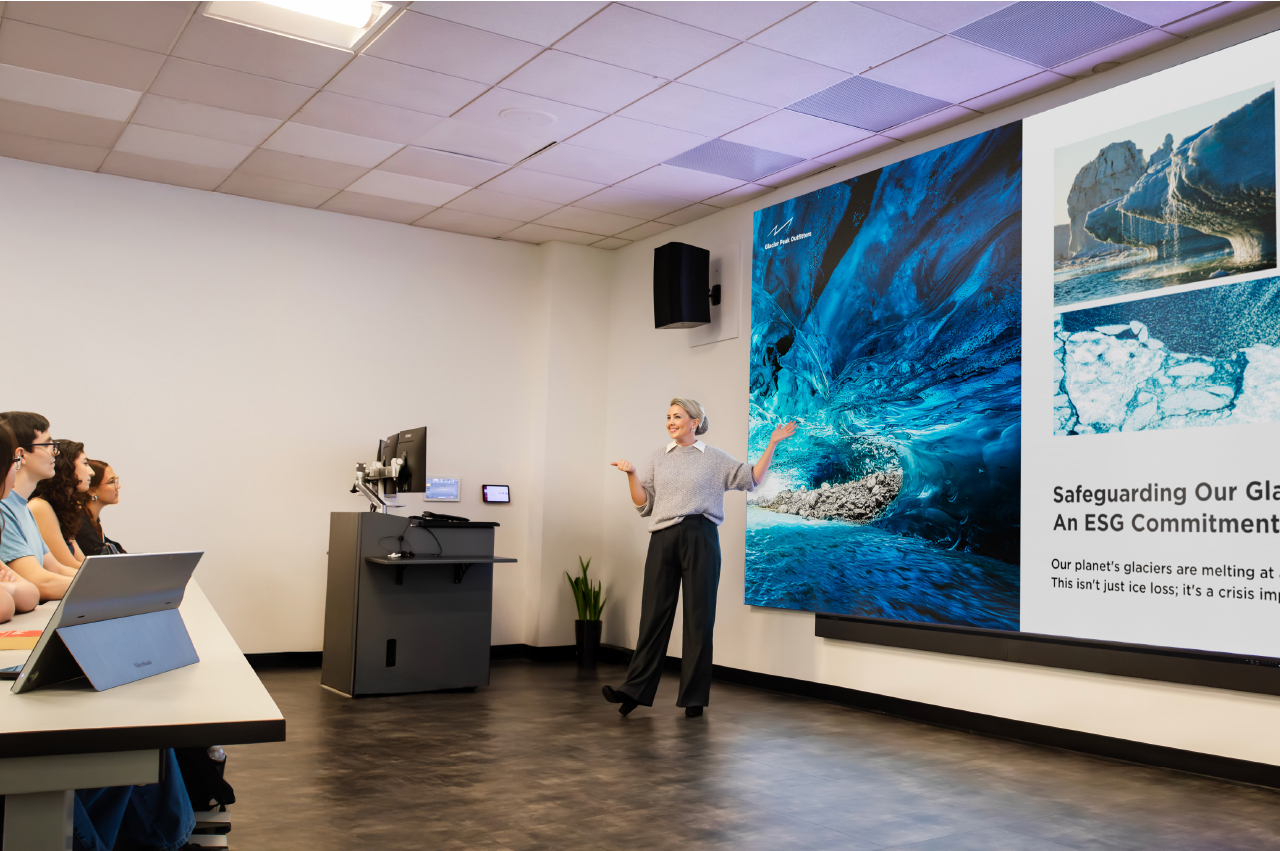
One such classroom was due for a major technology update. The existing setup relied on two ceiling-mounted projectors, which cast content onto dual wall screens. It was time to upgrade to technology that would support the range of modern learning options and instructional modalities: a state-of-the-art video wall that would deliver bright, consistently sharp visuals for every student. More importantly, the solution needed to seamlessly deliver content to in-person and distance learners, while creating an environment that connected those audiences and provided intuitive control for the instructor.

Several types of displays would be needed to support these goals, including large, vibrant front-of-room displays for on-site learners; displays to bring Zoom participants into the room; confidence displays for the instructor at the back of the room; and an interactive display at the instructor podium. All of which would be maintained and monitored in real time by university IT staff.

SOLUTION

line drawing of a jigsaw puzzle pieceline drawing of a jigsaw puzzle piece
  • ViewBoard IFP8650 86-inch Interactive Display

  • myViewBoard® Digital Whiteboarding Software

To accomplish these goals, the IT group worked with longtime reseller partner ClarkPowell, which recommended ViewSonic for the display component of the installation. The IT team reviewed the recommendations and agreed that this would be an ideal solution for their needs, commenting in particular on the durability of the ViewSonic® Direct View LED (dvLED) display with Glue-on- Board (GOB) technology and the ability to swap individual panels with included spares, which would streamline maintenance.

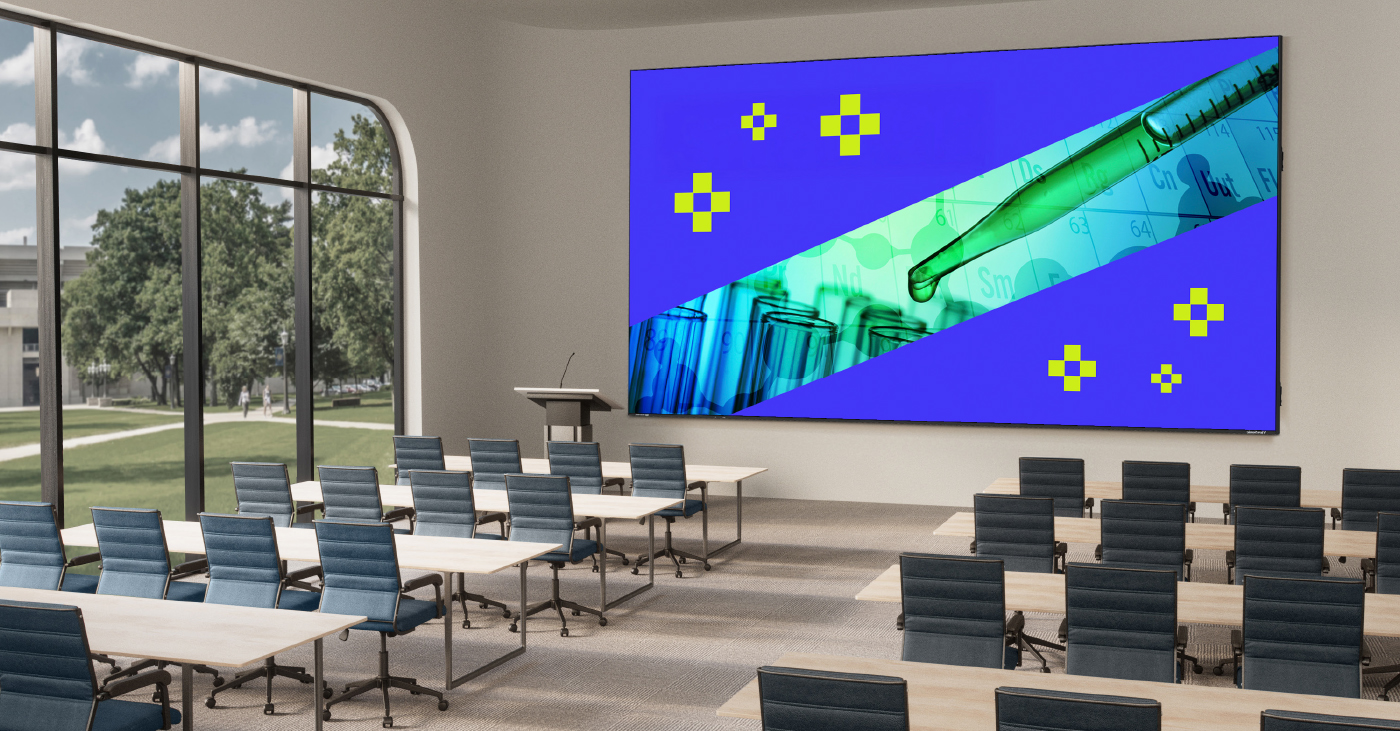
The final front-of-room solution included two 136-inch ViewSonic All-in-One dvLED video walls (Model LDM136-151) to present class content. These would be mounted on either side of a ViewSonic 98-inch 4K commercial display (model CDE9830). Two ViewSonic 65-inch commercial displays (model CDE6530) would be mounted to the back wall for instructor visibility: one to mirror the instructional content; one to display Zoom participants.

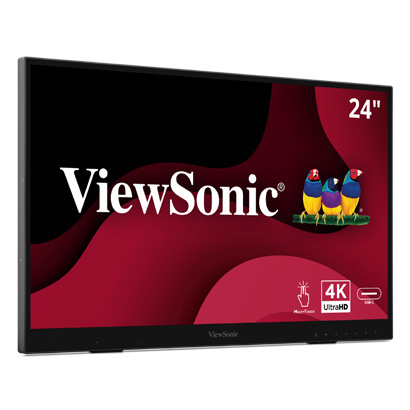
Finally, the instructor podium would be equipped with a ViewSonic 24-inch digital podium touch display (model ID2456-4K) that would enable faculty to intuitively deliver content and connect with students using integrated ViewSonic® ViewDirector™ software. To ensure seamless operation, the ClarkPowell team would integrate the ViewSonic displays into the classroom’s existing Crestron matrix switcher.

RESULTS

Line drawing of a rocketLine drawing of a rocket
  • Stunning 231-inch seamless video wall transformed showroom aesthetics and energy

  • Reliable all-in-one system resolved previous performance and management issues

  • Easy setup with complete kit enabled quick, frustrationfree installation

  • Day-and-night visibility extended promotional impact to freeway traffic

  • Enhanced content flexibility for events, promotions, and employee recognition

  • Long LED lifespan reduces maintenance and supports 24/7 use

  • Dealership excited to expand usage for movie nights, community engagement, and brand storytelling

The integrated technology seamlessly blends in-person and remote experiences, delivering a host of benefits to faculty, students, and the IT team.

Instructors appreciate no longer having to contend with projector lights shining in their eyes, as well as being able to maintain focus on students. The confidence monitors in the back of the room allow presenters to easily confirm that their content is looking as it should on the front screens, while also providing an interface with students joining on Zoom.

The brightness and clarity of the ViewSonic dvLED displays provides classroom and remote students with a clearer view of content in all lighting conditions, while also delivering outstanding recorded images – a critical component of serving the needs of asynchronous distance learners. Along with this consistency in lighting, the IT team benefits from the lower, and easier, maintenance offered by the dvLED displays. All of which provides more streamlined instruction with greater efficiency and reduced costs. /span>

What’s more, a visiting IT specialist mentioned that one of their university’s classrooms had an outdated dvLED display that lacked GOB surface treatment, which resulted in damage, and added repair costs, when students bumped into it.

The university’s stated objective for its top-tier tech classrooms is to empower faculty to deliver modern, high-impact instruction to a range of students, without the burden of technical barriers. In these spaces, the edtech allows faculty to focus on teaching, not troubleshooting. This classroom upgrade has achieved just that, with bright and durable ViewSonic dvLED video walls, commercial displays, and a digital podium touch display shining as the foundational visual technology.
5 Innovative Ways to Use Digital Displays Around Your Campus

BLOG

5 Innovative Ways to Use Digital Displays Around Your Campus

As campuses look for better ways to engage students, streamline operations, and manage growing information needs, digital display technology offers a practical solution that scales across the entire campus.

From classroom instruction to safety alerts, digital displays help schools communicate more effectively across both academic and non-academic spaces. Unlike printed signs or static posters, digital displays are flexible, easy to update, and designed for real-time communication. 

The Transformative Power of Digital Displays on Campus

Digital displays are more than just screens mounted on walls. When used strategically, they shape how information flows across campus and how people experience daily life at school.

They support campus culture by highlighting achievements, reinforcing school identity, and creating a stronger sense of connection. They also play a critical role in safety and accessibility by helping schools share clear, consistent messages when timing matters most.

Whether placed in classrooms, hallways, or outdoor common areas, digital displays help campuses stay responsive, informed, and connected. 

How to Use Digital Displays Around Campus

Digital displays can support many goals depending on where they are installed and how they are managed. Below are five effective ways campuses are using them today.

1. Promoting Safety and Emergency Preparedness 

Safety communication is one of the most critical uses of campus digital displays. During important situations, schools need a fast, reliable way to share clear instructions across multiple buildings and spaces.

With ViewSonic Manager, administrators can centrally manage and broadcast urgent messages to connected devices across campus. This provides a single point of control for pushing information quickly and consistently, without relying on manual updates or individual room systems.

ViewSonic Manager also supports integration with CAP (Common Alerting Protocol) messaging systems.

This allows alerts generated by an existing CAP platform to be delivered directly to managed displays, helping ensure emergency information stays aligned across screens, classrooms, and other notification channels.

By keeping messaging consistent, campuses can reduce confusion and provide clearer guidance during critical moments.

https://www.viewsonic.com/library/education/strengthening-campus-safety-with-device-broadcasting/


2. Enhancing Campus Communication and Announcements

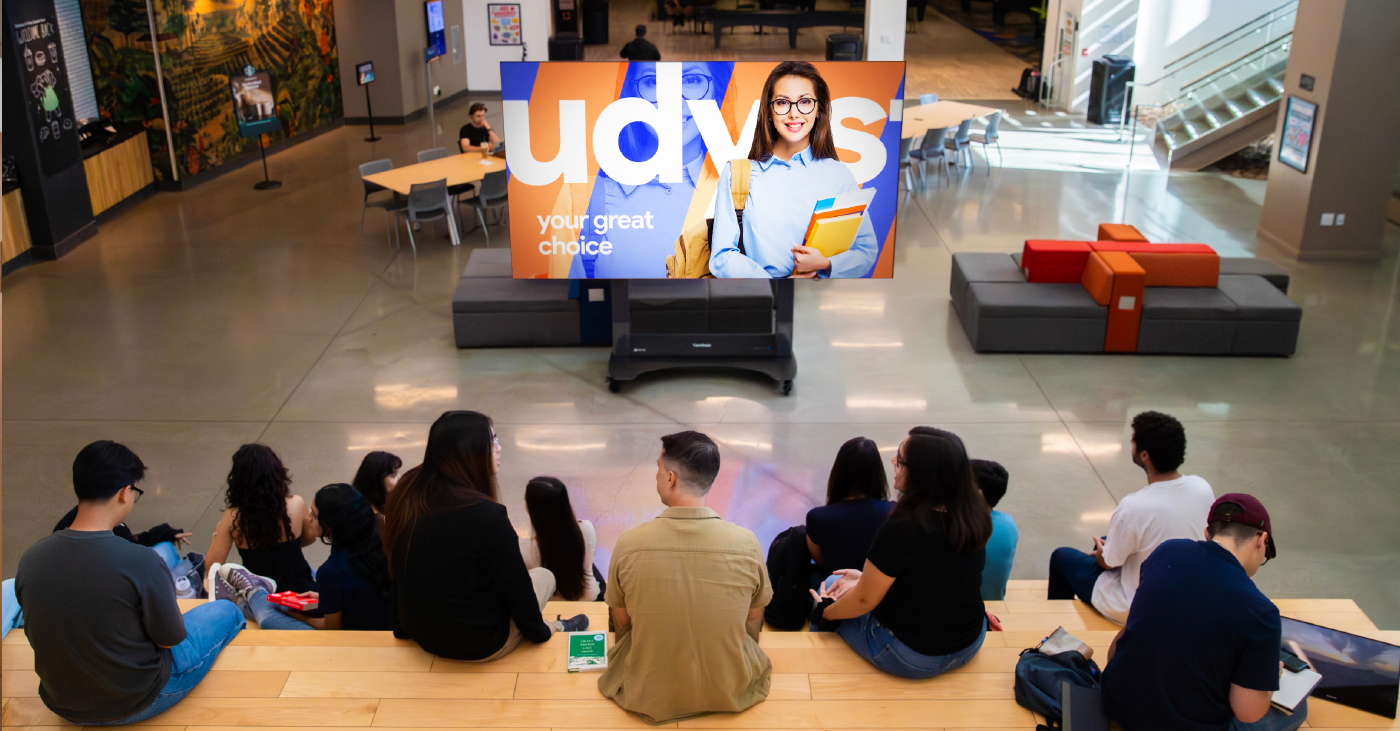
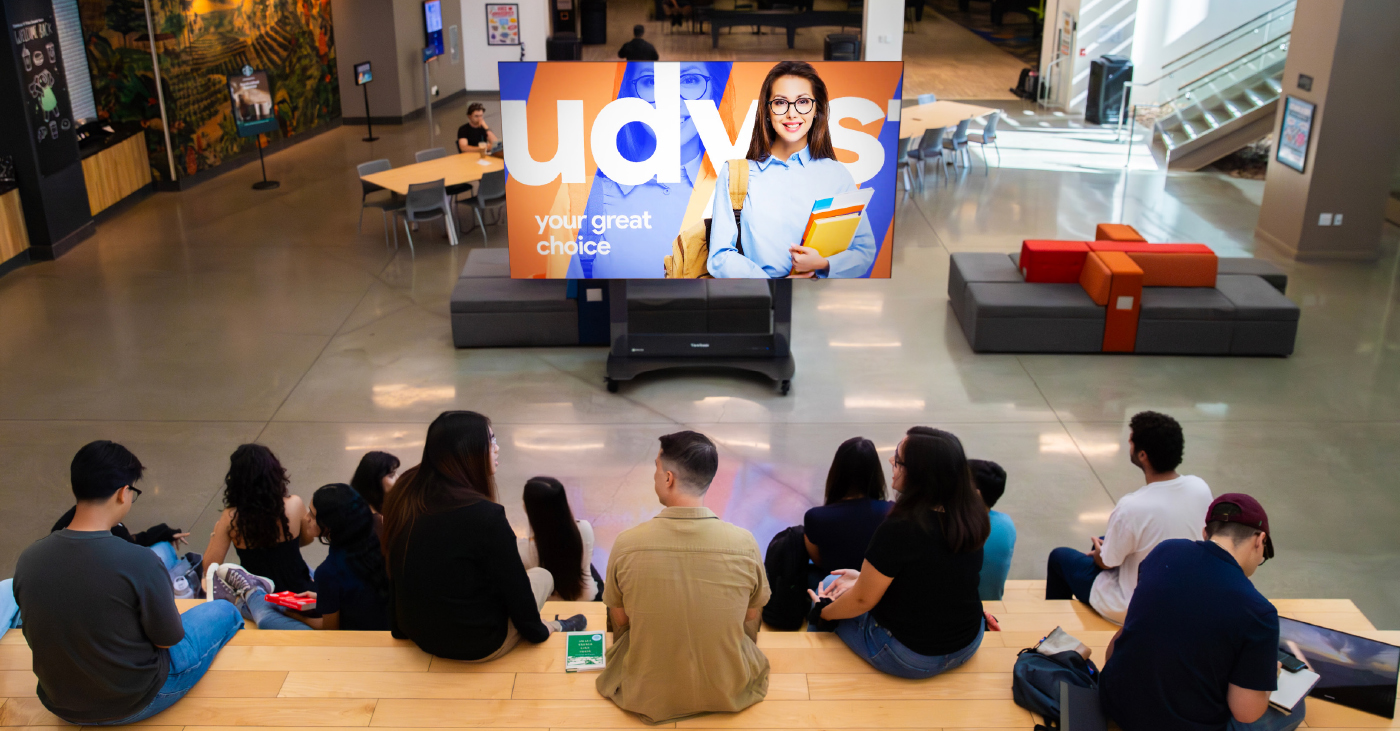
High-traffic areas such as lobbies, hallways, cafeterias, and student centers are ideal locations for digital displays. In these spaces, displays act as centralized hubs for sharing real-time information, including academic calendars, key events, news, and general announcements.

By serving as a digital message board, these screens ensure the entire campus community stays informed.

Because content can be updated instantly from a single location with tools like ViewSonic Manager, information remains accurate without the need for reprinting physical signs. This flexibility makes it easy for administrative staff to manage last-minute schedule changes, urgent faculty alerts, or daily cafeteria menus.

ViewSonic digital signage solutions are ideal for this scenario, offering high brightness for visibility in well-lit common areas and supporting centralized content management to streamline updates across the entire campus.

For a deeper look at how schools use signage for communication, check out the link below:

 https://www.viewsonic.com/library/education/digital-signage-at-school-upping-your-campus-communication/

3. Supporting Content Visibility in Classrooms and Lecture Spaces

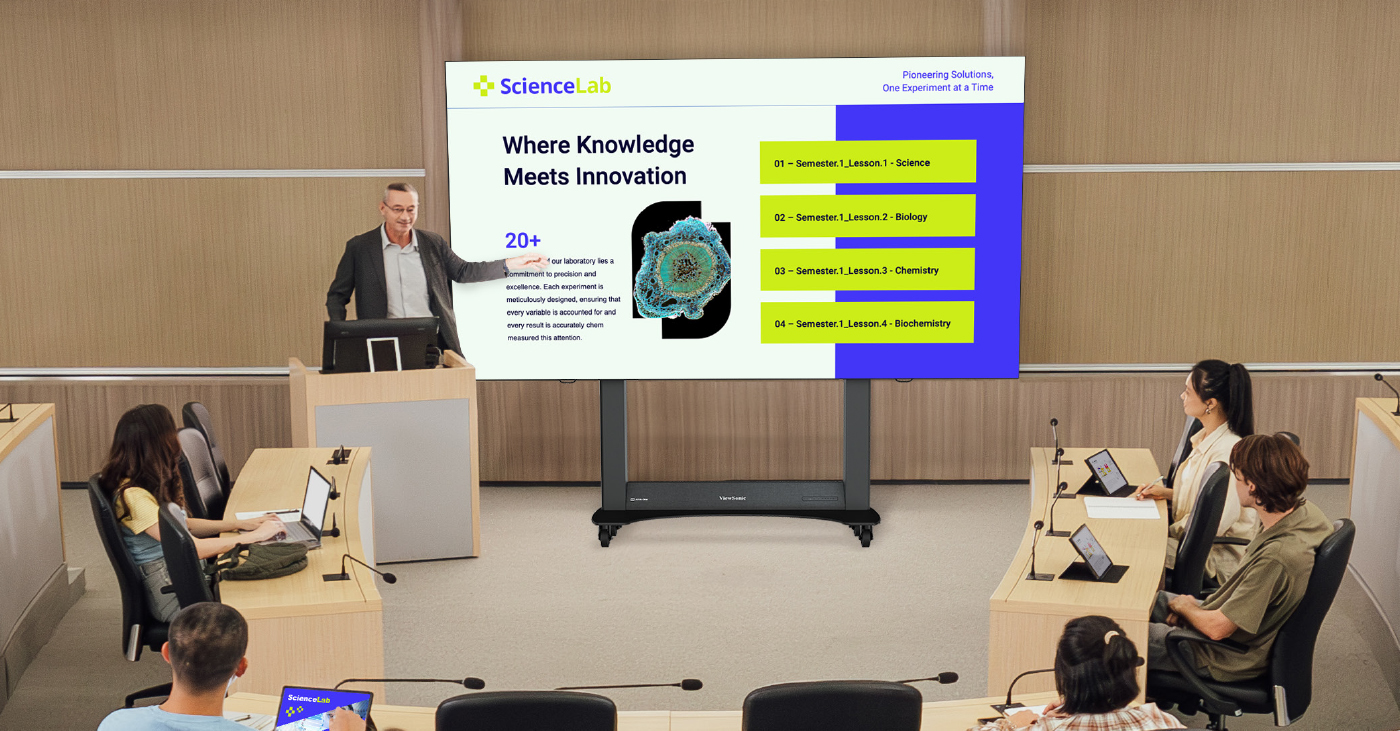
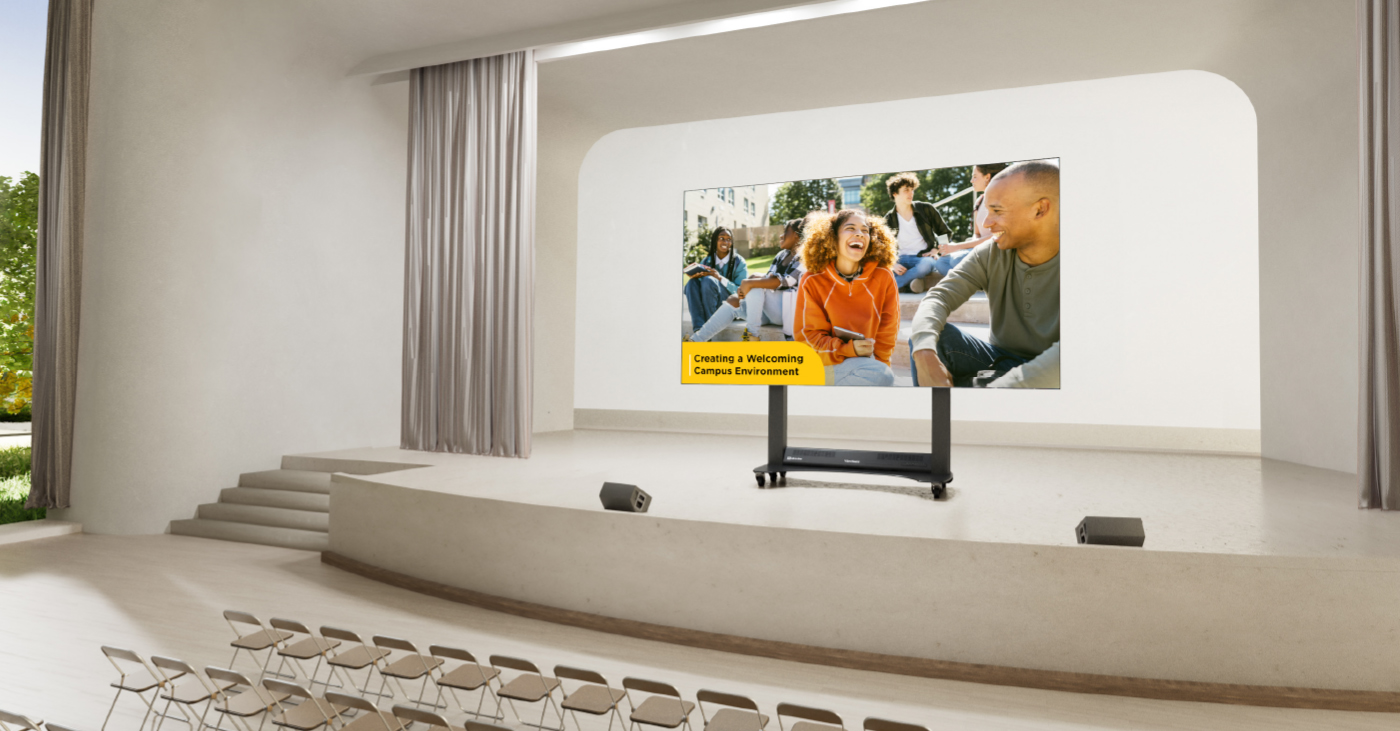
Digital displays are also used in classrooms and lecture halls to support clear content visibility and consistent information sharing. In these spaces, displays are commonly used to present lesson materials, schedules, or shared visual content that needs to be seen clearly from anywhere in the room.

ViewSonic’s digital displays power on quickly, run for long periods, and integrate smoothly with room control systems and AV infrastructure.

This approach helps ensure classrooms remain easy to manage while still supporting day-to-day teaching needs.


4. Wayfinding and Campus Navigation

Finding the right building or classroom can be a challenge on sprawling campuses, especially for first-time visitors or during high-traffic events.

Digital displays simplify campus navigation by providing interactive maps and clear, high-visibility directories. Because wayfinding content can be updated instantly, campuses can quickly adjust messaging to reflect event changes, temporary closures, or construction routes.

This allows visitors to navigate the campus independently and confidently without needing to stop for directions.

ViewSonic ePosters are well suited for entrances, corridors, and elevator areas thanks to their vertical orientation and space-saving design.

For larger gathering areas, ViewSonic CDE12 series of digital displays offer bigger screen sizes that make campus maps and directories easy to read from a distance. The CDE31 series of commercial displays is especially effective in busy environments where clarity and visibility matter most.


5. Showcasing Achievements and Building Community

Digital displays play an important role in building campus culture by highlighting student achievements, faculty recognition, athletic results, campus events, and creative work.

The ViewSonic CDE series of digital display solutions are a natural choice for showcasing community content in libraries, student centers, lounges, and other shared spaces.

Designed for 24/7 operation in high traffic environments, the CDE series of digital displays can display photos, videos, and rotating content both day and night.

The CDE31 series is especially effective in these environments, delivering strong visual impact and reliable performance in high-traffic areas where visibility matters most.

By regularly refreshing content, campuses can strengthen pride, engagement, and connection across the school community. 

Key Features to Look for in Campus Digital Displays

When evaluating digital displays for education environments, campuses typically focus on features that support long-term reliability, visibility, and centralized management.

Key considerations include:

  • A variety of screen sizes for classrooms, hallways, and large common areas
  • High brightness with anti-glare or haze treatment for visibility in bright indoor spaces
  • Commercial grade durable designs built for daily or extended use
  • Easy content management systems for quick updates
  • Centralized control and secure remote access for IT teams
  • ProAV-ready designs that integrate with existing AV infrastructure, including control systems, media players, and networked environments

This helps ensure displays can scale across campus without adding unnecessary complexity.


Recommended ViewSonic Solutions for Campus Use

ViewSonic offers a range of education-focused solutions designed to support communication, learning, navigation, and campus safety.

Getting Started: Implementing Digital Displays Effectively

A successful rollout starts with thoughtful planning and collaboration.

Assessing Your Needs

Identify your primary goals, whether they are communication, instruction, safety, or a mix of all three. This helps guide display selection and placement.

Stakeholder Involvement

Involve IT teams, administrators, educators, and facilities staff early. This ensures displays meet technical, instructional, and operational needs.

Choosing the Right Hardware and Software

Select displays and management tools that work well together and fit your campus infrastructure. Ease of use and security should be top priorities.

Installing Displays in Strategic Locations

Place displays where people naturally gather or need information. Visibility and accessibility should guide placement decisions.

Training Your Internal Staff

Provide training so staff can manage content confidently, troubleshoot issues, and keep displays relevant over time.

Why Choose ViewSonic for Campus Digital Display Solutions

With nearly 40 years of expertise in the display industry, ViewSonic works closely with colleges and schools to develop campus digital display solutions designed for long-term reliability.

ViewSonic’s commercial digital signage displays deliver clear communication in high-traffic campus environments. These displays support announcements, wayfinding, and safety messaging, and integrate smoothly with centralized content and device management systems.

In addition to commercial digital signage, ViewSonic offers a broader range of display technologies to support other campus needs. These include interactive displays, dvLED video walls, and projection solutions used in classrooms, auditoriums, and large gathering spaces.

With education-focused features, reliable performance, and ongoing support, ViewSonic helps campuses build digital display solutions that work today and scale as needs grow.

To learn more about ViewSonic digital display solutions for education, visit: https://www.viewsonic.com/edu/ 

Quick Links

Digital Signage Displays for announcements, wayfinding, and shared spaces https://www.viewsonic.com/edu/digital-signage-digital-displays

ViewSonic ePosters for wayfinding and navigation in high-traffic areas https://www.viewsonic.com/edu/digital-signage-digital-displays

ViewSonic Manager for secure 24/7 device management and safety messaging https://www.viewsonic.com/edu/viewsonic-manager 

Projectors vs dvLED: Which Display Technology Is Right for Your Campus?

Projectors vs dvLED: Which Display Technology Is Right for Your Campus?

Projectors vs dvLED. It’s a big decision for any modern campus. The type of display you pick affects how teachers teach, how students learn, and how your budget looks a few years down the road.

You might be wondering if you should stick with the traditional projector or make the leap to something newer. Let’s break down the differences so you can make the best choice for your school.


Understanding the Tech

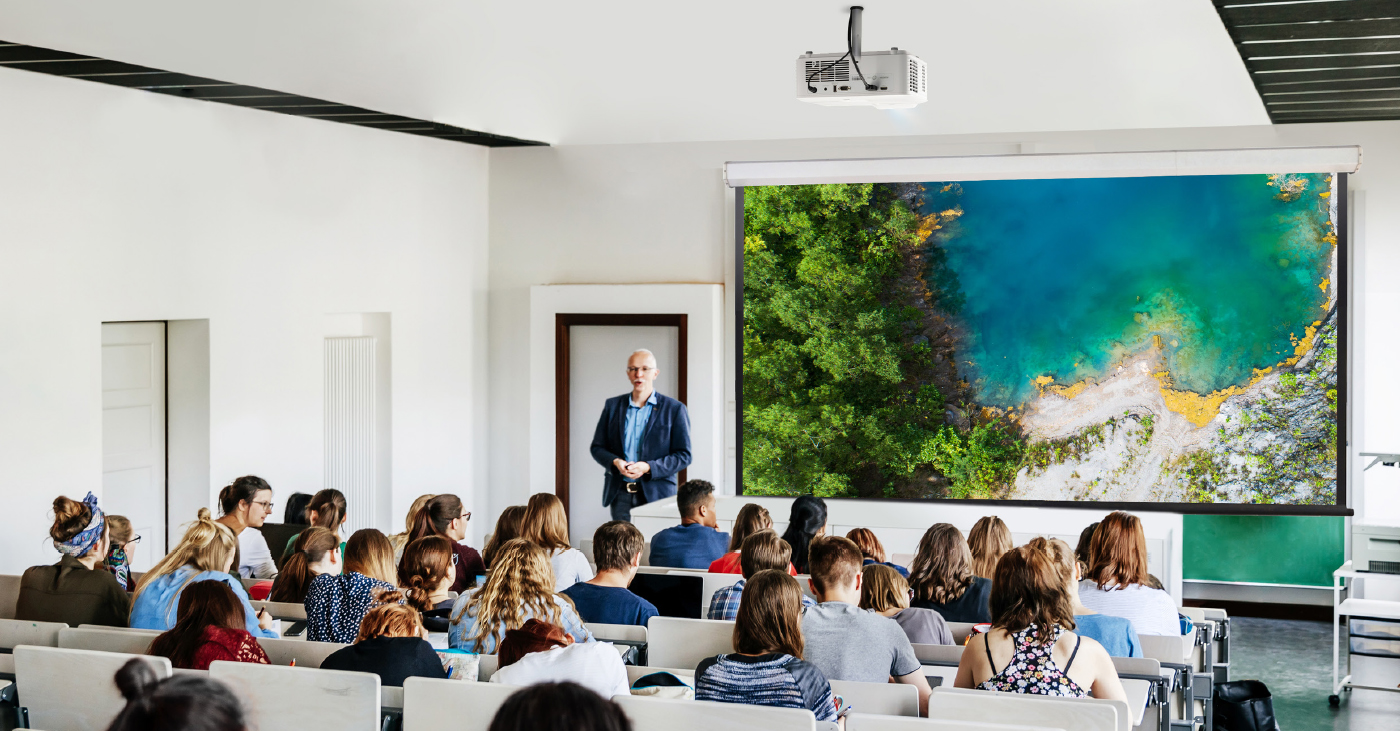
Projectors use a light source to throw an image onto a separate screen or wall. They have been the standard in classrooms and lecture halls for decades.

dvLED (Direct View LED) displays are made of LED panels that show images directly on the screen, so there is no projection involved. They are super bright and seamless. You can get them as simple, pre-configured All-in-One video walls that come in standard sizes, or as configurable solutions that you can build to fit a specific shape or wall.


Key Considerations for Schools

When you are weighing projectors vs dvLED, here are the main things you need to think about.

Image Quality and Brightness

Projectors can produce big images, but they often struggle in bright rooms. If you have big windows, you usually have to dim the lights to see the screen clearly.

dvLED offers ultra-bright, vivid images that look great even in sunny rooms. The colors stay sharp, and you do not have to worry about shadows or glare.

Size and Scalability

Projectors are easy to scale up by using bigger screens. However, the image quality can drop as the size increases.

dvLED can be built to fit massive spaces. ViewSonic offers standard All-in-One sizes ranging from 136" all the way up to 231". Need something even bigger? Our configurable options allow you to build a custom video wall larger than 231" to fit huge auditoriums or gymnasiums.

Installation and Space

Projectors require a specific setup to work best. You usually need to install both a mount for the projector and a separate screen on the wall. You also need to account for the space between the lens and the screen, which can lead to shadows if someone walks in front of the light.

dvLED displays mount directly to the wall, which saves space and creates a streamlined look. However, they have their own requirements. The wall needs to be perfectly flat and structurally ready to support the panels. While dvLED eliminates the shadow problem, ensuring your wall is prepped correctly is a key part of the installation.

Maintenance and Cost

Let's talk numbers. Projectors usually look cheaper upfront. But have you really crunched the numbers on maintenance? When you add up the cost of replacement bulbs, filters, and the labor to swap them out over a few years, the price tag jumps up fast.

On the flip side, dvLED displays like the ViewSonic LDE Series are built for the long haul. They offer 24/7 reliability and easy-to-swap panels. Here is the kicker: the cost of an LDE video wall often rivals what you would spend on a high-end projector and a professional tab-tension screen. You get a superior picture for a similar price, without the ongoing maintenance headaches.

The Breakdown: Pros and Cons

Here is a quick look at how the two stack up.

Feature

dvLED Display

Projector

Visual Impact

Ultra-bright, seamless

Can be large, less vivid

Portability

Fixed, wall-mounted, or mobile

Portable, flexible

Maintenance

Easy panel swap

Bulb/part replacement

Installation

Slim, modern

Needs space, mounts

Longevity

Long lifespan

Shorter, fades over time

Versatile Usage

Multi-use, high impact

Multi-use, cost-friendly


When to Stick with Projectors

Projectors still have a place on campus. They are often the right choice for:

  • Tight Budgets: If you need a simple solution for a standard classroom.
  • Controlled Lighting: Spaces where you can easily dim the lights.
  • Small Meeting Rooms: Where you do not need a massive video wall. You can also look into ViewBoard interactive displays for these settings.

When to Upgrade to dvLED

If you want to make an impact, dvLED is the way to go. ViewSonic has a specific series for every need.

  • For the Auditorium: If you need a screen that moves, the LDS Series is a foldable 138" display on wheels. You can roll it out for assemblies and set it up in minutes.
  • For Lobbies and Student Centers: The LDM Series is perfect here. It has Glue-on-Board (GOB) technology, so it is durable enough to handle high-traffic areas.
  • For Premium Learning: The LDP Series offers stunning 4K visuals. It uses Chip-on-Board (COB) technology for extra protection against impact and dust.
  • For Creative Spaces: If you want a unique shape or size, the LDC Series is configurable. It lets you build a screen that fits your specific design.
  • For General Use: The LDE Series is your cost-effective workhorse. It gives you that seamless video wall experience with integrated power and processing.

Questions to Ask Before You Buy

Still on the fence? Ask yourself these four questions.

  1. What is the use case? Are you teaching, hosting events, or showing digital signage?
  2. What is the lighting like? Is the room full of windows or tucked away in a basement?
  3. What is the real budget? Don't just look at the price tag. Think about installation and maintenance costs over five years.
  4. How will it integrate? ViewSonic displays work with systems you likely already use, like Crestron, Extron, and AMX.

Why ViewSonic Has You Covered

When you are deciding between projectors vs dvLED, ViewSonic can help. We offer high-quality projectors for traditional setups and a complete lineup of dvLED video walls for modern spaces.

We can help you create vibrant, engaging environments for your students and staff.

Find Your Perfect Display

Ready to see the difference for yourself? Explore our full range of display solutions today.

Explore ViewSonic Projection Solutions

Explore ViewSonic dvLED Solutions

How dvLED Displays Are Revolutionizing Campus Environments

How dvLED Displays Are Revolutionizing Campus Environments

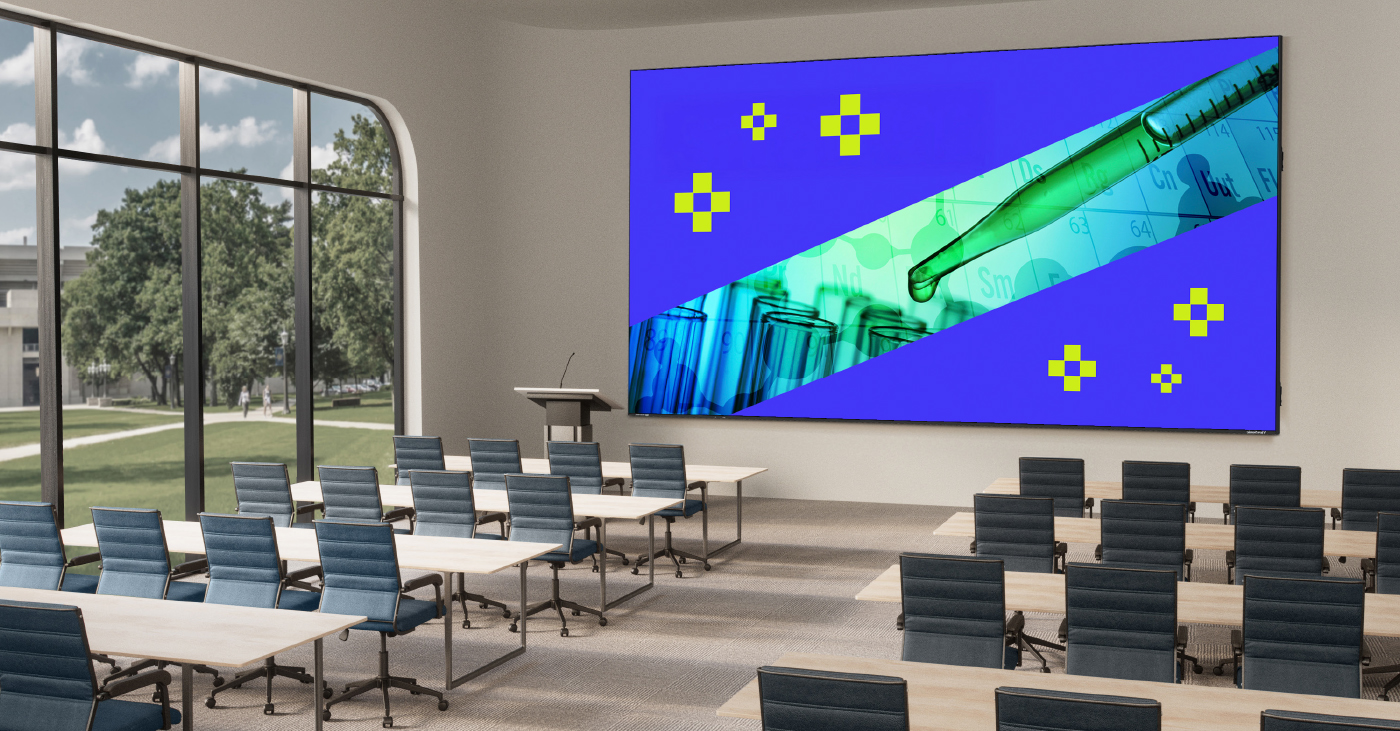
dvLED (Direct View LED) display technology is changing the look and feel of schools everywhere. From student centers and libraries to auditoriums and event spaces, these advanced screens are making campus environments brighter, more flexible, and more engaging for everyone.

What Is dvLED and How Does It Work?

A dvLED display is a screen built from tiny LED lights that show images and videos directly. Unlike the older LCD screens or projectors you might be used to, these displays are designed to make an impact in large school spaces.

Here is why dvLED is different:

  • Ultra-bright images: They stand out clearly, even in bright lighting.
  • Massive scale: ViewSonic offers huge sizes ranging from 136" to 231" for our pre-configured series of dvLED, and larger non-standard sizes for our configurable series of dvLED.
  • Durable design: They are built to last with minimal upkeep.

The Impact on Immersive Learning

dvLED technology helps campuses do more than just show a slide deck. It transforms how students learn and interact.

Finding the Right Fit for Your Campus

Not every space needs the exact same screen. ViewSonic offers a complete portfolio of dvLED displays to fit different needs across your school.

For the Classroom and Events

If you want to offer the ultimate all-in-one experience, the LDP Series is a great choice. It brings lessons to life in stunning 4K. These displays feature advanced Chip-on-Board (COB) technology, which gives them a tough IP54 and IK08 protection rating against impact and dust.

For Lobbies and Student Centers

For busy areas like lobbies or broadcasting studios, the LDM Series is ideal. It offers 1080p resolution and a detachable system control box. It also features Glue-on-Board (GOB) technology, making it durable enough to handle high-traffic student centers.

For General Use

For general use around campus, the LDE Series is a smart choice. It is a pre-configured, cost-effective 1080p video wall solution. It features integrated power and processing, durable Glue-on-Board (GOB) technology, and 24/7 reliability.

For Creative Spaces

The LDC Series lets you configure video walls with custom resolutions and unique shapes when you don’t need a standard rectangular layout. These customizable displays allow you to make a statement wherever your school needs it.

For Flexible Spaces

The LDS Series is a foldable 138" screen on wheels. You can roll it into the auditorium for assemblies or move it to a donor dinner for a special event. It comes pre-assembled in a flight case and sets up in less than 10 minutes.

Best Practices for Implementing dvLED

Ready to get started? Here are a few tips to make sure your installation goes smoothly.

Plan for Integration

ViewSonic dvLED displays are designed to work with leading control platforms like Crestron, Extron, and AMX. They are also certified with Q-SYS, which simplifies management for your IT team.

Assess Your Goals

Identify where a display will help the most. Are you trying to improve communication in a lobby? Or do you need a massive 231" screen for the gymnasium? Knowing your goal helps you pick the right series.

Prioritize Easy Maintenance

Schools are busy places. You don't have time for complicated repairs. Look for solutions that feature detachable control boxes and durable surface protection.

Why ViewSonic for Campus Solutions?

ViewSonic offers a wide range of dvLED products designed for campus environments from pre-configured, configurable, or mobile. With proven installations, easy content management, and dedicated support, ViewSonic helps campuses create vibrant, flexible, and modern spaces. Their solutions are built to last and easy to use, making campus transformation simple and effective.

How a Mobile dvLED Video Wall Transforms Shared Environments

How a Mobile dvLED Video Wall Transforms Shared Environments

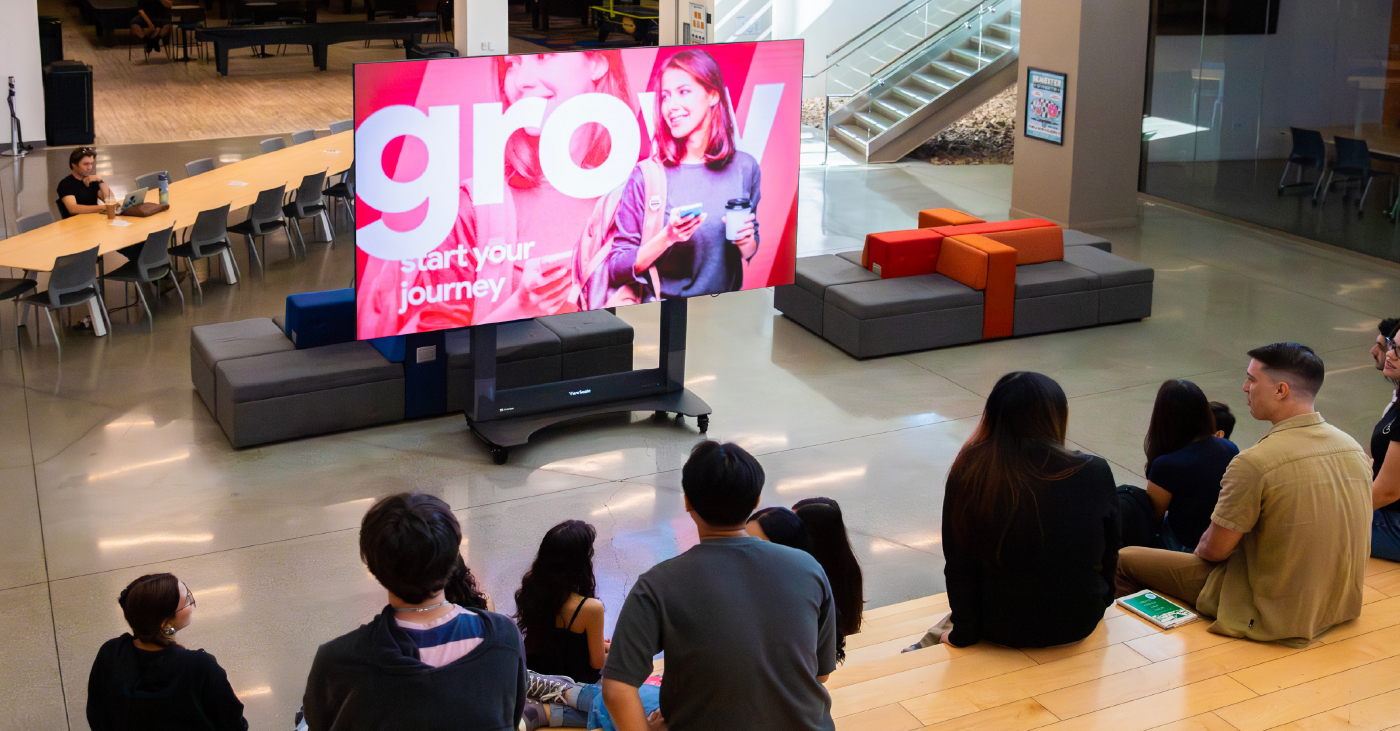
A mobile dvLED display video wall transforms shared spaces like lobbies, classrooms, and auditoriums by giving you a massive, high-impact screen that goes wherever you need it. In the past, you were stuck with a screen that just sat in one spot.

Now, technology has moved forward. You can bring bright, clear visuals right to where your audience is. A mobile video wall makes it simple to share info and wow the crowd. It’s flexible enough to adapt to almost any environment on campus.

What is a dvLED Display? 

A dvLED display (Direct View LED) is a giant screen made of LED panels. Unlike the old LCDs or projectors you're used to, these panels show images directly without needing a backlight.

Here's what makes dvLED tech special:

  • Ultra-bright quality: It's super bright, so you'll see the picture clearly even in sunny rooms.
  • Scalability: While some configurable series let you build a wall to any size or shape, others come in fixed sizes for easy setup.
  • Durability: The panels are built tough for busy spaces and last a long time.

You'll see these displays popping up in lecture halls, gyms, and libraries where standard projectors just can't keep up.

Why Mobility Makes a Difference 

Imagine having a giant 138" screen that you can simply roll into an elevator. A digital video wall that moves is a total game-changer for schools.

Here's why mobility matters:

  • Perfect for multi-purpose spaces: You don't need to bolt a screen to the wall in a room that serves multiple functions. The display is there when you need it and gone when you don't.
  • No permanent installation: You can skip the construction entirely. Since you don't need a permanent install, you save time and avoid drilling into your walls.
  • Save money: Since one mobile video wall serves many spaces, it lowers your total cost of ownership.
  • Better access: It's not locked away in a single lecture hall, so more teachers and departments can use it.
  • Event-ready: It's perfect for assemblies, guest speakers, or school spirit events.
  • Easy setup: You can skip the complex install—just roll it in, plug it in, and you're ready to wow your audience.

Where to Use Mobile Video Walls 

Mobile dvLED video walls are perfect for schools that need flexibility. They work great in a lot of different spots on campus.

Lecture Halls 

You can move the display between large lecture spaces. It's perfect for presentations or guest speakers. The screen is big enough that everyone in the back row can still see clearly.

Auditoriums and Gymnasiums 

These are busy areas, so you need a screen that can handle the action. ViewSonic displays use Glue-on-Board (GOB) technology. This protects the LEDs from daily wear and tear, like bumps, dust, and moisture. It ensures your screen stays safe during pep rallies or performances.
Multi-Purpose Spaces

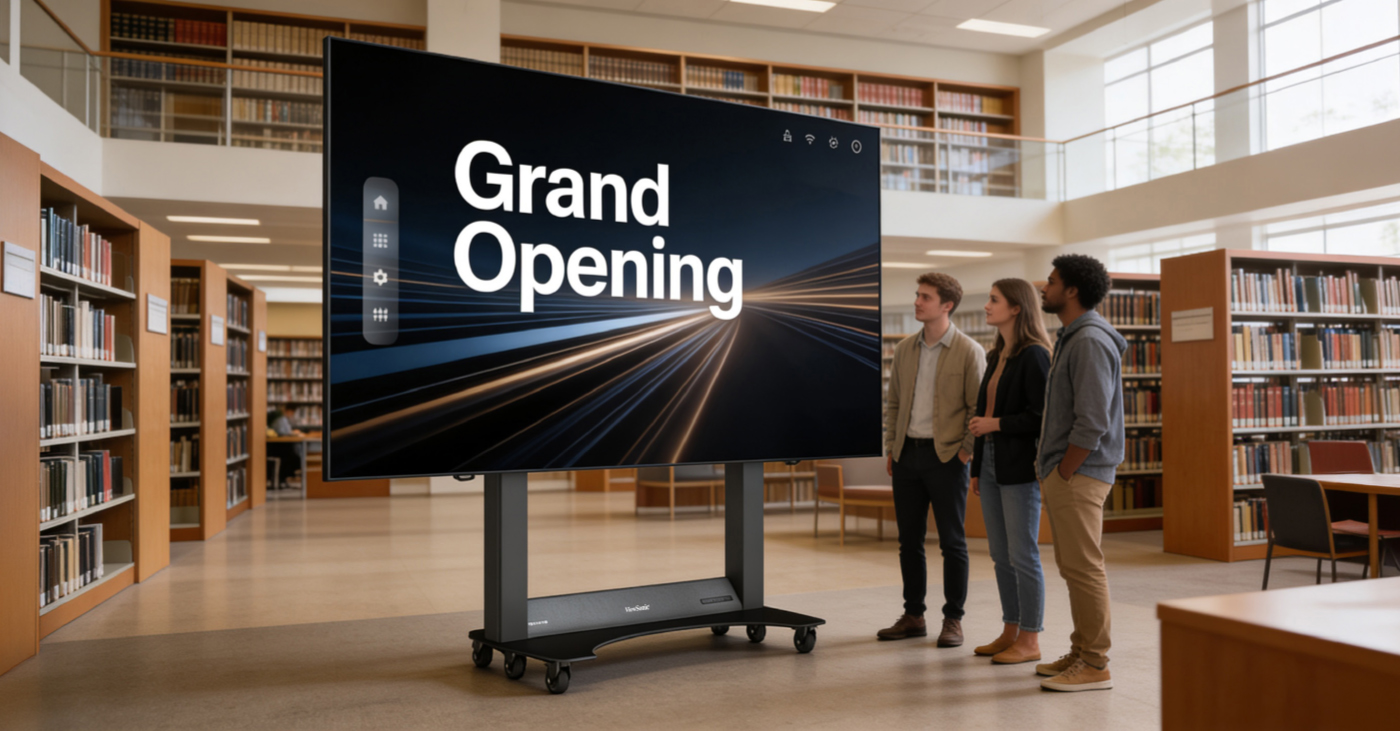
Schools are full of rooms that do double duty. Maybe it's a cafeteria that hosts town halls, or a library atrium used for special events. You can't always mount a permanent screen in these spots. A mobile video wall allows you to transform any open space into a presentation venue instantly. It rolls in, sets up fast, and is big enough for the whole crowd to see.

Key Features of ViewSonic Mobile Solutions 

ViewSonic is leading the way with mobile dvLED displays. Here are a few features that make them stand out.

Plug-and-Play Mobility 

These displays are designed to move. They come with a motorized stand and a durable flight case for easy transport. The flight case stores and protects the display when not in use. The foldable design even fits into most elevators. You simply roll it to the next location.

All-in-One Design 

You don't need extra boxes or wires. The system has built-in media players and a smart control bar built right into the stand. It keeps things clean and simple so there's nothing to distract from the huge screen.

Easy Screen Sharing 

Teachers and students need to connect quickly. With ViewSonic AirSync software, you can share your screen wirelessly from any device. It works with tools you already use, like AirPlay and Google Cast, so there's no hassle.

Smart Integration 

The display plays nice with other tech. It works with control platforms like Crestron, Extron, and AMX. This makes it easy for your IT team to manage power and inputs from one central spot.

Mobile dvLED vs. Traditional Projectors 

Wondering how a mobile dvLED display stacks up against your old projector? Let's look at the differences.

Feature

Mobile dvLED Video Wall

Traditional LCD/Projector

Visual Impact

Ultra-bright, seamless

Lower brightness

Portability

Easy to move

Fixed in place

Maintenance

Low, hot-swappable

High, bulbs/screens fail

Installation

Plug-and-play

Complex, needs experts

Longevity

Long lifespan

Shorter, more repairs

Versatile Usage

Multi-room, multi-use

One room only


Ready to Upgrade Your Campus? 

ViewSonic’s award winning mobile dvLED video walls help schools create vibrant, flexible spaces. You get an easy-to-use display that makes a big impact without the headache.

Stop relying on dim projectors and fixed screens. It's time to bring your visuals to life.

Explore ViewSonic dvLED Solutions


ViewSonic Launches Certification Program for Direct View LED Installations

The ViewSonic dvLED Installation Certification Program Developed to Support Category Growth and Augment Brand Awareness


Brea, CA – Nov. 19, 2025 – ViewSonic Corp., a leading global provider of visual and edtech solutions, announces that it has launched a dvLED Installation Certification Program. Created for AV installers, the program facilitates integrators and contractors to install ViewSonic dvLED solutions effectively and efficiently.


As the dvLED market grows, the Installation Certification Program allows installers and integrators the opportunity to build their customer base and offer on-site support, as well as create an additional revenue stream. The program will kick-off in December 2025 in Brea, CA, with future locations and dates to be announced throughout 2026.


The program includes two days of instructor-led, on-site training combined with hands-on coaching using actual products and components. Each course is designed to ensure installers and integrators fully understand dvLED core technologies and learn proper installation practices for ViewSonic Direct View LED solutions through extensive, practical training.


“We developed the Installation Certification Program not only to reinforce ViewSonic as one of the leaders in dvLED solutions but help our customers sustain and maintain ViewSonic dvLED installations in the field, whether the project is pre-configured or configurable,” said Shane Roma, Technical Product Manager of dvLED/Commercial Displays at ViewSonic. “Our all-in-one dvLED displays are designed for seamless integration and can transform just about any space. The goal with this program is to ensure that ViewSonic is the installer and integrators’ display partner, from planning to finalized project.”


The dvLED Installation Certification Program is designed for experienced installers with at least 1-3 years of AV installation experience, with AV industry certifications (i.e. CTS) recommended. The program is available to ViewSonic partners in the U.S., Canada, and Latin America.


To find out more about ViewSonic, visit ViewSonic.com and follow on Facebook, YouTube,  X and Instagram.


About ViewSonic

Founded in 1987 and headquartered in Brea, California, ViewSonic is a leading global provider of visual solutions for the education, business, and consumer markets, with a presence in over 100 countries. Driven by the mission to transform education, workplaces, and lives, the company delivers a unified ecosystem of innovative hardware, software, and services that integrates seamlessly with the platforms, tools, and partners customers trust. Its product portfolio includes monitors, projectors, interactive displays, LED displays, commercial displays, video conferencing systems, and industrial solutions. Complementing its hardware is a robust suite of software offerings—including myViewBoard, ClassSwift, TeamOne, Manager, and AirSync—featuring AI-powered tools for collaboration, device optimization, and management. By empowering creativity, collaboration, and lifelong learning, ViewSonic supports customers at every stage in achieving their business and sustainability goals, creating a lasting impact and helping people everywhere connect with purpose—and See the Difference. Learn more at www.viewsonic.com.


#  #  #


* Actual performance may vary depending on system configuration, usage environment, and other conditions. Features and specifications are subject to change without notice. This news release contains forward-looking statements that reflect the Company’s expectations with regard to future events. Actual events could differ significantly from those anticipated in this document. Trademark footnote: ViewSonic and the ViewSonic trademarks are trademarks or registered trademarks of ViewSonic Corporation in the United States and/or other countries. All other corporate names and trademarks stated herein are the property of their respective companies.


Media Contacts:

Joey Lee
JSL Marketing for ViewSonic [U.S.]
E: joey@jslcomm.com

Caroline McGrath
CMM Communications for ViewSonic [Canada]
E: caroline@cmm-communications.com

Nury Lavandier
ViewSonic [Latin America]
E: Nury.Lavandier@viewsonic.com

Miranda Bravo
ViewSonic [U.S.]
E: miranda.bravo@viewsonic.com

Why Content Strategy Comes First in Video Wall Projects


Video walls are powerful tools for communication, branding, and engagement—but only when they’re used with purpose. Too often, organizations and integrators focus on the hardware first, only to realize later that they haven’t planned what will actually go on the screen.

For End Users: Think Beyond the Screen

Before investing in a video wall, ask yourself:


What do you want your audience to see, learn, or feel?
Without a clear content strategy, even the most advanced display can become an expensive slideshow of generic visuals. Planning your content early ensures your investment delivers real value—whether it’s driving sales, sharing information, or enhancing the environment.

For Integrators: Guide the Conversation Early

As an integrator, your role goes beyond installation. Helping clients define their content goals early in the process ensures the system you design supports their vision. That includes:

  • Matching resolution and aspect ratio to content needs
  • Ensuring signal distribution and playback systems are scalable
  • Planning for content updates and user-friendly control
  • Designing for serviceability and long-term performance


The Bottom Line

A video wall is only as effective as the content it displays. Whether you're the one using it or the one building it, start with the message. The technology should serve the story—not the other way around.


To learn more about our dvLED solutions, visit our LED Displays page.


Media Contacts:

Joey Lee
JSL Marketing for ViewSonic [U.S.]
E: joey@jslcomm.com

Caroline McGrath
CMM Communications for ViewSonic [Canada]
E: caroline@cmm-communications.com

Nury Lavandier
ViewSonic [Latin America]
E: Nury.Lavandier@viewsonic.com

University Esports Program Supports Community and Competition with ViewSonic ViewBoard Interactive Display, Gaming Monitors, and Digital Signage

CASE STUDY

University Esports Program Supports Community and Competition with ViewSonic ViewBoard Interactive Display, Gaming Monitors, and Digital Signage

SCHOOL

Founded in 1910, the University of Southern Mississippi (aka “Southern Miss” or USM) is a public D1 sports and R1 classified research university with a total undergraduate enrollment of 10,258. The university’s main campus is in Hattiesburg, Mississippi, which is supplemented by a complex in Long Beach known as Southern Miss Gulf Coast. Southern Miss offers approximately 189 programs leading to baccalaureate, masters, specialist, and doctorate degrees, serving undergraduates from public schools across the southern United States and around the globe. The university is accredited by the Southern Association of Colleges and Schools and its programs are accredited by 30 state and national agencies.

School LogoSchool Logo

“The ViewBoard is an outstanding interactive resource for any type of learning because it’s so intuitive to use and it really draws students in. They absolutely love it. They’ll come in wanting to use it the moment we open the doors for the day and the competitive team is constantly scheduling time with it.”


— David Dickert, USM Esports Coordinator

THE CHALLENGE

line drawing of a circular mazeline drawing of a circular maze
  • Update outdated space to create a modern esports/ gaming center

  • Equip program with state-of- the art technology to support competition, connection, and learning

When USM Esports Coordinator David Dickert began in Spring 2022, the fledgling program operated out of an outdated space that received periodic technology updates, where 15 students valiantly competed from non-esports ready equipment.

“It used to be a big lounge area that hadn’t seen major updates for a long time,” said Dickert. “The university was getting ready to invest in a robust competitive esports program in 2019, but COVID set fire to those plans until the global pandemic was under control. The 15 students involved were piecemealing it the best they could with very little equipment or funding.”

When Dickert came on board it was immediately clear that revamping the space was a top priority. During the summer preceding the 2023-24 school year, Dickert and the Union worked with a local painting company to tear down the wall carpet, refinish the floors, paint, and bring in new furnishings – transforming it into a modern gaming wonderland.

A parallel priority was to outfit the new gaming stations with state-of-the art equipment. When it came to monitors, Dickert wanted to make a clean break from what the team was currently using.

“The specs on the existing monitors were pretty decent, but we had a lot of quality control issues,” he said. “I was having to retire monitors because they had dead pixels, or pixels would pop in and out randomly. I have some horror stories about students being in the middle of a game and the screen dying. I absolutely needed to find a new brand for us to rely on.”

A former educator who had enjoyed using a ViewSonic ViewBoard interactive display in his classroom, Dickert looked at what the company was doing in the esports space, and was impressed.

“My budget was very finite so I was looking to build long-term partnerships with companies that had a similar vision for the ways in which esports can benefit students,” said Dickert. “For me, esports is about more than winning. It’s about building connections between students and contributing to their physical and emotional well-being. It was clear that ViewSonic operated from a similar values standpoint regarding education and esports, so they were a natural fit.”

Before he had a chance to reach out, he was approached by ViewSonic representatives visiting the campus.

“I shared our vision of what we were going to do, how we planned to help students in the space,” said Dickert. “We were very aligned and from there our partnership was born.”

THE SOLUTION

line drawing of a jigsaw puzzle pieceline drawing of a jigsaw puzzle piece
  • ViewSonic ViewBoard IFP7550 75” interactive display

  • ViewSonic XG2431 24” 1080p IPS gaming monitors

  • ViewSonic CDE6512 65” commercial display

The new esports and gaming facilities consist of two sections separated by a hallway. The Official Southern Miss Esports Arena hosts the University’s National Championship competition teams. The adjacent casual gaming space is open to all students interested in gaming (plus billiards, shuffleboard, and table tennis). Both feature gaming stations equipped with ViewSonic® XG2431 24” 240Hz gaming monitors.

Distinct areas within the competitive gaming space include the main stage, equipped with five ViewSonic XG2431 gaming monitors; the practice stage, which supports scrimmages and practices with six XG2431 monitors; and a production space equipped with one ViewSonic XG2431 monitor where students learn how to broadcast events, edit video, and more. Another 12 XG2431 monitors are deployed in the casual gaming center, enabling those in the general student population to experience gaming with top-of-the- line equipment.

To further support the program’s mission to develop learning-focused, connected, and healthy individuals through competition, community, and esports experiences, Dickert added a cart-mounted ViewSonic ViewBoard® IFP7550 75” interactive display to a conference-style setup perpendicular to the main stage.

“The ViewSonic ViewBoard I used as a high school teacher was the best thing ever,” he said. “The ability to display content, click the side of screen to bring up the pen function and draw on the board to enhance the information was incredible and, along with the ability for students to intuitively work at the board, it changed the way I taught. I knew I wanted that for the esports students.”

Finally, to promote the program, Dickert stationed a ViewSonic CDE6512 65” commercial display outside the doorway to the Arena.

RESULTS

Line drawing of a rocketLine drawing of a rocket
  • The updated space is modern, vibrant, and inviting

  • Participation has grown from 15 to 700

  • The ViewSonic ViewBoard IFP7550 interactive display is used expensively by student athletes and others to enhance competitive advantage, collaboration, and learning

  • ViewSonic XG2431 gaming displays deliver fast, smooth gameplay

  • The ViewSonic CDE6512 commercial display used as digital signage dynamically promotes the program

It may come as a surprise that both the program lead and the players love the ViewSonic ViewBoard interactive display almost more than the lightning-fast ViewSonic gaming monitors.

“It’s hands down my favorite place in the arena,” said Dickert, “I could gush about this ViewBoard all day.”

For students the 75” interactive display serves a dual purpose, said Dickert, supporting both their competitive and educational goals. Seated together around a conference-table setup facing the ViewBoard display, student athletes can review and mark up gameplay. Similarly, all program participants can use the display to work collaboratively on schoolwork and projects.

“The ViewBoard is an outstanding interactive resource for any type of learning because it’s so intuitive to use and it really draws students in. They absolutely love it. They’ll come in wanting to use it the moment we open the doors for the day and the competitive team is constantly scheduling time with it,” Dickert said, audibly turning to look out his doorway and adding, “Yep, they’re using it right now.”

For Dickert, the ViewBoard interactive display was a game-changer that has helped him meet his core goals as program lead.

“For me this program is about helping students make connections and gain skills that will help them throughout their lives,” he said. “The ViewBoard display absolutely fosters that type of connection, problem solving, and learning.”

Foremost among the many ViewBoard features that Dickert appreciates is the display’s ease of use, whether it’s connected to a PC, or not.

“It’s nice not having to have a PC hooked up to it, that it’s optional. It may be a bit more intuitive when used with PC functionalities, but when it’s alone it still functions incredibly well using Google Chrome and myViewBoard,” he said. “The user interface is very approachable, and everything is easy to navigate. I haven’t had to teach anyone how to use it.”

The ViewSonic XG2431 gaming monitors were equally easy to use, right out of the box – a pleasant surprise that helped get the program up and running more quickly than Dickert anticipated.

“In my experience monitors don’t have good factory settings right out of the box; usually I have to tweak them a bit,” he said. “With these ViewSonic gaming monitors it was a seamless, seamless plug-and-play experience. The images looked great, and we got them set up in a very short amount of time.”

Students of all gaming abilities have been thrilled with the fast response time and refresh rate.

“They care about the snappiness of the tech, and that’s one reason the students really like these monitors,” said Dickert. “They’re very responsive at .5ms – you almost can’t get better than that at an affordable price.”

Most of them, he added are used to playing with screens that max out at a refresh rate of 60Hz to 120Hz, and immediately comment that the gaming with the ViewSonic monitors is a much smoother experience than they’re used to. ViewSonic XG2431 gaming monitors, for example, are capable of achieving a refresh rate of 240Hz.

“ViewSonic is becoming well-known for their gaming monitors and their support for the educational aspects of esports in education,” said Dickert.

“I anticipated that these monitors would be outstanding, and they absolutely are.”

The Fall 2023 season has been the most successful to date for the Southern Miss Esports Program. Participation has grown to a total of 85 competitive players on 15 different teams. Nearly 700 total students – almost seven percent of the total undergraduate enrollment – use the casual gaming stations. All three of the program’s Fortnite teams have qualified for the Fortnite Split 1 NACE National Championship using the ViewSonic monitors. The program has seen similar success from each of its other teams.

“I’m able to get these numbers because our single sign on system tracks who uses the computers, and I’m thrilled with the growth of the program.” said Dickert. “For me, the student experience is the big component of student life at Southern Miss. I celebrate when we win and motivate and encourage harder work when we lose, but I care the most about the connections and that students feel a sense of belonging when they come into the gaming space.”

That goal has been achieved, it is clear, when Dickert notes that the arena and game room have become ‘the living room’ of campus. With no membership fees, and room for all, the program attracts students to all three tiers of the program: signed student athletes who compete in official conferences; Academy Team students who compete in official conferences as developing teams; and Gaming Club participants, a community open for all to experience fun events, conventions, and multi-club collaborations with a gaming twist. Of course, those with an even more casual interest in gaming – or hanging out with gamers – are also welcome in this inviting space.

“When it comes to clubs, we believe in student leadership,” said Dickert. “The gaming club is student-run and includes pretty much everything gaming. They visit conventions together and hold game nights – in fact they had one last night. It’s exactly the type of community activities we had hoped to encourage.”

Next on the agenda for this growing program is a Spring 2024 launch of an Intro to Esports course in partnership with the School of Business.

“It will be a survey-style course where students broadly learn the history and business aspects of esports,” said Dickert. “A core class objective will be to give students hands on experience with esports using the arena space and ViewSonic monitors.”

By then, the ViewSonic CDE6512 65-inch commercial display will be mounted above the doorway to the Arena, drawing in new participants and educating others about the program as they stroll through the USM Student Union and Thad Cochran Center.

“It’s great where it is now,” said Dickert. “But when it’s mounted above the doorway it will deliver an even bigger ‘wow factor.’”

Related Items

ViewSonic® ViewBoard® IFP7550


ViewSonic Elevates Event Experience for Bankstown Sports Group with 135” Mobile Direct View LED Display Solution Kit

CASE STUDY

ViewSonic Elevates Event Experience for Bankstown Sports Group with 135” Mobile Direct View LED Display Solution Kit

COMPANY

Bankstown Sports Group is a leading actor in Sydney’s hospitality industry. With over 100,000 active members and 13 dining and entertainment venues, it recently opened the Lady Banks Rooftop, a new premium rooftop bar with panoramic views over the city’s skyline.

logologo

“We wanted something that could be moved in different locations. We had never seen anything like the ViewSonic All-in-One Direct View LED Display Solution Kit before. When we walked past and saw someone folding the screen – we knew it was the right one for us.”


— Joseph Succar, IT Manager at Bankstown Sports Group

THE CHALLENGE

line drawing of a circular mazeline drawing of a circular maze
  • Offer a unique viewing experience of the Melbourne Cup Race to establish the Lady Banks Rooftop as a local key venue

  • Accommodate different spaces within the rooftop bar, and other locations for events, without permanently installing display equipment in each

  • Set up and operation of the display needs to be handled by the staff to save cost, time, and effort

The Lady Banks Rooftop opened in October 2022. In a complex time for the hospitality industry, Bankstown Sports Group was looking to establish its new rooftop as a key venue in the Southwest Sydney area by hosting a public viewing of the Melbourne Cup Race, one of Australia’s biggest sports events.

The Lady Banks Rooftop features an open-plan space with both indoor and outdoor seating. As the bar is bathed with lots of natural light, using a traditional projector or a large TV screen to broadcast the event would provide poor visibility and a negative viewing experience. Moreover, the venue manager didn’t want to disturb the arrangement of the space with a fixed installation as it would only be used on special occasions.

Since it already regularly hosts events, Bankstown Sports Group preferred to avoid expensive rental equipment. It was looking for a display solution that could be installed easily, at will, without requiring external installers, while still providing an outstanding viewing experience.

THE SOLUTION

line drawing of a jigsaw puzzle pieceline drawing of a jigsaw puzzle piece
  • The ViewSonic® LDS135-151 is a 135” All-in-One Direct View LED Display Solution Kit offering instant use and an outstanding audio-visual experience

  • The screen can be folded to save space, making it easier to move, store, and securely transport in the included flight case

  • Wireless content sharing enables quick and seamless multimedia broadcasts without the need for additional equipment

After careful consideration, Bankstown Sports Group decided to invest in a ViewSonic® LDS135-151 All-in-One Direct View LED Display Solution Kit. Boasting a 135” display, this ready-to-use solution is designed to provide large audiences with a big-screen experience. With all components integrated into the device, the display can be operated by anyone without requiring extensive training, sparing time and effort. With its foldable screen and omnidirectional wheels, the LDS135-151 can easily be moved within a room. Delivered pre-assembled in a flight case, it is convenient to transport between floors or from one location to another. The 135” frameless screen provides outstanding luminosity and true-to-life colors, enhanced by the greater visibility offered by the array of LEDs. Broadcasting sports games or shows only takes seconds thanks to the built-in OS and Wi-Fi, enabling wireless content sharing without the need for any additional equipment.

a group of people remotely watching a sporting event on a large screen in a venuea group of people remotely watching a sporting event on a large screen in a venue

THE RESULTS

Line drawing of a rocketLine drawing of a rocket
  • The LDS135-151, the first foldable All-in-One Direct View LED display in Australia, enchanted guests and made the event a huge success

  • The solution kit has since been used at different Bankstown Sports Group venues, with set up and operation handled with ease by the staff

  • When not used during events, the marketing team promotes upcoming shows and activities on the screen

The LDS135-151 All-in-One Direct View LED Display Solution Kit helped make the Lady Banks Rooftop event a huge success. Unfolding the screen just when the race was about to start elicited surprised gasps from the guests. The huge display enabled all attendees to experience a live broadcast like never before. This exceptional viewing experience helped establish the Lady Banks Rooftop as a premium venue.

After the success of the first public viewing at the Lady Banks Rooftop, Bankstown Sports Group could easily transport the solution kit to other venues and use it while hosting other events, such as the FIFA World Cup games. During sporting downtimes, the marketing team would repurpose the Direct View LED display to promote upcoming events. Considering all the advantages the display provides for both event hosting and marketing efforts, Bankstown Sports Group is currently planning on acquiring more units for its other venues, including larger wall-mounted All-in-One Direct View LED displays.

an advertisement for a concert shown on a large display in a shopping areaan advertisement for a concert shown on a large display in a shopping area

ViewSonic Introduces an Open-Frame Touch Display Solution

woman ordering food from a touch kiosk

A 32-inch, 1080p-based Touch Monitor Ideal for 24/7 Commercial and Industrial Usage


Brea, CA (Jan. 16, 2024) – ViewSonic Corp., a leading global provider of visual solutions, launches the TD3207, a 32-inch open-frame touch display solution. The TD3207 is engineered to be used in commercial and industrial environments with 24/7 usage. With an IP54-rated screen for advanced durability, the monitor is an ideal display for self-service kiosks, control automation, wayfinding, and a variety of other applications and trades.  


The TD3207 features 10-point projective capacitive [PCAP] technology for smooth and responsive interactivity, native 1080p Full HD resolution, and a 3mm thick-glass screen with 7H hardness that is resistant to moisture and scratches. The SuperClear®


“The TD3207 touch monitor is a unique display solution for our partners that work with the service, hospitality, and other industrial markets,” said Jeff Muto, Business Line Director at ViewSonic. “The PCAP technology touchscreen works with users that are wearing latex gloves. The advanced durability rating, scratch and water-resistant surface, an advanced cooling system and burn-in prevention feature, among others, ensures that this monitor will work in diverse settings and environments where a resilient and durable display is needed.”


TD3207 Open Frame Touch Monitor

  • 32-inch, open frame monitor with native 1080p Full HD (1920x1080) resolution
  • 10-point projective capacitive touch technology
  • IP54-rated screen with 3mm glass thickness and 7H hardness rating
  • Advanced cooling system and burn-in prevention for 24/7 content
  • 60Hz refresh rate with a 5ms response time
  • ENERGY STAR and EPEAT certified
  • Connectivity options include: HDMI 1.4, DisplayPort, USB-B, Audio-Out, and RS232


The ViewSonic® TD3207 is available now for an estimated street price of $949.99 [USD].


To find out more about ViewSonic, visit ViewSonic.com and follow on Facebook, YouTube, X and Instagram.


About ViewSonic

Founded in California, ViewSonic is a leading global provider of visual solutions and conducts business in over 100 countries worldwide. As an innovator and visionary, ViewSonic is committed to providing comprehensive hardware and software solutions that include monitors, projectors, digital signage, ViewBoard® interactive displays, and myViewBoard® software ecosystem. With 35 years of expertise in visual displays, ViewSonic has established a strong position for delivering innovative and reliable solutions for education, enterprise, consumer, and professional markets and helping customers “See the Difference®.” To find out more about ViewSonic, please visit www.viewsonic.com.


#  #  #


This news release contains forward-looking statements that reflect the Company’s expectations with regard to future events. Actual events could differ significantly from those anticipated in this document. Trademark footnote: ViewSonic and the ViewSonic trademarks are trademarks or registered trademarks of ViewSonic Corporation in the United States and/or other countries. All other corporate names and trademarks stated herein are the property of their respective companies.

Media Contacts:

Joey Lee
JSL Marketing for ViewSonic [U.S.]
T: 310-592-1712
E: joey@jslcomm.com

Nury Lavandier
JSL Marketing for ViewSonic [Latin America]
T: 305-491-0530
E: nury@jslcomm.com

Caroline McGrath
CMM Communications for ViewSonic [Canada]
T: 416-972-1642
E: caroline@cmm-communications.com

Splitsville Delivers a 21st Century Entertainment Experience Using ViewSonic® Large Format Displays and Projectors

CASE STUDY

Splitsville Delivers a 21st Century Entertainment Experience Using ViewSonic® Large Format Displays and Projectors

PROFILE

Splitsville Entertainment is an expanding Canadian chain of bowling and entertainment centers that provide an innovative, immersive experience for patrons. The Splitsville concept was created in 2006 with a mission to transform bowling into an engaging entertainment-focused experience that would attract the interest of a younger, tech-savvy customer base. The strategy was to acquire, update, and manage bowling venues that had fallen out of favor with the public. Since its inception, Splitsville has opened four locations in Ontario and British Columbia, making it the largest chain of bowling and entertainment centers in Canada. A cornerstone of the revamped entertainment concept has been Splitsville’s significant investment in high-end display and HD projection technologies from ViewSonic.

Splitsville LogoSplitsville Logo

“ViewSonic digital signage, projection systems, and large format displays are now front and center in every area of every Splitsville facility, serving up music, sports, event reminders and acknowledgements, celebratory notices, advertising, and business presentations.”


— Pat Haggerty, President Splitsville Entertainment Group

THE CHALLENGE

line drawing of a circular mazeline drawing of a circular maze
  • Find a way to draw younger audiences and drive more revenue for bowling alley venues

  • Improve the overall entertainment experience through digital technology innovation

The bowling landscape in Canada has undergone significant changes over the years. During that time, it’s lost its appeal for many sectors of the population.

Many people have images of bowling alleys as throwbacks to a decades-old past, says Pat Haggerty, president, Splitsville Entertainment Center. “The typical impression was a place characterized by smelly shoes, unpleasant noise, and ugly shirts.”

Revenues have taken a hit. From the 1960s to the 1980s, bowling revenues came from four areas: corporate teams, birthday parties, open playing, and leagues. During that period, up to 85% of bowling lane revenue was generated from bowling leagues. With the societal shift to home entertainment, the number of registered bowling leagues has dropped dramatically.

“Once entertainment technology came on the scene, leagues shrunk to one-tenth of their original size and technology started to come into play,” Haggerty says.

Shifting demographics have also played their part. As millennials surpass baby boomers in numbers, interest in bowling as a source of entertainment has declined. For Splitsville, that was a wakeup call, Haggerty says. “Millennials carry the money and are much more tech-savvy. We knew that with that shift, bowling had to do something completely different to survive.”

To attract an entirely new generation, Haggerty says they needed to create an attention-grabbing digital and immersive experience. “The question we needed to answer was: How can we communicate to this large group of consumers and turn bowling into an entertainment experience?”

THE SOLUTION

line drawing of a jigsaw puzzle pieceline drawing of a jigsaw puzzle piece
  • ViewSonic CDE Full HD 1080p large format displays

  • ViewSonic Full HD 1080p projector systems

In 2006, Splitsville embarked on a mission to shatter stereotypes and attract a new generation of bowlers to the scene. This major renovation project included leveraging the latest and greatest display technology to create a multi-faceted entertainment experience. The goal was to create an audio-visual extravaganza throughout each facility, from the bowling lanes to the lounges and party rooms.

To accomplish this, Splitsville invested more than $1 million into each installation project. A key factor in the decision to purchase commercial grade displays was the desire to ensure top picture quality and a longer life.

The ultimate solution included ViewSonic product in the following areas:

  • Bowling lanes - Each bowling center features from 16 to 34 bowling lanes. These lanes are divided into zones of six, each of which was outfitted with 10 X 12 foot ViewSonic CDE series (commercial grade) drop-down displays that can be programmed to play different content and music. When not in use, the displays can be raised behind a masking unit via a remote control switch at the front desk.
  • Each site was also equipped with a suspended ViewSonic Full HD LED projector system for the walls behind the lane displays. These can be used to create a wallpaper effect showcasing Splitsville branding, or configured to present multiple image panes and messaging tailored for the audienceand/or time of day.
  • Party Rooms - LED projector systems were installed in each party room, all of which are connected to the main system and can access the satellite network via HDMI cable or cellular port.
  • Bars - The Splitsville bars were adorned with a video wall comprised of multiple 32” to 48” ViewSonic CDE series commercial-grade displays (11 to 14 units depending on the size of the location). Up to three satellite dishes provide customized visual and audio content to the various displays. Screens are connected to the satellite dish or the Bowling Music Network, which runs commercials every 15 minutes.

Additional display synchronization technology was deployed at the Hamilton location to enable increased selection of splitting options based on 16 to 20 inputs. These can be loaded at the head office, which, Haggerty explained enables them to dictate what they want to feed into those lanes at any time.

THE RESULTS

Line drawing of a rocketLine drawing of a rocket
  • New digital display and projector systems deliver eye-catching entertainment experience for a younger audience

  • Digital ads have resulted in increased food and beverage sales

  • Customer base has expanded to include party bookings, business meetings and more

  • Venue quadrupled earnings within 2.5 years of installation

  • Plans are in progress to add interactive displays at each bowling lane

Since its technological evolution, Splitsville has delivered on its promise to bring a state-of-the-art bowling entertainment experience to a new generation of customers.

"ViewSonic digital signage, projection systems, and large format displays are now front and center in every area of every Splitsville facility, serving up music, sports, event reminders and acknowledgements, celebratory notices, advertising, and business presentations," said Haggerty.

“The instant gratification of digital has been a big tool for getting people out,” said Haggerty. “Also, adding more visual richness to our ads has moved people to buy more food, more quickly.”

The first location to undergo an overhaul quadrupled its earnings within two-and-a-half years, said Haggerty. “It took about eight months for it to get its sea legs, but after that, everything came together.”

The sites have become a popular draw for activities outside of bowling, from party bookings to business meetings. “People can even do PowerPoint presentations over the lanes if they like. With one push of the button they can have all screens showing the same input,” said Haggerty.

Plans are in the works to add interactive touchscreen capabilities to displays at the individual bowling lanes to enable sign up, scorekeeping, points collection, and messaging.

Now armed with a proven concept with definitive results, Haggerty has his eyes on expansion into the U.S.

University Adds Esports Impact with ViewSonic ELITE Gaming Monitors and LAN Center Partnership

CASE STUDY

University Adds Esports Impact with ViewSonic ELITE™ Gaming Monitors and LAN Center Partnership

SCHOOL

Harrisburg University of Science and Technology (HU) is a private non-profit university accredited by the Middle States Commission on Higher Education. Located in Harrisburg, PA, the university serves a student body of nearly 7,000 students from over 100 countries, offering bachelor and graduate degree programs in science, technology, and math fields. Every undergraduate major requires an internship, giving students real-world experiences that are valued by employers.

Harrisburg University LogoHarrisburg University Logo

“In a rapidly evolving digital world, it’s essential for academic institutions to embrace emerging technologies and provide students with opportunities to learn and explore their passions through experiential learning. This stateof-the-art equipment will bring a wide range of possibilities for growth and learning to our students.”


— Charles Palmer, Program Lead and Associate Professor of Interactive Media

THE CHALLENGE

line drawing of a circular mazeline drawing of a circular maze
  • Outfit multipurpose esports LAN center with leading-edge technology

  • Equipment must be suitable for users ranging from casual to professional

With a STEM curriculum that prepares students for in-demand careers, it’s no surprise that HU has become an esports powerhouse. A growing billion-dollar industry, esports relies on employees with a range of creative and technical skills, and HU is distinguished as a trailblazer in developing programs that connect students to these careers. The university’s esports focus began by blazing trails in esports participation.

In 2017, the university launched its fi rst (and only) varsity sports team, the HU Storm, which went on to win the Collegiate Overwatch National Championship in its fi rst two seasons. The university invested in state-of-the-art arena space, full scholarships for team members, and hosting an annual competition, the HUE invitational, the largest esports invitational competition in North America. Continuing its pioneering ways, the HU Storm was the fi rst collegiate team to employ former professional esports players as coaches. For those interested in more casual competition, HU offers an esports club open to all students.

Shortly thereafter, the university introduced a Bachelor of Science degree designed to prepare students for careers in the burgeoning esports industry. One of only a handful of schools offering a degree in this area, HU Esports Management, Production and Performance courses develop the skills needed to become a media content creator, event manager, specialized coach, organizational/team manager, marketing manager, analyst, and more. According to HU materials, this program combines three of the university’s strengths – business administration, interactive media, and technology integration – to build an industry pipeline for the next generation of esports decision-makers in management, production entrepreneurship and innovation.

Finally, in 2019, HU President Dr. Eric Darr and Professor Charles Palmer provided strategic direction and support for the launch of the Harrisburg, PA-based Soniqs professional esports team. From this winning partnership came a shared vision for the development of a LAN Center that would be the official competitive home of the Soniqs, while also providing space to support students, the HU Storm, and the surrounding community.

“We wanted to build on our successes in a way that would support the need for a growing number of esports professionals,” said Palmer, whose roles at the university include Program Lead & Associate Professor of Interactive Media, and Executive Director of the Center for Advanced Entertainment & Learning Technologies. “Our vision was to expand the ways in which we could position our students to become those professionals, and we wanted to do it in a way that supported our community.”

gaming monitors lined up down both sides of the center of a long tablegaming monitors lined up down both sides of the center of a long table

THE SOLUTION

That initial conversation in January 2021 triggered the formation of a development team, which Palmer worked with to develop the concept into a workable plan. Participants included HU CEO and President Dr. Eric Darr and HU CFO Duane Maun; Soniqs CEO Darren Moore and Soniqs Director of Operations and HU Adjunct Professor Luke Goodling; and Dr. Jennifer Metz, Associate Professor and Program Lead of Esports Management.

“The facilities we envisioned would not only be the home of the Soniqs, it would be like the labs in our life science departments,” said Palmer. “A place where our students can get hands-on learning about the products, services, and management of esports.”

During this phase, the working group sought partners to help bring the plan to life. A known advocate in the esports ecosystem, ViewSonic was thrilled to join the team though its community outreach division.

“ViewSonic is committed to both community outreach as part of our Empowering Future Generations initiative and to growing within esports,” said Danny Ordway, Vertical Marketing Manager at ViewSonic. “Supporting Harrisburg University and the Soniqs was a natural partnership for us. We’re thrilled to back an organization that is so focused on investing in the success of its students.”

a woman sitting at a long table gaming on a VX gaming monitor with a controller and a headseta woman sitting at a long table gaming on a VX gaming monitor with a controller and a headset

The LAN Center team connected with Ordway who recommended ViewSonic products to meet their needs.

“We were excited to partner with HU, which shares our holistic vision for esports in education. By providing the latest ViewSonic ELITE™ gaming monitors, as well as the latest commercial displays and other display solutions, we’re helping the Soniqs’ coaches and staff develop strategies and prepare players,” said Ordway. “We’re also supporting HU in providing learning opportunities that create a pathway to careers within the esports industry.”

Ultimately, the team selected 20 ViewSonic ELITE™ XG270 27-inch 240Hz G-Sync gaming monitors to provide smooth, ultra-responsive gameplay. Nine 65-inch ViewSonic CDE6520-W premium 4K digital displays would be mounted throughout the space to showcase competitions, support the LAN Center brand, and deliver dynamic background videos, with one ViewSonic CDE8620-W 86-inch premium 4K digital display serving as a dramatic focal point.

THE RESULTS

Line drawing of a rocketLine drawing of a rocket
  • LAN Center is equipped to meet the needs of the university, community, and professional esports team with 20 state-of-the-art gaming stations

  • Large, 24/7 rated commercialgrade displays throughout the facility enable easy competition viewing, branding and dynamic multimedia background content

Along with additional sponsors, Intel and Zipchair, the team created a worldclass esports LAN center, with power-packed stations that feature Intel NUC PCs with 12th Gen Intel® Core™ i9-12900 CPUs, 16GB of RAM, and RTX 3060 Tis; ViewSonic ELITE™ 27-inch 1080p 240Hz IPS gaming monitors; and Zipchair Glide Gaming Chairs with numerous ergonomic settings. With gratitude to their partners, Palmer notes that leading tech is about so much more than feeds, speeds, and specs.

“In a rapidly evolving digital world, it’s essential for academic institutions to embrace emerging technologies and provide students with opportunities to learn and explore their passions through experiential learning,” said Palmer. “This state-of-the-art equipment will bring a wide range of possibilities for growth and learning to our students.”

The 2,000-square-foot LAN Center opened its doors on March 27, 2023, with a ribbon cutting ceremony attended by everyone in the local esports community. Moore delivered a brief speech and, with HU President Eric Darr beside him, cut the ribbon that symbolized the center’s o cial opening for private events. Press and other visitors got a taste of the action ahead, as HU esports club members tested out the top-of-the-line gaming stations.

The main gaming room features a central row of tables with 10 gaming stations on each side. It is both dim and dynamic, with enough ambient light to help reduce eye strain, plus LED accent lights in Soniq-blue and purple for added aesthetic impact. Standing room behind the players, along with adjacent seating facing a large 86-inch ViewSonic digital display, will allow spectators an up-close and in-person view of esports events. Additional 65-inch ViewSonic digital displays throughout the space allow for extended viewing along with the display of stakeholder brands and mood-enhancing multimedia content.

Centrally located in downtown Harrisburg, the LAN Center is a leisurely twominute walk from Harrisburg’s Whittaker Center for Science and the Arts, the offcial home stadium for HU’s esports arena, practice space and digital locker room, as well as the hub for esports scrimmages, competitions, tournaments, conferences and meet-and-greets.

“The location meets all of our initial objectives,” said Palmer. “We can engage the community, opening the Center for people to enjoy esports as entertainment, while we provide convenient and state-of-the art facilities for our esports management students to grow their professional skills.” An additional advantage of the location, added Palmer, is its proximity to two Harrisburg high schools.

“We envision our esports management students developing and running events for the high school students,” he said. “This will be a great experiential learning opportunity for them, while adding another link in the pipeline, engaging younger students and introducing them to the broader opportunities offered by esports.”

Community members of all ages will be able to participate in educational workshops taught by esports pros, use the Center’s gaming stations during public hours, and watch games as spectators, both in person and online. The space will also be available to rent for community and private events.

“We are deeply grateful to our sponsors for helping bring our vision to life. The LAN Center not only enhances the educational experience of HU students, it also creates opportunities for networking, mentorship, and career development in the competitive esports industry,” said Palmer. “Students will be able to conceive, design, plan, produce and refl ect on their own events, and they’ll do so while increasing the understanding of esports in our community. It’s a win for everyone involved.”

gamers at a liong table in a room lit with blue lightsgamers at a liong table in a room lit with blue lights
someone gaming on PC with a mouse and keyboardsomeone gaming on PC with a mouse and keyboard

Related Items

ViewSonic® ViewBoard® IFP7550


ViewSonic® Delivers Seamless, High-Impact Video Wall Solution for Exclusive Business Center in Costa Rica

CASE STUDY

ViewSonic® Delivers Seamless, High-Impact Video Wall Solution for Exclusive Business Center in Costa Rica.

PROFILE

Suministros Comerciales y Tecnológicos S.A. (Sucotec) is a company in Costa Rica with over nine years of experience on the domestic market. With a group of highly specialized professionals providing tailored IT services, Sucotec S.A. helps increase the competitiveness of its customers, with scalability to manage future growth. Sucotec S.A. primarily provides businesses in Costa Rica with a wide range of simple, highly flexible, in-demand video wall systems. One of Sucotec’s customers is GBT Technologies, a company that offers high technology software solutions to customers of a variety of industries, including the financial, banking and stock market sectors. GBT Technologies is located in the San José Business Center in Escazú, a high-growth business hub in San Jose where a great number of service industry companies are located.

Canvas LogoCanvas Logo

“Many factors motivated our decision to choose the ViewSonic displays – the quality of the equipment, the warranty, the cost, and the support provided during the decision-making process.”


— Salomón Ocón, GBT Technologies Director of Operations

THE CHALLENGE

line drawing of a circular mazeline drawing of a circular maze
  • Install a video wall solution that can effectively display both software development jobs, as well as stock market information, for a busy financial tech company.

For any digital signage solution provider, installing a video wall is always a challenge. For Sucotec S.A, not only did they require perfectly aligned displays, but they also needed to provide equipment that met the expectations of their customers, GBT Technologies.

According to Salomón Ocón, operations director of GBT Technologies, they wanted to invest in a video wall solution that would push effective communication and teamwork throughout the company.

“In our business, since most of our customers are in the financial market, we needed a visual tool capable of managing two main areas: software development and stock market indicator monitoring.

“Our developers needed a video wall for displaying programming jobs in an agile and simultaneous way. The rest of our staff wanted the video wall to display reference information about stock markets around the world. For these reasons, the video wall was installed in the lobby where everyone could see the different messages,” explained Ocón. “Obviously, the quality of the images should be flawless, and the edge of the displays should also be thin enough to make sure we have a better general view.”

To achieve this, Sucotec S.A. suggested to GBT Technologies the use of 12 ViewSonic CDE4803 commercial displays that, in addition to features like high brightness, wide viewing angles and narrow bezels, come with value added features, as highlighted by Ocón.

THE SOLUTION

line drawing of a jigsaw puzzle pieceline drawing of a jigsaw puzzle piece
  • A video wall comprised of 12 ViewSonic CDE4803 48” Full HD 1080p commercial displays

“Many factors motivated our decision to choose the ViewSonic displays – the quality of the equipment, the warranty, the cost, and the support provided during the decision-making process,” said Ocón.

Fernando Ramírez, Sucotec S.A. representative added, “We were always sure that the ViewSonic displays would be the most suitable for this video wall, given the requirements of big screen size, image quality, and symmetric alignment of the displays.”

The representatives of both companies highlighted a very successful purchasing and installation experience, not only due to the quality of the equipment, but also the support provided by ViewSonic and its wholesale distributor.

THE RESULTS

Line drawing of a rocketLine drawing of a rocket
  • Facilitating GBT Technologies staff permanent self-evaluation of their work processes which translates into better quality control and results for their customers.

“How has the installation of this video wall impacted our offices? I can say that it has improved the productivity of our daily activities. It provides better guidance to our staff for very specific software programming processes by sharing and displaying projects in a fast and efficient manner,” said Ocón.

In addition, there are no complaints related to the quality of the equipment provided. 

“Since we installed this solution in our company, we have not had the need to receive technical support at all, which makes us very happy because it is a good indicator of the performance of the ViewSonic displays,” said Ocón.

For Fernando Ramírez, representative of Sucotec S.A., installing this ViewSonic video wall has generated important results for his customer, not only due to the support for the daily workload of the company, but also by creating a visually attractive environment around the solution.

After evaluating these successful results, Sucotec S.A. is certain they will keep a longlasting relationship with ViewSonic to help other companies achieve their goals.

Conference Room Makeover Brings State-of-the-Art ViewSonic Direct View LED and ViewBoard Interactive Displays to School

CASE STUDY

Conference Room Makeover Brings State-of-the-Art ViewSonic Direct View LED and ViewBoard Interactive Displays to School

SCHOOL

Located in Ellisville, MS, the Ellisville State School is a state-operated regional program providing comprehensive services to persons with intellectual and developmental disabilities. Ellisville State School offers services to people in a residential setting and provides an array of programs and services in the community through the Community Services System. Ellisville State School serves approximately 240 people on the main campus and additional persons in the community. It is the goal of Ellisville State School to provide each person with the appropriate services so that each will develop to the maximum of his or her potential.

Canvas LogoCanvas Logo

“They were able to use the ViewBoard interactive display while looking at the audience, and everything they did was mirrored on the big Direct View LED display, which made it highly visible to everyone in the room no matter where they were seated. The two displays are a great pairing.”


— Dean Yelverton, Network Administrator

THE CHALLENGE

line drawing of a circular mazeline drawing of a circular maze
  • Update conference room with state-of-the art interactive display capabilities

  • Maximize space usage with versatile layout and equipment

During the COVID-19 pandemic, when Ellisville State School (ESS) closed its doors to protect residents and staff, Director Rinsey McSwain found herself conducting daily video calls in the conference room. She quickly became frustrated by the limited capabilities of the aging projector and conference phone. This frustration was the springboard for change, as McSwain envisioned the development of a fully-interactive environment powered by the most current technology.

“She wanted top-notch video conferencing equipment that could be used in multiple, flexible ways,” said IT Director Bobby Sterling. “The room was already equipped with a divider, and she wanted to be able to leverage it for simultaneous smaller meetings as well as ones that used the full space.”

Along with Network Administrator Dean Yelverton, Sterling reached out to reseller partner RJ Young for assistance. Together they looked at potential solutions from various manufacturers, and settled on the Direct View LED display as their technology of choice for the room’s main display. This would be supplemented with an interactive flat panel display on the other side of the room.

THE SOLUTION

line drawing of a jigsaw puzzle pieceline drawing of a jigsaw puzzle piece
  • ViewSonic® 135” All-in-one Direct View LED display LD135-151

  • ViewSonic 75-inch ViewBoard® IFP7552-1C-E1

  • ViewSonic Slot-In PC model VPC25-W53-O1-1B

Next, Sterling and Yelverton visited the reseller’s installer, who favored ViewSonic among the suppliers under consideration.

“He showed us photos of ViewSonic Direct View LED display installations he had done,” said Yelverton. “Seeing those, along with the great bang-for-the-buck offered by ViewSonic, took us quickly in that direction. We knew that our director would be pleased with the seamless display.”

It didn’t hurt that both Yelverton and Sterling had previous positive experience with ViewSonic products. “I’ve used ViewSonic displays going back a long time,” said Yelverton. “They’ve always been very good quality at a fair price. And for what you get with the huge Direct View LED display, it’s really rather affordable.”

The team took their proposal to McSwain, who was impressed by the display’s size and features. The final signoff came from business services, and with these approvals, the IT team obtained the required quotes. RJ Young presented the best pricing, and received the purchase order for a ViewSonic® 135” All-in- One LD135-151 Direct View LED display and a ViewSonic® 75-inch ViewBoard® IFP7552-1C-E1 display with VPC25-W53-01-1B slot-in PC, along with Logitech control panel, webcams, a controller and Sure speakers to round out the solution. The IT department further ordered a ViewSonic® LD-MK-001 vacuum maintenance tool, which would enable them to easily remove and replace LED panels without having to bring in third party support.

The final challenge would be installing the new equipment in time for the annual Department of Mental Health Board of Directors meeting that the school would be hosting just three weeks after placing the purchase order. Fortunately, one of the key features of the ViewSonic Direct View LED display system is streamlined installation that makes it faster and easier to deploy than a traditional LED wall.

THE RESULTS

Line drawing of a rocketLine drawing of a rocket
  • The conference space was transformed into a versatile, state-of-the art facility used by staff throughout the school

  • The full solution was delivered and installed in under 3 weeks, meeting a critical deadline

  • Video conferencing is easy and efficient, with both displays delivering a clear view of participants

  • Stakeholders across the organization appreciate the performance and polish provided by the ViewSonic Direct View LED display

  • The ViewSonic ViewBoard display provides an all-new level of interactivity to presenters and trainers

Thanks to the support and hustle from RJ Young and ViewSonic, the equipment arrived about two weeks after the order was placed. This left under a week to get everything installed and working.

“The Department of Mental Health is our school’s oversight organization, and this meeting is very important,” said Sterling. “Our director wanted everything perfect to showcase videos on the new Direct View LED display and to accommodate interactive presentations on the ViewSonic ViewBoard interactive display. We were under a tremendous time crunch.”

Thanks to the efforts of all involved – and the ease of installation because of ViewSonic Direct View LED technology – everything went smoothly, said Yelverton. They even had a couple days to conduct training. The meeting went off without a hitch.

What was once a standard-issue conference room with basic and outdated equipment has become a state-of-the art facility that provides flexibility and ease of use.

“We didn’t realize how much we were going to be able to take advantage of by going from what we had to the fully interactive setup we have now,” said Sterling.

For groups like the board of directors meeting, the full room supports a range of needs, from a larger-than-life video display and immersive video calls on the Direct View LED display, to interactive presentations using the arm-mounted ViewSonic ViewBoard interactive display, which can be height-adjusted and angled to meet user needs as well as a variety of seating arrangements.

“During the board meeting we had several attendees present who were accustomed to using whiteboards,” said Yelverton. “They were able to use the ViewBoard interactive display while looking at the audience, and everything they did was mirrored on the big Direct View LED display, which made it highly visible to everyone in the room no matter where they were seated. The two displays are a great pairing.”

When the full room isn’t needed, the school can book dual meetings in the divided space. The collaborative capabilities of the ViewBoard display have been particularly useful for conducting remote and hybrid training, commented Yelverton, and the room has become an in-demand hub for trainings as much as for meetings.

Sterling and Yelverton emphasized that both RJ Young and ViewSonic went above and beyond, throughout the process.

“I have to give a shout out to ViewSonic’s tech support,” said Yelverton. “We had issues with a couple of the LED panels, which they anticipated by including some spares with the kit. Then after that the tech support team sent us a couple more spares to keep on hand.” The Ellisville State School director who requested the conference room makeover has been more than pleased with the results, the IT duo said. “She still gets a big smile every time she sees the beautiful Direct View LED display,” said Sterling. “When visitors come from our central office it’s the first thing that she shows them.”

Related Items

ViewSonic® ViewBoard® IFP7550


Independent Café Increases Efficiency and Customer Satisfaction with ViewSonic Commercial Displays and myViewBoard Manager Software

SOLUTION BRIEF

Independent Café Increases Efficiency and Customer Satisfaction with ViewSonic Commercial Displays and myViewBoard Manager Software

The owners of a popular independent café were looking for ways to increase efficiency around their menu signage. At the same time, they were about to undergo an interior remodel. While the brother-sister duo was fond of their chalkboard-look menu signs, keeping the content up-to-date had become tedious, and the look would feel outdated when the interior refresh was complete. Both fans of the contemporary look of digital signage, the entrepreneurs were nonetheless wary about cost. They also didn’t want a system that would be difficult to learn and manage. They were skeptical that they would find digital signage in their price range that would also be reliable and look great.

The more technically minded of the two, the sister began exploring the world of digital signage. As she learned about its many uses, she began to see benefits beyond being cool-looking and enabling quick content changes for their menu board. For one thing, they could use digital content to help distract and entertain the increasingly long lines at the cafe. They could also use the signage to promote high-inventory, high-margin items. She also liked the idea of replacing their cluttered cork bulletin board with a digital sign to showcase the many local cultural events that friends and family members were involved in.

After getting up to speed on the basics of digital signage, the path forward was less clear. Google searches led her to companies clearly pushing their own agenda. She wanted independent advice on products from a range of suppliers – from someone experienced in the business of helping companies


When [the owner] saw it in person, the display was bright and stunning. Text was crisp and legible while the images were clear and vibrant. Line-item lists like menus popped off the screen. Guaranteed to play multimedia from internal storage or a USB fl ash drive for up to 16 hours a day, seven days a week, this model was less costly than those with 24/7 playback – perfect for their needs.


like hers install this type of equipment. She found what she was looking for at a Chamber of Commerce networking event: a local AV installer well-versed in commercial display solutions for small-to-medium sized retailers and restaurants – not just home theater installs, though they did that, too.

After listening to her goals, the AV engineer recommended that they only consider reputable brands, which could deliver the performance and reliability she wanted. While she knew from her research that she could find less expensive options, she agreed. She and her brother were too busy handling other aspects of the business (and their lives) to invest in anything other than a solid solution with a reliably long lifespan. Among the highly rated wellknown brands, ViewSonic professional-quality commercial displays had exceptional pricing. Select models were also guaranteed for use up to 24/7, so she was confident that they could handle their restaurant’s schedule for many years to come.

The AV consultant informed her that the ViewSonic brand was known for delivering displays with stunning images, which she saw for herself when she visited their showroom. The ViewSonic® CDE5512 55-inch display with 3840 x 2160 resolution was top on her list based on size and price. When she saw it in person, the display was bright and stunning. Text was crisp and legible while the images were clear and vibrant. Line-item lists like menus popped off the screen. Guaranteed to play multimedia from internal storage or a USB flash drive for up to 16 hours a day, seven days a week, this model was less costly than those with 24/7 playback – perfect for their needs. Additionally, the included myViewBoard® Manager software would allow them to remotely manage the displays. If for some reason they both had to be away at closing time, they could remotely power down the displays from their laptops.

Finally, before making a recommendation to her brother, she wanted to understand how they would get content onto the displays. She learned that there were two options. They could upload content onto a USB drive, which would then connect to the display. Or, they could purchase a one-time perpetual license for ViewSonic Signage Manager software, which would allow them to create and schedule playlists. After a walk-through of the software, this seemed like the way to go.

When she presented these ideas to her brother-business partner, his primary concern was that they create a content plan before committing to the investment. They realized that they would need to invest some time upfront, creating an assortment of template designs that could then be quickly updated as needed down the line.

Ultimately, they decided to purchase three ViewSonic CDE5512 55-inch displays. Two would replace the chalkboard menus. They would use the third to promote high-inventory and high margin items while including diverting content like live weather, sports, and music videos. To ensure that the content looked as good as the displays, they would hire a graphic design intern from the local college to create a menu of templates that reinforced their brand look and feel.

Several months after the remodel and display installation were complete, the duo reported that the signage has been exceptionally well-received by their customers. The regulars appreciated the modern new look and the fun digital programming. Patrons old and new began ordering more of the promoted items – helping reduce product outages and increasing sales of high-margin items. At this point they decided the time was right to install a fourth digital display in place of their traditional bulletin board.

Related Items

ViewSonic CDE5512
55-inch commercial displays with 3840 x 2160 Resolution, 290 cd/m2 Brightness, and 16/7 runtime

ViewSonic Signage Manager
Content Management Software

myViewBoard Manager
Device Management Software

Retail Market Chain Shines with Cost Savings and Contemporary Look of ViewSonic Digital Signage

CASE STUDY

Retail Market Chain Shines with Cost Savings and Contemporary Look of ViewSonic Digital Signage

CUSTOMER PROFILE

Founded in 1951 by brothers Bernard and Eugene Gelson as an extraordinary grocery shopping experience for discerning consumers, Gelson’s Markets is recognized today as one of the nation’s premier supermarket chains. With stores in neighborhoods throughout Southern California, each location is singularly known as the area’s best market for superior produce, highest quality meat, seafood and deli, an unmatched selection of wine and liquor, and exceptional service.

Canvas LogoCanvas Logo

“Everything on the ViewSonic displays looks better than printed signs. Images and text are crisp and clear and we can also use video. It’s a lot more compelling and eye catching.”


— Yvonne Manganaro, SVP Customer and Team Experience

THE CHALLENGE

line drawing of a circular mazeline drawing of a circular maze
  • Upscale retail market sought to upgrade print signage with a more contemporary alternative that would enable them to change out content more quickly and cost-effectively

Known as “the ultimate foodie paradise,” and a “place to spoil yourself,” by fans on Yelp, Gelson’s is not your average supermarket. Amenities like wine and craft beer bars, gourmet cheese islands, and chef-led prepared food stations distinguish Gelson’s shopping experience. Offering made-fresh daily dishes is clearly an outstanding recipe for customer satisfaction. However, keeping the signage as fresh and up-to-date became a costly and time-consuming burden.

“Many of our departments needed to update their signage on a very regular basis,” said Yvonne Manganaro, SVP Customer and Team Experience. “We realized that we needed to do something different that would allow us to reduce print costs while also bringing a more contemporary look to the stores.”

To find a solution for this dilemma, Manganaro and a coworker from the company’s procurement department traveled to a digital signage trade show in Las Vegas to assess the options.

THE SOLUTION

line drawing of a jigsaw puzzle pieceline drawing of a jigsaw puzzle piece
  • ViewSonic 43-inch CDE4320 professional-grade commercial displays

  • ViewSonic network media players models NMP309-W and NMP589-W with included digital signage software

  • ViewSonic 42-inch EP4220 ePoster

The duo visited a host of booths, talking to reps from many companies. By the time they left the ViewSonic booth, Manganaro was convinced that they had found their digital signage partner.

“The first thing that we liked about ViewSonic was that they’re based in California, close enough for us to easily visit their showroom,” she said. “Along with that, and probably the primary deciding factor, was the free software that is included with their digital signage solutions.”

While not as feature-packed as some of the available software, said Manganaro, the ViewSonic software had everything they needed to meet their retail signage needs.

“The more robust software usually has monthly or annual subscription fees and that would have added a lot of cost to each unit,” she said. “We loved that the ViewSonic program was included and very functional for what we needed.”

Manganaro was sold on the ViewSonic solution, which included vibrant ViewSonic® 43-inch CDE4320 professional-grade commercial displays and ViewSonic network media players (models NMP309-W and NMP589-W) with included Signage Manager software. Gelson’s began installing the ViewSonic digital signage throughout their stores, for what has amounted to a total of 16 ViewSonic CDE4320 displays (plus one EP4220 ePoster) in each of 27 stores over the past 10 years.

THE RESULTS

Line drawing of a rocketLine drawing of a rocket
  • Return on investment was achieved across all departments in under a year

  • Department managers can now update content as often as needed

  • Digital signage and ePosters deliver a more modern, upscale look

  • The digital platforms provide vendor partners with message showcase opportunities

  • Customer satisfaction increased, with compelling content to view while waiting for service

Take one look and it’s clear that the digital screens deliver a more modern look than printed signage, easily meeting Manganaro’s first goal.

“Everything on the ViewSonic displays looks better than printed signs. Images and text are crisp and clear and we can also use video,” she said. “It’s a lot more compelling and eye catching.”

What’s more, department managers can update content in a fraction of the time it took when the stores relied on printed signs.

“The ViewSonic digital signage gives us a lot more flexibility,” said Manganaro. “There were times in the past when budget wouldn’t allow us to update a menu because it was going to cost a couple thousand dollars to change out signs. Now that’s not even a factor; we can change content whenever department owners want to.”

The convenience and good looks of the ViewSonic digital signage came with another outstanding benefit – substantial cost savings.

“We calculated the ROI before we purchased the displays,” said Manganaro. “For our departments that had the most variability in menu and ingredient content it took about 10 months to break even. A few took a bit longer, but not much.”

As the Gelson’s business continued to grow and add departments, increasing the number of screens to manage with the ViewSonic software, Manganaro acknowledged that they did encounter a constraint in the free software.

“The ViewSonic software has a limit of 50 screens on one set up, but because it’s so wonderfully straightforward and easy to work with our IT team was able to create a work around,” she said. “They created channels of content for departments – one for meat and seafood, one for the front desk, and so on.”

This, she added, makes it easy for their designer to create content, then copy and paste as needed, and finally upload quickly to multiple units. Content is then scheduled through the software, another basic yet critical feature, according to Manganaro.

“The ability to schedule is key,” she said. “I can’t imagine trying to have a designer physically at a computer at 6 am before we open or right when our ad breaks, or on Friday when suddenly there’s something new to communicate in the produce department.”

After nearly 10 years of using the ViewSonic CDE displays and software, Manganaro says that the most beautiful thing about the solution is that it ‘just works.’

“We didn’t need or want to pay for bells and whistles; this is a very functional program that does everything we need it to do in a retail environment,” she said. “We looked at a lot of other systems and we’re so glad to be working with ViewSonic. We service hundreds of thousands of customers per week and need to deliver a uniformly good experience – our stores get so busy that the last thing we need to worry about is tech failing.”

In fact, Manganaro confessed, they once installed a digital signage system in a store because of a technology ViewSonic didn’t have at the time, and it has been a headache.

“The downtime at that store has been horrible,” she said. “The ViewSonic system is just so reliable. I don’t have to worry about it and my team doesn’t have to worry about it. It just works.”

As Manganaro and her team became more experienced with the digital signage equipment and its benefi ts, they began looking for a solution to the unwieldly signage in the stores’ entryway.

“We replaced some rather cluttered-looking printed signage with the sleek ViewSonic EP4220 ePoster,” she said. “Now we can display multiple moving images and when visitors walk into the store it delivers an upscale look in line with our brand.”

Beyond saving a substantial amount of time and money, and imparting a contemporary feel, the ViewSonic digital displays have added value to Gelson’s markets in another notable way, said Manganaro – for their partners.

“We are able to do some terrific storytelling and create videos that showcase our amazing partners,” she said. “For example, our director of meat and seafood went on a fishing trip with a vendor and shot a video we used to showcase their sustainable practices and how they bring product to market so quickly.”

Gelson’s partners are thrilled to receive this additional visibility and support, she added, and customers are big fans of the content as well.

“While they’re waiting for service customers have something interesting to watch,” she said. “This compelling content helps improve customer satisfaction and informs them about the vendors, products and care that sets us apart from other groceries.”

In every way, working with ViewSonic has been a very positive experience, concluded Manganaro.

“We manage well over 300 screens in our chain, and when there’s a problem it’s virtually always because one of our team members accidentally bumped a media player, unplugged something, or broke an antenna,” she said. “It’s rarely a problem with the ViewSonic solutions.”

Related Items

ViewSonic 43-inch CDE4320

ViewSonic NMP309-W media player

ViewSonic NMP589-W media player

ViewSonic 42-inch EP4220 ePoster

Custom Motocross Gear Company Creates High-Impact Dealer Sales Kit with ViewSonic ePoster Interactive Kiosk

CASE STUDY

Custom Motocross Gear Company Creates High-Impact Dealer Sales Kit with ViewSonic ePoster Interactive Kiosk

CUSTOMER PROFILE

Founded in 2015 by former professional supercross racer Michael Leib, Canvas MX is a motocross gear manufacturer that specializes in completely customizable kits and other apparel. The first MX gear company to offer the clean look of blank black and white gear, Canvas MX evolved into its current bespoke design focus, offering a wide range of customization lines through its 3D design portal at canvasmx.com.

Canvas LogoCanvas Logo

“It showcases our 3D design portal beautifully, and I love how you just can’t miss the ViewSonic kiosk in a store. It’s big, clean, modern and high-quality – a perfect partner for displaying our modern, high-quality product.”


— Michael Leib, Founder of Canvas MX

THE CHALLENGE

line drawing of a circular mazeline drawing of a circular maze
  • Create a dealer sales package that included an interactive kiosk for in-store ordering of customized motocross apparel

After leaving the racing circuit in 2020, pro rider Michael Leib had more time to focus on his business enterprise, Canvas MX, which offers customizable motocross apparel though its 3D website portal. The company fills a unique niche in a business where fans, riders and dealers looking for custom apparel typically wait 18 months for customized apparel shipped from overseas – or settle for off-the-shelf designs.

Until recently, the company’s sole operational focus was on internet sales. By producing its product in the US, Canvas MX was able to deliver items quickly, within three to four weeks. The 3D portal was well-designed and easy to use. With these pieces in place, Leib was ready to expand on the concept.

“We knew that to scale the business we needed a way to take it into the dealerships,” said Leib. “We have an outstanding website customization and ordering interface, so we knew that what we needed was a way to take that interface directly to the dealers.”

In fact, Leib had already discovered the ideal solution during the early days of the business, while Leib was still spending most of his time involved in racing.

“I connected with Mad Moose Media, an on-site event photography company, at a race. They were using ViewSonic kiosks to display photos of race participants,” said Leib. “Riders and fans could scroll through images and order directly from the kiosk. I immediately realized that this was the platform we needed to use when we were ready to move forward with the dealership model.”

THE SOLUTION

line drawing of a jigsaw puzzle pieceline drawing of a jigsaw puzzle piece
  • ViewSonic EP5542T 55-inch Multi-touch Digital ePoster

The slim, freestanding kiosk Leib saw at the photo display was a ViewSonic® EP5542T 55-inch Multi-touch Digital ePoster. He tried one out at a tradeshow, which confirmed his initial reaction to the display.

“It was exactly what we wanted as the centerpiece of our dealer package,” he said. “It’s tall, great-looking, and attention-grabbing, and it was easy to run our website and offer customization right there on demand.”

With this vision in mind, Leib ramped up the company’s manufacturing capabilities in the US. When he was satisfi ed that he could meet dealer demand, he created the Canvas MX Dealer Kit, which includes a 55-inch ViewSonic ePoster kiosk, a mannequin, and 50 sets of dealer-specific
gear fit kits.

THE RESULTS

Line drawing of a rocketLine drawing of a rocket
  • The large, vibrant kiosk delivers an eye-catching showcase for dealers

  • Customers can easily create and order custom apparel using the smooth touchscreen interface

The Canvas MX Dealer Kit enables motorcycle dealers to easily offer custom gear and apparel in a way that conserves floor space and cash flow. Importantly, it also enables dealers to incorporate their own brand on the gear.

“It’s everything we need to deliver for our dealer partners,” said Leib. “This package lets them offer their own branded apparel without taking up tons of floor space, or tying up cash flow while waiting months and months for delivery of the product.”

Offered for a set base price, with no ongoing costs, the Canvas MX Dealer Kit revolutionizes the way gear is purchased in store, said Leib.

“Now customers can order custom motocross gear directly from their dealership,” he said. “Our Fit Kit is really cool because it allows people to touch and feel and try on the products as they’re designing their own custom gear on our ViewSonic kiosk.”

In an industry where motorcycle dealers that want to carry apparel typically must commit to buying upwards of 100,000 pieces then wait many months for delivery, this model is indeed ground breaking. The ViewSonic kiosk, said Leib, was central to making it happen.

“It showcases our 3D design portal beautifully, and I love how you just can’t miss the ViewSonic kiosk in a store,” said Leib. “It’s big, clean, modern and high-quality – a perfect partner for displaying our modern, high-quality product.”

Among the excellent features, he added, are the vibrant colors, crisp graphics, and smooth touchscreen response.

“The ViewSonic kiosk enabled us to provide dealers with an amazing display,” said Leib. “It has enabled us expand into new markets and to do it in a way that fully meets dealer needs for a great-looking showcase.”

Related Items

ViewSonic IFP8650ViewSonic IFP8650

EP5542T - 55" Display, 3840 x 2160 Resolution, 450 cd/m2 Brightness, 16/7

Learn More

Related Items

ViewSonic® ViewBoard® IFP7550


ViewSonic Expands its Lineup of Commercial Display Solutions with New Series of All-in-One LED Displays

Man quickly walking past a Direct View LED

The new ViewSonic DirectView LED displays provide more choice for AV Installers, including easy device management features and durability for high-impact messaging


Brea, CA (Mar. 07, 2023)ViewSonic Corp., a leading global provider of visual solutions, announced today the launch of its new line of Direct View LED displays as it continues to expand its lineup of commercial display solutions. The new series provides ProAV installers and dealers with expanded choices for immersive, big screen messaging that delivers impact. The new solutions include the LDS mobile solution, the LDM mainstream series, and the LDP premium series of all-in-one Direct View LED displays.


“ViewSonic is introducing these new lines of Direct View LED display solutions to provide more choices for our ProAV partners and installers to offer their customers,” said Mia Shen, Sr. Business Line Manager at ViewSonic. “Not all enterprises or projects are suitable for a single type of large screen display, so we launched the LDS, LDM and LDP series of displays so ProAV dealers and their customers can find a Direct View solution that fits their needs. Whether the need is mobility or an exceptional immersive audio and video experience, we have the LED display that works for them.”


LDS Mobile Display

The LDS mobile solution delivers large screen displays in a pre-assembled design, which enables effortless setup within minutes. The 135-inch LDS135-151 can be fully assembled and features a foldable design that can be packed into its custom flight case, making it easy to setup and share between classrooms, meeting rooms, and other areas. There is no calibration required and no additional installation costs. Simply unbox and turn on. It features built-in motorized height adjustment stand, push-button lock for stability, and 360-degree wheels for easy transport. This display solution provides all the functionality of a giant video wall, but without the cost or restrictions of a permanent installation.


LDM Mainstream Series

The ViewSonic LDM series offers a slim design with ultra-thin bezels for a seamless and extraordinary messaging impact. The large format displays deliver 1080p Full HD resolution, a 120% Rec.709 color gamut, and built-in speakers. The 163-inch LDM163-181 and 135-inch LDM135-151 can be wall mounted or used with an optional floor stand. The front-assembly modular design enables easy delivery, installation and maintenance. With remote configuration and content management system support, the LDM163-181 and LDM135-151 supports a variety of digital signage applications.


LDP Premium 4K Series

The ViewSonic® LDP series of 4K All-in-One Direct View LED Displays include premium 163-inch LDP163-091 and 216-inch LDP216-121 screen sizes offer the latest development in LED packaging technology, these Chip-on-Board (COB) LED panels feature multiple LED flip chips bonded directly to the substrate without bonding wires. Compared to Surface Mounted Device (SMD) technology, COB LEDs provide ultra-fine pixel pitch, enhanced resolution, and higher luminous efficiency with less power consumption. With jaw-dropping screen sizes, ultra-slim bezels, and detachable system control boxes, these displays provide a stylish, minimalist design perfect for corporate lobbies and boardrooms, school auditoriums and gymnasiums, retail spaces and more. Installation can be done in either portrait or landscape mode, and for even more versatility, two of these displays can be easily installed side-by-side to form an ultra-wide 32:9 video wall of epic proportions.


LDP Premium 1080p Series

Available in a wider variety of screen sizes including 135”, 163” and 216” models, our LDP series of Full HD 1080p Direct View LED Displays offer nearly all of the benefits of our 4K models, but at a lower price point.


The 216-inch LDP216-251,163-inch LDP163-091 and 135-inch LDP135-151 Direct View LED Displays feature a 120% Rec. 709 wide color gamut, lightning-fast refresh rates, and a peak brightness of 600 nits for true-to-life color and extraordinary detail for every video, presentation, and lecture. These displays are also equipped with Harman Kardon speakers, 4K/HDR/HLG support and PIP/PBP display modes for immersive content delivery. At 25mm slim and lined with a 5mm frameless edge, these sleek displays exude sophistication and elegance in any modern setting.


For further news and information about ViewSonic, visit ViewSonic.com and follow on Facebook, YouTube and Twitter.


About ViewSonic

Founded in California, ViewSonic is a leading global provider of visual solutions and conducts business in over 100 countries worldwide. As an innovator and visionary, ViewSonic is committed to providing comprehensive hardware and software solutions that include monitors, projectors, digital signage, ViewBoard® interactive displays, and myViewBoard™ software ecosystem. With over 35 years of expertise in visual displays, ViewSonic has established a strong position for delivering innovative and reliable solutions for education, enterprise, consumer, and professional markets and helping customers “See the Difference.” To find out more about ViewSonic, please visit www.viewsonic.com.


#  #  #


*Program, pricing, specifications, and availability are subject to change without notice.


This news release contains forward-looking statements that reflect the Company’s expectations with regard to future events. Actual events could differ significantly from those anticipated in this document. Trademark footnote: ViewSonic and the ViewSonic trademarks are trademarks or registered trademarks of ViewSonic Corporation in the United States and/or other countries. All other corporate names and trademarks stated herein are the property of their respective companies.