ViewBoard

From Passive to Participatory: Transforming Classrooms with ViewBoard Interactivity

From Passive to Participatory: Transforming Classrooms with ViewBoard Interactivity

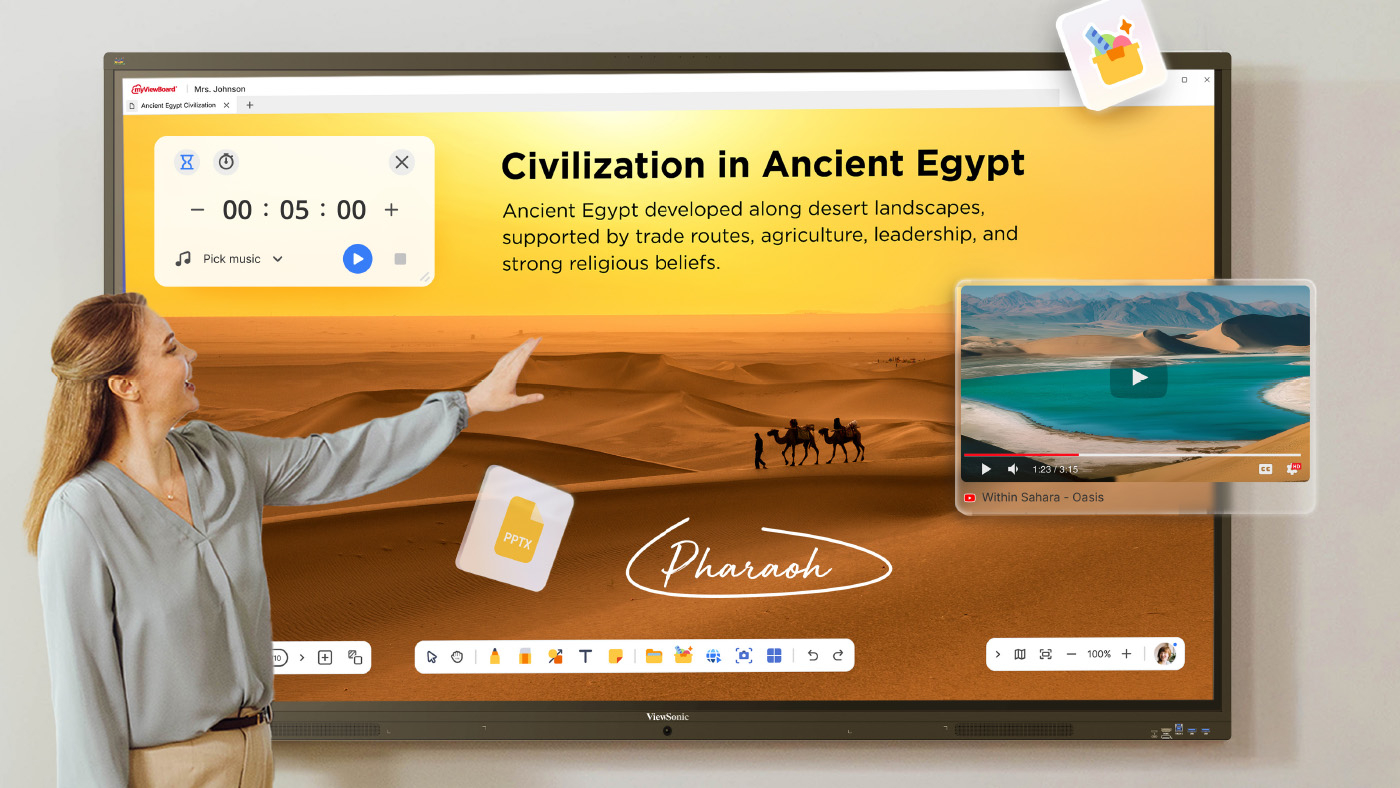
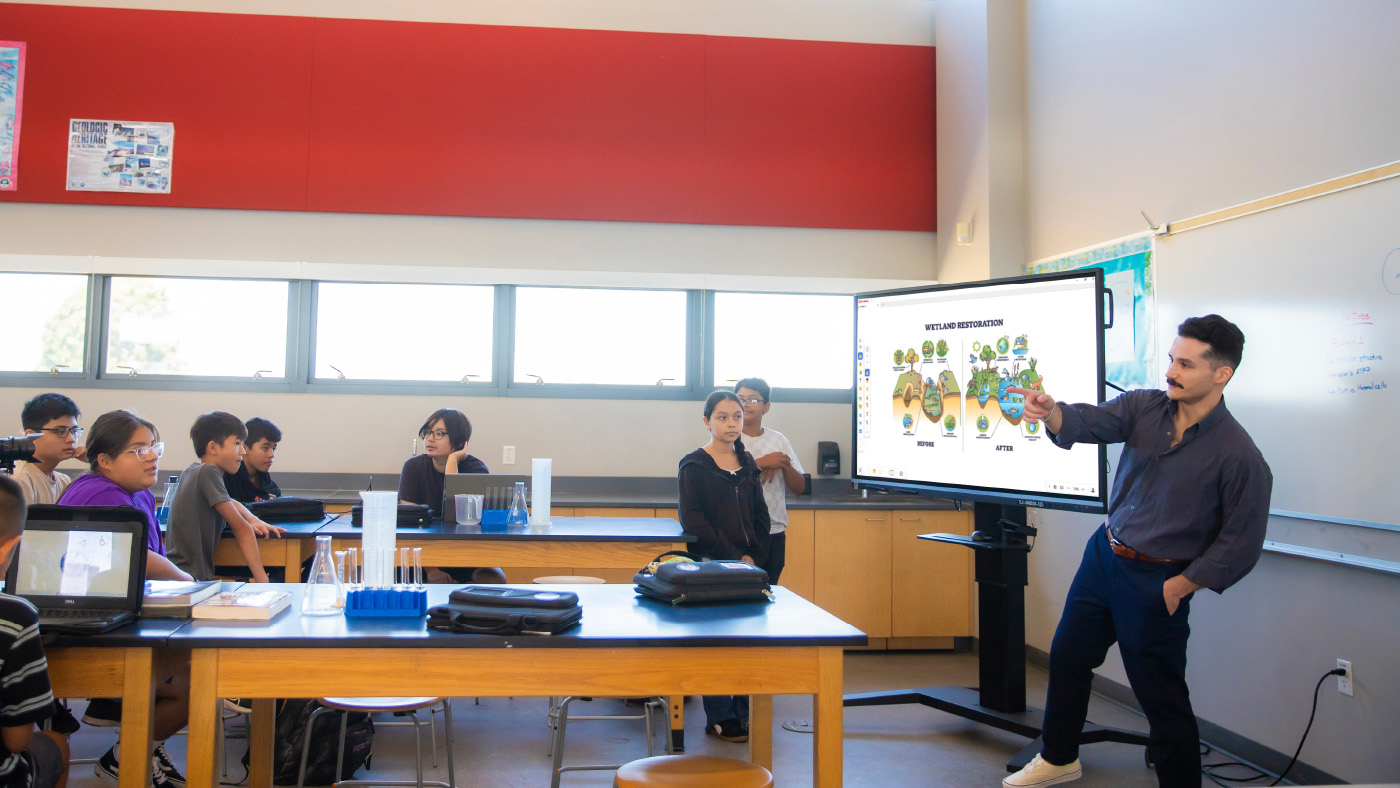
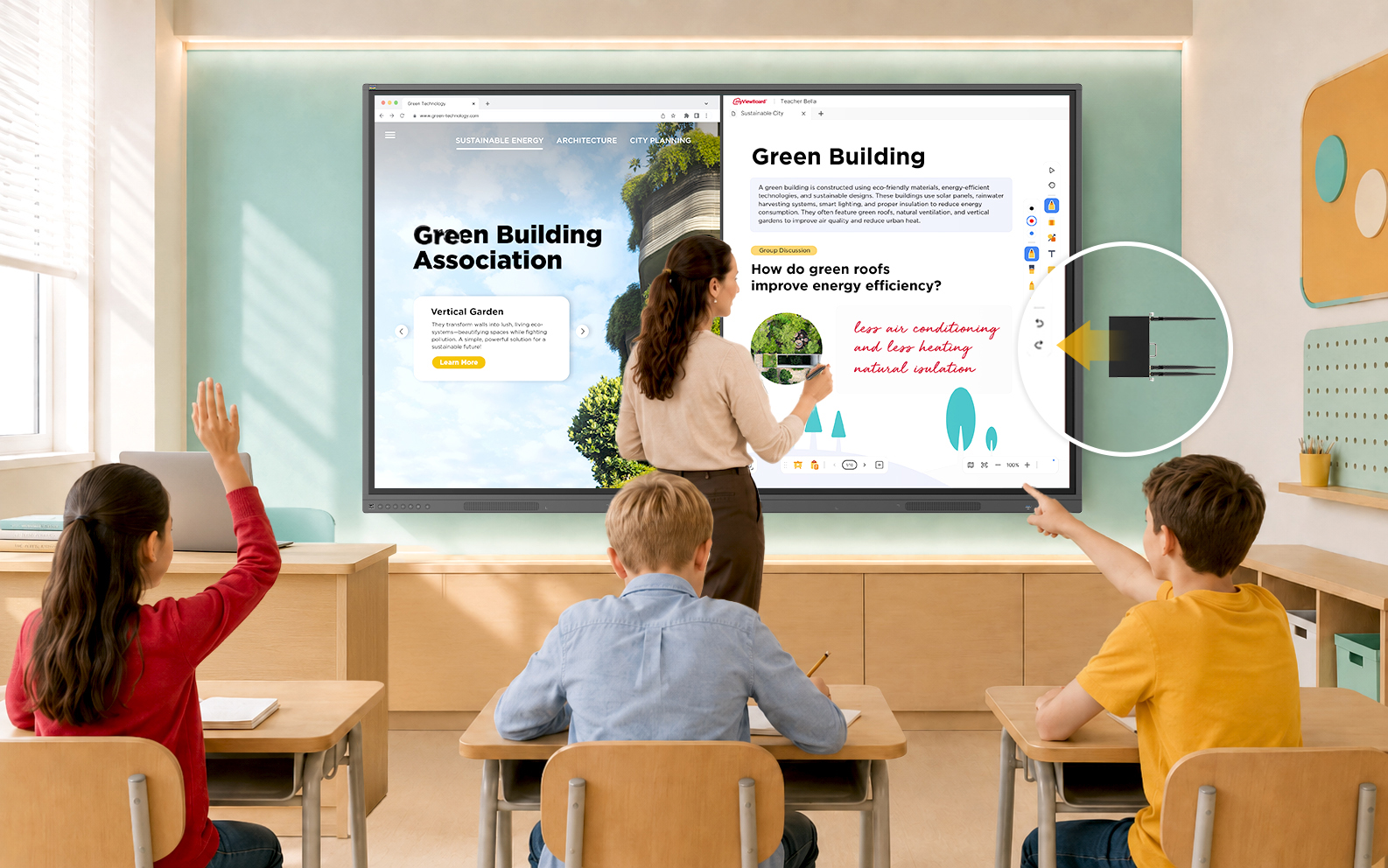
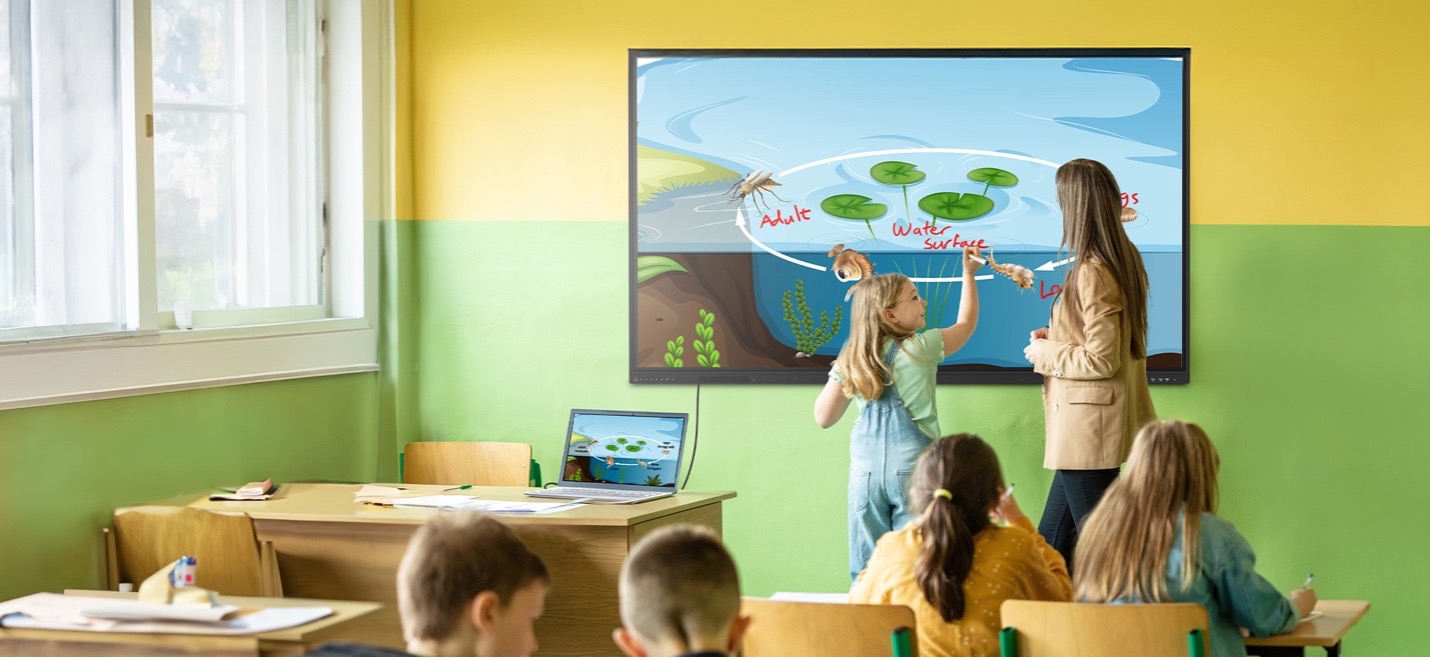
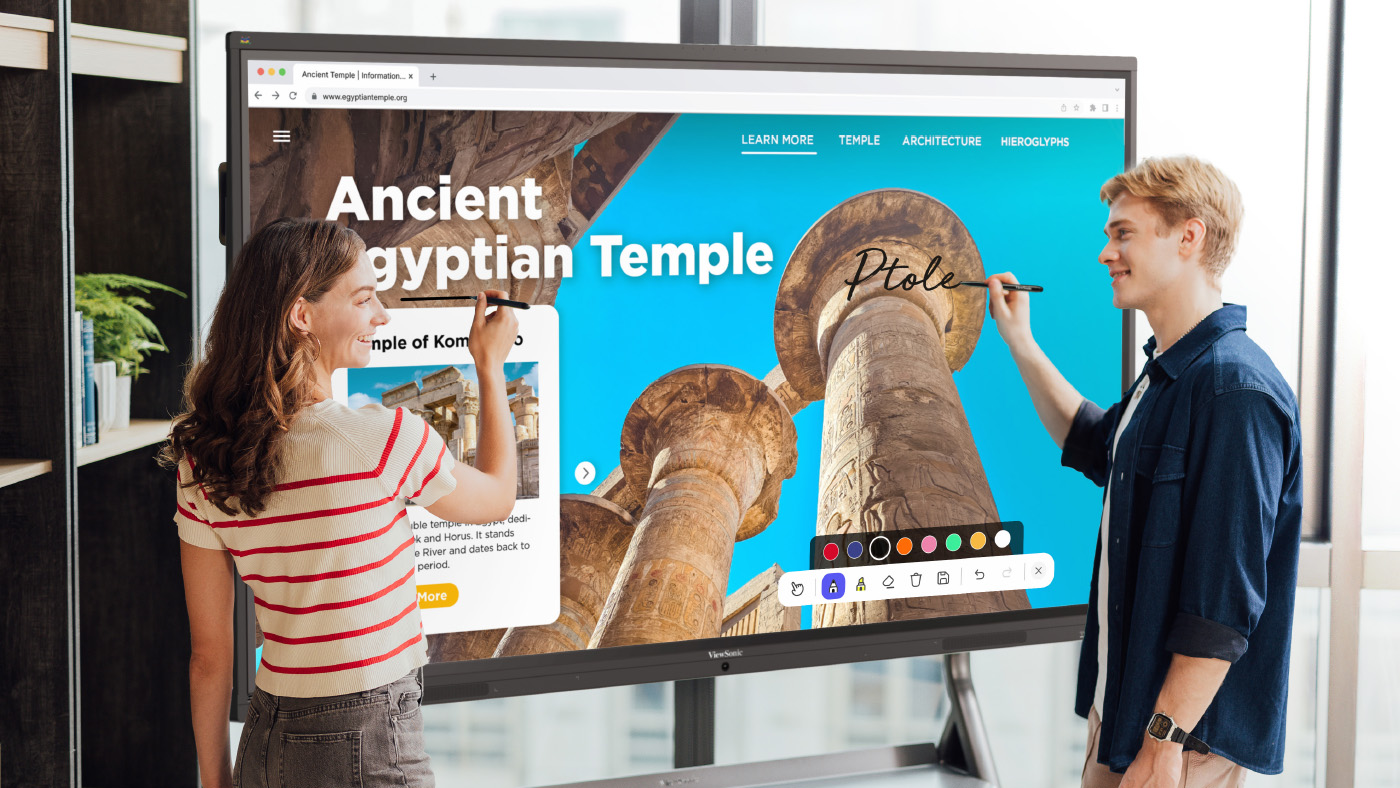
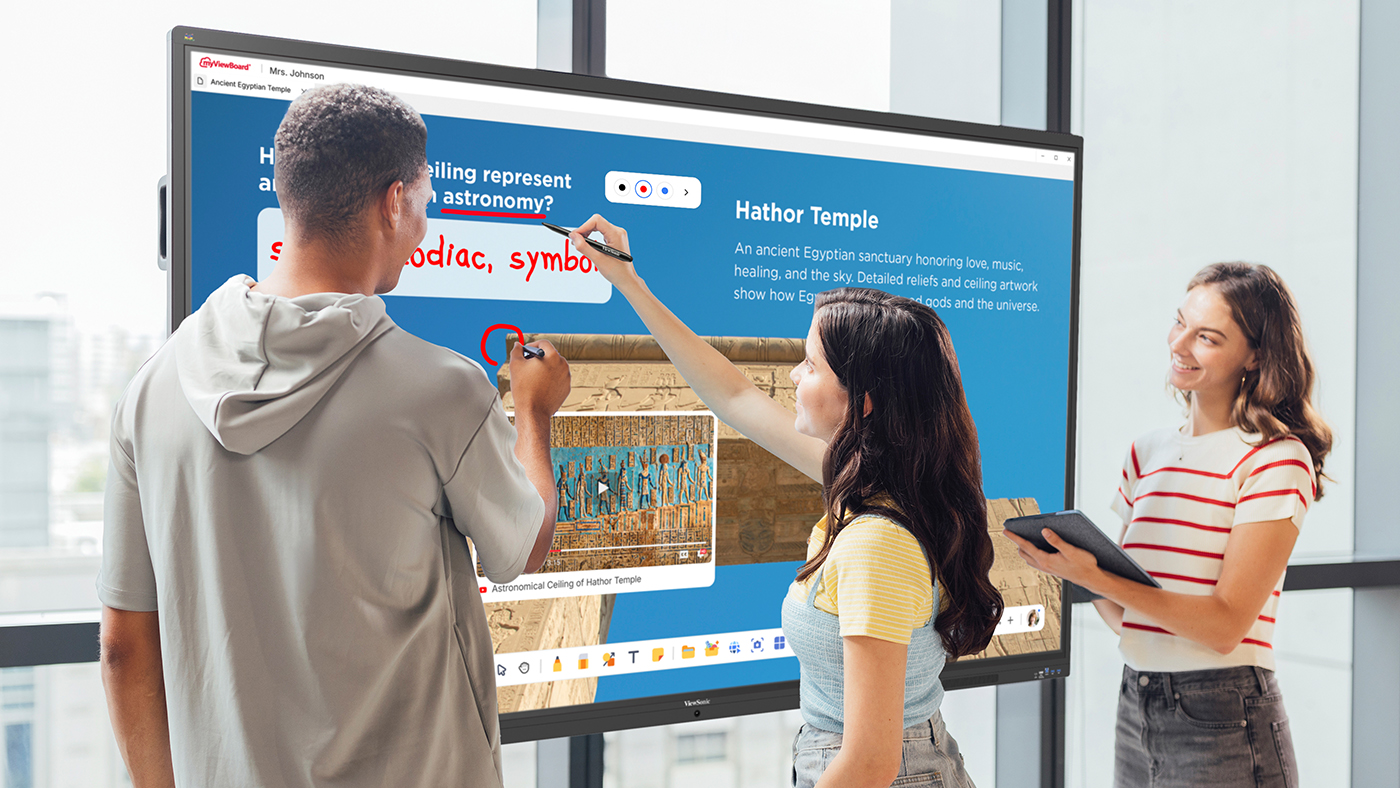
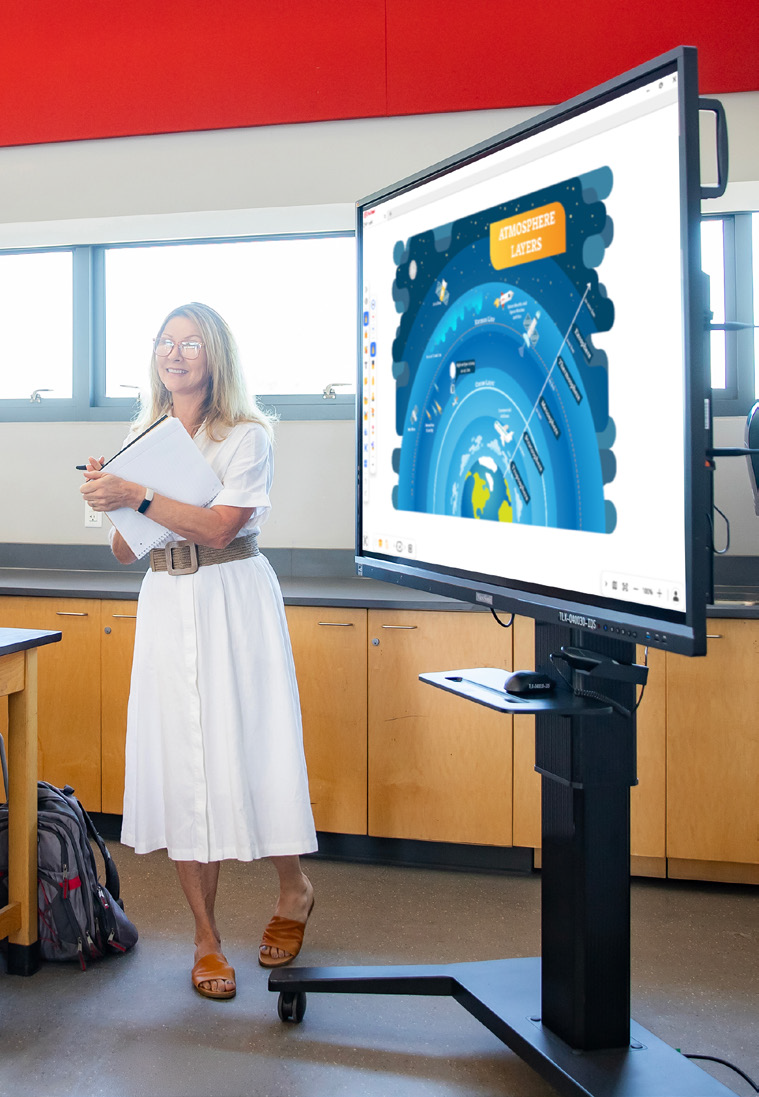
In our latest Community webinar, ViewSonic Professional Development Trainer, Enrique Hug, shared how educators can move from passive instruction to active student participation. The goal is to bring students to the front-of-class ViewBoard® interactive display to lead their own learning. With ViewBoard displays, the classroom becomes a collaborative hub rather than a teacher-centered lecture.

The 90% Problem: Why Interactivity Matters

Research suggests that in a traditional classroom, teachers tend to call on only 5% to 10% of students daily. This leaves 90% of the class sitting passively. While many teachers select popsicle sticks or ask for group answers, our strategy focuses on a better way. You can use the ViewBoard to engage that silent majority through tactile tools.

1. Participate Mode: The Engagement Multiplier

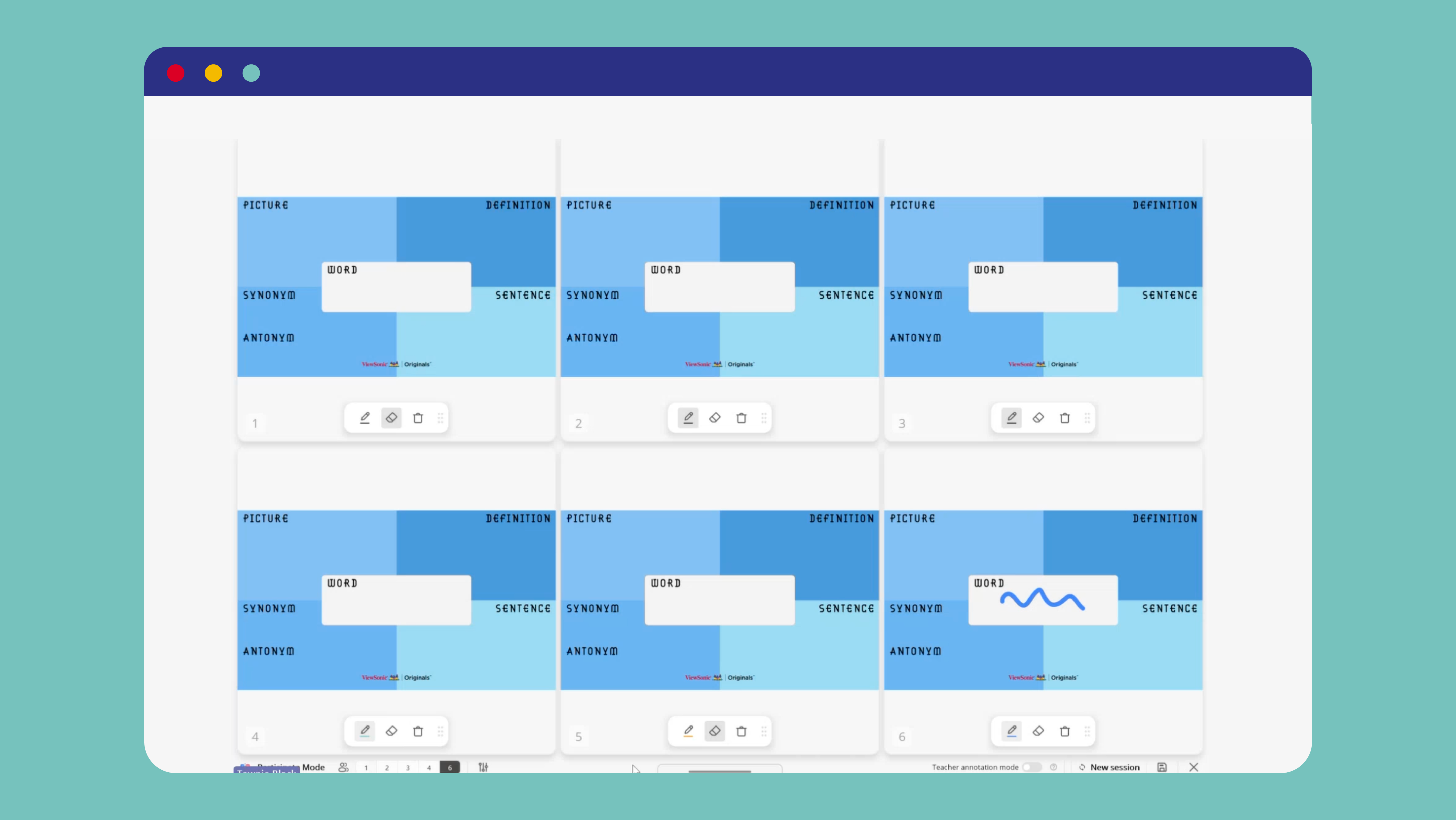
Why have one student at the board when you can have six? Participate Mode leverages the board’s 50+ point touch technology to create independent workspaces. This is one of the most powerful ways to turn a lesson into a hands-on experience.

  • Split Screen: Perfect for small group rotations or student-led modeling.
  • Exit Tickets: Quickly check for understanding by having group reps write answers simultaneously.
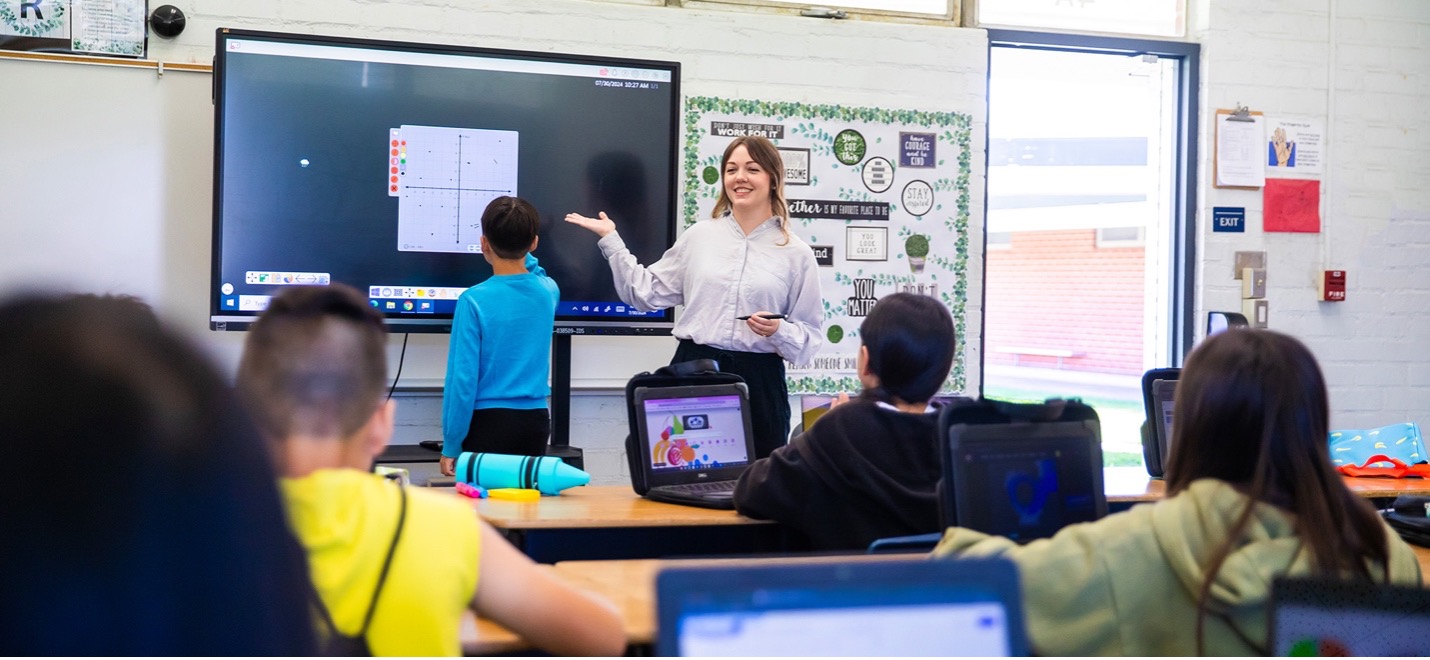
  • Independent Backgrounds: Set an XY-coordinate plane for one student and a world map

2. The Magic Box: Turning Math Into Manipulatives

One of the most versatile features of the myViewBoard whiteboarding software is the Magic Box. Itallows teachers to bridge the gap between abstract concepts and visual mastery by creating live math manipulatives in seconds. Here are just a few of the math features:

FEATURE CLASSROOM APPLICATION
DIGITAL DICE Generate numerators and denominators in real-time for probability or fraction lessons.
MATH FORMULA ASSISTANT A tool where users can write math formulas and symbols. Once finished, press insert to add it to the canvas as text.
TACTILE MASTERY Students can physically pull off a slice of a fraction to visualize the parts of a whole, making the learning kinesthetic.

3. Tailored Environments: Backgrounds That Work for You

One of the most powerful ways to streamline your workflow is through Background Customization. Your ViewBoard display shouldn’t just be a blank slate; it should be an environment tailored to your specific subject and teaching style.

  • Curated Originals: Access a massive library of pre-made backgrounds. Find exactly what you need, from XY-coordinate planes and world maps to primary lined paper and musical staves.
  • The Favorite Workflow: You can favorite the backgrounds you use every day, ensuring your primary teaching tools are always one tap away. Log in and save your favorites here.
  • Full Customization: You can upload your own custom PNGs or JPEGs directly to your cloud-connected folders. Whether it’s a specific graphic organizer or a school-branded template, your ViewBoard display works exactly how you work.

Empower Your Students

The true power of a ViewBoard display isn’t in what the teacher can do with it, but in what the students can discover through it. By shifting the focus toward student-led interactivity, students become active participants who look forward to coming to class every day, eager to see what they will create next on the board.

Watch the entire webinar here:

ViewSonic Educator Community

The ViewSonic® Educator Community is an interactive and collaborative forum designed to inspire and connect you with fellow educators from around the world. When joining our community, educators can share their own creativity and ideas, leverage the expertise of others, and gain new friends. It’s collaboration and growth at its finest.

Join Now

Community Webinar Recap: 3 Dynamic Ways to Level Up Whiteboard Content

Community Webinar Recap: 3 Dynamic Ways to Level Up Whiteboard Content

The myViewBoard® ecosystem is designed to be more than just a blank space. It’s a true hub for interactive learning! In a recent ViewSonic Community webinar, professional development trainer Carissa El-Chahabi showed us how to move beyond basic annotation. She demonstrated exactly how to transform your canvas into a rich multimedia experience.

Here are three powerful ways to bring your lessons to life.

1. Direct File Imports

There is no need to reinvent the wheel when planning your week. If you have existing resources saved as Google Docs, Promethean Flipcharts, Smart Notebook files, presentation slides or PDFs, you can open them directly inside your session.

2. Magic Box: Seamless YouTube Integration

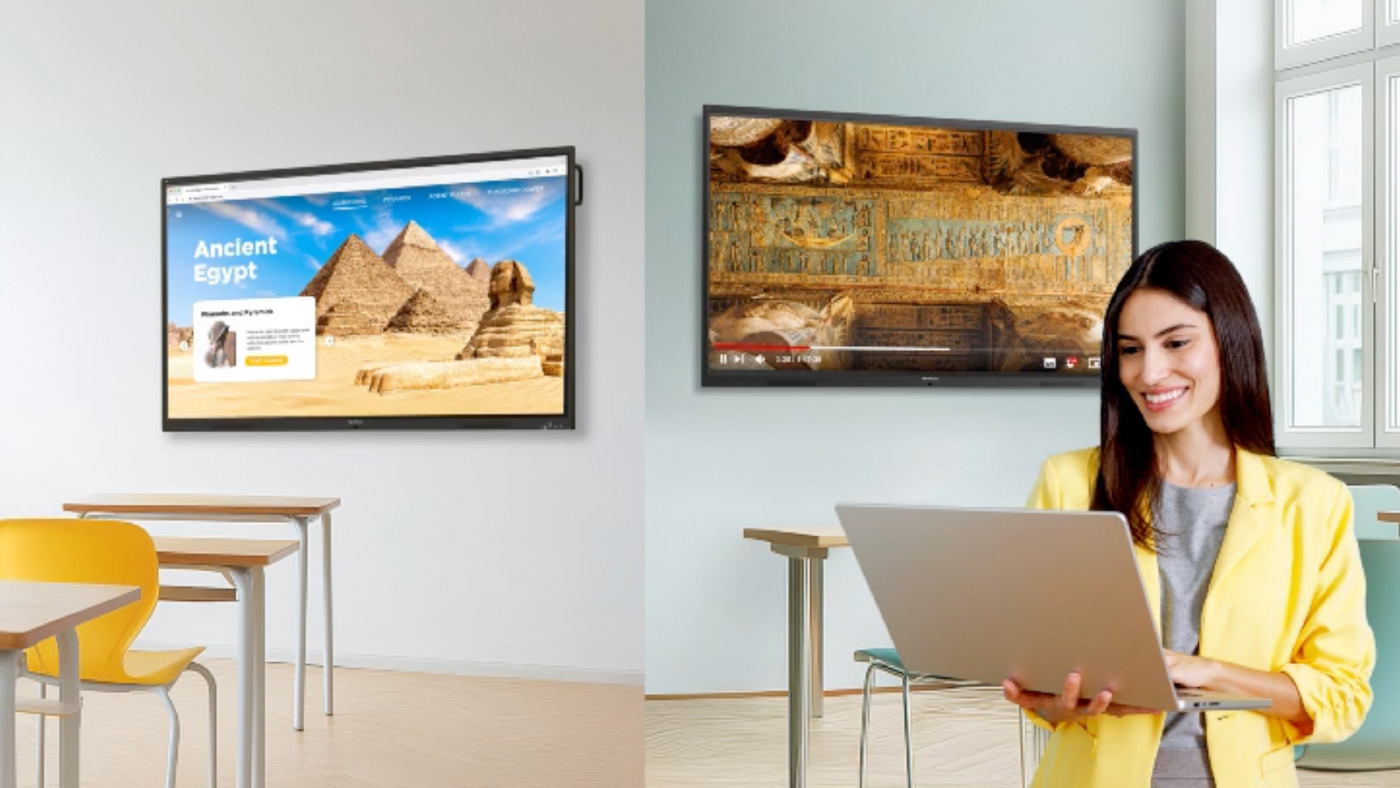
Stop fumbling with browser tabs and distracting web links. The Magic Box allows you to search for and embed YouTube videos directly onto your canvas.

Why is this a game changer? It automatically skips all those annoying advertisements. This keeps the classroom focus entirely on your curriculum. Because the video is embedded right into your file, you never have to leave the myViewBoard environment to hit play.

3. Magic Box: Integrated Image Search

Need a quick diagram of a plant cell or a high-res photo of the Colosseum? You can search and add images without having to go to the web or save on your computer.

Once you drop an image onto the canvas, our adorning menu gives you instant control. You can freely resize, crop or lock the image in seconds to fit your lesson layout perfectly.

Keep Learning With Us

We are always sharing new ideas and helpful tricks to make teaching easier. Ready to see these digital whiteboard features for yourself?

Watch the entire webinar here

Want to learn more from our experts? Join the ViewSonic Educator Community.

K-12 Summer IT Checklist for ViewBoard Interactive Displays

K-12 Summer IT Checklist for ViewBoard Interactive Displays

Everything K-12 IT admins need to close out the year: ViewBoard maintenance, firmware updates, staff accounts and summer planning in one guide.

K-12 End-of-Year IT Checklist:
Managing ViewBoard Interactive Displays and Campus Devices

For K-12 IT administrators, the end of the school year is the best opportunity you’ll have to ensure your campus is ready for the fall.

Because active instruction has paused, every task you complete eliminates a potential first-day emergency in September.

This guide outlines exactly how school IT admins can close out the year, optimize ViewBoard® interactive displays and ensure back-to-school readiness.

Plus, because you can complete most of these tasks remotely through ViewSonic Manager™ or Manager Advanced™, you can run your entire end-of-school checklist from a single screen.

Summer IT Maintenance Checklist At a Glance

The following checklist outlines your core priorities and the tools required to execute them before the new school year begins:

MANAGER (free)
Task Tool Priority
Encourage teacher lesson backup myViewBoard High
Panel cleaning and accessory audit On-site High
Enroll new devices On-site / ViewSonic Manager High
Update ViewBoard firmware ViewSonic Manager High
Push app updates ViewSonic Manager High
Remove/add staff accounts ViewSonic Manager High
MANAGER ADVANCED (paid)
Task Tool Priority
Audit remote access credentials Manager Advanced High
Security review Manager Advanced High
Power down unused displays Manager Advanced (automated) Medium
IN-PERSON
Task Tool Priority
Meet with ViewSonic representative ViewSonic VIP Program Medium
Plan professional development ViewSonic Professional Development Medium

Why Summer IT Maintenance Matters

In school IT, deferred maintenance behaves almost exactly like interest: it compounds into massive tech debt by September.

Addressing these tasks over the break means fewer surprises when teachers and students return in the fall.

How ViewSonic Manager Can Help IT Admins Prepare for Summer

ViewSonic Manager is a free, cloud-based device management platform that lets IT admins access, monitor and maintain their district’s ViewBoard® interactive displays from any browser.

Instead of dealing with displays individually, you can use the platform as a secure, centralized command center to control your entire fleet.

For school districts with larger deployments, the upgraded Manager Advanced tier adds automated job scheduling, device profiles and remote desktop access to handle bulk summer workflows without manual intervention.

If you haven’t already, enrolling your displays in ViewSonic Manager is one of the easiest ways to speed up and simplify every other task on your summer checklist.

On-Site Tasks: Checking Hardware Before the Break

A physical walkthrough before summer begins is the most effective way to protect your district’s hardware investment.

Addressing basic classroom wear now prevents minor physical issues from ballooning into expensive hardware replacements in the fall.

Clean and Inspect Every Display

  • Wipe screens and frames with a soft, dry microfiber cloth. Avoid harsh chemicals because they permanently ruin specialized anti-glare coatings.
  • Examine the physical mount, secure loose cables and inspect the connection ports for damage while standing at each panel.

Complete Your Accessory Audit

  • Locate and test every stylus, remote control and cable in each classroom to verify they are present and functioning.
  • Log any missing or damaged accessories immediately so you can place replacement orders early to avoid late-August shipping delays.

Enroll Any New Devices Immediately

  • Enroll newly received ViewBoard displays into ViewSonic Manager or Manager Advanced using a PIN, serial number or QR code.
  • Use the batch enrollment feature to streamline mass setups and bring your entire inventory under centralized control.

Remote Management:
What to Handle Through ViewSonic Manager

Once your physical walkthrough is complete, you can use ViewSonic Manager to handle the rest of your summer checklist.

Update ViewBoard Firmware

  • Review the status of your fleet and prioritize keeping firmware up to date.
  • Deploy updates for ViewBoard interactive displays manually or schedule automated installations using Manager Advanced.
  • Run these updates while classrooms are empty to avoid interrupting active classes.

Push App Updates Across All Devices

Update Your Staff Accounts

  • Revoke directory access for departing staff and pre-create accounts for incoming staff to prevent configuration delays.
  • Configure custom and role-based access permissions to ensure consistent access to devices and features in Manager Advanced.

Back Up Your Manager Console

  • Back up your ViewSonic Manager console before making bulk changes by navigating to Settings and selecting “Back Up and Restore.”
  • Maintain backups before and after major directory updates to secure your custom device groups.

Power Down Unused Displays

  • Scheduling power-offs can help cut utility costs and preserve backlight lifespans.
  • Instead of manually shutting down individual displays, save time by using ViewSonic Manager Advanced to apply shutdown rules to all panels or to specific groups based on usage.

myViewBoard Tasks:
Accounts, Subscriptions and Cloud Storage

Your physical ViewBoard interactive displays and myViewBoard® whiteboarding software function as a connected system. Managing your cloud environment now prevents access issues when teachers begin developing curriculum, creating lessons and collaborating on classroom activities.

Confirm myViewBoard Access

  • Verify that your school or district has active myViewBoard access. Entity accounts receive free access and do not require renewal.
  • Confirm that all accounts are set up and accessible before teachers begin lesson planning for the new year.

Verify Staff Accounts

Encourage Teachers to Back Up Their Lessons

  • Instruct teachers to back up important lessons and instructional materials to myViewBoard cloud storage.
  • Protect localized data from deletion during summer system resets or hardware replacements.

Device Lifecycle Planning:
Putting This Year’s Data to Work

The post-semester break is the ideal time to audit your hardware using ViewSonic Manager utilization reports.

By providing clear performance metrics on screen times, app usage and system uptime, this data helps you pinpoint underutilized displays and catch failing hardware early.

Use these insights to build a proactive, budget-conscious replacement strategy, and review them with your ViewSonic representative.

Setting Up the Next School Year

Decisions made now determine how smoothly your next deployment begins.

Target Professional Development

Audit support tickets to identify which teachers struggled with interactive display features this year. Use these insights to coordinate targeted training sessions with the ViewSonic Professional Development team instead of generic onboarding programs.
Teachers and education professionals can also join ViewSonic’s complimentary Educator Community to get access to free community webinars as well as certification courses.

Review Your Fleet Strategy

Schedule a planning session with your ViewSonic representative to go over hardware performance and plan out your refresh roadmap.

Run a Final Remote Readiness Check

Perform a quick remote audit through ViewSonic Manager and Manager Advanced before buildings reopen. Verify that firmware is current, display profiles are correctly assigned and all panels are online.

Looking to Make Device Management Easier?

ViewSonic Manager and Manager Advanced™ are enterprise device management solutions that can help automate routine maintenance, schedule updates and provide remote desktop support.

Right now, schools can try Manager Advanced free for 30 days.

Start your free 30-day trial

Frequently Asked Questions

What should IT admins do at the end of the school year?

K-12 IT admins should complete a physical hardware walkthrough, update ViewBoard firmware and apps, clean up staff accounts, back up their Manager console and review cybersecurity compliance. Most of these tasks can be handled remotely through ViewSonic Manager or Manager Advanced without leaving your desk.

How do schools manage devices over the summer?

Schools using ViewSonic Manager can handle firmware updates, app installs, power scheduling and account management remotely from a single web-based control panel. Manager Advanced adds automated job scheduling for teams managing larger fleets.

What’s included in the school IT checklist?

A complete K-12 end-of-year IT checklist covers hardware inspection, accessory audits, firmware updates, app updates, staff account management, data backups, cybersecurity review, device lifecycle assessment and back-to-school readiness planning.

How do you prepare classroom technology for next year?

Start with a physical inspection of all displays and accessories. Use ViewSonic Manager and Manager Advanced to update firmware, push app updates, clean up staff accounts and schedule power-offs for unused devices. Finish by pulling lifecycle reports and then meet with your ViewSonic rep to plan any deployments or refreshes before fall.

What is ViewSonic Manager and is it free?

ViewSonic Manager is free web-based device management software included with every ViewBoard interactive display. It allows IT admins to monitor and manage displays remotely across an entire district. Manager Advanced is an upgraded subscription tier that adds automation, device profiles and remote desktop access.

Ready to Make Next Year Your Smoothest One Yet?

Talk to a ViewSonic Education Expert to review your current setup, discuss your summer priorities and build out a school technology plan designed around your district’s needs.


Programs, pricing, specifications and availability are subject to change or cancellation without notice. Actual performance, compatibility and user experience may vary depending on system configuration, network conditions, usage environment and other factors. Selections, offers and programs may vary by country. Corporate names and trademarks stated herein are the property of their respective companies. Copyright © 2026, ViewSonic Corporation. All rights reserved. 6/26 [26ALL-EDU1359]

The Easy Button Universities Want: Improving Higher Ed AV Adoption

The Easy Button Universities Want: Improving Higher Ed AV Adoption

Professors want to walk into a room and have the tech be completely ready. According to the 2026 EDUCAUSE Students and Technology Report, students want their instructors to use technology efficiently and creatively. They actually feel a negative impact on their learning when they experience tech failures like broken projectors or watch instructors struggle to navigate systems. It is imperative that university technology is straightforward, easy to use and highly reliable from the very start.

Seamless Tech Integration

How do these displays connect to the campus? We designed our displays to work flawlessly with the control systems you already use. Because our products connect with RS-232, we easily integrate with industry leaders. ViewSonic® displays integrate into the Q-SYS Ecosystem via a Q-SYS library verified plugin. They are also fully compatible with Crestron, Extron and AMX.

This broad compatibility lets your IT team manage key functions like power, volume and inputs from one central spot. You get a simple setup that makes it easy to expand your system whenever you are ready.

The Power of Launch Commands

Can I launch software with a single button? Yes! Control system launch commands turn complex systems into simple one-touch experiences. A single button on the lectern removes hesitation and reduces support calls.
Even our software like myViewBoard® and AirSync™ can be launched using discrete commands on those command centers. This is a meaningful differentiator versus competitors that require manual navigation. It keeps the focus exactly where it belongs.

Benefits for the Entire Campus

How does this improve the classroom experience? The benefit of our products that work with control system launch commands is huge for your entire ecosystem.

  • IT teams do not need new systems or proprietary software from other companies.
  • They can use the exact control systems they are used to and have already implemented.
  • Instructors are actually going to use the tech and teaching becomes much more efficient.
  • Professors can focus entirely on the content instead of fumbling with the tech.
  • Classes move forward without annoying tech issues and students are far more satisfied with their learning.

Compatible Display Solutions

What products work with my control system? We offer a wide variety of products that cater to every instructor’s needs. All of these solutions work perfectly with major control systems like Q-SYS, AMX, Crestron and Extron.

Additional Tools for Instruction

How else can we improve the teaching experience? Beyond large room displays, we offer incredible solutions that help professors stay engaged with their students without worrying about the tech.

  • Podiums: The ID2456-4K touch display ensures instructors don’t turn their backs on students when they present.
  • Software: Tools like myViewBoard software for lectures or AirSync for wireless screencasting make digital sharing a breeze.

Simplify Your Campus AV Setup

Are you ready to upgrade your university displays? Upgrading your campus hardware shouldn’t mean rewriting your entire IT playbook. By choosing displays that respect your existing control systems, you create a stress-free environment for everyone.

Contact our team today to request a demo and explore our complete lineup of higher education display solutions!

Why Teachers Love Split Screen on ViewBoard® Interactive Displays

Why Teachers Love Split Screen on ViewBoard® Interactive Displays

Planning a district refresh? The ViewBoard® IFP41 series of interactive displays offers a Split Screen function that educators can’t get enough of. With Split Screen, teachers can show two sources at once. That means less time navigating between tabs and more time actually teaching.

Teaching requires juggling a dozen tasks at once while trying to keep 30 kids focused. This tool makes the ViewBoard a great SMART Board or Promethean alternative. It works the exact way a teacher thinks.

What Makes Split Screen a Game Changer?

With EDLA-certification, the ViewBoard IFP41 series of interactive displays seamlessly integrates with Google Apps to make multitasking easy. You can finally run two powerful applications side by side to keep your lessons flowing perfectly. It’s exactly what you want out of a classroom interactive display.

Brilliant Ways to Use Split Screen in Your Classroom

How are educators using this feature? Here are a few amazing ways this feature is being used in the classroom right now.

Content and Annotation

Can I write on my slides during a lesson? Yes! You can easily split your screen to show your Google Slides on one side with myViewBoard® software open on the other. This is the best interactive display for teachers who want to annotate and mark up their lessons in real time.

Real-Time Translation

How does split screen help English Language Learners? Using a ViewBoard IFP41 display with a built-in microphone, you can put your presentation slides side by side with Google Translate. This setup lets you translate your teaching into different languages in real time. That’s a massive help for English Language Learners.

Modeling and Research

Can I show my students how to take proper notes? The split screen setup is great for modeling how to read text and take notes. You can actively research a topic on one side and pull key ideas onto the digital whiteboard on the other. For example, nearly every teacher does some variation of opening Google Earth. If you live on a peninsula, you can pull up the map on the left side. Then you can use “peninsula” and “bay” as vocabulary words that you write on myViewBoard next to the image.

Visualizers and Wireless Tech

Does this work with document cameras and screen casting? Absolutely. You can use your visualizer on one side and have your slides or a web page open on the other. This is perfect for teachers who still rely on doc cams. You also have the amazing ability to cast screens with AirSync on one side while keeping your document or web page open on the other.

Preschool Engagement

Is this good for younger students? This tool works brilliantly for our youngest learners too. You can use a PDF with colorful shapes on one side and have the kids create those exact shapes on the other. It’s a really fun and interactive way of modeling for them.

Ready to Transform Your Classroom?

Are you looking for the perfect district refresh? The split screen feature eliminates technical confusion so you can focus on what you do best. It bridges the gap between complicated hardware and actual teaching needs.

Check out this video to see the Split Screen feature in action.

Amplify Your Lessons: The Power of Interactive Displays with a Built-In Microphone

Amplify Your Lessons: The Power of Interactive Displays with a Built-In Microphone

Every laptop or phone you purchase has a built-in microphone. Even your car probably has one! We rely on these tools for a variety of everyday tasks. They help us record audio and seamlessly dictate text. Best of all, they prevent the need to purchase bulky external hardware.

So why should your classroom technology be any different? When searching for the perfect interactive display for schools, audio should not be an afterthought. At ViewSonic, we spend a lot of time listening to educators. We know that managing extra cables and external tech is a massive headache. That’s exactly why we built high-quality microphone arrays directly into our ViewBoard® IFP41 series of interactive displays.

What Is an 8-Array Beamforming Microphone?

ViewBoard IFP41 displays feature a powerful 8-array beamforming mic. Think of a traditional microphone like a flashlight. It usually only picks up sound from one specific direction.

The microphones on our interactive displays are much smarter than that. It uses eight microphones working together to listen to multiple directions. The system then automatically filters out annoying background noises like loud HVAC units or quiet classroom chatter.

Some competitors expect you to buy expensive external mic pods. Others force you to settle for low-quality audio. A standard mic might just hear the teacher. Our display hears the whole room

How Can Built-In Microphones Transform Your Classroom?

Having a powerful microphone changes the game for daily instruction. Here are a few brilliant ways you can use this technology right now.

Can I Record My Lessons Easily?

Yes, lesson recording is seamless. If you are running a Windows device with our myViewBoard® software, you can easily share your screen and record your entire lesson. It’s the absolute easiest way to create flipped classroom content. It’s also a fantastic tool to catch up students who were out sick.

How Does Audio Help ESL Students?

Integrated mics unlock real-time translation. For classes with English Language Learners, tools like Google Translate are a lifesaver. With the integrated mics on the IFP41, you can use the voice feature in real time. A teacher can speak directions at the board. A student can speak right from their desk. The ViewBoard microphone easily picks up both voices to provide instant translations.

Is There a Way to Type Faster?

Use your voice to dictate text. Typing long directions on a large screen takes too much time. It’s especially tough when you have 20 students waiting for a moment to get distracted. The myViewBoard software offers seamless speech to text. You simply dictate your directions and they instantly show up as text on the ViewBoard screen.

Can I Use AI With My Voice?

You can talk directly to your favorite AI tools. The IFP41 is fully EDLA Certified. This means you have instant access to any app on the Google Play store. You can easily pull up your favorite LLM like Gemini or ChatGPT right on the board. Instead of typing out complex prompts, use the microphone to ask questions or generate lesson ideas. It feels incredibly natural. It’s just like having a teaching assistant standing right there with you.

What About Remote Learning and Class Discussions?

Capture every voice in the room. A built-in microphone bridges the gap between in-person and remote students. You can hop into a virtual meeting and every single participant can hear each other clearly. This ensures everyone learns from different perspectives.

You can also record student discussions directly into a document. Instead of taking frantic notes, let the board do the heavy lifting. It’s a great way to gather evidence of student learning and keep a reliable record of class participation.

Ready to Upgrade Your Classroom Technology?

Why settle for complicated audio setups? You shouldn’t have to purchase additional mics and messy cables to do basic things like recording a lesson. The ViewSonic ViewBoard IFP41 series gives you everything you need right out of the box. It makes your teaching better and your life a little easier.

Want to learn more about how our hardware can transform your school? Check out our full lineup of interactive displays today!

The Essential Role of Technology in the Return to the Office

The Essential Role of Technology in the Return to the Office 
By Deidre Deacon, ViewSonic Corp.


Canada’s workplace landscape is undergoing its most significant reset since the early pandemic years—but not because workers are suddenly eager to trade home offices for cubicles. The renewed push toward inperson work is being driven almost entirely by mandates: from governments, from major employers, and from the shifting economics of commercial real estate. Yet there’s another force reshaping this transition just as profoundly: technology. After years of refining highly efficient homeoffice setups, employees now expect the same seamless, intuitive experience when they walk through the office door. As a result, the tools that once supported remote work have become the critical infrastructure enabling a smooth, sustainable shift back to more officecentric hybrid models.


The public sector is leading the return to the office (RTO) charge, and the scale is unprecedented. CBC has reported that tens of thousands of provincial government employees in Ontario and Alberta have been ordered back to the office full time starting in 2026. This follows the federal government’s September 2024 directive requiring public servants to be onsite at least three days per week.


These are not gentle nudges. They are sweeping, top-down directives affecting the single largest employment block in the country. When governments mandate attendance, the ripple effects extend far beyond the workplace—reshaping transit patterns, downtown economies, and the broader labour market.


In the private sector, Canada’s major banks—RBC, Scotiabank, TD, and BMO—are reinforcing the shift. Employees are now expected to be in the office at least four days per week, with many roles moving to a full five-day schedule. Banks employ tens of thousands of workers, and their policies often set the tone for other large employers. Their pivot toward near-full-time office attendance signals a broader corporate recalibration: flexibility is narrowing, and the office is once again becoming the default.


The commercial real estate market is already reflecting this shift. According to CBRE’s national office report, Canada’s office vacancy rate fell from 18.7% in 2024 to 18% by the end of 2025—a 0.7‑point drop and the first decline since the pandemic began. A falling vacancy rate is a concrete indicator that more people are physically returning to office spaces – a change that is being attributed directly to the acceleration of RTO mandates—not voluntary worker behaviour. In other words, the market is responding to policy, not preference.


Yet even as employers tighten expectations, many workers remain deeply reluctant to give up remote work. Angus Reid data shows that three in five Canadians prefer to work mostly from home, and one in four would likely quit if forced back full time. This resistance is slowing actual attendance, even where mandates exist. Many employees comply only partially, and others are actively seeking roles that preserve hybrid or remote options. The tension between employer requirements and worker preferences has become one of the defining workplace dynamics of this era.


With new return to the office mandates in place, technology has evolved from a convenience to a critical infrastructure for ensuring a seamless transition. As companies implement these mandates, they’re discovering a truth employees have known for years: the physical workplace must now earn its relevance and compete with the efficiency of home setups by offering “phygital” environments – digital and physical spaces that are perfectly synchronized. After experiencing the autonomy and efficiency of remote work, professionals aren’t simply returning to desks; they’re evaluating whether the office can match the seamless, personalized workspaces they are accustomed to at home.


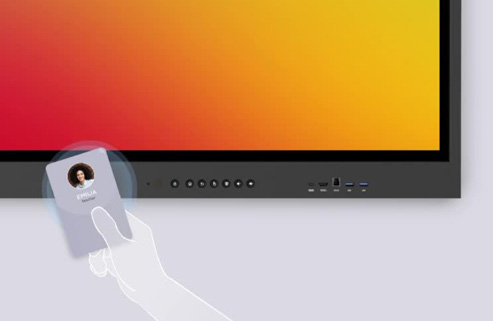
Forwardthinking organizations are blending physical and digital experiences so fluidly that employees barely notice the seams. When a meeting room recognizes you, when collaboration tools sync instantly across devices, when hybrid meetings feel equitable rather than awkward—suddenly the office becomes a destination, not an obligation.


This isn’t a matter of perks; it’s a matter of performance. Research shows that most employees view highquality technology as essential to doing their jobs well, and companies that invest strategically in advanced tools can unlock significant productivity gains. Technology is no longer a “nice to have” in the returntooffice era. It is the infrastructure that determines whether collaboration thrives or stalls.

The mandate may bring people back—but only the right technology will make them stay.


Organizations that want to make the return to office a seamless experience need to implement technology ecosystems that remove friction rather than create it. This is where ViewSonic’s approach becomes a compelling blueprint for what a high performance “phygital” workplace can look like. ViewSonic’s portfolio of display solutions prioritize seamless connectivity and real-time collaboration across devices and spaces, bridging the hybrid gap that many organizations are struggling to close.


Personal Productivity Without the Clutter
At the individual desk, USB-C docking monitors like the ViewSonic® VG2756-4K
 consolidate the entire workstation. This 27-inch display delivers high-speed data, 4K video, and 90W of power through a single cable connection. It also prioritizes user well-being with advanced ergonomics designed for all-day comfort. The integrated docking capability delivers immediate savings by removing the need for separate docking hardware, lowering total cost of ownership from day one. It also simplifies IT operations by standardizing on a single, fully compatible solution—eliminating the headaches that come with managing mixedbrand displays and docks, and avoiding the interoperability issues that slow teams down. The result is a clean, centralized hub that allows professionals to move from commute to deep focus without the usual tangle of adapters and peripherals.


Mobility for the Modern Hybrid Professional
Work is no longer confined to a single desk, and productivity shouldn’t be either. ViewSonic’s VG1656N portable monitor gives laptop users a completely wire-free second screen experience wherever they land—at a hot desk, a café, or between offices. With a built-in battery and wireless casting, this 16-inch display eliminates the need for power outlets or video cables, supporting the kind of complex multitasking that today’s flexible roles demand.


Collaboration at the Speed of Thought
In shared spaces, ViewSonic ViewBoard® interactive displays transform passive meetings into dynamic working sessions.

"...ViewSonic is a global leader in visual solutions and remains the #1 brand in market share for interactive displays worldwide (excluding China).¹"*

ViewSonic provides a platform that bridges the physical and digital worlds. Paired with TeamOne™ software, these displays turn any room into an interactive collaboration hub where in-person and remote participants can co-create on an infinite digital canvas.


For meeting environments where presentation takes precedence over interactivity, ViewSonic’s CDEG3 and CDE31 commercial displays offer a powerful alternative. For rooms requiring seamless integration with Microsoft Teams Rooms (MTR) or existing meeting systems, the CDEG3 commercial display series integrates seamlessly. Designed as an OS-less solution, it prioritizes security and boots up quickly, allowing meetings to start without delay. For spaces demanding even greater endurance, the CDE31 series is built for heavy-duty use. With 24/7 performance capabilities, it serves as a reliable workhorse for both high-traffic meeting rooms and continuous digital signage.


As organizations bring employees back into the office, the need for impactful, campuswide communication has never been greater. ViewSonic Direct View LED delivers a powerful platform to elevate corporate messaging, enhance collaboration, and modernize shared spaces. With purposebuilt solutions for every environment—LDS for dynamic company events and largescale functions, LDM and LDP for boardrooms and expansive meeting areas with stunning 1080p or 4K clarity, and LDE for costeffective video wall refreshes. Everything needed for deployment is delivered in one fully integrated package, making installation effortless, minimizing complexity, and enabling organizations to realize value significantly faster.


Reliability at Enterprise Scale
Behind the scenes, the ViewSonic Manager™ cloud platform gives IT teams the ability to monitor, update, and manage the entire display network remotely. This ensures that every workspace—from conference rooms to individual desks—remains a dependable, high-performance environment.


Together, these solutions demonstrate a simple truth: the return to the office succeeds only when the experience is worth returning to. By integrating rapid start hardware with intuitive personal and collaborative tools, ViewSonic isn’t just supporting hybrid work—it’s redefining what a modern, technology driven workplace can be.


As the return to the office continues to take hold, the gap between what workers want and what employers require will continue to shape the future of work—and determine how sustainable this mandated return truly is. Technology will play a pivotal role in bridging that divide, including visual solutions that enhance collaboration, creativity, and productivity across distributed, hybrid work teams.


# # #


Actual performance may vary depending on system configuration, usage environment, and other conditions; programs, pricing, specifications and availability are subject to change or cancellation without notice.

*"¹ Source: FutureSource Consulting, [Q3 2025] Interactive Displays Quarterly Market Tracker. Market share rankings exclude mainland China."


ViewSonic Delivers Technology Solutions for Esports Career Pathways, Metaverse Learning, and Hybrid Classrooms with Latest Displays and Tools

Female using ViewBoards to instruct a group of employees in a large room

UNIVERSE by ViewSonic™, Gaming Monitors and Device Management Stations to Showcase Hardware and Software Teaching Applications


SAN ANTONIO, TX – TCEA 2023, Booth #1153 – (Jan. 31, 2023) – ViewSonic Corp., a leading global provider of visual solutions, offers solutions for next-generation hybrid teaching and learning at the TCEA Convention and Expo, Jan. 31- Feb. 2, 2023 in San Antonio, TX. The ViewSonic® education solutions can transform classrooms and learning spaces into next-generation immersive and collaborative environments.


With innovative technologies ranging from desktop touch displays and esports monitors, to ViewBoard® interactive displays and the myViewBoard® software ecosystem, ViewSonic education solutions help to optimize participation and empower teachers with the best tools they need.


ViewSonic continues to support the education community by expanding its teacher certification program and building a community platform to ignite community engagement. The company’s hands-on approach to professional development has proved to be of great benefit for schools according to past participant reviews. Premium services begin with on-site PD that can also leverage virtual services. This helps to consistently infuse ViewSonic technologies throughout the instructional process so that educators can deepen their level of understanding.

 

“At TCEA, ViewSonic will have multiple stations to showcase how esports, metaverse teaching and learning, as well as device management can benefit schools,” said Kenneth Mau, Product and Channel Marketing Director at ViewSonic. “The fluidity of today’s learning and teaching environments can be a challenge for teachers and students. Together we can evolve with tools that take learning to a higher level. ViewSonic has been working with schools and teachers to create solutions so that sharing ideas, while communicating and learning with consistency, is the primary goal.”


There will also be several Micro-EdTalk sessions throughout the conference, from Digital Whiteboard training to metaverse education, held at the ViewSonic booth.


For further news and information about ViewSonic, visit ViewSonic.com and follow on Facebook, YouTube and Twitter.


About ViewSonic

Founded in California, ViewSonic is a leading global provider of visual solutions and conducts business in over 100 countries worldwide. As an innovator and visionary, ViewSonic is committed to providing comprehensive hardware and software solutions that include monitors, projectors, digital signage, ViewBoard® interactive displays, and myViewBoard® software ecosystem. With 35 years of expertise in visual displays, ViewSonic has established a strong position for delivering innovative and reliable solutions for education, enterprise, consumer, and professional markets and helping customers “See the Difference®.” To find out more about ViewSonic, please visit www.viewsonic.com.


#  #  #


This news release contains forward-looking statements that reflect the Company’s expectations with regard to future events. Actual events could differ significantly from those anticipated in this document. Trademark footnote: ViewSonic and the ViewSonic trademarks are trademarks or registered trademarks of ViewSonic Corporation in the United States and/or other countries. All other corporate names and trademarks stated herein are the property of their respective companies.

ViewSonic Delivers Technology Solutions for Esports Career Pathways, Metaverse Learning, and Hybrid Classrooms with Latest Displays and Tools

Feamle gamer using a headset and ViewSonic VX16 series monitor to play a game

UNIVERSE by ViewSonic™, Gaming Monitors and Device Management Stations to Showcase Hardware and Software Teaching Applications


NEW ORLEANS – FETC 2023 Booth #2801 – (Jan. 24, 2023) – ViewSonic Corp., a leading global provider of visual solutions, offers solutions for next-generation hybrid teaching and learning at the Future in Education Technology Conference [FETC], Jan. 24-26, 2023 in New Orleans, LA. The ViewSonic® education solutions can transform classrooms and learning spaces into next-generation immersive and collaborative environments.


As leaders in visual display solutions, ViewSonic transforms classrooms into immersive learning environments. With innovative technologies ranging from desktop touch displays and esports monitors, to ViewBoard® interactive displays and the myViewBoard® software ecosystem, ViewSonic education solutions help to optimize participation and empowers teachers with the best tools they need.


ViewSonic continues to support the education community by expanding its teacher certification program and building a community platform to ignite community engagement. The company’s hands-on approach to professional development has proved to be of great benefit for schools according to past participant reviews. Premium services begin with on-site PD that can also leverage virtual services. This helps to consistently infuse ViewSonic technologies throughout the instructional process so that educators can deepen their level of understanding.
 

“At FETC, ViewSonic will have multiple stations to showcase how esports, metaverse teaching and learning, as well as device management can benefit schools,” said Kenneth Mau, Product and Channel Marketing Director at ViewSonic. “The fluidity of today’s learning and teaching environments can be a challenge for teachers and students. We’ve been working with schools and teachers to create solutions so that sharing ideas, while communicating and learning with consistency, is the primary goal. Together we can evolve with tools that take learning to a higher level.”


Ruben Caputo, vertical marketing manager for education at ViewSonic will also be speaking at three presentations during FETC:

  • Tuesday, Jan. 24th from 12:15pm to 12:45pm: ESPORTS THEATER, Booth 551
    “From Player to Creator: Preparing Students for Careers in Interactive 3D”
    Find out how one can leverage student interest in games and esports to amplify a teaching program and prepare students for real-world skills.
  • Wednesday, Jan. 25th from 12:30pm to 1:00pm: ESPORTS THEATER, Booth 551
    “Pathway to Professional Careers in Esports”
    Esports has grown into a viable industry for many alike. This session will discuss the available career options as well as the pathway to obtain the available opportunities within the industries of gaming and esports.

  • Thursday, Jan. 26th from 9:45am to 10:15am: ESPORTS THEATER, Booth 551
    “The Esports Education Playbook: Empowering All Learners Through Inclusive Gaming”
    The esports ecosystem reaches far beyond that of the player. This extends into career possibilities in areas around game design, broadcasting, video production, advertising, and more.


There will also be several Micro-EdTalk sessions throughout the conference, from Digital Whiteboard training to metaverse education, held at the ViewSonic booth.


For further news and information about ViewSonic, visit ViewSonic.com and follow on Facebook, YouTube and Twitter.


About ViewSonic

Founded in California, ViewSonic is a leading global provider of visual solutions and conducts business in over 100 countries worldwide. As an innovator and visionary, ViewSonic is committed to providing comprehensive hardware and software solutions that include monitors, projectors, digital signage, ViewBoard® interactive displays, and myViewBoard® software ecosystem. With 35 years of expertise in visual displays, ViewSonic has established a strong position for delivering innovative and reliable solutions for education, enterprise, consumer, and professional markets and helping customers “See the Difference®.” To find out more about ViewSonic, please visit www.viewsonic.com.


#  #  #


This news release contains forward-looking statements that reflect the Company’s expectations with regard to future events. Actual events could differ significantly from those anticipated in this document. Trademark footnote: ViewSonic and the ViewSonic trademarks are trademarks or registered trademarks of ViewSonic Corporation in the United States and/or other countries. All other corporate names and trademarks stated herein are the property of their respective companies.

Demand for Visual Solutions Drives Strong First Quarter for ViewSonic Canada

Advancements in hybrid work and EdTech fueling demand for collaboration solutions, driving revenue growth for ViewSonic and its channel partners

Toronto, ON (May 5, 2022) – ViewSonic Canada, a subsidiary of ViewSonic Corp., a leading global provider of visual solutions, today announced strong first quarter performance driven by demand for its visual solutions across hybrid work and EdTech markets. In the transition back to the office and classroom, visual engagement solutions that connect people wherever they are, have proven to be critical enablers. This demand accompanies ViewSonic’s best-in-class partner program and one of the industry’s widest arrays of visual solutions encompassing hardware, software, service integration and best-in-class support. To support accelerating market demand, the ViewSonic Partner Program has been continually expanded with financial rewards and incentives to help drive partner growth at every stage of business.
 

“With 40% year-over-year growth, and 33% year-over-year for the quarter, our visual solutions are proven enablers for anywhere operations, digital learning and creating the digital spaces that are so essential for collaboration, content creation and sharing,” says Deidre Deacon, General Manager and Channel Chief for ViewSonic Canada. “From our strong partner network and robust inventory to more competitive pricing and expanded channel programs, we’ve exceeded growth expectations in Q1 and are on track for continued performance as we look towards closing the second half. Creating more opportunities for national, regional and market-focused VARs is our focus as we deepen our reach into growth markets for visual solutions and help drive partner profitability.”


In the first quarter, ViewSonic introduced a range of new visual solutions across all categories including commercial displays, interactive flat panel displays and whiteboarding software, desktop and gaming monitors, and projection display systems. The company’s depth and breadth of displays include the latest interactive and touch technology, in screen sizes for every application – from 15”to 98”. The company also expanded its bounty programs to include both virtual and in-person demo options that can be booked online 24/7, providing even more flexibility and paths for partners to build margin.


Gartner forecasts that by the end of 2023, 40% of organizations will move to anywhere operations blending virtual and physical experiences for increased productivity and customer reach. With its breadth of collaboration solutions that unlock the potential of anywhere collaboration and distributed workflows, ViewSonic and its partners are positioned for continued growth. Financial incentives at the core of its channel program provides ViewSonic’s partners with monthly rewards and rebates on focused lines of business, volume pricing opportunities and access to extensive digital resources through an accessible, easy to use online partner portal.


"As the pandemic subsides, innovative new digital spaces where people can interact are emerging across hybrid work, e-learning and commercial markets,” says Deacon. “We’re only starting to scratch the surface on realizing the true potential of collaboration solutions in connecting people in these new digital spaces, driving content creation, sharing and productivity. To support this innovation and enable continued growth, we’re expanding our national sales team with the addition of a new senior team member. Based in Vancouver, B.C., Don Kwan will support help us reach aggressive revenue targets in enterprise, commercial and education sectors for the western region. With a strong first quarter in the books and a track record of year-over-year growth, our team couldn’t be better positioned or more excited for the opportunities ahead.”


ViewSonic Partner Program

ViewSonic is a partner-first company, with a strong global partner network and diverse multi-source supply chain uniquely positions it as a vendor of choice within today’s enterprise, education, commercial and consumer markets. For more information or to join the ViewSonic Partner Program, click here.

For further news and information about ViewSonic, visit ViewSonic.com and follow on LinkedIn  Facebook, YouTube and Twitter.


About ViewSonic

Founded in California, ViewSonic is a leading global provider of visual solution products and conducts business in more than 100 countries worldwide. As an innovator and visionary, ViewSonic is committed to providing comprehensive hardware and software solutions that include monitors, projectors, digital signage, ViewBoard® interactive displays, and the myViewBoard™ software ecosystem. With more than 30 years of expertise in visual displays, ViewSonic has established a strong position for delivering innovative and reliable solutions for education, enterprise, consumer, and professional markets, and helping customers “See the Difference.” To find out more about ViewSonic, please visit www.viewsonic.com.


#  #  #


Media Contact:

Caroline McGrath

CMM Communications for ViewSonic Corp.

T: 416-972-1642

E: caroline@cmm-communications.com

ViewSonic Launches Next-Gen Digital Whiteboards at Enterprise Connect 2022

The IFP62 Series Digital Whiteboard Helps Teams Collaborate, Create and Share

Orlando, FL – Enterprise Connect, Booth #13134 (March 21, 2022) – ViewSonic Corp., a leading global provider of visual solutions, will launch its next-generation ViewBoard IFP62 series digital whiteboard at Enterprise Connect Conference and Expo, March 21-23, 2022 in Orlando, FL. Available in three sizes, 65-, 75- and 86-inches, the ViewBoard IFP62 line of interactive displays are a leading collaboration solution that allow enterprises to create smart and connected spaces for today’s hybrid workforce.


The ViewBoard IFP62 series of displays delivers limitless collaboration and boundless innovation. These next generation of digital whiteboard displays are designed to help teams collaborate, connect, create, and share, offering a solution to move ideas forward. The ViewBoard IFP8662, IFP7562 and IFP6562 features a bezel-less PCAP (projected capacitive) touchscreen with native Ultra HD 4K resolution. The super accurate interactive screen offers an incredibly natural and responsive writing experience, whether using fingers, styluses or both. These IFP62 displays allow multiple users to simultaneously write or draw on the panel.


Ideal for heavy usage in conference and meeting rooms, the ViewBoard IFP62 displays feature tempered glass screens for enhanced durability and clarity. The super sleek bezel wraps around the glass for maximum interactivity and viewing. The 20-point PCAP touch technology provides a super smooth and natural writing experience, and the native 4K resolution delivers amazing and vivid image quality. With USB Type-C connectivity, users can immediately begin sharing and collaborating with a single cable, while the integrated microphone array with echo cancellation and noise reduction technology ensures clear speaking and sound.


“We’re excited to launch the ViewBoard IFP62 series of interactive displays at Enterprise Connect,” said Jeff Muto, business line director at ViewSonic. “The conference brings together decision makers that can see the benefits of a communications and collaboration solution such as the ViewBoard IFP62 line. With these interactive displays, not only do businesses get next-generation hardware, but a complete solution for any specific collaboration need, including the software to manage the displays. With myViewBoard Manager software, IT teams can securely and easily set-up, manage and maintain the displays from a centralized dashboard. Optional slot-in PCs provide additional computing power.”


ViewBoard IFP8662

• 86-inch interactive display with native Ultra HD 4K resolution with 20-point projected capacitive touch technology


• Connectivity options include: USB-Type C, HDMI 2.0, USB 2.0/3.0, RJ45, RS232


• Android 8.0 operating system; 32GB storage


• Dual 12W stereo speaker and 15W subwoofer


• Integrated myViewBoard digital whiteboarding software with enterprise-level security; myViewBoard Manager to set-up, manage and maintain displays; and ViewBoard Cast to stream content from mobile devices


• Available: April 2022 for an estimated street price of $10,999.99


ViewBoard IFP7562

• 75-inch interactive display with native Ultra HD 4K resolution with 20-point projected capacitive touch technology


• Connectivity options include: USB-Type C, HDMI 2.0, USB 2.0/3.0, RJ45, RS232


• Android 8.0 operating system; 32GB storage


• Dual 12W stereo speaker and 15W subwoofer


• Integrated myViewBoard digital whiteboarding software with enterprise-level security; myViewBoard Manager to set-up, manage and maintain displays; and ViewBoard Cast to stream content from mobile devices


• Available: April 2022 for an estimated street price of $7,499.99


ViewBoard IFP6562

• 65-inch interactive display with native Ultra HD 4K resolution with 20-point projected capacitive touch technology


• Connectivity options include: USB-Type C, HDMI 2.0, USB 2.0/3.0, RJ45, RS232


• Android 8.0 operating system; 32GB storage


• Dual 12W stereo speaker and 15W subwoofer


• Integrated myViewBoard digital whiteboarding software with enterprise-level security; myViewBoard Manager to set-up, manage and maintain displays; and ViewBoard Cast to stream content from mobile devices


• Available: April 2022 for an estimated street price of $5,799


For further news and information about ViewSonic, visit ViewSonic.com and follow on Facebook, YouTube and Twitter.


About ViewSonic

Founded in California, ViewSonic is a leading global provider of visual solutions and conducts business in over 100 countries worldwide. As an innovator and visionary, ViewSonic is committed to providing comprehensive hardware and software solutions that include monitors, projectors, digital signage, ViewBoard® interactive displays, and myViewBoard™ software ecosystem. With 35 years of expertise in visual displays, ViewSonic has established a strong position for delivering innovative and reliable solutions for education, enterprise, consumer, and professional markets and helping customers “See the Difference®.” To find out more about ViewSonic, please visit www.viewsonic.com.


#  #  #


This news release contains forward-looking statements that reflect the Company’s expectations with regard to future events. Actual events could differ significantly from those anticipated in this document. Trademark footnote: ViewSonic and the ViewSonic trademarks are trademarks or registered trademarks of ViewSonic Corporation in the United States and/or other countries. All other corporate names and trademarks stated herein are the property of their respective companies.

ViewSonic Highlights Esports, Collaboration Tools and Other Display Technologies at CUE 2022

Company Co-Sponsors the CUE 2022 On-Site Gaming Tournament

Palm Springs, CA – CUE, Booth #503 (March 17, 2022) – ViewSonic Corp., a leading global provider of visual solutions, showcases its wide range of esports monitors, collaboration solutions and other display technologies for next-generation teaching and learning at the CUE Conference, March 17-19, 2022 in Palm Springs, CA. The company is also co-sponsoring an on-site Super Smash Bros. Ultimate gaming tournament, March 17-18th, with the Riverside County Office of Education for CUE attendees and students.


ViewSonic® esports and education solutions help transform classrooms into immersive and collaborative learning environments, from interactive learning with ViewBoard® interactive displays and myViewBoard™ collaborative software, to esports curriculum and arena development solutions.


Representatives from ViewSonic and the Riverside County Office of Education will be at CUE for product demonstrations and offering advice on building and creating esports teams and curriculums for school administrators. From equipment needs and organizing teams, to paths to graduation and scholarship opportunities, they can assist with recommending the technologies for esports labs on campus.


ViewSonic at CUE will showcase:

ViewBoard® Interactive Flat Panel Displays

• Award-winning 65-, 75- and 86-inch ViewBoard interactive displays with responsive multi-touch interactivity for powerful out-of-the box classroom collaboration


myViewBoard™ Ecosystem Software Upgrades

The powerful myViewBoard software tool allows teachers to plan/build lessons, create engaging content, seamlessly import multimedia files, easily save to the cloud, and connect with students. The latest upgrades include:

• Apple iOS Compatibility: Smart whiteboard features include single sign-on, file import and export, various tools and interactive functionality with all iOS devices and iMac M1 or newer (available in April)


• Whiteboard: Open Learning Format (OLF): cross-platform support and Participation Mode in Whiteboard Windows


• Manager/Manager Advanced: API Integration for message broadcasts; ViewBoard Box RS232 control for select non-ViewSonic displays (such as Promethean, SMART, Sharp, inFocus, Clevertouch and Newline); User Access Management and Restore Point


ViewSonic ELITE™ XG271QG and ELITE XG251G Esports Gaming Monitors

• The XG271QG is a 27-inch QHD (2560x1440) monitor with 240Hz refresh rate, a 1ms response time and NVIDIA Reflex and GSYNC technologies


• The XG251G is a 25-inch monitor with native 1080p resolution with a 360Hz refresh rate, 1ms response time and NVIDIA Reflex and GSYNC technologies


For further news and information about ViewSonic, visit ViewSonic.com and follow on Facebook, YouTube and Twitter.


About ViewSonic

Founded in California, ViewSonic is a leading global provider of visual solutions and conducts business in over 100 countries worldwide. As an innovator and visionary, ViewSonic is committed to providing comprehensive hardware and software solutions that include monitors, projectors, digital signage, ViewBoard® interactive displays, and myViewBoard™ software ecosystem. With 35 years of expertise in visual displays, ViewSonic has established a strong position for delivering innovative and reliable solutions for education, enterprise, consumer, and professional markets and helping customers “See the Difference®.” To find out more about ViewSonic, please visit www.viewsonic.com.

#  #  #


This news release contains forward-looking statements that reflect the Company’s expectations with regard to future events. Actual events could differ significantly from those anticipated in this document. Trademark footnote: ViewSonic and the ViewSonic trademarks are trademarks or registered trademarks of ViewSonic Corporation in the United States and/or other countries. All other corporate names and trademarks stated herein are the property of their respective companies.

The ViewSonic myViewBoard Ecosystem Surpasses Five Million EdTech Users

The myViewBoard Education Ecosystem Used in More than 5,000 Institutions Worldwide

Brea, CA (March 2, 2022) – ViewSonic Corp., a leading global provider of visual solutions, announces that its myViewBoard™ ecosystem has exceeded five million users, with the platform being used in more than 5,000 organizations around the world. Designed to assist in the transition of the digital classroom, the myViewBoard ecosystem is one of the fastest growing EdTech solutions in digital learning, leading the market with educator-centric features for remote and hybrid learning.


Launched in 2018, myViewBoard was built to facilitate digital content creation, communications, and collaboration in the classroom. The platform features a wide range of benefits that make it suitable for several learning applications. As an education technology solution provider, ViewSonic developed myViewBoard software and interactive hardware to provide broad spectrum solutions with a focus on open ecosystems and interoperability. The myViewBoard ecosystem allows educators to benefit from digital and online learning.


“ViewSonic is extremely proud to have hit this milestone,” said Jeff Muto, product and business line Director at ViewSonic. “The way the myViewBoard ecosystem enhances and expands the scope of teaching is something that we continuously strive to achieve. As myViewBoard evolves, to be more open, flexible, and accessible, we’re excited to help drive education technology with comprehensive solutions.”


myViewBoard is a powerful tool for hybrid education that was developed by teachers for teachers. Through an open and agnostic, easy-to-use platform, myViewBoard allows real-time wireless collaboration, screen mirroring/sharing, and digital whiteboarding. myViewBoard tools and features are constantly updated and optimized with feedback from educators to ensure that the software evolves to sustain an effective and engaging learning environment. The platform is hardware agnostic and can be used with devices running on Windows, Android and iOS operating systems, making it simple for schools to incorporate it into their existing infrastructure.


For further news and information about ViewSonic, visit ViewSonic.com and follow on Facebook, YouTube and Twitter.


About ViewSonic

Founded in California, ViewSonic is a leading global provider of visual solutions and conducts business in over 100 countries worldwide. As an innovator and visionary, ViewSonic is committed to providing comprehensive hardware and software solutions that include monitors, projectors, digital signage, ViewBoard® interactive displays, and myViewBoard™ software ecosystem. With over 30 years of expertise in visual displays, ViewSonic has established a strong position for delivering innovative and reliable solutions for education, enterprise, consumer, and professional markets and helping customers “See the Difference®.” To find out more about ViewSonic, please visit www.viewsonic.com.


#  #  #


 This news release contains forward-looking statements that reflect the Company’s expectations with regard to future events. Actual events could differ significantly from those anticipated in this document. Trademark footnote: ViewSonic and the ViewSonic trademarks are trademarks or registered trademarks of ViewSonic Corporation in the United States and/or other countries. All other corporate names and trademarks stated herein are the property of their respective companies.

ViewSonic Showcases Latest Collaboration Tools and Display Technologies at TCEA 2022

Company Showcases New Software Upgrades and Products for Immersive Learning and Flexible Learning Environments

DALLAS – TCEA, Booth #1313 (Feb. 8, 2022) – ViewSonic Corp., a leading global provider of visual solutions, showcases its wide range of display technologies, collaboration solutions and esports products for flexible, next-generation teaching and learning at the TCEA Conference, Feb. 8-10, 2022 in Dallas, TX. ViewSonic® esports and education solutions help transform classrooms into immersive and collaborative learning environments, from interactive learning with ViewBoard® interactive displays and myViewBoard™ collaborative software to esports curriculum and arena development solutions.

ViewSonic at TCEA will highlight:

ViewBoard® Interactive Flat Panel Displays


Award-winning 65-, 75- and 86-inch ViewBoard interactive displays with responsive multi-touch interactivity for powerful out-of-the box classroom collaboration


myViewBoard™ Ecosystem Software Upgrades


The powerful myViewBoard software tool allows teachers to plan/build lessons, create engaging content, seamlessly import multimedia files, easily save to the cloud and connect with students. The latest upgrades include:


• Whiteboard: Open Learning Format (OLF): cross-platform support and Participation Mode in Whiteboard Windows


• Clips: Video quizzes; My Lesson Plans and Classroom Breakout Groups


• Manager/Manager Advanced: API Integration for message broadcasts; ViewBoard Box RS232 control for select non-ViewSonic displays (such as Promethean, SMART, Sharp, and Newline); User Access Management and Restore Point


• Esports Gaming Monitors


The ViewSonic ELITE™ XG271QG and ELITE XG251G deliver high-performance with features engineered for professional-level gaming in competitive esports.


• The XG271QG is a 27-inch QHD (2560x1440) monitor with 240Hz refresh rate, a 1ms response time and NVIDIA Reflect and GSYNC technologies


• The XG251G is a 25-inch monitor with native 1080p resolution with a 360Hz refresh rate, 1ms response time and NVIDIA Reflect and GSYNC technologies


“ViewSonic continues to engage and expand in the education space, and we’re constantly integrating working solutions for teachers and students,” said Kenneth Mau, director of Product and Channel Marketing at ViewSonic. “We want to energize and motivate students and encourage teachers to make the most of today’s learning environment, whether remote, hybrid or in-classroom. ViewSonic products work with existing technologies and seamlessly fit into virtually any teaching/learning environment. As school’s needs change, we have interactive learning and esports products that meet just about any demand.”


For further news and information about ViewSonic, visit ViewSonic.com and follow on Facebook, YouTube and Twitter.


About ViewSonic

Founded in California, ViewSonic is a leading global provider of visual solutions and conducts business in over 100 countries worldwide. As an innovator and visionary, ViewSonic is committed to providing comprehensive hardware and software solutions that include monitors, projectors, digital signage, ViewBoard® interactive displays, and myViewBoard™ software ecosystem. With over 30 years of expertise in visual displays, ViewSonic has established a strong position for delivering innovative and reliable solutions for education, enterprise, consumer, and professional markets and helping customers “See the Difference®.” To find out more about ViewSonic, please visit www.viewsonic.com.


#  #  #


This news release contains forward-looking statements that reflect the Company’s expectations with regard to future events. Actual events could differ significantly from those anticipated in this document. Trademark footnote: ViewSonic and the ViewSonic trademarks are trademarks or registered trademarks of ViewSonic Corporation in the United States and/or other countries. All other corporate names and trademarks stated herein are the property of their respective companies.

ViewSonic Delivers Solutions to Help ProAV Professionals Manage the Evolving Environments in the Business and Education Markets at InfoComm 2021

ViewSonic Showcases New Interactive Flat Panel Series and Highlights its Line of Collaboration Tools and Display Solutions

Orlando, FL (Oct. 27, 2021) – ViewSonic Corp., a leading global provider of visual solutions, showcases its line of collaborative and integrated display solutions at InfoComm 2021 in Orlando, FL, October 27-29, 2021. ViewSonic offers a wide range of displays, from ViewBoard interactive touchscreens for classrooms and boardrooms, to gaming monitors that create the perfect esports arena, to rugged commercial displays for wayfinding and messaging across campuses.


With its broad line of display solutions, ViewSonic delivers products that help ProAV installers and integrators manage the evolving environment changes for their customers. Whether the office or classroom is in-person, remote or hybrid, ViewSonic has the integrated solutions to create an ecosystem that fits best for the customer. These display solutions become essential to communication, messaging, and collaboration.


A singular ecosystem allows for the convergence of hardware and software, ensuring ProAV professionals can offer improved recommendations to their customers. This type of all-in-one solution can help reduce the processes of applications, from bids and demonstrations to evaluations and purchases, and with shorter deployment cycles, that complement tighter budgets. In addition, ViewSonic’s revamped partner program delivers new financial incentives and sales enablement tools that make it easy for partners to drive growth as demand accelerates for collaboration solutions.


“Businesses, schools and other industries, such as healthcare, need different solutions to connect, not only with each other, but for their clients, employees, and students,” said Ryan Strayer, Senior Director of ProAV Distribution at ViewSonic. “ViewSonic focuses on what our ProAV partners need to continue to build their businesses and ensure that their customers’ requirements are met. We have a wide range of technologies and feature-rich display solutions to promote productivity and communication.”


InfoComm Highlight Products:


NEW

ViewBoard IFP62 Series Interactive Displays

• Native 4K Ultra HD (3480x2160) resolution


• Bezel-less PCAP (projected capacitive) touchscreen provides a natural and responsive handwriting experience


• USB-C with up to 65W of power delivery for charging your accessories


• Integrated 2.1 sound system (2x 12W front-facing speakers and 1x 15W subwoofer)


• Built-in MEMS microphone array with noise cancellation capabilities


• Comes with myViewBoard and ViewBoard Cast software for interactivity, collaboration, communication, and engagement


• Cloud-based myViewBoard™ Manager allows for remote monitoring, managing apps and pushing out broadcasts


ViewBoard® IFP52 Series Interactive Displays

• Native 4K Ultra HD (3480x2160) resolution


• Integrated 45W sound bar (2x 15W front-facing speakers and 1x 15W subwoofer)


• Built-in microphone array with audio detection and noise cancellation capabilities and front-facing connectivity ports


• USB-C with up to 60W of power delivery for charging your accessories


• Enhanced user interface for access to Side Tool Bars to easily call-up shortcut menus and access to On-Screen Display


• Comes with myViewBoard™ and ViewBoard Cast™ software for interactivity, collaboration, communication, and engagement


• Cloud-based myViewBoard™ Manager allows for remote monitoring, managing apps and pushing out broadcasts


All-in-One Direct View LED Displays

• 108-inch to 216-inch sizes, all-in-one, direct view LED displays


• Easy to install and collaborate for a cost-effective, all-in-one video wall solution


• Native 1080p Full HD (1920x1080) resolution; 120% Rec.709 color; 600 nits of brightness; 4,440Hz refresh rate; ultra-fine pixel pitch


• Embedded SoC platform; Android 8.0 O/S; 4GB RAM; 32GB internal memory


• Integrated ViewBoard Cast™ local screen sharing software and the myViewBoard™ Display remote content sharing software


• Cloud-based myViewBoard™ Manager allows for remote monitoring, managing apps and pushing out broadcasts


• Chrome, Android, Windows, Mac OS, and iOS compliant


CDE7520-W Large Format Presentation Display

• 75-inch premium 4K large format presentation display


• Native 4K Ultra HD (3480x2160) resolution; 450-nit high brightness; 178-degree ultra-wide viewing angles


• Embedded SoC platform; Android 8.0 O/S; 3GB RAM; 16GB internal memory


• Integrated ViewBoard Cast™ local screen sharing software and the myViewBoard™ Display remote content sharing software


• Cloud-based myViewBoard™ Manager allows for remote monitoring, managing apps and pushing out broadcasts


• Chrome, Android, Windows, Mac OS, and iOS compliant


NEW

ELITE XG2431 Gaming Monitor

• Ultra-sleek, borderless 24-inch gaming monitor with native 1080p (1920x1080) resolution

• 240Hz refresh rate; ultra-fast 1ms (MPRT) response time

• AMD FreeSync Premium technology; Blur Busters approved; Exclusive PureXP™ Motion Blur Reduction

• VESA HDR400 Certified

• Connectivity includes: HDMI 1.4, DisplayPort, USB-A/B and Audio-Out


NEW

LS500W LED Projector

• LED-based projector with native WXGA (1280x800) resolution at 3,000 LED lumens of brightness

• 2nd generation LED technology-based projector; RGBB LED light source enhances brightness*

• 125% Rec.709 color accuracy with Cinema SuperColor+ technology for vivid color reproduction

• Connectivity options include: HDMI 1.4/HDCP 1.4, RS232 and Component inputs

• Energy saving features such as: Auto Power Off, Sleep Timer and Power Savings functions


See all of the products showcased at InfoComm here. For further news and information about ViewSonic, visit ViewSonic.com and follow on Facebook, YouTube and Twitter.


About ViewSonic

Founded in California, ViewSonic is a leading global provider of visual solutions and conducts business in over 100 countries worldwide. As an innovator and visionary, ViewSonic is committed to providing comprehensive hardware and software solutions that include monitors, projectors, digital signage, ViewBoard® interactive displays, and myViewBoard™ software ecosystem. With over 30 years of expertise in visual displays, ViewSonic has established a strong position for delivering innovative and reliable solutions for education, enterprise, consumer, and professional markets and helping customers “See the Difference.” To find out more about ViewSonic, please visit www.viewsonic.com.


#  #  #


*Light source lifespan may vary based on actual usage and other factors. Program, pricing, specifications, and availability are subject to change without notice.


This news release contains forward-looking statements that reflect the Company’s expectations with regard to future events. Actual events could differ significantly from those anticipated in this document. Trademark footnote: ViewSonic and the ViewSonic trademarks are trademarks or registered trademarks of ViewSonic Corporation in the United States and/or other countries. All other corporate names and trademarks stated herein are the property of their respective companies.

ViewSonic Showcases Classroom Collaboration Tools for Evolving and Enhanced Learning Environments

From In-Class to Hybrid to Remote Learning, the Latest Teaching Solutions Create Better Learning Experiences for a Digital Classroom

PHILADELPHIA, PA (Oct. 26, 2021) – ViewSonic Corp., a leading global provider of visual solutions, presents its latest solutions for a collaborative and digital classroom with a variety of hardware and software tools at the EDUCAUSE 2021 Annual Conference in Philadelphia, PA, Oct. 26-29, 2021. As learning environments continue to evolve, ViewSonic is leading the way with innovative, teacher-centric solutions, services and support that improve student engagement and outcomes.


As schools continue adapting to fluid learning environments to match the needs of remote, in-class and hybrid settings, ViewSonic offers in-depth solutions from hardware to software to assist in developing and matching the needs of the digital classroom.


“ViewSonic is continuing to build on our commitment to the education community to deliver better hardware and software that meets the needs of our education partners,” said Bari Gersten, vertical marketing manager for Education at ViewSonic Americas. “This latest generation of hardware and software technologies create learning environments that are even more engaging. The functionality of these solutions are more streamlined for ease-of-use, minimal IT management and maximum collaboration.”


SOFTWARE:

As one of the fastest growing EdTech solutions in digital learning, the myViewBoard™ software suite continues to lead the market with educator-centric, management features that transform remote and hybrid learning. The ViewSonic® myViewBoard™ software suite delivers powerful tools that empower teachers to build lesson plans, create engaging content and share lessons with students. It works with Windows-, Android- and cloud-based environments, and can work with existing technology for seamless integration.


A part of the ViewSonic myViewBoard education ecosystem, myViewBoard Manager Advanced™, myViewBoard Clips™ and myViewBoard Classroom™ let you do everything from managing multiple devices, creating engaging content to video-assisted learning and so much more.


myViewBoard Visual Learning Software Suite

• Collection of software tools as part of the myViewBoard education ecosystem


• Software suite includes: myViewBoard Manager Advanced, myViewBoard Clips, myViewBoard Classroom, and more


• Allows real-time wireless collaboration, screen mirroring/sharing and digital whiteboarding


• Works with Windows-, Android- and cloud-based environments


HARDWARE:

This latest generation of ViewBoard® IFP displays allows teachers and educators to access legacy files from the cloud and build new interactive lessons. IT administrators and teams can easily manage files from a secure cloud network, and curriculum directors can rest-assured that the myViewBoard™ software ecosystem can be easily integrated with online resources. The built-in myViewBoard digital whiteboarding and myViewBoard Cast™ software allows users to maximize the interactivity of the displays to engage, collaborate and communicate easily while the myViewBoard Manager allows IT administrators to control and monitor devices, as well as broadcast messages to any display panels from anywhere. A companion devise for the myViewBoard digital whiteboarding ecosystem, the ViewSonic® ViewBoard Box instantly transforms any touch display into a digital whiteboard. This includes any projector, interactive flat panel or touch monitor which can now be used as a content sharing hub for remote collaboration or distance learning. It also gives IT administrators the ability to control any device via a RS232 connection.


ViewBoard IFP52 Series Interactive Display

• Native 4K Ultra HD (3480x2160) resolution


• Integrated 45W sound bar (2x 15W front-facing speakers and 1x 15W subwoofer)


• Built-in microphone array with audio detection and noise cancellation capabilities and front-facing connectivity ports


• Front-facing USB-C connectivity provides up to 60W power delivery for convenient charging of your peripherals and accessories.


• Enhanced user interface for access to Side Tool Bars to easily call-up shortcut menus and access to On-Screen Display


• Comes with myViewBoard and ViewBoard Cast™ software for interactivity, collaboration, communication, and engagement


• Android 9.0 operating system and is compatible with Windows, Mac, Chrome, and Linux, with full-touch input functionality for external devices that are connected to the displays


CDE8620-W Large Format Presentation Display

• 86-inch wireless presentation display with native 4K Ultra HD (3480x2160) resolution


• 450-nits of brightness, 178-degree viewing angles, 2x 16W speakers


• Intel® OPS Slot-in PC Compatible and 802.11ac (2.4GHz/5GHz) Wi-Fi Slot


• Twin dual-core processors, 3GB RAM and 16GN internal memory


• Built-in ViewBoard Display app and ViewBoard Cast content sharing software*


• Secured by 42GearsSureMDM


TD2455 Podium Touch Display

• 24-inch touch display with 1080p (1920x1080) resolution


• 10-point Projected Capacitive (CPAC) screen for smooth and responsive writing experience (stylus included)


• Features SuperClear® IP panel and 3-sided ultra-thin bezel design


• DisplayPort out to easily connect to a projector or interactive whiteboard creating a podium touch display solution


• Connectors include: USB Type-C with 2-way 60w charging and DisplayPort


For further news and information about ViewSonic, visit ViewSonic.com and follow on LinkedIn  Facebook, YouTube and Twitter.


About ViewSonic

Founded in California, ViewSonic is a leading global provider of visual solution products and conducts business in more than 100 countries worldwide. As an innovator and visionary, ViewSonic is committed to providing comprehensive hardware and software solutions that include monitors, projectors, digital signage, ViewBoard® interactive displays, and the myViewBoard™ software ecosystem. With more than 30 years of expertise in visual displays, ViewSonic has established a strong position for delivering innovative and reliable solutions for education, enterprise, consumer, and professional markets, and helping customers “See the Difference.” To find out more about ViewSonic, please visit www.viewsonic.com.


#  #  #


*Program, pricing, specifications, and availability are subject to change without notice.


This news release contains forward-looking statements that reflect the Company’s expectations with regard to future events. Actual events could differ significantly from those anticipated in this document. Program, pricing, specifications, and availability are subject to change without notice. ViewSonic and the ViewSonic trademarks are trademarks or registered trademarks of ViewSonic Corporation in the United States and/or other countries. All other corporate names and trademarks stated herein are the property of their respective companies.

Three ViewSonic Products Named Winners of Tech & Learning Magazine’s 2021 “Best Tools for Back-to-School” Awards of Excellence

The myViewBoard Visual Learning Suite, ViewBoard IFP52 Series of Interactive Displays and LD163-181 Direct View LED Display Won in their Respective Categories

BREA, CA (Sept. 2, 2021) – ViewSonic Corp., a leading global provider of display solution products, announces that three of its products were recognized by Tech & Learning Magazine for its 2021 Best Tools for Back-to-School Awards of Excellence. The ViewBoard® IFP52 Series Interactive Displays won in the “Primary K-6” category, the myViewBoard™ Visual Learning Suite won in the “Secondary 6-12” category, and the LD163-181 Direct View LED Display won in the “Higher Ed: College and Beyond” category.


As schools get ready for the 2021-22 school year, Tech & Learning’s new Awards of Excellence program, “The Best Tools for Back to School” is designed to help T&L readers find the most impressive products and solutions that will support their work in any learning environment. Eligible products included hardware, software, curriculum, and more, all divided by grade levels to make it easier for readers to find the solutions they need. T&L’s judges deemed these products as standouts for helping students, parents, and teachers succeed as they head back to school.


“As we head into another uncertain year in education, technology will continue to be one of the key drivers for innovation,” says Tech & Learning Group Publisher Christine Weiser. “Our judges chose the winning products recognized here for their versatility, compatibility, value, and ability to help schools solve challenges and support continuous instruction. Congratulations to all of our winners.”


“We’re thrilled that our three products were named winners in their respective categories by Tech & Learning judges,” said Jeff Volpe, President at ViewSonic Corp. “ViewSonic has worked hard to develop products and solutions for in-person, distance and hybrid learning. We continue to strive and lead the way with innovative, teacher-centric solutions, services and support that improve student engagement and outcomes, while adapting to fluid learning environments. We’re excited that these solutions, which are all part of the myViewBoard ecosystem, can help teachers and students with sharing, collaboration and communication.”


ViewBoard IFP52 Series Interactive Display

• Native 4K Ultra HD (3480x2160) resolution


• Integrated 45W sound bar (2x 15W front-facing speakers and 1x 15W subwoofer);


• Built-in microphone array with audio detection and noise cancellation capabilities and front-facing connectivity ports


• Front-face USB-C connectivity provides up to 60W power delivery for convenient charging of your peripherals and accessories.


• Enhanced user interface for access to Side Tool Bars to easily call-up shortcut menus and access to On-Screen Display


• Comes with myViewBoard and ViewBoard Cast software for interactivity, collaboration, communication and engagement


myViewBoard Visual Learning Software Suite

• Collection of software tools as part of the myViewBoard education ecosystem


• Software suite includes: myViewBoard Manager Advanced, myViewBoard Clips, myViewBoard Classroom, and more


• Allows real-time wireless collaboration, screen mirroring/sharing and digital whiteboarding


• Works with Windows-, Android- and cloud-based environments


LD163-181 All-in-One Direct View LED Display

• 163-inch, all-in-one, direct view LED display


• Native 1080p Full HD (1920x1080) resolution; 120% Rec.709 color; 600 nits of brightness; 4,440Hz refresh rate; 1.88mm fine pixel pitch


• Embedded SoC platform; Android 8.0 O/S; 4GB RAM; 32GB internal memory


• Integrated ViewBoard Cast™ local screen sharing software and the myViewBoard™ Display remote content sharing software


• Cloud-based myViewBoard™ Manager allows for remote monitoring, managing apps and pushing out broadcasts


• Chrome, Android, Windows, Mac OS, and iOS compliant


For further news and information about ViewSonic, visit ViewSonic.com and follow on Facebook, YouTube and Twitter.


About ViewSonic

Founded in California, ViewSonic is a leading global provider of visual solutions and conducts business in over 100 countries worldwide. As an innovator and visionary, ViewSonic is committed to providing comprehensive hardware and software solutions that include monitors, projectors, digital signage, ViewBoard® interactive displays, and myViewBoard™ software ecosystem. With over 30 years of expertise in visual displays, ViewSonic has established a strong position for delivering innovative and reliable solutions for education, enterprise, consumer, and professional markets and helping customers “See the Difference.” To find out more about ViewSonic, please visit www.viewsonic.com.


#  #  #


*Program, pricing, specifications, and availability are subject to change without notice.

 This news release contains forward-looking statements that reflect the Company’s expectations with regard to future events. Actual events could differ significantly from those anticipated in this document. Program, pricing, specifications, and availability are subject to change without notice. ViewSonic and the ViewSonic trademarks are trademarks or registered trademarks of ViewSonic Corporation in the United States and/or other countries. All other corporate names and trademarks stated herein are the property of their respective companies.

ViewSonic Expands Display Solutions with the ViewBoard IFP4320 for Small Collaboration Spaces in Hybrid Work Environments

With Native 4K Ultra HD Resolution, USB-C Connectivity and Integrated myViewBoard Software, the IFP4320 is an Ideal Display for the new Workplace

 Brea, CA (August 03, 2021) – ViewSonic Corp., a leading global provider of visual solutions, introduces the ViewBoard IFP4320 Interactive Flat Panel display. Developed for small collaboration spaces in hybrid work environments, the IFP4320 features integrated annotation and screen casting software so users can easily share and collaborate with colleagues and teams remotely.

This 43-inch interactive flat panel features 4K Ultra HD resolution and a highly accurate, next-generation touchscreen that ensures color accuracy, as well as a smooth handwriting and annotation experience, whether used in small conference rooms or in a workplace huddle space. The compact design makes the IFP4320 a great interactive solution, while the digital whiteboard capabilities help users to connect, regardless of location.

The ViewSonic® IFP4320 comes with built-in myViewBoard™ annotation software, as well as ViewBoard Cast™ streaming software. The display can be easily connected to a PC or laptop with the USB-C connection, which also can provide up to 60W of power for convenient charging of peripheral and accessories.

“ViewSonic display solutions offer the high-performance and rich features needed to unlock the full potential of distributed workflows and digital collaboration. As the work solely-from-home environment shifts to a potential hybrid office situation, one’s equipment needs to be efficient and practical to handle this change,” said Sean Liu, Sr. business line manager at ViewSonic. “The ViewSonic IFP4320 was developed in anticipation of these upcoming changes. It’s a solution that offers all the features of an interactive large-screen touch display for content sharing and collaboration but engineered to a size that can fit a dedicated smaller conference room or collaboration space in the office, where there may be less people.”

ViewBoard IFP4320

• 43-inch ViewBoard interactive display with native 4K Ultra HD (3840x2160) resolution

• USB-C connectivity, which can also provide up to 60W power delivery for convenient charging of other peripherals and accessories

• Other connectivity options include: HDMI 2.0, DVI-D, DisplayPort, USB 2.0 and RJ45

• Built-in myViewBoard™ digital whiteboarding software and myViewBoard™ Manager, a cloud-based management solution to remotely monitor devices, manage apps, push out broadcasts and more within the myViewBoard ecosystem

• Integrated ViewBoard Cast™ so content can be streamed from mobile devices onto the display over wireless or cable networks

• Advanced, next-generation touchscreen for high accuracy, and a smooth and responsive experience

• Available: July 2021 with an estimated street price of $1,199.00* [USD]


For further news and information about ViewSonic, visit ViewSonic.com and follow on Facebook, YouTube and Twitter.


About ViewSonic

Founded in California, ViewSonic is a leading global provider of visual solutions and conducts business in over 100 countries worldwide. As an innovator and visionary, ViewSonic is committed to providing comprehensive hardware and software solutions that include monitors, projectors, digital signage, ViewBoard® interactive displays, and myViewBoard™ software ecosystem. With over 30 years of expertise in visual displays, ViewSonic has established a strong position for delivering innovative and reliable solutions for education, enterprise, consumer, and professional markets and helping customers “See the Difference.” To find out more about ViewSonic, please visit www.viewsonic.com.


#  #  #


*Program, pricing, specifications, and availability are subject to change without notice.


This news release contains forward-looking statements that reflect the Company’s expectations with regard to future events. Actual events could differ significantly from those anticipated in this document. Program, pricing, specifications, and availability are subject to change without notice. ViewSonic and the ViewSonic trademarks are trademarks or registered trademarks of ViewSonic Corporation in the United States and/or other countries. All other corporate names and trademarks stated herein are the property of their respective companies.