Government Agency Speeds Field Office Setup With
ViewSonic Portable Monitors
Challenge
Employees at this government agency are regularly sent to sites of natural disasters to provide aid and support to affected victims. Setting up traditional field offices used to require trailers, office furniture, desktop computers, bulky monitors and standalone power generators.
These setups were expensive to transport, slow to assemble and tough to adjust when conditions changed quickly. The agency needed a lightweight, secure system that teams could set up in minutes without depending on heavy equipment or massive infrastructure. They needed enough screen space to handle communications, logistics, case management and planning without being weighed down.
Why Did This Agency Choose ViewSonic Portable Monitors?
The agency chose ViewSonic® portable monitors to help power its mobile office strategy. Instead of lugging around full desktop workstations, field personnel can travel light with laptop setups paired with portable monitors.
By trading trailers, generators and desktop workstations for ViewSonic portable monitors, this government agency can now deploy secure, fully functional field offices in minutes instead of hours, freeing personnel to focus on the mission instead of the setup.
What ViewSonic Solutions Did This Agency Deploy?
The agency deployed two ViewSonic portable monitor models across its field teams:
ViewSonic 14” VG1457 Dual-Screen Portable Monitor with 65W USB-C Power Delivery and Protective Case
ViewSonic 15.6” TD1655 Portable Touch Monitor with 60W USB-C Pass-Through Charging and Protective Cover
The VG1457’s dual 14” screens fold into a 2.6-lb setup that triples the amount of available screen space. Paired with a laptop’s own screen, the two folding panels bring the total workspace to three screens instead of one.
This means that field personnel get enough room to run maps, case files and communications side by side instead of toggling between windows on one screen.
Five display modes, including Extend, Share, Mirror, Full-Screen and Dual Source Mode, let a team member adjust the setup for solo case work, side-by-side briefings or other tasks in the field.
Two-way 65W USB-C power delivery lets the monitor draw power from a connected laptop or charge that laptop when an outlet is available. That flexibility can be helpful at disaster sites, where reliable power infrastructure is not always available.
For workstations that need more hands-on control, the agency deployed the TD1655 touchscreen monitor. Its touch capability lets staff interact directly with maps and software. It also offers 60W USB-C pass-through charging, which powers connected devices through one clean cable setup.
The compact design reduces overall equipment weight and speeds up setup during emergency response missions.
Results
Reduced dependence on heavy trailers, office furniture and bulky field equipment
Accelerated setup times for temporary field offices in disaster zones
Created a more flexible and mobile workforce during emergency operations
Simplified workstation setups through USB-C cables and built-in power delivery
Boosted user productivity using dual-screen and touchscreen setups
Cut transportation and logistical requirements for field operations
Switching to portable monitors changed how the agency sets up shop in emergency situations.
Teams now pack far less gear while keeping the full productivity of a multi-monitor office, letting them focus on relief efforts instead of building out workspace infrastructure.
Every student and teacher on your campus has a device. But here’s the thing: those devices don’t all age at the same speed. Laptops take a beating and get replaced frequently. The monitor on the desk? It can easily outlast two or three rounds of laptops.
That gap is exactly why the display you buy today matters. A Thunderbolt monitor for schools is built to work with the laptops you have now and the ones you’ll buy later. Here’s why buying one now saves you money down the road.
The short version: Thunderbolt monitors are backward compatible with older Thunderbolt and USB-C devices and ready for new standards like USB4. So when you refresh your laptops, your monitors keep working. One display covers Mac labs, computer labs, and faculty desks alike.
Your Laptops and Monitors Don’t Age at the Same Rate
Most schools refresh student and teacher laptops frequently. There’s a good reason for that. Students aren’t gentle with their gear. Laptops get stuffed into backpacks, dropped in lockers, and opened and closed thousands of times. Hinges loosen, ports wear out, and screens crack.
It’s not just wear and tear, either. Plenty of students bring their own laptops, and no two are quite the same. You’ve got a wide range of brands, ages, and preferences plugging in across campus, so the monitors on your desks have to work with all of them, not just the machines you bought.
Monitors live an easier life. They sit on a desk. They don’t have hinges to break or get tossed around campus, so a quality monitor can keep going for years longer than the laptop in front of it.
That means it is a smart move to invest in a Thunderbolt monitor that can easily outlast the lifecycle of regular laptops or MacBooks. The smart move is to buy a monitor that won’t care which laptop you plug into it, this year or a few years from now.
What Makes a Thunderbolt Monitor Future-Proof?
A future-proof display has to do one job really well: connect to whatever device comes next. ViewSonic® Thunderbolt monitors are designed for exactly that.
Here’s what keeps them ready for the long haul:
Backward compatible. They work with Thunderbolt 3 and Thunderbolt 2 devices, so older MacBooks or laptops in your fleet aren’t left behind.
Universal connection. Any laptop with a video-capable Thunderbolt or USB-C port connects and works, Mac or Windows.
USB4 ready. They support USB4 protocols, so you’re prepared for the next wave of laptops and tablets.
Thunderbolt is an Intel-developed standard, which is part of why it plays so well across brands and generations. Whether your next purchase is a MacBook, a Windows laptop, or something that hasn’t launched yet, the monitor on the desk stays useful.
Better Specs That Keep Up with Demanding Work
Future-proofing isn’t only about ports. It’s also about performance that won’t feel dated in a year.
ViewSonic Thunderbolt monitors deliver higher specs and better resolution, with crisp 4K and 5K options for design, photo, and video work. They also support daisy chaining, so you can run dual 4K or 5K displays from a single connection. That’s a clean, cable-light setup for labs and studios, and it scales as your program grows.
One Monitor for Mac Labs and Computer Labs
A lot of campuses run mixed environments. The design department is on Macs. The library and general labs are on Windows. Buying different monitors for each is a headache and a budget drain.
Thunderbolt monitors work great in a Mac lab or a regular computer lab. The same display can sit in a creative arts studio and a general-purpose lab. That’s one product line, one thing to standardize on.
Meet the ViewSonic Thunderbolt Monitor Lineup
Four models in the ViewSonic ColorPro® VP series check every box for a future-proof campus. All of them connect to Mac and Windows devices over Thunderbolt and USB-C, and they share the same baseline features:
Thunderbolt 4 with 100W charging
Tested EDID for reliable plug-and-play recognition
Full DDC/CI support for ColorPro Display Manager
Pantone Validated color accuracy
98% to 99% DCI-P3 coverage
Full ergonomic adjustments: height, tilt, swivel, and pivot
Built-in USB hub
Three-year limited warranty
The difference comes down to size, resolution, and docking features. Here’s how to pick the right one.
VP2788-5K: 27” 5K ColorPro Monitor
The VP2788-5K is the lineup’s sharpest display. At 218 PPI, its 5K panel matches the quality of a MacBook Pro screen, so everything stays consistent when students and faculty look between the two. It’s a natural fit for design and media labs, and dual 5K daisy chaining lets you run two of them from a single Thunderbolt cable.
Panel: 27-inch IPS, 5K (5120×2880), 218 PPI, 60Hz, and HDR400
Color: 99% DCI-P3, 100% sRGB, and Pantone Validated
Connectivity: Thunderbolt 4 with 100W power delivery, dual 5K daisy chain, HDMI, DisplayPort, and a USB hub
The VP2488-4K delivers strong pixel density without taking over the desk. At 24 inches and 184 PPI, it gives you sharp text and clean HiDPI scaling in a compact footprint. That makes it a great choice for libraries, shared workstations, and faculty offices. It supports dual 4K daisy chaining too, so you can wire two together from a single port.
Panel: 24-inch IPS, 4K (3840×2160), 184 PPI, and 60Hz
Color: 98% DCI-P3, 100% sRGB, and Pantone Validated
Connectivity: Thunderbolt 4 with 100W power delivery, dual 4K daisy chain, HDMI, DisplayPort, and a USB hub
The VP2776T-4K turns the monitor into a full single-cable docking station. Its built-in RJ45 Ethernet port routes a wired network connection straight through the Thunderbolt cable to the laptop, Mac or Windows. That means fewer adapters at every desk and no spotty Wi-Fi during video calls or large file uploads, which is ideal for busy labs and front-desk workstations.
Panel: 27-inch IPS, 4K (3840×2160), 60Hz, and HDR400
Color: 98% DCI-P3, 100% sRGB, and Pantone Validated
Connectivity: Thunderbolt 4 with 100W power delivery, RJ45 Ethernet, dual 4K daisy chain, HDMI 2.1, DisplayPort, USB hub, and dual speakers
The VP3276T-4K gives editors, engineers, and designers serious screen real estate without adding to the cable clutter. The 32-inch 4K screen leaves plenty of room for long video timelines, layer panels, and side-by-side apps. Like the 27-inch docking model, it features RJ45 Ethernet and a full USB hub, so the whole desk connects through one cable.
Panel: 32-inch IPS, 4K (3840×2160), 60Hz, and HDR400
Color: 98% DCI-P3 and Pantone Validated
Connectivity: Thunderbolt 4 with 100W power delivery, RJ45 Ethernet, dual 4K daisy chain, HDMI, DisplayPort, USB hub, and VESA mounting See the VP3276T-4K
Common Questions About Thunderbolt Monitors for Schools
Are Thunderbolt monitors backward compatible?
Yes. ViewSonic Thunderbolt monitors work with Thunderbolt 3 and Thunderbolt 2 devices, plus standard USB-C laptops. Older devices in your fleet will still connect.
Will a Thunderbolt monitor work with future laptops?
It should. These monitors support USB4 protocols, the foundation for upcoming Thunderbolt and USB-C devices, so they’re built to keep pace with new hardware.
Do they work with both Mac and Windows?
Yes. Thunderbolt is cross-platform, so one monitor serves Mac labs, Windows labs, and faculty offices equally well.
Future-Proof Your School With ViewSonic
Buying a Thunderbolt monitor now lets you spend once and stay ready for device refreshes. You get a display that works with today’s laptops, tomorrow’s laptops, and both Mac and Windows along the way.
Working with a tighter budget? We have other great monitors that can fit your needs too.
Talk to a ViewSonic rep to find the right displays for your campus.
How a Utility Company Replaced Three Cafeteria Displays with a ViewSonic 163” Direct View LED Video Wall
Challenge
A major energy utility company needed a better way to stream daily updates in its main cafeteria, a high-traffic space built for nearly 750 employees.
Three smaller displays mounted on a track system split messaging across separate screens, making company updates hard to follow. At the same time, high ceilings, an open layout and sunlight from large windows created glare that washed out the displays during peak lunch hours.
The utility company needed a single large-format display that was readable from anywhere in the room.
There were other challenges as well. Floor space was off-limits for mounting gear because the room regularly fills to capacity, so hardware had to be mounted cleanly against the wall. To keep daily operations running, the organization needed a fast installation that didn’t require major construction or heavy scaffolding.
What ViewSonic Solution Did They Deploy?
Working with TSI Turtle, the utility company replaced its three-display setup with a single ViewSonic® 163” LDM163-182 All-in-One Direct View LED (dvLED) display. Pushing 600 nits of brightness, the display cuts through daylight so employees can read messaging clearly from any table.
The all-in-one design helped drastically simplify the installation process. With an ultra-slim design and durable Glue-on-Board (GOB) surface treatment that delivers an IP54 rating, the display sits flush on the wall while standing up to everyday bumps and spills. Because the detachable control bar can be placed behind the display or up to 30 feet away, the installers didn’t need floor-standing racks or extra room modifications.
Why Did the Utility Company Choose ViewSonic and How Fast Was the Deployment?
The utility company chose ViewSonic for its rapid turnaround capabilities and hands-on partner support. ViewSonic worked with TSI Turtle on the installation. A ViewSonic Solutions Engineer joined the crew on-site to further streamline the process.
Because power, processing and image stitching are built directly into the display hardware, the crew didn’t have to waste time wiring external control boxes or aligning separate panels.
What Results Has the Utility Company Seen?
Replaced three separate displays with one continuous 163” All-in-One LDM163-182 Direct View LED display for clear employee messaging.
A 600-nit display remains clear and legible, even during daylight hours.
Completed a clean, wall-mounted install without floor equipment.
Protected display hardware against public wear with IP54-rated surface protection.
Replacing split screens with a single dvLED video wall gave the utility company a professional, high-impact image for staff communications in its busiest shared space.
Frequently Asked Questions
What Display Works Best in a Bright Cafeteria with Natural Light?
The ViewSonic LDM163-182 dvLED display delivers 600 nits of brightness, keeping visual content clear and readable across a naturally lit 746-capacity space.
Can a Large Video Wall Mount Without Floor Equipment or Extra Racks?
Yes. The LDM163-182 ships with a dedicated wall mount and features a detachable control bar that sits behind the display or up to 30 feet away, so there’s no need for floor-mounted racks that take up space.
Why Replace Multiple Small Displays with a Single All-in-One dvLED Display?
Multiple screens split content and create distracting bezel lines. A single 163” dvLED display offers one continuous surface, making messages easier to read while upgrading the overall look of shared employee areas.
How Quickly Can an All-in-One dvLED Video Wall Be Installed?
Because power, processing and image calibration are integrated into pre-configured panels, installation moves fast. This project went from purchase to a fully operational video wall without interrupting daily operations.
Ready to Upgrade Your Workplace Messaging?
Talk to a ViewSonic representative or an authorized partner like TSI Turtle about All-in-One dvLED displays for cafeterias, lobbies and employee communication spaces.
How a Maritime Defense Contractor Modernized Its Briefing Room with a ViewSonic 163” Direct View LED Display
Challenge
A maritime defense contractor supporting U.S. military and naval operations uses a 52-foot by 32-foot briefing room for daily training, employee onboarding and presentations to visiting Navy leadership. However, its existing dual 85” displays couldn’t deliver the legibility or presence the large space required.
People seated near the back struggled to read detailed content, and high ambient light washed out the screens during daytime sessions. Hosting senior military personnel meant the room needed an executive-level visual upgrade.
At the same time, the project carried strict physical constraints. The hardware had to use existing power and network connections without disturbing decorative teak ceiling panels that would be costly and difficult to remove.
What ViewSonic Solution Did They Deploy?
The contractor deployed a single ViewSonic® 163” LDM163-182 All-in-One Direct View LED (dvLED) display. Delivering Full HD resolution at 600 nits of brightness, the display stays sharp and readable in high ambient light, ensuring even participants 30 feet away can read fine detail clearly.
The display also solved the room’s mounting challenges. Featuring an ultra-slim profile and an included wall mount, its detachable control bar can sit up to 30 feet away.
This setup allowed installers to connect directly to existing power and network infrastructure, leaving the decorative teak ceiling untouched. Guided by the ViewSonic Field Solutions team, the reseller partner completed the display deployment without interrupting daily operations.
Why Did the Contractor Choose a ViewSonic dvLED Display?
The relationship started the winter before, when the contractor installed ViewSonic’s 110” ViewBoard® interactive displays in another conference room. Seeing how well those screens performed gave the contractor full confidence to evaluate large-format dvLED options for its flagship briefing room.
The reseller partner priced out two options, comparing the 163” model against a larger 231” screen. The contractor chose the 163” LDM163-182 because it hit the target budget while supplying the size, brightness and impact required for senior leadership briefings.
What Results Has the Organization Seen?
Replaced two 85” displays with one seamless 163” dvLED video wall so participants can read text clearly from 30 feet away.
Maintained a sharp, high-contrast image with 600 nits of brightness that doesn’t wash out under daylight.
Created an executive-ready environment for briefings with Navy leadership and key stakeholders.
Completed a clean installation that reused existing infrastructure while preserving the decorative teak ceiling.
What started as a single room upgrade grew into a complete overhaul of its flagship briefing space. By switching to a unified dvLED solution, the contractor got a high-impact setup that doesn’t falter during critical defense presentations.
Frequently Asked Questions
What Display Works Best in a Large, Brightly Lit Conference or Briefing Room?
High-brightness dvLED displays keep content legible where standard screens wash out. The 163” ViewSonic LDM163-182 provides 600 nits of brightness, allowing participants in a 32-foot-deep room to read presentations clearly regardless of daylight.
How Large Should a Display Be for a Room Where the Back Row Is 30-Plus Feet Away?
In deep spaces, a single large-format video wall outperforms multi-screen setups. Replacing two 85” displays with one 163” dvLED video wall ensured clear visibility across a 52-foot-wide by 32-foot-deep layout.
Can a dvLED Video Wall Be Installed Without Major Construction or Ceiling Work?
Yes. The LDM163-182 uses an ultra-slim wall mount and a detachable control bar that can sit up to 30 feet away. This setup plugs directly into existing power and network lines, which preserved the decorative teak ceiling.
Why Choose an All-in-One dvLED Display Over a Projector or Tiled LCDs for an Executive Briefing Room?
All-in-One dvLED displays deliver a seamless image without bezel gaps or projector shadows. Because they ship as pre-configured units, they install faster and supply the sharp visual impact expected during military leadership briefings.
Ready to Modernize Your Briefing Room?
Talk to a ViewSonic representative or an authorized partner about All-in-One dvLED displays for briefing rooms, training spaces and executive environments.
How a Coworking Organization Standardized Multiple Locations with ViewSonic Commercial Displays
Challenge
As one popular coworking organization expanded across the Western United States, managing a patchwork of display brands became a massive operational drain.
Every new space brought a mix of private offices, meeting rooms and event venues that needed screens.
But using multiple display manufacturers meant that every room worked differently, so that IT and its support partner had to handle separate software updates, control setups and support lines for each location.
To continue supporting its rapid growth, the organization couldn’t keep adding separate systems. It needed to consolidate onto one commercial display family and get a cloud management platform that would enable remote updates and device management.
What ViewSonic Solution Did They Deploy?
The organization worked with its integration partner to deploy 96 ViewSonic® CDE31 series of commercial displays across five sizes, ranging from 43 to 86 inches.
Standardizing on one display family gave every room the right screen size while keeping the core hardware identical. Each display features 4K UHD resolution, 500-nit brightness, a 24/7 operation rating, native RS-232 control and compatibility with Crestron, Extron and AMX, plus Q-SYS Library certification.
To further streamline operations, the organization added a 5-year ViewSonic Manager Advanced software license.
Manager Advanced builds on the free ViewSonic Manager platform with added automation and remote desktop access, giving the integration partner visibility across every site. This lets IT admins push software updates, monitor device health and resolve issues remotely without sending a technician on site.
What Results Has the Organization Seen?
Standardized 96 displays across multiple locations using a single commercial display line.
Centralized fleet monitoring and remote management through one cloud console.
Reduced maintenance demands by consolidating onto one manufacturer ecosystem.
Delivered a consistent user experience across huddle rooms, offices and event halls.
Created a scalable technology foundation to support future site expansions.
By replacing a mixed display setup with one unified ecosystem, the organization cut maintenance demands and gave members a reliable experience in every room.
Centralized oversight through Manager Advanced software lets its partner handle updates proactively, keeping workspace displays running without interrupting daily business.
Frequently Asked Questions
How Can a Multi-Location Business Standardize Its Displays Across Different Room Types?
Standardizing on one manufacturer’s commercial display line lets a business match screen size to each room while keeping software, controls and support identical. This organization deployed 96 ViewSonic CDE31 series of displays in five sizes, from 43” to 86”, across multiple locations to cover every space type.
How Do You Remotely Manage Commercial Displays Across Multiple Sites?
ViewSonic Manager offers free, web-based monitoring for every site. This organization added ViewSonic Manager Advanced, an upgraded tier that layers on automation, device profiles and remote desktop access. The upgrade centralizes device health, settings and software updates into a single cloud-based dashboard. IT teams and managed service partners can then manage displays at any location without physically being on site.
Do ViewSonic CDE31 Series Displays Integrate with AV Control Systems?
Yes. The CDE31 series of commercial displays feature native RS-232 control and Q-SYS Library certification. They’re also compatible with Crestron, Extron and AMX, making them easy to plug into existing room control environments.
Why Consolidate Onto a Single Display Manufacturer?
Consolidating onto one brand cuts maintenance complexity, simplifies procurement and ensures a consistent user experience across every room and location.
Ready to Standardize Your Workspace Technology?
Talk to a ViewSonic representative or an authorized partner about standardizing on CDE31 series of commercial displays and Manager Advanced across your locations.
How a Manufacturer Reduced Security Risks with ViewSonic’s OS-Free Interactive Displays
Challenge
A U.S. metal manufacturer needed a large interactive display for teams to review plans, designs and presentations. Like most industrial firms, it treats every connected device as a security liability. Standard smart displays run an embedded operating system that IT has to constantly patch and protect. The manufacturer wanted touchscreen collaboration without exposing its network to extra intrusion risks.
What ViewSonic Solution Did the Manufacturer Deploy?
The manufacturer worked with integration partner Sidebarr to evaluate two ViewSonic® 86” 4K interactive displays, the standard ViewBoard® IFP8641 and the OS-free IFP86G1. While both provided ample screen space, the IFP86G1 reduced network risks by skipping the built-in operating system entirely.
Presenters simply plug in directly from their laptops. Without local storage or background software, sensitive files never touch the display and malware has nowhere to hide. Sidebarr recommended the IFP86G1 as the best overall value for its touchscreen performance, price point, solid warranty and U.S.-based support.
What Results Has the Manufacturer Seen?
Met both collaboration and security requirements with a single display.
Kept meeting data off the network by running presentations directly from user laptops.
Removed OS patching and software maintenance from IT’s workload.
Gave teams fast touch controls and annotation tools for daily plan reviews.
The manufacturer got a massive screen that makes reviewing designs easier while keeping network risk to a minimum. By omitting the built-in operating system, Sidebarr and ViewSonic turned a potential IT security burden into a seamless collaboration tool.
Frequently Asked Questions
What Is an OS-Free Interactive Display?
An OS-free display is a touchscreen with no built-in operating system. With the ViewSonic ViewBoard IFP86G1, users connect directly from their own device or add an optional slot-in PC. There’s no native software to update and no meeting data saved on the screen.
Are OS-Free Interactive Displays More Secure Than Standard Smart Displays?
They reduce risk in two key ways: there’s no embedded OS to exploit and no local storage for sensitive files. An OS-free display like the IFP86G1 leaves a much smaller attack surface than a traditional smart screen. This manufacturer picked it specifically to keep OS vulnerabilities off its network.
Does Removing the Operating System Reduce IT Maintenance?
Yes. Without an embedded OS, there are no software updates, patches or background programs to manage. Users run everything off their own laptops, which takes ongoing maintenance off IT’s workload.
Can Teams Still Collaborate and Use Touch on an OS-Free Display?
Yes. The IFP86G1 delivers fast multi-point touch and annotation for reviewing plans, files and presentations. Users get full interactivity from their connected device without storing any content on the display.
Ready to Collaborate Without the Operating System Risk?
Talk to a ViewSonic representative or an authorized partner like Sidebarr to learn more about OS-free ViewBoard interactive displays for secure teamwork.
Stop Tab-Switching: How Daisy Chaining Monitors Boosts School Productivity
You know the feeling. You’re working on something important and you’ve got five tabs open, two windows overlapping and a document buried somewhere underneath it all. Every time you switch between them you lose your place, your focus and a little bit of your patience.
For teachers, staff and students, that’s not just an annoyance. It’s a productivity killer. And there’s a simple fix.
What Is Daisy Chaining?
Daisy chaining is a way of connecting multiple monitors in a sequence, where each display links to the next rather than running separate cables back to your laptop or docking station. Think of it like holiday lights. You plug the first strand into the wall, then connect each additional strand to the one before it. One source. Multiple displays. Clean and simple.
In a school setting, daisy chaining means you can set up a dual-monitor workstation with fewer cables, less clutter and a much cleaner desk.
Who Benefits from Daisy Chaining in Schools?
Across a school or university campus, daisy chaining multi-screen setup adds real value for just about everyone.
Students in Computer Labs
Students writing papers or working on research projects often need to reference multiple sources at once. Articles, PDFs, datasets and their own document all need to be visible at the same time. A dual-monitor setup lets them keep everything in view instead of constantly switching windows. That’s especially valuable during high-stakes work like dissertations or thesis projects.
Faculty
Instructors work across a lot of tools simultaneously. LMS platforms, lecture slides, grading systems and student submissions all need attention at once. With two screens, a faculty member can build a lesson on one display while referencing content on the other, or review student work while entering grades in real time. No more toggling. No more losing your place.
Administrative Staff
Admin teams juggle calendars, spreadsheets, budgets and communications all day long. A multi-display setup lets them see a full week’s schedule on one screen and a budget spreadsheet on the other. It’s a simple change that improves accuracy and cuts down on the back-and-forth that slows planning down.
IT Teams
IT departments need visibility across multiple systems at once. Device dashboards, remote desktops, network tools and support tickets all compete for screen space. Daisy chaining supports a control room-style setup where system health, alerts and active sessions are all visible simultaneously. Less toggling means faster troubleshooting and fewer things slipping through the cracks.
Good, Better, Best: ViewSonic Daisy Chain Options
Not all daisy chain setups work the same way. ViewSonic offers options at every budget and performance level so schools can find the right fit.
Good: DisplayPort Daisy Chaining
For schools looking to maximize value, select ViewSonic monitors support daisy chaining via DisplayPort. Connect your laptop to the first monitor via USB-C and link the second monitor with a DisplayPort cable. It’s a cost-effective way to get a dual-screen setup without a major hardware investment. Keep in mind that USB ports on the second monitor won’t be active in this configuration unless you also utilize a USB A/B cable between the two monitors.
Better: USB-C Daisy Chaining
Our USB-C docking monitors take it a step further. Using USB-C port, you can connect your laptop with a single USB-C cable and daisy chain a second monitor also through a USB-C cable. No additional cable is needed to connect the USB ports on the second monitor. USB-C daisy chains also support up to 100W power delivery, so your laptop or student chromebooks charge at the same time.
Best: Thunderbolt Daisy Chaining
For schools running Macs or laptops with USB-C or Thunderbolt connectors, ViewSonic Thunderbolt monitors offer the highest level of performance and compatibility. Thunderbolt supports USB-C protocols, so they work with a wide range of Thunderbolt or USB-C devices. They deliver blazing-fast data transfer and powerful charging, and they’re built to stay relevant no matter what devices your school purchases down the road. They can also save your school money compared to premium alternatives like the Mac Studio setup.
More Visibility. Less Friction. Better Results.
The core value of a multi-display setup is simple. When users can see more at once, they switch less, focus more and get more done. Whether it’s a student finishing a thesis, a teacher building a lesson plan or an IT admin monitoring a network, two screens make the work easier.
ViewSonic makes it simple to get there, with flexible daisy chain options at every budget, clean single-cable setups and a full lineup of education monitors built for school environments.
The Company’s Display Solutions Enhance Methods and Encourage Agency Learning and Collaboration
COLUMBUS, OH (Aug. 23, 2026) NIGP 2026 – Booth 118 – ViewSonic Corp., a leading global provider of visual and edtech solutions, showcases its display solutions at the NIGP Forum 2026, July 23 - 26, 2026. As state, local, and education markets grow, ViewSonic will highlight its All-in-One mobile Direct View LED solution and a multifunctional, interactive podium touch display. This is just a sampling of the company’s award-winning display solutions that will be at the booth for procurement professionals attending the Forum.
ViewSonic continues to deliver solutions that help transform spaces into next-generation environments that are immersive, interactive, and collaboration-ready. The ViewSonic All-in-One dvLED solutions are engineered to make large-scale display solutions more accessible. It ensures easy deployment, management, and scalability for various applications and real-world environments. The company’s multifunctional podium touch displays are designed to transform traditional podiums into dynamic, interactive presentation hubs. These podium displays help presenters stay connected with their audience while keeping content front and center. It can help expand learning spaces and boost productivity.
“ViewSonic is focused on delivering simplified solutions that can be used in various environments to promote communications, creativity, collaboration, and situational awareness” said Christopher Solomon, Senior Vertical Marketing Manager, Government at ViewSonic. “By showcasing the mobile dvLED solution along with the 4K podium display, we’re showing how display solutions can work in high-demand environments and providing answers to diverse public sector demands.”
NIGP PRODUCT HIGHLIGHTS:
LDS136-152 All-in-One Direct View mobile LED Display
136-inch foldable screen pre-assembled in a protective flight case
New commercial grade built-in motorized stand provides an industry leading extra 3.7 feet of vertical adjustment
Integrated stand and display remote control allow management of both screen settings and motorized lift
I/O ports are more accessible and provide direct connectivity without opening panels or exposing internal boards
Glue-on-Board (GOB) Technology is designed to provide additional resistance to impact, dust, and moisture for an IP54 rating; IK06 rating for impact protection in heavy-use environments
Versatile connectivity includes HDMI (x4), HDMI output (x1), SPDIF and 3.5mm Audio Out, USB connectivity, WiFi Bluetooth, Ethernet, RS-232, and an OPS slot
Native 1080p (1920x1080) Full HD resolution, 600-nit brightness, 6,500:1 contrast ratio, and dual 30W speakers
Multifunctional 24-inch touch display with native 4K Ultra HD resolution
10-point Projected Capacitive (PCAP) touch technology supports simultaneous writing or drawing with styluses or fingers, with palm rejection technology
Supports 100% sRGB color for accurate color representation
Works with Microsoft Pen Protocol [MPP2.0] active pens to deliver precision and accuracy
The USB-C connectivity offers single-cable video, audio, and power, along with HDMI v2.0, and DisplayPort for screen mirroring or desktop extension, supporting seamless integration
Compatible with Windows, Android, Chrome, and macOS (via vTouch software), the display supports a wide range of devices and platforms
The sleek, bezel-less design allows it to easily become an extension for podiums without taking up extra room
Built-in kickstand adjusts from 15- to 70-degrees tilt for a comfortable viewing angle whether seated or standing; can also be mounted, offering flexibility for different room layouts
Founded in 1987 and headquartered in Brea, California, ViewSonic is a leading global provider of visual solutions for the education, business, and consumer markets, with a presence in over 100 countries. Driven by the mission to transform education, workplaces, and lives, the company delivers a unified ecosystem of innovative hardware, software, and services that integrates seamlessly with the platforms, tools, and partners customers trust. Its product portfolio includes monitors, projectors, interactive displays, LED displays, commercial displays, video conferencing systems, and industrial solutions. Complementing its hardware is a robust suite of software offerings—including myViewBoard®, ClassSwift®, TeamOne®, ViewSonic Manager™, and AirSync™—featuring AI-powered tools for collaboration, device optimization, and management. By empowering creativity, collaboration, and lifelong learning, ViewSonic supports customers at every stage in achieving their business and sustainability goals, creating a lasting impact and helping people everywhere connect with purpose—and See the Difference®. Learn more at www.viewsonic.com.
###
*Actual performance, compatibility, and user experience may vary depending on system configuration, network conditions, usage environment, and other factors. Features and specifications are subject to change without notice. This news release contains forward-looking statements that reflect the Company’s expectations with regard to future events. Actual events could differ significantly from those anticipated in this document. Trademark footnote: ViewSonic and the ViewSonic trademarks are trademarks or registered trademarks of ViewSonic Corporation in the United States and/or other countries. All other corporate names and trademarks stated herein are the property of their respective companies.
How California Correctional Facilities Are Modernizing Inmate Education and Behavioral Health with ViewSonic ViewBoard Displays
SCHOOL
Universidad Anáhuac Mayab, located in Mérida, Yucatán, in southeastern
Mexico, is a private higher education institution with nearly 8,000 students
from 27 countries. It is widely recognized for its academic excellence
and forward-thinking educational approach, which is based on flexible
programs and comprehensive learning environments that prepare highly
qualified professionals.
Anáhuac is currently ranked among the top 2% of universities worldwide and
among the top three private universities in Mexico. It is also one of the three
universities with the highest graduate employability rates in the country.
The university offers 30 undergraduate programs in a variety of fields.
Among them is the Multimedia Design degree program, which contributes
to the video game, animation, audiovisual production and digital design
industries. These fields have experienced exponential growth in popularity
and demand, becoming some of the most important multibillion-dollar
sectors in the world.
Multimedia designers play a key role in developing and sustaining these
industries by creating innovative, trend-driven digital design solutions. They
are experts in managing and marketing digital projects, using specialized
software for image, audio, and video editing, as well as 2D and 3D modeling
and animation, digital publishing and application development.
CHALLENGE
Replace unsecure dry erase boards to improve instructional workspace.
California correctional facilities needed to replace wall-mounted dry erase boards that created security concerns and limited instructional workspace in training rooms and psychiatric units.
Classrooms, meeting rooms and clinical spaces inside a correctional environment support mission-critical work under strict safety and operational requirements. Staff running inmate programs needed an engaging way to deliver vocational training and academic diploma coursework. Psychiatric units needed a more effective method for reviewing patient progress, treatment plans and care coordination.
Before the deployment, many rooms relied on dry erase boards attached to the wall. Those boards offered limited writing space, required manual erasing and rewriting, and could not display digital content, training materials, schedules or care information. In secured environments, wall-mounted boards and loose accessories also introduced avoidable security concerns.
The replacement solution had to meet several requirements at once:
Support interactive instruction and digital content sharing
Support collaborative review sessions without adding complexity for instructors, program staff or clinical teams
Provide enough workspace for group-based learning and multidisciplinary care discussions
Reduce the wall-mounted boards and loose accessories that require oversight in a secured room
Why Did ViewSonic ViewBoard Displays Fit These Environments?
A 75-inch interactive panel changes what a secured room can support. The ViewSonic® ViewBoard® IFP7541 gives instructors, program facilitators and care teams a large shared canvas for presenting content, annotating information and guiding group discussions, with more room to work than a traditional dry erase board.
Multi-touch functionality makes training sessions more participatory. myViewBoard software adds the digital whiteboarding tools staff use to prepare, present, annotate and save instructional or meeting content.
The VPC35 slot-in PC addresses the room itself. It adds a full Windows computing experience directly to compatible ViewBoard displays, which reduces the need for separate external computers or loose cabling in shared spaces.
What ViewSonic Solution Did They Deploy?
The facilities deployed ViewBoard IFP7541 interactive flat panels to create digital teaching and collaboration spaces serving both instructional and clinical workflows:
ViewSonic ViewBoard IFP7541: a 75-inch 4K UHD interactive flat panel display with multi-touch capability, used as the primary interactive teaching and collaboration surface in classrooms and psychiatric units
ViewSonic VPC35 slot-in PC: an OPS-compatible slot-in PC that adds an integrated Windows computing experience to the ViewBoard display, reducing external computers and loose cabling in shared rooms
myViewBoard: ViewSonic’s digital whiteboarding software for preparing, presenting, annotating and saving lessons, meeting notes and care-coordination content
What Does the Deployment Look Like?
Each room pairs one IFP7541 with a VPC35 slot-in PC, so the computing sits inside the display rather than alongside it. That supports cleaner room setups and reduces the external computers and loose cabling that require oversight in a secured space.
The same configuration serves both program areas. In education spaces it supports vocational lessons, academic diploma coursework, diagrams, step-by-step demonstrations and interactive review. In psychiatric units it supports patient progress reviews, treatment planning discussions and structured care coordination meetings.
What Results Have the Facilities Seen?
Reduced reliance on fixed dry erase boards in secured rooms, helping address security concerns tied to traditional wall-mounted writing surfaces
Expanded usable instructional workspace from a static board to a 75-inch interactive 4K digital canvas
Enabled inmate training programs to present, annotate and revisit vocational and academic diploma materials more efficiently
Gave psychiatric units a shared digital workspace for reviewing patient progress, care plans and team notes during care coordination sessions
Supported cleaner room setups by pairing each interactive display with an integrated slot-in PC rather than a separate external computer
Replacing fixed dry erase boards gave the facilities a more flexible platform for training and care management. Instructors present digital course content, annotate directly on screen and work in a larger visual space to support vocational instruction and academic diploma completion.
In psychiatric units, multidisciplinary teams centralize patient progress discussions on a shared display, which makes it easier to review information together and align on next steps during care meetings. The deployment answers the original operational requirement: a safer alternative to wall-mounted dry erase boards that could also improve learning and care coordination.
“The upgrade solved daily reliability issues while expanding how the facility operates. Choosing a mobile dvLED screen gave every room in the event center access to high-impact visual capabilities.”
— Zeus Borges, Coordinator of the Multimedia Design Program
This year, students in the eighth semester of the Multimedia Design program
were responsible for creating the projection mapping animation, which was
displayed on square structures using 360° imagery.
ViewSonic equipped the festival with four LS740HD projectors, which deliver
5,000 ANSI lumens and feature lamp-free, third-generation laser phosphor
technology to ensure bright and vivid images. They can also project Full HD
1080p images at sizes of up to 300 inches. The LS740HD features 1.3X optical
zoom, horizontal and vertical keystone correction, four-corner adjustment,
360° projection and portrait mode, making it the ideal solution for the show
developed by the students.
Professor Zeus Borges, Coordinator of the Multimedia Design Program and
organizer of the festival, explained: “Through this event, we aim to become
a connection hub for the southeastern region. At present, Mexico does not
have an initiative that supports animation or audiovisual production for states
such as Chiapas, Tabasco, Veracruz, Campeche, Quintana Roo, and, especially,
Yucatán. We want to become a meeting point for southeastern Mexico and
Central America.”
“We have a large student population from El Salvador, Honduras, Guatemala,
Nicaragua, and even Colombia who come to study here in Mérida. Festival
PRISMA gives them the opportunity to meet entrepreneurs and leaders
from the audiovisual industry, allowing them to interact with these
professionals and expand their knowledge. We want Mérida to become that
meeting point, a place that creates employment opportunities and serves
as a production hub. This year, we welcomed guests guests from Spain and
from California, USA,” he added.
Thanks to the LS740HD’s ability to be positioned vertically at virtually any
angle, the students were able to develop creative applications with additional
support from specialized software.
“There is excellent compatibility between the projectors and the computers.
We did not experience any connection or interaction issues. Implementing the
ViewSonic projectors was extremely straightforward,” Professor Borges added.
“We are currently evaluating new projects involving the façades and buildings
around the university. We want to make the most of everything we can achieve
in terms of visualization. Now that the projectors are part of our technology
toolkit, we have thousands of ideas that we can begin bringing to life.”
“Our students rely on tech-based tools for their projects. Understanding how
the equipment works and learning about its features helps them tremendously
when they enter the workforce. They already have practical knowledge that
gives them useful experience and a professional edge that is invaluable to their
development,” the professor explained.
RESULTS
A successful projection mapping show during the fourth edition of Festival PRISMA 2026
Full compatibility between the projectors and connected equipment, with no connection issues
PRISMA strengthened its position as a meeting point for southeastern Mexico and Central America
New projects are being evaluated, including projections on university façades and buildings
Students gained practical experience and a professional advantage in audiovisual technology
According to Professor Borges, having the equipment available on campus will
allow the university to experiment with new projection mapping trends, such
as linking multiple projectors and exploring new ideas that enable professors
and students to further expand their creativity.
Equipment with capabilities such as those offered by the LS740HD projectors
enhances the students’ development and opens the door to more innovative
creations that may one day be enjoyed in films, video games, or digital
animations displayed on mobile phones or other visual devices.
Technology is one of the most important tools in the multimedia design
field, and students must continually prepare to understand how to use it
and make the most of its capabilities. This highlights the importance of
providing them with high-quality, forward-thinking visual solutions such as
those offered by ViewSonic.
FREQUENTLY ASKED QUESTIONS
Why Did Correctional Facilities Replace Dry Erase Boards With Interactive Displays?
Wall-mounted dry erase boards created security concerns in secured rooms, offered limited writing space, required manual erasing and could not display digital content. Interactive flat panels provide a larger digital workspace, reduce loose accessories and support instruction and care coordination more effectively.
How Are Interactive Flat Panels Used in Correctional Education?
Instructors use ViewBoard interactive displays with myViewBoard software to deliver vocational training and academic diploma coursework. They present digital lessons, annotate diagrams and step-by-step demonstrations directly on screen, run interactive review sessions and save content to revisit later, giving inmate education programs a more structured and participatory learning experience.
How Do Interactive Displays Support Behavioral Health and Psychiatric Units?
In psychiatric units, care teams use the ViewBoard IFP7541 and myViewBoard software as a shared digital workspace to review patient progress, discuss treatment plans and coordinate care. Centralizing information on one large display makes it easier for multidisciplinary teams to review details together and align on next steps during care coordination meetings.
What Are the ViewBoard IFP7541, myViewBoard software and the VPC35 Slot-In PC?
The ViewBoard IFP7541 is a 75-inch 4K UHD interactive flat panel display with multi-touch capability, serving as a large shared digital canvas for presenting, annotating and collaborating. myViewBoard software is ViewSonic's digital whiteboarding software for preparing, presenting, annotating and saving content. The VPC35 is an OPS-compatible slot-in PC that adds a full Windows computing experience directly to compatible ViewBoard displays. California correctional facilities deployed all three together.
Are ViewSonic ViewBoard Displays Suitable for Secure Government Environments?
In this California corrections deployment, ViewBoard interactive displays helped reduce reliance on wall-mounted dry erase boards and loose accessories that introduced avoidable security concerns. Pairing each display with an integrated slot-in PC also supported cleaner, easier-to-manage room setups in secured training rooms and psychiatric units.
Ready to Modernize Instruction and Care Coordination in Your Facilities?
Talk to a ViewSonic representative or an authorized government partner about planning a ViewBoard deployment for secured training rooms and clinical spaces.
How a State University Event Center Used a ViewSonic dvLED Display to Create a New Revenue Stream
SCHOOL
Universidad Anáhuac Mayab, located in Mérida, Yucatán, in southeastern
Mexico, is a private higher education institution with nearly 8,000 students
from 27 countries. It is widely recognized for its academic excellence
and forward-thinking educational approach, which is based on flexible
programs and comprehensive learning environments that prepare highly
qualified professionals.
Anáhuac is currently ranked among the top 2% of universities worldwide and
among the top three private universities in Mexico. It is also one of the three
universities with the highest graduate employability rates in the country.
The university offers 30 undergraduate programs in a variety of fields.
Among them is the Multimedia Design degree program, which contributes
to the video game, animation, audiovisual production and digital design
industries. These fields have experienced exponential growth in popularity
and demand, becoming some of the most important multibillion-dollar
sectors in the world.
Multimedia designers play a key role in developing and sustaining these
industries by creating innovative, trend-driven digital design solutions. They
are experts in managing and marketing digital projects, using specialized
software for image, audio, and video editing, as well as 2D and 3D modeling
and animation, digital publishing and application development.
CHALLENGE
The university needed a large-format portable display for its event center after its decade-old projector started failing.
For nearly a decade, one of the university’s primary event centers relied on a single projector and a 120” screen. That setup served internal faculty meetings, educator workshops and external community rentals, but the aging hardware couldn’t keep up with daily demands.
When the projector repeatedly shut down mid-event, leadership decided to make a permanent change. The AV team evaluated replacing the unit with another projector or upgrading to a portable Direct View LED (dvLED) display that offered superior brightness and flexible room positioning.
Financial considerations helped decide the final strategy. Instead of buying individual fixed displays for every room, the university prioritized a single versatile system that could be used across multiple spaces.
What ViewSonic Solution Did They Deploy?
1 ViewSonic® 138” LDS138-151 All-in-One foldable and mobile Direct View LED display
Working with integration partner FORTE Chicago, the university selected the ViewSonic LDS138-151 All-in-One foldable and mobile Direct View LED display. ViewSonic won the project due to its specialized mobile dvLED design, competitive pricing and responsive support.
The LDS138-151 features a 138” screen mounted on a motorized height-adjustable stand that folds down into a custom flight case. Staff don’t have to keep the screen locked in one location. Instead, they move it wherever it’s needed on 360° wheels.
The 138” display delivers bright, clear visuals at 600 nits of brightness, which wasn’t possible with the old 120” projector. To handle high usage in a variety of locations, Glue-on-Board surface protection gives the panel IP54 dust and water resistance along with IK06 impact ratings against accidental bumps.
What Results Has the University Seen?
A 138” All-in-One foldable and mobile dvLED display delivered sharper, brighter visuals than what the university’s previous projector could produce.
Eliminated extra hardware costs by sharing one mobile screen across multiple rooms.
Created a rentable space that generates new revenue from local community groups.
The upgrade solved daily reliability issues while expanding how the facility operates. Choosing a mobile dvLED screen gave every room in the event center access to high-impact visual capabilities.
The LDS138-151 helped turn the facility into an attractive option for community bookings. Local organizations now regularly rent the venue, creating a steady revenue stream to support the university’s own campus events.
“The upgrade solved daily reliability issues while expanding how the facility operates. Choosing a mobile dvLED screen gave every room in the event center access to high-impact visual capabilities.”
— Zeus Borges, Coordinator of the Multimedia Design Program
SOLUTION
138” LDS138-151 All-in-One foldable and mobile Direct View LED display
This year, students in the eighth semester of the Multimedia Design program
were responsible for creating the projection mapping animation, which was
displayed on square structures using 360° imagery.
ViewSonic equipped the festival with four LS740HD projectors, which deliver
5,000 ANSI lumens and feature lamp-free, third-generation laser phosphor
technology to ensure bright and vivid images. They can also project Full HD
1080p images at sizes of up to 300 inches. The LS740HD features 1.3X optical
zoom, horizontal and vertical keystone correction, four-corner adjustment,
360° projection and portrait mode, making it the ideal solution for the show
developed by the students.
Professor Zeus Borges, Coordinator of the Multimedia Design Program and
organizer of the festival, explained: “Through this event, we aim to become
a connection hub for the southeastern region. At present, Mexico does not
have an initiative that supports animation or audiovisual production for states
such as Chiapas, Tabasco, Veracruz, Campeche, Quintana Roo, and, especially,
Yucatán. We want to become a meeting point for southeastern Mexico and
Central America.”
“We have a large student population from El Salvador, Honduras, Guatemala,
Nicaragua, and even Colombia who come to study here in Mérida. Festival
PRISMA gives them the opportunity to meet entrepreneurs and leaders
from the audiovisual industry, allowing them to interact with these
professionals and expand their knowledge. We want Mérida to become that
meeting point, a place that creates employment opportunities and serves
as a production hub. This year, we welcomed guests guests from Spain and
from California, USA,” he added.
Thanks to the LS740HD’s ability to be positioned vertically at virtually any
angle, the students were able to develop creative applications with additional
support from specialized software.
“There is excellent compatibility between the projectors and the computers.
We did not experience any connection or interaction issues. Implementing the
ViewSonic projectors was extremely straightforward,” Professor Borges added.
“We are currently evaluating new projects involving the façades and buildings
around the university. We want to make the most of everything we can achieve
in terms of visualization. Now that the projectors are part of our technology
toolkit, we have thousands of ideas that we can begin bringing to life.”
“Our students rely on tech-based tools for their projects. Understanding how
the equipment works and learning about its features helps them tremendously
when they enter the workforce. They already have practical knowledge that
gives them useful experience and a professional edge that is invaluable to their
development,” the professor explained.
RESULTS
A successful projection mapping show during the fourth edition of Festival PRISMA 2026
Full compatibility between the projectors and connected equipment, with no connection issues
PRISMA strengthened its position as a meeting point for southeastern Mexico and Central America
New projects are being evaluated, including projections on university façades and buildings
Students gained practical experience and a professional advantage in audiovisual technology
According to Professor Borges, having the equipment available on campus will
allow the university to experiment with new projection mapping trends, such
as linking multiple projectors and exploring new ideas that enable professors
and students to further expand their creativity.
Equipment with capabilities such as those offered by the LS740HD projectors
enhances the students’ development and opens the door to more innovative
creations that may one day be enjoyed in films, video games, or digital
animations displayed on mobile phones or other visual devices.
Technology is one of the most important tools in the multimedia design
field, and students must continually prepare to understand how to use it
and make the most of its capabilities. This highlights the importance of
providing them with high-quality, forward-thinking visual solutions such as
those offered by ViewSonic.
Sustainable Monitor Packaging: The Eco-Friendly Choice for Schools
Schools are under pressure to do more with less. Budgets are tight. Sustainability goals are inspiring. ViewSonic offers budget-friendly and eco-friendly solutions through the packaging materials we use for our business monitors.
Why Eco-Friendly Packaging Matters for Schools
Whether your district is working toward a green school certification, and/or reducing waste in your facilities, sustainable packaging is a meaningful place to start.
It’s not just about the environment. Eco-friendly packaging means less material to dispose of, less strain on your custodial staff and fewer costs associated with waste removal. It’s a small change that adds up fast across a large deployment.
What ViewSonic Is Doing Differently
We’ve made a series of concrete changes to how we package our monitors. ViewSonic business monitor packaging is designed to reduce waste without compromising protection.
No More Styrofoam
We’ve eliminated styrofoam from our business monitor packaging entirely. In its place, we use paper pulp inserts that hold monitors securely and break down far more responsibly after disposal.
Plastic-Free Cable Packaging
Plastic cable bags are gone too. Select models now have cables that come packaged directly in the box without the extra plastic wrapping. Less waste per order, every time.
FSC-Certified Materials
Select ViewSonic monitors carry FSC certification, which means the materials used in our packaging come from responsibly managed forests. It’s a standard your school can be proud of when reporting on sustainability initiatives.
Water-Based Ink Printing
With the FSC certification, the printing on select packaging uses water-based inks. This is an eco-conscious choice that reduces environmental impact without sacrificing durability or design quality.
Dual-Head Packs
For select monitors, ViewSonic offers dual-head packs that remove the stand from the packaging entirely. Shipping two monitor heads in one box also means fewer cartons to recycle. All dual-head packs ship in eco-friendly packaging, so schools can cut waste without cutting corners.
Energy Efficiency That Goes Beyond the Box
Sustainable packaging is just one part of the picture. ViewSonic monitors are also designed to reduce energy consumption over their lifetime.
Several monitors carry EPEAT certifications at the Bronze, Silver or Gold level, along with ENERGY STAR® certification. EPEAT recognizes products that meet strict environmental performance standards across their full lifecycle, from materials to end-of-life disposal, with Gold representing the highest tier. ENERGY STAR certification means the monitor meets EPA guidelines for energy efficiency, helping schools reduce electricity costs and lower greenhouse gas emissions over time.
Together, these certifications make ViewSonic monitors a strong choice for schools pursuing green purchasing programs or working toward sustainability benchmarks set by their district or state.
The Bottom Line for Schools
Sustainable purchasing doesn’t have to mean spending more. ViewSonic’s eco-friendly packaging choices are built into our standard products, not sold as a premium add-on. When you order ViewSonic monitors for your school, you’re getting displays designed with the environment in mind from the box they come in to the energy they consume every day.
Less waste. Lower costs. A better investment for your school and the planet.
Ready to explore ViewSonic’s full lineup of education monitors?
With Native 4K Resolution and 5,000 ANSI Lumens, the LS740-4K Delivers Vibrant Colors, Adaptable Mounting Options, and Durable Performance
Brea, CA (Aug. 18, 2026) – ViewSonic Corp., a leading global provider of visual and edtech solutions, introduces the LS740-4K, a new laser-based projector with true 4K Ultra HD resolution and a brightness of 5,000 ANSI lumens. The LS740-4K utilizes the latest laser phosphor technology, ensuring high-performance versatility and installation-friendly features for various applications and settings, including Golf Mode for optimized color accuracy.
The ViewSonic LS740-4K delivers exceptional versatility across education, business, enterprise, corporate, and retail environment, as well as home entertainment settings. It’s a low-maintenance and lamp-free projector built to project vibrant images and colors against ambient light. With the latest laser phosphor technology, the LS740-4K provides up to 30,000 hours of maintenance-free operation (depending on usage) with no lamp replacements needed. Compared to traditional lamp models, the LS740-4K reduces energy consumption by up to 49 percent.
“The LS740-4K laser projector is the latest lamp-free option that we’re offering our customers,” said Jeff Muto, Business Line Director at ViewSonic. “We want to ensure that big-screen display needs are met by providing more value-based solutions. The LS740-4K comes with installation-friendly functionality that can be utilized in various spaces without losing image quality. For golf enthusiasts, the dedicated Golf Mode function optimizes color accuracy to make fairways and putting surfaces look remarkably lifelike.”
To ensure that the LS740-4K can accommodate a variety of spaces, the projector features a 1.6x optical zoom and provides exceptional placement flexibility. The 360-degree projection supports ceiling, floor, or portrait installations. The LS740-4K has an IP6X-rated sealed optical engine that blocks dust to ensure consistent image quality without the need for a filter.
ViewSonic LS740-4K
Native 4K UHD (3840x2160) resolution and 5,000 ANSI lumens of brightness
Dedicated Golf Mode function for fine-tuning of color output, boosting blues and greens
Installation-friendly with 360-degree projection rotation, 1.6x optical zoom, 4-corner adjustment settings, and horizontal/vertical keystone correction
Comprehensive system integration supports leading enterprise AV control systems and centralized IT management ecosystems
Connectivity options include 2x HDMI 2.0 with HDCP 2.3 support, USB-A 2.0 5V/1.5A, RJ45 LAN control, RS232, and 3.5mm Audio-Out
Availability: August 2026 for an estimated street price of $1,899.99 [USD]
About ViewSonic
Founded in 1987 and headquartered in Brea, California, ViewSonic is a leading global provider of visual solutions for the education, business, and consumer markets, with a presence in over 100 countries. Driven by the mission to transform education, workplaces, and lives, the company delivers a unified ecosystem of innovative hardware, software, and services that integrates seamlessly with the platforms, tools, and partners customers trust. Its product portfolio includes monitors, projectors, interactive displays, LED displays, commercial displays, video conferencing systems, and industrial solutions. Complementing its hardware is a robust suite of software offerings—including myViewBoard®, ClassSwift®, TeamOne®, ViewSonic Manager™, and AirSync™—featuring AI-powered tools for collaboration, device optimization, and management. By empowering creativity, collaboration, and lifelong learning, ViewSonic supports customers at every stage in achieving their business and sustainability goals, creating a lasting impact and helping people everywhere connect with purpose—and See the Difference®. Learn more at www.viewsonic.com.
# # #
*Actual performance, compatibility, and user experience may vary depending on system configuration, network conditions, usage environment, and other factors. Features and specifications are subject to change without notice. This news release contains forward-looking statements that reflect the Company’s expectations with regard to future events. Actual events could differ significantly from those anticipated in this document. Trademark footnote: ViewSonic and the ViewSonic trademarks are trademarks or registered trademarks of ViewSonic Corporation in the United States and/or other countries. All other corporate names and trademarks stated herein are the property of their respective companies.
How National Health Research Facilities Replaced Pop-Up Signage with ViewSonic Digital Kiosks
Challenge
A national health research organization needed a better way to communicate with visitors, employees and vendors across more than 20 locations nationwide.
The existing setup relied on pop-up displays and traditional signage, which limited flexibility and created an inconsistent look from one facility to the next.
In place of that patchwork, the organization wanted a secure self-service system for its high-traffic lobbies, hallways and reception areas. It also wanted to improve wayfinding across its facilities and present a more modern, professional appearance nationwide.
Why Did ViewSonic Digital Kiosks Fit This Project?
Facility leaders needed a single platform that could handle day-to-day messaging and interactive self-service without relying on a mix of temporary displays. ViewSonic’s EP5542 digital ePoster kiosks deliver both in one system, offering interactive and static options that give facility managers one consistent platform to manage across every location.
The EP5542 also kept the deployment secure from outside interference. Content runs through the kiosk’s own built-in media player, with no external computer or device to connect. For additional peace of mind, the media player cradle is located behind a locked door to prevent tampering.
What ViewSonic Solution Did They Deploy?
The organization deployed more than 200 ViewSonic® EP5542 55” Digital ePoster Kiosks across more than 20 facilities nationwide, in a mix of interactive and static configurations.
Interactive kiosks let visitors, employees and vendors access facility information, directions and announcements directly, without needing staff assistance.
Static kiosks handle high-visibility messaging, facility communications and wayfinding content in high-traffic areas.
The freestanding design gives every location a consistent, professional appearance, replacing pop-up displays and printed signage.
What Results Has The Organization Seen?
Centralized visitor, employee and vendor communicationsthrough digital messaging.
Improved wayfinding and navigation throughout facilities.
Reduced reliance on temporary signage and pop-up displays.
Created a more consistent, professional appearance across locations.
Enabled both interactive self-service and high-visibility static communications.
Spec
LDS138-151
Screen size / resolution
138", Full HD 1920x1080
Mobility
Foldable design on a motorized, height-adjustable stand with 360-degree wheels; packed in a custom flight case
Setup time
Minutes, no system integration required
Durability
GOB (Glue-on-Board) protection, IP54 and IK06 rated, built for high-traffic public spaces
Serviceability
Hot-swappable front LED modules for minimal downtime
Casting/Connectivity
AirSync wireless screen casting (AirPlay, Google Cast); Q-SYS, Crestron, Extron and AMX compatible
Warranty
3-year limited warranty on parts and labor, with on-site service
Recognition
Best New Mobile dvLED Product, rAVe Publications' Best of InfoComm, June 2025
The deployment changed how the organization communicates with visitors and employees, putting information and easier navigation within reach throughout lobbies, hallways and check-in areas.
In place of temporary displays and signage, every location now shares a single communications platform that updates quickly and presents a more professional, modern appearance nationwide.
Frequently Asked Questions
What is a Digital ePoster Kiosk, and How is it Used in Healthcare and Research Facilities?
A digital ePoster kiosk is a freestanding, large-format display built for high-traffic public spaces like lobbies and reception areas. Facilities use them to replace printed signage and pop-up displays with content that can update instantly across every location.
Can a Digital Kiosk Support Both Interactive and Static Content in the Same Deployment?
Yes. Interactive kiosks let visitors and staff access information directly, while static kiosks handle high-visibility messaging and wayfinding content, so a facility can mix both formats to match each space’s needs.
How Do Digital Kiosks Improve Wayfinding in a Large Facility?
A kiosk placed in a lobby or hallway gives visitors a clear, consistent point of reference for directions and facility information, rather than relying on printed maps or staff assistance at every turn.
How Do ViewSonic Kiosks Support Secure Self-Service Use?
Content plays back through the EP5542's own built-in media player, so there's no external computer or network device needed to run it. The media player cradle also sits behind a lockable door, which limits physical access to the kiosk's internals.
What is the ViewSonic EP5542 Digital ePoster Kiosk Used for?
The EP5542 is a 55" digital ePoster kiosk used for facility communications, wayfinding and self-service engagement in lobbies, hallways, reception areas and check-in spaces.
Ready to Modernize Your Facility’s Communications?
Learn more about how ViewSonic digital kiosks could support communications and wayfinding across your own facilities.
dvLED Install Gotcha #4: Do You Actually Have the Right Tools?
You can’t improvise your way through a Direct View LED (dvLED) installation.
Missing the right tool on the day doesn’t mean a quick run to the hardware store. It means a stalled install, a frustrated client and a job that costs more than it should have.
Here’s the fix. It all happens before you show up, not on install day.
What tools does a dvLED install actually require?
The equipment list goes beyond what most general AV installs demand. A few items are non-negotiable.
A panel lift or scissor lift is often needed when a ladder is not safe due to the height. Trying to install with just a ladder when it is too high can lead to lost time and risks damage.
Manufacturer-specific tools matter more than people expect. Many systems have unique mounting and alignment requirements, and generic substitutes often don’t fit or don’t work.
A laser level is essential, but there’s a difference between owning one and using it correctly. Make sure the right person is running it, and match the tool to the job. A small beam meant for a 6-inch level isn’t the right choice for a large-format wall.
What’s the one tool most crews forget?
The ones you can’t grab at a hardware store on the way to the job. That’s the pattern behind almost every tool-related delay.
Some gear has to be rented and reserved ahead of time. A panel lift or scissor lift is the obvious one. Show up without it and there’s no quick fix, and a rental you forgot to book is a day you don’t get back.
Then there are the manufacturer-specific tools that ship with the system itself. Spare tiles, tile removal tools and other items packed in the box are easy to leave behind. Check the packaging before you leave and bring what came with the display.
Finally, use ESD protection on every job. Static damage to LED modules is invisible at install time and shows up later as dead pixels or early failures. Pack spare ESD gloves too, in case a set isn’t included.
This is one place an all-in-one system quietly helps. Every ViewSonic All-in-One dvLED ships with calibrated spare tiles, ESD glove protection and suction tools included, so the gear you’re most likely to forget is already in the box.
How do you build a standard dvLED install kit?
Plenty of installation teams try to run off memory alone. Professionals run from a documented, standardized install kit checklist that assigns responsibility for each item before every job.
That checklist should be a non-negotiable part of your pre-install process, reviewed and signed off by the project lead before anyone leaves for the site. Fewer surprises on-site means fewer delays, and delays are what eat your margin.
Preparation is what makes an install fast. Not rushing.
Frequently Asked Questions
What tools do you need to install a dvLED wall?
At minimum, a panel or scissor lift for anything above eye level, the manufacturer’s specific mounting tools, a properly sized laser level, ESD protection and spare modules on-site. Build these into a documented kit checklist for every job.
Why is ESD protection important for dvLED?
Static discharge can damage LED modules in ways you can’t see at install time. The damage surfaces later as dead pixels or early failures. ESD protection is inexpensive to use and prevents costly callbacks, which is why it should never be skipped.
Do you need spare dvLED tiles on-site?
Yes. Construction environments are tough on hardware, and a dropped tile can crack or damage a module that needs to be swapped on the spot. Without spares on hand, that one damaged tile can stall the whole install while you wait on a replacement to ship. ViewSonic dvLED includes 5% calibrated spare tiles with every unit, so a color-matched replacement is ready and the project stays on schedule.
Show up to every install prepared
Want the complete framework for dvLED installation readiness?
The ViewSonic® dvLED Certification Program is a hands-on, two-day course led by ViewSonic Solutions engineers. Graduates earn CTS and CTS-I renewal units. It covers pre-install checklists, structural planning and real-world field techniques. Reserve your spot today.
Direct View LED (dvLED) Installation Disclaimer: This installation gotcha blog series is provided for informational and convenience purposes only and should not be treated as a comprehensive architectural or engineering blueprint. Actual installation performance, structural suitability, and product outcomes may vary depending on system configuration, network conditions, usage environment, wall construction, agency or local code requirements and other factors. Drywall alone is not a structural mounting surface and must never be used as the sole means of support for a dvLED system. Proper wall flatness verification, load-bearing reinforcement, dedicated circuit power routing, and the use of commercial-grade hardware are the sole responsibility of the customer, installer, or system integrator. ViewSonic does not design, inspect, or certify wall structures or independent installation methods. Installers must consult a licensed contractor, structural engineer, or qualified AV professional prior to execution. ViewSonic assumes no liability for any errors, equipment damage, property damage, or personal injury, including death, caused as a result of incorrect field installation, human factors, or failure to comply with local codes and safety instructions. [26DIG-ENT1494e4]
dvLED Install Gotcha #3: “I Have an Outlet, I’m Good, Right?”
You have power. You have an outlet on the wall. But that’s just half the story.
Power is the most underestimated part of a Direct View LED (dvLED) installation. Get it wrong and you might not see the problem on install day at all. Your client sees it later, as system instability, early component failures and service calls that never should have happened.
Why isn’t a standard outlet enough for a dvLED wall?
A typical wall outlet wasn’t designed for the demands of a large dvLED install, and the issues stack up fast.
Shared circuits cause voltage drops when other devices pull power on the same line. Flush-mounted outlets tucked behind panels leave no clearance for connectors, which makes the system almost impossible to service without pulling tiles. Cables routed without attention to bend radius cause alignment issues from day one. And power components crammed into tight spaces with no airflow run hot, and hot components fail early.
Here’s the pattern. Some of these problems show up on install day. Others don’t show up for months.
What does proper dvLED power planning look like?
Start with dedicated circuits. This keeps one fault from taking down the whole display. Larger walls often need more than one circuit to cover the full load.
Plan for service access. Recessed electrical boxes create the clearance connectors need, and 90-degree connectors manage cable bend radius without routing cables in ways that damage them over time. If a technician can’t reach the power without pulling the wall apart, the plan isn’t finished.
Design for heat. Airflow and thermal management belong in the conversation before installation begins, not as an afterthought once equipment is already in the wall.
What’s the simple test for a good power plan?
Ask one question before every install. Is there sufficient power for maximum load that is accessible without interference? If the answer is no, the power plan needs another pass.
Power is never an afterthought on a professional installation. It’s infrastructure. Plan it like infrastructure, or plan on callbacks.
Frequently Asked Questions
Can you plug a dvLED wall into a standard outlet on a shared circuit?
Not safely for a large install. A standard outlet and shared circuit can cause amperage overloads and trip the circuit breaker, leading to lost power and unnecessary downtime. Most dvLED walls need dedicated circuits per section, planned service access and proper heat management designed in before installation.
Why do some dvLED power problems show up right away and others months later?
Some problems show up on day one. If a cable bend radius is too tight, you will see alignment issues the moment the wall goes up. Others take longer. Shared circuits can trip later when other equipment is added, and trapped heat wears components down gradually. So the install looks fine on day one, then instability and early failures appear months later as service calls.
Build power systems that actually last
Ready to take the guesswork out of your dvLED power design?
The ViewSonic® dvLED Certification Program is a hands-on, two-day course led by ViewSonic Solutions engineers. Graduates earn CTS and CTS-I renewal units. It covers pre-install checklists, structural planning and real-world field techniques. Reserve your spot today.
Direct View LED (dvLED) Installation Disclaimer: This installation gotcha blog series is provided for informational and convenience purposes only and should not be treated as a comprehensive architectural or engineering blueprint. Actual installation performance, structural suitability, and product outcomes may vary depending on system configuration, network conditions, usage environment, wall construction, agency or local code requirements and other factors. Drywall alone is not a structural mounting surface and must never be used as the sole means of support for a dvLED system. Proper wall flatness verification, load-bearing reinforcement, dedicated circuit power routing, and the use of commercial-grade hardware are the sole responsibility of the customer, installer, or system integrator. ViewSonic does not design, inspect, or certify wall structures or independent installation methods. Installers must consult a licensed contractor, structural engineer, or qualified AV professional prior to execution. ViewSonic assumes no liability for any errors, equipment damage, property damage, or personal injury, including death, caused as a result of incorrect field installation, human factors, or failure to comply with local codes and safety instructions. [26DIG-ENT1494e3]
dvLED Install Gotcha #2: Can Your Wall Actually Support the Weight?
A Direct View LED (dvLED) display isn’t just a screen. It’s a system.
Panels, mounting structure, cabling and power components all go on your wall, and all of it adds up.
The question isn’t whether your wall can hold the display during the install. It’s whether it’s built to carry the full load, day after day, for years. This is the gotcha that doesn’t just slow an install down. It stops it completely.
What does a dvLED system actually weigh?
That depends on the size and configuration, but the weight adds up faster than most people expect. A large Direct View LED wall, once you count panels, mounting structure and cabling, can reach several hundred pounds spread across the surface. Standard drywall anchored into wood studs was never rated for that kind of distributed load, especially with years of vibration and thermal cycling working against it.
Before anything goes up, confirm four things: the total system weight (panels plus mounting plus cabling), the stud spacing, the mounting surface type and whether structural backing is required to carry the load safely.
What do you do when the wall isn’t ready?
For most commercial installs, the answer is adding structural backing before the mount goes up. Common solutions include Unistrut channel systems, steel stud framing and plywood backing across the mounting area. The right choice depends on the wall construction, the total load and the mounting system you’re using.
For larger or custom walls, bring in a structural engineer early. A quick review at the planning stage costs far less than finding a load problem mid-install, or worse, after the display is already live and a client is watching.
What’s the one rule that prevents most structural problems?
Add a structural verification step to every pre-install checklist. Confirm the mounting surface. Confirm the load rating. Get written sign-off before your crew arrives. If a structural review is needed, schedule it weeks out, not as a last-minute check the morning of.
The fastest way to slow an install to a stop is to find a structural problem on day one. The fix is almost always cheaper and faster when you catch it on paper.
Frequently Asked Questions
How much does a dvLED video wall weigh?
It varies by size and configuration, but a large dvLED wall including panels, mounting and cabling can reach several hundred pounds distributed across the surface. Always confirm the total system weight before choosing a mounting method or approving the wall.
Can you mount a dvLED wall on drywall?
You can, but only if the drywall surface is flat within tolerance and the structure behind it can carry the load. Install on the studs behind the drywall and use plywood backing if you need a continuous mounting surface. Many walls need shims or a substructure to hit the flatness spec. Always verify with a laser level before install day.
When should you involve a structural engineer?
Bring in a structural engineer early for large or custom dvLED walls, or any time the load or wall construction is uncertain. A short planning-stage review costs far less than discovering a load problem during or after installation.
Build structural planning into every job
Ready to streamline your site prep and deliver seamless installations from day one?
The ViewSonic® dvLED Certification Program is a hands-on, two-day course led by ViewSonic Solutions engineers. Graduates earn CTS and CTS-I renewal units. It covers pre-install checklists, structural planning and real-world field techniques. Reserve your spot today.
Direct View LED (dvLED) Installation Disclaimer: This installation gotcha blog series is provided for informational and convenience purposes only and should not be treated as a comprehensive architectural or engineering blueprint. Actual installation performance, structural suitability, and product outcomes may vary depending on system configuration, network conditions, usage environment, wall construction, agency or local code requirements and other factors. Drywall alone is not a structural mounting surface and must never be used as the sole means of support for a dvLED system. Proper wall flatness verification, load-bearing reinforcement, dedicated circuit power routing, and the use of commercial-grade hardware are the sole responsibility of the customer, installer, or system integrator. ViewSonic does not design, inspect, or certify wall structures or independent installation methods. Installers must consult a licensed contractor, structural engineer, or qualified AV professional prior to execution. ViewSonic assumes no liability for any errors, equipment damage, property damage, or personal injury, including death, caused as a result of incorrect field installation, human factors, or failure to comply with local codes and safety instructions. [26DIG-ENT1494e2]
dvLED Install Gotcha #1: What Happens When Your Wall Isn’t Flat?
Most Direct View LED (dvLED) installs don’t fail because of the technology. They fail because of the wall behind it.
Wall flatness is the first thing a dvLED install team should verify, and it’s the last thing many crews actually check before they show up on-site. Get it wrong and a one-day install turns into a two- or three-day rework job. The panels are fine. The wall was never ready.
This is the first in our series on the five most common dvLED install gotchas, and it’s the one that catches even experienced teams off guard.
What’s the acceptable flatness tolerance for a dvLED wall?
For a clean dvLED install, the mounting surface needs to be flat to a tight tolerance across the whole wall. A common target is around 5mm over the full surface. Go beyond that and you start to see the problems that make a wall look cheap: visible seams between modules, uneven pixel alignment and brightness that shifts from tile to tile.
Here’s the hard part. Walls that look perfectly flat to the naked eye fail this spec all the time.
Why does wall flatness catch installers off guard?
The problem isn’t that walls are obviously crooked. It’s that small imperfections add up. A slight bow in drywall, framing that isn’t consistent behind the surface, a little waviness in plaster or concrete. On a 4-foot section, nobody notices. Across a 20-foot display wall, those small deviations stack into a seam you can see from across the room./span>
There’s a money side to this too. Every client asks the same question before an install: how long will this take? If you quoted a flat wall and you find a bowed one on day one, your timeline and your margin both take the hit.
Discovering the problem on install day leaves you two options. Shim every mount point by hand, or build a substructure from scratch. Neither is fast. Neither is cheap. And both can delay installation by days.
How do you prevent flatness problems before install day?
Measure the wall before install day, not the morning of. Run a laser level across the full surface, document every deviation and pick your correction strategy in advance. When you plan the fix ahead of time, it’s a task. When you find it live, it’s a crisis. If you cannot measure beforehand, assume the wall isn’t flat and start planning accordingly.
Set the standard with your client up front. Put the flatness requirement in writing, get structural sign-off and build correction time into the project plan instead of hoping your contingency budget covers it.
What belongs on your pre-install flatness checklist?
Keep it simple and do it every time.
First, confirm the wall type and construction. Then laser-level the full surface and log any uneven spots. Compare those numbers against your flatness specs. You should choose your correction method, like shims or a substructure, well before install day.
Don’t forget to get written structural sign-off from the client.
If you can’t check the wall ahead of time, assume it isn’t flat. Prepping early keeps you from facing costly delays on install day.
Frequently Asked Questions
What flatness tolerance does a dvLED wall need?
Most dvLED installs target a flat mounting surface within 5mm across the full wall. Beyond that, you risk visible seams, uneven tile alignment that can’t be fixed once the panels are mounted.
Can you install dvLED on drywall?
You can, but only if the drywall surface is flat within tolerance and the structure behind it can carry the load. Install on the studs behind the drywall and use plywood backing if you need a continuous mounting surface. Many walls need shims or a substructure to hit the flatness spec. Always verify with a laser level before install day.
Get certified before your next install
Want to build the habits that separate fast, profitable installs from expensive rework calls?
The ViewSonic® dvLED Certification Program is a hands-on, two-day course led by ViewSonic Solutions engineers. Graduates earn CTS and CTS-I renewal units. It covers pre-install checklists, structural planning and real-world field techniques. Reserve your spot today.
Direct View LED (dvLED) Installation Disclaimer: This installation gotcha blog series is provided for informational and convenience purposes only and should not be treated as a comprehensive architectural or engineering blueprint. Actual installation performance, structural suitability, and product outcomes may vary depending on system configuration, network conditions, usage environment, wall construction, agency or local code requirements and other factors. Drywall alone is not a structural mounting surface and must never be used as the sole means of support for a dvLED system. Proper wall flatness verification, load-bearing reinforcement, dedicated circuit power routing, and the use of commercial-grade hardware are the sole responsibility of the customer, installer, or system integrator. ViewSonic does not design, inspect, or certify wall structures or independent installation methods. Installers must consult a licensed contractor, structural engineer, or qualified AV professional prior to execution. ViewSonic assumes no liability for any errors, equipment damage, property damage, or personal injury, including death, caused as a result of incorrect field installation, human factors, or failure to comply with local codes and safety instructions. [26DIG-ENT1494e1]
How a Florida School District Deployed 2,000+ ViewBoard Interactive Displays On Budget and On Time with STS Education
What Challenge Was This School Trying to Solve?
A Florida school district set out to modernize its classrooms with 98” interactive displays as part of a multiyear rollout.
The key decision makers on the project, the district’s IT and administration teams, were looking for a partner with credibility, product availability, competitive pricing and long-term support. The partner had to deliver the exact solution within a defined budget and a tight installation window, then stay on as an ongoing support partner through the full rollout.
Why Did the District Choose ViewSonic ViewBoard Displays?
STS Education brought ViewSonic in, and ViewSonic stood out as one of the few partners able to meet the district's budget, lead times and support requirements with product on hand.
A successful demo of ViewSonic® ViewBoard® displays with the district's IT administration helped win the deal.
The team was impressed by the overall solution, and the included myViewBoard software proved to be a key differentiator that teachers and staff adopted quickly. Every ViewBoard interactive display includes complimentary access to myViewBoard software, so the district got both its classroom software and hardware in one purchase.
How Did ViewSonic and STS Education Deliver the Rollout?
ViewSonic and STS Education project management team collaborated closely to ensure every ViewBoard was delivered within the project's tight timelines.
Providing a classroom solution was only the beginning. ViewSonic, drawing on its custom-tailored teacher training and consulting service, delivered several days of professional development so IT staff and teachers could make the most of their ViewBoard displays.
Spec
LDS138-151
Screen size / resolution
138", Full HD 1920x1080
Mobility
Foldable design on a motorized, height-adjustable stand with 360-degree wheels; packed in a custom flight case
Setup time
Minutes, no system integration required
Durability
GOB (Glue-on-Board) protection, IP54 and IK06 rated, built for high-traffic public spaces
Serviceability
Hot-swappable front LED modules for minimal downtime
Casting/Connectivity
AirSync wireless screen casting (AirPlay, Google Cast); Q-SYS, Crestron, Extron and AMX compatible
Warranty
3-year limited warranty on parts and labor, with on-site service
Recognition
Best New Mobile dvLED Product, rAVe Publications' Best of InfoComm, June 2025
What Results Has The District Seen?
2,000+ ViewBoard interactive flat panels deployed across the district's classrooms, delivered on budget and within the district's installation window.
20 professional development training sessions equipped IT staff and teachers, driving rapid adoption of myViewBoard software across the district.
A lasting support partnership established between ViewSonic, STS Education and the district, grounded in the credibility, availability, pricing and ongoing support that won the business.
Frequently Asked Questions
What Software Comes With ViewSonic ViewBoard Interactive Displays?
Every ViewBoard interactive display includes complimentary access to myViewBoard software, a digital whiteboarding solution that has earned an official ISTE Seal. Teachers can build interactive lessons, collaborate in real time and use their existing lesson materials without buying separate software.
Can a School District Deploy Interactive Flat Panels District-Wide on a Tight Timeline?
Yes, when the manufacturer has available stock on hand. A Florida school district deployed 2,000+ ViewSonic ViewBoard interactive displays across its classrooms on budget and within its installation window, with ViewSonic and STS Education coordinating delivery against the project's timelines.
Does ViewSonic Provide Training for Teachers and IT Staff?
Yes. ViewSonic offers professional development and consulting services that can be custom tailored to a district's needs. In this deployment, 20 professional development sessions prepared IT staff and teachers and drove rapid adoption of myViewBoard software across the district.
What Sizes Do ViewBoard Interactive Displays Come In?
ViewBoard interactive displays feature 4K Ultra HD touchscreens ranging from 55” to 110”, so districts can match screen size to room size. This district standardized on 98” panels for its classrooms.
Ready to Modernize Your District's Classrooms?
Talk to a ViewSonic representative or an authorized partner like STS Education about planning a district-wide ViewBoard deployment, from demo to professional development.
Comparative claims are based on specific features and publicly available manufacturer specifications as of the date of publication, and are not intended to represent a comprehensive evaluation of all product attributes. Delivery schedules, network performance, training outcomes, and user results may vary depending on individual needs, district or agency requirements, implementation, environmental conditions, and other factors. Any references to third-party products, competitors, software platforms, hardware architectures, certification seals, control systems, or corporate trademarks are for identification, compatibility, and comparative reference purposes only and do not imply endorsement, affiliation, or sponsorship by their respective owners. Corporate names and trademarks stated herein are the property of their respective companies. Environmental protection ratings (including GOB, IP54, and IK06 ratings) are based on standard operating conditions; proper wall mounting, structural reinforcement, mobile assembly, freight handling, and professional installation are the sole responsibility of the customer or installer. ViewSonic assumes no liability for property damage or personal injury resulting from improper installation.
By Clicking "CONTINUE" you agree to receive our newsletter. You can unsubscribe at any time. Discount applies to one (1) item only, not the entire order. Offer is not stackable or combinable with any other promotions or promo codes.
 Teacher's Community
  Support
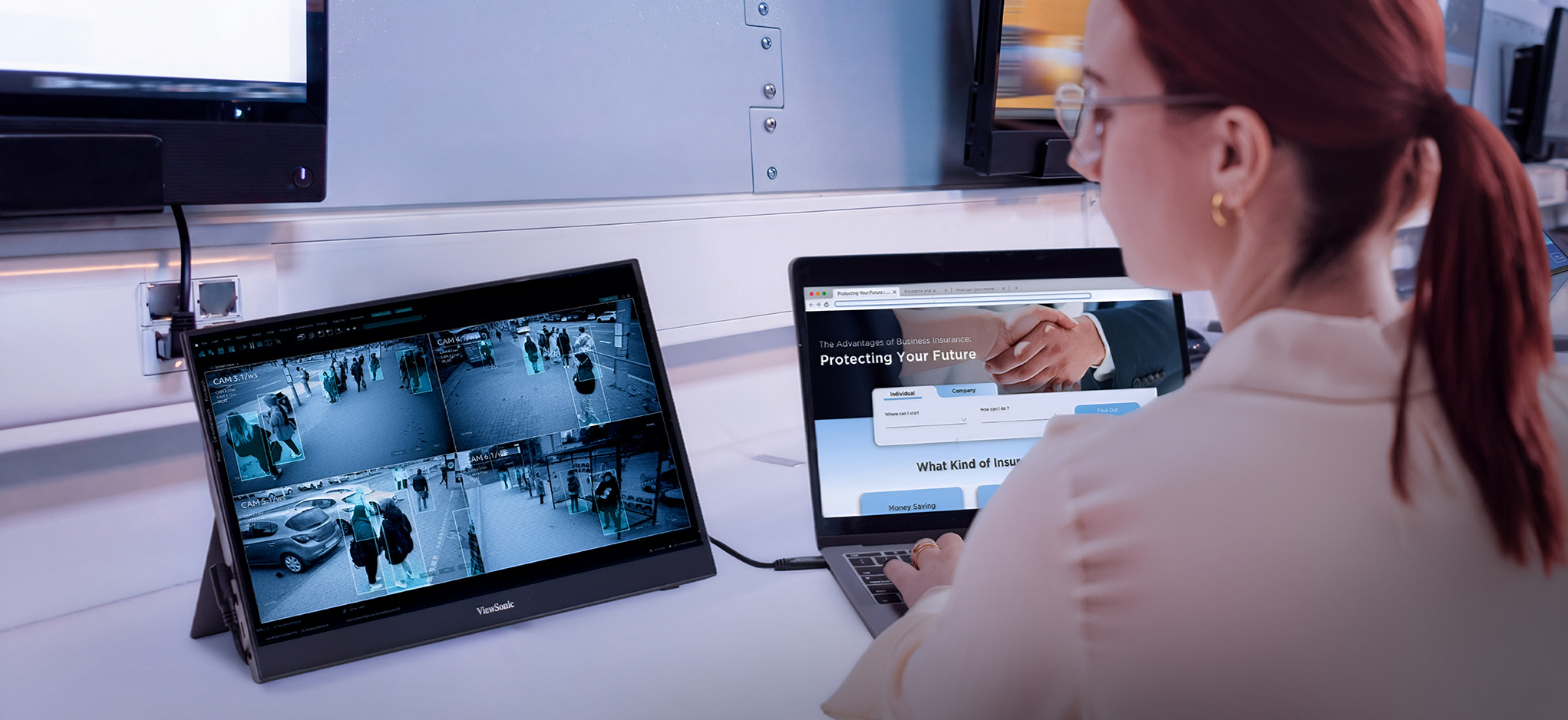
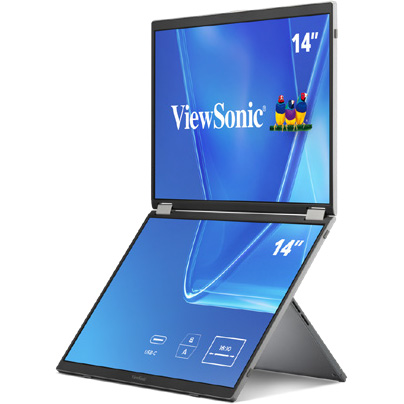
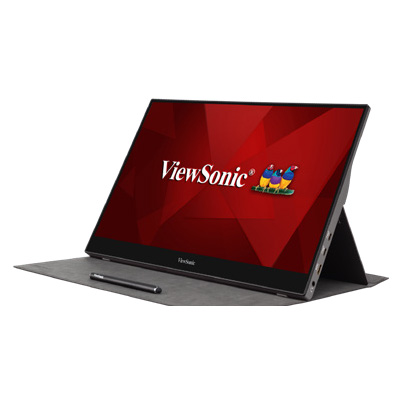
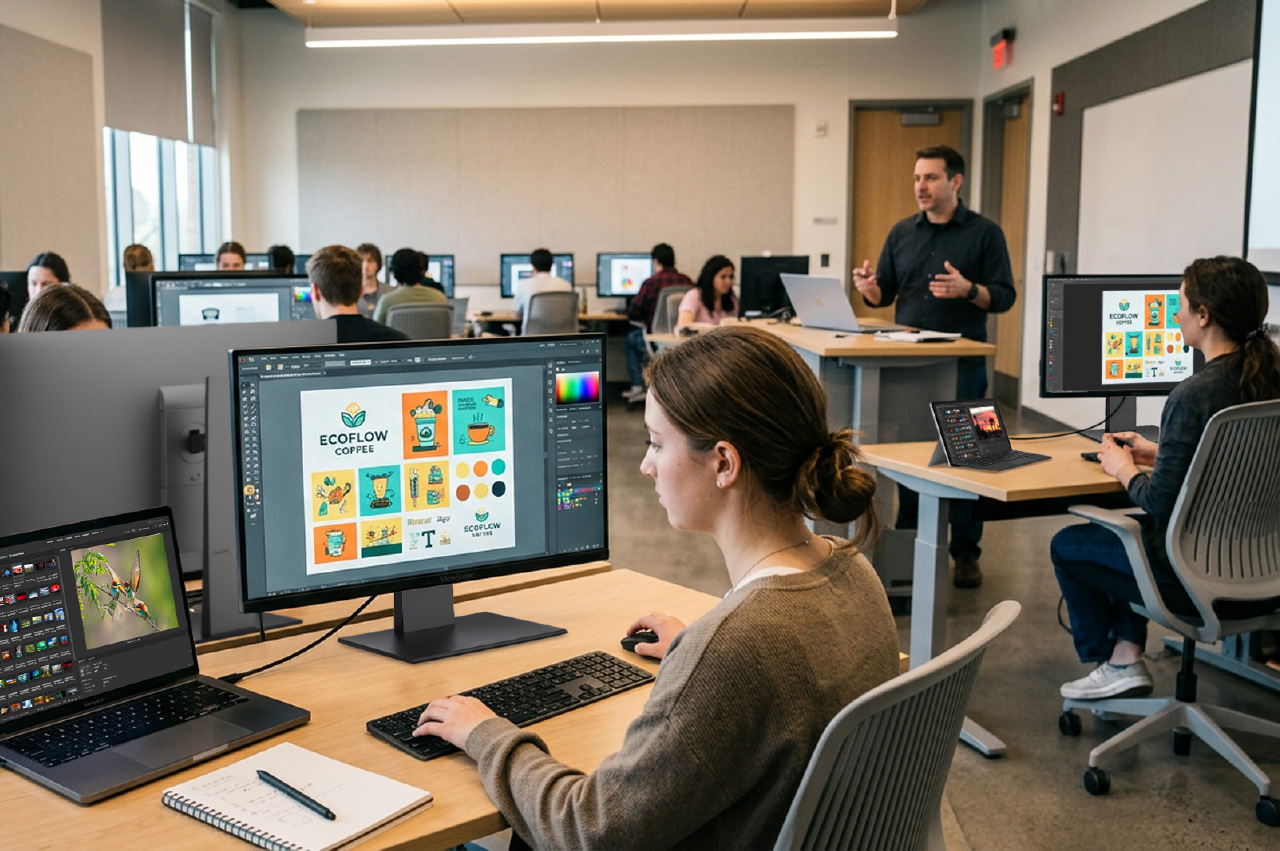

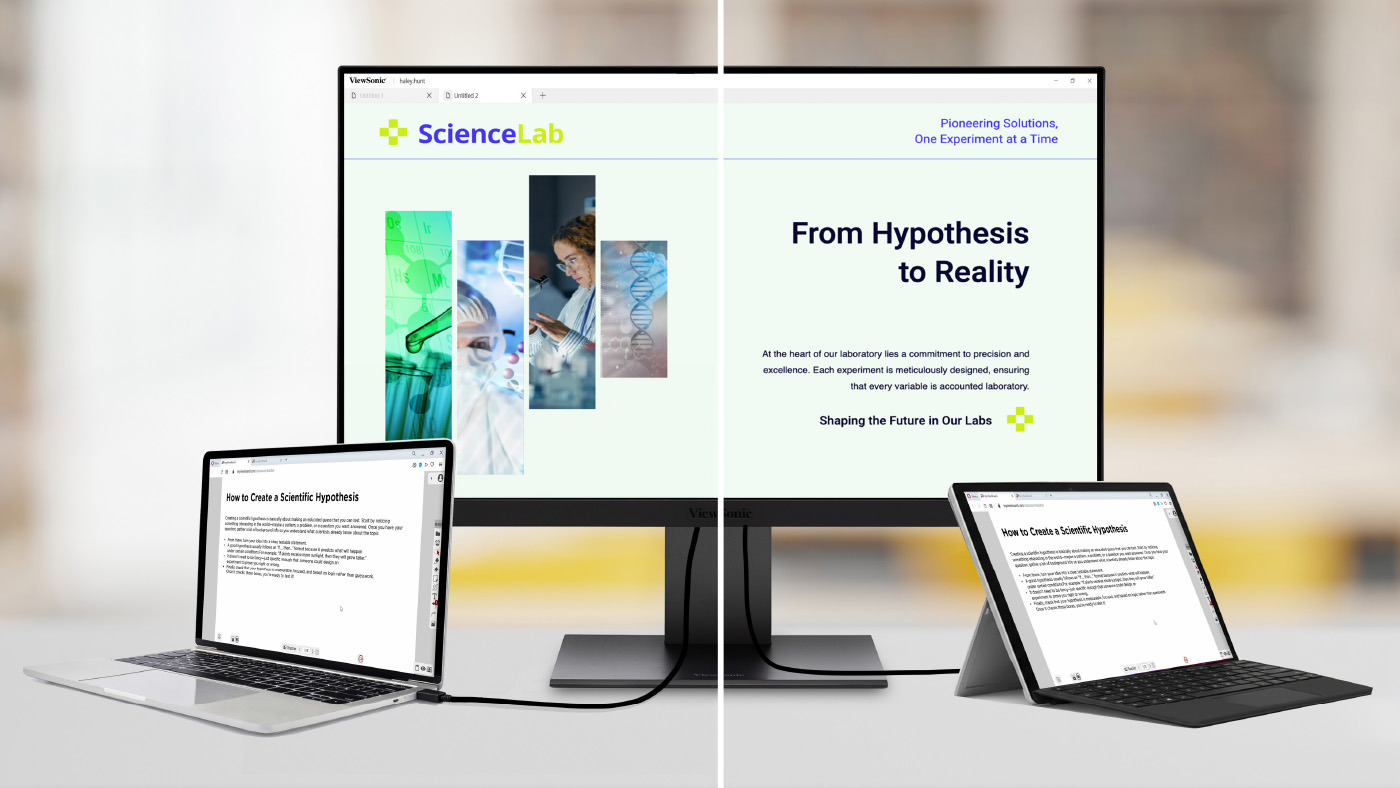

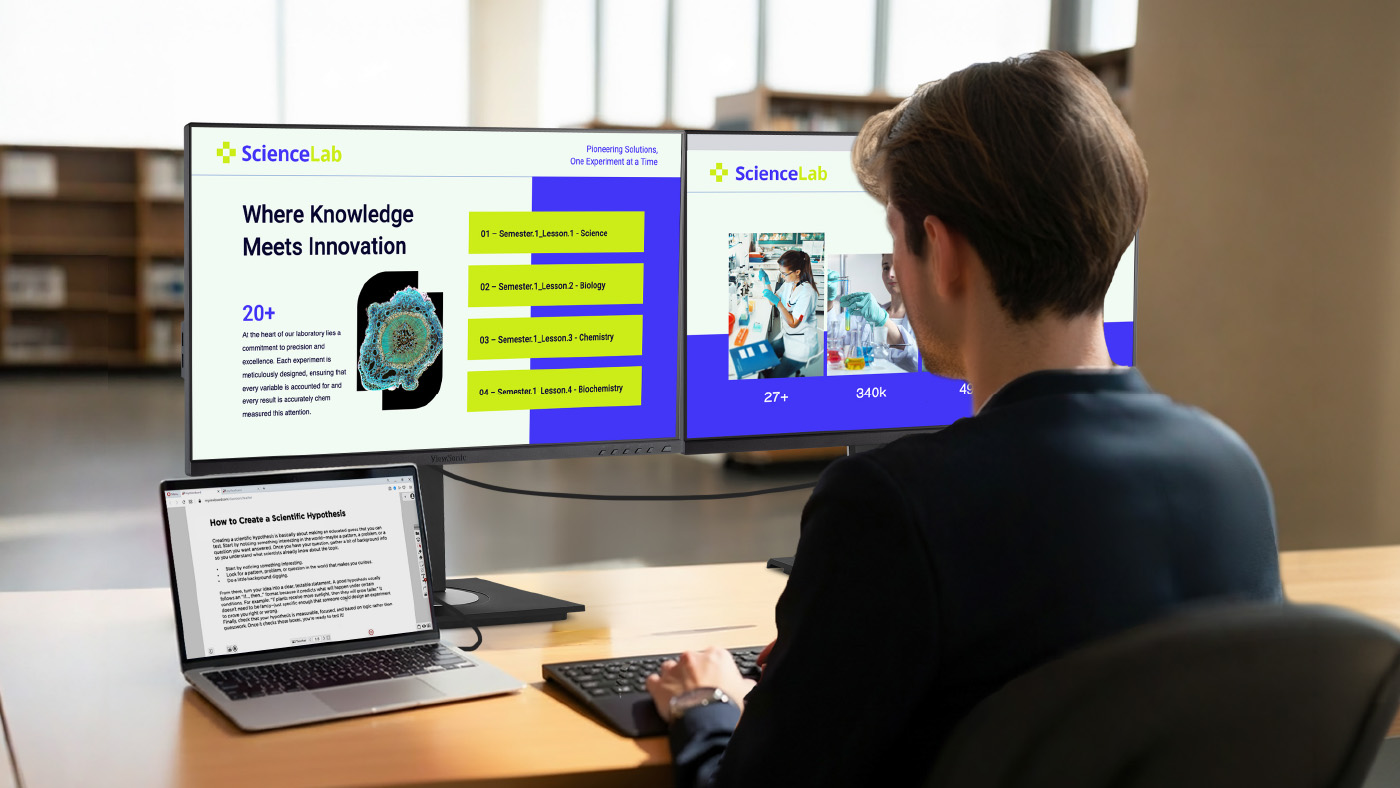


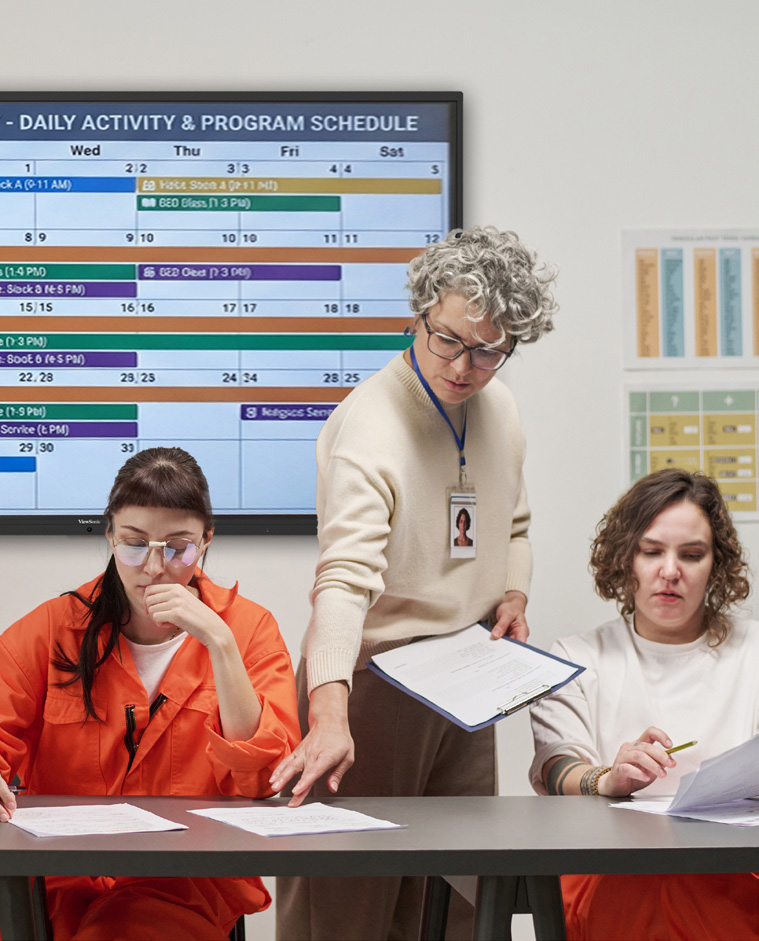
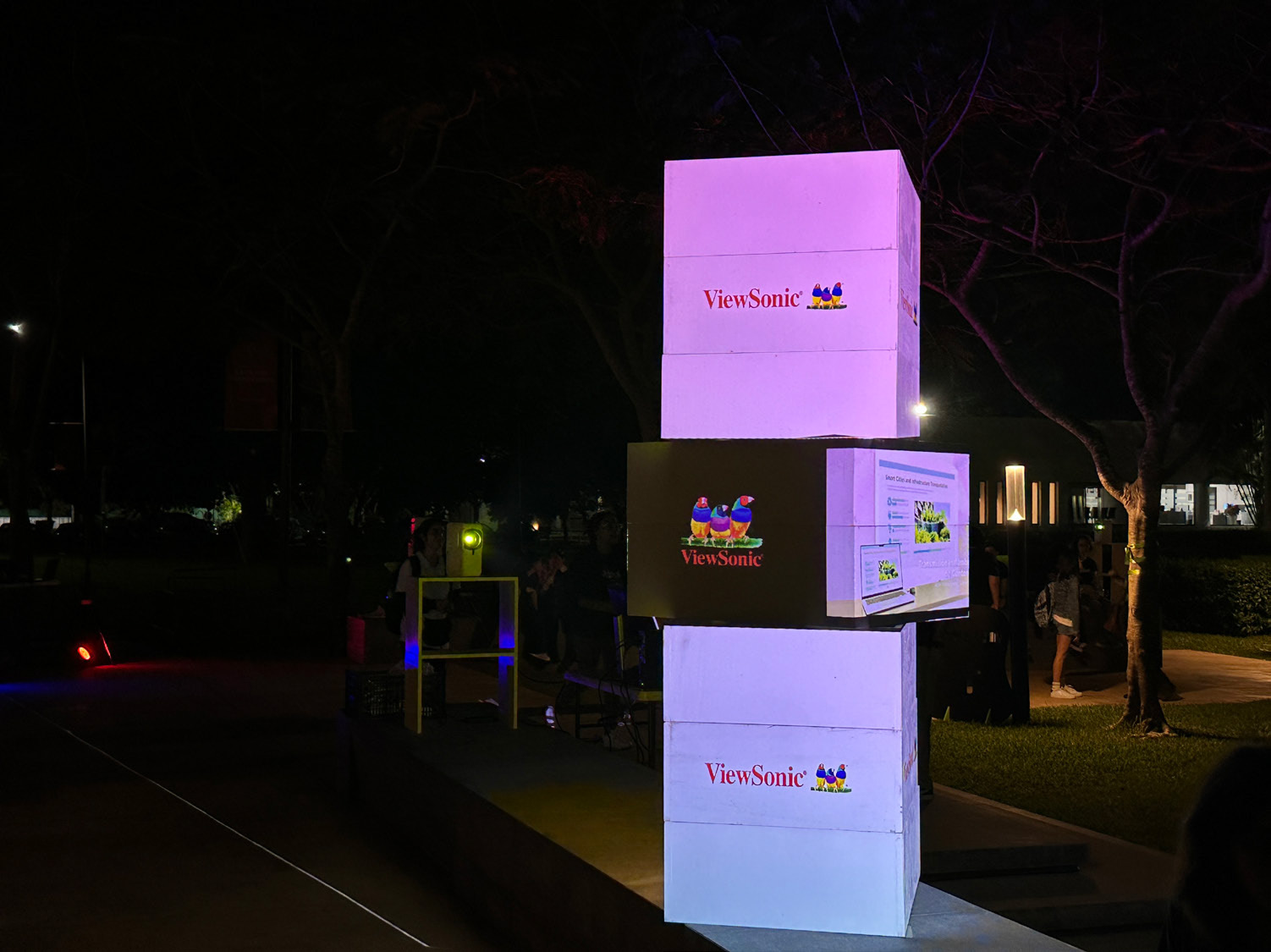

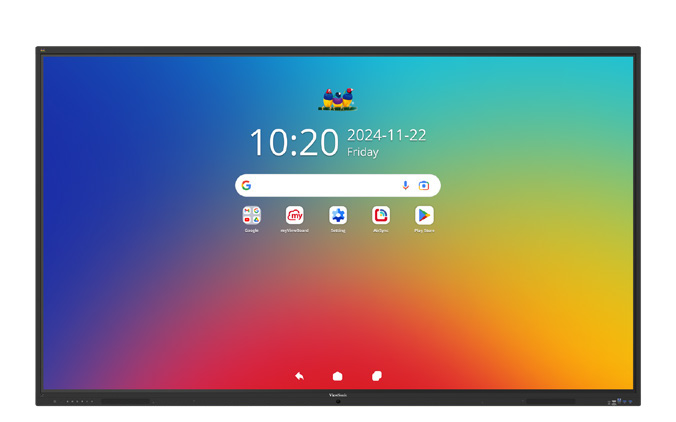
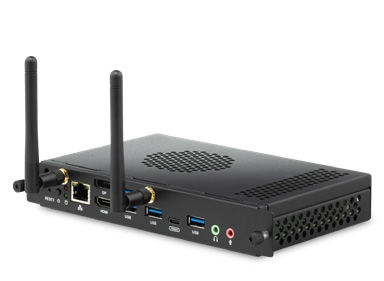

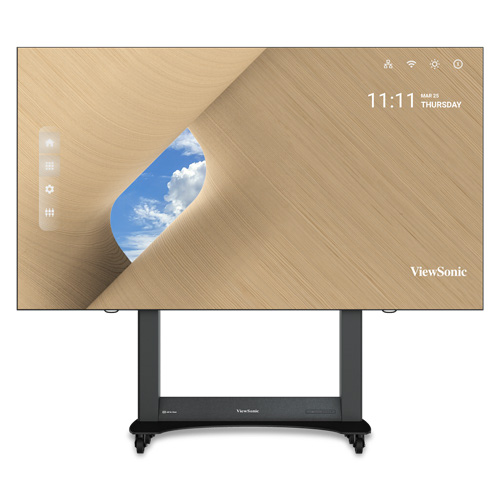

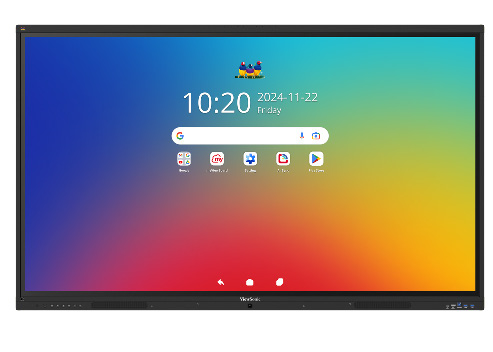
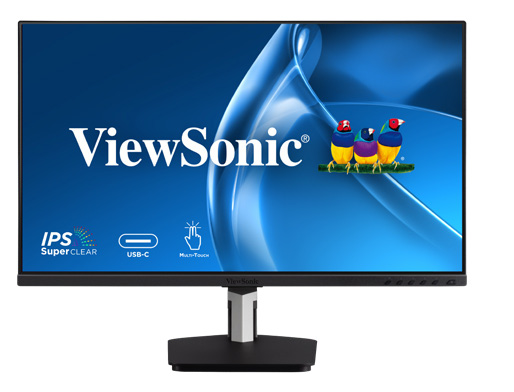
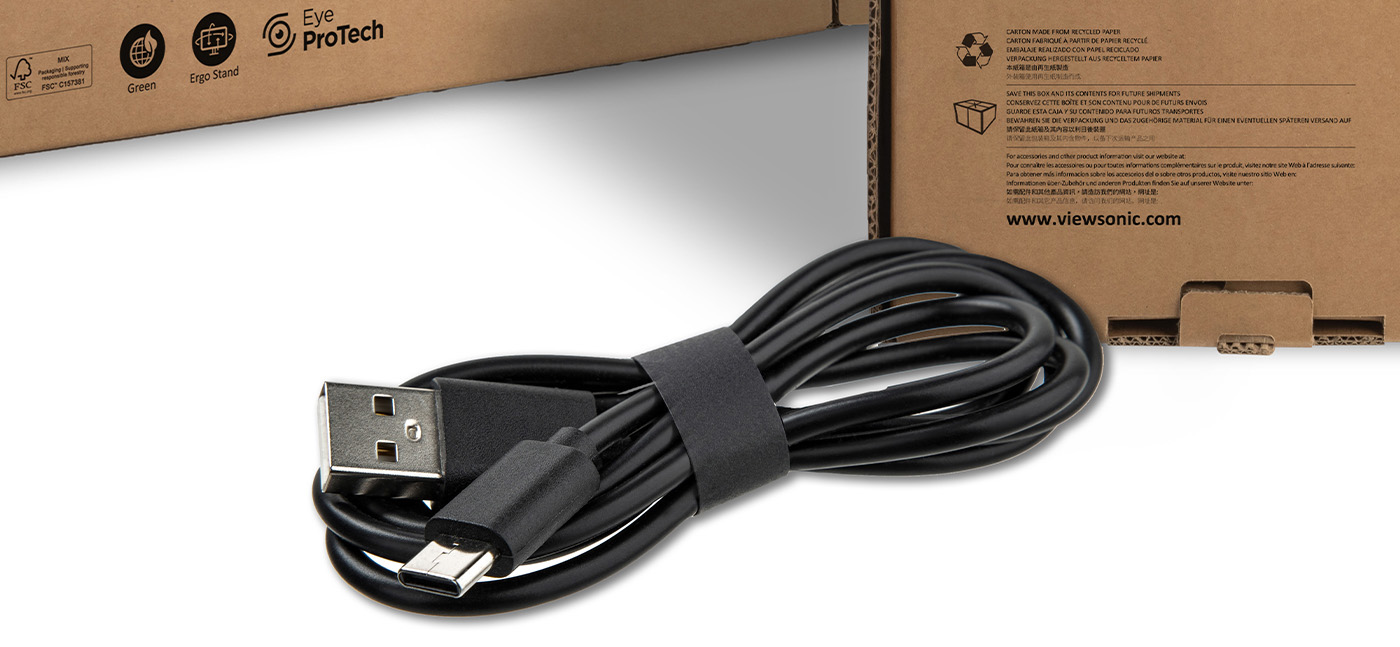


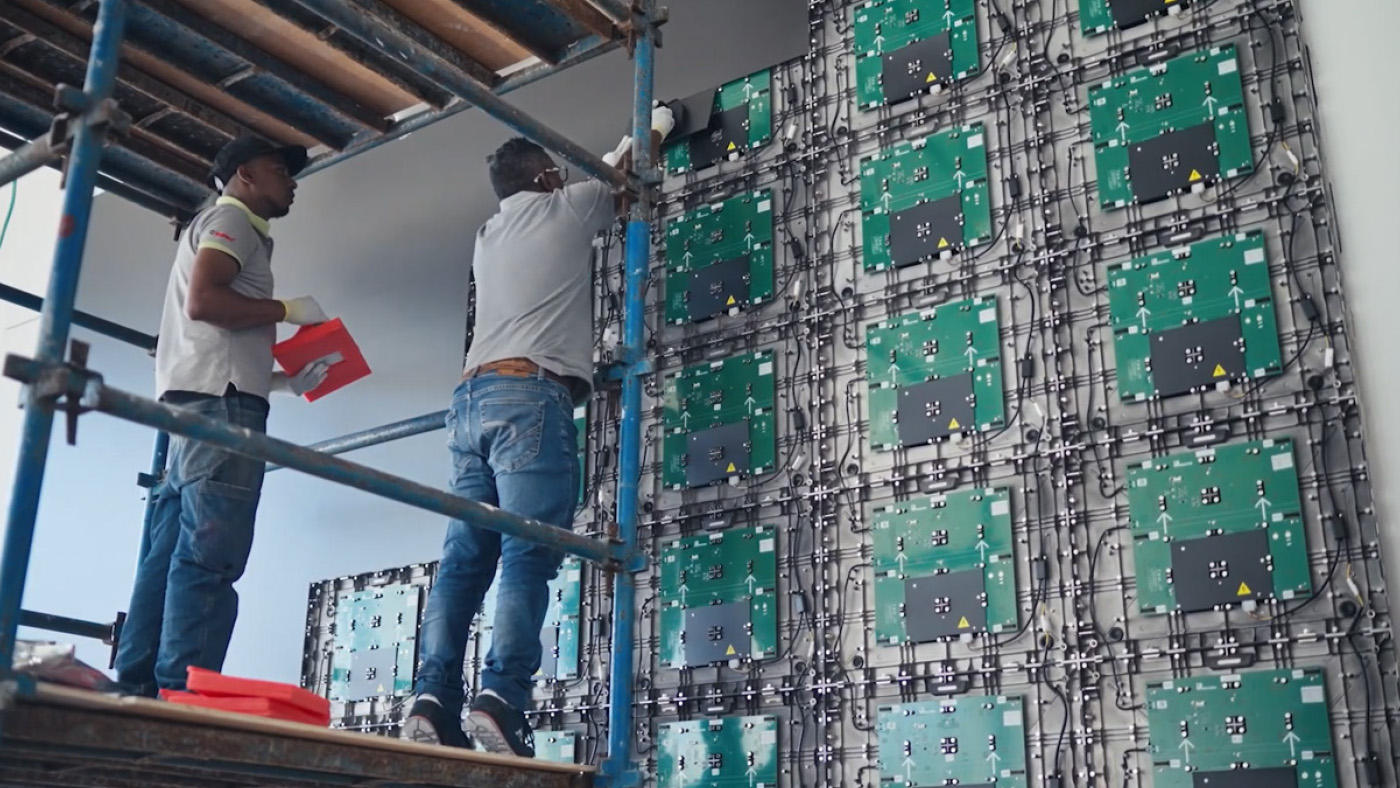
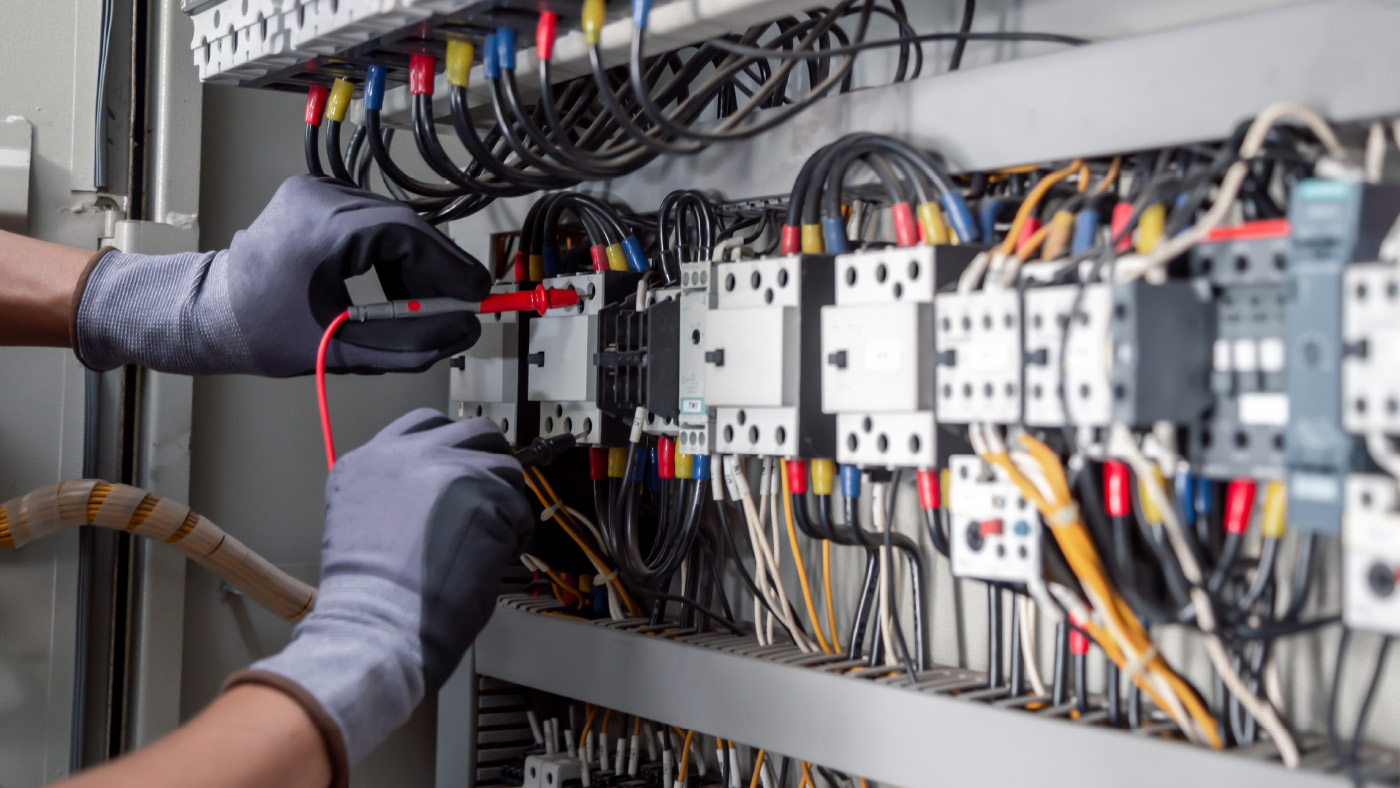
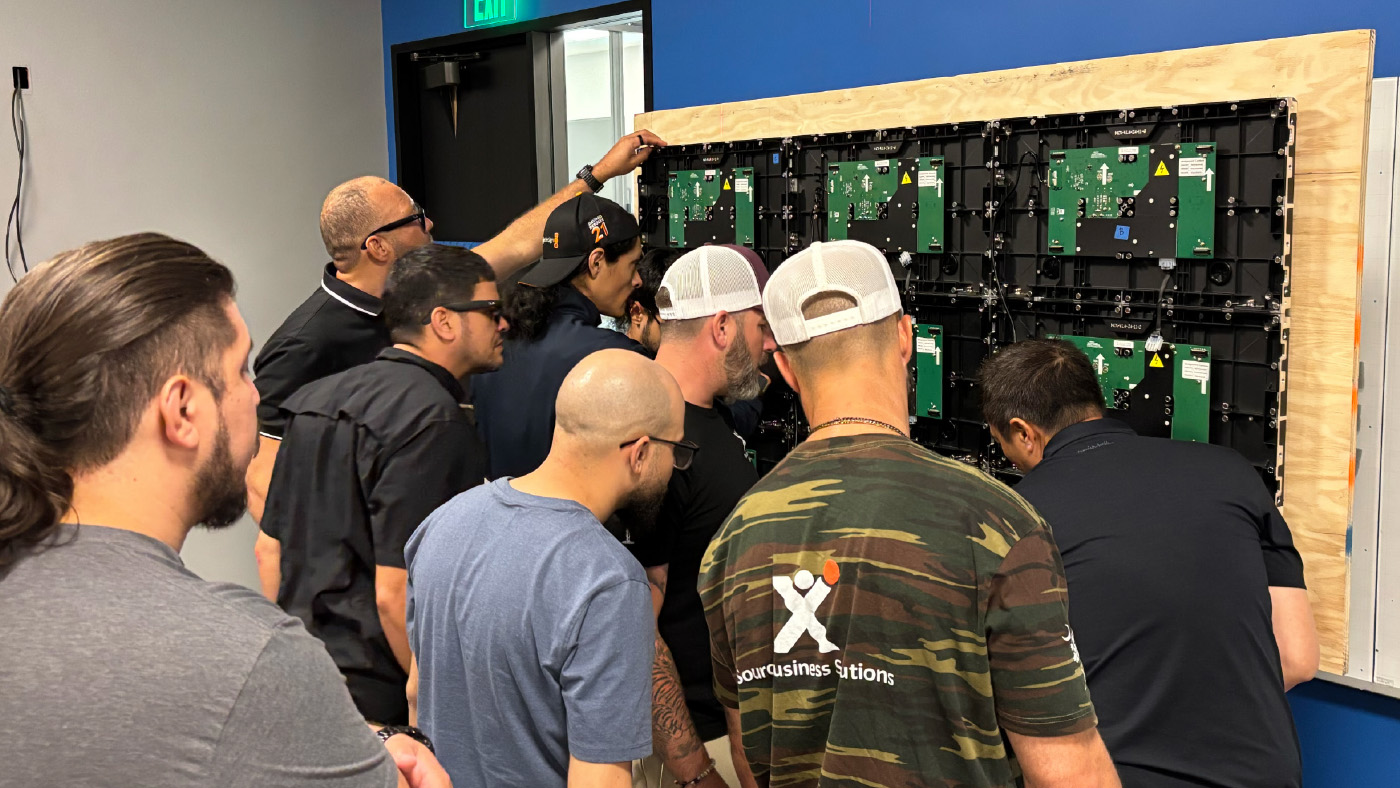
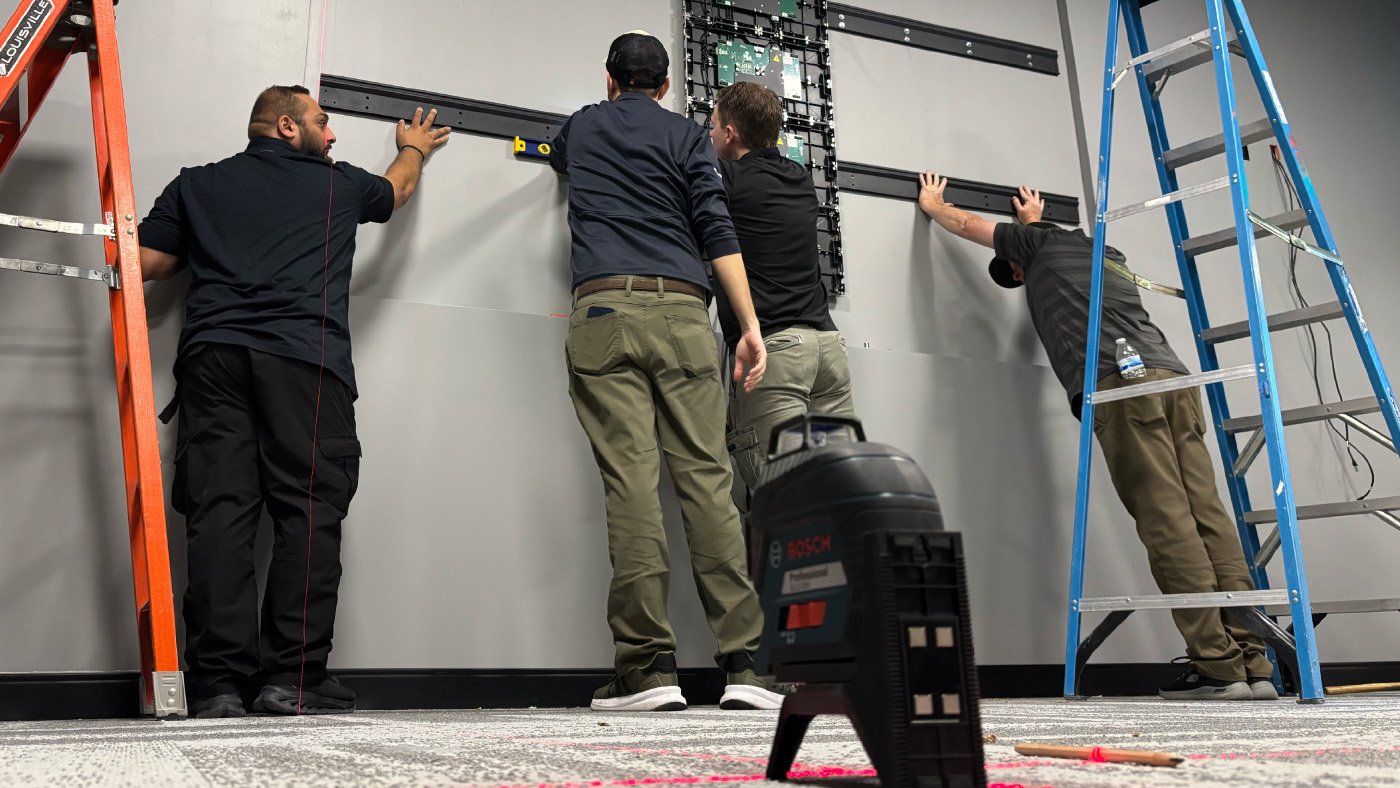
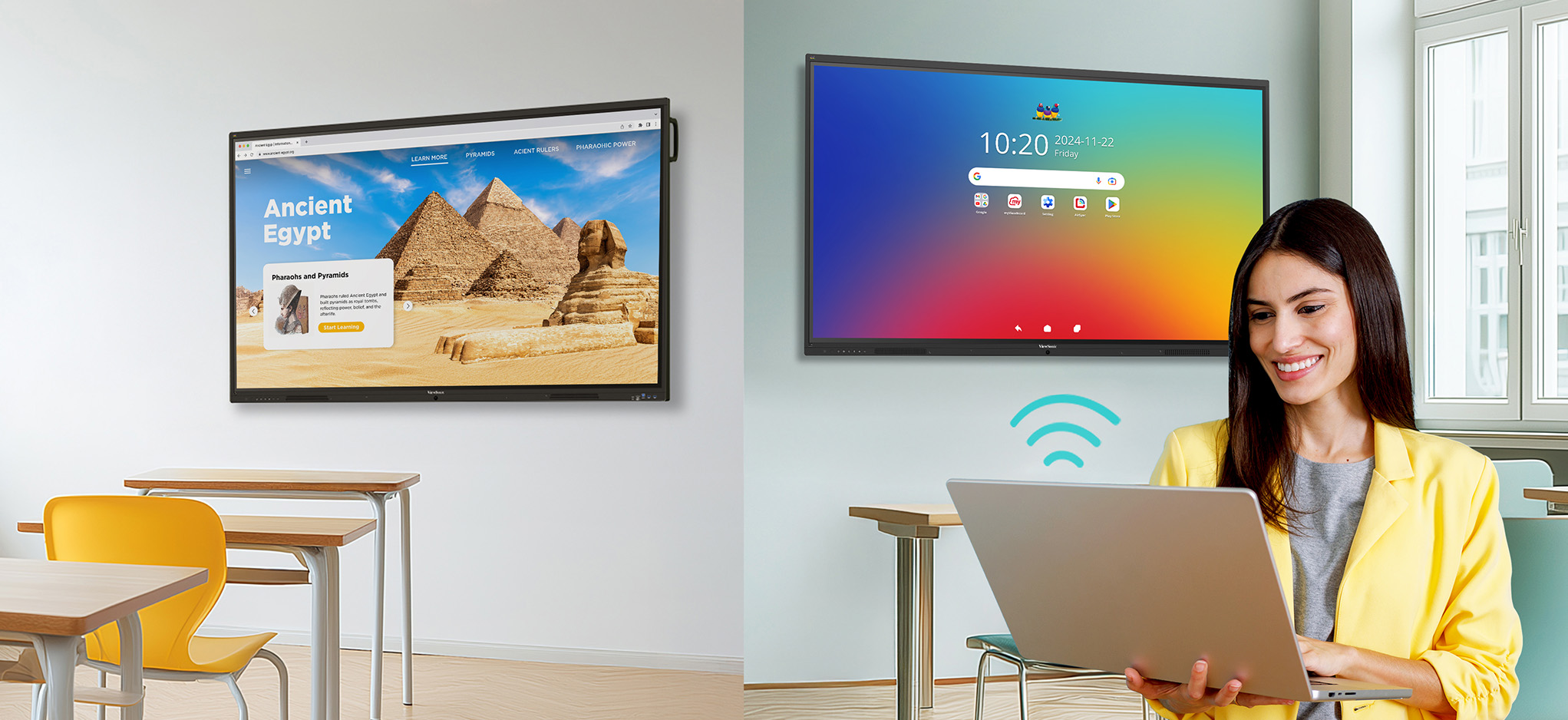


Login and Registration Form