Education
Business
Consumer

Solution Briefs

How ViewSonic Solved Ecuador’s Room-to-Room Classroom Projection Problem

SOLUTION BRIEF

How ViewSonic Solved Ecuador’s Room-to-Room Classroom Projection Problem

CHALLENGE

A government education agency in Ecuador needed classroom projection that could keep up with real teachers in real rooms. ViewSonic treated it as a design problem, not a race to the lowest bid.

The agency set out to equip classrooms with projectors across several educational zones covering hundreds of public schools. Conditions varied widely, from the capital to towns with far less infrastructure.

In many of those schools, classrooms outnumbered the available projection units, so teachers moved projectors from room to room during the day. That mobility requirement shaped the entire evaluation.

The specifications also had to guarantee enough brightness and the right resolution for reading, graphics and PDF content in a classroom filled with strong natural light, at a price and delivery schedule a large-scale public procurement could accept.

ViewSonic got involved before the tender even opened, testing equipment directly in these classrooms rather than proposing a spec on paper. The first unit under evaluation was an ultra-portable model, and extended testing showed that daily classroom use demanded more brightness and durability than that device could deliver.

Getting it right took time. The process ran close to a year and a half, partly because ViewSonic kept testing until the recommendation matched how teachers actually worked, and partly because a nationwide government purchase has to stay open to other manufacturers throughout.


SOLUTION

ViewSonic’s approach was to keep testing until the solution actually fit the classroom, not to stop once something met the minimum spec. Over the months before the tender opened, the team ran repeated demonstrations, left loaner units in place and returned to the agency every few months to refine the requirements based on what teachers and administrators saw in daily use.

That process, not a sales pitch, is what led to the ViewSonic® PA503 series over another competing portable unit first under evaluation. At under 2.5 kg the PA503W was still light enough for a teacher to carry between rooms, and it delivered the brightness and durability daily classroom use required.

Testing confirmed 4,000 lumens as the right brightness level and WXGA resolution (1280 x 800) as the best balance of image width and sharpness for reading, spreadsheets and PDF content. Those results informed the technical parameters the agency wrote into its tender.

The final tender set a minimum of 3,800 ANSI lumens. Specifying ANSI lumens matters, because it is the industry-standard measurement rather than the “white and color lumens” marketing metric some manufacturers publish. The PA503W came in above that minimum at 4,000 lumens, and the agency’s own classroom testing showed the difference on text, spreadsheets and PDF content.


“We spent a year and a half testing in real classrooms before we ever priced the deal. That’s what actually won it.”


That preparation paid off when the tender for 2,760 projectors was finally published. The PA503W cleared the technical evaluation without a single gap, a direct result of the months of hands-on classroom work that came before it.

Delivery time was the next hurdle. The agency required the full order within 90 days, and competing manufacturers quoted 120 to 150 days for an order that size.

ViewSonic drew on its global supply chain to close that gap. The team redirected units already moving toward the Americas as part of a broader regional shipment, routed them through the local distribution network in Panama and covered the entire 2,760-unit order in 60 days, well ahead of the deadline.

Price was the last piece, not the deciding one. The commercial team secured pricing approval while the supply chain team locked in the 60-day plan. ViewSonic also worked with display technology partner Texas Instruments™ through its education-sector program, so the final offer reflected the value of everything that came before it.


RESULT

This win came from refusing to shortcut the testing. ViewSonic spent a year and a half in the agency’s actual classrooms and built its recommendation around how teachers use the equipment day to day.

The global logistics network behind that recommendation then delivered on a window no competitor could match. Texas Instruments recognized the project as well and asked to document it as a success story of its own.

The agency has since launched a second purchase phase for 730 additional projectors under the same technical standard, bringing the program total to 3,490 units.


MODEL IMPLEMENTED
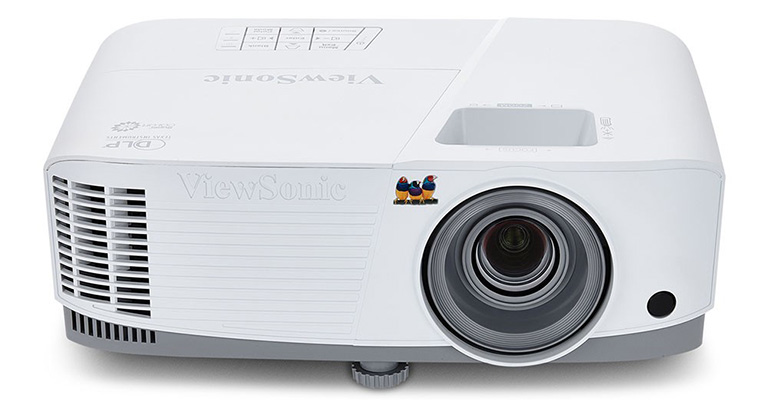
PA503W - ViewSonic 4,000 Lumens WXGA Projector with HDMI and Vertical Keystone

Frequently Asked Questions


How Can a School District Standardize Displays for Both Classrooms and Campus Communications?

A single manufacturer ecosystem can cover both needs: interactive displays for teaching and commercial displays for digital signage, managed from one software platform. This district deployed ViewBoard interactive displays in classrooms and CDE commercial displays in common spaces, managing everything with Manager Advanced software.


What ViewBoard Sizes Work for K-12 Classrooms?

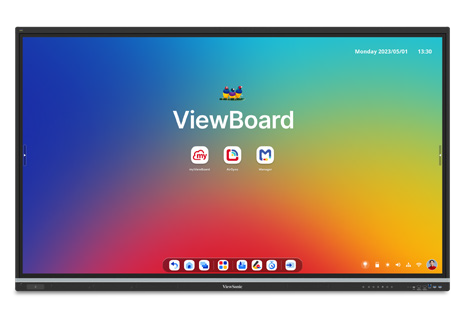
The ViewBoard IFP51 series of interactive displays comes in 65” (IFP6551), 75” (IFP7551) and 86” (IFP8651) sizes, all offering 4K resolution and Android EDLA certification. This district installed 489 ViewBoard interactive displays, standardizing on the 75” IFP7551 while using 65” and 86” models for specific room sizes.


Can School Displays Connect to Emergency Alert Systems?

Yes. Manager Advanced software, ViewBoard interactive displays and the CDE series of commercial displays integrate with emergency systems so urgent safety notices hit every screen instantly.


How Does Centralized Display Management Save a District Money?

ViewSonic Manager Advanced software lets IT admins automate power off schedules when schools are empty, push remote updates and broadcast messages across campus from one console. Automated power management cuts electric bills, while remote admin tools reduce support trips and staff hours.


Ready to Modernize Your District’s Displays?

Talk to a ViewSonic representative or an authorized partner about standardizing classrooms and campus communications on ViewBoard interactive displays, CDE commercial displays and ViewSonic Manager Advanced software.


Training outcomes and participant experiences may vary depending on individual needs, district requirements, and implementation. Performance, security, compliance, and sustainability outcomes may vary depending on system configuration, usage environment, and agency requirements.

Actual performance, security, compliance, sustainability outcomes, and user experience may vary depending on system configuration, usage environment, agency requirements, and other factors. This document contains forward-looking statements that reflect the company’s expectations regarding future events and product offerings. Actual events and product offerings could differ significantly from those referenced herein. Programs, pricing, specifications, and availability are subject to change or cancellation without notice. Corporate names and trademarks mentioned are the property of their respective companies. © 2026, ViewSonic Corporation. All rights reserved. 9/26 [26PRJ-LAT1606]

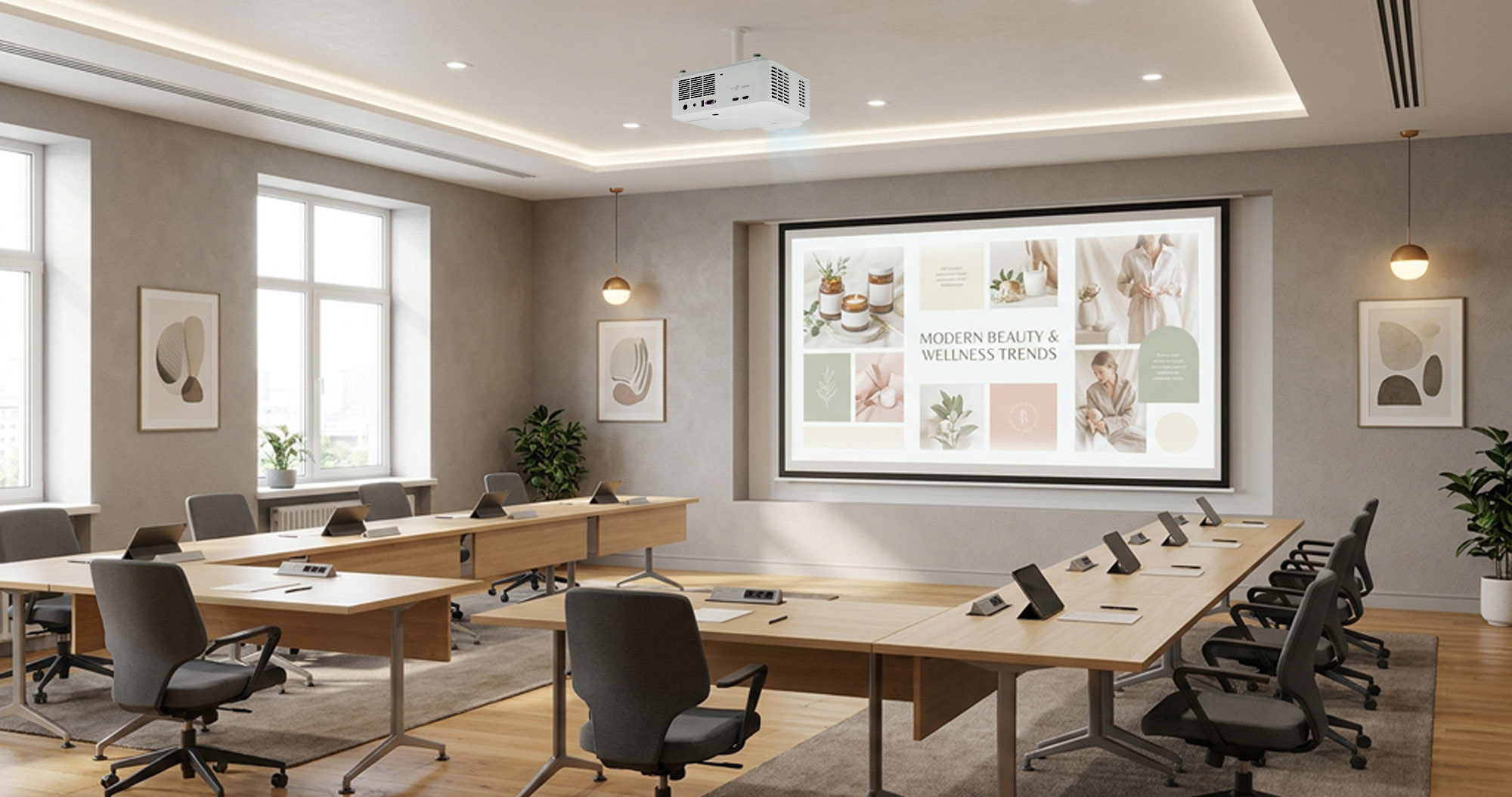
ViewSonic Laser Projectors Upgrade Sales at Brazilian Multinational Beauty and Cosmetics Company

SOLUTION BRIEF

ViewSonic Laser Projectors Upgrade Sales at Brazilian Multinational Beauty and Cosmetics Company

line drawing of a circular mazeline drawing of a circular maze
  • Replace low-resolution lamp projectors with laser technology, and expand projection beyond 100 inches at headquarters and 10 regional sites.


“The shift to laser technology brought better image quality and less maintenance to our training rooms across Brazil.”


CHALLENGE

A Brazilian multinational in beauty and cosmetics needed to upgrade the sales training rooms at its headquarters and 10 regional sites. The existing lamp-based projectors delivered low resolution and drew a lot of electricity, and every unit needed lamp replacements on a recurring schedule.

The company also wanted to expand how many rooms could project beyond 100 inches, so a full room of trainees could read the content from any seat.


SOLUTION

The company traded up its entire lamp-based fleet for ViewSonic LS740HD laser projectors, installing 55 units across the headquarters’ training rooms and the 10 regional sites.

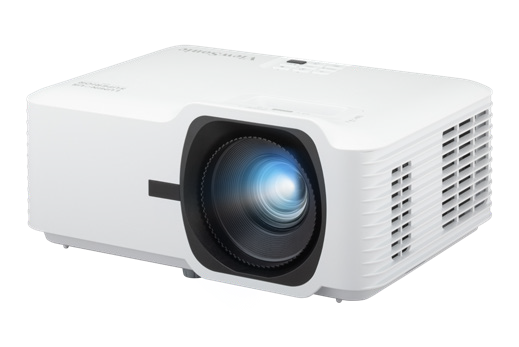
The LS740HD delivers 5,500 ANSI lumens at 1080p, which is what lets a 100-inch-plus image hold up in a lit training room instead of requiring the lights down. The laser light source removes both recurring costs the old fleet carried, since there are no lamps to replace and no mercury to dispose of.

Trading up the whole fleet at once, rather than swapping units as they failed, also put every site on the same model. That means one spare, one support path and one set of instructions across 11 locations.


RESULT

All 55 projectors are installed and in service. Sales teams at every site now train against images larger than 100 inches, at higher resolution than the equipment they replaced.

Maintenance dropped along with the lamps. A laser light source has no consumable to schedule, which removes both the part cost and the service visit from 55 rooms across 11 locations.

Electricity consumption fell as well, which the company counted toward its own sustainability commitments.

MODELS DEPLOYED

65” IFP6551 ViewBoard interactive display

75” IFP7551 ViewBoard interactive display

86” IFP8651 ViewBoard interactive display

55” CDE5531 commercial display

65” CDE6531 commercial display

75” CDE7531 commercial display

ViewSonic Manager software

LS740HD laser projector

Frequently Asked Questions


How Can a School District Standardize Displays for Both Classrooms and Campus Communications?

A single manufacturer ecosystem can cover both needs: interactive displays for teaching and commercial displays for digital signage, managed from one software platform. This district deployed ViewBoard interactive displays in classrooms and CDE commercial displays in common spaces, managing everything with Manager Advanced software.


What ViewBoard Sizes Work for K-12 Classrooms?

The ViewBoard IFP51 series of interactive displays comes in 65” (IFP6551), 75” (IFP7551) and 86” (IFP8651) sizes, all offering 4K resolution and Android EDLA certification. This district installed 489 ViewBoard interactive displays, standardizing on the 75” IFP7551 while using 65” and 86” models for specific room sizes.


Can School Displays Connect to Emergency Alert Systems?

Yes. Manager Advanced software, ViewBoard interactive displays and the CDE series of commercial displays integrate with emergency systems so urgent safety notices hit every screen instantly.


How Does Centralized Display Management Save a District Money?

ViewSonic Manager Advanced software lets IT admins automate power off schedules when schools are empty, push remote updates and broadcast messages across campus from one console. Automated power management cuts electric bills, while remote admin tools reduce support trips and staff hours.


Ready to Modernize Your District’s Displays?

Talk to a ViewSonic representative or an authorized partner about standardizing classrooms and campus communications on ViewBoard interactive displays, CDE commercial displays and ViewSonic Manager Advanced software.


Training outcomes and participant experiences may vary depending on individual needs, district requirements, and implementation. Performance, security, compliance, and sustainability outcomes may vary depending on system configuration, usage environment, and agency requirements.

ViewSonic Modernizes the Technology Infrastructure of One of Mexico’s Leading Pharmacy Chains

SOLUTION BRIEF

ViewSonic Modernizes the Technology Infrastructure of One of Mexico’s Leading Pharmacy Chains

CHALLENGE

One of Mexico’s leading pharmacy chains was undergoing an expansion and modernization of its technology infrastructure, with the need to standardize equipment across both corporate offices and branch locations to improve operations, customer service, and the experience at points of sale.

SOLUTION

The deployment used three ViewSonic monitor lines, each matched to the work happening in that part of the business.

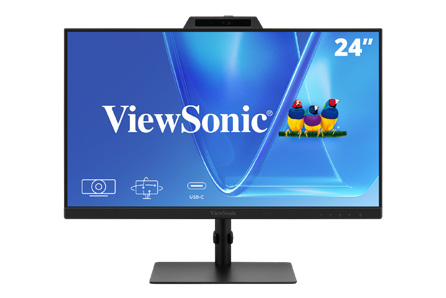
VG2441V monitors equip workstations in the corporate offices. The VG2441V is built for people at a desk all day, with a fully adjustable ergonomic stand and a built-in camera for video calls.

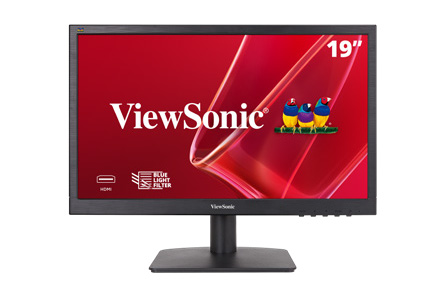
VA1903H monitors run the price lookup and verification stations inside the pharmacies. The VA1903H delivers dependable everyday performance at a price that holds up when you are equipping hundreds of locations.

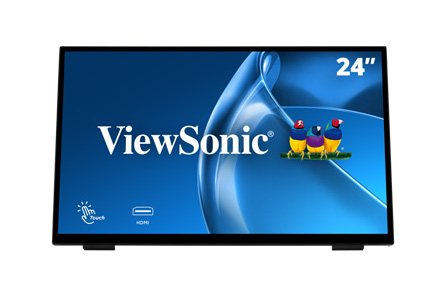
TD2465 touch monitors run the points of sale at branch locations. The TD2465 is a durable multi-touch display made for continuous use by staff and customers through a full trading day.

The TD2465 deployment marks the second consecutive year this model has been selected for the nationwide rollout, cementing it as the standard platform for the organization’s sales terminals thanks to its reliability and performance in continuous-operation environments.


“The reliability and performance of the TD2465 in continuous-operation environments made it the standard platform for our sales terminals.”


RESULTS

The investment enabled a comprehensive modernization of the chain’s technology, from the corporate level down to every branch, with standardized equipment that streamlines daily operations. In the offices, the VG2441V unified workstations; on the sales floor, the VA1903H facilitates price inquiry and verification; and the TD2465 continues to solidify its position — for the second consecutive year — as the standard point-of-sale platform, thanks to its reliability and performance in continuous-operation environments.

The result is a faster, more consistent shopping experience nationwide, and a technology infrastructure ready to support the chain’s next phase of expansion.

Frequently Asked Questions

What Made the Old Projector Setup a Problem for Hybrid Instruction?

Two ceiling-mounted projectors cast onto dual wall screens, which created three issues at once. Projector light shone into the instructor’s eyes at the front of the room, image brightness and consistency varied with ambient lighting, and the setup was never designed to serve remote students alongside the in-person class.

Why Choose dvLED Instead of Replacing the Projectors?

Direct View LED holds brightness and consistency in a fully lit room, which matters when the same content has to read clearly for students in the room and on a recording. It also removes the consumables and alignment work a projector requires. For a room that runs most of the day and is monitored in real time by IT, that changes the maintenance profile as much as the image quality.

What Does Glue-on-Board Construction Change for Facilities Teams?

Glue-on-Board encapsulates the LEDs and electronics in a thin resin layer, so the display surface tolerates contact rather than losing pixels to it. In a classroom where students walk past the wall every day, that is the difference between a durable install and a recurring repair line. Tiles are also individually replaceable, so a damaged section is a panel swap rather than a full-unit service call.

How Do Confidence Monitors Help an Instructor Teaching to Two Audiences?

An instructor facing the class cannot see the front-of-room displays. Rear-wall confidence monitors let them verify that content is displaying correctly without turning around, and a second monitor keeps remote participants visible. That is what makes it possible to teach to both audiences without treating one as an afterthought.

Can ViewSonic Displays Integrate With an Existing Crestron System?

Yes. In this installation the integrator brought the ViewSonic displays into the classroom’s existing Crestron matrix switcher, so control stayed on the system the campus already runs. ViewSonic also offers integration with Q-SYS, Extron and AMX platforms.

Is This Configuration Repeatable for Other Classrooms?

That was one of the stated goals. The university treats this room as a model for future refreshes, and the configuration scales down for smaller rooms by reducing the number of front-of-room displays while keeping the same podium and confidence monitor pattern.

Ready to Modernize Your Hybrid Classrooms?

Talk to a ViewSonic representative or an authorized partner about a hybrid classroom configuration for your campus, including dvLED sizing, confidence monitor placement and control system integration.

*Actual performance, compatibility, and user experience may vary depending on system configuration, network conditions, usage environment, and other factors. ViewSonic products are not considered medical devices and are not intended for use in the diagnosis of disease or other conditions, or in the cure, mitigation, treatment, or prevention of disease. Programs, pricing, specifications, and availability are subject to change without notice. © ViewSonic Corporation 2026. All rights reserved.

How a Canadian School District Simplified IT Support Across 155 Classrooms with ViewSonic

SOLUTION BRIEF

How a Canadian School District Simplified IT Support Across 155 Classrooms with ViewSonic

What Challenge Was the District Trying to Solve?

This district set out to modernize its classrooms by replacing aging, non-interactive displays across 155 classrooms. The goal was to equip every room with identical interactive capabilities without overloading IT support staff.

Operating under provincial public procurement rules, the district issued a competitive Request for Quotation (RFQ) for 86” commercial and interactive displays.

Beyond initial prices, evaluation criteria focused heavily on system standardization, simplified IT maintenance and long-term operating costs. 

What ViewSonic Solution Did the District Deploy?

The contract was awarded to an audio-visual integration partner bidding with ViewSonic, delivering an identical hardware kit for each of the 155 classrooms. In total, the district ordered:

  • 155 ViewBoard® 86” IFP86G1 4K OS-free interactive displays
  • 155 IFP-EW-86-05 extended warranty coverage for each display, extending coverage to 5 years total
  • 155 WMK-047-2 wall mounts with Mini PC bracket
  • 155 WPD-900 ViewShare wireless presentation systems

Choosing OS-free displays gave the district total control over its software setup. IT teams paired each 86-inch panel with their preferred Windows, Chrome OS or Android computing engine. Down the road, technicians can upgrade system performance simply by swapping out the PC module rather than replacing the display.

The rest of the kit completed the classroom setup, using custom mounts to hide cables, wireless casting to reduce cable clutter and five-year warranties to protect budgets. 

Why Did the District Choose ViewSonic?

The contract was won through open competition against established display manufacturers.

What started as a standard request for display panels grew into a complete per classroom solution covering hardware, custom mounting, wireless presentation tools and multiyear protection.

Rather than forcing IT staff to source piecemeal accessories from different suppliers, ViewSonic and its integration partner delivered a single package built for reliable, daily classroom use. 

Spec LDS138-151
Screen size / resolution 138", Full HD 1920x1080
Mobility Foldable design on a motorized, height-adjustable stand with 360-degree wheels; packed in a custom flight case
Setup time Minutes, no system integration required
Durability GOB (Glue-on-Board) protection, IP54 and IK06 rated, built for high-traffic public spaces
Serviceability Hot-swappable front LED modules for minimal downtime
Casting/Connectivity AirSync wireless screen casting (AirPlay, Google Cast); Q-SYS, Crestron, Extron and AMX compatible
Warranty 3-year limited warranty on parts and labor, with on-site service
Recognition Best New Mobile dvLED Product, rAVe Publications' Best of InfoComm, June 2025

What Results Has the District Seen?

  • Standardized 155 classrooms on an identical hardware kit containing a display, wall mount, wireless presentation system and extended warranty. •
  • Established a single, predictable hardware platform for IT staff to install, manage and support district-wide.
  • Protected hardware budgets with OS-free displays that allow computing modules to be upgraded without replacing entire displays.
  • Gave teachers reliable equipment and uniform technology in every building. 


Frequently Asked Questions

What Does a Complete ViewBoard Classroom Kit Include?

The district's standard package pairs an OS-free 86” ViewBoard IFP86G1 interactive display with a WMK-047-2 wall mount, an integrated Mini PC bracket, a WPD-900 ViewShare wireless presentation system and extended warranty coverage. Deploying one identical kit per classroom simplifies installation, daily operation and spare parts inventory district-wide.

What Is an OS-Free Interactive Display?

An OS-free display like the ViewBoard IFP86G1 ships without a built-in operating system. Instead of being locked into factory software, IT departments can run Windows, Chrome OS or Android using their choice of slot-in PC or media device. Omitting onboard software reduces common network security risks while allowing IT to refresh computing performance years later without replacing the entire display.

How Do Teachers Share Their Screens Wirelessly on an OS-Free ViewBoard Interactive Display?

Teachers can connect using the WPD-900 ViewShare wireless presentation system, which provides full casting capabilities without relying on an onboard display OS or Wi Fi. The teacher plugs the USB-C transmitter button into their laptop or device, while the receiver module connects directly to the HDMI port on the ViewBoard interactive display. This creates an isolated, encrypted peer-to-peer connection from any Mac, Windows, Chromebook or mobile device without installing software or entering network passwords.

Why Bundle Extended Warranties Into a Classroom Display Purchase?

Bundling extended coverage aligns display protection with the actual expected life of classroom hardware. For public sector buyers managing school board budgets, locking in five full years of coverage upfront establishes total cost of ownership and eliminates unexpected repair expenses.

Ready to Standardize Your District's Classrooms?

Talk to a ViewSonic Canada representative or an authorized AV integration partner about complete ViewBoard classroom kits for your next refresh.

Related Links

Comparative claims are based on specific features and publicly available manufacturer specifications as of the date of publication, and are not intended to represent a comprehensive evaluation of all product attributes. Actual performance, compatibility, delivery schedules, network performance, training outcomes, and user results may vary depending on system configuration, network conditions, usage settings, individual needs, district or agency requirements, implementation conditions, environmental conditions, and other factors. Any references to third-party products, competitors, software platforms, hardware architectures, certification seals, control systems, or corporate trademarks are for identification, compatibility, and comparative reference purposes only and do not imply endorsement, affiliation, or sponsorship by their respective owners. Environmental protection ratings (including GOB, IP54, and IK06 ratings) are based on standard operating conditions; proper wall mounting, structural reinforcement, mobile assembly, freight handling, and professional installation are the sole responsibility of the customer or installer. ViewSonic assumes no liability for property damage or personal injury resulting from improper installation. Programs, pricing, specifications, and availability are subject to change or cancellation without notice. Corporate names and trademarks stated herein are the property of their respective companies. © 2026, ViewSonic Corporation. All rights reserved. [26ALL MLT1533c]
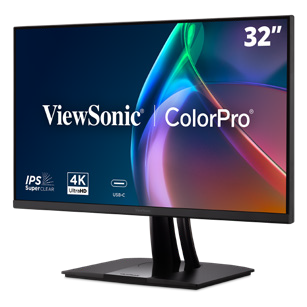
How a Leading Canadian Law Firm Simplified IT Procurement with ViewSonic Docking Monitors

SOLUTION BRIEF

How a Leading Canadian Law Firm Simplified IT Procurement with ViewSonic Docking Monitors

What Challenge Was the Firm Trying To Solve?

A prominent Canadian business law firm was running into administrative and practical issues with its dual-monitor setups. Lawyers and staff worked across separate monitors, docking stations, external power bricks and cable adapters, with each desk collecting its own tangle of hardware. The firm wanted to move to a cleaner setup built on the latest docking technology. From a support standpoint, managing separate line items for monitors, docks and connection cables added unnecessary work for IT. The firm set out to consolidate its hardware into a single docking monitor SKU that could support a standardized two-screen layout, supply 100W power over USB-C and connect seamlessly to its corporate laptop fleet.

What ViewSonic Solution Did the Firm Deploy?

The firm standardized on 700 ViewSonic® 27” VG2758-2K QHD docking monitors, building out 350 dual-display workstations across both offices.

With a built-in docking station featuring 100W USB-C power delivery, an RJ45 Ethernet port and a five-port USB hub, each 27” monitor acts as a complete desktop hub.

Employees can connect their laptop to both screens, the wired network and desk peripherals using a single USB-C cable. Thanks to USB-C daisy-chaining, the two monitors link directly to each other, so only one cable is needed to connect to the laptop.

Beyond simplifying connections, the deployment improved daily physical comfort and long-term hardware management. Fully adjustable ergonomic stands let staff tailor screen height, tilt, swivel and pivot to fit their posture without requiring custom mounting arms.

On the operational side, EPEAT and Energy Star certifications support corporate energy targets, while a three-year limited warranty gives IT predictable long-term hardware reliability. 

Spec LDS138-151
Screen size / resolution 138", Full HD 1920x1080
Mobility Foldable design on a motorized, height-adjustable stand with 360-degree wheels; packed in a custom flight case
Setup time Minutes, no system integration required
Durability GOB (Glue-on-Board) protection, IP54 and IK06 rated, built for high-traffic public spaces
Serviceability Hot-swappable front LED modules for minimal downtime
Casting/Connectivity AirSync wireless screen casting (AirPlay, Google Cast); Q-SYS, Crestron, Extron and AMX compatible
Warranty 3-year limited warranty on parts and labor, with on-site service
Recognition Best New Mobile dvLED Product, rAVe Publications' Best of InfoComm, June 2025

What Results Has the Firm Seen?

  • Consolidated IT procurement into a single monitor SKU across both offices.
  • Cleared desk clutter by eliminating standalone docks, external power bricks and redundant cables.
  • Enabled single-cable docking for power, dual QHD displays, network and USB peripherals. 

By deploying the VG2758-2K, the firm replaced a cluttered multi-vendor setup with a streamlined workstation standard. IT teams now order, deploy and manage one part number instead of tracking three separate hardware components.

For attorneys and staff, starting the workday takes a single connection. Plugging in one USB-C cable charges the laptop, connects to the wired network and extends the workspace across two QHD screens. The lack of cable clutter keeps private offices looking sharp for client meetings. 

Frequently Asked Questions

What Is a Docking Monitor and How Does It Replace a Separate Dock?

A docking monitor combines a high-performance display with an integrated dock, Ethernet port and USB hub. The ViewSonic VG2758-2K monitor supplies 100W of power over USB-C while routing network traffic and peripheral connections straight through the display, eliminating the need for a separate hardware dock, power brick or cable bundle.

Can a Laptop Drive Two Monitors Over a Single Cable?

Yes. The VG2758-2K supports USB-C daisy-chaining, which lets one monitor pass the video signal directly to the second display. The user plugs a single USB-C cable into their laptop to drive both monitors, access the network and charge their battery.

How Does a Docking Monitor Lower IT Overhead?

Combining the dock and display into a single SKU simplifies sourcing, inventory management and lifecycle support. IT teams can track one part number rather than managing separate monitors, standalone docks, dongles and power cables.

Does the VG2758-2K Support Laptops Without USB-C?

Yes. Alongside USB-C, the VG2758-2K includes native HDMI and DisplayPort inputs. This allows legacy laptops to connect easily while giving the firm a clear path to universal single-cable USB-C docking as devices are refreshed.

Ready to Simplify Your Workstations?

Connect with a ViewSonic representative or authorized partner to explore how the VG series of docking monitors can streamline IT procurement and elevate your workspace design.

Related Links

Comparative claims are based on specific features and publicly available manufacturer specifications as of the date of publication, and are not intended to represent a comprehensive evaluation of all product attributes. Actual performance, compatibility, delivery schedules, network performance, training outcomes, and user results may vary depending on system configuration, network conditions, usage settings, individual needs, district or agency requirements, implementation conditions, environmental conditions, and other factors. Any references to third-party products, competitors, software platforms, hardware architectures, certification seals, control systems, or corporate trademarks are for identification, compatibility, and comparative reference purposes only and do not imply endorsement, affiliation, or sponsorship by their respective owners. Environmental protection ratings (including GOB, IP54, and IK06 ratings) are based on standard operating conditions; proper wall mounting, structural reinforcement, mobile assembly, freight handling, and professional installation are the sole responsibility of the customer or installer. ViewSonic assumes no liability for property damage or personal injury resulting from improper installation. Programs, pricing, specifications, and availability are subject to change or cancellation without notice. Corporate names and trademarks stated herein are the property of their respective companies. © 2026, ViewSonic Corporation. All rights reserved. [26ALL-MLT1533d]

How Canadian School District NLSchools Standardized Classroom Displays and Projectors with ViewSonic

SOLUTION BRIEF

How Canadian School District NLSchools Standardized Classroom Displays and Projectors with ViewSonic

What Challenge Was NLSchools Trying To Solve?

As the public school system for Newfoundland and Labrador, NLSchools operates across one of the most geographically spread-out regions in Canada. Upgrading technology across a territory that size involves far more than unboxing new displays. Because the district was replacing its legacy interactive displays and annotation software, getting teachers comfortable with the new system was critical. That meant pairing a new software suite with hands-on training from day one.

From an IT perspective, supporting remote Labrador classrooms required cloud tools, simply because sending a technician on-site often meant booking a flight or a ferry. Adding to the challenge, several older school buildings featured unique structural layouts, including solid rock walls that ruled out standard hardware mounts. 

What ViewSonic Solution Did NLSchools Deploy?

  • 820 ViewBoard® interactive displays deployed across the province, replacing older legacy hardware
  • 273 ViewSonic® projectors
  • OS-free IFPG1 Series displays paired with ViewSonic VPC Windows slot-in PCs
  • The complete ViewSonic education software suite
  • ViewSonic Manager Advanced for remote cloud management
  • BalanceBox specialized wall mounts for complex wall surfaces 

Pairing OS-free ViewBoard IFPG1 displays with Windows VPC slot-in PCs brought flexible desktop computing directly into classrooms. Manager Advanced software provided IT admins remote access to classroom displays. For older facilities, specialized BalanceBox mounts solved structural hurdles by safely anchoring heavy gear directly onto solid rock walls.

Why Did the NLSchools Move to ViewSonic?

Replacing a brand that had been standard issue across Canadian classrooms for decades took more than a competitive price tag. NLSchools needed a partner that could solve their classroom software and geographic hurdles at the same time.

ViewSonic earned the district's trust because its displays, classroom software and cloud management tools functioned as a unified system.

To help teachers adapt, ViewSonic backed its software suite with direct, hands-on training, taking the stress out of moving away from legacy tools.

On the operational side, ViewSonic Manager Advanced software gave IT full control over displays in remote Labrador classrooms. Being able to monitor and update hardware remotely from a single dashboard eliminated unnecessary flight and ferry trips, saving significant travel expenses every school year. 

How Did Microsoft-Restricted Funding Shape the IFPG1 Purchase?

NLSchools received a grant exclusively for Microsoft products. ViewSonic's OS-free IFPG1 ViewBoard offered a direct fit. Pairing the display with a VPC slot-in PC running Windows 11 Pro satisfied the grant requirement while equipping classrooms with a complete Windows system.

That modular setup also protects the district's investment over time. Instead of replacing an entire display when computing hardware ages, IT can simply swap in an upgraded PC module. By removing the operating system from the display itself, the district eliminated potential security backdoors into school networks. 

Spec LDS138-151
Screen size / resolution 138", Full HD 1920x1080
Mobility Foldable design on a motorized, height-adjustable stand with 360-degree wheels; packed in a custom flight case
Setup time Minutes, no system integration required
Durability GOB (Glue-on-Board) protection, IP54 and IK06 rated, built for high-traffic public spaces
Serviceability Hot-swappable front LED modules for minimal downtime
Casting/Connectivity AirSync wireless screen casting (AirPlay, Google Cast); Q-SYS, Crestron, Extron and AMX compatible
Warranty 3-year limited warranty on parts and labor, with on-site service
Recognition Best New Mobile dvLED Product, rAVe Publications' Best of InfoComm, June 2025

What Results Has the NLSchools Seen?

  • Standardized classroom technology across the province, deploying 820 ViewBoard interactive displays, including the OS-free IFPG1 series paired with VPC slot-in PCs, alongside 273 ViewSonic projectors.
  • Helped teachers fully migrate from legacy annotation tools to the ViewSonic education software suite without disrupting daily instruction.
  • Empowered IT admins to manage remote classroom displays through Manager Advanced software, eliminating expensive flight and ferry service trips.
  • Safely mounted heavy displays in legacy buildings with solid rock walls using specialized BalanceBox hardware. 


Frequently Asked Questions

Why Do School Districts Switch to ViewSonic?

NLSchools switched 820 classrooms to ViewSonic because the decision delivered a complete, long-term ecosystem. The district gained an interactive software suite backed by hands-on educator training, ensuring teachers didn't struggle during the transition off old annotation tools. On the operational side, centralized cloud management solved massive geographic hurdles by allowing remote updates for isolated schools. Ultimately, districts make the switch when they need intuitive software, reliable teacher adoption support and lower total cost of ownership across the hardware lifecycle.

How Do Districts Manage Classroom Displays in Remote Communities?

ViewSonic Manager Advanced provides cloud-based device management, so IT teams can monitor, update and manage ViewBoard displays remotely. NLSchools uses it to support schools across Labrador without sending technicians to communities reachable only by air or ferry.

Can Interactive Displays Be Installed on Nonstandard Walls?

Yes. NLSchools used BalanceBox specialized wall mounts to install ViewBoard displays in buildings with special construction, including rock walls and remote schools built with nonstandard materials.

What Is the ViewBoard IFPG1 Series?

The IFPG1 is a 4K interactive display built without an onboard operating system. Instead, districts add a slot-in PC that fits their exact network and security setup. Sliding in a ViewSonic VPC module creates a full Windows classroom environment. Future hardware refreshes stay affordable, requiring just a new PC module rather than replacing the whole screen.

Ready to Standardize Your District's Classrooms?

Talk to a ViewSonic Canada representative about ViewBoard displays, the education software suite and remote device management for your district.

Related Links

Comparative claims are based on specific features and publicly available manufacturer specifications as of the date of publication, and are not intended to represent a comprehensive evaluation of all product attributes. Actual performance, compatibility, delivery schedules, network performance, training outcomes, and user results may vary depending on system configuration, network conditions, usage settings, individual needs, district or agency requirements, implementation conditions, environmental conditions, and other factors. Any references to third-party products, competitors, software platforms, hardware architectures, certification seals, control systems, or corporate trademarks are for identification, compatibility, and comparative reference purposes only and do not imply endorsement, affiliation, or sponsorship by their respective owners. Environmental protection ratings (including GOB, IP54, and IK06 ratings) are based on standard operating conditions; proper wall mounting, structural reinforcement, mobile assembly, freight handling, and professional installation are the sole responsibility of the customer or installer. ViewSonic assumes no liability for property damage or personal injury resulting from improper installation. Programs, pricing, specifications, and availability are subject to change or cancellation without notice. Corporate names and trademarks stated herein are the property of their respective companies. © 2026, ViewSonic Corporation. All rights reserved. [26ALL-MLT1533b]

Training outcomes and participant experiences may vary depending on individual needs, district requirements, and implementation.

How a Canadian E-Commerce Company Balanced Screen Size and Mobility With a ViewSonic dvLED Display

SOLUTION BRIEF

How a Canadian E-Commerce Company Balanced Screen Size and Mobility With a ViewSonic dvLED Display

What Challenge Was This E-Commerce Company Trying To Solve?

When a Canadian multinational e-commerce company opened a new training facility at its Toronto head office, the team needed a high-impact Direct View LED (dvLED) display for the main stage. They wanted the largest screen the room could accommodate. However, the space was designed to serve multiple functions, making a permanent wall installation impractical for their daily workflow. The setup needed to be adaptable, giving organizers the freedom to reposition the display depending on the event.

To address that need for flexibility, the company initially evaluated ViewSonic's 138” LDS138-151 foldable all-in-one dvLED mobile display, which is built specifically for mobile applications.

While it offered the portability the team wanted, 138” turned out to be too small for the scale of the space. That left the team with the challenge of finding a display that maximized screen real estate while still delivering true mobile functionality.

What ViewSonic Solution Did They Deploy?

  • ViewSonic® 163” LDE163G-182 All-in-One Direct View LED display
  • LD-STND-009 mobile stand with lockable caster wheels

Since the 138” model was too small for the room, the company and its AV partner looked for a larger All-in-One display that could still move freely. They landed on the 163” LDE163G-182 dvLED display mounted to a ViewSonic LD-STND-009 cart. At 163”, it hit the sweet spot by providing the largest screen size that could fit the training space while remaining fully mobile on a cart setup.

The panel features 600-nit brightness, a 6,500:1 contrast ratio and a 1.88 mm pixel pitch for clear viewing across the room. Glue-on-Board surface protection along with IP54 dust and water resistance and an IK06 impact rating protect the display in high-traffic environments.

Hot-swappable front modules make routine maintenance simple. For system control, the display works with Crestron, Extron and AMX, and carries a Q-SYS verified plugin so IT can connect the mobile display right into their existing AV control setup. 

Why Did the Company Choose ViewSonic?

The team evaluated other top dvLED vendors, but none matched ViewSonic on price for a truly portable display. The combination of maximum screen size, smooth cart mobility and competitive pricing made it the right fit for the project.

Spec LDS138-151
Screen size / resolution 138", Full HD 1920x1080
Mobility Foldable design on a motorized, height-adjustable stand with 360-degree wheels; packed in a custom flight case
Setup time Minutes, no system integration required
Durability GOB (Glue-on-Board) protection, IP54 and IK06 rated, built for high-traffic public spaces
Serviceability Hot-swappable front LED modules for minimal downtime
Casting/Connectivity AirSync wireless screen casting (AirPlay, Google Cast); Q-SYS, Crestron, Extron and AMX compatible
Warranty 3-year limited warranty on parts and labor, with on-site service
Recognition Best New Mobile dvLED Product, rAVe Publications' Best of InfoComm, June 2025

What Results Has the Company Seen?

  • The 163” display now moves freely around the training center on its cart, instead of staying locked to one wall.
  • The team got the maximum screen size for the space at a competitive price, and the solution ticked off every box the account team had.
  • Installers praised how straightforward the setup was, thanks to the display's all-in-one design and included mounting hardware. 


Frequently Asked Questions

Can a Direct View LED display be mobile instead of wall-mounted?

Yes. ViewSonic all-in-one dvLED displays mount onto mobile stands with lockable caster wheels. That lets screens as large as 163” move easily between rooms and stage layouts. For smaller spaces, ViewSonic offers the 136" LDS136-152 foldable display on a motorized stand.

How large can a mobile dvLED display be?

Mobile displays can reach 163” on a cart, which was the maximum size deployed at the Toronto training center. Practical limits usually come down to ceiling heights, doorway clearances and hallway space. Always measure the entire route through the building, not just the destination wall.

What makes an All-in-One dvLED display easy to install?

All-in-One models like the ViewSonic LDE163G-182 dvLED display build power systems, controls and image stitching right into the cabinet modules. They also ship with the mounting hardware in the box. Integrators don't have to deal with the complex custom engineering of traditional LED walls, which keeps setup fast and straightforward. During this installation, the integrator's installers specifically praised the ease of setup.

Does a dvLED display integrate with corporate AV control systems?

Yes. The LDE163G-182 works with Crestron, Extron and AMX platforms. It also features a Q-SYS verified plugin along with RS-232 and LAN control. That lets IT teams manage a mobile display just like any standard room system.

Ready to Put a Big Screen Anywhere?

Talk to a ViewSonic Canada representative or an authorized AV integration partner about mobile All-in-One dvLED solutions for training centers, event spaces and studios.

Related Products

Comparative claims are based on specific features and publicly available manufacturer specifications as of the date of publication, and are not intended to represent a comprehensive evaluation of all product attributes. Actual performance, compatibility, delivery schedules, network performance, training outcomes, and user results may vary depending on system configuration, network conditions, usage settings, individual needs, district or agency requirements, implementation conditions, environmental conditions, and other factors. Any references to third-party products, competitors, software platforms, hardware architectures, certification seals, control systems, or corporate trademarks are for identification, compatibility, and comparative reference purposes only and do not imply endorsement, affiliation, or sponsorship by their respective owners. Environmental protection ratings (including GOB, IP54, and IK06 ratings) are based on standard operating conditions; proper wall mounting, structural reinforcement, mobile assembly, freight handling, and professional installation are the sole responsibility of the customer or installer. ViewSonic assumes no liability for property damage or personal injury resulting from improper installation. Training outcomes and participant experiences may vary depending on individual needs, district requirements, and implementation. Programs, pricing, specifications, and availability are subject to change or cancellation without notice. Corporate names and trademarks stated herein are the property of their respective companies. © 2026, ViewSonic Corporation. All rights reserved. [26ALL-MLT1533a]

ViewSonic Standardizes the Patient Experience Across a Leading Clinical Laboratory Network in Mexico

SOLUTION BRIEF

ViewSonic Standardizes the Patient Experience Across a Leading Clinical Laboratory Network in Mexico

CHALLENGE

One of the country’s leading clinical laboratory and diagnostics networks, with a presence in more than 240 clinics across Mexico, needed to standardize the equipment in its patient-care areas and specialized consulting rooms to deliver a more efficient and uniform work experience.

SOLUTION 

An initial 120 ViewSonic VX2476-SMHD monitors were deployed for lab result-delivery stations and consulting rooms where studies such as electrocardiograms are performed. The model was chosen for its ultra-thin design, which optimizes workspace, and its DisplayPort connectivity, which simplifies integration with existing equipment. This project is part of an ongoing technology refresh plan that continues with monthly deliveries to gradually equip the organization’s infrastructure.

RESULT

Standardizing equipment at result-delivery stations and specialized consulting rooms is helping this laboratory network deliver a more consistent experience to patients and medical staff across its more than 240 clinics. The VX2476-SMHD’s ultra-thin design optimizes space in consulting rooms where every inch counts, while its DisplayPort connectivity simplifies integration with already-installed diagnostic equipment. With 30 to 40 additional units shipping every month, the organization is steadily scaling toward a uniform technology infrastructure across all of its locations nationwide.


“The ultra-thin design and DisplayPort connectivity of the VX2476-SMHD let us integrate the solution without disrupting our clinics’ daily operations.” 


Related Items

Actual performance and user experience may vary depending on system configuration, usage environment, and other conditions. ViewSonic products are not considered medical devices and are not intended for use in the diagnosis of disease or other conditions, or in the cure, mitigation, treatment, or prevention of disease. This document contains forward-looking statements that reflect the company’s expectations regarding upcoming events and product offers. Actual events and product offers may differ significantly from those referred to herein. Specifications and availability are subject to change without notice. Corporate names and trademarks stated herein are the property of their respective companies. Copyright © 2026, ViewSonic Corporation. All rights reserved. 8/26 [26MON-LAT1552]

ViewSonic Modernizes Institutional Communication for a Government Agency in Paraguay with Digital Signage

SOLUTION BRIEF

ViewSonic Modernizes Institutional Communication for a Government Agency in Paraguay with Digital Signage

CHALLENGE

To strengthen how it communicates with citizens and modernize its service areas, a Ministry in Paraguay needed a better way to share public information, awareness campaigns and important notices. Printed signage couldn’t keep pace. Every update meant a new print run, and content across locations drifted out of sync.

SOLUTION 

The deployment paired ViewSonic® EP5542T digital ePosters, 55-inch 4K multitouch displays, with a centralized content management platform that runs every screen from one place.

The scope covered supply and installation of the ePosters, configuration of the central management system, training for the staff who would run it, and go-live with technical support in place.

RESULT

The Ministry now updates content across all ePosters remotely and in real time from a single platform, so every location shows the same message on the same day.

Printed signage is no longer the bottleneck for public communication, and staff who once waited on a print cycle can publish a notice in minutes.


"Combining ViewSonic ePosters with a centralized management platform gave the Ministry a flexible, scalable and easy-to-manage solution.” 


Related Items

Actual performance, compatibility, user experience, security, compliance, and sustainability outcomes may vary depending on system configuration, network conditions, usage environment, agency requirements, and other factors. Specifications and availability are subject to change without notice. Corporate names and trademarks stated herein are the property of their respective companies. Copyright © 2026, ViewSonic Corporation. All rights reserved. 9/26 [26MON-LAT1560]

ViewSonic ColorPro Standardizes Design Color Across Offices and Stores

SOLUTION BRIEF

ViewSonic ColorPro Standardizes Design Color Across Offices and Stores

CHALLENGE

A global retail brand runs an annual technology refresh across its corporate offices and physical stores. For this cycle the priority was visualization: giving design and product teams a display they could trust when they judge colors and materials.

Small differences in how a screen renders a color can change a decision. When teams at different sites worked on different displays, a material approved at one location did not always look the same at another. The brand needed one color reference everywhere, so a sign-off in one office holds up in the next.

SOLUTION

The brand deployed hundreds of ViewSonic® ColorPro® VP2756-4K monitors across its corporate offices and stores.

The ViewSonic monitors sit where color decisions get made. Design and product teams use them to review designs, colors and materials before approval, and cross-functional groups use them when everyone needs to agree on what they are looking at.

That type of work requires more from a display than a standard office monitor can deliver. Office monitors are not calibrated for color accuracy, so a design approved on one screen can look different on the next.

The VP2756-4K is built for the job. Every unit is individually factory calibrated and Pantone Validated, covers 100% of sRGB and Rec. 709, and holds Delta E value under 2. At 4K resolution on a 27-inch IPS panel, reviewers also see detail that earlier displays flattened.


“The color accuracy and level of detail offered by the VP2756-4K allow us to work with greater confidence when reviewing designs and materials, facilitating decision-making and collaboration across our teams.”


RESULTS

Design and product review teams now work from one shared color reference across every site in the project. Working from the same reference removed a recurring source of friction, where two reviewers looking at the same file described two different colors, and product approval cycles move faster because nobody is relitigating what the screen is showing.

The deployment did more than replace hardware. A color-critical display is now part of how design and product decisions get made. The result is more consistency, better accuracy and faster turnaround.

Related Products

Eye care and ergonomic features are designed to help reduce potential discomfort during extended viewing, but individual experiences may vary. Performance, color accuracy, and user experience may vary depending on system configuration, network conditions, signal source, color calibration, usage environment, and other factors. Any references to third-party software, color standards, certifications, or trademarks are for identification and compatibility purposes only and do not imply endorsement, affiliation, or sponsorship by their respective owners.

How a Pennsylvania School District Streamlined Campus Communications with ViewSonic

SOLUTION BRIEF

How a Pennsylvania School District Streamlined Campus Communications with ViewSonic

line drawing of a circular mazeline drawing of a circular maze
  • A Pennsylvania district needed reliable, standardized displays for both classroom learning and campus-wide communications.


“Teachers got intuitive tools for lesson delivery, while administrators secured a direct channel for campus announcements. Standardizing on one platform made planning, deployment and training easier for IT.”


CHALLENGE

A leading K-12 school district in Pennsylvania wanted to modernize its displays across classrooms and shared spaces. The team needed hardware that could support hands-on learning while providing a reliable network for visual messages across every school.

Existing tech varied by building, was getting unreliable and cost too much to maintain.

That gave the district a chance to standardize on one platform and equip teachers with tools built for active student participation.

At the same time, administrators wanted to boost daily announcements and safety messages in common areas to keep students, staff and visitors connected without breaking the budget.

The district needed a scalable ecosystem that was easy to roll out, manage and support. That led to its partnership with ViewSonic.

What ViewSonic Solutions Did the District Deploy?

The district chose ViewSonic for its broad lineup and consistent user experience across every room. The district’s reseller handled procurement while an installation partner managed the physical deployment across multiple schools.

The district deployed:

  • 489 ViewBoard® interactive displays for classrooms, including 19 IFP6551 (65”), 455 IFP7551 (75”) and 15 IFP8651 (86”) units.
  • 31 CDE commercial displays for common areas, including 5 CDE5531 (55”), 18 CDE6531 (65”) and 8 CDE7531 (75”) units.
  • 450 ViewSonic Manager® Advanced 7-year software licenses for central fleet management.
  • One day of onsite ViewSonic Professional Development training to prepare staff for a smooth rollout.

In classrooms, the ViewBoard IFP51 series of interactive displays gives teachers multi-touch recognition, digital annotation and easy content sharing. The IFP51 series of interactive displays is Android EDLA-certified with EPEAT Silver and ENERGY STAR 8.0 ratings, backed by a 3-year limited on-site warranty.

The district made the 75” IFP7551 its standard setup with 455 units, adding 65” and 86” models for specific room layouts.

In shared spaces, the CDE series of commercial displays handles digital signage, daily announcements and event notices in busy hallways. Each display in the CDE series runs 4K UHD visuals at 500-nit brightness and is rated for 24/7 continuous operation.

Because both interactive and commercial displays share one ecosystem, IT handles all hardware through the exact same workflow.

How Does the District Manage Displays Across Multiple Schools?

ViewSonic Manager Advanced software gives the IT department a single dashboard to run the entire fleet. From central offices, technicians can broadcast content instantly, push firmware updates without walking into classrooms and schedule screens to turn off when buildings are empty, cutting energy bills.

ViewSonic’s displays tie directly into emergency alert systems, so critical messages reach classrooms and hallways immediately. That turns everyday communication tools into a core part of district security.

What Results Has the District Seen?

Standardized 520 displays across multiple schools, putting 489 ViewBoard interactive displays in classrooms and 31 CDE commercial displays in common areas.

  • Improved classroom interaction with responsive touch tech that supports group learning.
  • Built a unified digital communication network using CDE commercial displays in high-traffic spots.
  • Simplified deployment, staff training and tech support by using one ecosystem everywhere.
  • Lowered operating expenses and boosted campus safety with remote management, automated power schedules and instant emergency alerts.

Teachers got intuitive tools for lesson delivery, while administrators secured a direct channel for campus announcements. Standardizing on one platform made planning, deployment and training easier for IT.

With ViewSonic Manager Advanced software bringing together safety alerts, energy savings and remote updates, the district now has a flexible tech base built for future growth.

SOLUTION

65” IFP6551 ViewBoard interactive display

75” IFP7551 ViewBoard interactive display

86” IFP8651 ViewBoard interactive display

55” CDE5531 commercial display

65” CDE6531 commercial display

75” CDE7531 commercial display

ViewSonic Manager software

Frequently Asked Questions


How Can a School District Standardize Displays for Both Classrooms and Campus Communications?

A single manufacturer ecosystem can cover both needs: interactive displays for teaching and commercial displays for digital signage, managed from one software platform. This district deployed ViewBoard interactive displays in classrooms and CDE commercial displays in common spaces, managing everything with Manager Advanced software.


What ViewBoard Sizes Work for K-12 Classrooms?

The ViewBoard IFP51 series of interactive displays comes in 65” (IFP6551), 75” (IFP7551) and 86” (IFP8651) sizes, all offering 4K resolution and Android EDLA certification. This district installed 489 ViewBoard interactive displays, standardizing on the 75” IFP7551 while using 65” and 86” models for specific room sizes.


Can School Displays Connect to Emergency Alert Systems?

Yes. Manager Advanced software, ViewBoard interactive displays and the CDE series of commercial displays integrate with emergency systems so urgent safety notices hit every screen instantly.


How Does Centralized Display Management Save a District Money?

ViewSonic Manager Advanced software lets IT admins automate power off schedules when schools are empty, push remote updates and broadcast messages across campus from one console. Automated power management cuts electric bills, while remote admin tools reduce support trips and staff hours.


Ready to Modernize Your District’s Displays?

Talk to a ViewSonic representative or an authorized partner about standardizing classrooms and campus communications on ViewBoard interactive displays, CDE commercial displays and ViewSonic Manager Advanced software.


Training outcomes and participant experiences may vary depending on individual needs, district requirements, and implementation. Performance, security, compliance, and sustainability outcomes may vary depending on system configuration, usage environment, and agency requirements.

How a Commuter Rail Agency Captures More Rider Attention with ViewSonic Direct View LED Displays

SOLUTION BRIEF

How a Commuter Rail Agency Captures More Rider Attention with ViewSonic Direct View LED Displays

line drawing of a circular mazeline drawing of a circular maze
  • Static posters weren’t capturing riders’ attention the way the agency wanted.


“The agency can switch out creative in seconds and run multiple ads in rotation, maximizing the revenue potential of station walls. Advertisers gain higher visibility, while the agency eliminates paper waste and manual labor.”


CHALLENGE

A major U.S. commuter rail agency needed a better way to display advertising across its stations. Station walls are filled with ads meant to grab the attention of daily commuters, but the messaging needed to be big and bold to work.

The agency’s previous setup fell short. Printed wall posters, no matter how well designed, weren’t catching riders’ eyes. They needed signage captivating enough to hold attention in a busy station.

The solution was a bigger, brighter, dynamic display. The agency set its sights on a large-format Direct View LED (dvLED) video wall that could turn static ad spots into high-impact visual experiences.

What ViewSonic Solution Did They Choose?

  • 3 ViewSonic® 136” LDM136-151C All-in-One Direct View LED displays

Partnering with CDW, the agency chose three ViewSonic LDM136-151C displays.

Because each 136-inch All-in-One display ships under a single part number, everything needed for setup arrived in one package. That made specifying, buying and installing straightforward. ViewSonic won out over alternative options by offering the right balance of size, brightness and overall value.

ViewSonic’s dvLED technology was ideal for the busy station environment. A seamless Full HD picture with 600 nits of brightness and a 10,000:1 contrast ratio keeps ads crisp under harsh lighting. For durability, Chip-on-Board (COB) technology brings IP54 dust resistance and IK08 impact protection to heavy foot-traffic areas.

Maintenance stays simple as well, thanks to front-serviceable LED modules and a control bar that detaches to mount up to 30 feet away.

Why is a Direct View LED Display a Strong Fit for Station Advertising?

Paper posters lock stations into fixed messages that demand time-consuming reprints to update.

A 136” dvLED display transforms that same wall space into a bright, dynamic visual footprint. The agency can switch out creative in seconds and run multiple ads in rotation, maximizing the revenue potential of station walls. Advertisers gain higher visibility, while the agency eliminates paper waste and manual labor.

What Outcomes Does the Agency Expect?

  • A bigger, bolder ad display that captures rider attention where static posters failed to generate traction.
  • More impactful placements for advertisers shifting from printed posters to large, bright LED displays.
  • A durable, low-maintenance solution built for busy public stations, featuring IP54 dust and moisture resistance, IK08 impact protection, front- serviceable modules and 100,000-hour rated LEDs.

SOLUTION


Drywall alone is not a structural mounting surface and must never be used as the sole means of support; proper wall suitability, structural reinforcement, load-bearing capacity, and professional installation using commercial-grade mounting hardware are the sole responsibility of the customer, installer, or system integrator. ViewSonic assumes no liability for equipment damage, property damage, or personal injury resulting from incorrect installation or failure to comply with local codes. Performance, security, compliance, and sustainability outcomes may vary depending on agency requirements and environmental factors.

How a School District in Oregon Standardized 600+ Classroom and Campus Displays on a Single ViewSonic Platform

SOLUTION BRIEF

How a School District in Oregon Standardized 600+ Classroom and Campus Displays on a Single ViewSonic Platform

line drawing of a circular mazeline drawing of a circular maze
  • An Oregon district needed to replace outdated projectors and consolidate several legacy display brands onto one standardized platform.


“ViewSonic won on display size, functionality, product lineup breadth across interactive and commercial displays and centralized management.”


CHALLENGE

An Oregon school district secured voter-approved bond funding to replace its aging classroom displays. Many rooms relied on legacy projectors with frustrating wiring, while other spaces used a mix of piecemeal visual tools.

Teachers couldn’t count on a consistent experience from room to room, which created extra work for IT staff. Managing the old hardware wasn’t efficient either, since technicians had to stand directly in front of each display to push basic updates.

The district needed a unified strategy to standardize hardware across classrooms, offices and common spaces. Leaders wanted a partner that could support clear digital signage in hallways and cafeterias while offering centralized remote management for hundreds of endpoints.

What ViewSonic Solution Did the District Deploy?

The district deployed:

  • 461 ViewBoard® IFP8651 (86”) and 46 IFP6551 (65”) interactive displays.
  • 7 CDE8631 (86”), 71 CDE7531 (75”) and 39 CDE5531 (55”) commercial displays for signage.
  • ViewSonic Manager Advanced™ software 5-year licenses (MVBM_ADV_5Y01) for centralized management of touch and non-touch displays.

The rollout standardizes nearly every classroom on 86” ViewBoard IFP8651 interactive displays, using 65” IFP6551 units in specialty spaces. Offices and staff areas were upgraded from an originally planned 65” to 86” as well.

ViewSonic commercial displays are going into hallways, select offices and cafeterias for digital signage, replacing a mix of legacy brands and static USB setups.

The district manages the whole setup through ViewSonic Manager Advanced software, which pushes firmware updates and digital content across interactive and commercial displays from a secure, cloud-based dashboard.

Why Did the District Choose ViewSonic Over Other Display Brands?

The district ran a head-to-head comparison between ViewSonic and other display brands. ViewSonic won on display size, functionality, product lineup breadth across interactive and commercial displays and centralized management.

Using ViewSonic’s Manager Advanced software to manage touch and non-touch hardware means IT staff no longer have to walk up to individual displays just to update firmware.

What Results Has the District Seen?

  • Replaced outdated projectors and troublesome wiring with a standardized, streamlined display environment across the district.
  • Consolidated four to five legacy display brands into a single, uniform ViewSonic platform across classrooms and common areas.
  • Standardized on one management platform, Manager Advanced software, for both interactive and commercial displays.

Installation is underway across all schools in the district, and early feedback from the technology team has been positive.

Consolidating multiple aging setups onto a single ViewSonic platform simplifies day-to-day management for IT while giving teachers and students a consistent experience everywhere on campus.

SOLUTION

86” IFP8651 ViewBoard interactive display

65” IFP6551 ViewBoard interactive display

86” CDE8631 commercial display

75” CDE7531 commercial display

55” CDE5531 commercial display

ViewSonic Manager Advanced software

Frequently Asked Questions


How Can a School District Standardize Classroom and Campus Displays on One Platform?

A single manufacturer that builds both interactive and commercial displays lets a district standardize classrooms, offices and signage on one platform. This Oregon district deployed 600+ ViewSonic displays, using ViewBoard interactive displays in classrooms and the CDE series of commercial displays for signage, all managed through Manager Advanced software.


Can One Platform Manage Both Interactive and Non-Interactive Displays?

Yes. ViewSonic Manager Advanced software manages ViewBoard interactive displays and the CDE series of commercial displays from one cloud console. Manager Advanced is a licensed upgrade to the free Manager software, adding automated job scheduling, multimedia broadcast and remote desktop access. IT can push firmware updates and digital content across touch and non-touch displays without visiting individual rooms, cutting down the support time legacy hardware required.


Why Replace Classroom Projectors With Interactive Displays?

Projectors bring outdated wiring, dimming lamps and inconsistent room setups. This district replaced projectors district-wide with 86” ViewBoard IFP8651 interactive displays, standardizing nearly every classroom on one bright, wireless-friendly solution instead of an aging patchwork.


How Do Districts Fund a District-Wide Display Refresh?

Many districts use voter-approved bond funding for capital technology investments like classroom displays. This Oregon district secured a bond to modernize technology across schools, replacing projectors and multiple legacy brands with a single standardized ViewSonic platform across 600-plus displays.


Ready to Standardize Your District’s Displays?

Talk to a ViewSonic representative or an authorized partner about standardizing classrooms and campus signage on ViewBoard interactive displays, the CDE series of commercial displays and Manager Advanced software.


Training outcomes and participant experiences may vary depending on individual needs, district requirements, and implementation.

How a South Carolina District Swapped Discontinued Displays for ViewSonic ViewBoard Interactive Displays

SOLUTION BRIEF

How a South Carolina District Swapped Discontinued Displays for ViewSonic ViewBoard Interactive Displays

line drawing of a circular mazeline drawing of a circular maze
  • A school district needed a replacement for its 500 interactive displays that had started failing.


“The myViewBoard® ecosystem changed how educators teach. Instead of being left idle, digital whiteboarding tools and the ability to import lesson plans meant that ViewSonic displays saw daily usage during lessons.”


CHALLENGE

This South Carolina district invested in roughly 500 interactive displays from a previous vendor in 2021 and 2022, expecting them to last five years under warranty. Instead, the hardware started failing rapidly in year three.

To make matters worse, the vendor exited the interactive display market entirely, leaving the technology director with no official path for repairs or replacements.

IT admins had to convince the school board to reinvest in a dependable district-wide replacement much sooner than planned.

The district turned to its integration partner, which recommended the ViewSonic® ViewBoard® IFP50 and IFP51 series of interactive displays as the most cost-effective and reliable answer.

The IFP50 and IFP51 series both feature a stunning 4K touchscreen and access to ViewSonic’s award-winning myViewBoard software. The IFP51 series goes a step further with Android™ EDLA certification, unlocking verified Play Store access and a wider range of Google Mobile Services-compatible apps for teachers to bring into the classroom.

Because the district was reinvesting early, the evaluation focused on two requirements: the new setup had to be budget-friendly, and it had to last.

Several neighboring districts were already using ViewSonic solutions through the same partner. After a trial run and on-site demos, the district decided to move forward with ViewSonic

What ViewSonic Solution Did the District Deploy?

The district’s integration partner had a strong track record of placing ViewSonic hardware across South Carolina, making it a natural choice to replace the failing displays.

Success stories from nearby schools helped reassure the board during the evaluation process.

The district deployed a complete hardware and software package:

  • 445 75” ViewBoard® IFP50 4K interactive displays, including 210 IFP7550 models and 235 IFP7551 models.
  • ViewSonic Manager Advanced™ software with a 7-year license, one per display.
  • A 7-year ViewSonic® extended limited warranty that protects the entire investment.

The rollout spanned two generations of ViewSonic’s ViewBoard interactive displays. The district began in 2025 with the IFP7550. When that model reached end-of-life the following year, the district moved to its successor, the IFP7551, for the remaining displays.

ViewSonic honored the original pricing on its newer models, so the district was able to finish its rollout without going over budget.

Why Did the District Choose ViewSonic Over the Incumbent Platform?

Price and reliability drove the decision, but the 7-year warranty sealed the deal. After watching its previous fleet break down early with zero manufacturer support, the district wanted a partner that would stand behind its hardware.

That warranty proved reliability as much as it offered peace of mind.

Software made a big difference too. Teachers found the old displays clunky, often using them as nothing more than glorified projectors. The myViewBoard® ecosystem changed how educators teach. Instead of being left idle, digital whiteboarding tools and the ability to import lesson plans meant that ViewSonic displays saw daily usage during lessons.

What Results Has the District Seen?

  • 445 ViewBoard displays were deployed to replace the failing incumbent fleet, starting with 210 IFP7550 units in June 2025 followed by 235 IFP7551 units.
  • The district secured a reliable, feature-rich platform backed by a 7-year limited warranty.
  • IT administrators gained fleet-wide remote control using Manager Advanced, solving the management gaps they had with previous displays.
  • Classroom adoption jumped as teachers stopped using screens as basic projectors and started using the myViewBoard whiteboard and Google Drive lesson imports daily.

ViewSonic proved more reliable, affordable and feature-rich than the platform it replaced. The district plans to keep using year-end funds to finish outfitting roughly 850 classrooms as budget permits.

SOLUTION

75” IFP7550 ViewBoard interactive displays

75” IFP7551 ViewBoard interactive displays (EDLA‑certified)

ViewSonic Manager advanced software

7-year ViewSonic extended warranty

Frequently Asked Questions


What Happens When an Interactive Display Vendor Discontinues Its Displays?

Districts can get stuck with failing hardware and no support path, which is exactly what happened here when the old fleet hit end-of-life early. Choosing a manufacturer committed to the interactive display market with long warranty terms protects your investment. This district made the switch with a full 7-year warranty.


What Software Comes with the IFP50 and IFP51 Series of ViewBoard Interactive Displays?

Both series include access to the myViewBoard ecosystem. This ecosystem includes myViewBoard whiteboard, ViewBoard Cast for wireless content sharing and single sign-on access to cloud storage like Google Drive and OneDrive. Teachers can import existing lesson plans directly, driving everyday classroom adoption.

The IFP51 series adds Android EDLA certification, giving IT teams verified access to the Google Play Store and a wider range of Google Mobile Servicescompatible apps.


How Do School Districts Manage a Large Fleet of Interactive Displays?

ViewSonic Manager Advanced provides a cloud console that lets IT teams check display health, push updates and manage apps across the district from one place. Licensing it one-to-one across all 445 screens closed a major management gap for this district.


How Long Is the Warranty on ViewSonic ViewBoard Interactive Displays?

The ViewBoard IFP50 and IFP51 series of interactive displays comes with an industry-leading 3-year standard on-site warranty covering parts, labor and backlight components. The district chose to extend coverage to 7 years on all 445 displays.


Ready to Replace an Aging or Discontinued IFP Fleet?

Talk to a ViewSonic representative or an authorized partner about a reliable, cost-effective ViewBoard refresh backed by long-term warranty protection and fleet management.


Training outcomes and participant experiences may vary depending on individual needs, district requirements, and implementation.

How a Large Texas District Started a Multi-Phase ViewBoard Interactive Display Rollout with Secure Sign-On

SOLUTION BRIEF

How a Large Texas District Started a Multi-Phase ViewBoard Interactive Display Rollout with Secure Sign-On

line drawing of a circular mazeline drawing of a circular maze
  • A large Texas district needed a secure, centrally managed display solution for its multi-classroom rollout.


“ViewSonic covered every requirement, and validating NFC authentication up front proved the solution met the district’s strict security standards.”


CHALLENGE

A large urban school district in Texas set out to modernize classroom technology across all its schools. The project started with 451 interactive displays in phase one, with plans to expand into thousands of additional classrooms later.

The district didn’t just need hardware. It required a complete solution that fit its Chrome and Google ecosystem, offered secure authentication for staff and students, provided mounting flexibility for different room layouts and enabled central fleet management.

Security was a top priority, especially around validating how badge authentication would work right at the display.

The timing for this project was also tight. Everything had to be sourced, shipped to multiple locations and delivered before a strict fiscal year-end deadline, requiring precise coordination with channel partners.

What ViewSonic Solution Did the District Deploy?

Working with CDW as its reseller partner, the district deployed a complete classroom technology package:

  • 451 ViewBoard® IFP8641 86” 4K Android EDLA interactive displays.
  • 451 VPC13-C33-G1 Chromebox OPS slot-in PCs built for Chrome OS and Google environments.
  • 481 VB-BLM-002 BalanceBox height-adjustable mounts, including extra units for existing displays.
  • 451 ViewSonic® Manager Advanced software 7-year licenses for central fleet management.
  • 451 NFC card readers for secure sign-on

The 86” ViewBoard IFP8641 anchored each room, VPC13-C33-G1 Chromebox OPS devices matched the district’s Google setup while NFC card readers gave teachers a fast, secure way to sign in at the display. VB-BLM-002 BalanceBox mounts allowed staff to set displays at the right height for every classroom.

The IFP8641 fit the district’s requirements on its own specs: an 86” 4K display with Android EDLA certification, built-in Google security, native access to Google and Microsoft ecosystems, EPEAT Silver and ENERGY STAR 8.0 ratings and a 3-year limited on-site warranty.

ViewSonic Manager Advanced software tied the whole setup together, giving IT central monitoring across every building. Before finalizing the deal, ViewSonic worked directly with the district to validate NFC functionality, resolving its primary security concern.

ViewSonic and its reseller partner coordinated a multi-location delivery plan to ensure all 451 displays and accessories arrived before the district’s fiscal yearend deadline.

Why Did the District Choose ViewSonic?

The district needed one manufacturer that could supply interactive displays, Chrome computing, secure authentication and central management as a complete package, delivered at scale on a tight deadline.

ViewSonic covered every requirement, and validating NFC authentication up front proved the solution met the district’s strict security standards.

ViewSonic’s reseller partner coordinated pricing, ordering and multi-location logistics, letting the district run a large, time-sensitive rollout through a single reseller relationship.

What Results Has the District Seen?

  • Deployed 451 interactive displays across the district on time to hit a strict fiscal year-end deadline.
  • Enabled secure sign-on at the display using NFC card readers, validated before purchase to meet security requirements.
  • Integrated Chrome OS computing into classrooms using Chromebox OPS devices.
  • Centralized fleet management through Manager Advanced software so IT supports every location from one platform.
  • Established a proven standard ready to expand across thousands of additional classrooms in future phases.

Phase one gave the district a secure, centrally managed display platform delivered on schedule. It also created a clear blueprint for the future: with the standard proven, the district and its partners can easily expand the same setup to thousands of other classrooms.

SOLUTION

86” IFP8641 ViewBoard interactive display

VPC13-C33-G1 Chromebox OPS slot-in PC

VB-BLM-002 BalanceBox mount

ViewSonic Manager Advanced software

ACR1552U-M1 NFC card reader

Frequently Asked Questions


How Does NFC Authentication Work on an Interactive Display?

NFC authentication lets users tap a card or badge on a reader at the display to sign in securely without typing passwords. This district added NFC card readers to its ViewBoard deployment so staff could sign on quickly and get started teaching faster.


Can Interactive Displays Run in a Chrome and Google Environment?

Yes. A Chromebox OPS device like the ViewSonic VPC13-C33-G1 turns a ViewBoard interactive display into a Chrome OS endpoint that fits into Google environments. This district paired all 451 IFP8641 displays with VPC13-C33-G1 devices so classrooms matched its existing setup.


How Does a District Manage Hundreds or Thousands of Interactive Displays?

Manager Advanced software is a cloud platform that lets IT teams check status, push updates and manage displays across every school from one dashboard. The district licensed Manager Advanced software for all 451 displays. This made the growing fleet easier to manage from one platform.


Can a District Roll Out Interactive Displays in Phases?

Yes. A phased rollout lets a district standardize on one platform, test it in real classrooms and expand with confidence. This district deployed 451 interactive displays in phase one and is ready to roll out the same setup across thousands of additional classrooms in upcoming phases.


Ready to Plan a District-Wide Display Rollout?

Talk to a ViewSonic representative or an authorized partner about standardizing interactive displays, Chrome computing, secure authentication and central management across your district.

Related Links

*The ACR1552U-M1 NFC card reader is third-party hardware (not a ViewSonic product), so it is named as deployed but not linked.

Performance, security, compliance, and sustainability outcomes may vary depending on system configuration, usage environment, and agency requirements. Training outcomes and participant experiences may vary depending on individual needs, district requirements, and implementation.

How Kentucky’s Largest College System Modernized Learning Spaces with ViewSonic

SOLUTION BRIEF

How a Pennsylvania School District Streamlined Campus Communications with ViewSonic

line drawing of a circular mazeline drawing of a circular maze
  • A 16-campus system needed a scalable display solution to replace decade-old classroom technology.


“By matching display technology to what each room actually needed, the integration partner and ViewSonic helped the school modernize its learning environments with a consistent, future-ready tech setup that balances performance, usability and overall value.”


CHALLENGE

Edtech funding is getting tighter, so higher education institutions have to carefully evaluate which solutions deliver the best value.

Across this 16-campus system serving 70,000+ students, many classrooms relied on technology that was over a decade old. Modernizing these spaces wasn’t optional if the institution wanted to support student recruitment, retention and engagement in a competitive landscape.

The institution needed a partner with a broad portfolio spanning interactive touch displays, commercial displays, Direct View LED video walls, monitors and projectors.

That way, it could match the right technology to each environment rather than force one solution everywhere.

As the system renovated and expanded its classrooms and event spaces, ViewSonic became a preferred partner for its reliable hardware and collaboration tools.

What ViewSonic Solution Did the Institution Deploy?

The institution’s integration partner worked with ViewSonic to build a standardized, scalable display strategy matched to each learning environment

  • 169 ViewBoard® interactive displays went into traditional instructional classrooms, giving faculty an intuitive platform for annotation, wireless content sharing and interactive lessons.
  • 6 ViewSonic® commercial displays were installed in lecture halls, auditoriums and assembly spaces to provide commercial-grade performance, integrate with third-party AV control platforms and run reliably in high-use environments.
  • 2 ViewSonic Direct View LED (dvLED) video walls were placed in spaces for maximum visual impact, delivering seamless, high-brightness images for large audiences.
  • 100 ViewSonic LCD monitors, 18 projectors and 5 ePoster displays were placed in across offices, labs, podiums and campus common spaces.
  • ViewSonic Manager Advanced software provided centralized, multi-campus device management.

By matching display technology to what each room actually needed, the integration partner and ViewSonic helped the school modernize its learning environments with a consistent, future-ready tech setup that balances performance, usability and overall value.

How Does the Institution Manage Displays Across 16 Campuses?

To get the most out of its investment, the institution uses ViewSonic Manager Advanced software to monitor and manage compatible devices across all campuses from one central dashboard. IT admins don’t have to travel to individual classrooms to deploy firmware updates, configure device settings, troubleshoot issues or schedule power on and off times.

Centralized management cuts operational costs, reduces classroom downtime and can extend device lifespan through proactive maintenance. This type of device management can also improve energy efficiency by making sure displays aren’t running when they’re not needed.

What Results Has the Institution Seen?

  • The institution replaced decade-old classroom tech with a standardized visual platform of 370 ViewSonic devices across 16 campuses, including 169 interactive displays, 76 commercial displays, 100 monitors, 18 projectors, 5 ePosters and 2 Direct View LED displays.
  • It lowered its total cost of ownership through centralized management, proactive maintenance and scheduled power controls.
  • IT staff can now support more classrooms across multiple campuses with fewer on-site resources.

SOLUTION

ViewSonic ViewBoard interactive displays

ViewSonic commercial displays

ViewSonic Direct View LED (dvLED) displays

ViewSonic LCD monitors

ViewSonic ePoster displays

ViewSonic Manager Advanced software

Frequently Asked Questions


How Should a University Match Display Types to Different Learning Spaces?

A proven approach uses interactive displays in instructional classrooms where faculty annotate and share content on the fly, commercial displays in lecture halls and auditoriums that need AV control integration, and Direct View LED video walls in large gathering spaces where brightness and scale matter most.

Kentucky’s largest public higher education system standardized on this strategy across 16 campuses with 370 devices, including 169 interactive displays, 76 commercial displays and 100 monitors.


How Do IT Teams Manage Displays Across a Multi-Campus Institution?

ViewSonic Manager Advanced lets IT admins remotely deploy firmware updates, configure settings, troubleshoot issues and schedule power on and off times from one console. That means fewer campus visits, less classroom downtime and displays that aren’t powered when they aren’t being used.


Do Interactive Displays Work for Career and Technical Programs, Not Just Lecture Classrooms?

Yes. This institution’s deployment spans nursing simulation labs, welding programs and traditional classrooms. Matching display types to each space’s function, rather than forcing a one-size-fits-all model, is what makes a multi-campus standard work.


How Do Display Choices Affect Total Cost of Ownership in Higher Education?

Total cost goes beyond the upfront price tag. Centralized management reduces on-site support trips, proactive maintenance extends device lifespan and scheduled power controls cut energy use.

This system paired standardized ViewSonic displays with Manager Advanced software to lower its total cost of ownership while supporting more classrooms with fewer resources.


Ready to Build a Campus-Wide Display Strategy?

Talk to a ViewSonic representative or an authorized partner about matching display technology to every learning space on your campus.


Drywall alone is not a structural mounting surface and must never be used as the sole means of support. Proper wall suitability, reinforcement, and the use of appropriate commercial-grade mounting hardware are the sole responsibility of the customer, installer, or system integrator. ViewSonic shall not be liable for any equipment damage, property damage, or personal injury, including death, caused as a result of incorrect installation, operation, human factors, or failure to comply with local codes. Training outcomes and participant experiences may vary depending on individual needs, district requirements, and implementation.

Government Agency Speeds Field Office Setup With ViewSonic Portable Monitors

SOLUTION BRIEF

Government Agency Speeds Field Office Setup With ViewSonic Portable Monitors

Challenge

Employees at this government agency are regularly sent to sites of natural disasters to provide aid and support to affected victims. Setting up traditional field offices used to require trailers, office furniture, desktop computers, bulky monitors and standalone power generators.

These setups were expensive to transport, slow to assemble and tough to adjust when conditions changed quickly. The agency needed a lightweight, secure system that teams could set up in minutes without depending on heavy equipment or massive infrastructure. They needed enough screen space to handle communications, logistics, case management and planning without being weighed down.

Why Did This Agency Choose ViewSonic Portable Monitors?

The agency chose ViewSonic® portable monitors to help power its mobile office strategy. Instead of lugging around full desktop workstations, field personnel can travel light with laptop setups paired with portable monitors.

By trading trailers, generators and desktop workstations for ViewSonic portable monitors, this government agency can now deploy secure, fully functional field offices in minutes instead of hours, freeing personnel to focus on the mission instead of the setup.

What ViewSonic Solutions Did This Agency Deploy?

The agency deployed two ViewSonic portable monitor models across its field teams:

  • ViewSonic 14” VG1457 Dual-Screen Portable Monitor with 65W USB-C Power Delivery and Protective Case
  • ViewSonic 15.6” TD1655 Portable Touch Monitor with 60W USB-C Pass-Through Charging and Protective Cover

The VG1457’s dual 14” screens fold into a 2.6-lb setup that triples the amount of available screen space. Paired with a laptop’s own screen, the two folding panels bring the total workspace to three screens instead of one.

This means that field personnel get enough room to run maps, case files and communications side by side instead of toggling between windows on one screen.

Five display modes, including Extend, Share, Mirror, Full-Screen and Dual Source Mode, let a team member adjust the setup for solo case work, side-by-side briefings or other tasks in the field.

Two-way 65W USB-C power delivery lets the monitor draw power from a connected laptop or charge that laptop when an outlet is available. That flexibility can be helpful at disaster sites, where reliable power infrastructure is not always available.

For workstations that need more hands-on control, the agency deployed the TD1655 touchscreen monitor. Its touch capability lets staff interact directly with maps and software. It also offers 60W USB-C pass-through charging, which powers connected devices through one clean cable setup.

The compact design reduces overall equipment weight and speeds up setup during emergency response missions.

Results

  • Reduced dependence on heavy trailers, office furniture and bulky field equipment
  • Accelerated setup times for temporary field offices in disaster zones
  • Created a more flexible and mobile workforce during emergency operations
  • Simplified workstation setups through USB-C cables and built-in power delivery
  • Boosted user productivity using dual-screen and touchscreen setups
  • Cut transportation and logistical requirements for field operations

Switching to portable monitors changed how the agency sets up shop in emergency situations.

Teams now pack far less gear while keeping the full productivity of a multi-monitor office, letting them focus on relief efforts instead of building out workspace infrastructure.

*Performance, security, compliance, and sustainability outcomes may vary depending on system configuration, usage environment, and agency requirements.

How a Utility Company Replaced Three Cafeteria Displays with a ViewSonic 163” Direct View LED Video Wall

SOLUTION BRIEF

How a Utility Company Replaced Three Cafeteria Displays with a ViewSonic 163” Direct View LED Video Wall

Challenge

A major energy utility company needed a better way to stream daily updates in its main cafeteria, a high-traffic space built for nearly 750 employees.

Three smaller displays mounted on a track system split messaging across separate screens, making company updates hard to follow. At the same time, high ceilings, an open layout and sunlight from large windows created glare that washed out the displays during peak lunch hours.

The utility company needed a single large-format display that was readable from anywhere in the room.

There were other challenges as well. Floor space was off-limits for mounting gear because the room regularly fills to capacity, so hardware had to be mounted cleanly against the wall. To keep daily operations running, the organization needed a fast installation that didn’t require major construction or heavy scaffolding.

What ViewSonic Solution Did They Deploy?

Working with TSI Turtle, the utility company replaced its three-display setup with a single ViewSonic® 163” LDM163-182 All-in-One Direct View LED (dvLED) display. Pushing 600 nits of brightness, the display cuts through daylight so employees can read messaging clearly from any table.

The all-in-one design helped drastically simplify the installation process. With an ultra-slim design and durable Glue-on-Board (GOB) surface treatment that delivers an IP54 rating, the display sits flush on the wall while standing up to everyday bumps and spills. Because the detachable control bar can be placed behind the display or up to 30 feet away, the installers didn’t need floor-standing racks or extra room modifications.

Why Did the Utility Company Choose ViewSonic and How Fast Was the Deployment?

The utility company chose ViewSonic for its rapid turnaround capabilities and hands-on partner support. ViewSonic worked with TSI Turtle on the installation. A ViewSonic Solutions Engineer joined the crew on-site to further streamline the process.

Because power, processing and image stitching are built directly into the display hardware, the crew didn’t have to waste time wiring external control boxes or aligning separate panels.

What Results Has the Utility Company Seen?

  • Replaced three separate displays with one continuous 163” All-in-One LDM163-182 Direct View LED display for clear employee messaging.
  • A 600-nit display remains clear and legible, even during daylight hours.
  • Completed a clean, wall-mounted install without floor equipment.
  • Protected display hardware against public wear with IP54-rated surface protection.

Replacing split screens with a single dvLED video wall gave the utility company a professional, high-impact image for staff communications in its busiest shared space. 

Frequently Asked Questions

What Display Works Best in a Bright Cafeteria with Natural Light?

The ViewSonic LDM163-182 dvLED display delivers 600 nits of brightness, keeping visual content clear and readable across a naturally lit 746-capacity space.

Can a Large Video Wall Mount Without Floor Equipment or Extra Racks?

Yes. The LDM163-182 ships with a dedicated wall mount and features a detachable control bar that sits behind the display or up to 30 feet away, so there’s no need for floor-mounted racks that take up space.

Why Replace Multiple Small Displays with a Single All-in-One dvLED Display?

Multiple screens split content and create distracting bezel lines. A single 163” dvLED display offers one continuous surface, making messages easier to read while upgrading the overall look of shared employee areas.

How Quickly Can an All-in-One dvLED Video Wall Be Installed?

Because power, processing and image calibration are integrated into pre-configured panels, installation moves fast. This project went from purchase to a fully operational video wall without interrupting daily operations.

Ready to Upgrade Your Workplace Messaging?

Talk to a ViewSonic representative or an authorized partner like TSI Turtle about All-in-One dvLED displays for cafeterias, lobbies and employee communication spaces.

Related Products

Comparative claims are based on specific features and publicly available manufacturer specifications as of the date of publication, and are not intended to represent a comprehensive evaluation of all product attributes. Actual performance, compatibility, delivery schedules, network performance, training outcomes, and user results may vary depending on system configuration, network conditions, usage settings, individual needs, district or agency requirements, implementation conditions, environmental conditions, and other factors. Any references to third-party products, competitors, software platforms, hardware architectures, certification seals, control systems, or corporate trademarks are for identification, compatibility, and comparative reference purposes only and do not imply endorsement, affiliation, or sponsorship by their respective owners. Environmental protection ratings (including GOB, IP54, and IK06 ratings) are based on standard operating conditions; proper wall mounting, structural reinforcement, mobile assembly, freight handling, and professional installation are the sole responsibility of the customer or installer. ViewSonic assumes no liability for property damage or personal injury resulting from improper installation. Programs, pricing, specifications, and availability are subject to change or cancellation without notice. Corporate names and trademarks stated herein are the property of their respective companies. © 2026, ViewSonic Corporation. All rights reserved. 8/26 [26ALL-ENT1555Cc]