Education
Business
Consumer

Solution

How a National Retailer Replaced Third-Party Docking Stations with ViewSonic Docking Monitors

SOLUTION BRIEF

How a National Retailer Replaced Third-Party Docking Stations with ViewSonic Docking Monitors

What Challenge Was This Organization Trying to Solve?

This organization had standardized on the same monitor setup for years, and as it prepared to move into a new corporate office, it saw an opportunity to rethink that standard rather than simply replicate it in the new space.

The existing setup relied on third-party docking stations to connect each desk's monitor, keyboard, mouse and peripherals to a laptop, one more component to source, manage and eventually replace. Moving into a new location gave IT a clean opportunity to consolidate that setup rather than carry the same multi-piece configuration into the new office.

Why Did ViewSonic's Docking Monitors Fit This Project?

The organization wanted a monitor that could replace the third-party dock outright, not just sit next to it. ViewSonic's VG2758-2K docking monitors build the dock into the monitor itself, so a single USB-C cable handles video, data and up to 100W of power delivery between the laptop and the monitor.

That consolidation also simplified the rollout. Because the whole setup connects in a clean daisy chain instead of a separate dock, IT could standardize the same configuration across every desk in the new office without a more complex, multi-vendor install.

What ViewSonic Solution Did They Deploy?

The retailer deployed ViewSonic® VG2758-2K docking monitors as the standard primary solution for every desk in its new corporate office (roughly 1,600 units). These were paired with a secondary VG2752-2K monitor at each desk, a matching partner to the VG2758-2K for a two-monitor setup.

  • VG2758-2K: 27" QHD (2560x1440) docking monitor with built-in 100W USB-C, RJ45 Ethernet and a 5-port USB hub, replacing the third-party dock at each desk.
  • A secondary VG2752-2K monitor, daisy-chained off the primary VG2758-2K over a single USB-C cable, giving every employee a standard two-monitor setup.
  • Daisy chain connectivity between the two monitors reduces cabling to one connection per desk rather than separate docks and cables for each monitor.
  • Between the two monitors, that's nine USB ports per desk for keyboard, mouse, phone charging and other peripherals, more than most docking stations offer.

What Does the Deployment Look Like?

Each desk in the new office is built around the same standard configuration. This includes a VG2758-2K connected to the user's laptop over a single USB-C cable that also delivers power and data, and a secondary VG2752-2K monitor daisy-chained off the primary over USB-C. There's no separate dock to source, connect to or eventually replace.

Because the configuration is identical at every desk, IT can deploy and support the setup the same way companywide, rather than troubleshooting a different dock and cable combination in every room.

The VG2758-2K's ergonomic stand empowered employees to adjust the setup to their ideal position so they could work for longer in greater comfort. Because of its intuitive design, the ergonomic stand also enabled monitors to be deployed faster.

What Results Has the Organization Seen?

The move was an opportunity to simplify rather than just relocate the old setup. Replacing the third-party dock with the monitor's built-in docking station has streamlined the workflow for both IT, which now manages one fewer component per desk, and employees, who connect with a single cable.

The standard two-monitor, single-cable setup is now deployed at every desk across the new corporate office, giving the organization a consistent, easy-to-support configuration instead of a patchwork of docks and cables accumulated over time.

Frequently Asked Questions

What Is a USB-C Docking Monitor, and Why Do Companies Use Them Instead of a Separate Dock?

A USB-C docking monitor has a docking station built into the monitor itself, so a single USB-C cable carries video, data and power between a laptop and the monitor. Companies use them to remove a separate docking station from the desk setup, which means one fewer component to buy, cable and eventually replace.

How Does Daisy Chain Connectivity Work for a Two-Monitor Desk Setup?

With daisy chain over USB-C, a secondary monitor connects through the primary monitor rather than running its own separate cable back to the laptop. This means that a two-monitor setup only needs one cable running to the user's laptop. USB ports on the second monitor work without needing an additional cable, something a DisplayPort daisy chain configuration can't do on its own.

Why Would a Company Moving to a New Office Change Its Standard Monitor Setup?

An office move is a natural point to reassess a standing hardware setup, especially when the existing configuration relies on components, like third-party docks, that add cost and complexity to every desk. Standardizing on a docking monitor at that point avoids simply recreating the same setup in a new location.

What Are the Benefits of Consolidating a Dock and Monitor Into One Device?

Consolidating a dock into the monitor reduces the number of components IT has to source, manage and replace at each desk, and it simplifies the connection for employees to a single cable. That tends to lower total cost of ownership compared with maintaining separate docks across an office.

How Many Monitors Can Be Part of a Single USB-C Daisy Chain Setup?

It depends on the specific monitors, cable configuration and laptop graphics card, but ViewSonic's docking monitors, including the VG2758-2K, support single-cable daisy chaining to a second monitor, making a standard two-monitor desk setup possible without any additional docking hardware.

Ready to Explore a Similar Solution?

Talk to a ViewSonic Field Solutions Engineer about how a USB-C docking monitor could simplify your own office's desktop setup, especially during a move or refresh.

Related Products

  • VG2758-2K: 27" QHD USB-C docking monitor with built-in 100W power delivery, RJ45 Ethernet and USB-C daisy chain support.
  • VG2752-2K:: 27" QHD ergonomic monitor, designed to pair with the VG2758-2K over USB-C daisy chain for a matching two-monitor setup.
Comparative claims are based on specific features and publicly available manufacturer specifications as of the date of publication, and are not intended to represent a comprehensive evaluation of all product attributes. Actual performance, compatibility, setup time, network performance, and user results may vary depending on system configuration, network conditions, usage settings, environmental conditions, and other factors. Any references to third-party products, hardware architectures, software platforms, control systems, casting protocols, or corporate trademarks, including AirPlay, Google Cast, Q-SYS, Crestron, Extron, and AMX, are for identification purposes only and do not imply endorsement, affiliation, or sponsorship by their respective owners. Environmental protection ratings (including GOB, IP, and IK ratings) and mounting guidelines are for reference only; proper structural reinforcement, rack mounting, and professional installation are the sole responsibility of the customer or installer. ViewSonic assumes no liability for property damage or personal injury resulting from improper installation.

How a Global Automotive Manufacturer Uses a 231” All-in-One dvLED Display to Power Plant-Floor Safety and Communication

SOLUTION BRIEF

How a Global Automotive Manufacturer Uses a 231” All-in-One dvLED Display to Power Plant-Floor Safety and Communication

What Challenge Was This Manufacturer Trying to Solve?

As part of a major investment to modernize one of its manufacturing facilities, this automotive manufacturer set out to build a new kind of on-floor safety and education station: a dedicated zone on the plant floor where new employees would be trained on safety protocols and all employees would stay current on policies and procedures.

Beyond compliance, the company wanted the space to reinforce a positive floor culture, with room to post recognition and motivational content alongside safety and production updates. The goal from the start was to build a model that could be replicated at other facilities across its manufacturing network.

Why Did an All-in-One dvLED Display Fit This Project?

The company had an existing relationship with ViewSonic across other display categories and brought that same partner in to help design the floor's centerpiece display. The organization needed a single, highly visible surface large enough to be read clearly from across a working manufacturing floor, and durable enough to hold up in a demanding industrial environment.

What ViewSonic Solution Did They Deploy?

The centerpiece of the new safety and education station is a ViewSonic® LDM231-251, a 231" All-in-One Preconfigured Direct View LED display, housed in a custom-built rack positioned to tower above the floor's marked safety zone.

  • The display delivers highly visible, frequently updated content: safety protocols, training material, production and quality updates, and recognition or motivational content for the floor.
  • Its scale and placement mean the content is readable from across the working floor, not just up close, which is an achievement a smaller or standard commercial display couldn't match in the same environment.
  • As an All-in-One dvLED display, the LDM231-251 integrates its cabinets, power, processing and mounting as a single system, simplifying what would otherwise be a far more complex install for a display of this size.

What Does the Deployment Look Like?

The display is mounted in a custom-built rack designed specifically to position it above the taped safety zone, so it's the first thing employees and visitors see when they enter the floor. That elevated placement, combined with the display's size, is what makes the content visible across a large, active manufacturing floor rather than only to people standing directly in front of it.

What Results Has the Company Seen?

Employees and visitors entering the floor now see the large dvLED display towering above the safety zone immediately, reinforcing that safety and quality information is front and center rather than buried on a bulletin board or a standard monitor. It gives floor managers a way to keep the whole team current on safety, quality and production status at a glance.

The same screen also gives floor leaders an easy way to share recognition and motivational content alongside safety and production updates, reinforcing the positive floor culture the company set out to build.

The station is being considered as a model to replicate at other facilities across the company's manufacturing network.

Frequently Asked Questions

What Is a Large-Format dvLED Display Used for on a Manufacturing Floor?

A large-format dvLED display on a manufacturing floor is typically used to broadcast safety protocols, training content, production and quality updates, and company communications where they're visible to the entire floor at once, rather than relying on smaller screens or printed boards that only reach people standing nearby.

How Big of a dvLED Display Works for a Factory Safety and Training Zone?

It depends on the size of the floor and viewing distance, but manufacturers building a dedicated safety and education zone often use large-format displays, such as ViewSonic's 231" LDM231, specifically so content stays readable from across an active floor rather than only up close.

What Makes an All-in-One dvLED Display Durable Enough for a Manufacturing Environment?

ViewSonic's All-in-One dvLED displays use protective-first design, including GOB (Glue-onBoard) surface treatment and IP and IK-rated protection, built to withstand dust, impact and heavy daily use in industrial and other high-traffic environments, not just controlled office settings.

Can One Large dvLED Display Serve Both Safety Training and General Company Communications?

Yes. Because a large-format All-in-One dvLED display can update its content instantly, the same screen can rotate between safety training material, real-time production or quality updates, and recognition or motivational content, without needing separate dedicated displays for each purpose.

Ready to Explore a Similar Solution?

Talk to a ViewSonic Solutions Engineer about how a large-format All-in-One dvLED display could anchor a safety, training or communication zone on your own manufacturing floor.

Comparative claims are based on specific features and publicly available manufacturer specifications as of the date of publication, and are not intended to represent a comprehensive evaluation of all product attributes. Actual performance, compatibility, setup time, network performance, and user results may vary depending on system configuration, network conditions, usage settings, environmental conditions, and other factors. Any references to third-party products, hardware architectures, software platforms, control systems, casting protocols, or corporate trademarks, including AirPlay, Google Cast, Q-SYS, Crestron, Extron, and AMX, are for identification purposes only and do not imply endorsement, affiliation, or sponsorship by their respective owners. Environmental protection ratings (including GOB, IP, and IK ratings) and mounting guidelines are for reference only; proper structural reinforcement, rack mounting, and professional installation are the sole responsibility of the customer or installer. ViewSonic assumes no liability for property damage or personal injury resulting from improper installation.

How a Canadian University Rallied Students to Watch Global Soccer Matches with ViewSonic dvLED Displays

SOLUTION BRIEF

How a Canadian University Rallied Students to Watch Global Soccer Matches with ViewSonic dvLED Displays

What Challenge Was This University Trying to Solve?

The university wanted to give students a no-cost way to watch soccer matches together, in a space built to seat 200 or more people. The existing setup relied on projectors, which washed out badly under the space's high ambient light and made viewing difficult for a crowd that size.

The replacement also needed to hold up to near-continuous use. The space was expected to run almost all hours of the day from June 11 through the tournament's conclusion on July 19. Because the space was open and high-traffic, the university needed a display built to withstand that kind of exposure without constant worry about damage. 

Why Did an All-in-One, Mobile dvLED Fit This Project?

The university needed a display that could go up fast, run for weeks without issue, and hold up in an open, high-traffic space, without a full installation process. A mobile All-in-One dvLED display met each of those requirements.

In Their Words

We didn't know this was possible!

- Technology Coordinator, Midwest K-12 school district 

What ViewSonic Solution Did They Deploy?

The university deployed two ViewSonic® LDS138-151 138" Foldable All-in-One Direct View LED displays.

  • The displays arrived within five days of order and required no on-site installation. The pre-assembled, foldable design sets up in minutes without wall mounting.
  • Glue-on-Board (GOB) surface treatment, IP54-rated LED modules and an IK06 impact protection rating gave the university confidence the units could stand up to impact, dust and moisture in a high-traffic area.
  • The mobile, wheeled stand and flight-case design also let staff move and store the displays securely during off-hours.

Full specs and product details: ViewSonic ViewBoard LDS138-151

What Results Has the University Seen?

The deployment was turnkey: the displays arrived within five days of order and required zero on-site installation. Over the course of the tournament, the setup enabled hundreds of students to gather and watch the world’s largest soccer game together at no cost.

Because the LDS138-151 displays are mobile rather than fixed installations, they didn't sit idle once the tournament wrapped. The university can now move the displays to support other events across campus, including lectures, student gatherings, or future community watch parties, without the compromises of the old projector setup.

Frequently Asked Questions

What Is a Mobile All-in-One dvLED Display, and Why Do Universities Use Them for Campus Events?

A mobile All-in-One dvLED display, like ViewSonic's LDS138-151, integrates cabinets, power, processing and mounting into a single foldable unit that rolls into place and sets up in minutes. Universities use them for campus events because a single unit can go up quickly for a temporary event and then move to support other spaces, instead of requiring a fixed, dedicated display for each use case.

How Durable Is a dvLED Display in an Open, High-Traffic Campus Space?

Displays like the LDS138-151 feature Glue-on-Board (GOB) surface treatment, IP54-rated LED modules and an IK06 impact protection rating, which protect against impact, dust and moisture. That makes them suited to open, high-traffic spaces where a crowd interacts with the display closely over long stretches of time.

With Viewsonic Manager, IT admins can troubleshoot display issues over the computer or phone rather than being there in person.

Can a Mobile dvLED Display Run for Extended Periods Without Issue?

Yes. All-in-One dvLED displays are built for near-continuous operation, which makes them a fit for events that run for weeks at a time, such as a multi-week tournament viewing schedule.

What Is the ViewSonic LDS138-151 Used for?

The LDS138-151 is used for both temporary, high-visibility events, like a campus watch party, and everyday use across campus, including lectures, gatherings and community events. Its mobile design lets it move easily between spaces as needed.

How Does IT Manage Interactive Flat Panels Across an Entire School District?

Because ViewSonic's ViewBoard line runs on an embedded Android OS, IT can centrally manage panels across every classroom from one place using myViewBoard Manager. IT admins can remotely monitor and troubleshoot devices from a computer or phone.

Ready to Explore a Similar Solution?

Talk to a ViewSonic Field Solutions Engineer about how a mobile All-in-One dvLED display could support a campus viewing event, lecture space, or other high-visibility university environment.

Comparative claims are based on specific features and publicly available manufacturer specifications as of the date of publication, and are not intended to represent a comprehensive evaluation of all product attributes. Delivery schedules, network performance, training outcomes, and user results may vary depending on individual needs, district or agency requirements, implementation, environmental conditions, and other factors. Any references to third-party products, competitors, software platforms, hardware architectures, certification seals, control systems, or corporate trademarks are for identification, compatibility, and comparative reference purposes only and do not imply endorsement, affiliation, or sponsorship by their respective owners. Corporate names and trademarks stated herein are the property of their respective companies. Environmental protection ratings (including GOB, IP54, and IK06 ratings) are based on standard operating conditions; proper wall mounting, structural reinforcement, mobile assembly, freight handling, and professional installation are the sole responsibility of the customer or installer. ViewSonic assumes no liability for property damage or personal injury resulting from improper installation.

How a New Jersey School District Is Transforming an Unused Media Center into an Esports Arena with ViewSonic Direct View LED Display

SOLUTION BRIEF

How a New Jersey School District Is Transforming an Unused Media Center into an Esports Arena with ViewSonic Direct View LED Display

What Challenge Was This District Trying to Solve?

This New Jersey K-12 school district had an underused media center on one of its high school campuses. What used to be the library had become a space where students mostly hung out, with no clear academic or extracurricular purpose.

The district initially brought ViewSonic in to help renovate the space for esports. During the site survey, the scope expanded. Could the same space use a large-scale video wall to support both esports and professional development?

Why Did ViewSonic's ViewBoard Interactive Display Fit This Project?

It started with real-world proof. District leaders had already seen a ViewSonic® LDM All-in-One Direct View LED display in action at another school and loved the quality. But they needed to know how a massive 231-inch screen would actually look inside their own underused media center.

To help the technology board visualize the changes, the sales team used the ViewSonic AR visualizer app to scan an empty room. They generated a realistic rendering of the new esports space that same day. The board loved what they saw and immediately asked for a full quote on the hardware, audio gear and installation.

The Viewsonic® LDM231-251 All-in-One Direct View LED display was the best fit for their goals. It brought Extron control integration, picture-in-picture support and distributed audio together in a single system. A competing bid from Newline required a patchwork of separate, complicated tools to do the same job.

That clean, all-in-one setup is why the district chose ViewSonic to build their new arena. 

In Their Words

We didn't know this was possible!

- Technology Coordinator, Midwest K-12 school district 

What ViewSonic Solution Did They Deploy?

The district deployed a ViewSonic LDM231-251 Direct View LED video wall, backed by a DVLED-EW-LDM-05 extended warranty, as the centerpiece of the renovated media center.

  • 231” LDM231-251: Direct View LED video wall, selected for its Extron control integration, picture-in-picture and distributed audio support.
  • DVLED-EW-LDM-05: Extended warranty coverage on the video wall.

Full specs and product details: ViewSonic LDM231-251

What Does the Deployment Look Like?

The massive 231-inch ViewSonic Direct View LED video wall is designed to completely revamp how the room functions. Instead of a quiet, empty library, the space becomes a high-energy hub.

The giant screen lets the school host packed esports tournaments with live gameplay on one side of the screen and player stats on the other. When matches end, teachers can instantly switch the system over to host district-wide training sessions. It gives the school a state-of-the-art arena and a professional meeting room all in one footprint.

What Results Has the District Seen?

The district chose ViewSonic over a competing bid. District leadership, including IT, the technology board and the superintendent, have been enthusiastic throughout the project.

Once complete, the renovated media center will give the district a fully functional esports arena alongside a space capable of hosting large-scale professional development, turning what had been an underused library into one of the district's most active spaces. 

Frequently Asked Questions

What Is a Direct View LED Video Wall, and Why Would a School District Use One for a Multi-Purpose Space?

A Direct View LED video wall is a large, bright, seamless display built to anchor a room used for more than one purpose. Districts use them in renovated spaces like former libraries or media centers to support esports, professional development and other events on the same screen.

Can a Video Wall Support Both Esports and Professional Development in the Same Room?

Yes, when it's built with the right feature set. Features like picture-in-picture and distributed audio let a single video wall switch between esports gameplay and presentation or training content, so the same room and the same display can serve both purposes.

Many schools also add a WPD-900 wireless presentation system, so teachers can cast content without cables during professional development sessions.

How Does a District Visualize a Renovated Space Before Construction Begins?

ViewSonic's AR visualizer can capture an existing space and generate an AI rendering of how it would look with a video wall installed, giving decision-makers a concrete picture of the finished room before committing to the project.

Contact our sales team today to see how your space would look with a dvLED display.


Why Would a District Choose One Direct View LED Provider Over a Competing Bid?

Districts typically compare feature sets like control system integration, picture-in-picture support and distributed audio, along with whether they've seen the display in person elsewhere. One reason a district might choose an All-in-One display over other solutions is because having a cabinet, power, processing and mounting built into a single system is infinitely easier than sourcing separate components from multiple vendors.

In this case, the district had already seen an LDM video wall in use at another institution, which factored into the decision alongside the feature comparison. 

What Is Included in a Direct View LED Video Wall Installation for a School?

A typical installation includes the video wall itself, an extended warranty, and supporting AV equipment such as speakers, a mixer, encoders and distributed audio, coordinated by an integration partner with video wall installation experience.

ViewSonic engineers work alongside the integration partner to plan the install and confirm the display fits the room's technical requirements. 

Ready to Explore a Similar Solution?

Talk to a ViewSonic sales rep about how a Direct View LED video wall could turn an underused space on your own campus into a multi-purpose esports or professional development venue.

Comparative claims are based on specific features and publicly available manufacturer specifications as of the date of publication, and are not intended to represent a comprehensive evaluation of all product attributes. Delivery schedules, network performance, training outcomes, and user results may vary depending on individual needs, district or agency requirements, implementation, environmental conditions, and other factors. Any references to third-party products, competitors, software platforms, hardware architectures, certification seals, control systems, or corporate trademarks are for identification, compatibility, and comparative reference purposes only and do not imply endorsement, affiliation, or sponsorship by their respective owners. Corporate names and trademarks stated herein are the property of their respective companies. Environmental protection ratings (including GOB, IP54, and IK06 ratings) are based on standard operating conditions; proper wall mounting, structural reinforcement, mobile assembly, freight handling, and professional installation are the sole responsibility of the customer or installer. ViewSonic assumes no liability for property damage or personal injury resulting from improper installation.

How a Midwest K-12 School District Replaced its SMART Boards with ViewSonic ViewBoard Interactive Displays

SOLUTION BRIEF

How a Midwest K-12 School District Replaced its SMART Boards with ViewSonic ViewBoard Interactive Displays

What Challenge Was This District Trying to Solve?

This Midwest K-12 school district needed to replace 35 aging SMART boards across its classrooms. These legacy solutions required frequent recalibration, and the growing stream of IT support tickets they generated had become its own ongoing burden on the district's technology team. When the district issued a formal RFP for 35 new interactive display panels, the specification originally called for a 4K “no-OS” panel that requires pairing with an external compute device, such as a Chromebox or a teacher's own laptop, just to run its operating system.

Why Did ViewSonic's ViewBoard Interactive Display Fit This Project?

The district originally wanted an OS-free panel, but after seeing ViewSonic's ViewBoard line in action, they saw how it could run and manage itself. That standalone flexibility came built in, with an embedded Android operating system and the myViewBoard® whiteboarding platform running natively on the panel, no external box required.

After demoing head-to-head against the OS-free panel originally specified in the RFP, the district chose ViewSonic based on the ease of use of the whiteboarding platform, the flexibility of an OS with EDLA-backed Google Play Store access and future upgrades, and IT's ability to centrally manage every panel from one place with Viewsonic Manager software. 

In Their Words

We didn't know this was possible!

- Technology Coordinator, Midwest K-12 school district 

What ViewSonic Solution Did They Deploy?

The district deployed ViewSonic's ViewBoard IFP7541, a 75" 4K interactive display, across all 35 classrooms slated for replacement.

  • ViewBoard IFP7541: 75" 4K interactive display, running natively on Android with no external compute device required.
  • WMK-047-2: Wall Mount Kit installed with each panel.
  • IFP-EW-75-05: 5-year extended warranty coverage on every unit.

A reseller partner worked closely with the ViewSonic team throughout the RFP process to help position ViewSonic against the OS-free specification originally on file.

Full specs and product details: ViewSonic ViewBoard IFP7541

What Does the Deployment Look Like?

All 35 IFP7541 panels replaced the district's SMART boards on a like-for-like basis, one panel per classroom, mounted on WMK-047-2 wall mount kits. Because the panels run their own embedded Android OS, there's no external Chromebox or laptop needed to pair, connect to or troubleshoot alongside the display itself.

The embedded OS and myViewBoard platform, together with Viewsonic Manager, also mean IT can centrally manage every panel across the district from one place. 

What Results Has the District Seen?

The district completed the full 35-panel deployment and avoided the added cost of purchasing a separate OS-free solution along with a Chromebox slot-in PC for every classroom.

The recalibration issues and recurring support tickets tied to the old SMART boards are gone, and the standalone, Android-based panels have removed the district's dependency on external compute devices altogether, giving IT a simpler path to future software and app updates. 

Frequently Asked Questions

What Is an Interactive Flat Panel, and How Is It Different From a “No-OS” Interactive Display?

An interactive flat panel with an embedded operating system runs its own software directly on the display, with no external compute device such as a Chromebox or laptop required. A “no-OS” panel needs to be paired with a separate device just to power its interface. ViewSonic offers both types, giving districts the flexibility to choose the option that best fits their IT strategy.

Why Do School Districts Replace SMART Boards With ViewSonic ViewBoard Interactive Flat Panels?

Districts often replace legacy interactive whiteboards because of recurring recalibration issues and the support tickets they generate. ViewSonic's ViewBoard line runs on an embedded Android OS with the myViewBoard whiteboarding platform built in, giving teachers a more reliable, ready-to-use display without the hardware pairing legacy boards required.

With Viewsonic Manager, IT admins can troubleshoot display issues over the computer or phone rather than being there in person.

What Is EDLA Certification, and Why Does It Matter for K-12 Interactive Flat Panels?

EDLA (Enterprise Device License Agreement) certification gives an Android-based interactive panel licensed, secure access to the Google Play Store and future OS upgrades, so a district's displays can keep gaining new capabilities over time instead of being locked to whatever software shipped on day one.

Can a ViewSonic ViewBoard Interactive Display Win Against a No-OS Panel Requirement in an RFP?

Yes. In this case, the district's RFP specification originally called for a no-OS panel, and after a side-by-side demo, ViewSonic won the full 35-panel deployment based on ease of use, OS flexibility and centralized device management for IT. Viewsonic also offers no-OS solutions as well.

How Does IT Manage Interactive Flat Panels Across an Entire School District?

Because ViewSonic's ViewBoard line runs on an embedded Android OS, IT can centrally manage panels across every classroom from one place using myViewBoard Manager. IT admins can remotely monitor and troubleshoot devices from a computer or phone.

Ready to Explore a Similar Solution?

Talk to a ViewSonic sales rep about how a standalone ViewBoard interactive display could replace aging or unreliable displays across your own district or campus.

Comparative claims are based on specific features and publicly available manufacturer specifications as of the date of publication, and are not intended to represent a comprehensive evaluation of all product attributes. Delivery schedules, network performance, training outcomes, and user results may vary depending on individual needs, district or agency requirements, implementation, environmental conditions, and other factors. Any references to third-party products, competitors, software platforms, hardware architectures, certification seals, control systems, or corporate trademarks are for identification, compatibility, and comparative reference purposes only and do not imply endorsement, affiliation, or sponsorship by their respective owners. Corporate names and trademarks stated herein are the property of their respective companies. Environmental protection ratings (including GOB, IP54, and IK06 ratings) are based on standard operating conditions; proper wall mounting, structural reinforcement, mobile assembly, freight handling, and professional installation are the sole responsibility of the customer or installer. ViewSonic assumes no liability for property damage or personal injury resulting from improper installation.

Festival PRISMA 2026 Delivers Projection Mapping with the ViewSonic LS740HD

CASE STUDY

Festival PRISMA 2026 Delivers Projection Mapping with the ViewSonic LS740HD

SCHOOL

Universidad Anáhuac Mayab, located in Mérida, Yucatán, in southeastern Mexico, is a private higher education institution with nearly 8,000 students from 27 countries. It is widely recognized for its academic excellence and forward-thinking educational approach, which is based on flexible programs and comprehensive learning environments that prepare highly qualified professionals.

Anáhuac is currently ranked among the top 2% of universities worldwide and among the top three private universities in Mexico. It is also one of the three universities with the highest graduate employability rates in the country. The university offers 30 undergraduate programs in a variety of fields. Among them is the Multimedia Design degree program, which contributes to the video game, animation, audiovisual production and digital design industries. These fields have experienced exponential growth in popularity and demand, becoming some of the most important multibillion-dollar sectors in the world.

Multimedia designers play a key role in developing and sustaining these industries by creating innovative, trend-driven digital design solutions. They are experts in managing and marketing digital projects, using specialized software for image, audio, and video editing, as well as 2D and 3D modeling and animation, digital publishing and application development.

LogoLogo

“There is excellent compatibility between the projectors and the computers. We experienced no connection or interaction issues. Implementing the ViewSonic projectors was extremely straightforward.”


— Zeus Borges, Coordinator of the Multimedia Design Program

CHALLENGE

line drawing of a circular mazeline drawing of a circular maze
  • Secure the appropriate projection equipment each year for the Festival PRISMA projection mapping show

  • Provide Multimedia Design students with professional tools for animation and 360° imagery

In 2022, Universidad Anáhuac Mayab, in collaboration with students from its Multimedia Design program, created Festival PRISMA, a space where creativity and technology come together to transform the way people interact with the world. The festival demonstrates how multimedia design breaks down barriers, merges artistic creation and connects without limits through audiovisual experiences, animations and interactive environments.

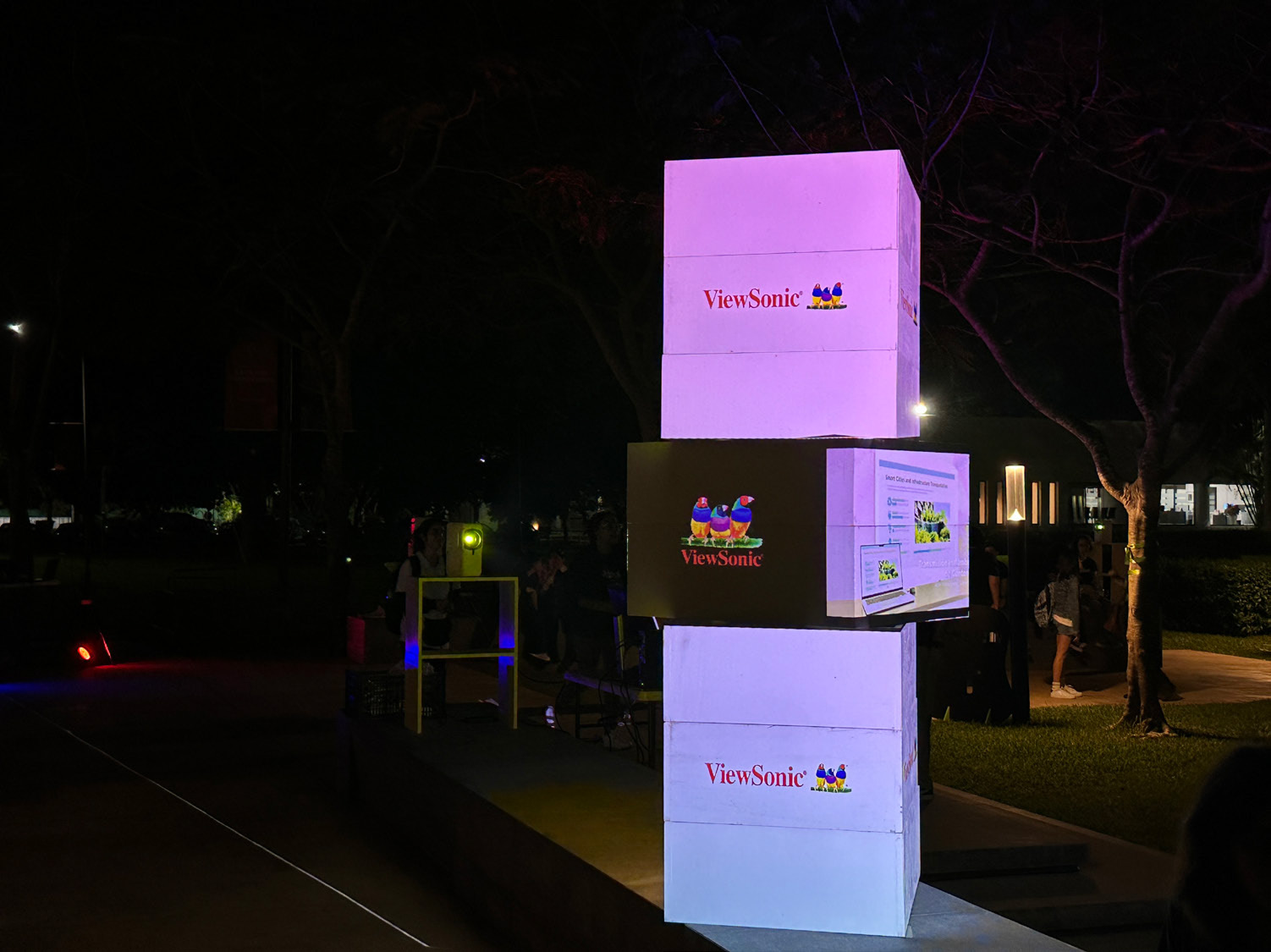
For its fourth edition in 2026, PRISMA offered a variety of activities focused on multimedia design and technological innovation. These included animation screenings, audiovisual productions, multimedia design showcases, and conferences featuring international experts in film and animation. A projection mapping show was also presented using projectors that showcased the students’ creativity, innovation and talent.

Projection mapping had been featured in previous editions of PRISMA; however, securing the appropriate equipment to carry out the project under ideal conditions had become increasingly difficult.

SOLUTION

line drawing of a jigsaw puzzle pieceline drawing of a jigsaw puzzle piece
  • Implementation of four ViewSonic® LS740HD projectors

  • Lamp-free, third-generation laser phosphor technology with 5,000 ANSI lumens

  • Full HD 1080p projection at sizes of up to 300 inches, 1.3X optical zoom, H/V keystone correction, four-corner adjustment, portrait mode and 360° projection

  • Developed by students in the eighth semester of the Multimedia Design program

This year, students in the eighth semester of the Multimedia Design program were responsible for creating the projection mapping animation, which was displayed on square structures using 360° imagery.

ViewSonic equipped the festival with four LS740HD projectors, which deliver 5,000 ANSI lumens and feature lamp-free, third-generation laser phosphor technology to ensure bright and vivid images. They can also project Full HD 1080p images at sizes of up to 300 inches. The LS740HD features 1.3X optical zoom, horizontal and vertical keystone correction, four-corner adjustment, 360° projection and portrait mode, making it the ideal solution for the show developed by the students.

Professor Zeus Borges, Coordinator of the Multimedia Design Program and organizer of the festival, explained: “Through this event, we aim to become a connection hub for the southeastern region. At present, Mexico does not have an initiative that supports animation or audiovisual production for states such as Chiapas, Tabasco, Veracruz, Campeche, Quintana Roo, and, especially, Yucatán. We want to become a meeting point for southeastern Mexico and Central America.”

“We have a large student population from El Salvador, Honduras, Guatemala, Nicaragua, and even Colombia who come to study here in Mérida. Festival PRISMA gives them the opportunity to meet entrepreneurs and leaders from the audiovisual industry, allowing them to interact with these professionals and expand their knowledge. We want Mérida to become that meeting point, a place that creates employment opportunities and serves as a production hub. This year, we welcomed guests guests from Spain and from California, USA,” he added.

Thanks to the LS740HD’s ability to be positioned vertically at virtually any angle, the students were able to develop creative applications with additional support from specialized software.

“There is excellent compatibility between the projectors and the computers. We did not experience any connection or interaction issues. Implementing the ViewSonic projectors was extremely straightforward,” Professor Borges added. “We are currently evaluating new projects involving the façades and buildings around the university. We want to make the most of everything we can achieve in terms of visualization. Now that the projectors are part of our technology toolkit, we have thousands of ideas that we can begin bringing to life.”

“Our students rely on tech-based tools for their projects. Understanding how the equipment works and learning about its features helps them tremendously when they enter the workforce. They already have practical knowledge that gives them useful experience and a professional edge that is invaluable to their development,” the professor explained.

RESULTS

Line drawing of a rocketLine drawing of a rocket
  • A successful projection mapping show during the fourth edition of Festival PRISMA 2026

  • Full compatibility between the projectors and connected equipment, with no connection issues

  • PRISMA strengthened its position as a meeting point for southeastern Mexico and Central America

  • New projects are being evaluated, including projections on university façades and buildings

  • Students gained practical experience and a professional advantage in audiovisual technology

According to Professor Borges, having the equipment available on campus will allow the university to experiment with new projection mapping trends, such as linking multiple projectors and exploring new ideas that enable professors and students to further expand their creativity.

Equipment with capabilities such as those offered by the LS740HD projectors enhances the students’ development and opens the door to more innovative creations that may one day be enjoyed in films, video games, or digital animations displayed on mobile phones or other visual devices.

Technology is one of the most important tools in the multimedia design field, and students must continually prepare to understand how to use it and make the most of its capabilities. This highlights the importance of providing them with high-quality, forward-thinking visual solutions such as those offered by ViewSonic.

ViewSonic® ViewBoard® Interactive Displays Enhance Student Experience at End-of-Year Showcase

CASE STUDY

ViewSonic® ViewBoard® Interactive Displays Enhance Student Experience at End-of-Year Showcase

SCHOOL

Rider University is a small private university in Lawrence Township, New Jersey made up of the Norm Brodsky College of Business, the College of Liberal Arts and Sciences/ Westminster Choir College, and the College of Education and Human Services. With an enrollment of just under 3,000 full-time undergraduates, the university has a 13:1 student-to-faculty ratio. It is distinguished by 21 NCAA men’s and women’s Division I sports teams and ranks on U.S. News and World Report’s Best Colleges list and The Princeton Review’s Best Colleges list.

LogoLogo

“The [ViewSonic ViewBoard] interactive setup allowed students and attendees to gather around the work, engaging with both the content and each other in a natural, seamless way. From our team’s perspective, this was a strong example of technology supporting experiential learning in a meaningful way.”

— Jaimie Dubuque, Learning Technology Administrator, Rider University

CHALLENGE

line drawing of a circular mazeline drawing of a circular maze
  •  Rider University’s Social Work Program needed technology to support a first-ever capstone showcase for its inaugural graduating class.

  • The initial request was limited to basic monitors, leaving room to elevate the event into a more meaningful, interactive experience.

  • Students needed a way to present cumulative work that went beyond a static display, requiring both large-format presentation capability and individual interactive stations. 

As graduation day approached for the inaugural class of the Bachelor of Social Work program at Rider University, students began preparing for their capstone project: a cumulative showcase of their work. Their professor reached out to Rider University Learning Technology Administrator Jaimie Dubuque to assist with technology to support the event.

“The initial request was for basic monitors to display student work,” said Dubuque. “I saw this as an opportunity to show what we could do with technology to expand the students’ capabilities and make this a more meaningful event.”

SOLUTION

line drawing of a jigsaw puzzle pieceline drawing of a jigsaw puzzle piece
  •  Learning Technology Administrator Jaimie Dubuque sourced a 65-inch ViewSonic ViewBoard IFP6541 with a Windows slot-in PC and mobile cart for formal group presentations.

  • Each of the six graduating students connected a laptop to a ViewSonic TD2455 24-inch touch display, enabling attendees to interactively explore student websites at individual stations.

  • Dubuque guided students through building free Wix websites, transforming their capstone work into living digital portfolios navigable via touch. 

Dubuque’s vision for the showcase featured enhanced student content presented on ViewSonic® touch displays to deliver an interactive, gallery-like experience.

“I was assessing an amazing touchscreen monitor on loan from ViewSonic which I recognized would be a fantastic educational tool,” said Dubuque. “It was a perfect fit for adding interactivity and engagement to the showcase.”

Dubuque was likewise looking at a 65-inch ViewSonic ViewBoard® interactive display for a library project. While ultimately too big for that need, it was perfect for interactive group work and presentations, she said.

Next, Dubuque suggested the idea of creating student websites, which could be navigated using ViewSonic touchscreen monitors, and could serve as living documents as students progressed through their careers.

“For these tech tools to best enhance learning it was important that they weren’t just using them as glorified monitors,” said Dubuque. “Our goal is to use these tools for collaborative learning. To achieve this, the content they presented, and how they presented, it mattered.”

The final steps in bringing the vision to life were working with ViewSonic to obtain the necessary equipment, and meeting with students over Zoom to run a crash course on building free Wix sites. 

For the final configuration, each of the 6 students in the graduating class connected laptops to a ViewSonic TD2455 24-inch touch display for easy viewing and interaction. They would deliver interactive presentations on a 65-inch ViewSonic ViewBoard IFP6541, outfitted with a windows slot-in PC (model VPC35-W55-G1) and mounted on a ViewSonic mobile cart (model VB-STND-001).

RESULTS

Line drawing of a rocketLine drawing of a rocket
  •  The showcase delivered a seamless gallery-like experience, with intuitive ViewSonic touch displays enabling smooth transitions from formal presentation to interactive portfolio exploration.

  • Students presented with visible confidence, with faculty noting the technology contributed directly to their ease and professionalism.

  • Quick setup and breakdown supported a tight event timeline, while USB-C connectivity and broad OS touch support simplified logistics for the IT team.

  • The event demonstrated ViewSonic technology as a vehicle for experiential learning, drawing praise from faculty, program leadership and university administration. 

The collaboration among social work program faculty, Dubuque’s IT team, and ViewSonic resulted in an unforgettable event for all involved. What was certain to be a special day for the inaugural graduating class of the new Social Work Program became even more so. Along with demonstrating the students’ accomplishments, the event further showcased the benefits of integrating technology into the education process.

To kick off the event, students delivered formal presentations that were easily seen from any vantage point thanks to the large, vivid 65-inch ViewSonic ViewBoard display. Next, participants spent time at student stations, where they smoothly navigated through their websites.

“The ViewSonic technology was very intuitive and easy to work with,” said Dubuque. “This enabled a smooth transition from formal presentation to interactive portfolio exploration.”

Set up was a breeze, said Dubuque, thanks to ViewSonic’s detailed guidance and outstanding product. The ViewSonic 24-inch touch displays provided easy USB-C connectivity along with touch support for numerous operating systems. The stand’s ergonomic, dual-hinge design with screen tilt allowed for easy viewing and interaction.

“From set up, to operation to the final breakdown, everything went quickly,” said Dubuque. “This was an important part of making the showcase a success because we had a relatively tight event timeline, which ViewSonic was able to accommodate through listening and responding to our needs.”

The team was thrilled to see their vision come to life.

“The interactive setup allowed students and attendees to gather around the work, engaging with both the content and each other in a natural, seamless way,” said Dubuque. “From our team’s perspective, this was a strong example of technology supporting experiential learning in a meaningful way."

That success was echoed by all stakeholders involved in the project.

“The interactive displays allowed students to authentically share their growth, transforming academic milestones into a compelling narrative that brings their professional journey to life,” commented Social Work Program Director Dr. Irma Sandoval-Arocho. “The interactive nature of these presentations also successfully captured the essence of social work education and its role in preparing competent generalist social workers.” Dr. Sandoval-Arocho further noted the impact of the interactive displays on the students’ experience.

“The showcase builds trust in Rider University’s B.S.W. Program as one that prepares graduates who are practice ready,” said Dr. Sandoval-Arocho, adding that, “Use of the interactive displays was intuitive for students and as a result, there was visible ease of use that contributed to their sense of confidence in presenting.”

This comment highlighted the student viewpoint: “I’m so glad this was a capstone project instead of a paper.”

Associate CIO Sari Alshiekh observed that, “It was great to see the vision come to life in such a student-centered way. Our collaboration moved us beyond simply ‘using screens’ to creating an engaging, interactive environment that supported both learning and presenting.”

The professor who oversaw the student work, said Dr. Heather Lee, summed up the positivity of the event:

“It turned out to be a beautiful day overall and it would not have been possible without Jamie and her team.” Dubuque notes that it couldn’t have happened without the outstanding support from ViewSonic, who ensured that all the details were taken care of, down to every accessory needed to make the setup a success.

“The entire collaboration process with ViewSonic, from start to finish, prioritized the student experience, and served as a clear example that ViewSonic values its partnerships and the learning community at large,” Dubuque concluded. “We look forward to an ongoing partnership and bringing more tech-enabled experiential learning to our students.” 

ViewSonic Direct View LED Display Accentuates Entryway in Technology-Focused Medical Center

CASE STUDY

ViewSonic Direct View LED Display Accentuates Entryway in Technology-Focused Medical Center

CUSTOMER

Formed by the 2018 merger of Bon Secours Health System and Mercy Health, Bon Secours Mercy Health is the fifth largest Catholic health care company in United States and one of the nation’s 20 largest health care systems. With 48 hospitals, thousands of providers, more than 1,000 points of care and over 60,000 employees, Bon Secours Mercy Health is dedicated to continually improving health care quality, safety and cost effectiveness. The company’s hospitals, care sites and clinicians are recognized for clinical and operational excellence, and it uses robust measurement and reporting processes to continually enhance care and improve outcomes.

LogoLogo

“I was very impressed with both the level of service we received from ViewSonic and the quality of the product. All the components of the system went together nicely – everything was milled correctly, and the panels self-aligned and snapped on easily.”


— Richard Banus, Account Manager at Onyx Audio Visual

PARTNER

A design-build firm dedicated to working closely with clients to identify their requirements and vision, Onyx is an industry leader in audio visual technology with over 30 years of experience in the U.S. and internationally. The company leverages its extensive experience in engineering to install and integrate highly complex systems. With a track record of successful, timely project execution, Onyx continues to cultivate relationships with government agencies, corporate enterprises, houses of worship, and educational institutions.

LogoLogo

CHALLENGE

line drawing of a circular mazeline drawing of a circular maze
  • The hospital required a high-tech entryway display to honor donors for its new smart facility expansion.

  • IT needed a state-of-the- art video wall that visually matched the hospital’s advanced medical technology.

  • The team faced the challenge of sourcing a large, seamless display that was easy to install.

  • The chosen solution also needed to overcome typical technical hurdles to ensure easy long-term maintenance.

Part of the Bon Secours medical group, The Harbour View Campus in Suffolk, Virginia was being expanded with a three-story, 100,000 square foot addition. Slated to become the system’s first smart hospital, the facility required a dedicated entryway space to give thanks to the donors who made the expansion possible. The primary challenge for the IT team was sourcing a state-of-the-art digital video wall that visually corresponded with the hospital’s advanced medical technology.

Furthermore, they needed a solution that could overcome the typical hurdles of large-scale video walls: it needed to be a large, seamless display that was both easy to install and easy for the customer to maintain. To find a system that met all these strict requirements, the team turned to their longtime partner, Onyx Audio Visual, for help. Their account manager, Richard Banus, recognized these specific challenges and recommended dvLED technology as the ideal solution.

“The benefits offered by dvLED technology are outstanding,” said Banus. “Not only does it deliver a large, seamless display, it is easier to install and easier for customers to maintain.”

SOLUTION

line drawing of a jigsaw puzzle pieceline drawing of a jigsaw puzzle piece
  • Onyx recommended the ViewSonic 136-inch dvLED (LDM136-151) because it offered the exact features the hospital needed.

  • The display featured high brightness, integrated speakers, and a surface treatment resisting dust, moisture and impact.

  • This All-in-One solution included wireless casting for easy management over the hospital’s LAN.

  • The display also featured an ultra-thin aesthetic with a detachable control box that enabled an even sleeker look.

Banus acquired quotes from display brands he had worked with in the past and was pleased to discover that ViewSonic also offered a 136-inch dvLED.

“While I’ve used ViewSonic monitors and IFP displays, we were just becoming an official ViewSonic dealer,” said Banus. “They had exactly what I was looking for in a dvLED – high brightness, integrated speakers and GOB surface treatment, which makes it impervious to dust, moisture and bumps. It’s truly an All-in-One solution with everything included that’s needed for installation. It even provided wireless casting that would allow my customers to manage easily over their LAN.”

It was also a winner aesthetically, Banus added, with an ultra-thin appearance and detachable control box that enabled an even sleeker look.

Banus shared the results of his comparison with the Bon Secours IT team and together they chose the ViewSonic (LDM136-151) 136-inch dvLED. The product shipped quickly and the team was ready to complete the installation in time for the grand opening, just a week away.

RESULTS

Line drawing of a rocketLine drawing of a rocket
  • The sleek, vibrant digital display now greets patients and visitors, rotating content to thank donors and provide important announcements.

  • The installation perfectly echoes the high-tech design of the medical center and has been very well received by staff and visitors.

  • The All-in-One design made installation easy, as components were milled correctly and panels self-aligned.

  • The hospital was highly pleased with both the price point and the final visual outcome.

Patients and visitors who enter the Bon Secours Harbour View Medical Center’s main entrance are greeted with a sleek and vibrant digital display that echoes the Center’s high-tech design and service. Rotating content thanks donors and provides important announcements.

“The project lead sent an email letting me know how well-liked the display is by Center staff and visitors,” said Banus. “They were pleased with the price-point, and I haven’t had a single negative comment since it’s been up and running.” Banus noted that while he had installed many ViewSonic ViewBoard® interactive IFP displays in the health system’s offices and conference rooms, this was his first time working with a ViewSonic All-in-One dvLED video wall.

“I was very impressed with both the level of service we received from ViewSonic and the quality of the product,” he said. “All the components of the system went together nicely – everything was milled correctly, and the panels self-aligned and snapped on easily.”

The All-in-One design is ideal for an easy, streamlined process, he added, since the installers have everything they need right at hand, including cabinets, tiles, power supplies, and cables.

“When they were done, we turned on the display and it lit up and looked great,” he concluded. “The client loves how it looks and is happy with the outcome.”

Community Center Enhances Civic and Community Events with ViewSonic 136-Inch Direct View LED

CASE STUDY

Community Center Enhances Civic and Community Events with ViewSonic 136-Inch Direct View LED

CUSTOMER

The City of Highland Heights Community Center serves 9,000 residents, providing a convenient space for weddings, birthdays, graduation parties, events and community meetings year-round. City residents and businesses can reserve the Buckeye room (64 guest capacity) or the Highland room (175 guest capacity) for a rental fee. Both party rooms have access to the Center’s kitchen. Many Highland Heights civic and community groups use the Center to host monthly or weekly meetings.

LogoLogo

“The large [dvLED] display is a focal point in the room and makes a statement with the clear and bold picture. Professionally, presentations are now easy to see from any seat in the room, and I have had only positive feedback from residents who use the screen in social gatherings.”

— Audrey Gerbasi, Community Program Coordinator at the Center

PARTNER

iVideo Technologies is an audio-visual technology integration partner dedicated to empowering organizations through integrated AV, broadcast, and technology systems since 1968. With several locations across Ohio and in Pittsburgh, PA, iVideo delivers communication solutions that support clarity, collaboration, and audience engagement across all sectors nationwide.

CHALLENGE

line drawing of a circular mazeline drawing of a circular maze
  • The city wanted to upgrade video equipment in its 175-capacity Highland room to enhance presentations and engagement.

  • They needed a vibrant, modern display that was easily visible to anyone in the room.

  • The center sought to eliminate lighting and size struggles caused by using a portable projector.

  • Staff required a system that would be readily available and easy to use for various events.

The City of Highland Heights was looking to upgrade the video equipment in the Community Center’s largest room. With a capacity of 175, the Highland room was a high-demand space for hosting scheduled civic and community group meetings, as well as for rental by residents for parties and events. The ability to display content would enhance presentations and offer a way to boost engagement at events.

“Our goal was to provide a vibrant, modern display that could be easily seen by anyone in the room,” said Audrey Gerbasi, Community Program Coordinator at the Center. “We were also looking forward to eliminating the struggles with lighting and size presented by the portable projector that we would occasionally bring into the room. We needed a system that would be readily available and easy to use.”

SOLUTION

line drawing of a jigsaw puzzle pieceline drawing of a jigsaw puzzle piece
  • Reseller iVideo Technologies recommended the ViewSonic 136-inch dvLED display, model LDM136-151.

  • The expansive screen provided clear viewing with high brightness, a strong contrast ratio, and fast refresh rates.

  • A modular design with hotswappable front LED panels greatly simplified maintenance compared to traditional video walls.

  • The Glue-on-Board surface provided essential durability against bumps, dust, and moisture during energetic room rentals.

The Center’s reseller partner, iVideo Technologies, had worked with the city previously, including the installation of AV equipment in the council chambers. When Senior Account Manager Dale Kiser was briefed on the goals for the Center’s Highland room, he immediately thought of the ViewSonic® 136-inch Direct View LED (dvLED) display (model LDM136-151).

“We have corporate accounts that are standardized on ViewSonic CDE displays for their conference and training rooms, so I’m very familiar with their products and I know I can count on ViewSonic to provide outstanding service,” said Kiser. “I had recently worked with ViewSonic to develop a dvLED solution for another customer and recognized that it would be an ideal solution for the Center.”

The expansive 136-inch screen would ensure clear, vibrant viewing throughout the space, with 600-nit high brightness, 6,500:1 contrast ratio and 3,840Hz refresh rate, while the modular design with hot-swappable front LED panels would greatly simplify maintenance compared to traditional video walls.

Importantly, for a room that would be used for events ranging from professional meetings to energetic parties, the Glue-on-Board (GOB) surface treatment provided the durability needed to withstand potential bumps along with resisting dust and moisture.

“I like recommending this product because it delivers such nice color and brightness, and the form factor is very aesthetically pleasing,” said Kiser. “I like working with ViewSonic because the service, support and quick reaction times from their team really gives me a warm fuzzy feeling,” he concluded with a smile in his voice.

Kiser developed a complete solution that included a QSC system with touch panel control and with the Center’s approval of his plan installation was completed without issue by iVideo’s installation field team.

RESULTS

Line drawing of a rocketLine drawing of a rocket
  • The AV makeover added professionalism and energy to civic events, meetings, and private parties.

  • Presentations are easily seen from any seat, generating positive feedback from residents attending social gatherings.

  • Allowing community members to showcase personal media on the big screen boosted the space’s rental appeal.

  • Time-consuming projector challenges were eliminated, paving the way for future resident movie nights.

According to Gerbasi, the Highland room AV makeover has made a huge impact on professional meetings, civic events, and private parties, adding both professionalism and energy to the space.

“The large display is a focal point in the room and makes a statement with the clear and bold picture,” she said. “Professionally, presentations are now easy to see from any seat in the room, and I have had only positive feedback from residents who use the screen in social gatherings.”

Additionally, the ability for community members to showcase personal images or watch a chosen broadcast or video has added to the space’s rental appeal.

“People are excited when they see the eye-catching power of the big screen,” said Gerbasi. “They appreciate the grandness of the picture and like to come up with ways to incorporate the new technology into their events.”

Even when the display is not being used to support presentations, civic meetings have been enhanced by the ability to showcase the city’s logo on the screen during events, Gerbasi added.

“Everyone seems very satisfied with the outcome, and we’re thrilled to have eliminated the time-consuming challenges we had with the projector,” Gerbasi concluded. “We look forward to offering movie nights to our residents and expect many more years of positive feedback.”

University Faculty and IT Team Gain Efficiency and Efficacy with ViewSonic® Digital Podiums

CASE STUDY

University Faculty and IT Team Gain Efficiency and Efficacy with ViewSonic® Digital Podiums

SCHOOL

Coker University is a student-focused, private liberal arts college located in Hartsville, South Carolina. Founded in 1908, Coker is a bachelor’s and master’s degree-granting institution and competes in 24 NCAA Division II sports. Redefining undergraduate research, Coker students participate in local and regional conferences and competitions. Coker combines round table, discussion-based learning with hands-on experiences to promote active participation in and out of the classroom.

LogoLogo

“I’m just starting to touch on what it can do, and so far, I can’t imagine a better outcome than [the myPodium ID2456-4K]. I’d rate the upgrade a 10/10 and I’m not always that generous.”


— Joseph Flaherty, PhD, Research Director and Professor of Biology at Coker

CHALLENGE

line drawing of a circular mazeline drawing of a circular maze
  • Coker University classrooms contained disparate technology from various manufacturers.

  • Maintaining a broad mix of technology caused inefficiencies for the small IT team.

  • The aging technology frustrated faculty members and generated a high volume of help desk tickets.

  • The IT Director needed to navigate a complex edtech landscape to standardize a common solution across the campus.

When Information Technology Director Charlie Poag joined the Coker University team, edtech across the campus was ripe for an upgrade. Classrooms contained an array of disparate technology from a range of manufacturers, which led to inefficiencies and challenges for both IT and faculty.

“We can’t be experts in every technology out there and maintaining such a broad mix efficiently was more than our small team could do,” said Poag. “Faculty was frustrated and we were receiving a lot of help desk tickets.”

The edtech landscape had changed dramatically since the aging Coker classroom technology had been installed. Poag’s objective was to standardize around a common solution. But first his team would need to identify which solution would best meet their faculty’s needs.

“We began our due diligence and discovered that each manufacturer had many models of each product category – from projectors to interactive displays.” said Poag. “Edtech has become a complex landscape, with a huge array of options.”

As his team began the process of researching the latest edtech, Poag was introduced to Tyler Davis, a regional rep from Howard Technology Solutions. During their initial conversation, Poag recognized the value of partnering with an AV pro like Howard.

“The folks at Howard know the edtech landscape through and through, and it was clear that they could be a big help with our upgrades,” said Poag. “As a starting point, Tyler offered to give us his favorite new edtech product to evaluate – the ViewSonic 4K Digital Podium.”

SOLUTION

line drawing of a jigsaw puzzle pieceline drawing of a jigsaw puzzle piece
  • IT deployed a ViewSonic 4K Digital Podium (model ID2456-4K) in a well-used classroom for faculty evaluation.

  • Following overwhelmingly positive faculty feedback, the university unified more than two-thirds of its classrooms around ViewSonic products.

  • The upgrades included ViewSonic Commercial Displays, Laser Projectors, and the digital podium ID2456-4K solutions.

The Coker IT Team put the Digital Podium (ViewSonic myPodium™ ID2456-4K) in a well-used classroom and invited feedback from faculty.

“The response was very positive,” said Poag. “The faculty loved it. Based on this, we purchased five more, putting one in each academic building.”

After allowing time to get to know the product, the IT team conducted a survey to gain insight into the upcoming upgrades.

“We gave them options based on technology they had been using for some time, such as Promethean and SMART boards, and we asked what technology they would like to use going forward,” said Poag. “Overwhelmingly the faculty wanted to use the ViewSonic podiums.”

At that point, Poag had the direction he needed to begin unifying the technology across all Coker classrooms.

Top of the list were the athletic building classrooms, where users had been increasingly frustrated with the aging technology. While Poag and his team worked with Howard to create an upgrade plan, a grant came in to refurbish the entire science building. In the end, more than two thirds of the Coker classrooms were unified around ViewSonic products, including ViewSonic Commercial Displays (CDE8630 and CDE9830), ViewSonic Laser Projectors 
(LS92OWU) and the ViewSonic myPodium ID2456-4K.

“Wherever possible, we upgraded to the ViewSonic Commercial Displays for front-of the-room viewing,” said Poag. “Where we had pre-existing cabling to the ceiling we upgraded to ViewSonic’s 6000-lumens Laser Projector.”

RESULTS

Line drawing of a rocketLine drawing of a rocket
  • The IT team experienced greater operational efficiency and received far fewer technical support calls.

  • The digital podiums offered an affordable alternative to placing large touchscreens in every classroom.

  • New displays and laser projectors provided highly visible, detailed content while requiring less maintenance.

  • Faculty gained the flexibility to seamlessly connect their own devices via USB-C, eliminating device connection confusion.

From an IT perspective, the results could hardly have been better: faculty were happier and so was the IT team. What’s more, the upgrade made smart use of the university’s limited resources and would continue to reduce costs over time. “These podiums are a terrific solution for so many reasons,” said Poag. “For one thing, they are so much more affordable than putting a large touchscreen in every classroom. And, in my opinion, they’re a better fit for the job because instructors don’t have to turn their back on the students to annotate content.” Unifying around ViewSonic products, said Poag, has enabled his team to operate with greater efficiency and expertise.

“We can really get to know this product, how to best train instructors, and how to effectively maintain and troubleshoot,” said Poag. “Now faculty can move seamlessly from classroom to classroom, and the IT team is fielding far fewer tech support calls.” 

And, with modern laser projectors, the IT team purchases fewer bulbs and spends less time on maintenance.

“Another benefit of the digital podiums,” added Poag, “is the ability for faculty to connect their devices with USB-C, while maintaining the connection to the PC we provide in the room. They have the choice of which to use, and this eliminates any confusion around which device is connected. We used to get a lot of calls about disconnections and faculty having to reboot the PC.” From an instructional perspective, the new technology is enabling more streamlined and interactive instruction, along with more visible content.

“The large screens in the front of the classroom are magnificent,” said Joseph Flaherty, PhD, Research Director and Professor of Biology at Coker.

“The panels are highly visible from everywhere in the room and they’re perfect screens for visualizing detailed content. It’s a big improvement 
over the old projectors.”

Because of past encounters with digital whiteboards that were clunky, slow and challenging to use, Flaherty prefers the smooth, responsive touch panel on the ViewSonic myPodium ID2456-4K.

“The screen is such high quality, it’s like using your phone, and I love not having to turn my back on students.” said Flaherty. “The fast, responsive screen makes it a breeze to interact with content. I particularly appreciate being able to pinch and zoom in to highlight material – that alone makes teaching easier. I look forward to learning more about the functionality and how it can further help me add impact to instruction.”

Although he knows he’s just scratched the surface of what he’ll be able  to accomplish with the digital podium, Flaherty is already thankful that the IT team partnered with ViewSonic.

“I’m just starting to touch on what it can do, and so far, I can’t imagine a better outcome than this product,” he concluded. “I’d rate the upgrade a 10/10 and I’m not always that generous.”

The IT team is likewise thankful for the growing relationship with both Howard and ViewSonic.

“We love having Howard as our AV partner; they’re very responsive and listen well and make sure understand the need before they start recommending products,” said Poag. “They’ve connected us with our ViewSonic rep Randy, who has also been very helpful.”

Higher Education Hybrid Classroom Gets Transformative Upgrade with ViewSonic Direct View LED Displays and More

SOLUTION BRIEF

Higher Education Hybrid Classroom Gets Transformative Upgrade with ViewSonic Direct View LED Displays and More

BACKGROUND

For one school district located in western Canada representing a large and diverse network of K-12 public schools, raising the bar of excellence for digital learning was achieved with ViewSonic’s ViewBoard solution.

LogoLogo

Not only is the upgraded classroom now a cutting-edge digital learning environment, it is also a model for future classroom refreshes. The integrated technology seamlessly blends in-person and remote experiences, delivering a host of benefits to faculty, students, and the IT team.


— Miles Brandon, Owner, Capistrano VW

CHALLENGE

line drawing of a circular mazeline drawing of a circular maze
  • Upgrade outdated classroom displays to seamlessly support hybrid learning.

A recognized leader in STEM higher education, this large state university is dedicated to being on the forefront of classroom technology. To facilitate efficient use of technology resources, the university offers instructors a variety of classroom configurations to meet their edtech needs. At the pinnacle of these options are classrooms equipped to simultaneously deliver instruction to in-person and remote students. Live-monitored by university IT staff to prevent tech-related disruption, these rooms serve an important role in extending the reach of instruction.

One such classroom was due for a major technology update. The existing setup relied on two ceiling-mounted projectors, which cast content onto dual wall screens. It was time to upgrade to technology that would support the range of modern learning options and instructional modalities: a state-of-the-art video wall that would deliver bright, consistently sharp visuals for every student. More importantly, the solution needed to seamlessly deliver content to in-person and distance learners, while creating an environment that connected those audiences and provided intuitive control for the instructor.

Several types of displays would be needed to support these goals, including large, vibrant front-of-room displays for on-site learners; displays to bring Zoom participants into the room; confidence displays for the instructor at the back of the room; and an interactive display at the instructor podium. All of which would be maintained and monitored in real time by university IT staff.

SOLUTION

line drawing of a jigsaw puzzle pieceline drawing of a jigsaw puzzle piece
  • ViewBoard IFP8650 86-inch Interactive Display

  • myViewBoard® Digital Whiteboarding Software

To accomplish these goals, the IT group worked with longtime reseller partner ClarkPowell, which recommended ViewSonic for the display component of the installation. The IT team reviewed the recommendations and agreed that this would be an ideal solution for their needs, commenting in particular on the durability of the ViewSonic® Direct View LED (dvLED) display with Glue-on- Board (GOB) technology and the ability to swap individual panels with included spares, which would streamline maintenance.

The final front-of-room solution included two 136-inch ViewSonic All-in-One dvLED video walls (Model LDM136-151) to present class content. These would be mounted on either side of a ViewSonic 98-inch 4K commercial display (model CDE9830). Two ViewSonic 65-inch commercial displays (model CDE6530) would be mounted to the back wall for instructor visibility: one to mirror the instructional content; one to display Zoom participants.

Finally, the instructor podium would be equipped with a ViewSonic 24-inch digital podium touch display (model ID2456-4K) that would enable faculty to intuitively deliver content and connect with students using integrated ViewSonic® ViewDirector™ software. To ensure seamless operation, the ClarkPowell team would integrate the ViewSonic displays into the classroom’s existing Crestron matrix switcher.

RESULTS

Line drawing of a rocketLine drawing of a rocket
  • Stunning 231-inch seamless video wall transformed showroom aesthetics and energy

  • Reliable all-in-one system resolved previous performance and management issues

  • Easy setup with complete kit enabled quick, frustrationfree installation

  • Day-and-night visibility extended promotional impact to freeway traffic

  • Enhanced content flexibility for events, promotions, and employee recognition

  • Long LED lifespan reduces maintenance and supports 24/7 use

  • Dealership excited to expand usage for movie nights, community engagement, and brand storytelling

The integrated technology seamlessly blends in-person and remote experiences, delivering a host of benefits to faculty, students, and the IT team.

Instructors appreciate no longer having to contend with projector lights shining in their eyes, as well as being able to maintain focus on students. The confidence monitors in the back of the room allow presenters to easily confirm that their content is looking as it should on the front screens, while also providing an interface with students joining on Zoom.

The brightness and clarity of the ViewSonic dvLED displays provides classroom and remote students with a clearer view of content in all lighting conditions, while also delivering outstanding recorded images – a critical component of serving the needs of asynchronous distance learners. Along with this consistency in lighting, the IT team benefits from the lower, and easier, maintenance offered by the dvLED displays. All of which provides more streamlined instruction with greater efficiency and reduced costs. /span>

What’s more, a visiting IT specialist mentioned that one of their university’s classrooms had an outdated dvLED display that lacked GOB surface treatment, which resulted in damage, and added repair costs, when students bumped into it.

The university’s stated objective for its top-tier tech classrooms is to empower faculty to deliver modern, high-impact instruction to a range of students, without the burden of technical barriers. In these spaces, the edtech allows faculty to focus on teaching, not troubleshooting. This classroom upgrade has achieved just that, with bright and durable ViewSonic dvLED video walls, commercial displays, and a digital podium touch display shining as the foundational visual technology.

Business School Enhances Event Experience with ViewSonic® Direct View LED Display

SOLUTION BRIEF

Business School Enhances Event Experience with ViewSonic® Direct View LED Display

BACKGROUND

With a growing population of undergraduate and graduate students, the business school at a top-ranked university on the U.S. East Coast was running out of space. As a result, it was compelled to repeatedly repurpose study space to accommodate events, which was both inconvenient for students and inefficient. The opportunity to address this need arose when space in their main building became available to transform into an exclusive event space.

Central to delivering an effective space would be a focal-point display that could easily be seen by all participants. The large space, which would accommodate up to 200 attendees at round tables, was graced with significant natural lighting from numerous windows. While a benefit to the ambiance overall, this ambient light would constrain their choice of AV system, which would need to be bright enough to deliver clear images in these conditions.

The school’s IT team quickly ruled out projection.

“They had already been moving away from traditional projectors, because of the higher maintenance and tendency to dim over time,” said Eric Waldron, ViewSonic Regional Business Manager for the area. “They wanted instructors and presenters to be able to keep the lights on, which helps facilitate engagement, and they liked that a video wall solution would provide excellent support for hybrid meetings.”

Along with needing outstanding brightness and clarity, the space required a precise fit and the IT team was under pressure to complete the installation quickly for a planned event. Additional objectives included a platform that would enable intuitive transition for professors from the familiar white- and blackboards to digital annotation. 

LogoLogo

Not only did the business school gain useful event space, which meant no longer displacing students from study areas, the IT team is enjoying the benefits of the front-swappable panels, which enable faster and easier maintenance and easier alignment, which ensures a more seamless, accurate image.


— Miles Brandon, Owner, Capistrano VW

CHALLENGE

line drawing of a circular mazeline drawing of a circular maze
  • Equipment currently in use is beginning to reach the end of their service life

As part of its education delivery, the district had previously relied on Promethean projectors in classrooms, but these products were reaching the end of their life cycle. Not only were the images hard to see in ambient light conditions, the systems often needed replacement parts and were expensive to maintain. Additionally, the projectors had to be manually recalibrated every time they were moved, presenting new logistical challenges. The school district decided it was time to make a transition to newer technology, and undertook a comprehensive search and trial of leading visual technologies, from projection systems to interactive flat panel displays (IFPs) – including ViewSonic® ViewBoard® interactive displays.

The team leading the search already knew that interactive flat panel systems would be more flexible to use, much easier to install, and require less maintenance than projectors. They decided to invite teachers from across their network to a central location to evaluate four different interactive flat panel (IFP) display systems in person.

SOLUTION

line drawing of a jigsaw puzzle pieceline drawing of a jigsaw puzzle piece
  • ViewBoard IFP8650 86-inch Interactive Display

  • myViewBoard® Digital Whiteboarding Software

The business school IT team evaluated video walls and dVLED screens from several brands, ultimately choosing a ViewSonic 136-inch All-in-One Direct View LED Display (model LDM136-151). This provided the ideal combination of features, along with outstanding brightness, refresh rate and clarity, said Waldron. Fortunately, the size was an exact fit for the space, and the display was in stock and ready to ship. The modular, all-in-one design enabled fast, streamlined installation. “The easy and seamless mounting structure and automatic configuration capabilities were big selling points for this customer,” said Waldron. “They were very happy when the installation was as quick and straightforward as we said it would be.”

RESULTS

Line drawing of a rocketLine drawing of a rocket
  • Stunning 231-inch seamless video wall transformed showroom aesthetics and energy

  • Reliable all-in-one system resolved previous performance and management issues

  • Easy setup with complete kit enabled quick, frustrationfree installation

  • Day-and-night visibility extended promotional impact to freeway traffic

  • Enhanced content flexibility for events, promotions, and employee recognition

  • Long LED lifespan reduces maintenance and supports 24/7 use

  • Dealership excited to expand usage for movie nights, community engagement, and brand storytelling

“Importantly, the hiccup-free delivery and installation enabled the IT team to meet the deadline for the premier event in the new space, despite some internal concerns.

“Just a week prior, they were having serious internal discussions about moving the event elsewhere,” said Waldron. “The IT team assured their stakeholders that the video wall would be the least of their worries, and in the end, it was.”

In the end, everyone involved was impressed by how quickly and cleanly the installation came together, reported Waldron, and the IT team has appreciated the solution’s ongoing reliability and low maintenance.

“It is always fulfilling to hear from a customer that they’re experiencing greater efficiencies because of our product,” said Waldron. “Not only did the business school gain useful event space, which meant no longer displacing students from study areas, the IT team is enjoying the benefits of the front-swappable panels, which enable faster and easier maintenance and easier alignment, which ensures a more seamless, accurate image.”

Ultimately, the vibrant display met every objective on the business school IT team’s list and has made a strong impression on everyone who’s used the space, Waldron reported.

“They told me that it’s been a game-changer for their events,” he concluded. “Which is exactly why many of our customers are turning to our dVLED in place of traditional video walls.” 

School District Offers Esports to All Ages by Leveraging ViewSonic Display Infrastructure

CASE STUDY

School District Offers Esports to All Ages by Leveraging ViewSonic Display Infrastructure

PROFILE

Fayette County Public Schools is a large district encompassing the city of Lexington, Kentucky and serving approximately 42,000 students across 57 schools. The second-largest school district in Kentucky, it includes 38 elementary schools, 13 middle schools and 6 high schools, along with preschools and several additional programs/technical centers, with a 60% minority enrollment and over a third of students whose families are economically disadvantaged.

LogoLogo

“Just one plug is all it takes for the ViewSonic ViewBoard to launch an instant esports lounge. That single connection makes the display the unquestioned focal point—where any room is a ready-to-compete arena.”


— Shad Lacefield, FCPS STEM Learning Coach

CHALLENGE

line drawing of a circular mazeline drawing of a circular maze
  • Establish the state’s first elementary school esports program to positively impact student success and engagement.

  • Overcome the lack of dedicated space and budget to accommodate significant student interest.

  • Find funding for career connection projects, such as producing student-designed team jerseys.

Boasting several state championships, the Fayette County Public Schools (FCPS) high schools had enjoyed the benefits of a thriving esports program since 2019. In 2023, the principal of the G. W. Carver STEM Academy, Lamar Allen, set his sights on bringing these benefits to his students.

“He was determined to become the first elementary esports program in the state,” said Shad Lacefield, FCPS STEM Learning Coach, who provides tech support throughout the district and helps esport coordinators with program startup. “As the leader of a STEM school, he knew how much this program could positively impact student success.”

The most immediate challenge to establishing the program was finding the space and equipment to accommodate significant student interest. After that, program staff were challenged with how to fund projects designed to engage students in esports career connections.

SOLUTION

line drawing of a jigsaw puzzle pieceline drawing of a jigsaw puzzle piece
  • Leveraged existing infrastructure of 75-inch ViewSonic® ViewBoard® interactive flat panel displays to create equitable access.

  • Utilized mobile carts to create flexible “pop-up” esports lounges in shared spaces like libraries and media centers.

  • Deployed the ViewSonic All- in-One Direct View LED mobile and foldable display for large- scale competitions and events.

  • Partnered with ViewSonic to cover production costs for team jerseys.

In the five years preceding the dream of an all-ages esports program, FCPS had installed 75-inch ViewSonic ViewBoard interactive flat panel displays in every classroom in order to create a universal classroom experience and equitable environment for student learning across the district. These existing displays, Lacefield realized, could be leveraged to support the elementary esports expansion.

“The ViewSonic IFP displays bring outstanding interactivity and engagement to classroom learning,” said Lacefield. “It was a tremendous investment in our students that we were able to extend as a shared resource to create popup esports lounges. This solved the universal problems of one, how to afford the equipment, and two, where are we going to put it.”

The inaugural club was launched in the G. W. Carver STEM Academy library, which housed a media space ripe for conversion into a part-time esports environment.

“There were several ViewSonic IFP displays already in the room, which serves as a flexible learning space for students, and the school had other ViewSonic ViewBoard displays on mobile carts,” said Lacefield. “It was easy to simply roll them in for the after-school club meetings.”

And with that, mission accomplished: FCPS had the first-ever elementary esports lounge in the state. Next, the team found exciting ways to leverage another ViewSonic display resource: an all-in-one mobile Direct View LED Display folding travel kit.

“The district purchased it for use in large spaces like the auditoriums where we hold conferences and professional development programs,” said Lacefield. “Of course, it also shines as a focal point at in-person esports competitions, where we’re able to display four screens at a time on the one massive display.”

Ultimately, the district was able to provide the after-school club at no cost to participants, thanks to existing infrastructure and support from grants and partnerships. However, when students designed team logos and jerseys, the club had no funds to produce them.

“The project would have had to remain a creative exercise,” said Lacefield, “But ViewSonic stepped in and covered the cost of every jersey for every player.”

RESULTS

Line drawing of a rocketLine drawing of a rocket
  • Rapid program expansion from a single pilot school to 41 schools (30 elementary and 11 middle) in just two years.

  • Created a cost-free, inclusive extracurricular activity that improves social-emotional and academic outcomes.

  • Maximized hardware investment by using displays for instruction during the day and gaming after school.

  • Fast setup allowed staff to launch an esports arena instantly with just one plug.

  • Developed a strong pipeline of enthusiastic students and supportive parents feeding into high school esports programs.

What started with one school quickly exploded to thirty in the span of just two years. By the 2025-2026 school year, spaces in 30 elementary and 11 middle schools were being used for the after-school esports program – with more to come. At one school, the club used a conference room already outfitted with 75-inch ViewSonic ViewBoard IFP displays. At another, the maker space was a perfect fit. Each school was unique, but all made use of existing wall- or mobile cart-mounted ViewSonic ViewBoard displays.

“The ViewSonic cart-mounted displays offer incredible flexibility of use,” said Lacefield. “They can be moved during the day to meet instructional needs, and used after school to support extracurriculars.”

To easily facilitate the transformations, Lacefield created gamer backpacks that house everything needed for the students to connect to and use the displays.

“Once the IFP displays are wheeled in, the students can set up the gaming space quickly and easily,” said Lacefield. “Just one plug is all it takes for the ViewSonic ViewBoard IFP to launch an instant esports lounge. That single connection makes the display the unquestioned focal point—where any room is a ready-to-compete arena.”

In all cases, the results were exciting and impactful.

“The kids absolutely love playing on what to them looks like massive TV screens,” said Lacefield. “And the video quality and speed are incredible – even when running a LAN tournament. The huge screens make it feel so exciting and real to the kids.”

Within a year, the program Lacefield managed merged with the Girls Who Game club, led by Ashley Faulkner. Together they became EPIC Esports and began creating curriculum around the esports industry and other important gaming topics.

“We realized that we were teaching students how to be digital citizens online with their Chromebooks, but not necessarily through gaming. To gain insight, we surveyed a sample of students from across the district,” said Lacefield. “We discovered that 90% were gaming weekly, with 79% engaging with people they didn’t know. To address this, we created content for students and parents on how to safely navigate this ecosystem.”

Along with gathering to game, members of the EPIC Esports program learn about the inner workings of the esports industry and its career opportunities.

“We’re showing our students that, while they may not end up pro gamers, their love of video games could lead them down related career paths,” said Lacefield. “They could become game designers, shout casters, graphic designers, and more.”

To bring these opportunities to life, Lacefield and Faulkner engage students in career connection activities like designing team logos and jerseys.

“Thanks to ViewSonic we were able to produce and provide jerseys with student-designed logos for all of our teams,” said Lacefield. “We are so grateful to them for their support.”

The club’s name, which stands for Engaging Players in Inclusive Competitions, epitomizes its impact on students. At its heart, the FCPS EPIC Esports Club is about engagement. Research has consistently demonstrated that students who participate in extracurricular activities thrive. In every way, involved students do better: academically, socially-emotionally, and in their lives beyond school.

“Most of our esports students weren’t involved in any other extracurricular activities; this club was their first,” said Lacefield. “Now they’re making new friends and expanding their experiences, and the impact on student growth is amazing.”

A district middle school exemplifies this impact.

“These kids have been extremely successful in our region, which includes teams from Florida up through New York,” said Lacefield. “They were in the top five out of 170 teams in a recent competition. Later their coach told us that she saw a big change in students’ behavior and demeanor in school. It gave them a boost of confidence to be one of the best Super Smash teams in the region.”

Coaches at other schools have shared similar feedback, from students and parents.

“A parent of one of my students got emotional during a meeting, while sharing how EPIC Esports helped her son find a place and make friends,” said Jennifer Reams, an Elementary EPIC Esports Coach, “This is a student who has a learning disability and struggles academically, but in esports he excelled, becoming one of our top Mario Kart racers.”

Parental appreciation for the EPIC Esports program has impacted the pipeline to high school esports participation as well.

“In the past, parents were often skeptical about their kids participating,” said Chris Griffith, Esports Coach at Esports State Champion Lafayette High School. “However this year, when I hosted the booth for our esports team at orientation, the middle school parents were thrilled to sign their kids up for our team. There were many students and families excited to continue what they started with EPIC Esports. That was really cool to me.”

The EPIC Esports program has been an unequivocal success, said Lacefield, thanks to the help of partners like ViewSonic.

“It’s been everything we’ve hoped for,” he said. “We have been able to provide a free, safe community where kids can make friends and do what they love, and we’ve seen the positive impact in improved academic and social-emotional outcomes.”

By Integrating ViewSonic Technology, Preuniversitario Gauss Redefines Pre-University Education in Chile

CASE STUDY

By Integrating ViewSonic Technology, Preuniversitario Gauss Redefines Pre-University Education in Chile

PROFILE

In Chile, a preuniversitario is a private educational institution that prepares high school students—typically in their final four years—for the Higher Education Admission Test (PAES), a critical exam for university admission.

Founded in 2011, Preuniversitario Gauss was established with a clear mission: to prepare students for higher education through a model rooted in academic excellence. With more than 15 years of experience, Gauss now operates seven physical campuses—Los Trapenses, Chamisero, La Reina, Huechuraba, Peñalolén, Montemar, and La Serena—alongside a robust online campus. This expansion has positioned the institution as one of Chile’s most innovative and forward-thinking pre-university programs.

In 2019, Cathia Morais joined Gauss as Business Development Manager with a bold vision to elevate the institution. “My mission was to lead a digital transformation and turn Preu Gauss into a five-star pre-university institution, where academic excellence and technology go hand in hand,” she recalls.

Since the arrival of Morais, Gauss has focused on delivering an academic experience defined by excellence, innovation, and outstanding service—setting a new benchmark for pre-university education in Chile.

LogoLogo

“Thanks to the swift execution by our distributor and the dedicated support of the after-sales training team, we implemented the technology in record time. Since then, we’ve become the first pre-university institution in Chile—and likely the first educational institution overall—to equip every classroom on every campus with interactive screens.”


— Cathia Morais, Business Development Manager

CHALLENGE

line drawing of a circular mazeline drawing of a circular maze
  • Redesign the conventional education framework, replacing outdated tools like blackboards, projectors, and notebooks with a comprehensive digital approach.

  • Position Gauss Pre-University as a leading premium institution, recognized for its superior level of service.

  • Maintain the delivery of online classes throughout the pandemic, while preserving the quality and personal connection of the learning experience.

Since its establishment, Preuniversitario Gauss has aimed to distinguish itself from traditional pre-university institutions in Chile. From the outset, the institution recognized the growing need for a digital learning model—one that would enable students to attend classes from anywhere. “We already saw the need for a digital transformation that would allow us to reach students throughout Chile,” recalls Morais.

The leadership team understood that the future of education lay in hybrid and connected learning, a trend already evident in more advanced educational systems, such as those in the United States and Europe. Before embarking on its transformation, Gauss’s instructional approach mirrored that of most Chilean institutions: a traditional setup dependent on blackboards, projectors, and limited digital interaction.

“Everything was done manually—attendance, notes, exercises. Students had to be physically present to learn,” Morais explains. While this model had served its purpose, it offered little flexibility and left minimal room for innovation.

The onset of the COVID-19 pandemic dramatically accelerated the institution’s digital strategy. Almost overnight, Gauss was faced with a dual challenge: to establish itself as a premium pre-university institution while also ensuring continuity of learning during lockdowns. “We had two challenges,” says Morais. “We wanted to differentiate ourselves as a premium pre-university institution with a higher standard of service, and at the same time, ensure that all students could continue learning—even if they couldn’t attend in person.”

The greatest hurdle was delivering the same level of quality and personal connection students experienced in physical classrooms through a fully online or hybrid format. What had once been a long-term digital vision became an urgent operational priority. With the pandemic, we told ourselves: this is the moment— we have to invest in putting screens in every classroom,” Morais concludes.

SOLUTION

line drawing of a jigsaw puzzle pieceline drawing of a jigsaw puzzle piece
  • Implemented 42 ViewBoard® IFP6550 interactive displays across all classrooms.

  • Adopted the myViewBoard® ecosystem for managing classroom content, digital materials, and attendance tracking.

  • Transitioned to a hybrid and online learning model, making classes accessible to students across Chile.

Preuniversitario Gauss’s technological journey began in 2018 with the acquisition of its first ViewSonic® ViewBoard® interactive display. Though initially dependent on an external computer, this first device offered an early glimpse into the tool’s potential. Shortly after launching its digital transformation strategy, Gauss outlined a more ambitious plan to modernize its academic model. The arrival of the COVID-19 pandemic served as a powerful catalyst, accelerating that plan and prompting the rapid, simultaneous rollout of interactive displays across all campuses.

The project advanced with remarkable speed. Backed by distributor LACE Educación and supported by ViewSonic’s after-sales and training teams, Gauss successfully equipped every classroom in just two weeks.

“Thanks to our distributor’s rapid execution and the after-sales training team, we were able to implement the technology in record time. Since then, we’ve been the first pre-university—and likely the first educational institution—in Chile to have interactive screens in every classroom and on every campus,” explains Morais.

Today, 42 ViewBoard IFP6550 interactive displays form part of Gauss’s core educational infrastructure. Each 65-inch screen is integrated with cameras, microphones, and myViewBoard software, enabling seamless, real-time hybrid classes enriched with dynamic digital resources. “Teachers can annotate documents, grade essays directly on screen, or play YouTube videos to illustrate concepts. It makes teaching far more interactive and visual,” Morais adds.

Beyond enhancing classroom learning, the technology has also been adopted to improve internal operations—for example, during enrollment sessions, when staff use the interactive displays to present services and deliver live demonstrations of the Gauss experience to prospective families.

RESULTS

Line drawing of a rocketLine drawing of a rocket
  • Ensured uninterrupted learning and rapid adaptation during the COVID-19 pandemic.

  • Achieved greater classroom interaction, engagement, and student motivation.

  • Strengthened Preuniversitario Gauss’s position as a leading, technology-driven institution in Chile’s education sector.

The implementation of ViewSonic interactive displays marked a defining milestone in the evolution of Preuniversitario Gauss. For students, it ensured uninterrupted academic preparation—regardless of external circumstances. “Students can log in from home if they’re sick or traveling and still participate in class as if they were physically there,” explains Morais, highlighting the immersive nature of the hybrid experience.

For teachers, the impact was equally transformative. “It was revolutionary. Teachers now have tools that make their classes more dynamic,” she adds. The new technology introduced interactive learning capabilities through videos, 3D graphics, and digital presentations—significantly improving both teaching quality and student engagement.

The benefits extended beyond the classroom. The use of cutting-edge technology quickly became a key differentiator for Gauss in the education market. “When we show our classes live on screen, parents instantly recognize the innovation and professionalism. It’s a decisive factor in their choice,” Morais notes. As a result, technological innovation has become central to Gauss’s identity as a premium institution.

Even after five years of active use, Gauss continues to push forward. The institution regularly explores new features within myViewBoard, keeps its equipment up to date, and ensures ongoing teacher training. At the start of each academic year, educators participate in refresher sessions to maximize the effective use of technology in their classrooms.

Looking ahead, Preuniversitario Gauss plans to integrate artificial intelligence and more advanced interactive tools to further enhance the student learning experience. “We are incredibly proud. This transformation didn’t just change how we teach—it solidified Gauss’s reputation as a premium institution,” concludes Morais.

Excelling in Connectivity with ViewSonic ViewBoard Interactive Displays

SOLUTION BRIEF

Excelling in Connectivity with ViewSonic® ViewBoard® Interactive Displays

BACKGROUND

For one school district located in western Canada representing a large and diverse network of K-12 public schools, raising the bar of excellence for digital learning was achieved with ViewSonic’s ViewBoard solution.

LogoLogo

“ViewSonic’s myViewBoard platform enables real-time collaboration from any location, with cloud-based portability, screen mirroring/sharing and digital whiteboarding supporting a variety of pedagogies over an open, agnostic, and secure platform.


— Miles Brandon, Owner, Capistrano VW

CHALLENGE

line drawing of a circular mazeline drawing of a circular maze
  • Equipment currently in use is beginning to reach the end of their service life

As part of its education delivery, the district had previously relied on Promethean projectors in classrooms, but these products were reaching the end of their life cycle. Not only were the images hard to see in ambient light conditions, the systems often needed replacement parts and were expensive to maintain. Additionally, the projectors had to be manually recalibrated every time they were moved, presenting new logistical challenges. The school district decided it was time to make a transition to newer technology, and undertook a comprehensive search and trial of leading visual technologies, from projection systems to interactive flat panel displays (IFPs) – including ViewSonic® ViewBoard® interactive displays.

The team leading the search already knew that interactive flat panel systems would be more flexible to use, much easier to install, and require less maintenance than projectors. They decided to invite teachers from across their network to a central location to evaluate four different interactive flat panel (IFP) display systems in person.

SOLUTION

line drawing of a jigsaw puzzle pieceline drawing of a jigsaw puzzle piece
  • ViewBoard IFP8650 86-inch Interactive Display

  • myViewBoard® Digital Whiteboarding Software

ViewSonic’s ViewBoard interactive displays with integrated myViewBoard® whiteboarding software was the clear winner from the start. The decision was made to go with the 86-inch ViewSonic ViewBoard IFP8650 with integrated myViewBoard software as a standardized solution across their school system.

During the evaluation period, the teams that were leading the search noted that teachers tended to gather around the ViewBoard at the end of the day to get a first-hand trial of the myViewBoard system. It definitely caused the most excitement which made for a very easy decision.

One area of concern expressed by the teachers was ensuring seamless transition of the content they had accumulated over the years to the new system. Because myViewBoard software natively opens Promethean Flipchart files, teachers were able to easily import and manage all of their content created on older software. All of their content was accessible so they didn’t have to reinvent the wheel.

Teachers were also able to transition to the new technology with minimal interruption. The school district decided to install the new ViewBoard displays in schools during the school year, and were able to remove the old technology in the evening and install the ViewSonic system by the end of the next day.

RESULTS

Line drawing of a rocketLine drawing of a rocket
  • Stunning 231-inch seamless video wall transformed showroom aesthetics and energy

  • Reliable all-in-one system resolved previous performance and management issues

  • Easy setup with complete kit enabled quick, frustrationfree installation

  • Day-and-night visibility extended promotional impact to freeway traffic

  • Enhanced content flexibility for events, promotions, and employee recognition

  • Long LED lifespan reduces maintenance and supports 24/7 use

  • Dealership excited to expand usage for movie nights, community engagement, and brand storytelling

“With such a mix of different schools and teaching styles, this school district had numerous different use cases for the technology,” said Deidre Deacon, General Manager, ViewSonic Canada. In choosing ViewSonic’s myViewBoard platform, flexibility was a key consideration. “The beauty of the ViewBoard solution is the ability to easily adapt to the curriculum of a particular school, while enabling centralized maintenance and control through the myViewBoard software. Another key advantage over the older projection systems is the improved contrast, which provides clearer images and better viewing angles.”

The ViewBoard displays are also capable of wireless connectivity which enables screen sharing from any laptop, allowing teachers and students to easily share content via their in-class devices.

Wireless connectivity and easy set up were critical considerations as the units could easily be moved between schools and maintained from a central location. Installation was quickly completed – in fact the rollout of the first 230 ViewSonic ViewBoard displays took only 12 weeks to complete.

Today, teachers are excited with what they can do with the new technology. They are also trying out different digital learning tools, like putting cameras on top of the ViewBoard displays, streaming school tournaments, and allowing multiple students to engage on the screen at the same time.

Having advanced interactive display technology has also been a valuable drawing card with parents who are always looking for what’s best for their kids. If they see more cutting-edge technology that actually works, and they know they can watch and be connected with their kids, the decision to send them to one of the district’s schools is easy.

ViewSonic Revolutionizes Education in Costa Rica with ViewBoard® Interactive Displays

CASE STUDY

ViewSonic Revolutionizes Education in Costa Rica with ViewBoard® Interactive Displays

PROFILE

The Diocesan Catholic Education Project (PRODIECA) is a Catholic organization composed of three educational centers in the province of Guanacaste, Costa Rica:

Centro Educativo Católico San Ambrosio (1994) 
Centro Educativo Católico Eulogio López Obando (2007) 
Centro Educativo Católico Vittorino Girardi Stellin (2014)

PRODIECA created its educational communities as a response to the educational crisis arising from challenges in forming meaningful educational relationships. For these relationships to be authentic, they must convey essential values and life principles that support each individual’s growth and maturity, while also contributing to the common good.

PRODIECA works to overcome the disconnect in traditional education by fostering authentic, value-based relationships that support personal growth and collective well-being. It also contributes to faith communities by promoting values aligned with peace, justice and humanity.

LogoLogo

“The use and implementation of technological tools has had a positive impact, generating strong interest and motivation”.


— Rodolfo Araya Rojas, PRODIECA Principal

CHALLENGE

line drawing of a circular mazeline drawing of a circular maze
  • Replace outdated projectors and whiteboards with low-maintenance, high-resolution interactive displays, eliminating visual quality and calibration issues

  • Provide comprehensive training to facilitate seamless adoption of new interactive technologies

  • Transform spaces into collaborative hubs for video conferencing and interactive learning experiences

  • Acquire high-resolution displays with advanced features and minimal maintenance requirements

  • Provide students with access to interactive content, enabling seamless integration with their tablets

  • Implement operating systems compatible with all educational tools

  • Enhance student learning and attention through interactive, immersive experiences

Classroom instruction was outdated and limited to physical tools like chalkboards and printed worksheets. There was a critical need to modernize the teaching process through digital tools and more engaging methods.

One key challenge was the need to diversify classroom practices by incorporating technology into the teaching process.

This included integrating principles of Universal Design for Learning and gamification to enhance educational mediation. This need was one of the main factors that led PRODIECA to initiate the project.

Additionally, in subjects such as Mathematics and Physics, there was a specific need to create learning situations that promoted both graphical and algebraic analysis.

The project launched at the beginning of the 2024 school year focused on raising awareness about the use of new technological tools. This was followed by hands-on exploration and implementation in subject-specific areas, enabling teachers to integrate these tools into their mediation strategies based on their particular disciplines. 

SOLUTION

line drawing of a jigsaw puzzle pieceline drawing of a jigsaw puzzle piece
  • Deployed 23 ViewBoard IFP8650 interactive displays across key classrooms

  • Seamlessly connected the displays with existing school systems for efficient operation

  • Activated myViewBoard PRO licenses for all entity accounts, maximizing interactive capabilities

  • Provided comprehensive teacher training to ensure effective utilization of the new technology

To support the project’s goal of diversifying classroom activities through the integration of innovative technological tools, the distributor SOINED not only provided the necessary equipment but also delivered comprehensive training to ensure its effective adoption and pedagogical integration. This training played a key role in strengthening both the use and educational application of the technology.

Previously reliant on standard whiteboards, PRODIECA recognized the need for transformation. In response, SOINED, committed to delivering forward-thinking educational solutions, arranged a demonstration.

A thorough evaluation followed, leading to the selection of ViewSonic’s IFP52-2ED ViewBoard interactive displays —a solution that not only addresses current classroom needs but also significantly enhanced the overall educational experience.

The presentation —led by SOINED’s pedagogical and commercial teams—reinforced a shared commitment to innovation. It was followed by well-coordinated logistics for delivery, installation, and personalized teacher training, ensuring the technology was seamlessly implemented and fully utilized driven by a vision to transform education, a demonstration was promptly arranged, followed by a thorough evaluation that led to the selection of ViewSonic IFP52-EDLA ViewBoard interactive displays.

This solution not only meets the current needs of the schools but also significantly enhances the overall educational experience.

Significantly, this initiative marks the first time PRODIECA has incorporated ViewSonic equipment into its educational model. ViewSonic offers a comprehensive solution that combines cutting-edge technology with pedagogical innovation. Partnering with SOINED has further enhanced the value and effectiveness of the implementation.

The installation process was swift and precise, allowing both students and teachers to benefit from the new tools almost immediately. ViewSonic’s technology fostered collaborative learning and enabled interaction with 3D models, human anatomy, geographic data, and even traditional subjects such as mathematics.

RESULTS

Line drawing of a rocketLine drawing of a rocket
  • Students actively participate without fear of equipment damage
  • Streamlined IT resource management
  • Significant savings through energy-efficient technology
  • Alignment with ISO standards
  • Elevated satisfaction with the overall learning environment and a commitment to continuous improvement improvement

The installation of this equipment has allowed for greater diversification of classroom activities, enriching the teaching process through the integration of innovative and engaging resources.

Encouraged by the positive results, the organization plans to expand the use of this and other ViewSonic solutions in the future.

These tools have led to more efficient use of instructional time and have significantly boosted motivation among both students and teachers. This renewed enthusiasm is reflected in improved analytical thinking and other qualitatively assessed skills. 

Featured Products

ViewBoard Interactive Displays
IFP52-2ED

Car Dealership’s Creativity Shines Bright with Huge ViewSonic Direct View LED Display

CASE STUDY

Car Dealership’s Creativity Shines Bright with Huge ViewSonic Direct View LED Display

COMPANY

In a city brimming with history, the Capistrano VW dealership is itself historic. Opened in 1963, seven years before San Juan Capistrano in Orange County, California became an official city, the dealership was the region’s first purveyor of new cars. In 1997 it was purchased by its current owner, Miles Brandon, who opened Capistrano Mazda next door in 2015. Today, both dealerships operate according to Brandon’s “undealer” philosophy, which strives to deliver a unique and positive experience that surpasses what customers and employees expect from a car dealer. Both dealerships have been recognized with award-winning customer service.

LogoLogo

““This incredible [Direct View LED display] addressed every issue we had with the other systems. It’s a complete package from one manufacturer, and it includes easy device management software. It’s absolutely beautiful, with no annoying bezels. And the price was good too, which really amazed me.”


— Miles Brandon, Owner, Capistrano VW

CHALLENGE

line drawing of a circular mazeline drawing of a circular maze
  • Create a visually unique showroom experience within strict manufacturer branding constraints

  • Replace failing multi-screen video wall with a more reliable, easier-to-manage solution

  • Eliminate frequent maintenance costs and performance issues caused by complex multi-vendor setup

Car dealerships are notoriously homogenous within each brand, with manufacturers dictating virtually every aspect of the design, inside and out. This leaves owners with limited opportunity to visually distinguish themselves. Nonetheless, Brandon – who is as enthusiastic about his showroom’s appeal as he is about the history of Volkswagen vehicles – has managed to implement unique and successful strategies over his many years in the business.

“In 2012, we followed the lead of Casey Gunther, then the top VW dealer in the U.S., who broke all the rules and created amazing energy in his Florida showroom,” said Brandon. “He took it pretty far, with things like vibrant hood artwork on the vehicles in his showroom. Our approach was to put in a large video wall that would enable us to dynamically change up the content.”

Initially, Brandon installed a 220-inch screen, comprised of an array of sixteen 55-inch monitors with bezels between each monitor. While he was thrilled with the energy it brought to the showroom, within a few years the system began to experience performance problems. Running with a complex system of components from different manufacturers, the dealership struggled to efficiently manage the technology, which reduced usage. Ultimately, screens began to dim or go fully dark. Frequent screen replacement was required, creating an expensive cost burden. Brandon reached out to their reseller partner Avidex, for help.

SOLUTION

line drawing of a jigsaw puzzle pieceline drawing of a jigsaw puzzle piece
  • ViewSonic® LDM231-251 All-in-One Direct View LED display

  • Integrated ViewSonic Manager™ device management software

  • Installation and support by Avidex and ViewSonic Field Solutions Architect

A long-time ViewSonic partner, the first solution Avidex recommended was the 231-inch ViewSonic® LDM231-251 All-in-One Direct View LED display.

“This incredible product addressed every issue we had with the other systems,” said Brandon. “It’s a complete package from one manufacturer, and it includes easy device management software. It’s absolutely beautiful, with no annoying bezels. And the price was good too, which really amazed me.”

Avidex and ViewSonic worked quickly to present a proposal, which came in right on budget, said Brandon, and the first recommendation became the only one he needed to consider.

RESULTS

Line drawing of a rocketLine drawing of a rocket
  • Stunning 231-inch seamless video wall transformed showroom aesthetics and energy

  • Reliable all-in-one system resolved previous performance and management issues

  • Easy setup with complete kit enabled quick, frustrationfree installation

  • Day-and-night visibility extended promotional impact to freeway traffic

  • Enhanced content flexibility for events, promotions, and employee recognition

  • Long LED lifespan reduces maintenance and supports 24/7 use

  • Dealership excited to expand usage for movie nights, community engagement, and brand storytelling

As expected, installation of the ViewSonic LDM231-251 Direct View LED display went smoothly. Everything needed, from the LED tiles and AV hardware to the software, power supplies, and cables, came in one package, making for a fast, frustration-free process.

“From pre-sales support to the installation we were very pleased with everything,” said Brandon. “The ViewSonic field solutions architect was there the entire time, overseeing the process. Everything went incredibly smoothly.”

Brandon was amazed at the transformation.

“What had become an eyesore was now a stunning, dynamic video screen,” he said. “Not only is the sheer size impressive, the image clarity is amazing and the content looks much better without the bezels. The entire solution is clean and modern looking, with no stray components or clutter.”

What’s more, said Brandon, Avidex had assured him that the LEDs used in the ViewSonic Direct View LED display are likely to remain functional well beyond the system’s expected operational life, with a rating of up to 100,000 hours of use. This eliminated the worry that screens could burn out with 24/7 use.

“We love leaving the wall running because people can see it from the I-5 freeway,” he said. “But with the other screens we were concerned that they would burn out. We didn’t want that added expense. That’s not an issue with the ViewSonic display. We’re looking forward to running content at 2:00 am with messages like ‘We may be closed but you can still pull over and look at your next new car.’”

For now, the Capistrano VW showroom team is happy to see their usual dynamic sports content, live cams from local beaches and the San Juan Capistrano train station, and brand content looking so much better on the bright, vibrant screen. The display played a star role in the dealership’s July 2025 showing of the critically-acclaimed Volkswagen-centric movie Circle the Wagen, a feature film that follows the idealistic owner of a 1972 VW bus on an iconic trip down Route 66.

“It looked so much better than the first time we did this, when the movie was released in 2013,” said Brandon. “It added excitement and energy to the event. We’re looking forward to holding more events like this on a regular basis.”

The successful installation, outstanding support, and stunning display have motivated Brandon and his team to look for new ways to make use of their video wall.

“When the other displays were new and looking ok, we used to play loops of fun car content, so we’ll definitely start doing that again,” said Brandon. “With this easier-to-use system we’ll also be adding slideshows of things like employee birthdays or anniversaries, new model release hype, features on new customers, and after-hours promotional messages.”

Ultimately, the ViewSonic Direct View LED solution enables the Capistrano VW team to deliver dynamic, multipurpose content quickly and easily, thanks to the integrated management software. And with the brighter display, added Brandon, drivers on the freeway can now see their messages during the day, not just at night.

“After Avidex and ViewSonic got me the initial proposal so quickly, I knew I’d be happy working with them, and the product looked amazing,” said Brandon. “In fact, everything exceeded my expectations. Between ViewSonic and Avidex we feel more comfortable than ever that we’re working with good people that will be there for us if any issues arise.”

ViewSonic ViewBoard Interactive Displays Enhance Learning at Claretiano de Huancayo

CASE STUDY

ViewSonic® ViewBoard® Interactive Displays Enhance Learning at Claretiano de Huancayo

SCHOOL

Claretiano de Huancayo School, a leading educational institution in Peru, is the first in the region to achieve ISO 21001:2018 international certification, a testament to its exceptional educational quality. Guided by the Christian values of St. Anthony Mary Claret, the school cultivates well-rounded students, nurturing their academic, personal, and spiritual growth. Its curriculum empowers students to become competent, socially responsible citizens dedicated to national progress.

Embracing its motto, ‘Being Claretian means striving to be better every day,’ the school fosters a culture of continuous improvement.

LogoLogo

“The ViewBoard interactive displays have transformed our learning environment, enabling more dynamic and engaging teaching methods.”


— Brenda Bastidas, School Director

CHALLENGE

line drawing of a circular mazeline drawing of a circular maze
  • Replace outdated projectors and whiteboards with low-maintenance, high-resolution interactive displays, eliminating visual quality and calibration issues

  • Provide comprehensive training to facilitate seamless adoption of new interactive technologies

  • Transform spaces into collaborative hubs for video conferencing and interactive learning experiences

  • Acquire high-resolution displays with advanced features and minimal maintenance requirements

  • Provide students with access to interactive content, enabling seamless integration with their tablets

  • Implement operating systems compatible with all educational tools

  • Enhance student learning and attention through interactive, immersive experiences

Previously, Claretiano de Huancayo School relied on interactive projectors and whiteboards. However, this technology proved costly due to frequent lamp replacements and diminishing brightness. Teachers also faced constant pointer calibration issues, even during lessons, and the projected image quality was subpar.

Following the pandemic, the school sought more effective solutions and chose ViewSonic® ViewBoard® interactive displays. While the initial investment was higher, these displays eliminated maintenance costs. This decision aligned with the school’s commitment to continuous improvement, as evidenced by their recent ISO 21001:2018 certification, which requires modernizing educational resources. The school aimed to foster interactive learning and engage students in a digital environment.

SOLUTION

line drawing of a jigsaw puzzle pieceline drawing of a jigsaw puzzle piece
  • Deployed 23 ViewBoard IFP8650 interactive displays across key classrooms

  • Seamlessly connected the displays with existing school systems for efficient operation

  • Activated myViewBoard PRO licenses for all entity accounts, maximizing interactive capabilities

  • Provided comprehensive teacher training to ensure effective utilization of the new technology

The school thoroughly researched educational technology options to find the ideal solution, comparing features, costs, and benefits. ViewSonic was selected for its strong reputation in the education sector, high-quality products, and positive recommendations from other schools.

Through reseller Tecdata Peru, the school acquired 23 ViewSonic IFP8650 interactive displays, installing them in 5th and 6th grade classrooms.

“ViewSonic’s myViewBoard platform allows us to create dynamic and engaging lessons. We can easily import content and share lessons with students,” explains Brenda Bastidas, the school’s director.

ViewSonic provided top-quality equipment, expert technical support, and training, ensuring a seamless implementation. Their team was readily available to address any technical issues during installation.

The implementation involved several phases: physical installation, configuration and integration with existing school systems, and comprehensive training for teachers and technical staff.

“Managing the displays is straightforward. The school’s existing software was compatible, and teachers and students adapted quickly, finding the displays as intuitive as smartphones. Students interact with the screen effortlessly, and teachers can save lessons to the cloud or download them as PDFs for easy sharing,” says Manuel Fernández, the school’s subdirector.

RESULTS

Line drawing of a rocketLine drawing of a rocket
  • Students actively participate without fear of equipment damage
  • Streamlined IT resource management
  • Significant savings through energy-efficient technology
  • Alignment with ISO standards
  • Elevated satisfaction with the overall learning environment and a commitment to continuous improvement improvement

“This marks Claretiano de Huancayo School’s first experience with ViewSonic products, and it’s been a resounding success for both students and teachers,” said Fernández. “The ViewBoard interactive displays have transformed our learning environment, enabling more dynamic and engaging teaching methods.”

Students now actively use tablets in class, receiving educational materials in real time as teachers share content directly with them.

“There’s a noticeable difference in how students interact with the screen,” said Bastidas. “They’re no longer afraid to touch it. They confidently use their hands to complete exercises, which has made learning more engaging and enjoyable.”

The implementation successfully met the school’s objectives: enhancing the educational experience, boosting student engagement, and aligning with stringent quality standards. Furthermore, the school realized significant energy savings, improved IT resource management, and increased teacher productivity. ViewSonic’s technology has cultivated a more enriching and satisfying learning environment for everyone involved.

The ViewBoard interactive displays have proven to be an invaluable classroom addition. They resolve the issues of previous technologies and solidify the school’s investment in the future education of Claretiano de Huancayo’s students.