Seneca Polytechnic Advances Digital Strategies and Student
Experience with ViewSonic Direct View LED 135” Mobile Display
SCHOOL
Seneca Polytechnic is a multi-campus postsecondary institution located in the Greater Toronto Area and Peterborough, Ontario. It offers full-time and part-time programs at the baccalaureate, diploma, certificate, and graduate levels. Combining academic rigor with practical, professional and career-focused learning, Seneca Polytechnic provides students with a seamless transition from education to employment.
“Installation of the ViewSonic Direct View LED by Dot2Dot Communications, an AV digital signage integrator, was completed in January 2024, and feedback to date has been phenomenal. Both the President and Vice President have affirmed that ViewSonic was the right solution for Seneca.”
— Alvin Shum, Head of Enterprise IT Client Services
CHALLENGE
Upgrade an 86-inch display that was too small for a large meeting room, and also produced high screen glare
The school did not want permanent equipment installed, so a flexible installation method was needed
The chosen display technology had to enable employees to interact with content through a centralized system, with the ability to send out communications and alerts 24/7
Seneca Polytechnic’s CITE Employee Lounge was repurposed as a meeting space, but it lacked the technology to support presentations and sound. A temporary 86-inch display on wheels was deployed in the space, however, sun streamed through the large, south-facing windows throughout the day and created a blinding glare on the screen.
The challenge was to find a solution that offered functionality without compromising the lounge’s ability to host meetings. Permanent installations weren’t ideal, so a flexible approach was needed.
Seneca sought an immersive display technology that would allow employees to seamlessly interact with content. This solution also needed to integrate with a centralized system, enabling the broadcast of communications and alerts 24/7, regardless of the employee’s location.
SOLUTION
ViewSonic® LDS135-151 Direct View LED Mobile Display
In its search for more immersive display technologies, Seneca Polytechnic found ViewSonic’s innovative LDS135-151 Direct View LED display as the perfect answer through the recommendation of Dot2Dot, one of Seneca Polytechnic’s digital innovation partners.
“Dot2Dot considered several different traditional wall, ceiling and floor mounted LED options for the space, each of which presented their own set of installation challenges and extra costs,” said John Bostock, VP Business Development, Dot2Dot. “We fell in love with the ViewSonic LDS135-151 Direct View LED at first sight. An ideal solution for Seneca which eliminated all of the obstacles and costs with the traditional methods. The ViewSonic Engineering team has done a masterful job in designing the LED: quick setup, easy to use, great picture quality with integrated sound, and its portability providing Seneca with the versatility of being able to move the LED anywhere on Campus to support their student and open house events”.
This industry-first display ticked all the boxes for Seneca. The massive 135-inch display created an engaging viewing experience, while the LED technology, high contrast ratio and incredible brightness eliminated glare. This ensured clear viewing from nearly any angle within the room, important for a space that transforms from lounge to meeting area.
Beyond its physical attributes, the ViewSonic display integrated seamlessly with Seneca’s centralized IT infrastructure. This allows for effortless content interaction and the ability to broadcast communications and alerts 24/7, further enhancing employee engagement.
“Seneca Polytechnic chose the ViewSonic 135” Direct View LED based on the added functionalities it brings,” said Alvin Shum, Head of Enterprise IT Client Services. “It addresses challenges we had with viewing angles from the existing 86-inch TV display we previously had set up in the space. The older display was also not the right size for the room, and there were challenges with glare due to sunlight. The ViewSonic Direct View LED display has improved the viewing angles and eliminated the glare, greatly improving the viewing experience for those attending meetings in the space.”
RESULTS
The large 135-inch screen size and minimal bezels of the Direct View LED created an immersive viewing experience
Direct View LED also had reduced glare for clear viewing from any angle
Seamless integration with central IT system for content delivery and communication
Enhanced employee engagement through improved content interaction and communication
Portability was also an important consideration in Seneca’s choice of the ViewSonic® Direct View LED display. Its pre-assembled design and foldable screen on a movable stand enables effortless transportation across multiple venues and all-in-one flexibility. Seneca Polytechnic can easily move the ViewSonic 135” display around campus or transport it to venues for industry tradeshows and conferences.
In addition, Seneca Polytechnic is using a Content Management System across its campuses with 219 BrightSign media players deployed – small devices that attach to the back of display panels and serve digital content. With media players connected behind every monitor, including the ViewSonic Direct View LED foldable display, Seneca Polytechnic’s marketing and communications teams now have centralized control and the ability to push content whenever and wherever it is needed.
“Seneca Polytechnic is making it easier for students and faculty to interact with content through our centralized and digital IT infrastructure,” said Shum. “Every student that attends our campuses brings at least one or two devices, and our facilities are equipped with the leading digital capabilities for students to easily connect and interact, enhancing the overall student experience.”
Shum continued on to add that the LDS135-151 was hailed as a successful installation choice by key administrators.
“Installation of the ViewSonic Direct View LED was completed in January 2024, and feedback to date has been phenomenal. Both the President and Vice President have affirmed that ViewSonic was the right solution for Seneca.”
Universidad San Juan Bautista Becomes Edtech Leader with
Large Installation of ViewSonic ViewBoard Interactive Displays
SCHOOL
Founded on April 8, 1997, Universidad San Juan Bautista is a Peruvian university
located in Lima. Its main campus is in the Chorrillos district, on the site of a
former estate called Hacienda Villa. The university also has a campus in the San
Borja district of Lima, and branches in the cities of Ica and Chincha. Universidad
San Juan Bautista offers 16 professional degrees across three schools, serving
more than 20,000 students.
RESELLER
Introsoft TI is a Peruvian company with 15 years of experience in the IT industry. They specialize in selling software and hardware products, and are authorized distributors for many top tech brands. Their focus is on helping customers achieve their technological goals.
Introsoft TI goes beyond just selling products. They aim to build long-term partnerships with their clients. They offer ongoing consulting services to support businesses, educational institutions, and government agencies throughout the entire IT project lifecycle, from initial planning to implementation and
ongoing monitoring.
“Students can connect for group work, and teachers can leverage this ViewBoard technology to become more participatory, making the educational process smoother and more enjoyable for everyone. We’re very pleased with ViewSonic.”
— Evelyn Bardales, Academic Environments Director
CHALLENGE
Properly equip school faculty with modern tools and training
Create a more engaging learning environment
Finding equipment that could withstand the typically high temperatures in Ica and Chincha
Universidad San Juan Bautista, a private institution, faces ongoing challenges in the educational landscape. Their goal is to keep both students and faculty at the forefront of technology. To achieve this, they’ve implemented a program to train and equip teachers with modern tools.
Driven by continuous improvement and a vision of technological leadership, the university installed interactive displays in classrooms. This initiative aimed to create a more engaging and interactive learning environment, but they recognized it would require adaptation from everyone: administrative staff and faculty alike.
“It’s been an adjustment process,” says Evelyn Bardales, Academic Environments Director. “But our teachers have been very receptive and resourceful. They’ve gone beyond using the displays for basic presentations and videos, finding new ways to utilize them and make classes more engaging.”
Universidad San Juan Bautista emphasizes ongoing optimization of their educational processes, acknowledging technology’s vital role. “We constantly face challenges, but when it comes to student learning, we use technology to our advantage,” Bardales adds. “Interactive displays are a powerful tool to enhance our educational services, especially in a hybrid learning environment.”
SOLUTION
Implementation of ViewSonic® ViewBoard® interactive displays
Ongoing training of teaching staff
ViewBoard displays allowed for easy integration of student devices, fostering collaboration and a more interactive classroom environment
ViewSonic® ViewBoard® interactive displays fit perfectly with Universidad San Juan Bautista’s vision of technological leadership. This led to the acquisition and installation of ViewBoard interactive displays across their campuses in Lima, Chincha, and Ica.
The university deployed a total of 164 ViewBoard IFP8650 86-inch displays, and four ViewBoard IFP7550 75-inch displays. Notably, the 75-inch displays were installed in management offices. These also included VPC27-W55-O2 OPS units with powerful Ci7 processors, ensuring smooth operation and exceptional image quality.
It’s worth highlighting that Universidad San Juan Bautista boasts the largest network of interactive displays among private universities in Peru. This puts them at the forefront of educational technology and positions them as a highly equipped institution.
When selecting displays, the university prioritized models that could withstand the high temperatures typical of their Ica and Chincha campuses, along with factors like image quality and definition. ViewSonic ViewBoard interactive displays met these requirements perfectly.
“ViewBoard displays can handle the high temperatures of our town,” said Bardales. “This was a concern for our Ica campus, but the equipment has performed flawlessly.”
RESULT
ViewBoard interactive displays and effective teacher training led to more dynamic and interactive classes
Combination of the highquality displays and fast internet created a smoother and more enjoyable learning experience for both students and educators
With the largest network of interactive displays among private universities in Peru, the school showed leadership in educational technology
The implementation of interactive displays, along with ViewSonic’s teacher training expertise, has resulted in a positive learning environment for both students and faculty. Students are enthusiastic about the change, enjoying more dynamic and interactive classes. The displays allow them to easily connect their devices to the learning materials, fostering a more engaging experience.
“The students love it! The displays have excellent resolution and clarity, and combined with our high-speed internet, there are no signal connectivity issues,” said Bardales. “Students can connect for group work, and teachers can leverage this ViewBoard technology to become more participatory, making the educational process smoother and more enjoyable for everyone. We’re very pleased with ViewSonic.”
This investment aligns perfectly with the university’s vision of having both teachers and students equipped with modern technological tools.
Colegio Anglo Español Levels Up Learning with Esports
Room and ViewSonic Tech
COMPANY
Founded in 1990, Colegio Anglo Español began in Durango City, Mexico, offering
preschool and elementary education. By 2005, the school had expanded to
include secondary school, high school, and postgraduate programs – a Master’s
in Education and a PhD in Education Sciences.
The focus on professional development continued, with the addition of two
Master’s programs in 2019: Organizational Psychology and Administrative
Engineering. A Doctorate in Innovation and Organizational Management was
also introduced.
Colegio Anglo Español has consistently provided high-quality bilingual academic
programs at all levels, from preschool to graduate studies. Their curriculum stays
up to date, reflecting the needs of a modernizing world with a focus on economic
growth and scientific and technological advancements.
To ensure they meet the evolving needs of both teachers and students, the
institution has been investing in upgrading their facilities with technological
equipment since 2022.
“The teaching-learning processes need to be constantly updated. That’s why using
cutting-edge technological tools from ViewSonic has become an indispensable
necessity to keep students engaged and actively acquiring new knowledge.”
— Professor Héctor Enrique Arreola Ibarra, Assistant Principal of Colegio Anglo Español
THE CHALLENGE
Move beyond traditional
computer labs
Replace outdated projectors
Design a dedicated teachers’
lounge
Driven by a commitment to continuous improvement and equipping students
for global careers, Professor Héctor Enrique Arreola Ibarra, Assistant Principal of
Colegio Anglo Español, focused on technological advancements and 21st-century
skills development.
He envisioned creating an esports and video game room that would serve as a
learning environment. This space would allow students to develop various digital
skills, including programming, tailored to their grade level and age.
This initiative aligns with Colegio Anglo Español’s mission to provide students
with a well-rounded education that goes beyond traditional academics.
Colegio Anglo Español’s project wasn’t solely focused on the esports room.
They also aimed to strengthen student learning through regulated esports
tournaments, ensuring a safe and controlled environment. Additionally, they
addressed the aging classroom projectors by replacing them with new equipment
that aligns with their existing educational programs. Finally, the project
included creating a dedicated workroom for teachers equipped with innovative
technological tools to support the development of dynamic and engaging
lesson plans.
The project came to fruition in 2023. The esports room is now equipped with 11
ViewSonic® XG240R gaming monitors boasting a high refresh rate and anti-eye
strain technology, perfect for fast-paced gameplay.
Ibarra believes this program goes beyond just gaming skills. He sees it as an
opportunity to cultivate critical thinking, logical reasoning, and problem-solving –
valuable assets for any future career path.
“No matter what each kid will study later on, this is very useful for them,” said
Ibarra. “The use of technology is increasingly necessary, regardless of our
specialization or profession. With the Internet of Things, eLearning, Big Data,
and Cybersecurity issues gaining traction in many fields, these skills offer
opportunities for individuals, professionals, and those just starting their career
paths. The sooner we can provide students with this knowledge, the better
prepared they will be to make decisions regarding their professional future.”
ViewSonic technology played a key role in the upgrades. Classrooms received
ViewSonic PS600W projectors, capable of projecting large screen images –
ideal for educational settings. Ibarra praised the brand’s focus on educational
needs and their excellent technical support. The teacher’s lounge also received
an upgrade with a 65-inch ViewSonic ViewBoard® IFP6550 interactive display,
currently used for administrative tasks and dynamic lesson planning. Ibarra
envisions having similar displays in every classroom in the future.
RESULTS
Introduced Mexico’s first
academic esports room,
fostering innovative learning
and 21st-century skills
Upgraded classrooms with
high-quality projectors
for brighter, more vivid
presentations that capture
student attention
Create a modern teacher’s
lounge equipped with
interactive tools and
applications to support
lesson planning and enrich
classroom experiences
The esports monitors at Colegio Anglo Español are more than just gaming
equipment. They’ve proven to be valuable tools for developing essential skills in
students, according to Ibarra.
“The monitors have helped build important skills like quick and strategic decision-
making, and teamwork,” he said. “These skills are fundamental in the digital world
and can be applied to other aspects of academic and professional life.”
Beyond skill development, the esports program fosters student engagement.
The prospect of participating in tournaments creates a sense of community and
belonging, boosting self-esteem and confidence.
But the benefits don’t stop there. Colegio Anglo Español uses the esports
room to teach students crucial life lessons. This includes promoting healthy
and respectful online interactions, building valuable skills like leadership and
teamwork, and fostering respect among competitors and teammates.
Professor Ibarra emphasizes the importance of adapting teaching methods
for modern learners. “The teaching-learning processes need to be constantly
updated,” he said. “That’s why using cutting-edge technological tools from
ViewSonic has become an indispensable necessity to keep students engaged and
actively acquiring new knowledge.”
The choice of ViewSonic technology wasn’t random. Professor Ibarra highlights
the brand’s quality, innovation, and excellent support: “The quality, cutting-
edge technology, innovation and support of the ViewSonic equipment was a
determining factor in our choice.” He adds, “Our experience has been highly
satisfactory. Every time we use the ViewBoard, we discover and/or think of new
uses for teaching purposes.”
Colegio Anglo Español’s vision is to continuously upgrade classrooms with the
latest technology. This commitment positions them at the forefront of education
and equips students with the skills they need to become well-rounded citizens
and successful professionals in today’s tech-driven world.
Universidad de la Integración de las Américas Equips
Two Medical Labs with ViewSonic® ViewBoard®
Interactive Displays
COMPANY
Universidad de la Integración de las Américas (UNIDA University) is a leading private university in Paraguay. Established in 2003, it boasts modern facilities, cutting-edge equipment, and a focus on academic excellence. UNIDA University operates with complete autonomy in its teaching, research, and disciplinary functions. Currently, the university offers nine accredited degree programs through ANEAES (Paraguay’s National Agency for Higher Education Evaluation and Accreditation), with more programs under development.
UNIDA University is committed to a balanced approach to teaching, research, and outreach. Its curriculum is designed to fulfill the following objectives:
Develop highly skilled professionals: UNIDA University educates graduates who are well-trained in their chosen fields and possess strong clinical competencies. They are equipped with a solid foundation in science, ethics, human values, and social responsibility.
Foster a sense of community: The university fosters a sense of belonging, responsibility, and respect for the institution, its various disciplines, and society as a whole. This environment encourages students to embrace diversity and learn from different ideologies, genders, and cultures.
Nurture well-rounded graduates: UNIDA University cultivates strong humanistic and social skills in its students, alongside creativity, leadership qualities, and up-to-date knowledge of health and illness processes, along with appropriate intervention tools.
Promote interdisciplinary learning: The university encourages comprehensive student development through collaboration with other knowledge areas, leveraging students’ individual strengths and interests..
Cultivate critical thinking: UNIDA University instills a spirit of inquiry and reflection in its students. This fosters a critical and creative mindset, promoting intellectual independence.
Thanks to the ViewBoard interactive display, we can simulate treatment on virtual
patients and students can do their practical work under life-like conditions.
— Alan Dioses, UNIDA University Systems Director
THE CHALLENGE
Revamp its laboratories for practical work in the medical degree program
Replicate an installation seen at another university, but using cost-effective, high-quality alternatives
In order to modernize its medical curriculum, the university recognized the
need to enhance its students’ practical training in surgery. To achieve this, they
decided to replace traditional mannequins and props with a more advanced
surgical simulator. This cutting-edge technology allows students to practice
surgical procedures in a realistic, simulated operating room environment. This
shift from static models to a dynamic simulator provides a more realistic and
engaging learning experience for future surgeons.
THE SOLUTION
ViewBoard 75-inch IFP7550 interactive displays
In his quest to improve medical student training at UNIDA University, Alan
Dioses, the Systems Director, visited a university medical school outside
Paraguay. There, he was impressed by a surgical simulator that utilized
interactive displays. While the cost of that specific setup was excessive, Dioses
was determined to create a similar, yet more affordable, solution for UNIDA.
Partnering with an integration company, they identified the ViewSonic®
ViewBoard® 75-inch interactive display, specifically the IFP7550 model, as the
most suitable option. Two labs equipped with these displays were successfully
launched at the Ciudad del Este campus two years ago. Due to the positive
outcomes, UNIDA University is set to open two more labs at their Asunción
location in the coming days.
RESULTS
Modernized laboratories using simulators to perform surgeries on virtual patients, allowing every student to become familiar with more real situations
Students are provided with a more “real life” experience by using ViewBoard interactive displays
Teachers in Ciudad del Este can easily show live examples using the simulator
UNIDA University has revolutionized its medical program’s practical lessons
with the introduction of ViewSonic’s interactive displays. These large displays
serve as a virtual surgical table where professors can perform simulated
procedures on a digital patient. Students gather around the main display to
observe the professor’s technique in detail.
The learning experience doesn’t stop there. Eight additional displays mounted
around the room allow all students, regardless of their position, to follow the
simulation closely. This immersive environment fosters a more engaging and
realistic learning experience, mimicking the pressure and detail of a
real surgery.
“Previously, we set up our classrooms with ViewSonic® projectors, so already
knew about the excellent quality of their solutions. So when we set up the
simulation rooms for the medical degree program in Ciudad del Este, we chose
ViewSonic again for their interactive displays,” said Dioses. “There are now eight
exclusive classrooms with ViewSonic ViewBoard displays where the graduate
program classes are taught. Thanks to the ViewBoard interactive display, we
can simulate treatment on virtual patients and students can do their practical
work under life-like conditions.”
Marcos Paredes, ViewSonic’s Territory Manager for Argentina, Uruguay, and
Paraguay, expressed his satisfaction in supporting this innovative project. “At
ViewSonic, we’re committed to providing the best products to meet our
customers’ needs,” he said.
Paraguayan Soccer Show Revamps Broadcast with
ViewSonic ViewBoard Interactive Displays
COMPANY
Los Analistas del Fútbol de Primera is a long-running Paraguayan TV show
that dives deep into the world of soccer. Aired live every Sunday at noon on
C9N, the program features sports journalists, former soccer players, and even
audience participation to analyze matches and keep viewers up-to-date on all
things fútbol. This year, Los Analistas del Fútbol de Primera celebrated its 20th
anniversary and was recognized as the Best Sports Over-the-Air TV Program at
the Paraná Awards. C9N is a free-to-air channel known for its news programs.
“The ViewBoard IFP6550 display is a game-changer for Los Analistas del Fútbol
de Primera. It’s allowed us to take our tactical match analysis to a whole new level
with interactive graphics and real-time engagement with viewers. It’s a fantastic
tool that’s truly transformed the way we present the beautiful game.”
— Marcelo Burgos, Sports Reporter, Los Analistas del Fútbol de Primera
THE CHALLENGE
Modernize the TV broadcast after 20 years on the air
Previously, Los Analistas del Fútbol de Primera relied on a static, third-party managed display for match analysis. This limited their ability to dynamically interact with graphics during the show. Reporters and guests were stuck using pre-loaded graphs, unable to make live modifications to explain plays in detail.
To address this limitation, the program sought a more versatile solution. Ideally, the new system would allow for real-time analysis of tactics discussed by the panelists, alongside the ability to engage with viewer comments live.
THE SOLUTION
ViewBoard IFP6550 65” interactive display
myViewBoard software
The soccer show required a screen that offered greater interactivity. This meant analysts and guests could visually represent concepts by:
Creating on-the-fly graphics: Examples, situations, and plays could be drawn live.
Modifying player positions: Players could be added, removed, and repositioned on the field to illustrate strategies.
The ViewSonic® ViewBoard® IFP6550 interactive display became a game-changer. With the included myViewBoard® software, reporters can now easily sketch tactics, strategies, and match analyses directly on the screen at the end of each program. This eliminates the previous limitations of static pre-loaded graphics and allows for dynamic interaction, deletion, and recapture of ideas.
Furthermore, the program’s interactivity extends beyond the on-screen graphics. Viewers can participate by sending live messages through Instagram, X and WhatsApp. These messages are displayed directly on the screen, allowing the hosts to read and respond live, creating a much more dynamic and engaging experience.
“The ViewSonic IFP6550 display is a game-changer for Los Analistas del Fútbol de Primera,” said Marcelo Burgos, a sports reporter for the program. “It’s allowed us to take our tactical match analysis to a whole new level with interactive graphics and real-time engagement with viewers. It’s a fantastic tool that’s truly transformed the way we present the beautiful game.”
RESULTS
The TV show was transformed into an interactive and participatory program, boosting engagement with its audience
Reporters can now easily sketch tactics, strategies, and match analyses directly on the screen
Eliminated the previous limitations of static pre-loaded graphics and allowed for dynamic interaction, deletion, and recapture of ideas
The IFP6550 display breathed new life into Los Analistas del Fútbol de Primera. This interactive touchscreen display transformed the show into a dynamic and participatory experience. Viewers are no longer passive observers; they can now actively engage with the program.
Marcos Paredes, ViewSonic’s Territory Manager for Argentina, Uruguay, and Paraguay, expressed his satisfaction with the project. “We’re thrilled to have provided our IFP6550 Interactive Displays for Los Analistas del Fútbol de Primera,” he said. “At ViewSonic, we’re committed to delivering user-friendly solutions that empower our customers to achieve their goals.”
Students with Learning Differences Gain Motivation, Focus, Retention – and Fun – with ViewSonic ViewBoard Interactive Display
SCHOOL
Camperdown Academy educates gifted and capable students with dyslexia in a supportive and engaging learning environment, empowering them with skills and self-confidence to achieve academic success, and inspiring them to reach their full potential. Students with language-based learning differences in grades one through eight learn how to better process information, and then successfully transition back to a traditional classroom environment.
“My students are clearly more motivated and more focused. Being able to show them how to do a concept on the large ViewBoard makes a huge difference for these kids – they can see what they need to do, along with me explaining it verbally. The kinesthetic aspect of working at the board is another big advantage – they’re moving around, they’re having fun, and they’re bonding with classmates, all while learning math!”
— Mary Johnson, Camperdown Academy Math Teacher
THE CHALLENGE
Improve learning outcomes in students with learning differences
Leverage edtech to boost math learning through increased multisensory teaching
Students at Camperdown Academy receive specialized support for their learning challenges in classrooms with low teacher-to-student ratios and multisensory teaching based on the Orton-Gillingham method. This structured approach was developed to help students with dyslexia and other learning differences learn reading, writing, spelling, and comprehension. Math teacher Mary Johnson, who studied the multi-sensory approach at the Orton- Gillingham Academy, was inspired to bring a more layered approach to teaching math.
“The Orton-Gillingham approach uses different activities and multisensory tools that target different senses to solidify concepts more easily for our kids,” she said. “The method is specifically targeted toward learning reading, writing, and language skills, but I bring the ideas into my math teaching as well.”
During her initial year of teaching math classes and math lab breakouts to third and fourth graders at Camperdown, Johnson’s access to edtech was limited. She couldn’t stop thinking about the ways in which she could help her students using an interactive display board.
“At the University of North Greenville, where I received my B.A. in Elementary Education, I had an ‘Introduction to Technology in the Classroom,’ class with an amazing professor,” she said. “Edtech became a passion for me and I wanted to bring the benefits of interactive technology to my students.”
Kids with dyslexia also often struggle with poor audio processing, Johnson explained. When learning concepts with words alone, many of them struggle. A large, interactive display board would enable her to provide these students with a visual accompaniment to her verbal teaching.
Johnson was introduced to interactive displays during her college edtech class. She also had another connection to the technology – her father, a sales rep for ViewSonic, was highly versed in education solutions. Looking more closely at what the ViewSonic® ViewBoard® interactive display had to offer, she became convinced that it would be the ideal tool to bring more multisensory learning to her math students.
“The ViewBoard display’s interactivity and annotation features would enable me to expand my teaching and help my students learn,” she said. “Working at the board is so intuitive, smooth, and easy. I knew my students would love it, and that would pave the way to increased learning.”
Prior to the start of her second school year, Johnson’s wishes were granted, and she was gifted a ViewSonic ViewBoard interactive display as part of the company’s community outreach program.
RESULTS
Student focus, motivation, and retention have increased
Students have clear visibility to interactive lessons, providing visual support for verbal instruction
Working at the board individually or in groups adds kinesthetic learning advantages
Peer bonding while using the interactive ViewBoard has improved classroom management
The ViewBoard display enabled the creation of an interactive small group station
As predicted, Johnson’s students simply love the large, vibrant 75” IFP7550 ViewBoard display. Pretty much every day, she said, they ask if they’ll get to use the board. Whenever possible, she lets them choose their tools and colors, for an added boost of independence and motivation.
“They’re very eager to work at the ViewBoard display,” said Johnson. “Along with the pedagogical benefits – which are huge – having this big interactive display in the room is very motivating to them. They love coming up to board and working, especially with their classmates; it helps them bond, which is helpful for classroom management.”
That is no small thing for students who are often discouraged and demotivated by the challenges created by their learning differences.
“These kids can be really hard on themselves knowing that their dyslexia makes them different and having lived through trying to learn like other students,” said Johnson. “Often, experiences in their previous schools have caused
them trauma.”
Along with increasing motivation, said Johnson, her ViewSonic ViewBoard display also does wonders for holding student attention.
“Most of my students also have ADHD, and focus is often a big struggle for them,” she said. “Having the ViewBoard in the classroom has made a noticeable difference in their ability to hold their focus on a lesson.”
Johnson puts that focus and motivation to work, using the visual and interactive features of the ViewBoard display to bring greater multi-sensory impact to her teaching.
“This technology is ideal for supporting the way we approach teaching here,
by making use of as many senses as possible: auditory, visual, kinesthetic, tactile,” she said. “People learn differently and using different sensory modes to teach the same concept helps just about anyone do better, not just kids with dyslexia.”
Now, Johnson explained, she doesn’t just talk about lessons, she shows them and makes them visually interesting.
“When students are working on a worksheet, for example, instead of me
just talking about it, I can pull up manipulatives, or draw examples on the ViewBoard while they’re working on the sheet,” she said. “Last year all I could do was share my iPad screen to the TV using a notes app for writing on it. It worked but it was limited and wasn’t good for student visibility. It was difficult for them to see it and follow along.”
Memorization is another common challenge for students with dyslexia and related learning challenges. Camperdown Academy’s math lab is designed to provide the repetition and practice of math facts needed to develop fluency and speed. Since switching up her math lab lessons to the ViewBoard, Johnson has seen increased motivation for these often-boring lessons, as well as increased confidence and retention.
“I’ve been using the ViewBoard to engage them with all sorts of math fact games. For example, I’ll divide up the board, put an equation on each side, and whoever answers it fastest gets to stay at the board for the next round. It’s fun and they’re really motivated to stay up there!”
Johnson noted that the ViewBoard has enabled her to maximize learning for kids in her class who have difficulties with low visual aspect attention, among other learning challenges.
“Using the ViewBoard for instruction has made a huge difference for my kids,” she said. “They are all pretty challenged in various ways, and their ability to engage with and attend to lessons is drastically better than it was before using the ViewBoard display.”
The ViewSonic ViewBoard has further enabled Johnson to create an interactive small group station, where students can have fun building confidence by working together on math games.
“The ViewBoard is an amazing tool for small groups, even with our small class sizes,” she said. “I can engage two or three students with it, while providing instruction in another way to my other students.”
Johnson shares her classroom with another Camperdown teacher, who has had similar successes in using the ViewSonic ViewBoard, telling Johnson that it has made a notable difference for her kids as well.
“The ViewBoard display has made a positive impact on my teaching in so many ways,” concluded Johnson. “My students are clearly more motivated and more focused. Being able to show them how to do a concept on the large ViewBoard makes a huge difference for these kids – they can see what they need to do, along with me explaining it verbally. The kinesthetic aspect of working at the board is another big advantage – they’re moving around, they’re having fun, and they’re bonding with classmates, all while learning math!”
Electrical Contractor Gains Updated Conference Space and Outstanding Clarity with ViewSonic® 135-inch Direct View LED Display
COMPANY
Headquartered in Santa Fe Springs, California, CSI Electrical Contractors
has been a leader in highly technical and innovative electrical design and construction since 1990. Their team of consultants, engineers, project managers, tradespeople, and professionals deliver the best solutions to customers’ greatest electrical engineering and construction needs. With the resources and expertise to handle any commercial, industrial, or one-of-a-kind challenge in aerospace, education, healthcare, biotech, pharmaceutical, entertainment, hospitality, manufacturing, retail, and more, CSI services include electrical construction, technology solutions, and alternative energy, where
CSI is regarded as a premier provider of energy development, installation, and maintenance.
“Given the type of work we do, detail is critical. The ViewSonic Direct
View LED display delivers the crystal-clear images our engineers need to showcase project plans and spreadsheets to customers. The brightness and color are also outstanding. We haven’t heard anything negative about the screen. Everything they throw at it presents well.”
— Guy Coria, CSI Director of IT
THE CHALLENGE
Replace outdated projection system
Upgrade conference room for VIP customers
The CSI Solar Group conference room had been causing headaches for years. Along with an aging projector system, the original installed equipment never quite worked as intended. More than one AV company failed to find a solution, and the patience (and money) to chase a fix ran out. Things changed when the company began working with larger customers on bigger projects.
“Our business in Solar took off, and we began getting bigger projects and more customers,” said David Pelayo, CSI director of HR and technology. “The budget for this division increased, and our new AV partner Avidex finally figured out the problem.”
At that point, said Pelayo, the team decided to change up the technology entirely. With a bigger budget to work with, and huge solar farm companies looking to partner with them, the decision was made to install a large LED screen as the room’s visual focal point.
“We wanted to create a conference room that reflected the size and scope of the business,” said Pelayo. “Avidex presented us with options and LED displays in the 86-inch to 98-inch size range were the sweet spot in terms of price.”
THE SOLUTION
ViewSonic 135-inch Direct View LED display
Among the brands under consideration, the team gravitated toward the ViewSonic® CDE9830 98-inch commercial display. Not only did it offer everything needed to easily support content sharing and collaboration, they were familiar with the brand.
“We began purchasing ViewSonic monitors for our employees about two years ago,” said Guy Coria, CSI director of IT. “The price of our existing brand had gone up, and the quality had declined. The other brand we looked at didn’t perform to our standards. The ViewSonic desktop monitors did.”
Employees have been very satisfied with the ViewSonic monitors, said Coria, adding that feedback on the color and clarity had been particularly positive.
“Because we knew ViewSonic is a great brand in terms of quality, performance and price, we reached out to them to look at their large conference room displays,” said Ruben Estrada, CSI network administrator. “When we got to the ViewSonic showroom and saw the Direct View LED display, we all fell in love with it and didn’t want to consider anything else.”
It wasn’t just bigger, added Pelayo, the ViewSonic 135” Direct View LED display was ideal for creating a high-impact space for the Solar Group to hold its most important customer meetings. It further provided an all-in-one solution with easier front-of-screen maintenance, along with outstanding color and detail.
RESULTS
The sleek display provides an upscale, modern look
Content is crisp and clear, including spreadsheets and CAD drawings
Feedback from users has been universally positive
At over a year since the ViewSonic Direct View LED display was installed, the team has heard nothing but positive feedback from the Solar Group users.
“Given the type of work we do, detail is critical. The ViewSonic Direct View LED display delivers the crystal-clear images our engineers need to showcase project plans and spreadsheets to customers,” said Coria. “The brightness and color are also outstanding. We haven’t heard anything negative about the screen. Everything they throw at it presents well.”
As is typical with AV installations, there were a few bumps along the way. A few parts were delayed, pushing back the initial timeframe; a panel was installed upside down; and the color matrix required adjusting.
“We’re very meticulous, and we asked to have the color coordination adjusted,” said Pelayo. “The ViewSonic tech team came in and dialed it in really well. They were terrific to work with.”
All in all, the installation process went smoothly, the team agreed, including righting the upside-down panel.
“We used the vacuum tool to remove and re-insert panels,” said Pelayo. “We were nervous at first about damaging them, but they’re actually very durable and resilient. It was easy to do.”
Looking back over the experience, the CSI technical and IT team concluded that ViewSonic lived up to its brand reputation, both in product quality and customer experience.
“Our ViewSonic rep, Steve Rodriguez, is a great guy and worked with us closely to ensure that our needs were met,” said Pelayo. “Whether it’s desktop monitors or big-screen conference room displays, the ViewSonic products we’ve tested and used are top-notch.”
Sacred Hearts Recoleta School Embraces ViewSonic
Technology for More Engaging Learning Enviroments
SCHOOL
Founded in 1893, the Sacred Hearts Recoleta School boasts over 130 years
of delivering quality education grounded in Christian values and civic
responsibility. Serving both Peru and the wider world, the school offers a
comprehensive curriculum spanning four levels: Beginner, Primary, Secondary,
and International Baccalaureate.
Guided by the motto “God-Homeland-Family,” Sacred Hearts Recoleta views
its education as a form of evangelization, entrusted by the Congregation of the
Sacred Hearts. This mission centers on fostering well-rounded individuals who
embody the spirit of Jesus through “contemplation, living, and announcing the
redemptive love of God.”
Beyond academic excellence, Sacred Hearts Recoleta emphasizes character
development, nurturing critical thinkers, creative problem-solvers, and
compassionate leaders committed to the common good. The school strives
to provide an education “from Peru and for Peru,” aiming to build a more just,
humane, and fraternal world.
“Our experience with ViewSonic has been fantastic. We’re exploring ways to
equip all our classrooms with ViewBoard interactive displays, bringing this
powerful technology to every learning environment.”
— Milagros Díaz, Deputy Director of Secondary and PDIB
THE CHALLENGE
The pandemic magnified and accelerated the need for interactive technologies
Teachers’ perceived uneasiness and difficulties when adapting to new technologies
The constant updates needed when acquiring new technologies
Sacred Hearts Recoleta has always embraced technology to enhance learning,
but the pandemic accelerated the need for digital tools. The school sought a
solution that would seamlessly integrate technology into the classroom without
sacrificing human interaction.
THE SOLUTION
Implementation of 59 ViewBoard interactive displays
myViewBoard educational software
Sacred Hearts Recoleta partnered with education solution provider Edulink
Perú SAC, and display technology leader ViewSonic, to upgrade its classrooms
with interactive technology. After careful consideration, the school opted for
59 ViewSonic® ViewBoard® IFP7552 and IFP7550 interactive displays – 75-inch,
4K touchscreens equipped with user-friendly myViewBoard® software. These
screens were distributed across all grade levels, with 30 in primary school and
29 in secondary and high school, impacting over 1,580 students.
“Investing in innovative education has always been a priority for us,” said Miguel
Grández, Head of IT at Sacred Hearts Recoleta. “We tried interactive displays
from other brands, but none met our expectations. ViewSonic’s solution, with
its intuitive myViewBoard software and excellent support, stood out. It’s like
having a traditional whiteboard, but with the power of technology.”
This upgrade marks a significant step forward for Sacred Hearts Recoleta,
enabling more engaging and practical learning experiences for all students.
RESULTS
Increased student engagement and active learning
Easy-to-learn and easy-to-use technologies for both teachers and students
Improved learning environments
Updating of the classrooms to be at the forefront of technology
Sacred Hearts Recoleta School has embraced its ViewBoard interactive
displays, boosting student participation and igniting a love for learning across
all grade levels. These displays have become a game-changer, fostering active
learning and motivating both students and teachers to develop their skills
“Children are especially thrilled with the increased interaction,” said Iris
Breña, Assistant Director of Early Childhood and Elementary Education. “To
encourage even more creativity, we’re running a contest where teachers
showcase their innovative uses of the ViewBoard displays and
myViewBoard tools.”
The positive impact on classrooms has been undeniable. The school leadership
is now considering expanding their use of ViewSonic technology to art, music,
and other subject areas.
“Our experience with ViewSonic has been fantastic,” concluded Milagros Díaz,
Deputy Director of Secondary and PDIB. “We’re exploring ways to equip all
our classrooms with ViewBoard interactive displays, bringing this powerful
technology to every learning environment.”
School District Creates Versatile PD Center with ViewSonic Direct View LED Display and ViewBoard Interactive Displays
SCHOOL
Coalinga-Huron Unified School District is a K-12 school district on the western edge of Fresno County made up of two communities, Coalinga which is located about 12 miles west of I-5, and Huron which is located about 12 miles east of I-5. Serving nearly 5,000 students across four elementary schools, two middle schools and the Coalinga High School, the district is committed to continually advancing its mission to provide the best education and career opportunities to all students.
“We needed a really big display to maximize visibility to large audiences, which the 163-inch ViewSonic Direct View LED delivers perfectly. In addition to that, when we synchronize the four ViewSonic ViewBoard displays with the content on the Direct View LED display, we can extend the viewing angle even further, with every one of these terrific displays delivering beautiful clarity and detail.”
— Martin Culberson, Chief Technology Officer
THE CHALLENGE
Transform large space into state-of-the art professional development center
Rooms, like people, often have distinct phases across their lifespans. A 100- foot by 50-foot space in the Coalinga High School was once a library wrecked by an earthquake, then an athletics activity room, and now destined to become an expansive professional development (PD) center. Demolition and construction began in advance of defining the specific technology that would complete the room’s core functionality.
“The superintendent wanted something spectacular and high-end,” said Chief Technology Officer Martin Culberson. “We put in large piping for cables behind
the wall and planned for something cutting edge, and while the renovations were in progress, we began reviewing the options.”
The space, said Culberson, was not only quite deep, it was visually striking, with high ceilings and tall windows. The solution would need to be proportionate to the room’s size and vibrant enough to look great even in sunny conditions.
THE SOLUTION
One ViewSonic 163-inch Direct View LED display
Four ViewSonic 98-inch ViewBoard interactive displays
The year prior, Culberson had purchased over 100 ViewSonic® ViewBoard® interactive displays for classrooms. Due to the success of that deployment, ViewSonic was the first brand he looked at for this project.
“When we needed to update our classroom displays, we were very deliberate in our assessment. Among other things, we talked to a sister school district that recommended ViewSonic ViewBoard interactive displays and surveyed teachers to get their feedback,” said Culberson. “Everyone loved the ViewBoard displays and we continue to be very happy with them.”
In addition to ViewSonic’s ViewBoard interactive display lineup, Culberson was immediately impressed by the size, image quality, and visual impact delivered by the ViewSonic 163-inch Direct View LED display. The ease of maintenance blew him away.
“The modularity of the product is incredible. If one panel gets damaged you can slide it out and pop another one in,” he said. “I saw a demo of someone standing in front of a beautiful, big Direct View LED image take out a working panel, pop in a defective one, then show the ease of replacing it and restoring the gorgeous image. It’s a fast and seamless fix.”
Impressed as he was, Culberson wanted to be certain that Direct View LED was the best option for the project and tasked his IT director with assessing competitive options.
“As it turned out, there really wasn’t much available by way of apples-to-apples options,” said Culberson. “There were large LED displays, but we wanted something bigger, and most other Direct View LED solutions were super high- end, like those you see in airport terminals.”
Culberson presented the options to the superintendent. A single 98-inch
LED display would have been less costly, but would fail to deliver the desired impact in the expansive space. A matrix of LED displays with bezels that would break up the content was out of the question. Ultimately, the team chose the ViewSonic Direct View LED display.
“The superintendent loved the ViewSonic Direct View LED because it was quite frankly spectacular in every way,” said Culberson. “Not only does it look amazing, the modularity makes it easy to maintain and because of that it will be a great value over time.”
Culberson added a total of four 98-inch ViewSonic ViewBoard interactive displays – two on each of the room’s side walls – which would allow presenters to extend the primary image as well as accommodate up to four breakout groups.
RESULTS
The 163-inch Direct View LED display maximizes visibility in the large and deep room
The district can count on easy, cost-effective, front-of-screen maintenance
The ViewBoard displays provide added visibility along the side walls
The room accommodates collaborative breakout sessions/small groups using the four ViewBoard interactive displays
In its third phase of life, the space that is now the Coalinga-Huron USD Professional Development Center is a clear standout, used daily for large and small group training sessions.
The control system, which allows for sending homogeneous or varied content to the five screens, is both complex and intuitive to use, said Culberson.
“So far everyone has found it easy to just walk up to the podium, plug in via HDMI or other dongles we provide, and begin presenting,” he said. “We keep a tech nearby just in case, but no one’s had to ask for help so far.”
As the room’s visual and functional focal point, the ViewSonic Direct View LED display has not disappointed.
“Feedback on the ViewSonic Direct View LED display has been nothing but amazing,” said Culberson. “The superintendent loves it, and presenters say that it’s the best display they’ve ever seen.”
The impressiveness of this massive front-of-room display is most evident when a presenter is delivering PowerPoint or Google slides, Culberson added.
“The gigantic size, seamless edge-to-edge look, and crispness of the image is outstanding,” he said. “It’s like someone just dropped giant PowerPoint slides into your room.”
And that, Culberson added, is exactly what the sizeable space and functional objectives called for.
“We needed a really big display to maximize visibility to large audiences,
which the 163-inch ViewSonic Direct View LED delivers perfectly,” he said. “In addition to that, when we synchronize the four ViewSonic ViewBoard displays with the content on the Direct View LED display, we can extend the viewing angle even further, with every one of these terrific displays delivering beautiful clarity and detail.”
An added benefit of this setup is the ability to configure the space for breakout sessions or smaller meetings. Using a custom-built iPad app, Culberson’s
team can easily enable each of four groups to control a ViewSonic ViewBoard display for high-impact interactive presentations and group collaboration.
Clearly, the transformation of the once library/athletic space into a state-of-the art training facility has been a huge success. As with any project, there were bumps in the road, but not one of them was related to a ViewSonic product, said Culberson.
“It’s a complex system, and we had a few issues, but no problems at all
related to ViewSonic,” he said. “In fact, our project lead at ViewSonic helped us get though everything – even with issues not at all related to their products. Everything about ViewSonic has been fantastic – the products, support, and the people.”
College Smart Room Upgrade Cuts Costs and Adds Functionality with ViewSonic ViewBoard Interactive Displays
SCHOOL
Trinity Valley Community College is a public institution in Athens, Texas, with a total enrollment of 5,642 students and a student-faculty ratio of 16-to-1. The college offers a two-year associate degree and students can also earn degrees and certificates in 15 different fields. Popular programs include: Liberal Arts and Sciences, General Studies and Humanities, Health Professions and Related Programs, and Business, Management, Marketing, and Related Support Services.
“Never before have we had such a high level of display support for our conference rooms. The quality of our Zoom meetings has increased tremendously. We provide a wireless keyboard and mouse and presenters can connect to the ViewBoard PC wirelessly or use the integrated ViewSonic vCast to throw their content onto the big screen.”
— Myles Pennington, TVCC Director of Media Support Services
THE CHALLENGE
Upgrade display technology in 140 Smart Room classrooms
Deploy a more cost-effective and up-to-date solution
Back when DVDs were still a common media source, Trinity Valley Community College added 140 Smart Rooms to facilitate simplified digital instruction. Around 500 square feet, with rows of desks for seating 25-30 students, these spaces included a mounted projector, built-in projector screen, podium-based PC, and document camera, all connected with Extron switching equipment. Instructors could walk into any room, hook up their laptop, plug in a USB drive, or use the existing PC (with integrated DVD player), press a button at the switch box, and – voila – the projector and laptop turn on, the screen descends, and they’re ready to go.
Fast forward to 2018, when Myles Pennington, TVCC director of media support services, was looking to upgrade these rooms to support current digital standards.
“We needed to go from SD to HD and needed to upgrade the hardware to support the latest software,” he said. “But continuing with the Extron-centered projection system would cost around fifteen thousand dollars per room. We’re a fiscally conservative organization and I wasn’t surprised when that didn’t get approved.”
Pennington needed to find a way to meet instructor needs at a lower cost. For guidance, he reached out to TVCC reseller partner ProComputing.
ViewSonic® VB-EBM-001 e-Box motorized mobile carts
ViewSonic® 24-inch ID2455 touch displays
A big fan of ViewSonic products, their ProComputing rep suggested that Pennington look at ViewSonic® ViewBoard® interactive displays. Pennington was impressed, and set up a demo for the college’s vice president of instruction and department chairs. They were quickly blown away, said Pennington.
“The ViewSonic presenter started by saying, ‘the first thing that people usually ask me is how durable is this thing,’” said Pennington. “And he was right, I was concerned about that. In my experience LED TVs can easily break. He dispelled that concern right away by walking up to the ViewBoard and punching it with his knuckle, saying ‘you’re not going to hurt this thing.’”
The audience was wowed by the quality of the 4K images and the responsiveness of the 20 touchpoints, along with how easy it was to navigate between the browser, annotation tools, and other functions.
“I went into it with a high opinion of the ViewSonic brand,” said Pennington. “I cut my teeth in the graphics world, and ViewSonic was known for premium graphic arts products. So I was glad that everyone in the room was sold after seeing the demo.”
Of course, liking the solution wouldn’t be enough to get it approved. Cost was still a critical factor. Pennington and his ProComputing rep ran the numbers. The price tag for each full solution – an 86-inch ViewSonic ViewBoard IFP8652 interactive display; a ViewSonic VPC25-W53-O1 slot-in PC to deliver added processing power and a Windows experience; and a ViewSonic VB-EBM-001 e-Box® motorized height-adjust mobile cart, fully assembled and ready to roll into the rooms added up to around $6K.
“That price difference was huge,” said Pennington. “With our existing system, it was going to cost $15K per room. Considering that we planned to upgrade 140 rooms, the savings for the college would be around $1.26 million.”
For the past five years, TVCC has been purchasing the ViewSonic ViewBoard display solution in batches as funding allowed, for a current total of 91 units. As of this writing, Pennington is awaiting signoff to purchase another 10, and will continue to do so until all rooms are up to date. After that, the plan calls for lifecycle upgrades every 5-7 years.
RESULTS
The college saved $9K per upgrade, for a total savings of $1.2 million across 140 classrooms
The mobile carts enable efficient resource sharing, including use in conference rooms
Instructors love the ease and added functionality of the interactive displays
Student engagement has increased and the up-to-date interactive technology aligns with student expectations
Maintenance time and costs have decreased, improving efficiency for the media support services team
From a fiscal perspective, the ViewSonic ViewBoard solution was a huge success for TVCC. From an engagement perspective, said Pennington, it has been equally successful.
“Students were used to seeing this type of technology in their K-12 classrooms, and used to using touchscreen tech. Before we upgraded to the ViewBoard displays we would hear them ask why we didn’t have the latest technology,” said Pennington. “Now we do, and they love it. It’s essentially a giant Microsoft Surface and with it the instructors are engaging students more than ever before.”
Importantly, instructors find the ViewBoard solution just as simple to use as the older system, walking into the room and easily pulling up their content. While some instructors simply use the ViewBoard to present notes and other basic content, said Pennington, power users leverage the many functions offered by the interactive displays.
“For example, they’ll access online software like MathLabs, display content from websites, show videos, or load learning apps related to their subject matter,” said Pennington. “Often, they’ll divide up the screen, with the complementary content on one side, their notes on the other. Plus, they can annotate on top of everything using the whiteboarding tools.”
The mobility of the solution allowed for easy resource sharing, and the college now uses the high-visibility 86-inch ViewSonic ViewBoard displays to facilitate more impactful meetings across several conference rooms.
“Never before have we had such a high level of display support for our conference rooms,” said Pennington. “The quality of our Zoom meetings has increased tremendously. No more washed-out images or needing to connect a separate computer, and presenters can leave the lights on. We provide a wireless keyboard and mouse and presenters can connect to the ViewBoard PC wirelessly or use the integrated ViewSonic vCast to throw their content onto the big screen.”
From his team’s perspective, Pennington couldn’t be happier with the ViewSonic ViewBoard solution. Thrilled that it cost-effectively met their users’ needs, they are likewise pleased with the solution’s limited maintenance demands compared to the projector-based system. Pennington is currently working with TVCC’s network support services team to expand the use of the centralized management provided by the integrated ViewSonic Manager™ software.
“It is really awesome management software, and it will be useful to remotely power up units for pushing out Windows updates,” said Pennington. “If we didn’t have the centralized management, we would have to have Ethernet cables on all devices, which is expensive and less flexible.”
Responding to an ask from instructors that love using the ViewBoard display, but prefer to directly face their students, Pennington is currently piloting the ViewSonic 24-inch ID2455 touch display.
“So far it’s been a huge hit. The 24-inch monitor is mounted on their podium, and everything the instructors do on it is displayed on the 86-inch ViewBoard,” said Pennington. “I suspect that many more instructors will want to implement this system.”
Beyond happy users, administrators, and support personnel, Pennington himself has been quite satisfied by the service, support, and quality provided by ViewSonic.
“Even the way they package their products demonstrates the quality and care that epitomizes the way ViewSonic does things,” said Pennington. “It may not seem like a big deal, but for me, once an order shows up, I need to be able to deploy it quickly. I can’t just charge a replacement to a credit card and order another; we have a lengthy PO process.”
In the five years that he has been ordering the ViewBoard solution, Pennington added, he’s only had to send back two – which had suffered damage from a forklift stabbing them through the carton.
He has also been impressed by the quality of the ViewSonic customer support team.
“Our group here is pretty sharp. Before we ever make a tech support call, we’ve tried everything we can possibly think of,” said Pennington. “Many customer service reps will insist on walking them through silly things like, is it plugged in? Not ViewSonic. They have intelligent conversations with my team members and resolve situations quickly.”
All things considered, Pennington has only positive things to say about the entire experience of deploying the new Smart Room system, from the products to the people involved.
“The sales staff at ProComputing and ViewSonic were amazing, as has been everyone we’ve encountered from ViewSonic,” said Pennington. “Ultimately, it was the vision of our executive team and the insight of our board members, who recognized the benefits of moving to this technology, that made it all possible.”
University Expands Esports Program with ViewSonic Gaming Monitors
SCHOOL
Founded in 1870 as Buchtel College, the University of Akron is located 40 miles south of Cleveland in metropolitan Akron, Ohio. Offering 200+ in- demand associate, bachelor’s, master’s, doctorate and law degree programs, the university serves around 19,000 students from Ohio, around the U.S., and 70 foreign countries in more than 80 buildings on 218 acres. Programs are targeted to diverse groups of learners, including full-time, part-time, and on-line students, veterans, and adults returning to the classroom.
“In addition to providing us with high-end equipment, ViewSonic demonstrated dedication to the educational aspects of our program. They are outstanding partners in every way – great support, great products, and great people to work with. This collaboration will help us keep up with the changes in technology, along with the interests of students as the esports and gaming space evolves.”
— Nathan Meeker, UA Director of Esports
THE CHALLENGE
Create a robust esports/ gaming program with broad engagement
Equip new program spaces with top-of-the-line gaming monitors
Update program and equipment to support evolving needs
In 2017 the University of Akron set its sights on creating a robust esports program. It quickly became a pioneering force in the development of D1 varsity-level esports.
“We had a team of professionals with complementary backgrounds and together, we created the program that many other schools model theirs after” said UA Director of Esports Nathan Meeker. “By design it was a three-tiered program that included a formal student club and low-key recreational gaming opportunities in addition to the competitive varsity team.”
To accommodate this broad vision, the university transformed 6,500 square feet in three underutilized campus spaces into esports venues: an arena with spectator viewing to facilitate varsity practices and competitions, plus two club and rec facilities that operate like gaming cafes for the esports club and casual gamers.
Outfitting these spaces with gaming stations that wouldn’t break the budget was one of the initial challenges for the growing program. An ongoing challenge would be keeping the program, as well as the gaming hardware, up-to-date and well-positioned to meet evolving student needs.
THE SOLUTION
Initial Development
ViewSonic Gaming XG2402 24-inch monitor
Upgrade
ViewSonic Gaming XG250 25-inch monitor
With the space build-out underway, Meeker and the team set out to find their ideal gaming monitors (among other equipment).
“We wanted some pretty specific specs – a 24-inch monitor with 1ms or lower response rate and 144 Hz or better,” said Meeker. “There were a few decent options but ViewSonic offered the best price-to-performance ratio by a long shot. Not only was the price great, the ViewSonic performance was top notch.”
The team purchased 92 ViewSonic XG2402 24-inch gaming monitors, which were deployed across the three venues: the Zips Gaming Lounge at the Williams Honors College; the Zips Esports Center at the Student Union; and the Akron Esports Arena at Infocision Stadium.
The UA Zips esports program started off strong, with around seven hundred participants.
“By all indicators that was considered a good number at the time,” said Meeker. “What we didn’t realize was that by primarily marketing the program to students interested in competitive esports titles, we were missing quite a few others, and we want as many students as possible to reap the benefits of participating in campus organizations.”
When students are invested in activities outside of academics, Meeker elaborated, there are proven benefits, such as higher rates of graduation, higher levels of satisfaction, and even higher post-college job placement rates.
“I always tell those that are skeptical that we’re not just playing video games,” he said. “Our program provides an outlet for students who might not otherwise join a UA organization.”
To broaden the benefits of their activities, the Zips program staff began spreading the word to “generalist gamers” – students with a broad interest in video games that goes beyond the well-known competitive titles like Rocket League and Overwatch.
RESULTS
ViewSonic gaming monitors supported the program’s success and expansion
Participation has grown from an initial 700 members to over 2400 students
In its first year, the Varsity team became Collegiate Rocket League Champions
After school hours the display is used for school activities and community presentations
By 2019 the UA Zips varsity team had captured the Rocket League championship title for the second consecutive year, and the university was well on its way to becoming a powerhouse in the world of competitive collegiate esports.
While the varsity team was busy doing great things, Meeker realized that the program wasn’t reaching its full potential.
“Initially we thought that marketing the program primarily toward students interested in competitive esports titles would result in the best activation,” said Meeker. “Over time we learned we were missing a lot of other students. Now we connect with those students and offer a more robust program.”
The expanded marketing efforts have more than paid off. These days, around 15% of the UA student population is involved in the program in one way or another, for a total participation of around 2,400 students.
By year five of the program, another shift occurred.
“Monitor technology had progressed, and to provide our players with the best competitive advantage, we needed to upgrade to 280Hz.” said Meeker. “We were already living in a ViewSonic ecosystem and loving it, so the ViewSonic XG250 gaming monitors were perfect for us.”
With the new monitors deployed to about half of the Zips’ gaming stations so far, students report faster gameplay and better reactivity to on-screen action. “They tell me that overall, their gaming experience has been more enjoyable,” said Meeker. “Watching them, it’s easy to see the benefits of the faster refresh rate.”
Now an official ViewSonic partner, Meeker looks forward to many years of keeping up with the fast-paced world of esports and gaming with ViewSonic gaming monitors.
“In addition to providing us with high-end equipment, ViewSonic demonstrated dedication to the educational aspects of our program,” said Meeker. “They are outstanding partners in every way – great support, great products, and great people to work with. This collaboration will help us keep up with the changes in technology, along with the interests of students as the esports and gaming spaces evolve.”
Building on the program’s strong and carefully laid foundation, the ViewSonic sponsorship is one more way that esports and gaming at UA will continue to grow and thrive, said Meeker, as the university provides ongoing support for activities such as summer camps; monthly events for area high school clubs; and hosting the OHSAA-supported Ohio Esports State Tournament, among other LAN events.
“The tournament represents some 300 high schools across Ohio, and we expect around 3,000 students to participate this spring,” said Meeker. “We know we’ll give them an outstanding experience with the new ViewSonic monitors.”
University Esports Program Supports Community and Competition with ViewSonic ViewBoard Interactive Display, Gaming Monitors, and Digital Signage
SCHOOL
Founded in 1910, the University of Southern Mississippi (aka “Southern Miss” or USM) is a public D1 sports and R1 classified research university with a total undergraduate enrollment of 10,258. The university’s main campus is in Hattiesburg, Mississippi, which is supplemented by a complex in Long Beach known as Southern Miss Gulf Coast. Southern Miss offers approximately 189 programs leading to baccalaureate, masters, specialist, and doctorate degrees, serving undergraduates from public schools across the southern United States and around the globe. The university is accredited by the Southern Association of Colleges and Schools and its programs are accredited by 30 state and national agencies.
“The ViewBoard is an outstanding interactive resource for any type of learning because it’s so intuitive to use and it really draws students in. They absolutely love it. They’ll come in wanting to use it the moment we open the doors for the day and the competitive team is constantly scheduling time with it.”
— David Dickert, USM Esports Coordinator
THE CHALLENGE
Update outdated space to create a modern esports/ gaming center
Equip program with state-of- the art technology to support competition, connection, and learning
When USM Esports Coordinator David Dickert began in Spring 2022, the fledgling program operated out of an outdated space that received periodic technology updates, where 15 students valiantly competed from non-esports ready equipment.
“It used to be a big lounge area that hadn’t seen major updates for a long time,” said Dickert. “The university was getting ready to invest in a robust competitive esports program in 2019, but COVID set fire to those plans until the global pandemic was under control. The 15 students involved were piecemealing it the best they could with very little equipment or funding.”
When Dickert came on board it was immediately clear that revamping the space was a top priority. During the summer preceding the 2023-24 school year, Dickert and the Union worked with a local painting company to tear down the wall carpet, refinish the floors, paint, and bring in new furnishings – transforming it into a modern gaming wonderland.
A parallel priority was to outfit the new gaming stations with state-of-the art equipment. When it came to monitors, Dickert wanted to make a clean break from what the team was currently using.
“The specs on the existing monitors were pretty decent, but we had a lot of quality control issues,” he said. “I was having to retire monitors because they had dead pixels, or pixels would pop in and out randomly. I have some horror stories about students being in the middle of a game and the screen dying. I absolutely needed to find a new brand for us to rely on.”
A former educator who had enjoyed using a ViewSonic ViewBoard interactive display in his classroom, Dickert looked at what the company was doing in the esports space, and was impressed.
“My budget was very finite so I was looking to build long-term partnerships with companies that had a similar vision for the ways in which esports can benefit students,” said Dickert. “For me, esports is about more than winning. It’s about building connections between students and contributing to their physical and emotional well-being. It was clear that ViewSonic operated from a similar values standpoint regarding education and esports, so they were a natural fit.”
Before he had a chance to reach out, he was approached by ViewSonic representatives visiting the campus.
“I shared our vision of what we were going to do, how we planned to help students in the space,” said Dickert. “We were very aligned and from there our partnership was born.”
The new esports and gaming facilities consist of two sections separated by a hallway. The Official Southern Miss Esports Arena hosts the University’s National Championship competition teams. The adjacent casual gaming space is open to all students interested in gaming (plus billiards, shuffleboard, and table tennis). Both feature gaming stations equipped with ViewSonic® XG2431 24” 240Hz gaming monitors.
Distinct areas within the competitive gaming space include the main stage, equipped with five ViewSonic XG2431 gaming monitors; the practice stage, which supports scrimmages and practices with six XG2431 monitors; and
a production space equipped with one ViewSonic XG2431 monitor where students learn how to broadcast events, edit video, and more. Another 12 XG2431 monitors are deployed in the casual gaming center, enabling those in the general student population to experience gaming with top-of-the- line equipment.
To further support the program’s mission to develop learning-focused, connected, and healthy individuals through competition, community, and esports experiences, Dickert added a cart-mounted ViewSonic ViewBoard® IFP7550 75” interactive display to a conference-style setup perpendicular to the main stage.
“The ViewSonic ViewBoard I used as a high school teacher was the best thing ever,” he said. “The ability to display content, click the side of screen to bring up the pen function and draw on the board to enhance the information was incredible and, along with the ability for students to intuitively work at the board, it changed the way I taught. I knew I wanted that for the esports students.”
Finally, to promote the program, Dickert stationed a ViewSonic CDE6512 65” commercial display outside the doorway to the Arena.
RESULTS
The updated space is modern, vibrant, and inviting
Participation has grown from 15 to 700
The ViewSonic ViewBoard IFP7550 interactive display is used expensively by student athletes and others to enhance competitive advantage, collaboration, and learning
The ViewSonic CDE6512 commercial display used as digital signage dynamically promotes the program
It may come as a surprise that both the program lead and the players love the ViewSonic ViewBoard interactive display almost more than the lightning-fast ViewSonic gaming monitors.
“It’s hands down my favorite place in the arena,” said Dickert, “I could gush about this ViewBoard all day.”
For students the 75” interactive display serves a dual purpose, said Dickert, supporting both their competitive and educational goals. Seated together around a conference-table setup facing the ViewBoard display, student athletes can review and mark up gameplay. Similarly, all program participants can use the display to work collaboratively on schoolwork and projects.
“The ViewBoard is an outstanding interactive resource for any type of learning because it’s so intuitive to use and it really draws students in. They absolutely love it. They’ll come in wanting to use it the moment we open the doors for the day and the competitive team is constantly scheduling time with it,” Dickert said, audibly turning to look out his doorway and adding, “Yep, they’re using it right now.”
For Dickert, the ViewBoard interactive display was a game-changer that has helped him meet his core goals as program lead.
“For me this program is about helping students make connections and gain skills that will help them throughout their lives,” he said. “The ViewBoard display absolutely fosters that type of connection, problem solving, and learning.”
Foremost among the many ViewBoard features that Dickert appreciates is the display’s ease of use, whether it’s connected to a PC, or not.
“It’s nice not having to have a PC hooked up to it, that it’s optional. It may be a bit more intuitive when used with PC functionalities, but when it’s alone it still functions incredibly well using Google Chrome and myViewBoard,” he said. “The user interface is very approachable, and everything is easy to navigate. I haven’t had to teach anyone how to use it.”
The ViewSonic XG2431 gaming monitors were equally easy to use, right out of the box – a pleasant surprise that helped get the program up and running more quickly than Dickert anticipated.
“In my experience monitors don’t have good factory settings right out of the box; usually I have to tweak them a bit,” he said. “With these ViewSonic gaming monitors it was a seamless, seamless plug-and-play experience. The images looked great, and we got them set up in a very short amount of time.”
Students of all gaming abilities have been thrilled with the fast response time and refresh rate.
“They care about the snappiness of the tech, and that’s one reason the students really like these monitors,” said Dickert. “They’re very responsive at .5ms – you almost can’t get better than that at an affordable price.”
Most of them, he added are used to playing with screens that max out at a refresh rate of 60Hz to 120Hz, and immediately comment that the gaming with the ViewSonic monitors is a much smoother experience than they’re used to. ViewSonic XG2431 gaming monitors, for example, are capable of achieving a refresh rate of 240Hz.
“ViewSonic is becoming well-known for their gaming monitors and their support for the educational aspects of esports in education,” said Dickert.
“I anticipated that these monitors would be outstanding, and they absolutely are.”
The Fall 2023 season has been the most successful to date for the Southern Miss Esports Program. Participation has grown to a total of 85 competitive players on 15 different teams. Nearly 700 total students – almost seven percent of the total undergraduate enrollment – use the casual gaming stations. All three of the program’s Fortnite teams have qualified for the Fortnite Split 1 NACE National Championship using the ViewSonic monitors. The program has seen similar success from each of its other teams.
“I’m able to get these numbers because our single sign on system tracks who uses the computers, and I’m thrilled with the growth of the program.” said Dickert. “For me, the student experience is the big component of student life at Southern Miss. I celebrate when we win and motivate and encourage harder work when we lose, but I care the most about the connections and that students feel a sense of belonging when they come into the gaming space.”
That goal has been achieved, it is clear, when Dickert notes that the arena and game room have become ‘the living room’ of campus. With no membership fees, and room for all, the program attracts students to all three tiers of the program: signed student athletes who compete in official conferences; Academy Team students who compete in official conferences as developing teams; and Gaming Club participants, a community open for all to experience fun events, conventions, and multi-club collaborations with a gaming twist. Of course, those with an even more casual interest in gaming – or hanging out with gamers – are also welcome in this inviting space.
“When it comes to clubs, we believe in student leadership,” said Dickert. “The gaming club is student-run and includes pretty much everything gaming. They visit conventions together and hold game nights – in fact they had one last night. It’s exactly the type of community activities we had hoped to encourage.”
Next on the agenda for this growing program is a Spring 2024 launch of an Intro to Esports course in partnership with the School of Business.
“It will be a survey-style course where students broadly learn the history and business aspects of esports,” said Dickert. “A core class objective will be to give students hands on experience with esports using the arena space and ViewSonic monitors.”
By then, the ViewSonic CDE6512 65-inch commercial display will be mounted above the doorway to the Arena, drawing in new participants and educating others about the program as they stroll through the USM Student Union and Thad Cochran Center.
“It’s great where it is now,” said Dickert. “But when it’s mounted above the doorway it will deliver an even bigger ‘wow factor.’”
Universidad Católica del Norte Modernizes Classrooms with ViewSonic ViewBoard Interactive Displays
SCHOOL
Universidad Católica del Norte (UCN) celebrated its 66th anniversary in 2022. The institution currently has more than 14,000 students in Antofagasta, Coquimbo and San Pedro de Atacama. With its wide range of undergraduate and graduate programs, highly-qualified faculty and significant and prolific scientific work, UCN is one of the most advanced higher education institutions in the country.
“After seeing the ViewSonic solutions, I knew they were exactly what we needed. The ViewBoard displays came with strong, reliable mounting brackets. And we found that they were easy to set up and calibrate to our specific needs.”
— Gastón Peralta, Manager of Educational Resources
THE CHALLENGE
Improve teaching methods to meet the needs of UCN students
Update equipment with a modern and user-friendly product
Procurement of cost-effective technological facilities that will render a quick return on investment
The UCN technical team, comprised of Víctor González Escobar, José Martínez Ramos, and Gastón Peralta Rojas, embarked on a mission to seek technological enhancements for the university. Their objective was to upgrade the hardware being used and modernize teaching methods to foster student inclusion.
One of the primary concerns with the existing products was the persistent issue of display image degradation. This problem led to dissatisfaction among both teachers and students, ultimately discouraging their use.
In the wake of the global digital transformation triggered by the pandemic, UCN seized the opportunity to upgrade its displays and incorporate ViewSonic solutions across its educational units. Collaboratively, the technical team conducted a thorough search and analysis, ultimately selecting ViewSonic® ViewBoard® interactive displays that were tailored to their specific needs and aligned with their expectations.
THE SOLUTION
Deployment of ViewSonic® ViewBoard® IFP7550 interactive displays and the myViewBoard® software platform in classrooms
Due to the susceptibility of the university’s existing interactive whiteboards to frequent image degradation, the UCN technical team embarked on a search for a more reliable and user-friendly solution.
“Whenever we opened a window or experienced a minor earthquake, the existing whiteboard would shift and move ever so slightly because it’s mounting system just wasn’t very stable,” said Gastón Peralta, Manager of Educational Resources. “Additionally, we had to readjust its settings every time we turned it on. This inconvenience greatly discouraged people from using it.”
Faced with this situation, UCN embarked on a quest for alternative options, thoroughly reviewing the specifications of ViewSonic displays.
“After seeing the ViewSonic solutions, I knew they were exactly what we needed,” said Peralta. “The ViewBoard displays came with strong, reliable mounting brackets. And we found that they were easy to set up and calibrate to our specific needs.”
At present, the Antofagasta campus of the university boasts 16 ViewSonic ViewBoard interactive displays, while the Coquimbo campus has eight installed.
UCN is pleased with the positive outcomes resulting from their decision to adopt ViewSonic ViewBoard interactive displays as they provide a reliable and user-friendly solution, while also facilitating a more inclusive learning environment.
RESULTS
The university is fulfilling its mission to integrate technology into its classrooms
More interactive lessons, increased lesson engagement and focus
Improved student technology skills and inclusion thanks to the myViewBoard software
UCN’s decision to select ViewSonic interactive displays was primarily driven by their user-friendly nature. These displays were seamlessly integrated into classrooms across various schools of study, including Humanities, Sciences, and Health. They were utilized in didactic courses, the creation of teaching materials, as well as mathematics and chemistry classes.
The technical team expressed their satisfaction with the ease of navigation within the on-screen software, which greatly encourages its use. Teachers are delighted with the touchscreen’s capabilities, including the powerful camera and the ability to connect flash drives.
The decision to acquire these displays was further validated when the university began utilizing the transcription tool found within the included ViewSonic® myViewBoard® software. This tool automates audio transcription of classes, which proved invaluable in promoting inclusivity for hearing- impaired students.
University in Ecuador Upgrades Its Classrooms
with ViewSonic ViewBoard Interactive Displays
SCHOOL
The Pensionado Universitario Nelson León Vizcarra private school is an autonomous, coeducational, secular, bilingual, non-profit institution in Quito, Ecuador. It opened its doors in October 1957 and has been providing comprehensive education in accordance with contemporary needs since then. Its key pillar —humanistic education— is based on knowledge, respect, solidarity, responsibility, and accountability to society and the environment.
“ViewSonic has enabled us to take the leap we needed to position ourselves as a state-of-the-art private school in Quito. We can present ourselves as a modern institution that accommodates current student needs, in spite of the university being 66 years old.”
— Nicolás Arízaga, Abogado del Pensionado Universitario Nelson León Vizcarra
THE CHALLENGE
Strengthen the school’s academic proposal through the use of technology
Provide students with the opportunity to be part of a dynamic and interactive learning process alongside modern technology
Agree on the required tools and supplies to meet contemporary educational needs
Overcome the faculty generation gap to meet contemporary educational needs
Because of the COVID-19 pandemic, online education redefined how we access information and gain knowledge. The use of technology as a key teaching and learning tool allowed education continuity, while creating the need for digital skills enhancement. Because of these significant communication changes in the learning process, Pensionado Universitario Nelson León Vizcarra saw a need for newer edtech.
“From our perspective as an educational institution, we were compelled to strengthen our teaching proposal and differentiate ourselves from other institutions, so we explored interactive display options,” said Nicolás Arízaga, an attorney for Pensionado Universitario Nelson León Vizcarra.
The university then undertook a streamlining process that would help it adapt to the changing educational landscape, implement innovative technologies in the classroom, and seek sound financial strategies to ensure long-term sustainability.
THE SOLUTION
29 ViewSonic® ViewBoard® IFP6550 65-inch interactive displays were purchased
100% of the classrooms, from preschool to the third year of high school, are now being equipped with this new technology
In addition, a display was installed for the administrative area
The idea to implement this new technology came from representatives of Telalca, a leading business technology company with more than 25 years of experience offering IT solutions and services for companies in Ecuador. They suggested ViewSonic as an innovative option, which met the Institution’s requirements.
“We held several meetings with board members and teachers to explain the benefits of interactive displays for education and how they encourage skills development. Finally, we agreed that this state-of-the-art technology could provide us with new tools including interactivity, collaboration and artificial intelligence. It would help us grow stronger as an institution. “ViewSonic has enabled us to take the leap we needed to position ourselves as a state-of-the-art private school in Quito. We can present ourselves as a modern institution that accommodates current student needs, in spite of being 66 years old,” said Arízaga.
RESULTS
Increased student engagement in the classroom, as well as improved attention to lessons
Teachers have also improved both course content and methodology, making courses more dynamic
The implementation of ViewBoard interactive displays, along with other initiatives encouraged by the institution, have helped boost student enrollment for the 2023-2024 school year by 10%, compared to the current period
The guidance and implementation by Telalca was excellent and, along the same lines, the advice from ViewSonic representatives in terms of technical queries and training has been impeccable.
The installation of 29 ViewBoard® IFP6550 interactive displays has had a great impact in different areas. First, at an academic level, student engagement in the classroom has increased and attention to lectures has been enhanced. Teachers have also improved course content and methodology, making courses more dynamic and interactive.
The administrative staff has identified a 10% increase in enrollment for the 2023-2024 school year, compared to the current period. Finally, improved faculty meeting productivity has been seen in different academic areas.
“We have been able to meet our initial goals and we are currently satisfied with the response from our entire educational community,” said Arízaga.
With these results, the Institution’s directors are hopeful that the project will continue. “Beginning in the 2023-2024 school year, we expect to see an increase in the number of students. As a result, we will need to buy additional displays to fi t the new classrooms. We have also seen the benefits of implementing state-of-the-art technology in the classroom. This has brought about the possibility of acquiring other ViewSonic products that will help us continue to meet our institutional goals,” Arízaga concluded.
Alex Carlos, ViewSonic Regional Sales Manager, stated it is very rewarding to see how the ViewBoard IFP6550 interactive displays and the integrated myViewboard® software platform support and enhance the development of flagship schools in Ecuador, such as Pensionado Universitario Nelson León Vizcarra.
“The directors have a clear vision of their students’ long-term development and strengthen them by providing technology. Interactive displays are transforming teaching environments from classic to interactive classrooms where collaboration will take place. We will continue to work with this renowned institution for the development and immersion of these new technologies,” said Carlos.
ViewSonic Elevates Event Experience for Bankstown Sports Group with 135” Mobile Direct View LED Display Solution Kit
COMPANY
Bankstown Sports Group is a leading actor in Sydney’s hospitality industry. With over 100,000 active members and 13 dining and entertainment venues, it recently opened the Lady Banks Rooftop, a new premium rooftop bar with panoramic views over the city’s skyline.
“We wanted something that could be moved in different locations. We had never seen anything like the ViewSonic All-in-One Direct View LED Display Solution Kit before. When we walked past and saw someone folding the screen – we knew it was the right one for us.”
— Joseph Succar, IT Manager at Bankstown Sports Group
THE CHALLENGE
Offer a unique viewing experience of the Melbourne Cup Race to establish the Lady Banks Rooftop as a local key venue
Accommodate different spaces within the rooftop bar, and other locations for events, without permanently installing display equipment in each
Set up and operation of the display needs to be handled by the staff to save cost, time, and effort
The Lady Banks Rooftop opened in October 2022. In a complex time for the hospitality industry, Bankstown Sports Group was looking to establish its new rooftop as a key venue in the Southwest Sydney area by hosting a public viewing of the Melbourne Cup Race, one of Australia’s biggest sports events.
The Lady Banks Rooftop features an open-plan space with both indoor and outdoor seating. As the bar is bathed with lots of natural light, using a traditional projector or a large TV screen to broadcast the event would provide poor visibility and a negative viewing experience. Moreover, the venue manager didn’t want to disturb the arrangement of the space with a fixed installation as it would only be used on special occasions.
Since it already regularly hosts events, Bankstown Sports Group preferred to avoid expensive rental equipment. It was looking for a display solution that could be installed easily, at will, without requiring external installers, while still providing an outstanding viewing experience.
THE SOLUTION
The ViewSonic® LDS135-151 is a 135” All-in-One Direct View LED Display Solution Kit offering instant use and an outstanding audio-visual experience
The screen can be folded to save space, making it easier to move, store, and securely transport in the included flight case
Wireless content sharing enables quick and seamless multimedia broadcasts without the need for additional equipment
After careful consideration, Bankstown Sports Group decided to invest in a ViewSonic® LDS135-151 All-in-One Direct View LED Display Solution Kit. Boasting a 135” display, this ready-to-use solution is designed to provide large audiences with a big-screen experience. With all components integrated into the device, the display can be operated by anyone without requiring extensive training, sparing time and effort. With its foldable screen and omnidirectional wheels, the LDS135-151 can easily be moved within a room. Delivered pre-assembled in a flight case, it is convenient to transport between floors or from one location to another. The 135” frameless screen provides outstanding luminosity and true-to-life colors, enhanced by the greater visibility offered by the array of LEDs. Broadcasting sports games or shows only takes seconds thanks to the built-in OS and Wi-Fi, enabling wireless content sharing without the need for any additional equipment.
THE RESULTS
The LDS135-151, the first foldable All-in-One Direct View LED display in Australia, enchanted guests and made the event a huge success
The solution kit has since been used at different Bankstown Sports Group venues, with set up and operation handled with ease by the staff
When not used during events, the marketing team promotes upcoming shows and activities on the screen
The LDS135-151 All-in-One Direct View LED Display Solution Kit helped make the Lady Banks Rooftop event a huge success. Unfolding the screen just when the race was about to start elicited surprised gasps from the guests. The huge display enabled all attendees to experience a live broadcast like never before. This exceptional viewing experience helped establish the Lady Banks Rooftop as a premium venue.
After the success of the first public viewing at the Lady Banks Rooftop, Bankstown Sports Group could easily transport the solution kit to other venues and use it while hosting other events, such as the FIFA World Cup games. During sporting downtimes, the marketing team would repurpose the Direct View LED display to promote upcoming events. Considering all the advantages the display provides for both event hosting and marketing efforts, Bankstown Sports Group is currently planning on acquiring more units for its other venues, including larger wall-mounted All-in-One Direct View LED displays.
Robert E. Lee High School is a public secondary school in Montgomery, Alabama, serving grades nine through 12. According to U.S. News & World Report data, among the student population of 1,386, the total minority enrollment is 95 percent, and 86 percent of students are economically disadvantaged. When Doctor Antjuan Marsh became principal at Robert E. Lee High School, one of the first things he did was assess the school's education technology. The classroom displays, he discovered, were aged, underutilized, and included a difficult-to-manage mix of models that included ViewSonic ViewBoard interactive displays. Teachers reported that they preferred the ViewSonic ViewBoard interactive displays because they were easier to use and enabled them to do much more digitally than the Promethean boards.
After assessing the ViewBoard interactive displays, Marsh and the school improvement team agreed to purchase current-model 75-inch ViewSonic ViewBoard interactive displays for every classroom. It was a wise investment. Teachers use the ViewBoard displays daily for instruction, Doctor Marsh said, and are well versed in using the included myViewBoard software tools to boost collaboration and engagement.
"For example, one English teacher breaks students into workstations, with one group working at the ViewBoard display," Doctor Marsh said. "Students can interact with text on the board, which allows them to annotate, highlight, and request audio readings, which is an outstanding way to improve vocabulary and comprehension."
With the instructional technology upgrade behind him, Doctor Marsh turned his attention to finding innovative ways to build a stronger school-wide community. The leader of a school where 80 percent of the students qualify for free or reduced-cost lunches and live in an often violent and uncertain environment.
Doctor Marsh recognized a unique opportunity presented by the ViewSonic ViewBoard displays installed in every classroom across the school. His plan was to leverage the displays to extend the power of the positive through dynamic and compelling school-wide multimedia messaging.
The ViewSonic Manager software included with ViewSonic ViewBoard displays allows for remote centralized management of all networked displays, along with the ability to distribute text-based messages across some or all ViewBoard displays. Text alone, however, was not compelling enough to meet Doctor Marsh's goals. To deliver video and other media messaging, he would need the Manager Advanced subscription-based software upgrade.
The CDC indicates that when students feel connected to their school, they're less likely to experience poor mental health, sexual health risks, substance abuse, and violence. The ViewSonic ViewBoard classroom displays provided an important means of reaching these critical goals.
Doctor Marsh uses videos on connectedness to shape school culture, positively impact social-emotional learning, provide public service announcements, and run safety drills. To capture student attention, he broadcasts these messages to every ViewBoard display in the school at random times, including in the middle of classes.
"I've broadcast many types of messages," Doctor Marsh said. "Most of them are about the great things our students are doing, but the broadcasts are also helpful for utilitarian messages. For example, yesterday we ran a PSA on where and when students can and cannot use cell phones. Teachers appreciate these PSAs because when they see students in the hallways not following the rules, they can remind them of the videos."
Creating the broadcasts is as easy as using his iPhone to record video, along with using apps on his laptop, Doctor Marsh explained, enabling him to edit and add captions. The Manager Advanced software further enables him to broadcast YouTube videos or other web-based content, another feature which he leverages for positive impact. Occasionally he will send messages to certain classes, easily identifying and selecting the ViewBoard display endpoints using the Manager Advanced interface.
As hoped for, the videos have become a happily anticipated part of the school environment. "The more videos I create, the more they want to see them," Doctor Marsh said. "If I can't make it to an event or leave something out that they think should be there, the students let me know."
The opportunities to notice, capture and broadcast connection and caring are endless. On March 14, otherwise known as Pi Day, the school held a pie-throwing event. A student unexpectedly tossed the edible kind at the principal, who accepted the gesture with extreme grace. Someone caught it all on video and it is now one of the many memorable broadcasts bolstering the community at Lee High School.
With a footprint that spans the Southeast United States, RJ Young is an industry leader providing technology solutions that power businesses. The company helps small to enterprise-level organizations transition into modern workplaces and increase productivity with comprehensive managed IT solutions, office equipment and technology, business process outsourcing, and digital communications. After more than 60 years in operation, RJ Young is a proud workplace to more than 650 team members, serving organizations in more than 30 sales and service locations across nine states. The company is known for being anchored to its core values of honoring its people, customers, and communities.
“Our partnership with ViewSonic is over the top. The product is good, if not better, than what else is available and at an outstanding price point. ViewSonic also had the support, quick turnaround, and good relationships that we wanted to allow us to quickly satisfy our customers’ needs.”
— Destin Echols, RJ Young Technology Solutions Architect
THE CHALLENGE
Meet customers’ changing needs for interacting and working with more distributed workforces
Provide interactive meeting and video conferencing technology that was compatible with Microsoft Teams Rooms to support the needs of remote workers
Have products on hand and installed at its own headquarters for demonstration purposes
Founded in 1955, RJ Young was an established leader in delivering copiers and printers – along with a “We Make It RightTM” guarantee – to businesses across the southeastern United States. In 2020, the company and its customers alike found themselves suddenly inhabiting a changed business landscape.
“When Covid hit, everything shifted for us and for our customers,” said Destin Echols, RJ Young Technology Solutions Architect. “Our customers needed support to do business with a much more distributed workforce. To our leadership’s credit, they took a hard look at our customers’ business needs and how they were changing, and determined what we could do to meet those evolving needs.”
The ability to effectively connect, communicate, and interact with remote workers had become a major pain point for RJ Young’s customers. A critical part of the company’s new focus was the need to be able to provide interactive meeting and video conferencing technology to support the needs of remote workers.
“Now we had to quickly pivot to respond to the sudden changes and challenges that our customers faced,” said Echols. “Interactivity was going to be key. Everyone was already accustomed to the interactivity offered by their smartphones and iPads. We wanted to deliver that to our customers in a way that would facilitate collaborative in-person meetings, and as well as bring together remote and on-site participants.”
THE SOLUTION
Implementation of ViewSonic® ViewBoard interactive displays into its product lineup
Responsive and packed with features, ViewBoard displays were also intuitive, easy to use, and had a great price tag
The 105-inch 21:9 ViewBoard IFP105S was installed at RJ Young headquarters in Nashville, TN – becoming the country’s first installation of this groundbreaking product
Before taking on the role of Technology Solutions Architect at the RJ Young Corporate Office in Nashville, Echols had worked in technology for a decade. That experience led him and his team to question how RJ Young customers would benefit with this type of technology.
Around that time, Echols met ViewSonic Channel Account Manager, Matt Hurley, who showed him the ViewSonic line of ViewBoard® interactive flat panel (IFP) displays.
“We were very impressed with the ViewSonic ViewBoard displays, which were responsive and packed with features, while also being intuitive, easy to use, and having a great price tag,” said Echols. “As we worked with ViewSonic, we became even more impressed with the way they do business. The support they offer is outstanding. In the early days, we had a massive learning curve, and when we had questions, someone at ViewSonic always picked up the phone and had answers for us.”
RJ Young made the decision to partner with ViewSonic to fulfill its customers’ display needs, including commercial displays, digital signage, interactive displays, desktop monitors, and projectors. The rest, as they say, is history.
“Our partnership with ViewSonic is over the top,” said Echols. “The product is good, if not better, than what else is available and at an outstanding price point. ViewSonic also had the support, quick turnaround, and good relationships that we wanted to allow us to quickly satisfy our customers’ needs.”
THE RESULTS
ViewBoard displays provided interactivity and visibility for customers’ virtual meetings
myViewBoard software made it easy to manage ViewSonic displays across the entire region
Ultimately decided to partner with ViewSonic to fulfill its customers’ complete display needs, including commercial displays, digital signage, interactive displays, desktop monitors, and projectors
During the work-at-home days of the Covid pandemic, adding ViewSonic ViewBoard interactive displays to the RJ Young lineup proved to be a wise decision.
“It was easy to show our customers how the ViewBoard displays could help them navigate the changing business landscape,” said Echols. “Not only did the displays provide interactivity and visibility for virtual meetings, they were also a logical extension to the way business had been evolving pre-pandemic.”
“I tell my customers that the ViewBoard interactive display is a common-sense extension of how they already do things, and it all revolves around interactivity,” he said. “Everyone is on a cell phone, which you can show to one or two people. The next step up from that is an iPad or a touchscreen PC, but you’re still limited to the few people that can gather around and see it. The natural extension, if you want five, 10, or more people to see and interact with content, is to throw it onto a giant TV touchscreen.”
Most of the time, his customers say, ‘Yes! That makes sense. That’s exactly what I want!’
Today, RJ Young is both a ViewSonic reseller and customer. The company has installed solutions for their customers using virtually every model in every category of ViewSonic product. They also rely on ViewSonic ViewBoard interactive displays to facilitate meetings in their own conference rooms.
“Every one of our 30-plus offices has at least one ViewSonic CDE display and one ViewBoard interactive display,” said Echols. “The quality and interactivity provide amazing functionality for our all-hands meetings, sales meetings, and breakout sessions. Also, we love the myViewBoard software, which makes it easy to manage our ViewSonic displays across the entire region.”
“I can turn on their conference room display – no matter where it is – add a welcome screen with the company’s logo, drop in any other content they need,” he said. “We don’t have to send our IT resources, and no one has to worry about whether there’s someone tech savvy in office. We can remotely manage the device, and it’s been fantastic for us.”
The duality of being a ViewSonic customer and reseller comes in handy.
“It’s ideal to have the products in use and available to demo,” said Echols. “If a customer comes in and asks to see the technology we’ve installed for other customers, we can simply take them to our conference room.”
The most recent installation is the 105-inch ViewBoard IFP105S interactive display with ultra-wide 21:9 aspect ratio. To showcase this flagship product and gain its ultra-wide benefits for themselves, RJ Young installed this 105-inch 21:9 ViewBoard in the conference room at their Nashville headquarters.
“I’m proud to say that our conference room was the first US installation of this groundbreaking product, and we have been thrilled with how much the added screen real estate has increased visibility and efficiency in our meetings,” said Echols. “The ability to cast multiple devices for collaboration and have a picture-in-picture view with different sources is extremely handy when checking jobs and designs against alternate versions. The annotation and tools are invaluable when we are marking up plans, doing systems designs, troubleshooting with customers, and when working internally on any number of tasks from HR to marketing.”
“We often work in collaboration with customers to review building plans, work out locations for their equipment, and show them how it will function in their space,” said Echols. “We use the 105-inch ViewBoard display to work with the customer to design their ideal office space and working environment, and the fact that we are using the same technology at our office speaks volumes.” Soon after their own installation, RJ Young brought the ultra-wide interactivity of the 105-inch ViewBoard display to several customers.
“For us and for our customers, the ViewSonic ViewBoard displays are an outstanding standalone meeting platform,” said Echols. “The 105-inch ultra- wide model takes it to a whole new level, with added space for more effective viewing and content organization, along with support for the Microsoft Teams Room Front Row layout, which delivers a natural and efficient digital meeting experience.”
APPENDIX
Additional ViewSonic Solutions from RJ Young
While ViewSonic ViewBoard interactive displays are the most popular products among his customers, Echols noted that RJ Young has provided customers with solutions using pretty much every product made by ViewSonic. These range from desktop monitors and conference room displays of all types and sizes, to digital signage, and massive Direct View LED displays, and their customers couldn’t be happier with the results.
“Feedback from customers about their ViewSonic products has been excellent,” said Echols. “I recently installed ViewSonic ViewBoard interactive displays and CDE commercial displays using myViewBoard Manager for a large non-profit company, and they just called saying that they wished they had done this installation sooner.”
Of course, he added, as with any supplier, there have been small and infrequent mishaps, like a product damaged in shipping, or the time a board arrived from the factory with a problem. Both were blips on the radar, with ViewSonic immediately replacing the products and making things right.
“We’ve never had a problem that resulted in an unhappy customer,” he said. “ViewSonic is always there for us, making sure our customers are satisfied.”
With ViewSonic’s many product lines to work with, Echols said that he enjoys offering customers everything from basic conference room setups to, “how creative do you want to get?” installations.
Recently, he worked on several projects that made use of the ViewSonic CDE30 commercial displays, which allow for vertical orientation. In one project, the company asked RJ Young to install three displays in a vertical array that ended up looking like windows on a cruise ship. At a local courthouse, Echols helped his customer develop a solution that would segment the content to be seen by the judge, jury, or audience, which included two ViewSonic 65-inch CDE6530 commercial displays hung from the celling to provide the judge with a private view of content. Another display was hung facing the audience, while a ViewSonic ViewBoard interactive display was used to mirror court documents and facilitate zoom calls.
Another recent and “really cool” installation Echols facilitated was for Lenoir- Rhyne University in Hickory, North Carolina.
“The auditorium had concave walls, which made things tricky. We ended up putting a ViewSonic projector in the center with two ViewSonic 135-inch All-in- One Direct View LED displays on either side,” Echols said. “We made a custom frame to straighten out the wall behind the Direct View LED displays, which ViewSonic helped with quite a bit. Content could be programmed to flow from one side to the other, across all three sections, for example showing a wave crashing across them. It was stunning.”
Three years into the partnership, RJ Young has installed ViewSonic products across most of the industries it serves, including higher education, enterprise, and retail. Along with the certainty that ViewSonic hardware will deliver the quality, features, performance, and longevity to fully meet their customers’ needs, Echols said that ViewSonic’s myViewBoard Manager software has been a boon to customer satisfaction.
“We know from our own experience how beneficial the myViewBoard Manager is for remote management of a suite of displays,” said Echols. “We believe in it so much that we include it in every relevant quote, making it an opt-out scenario for customers.”
Ultimately, what makes the partnership with ViewSonic stand out, is the company’s unparalleled service and support, said Echols.
“In every way, before, during, and after a sale, ViewSonic fully supports us,” said Echols. “Matt Hurley is one hundred percent a full member of our team. He joins us at conferences and on customer calls. He does training with us – such as when a customer’s team isn’t sure how to use a display after an installation – and he’s available every day for us. We also get great professional development support for our education customers from ViewSonic folks specialized in that area.”
Circling back to where it all started, Echols recalls that when everything changed in 2020, the team at ViewSonic was integral to helping them quickly acclimate.
“It was all new to us, and we didn’t quite know what we were doing,” he said. “We had to figure out what parts and pieces we need to go with which types of installations. ViewSonic walked us through it all and made sure we had what we needed. They even helped us get in place our systems and people that we needed to support their product lines.”
Because of this support, Echols noted, his company has been able to extend their “Make It Right” guarantee to ViewSonic product installations.
“Part of our history with copiers was our ‘We Make It Right’ guarantee,” he said. “If someone on our team messes something up, we’re going to fix it. If there’s a problem, we’re going to fix it. Because of the support ViewSonic has extended to us on the technology side and on the back end, we’re able to offer this same guarantee for our AV hardware and software.”
Expansive School District Achieves Seamless Upgrade and Meets Multiple Needs with ViewSonic ViewBoard Interactive Displays
School districts faced with a technology upgrade have more options than ever. As such, the evaluation process can be time consuming, involving everyone from the IT and edtech staff to teachers and administrators. With a large and diverse network of 40 schools across an expansive geographic region, this district had a fleet of Promethean projectors that were reaching the end of their life cycle.
Not only were the projected images hard to see in ambient light conditions, the systems often needed replacement parts and were expensive to maintain. When it came time to make a transition to newer technology, the school board undertook a comprehensive search and trial of leading technologies, from projection systems to interactive flat panel displays (IFPs). Their primary objective was to find new classroom display technology that would be flexible and intuitive enough to meet diverse needs throughout the district.
Although 93% of the district’s teachers were actively using the outdated interactive boards in the classroom, the projectors were dated, and the boards weren’t touch enabled. Additionally, the boards had to be manually recalibrated every time they were moved, so making this technology work was becoming increasingly challenging and time consuming.
As they began the search for new technologies, the district’s IT team already knew that interactive flat panel systems would be more flexible to use, easier to install, and require less maintenance than projectors. After ruling out other alternatives, they invited teachers from across the district’s region to evaluate four different IFP systems in person at a central location.
ViewSonic’s myViewBoard platform enables real-time collaboration from any location, with cloud-based portability, screen mirroring/sharing and digital whiteboarding supporting a variety of pedagogies over an open, agnostic, and secure platform.
ViewSonic’s ViewBoard® interactive displays with integrated myViewBoard® whiteboarding software was the clear winner from the start, according to the district IT director, who noted that at the end of every day teachers gathered around the ViewBoard to spend more time trying out the display’s smooth, accurate touch response and myViewBoard tools.
Teachers expressed just one concern, which ViewSonic was able to easily address. For many years, they had been creating and amassing content used on the Promethean boards; to lose it would require them to recreate massive quantities of work. The ability to transition this content would be critical to the success of the deployment, and acceptance of the new technology by the teachers. Thankfully, they discovered, the myViewBoard Whiteboard software natively opens Promethean Flipchart files, allowing teachers to easily manage all their content created on the older software.
The district decided to standardize around the 86-inch ViewSonic ViewBoard IFP8650 displays with integrated myViewBoard software, which they purchased for every classroom in their 40 schools.
The IT team removed the old technology in an evening and completed installation of the ViewBoard displays by the end of the next day, making for a smooth and fast transition. Teachers from across the district were able to access and use their existing content, and the transition to the new technology was accomplished with minimal interruption.
With such a mix of different schools and teaching styles, the district has different use cases for the technology, said Paul Demsky, Senior Regional Sales Manager of Education for ViewSonic.
“In choosing ViewSonic’s myViewBoard platform, flexibility was a key consideration,” he said. “The beauty of ViewBoard displays is the ability to adapt to the curriculum of a particular school or classroom, while enabling centralized maintenance and control through the myViewBoard software. Another key advantage over the older projection systems is the improved contrast, which provides clearer images and better viewing angles.”
Additionally, the ViewBoard displays are capable of wireless connectivity, which enables screen sharing from any laptop. This allows teachers and students to easily share content via their in-class devices, which was another primary requirement for the district.
Today, district teachers enjoy the added features offered by the new technology, such as the many digital learning tools and the ability for multiple students to engage on the screen at the same time.
The advanced interactive display technology has also proven to be a valuable drawing card with parents, according to the district IT Director, who noted that, “Parents are always looking for what’s best for their kids. If they see us effectively using cutting-edge technology, the decision to send them to our schools is easy.”
By Clicking "CONTINUE" you agree to receive our newsletter. You can unsubscribe at any time. Discount applies to one (1) item only, not the entire order. Offer is not stackable or combinable with any other promotions or promo codes.
 Teacher's Community
  Support



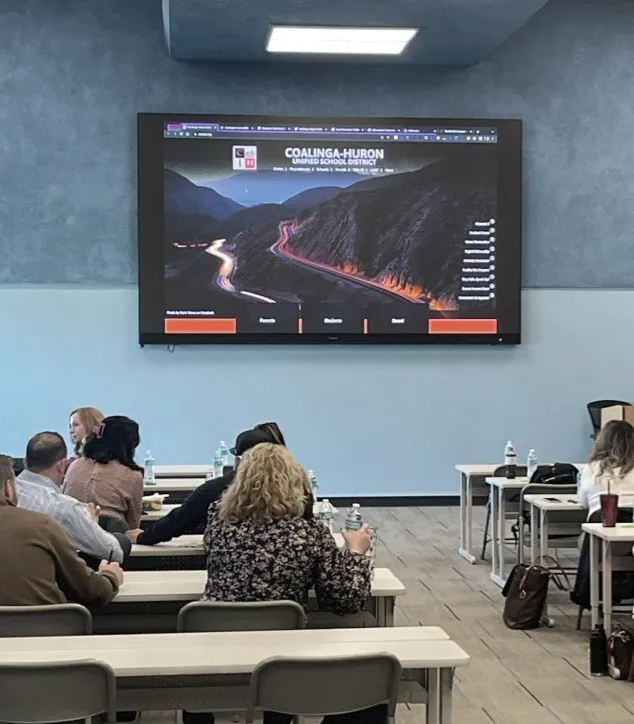



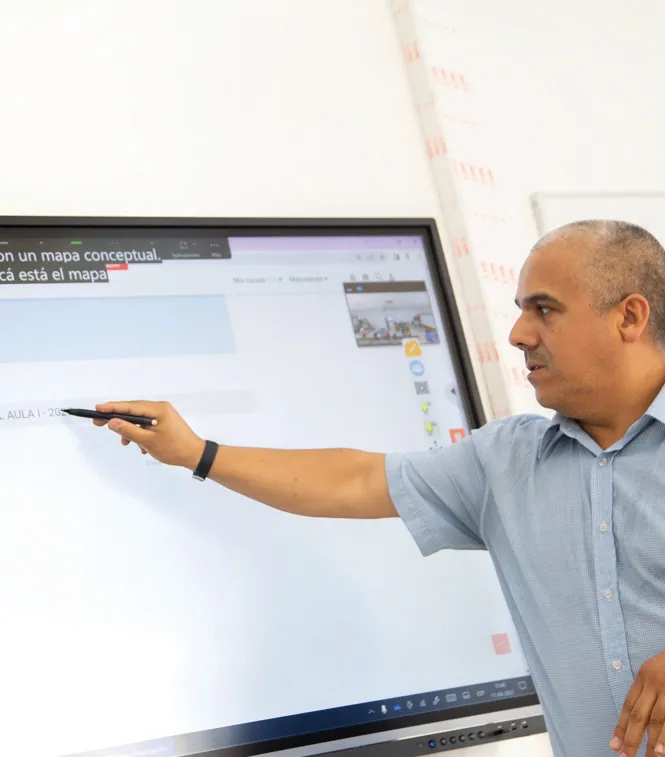


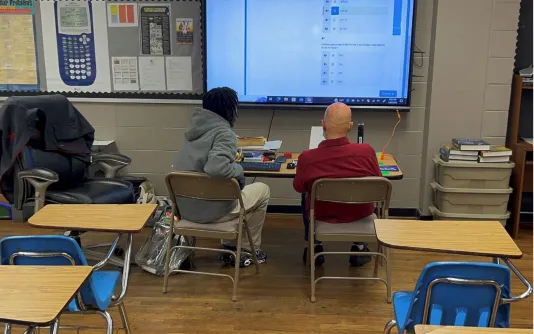


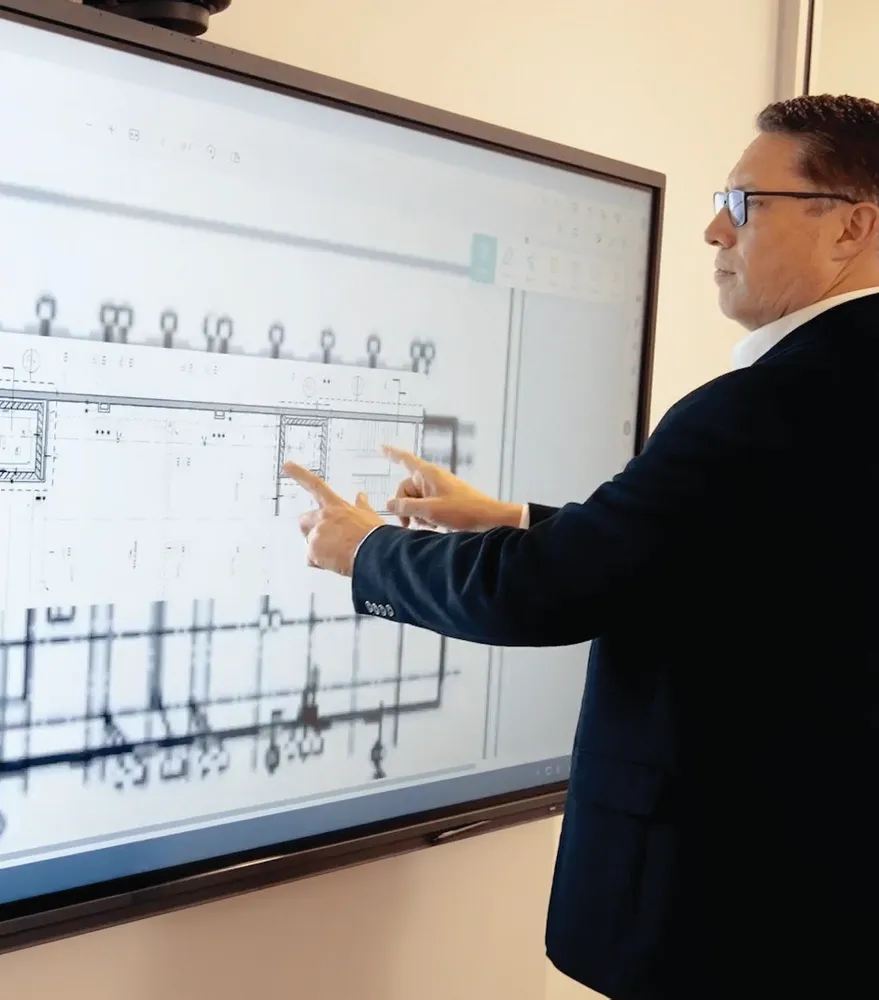


Login and Registration Form