The IFP41 Series of Interactive Displays Recognized for its Education-Friendly Features
ORLANDO (July 6, 2026) – ViewSonic Corp., a leading global provider of visual and edtech solutions, announced that the company’s ViewBoard® IFP41 Series of interactive displays has been selected as a winner of Future’s Best of Show Award, presented at ISTELive 2026 by Tech & Learning in the Secondary Education category.
Tech & Learning’s Best of Show Awards are evaluated by a panel of industry experts and editors, based on a range of criteria, including innovation, feature set, reliability, and performance. Winners were revealed at ISTELive and announced on techlearning.com.
The IFP41 Series is available in sizes ranging from 55- to 98-inches and are designed to drive collaboration in modern classrooms. With Android 16 EDLA certification, the series provides secure, built-in access to Google Workspace, Microsoft 365, and other applications. The display features a 64-point multi-touch display with advanced palm rejection that allows multiple users to write or draw simultaneously. It also includes a 55W front-facing multimedia soundbar and an eight-microphone beam-forming array that captures voices up to 25 feet away.
“The products nominated for the Best of Show program, provide an outstanding overview of new technology on the show floor and shine a spotlight on the products, and businesses behind them, who are transforming education in schools around the world,” said the awards editorial team.
“We’re proud to have the IFP41 Series recognized as a Best of Show Award winner at ISTE 2026,” said Jeff Muto, Business Line Director at ViewSonic. “This series was designed to make collaboration easier for educators with minimal set-up. By including Android 16 EDLA certification and access to popular apps like Google Workspace, classrooms can run more efficiently.”
Founded in 1987 and headquartered in Brea, California, ViewSonic is a leading global provider of visual solutions for the education, business, and consumer markets, with a presence in over 100 countries. Driven by the mission to transform education, workplaces, and lives, the company delivers a unified ecosystem of innovative hardware, software, and services that integrates seamlessly with the platforms, tools, and partners customers trust. Its product portfolio includes monitors, projectors, interactive displays, LED displays, commercial displays, video conferencing systems, and industrial solutions. Complementing its hardware is a robust suite of software offerings—including myViewBoard®, ClassSwift®, TeamOne®, ViewSonic Manager™, and AirSync™—featuring AI-powered tools for collaboration, device optimization, and management. By empowering creativity, collaboration, and lifelong learning, ViewSonic supports customers at every stage in achieving their business and sustainability goals, creating a lasting impact and helping people everywhere connect with purpose—and See the Difference®. Learn more at www.viewsonic.com.
*Actual performance, compatibility, and user experience may vary depending on system configuration, network conditions, usage environment, and other factors. Programs, pricing, specifications, and availability are subject to change without notice. This news release contains forward-looking statements that reflect the Company’s expectations with regard to future events. Actual events could differ significantly from those anticipated in this document. Trademark footnote: ViewSonic and the ViewSonic trademarks are trademarks or registered trademarks of ViewSonic Corporation in the United States and/or other countries. All other corporate names and trademarks stated herein are the property of their respective companies.
The Company’s Hardware and Software Tools are Ready to Enhance Educators’ Teaching Methods and Encourage Student Learning and Collaboration
ORLANDO (June 29, 2026) ISTE 2026 – Booth 1928 – ViewSonic Corp., a leading global provider of visual and edtech solutions, highlights its line-up of hardware and software solutions to ISTE LIVE, June 29–July 1, 2026. From the latest interactive flat panel and Direct View LED displays to commercial and desktop displays, along with the ISTE Seal designated myViewBoard® 3.0 (now integrated with ClassSwift® education software), ViewSonic brings its wide range of solutions for collaboration, sharing, and communications in schools and classrooms.
ViewSonic continues to deliver solutions that help reconfigure classrooms and learning spaces into next-generation environments that are more immersive, interactive, and collaboration-ready. These technologies and displays integrate hardware and software options to ensure educators and teachers can optimize experiences and lessons.
“ViewSonic is focused on how to simplify solutions for use in classrooms, around campus, and other learning spaces to boost creativity, collaboration, and communication,” said Jeff Muto, Business Line Director at ViewSonic. “We understand how needs constantly evolve in the education market because we work with educators to gather feedback. That’s how ViewSonic can offer comprehensive tools that students, teachers, and IT teams can utilize easily.”
LDS136-152 All-in-One Direct View mobile LED Display
136-inch foldable screen pre-assembled in a protective flight case
New commercial grade built-in motorized stand provides an industry-leading extra 3.7 feet of vertical adjustment
Integrated stand and display remote control allow management of both screen settings and motorized lift
I/O ports are more accessible and provide direct connectivity without opening panels or exposing internal boards
Glue-on-Board (GOB) Technology is designed to provide additional resistance to impact, dust, and moisture for an IP54 rating; IK06 rating for impact protection in heavy-use environments
Versatile connectivity includes HDMI (x4), HDMI output (x1), SPDIF and 3.5mm Audio Out, USB connectivity, WiFi Bluetooth, Ethernet, RS-232, and an OPS slot
Native 1080p (1920x1080) Full HD resolution, 600-nit brightness, 6,500:1 contrast ratio, and dual 30W speakers
LDE 108-123 Direct View LED Display
A 108-inch pre-configured All-in-One solution with native 1080p resolution and a simplified OS designed to streamline setup and operation
Combines the display, power, control, and image stitching into a single, cohesive system that is integrated into the cabinets
With no external control box, it achieves a lightweight design with a 99 percent screen-to-body ratio and maintains an ADA-compliant 2.05-inch depth profile when installed with the included mounts
Glue-on-Board (GOB) Technology is designed to provide additional resistance to impact, dust, and moisture for an IP54 rating; IK06 rating for impact protection in heavy-use environments
Compatibility with leading AV control systems for simplified control and monitoring, including Q-SYS library verified status and compatibility with Crestron, Extron, and AMX
ViewSonic ViewBoard IFP51 Series Interactive Touch Display
Available in sizes from 55- to 98-inches; interactive display with native 4K Ultra HD resolution
50-point multi-touch display supports simultaneous writing or drawing with styluses or fingers, with palm rejection technology
Security with Android™ 16 EDLA which provides automatic Google updates, Google Play Protect, data encryption, and two-way authentication, designed to help protect school networks and user data
Google Workspace™ Enterprise Management provides IT administrators with tools for policy enforcement, app management, network configuration, and remote security control /li>
Seamless integration with Google Education Ecosystem
Engaging lessons with built-in ViewSonic® Education Software including myViewBoard, AirSync™, and Manager™, among others
Features a front-facing 80W (max) multimedia sound bar with an integrated subwoofer; Built-in 8-microphone beam-forming array to capture voices from up to 25 feet away
Instant Sign-In for one-step sign-in via QR code, NFC, or Single Sign-On (SSO) simplifies device management and improves efficiency
Connectivity options include HDMI 2.1, VGA, DisplayPort, SPDIF, USB Type A/B, RS232, RJ45, Intel OPS Slot-In (80 pin), Line-In, and Mic-In
ViewSonic ViewBoard IFP41 Series Interactive Touch Display
Available in sizes from 55- to 98-inches; interactive display with native 4K Ultra HD resolution
64-point multi-touch display supports simultaneous writing or drawing with styluses or fingers, with palm rejection technology
Security with Android 16 EDLA along with secure, built-in access to Google Workspace, Microsoft 365, and other applications; Seamless integration with Google Education Ecosystem
Deployment is streamlined, and IT teams can easily manage and offer support through ViewSonic Manager, Google Workspace Enterprise Management, and Microsoft Intune
An upgraded octa-core CPU paired with high-bandwidth DDR5 memory delivers faster load times and stable performance
Engaging lessons with built-in ViewSonic Education Software including myViewBoard, AirSync, Manager, and other ViewSonic education tools
Features a front-facing 70W (max) multimedia sound bar with an integrated subwoofer; Built-in 8-microphone beam-forming array to capture voices from up to 25 feet away
Integrated ambient light and Passive Infrared (PIR) motion sensors automatically optimize power by waking the display upon approach and entering power-saving mode when idle, significantly reducing energy use and operating costs
ViewSonic ID2456-4K Podium Touch Display
Multifunctional 24-inch touch display with native 4K Ultra HD resolution
10-point Projected Capacitive (PCAP) touch technology supports simultaneous writing or drawing with styluses or fingers, with palm rejection technology
Supports 100% sRGB color for accurate color representation
Works with Microsoft Pen Protocol [MPP2.0] active pens to deliver precision and accuracy
The USB-C connectivity offers single-cable video, audio, and power, along with HDMI v2.0, and DisplayPort for screen mirroring or desktop extension, supporting seamless integration
Compatible with Windows, Android, Chrome, and macOS (via vTouch™ software), the display supports a wide range of devices and platforms
The sleek, bezel-less design allows it to easily become an extension for podiums without taking up extra room
Built-in kickstand adjusts from 15- to 70-degrees tilt for a comfortable viewing angle whether seated or standing; can also be mounted, offering flexibility for different room layouts
Native 4K UHD resolution for detailed graphics, crisp text, and lifelike video in landscape or portrait orientation; 500nits of brightness and 24/7 reliability
Offers landscape or portrait mode flexibility
Instant-On Warm Boot (<10 seconds) so presentations and signage can start up immediately
Powerful secured embedded platform; Android AOSP with the newest security patches, app compatibility, and open platform for custom integration
One cable USB-C convenience with 65W USB-C delivers video, data, and power
Picture-in-Picture (PIP) and Picture-by-Picture (PBP) options allow up to two independent sources to run at the same time
Certified with AppSpace, Navori, and other CMS software so external media players are not needed
Universal BYOD compatibility to connect with any laptop, mini-PC, media player, or OPS module (65-inch and larger only) without ecosystem lock-in
All-in-one connectivity & management with ViewSonic Manager, AirSync wireless casting, USB media playback, and 3.5mm audio I/O
Comes in sizes from 43- to 98-inches
ColorPro® VP2788-5K Thunderbolt 4 Docking Monitor
27-inch monitor with native 5K (5120x2880) resolution for Mac and PC ecosystems
99% DCI-P3 color gamut providing a vibrant and powerful complement to Apple’s scaling functionality for sharp details and Retina-like clarity
Supports multi-display set-up with daisy-chaining up to two 5K monitors
Thunderbolt 4 docking station with 100W power delivery and other connectivity options
60Hz refresh rate and data transfer speeds up to 40Gbps
Connectivity options include Thunderbolt 4, HDMI 2.1, DisplayPort, USB-A, and USB-C
SOFTWARE SOLUTIONS
ViewSonic myViewBoard 3.0 Whiteboarding Software with Quiz Tools
Interactive learning solution designed to simplify and enable ideas, and foster creativity with embedded EdTech software to create dynamic, real-time lessons, gain insights, enhance student engagement, and maximize learning
Software allows lesson planning, classroom engagement, real-time wireless collaboration, screen mirroring/sharing, and digital whiteboarding
Works with Windows-, Android-, and cloud-based environments and can work with existing technology for seamless integration
Multi-format file sharing now allows teachers to add tabs to open multiple files and import existing materials from a variety of file formats through cloud storage
Teachers can utilize existing materials for more efficient teaching, create interactive, push-and-response content, and integrate into lessons
Includes one of the most extensive varieties of background styles to accommodate different teaching scenarios and students with diverse learning needs
Includes support for text-to-speech (TTS), immersive reading, and multilingual tools to enhance interactive learning
Features real-time student performance insights, so teachers can modify lessons and adapt new tactics based on student preferences
Founded in 1987 and headquartered in Brea, California, ViewSonic is a leading global provider of visual solutions for the education, business, and consumer markets, with a presence in over 100 countries. Driven by the mission to transform education, workplaces, and lives, the company delivers a unified ecosystem of innovative hardware, software, and services that integrates seamlessly with the platforms, tools, and partners customers trust. Its product portfolio includes monitors, projectors, interactive displays, LED displays, commercial displays, video conferencing systems, and industrial solutions. Complementing its hardware is a robust suite of software offerings—including myViewBoard®, ClassSwift®, TeamOne®, ViewSonic Manager™, and AirSync™—featuring AI-powered tools for collaboration, device optimization, and management. By empowering creativity, collaboration, and lifelong learning, ViewSonic supports customers at every stage in achieving their business and sustainability goals, creating a lasting impact and helping people everywhere connect with purpose—and See the Difference®. Learn more at www.viewsonic.com.
*Actual performance, compatibility, and user experience may vary depending on system configuration, network conditions, usage environment, and other factors. Programs, pricing, specifications and availability are subject to change without notice. This news release contains forward-looking statements that reflect the Company’s expectations with regard to future events. Actual events could differ significantly from those anticipated in this document. Trademark footnote: ViewSonic and the ViewSonic trademarks are trademarks or registered trademarks of ViewSonic Corporation in the United States and/or other countries. All other corporate names and trademarks stated herein are the property of their respective companies.
The VG1457 Features Two 14-Inch WUXGA Displays for Portable Productivity
Brea, CA (June 9, 2026) – ViewSonic Corp., a leading global provider of visual and edtech solutions, announces that its new dual 14-inch display portable monitor is now shipping. The VG1457 features a sleek, compact design with WUXGA (1920x1200) resolution and five adaptable viewing modes. This new addition to the company’s award-winning portable monitor line delivers advanced functionality for those on the go
The VG1457 redefines portable efficiency with a foldable, compact design weighing under three pounds. With five versatile viewing modes (Share, Dual-Source, Full-Screen, Mirror, and Extend) multitasking and collaboration are enhanced, while WUXGA (1920x1200) resolution delivers extra vertical space. A built-in G-sensor automatically rotates content while in Share mode, allowing screen alignment without manual adjustments. Plug-and-play functionality eliminates complicated setup, and 65W power delivery keeps laptops charged during use when connected to an external power source, or a laptop can pass through power to the portable monitor, reducing cable clutter and maintaining uninterrupted workflow
“ViewSonic is excited to offer the VG1457 for users who are looking to enhance their productivity while on the go,” said Jenny Lopez, Sr. Product Manager of Monitors at ViewSonic. “This dual-screen portable monitor delivers extra screen space in a compact design, while including versatile viewing modes. Whether you’re a remote professional, a student, or simply looking to maximize your efficiency, this new dual portable monitor is built to elevate your workflow.”
Founded in 1987 and headquartered in Brea, California, ViewSonic is a leading global provider of visual solutions for the education, business, and consumer markets, with a presence in over 100 countries. Driven by the mission to transform education, workplaces, and lives, the company delivers a unified ecosystem of innovative hardware, software, and services that integrates seamlessly with the platforms, tools, and partners customers trust. Its product portfolio includes monitors, projectors, interactive displays, LED displays, commercial displays, video conferencing systems, and industrial solutions. Complementing its hardware is a robust suite of software offerings—including myViewBoard®, ClassSwift®, TeamOne®, ViewSonic Manager™, and AirSync™—featuring AI-powered tools for collaboration, device optimization, and management. By empowering creativity, collaboration, and lifelong learning, ViewSonic supports customers at every stage in achieving their business and sustainability goals, creating a lasting impact and helping people everywhere connect with purpose—and See the Difference®. Learn more at www.viewsonic.com.
* Actual performance, compatibility, and user experience may vary depending on system configuration, network conditions, usage environment, and other factors. Features and specifications are subject to change without notice. This news release contains forward-looking statements that reflect the Company’s expectations with regard to future events. Actual events could differ significantly from those anticipated in this document. Trademark footnote: ViewSonic and the ViewSonic trademarks are trademarks or registered trademarks of ViewSonic Corporation in the United States and/or other countries. All other corporate names and trademarks stated herein are the property of their respective companies
Level Up Learning: How Esports Contributes to College and Career Readiness
For a long time, people thought video games were just a distraction. We've spent decades working side by side with educators and IT directors. We know firsthand that the old misconception of esports being simply a frivolous distraction from academics is fading fast, replaced by a more data-driven understanding. Organized and competitive gaming is a powerful engine for driving real educational value and cultivating indispensable career skills.
When schools build competitive gaming programs, they see a massive boost in student engagement. Kids who never joined traditional sports or clubs are suddenly excited to participate in school activities. Scholastic esports refers to organized video gaming competitions within an educational setting. It's a powerful educational tool that builds 21st-century skills and prepares students for high-paying careers.
Let's dive into exactly how competitive gaming sets students up for lifelong success.
Why Should Schools Embrace Esports?
Is esports really good for students? Yes! While students engage with esports because it is something they are passionately excited about, educators see another layer of value with the organic development of critical soft skills. Competitive gaming teaches students how to work together under intense pressure. It goes far beyond simply playing games and actively builds a massive range of technical and leadership skills.
Leadership Skills
Can video games help students build college and career skills? Yes, they absolutely can. In fact, the World Economic Forum's The Future of Jobs Report 2025 identifies analytical thinking, creative thinking, leadership and social influence as some of the top core skills that will only increase in importance. Fast-paced competitive gaming requires incredibly clear, concise and effective communication. Students must learn how to cooperate seamlessly and develop shared strategies in a high-stakes environment. Players are constantly forced to analyze complex challenges. When a match changes from second to second they learn how to adapt their strategies on the fly, think critically about cause and effect and make quick decisions under extreme pressure.
Beyond the screen, the esports ecosystem offers a wide range of roles where students can exercise leadership and social influence. They can easily step up to take on roles as team captains or peer coaches. This hands-on experience teaches them how to handle adversity, recover from significant setbacks and maintain a positive focus under intense pressure. It's real-time problem-solving at its most engaging.
Good Digital Citizenship
Can gaming teach good citizenship? Yes. A structured school program creates a safe environment for students to play and learn. Left on their own online, students might run into or participate in toxic behavior. But school coaches teach them how to interact respectfully and handle wins and losses with grace. They develop crucial digital literacy by learning how to be responsible digital citizens and practice healthy online behaviors.
Academic Achievement and Attendance
Can esports improve grades? Yes, they can. When schools build an esports team, they give unengaged students a reason to show up. By setting a minimum GPA requirement to participate, schools give students a massive motivation to try harder in their academics. It provides a crucial new avenue for school engagement and dramatically improves attendance and a sense of belonging. The chance to compete motivates students to pay attention in class, finish their homework and show up to school every single day.
Exploring Esports Career Pathways
Can you get a job in esports? Absolutely. The skills gained in esports don't just stay in the classroom, lab or arena. They are highly transferable and open doors to incredible future opportunities in fields like IT, marketing, graphic design and event organization.
College Scholarships and Academic Programs
Can you get a scholarship for playing video games? Yes, you absolutely can. One of the most rapidly growing facets of higher education is the expansion of esports scholarships and varsity teams. Thousands of colleges now offer substantial financial aid to talented gamers. You can even explore directories of college esports programs to see exactly which schools are actively recruiting players. Beyond the playing field, universities are creating dedicated degree and certificate programs in related fields. Students can now major in game design, media production, esports management and marketing to turn their passion into a legitimized academic path.
Broadcasting and Shoutcasting
What’s a shoutcaster? A shoutcaster is like a sports announcer for video games. Students interested in media can manage the entire backend of an event by handling AV work or coordinating live streams as shoutcasters. This is fantastic practice for a future career in event production and broadcasting.
Video Editing
Can making gaming videos lead to a job? Yes. Many professional editors for major esports teams, popular influencers and top tech companies actually got their start right in this space. They began by making fan edits of pro gameplay or cutting together highlight reels of their own matches. When students create this kind of engaging content, they naturally learn the ropes of media production. This hands-on experience lets them build an impressive portfolio of work before they even graduate.
Game Design and Development
How do students make games? Playing games naturally sparks an interest in how they're built from the ground up. If a student has a passion for the art of gaming, they might be inspired to learn coding and software development to create their own games. They can also learn storytelling, storyboarding and animation, and audio production to build compelling characters and worlds.
Event Management and Marketing
Who runs the program and the tournaments? Schools often partner with official providers like NASEF to host competitive tournaments. But an esports event takes a huge amount of work to pull off successfully and so does running the actual team. Getting students actively involved in day-to-day program management is hugely beneficial alongside live event production. Students can easily take charge of scheduling, marketing, content creation and project management. These hands-on experiences are invaluable for future roles in business operations, marketing and community management.
IT Support and Network Engineering
How does esports teach IT skills? Someone has to keep the computers running and the internet connection stable. Students interested in technology can help set up the gaming lab. This gives them practical experience for future careers in IT and network management.
Best Practices for Implementing Esports Programs
How do you start a successful scholastic esports team? Implementing a successful program requires careful planning and a commitment to positive student outcomes. Here are a few key best practices to guide you:
Build an inclusive culture: Prioritize diversity and sportsmanship from day one to ensure a safe and welcoming environment for everyone.
Ensure academic balance: Create clear eligibility guidelines and promote a healthy balance between screen time, studies and other activities.
Provide quality equipment: Equitable access is key. Secure reliable hardware to level the playing field for all students.
Train coaches and mentors: Invest in the development of staff who can serve as effective role models and guides.
Partner with the community: Connect with local esports organizations and industry partners to create new learning opportunities and pathways.
Equipping Your Campus for Success
What equipment do you need for a school esports program? You do not have to build a massive arena on day one. Building a new setup from scratch can feel overwhelming but schools can easily take a tiered approach based on their budget and space to get students playing right away.
The Economical Approach: Start small with portable monitors paired with a Nintendo Switch. The library media teacher can easily manage these compact displays and allow kids to check them out for flexible play anywhere on campus.
The Mid-Level Approach: Use products your school already has. You can easily connect a console to an Interactive Flat Panel (IFP) for instant team gaming in any classroom. Check out our video on an easy way to get started in esports to see why starting simple with games like Mario Kart on the Nintendo Switch is affordable, easy to learn and incredibly fun. You can also explore real-world school examples in our gaming setup video. It shows how educators use IFPs and "gamer backpacks" to create flexible gaming spaces while teaching students responsibility for their setup.
The High-End Approach: Build a dedicated lab. This means outfitting a room with a whole fleet of high-performance gaming monitors for a true varsity experience or designing a dedicated esports lounge when your funding allows. You can explore our esports solutions for schools to find the perfect equipment for your new arena.
Do monitors impact gaming performance? They make a massive difference. Standard office monitors usually refresh graphics 60 times a second. That's too slow for competitive gaming and causes motion blur. ViewSonic offers a range of high-performance esports displays that deliver the crucial features that competitive players need.
We recently introduced a gaming monitor with switchable refresh rates that's absolutely perfect for school labs. It lets students swap between a stunning 4K resolution for creative design work during the school day and an ultra-fast 288Hz refresh rate for competitive gaming after the bell rings.
**Actual refresh rates may vary depending on system configuration, cable quality, and connected devices.
Build Your Esports Program Today
Every student deserves a place to belong and a clear path to success. By bringing competitive gaming to your school you provide a highly engaging way for students to learn crucial life skills. You aren't just building a place to play games. You're building a modern classroom that prepares them for college and their future careers.
IT Support and Network Engineering
Ready to build your campus arena and inspire your students? Browse our full lineup of ViewSonic gaming monitors and grab the perfect equipment for your school today.
How USB-C Docking Monitors Reduce School District IT Costs and Complexity
USB-C docking monitors are a powerful tool for modernizing school districts from the front office to the classroom. As educational technology becomes more integrated into the daily curriculum, the hidden costs of expensive docking stations, cable management and lost dongles are beginning to pile up.
But the problem goes way beyond just the initial price tag. Think about the massive deployment and asset management headache traditional setups create. Your IT team has to buy, track and maintain separate monitors, bulky docking stations and a huge tangle of power and display cables for every single desk. When a cord breaks or a dongle goes missing, it creates instant frustration for teachers and piles up support tickets for your staff.
For IT directors and school administrators looking to streamline their hardware footprint while staying within budget, the transition to a single-cable solution isn't just a luxury. It's an innovative, strategic move to reduce technical friction for teachers and dramatically cut down the time and money spent managing campus technology.
What is a Docking Monitor?
How does a USB-C docking monitor work? A docking monitor is a high-performance display that acts as a central hub for a workstation. Unlike traditional monitors that only receive a video signal, a USB-C monitor uses a single USB-C cable to handle high-speed data transfer, video output and laptop charging simultaneously.
What really makes it a true docking monitor are the extra built-in features that completely replace a separate external dock:
RJ45 Port: This provides a secure and lightning-fast hardwired internet connection directly to your laptop.
USB Hub: This lets you easily connect all your daily accessories like a mouse, keyboard and webcam right to the monitor.
Daisy Chaining: Select models let you easily link a second monitor directly to the first one for a massive dual-screen setup.
In a school setting, this means a teacher or staff member can walk up to a desk, plug in one cable and instantly have their laptop connected to the school network, their favorite accessories and a large display all while their battery charges.
The Benefits of USB-C Docking Monitors in Education
Why are schools switching to docking monitors? The primary driver behind the shift to docking monitors is unmatched ease of use. By removing the spaghetti mess of cables and the confusion of multiple ports, schools create an environment where technology is a tool rather than a barrier.
Accessibility for All Staff
Are docking monitors easy to use? Technology should never be intimidating. For office staff or educators who may not feel tech-savvy, the docking monitor is a great solution. There's no need to worry about which port goes where or whether they have the right adapter. Once deployed, it’s a simple plug-and-play experience that builds confidence and saves time during busy school days.
Versatility for Shared Spaces and Substitutes
How do these monitors help shared classrooms? Classrooms are high-traffic environments and a USB-C docking monitor makes a classroom truly universal. The classroom teacher can use the large screen for grading and lesson planning in the morning. Then if a substitute or traveling teacher takes over the room later, they can simply plug in their own device and be ready to go in seconds. This flexibility ensures that every workstation remains functional regardless of who is using it.
Creating Learning Stations for Students
Can students use the teacher's monitor? The docking monitor transforms the teacher’s desk into a collaborative learning hub. Instead of a teacher bending down to look at a student’s small laptop screen, the student can simply plug their device into the USB-C cable. The desktop instantly becomes a high-visibility station for one-on-one feedback or small-group work. This allows the teacher to see student work clearly and comfortably. You can see how one school district supports small group and hybrid learning with the ViewSonic 24-inch VG2456 docking monitor to bring this exact concept to life.
Cutting Costs and Reducing IT Complexity
How do docking monitors save money? Budget transparency is vital for school districts. Transitioning to docking monitors provides a clear path to reducing hardware expenditures.
Eliminating the Docking Station Tax
Do you still need a separate dock? You do not. Traditional setups require purchasing a separate docking station in addition to the monitor. Those separate docks can cost between $150 and $300. By choosing a display with a built-in dock, you eliminate an entire category of hardware. This cost saving makes it feasible to outfit all your classrooms and office desks with a professional-grade workstation.
Maximizing Screen Space
Are laptop screens big enough for teachers and staff? While laptops are portable, they often lack the screen size needed for heavy lifting. Tasks like handling IEPs, grading programs or master scheduling software require educators to see more data at once. With sizes ranging from 24” to 34”, a docking monitor provides the necessary space for these high-detail tasks at a fraction of the cost of a multi-component setup.
Maximizing Productivity with Daisy Chaining
What is daisy chaining? One of the most powerful features of modern docking station monitors is the ability to daisy chain. This allows you to connect a second monitor directly to the first one using a single output rather than running two separate cables to the laptop.
How does it help school staff?
For Office Staff: A staff member managing substitute schedules can spread their spreadsheets across two screens to see the whole week at a glance.
For Teachers: Grading becomes much faster when you can have student work open on one screen and the digital grading platform open on the other. This allows for side-by-side comparison and instant data entry.
Best Practices for Implementing Docking Monitors
How do you set up a successful monitor refresh? To get the most out of your hardware refresh, consider these implementation tips:
Standardize Cables: Ensure every room is equipped with a high-quality and high-bandwidth USB-C cable to prevent connectivity issues.
Prioritize Power Delivery: Look for monitors that offer at least 60W to 100W of power delivery to ensure even the most powerful faculty laptops stay charged.
Get Best-in-Class Docking Monitors with ViewSonic
ViewSonic provides a range of USB-C docking monitors specifically designed to simplify school environments. With features like built-in Ethernet ports, daisy-chaining capabilities and ergonomic stands, ViewSonic monitors help schools cut costs without sacrificing performance.
Ready to simplify your school's workstations? Explore ViewSonic's full line of education monitors and see how much your district can save today.
Thunderbolt Connectivity: The Strategic Investment for Modern Business Workspaces
Thunderbolt connectivity has evolved from an essential tool for creative professionals into a
critical asset for the modern enterprise. As business workflows become increasingly data-heavy,
the hardware supporting your team must do more than just display information. It must serve
as a high-speed engine for productivity and seamless transitions.
The traditional office desk anchored by a desktop tower and a nest of cables is a relic of the past.
Today’s executives and managers operate in a hybrid reality, moving between high-stakes boardrooms,
home offices and collaborative flex-spaces.
What Makes a Thunderbolt Monitor Different?
For a business, the difference between USB-C and Thunderbolt is the difference between a standard
road and a dedicated express lane. Thunderbolt provides a dedicated tunnel for data and video,
ensuring that a large file download never compromises the quality of a video presentation.
Feature
Standard USB-C
Thunderbolt 3 / 4
Max Bandwidth
10–20 Gbps
40 Gbps
PCIe Data Support
Limited
Full Support (Internal-drive speeds)
Daisy Chaining
DisplayPort alt mode
Native (Up to 6 devices)
Ethernet Speed
Typically 1 GbE
Up to 10 GbE
Why Business Professionals Are Making the Switch
Why should your team upgrade to Thunderbolt? The move to Thunderbolt is a strategic decision to
prioritize efficiency and reduce technical friction. Standard HDMI and basic USB-C hubs were not
engineered for the simultaneous demands of 4K video conferencing, rapid data backups and high-wattage laptop charging. When professionals rely on underpowered hubs they face flickering displays,
slow file transfers and the frustration of dongle management.
To maintain a high-performance, laptop-centric studio without sacrificing desktop-class reliability,
Thunderbolt has become the enterprise standard.
Single-Cable Executive Simplicity
How does a single cable save time? For the professional on the move, seamless transitions
are essential. Thunderbolt allows a laptop to instantly transform into a fully powered executive
workstation with a single connection. By simultaneously supporting data, audio, video and power
delivery up to 100W, it eliminates the daily hassle and wasted time of wrestling with separate cables.
Beyond saving setup time, this single-cable solution drives cost efficiency by removing the need
to purchase expensive standalone docking stations. This easily eliminates the need for bulky
power bricks and multiple adapters to create a cleaner, more organized workspace that reduces
troubleshooting and mental clutter.
High-Speed Data Management
Does Thunderbolt speed up file transfers? Modern business depends on massive datasets from cloud-synced libraries to external encrypted drives. Because Thunderbolt supports PCIe data transfer,
external storage operates at speeds nearly identical to internal drives. This allows for rapid media
ingestion, lightning-fast backups and the ability to work directly off external drives with minimal lag.
Multi-Display Expansion
Can you connect multiple monitors easily? Efficient multitasking requires screen real estate. Whether it
is managing complex spreadsheets on one screen while video conferencing on another, Thunderbolt’s
support for daisy chaining allows you to link multiple monitors together via a single chain. To set this
up you simply need a primary monitor equipped with both Thunderbolt in and out ports. Crucially,
Thunderbolt provides the massive bandwidth needed to support high-resolution daisy chaining like
running dual 4K displays without sacrificing smooth refresh rates or visual clarity. This creates a high-
productivity multi-monitor array with minimal cable complexity.
Professional Visual Precision
Does connection type affect image quality? Color accuracy and panel quality are vital for business
professionals who handle high-end presentations, data visualization and brand-consistent collateral.
Standard connections often force a compromise between display resolution and data transfer speeds
but Thunderbolt’s massive 40 Gbps bandwidth eliminates this bottleneck.
This massive bandwidth allows you to:
Drive uncompressed 4K and 5K displays at optimal refresh rates to ensure absolute clarity for
complex visual data.
Scrub through uncompressed video or manipulate giant design files directly from external drives
without experiencing screen lag, dropped frames or artifacting.
Deliver professional-grade visual fidelity while concurrently running high-speed network transfers or
daisy-chaining additional hardware without signal degradation.
Thunderbolt’s Impact Across Professional Disciplines
Who benefits the most from a Thunderbolt setup? The industry has shifted toward agility,
with high-performance laptops increasingly replacing traditional desktops as the primary
computing engine for modern professionals. Thunderbolt monitors act as the bridge
in this evolution. They provide the desktop-class infrastructure needed to turn a portable
device into a permanent professional centerpiece.
Data Analysts: Benefit from massive bandwidth to move large datasets and the screen
real estate to visualize them.
Executives: Enjoy the single-cable connectivity between meetings and deep-work sessions.
Project Managers: Use multi-monitor setups to track timelines, communications
and budgets simultaneously.
IT Departments: Enjoy simplified asset management by eliminating the need for standalone docking
stations. This universal standard guarantees incredible ease of use and rapid deployment to keep
your entire team working smoothly.
Furthermore, Thunderbolt provides seamless cross-platform compatibility to effortlessly drive high-resolution dual-monitor setups whether your users operate an Apple-centric or high-end Windows fleet.
This universal standard eliminates the headache of managing fragmented docking solutions for mixed-device environments.
When Thunderbolt Delivers the Highest ROI
How does this investment pay off? You will see the greatest long-term return on a Thunderbolt setup
when focusing on:
Future-proofing laptop-based workflows: By investing in Thunderbolt 4’s massive 40 Gbps
bandwidth, you ensure your display and docking infrastructure won’t become obsolete as your team
upgrades to next-generation laptops.
Maximizing output on data transfers: For professionals managing heavy external storage,
the hours saved by moving massive files at internal-drive speeds directly translate to increased
productivity and less downtime.
Streamlining shared workspaces: In collaborative environments that require frequent docking, the
universal standard and cross-platform reliability of Thunderbolt reduce IT support tickets, minimize
hardware wear-and-tear and keep teams working smoothly.
How ViewSonic Monitors Support Professional Workflows
What are the best Thunderbolt monitors for business? ViewSonic designs its ColorPro™ series and
professional displays to align with the rigors of the modern business environment. These monitors
offer high-resolution panels, substantial power delivery and integrated docking functionality on select
models that replaces expensive standalone docks. With factory-calibrated visual quality and a focus on
ergonomic design, they are the anchor of a high-efficiency workspace.
Find the Right Thunderbolt Monitor for Your Organization
Are you ready to upgrade your office? Upgrading to a Thunderbolt monitor is an investment in your
team’s daily output. By consolidating power, data and visual excellence into a single-cable solution, you
eliminate the friction that slows down modern business. If you are looking to maximize the efficiency
of your Apple-centric or high-end Windows fleet, our Thunderbolt 4 monitors offer the most seamless
integration available.
You can learn more and find the professional display that will redefine your workspace by checking out
ViewSonic Mac Monitors.
Disclaimer: Specifications and availability are subject to change without notice. Actual performance, data transfer speeds, and user experience may vary depending
on system configuration, cable quality, connected devices, and usage conditions. Thunderbolt and the Thunderbolt logo are trademarks of Intel Corporation or its
subsidiaries. All other corporate names and trademarks stated herein, including Apple and Windows, are the property of their respective companies.
Copyright @2026, ViewSonic Corporation. All rights reserved.
Beyond the Apple Ecosystem: Budget-Friendly MacBook Air Monitors for Higher Education
We've spent decades working closely with educators and students to understand exactly what works in the classroom. We know firsthand that the MacBook Air is a massive hit on college campuses. It's lightweight, powerful and boasts amazing battery life. But there's a catch: the standard 13-inch screen can feel incredibly small when you're juggling research papers, spreadsheets and video lectures.
Adding an external monitor is the perfect way to boost your daily productivity. However, staying strictly inside the Apple ecosystem can quickly break a student budget. We believe every student deserves access to a great workstation. That's why high-quality, budget-friendly monitors for the MacBook Air are driving equity in higher education.
Bridging the Gap with ViewSonic® Monitors
What is the best budget monitor for a MacBook Air? We designed our displays to deliver premium features without the premium price tag. For a complete look at our top recommendations, you can read our comprehensive guide on the best monitors for MacBook Air.
Let's look at why these high-value monitors are the ideal companions for your MacBook Air setup.
Single-Cable Simplicity with Thunderbolt 4
Can you connect a MacBook Air to a monitor with one cable? Yes! Our advanced monitors feature lightning-fast Thunderbolt 4 connectivity.
You can connect your laptop to the monitor and charge it at the exact same time using just one cable. This eliminates bulky power adapters and messy cords on your desk. It keeps your study space clean, streamlined and organized.
Ergonomics for Long Study Sessions
Do these monitors have good ergonomics? They absolutely do. Comfort is key when you're pulling a late-night study session.
Our ergonomic monitors let you tilt, swivel, pivot and adjust the height to find your perfect viewing angle. This helps prevent neck and back pain during long hours at your desk.
Crisp Visuals and Color Accuracy
Do budget monitors look as good as a Mac screen? When you're used to the brilliant Retina display on a MacBook Air, you want an external monitor that looks just as vibrant.
Our standard professional monitors use SuperClear IPS panel technology to ensure you get stunning colors and wide viewing angles. However, if you're a creative arts student who needs absolute perfection, we've got you covered there too. Our ColorPro 4K and 5K monitors for Mac and PC ecosystems give graphic designers and video editors elite color accuracy without the massive price tag.
Multi-Monitor Setups with Daisy Chaining
Can you connect two monitors to a MacBook Air? Yes, you can easily expand your workstation using a method called daisy chaining.
Advanced models like the ViewSonic VP2488-4K and VP2788-5K support daisy chaining through lightning-fast Thunderbolt 4. This means you can plug your MacBook Air into the first monitor using a single cable. Then, you just connect that first monitor directly to a second screen. This gives you a massive dual-monitor setup with minimal cable clutter. It's the ultimate productivity hack for handling complex projects, editing videos and managing massive spreadsheets.
Built for the Institution
Why do universities choose ViewSonic? It's not just about individual students. IT departments and university administrators need reliable technology that fits within their campus budgets.
Our monitors are built for the institution. They offer a lower total cost of ownership, easy deployment and industry-leading warranties. This makes them a smart investment for universities looking to upgrade their computer labs, libraries and faculty offices while simultaneously promoting equity across the student body.
Find the Perfect Monitor for Your College Setup
Every student deserves the tools they need to reach their full potential. You don't have to overspend on expensive brand names to get a professional, high-quality workstation.
Best for Creators: ViewSonic VP2788-5K
If you’re an art, film or design student, color accuracy is everything. This monitor delivers breathtaking details and true-to-life colors for your most demanding creative projects.
Standout features:
27-inch 5K resolution for incredibly sharp and detailed visuals.
Thunderbolt 4 connectivity for lightning-fast data transfer and easy daisy chaining.
Elite color accuracy to bring your photos, graphics and videos to life.
Brilliant DCI-P3 color matches Apple's native color space.
Advanced ergonomic stand to keep you comfortable during long editing sessions.
Best for Research: ViewSonic VP2488-4K
When you spend hours reading articles, analyzing data and writing essays, you need a screen that is crisp and easy on the eyes. This monitor is the perfect size for cramped dorm desks while still giving you tons of digital workspace.
Standout features:
24-inch 4K resolution for crystal-clear text and vibrant images.
Thunderbolt 4 support for a simple one-cable setup and daisy chaining.
Built-in eye care technology to reduce eye strain during late-night study sessions.
Fully adjustable stand to help you find the perfect viewing angle.
Upgrade Your Setup Today Ready to boost your productivity? Browse our full lineup of ViewSonic monitors and grab the perfect display for your dorm room or home office today.
The Essential Role of Technology in the Return to the Office By Deidre Deacon, ViewSonic Corp.
Canada’s workplace landscape is undergoing its most significant reset since the early pandemic years—but not because workers are suddenly eager to trade home offices for cubicles. The renewed push toward in‑person work is being driven almost entirely by mandates: from governments, from major employers, and from the shifting economics of commercial real estate. Yet there’s another force reshaping this transition just as profoundly: technology. After years of refining highly efficient home‑office setups, employees now expect the same seamless, intuitive experience when they walk through the office door. As a result, the tools that once supported remote work have become the critical infrastructure enabling a smooth, sustainable shift back to more office‑centric hybrid models.
The public sector is leading the return to the office (RTO) charge, and the scale is unprecedented. CBC has reported that tens of thousands of provincial government employees in Ontario and Alberta have been ordered back to the office full time starting in 2026. This follows the federal government’s September 2024 directive requiring public servants to be onsite at least three days per week.
These are not gentle nudges. They are sweeping, top-down directives affecting the single largest employment block in the country. When governments mandate attendance, the ripple effects extend far beyond the workplace—reshaping transit patterns, downtown economies, and the broader labour market.
In the private sector, Canada’s major banks—RBC, Scotiabank, TD, and BMO—are reinforcing the shift. Employees are now expected to be in the office at least four days per week, with many roles moving to a full five-day schedule. Banks employ tens of thousands of workers, and their policies often set the tone for other large employers. Their pivot toward near-full-time office attendance signals a broader corporate recalibration: flexibility is narrowing, and the office is once again becoming the default.
The commercial real estate market is already reflecting this shift. According to CBRE’s national office report, Canada’s office vacancy rate fell from 18.7% in 2024 to 18% by the end of 2025—a 0.7‑point drop and the first decline since the pandemic began. A falling vacancy rate is a concrete indicator that more people are physically returning to office spaces – a change that is being attributed directly to the acceleration of RTO mandates—not voluntary worker behaviour. In other words, the market is responding to policy, not preference.
Yet even as employers tighten expectations, many workers remain deeply reluctant to give up remote work. Angus Reid data shows that three in five Canadians prefer to work mostly from home, and one in four would likely quit if forced back full time. This resistance is slowing actual attendance, even where mandates exist. Many employees comply only partially, and others are actively seeking roles that preserve hybrid or remote options. The tension between employer requirements and worker preferences has become one of the defining workplace dynamics of this era.
With new return to the office mandates in place, technology has evolved from a convenience to a critical infrastructure for ensuring a seamless transition. As companies implement these mandates, they’re discovering a truth employees have known for years: the physical workplace must now earn its relevance and compete with the efficiency of home setups by offering “phygital” environments – digital and physical spaces that are perfectly synchronized. After experiencing the autonomy and efficiency of remote work, professionals aren’t simply returning to desks; they’re evaluating whether the office can match the seamless, personalized workspaces they are accustomed to at home.
Forward‑thinking organizations are blending physical and digital experiences so fluidly that employees barely notice the seams. When a meeting room recognizes you, when collaboration tools sync instantly across devices, when hybrid meetings feel equitable rather than awkward—suddenly the office becomes a destination, not an obligation.
This isn’t a matter of perks; it’s a matter of performance. Research shows that most employees view high‑quality technology as essential to doing their jobs well, and companies that invest strategically in advanced tools can unlock significant productivity gains. Technology is no longer a “nice to have” in the return‑to‑office era. It is the infrastructure that determines whether collaboration thrives or stalls.
The mandate may bring people back—but only the right technology will make them stay.
Organizations that want to make the return to office a seamless experience need to implement technology ecosystems that remove friction rather than create it. This is where ViewSonic’s approach becomes a compelling blueprint for what a high performance “phygital” workplace can look like. ViewSonic’s portfolio of display solutions prioritize seamless connectivity and real-time collaboration across devices and spaces, bridging the hybrid gap that many organizations are struggling to close.
Personal Productivity Without the Clutter At the individual desk, USB-C docking monitors like the ViewSonic® VG2756-4K consolidate the entire workstation. This 27-inch display delivers high-speed data, 4K video, and 90W of power through a single cable connection. It also prioritizes user well-being with advanced ergonomics designed for all-day comfort. The integrated docking capability delivers immediate savings by removing the need for separate docking hardware, lowering total cost of ownership from day one. It also simplifies IT operations by standardizing on a single, fully compatible solution—eliminating the headaches that come with managing mixed‑brand displays and docks, and avoiding the interoperability issues that slow teams down. The result is a clean, centralized hub that allows professionals to move from commute to deep focus without the usual tangle of adapters and peripherals.
Mobility for the Modern Hybrid Professional Work is no longer confined to a single desk, and productivity shouldn’t be either. ViewSonic’s VG1656N portable monitor gives laptop users a completely wire-free second screen experience wherever they land—at a hot desk, a café, or between offices. With a built-in battery and wireless casting, this 16-inch display eliminates the need for power outlets or video cables, supporting the kind of complex multitasking that today’s flexible roles demand.
"...ViewSonic is a global leader in visual solutions and remains the #1 brand in market share for interactive displays worldwide (excluding China).¹"*
ViewSonic provides a platform that bridges the physical and digital worlds. Paired with TeamOne™ software, these displays turn any room into an interactive collaboration hub where in-person and remote participants can co-create on an infinite digital canvas.
For meeting environments where presentation takes precedence over interactivity, ViewSonic’s CDEG3 and CDE31 commercial displays offer a powerful alternative. For rooms requiring seamless integration with Microsoft Teams Rooms (MTR) or existing meeting systems, the CDEG3 commercial display series integrates seamlessly. Designed as an OS-less solution, it prioritizes security and boots up quickly, allowing meetings to start without delay. For spaces demanding even greater endurance, the CDE31 series is built for heavy-duty use. With 24/7 performance capabilities, it serves as a reliable workhorse for both high-traffic meeting rooms and continuous digital signage.
As organizations bring employees back into the office, the need for impactful, campus‑wide communication has never been greater. ViewSonic Direct View LED delivers a powerful platform to elevate corporate messaging, enhance collaboration, and modernize shared spaces. With purpose‑built solutions for every environment—LDS for dynamic company events and large‑scale functions, LDM and LDP for boardrooms and expansive meeting areas with stunning 1080p or 4K clarity, and LDE for cost‑effective video wall refreshes. Everything needed for deployment is delivered in one fully integrated package, making installation effortless, minimizing complexity, and enabling organizations to realize value significantly faster.
Reliability at Enterprise Scale Behind the scenes, the ViewSonic Manager™ cloud platform gives IT teams the ability to monitor, update, and manage the entire display network remotely. This ensures that every workspace—from conference rooms to individual desks—remains a dependable, high-performance environment.
Together, these solutions demonstrate a simple truth: the return to the office succeeds only when the experience is worth returning to. By integrating rapid start hardware with intuitive personal and collaborative tools, ViewSonic isn’t just supporting hybrid work—it’s redefining what a modern, technology driven workplace can be.
As the return to the office continues to take hold, the gap between what workers want and what employers require will continue to shape the future of work—and determine how sustainable this mandated return truly is. Technology will play a pivotal role in bridging that divide, including visual solutions that enhance collaboration, creativity, and productivity across distributed, hybrid work teams.
# # #
Actual performance may vary depending on system configuration, usage environment, and other conditions; programs, pricing, specifications and availability are subject to change or cancellation without notice.
The VX2730D-4K Offers Switchable Refresh Rate and Resolution Settings; The VX2738-2K-OLED Features 240 Hz Refresh Rate and QHD Resolution
Brea, CA (Feb. 25, 2026) – ViewSonic Corp., a leading global provider of visual and edtech solutions, announces that its two new 27-inch gaming monitors from the VX line are now shipping. The VX2730D-4K and VX2738-2K-OLED come with unique features that deliver incredible performance to both hardcore gamers and gaming enthusiasts. From switchable refresh rates and screen sizes of the VX2730D-4K to the QD-OLED technology with 2K resolution of the VX2738-2K-OLED, ViewSonic continues to offer distinctive monitors for the gaming market.
The ViewSonic® VX2730D-4K is a 27-inch monitor with native 4K Ultra HD resolution, designed for gaming versatility. The VX2730D-4K provides super smooth performance that can be customized to just about any gaming need, whether speed, control, or adaptability. Switchable refresh rate technology delivers ultra-fast 288Hz performance at FHD or immersive 4K gaming at 144Hz. With HDMI 2.1 and DisplayPort inputs, the monitor is ideal for multi-device setups. A 0.5ms MPRT response time, AMD FreeSync Premium technology, and G-SYNC compatibility ensures that the monitor can be used with a variety of games.
With native 2K QHD (2560x1440) resolution, the 27-inch VX2738-2K-OLED leverages Quantum Dot-OLED panel technology to deliver exceptional color accuracy and a stunning, ultra-fast 0.03ms GTG response time. The monitor features Esports Mode that allows switching from 27-inch to a 24.5-inch view, matching the screen size preferred by professional esports players. The VX2738-2K-OLED is compatible with NVIDIA G-SYNC and features AMD FreeSync Premium support to help eliminate screen tearing and stutter for fluid gameplay.
“We’re excited to offer both the VX2730D-4K and VX2738-2K-OLED gaming monitors to the gaming consumer,” said Jeff Muto, Business Line Director at ViewSonic. “The various features, including the switchable refresh rates and screen size offering of the VX2730D-4K makes it a great monitor that any gamer can enjoy. The VX2738-2K-OLED monitor offers a combination of performance with superior visual excellence due to the OLED technology. Gamers of all levels can take advantage of the 27-inch monitor that suits them best.”
Founded in 1987 and headquartered in Brea, California, ViewSonic is a leading global provider of visual solutions for the education, business, and consumer markets, with a presence in over 100 countries. Driven by the mission to transform education, workplaces, and lives, the company delivers a unified ecosystem of innovative hardware, software, and services that integrates seamlessly with the platforms, tools, and partners customers trust. Its product portfolio includes monitors, projectors, interactive displays, LED displays, commercial displays, video conferencing systems, and industrial solutions. Complementing its hardware is a robust suite of software offerings—including myViewBoard, ClassSwift, TeamOne, Manager, and AirSync—featuring AI-powered tools for collaboration, device optimization, and management. By empowering creativity, collaboration, and lifelong learning, ViewSonic supports customers at every stage in achieving their business and sustainability goals, creating a lasting impact and helping people everywhere connect with purpose—and See the Difference®. Learn more at www.viewsonic.com.
# # #
* Actual performance may vary depending on system configuration, usage environment, and other conditions. Features and specifications are subject to change without notice. This news release contains forward-looking statements that reflect the Company’s expectations with regard to future events. Actual events could differ significantly from those anticipated in this document. Trademark footnote: ViewSonic and the ViewSonic trademarks are trademarks or registered trademarks of ViewSonic Corporation in the United States and/or other countries. All other corporate names and trademarks stated herein are the property of their respective companies.
The VP2488-4K Features 100W Thunderbolt 4, USB-C, and Stunning Color Accuracy
Brea, CA (Sept. 2, 2025) – ViewSonic Corp., a leading global provider of visual and edtech solutions, announces the launch of the 24-inch ColorPro® VP2488-4K Mac compatible monitor. Created for both Mac and PC ecosystems, the VP2488-4K delivers stunning color accuracy, optimal functionality, and performance, making it ideal for businesses and professional content creators that design, edit, and use other creative applications.
The ViewSonic ColorPro VP2488-4K is a sleek 24-inch desktop monitor designed with sharpness and acute visual performance. Featuring native 4K (3840x2160) resolution on a 24-inch screen, it delivers exceptionally high pixels-per-inch, as well as a 98% DCI-P3 color gamut. The monitor offers a vibrant and powerful complement to Apple’s scaling functionality, allowing for razor-sharp details clarity. With Thunderbolt 4 connectivity, the monitor provides ultra-fast data transfer and up to 100W charging through a single cable. It also supports smooth daisy chaining of up to two 4K monitors for a continuous multi-display setup and expanded screen space.
“ViewSonic is bringing the VP2488-4K to complement the VP2788-5K monitor. This way Mac and PC users have the option of either 24- and 27-inch sizes to fit their spaces,” said Jenny Lopez, Sr. Product Manager of Monitors at ViewSonic. “The VP2488-4K monitor offers powerful punch in terms of details, color performance, and enhanced productivity. Mac users can design an immersive multi-display set-up with the Thunderbolt 4 connectivity, while other connectivity options make it compatible with other Apple- and PC-based devices. Whether you’re using the monitor to design, edit, or view media, the VP2488-4K monitor can transform the workspace into area of productivity.”
The VP2488-4K comes an integrated USB-C and USB-A hub that allows for connecting accessories and quick charging of an iPhone or iPad. The Thunderbolt 4 connection provides fast transfer speed of up to 40Gbs and up to 100W of power to keep a MacBook or laptop charged. The fully ergonomic stand allows users to customize height, tilt, and swivel for maximum comfort during long hours of use.
Founded in 1987 and headquartered in Brea, California, ViewSonic is a leading global provider of visual solutions for the education, business, and consumer markets, with a presence in over 100 countries. Driven by the mission to transform education, workplaces, and lives, the company delivers a unified ecosystem of innovative hardware, software, and services that integrates seamlessly with the platforms, tools, and partners customers trust. Its product portfolio includes monitors, projectors, interactive displays, LED displays, commercial displays, video conferencing systems, and industrial solutions. Complementing its hardware is a robust suite of software offerings—including myViewBoard, ClassSwift, TeamOne, Manager, and AirSync—featuring AI-powered tools for collaboration, device optimization, and management. By empowering creativity, collaboration, and lifelong learning, ViewSonic supports customers at every stage in achieving their business and sustainability goals, creating a lasting impact and helping people everywhere connect with purpose—and See the Difference. Learn more at www.viewsonic.com.
# # #
This news release contains forward-looking statements that reflect the Company’s expectations with regard to future events. Actual events could differ significantly from those anticipated in this document. Trademark footnote: ViewSonic and the ViewSonic trademarks are trademarks or registered trademarks of ViewSonic Corporation in the United States and/or other countries. All other corporate names and trademarks stated herein are the property of their respective companies.
Brea, CA (March 24, 2025) – ViewSonic Corp a leading global provider of visual and edtech solutions, today announced that CRN®, a brand of The Channel Company, has recognized Deidre Deacon, General Manager of ViewSonic Canada, and Nury Lavandier, Marketing Manager of ViewSonic Latin America, on the prestigious Women of the Channel list for 2025.
This annual CRN list celebrates women from vendors, distributors, solution providers and other channel-focused organizations who make a positive difference in the IT ecosystem. The CRN 2025 Women of the Channel honorees are innovative and strategic leaders committed to advancing channel excellence and supporting the success of their partners and customers.
Women of the Channel from ViewSonic:
Deidre Deacon, General Manager, Channel Chief, ViewSonic Canada
Deidre Deacon oversees every facet of the company's operations in Canada. Her role includes driving future sales growth, enhancing channel and dealer networks, and leading strategic business planning. As a proponent of channel-first strategies, she guides a proactive team focused on expanding visual solutions across enterprise, education, consumer, and commercial markets, with an emphasis on hybrid work and education models.
Nury Lavandier, Marketing Manager, ViewSonic Latin America
Nury Lavandier drives innovative marketing campaigns and fosters strong relationships with channel partners to fuel business growth in the region. She collaborates closely with distributors to develop winning channel strategies, emphasizing strong connections with partners and fostering long-term, mutually beneficial relationships. Her efforts include organizing high-profile press and reseller events, crafting case studies to showcase channel success, and leading education-focused programs that strengthen ViewSonic’s presence in key sectors.
“We are pleased to have two amazing women from ViewSonic get recognized by CRN and placed on the Women of the Channel list for 2025,” said Jeff Volpe, president of ViewSonic Corp. “Every year, this list pays respect to the remarkable accomplishments of women in the IT channel, so having two members of the ViewSonic team make the list is a great honor. Both Deirdre and Nury continue to make an impact and support our channel partners and encourage their fellow team members as we expand and grow. ViewSonic and I congratulate Deidre and Nury on making the CRN 2025 Women of the Channel list.”
“It’s an honor to recognize the outstanding accomplishments of these women, who are leaders and change-makers in the IT channel,” said Jennifer Follett, VP, U.S. Content and Executive Editor, CRN at The Channel Company. “Each woman spotlighted on this list has shown exceptional dedication to building creative strategies that propel transformation, growth, and success for their organizations and the entire IT channel. We are pleased to spotlight their important contributions and look forward to their future success.”
The 2025 Women of the Channel will be featured in the June issue of CRN Magazine, with online coverage beginning May 12 at www.CRN.com/WOTC.
The Channel Company (TCC) is the global leader in channel growth for the world's top technology brands. We accelerate success across strategic channels for tech vendors, solution providers, and end users with premier media brands, integrated marketing and event services, strategic consulting, and exclusive market and audience insights. TCC is a portfolio company of investment funds managed by EagleTree Capital, a New York City-based private equity firm. For more information, visit thechannelco.com.
Founded in California, ViewSonic is a leading global provider of visual solutions and conducts business in over 100 countries worldwide. As an innovator and visionary, ViewSonic is committed to providing comprehensive hardware and software solutions that include monitors, projectors, digital signage, ViewBoard® interactive displays, and myViewBoard® software ecosystem. With 35 years of expertise in visual displays, ViewSonic has established a strong position for delivering innovative and reliable solutions for education, enterprise, consumer, and professional markets and helping customers “See the Difference®.” To find out more about ViewSonic, please visit www.viewsonic.com.
This news release contains forward-looking statements that reflect the Company’s expectations with regard to future events. Actual events could differ significantly from those anticipated in this document. Trademark footnote: ViewSonic and the ViewSonic trademarks are trademarks or registered trademarks of ViewSonic Corporation in the United States and/or other countries. All other corporate names and trademarks stated herein are the property of their respective companies.
School District Supports Small Group and Hybrid Learning
with ViewSonic 24-inch VG2456 Docking Monitor
Serving one of the largest student populations in the US, this school district was looking for an efficient, cost-effective way to add instructional flexibility to its 13,000 classrooms. The endeavor began on the heels of the Covid pandemic, with the goal of providing an easier way to manage hybrid teaching.
The district provided teachers with new convertible laptops on which to run the learning management system (LMS) and other instructional content. The original plan called for adding a separate 24-inch monitor that would allow teachers to easily view and interact with remote students. To streamline the process, the IT team intended to pair docking stations with the new monitors. Unfortunately, the combination of these two products exceeded the district’s cost parameters.
“They ended up not having the budget to accomplish their goal as originally conceived,” said Ben Pearson, ViewSonic Southeast RBM for Education. “I suggested that they look at the ViewSonic 24-inch VG2456 docking monitor, which features built-in connectivity. It had a higher price tag than the other monitor I quoted them, but it was less costly than the monitor-plus-dock combination.”
The streamlined VG2456 docking monitor had all the key features the IT team was seeking, including USB-C with power delivery for the laptops, RJ45 Ethernet, and two USB downstream ports for accessories like web cams and document cameras. It seemed like a perfect solution.
“Teachers across the district additionally enjoyed the ability to bring remote and in-person students together for small group instruction, by turning their ViewSonic VG2456 docking monitor and camera to face several in-classroom students.”
— Ben Pearson, ViewSonic Southeast RBM for Education
To verify its viability the district IT team ran the ViewSonic VG2456 docking monitor through their test bed to ensure that it performed to their standards, said Pearson. It passed with flying colors, and the district committed to purchasing a ViewSonic® VG2456 docking monitor for each of their 13,000 classrooms. Compared to the original monitor/docking station plan, the project saved the district around $250,000.
As anticipated, the solution provided outstanding instructional flexibility for concurrent learning among in person and remote students. Facing the in-classroom students, teachers wirelessly cast content to the classroom projector from their laptops, and could now use their folded laptops in tablet mode to input and interact with the content. The ViewSonic VG2456 docking monitor sat to the side, displaying the gallery of remote students, who received the live content on their school-issued laptops. Teachers used their document camera connected to the integrated ports on the ViewSonic VG2456 docking monitor to directly address remote learners.
Teachers across the district additionally enjoyed the ability to bring remote and in-person students together for small group instruction, by turning their ViewSonic VG2456 docking monitor and camera to face several in-classroom students. Depending on the learning requirements, teachers could use the monitor as the primary content screen, with remote learners displayed on the laptop, or toggle the gallery of remote learners onto the ViewSonic monitor to encourage conversation between digital and in-person learners.
With classrooms once again filled with students, the new technology continues to facilitate small group and active learning, which are key components of the district’s updated curriculum plan.
“The advanced ergonomics of the ViewSonic VG2456 docking monitor make it easily adaptable for small group work,” said Pearson. “With its smooth pivot, swivel, tilt, and height adjustment capabilities, this monitor easily provides a wide range of customizable adjustments for maximum flexibility and comfort.”
Furthermore, he added, the SuperClear® IPS panel technology ensures that viewers seated to the side of the display will experience the same image quality as those directly facing it.
“This setup has been ideal for the district, which is working towards more modular classrooms to support active and small group learning,” said Pearson. “In fact, ViewSonic has been working with them on developing a model classroom for just this purpose, with varied seating and technology to support small group work.”
In the meantime, the ViewSonic VG2456 docking monitor continues to perform an important role across the district, serving as a small group solution in the traditionally-configured classrooms. To provide an additional small-group station, the district is working with ViewSonic to develop a three-tier rolling cart topped with a ViewSonic 32-inch TD3207 touch display.
“Space is very limited in their classrooms, and anything they add needs to be multipurpose, just like the docking monitor,” said Pearson. “The cart-mounted interactive display will allow teachers to store supplies while providing an interactive learning station for students.”
The XG275D-4K Offers Switchable Refresh Rate and Resolution Settings for Gamers to Play with a Variety of Gaming Devices with a Single Monitor
Brea, CA (March 19, 2025) – ViewSonic Corp., a leading global provider of visual and edtech solutions, launches its next-generation of gaming desktop monitor with the XG275D-4K. Engineered with various unique features, the ViewSonic XG275D-4K delivers exceptional functionality and performance for gamers and gaming enthusiasts.
With the press of a button, users of the ViewSonic XG275D-4K can select an ultra-fast 320Hz refresh rate at Full HD 1080p resolution or have a super-fast 160Hz refresh rate at 4K Ultra HD resolution. The XG275D-4K provides super smooth performance that can be customized to just about any gaming need, whether its first-person shooter or single player games on a PC or console. The monitor can also switch to a 24.5-inch view for competitive gaming.
The ViewSonic XG275D-4K is a 27-inch monitor with native 4K Ultra HD resolution, designed for versatility. With HDMI 2.1 inputs, the monitor is ideal for multi-device setups, from Xbox at FHD to a PC at 4K. The monitor also comes with a USB-C connector with 65W charging to keep other devices linked while using the monitor. The 0.5ms MPRT response time and AMD FreeSync Premium, and G-SYNC compatibility ensures that the monitor can be used with a variety of games.
“With the launch of the ViewSonic XG275D-4K gaming monitor, ViewSonic is excited that we’re continuing to offer unique features and technologies for the gaming community and general gaming enthusiasts,” said Jeff Muto, business line director at ViewSonic. “The XG275D-4K with the switchable refresh rates and screen sizes, as well as characteristics, ensure that it’s a great monitor that our customers and partners can enjoy.”
Founded in California, ViewSonic is a leading global provider of visual solutions and conducts business in over 100 countries worldwide. As an innovator and visionary, ViewSonic is committed to providing comprehensive hardware and software solutions that include monitors, projectors, digital signage, ViewBoard® interactive displays, and myViewBoard® software ecosystem. With 35 years of expertise in visual displays, ViewSonic has established a strong position for delivering innovative and reliable solutions for education, enterprise, consumer, and professional markets and helping customers “See the Difference®.” To find out more about ViewSonic, please visit www.viewsonic.com.
# # #
This news release contains forward-looking statements that reflect the Company’s expectations with regard to future events. Actual events could differ significantly from those anticipated in this document. Trademark footnote: ViewSonic and the ViewSonic trademarks are trademarks or registered trademarks of ViewSonic Corporation in the United States and/or other countries. All other corporate names and trademarks stated herein are the property of their respective companies..
With Stunning 5K Resolution, Color Accuracy and Thunderbolt 4, the VP2788-5K Offers Optimized Functionality and Productivity
Brea, CA (March 13, 2025) – ViewSonic Corp., a leading global provider of visual and edtech solutions, has begun shipping its next-generation desktop monitor, the ColorPro® VP2788-5K. Designed for seamless integration into both Mac and PC ecosystems, the VP2788-5K delivers outstanding functionality and performance, making it ideal for professional content creators, businesses, and other commercial applications.
The ViewSonic ColorPro VP2788-5K is a sleek 27-inch desktop monitor designed with precise visual performance and sharpness. Featuring stunning 5K (5120x2880) resolution, an exceptionally high pixels-per-inch, and a 99% DCI-P3 color gamut, the VP2788-5K provides a vibrant and powerful complement to Apple’s scaling functionality, allowing for razor-sharp details and Retina-like clarity. With Thunderbolt 4 connectivity, the monitor provides ultra-fast data transfer and up to 100W charging through a single cable. It also supports the daisy chaining of up to two 5K monitors for a continuous multi-display setup.
“With the launch of the VP2788-5K, ViewSonic continues to offer not just great performance and pricing, but the features and specs that elevate our monitors for use by a wide range of consumers,” said Jeff Muto, business line director at ViewSonic. “The VP2788-5K monitor offers remarkable visual fidelity, stunning clarity, and details…everything a ViewSonic and Mac user comes to expect from a high-end monitor.”
The VP2788-5K also comes with HDMI and DisplayPort options for unmatched flexibility in connecting various devices. An integrated USB-C and USB-A hub allows for connecting accessories and quick charging of an iPhone or iPad. The fully ergonomic stand allows users to customize height, tilt, and swivel for maximum comfort during long hours of use. Whether being used to design, edit, or view media, this monitor’s exceptional performance transforms the workspace into a powerhouse of productivity.
Founded in California, ViewSonic is a leading global provider of visual solutions and conducts business in over 100 countries worldwide. As an innovator and visionary, ViewSonic is committed to providing comprehensive hardware and software solutions that include monitors, projectors, digital signage, ViewBoard® interactive displays, and myViewBoard® software ecosystem. With 35 years of expertise in visual displays, ViewSonic has established a strong position for delivering innovative and reliable solutions for education, enterprise, consumer, and professional markets and helping customers “See the Difference®.” To find out more about ViewSonic, please visit www.viewsonic.com.
# # #
This news release contains forward-looking statements that reflect the Company’s expectations with regard to future events. Actual events could differ significantly from those anticipated in this document. Trademark footnote: ViewSonic and the ViewSonic trademarks are trademarks or registered trademarks of ViewSonic Corporation in the United States and/or other countries. All other corporate names and trademarks stated herein are the property of their respective companies..
Latest Series of Portables Expands the Company’s Award-Winning Line-Up
Brea, CA (Aug. 27, 2024) – ViewSonic Corp., a leading global provider of visual and edtech solutions, announces the launch of new portable monitors that will join the line-up of award-winning portable displays. This latest slate of portable monitors range in features from 2K resolution, touchscreen capabilities, a color-calibrated and Pantone-validated panel, and a model with a built-in battery and wireless casting for wireless functionality. Perfect for extending your workspace or enhancing entertainment, these versatile monitors deliver a satisfying front-of-screen experience.
The VG1656N, VG1656-2K, TD1656-2K, and VP1656 portable monitors are 16-inch monitors with native resolutions ranging from WUXGA (1920x1200) to WQXGA (2560x1600). All four new portables have a native aspect ratio of 16:10. The 16:10 aspect ratio offers multitaskers extra vertical space to work more efficiently. This design also complements the latest 16:10 laptops for a more streamlined viewing experience. These monitors come with features to fit just about any lifestyle and environment, whether at home, work or on-the-road.
“ViewSonic continues to add more options and features to our portable monitor family,” said Jeff Muto, business line director at ViewSonic. “Consumer feedback on our previous and current lines have been amazing; however, we wanted to ensure that there was more choice whether it’s size or features. This way, users can have a perfect portable monitor that fits their lifestyle, whether it’s productivity or entertainment.”
16-inch portable monitor with a native WUXGA (1920x1200) resolution
Built-in 4,000mAh battery that can support up to three hours** of power (*battery lifespan may vary based on actual usage settings and other factors)
Wireless casting through the included USB-C wireless dongle; Mirror or extend content on Windows, Mac/iOS, or Android without separate apps or software
Integrated G-Sensor knows the monitor’s orientation (landscape or portrait) and automatically rotates and maximizes the image on the screen (requires vDisplayManager™ app/does not work when wirelessly casting)
Two USB-C Ports with 60W two-way power delivery (*through AC adapter, not battery)
Less than 0.5-inch thick and weighs under two (2) pounds
Smart cover provides screen protection, and transforms into an adjustable stand for flexible positioning
Available: August 2024 for an estimated street price of $299.99* [USD]
16-inch portable monitor with a native 2K WQXGA (2560x1600) resolution
Integrated G-Sensor knows the monitor’s orientation (landscape or portrait) and automatically rotates and maximizes the image on the screen (requires vDisplayManager app)
Two USB-C Ports with 65W two-way power delivery
Weighs under two (2) pounds and measures less than 0.5-inches thick
Smart cover provides screen protection, and transforms into an adjustable stand for flexible positioning
Available: August 2024 for an estimated street price of $299.99* [USD]
16-inch touchscreen portable monitor with a native 2K WQXGA (2560x1600) resolution
10-point capacitive touch display for intuitive touch control (requires vTouch™ software to enable touch feedback on MacOS. Touch feedback control not applicable to iOS and iPadOS devices)
Two USB-C Ports with 65W two-way power delivery
Weighs under two (2) pounds and measures less than 0.5-inches thick
Smart cover provides screen protection, and transforms into an adjustable stand for flexible positioning
Available: August 2024 for an estimated street price of $349.99* [USD]
Founded in California, ViewSonic is a leading global provider of visual solutions and conducts business in over 100 countries worldwide. As an innovator and visionary, ViewSonic is committed to providing comprehensive hardware and software solutions that include monitors, projectors, digital signage, ViewBoard® interactive displays, and myViewBoard® software ecosystem. With 35 years of expertise in visual displays, ViewSonic has established a strong position for delivering innovative and reliable solutions for education, enterprise, consumer, and professional markets and helping customers “See the Difference®.” To find out more about ViewSonic, please visit www.viewsonic.com.
# # #
*Program, pricing, specifications, and availability are subject to change without notice.
**Battery lifespan may vary based on actual usage setting and other factors
This news release contains forward-looking statements that reflect the Company’s expectations with regard to future events. Actual events could differ significantly from those anticipated in this document. Trademark footnote: ViewSonic and the ViewSonic trademarks are trademarks or registered trademarks of ViewSonic Corporation in the United States and/or other countries. All other corporate names and trademarks stated herein are the property of their respective companies.
This news release contains forward-looking statements that reflect the Company’s expectations with regard to future events. Actual events could differ significantly from those anticipated in this document. Trademark footnote: ViewSonic and the ViewSonic trademarks are trademarks or registered trademarks of ViewSonic Corporation in the United States and/or other countries. All other corporate names and trademarks stated herein are the property of their respective companies.
Colegio Anglo Español Levels Up Learning with Esports
Room and ViewSonic Tech
COMPANY
Founded in 1990, Colegio Anglo Español began in Durango City, Mexico, offering
preschool and elementary education. By 2005, the school had expanded to
include secondary school, high school, and postgraduate programs – a Master’s
in Education and a PhD in Education Sciences.
The focus on professional development continued, with the addition of two
Master’s programs in 2019: Organizational Psychology and Administrative
Engineering. A Doctorate in Innovation and Organizational Management was
also introduced.
Colegio Anglo Español has consistently provided high-quality bilingual academic
programs at all levels, from preschool to graduate studies. Their curriculum stays
up to date, reflecting the needs of a modernizing world with a focus on economic
growth and scientific and technological advancements.
To ensure they meet the evolving needs of both teachers and students, the
institution has been investing in upgrading their facilities with technological
equipment since 2022.
“The teaching-learning processes need to be constantly updated. That’s why using
cutting-edge technological tools from ViewSonic has become an indispensable
necessity to keep students engaged and actively acquiring new knowledge.”
— Professor Héctor Enrique Arreola Ibarra, Assistant Principal of Colegio Anglo Español
THE CHALLENGE
Move beyond traditional
computer labs
Replace outdated projectors
Design a dedicated teachers’
lounge
Driven by a commitment to continuous improvement and equipping students
for global careers, Professor Héctor Enrique Arreola Ibarra, Assistant Principal of
Colegio Anglo Español, focused on technological advancements and 21st-century
skills development.
He envisioned creating an esports and video game room that would serve as a
learning environment. This space would allow students to develop various digital
skills, including programming, tailored to their grade level and age.
This initiative aligns with Colegio Anglo Español’s mission to provide students
with a well-rounded education that goes beyond traditional academics.
Colegio Anglo Español’s project wasn’t solely focused on the esports room.
They also aimed to strengthen student learning through regulated esports
tournaments, ensuring a safe and controlled environment. Additionally, they
addressed the aging classroom projectors by replacing them with new equipment
that aligns with their existing educational programs. Finally, the project
included creating a dedicated workroom for teachers equipped with innovative
technological tools to support the development of dynamic and engaging
lesson plans.
The project came to fruition in 2023. The esports room is now equipped with 11
ViewSonic® XG240R gaming monitors boasting a high refresh rate and anti-eye
strain technology, perfect for fast-paced gameplay.
Ibarra believes this program goes beyond just gaming skills. He sees it as an
opportunity to cultivate critical thinking, logical reasoning, and problem-solving –
valuable assets for any future career path.
“No matter what each kid will study later on, this is very useful for them,” said
Ibarra. “The use of technology is increasingly necessary, regardless of our
specialization or profession. With the Internet of Things, eLearning, Big Data,
and Cybersecurity issues gaining traction in many fields, these skills offer
opportunities for individuals, professionals, and those just starting their career
paths. The sooner we can provide students with this knowledge, the better
prepared they will be to make decisions regarding their professional future.”
ViewSonic technology played a key role in the upgrades. Classrooms received
ViewSonic PS600W projectors, capable of projecting large screen images –
ideal for educational settings. Ibarra praised the brand’s focus on educational
needs and their excellent technical support. The teacher’s lounge also received
an upgrade with a 65-inch ViewSonic ViewBoard® IFP6550 interactive display,
currently used for administrative tasks and dynamic lesson planning. Ibarra
envisions having similar displays in every classroom in the future.
RESULTS
Introduced Mexico’s first
academic esports room,
fostering innovative learning
and 21st-century skills
Upgraded classrooms with
high-quality projectors
for brighter, more vivid
presentations that capture
student attention
Create a modern teacher’s
lounge equipped with
interactive tools and
applications to support
lesson planning and enrich
classroom experiences
The esports monitors at Colegio Anglo Español are more than just gaming
equipment. They’ve proven to be valuable tools for developing essential skills in
students, according to Ibarra.
“The monitors have helped build important skills like quick and strategic decision-
making, and teamwork,” he said. “These skills are fundamental in the digital world
and can be applied to other aspects of academic and professional life.”
Beyond skill development, the esports program fosters student engagement.
The prospect of participating in tournaments creates a sense of community and
belonging, boosting self-esteem and confidence.
But the benefits don’t stop there. Colegio Anglo Español uses the esports
room to teach students crucial life lessons. This includes promoting healthy
and respectful online interactions, building valuable skills like leadership and
teamwork, and fostering respect among competitors and teammates.
Professor Ibarra emphasizes the importance of adapting teaching methods
for modern learners. “The teaching-learning processes need to be constantly
updated,” he said. “That’s why using cutting-edge technological tools from
ViewSonic has become an indispensable necessity to keep students engaged and
actively acquiring new knowledge.”
The choice of ViewSonic technology wasn’t random. Professor Ibarra highlights
the brand’s quality, innovation, and excellent support: “The quality, cutting-
edge technology, innovation and support of the ViewSonic equipment was a
determining factor in our choice.” He adds, “Our experience has been highly
satisfactory. Every time we use the ViewBoard, we discover and/or think of new
uses for teaching purposes.”
Colegio Anglo Español’s vision is to continuously upgrade classrooms with the
latest technology. This commitment positions them at the forefront of education
and equips students with the skills they need to become well-rounded citizens
and successful professionals in today’s tech-driven world.
The Super Responsive XG272-2K-OLED Features Blur Busters Verified Certification, 240Hz Refresh Rate, NVIDIA G-SYNC Compatibility, and AMD FreeSync Premium
Brea, CA (Apr. 2, 2024) –ViewSonic Corp., a leading global provider of visual solutions, announces that the new OLED gaming monitor, the XG272-2K-OLED, is now shipping. Engineered for the gaming enthusiast, the XG272-2K-OLED monitor delivers a stunning, up to 0.01ms pixel response time, 240Hz refresh rate, and extraordinary vivid colors. The monitor also comes with Blur Busters Verified certification, NVIDIA G-SYNC compatibility, and AMD FreeSync Premium technologies.
A 27-inch monitor, the XG272-2K-OLED features native 2K QHD (2560x1440) resolution and leverages the OLED panel technology with exceptional color accuracy, better brightness levels, and super responsiveness. The OLED technology offers better contrast, wider viewing angles, broader color ranges, and faster refresh rates compared to standard LCD monitors. The sleek ergonomic design of the monitor includes a white body, integrated RBG lighting, and an integrated, wireless remote control that is cradled at the base of the monitor.
“ViewSonic is excited to introduce the XG272-2K-OLED gaming monitor into the market,” said Jeff Muto, Business Line Director at ViewSonic. “The monitor is perfect for the gaming enthusiast, as it offers a combination of performance with superior visuals, and delivers smooth, low-latency gameplay. The various technologies minimize image blurring, ghosting, and stuttering, delivering an intensely immersive gaming experience. We included a remote that can be used for easy menu navigation and game mode selection and can be placed in the stand base.”
Founded in California, ViewSonic is a leading global provider of visual solutions and conducts business in over 100 countries worldwide. As an innovator and visionary, ViewSonic is committed to providing comprehensive hardware and software solutions that include monitors, projectors, digital signage, ViewBoard® interactive displays, and myViewBoard® software ecosystem. With over 35 years of expertise in visual displays, ViewSonic has established a strong position for delivering innovative and reliable solutions for education, enterprise, consumer, and professional markets and helping customers “See the Difference®.” To find out more about ViewSonic, please visit www.viewsonic.com.
* This news release contains forward-looking statements that reflect the Company’s expectations with regard to future events. Actual events could differ significantly from those anticipated in this document. Trademark footnote: ViewSonic and the ViewSonic trademarks are trademarks or registered trademarks of ViewSonic Corporation in the United States and/or other countries. All other corporate names and trademarks stated herein are the property of their respective companies.
The VG2457V and VG2757V-2K Docking Monitors Feature Zoom and Windows Hello-Certified 5MP Pop-Up Webcam, and USB-C Connectivity
Brea, CA (March 26, 2024) – ViewSonic Corp., a leading global provider of visual solutions, introduces its next generation of video conferencing monitors. The VG2457V and VG2757V-2K docking monitors are available in 24- and 27-inch sizes and were developed with exceptional video conferencing features for enhanced productivity and security.
The VG2457V and VG2757V-2K come with Zoom and Windows Hello certified, 5MP pop-up webcam, which offers convenient facial recognition for a password-free, safe, single user sign-on and reliable video conferencing. Additional features include adjustable LED lighting, microphone, and front-facing 5W speakers to ensure clear audio and optimal visual positioning. Both these monitors offer immense flexibility and functionality, whether working from home or in the office.
With multiple connectivity options, both the ViewSonic® VG2457V and VG2757V-2K monitors streamline workspaces by replacing extraneous docking stations. The monitors include USB-C connectivity with 90W power delivery, RJ45 Ethernet to connect to a wired network, USB-A hub to connect peripheral devices with a bonus USB-C with 15W PD for quick phone charging, and daisy-chain capability with DisplayPort out for dual monitor set-ups.
“ViewSonic continues to offer monitor solutions that make working from home or in the office as comfortable and productive as possible,” said Jeff Muto, business line director at ViewSonic. “The VG57V series offers more premium features that make video conferencing a better experience. From the 5MP pop-up webcam that is Windows Hello and Zoom certified to the variety of connectivity options, the VG57V monitors offer security and functionality.”
24-inch monitor with native Full HD (1920x1080) resolution
Pop-up 5MP webcam that is Zoom and Windows Hello certified
Adjustable LED lighting; Speaker and microphone array
Connectivity options include: RJ45; HDMI 1.4; DisplayPort in & out; USB Types A/C; USB-A hub connects to various peripherals; USB-C provides up to 90W power deliver to a laptop, and Audio-Out
Available: Now for an estimated street price of $339.99* [USD]
Pop-up 5MP webcam that is Zoom and Windows Hello certified
Adjustable LED lighting; Speaker and microphone array
Connectivity options include: RJ45; HDMI 2.0; DisplayPort in & out; USB Types A/C; USB-A hub connects to various peripherals; USB-C provides up to 90W power deliver to a laptop, and Audio-Out
Available: Now for an estimated street price of $429.99* [USD]
Founded in California, ViewSonic is a leading global provider of visual solutions and conducts business in over 100 countries worldwide. As an innovator and visionary, ViewSonic is committed to providing comprehensive hardware and software solutions that include monitors, projectors, digital signage, ViewBoard® interactive displays, and myViewBoard® software ecosystem. With 35 years of expertise in visual displays, ViewSonic has established a strong position for delivering innovative and reliable solutions for education, enterprise, consumer, and professional markets and helping customers “See the Difference®.” To find out more about ViewSonic, please visit www.viewsonic.com.
# # #
This news release contains forward-looking statements that reflect the Company’s expectations with regard to future events. Actual events could differ significantly from those anticipated in this document. Trademark footnote: ViewSonic and the ViewSonic trademarks are trademarks or registered trademarks of ViewSonic Corporation in the United States and/or other countries. All other corporate names and trademarks stated herein are the property of their respective companies.
By Clicking "CONTINUE" you agree to receive our newsletter. You can unsubscribe at any time. Discount applies to one (1) item only, not the entire order. Offer is not stackable or combinable with any other promotions or promo codes.
 Teacher's Community
  Support

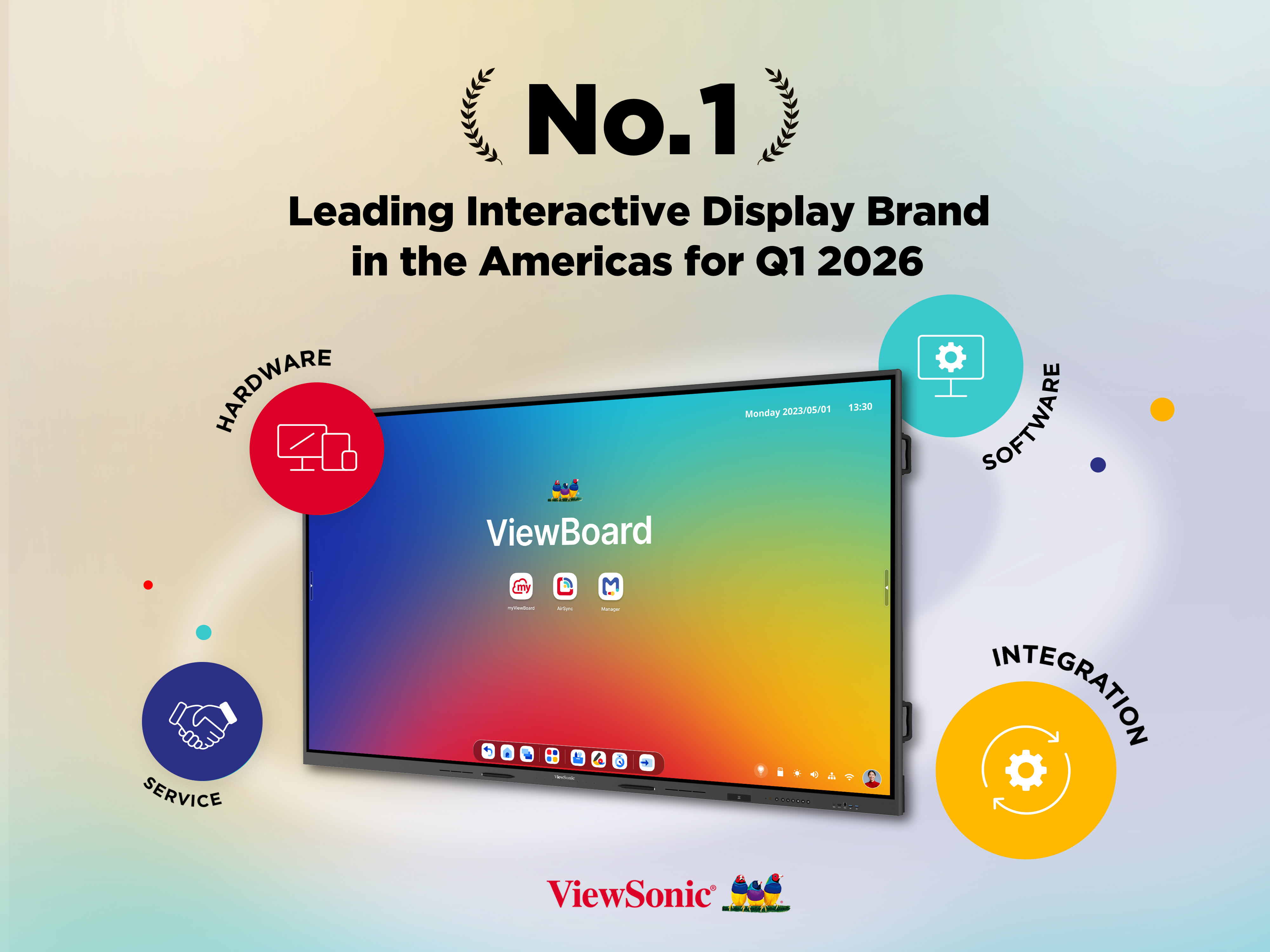
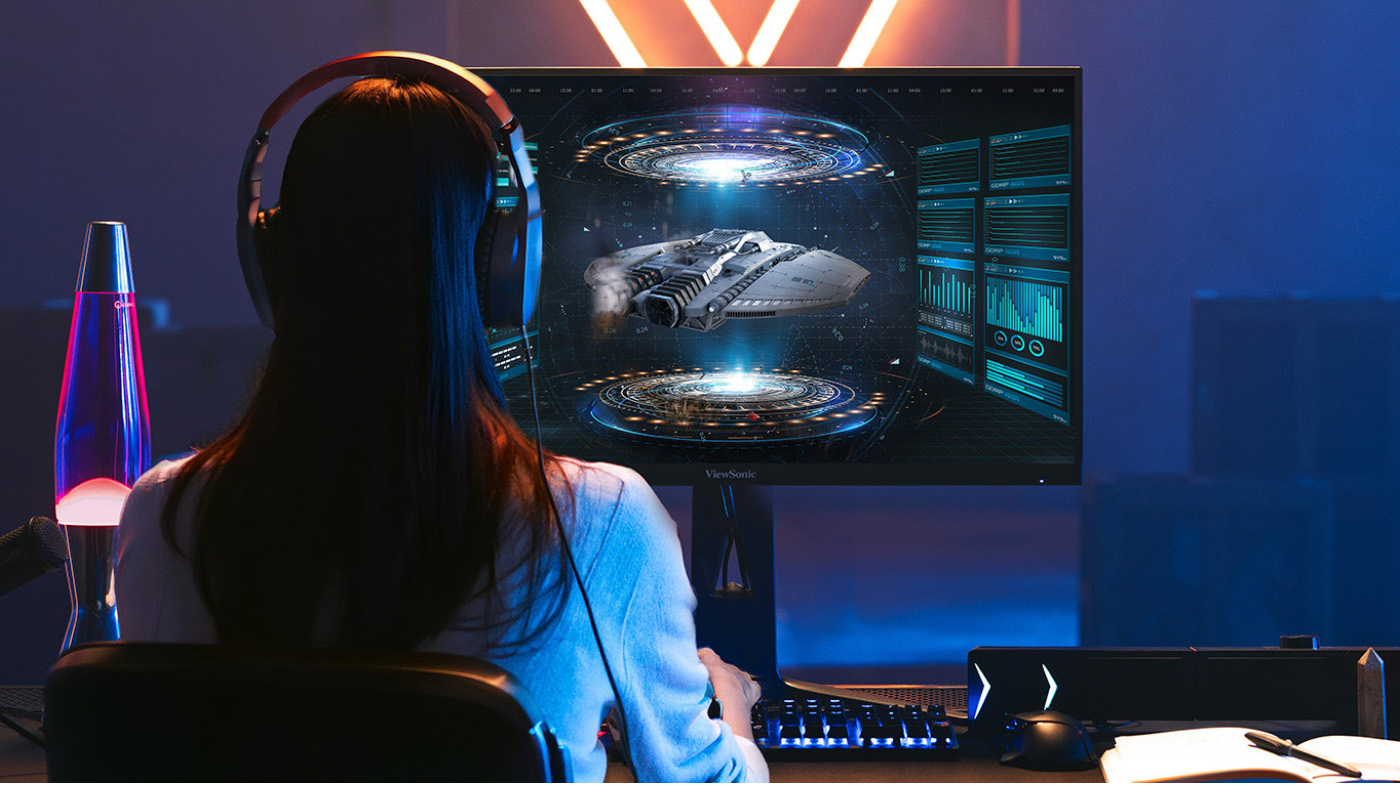
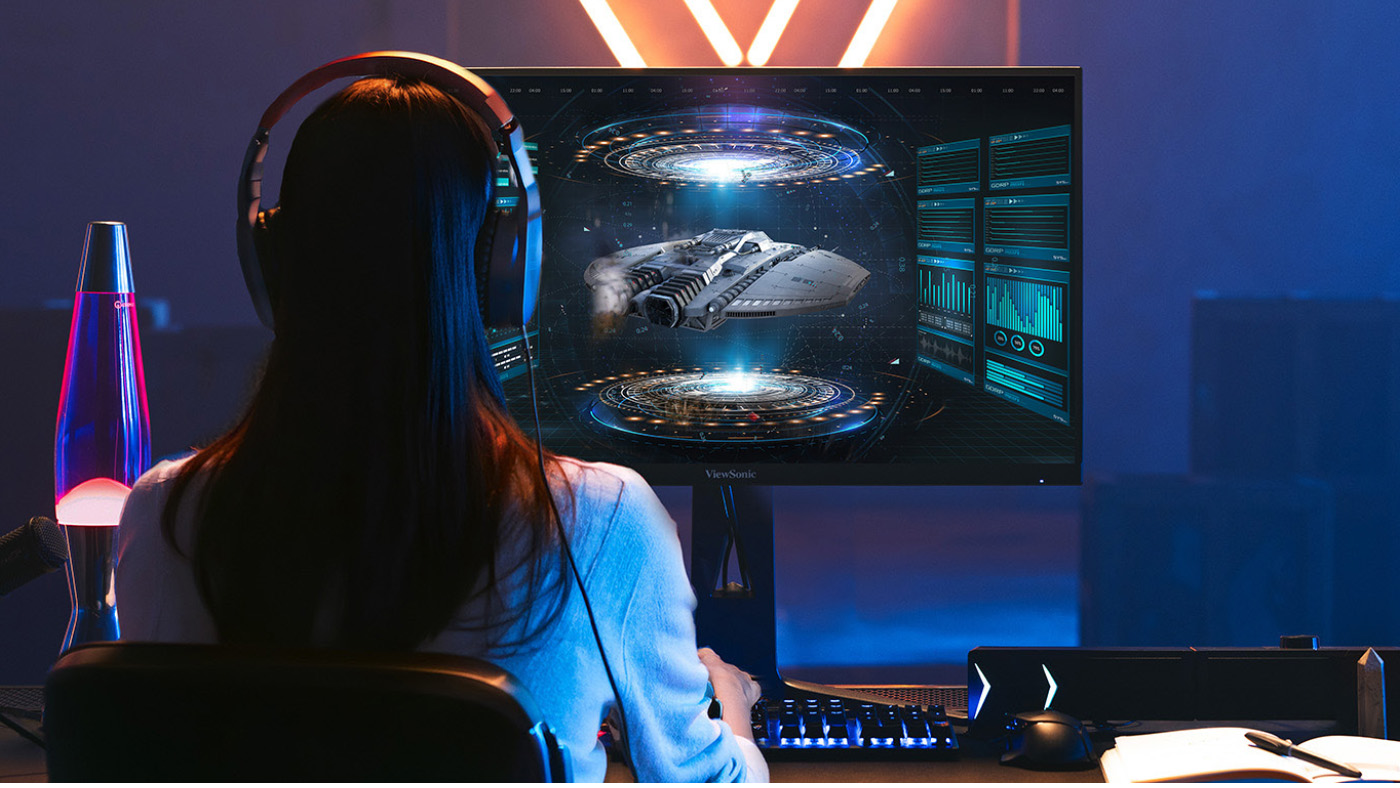
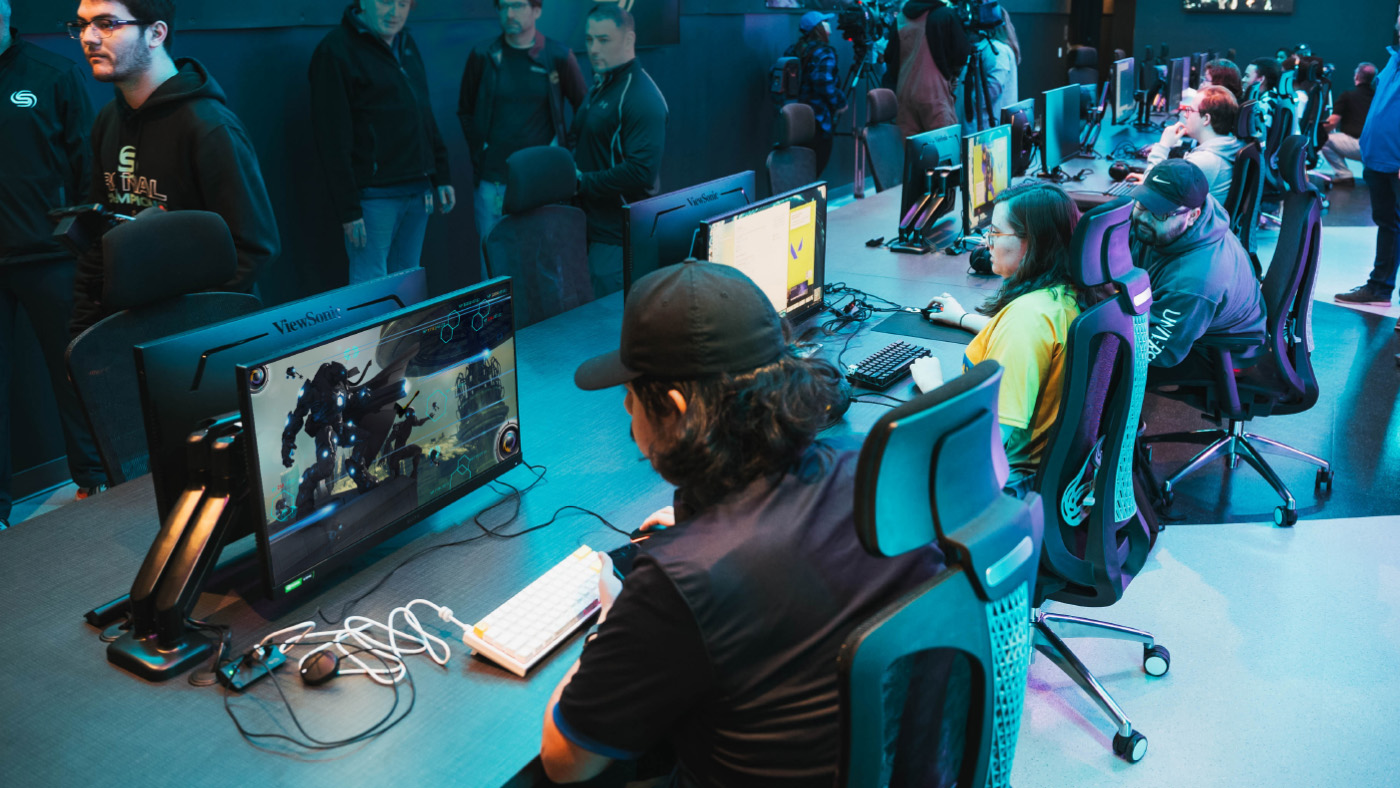
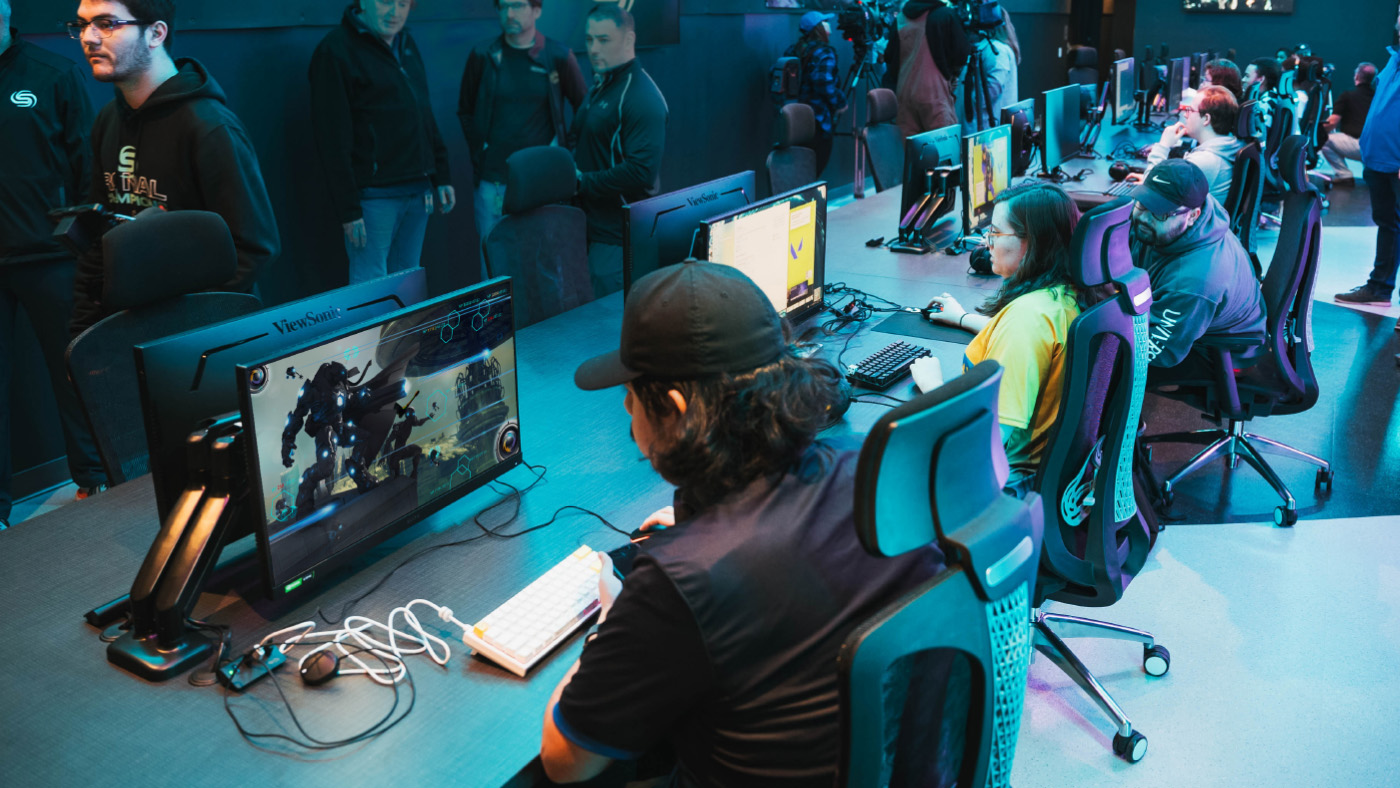
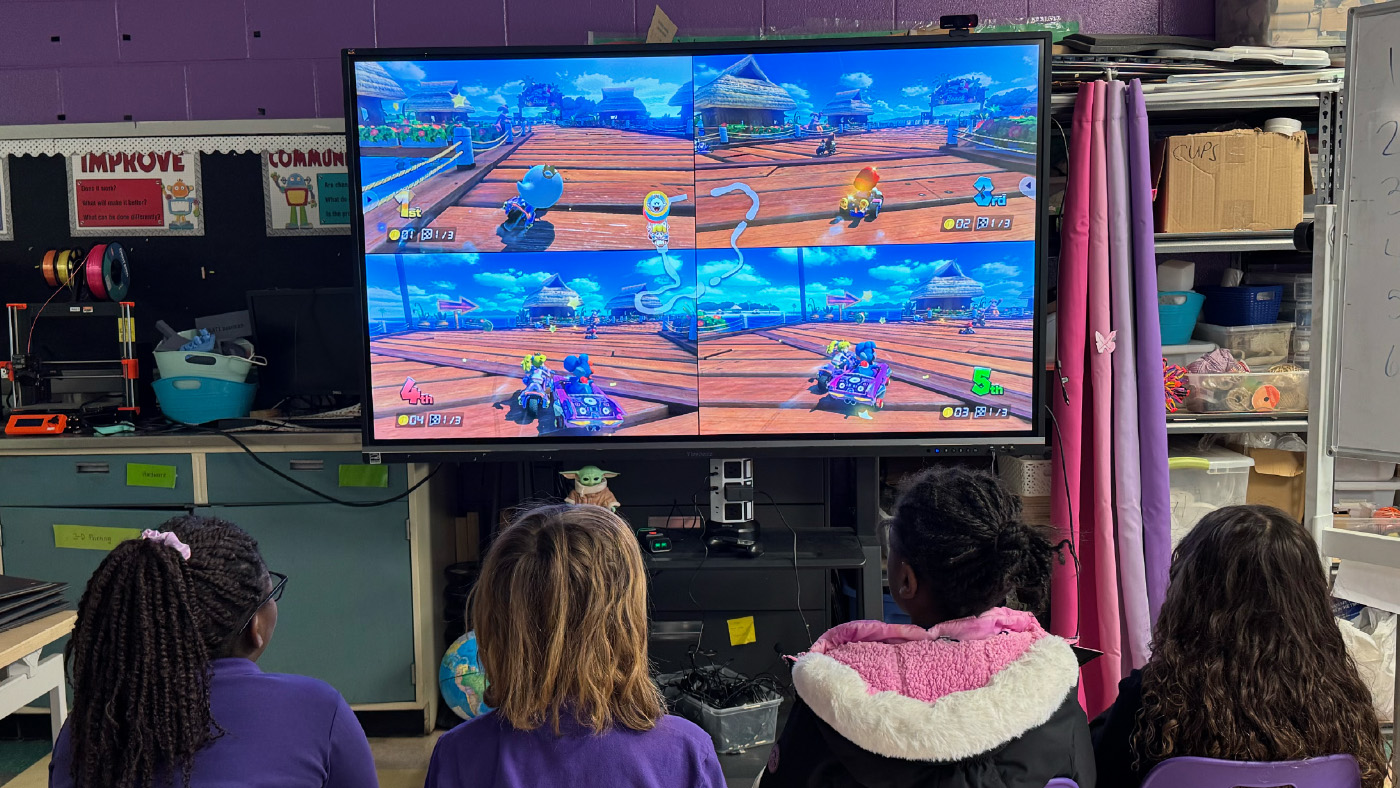
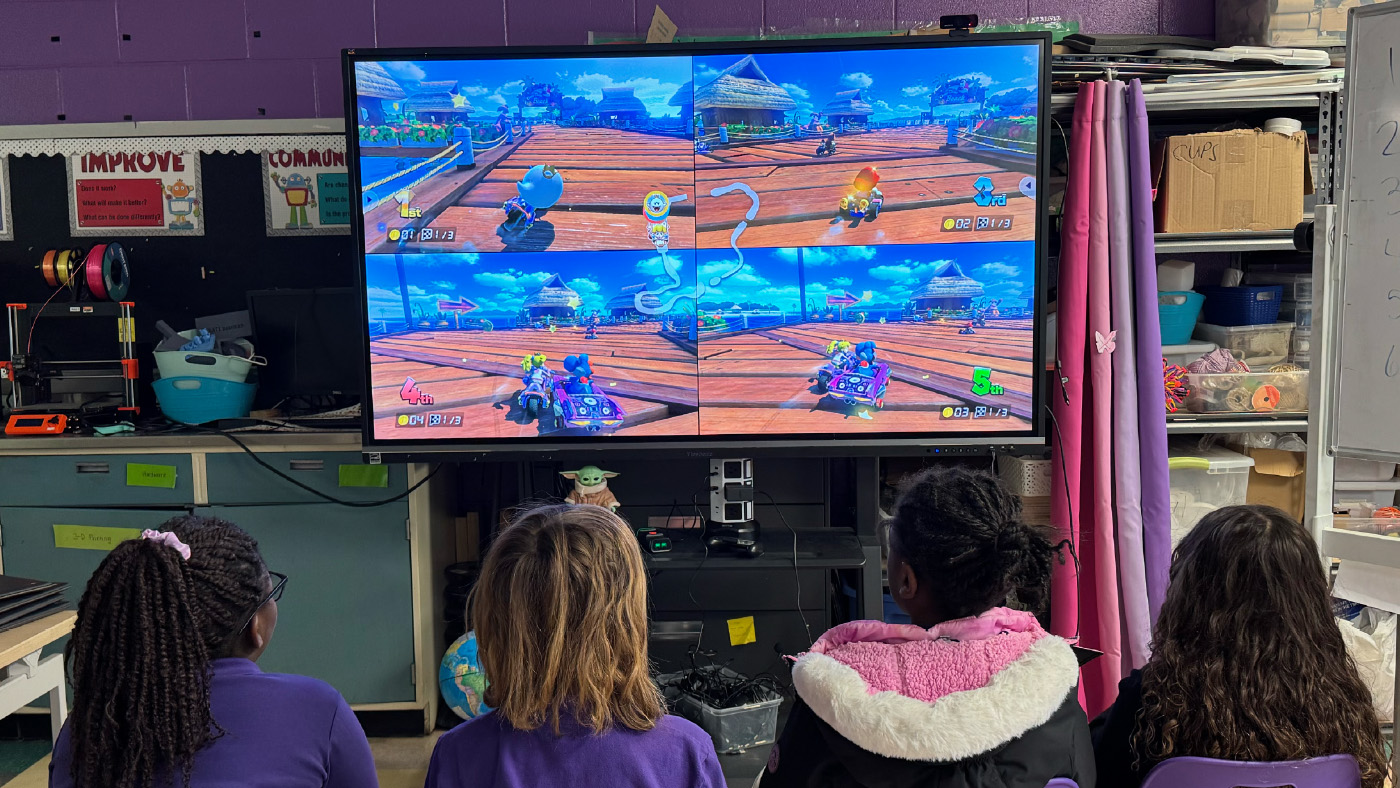
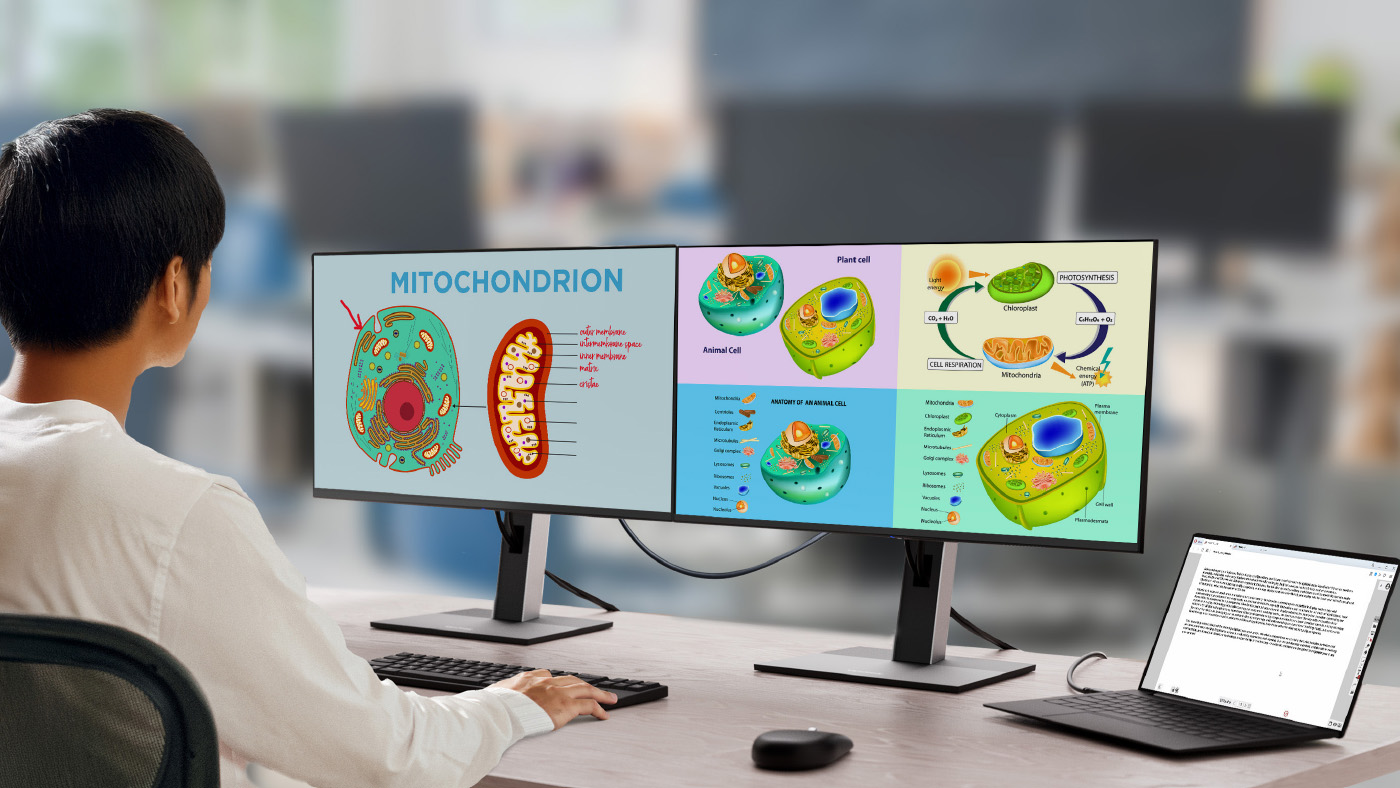
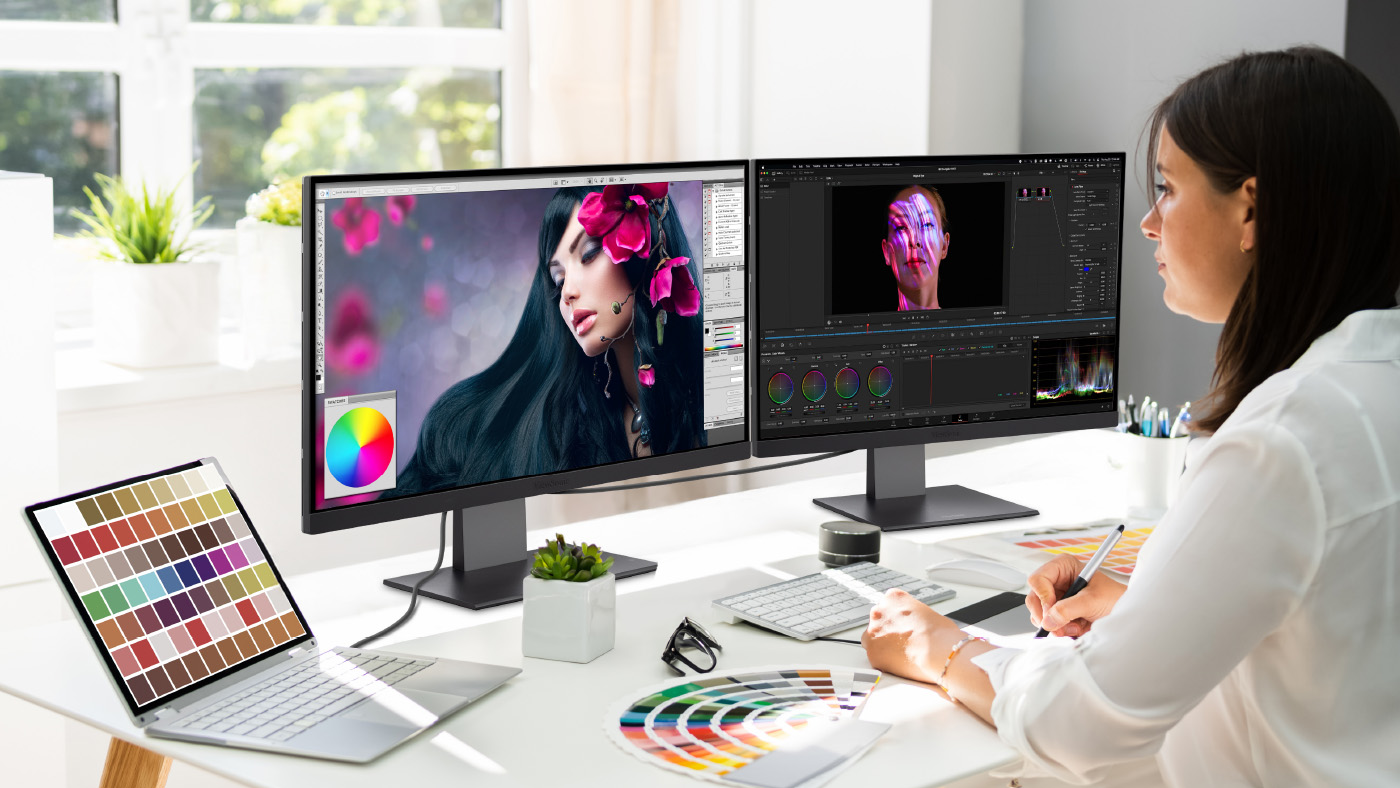

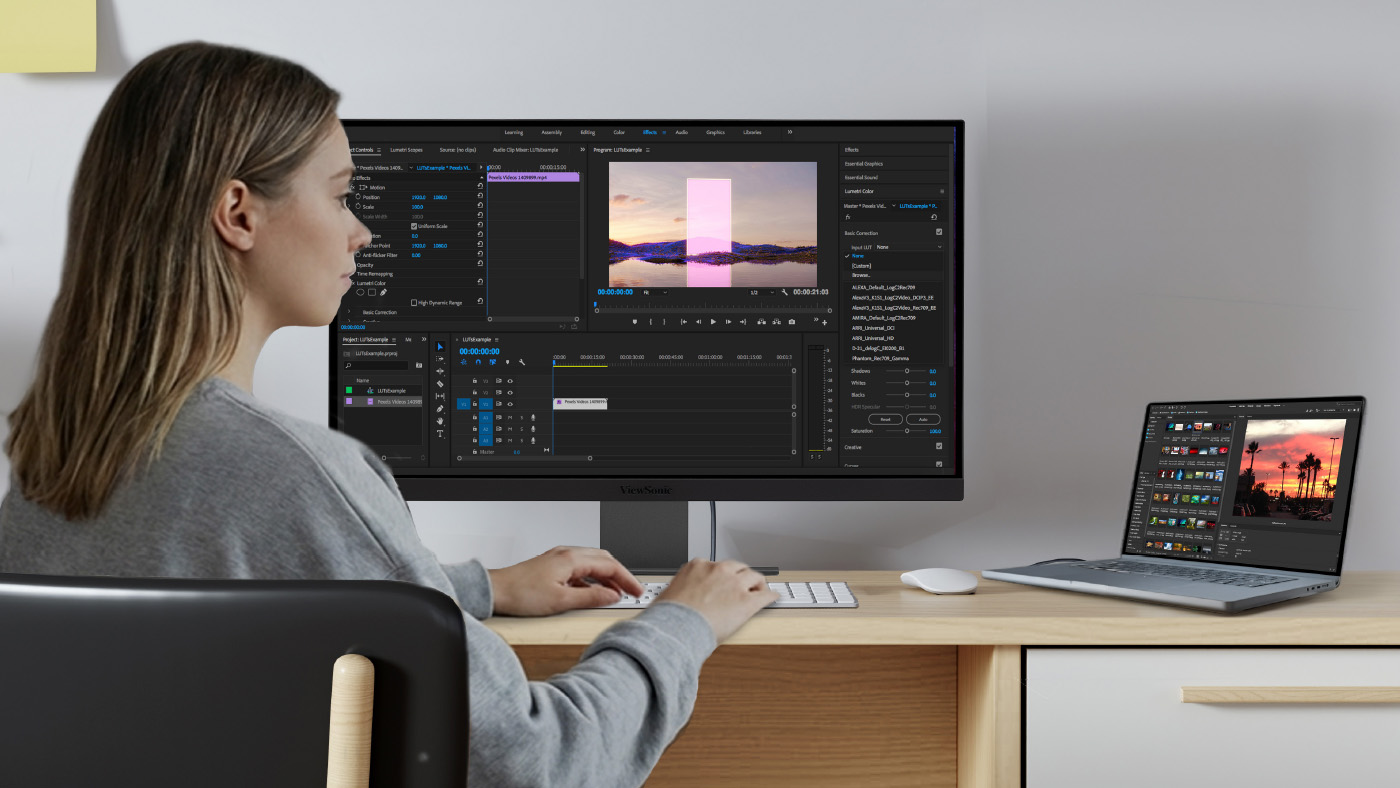



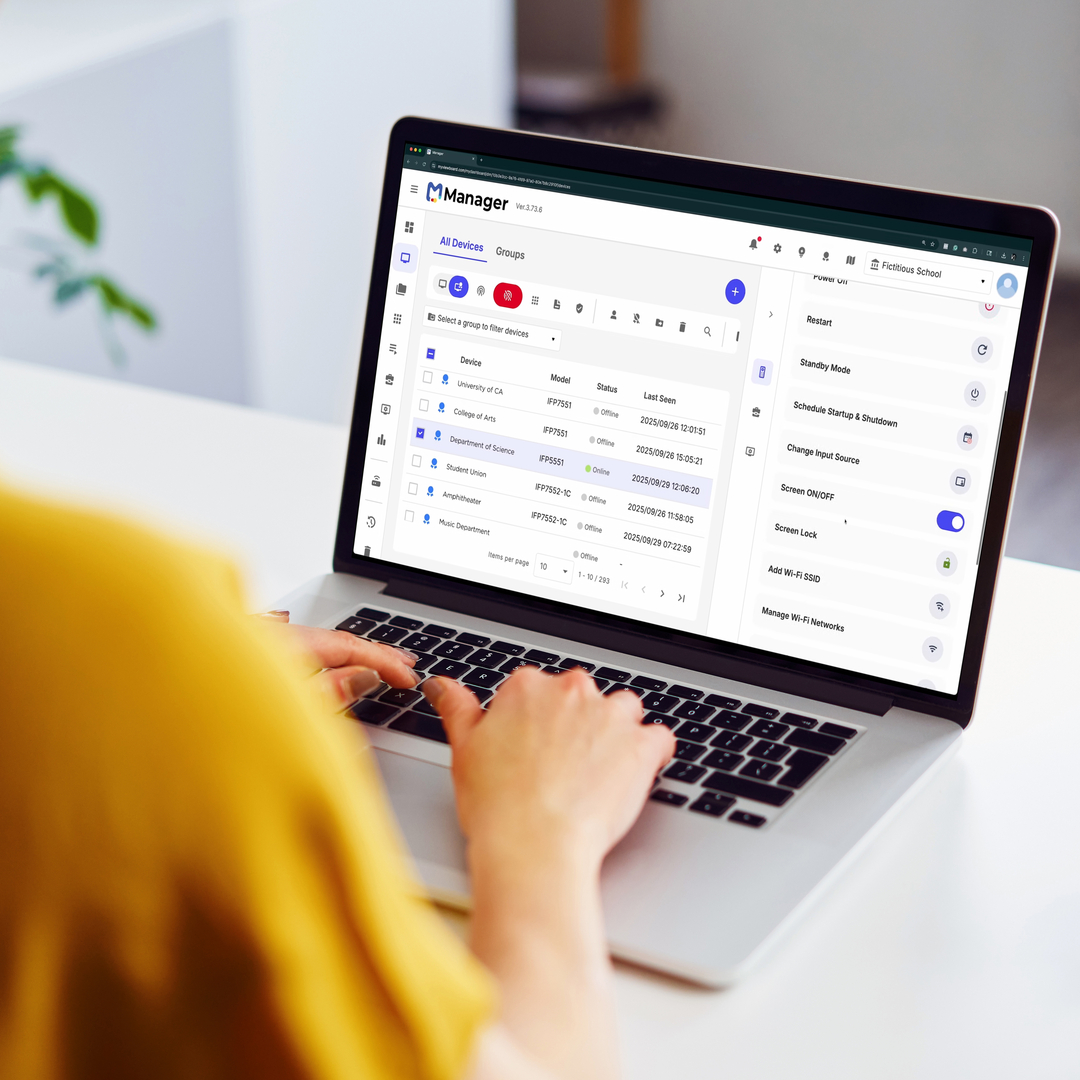





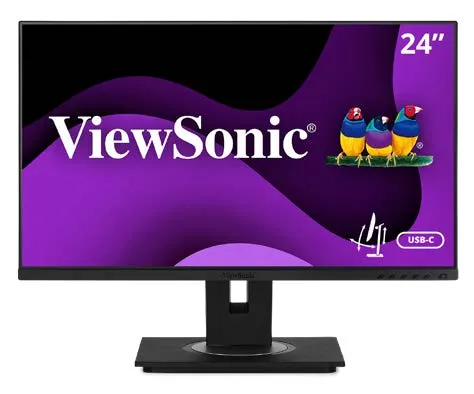





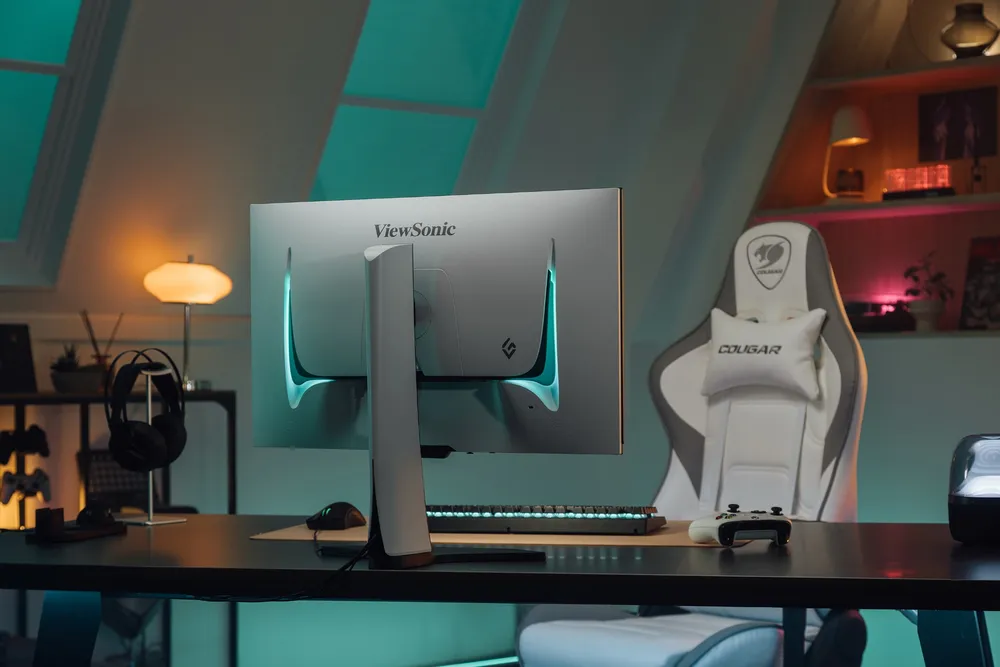
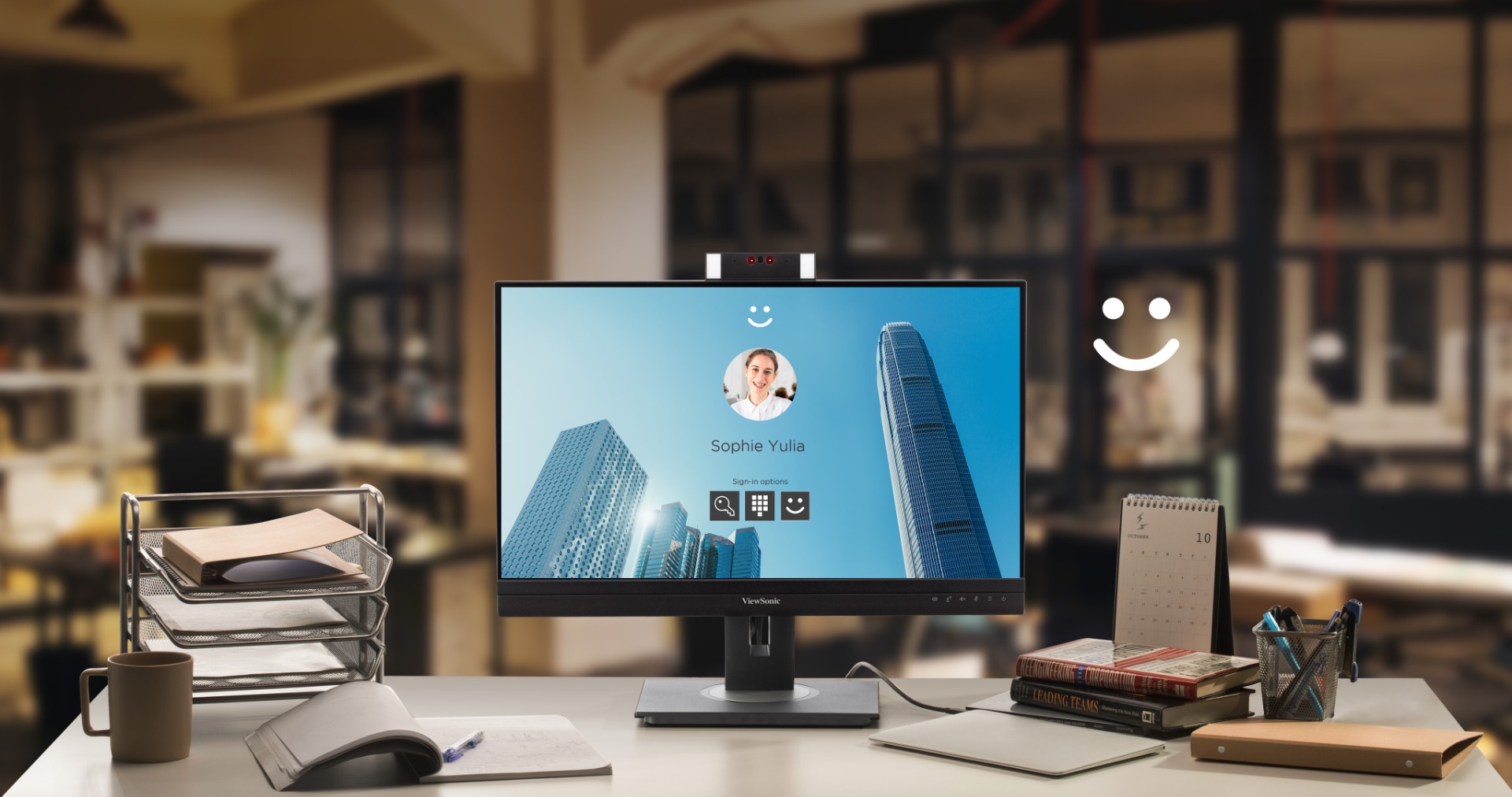


Login and Registration Form