Education
Business
Consumer

Education

4 Proven Ways to Increase Student Engagement and Learning

BLOG

4 Proven Ways to Increase Student Engagement and Learning

Keeping students engaged while driving meaningful learning is one of the biggest challenges educators face today. With diverse learning styles, evolving classroom technology, and rising expectations, it can be difficult to keep every student involved and motivated. 

Student engagement plays a critical role in academic success. Research shows that when students are actively engaged, they are more likely to understand concepts, retain information, and participate with confidence (Gallup, 2019).

Interactive tools such as ClassSwift help educators apply proven engagement strategies in practical, classroom-ready ways.

Below are four proven ways to increase student engagement and learning, along with examples of how ClassSwift supports responsive and inclusive instruction.

Why Student Engagement Matters for Learning Success

Student engagement refers to how involved students are in the learning process. This includes participation, motivation, and the ability to think critically about what they are learning.

Studies consistently show a strong link between student engagement and positive learning outcomes. Engaged students tend to perform better academically, demonstrate stronger retention, and develop more positive attitudes toward learning (Fredricks, Blumenfeld, & Paris, 2004).

Active learning strategies such as collaboration, real-time feedback, and student choice help move learning beyond passive listening.

For a deeper look at the research behind engagement, check out ViewSonic’s guide on what student engagement is and why it matters for helpful context and classroom insights.

How ClassSwift Can Help Increase Student Engagement and Learning

ClassSwift is designed to support everyday classroom engagement by helping teachers gather insight quickly, adapt instruction, and keep students actively involved throughout a lesson.

It allows teachers to collect a range of student responses, including multiple choice answers, short written responses, sketches, and audio submissions. This helps participation extend beyond hand-raising or verbal discussion.

1. Real-Time Polls and Quizzes for Instant Feedback

Checking understanding during a lesson helps teachers respond before confusion grows. Real-time polls and short quizzes give educators immediate insight into what students understand and where they may need support.

With ClassSwift, teachers can launch live polls or short quizzes as lessons unfold.

These tools encourage participation from every student, not just those who raise their hands, and provide timely insights so educators can adjust their lessons as needed.

This type of responsive teaching aligns with best practices outlined in ViewSonic’s article on student engagement in the modern classroom


2. Interactive Assignments and Multimedia Responses

Students engage more deeply when they have multiple ways to demonstrate understanding. Assignments that allow students to respond using drawings, images, multiple choice answers, short written responses, or audio recordings help reach learners with different strengths and preferences.

ClassSwift supports these varied response formats, making it easier for teachers to design activities that keep lessons dynamic while encouraging students to take ownership of their learning.

For more ideas on engaging diverse learners, ViewSonic’s resource on student engagement strategies for learners of all ages offers practical classroom examples. 


3.Gamified Learning for Greater Motivation

Gamification is a proven way to increase motivation and participation. Timed challenges, progress tracking, and recognition features help turn learning into an active experience.

ClassSwift includes game-inspired tools such as timers, buzzers, and interactive activities that encourage healthy competition and sustained focus. When learning feels fun and rewarding, students are more likely to stay engaged and push through challenges.


4. Personalized and Adaptive Learning Pathways

Every student learns at a different pace. Personalized instruction helps ensure that learners feel supported without being overwhelmed or bored.

With ClassSwift, teachers can assign differentiated tasks based on individual student needs. Struggling learners receive targeted support, while advanced students can explore more challenging material.

Personalized pathways help improve both engagement and learning outcomes by meeting students at their current level of understanding.

Additional ClassSwift Features That Support Engagement

Beyond daily classroom activities, ClassSwift Pro (for schools and districts) includes features that support engagement for both teachers and students.

These features include the following, which may require a paid subscription:

  • Analytics dashboards that provide insight into participation and understanding
  • Integration with classroom technology, including interactive displays

Together, these tools help create a more supportive and engaging classroom experience.

For a closer look at how these features work together, explore ViewSonic’s overview of ClassSwift’s holistic approach to engagement, assessment, and responsive teaching.


Real Classroom Results: Success Stories with ClassSwift

Educators using ClassSwift have seen measurable improvements in engagement and learning across different subjects and grade levels.

In one real-world example, teachers at Mayfair Middle/High school used ClassSwift in language classrooms to increase participation and accountability.

Gamified tools such as timers and buzzers encouraged students to respond more quickly and stay focused, while real-time insights helped teachers adjust instruction and provide targeted feedback.

See the full case study on how ClassSwift enhanced language learning.

In another instance, teachers at Heathlands Primary Academy used ClassSwift’s push-and-respond quizzes to gather instant feedback during lessons. This allowed educators to revisit topics immediately when students struggled, leading to stronger understanding and higher participation.

Learn how Heathlands Primary Academy improved engagement with ClassSwift.

These examples show how pairing proven engagement strategies with the right technology can support measurable improvements in student learning.


How to Get Started with ClassSwift

Improving student engagement does not require a complete change in teaching approach. Starting with small steps, such as real-time check-ins or interactive assignments, can make a meaningful difference.

ClassSwift helps educators apply these strategies efficiently and at scale. To learn more, visit the ClassSwift software page or explore ViewSonic’s full range of education solutions

5 Innovative Ways to Use Digital Displays Around Your Campus

BLOG

5 Innovative Ways to Use Digital Displays Around Your Campus

As campuses look for better ways to engage students, streamline operations, and manage growing information needs, digital display technology offers a practical solution that scales across the entire campus.

From classroom instruction to safety alerts, digital displays help schools communicate more effectively across both academic and non-academic spaces. Unlike printed signs or static posters, digital displays are flexible, easy to update, and designed for real-time communication. 

The Transformative Power of Digital Displays on Campus

Digital displays are more than just screens mounted on walls. When used strategically, they shape how information flows across campus and how people experience daily life at school.

They support campus culture by highlighting achievements, reinforcing school identity, and creating a stronger sense of connection. They also play a critical role in safety and accessibility by helping schools share clear, consistent messages when timing matters most.

Whether placed in classrooms, hallways, or outdoor common areas, digital displays help campuses stay responsive, informed, and connected. 

How to Use Digital Displays Around Campus

Digital displays can support many goals depending on where they are installed and how they are managed. Below are five effective ways campuses are using them today.

1. Promoting Safety and Emergency Preparedness 

Safety communication is one of the most critical uses of campus digital displays. During important situations, schools need a fast, reliable way to share clear instructions across multiple buildings and spaces.

With ViewSonic Manager, administrators can centrally manage and broadcast urgent messages to connected devices across campus. This provides a single point of control for pushing information quickly and consistently, without relying on manual updates or individual room systems.

ViewSonic Manager also supports integration with CAP (Common Alerting Protocol) messaging systems.

This allows alerts generated by an existing CAP platform to be delivered directly to managed displays, helping ensure emergency information stays aligned across screens, classrooms, and other notification channels.

By keeping messaging consistent, campuses can reduce confusion and provide clearer guidance during critical moments.

https://www.viewsonic.com/library/education/strengthening-campus-safety-with-device-broadcasting/


2. Enhancing Campus Communication and Announcements

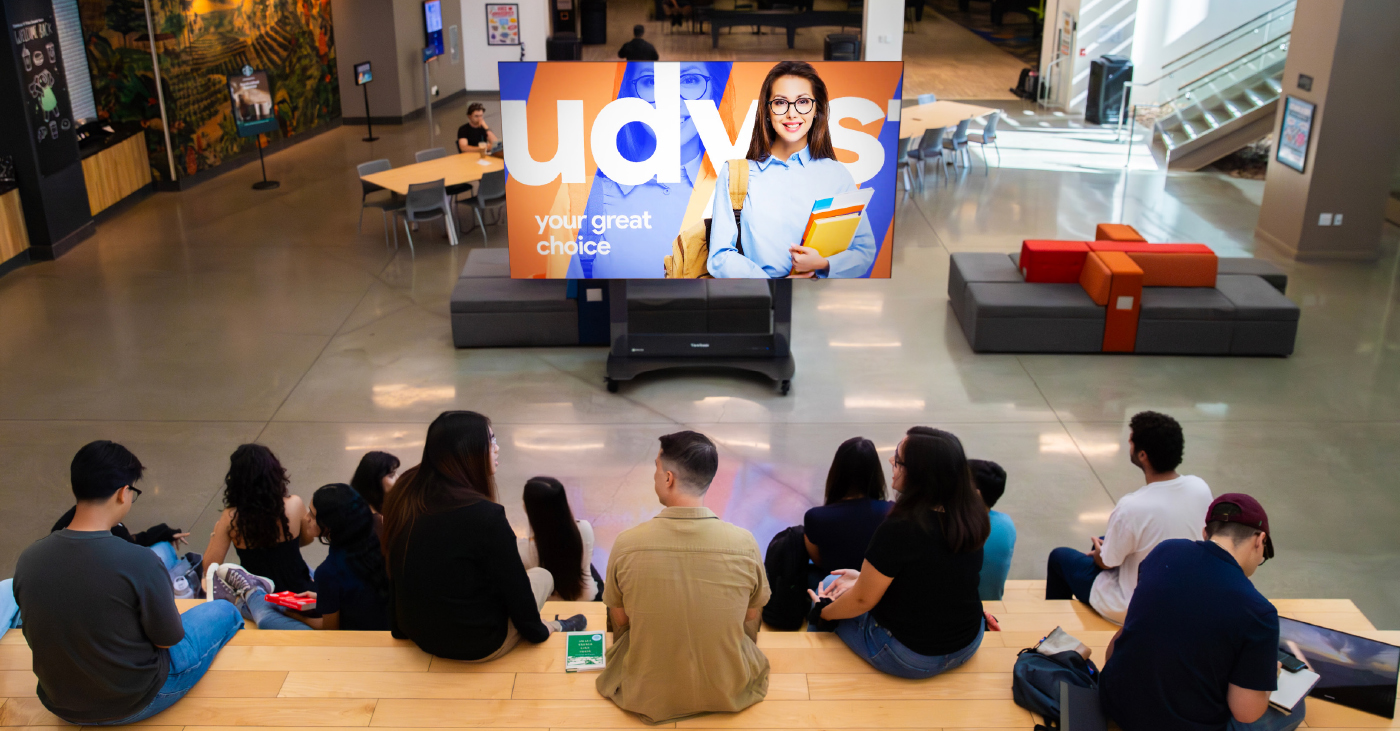
High-traffic areas such as lobbies, hallways, cafeterias, and student centers are ideal locations for digital displays. In these spaces, displays act as centralized hubs for sharing real-time information, including academic calendars, key events, news, and general announcements.

By serving as a digital message board, these screens ensure the entire campus community stays informed.

Because content can be updated instantly from a single location with tools like ViewSonic Manager, information remains accurate without the need for reprinting physical signs. This flexibility makes it easy for administrative staff to manage last-minute schedule changes, urgent faculty alerts, or daily cafeteria menus.

ViewSonic digital signage solutions are ideal for this scenario, offering high brightness for visibility in well-lit common areas and supporting centralized content management to streamline updates across the entire campus.

For a deeper look at how schools use signage for communication, check out the link below:

 https://www.viewsonic.com/library/education/digital-signage-at-school-upping-your-campus-communication/

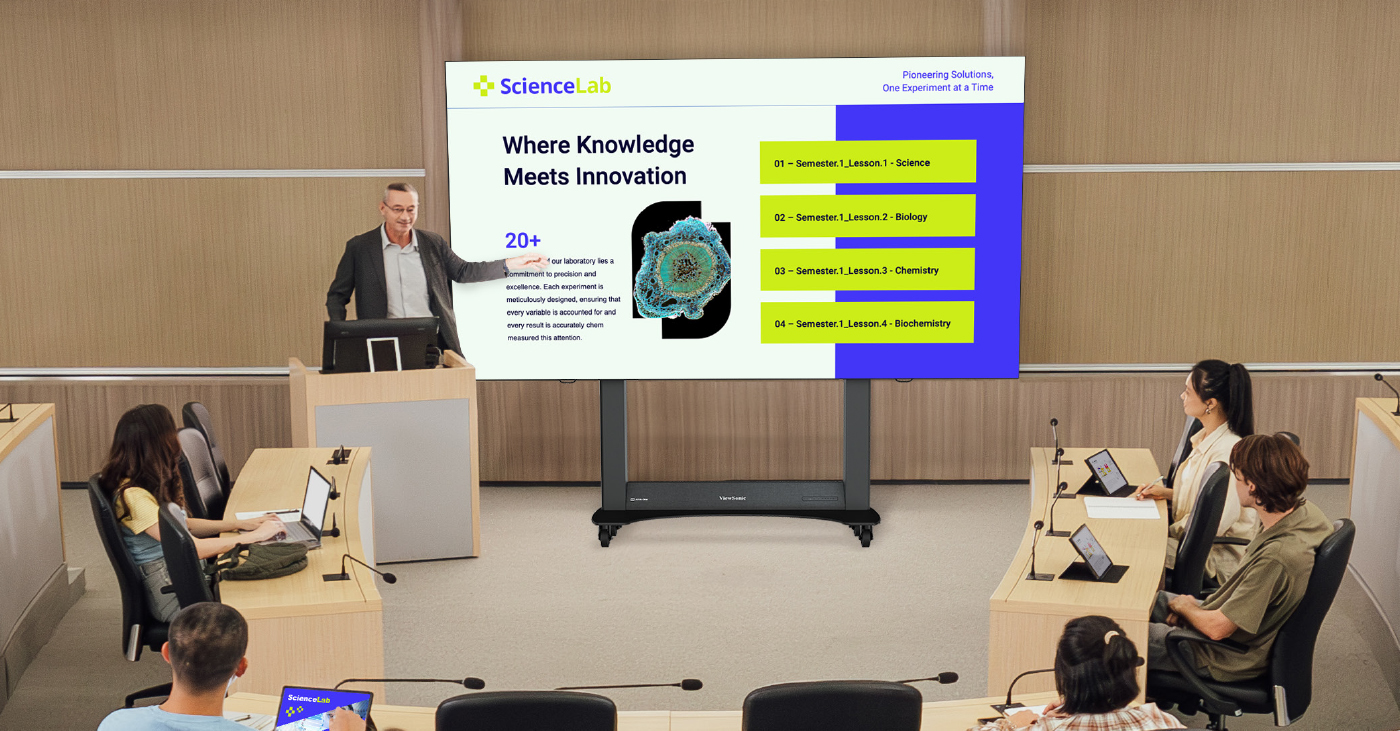
3. Supporting Content Visibility in Classrooms and Lecture Spaces

Digital displays are also used in classrooms and lecture halls to support clear content visibility and consistent information sharing. In these spaces, displays are commonly used to present lesson materials, schedules, or shared visual content that needs to be seen clearly from anywhere in the room.

ViewSonic’s digital displays power on quickly, run for long periods, and integrate smoothly with room control systems and AV infrastructure.

This approach helps ensure classrooms remain easy to manage while still supporting day-to-day teaching needs.


4. Wayfinding and Campus Navigation

Finding the right building or classroom can be a challenge on sprawling campuses, especially for first-time visitors or during high-traffic events.

Digital displays simplify campus navigation by providing interactive maps and clear, high-visibility directories. Because wayfinding content can be updated instantly, campuses can quickly adjust messaging to reflect event changes, temporary closures, or construction routes.

This allows visitors to navigate the campus independently and confidently without needing to stop for directions.

ViewSonic ePosters are well suited for entrances, corridors, and elevator areas thanks to their vertical orientation and space-saving design.

For larger gathering areas, ViewSonic CDE12 series of digital displays offer bigger screen sizes that make campus maps and directories easy to read from a distance. The CDE31 series of commercial displays is especially effective in busy environments where clarity and visibility matter most.


5. Showcasing Achievements and Building Community

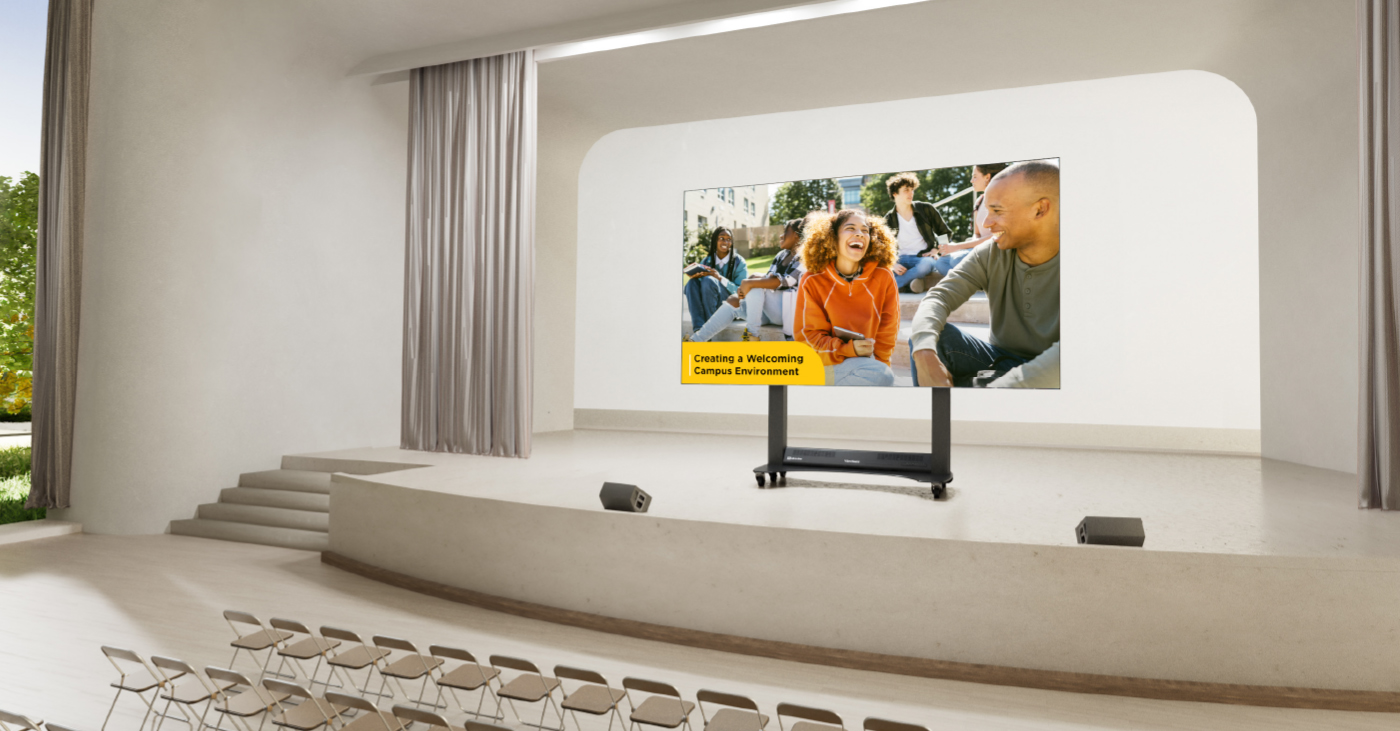
Digital displays play an important role in building campus culture by highlighting student achievements, faculty recognition, athletic results, campus events, and creative work.

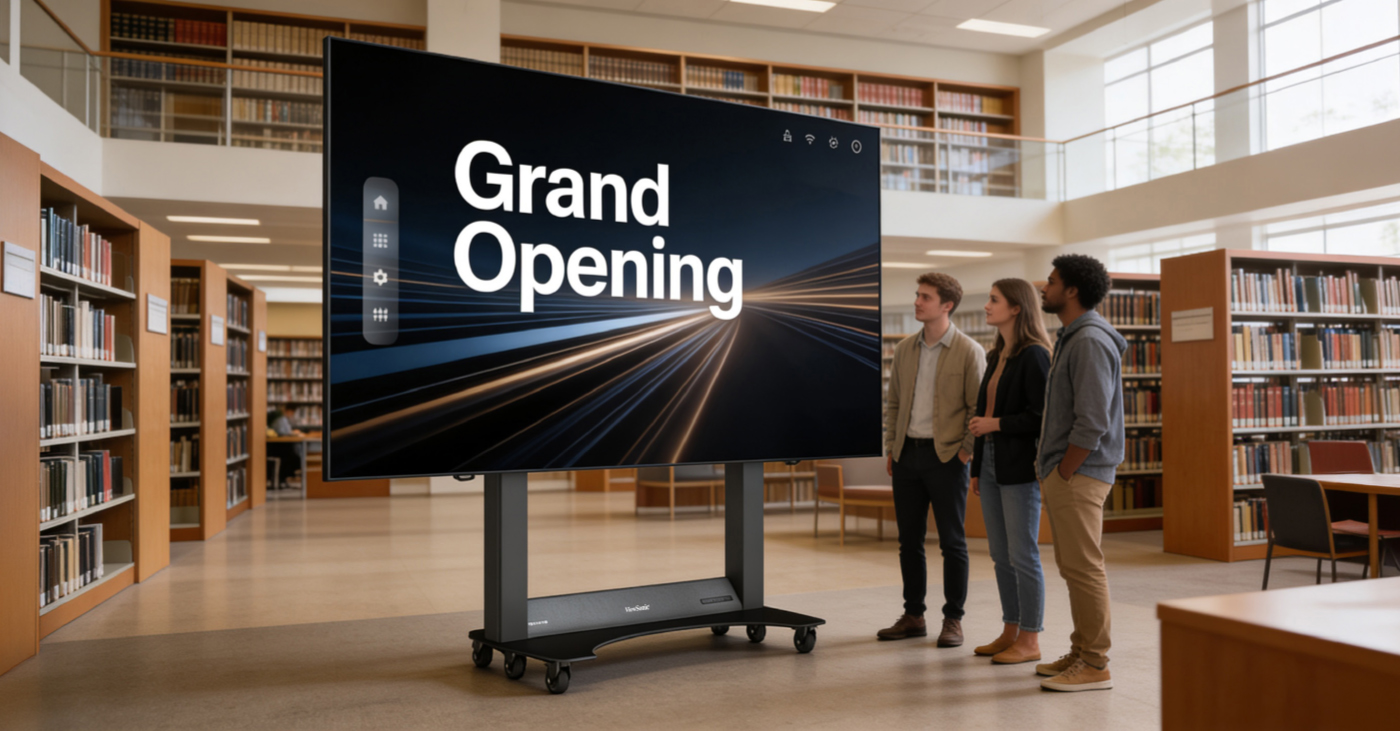
The ViewSonic CDE series of digital display solutions are a natural choice for showcasing community content in libraries, student centers, lounges, and other shared spaces.

Designed for 24/7 operation in high traffic environments, the CDE series of digital displays can display photos, videos, and rotating content both day and night.

The CDE31 series is especially effective in these environments, delivering strong visual impact and reliable performance in high-traffic areas where visibility matters most.

By regularly refreshing content, campuses can strengthen pride, engagement, and connection across the school community. 

Key Features to Look for in Campus Digital Displays

When evaluating digital displays for education environments, campuses typically focus on features that support long-term reliability, visibility, and centralized management.

Key considerations include:

  • A variety of screen sizes for classrooms, hallways, and large common areas
  • High brightness with anti-glare or haze treatment for visibility in bright indoor spaces
  • Commercial grade durable designs built for daily or extended use
  • Easy content management systems for quick updates
  • Centralized control and secure remote access for IT teams
  • ProAV-ready designs that integrate with existing AV infrastructure, including control systems, media players, and networked environments

This helps ensure displays can scale across campus without adding unnecessary complexity.


Recommended ViewSonic Solutions for Campus Use

ViewSonic offers a range of education-focused solutions designed to support communication, learning, navigation, and campus safety.

Getting Started: Implementing Digital Displays Effectively

A successful rollout starts with thoughtful planning and collaboration.

Assessing Your Needs

Identify your primary goals, whether they are communication, instruction, safety, or a mix of all three. This helps guide display selection and placement.

Stakeholder Involvement

Involve IT teams, administrators, educators, and facilities staff early. This ensures displays meet technical, instructional, and operational needs.

Choosing the Right Hardware and Software

Select displays and management tools that work well together and fit your campus infrastructure. Ease of use and security should be top priorities.

Installing Displays in Strategic Locations

Place displays where people naturally gather or need information. Visibility and accessibility should guide placement decisions.

Training Your Internal Staff

Provide training so staff can manage content confidently, troubleshoot issues, and keep displays relevant over time.

Why Choose ViewSonic for Campus Digital Display Solutions

With nearly 40 years of expertise in the display industry, ViewSonic works closely with colleges and schools to develop campus digital display solutions designed for long-term reliability.

ViewSonic’s commercial digital signage displays deliver clear communication in high-traffic campus environments. These displays support announcements, wayfinding, and safety messaging, and integrate smoothly with centralized content and device management systems.

In addition to commercial digital signage, ViewSonic offers a broader range of display technologies to support other campus needs. These include interactive displays, dvLED video walls, and projection solutions used in classrooms, auditoriums, and large gathering spaces.

With education-focused features, reliable performance, and ongoing support, ViewSonic helps campuses build digital display solutions that work today and scale as needs grow.

To learn more about ViewSonic digital display solutions for education, visit: https://www.viewsonic.com/edu/ 

Quick Links

Digital Signage Displays for announcements, wayfinding, and shared spaces https://www.viewsonic.com/edu/digital-signage-digital-displays

ViewSonic ePosters for wayfinding and navigation in high-traffic areas https://www.viewsonic.com/edu/digital-signage-digital-displays

ViewSonic Manager for secure 24/7 device management and safety messaging https://www.viewsonic.com/edu/viewsonic-manager 

Quick Checks, Big Gains: Why Real-Time Comprehension Matters in the Classroom

BLOG

Quick Checks, Big Gains: Why Real-Time Comprehension Matters in the Classroom

Student understanding can change quickly during a lesson. A concept may seem clear one minute and confusing the next. If teachers wait until a quiz or test to find out, valuable learning time can be lost.

That’s why formative assessments play such an important role in today’s classrooms. Quick, in-the-moment feedback helps teachers adjust instruction right away and helps students stay engaged and confident as they learn.

With interactive tools like ViewSonic® ViewBoard® interactive displays and ClassSwift® software, educators can make quick assessments part of everyday instruction without disrupting lesson flow. 

What are Real-Time Comprehension Checks?

Real-time comprehension checks refer to assessing student understanding during a lesson instead of after it ends. These checks are informal, frequent, and designed to guide instruction in the moment.

Unlike traditional tests that measure learning at the end of a unit, real-time comprehension checks focus on what students understand right now. 

Common examples include:

  • Quick polls or multiple-choice questions
  • Short quizzes or warm-up questions
  • Emoji or traffic light check-ins
  • Live annotation or problem-solving activities
  • Collaborative responses on an interactive screen 

In digital and hybrid classrooms, interactive displays and classroom software make these strategies easier to manage and more inclusive for all students.

Why Real-Time Comprehension Checks Support Student Learning

When teachers understand how students are doing in the moment, learning becomes more effective and more student-centered.

Assessment checks help support learning in several key ways.

Stronger Student Engagement

Students are more likely to stay focused when they know they’ll be asked to participate during the lesson. Quick checks encourage active involvement instead of passive listening.

Early Identification of Confusion

Small misunderstandings can quickly grow into learning gaps. Real-time feedback helps teachers spot confusion early and address it before moving on.

Support for Differentiated Instruction

Not all students learn at the same pace. Real-time responses help teachers adjust instruction, offer clarification, or provide extra challenges when needed.

Increased Student Ownership

When students reflect on their understanding, they become more aware of their learning progress and areas where they may need support. 

Common Challenges With Real-Time Comprehension Checks

While the benefits are clear, some classrooms face challenges when trying to implement real-time comprehension strategies.

Limited Access to Classroom Technology

Without the right tools, collecting responses from every student can feel time-consuming or difficult to manage.

Time Constraints During Lessons

Teachers may worry that frequent check-ins will slow down instruction or take time away from content.

Comfort Level With Classroom Technology

New tools can feel overwhelming without proper training or intuitive design.

Reliance on Traditional Assessments

Classrooms that depend heavily on tests and worksheets may miss opportunities for immediate feedback. 

Key Considerations for Bringing Real-Time Comprehension to the Classroom

Modern education technology helps remove many of these barriers. By combining hardware and software to provide integrated solutions, educators can make assessment checks quick, visual, and easy to manage without adding complexity to the lesson.

Interactive Displays and Whiteboarding Software

ViewBoard® interactive displays come with the award-winning myViewBoard 3.0 whiteboarding software built-in. With this powerful tool, educators can annotate lessons, highlight key concepts, and manipulate digital content in real time. Multi-touch screens encourage collaboration, allowing students to solve problems directly at the board alongside the teacher.

Student Response Tools

For individual feedback, digital tools allow students to respond from their own devices. ClassSwift integrates directly with the display to let teachers run polls, send quizzes, and check understanding instantly. This seamless connection between student devices and the front-of-room display reduces setup time and ensures every student has a voice.

Visual Cues and Live Annotation

Highlighting key ideas, annotating text, or solving problems live on a digital whiteboard helps teachers see how students are thinking and where clarification is needed. 

Easy Ways to Add Quick Checks to Daily Lessons

Real-time assessments don’t require a complete change in teaching style. Small adjustments can make a big difference.

Simple ways to integrate quick checks include:

  • Starting class with a short warm-up question or poll.
  • Asking students to respond to a question during a presentation using audio or text.
  • Ending a lesson with an interactive exit ticket or emoji-based check-in.
  • Using peer discussion followed by a quick class response.
  • Inviting students to annotate or solve problems on a ViewBoard interactive display using sketch-based response tools.

These strategies work especially well when supported by interactive classroom technology. 

Why ViewBoard Interactive Displays Work Well for Real-Time Comprehension Checks

ViewBoard interactive displays are designed to support interactive, student-centered instruction and real-time feedback.

Seamless Student Interaction

Multi-touch functionality and built-in collaboration tools make it easy for students to participate directly at the screen or from connected devices.

Compatibility With Popular EdTech Tools

ViewBoard interactive displays integrate with commonly used classroom software tools such as Google Classroom or ClassSwift, making it simple to add formative assessments and live questioning into lessons.

Live Annotation and Immediate Feedback

Teachers and students can write, highlight, and interact with content in real time. This helps make thinking visible and supports deeper understanding. 

Make Every Learning Moment Count With Real-Time Feedback

Quick assessment checks lead to meaningful learning gains. When teachers can see what students understand in the moment, they can respond with clarity and confidence.

Real-time assessments support stronger engagement, better retention, and more effective instruction. With tools like ViewBoard interactive displays and education software tools like ClassSwift, educators can turn everyday lessons into interactive learning experiences that support student success.

Explore ViewSonic’s education solutions to see how real-time learning can fit naturally into your classroom.

Projectors vs dvLED: Which Display Technology Is Right for Your Campus?

Projectors vs dvLED: Which Display Technology Is Right for Your Campus?

Projectors vs dvLED. It’s a big decision for any modern campus. The type of display you pick affects how teachers teach, how students learn, and how your budget looks a few years down the road.

You might be wondering if you should stick with the traditional projector or make the leap to something newer. Let’s break down the differences so you can make the best choice for your school.


Understanding the Tech

Projectors use a light source to throw an image onto a separate screen or wall. They have been the standard in classrooms and lecture halls for decades.

dvLED (Direct View LED) displays are made of LED panels that show images directly on the screen, so there is no projection involved. They are super bright and seamless. You can get them as simple, pre-configured All-in-One video walls that come in standard sizes, or as configurable solutions that you can build to fit a specific shape or wall.


Key Considerations for Schools

When you are weighing projectors vs dvLED, here are the main things you need to think about.

Image Quality and Brightness

Projectors can produce big images, but they often struggle in bright rooms. If you have big windows, you usually have to dim the lights to see the screen clearly.

dvLED offers ultra-bright, vivid images that look great even in sunny rooms. The colors stay sharp, and you do not have to worry about shadows or glare.

Size and Scalability

Projectors are easy to scale up by using bigger screens. However, the image quality can drop as the size increases.

dvLED can be built to fit massive spaces. ViewSonic offers standard All-in-One sizes ranging from 136" all the way up to 231". Need something even bigger? Our configurable options allow you to build a custom video wall larger than 231" to fit huge auditoriums or gymnasiums.

Installation and Space

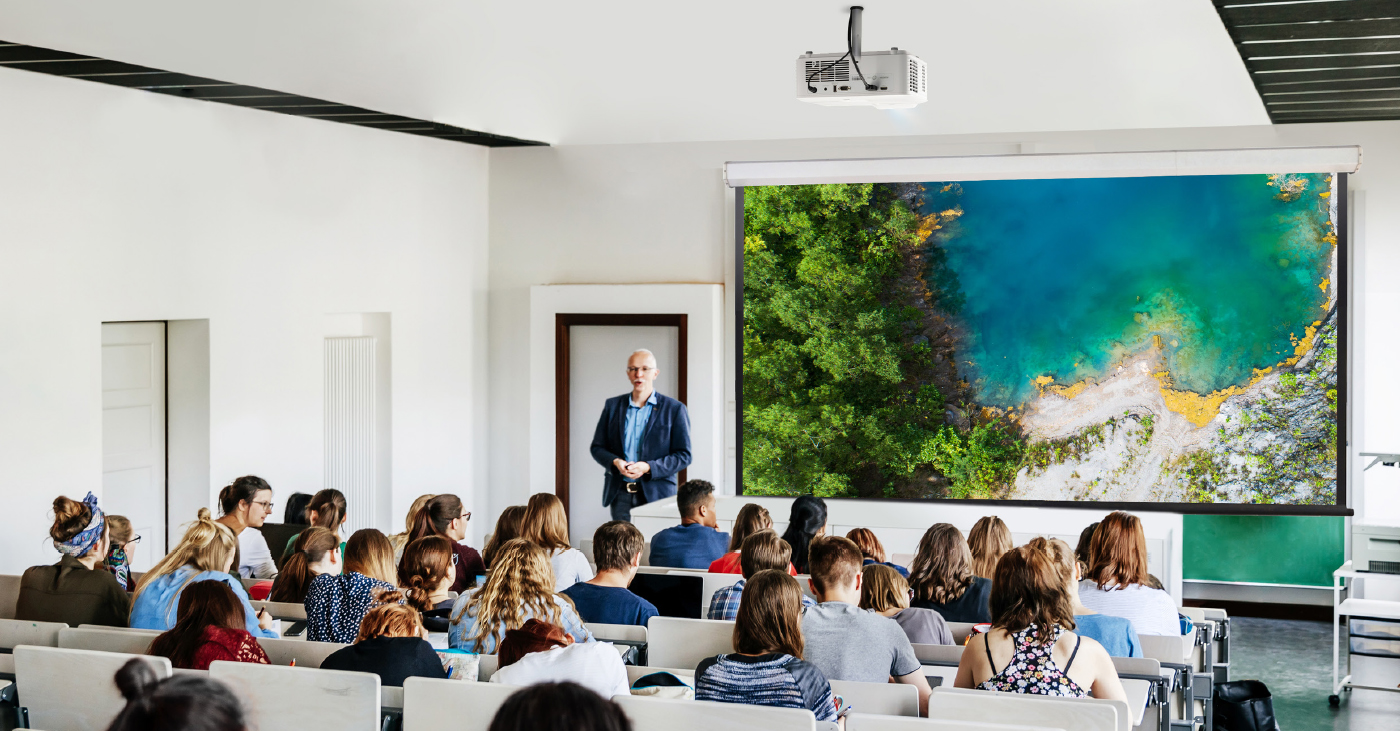
Projectors require a specific setup to work best. You usually need to install both a mount for the projector and a separate screen on the wall. You also need to account for the space between the lens and the screen, which can lead to shadows if someone walks in front of the light.

dvLED displays mount directly to the wall, which saves space and creates a streamlined look. However, they have their own requirements. The wall needs to be perfectly flat and structurally ready to support the panels. While dvLED eliminates the shadow problem, ensuring your wall is prepped correctly is a key part of the installation.

Maintenance and Cost

Let's talk numbers. Projectors usually look cheaper upfront. But have you really crunched the numbers on maintenance? When you add up the cost of replacement bulbs, filters, and the labor to swap them out over a few years, the price tag jumps up fast.

On the flip side, dvLED displays like the ViewSonic LDE Series are built for the long haul. They offer 24/7 reliability and easy-to-swap panels. Here is the kicker: the cost of an LDE video wall often rivals what you would spend on a high-end projector and a professional tab-tension screen. You get a superior picture for a similar price, without the ongoing maintenance headaches.

The Breakdown: Pros and Cons

Here is a quick look at how the two stack up.

Feature

dvLED Display

Projector

Visual Impact

Ultra-bright, seamless

Can be large, less vivid

Portability

Fixed, wall-mounted, or mobile

Portable, flexible

Maintenance

Easy panel swap

Bulb/part replacement

Installation

Slim, modern

Needs space, mounts

Longevity

Long lifespan

Shorter, fades over time

Versatile Usage

Multi-use, high impact

Multi-use, cost-friendly


When to Stick with Projectors

Projectors still have a place on campus. They are often the right choice for:

  • Tight Budgets: If you need a simple solution for a standard classroom.
  • Controlled Lighting: Spaces where you can easily dim the lights.
  • Small Meeting Rooms: Where you do not need a massive video wall. You can also look into ViewBoard interactive displays for these settings.

When to Upgrade to dvLED

If you want to make an impact, dvLED is the way to go. ViewSonic has a specific series for every need.

  • For the Auditorium: If you need a screen that moves, the LDS Series is a foldable 138" display on wheels. You can roll it out for assemblies and set it up in minutes.
  • For Lobbies and Student Centers: The LDM Series is perfect here. It has Glue-on-Board (GOB) technology, so it is durable enough to handle high-traffic areas.
  • For Premium Learning: The LDP Series offers stunning 4K visuals. It uses Chip-on-Board (COB) technology for extra protection against impact and dust.
  • For Creative Spaces: If you want a unique shape or size, the LDC Series is configurable. It lets you build a screen that fits your specific design.
  • For General Use: The LDE Series is your cost-effective workhorse. It gives you that seamless video wall experience with integrated power and processing.

Questions to Ask Before You Buy

Still on the fence? Ask yourself these four questions.

  1. What is the use case? Are you teaching, hosting events, or showing digital signage?
  2. What is the lighting like? Is the room full of windows or tucked away in a basement?
  3. What is the real budget? Don't just look at the price tag. Think about installation and maintenance costs over five years.
  4. How will it integrate? ViewSonic displays work with systems you likely already use, like Crestron, Extron, and AMX.

Why ViewSonic Has You Covered

When you are deciding between projectors vs dvLED, ViewSonic can help. We offer high-quality projectors for traditional setups and a complete lineup of dvLED video walls for modern spaces.

We can help you create vibrant, engaging environments for your students and staff.

Find Your Perfect Display

Ready to see the difference for yourself? Explore our full range of display solutions today.

Explore ViewSonic Projection Solutions

Explore ViewSonic dvLED Solutions

How dvLED Displays Are Revolutionizing Campus Environments

How dvLED Displays Are Revolutionizing Campus Environments

dvLED (Direct View LED) display technology is changing the look and feel of schools everywhere. From student centers and libraries to auditoriums and event spaces, these advanced screens are making campus environments brighter, more flexible, and more engaging for everyone.

What Is dvLED and How Does It Work?

A dvLED display is a screen built from tiny LED lights that show images and videos directly. Unlike the older LCD screens or projectors you might be used to, these displays are designed to make an impact in large school spaces.

Here is why dvLED is different:

  • Ultra-bright images: They stand out clearly, even in bright lighting.
  • Massive scale: ViewSonic offers huge sizes ranging from 136" to 231" for our pre-configured series of dvLED, and larger non-standard sizes for our configurable series of dvLED.
  • Durable design: They are built to last with minimal upkeep.

The Impact on Immersive Learning

dvLED technology helps campuses do more than just show a slide deck. It transforms how students learn and interact.

Finding the Right Fit for Your Campus

Not every space needs the exact same screen. ViewSonic offers a complete portfolio of dvLED displays to fit different needs across your school.

For the Classroom and Events

If you want to offer the ultimate all-in-one experience, the LDP Series is a great choice. It brings lessons to life in stunning 4K. These displays feature advanced Chip-on-Board (COB) technology, which gives them a tough IP54 and IK08 protection rating against impact and dust.

For Lobbies and Student Centers

For busy areas like lobbies or broadcasting studios, the LDM Series is ideal. It offers 1080p resolution and a detachable system control box. It also features Glue-on-Board (GOB) technology, making it durable enough to handle high-traffic student centers.

For General Use

For general use around campus, the LDE Series is a smart choice. It is a pre-configured, cost-effective 1080p video wall solution. It features integrated power and processing, durable Glue-on-Board (GOB) technology, and 24/7 reliability.

For Creative Spaces

The LDC Series lets you configure video walls with custom resolutions and unique shapes when you don’t need a standard rectangular layout. These customizable displays allow you to make a statement wherever your school needs it.

For Flexible Spaces

The LDS Series is a foldable 138" screen on wheels. You can roll it into the auditorium for assemblies or move it to a donor dinner for a special event. It comes pre-assembled in a flight case and sets up in less than 10 minutes.

Best Practices for Implementing dvLED

Ready to get started? Here are a few tips to make sure your installation goes smoothly.

Plan for Integration

ViewSonic dvLED displays are designed to work with leading control platforms like Crestron, Extron, and AMX. They are also certified with Q-SYS, which simplifies management for your IT team.

Assess Your Goals

Identify where a display will help the most. Are you trying to improve communication in a lobby? Or do you need a massive 231" screen for the gymnasium? Knowing your goal helps you pick the right series.

Prioritize Easy Maintenance

Schools are busy places. You don't have time for complicated repairs. Look for solutions that feature detachable control boxes and durable surface protection.

Why ViewSonic for Campus Solutions?

ViewSonic offers a wide range of dvLED products designed for campus environments from pre-configured, configurable, or mobile. With proven installations, easy content management, and dedicated support, ViewSonic helps campuses create vibrant, flexible, and modern spaces. Their solutions are built to last and easy to use, making campus transformation simple and effective.

How a Mobile dvLED Video Wall Transforms Shared Environments

How a Mobile dvLED Video Wall Transforms Shared Environments

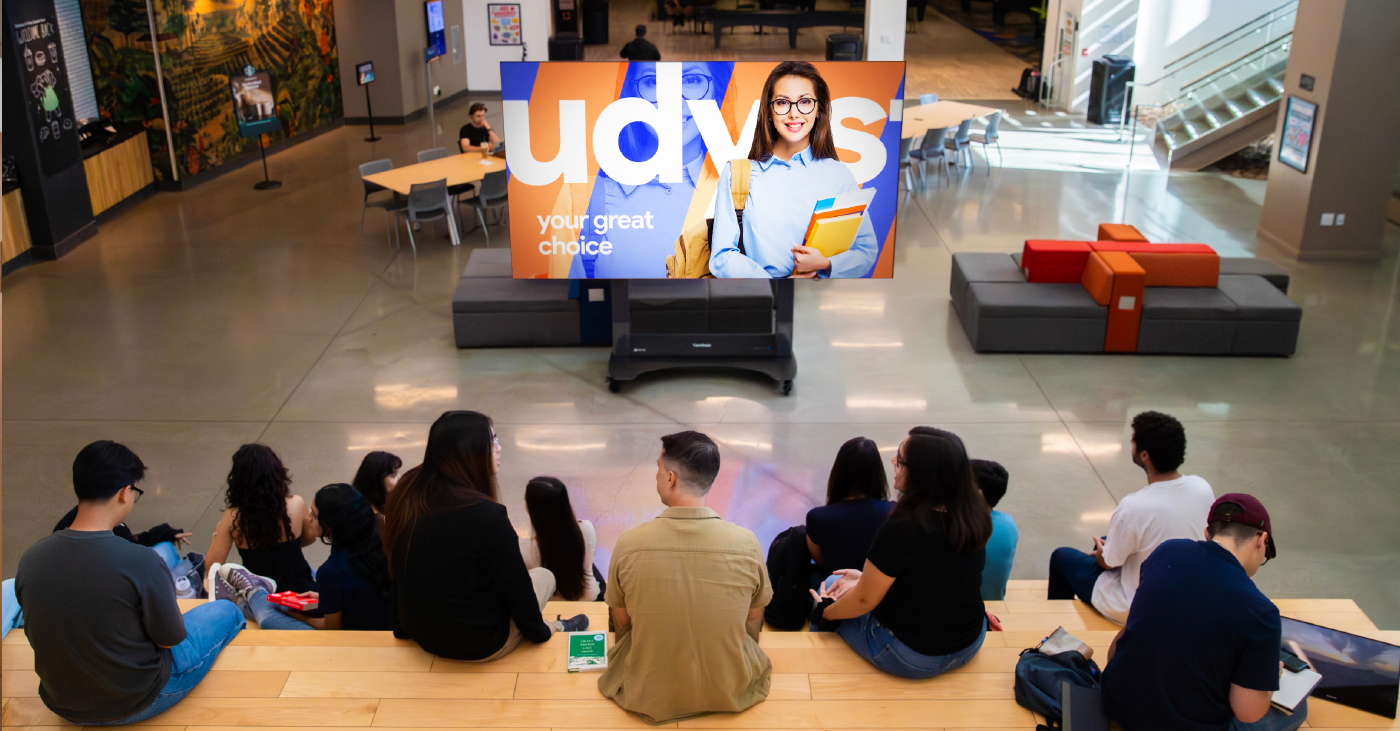
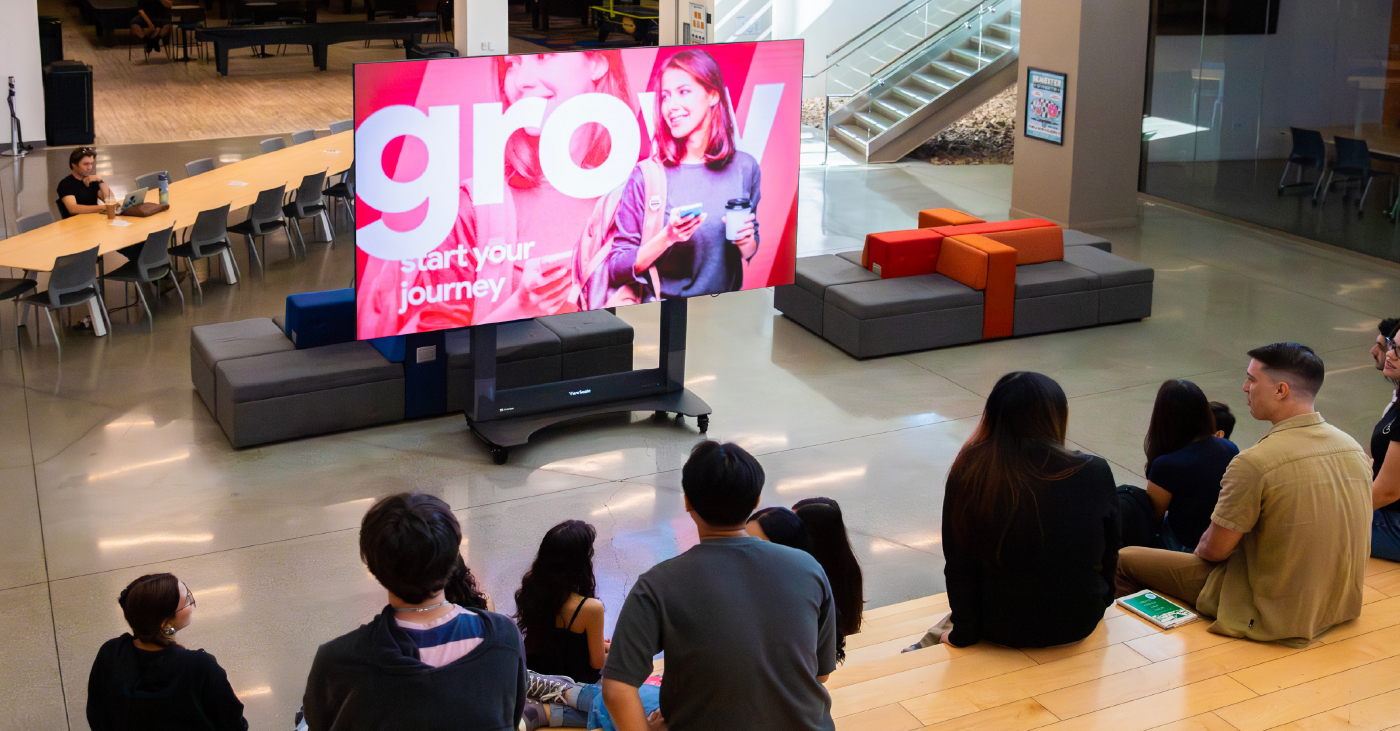
A mobile dvLED display video wall transforms shared spaces like lobbies, classrooms, and auditoriums by giving you a massive, high-impact screen that goes wherever you need it. In the past, you were stuck with a screen that just sat in one spot.

Now, technology has moved forward. You can bring bright, clear visuals right to where your audience is. A mobile video wall makes it simple to share info and wow the crowd. It’s flexible enough to adapt to almost any environment on campus.

What is a dvLED Display? 

A dvLED display (Direct View LED) is a giant screen made of LED panels. Unlike the old LCDs or projectors you're used to, these panels show images directly without needing a backlight.

Here's what makes dvLED tech special:

  • Ultra-bright quality: It's super bright, so you'll see the picture clearly even in sunny rooms.
  • Scalability: While some configurable series let you build a wall to any size or shape, others come in fixed sizes for easy setup.
  • Durability: The panels are built tough for busy spaces and last a long time.

You'll see these displays popping up in lecture halls, gyms, and libraries where standard projectors just can't keep up.

Why Mobility Makes a Difference 

Imagine having a giant 138" screen that you can simply roll into an elevator. A digital video wall that moves is a total game-changer for schools.

Here's why mobility matters:

  • Perfect for multi-purpose spaces: You don't need to bolt a screen to the wall in a room that serves multiple functions. The display is there when you need it and gone when you don't.
  • No permanent installation: You can skip the construction entirely. Since you don't need a permanent install, you save time and avoid drilling into your walls.
  • Save money: Since one mobile video wall serves many spaces, it lowers your total cost of ownership.
  • Better access: It's not locked away in a single lecture hall, so more teachers and departments can use it.
  • Event-ready: It's perfect for assemblies, guest speakers, or school spirit events.
  • Easy setup: You can skip the complex install—just roll it in, plug it in, and you're ready to wow your audience.

Where to Use Mobile Video Walls 

Mobile dvLED video walls are perfect for schools that need flexibility. They work great in a lot of different spots on campus.

Lecture Halls 

You can move the display between large lecture spaces. It's perfect for presentations or guest speakers. The screen is big enough that everyone in the back row can still see clearly.

Auditoriums and Gymnasiums 

These are busy areas, so you need a screen that can handle the action. ViewSonic displays use Glue-on-Board (GOB) technology. This protects the LEDs from daily wear and tear, like bumps, dust, and moisture. It ensures your screen stays safe during pep rallies or performances.

Multi-Purpose Spaces

Schools are full of rooms that do double duty. Maybe it's a cafeteria that hosts town halls, or a library atrium used for special events. You can't always mount a permanent screen in these spots. A mobile video wall allows you to transform any open space into a presentation venue instantly. It rolls in, sets up fast, and is big enough for the whole crowd to see.

Key Features of ViewSonic Mobile Solutions 

ViewSonic is leading the way with mobile dvLED displays. Here are a few features that make them stand out.

Plug-and-Play Mobility 

These displays are designed to move. They come with a motorized stand and a durable flight case for easy transport. The flight case stores and protects the display when not in use. The foldable design even fits into most elevators. You simply roll it to the next location.

All-in-One Design 

You don't need extra boxes or wires. The system has built-in media players and a smart control bar built right into the stand. It keeps things clean and simple so there's nothing to distract from the huge screen.

Easy Screen Sharing 

Teachers and students need to connect quickly. With ViewSonic AirSync software, you can share your screen wirelessly from any device. It works with tools you already use, like AirPlay and Google Cast, so there's no hassle.

Smart Integration 

The display plays nice with other tech. It works with control platforms like Crestron, Extron, and AMX. This makes it easy for your IT team to manage power and inputs from one central spot.

Mobile dvLED vs. Traditional Projectors 

Wondering how a mobile dvLED display stacks up against your old projector? Let's look at the differences.

Feature

Mobile dvLED Video Wall

Traditional LCD/Projector

Visual Impact

Ultra-bright, seamless

Lower brightness

Portability

Easy to move

Fixed in place

Maintenance

Low, hot-swappable

High, bulbs/screens fail

Installation

Plug-and-play

Complex, needs experts

Longevity

Long lifespan

Shorter, more repairs

Versatile Usage

Multi-room, multi-use

One room only


Ready to Upgrade Your Campus? 

ViewSonic’s award winning mobile dvLED video walls help schools create vibrant, flexible spaces. You get an easy-to-use display that makes a big impact without the headache.

Stop relying on dim projectors and fixed screens. It's time to bring your visuals to life.

Explore ViewSonic dvLED Solutions


Business School Enhances Event Experience with ViewSonic® Direct View LED Display

SOLUTION BRIEF

Business School Enhances Event Experience with ViewSonic® Direct View LED Display

BACKGROUND

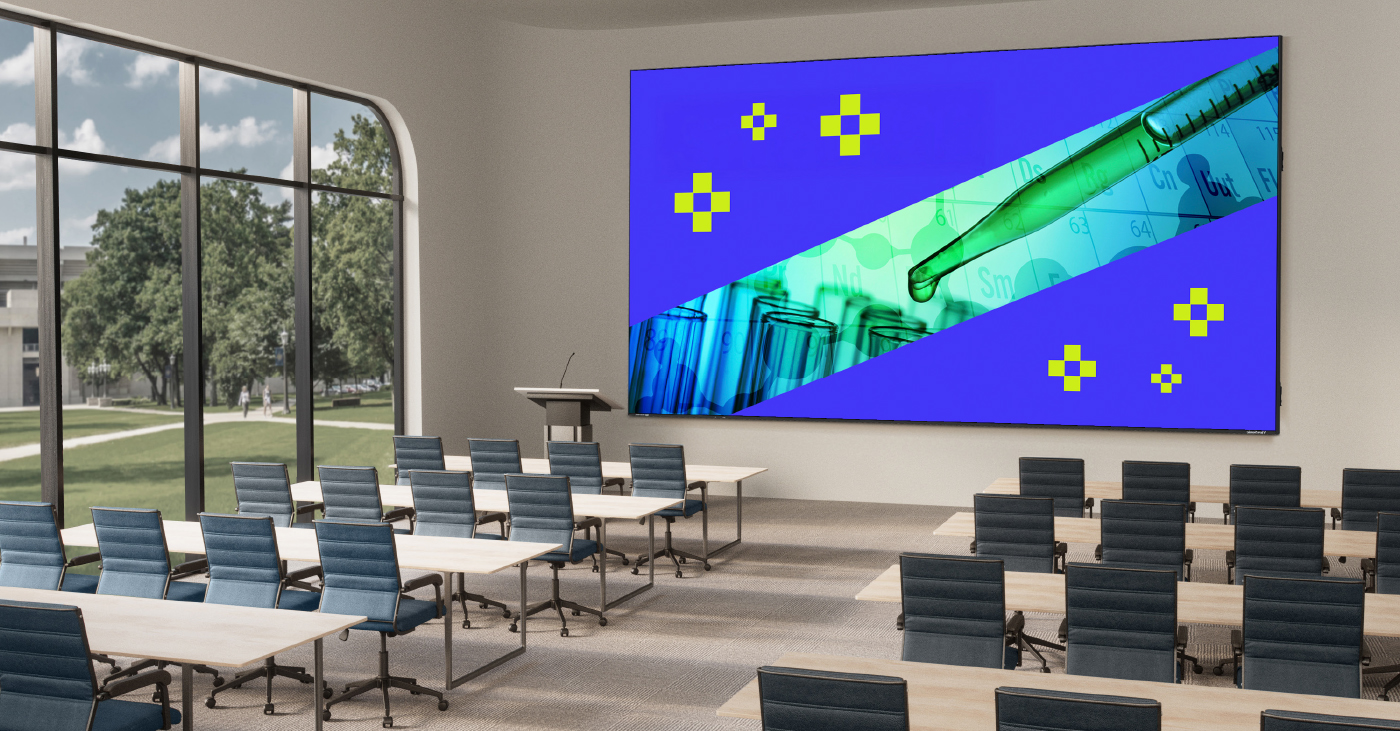
With a growing population of undergraduate and graduate students, the business school at a top-ranked university on the U.S. East Coast was running out of space. As a result, it was compelled to repeatedly repurpose study space to accommodate events, which was both inconvenient for students and inefficient. The opportunity to address this need arose when space in their main building became available to transform into an exclusive event space.

Central to delivering an effective space would be a focal-point display that could easily be seen by all participants. The large space, which would accommodate up to 200 attendees at round tables, was graced with significant natural lighting from numerous windows. While a benefit to the ambiance overall, this ambient light would constrain their choice of AV system, which would need to be bright enough to deliver clear images in these conditions.

The school’s IT team quickly ruled out projection.

“They had already been moving away from traditional projectors, because of the higher maintenance and tendency to dim over time,” said Eric Waldron, ViewSonic Regional Business Manager for the area. “They wanted instructors and presenters to be able to keep the lights on, which helps facilitate engagement, and they liked that a video wall solution would provide excellent support for hybrid meetings.”

Along with needing outstanding brightness and clarity, the space required a precise fit and the IT team was under pressure to complete the installation quickly for a planned event. Additional objectives included a platform that would enable intuitive transition for professors from the familiar white- and blackboards to digital annotation. 

LogoLogo

Not only did the business school gain useful event space, which meant no longer displacing students from study areas, the IT team is enjoying the benefits of the front-swappable panels, which enable faster and easier maintenance and easier alignment, which ensures a more seamless, accurate image.


— Miles Brandon, Owner, Capistrano VW

CHALLENGE

line drawing of a circular mazeline drawing of a circular maze
  • Equipment currently in use is beginning to reach the end of their service life

As part of its education delivery, the district had previously relied on Promethean projectors in classrooms, but these products were reaching the end of their life cycle. Not only were the images hard to see in ambient light conditions, the systems often needed replacement parts and were expensive to maintain. Additionally, the projectors had to be manually recalibrated every time they were moved, presenting new logistical challenges. The school district decided it was time to make a transition to newer technology, and undertook a comprehensive search and trial of leading visual technologies, from projection systems to interactive flat panel displays (IFPs) – including ViewSonic® ViewBoard® interactive displays.

The team leading the search already knew that interactive flat panel systems would be more flexible to use, much easier to install, and require less maintenance than projectors. They decided to invite teachers from across their network to a central location to evaluate four different interactive flat panel (IFP) display systems in person.

SOLUTION

line drawing of a jigsaw puzzle pieceline drawing of a jigsaw puzzle piece
  • ViewBoard IFP8650 86-inch Interactive Display

  • myViewBoard® Digital Whiteboarding Software

The business school IT team evaluated video walls and dVLED screens from several brands, ultimately choosing a ViewSonic 136-inch All-in-One Direct View LED Display (model LDM136-151). This provided the ideal combination of features, along with outstanding brightness, refresh rate and clarity, said Waldron. Fortunately, the size was an exact fit for the space, and the display was in stock and ready to ship. The modular, all-in-one design enabled fast, streamlined installation. “The easy and seamless mounting structure and automatic configuration capabilities were big selling points for this customer,” said Waldron. “They were very happy when the installation was as quick and straightforward as we said it would be.”

RESULTS

Line drawing of a rocketLine drawing of a rocket
  • Stunning 231-inch seamless video wall transformed showroom aesthetics and energy

  • Reliable all-in-one system resolved previous performance and management issues

  • Easy setup with complete kit enabled quick, frustrationfree installation

  • Day-and-night visibility extended promotional impact to freeway traffic

  • Enhanced content flexibility for events, promotions, and employee recognition

  • Long LED lifespan reduces maintenance and supports 24/7 use

  • Dealership excited to expand usage for movie nights, community engagement, and brand storytelling

“Importantly, the hiccup-free delivery and installation enabled the IT team to meet the deadline for the premier event in the new space, despite some internal concerns.

“Just a week prior, they were having serious internal discussions about moving the event elsewhere,” said Waldron. “The IT team assured their stakeholders that the video wall would be the least of their worries, and in the end, it was.”

In the end, everyone involved was impressed by how quickly and cleanly the installation came together, reported Waldron, and the IT team has appreciated the solution’s ongoing reliability and low maintenance.

“It is always fulfilling to hear from a customer that they’re experiencing greater efficiencies because of our product,” said Waldron. “Not only did the business school gain useful event space, which meant no longer displacing students from study areas, the IT team is enjoying the benefits of the front-swappable panels, which enable faster and easier maintenance and easier alignment, which ensures a more seamless, accurate image.”

Ultimately, the vibrant display met every objective on the business school IT team’s list and has made a strong impression on everyone who’s used the space, Waldron reported.

“They told me that it’s been a game-changer for their events,” he concluded. “Which is exactly why many of our customers are turning to our dVLED in place of traditional video walls.” 

School District Offers Esports to All Ages by Leveraging ViewSonic Display Infrastructure

CASE STUDY

School District Offers Esports to All Ages by Leveraging ViewSonic Display Infrastructure

PROFILE

Fayette County Public Schools is a large district encompassing the city of Lexington, Kentucky and serving approximately 42,000 students across 57 schools. The second-largest school district in Kentucky, it includes 38 elementary schools, 13 middle schools and 6 high schools, along with preschools and several additional programs/technical centers, with a 60% minority enrollment and over a third of students whose families are economically disadvantaged.

LogoLogo

“Just one plug is all it takes for the ViewSonic ViewBoard to launch an instant esports lounge. That single connection makes the display the unquestioned focal point—where any room is a ready-to-compete arena.”


— Shad Lacefield, FCPS STEM Learning Coach

CHALLENGE

line drawing of a circular mazeline drawing of a circular maze
  • Establish the state’s first elementary school esports program to positively impact student success and engagement.

  • Overcome the lack of dedicated space and budget to accommodate significant student interest.

  • Find funding for career connection projects, such as producing student-designed team jerseys.

Boasting several state championships, the Fayette County Public Schools (FCPS) high schools had enjoyed the benefits of a thriving esports program since 2019. In 2023, the principal of the G. W. Carver STEM Academy, Lamar Allen, set his sights on bringing these benefits to his students.

“He was determined to become the first elementary esports program in the state,” said Shad Lacefield, FCPS STEM Learning Coach, who provides tech support throughout the district and helps esport coordinators with program startup. “As the leader of a STEM school, he knew how much this program could positively impact student success.”

The most immediate challenge to establishing the program was finding the space and equipment to accommodate significant student interest. After that, program staff were challenged with how to fund projects designed to engage students in esports career connections.

SOLUTION

line drawing of a jigsaw puzzle pieceline drawing of a jigsaw puzzle piece
  • Leveraged existing infrastructure of 75-inch ViewSonic® ViewBoard® interactive flat panel displays to create equitable access.

  • Utilized mobile carts to create flexible “pop-up” esports lounges in shared spaces like libraries and media centers.

  • Deployed the ViewSonic All- in-One Direct View LED mobile and foldable display for large- scale competitions and events.

  • Partnered with ViewSonic to cover production costs for team jerseys.

In the five years preceding the dream of an all-ages esports program, FCPS had installed 75-inch ViewSonic ViewBoard interactive flat panel displays in every classroom in order to create a universal classroom experience and equitable environment for student learning across the district. These existing displays, Lacefield realized, could be leveraged to support the elementary esports expansion.

“The ViewSonic IFP displays bring outstanding interactivity and engagement to classroom learning,” said Lacefield. “It was a tremendous investment in our students that we were able to extend as a shared resource to create popup esports lounges. This solved the universal problems of one, how to afford the equipment, and two, where are we going to put it.”

The inaugural club was launched in the G. W. Carver STEM Academy library, which housed a media space ripe for conversion into a part-time esports environment.

“There were several ViewSonic IFP displays already in the room, which serves as a flexible learning space for students, and the school had other ViewSonic ViewBoard displays on mobile carts,” said Lacefield. “It was easy to simply roll them in for the after-school club meetings.”

And with that, mission accomplished: FCPS had the first-ever elementary esports lounge in the state. Next, the team found exciting ways to leverage another ViewSonic display resource: an all-in-one mobile Direct View LED Display folding travel kit.

“The district purchased it for use in large spaces like the auditoriums where we hold conferences and professional development programs,” said Lacefield. “Of course, it also shines as a focal point at in-person esports competitions, where we’re able to display four screens at a time on the one massive display.”

Ultimately, the district was able to provide the after-school club at no cost to participants, thanks to existing infrastructure and support from grants and partnerships. However, when students designed team logos and jerseys, the club had no funds to produce them.

“The project would have had to remain a creative exercise,” said Lacefield, “But ViewSonic stepped in and covered the cost of every jersey for every player.”

RESULTS

Line drawing of a rocketLine drawing of a rocket
  • Rapid program expansion from a single pilot school to 41 schools (30 elementary and 11 middle) in just two years.

  • Created a cost-free, inclusive extracurricular activity that improves social-emotional and academic outcomes.

  • Maximized hardware investment by using displays for instruction during the day and gaming after school.

  • Fast setup allowed staff to launch an esports arena instantly with just one plug.

  • Developed a strong pipeline of enthusiastic students and supportive parents feeding into high school esports programs.

What started with one school quickly exploded to thirty in the span of just two years. By the 2025-2026 school year, spaces in 30 elementary and 11 middle schools were being used for the after-school esports program – with more to come. At one school, the club used a conference room already outfitted with 75-inch ViewSonic ViewBoard IFP displays. At another, the maker space was a perfect fit. Each school was unique, but all made use of existing wall- or mobile cart-mounted ViewSonic ViewBoard displays.

“The ViewSonic cart-mounted displays offer incredible flexibility of use,” said Lacefield. “They can be moved during the day to meet instructional needs, and used after school to support extracurriculars.”

To easily facilitate the transformations, Lacefield created gamer backpacks that house everything needed for the students to connect to and use the displays.

“Once the IFP displays are wheeled in, the students can set up the gaming space quickly and easily,” said Lacefield. “Just one plug is all it takes for the ViewSonic ViewBoard IFP to launch an instant esports lounge. That single connection makes the display the unquestioned focal point—where any room is a ready-to-compete arena.”

In all cases, the results were exciting and impactful.

“The kids absolutely love playing on what to them looks like massive TV screens,” said Lacefield. “And the video quality and speed are incredible – even when running a LAN tournament. The huge screens make it feel so exciting and real to the kids.”

Within a year, the program Lacefield managed merged with the Girls Who Game club, led by Ashley Faulkner. Together they became EPIC Esports and began creating curriculum around the esports industry and other important gaming topics.

“We realized that we were teaching students how to be digital citizens online with their Chromebooks, but not necessarily through gaming. To gain insight, we surveyed a sample of students from across the district,” said Lacefield. “We discovered that 90% were gaming weekly, with 79% engaging with people they didn’t know. To address this, we created content for students and parents on how to safely navigate this ecosystem.”

Along with gathering to game, members of the EPIC Esports program learn about the inner workings of the esports industry and its career opportunities.

“We’re showing our students that, while they may not end up pro gamers, their love of video games could lead them down related career paths,” said Lacefield. “They could become game designers, shout casters, graphic designers, and more.”

To bring these opportunities to life, Lacefield and Faulkner engage students in career connection activities like designing team logos and jerseys.

“Thanks to ViewSonic we were able to produce and provide jerseys with student-designed logos for all of our teams,” said Lacefield. “We are so grateful to them for their support.”

The club’s name, which stands for Engaging Players in Inclusive Competitions, epitomizes its impact on students. At its heart, the FCPS EPIC Esports Club is about engagement. Research has consistently demonstrated that students who participate in extracurricular activities thrive. In every way, involved students do better: academically, socially-emotionally, and in their lives beyond school.

“Most of our esports students weren’t involved in any other extracurricular activities; this club was their first,” said Lacefield. “Now they’re making new friends and expanding their experiences, and the impact on student growth is amazing.”

A district middle school exemplifies this impact.

“These kids have been extremely successful in our region, which includes teams from Florida up through New York,” said Lacefield. “They were in the top five out of 170 teams in a recent competition. Later their coach told us that she saw a big change in students’ behavior and demeanor in school. It gave them a boost of confidence to be one of the best Super Smash teams in the region.”

Coaches at other schools have shared similar feedback, from students and parents.

“A parent of one of my students got emotional during a meeting, while sharing how EPIC Esports helped her son find a place and make friends,” said Jennifer Reams, an Elementary EPIC Esports Coach, “This is a student who has a learning disability and struggles academically, but in esports he excelled, becoming one of our top Mario Kart racers.”

Parental appreciation for the EPIC Esports program has impacted the pipeline to high school esports participation as well.

“In the past, parents were often skeptical about their kids participating,” said Chris Griffith, Esports Coach at Esports State Champion Lafayette High School. “However this year, when I hosted the booth for our esports team at orientation, the middle school parents were thrilled to sign their kids up for our team. There were many students and families excited to continue what they started with EPIC Esports. That was really cool to me.”

The EPIC Esports program has been an unequivocal success, said Lacefield, thanks to the help of partners like ViewSonic.

“It’s been everything we’ve hoped for,” he said. “We have been able to provide a free, safe community where kids can make friends and do what they love, and we’ve seen the positive impact in improved academic and social-emotional outcomes.”

By Integrating ViewSonic Technology, Preuniversitario Gauss Redefines Pre-University Education in Chile

CASE STUDY

By Integrating ViewSonic Technology, Preuniversitario Gauss Redefines Pre-University Education in Chile

PROFILE

In Chile, a preuniversitario is a private educational institution that prepares high school students—typically in their final four years—for the Higher Education Admission Test (PAES), a critical exam for university admission.

Founded in 2011, Preuniversitario Gauss was established with a clear mission: to prepare students for higher education through a model rooted in academic excellence. With more than 15 years of experience, Gauss now operates seven physical campuses—Los Trapenses, Chamisero, La Reina, Huechuraba, Peñalolén, Montemar, and La Serena—alongside a robust online campus. This expansion has positioned the institution as one of Chile’s most innovative and forward-thinking pre-university programs.

In 2019, Cathia Morais joined Gauss as Business Development Manager with a bold vision to elevate the institution. “My mission was to lead a digital transformation and turn Preu Gauss into a five-star pre-university institution, where academic excellence and technology go hand in hand,” she recalls.

Since the arrival of Morais, Gauss has focused on delivering an academic experience defined by excellence, innovation, and outstanding service—setting a new benchmark for pre-university education in Chile.

LogoLogo

“Thanks to the swift execution by our distributor and the dedicated support of the after-sales training team, we implemented the technology in record time. Since then, we’ve become the first pre-university institution in Chile—and likely the first educational institution overall—to equip every classroom on every campus with interactive screens.”


— Cathia Morais, Business Development Manager

CHALLENGE

line drawing of a circular mazeline drawing of a circular maze
  • Redesign the conventional education framework, replacing outdated tools like blackboards, projectors, and notebooks with a comprehensive digital approach.

  • Position Gauss Pre-University as a leading premium institution, recognized for its superior level of service.

  • Maintain the delivery of online classes throughout the pandemic, while preserving the quality and personal connection of the learning experience.

Since its establishment, Preuniversitario Gauss has aimed to distinguish itself from traditional pre-university institutions in Chile. From the outset, the institution recognized the growing need for a digital learning model—one that would enable students to attend classes from anywhere. “We already saw the need for a digital transformation that would allow us to reach students throughout Chile,” recalls Morais.

The leadership team understood that the future of education lay in hybrid and connected learning, a trend already evident in more advanced educational systems, such as those in the United States and Europe. Before embarking on its transformation, Gauss’s instructional approach mirrored that of most Chilean institutions: a traditional setup dependent on blackboards, projectors, and limited digital interaction.

“Everything was done manually—attendance, notes, exercises. Students had to be physically present to learn,” Morais explains. While this model had served its purpose, it offered little flexibility and left minimal room for innovation.

The onset of the COVID-19 pandemic dramatically accelerated the institution’s digital strategy. Almost overnight, Gauss was faced with a dual challenge: to establish itself as a premium pre-university institution while also ensuring continuity of learning during lockdowns. “We had two challenges,” says Morais. “We wanted to differentiate ourselves as a premium pre-university institution with a higher standard of service, and at the same time, ensure that all students could continue learning—even if they couldn’t attend in person.”

The greatest hurdle was delivering the same level of quality and personal connection students experienced in physical classrooms through a fully online or hybrid format. What had once been a long-term digital vision became an urgent operational priority. With the pandemic, we told ourselves: this is the moment— we have to invest in putting screens in every classroom,” Morais concludes.

SOLUTION

line drawing of a jigsaw puzzle pieceline drawing of a jigsaw puzzle piece
  • Implemented 42 ViewBoard® IFP6550 interactive displays across all classrooms.

  • Adopted the myViewBoard® ecosystem for managing classroom content, digital materials, and attendance tracking.

  • Transitioned to a hybrid and online learning model, making classes accessible to students across Chile.

Preuniversitario Gauss’s technological journey began in 2018 with the acquisition of its first ViewSonic® ViewBoard® interactive display. Though initially dependent on an external computer, this first device offered an early glimpse into the tool’s potential. Shortly after launching its digital transformation strategy, Gauss outlined a more ambitious plan to modernize its academic model. The arrival of the COVID-19 pandemic served as a powerful catalyst, accelerating that plan and prompting the rapid, simultaneous rollout of interactive displays across all campuses.

The project advanced with remarkable speed. Backed by distributor LACE Educación and supported by ViewSonic’s after-sales and training teams, Gauss successfully equipped every classroom in just two weeks.

“Thanks to our distributor’s rapid execution and the after-sales training team, we were able to implement the technology in record time. Since then, we’ve been the first pre-university—and likely the first educational institution—in Chile to have interactive screens in every classroom and on every campus,” explains Morais.

Today, 42 ViewBoard IFP6550 interactive displays form part of Gauss’s core educational infrastructure. Each 65-inch screen is integrated with cameras, microphones, and myViewBoard software, enabling seamless, real-time hybrid classes enriched with dynamic digital resources. “Teachers can annotate documents, grade essays directly on screen, or play YouTube videos to illustrate concepts. It makes teaching far more interactive and visual,” Morais adds.

Beyond enhancing classroom learning, the technology has also been adopted to improve internal operations—for example, during enrollment sessions, when staff use the interactive displays to present services and deliver live demonstrations of the Gauss experience to prospective families.

RESULTS

Line drawing of a rocketLine drawing of a rocket
  • Ensured uninterrupted learning and rapid adaptation during the COVID-19 pandemic.

  • Achieved greater classroom interaction, engagement, and student motivation.

  • Strengthened Preuniversitario Gauss’s position as a leading, technology-driven institution in Chile’s education sector.

The implementation of ViewSonic interactive displays marked a defining milestone in the evolution of Preuniversitario Gauss. For students, it ensured uninterrupted academic preparation—regardless of external circumstances. “Students can log in from home if they’re sick or traveling and still participate in class as if they were physically there,” explains Morais, highlighting the immersive nature of the hybrid experience.

For teachers, the impact was equally transformative. “It was revolutionary. Teachers now have tools that make their classes more dynamic,” she adds. The new technology introduced interactive learning capabilities through videos, 3D graphics, and digital presentations—significantly improving both teaching quality and student engagement.

The benefits extended beyond the classroom. The use of cutting-edge technology quickly became a key differentiator for Gauss in the education market. “When we show our classes live on screen, parents instantly recognize the innovation and professionalism. It’s a decisive factor in their choice,” Morais notes. As a result, technological innovation has become central to Gauss’s identity as a premium institution.

Even after five years of active use, Gauss continues to push forward. The institution regularly explores new features within myViewBoard, keeps its equipment up to date, and ensures ongoing teacher training. At the start of each academic year, educators participate in refresher sessions to maximize the effective use of technology in their classrooms.

Looking ahead, Preuniversitario Gauss plans to integrate artificial intelligence and more advanced interactive tools to further enhance the student learning experience. “We are incredibly proud. This transformation didn’t just change how we teach—it solidified Gauss’s reputation as a premium institution,” concludes Morais.

ViewSonic Recognized in 2025 Tech & Learning Awards of Excellence: Back to School

The LDS138-151 All-in-One Mobile Direct View LED Awarded for Excellence in Display Solutions for Higher Education


Brea, CA (Oct. 2, 2025) – ViewSonic Corp., a leading global provider of visual and edtech solutions, announces the LDS138-151 all-in-one Mobile Direct View LED display has been awarded in the Higher Education category in this year’s Tech & Learning Awards of Excellence: Back to School.


The Tech & Learning Awards of Excellence: Back to School highlight products that offer practical value and support effective teaching and learning in academic environments. Evaluated by a panel of industry professionals, the awards aim to identify solutions that address real classroom needs and can make a profound impact within the education sector.


“We’re honored to see the LDS138-151 acknowledged in this year’s awards,” said Shane Roma, Technical Product Manager at ViewSonic. “It was designed to make content more engaging and immersive. It’s an excellent fit for schools, as it seamlessly and easily integrates into a variety of campus settings like auditoriums, lecture halls, gymnasiums, and more. Designed for quick deployment and convenience, the pre-assembled LDS318-151 comes in a durable protective flight case and there’s no complex installation or wall mounting.”


Engineered for long-lasting performance, the LDS138-151 features advanced Glue-on-Board (GOB) surface treatment technology that safeguards the display—earning a IP54 dust and moisture rating and IK06 impact rating. Its rugged construction, including a commercial-grade motorized stand and patent-pending folding hinges delivers enhanced durability in high-usage environments. Setup takes just minutes—simply unfold the display, plug it into a standard 20-amp outlet, and enjoy vibrant, large-format visuals paired with immersive sound.


To find out more about ViewSonic, visit ViewSonic.com and follow on Facebook, YouTube,  X and Instagram.


About ViewSonic

Founded in 1987 and headquartered in Brea, California, ViewSonic is a leading global provider of visual solutions for the education, business, and consumer markets, with a presence in over 100 countries. Driven by the mission to transform education, workplaces, and lives, the company delivers a unified ecosystem of innovative hardware, software, and services that integrates seamlessly with the platforms, tools, and partners customers trust. Its product portfolio includes monitors, projectors, interactive displays, LED displays, commercial displays, video conferencing systems, and industrial solutions. Complementing its hardware is a robust suite of software offerings—including myViewBoard, ClassSwift, TeamOne, Manager, and AirSync—featuring AI-powered tools for collaboration, device optimization, and management. By empowering creativity, collaboration, and lifelong learning, ViewSonic supports customers at every stage in achieving their business and sustainability goals, creating a lasting impact and helping people everywhere connect with purpose—and See the Difference. Learn more at www.viewsonic.com.


#  #  #


* Actual performance may vary depending on system configuration, usage environment, and other conditions. Features and specifications are subject to change without notice. This news release contains forward-looking statements that reflect the Company’s expectations with regard to future events. Actual events could differ significantly from those anticipated in this document. Trademark footnote: ViewSonic and the ViewSonic trademarks are trademarks or registered trademarks of ViewSonic Corporation in the United States and/or other countries. All other corporate names and trademarks stated herein are the property of their respective companies.


Media Contacts:

Joey Lee
JSL Marketing for ViewSonic [U.S.]
E: joey@jslcomm.com

Caroline McGrath
CMM Communications for ViewSonic [Canada]
E: caroline@cmm-communications.com

Nury Lavandier
ViewSonic [Latin America]
E: Nury.Lavandier@viewsonic.com

Miranda Bravo
ViewSonic [U.S.]
E: miranda.bravo@viewsonic.com

ViewSonic Revolutionizes Education in Costa Rica with ViewBoard® Interactive Displays

CASE STUDY

ViewSonic Revolutionizes Education in Costa Rica with ViewBoard® Interactive Displays

PROFILE

The Diocesan Catholic Education Project (PRODIECA) is a Catholic organization composed of three educational centers in the province of Guanacaste, Costa Rica:

Centro Educativo Católico San Ambrosio (1994) 
Centro Educativo Católico Eulogio López Obando (2007) 
Centro Educativo Católico Vittorino Girardi Stellin (2014)

PRODIECA created its educational communities as a response to the educational crisis arising from challenges in forming meaningful educational relationships. For these relationships to be authentic, they must convey essential values and life principles that support each individual’s growth and maturity, while also contributing to the common good.

PRODIECA works to overcome the disconnect in traditional education by fostering authentic, value-based relationships that support personal growth and collective well-being. It also contributes to faith communities by promoting values aligned with peace, justice and humanity.

LogoLogo

“The use and implementation of technological tools has had a positive impact, generating strong interest and motivation”.


— Rodolfo Araya Rojas, PRODIECA Principal

CHALLENGE

line drawing of a circular mazeline drawing of a circular maze
  • Replace outdated projectors and whiteboards with low-maintenance, high-resolution interactive displays, eliminating visual quality and calibration issues

  • Provide comprehensive training to facilitate seamless adoption of new interactive technologies

  • Transform spaces into collaborative hubs for video conferencing and interactive learning experiences

  • Acquire high-resolution displays with advanced features and minimal maintenance requirements

  • Provide students with access to interactive content, enabling seamless integration with their tablets

  • Implement operating systems compatible with all educational tools

  • Enhance student learning and attention through interactive, immersive experiences

Classroom instruction was outdated and limited to physical tools like chalkboards and printed worksheets. There was a critical need to modernize the teaching process through digital tools and more engaging methods.

One key challenge was the need to diversify classroom practices by incorporating technology into the teaching process.

This included integrating principles of Universal Design for Learning and gamification to enhance educational mediation. This need was one of the main factors that led PRODIECA to initiate the project.

Additionally, in subjects such as Mathematics and Physics, there was a specific need to create learning situations that promoted both graphical and algebraic analysis.

The project launched at the beginning of the 2024 school year focused on raising awareness about the use of new technological tools. This was followed by hands-on exploration and implementation in subject-specific areas, enabling teachers to integrate these tools into their mediation strategies based on their particular disciplines. 

SOLUTION

line drawing of a jigsaw puzzle pieceline drawing of a jigsaw puzzle piece
  • Deployed 23 ViewBoard IFP8650 interactive displays across key classrooms

  • Seamlessly connected the displays with existing school systems for efficient operation

  • Activated myViewBoard PRO licenses for all entity accounts, maximizing interactive capabilities

  • Provided comprehensive teacher training to ensure effective utilization of the new technology

To support the project’s goal of diversifying classroom activities through the integration of innovative technological tools, the distributor SOINED not only provided the necessary equipment but also delivered comprehensive training to ensure its effective adoption and pedagogical integration. This training played a key role in strengthening both the use and educational application of the technology.

Previously reliant on standard whiteboards, PRODIECA recognized the need for transformation. In response, SOINED, committed to delivering forward-thinking educational solutions, arranged a demonstration.

A thorough evaluation followed, leading to the selection of ViewSonic’s IFP52-2ED ViewBoard interactive displays —a solution that not only addresses current classroom needs but also significantly enhanced the overall educational experience.

The presentation —led by SOINED’s pedagogical and commercial teams—reinforced a shared commitment to innovation. It was followed by well-coordinated logistics for delivery, installation, and personalized teacher training, ensuring the technology was seamlessly implemented and fully utilized driven by a vision to transform education, a demonstration was promptly arranged, followed by a thorough evaluation that led to the selection of ViewSonic IFP52-EDLA ViewBoard interactive displays.

This solution not only meets the current needs of the schools but also significantly enhances the overall educational experience.

Significantly, this initiative marks the first time PRODIECA has incorporated ViewSonic equipment into its educational model. ViewSonic offers a comprehensive solution that combines cutting-edge technology with pedagogical innovation. Partnering with SOINED has further enhanced the value and effectiveness of the implementation.

The installation process was swift and precise, allowing both students and teachers to benefit from the new tools almost immediately. ViewSonic’s technology fostered collaborative learning and enabled interaction with 3D models, human anatomy, geographic data, and even traditional subjects such as mathematics.

RESULTS

Line drawing of a rocketLine drawing of a rocket
  • Students actively participate without fear of equipment damage
  • Streamlined IT resource management
  • Significant savings through energy-efficient technology
  • Alignment with ISO standards
  • Elevated satisfaction with the overall learning environment and a commitment to continuous improvement improvement

The installation of this equipment has allowed for greater diversification of classroom activities, enriching the teaching process through the integration of innovative and engaging resources.

Encouraged by the positive results, the organization plans to expand the use of this and other ViewSonic solutions in the future.

These tools have led to more efficient use of instructional time and have significantly boosted motivation among both students and teachers. This renewed enthusiasm is reflected in improved analytical thinking and other qualitatively assessed skills. 

Featured Products

ViewBoard Interactive Displays
IFP52-2ED

ViewSonic Unveils Next-Gen EdTech Solutions for Future Classrooms and Connected Campuses at ISTE 2025


New Hardware, Software, and Instructional Tools Empower Educators and Enhance Campus-Wide Collaboration

SAN ANTONIO, TX (June 30, 2025) ISTELIVE 2025 – Booth 1734 – ViewSonic Corp., a leading global provider of visual and edtech solutions, will showcase its line of smart solutions and tools for education at ISTELIVE ’25, June 30-July 2, 2025. From the latest myViewBoard and ClassSwift education software, interactive displays, and Direct View LED, ViewSonic brings its range of products to ensure communication and collaboration in schools and classrooms between teachers and students.


To encourage creativity and improve engagement and student learning outcomes, ViewSonic continues to deliver solutions that help transform classrooms and learning spaces into more immersive, interactive, and collaborative environments. These next-generation technology solutions integrate hardware and software options to empower educators and optimize teaching experiences.


The newly enhanced myViewBoard 3.0 whiteboarding software has earned the prestigious ISTE Seal in the “Creativity Tools” category—recognizing its ability to support collaboration, creativity, and communication in the classroom. With a redesigned interface, multi-tab lesson planning, and an intuitive AI-powered pen tool, myViewBoard 3.0 empowers educators to build inclusive, engaging learning experiences. Accessibility features like immersive reading, multilingual support, and Irlen filters ensure equity for all learners.


The company is also showcasing its latest ClassSwift software that helps teachers to create interactive content and track student progress and personalize learning real time, all through one intuitive dashboard. ViewSonic also announced a new partnership with ClassLink to enable seamless single sign-on (SSO) that makes rostering a breeze for schools. ClassSwift is also now 1EdTech certified and confirms that the platform meets rigorous standards for protecting student data. It demonstrates ViewSonic’s commitment to privacy, transparency and security.    


“At ViewSonic, we understand the evolving needs of today’s classrooms,” said Jeff Muto, Business Line Director at ViewSonic. “That’s why we continue to innovate—offering educators and IT teams powerful, easy-to-use tools that foster creativity, collaboration, and student success.”


ViewSonic ViewBoard IFP51 Series Interactive Touch Display

  • Available in sizes from 55- to 98-inches; interactive display with native 4K Ultra HD resolution
  • 50-point multi-touch display supports simultaneous writing or drawing with styluses or fingers, with palm rejection technology
  • Security with Android 14 EDLA which provides automatic Google updates, Google Play Protect, data encryption, and two-way authentication, designed to help protect school networks and user data
  • Google Workspace Enterprise Management provides IT administrators with tools for policy enforcement, app management, network configuration, and remote security control
  • Seamless integration with Google Education Ecosystem
  • Engaging lessons with built-in ViewSonic® Education Software including myViewBoard, AirSync, and Manager, among others
  • Instant Sign-In via one-step sign-in via QR code, NFC, or Single Sign-On (SSO) simplifies device management and improves efficiency
  • Connectivity options include HDMI 2.1, VGA, DisplayPort, SPDIF, USB Type A/B, RS232, RJ45, Intel OPS Slot-In (80 pin), Line-In, and Mic-In


ViewSonic ViewBoard IFP110 Interactive Touch Display

  • 110-inch ViewBoard interactive touch display with native 4K UHD (3840x2160) resolution
  • 5ft x 8ft screen is equivalent to four 55-inch touch displays in a 2x2 video wall layout
  • Simpler set up with reduced calibration and maintenance costs compared to a traditional 2x2 video wall.
  • Integrated myViewBoard Whiteboard Software and Manager
  • Built-in operating system for smooth playback of multimedia content; can show content for up to four (4) different sources across six (6) individual screens bezel-free


ViewSonic Chromebox OPS Slot-in PC

  • VPC13-C33-G1 OPS Slot-in PC offers seamless integration with the Google Education Ecosystem
  • Built-in ViewSonic Education Software including myViewBoard
  • Advanced Security from Google with automatic updates and Verified Boot
  • Transforms OPS-compliant interactive displays into a ChromeOS device; enhances functionality of existing panels, regardless of brand
  • 13th generation Intel Core processor for smooth and quick performance
  • Connectivity includes HDMI 2.0, RJ45, Audio-Out, USB Type A 2.0/3.0, and Mic-In


ViewSonic LDS138-151 All-in-One Mobile Direct View LED Display Solution

  • 138-inch foldable screen pre-assembled in a protective flight case
  • Patent-pending hinge design that provides smoother operation and stands up to heavy usage.
  • Glue-on-Board (GOB) Technology is designed to provide additional resistance to impact, dust, and moisture.
  • Motorized stand ensures smooth, stable height adjustment.
  • Versatile connectivity includes HDMI 2.0 w/HDCP 2.2, HDMI 1.4 w/HDCP 1.4, 3.5mm Audio Out, SPDIF, USB 2.0/3.0, RS-232, RJ45, and IR-In
  • Native 1080p (1920x1080) Full HD resolution, 600-nit brightness, 6,500:1 contrast ratio, and dual 30W speakers


ViewSonic myViewBoard 3.0 Whiteboarding Software

  • Interactive learning solution designed to simplify and enable ideas, and foster creativity
  • Software allows lesson planning, classroom engagement, real-time wireless collaboration, screen mirroring/sharing, and digital whiteboarding
  • Works with Windows-, Android-, and cloud-based environments and can work with existing technology for seamless integration
  • Version 3.0 offers upgraded and enhanced features including a redesigned user interface and user experience
  • Multi-format file sharing now allows teachers to add tabs to open multiple files and import existing materials from a variety of file formats through cloud storage
  • Includes one of the most extensive varieties of background styles to accommodate different teaching scenarios and students with special needs
  • Includes support for text-to-speech (TTS), immersive reading, and multilingual tools to enhance interactive learning


ViewSonic ClassSwift™ Software

  • EdTech software solution for educators to create dynamic, real-time lessons, gain insights, enhance student engagement, and maximize learning
  • Teachers can utilize existing materials for more efficient teaching, create interactive, push-and-response content, and integrate into lessons
  • Features real-time student performance insights, so teachers can modify lessons and adapt new tactics based on student preferences
  • Centralized dashboard allows teachers to view individual class reports
  • ClassSwift Hub management portal and features AI technology to enhance teacher efficiency


To find out more about ViewSonic, visit ViewSonic.com and follow on Facebook, YouTube, X and Instagram.


About ViewSonic

Founded in 1987 in California, ViewSonic is a leading global visual solutions provider with a presence in over 100 countries. The company leverages over 35 years of expertise in visual technology to deliver a comprehensive portfolio of hardware, software, content, and services. ViewSonic offers a wide range of products, with screen sizes spanning from five-inches to a massive 760-inches. This includes interactive displays, large format displays, LED displays, pen displays, monitors, projectors, SaaS, AI services, interactive content, and more. This innovative ecosystem empowers education, workplaces, and individuals to foster creativity, collaboration, and seamless learning. ViewSonic focuses on designing products that deliver optimal performance and customer satisfaction while integrating sustainable production practices and upholding comprehensive environmental, social, and governance standards. The company’s goal is to enable customers to “See the Difference”. Learn more at www.viewsonic.com.


#  #  #


This news release contains forward-looking statements that reflect the Company’s expectations with regard to future events. Actual events could differ significantly from those anticipated in this document. Trademark footnote: ViewSonic and the ViewSonic trademarks are trademarks or registered trademarks of ViewSonic Corporation in the United States and/or other countries. All other corporate names and trademarks stated herein are the property of their respective companies.


Program, pricing, specifications, and availability are subject to change without notice.


Media Contacts:

Joey Lee
JSL Marketing for ViewSonic [U.S.]
E: joey@jslcomm.com

Caroline McGrath
CMM Communications for ViewSonic [Canada]
E: caroline@cmm-communications.com

Nury Lavandier
ViewSonic [Latin America]
E: Nury.Lavandier@viewsonic.com

ViewSonic ClassSwift Named “Student Engagement Solution of the Year” in 2025 EdTech Breakthrough Awards Program


Prestigious International Awards Program Recognizes Outstanding Educational Technology Products and Companies

BREA, CA (June 4, 2025) ViewSonic Corp., a leading global provider of visual and edtech solutions, announced that the company’s ClassSwift interactive teaching tool has been recognized as the “Student Engagement Solution of the Year” in the 7th annual EdTech Breakthrough Awards program conducted by EdTech Breakthrough, a leading market intelligence organization that recognizes the top companies and solutions in the global educational technology market.


ClassSwift allows teachers to create dynamic, real-time activities using various formats of materials. With features like AI-powered quiz generation, instant feedback, and language translations for personalized student learning, this educational program enables teachers to create interactive content and receive immediate responses from students.


With ClassSwift, teachers can transform any instructional material—whether it’s a PDF, digital content, or content captured via a screenshot—into interactive media questions, allowing for dynamic class discussion as well as individualized student participation. The software provides instant feedback on student responses, enabling teachers to assess comprehension and quickly adjust their teaching strategies. ClassSwift also includes robust language translation functionality, making the platform accessible to a diverse student population.


“ClassSwift transforms the classroom, helping educators create memorable and active learning experiences. Traditional teaching methods can sometimes lack the ability to provide instant feedback, making it difficult for teachers to immediately assess student comprehension. In today’s classroom, there’s an increasing need for real-time feedback, personalized learning, and more student engagement,” said Steve Johansson, managing director, EdTech Breakthrough. “ClassSwift enhances classroom interaction and engagement, helping educators to personalize learning experiences by catering to the unique needs of each student. This interactive approach not only sparks classroom excitement but also provides insights into student performance.”


The mission of the EdTech Breakthrough Awards is to honor excellence and recognize the innovation, hard work and success in a range of educational technology categories, including Student Engagement, School Administration, Adaptive Learning, STEM Education, Remote Learning, Career Preparation and many more. This year’s program attracted thousands of nominations from over 15 different countries throughout the world.


“We designed ClassSwift to address key challenges in modern education, particularly engagement and real time feedback so teachers can adjust on the fly,” said Jeff Muto, Business Line Director at ViewSonic. “We’re excited to receive the ‘Student Engagement Solution of the Year’ from EdTech Breakthrough. ViewSonic is committed to enhancing dynamic learning experiences to take place anywhere and with ease. ClassSwift represents a unique solution by offering one of the quickest and most engaging way to interact with a class.”


ClassSwift supports multiple response formats, such as short answers, audio, and sketches, allowing for various learning styles. In addition, the solution is currently compatible with Windows operating systems, with planned support for Mac and Android OS under development.


About ViewSonic

Founded in 1987 in California, ViewSonic is a leading global visual solutions provider with a presence in over 100 countries. The company leverages over 35 years of expertise in visual technology to deliver a comprehensive portfolio of hardware, software, content, and services. ViewSonic offers a wide range of products, with screen sizes spanning from five-inches to a massive 760-inches. This includes interactive displays, large format displays, LED displays, pen displays, monitors, projectors, SaaS, AI services, interactive content, and more. This innovative ecosystem empowers education, workplaces, and individuals to foster creativity, collaboration, and seamless learning. ViewSonic focuses on designing products that deliver optimal performance and customer satisfaction while integrating sustainable production practices and upholding comprehensive environmental, social, and governance standards. The company’s goal is to enable customers to “See the Difference”. Learn more at www.viewsonic.com.


About EdTech Breakthrough
Part of Tech Breakthrough, a leading market intelligence and recognition platform for global technology innovation and leadership, the EdTech Breakthrough Awards program is devoted to honoring excellence in educational technology products, companies and people. The EdTech Breakthrough Awards provide a platform for public recognition around the achievements of breakthrough educational technology in categories including e-learning, student engagement, school administration, career preparation, language learning, STEM and more. For more information, visit EdTechBreakthrough.com.


#  #  #


Tech Breakthrough LLC does not endorse any vendor, product or service depicted in our recognition programs, and does not advise technology users to select only those vendors with award designations. Tech Breakthrough LLC recognition consists of the opinions of the Tech Breakthrough LLC organization and should not be construed as statements of fact. Tech Breakthrough LLC disclaims all warranties, expressed or implied, with respect to this recognition program, including any warranties of merchantability or fitness for a particular purpose.


This news release contains forward-looking statements that reflect the Company’s expectations with regard to future events. Actual events could differ significantly from those anticipated in this document. Trademark footnote: ViewSonic and the ViewSonic trademarks are trademarks or registered trademarks of ViewSonic Corporation in the United States and/or other countries. All other corporate names and trademarks stated herein are the property of their respective companies.


Program, pricing, specifications, and availability are subject to change without notice.


Media Contacts:

Joey Lee
JSL Marketing for ViewSonic [U.S.]
E: joey@jslcomm.com

Caroline McGrath
CMM Communications for ViewSonic [Canada]
E: caroline@cmm-communications.com

Nury Lavandier
ViewSonic [Latin America]
E: Nury.Lavandier@viewsonic.com

ViewSonic ViewBoard Interactive Displays Enhance Learning at Claretiano de Huancayo

CASE STUDY

ViewSonic® ViewBoard® Interactive Displays Enhance Learning at Claretiano de Huancayo

SCHOOL

Claretiano de Huancayo School, a leading educational institution in Peru, is the first in the region to achieve ISO 21001:2018 international certification, a testament to its exceptional educational quality. Guided by the Christian values of St. Anthony Mary Claret, the school cultivates well-rounded students, nurturing their academic, personal, and spiritual growth. Its curriculum empowers students to become competent, socially responsible citizens dedicated to national progress.

Embracing its motto, ‘Being Claretian means striving to be better every day,’ the school fosters a culture of continuous improvement.

LogoLogo

“The ViewBoard interactive displays have transformed our learning environment, enabling more dynamic and engaging teaching methods.”


— Brenda Bastidas, School Director

CHALLENGE

line drawing of a circular mazeline drawing of a circular maze
  • Replace outdated projectors and whiteboards with low-maintenance, high-resolution interactive displays, eliminating visual quality and calibration issues

  • Provide comprehensive training to facilitate seamless adoption of new interactive technologies

  • Transform spaces into collaborative hubs for video conferencing and interactive learning experiences

  • Acquire high-resolution displays with advanced features and minimal maintenance requirements

  • Provide students with access to interactive content, enabling seamless integration with their tablets

  • Implement operating systems compatible with all educational tools

  • Enhance student learning and attention through interactive, immersive experiences

Previously, Claretiano de Huancayo School relied on interactive projectors and whiteboards. However, this technology proved costly due to frequent lamp replacements and diminishing brightness. Teachers also faced constant pointer calibration issues, even during lessons, and the projected image quality was subpar.

Following the pandemic, the school sought more effective solutions and chose ViewSonic® ViewBoard® interactive displays. While the initial investment was higher, these displays eliminated maintenance costs. This decision aligned with the school’s commitment to continuous improvement, as evidenced by their recent ISO 21001:2018 certification, which requires modernizing educational resources. The school aimed to foster interactive learning and engage students in a digital environment.

SOLUTION

line drawing of a jigsaw puzzle pieceline drawing of a jigsaw puzzle piece
  • Deployed 23 ViewBoard IFP8650 interactive displays across key classrooms

  • Seamlessly connected the displays with existing school systems for efficient operation

  • Activated myViewBoard PRO licenses for all entity accounts, maximizing interactive capabilities

  • Provided comprehensive teacher training to ensure effective utilization of the new technology

The school thoroughly researched educational technology options to find the ideal solution, comparing features, costs, and benefits. ViewSonic was selected for its strong reputation in the education sector, high-quality products, and positive recommendations from other schools.

Through reseller Tecdata Peru, the school acquired 23 ViewSonic IFP8650 interactive displays, installing them in 5th and 6th grade classrooms.

“ViewSonic’s myViewBoard platform allows us to create dynamic and engaging lessons. We can easily import content and share lessons with students,” explains Brenda Bastidas, the school’s director.

ViewSonic provided top-quality equipment, expert technical support, and training, ensuring a seamless implementation. Their team was readily available to address any technical issues during installation.

The implementation involved several phases: physical installation, configuration and integration with existing school systems, and comprehensive training for teachers and technical staff.

“Managing the displays is straightforward. The school’s existing software was compatible, and teachers and students adapted quickly, finding the displays as intuitive as smartphones. Students interact with the screen effortlessly, and teachers can save lessons to the cloud or download them as PDFs for easy sharing,” says Manuel Fernández, the school’s subdirector.

RESULTS

Line drawing of a rocketLine drawing of a rocket
  • Students actively participate without fear of equipment damage
  • Streamlined IT resource management
  • Significant savings through energy-efficient technology
  • Alignment with ISO standards
  • Elevated satisfaction with the overall learning environment and a commitment to continuous improvement improvement

“This marks Claretiano de Huancayo School’s first experience with ViewSonic products, and it’s been a resounding success for both students and teachers,” said Fernández. “The ViewBoard interactive displays have transformed our learning environment, enabling more dynamic and engaging teaching methods.”

Students now actively use tablets in class, receiving educational materials in real time as teachers share content directly with them.

“There’s a noticeable difference in how students interact with the screen,” said Bastidas. “They’re no longer afraid to touch it. They confidently use their hands to complete exercises, which has made learning more engaging and enjoyable.”

The implementation successfully met the school’s objectives: enhancing the educational experience, boosting student engagement, and aligning with stringent quality standards. Furthermore, the school realized significant energy savings, improved IT resource management, and increased teacher productivity. ViewSonic’s technology has cultivated a more enriching and satisfying learning environment for everyone involved.

The ViewBoard interactive displays have proven to be an invaluable classroom addition. They resolve the issues of previous technologies and solidify the school’s investment in the future education of Claretiano de Huancayo’s students.

Uruguay Adventist Institute Equips 30 Classrooms with ViewSonic ViewBoard Interactive Displays

CASE STUDY

Uruguay Adventist Institute Equips 30 Classrooms with ViewSonic® ViewBoard® Interactive Displays

PROFILE

The Instituto Adventista del Uruguay (IAU), located in Progreso, Canelones, is a Christian educational institution with over seven decades of history. Offering education from elementary school to high school, IAU also provides a boarding school system that welcomes students from across South America, including Argentina, Brazil, Chile, Paraguay, and Peru. Its dedication to quality education rooted in Biblical-Christian values has solidified its reputation in the region.

LogoLogo

“Since the incorporation of the ViewBoard interactive displays, classroom dynamics have changed not by 100%, but by 1,000%.”


— Carlos Caballero, IT Manager at the Instituto Adventista de Uruguay

CHALLENGE

line drawing of a circular mazeline drawing of a circular maze
  • Modernize its 30 K-12 classrooms

IAU faced the need to upgrade its 30 classrooms, where teachers were still relying on projectors, traditional whiteboards, and markers for their lessons. While functional, this setup required instructors to bring their own laptops and equipment, complicating logistics and restricting pedagogical possibilities. Recognizing the urgency of modernization, the institute sought to implement a technological solution that would streamline teaching and provide students with a more modern, engaging learning experience.

SOLUTION

line drawing of a jigsaw puzzle pieceline drawing of a jigsaw puzzle piece
  • 30 ViewBoard IFP6552 interactive displays

The IAU decided to replace traditional projectors and whiteboards with 30 ViewSonic ViewBoard IFP6552 65-inch interactive displays, complemented by the myViewBoard software solution. This change marked the start of a new era for the institution, where technology became a fundamental tool for teaching.

RESULTS

Line drawing of a rocketLine drawing of a rocket
  • Modernized classrooms allow each student to experience their lessons with more realistic and interactive situations

  • Teachers transformed their teaching methods by uploading their lesson plans to the cloud the day before. When they arrive in the classroom, they simply turn on the interactive display and start the lesson

  • It has become easier for teachers to present real-life examples of each topic covered

Since the implementation of the interactive displays, the impact on classroom dynamics has been remarkable. Classes that once relied on analog tools have become fully interactive and dynamic. Teachers can now upload their lesson plans to the cloud, easily access them from the displays, and present multimedia content that enhances student learning.

“Since the incorporation of the ViewBoard interactive displays, classroom work has changed not 100% but 1,000%,” said Carlos Caballero, IT Manager at IAU. He added: “We have been working with ViewSonic since 2007 when we purchased 30 projectors to equip each classroom. In August of last year, we didn’t hesitate to replace the projectors with interactive displays. We are so pleased with the quality of the brand that we chose to purchase ViewSonic products directly.

”Caballero further stated: “Not only did we incorporate the ViewBoard interactive displays and myViewBoard software, but all the monitors used in the institution, including those in our computer room, as well as the projectors for the auditoriums, are also from ViewSonic. This makes us a 100% ViewSonic institution.”

Santa Filomena School Improves Classroom Engagement and Learning with ViewSonic ViewBoard Interactive Displays

CASE STUDY

Santa Filomena School Improves Classroom Engagement and Learning with ViewSonic ViewBoard Interactive Displays

SCHOOL

Santa Filomena School in Viña del Mar was established in 1925 as the “Santa Filomena Girls’ Workshop School.” In 1960, the founders entrusted the school’s administration to the Adoratrices Sisters, who continue to manage it today under the guidance of Saint Maria Micaela’s teachings.

The school’s curriculum incorporates Christian values, especially those of the Micaelian spirit. Currently, it offers classes from pre-kindergarten to eighth grade, serving approximately 620 students with a staff of over 40 teachers and 30 teaching assistants.

LogoLogo

“Because of our new ViewBoard displays, we’ve not only upgraded our equipment but also enhanced safety, expanded learning opportunities for students, and eliminated access barriers.”


— Andrea Ramírez, Head of the Technical Pedagogical Unit (UTP)

CHALLENGE

line drawing of a circular mazeline drawing of a circular maze
  • Pandemic lead to challenges in maintaining student engagement and connectivity

  • New technology and training was needed for shift to online learning

  • Learning curve for integration of technology into teaching

Like many schools worldwide, Santa Filomena School encountered significant challenges in maintaining student connectivity during the COVID-19 pandemic.

In Chile, all schools closed in 2020, forcing educational institutions to adopt new technological approaches to engage with students during lockdowns and school closures. Even after students returned to in-person learning, these digital tools remained essential.

This shift necessitated substantial investments in educational technology and teacher training to bridge the digital divide. The primary challenge was incorporating technology seamlessly into teaching practices while maximizing teachers’ efficiency.

“We wanted to optimize teachers’ time by eliminating distractions like searching for extension cords or dealing with projectors,” explained school director Juan Morales. This challenge sparked the idea of digitizing classrooms with interactive displays.

SOLUTION

line drawing of a jigsaw puzzle pieceline drawing of a jigsaw puzzle piece
  • 19 ViewSonic® ViewBoard® IFP7552 interactive displays

  • ViewSonic® Education Software

To enhance teacher productivity, the school initiated a project to address recurring technology-related challenges. These issues included frequent internet disruptions, sluggish device performance, poor screen visibility, tangled cables, and complicated setup procedures.

To address these challenges, the school partnered with Innovaxis, a long-time provider of educational materials. Innovaxis presented several interactive display options, including the KDOCE Classtouch and ViewSonic® ViewBoard® interactive display. Based on Innovaxis’ expertise, the school selected the ViewBoard display due to its superior performance and warranty.

In addition to offering a competitive price, Innovaxis also proposed protective enclosures for the screens and existing whiteboards. This comprehensive solution solidified the decision to implement ViewSonic technology. As a result, the school purchased 19 ViewBoard IFP7552 interactive displays, equipping every classroom with this advanced technology.

“Because of our new ViewBoard displays, we’ve not only upgraded our equipment but also enhanced safety, expanded learning opportunities for students, and eliminated access barriers,” said Andrea Ramírez, Head of the Technical Pedagogical Unit (UTP).

The ViewBoard IFP7552 is a 75-inch interactive display with stunning 4K Ultra HD resolution. Its single-cable USB-C setup offers instant connectivity, precisely what Santa Filomena School required.

In partnership with Innovaxis, the school meticulously prepared for the displays’ arrival by undertaking extensive classroom and hallway renovations. New curtains and paint transformed these spaces, creating a welcoming environment for students. Custom-designed protective enclosures with white acrylic panels were installed to safeguard the displays while maintaining a traditional classroom aesthetic.

Following the ViewBoard installation in April, 40 teachers received comprehensive training on the ViewBoard and its accompanying ViewSonic® Education Software. These devices are now integrated into kindergarten through eighth grade classrooms, enriching subjects like Music, Mathematics, and Language.

Teacher training has been essential, especially for those less tech-savvy. However, the touchscreens’ user-friendly interface has facilitated a smooth learning curve. Morales emphasized the importance of teacher support and ongoing training to maximize the technology’s potential. While the full capabilities of the ViewBoard displays are yet to be fully explored, there is a clear sense of optimism among the teaching staff.

RESULTS

Line drawing of a rocketLine drawing of a rocket
  • ViewBoard displays have been fully integrated into classrooms, replacing laptops and projectors, streamlining teacher workflow.

  • Improved image quality, interactive features, and accessibility have made learning more engaging and inclusive for all students, including those with learning differences

  • ViewBoard displays have transformed classrooms into dynamic learning spaces, catering to the needs of students of all ages through interactive and engaging content

According to Santa Filomena School’s director, while ViewBoard adoption was gradual initially, “now everyone uses the screens, which is incredibly gratifying.”

Morales explained, “We’ve eliminated all laptops and projectors from classrooms, ensuring universal ViewBoard usage. Teachers no longer need to carry laptops as all tasks can be performed directly on the ViewBoard.”

Ramirez emphasized that ViewBoard technology has enhanced teaching methods, making learning more inclusive and effective for students with challenges. She noted, “We’ve significantly reduced cable clutter and dramatically improved image quality. The displays offer exceptional clarity, vibrant colors, and clear audio.”

These enhancements contribute to more engaging, diverse, and accessible classrooms. To ensure inclusivity, the school installed ViewBoard displays in kindergarten classrooms at a child-friendly height, encouraging interaction and exploration.

Ramirez observed, “The children are more engaged as they can independently play songs, games, or review assignments.”

Morales emphasized, “ViewSonic technology is now the centerpiece of our classrooms.”

ViewSonic ClassSwift Enhances Language Learning with Engaging Activities and Data-Driven Insights

CASE STUDY

ViewSonic ClassSwift™ Enhances Language Learning with Engaging Activities and Data-Driven Insights

SCHOOL

Located in Los Angeles County, California, the Bellflower Unified School District (BUSD) serves the city of Bellflower as well as portions of Cerritos and Lakewood. The district provides education to over 9,000 students at 11 elementary schools, 3 high schools, and 1 independent study academy.

LogoLogo

“ClassSwift provides a fun way to engage students and gain quick feedback on their results. This data informs our instruction and enables us to better identify areas for more practice or reteaching. When we know how students are doing, we can quickly adapt our instruction decisions and change up what we teach to address the immediate needs of the students.”


— Dorah Fauben, French Teacher at Mayfair Middle/High School

CHALLENGE

line drawing of a circular mazeline drawing of a circular maze
  • Increase engagement and accountability in language learning classrooms

Longtime language teachers and close collaborators at Mayfair Middle/High School, French teacher Dorah Fauben and Mandarin teacher Cheri Luo are dedicated to continually upping their game. This includes staying current with the latest and most useful edtech.

“In our department meetings we share the new tools and methods that each of us is trying,” said Fauben. “We’re continually exploring ways to keep things from being boring in the classroom. We’re constantly learning as teachers.”

Among these new tools were ViewSonic ViewBoard interactive displays, which became the district’s newest teaching and learning technology in August, 2023.

“Dorah and I have attended a lot of webinars on how to maximize our use of the new ViewSonic interactive displays,” said Luo. “I love teaching with the ViewBoard and it stays fresh because ViewSonic is always updating the ways we can do new things with it.”

In December, 2022, Luo was invited to join a group of teachers visiting Taiwan. The highlight of her visit, said Luo, was the ViewSonic headquarters. During a demo of the ViewBoard display, Luo noticed the Google Classroom icon on the screen, and asked what the company could do to help boost classroom engagement.

“They told us, we’re working on it, be patient; a new interactive tool will be coming soon,” said Luo.

The ClassSwift toolbar appears over Luo’s instructional content, ready for her to push questions to her class and receive real-time responses.

SOLUTION

line drawing of a jigsaw puzzle pieceline drawing of a jigsaw puzzle piece
  • ViewSonic ClassSwift™ Software

Midway through the 2023-24 school year, Luo heard about new ViewSonic software called ClassSwift, and realized that it was the new tool the team at the Taiwan headquarters had hinted at.

Created to boost participation as well as to provide instructors with data insights that would allow them to adapt lessons to students’ knowledge levels, ClassSwift was described as “a quick and engaging way to interact with your class.”

It sounded like the tool Fauben and Luo didn’t know they had always wanted.

“When Cheri told us about ClassSwift in our staff meeting, she knew I would be eager to jump right into it,” said Fauben. “We were excited to try out the many ways ClassSwift could enhance learning and bring added engagement and insightful data into our classrooms.”

Over the summer break, the duo learned everything they could about ClassSwift. The features they looked forward to using included:

  • Engagement tools like annotation and content gamification with quizzes, timers, and buzzers
  • Quick comprehension checks, with instant feedback on student responses
  • AI assist to help build interactive content from their existing lessons
  • The ability to group students by need and deliver customize content

RESULTS

Line drawing of a rocketLine drawing of a rocket
  • Increased student engagement using gamification, annotation and AI-smashing tools

  • Increased accountability, with real-time visibility to student participation

  • Efficient review and reteaching, with immediate data insights

  • Time savings, with students simultaneously creating audio clips

The team began using ClassSwift at the start of the 2024-25 school year. After a few months of use, they find the app a valuable addition to their teaching toolkit and are pleased to advise ViewSonic on software enhancements.

Students access ClassSwift via QR code or a Google Classroom link, engaging with activities on their Chromebooks or smartphones. Fauben and Luo share synced content on their ViewBoard interactive displays. They then utilize their own materials or employ an “AI-Smash”—using two or more AI tools like ChatGPT and Claude to create, edit, refine, and finalize content—within ClassSwift to develop diverse quizzes and annotatable content. Fauben specifically uses this “AI-Smashed” content or textbook material with ClassSwift’s Quiz Gen to build relevant assessment questions directly within the platform.

“We’ve really liked it so far,” said Fauben. “ClassSwift provides a fun way to engage students and gain quick feedback on their results. This data informs our instruction, allowing us to better identify areas needing more practice or reteaching. Knowing how students are doing helps us quickly adapt our teaching decisions and adjust what we teach to meet their immediate needs.”

Luo noted that for her, the accountability provided by ClassSwift is the most helpful component.

“We want students to participate within a lesson, but it can be hard to tell if they are actually participating,” said Luo. “With ClassSwift, we can see right away who is participating and who isn’t.”

Another feature Luo likes is the annotation tools provided in ClassSwift, which provide a quick way to show whether students understand the material. She also likes giving quick quizzes through ClassSwift.

“I use the quizzes as practice, not to score for a grade,” Luo said. “I like that I can create multiple question formats, and the real-time results enable me to quickly find out how well students know vocabulary words, for example.”

Seconding the use of ClassSwift to hold students accountable, Fauben said that her students have responded enthusiastically to the gamification the platform provides.

ClassSwift on the ViewSonic ViewBoard, capturing student participation and responses in real time.

“With ClassSwift, my lessons still have the academic aspect, but they’re also fun,” said Fauben. “Using the timer, buzzer and gamification capabilities creates an engaging level of competition; students want to be first to choose the right answer, which definitely makes them more attentive. It’s still learning, but in a more relaxed way.”

Time savings is another key feature provided by ClassSwift, said Luo.

“I can have the whole class participating in an activity like recording an audio clip – which is really important for language learning – rather than having them meet with me individually.” said Luo. “When I can have the students do this all at once, I have more class time to devote to other things and we’re able to move through lessons much more quickly.”

Using the recording feature of ClassSwift is a regular part of her lesson plan now, said Luo, adding that the sound quality is very good, and students like it much better than speaking in front of one another, or showing their faces in a video. Students likewise appreciate the anonymity provided by the other ClassSwift features, which give teachers visibility to their results, but not their classmates.

As with most new teaching tools, some students immediately took to ClassSwift, while others are fans of paper-and-pencil assignments.

“This is how it is whenever I introduce something new,” said Fauben. “I tell them, the world is moving and we have to keep up.”

Ultimately, both teachers experienced a positive impact on student engagement when using ClassSwift. They look forward to growing along with this impactful new teaching tool as ViewSonic continues to update the software.

Related Items

DORAH FAUBEN
FRENCH TEACHER

CHERI LUO
MANDARIN TEACHER