AUSTIN – TCEA 2024, Booth #1038 – (Feb. 3, 2024) – ViewSonic Corp., a leading global provider of visual solutions, is showcasing technology hardware and software solutions for classroom transformations and developing next-generation hybrid learning spaces at the TCEA Convention & Exposition [TCEA], Feb. 3-7, 2024 in Austin, TX.
The latest ViewSonic® education solutions create immersive and collaborative environments, from interactive flat panel displays to software that allows IT teams to manage devices across campuses. The company will also be previewing a beta version of ClassSwift™, an innovative software solution that allows educators to create interactive, push-and-response type lessons and content to boost classroom engagement.
As leaders in visual display solutions, ViewSonic has innovative technologies ranging from touch displays and monitors for desktop and esports to the award-winning myViewBoard® ecosystem that includes View Board® interactive displays and myViewBoard software. These education solutions can transform a classroom and create innovative ways for educators to teach the next generation of students.
“ViewSonic will showcase cutting-edge hardware and software solutions designed to provide unmatched functionality for schools and campuses,” said Kenneth Mau, Marketing Communications Director at ViewSonic. “As learning environments pose increasing challenges for both students and teachers, ViewSonic's education solutions play a transformative role. They turn classrooms into immersive, next-generation learning spaces, while facilitating seamless communication and consistent teaching experiences.”
Founded in California, ViewSonic is a leading global provider of visual solutions and conducts business in over 100 countries worldwide. As an innovator and visionary, ViewSonic is committed to providing comprehensive hardware and software solutions that include monitors, projectors, digital signage, ViewBoard® interactive displays, and myViewBoard® software ecosystem. With 35 years of expertise in visual displays, ViewSonic has established a strong position for delivering innovative and reliable solutions for education, enterprise, consumer, and professional markets and helping customers “See the Difference®.” To find out more about ViewSonic, please visit www.viewsonic.com.
This news release contains forward-looking statements that reflect the Company’s expectations with regard to future events. Actual events could differ significantly from those anticipated in this document. Trademark footnote: Android is a trademark of Google LLC. ViewSonic and the ViewSonic trademarks are trademarks or registered trademarks of ViewSonic Corporation in the United States and/or other countries. All other corporate names and trademarks stated herein are the property of their respective companies.
Universidad Católica del Norte Modernizes Classrooms with ViewSonic ViewBoard Interactive Displays
SCHOOL
Universidad Católica del Norte (UCN) celebrated its 66th anniversary in 2022. The institution currently has more than 14,000 students in Antofagasta, Coquimbo and San Pedro de Atacama. With its wide range of undergraduate and graduate programs, highly-qualified faculty and significant and prolific scientific work, UCN is one of the most advanced higher education institutions in the country.
“After seeing the ViewSonic solutions, I knew they were exactly what we needed. The ViewBoard displays came with strong, reliable mounting brackets. And we found that they were easy to set up and calibrate to our specific needs.”
— Gastón Peralta, Manager of Educational Resources
THE CHALLENGE
Improve teaching methods to meet the needs of UCN students
Update equipment with a modern and user-friendly product
Procurement of cost-effective technological facilities that will render a quick return on investment
The UCN technical team, comprised of Víctor González Escobar, José Martínez Ramos, and Gastón Peralta Rojas, embarked on a mission to seek technological enhancements for the university. Their objective was to upgrade the hardware being used and modernize teaching methods to foster student inclusion.
One of the primary concerns with the existing products was the persistent issue of display image degradation. This problem led to dissatisfaction among both teachers and students, ultimately discouraging their use.
In the wake of the global digital transformation triggered by the pandemic, UCN seized the opportunity to upgrade its displays and incorporate ViewSonic solutions across its educational units. Collaboratively, the technical team conducted a thorough search and analysis, ultimately selecting ViewSonic® ViewBoard® interactive displays that were tailored to their specific needs and aligned with their expectations.
THE SOLUTION
Deployment of ViewSonic® ViewBoard® IFP7550 interactive displays and the myViewBoard® software platform in classrooms
Due to the susceptibility of the university’s existing interactive whiteboards to frequent image degradation, the UCN technical team embarked on a search for a more reliable and user-friendly solution.
“Whenever we opened a window or experienced a minor earthquake, the existing whiteboard would shift and move ever so slightly because it’s mounting system just wasn’t very stable,” said Gastón Peralta, Manager of Educational Resources. “Additionally, we had to readjust its settings every time we turned it on. This inconvenience greatly discouraged people from using it.”
Faced with this situation, UCN embarked on a quest for alternative options, thoroughly reviewing the specifications of ViewSonic displays.
“After seeing the ViewSonic solutions, I knew they were exactly what we needed,” said Peralta. “The ViewBoard displays came with strong, reliable mounting brackets. And we found that they were easy to set up and calibrate to our specific needs.”
At present, the Antofagasta campus of the university boasts 16 ViewSonic ViewBoard interactive displays, while the Coquimbo campus has eight installed.
UCN is pleased with the positive outcomes resulting from their decision to adopt ViewSonic ViewBoard interactive displays as they provide a reliable and user-friendly solution, while also facilitating a more inclusive learning environment.
RESULTS
The university is fulfilling its mission to integrate technology into its classrooms
More interactive lessons, increased lesson engagement and focus
Improved student technology skills and inclusion thanks to the myViewBoard software
UCN’s decision to select ViewSonic interactive displays was primarily driven by their user-friendly nature. These displays were seamlessly integrated into classrooms across various schools of study, including Humanities, Sciences, and Health. They were utilized in didactic courses, the creation of teaching materials, as well as mathematics and chemistry classes.
The technical team expressed their satisfaction with the ease of navigation within the on-screen software, which greatly encourages its use. Teachers are delighted with the touchscreen’s capabilities, including the powerful camera and the ability to connect flash drives.
The decision to acquire these displays was further validated when the university began utilizing the transcription tool found within the included ViewSonic® myViewBoard® software. This tool automates audio transcription of classes, which proved invaluable in promoting inclusivity for hearing- impaired students.
University in Ecuador Upgrades Its Classrooms
with ViewSonic ViewBoard Interactive Displays
SCHOOL
The Pensionado Universitario Nelson León Vizcarra private school is an autonomous, coeducational, secular, bilingual, non-profit institution in Quito, Ecuador. It opened its doors in October 1957 and has been providing comprehensive education in accordance with contemporary needs since then. Its key pillar —humanistic education— is based on knowledge, respect, solidarity, responsibility, and accountability to society and the environment.
“ViewSonic has enabled us to take the leap we needed to position ourselves as a state-of-the-art private school in Quito. We can present ourselves as a modern institution that accommodates current student needs, in spite of the university being 66 years old.”
— Nicolás Arízaga, Abogado del Pensionado Universitario Nelson León Vizcarra
THE CHALLENGE
Strengthen the school’s academic proposal through the use of technology
Provide students with the opportunity to be part of a dynamic and interactive learning process alongside modern technology
Agree on the required tools and supplies to meet contemporary educational needs
Overcome the faculty generation gap to meet contemporary educational needs
Because of the COVID-19 pandemic, online education redefined how we access information and gain knowledge. The use of technology as a key teaching and learning tool allowed education continuity, while creating the need for digital skills enhancement. Because of these significant communication changes in the learning process, Pensionado Universitario Nelson León Vizcarra saw a need for newer edtech.
“From our perspective as an educational institution, we were compelled to strengthen our teaching proposal and differentiate ourselves from other institutions, so we explored interactive display options,” said Nicolás Arízaga, an attorney for Pensionado Universitario Nelson León Vizcarra.
The university then undertook a streamlining process that would help it adapt to the changing educational landscape, implement innovative technologies in the classroom, and seek sound financial strategies to ensure long-term sustainability.
THE SOLUTION
29 ViewSonic® ViewBoard® IFP6550 65-inch interactive displays were purchased
100% of the classrooms, from preschool to the third year of high school, are now being equipped with this new technology
In addition, a display was installed for the administrative area
The idea to implement this new technology came from representatives of Telalca, a leading business technology company with more than 25 years of experience offering IT solutions and services for companies in Ecuador. They suggested ViewSonic as an innovative option, which met the Institution’s requirements.
“We held several meetings with board members and teachers to explain the benefits of interactive displays for education and how they encourage skills development. Finally, we agreed that this state-of-the-art technology could provide us with new tools including interactivity, collaboration and artificial intelligence. It would help us grow stronger as an institution. “ViewSonic has enabled us to take the leap we needed to position ourselves as a state-of-the-art private school in Quito. We can present ourselves as a modern institution that accommodates current student needs, in spite of being 66 years old,” said Arízaga.
RESULTS
Increased student engagement in the classroom, as well as improved attention to lessons
Teachers have also improved both course content and methodology, making courses more dynamic
The implementation of ViewBoard interactive displays, along with other initiatives encouraged by the institution, have helped boost student enrollment for the 2023-2024 school year by 10%, compared to the current period
The guidance and implementation by Telalca was excellent and, along the same lines, the advice from ViewSonic representatives in terms of technical queries and training has been impeccable.
The installation of 29 ViewBoard® IFP6550 interactive displays has had a great impact in different areas. First, at an academic level, student engagement in the classroom has increased and attention to lectures has been enhanced. Teachers have also improved course content and methodology, making courses more dynamic and interactive.
The administrative staff has identified a 10% increase in enrollment for the 2023-2024 school year, compared to the current period. Finally, improved faculty meeting productivity has been seen in different academic areas.
“We have been able to meet our initial goals and we are currently satisfied with the response from our entire educational community,” said Arízaga.
With these results, the Institution’s directors are hopeful that the project will continue. “Beginning in the 2023-2024 school year, we expect to see an increase in the number of students. As a result, we will need to buy additional displays to fi t the new classrooms. We have also seen the benefits of implementing state-of-the-art technology in the classroom. This has brought about the possibility of acquiring other ViewSonic products that will help us continue to meet our institutional goals,” Arízaga concluded.
Alex Carlos, ViewSonic Regional Sales Manager, stated it is very rewarding to see how the ViewBoard IFP6550 interactive displays and the integrated myViewboard® software platform support and enhance the development of flagship schools in Ecuador, such as Pensionado Universitario Nelson León Vizcarra.
“The directors have a clear vision of their students’ long-term development and strengthen them by providing technology. Interactive displays are transforming teaching environments from classic to interactive classrooms where collaboration will take place. We will continue to work with this renowned institution for the development and immersion of these new technologies,” said Carlos.
ORLANDO – FETC 2024 Booths #921 / 1123 – (Jan. 23, 2024) – ViewSonic Corp., a leading global provider of visual solutions, offers technology hardware and software solutions for classroom transformations and developing next-generation hybrid learning spaces at the Future in Education Technology Conference [FETC], Jan. 23-26, 2024 in Orlando, FL.
The latest ViewSonic® education solutions create immersive and collaborative environments, from interactive flat panel displays to software that allows IT teams to manage devices across campuses. The company will also be previewing a beta version of ClassSwift™, an innovative software solution that allows educators to create interactive, push-and-response type lessons and content to boost classroom engagement.
As leaders in visual displays, ViewSonic has innovative technologies ranging from touch displays and monitors for desktop and esports to the award-winning myViewBoard® ecosystem that includes ViewBoard® interactive displays and myViewBoard software. These education solutions can transform a classroom and create innovative ways for educators to teach the next generation of students.
“FETC is where ViewSonic will showcase its various hardware and software solutions that deliver unparalleled functionality for schools and campuses,” said Kenneth Mau, Marketing Communications Director at ViewSonic. “Learning environments are constantly shifting and becoming more challenging for both students and educators. ViewSonic education solutions transform classrooms into immersive, 21st century learning environments and make it easier to communicate, learn, and teach with consistency.”
Founded in California, ViewSonic is a leading global provider of visual solutions and conducts business in over 100 countries worldwide. As an innovator and visionary, ViewSonic is committed to providing comprehensive hardware and software solutions that include monitors, projectors, digital signage, ViewBoard® interactive displays, and myViewBoard® software ecosystem. With 35 years of expertise in visual displays, ViewSonic has established a strong position for delivering innovative and reliable solutions for education, enterprise, consumer, and professional markets and helping customers “See the Difference®.” To find out more about ViewSonic, please visit www.viewsonic.com.
This news release contains forward-looking statements that reflect the Company’s expectations with regard to future events. Actual events could differ significantly from those anticipated in this document. Trademark footnote: Android is a trademark of Google LLC. ViewSonic and the ViewSonic trademarks are trademarks or registered trademarks of ViewSonic Corporation in the United States and/or other countries. All other corporate names and trademarks stated herein are the property of their respective companies.
Robert E. Lee High School is a public secondary school in Montgomery, Alabama, serving grades nine through 12. According to U.S. News & World Report data, among the student population of 1,386, the total minority enrollment is 95 percent, and 86 percent of students are economically disadvantaged. When Doctor Antjuan Marsh became principal at Robert E. Lee High School, one of the first things he did was assess the school's education technology. The classroom displays, he discovered, were aged, underutilized, and included a difficult-to-manage mix of models that included ViewSonic ViewBoard interactive displays. Teachers reported that they preferred the ViewSonic ViewBoard interactive displays because they were easier to use and enabled them to do much more digitally than the Promethean boards.
After assessing the ViewBoard interactive displays, Marsh and the school improvement team agreed to purchase current-model 75-inch ViewSonic ViewBoard interactive displays for every classroom. It was a wise investment. Teachers use the ViewBoard displays daily for instruction, Doctor Marsh said, and are well versed in using the included myViewBoard software tools to boost collaboration and engagement.
"For example, one English teacher breaks students into workstations, with one group working at the ViewBoard display," Doctor Marsh said. "Students can interact with text on the board, which allows them to annotate, highlight, and request audio readings, which is an outstanding way to improve vocabulary and comprehension."
With the instructional technology upgrade behind him, Doctor Marsh turned his attention to finding innovative ways to build a stronger school-wide community. The leader of a school where 80 percent of the students qualify for free or reduced-cost lunches and live in an often violent and uncertain environment.
Doctor Marsh recognized a unique opportunity presented by the ViewSonic ViewBoard displays installed in every classroom across the school. His plan was to leverage the displays to extend the power of the positive through dynamic and compelling school-wide multimedia messaging.
The ViewSonic Manager software included with ViewSonic ViewBoard displays allows for remote centralized management of all networked displays, along with the ability to distribute text-based messages across some or all ViewBoard displays. Text alone, however, was not compelling enough to meet Doctor Marsh's goals. To deliver video and other media messaging, he would need the Manager Advanced subscription-based software upgrade.
The CDC indicates that when students feel connected to their school, they're less likely to experience poor mental health, sexual health risks, substance abuse, and violence. The ViewSonic ViewBoard classroom displays provided an important means of reaching these critical goals.
Doctor Marsh uses videos on connectedness to shape school culture, positively impact social-emotional learning, provide public service announcements, and run safety drills. To capture student attention, he broadcasts these messages to every ViewBoard display in the school at random times, including in the middle of classes.
"I've broadcast many types of messages," Doctor Marsh said. "Most of them are about the great things our students are doing, but the broadcasts are also helpful for utilitarian messages. For example, yesterday we ran a PSA on where and when students can and cannot use cell phones. Teachers appreciate these PSAs because when they see students in the hallways not following the rules, they can remind them of the videos."
Creating the broadcasts is as easy as using his iPhone to record video, along with using apps on his laptop, Doctor Marsh explained, enabling him to edit and add captions. The Manager Advanced software further enables him to broadcast YouTube videos or other web-based content, another feature which he leverages for positive impact. Occasionally he will send messages to certain classes, easily identifying and selecting the ViewBoard display endpoints using the Manager Advanced interface.
As hoped for, the videos have become a happily anticipated part of the school environment. "The more videos I create, the more they want to see them," Doctor Marsh said. "If I can't make it to an event or leave something out that they think should be there, the students let me know."
The opportunities to notice, capture and broadcast connection and caring are endless. On March 14, otherwise known as Pi Day, the school held a pie-throwing event. A student unexpectedly tossed the edible kind at the principal, who accepted the gesture with extreme grace. Someone caught it all on video and it is now one of the many memorable broadcasts bolstering the community at Lee High School.
With a footprint that spans the Southeast United States, RJ Young is an industry leader providing technology solutions that power businesses. The company helps small to enterprise-level organizations transition into modern workplaces and increase productivity with comprehensive managed IT solutions, office equipment and technology, business process outsourcing, and digital communications. After more than 60 years in operation, RJ Young is a proud workplace to more than 650 team members, serving organizations in more than 30 sales and service locations across nine states. The company is known for being anchored to its core values of honoring its people, customers, and communities.
“Our partnership with ViewSonic is over the top. The product is good, if not better, than what else is available and at an outstanding price point. ViewSonic also had the support, quick turnaround, and good relationships that we wanted to allow us to quickly satisfy our customers’ needs.”
— Destin Echols, RJ Young Technology Solutions Architect
THE CHALLENGE
Meet customers’ changing needs for interacting and working with more distributed workforces
Provide interactive meeting and video conferencing technology that was compatible with Microsoft Teams Rooms to support the needs of remote workers
Have products on hand and installed at its own headquarters for demonstration purposes
Founded in 1955, RJ Young was an established leader in delivering copiers and printers – along with a “We Make It RightTM” guarantee – to businesses across the southeastern United States. In 2020, the company and its customers alike found themselves suddenly inhabiting a changed business landscape.
“When Covid hit, everything shifted for us and for our customers,” said Destin Echols, RJ Young Technology Solutions Architect. “Our customers needed support to do business with a much more distributed workforce. To our leadership’s credit, they took a hard look at our customers’ business needs and how they were changing, and determined what we could do to meet those evolving needs.”
The ability to effectively connect, communicate, and interact with remote workers had become a major pain point for RJ Young’s customers. A critical part of the company’s new focus was the need to be able to provide interactive meeting and video conferencing technology to support the needs of remote workers.
“Now we had to quickly pivot to respond to the sudden changes and challenges that our customers faced,” said Echols. “Interactivity was going to be key. Everyone was already accustomed to the interactivity offered by their smartphones and iPads. We wanted to deliver that to our customers in a way that would facilitate collaborative in-person meetings, and as well as bring together remote and on-site participants.”
THE SOLUTION
Implementation of ViewSonic® ViewBoard interactive displays into its product lineup
Responsive and packed with features, ViewBoard displays were also intuitive, easy to use, and had a great price tag
The 105-inch 21:9 ViewBoard IFP105S was installed at RJ Young headquarters in Nashville, TN – becoming the country’s first installation of this groundbreaking product
Before taking on the role of Technology Solutions Architect at the RJ Young Corporate Office in Nashville, Echols had worked in technology for a decade. That experience led him and his team to question how RJ Young customers would benefit with this type of technology.
Around that time, Echols met ViewSonic Channel Account Manager, Matt Hurley, who showed him the ViewSonic line of ViewBoard® interactive flat panel (IFP) displays.
“We were very impressed with the ViewSonic ViewBoard displays, which were responsive and packed with features, while also being intuitive, easy to use, and having a great price tag,” said Echols. “As we worked with ViewSonic, we became even more impressed with the way they do business. The support they offer is outstanding. In the early days, we had a massive learning curve, and when we had questions, someone at ViewSonic always picked up the phone and had answers for us.”
RJ Young made the decision to partner with ViewSonic to fulfill its customers’ display needs, including commercial displays, digital signage, interactive displays, desktop monitors, and projectors. The rest, as they say, is history.
“Our partnership with ViewSonic is over the top,” said Echols. “The product is good, if not better, than what else is available and at an outstanding price point. ViewSonic also had the support, quick turnaround, and good relationships that we wanted to allow us to quickly satisfy our customers’ needs.”
THE RESULTS
ViewBoard displays provided interactivity and visibility for customers’ virtual meetings
myViewBoard software made it easy to manage ViewSonic displays across the entire region
Ultimately decided to partner with ViewSonic to fulfill its customers’ complete display needs, including commercial displays, digital signage, interactive displays, desktop monitors, and projectors
During the work-at-home days of the Covid pandemic, adding ViewSonic ViewBoard interactive displays to the RJ Young lineup proved to be a wise decision.
“It was easy to show our customers how the ViewBoard displays could help them navigate the changing business landscape,” said Echols. “Not only did the displays provide interactivity and visibility for virtual meetings, they were also a logical extension to the way business had been evolving pre-pandemic.”
“I tell my customers that the ViewBoard interactive display is a common-sense extension of how they already do things, and it all revolves around interactivity,” he said. “Everyone is on a cell phone, which you can show to one or two people. The next step up from that is an iPad or a touchscreen PC, but you’re still limited to the few people that can gather around and see it. The natural extension, if you want five, 10, or more people to see and interact with content, is to throw it onto a giant TV touchscreen.”
Most of the time, his customers say, ‘Yes! That makes sense. That’s exactly what I want!’
Today, RJ Young is both a ViewSonic reseller and customer. The company has installed solutions for their customers using virtually every model in every category of ViewSonic product. They also rely on ViewSonic ViewBoard interactive displays to facilitate meetings in their own conference rooms.
“Every one of our 30-plus offices has at least one ViewSonic CDE display and one ViewBoard interactive display,” said Echols. “The quality and interactivity provide amazing functionality for our all-hands meetings, sales meetings, and breakout sessions. Also, we love the myViewBoard software, which makes it easy to manage our ViewSonic displays across the entire region.”
Echols can easily troubleshoot any situation using the myViewBoard ManagerTM software.
“I can turn on their conference room display – no matter where it is – add a welcome screen with the company’s logo, drop in any other content they need,” he said. “We don’t have to send our IT resources, and no one has to worry about whether there’s someone tech savvy in office. We can remotely manage the device, and it’s been fantastic for us.”
The duality of being a ViewSonic customer and reseller comes in handy.
“It’s ideal to have the products in use and available to demo,” said Echols. “If a customer comes in and asks to see the technology we’ve installed for other customers, we can simply take them to our conference room.”
The most recent installation is the 105-inch ViewBoard IFP105S interactive display with ultra-wide 21:9 aspect ratio. To showcase this flagship product and gain its ultra-wide benefits for themselves, RJ Young installed this 105-inch 21:9 ViewBoard in the conference room at their Nashville headquarters.
“I’m proud to say that our conference room was the first US installation of this groundbreaking product, and we have been thrilled with how much the added screen real estate has increased visibility and efficiency in our meetings,”
said Echols. “The ability to cast multiple devices for collaboration and have a picture-in-picture view with different sources is extremely handy when checking jobs and designs against alternate versions. The annotation and tools are invaluable when we are marking up plans, doing systems designs, troubleshooting with customers, and when working internally on any number of tasks from HR to marketing.”
“We often work in collaboration with customers to review building plans, work out locations for their equipment, and show them how it will function in their space,” said Echols. “We use the 105-inch ViewBoard display to work with the customer to design their ideal office space and working environment, and the fact that we are using the same technology at our office speaks volumes.” Soon after their own installation, RJ Young brought the ultra-wide interactivity of the 105-inch ViewBoard display to several customers.
“For us and for our customers, the ViewSonic ViewBoard displays are an outstanding standalone meeting platform,” said Echols. “The 105-inch ultra- wide model takes it to a whole new level, with added space for more effective viewing and content organization, along with support for the Microsoft Teams Room Front Row layout, which delivers a natural and efficient digital meeting experience.”
APPENDIX
Additional ViewSonic Solutions from RJ Young
While ViewSonic ViewBoard interactive displays are the most popular products among his customers, Echols noted that RJ Young has provided customers with solutions using pretty much every product made by ViewSonic. These range from desktop monitors and conference room displays of all types and sizes, to digital signage, and massive Direct View LED displays, and their customers couldn’t be happier with the results.
“Feedback from customers about their ViewSonic products has been excellent,” said Echols. “I recently installed ViewSonic ViewBoard interactive displays and CDE commercial displays using myViewBoard Manager for a large non-profit company, and they just called saying that they wished they had done this installation sooner.”
Of course, he added, as with any supplier, there have been small and infrequent mishaps, like a product damaged in shipping, or the time a board arrived from the factory with a problem. Both were blips on the radar, with ViewSonic immediately replacing the products and making things right.
“We’ve never had a problem that resulted in an unhappy customer,” he said. “ViewSonic is always there for us, making sure our customers are satisfied.”
With ViewSonic’s many product lines to work with, Echols said that he enjoys offering customers everything from basic conference room setups to, “how creative do you want to get?” installations.
Recently, he worked on several projects that made use of the ViewSonic CDE30 commercial displays, which allow for vertical orientation. In one project, the company asked RJ Young to install three displays in a vertical array that ended up looking like windows on a cruise ship. At a local courthouse, Echols helped his customer develop a solution that would segment the content to be seen by the judge, jury, or audience, which included two ViewSonic 65-inch CDE6530 commercial displays hung from the celling to provide the judge with a private view of content. Another display was hung facing the audience, while a ViewSonic ViewBoard interactive display was used to mirror court documents and facilitate zoom calls.
Another recent and “really cool” installation Echols facilitated was for Lenoir- Rhyne University in Hickory, North Carolina.
“The auditorium had concave walls, which made things tricky. We ended up putting a ViewSonic projector in the center with two ViewSonic 135-inch All-in- One Direct View LED displays on either side,” Echols said. “We made a custom frame to straighten out the wall behind the Direct View LED displays, which ViewSonic helped with quite a bit. Content could be programmed to flow from one side to the other, across all three sections, for example showing a wave crashing across them. It was stunning.”
Three years into the partnership, RJ Young has installed ViewSonic products across most of the industries it serves, including higher education, enterprise, and retail. Along with the certainty that ViewSonic hardware will deliver the quality, features, performance, and longevity to fully meet their customers’ needs, Echols said that ViewSonic’s myViewBoard Manager software has been a boon to customer satisfaction.
“We know from our own experience how beneficial the myViewBoard Manager is for remote management of a suite of displays,” said Echols. “We believe in it so much that we include it in every relevant quote, making it an opt-out scenario for customers.”
Ultimately, what makes the partnership with ViewSonic stand out, is the company’s unparalleled service and support, said Echols.
“In every way, before, during, and after a sale, ViewSonic fully supports us,” said Echols. “Matt Hurley is one hundred percent a full member of our team. He joins us at conferences and on customer calls. He does training with us – such as when a customer’s team isn’t sure how to use a display after an installation – and he’s available every day for us. We also get great professional development support for our education customers from ViewSonic folks specialized in that area.”
Circling back to where it all started, Echols recalls that when everything changed in 2020, the team at ViewSonic was integral to helping them quickly acclimate.
“It was all new to us, and we didn’t quite know what we were doing,” he said. “We had to figure out what parts and pieces we need to go with which types of installations. ViewSonic walked us through it all and made sure we had what we needed. They even helped us get in place our systems and people that we needed to support their product lines.”
Because of this support, Echols noted, his company has been able to extend their “Make It Right” guarantee to ViewSonic product installations.
“Part of our history with copiers was our ‘We Make It Right’ guarantee,” he said. “If someone on our team messes something up, we’re going to fix it. If there’s a problem, we’re going to fix it. Because of the support ViewSonic has extended to us on the technology side and on the back end, we’re able to offer this same guarantee for our AV hardware and software.”
ICESI University Modernizes Classrooms with ViewSonic Technology
UNIVERSITY PROFILE
Universidad ICESI is one of the best higher education institutions in Colombia and has been rated as one of the best in Latin America and the world in different rankings. It is particularly distinguished for its work in the industry, international perspective, research and teaching.
Universidad ICESI's professional education offerings include 29 undergraduate programs, 2 doctorates, 35 master's degree programs, 24 medical/surgical specialties and 17 specializations.
In addition, Universidad ICESI has 27 academic departments with a faculty of top academic quality, including 267 professors, with 153 of them having earned or currently pursuing a PhD degree.
"We reviewed projectors that would fit in our classroom spaces for several months. Obviously, we assessed price, quality, technology and support, among other variables, and chose ViewSonic, a company with which we had already worked successfully on other projects."
— Jorge Eliecer Pineda, Events and New Audiovisual Resources Manager at Universidad ICESI
THE CHALLENGE
Replace aging projectors that were obsolete and required frequent lamp replacement
Implement new technologies to facilitate teacher performance
Provide students with enhanced technological tools
Belonging to a select group of universities that compete to rank first imposes the responsibility to constantly strengthen its infrastructure and equipment. Because the older projectors that the university was using needed frequent lamp replacements, the technological services division set out to find a better alternative. Under this scenario, they decided to go out and look for the best options offered by the market and approach new solutions that would allow them to optimize their resources, in addition to improving the service for their students.
"We reviewed projectors that would fit in our classroom spaces for several months. Obviously, we assessed price, quality, technology and support, among other variables, and chose ViewSonic, a company with which we had already worked successfully on other projects," said Jorge Eliecer Pineda, Events and New Audiovisual Resources Manager at Universidad ICESI.
THE SOLUTION
Implementation of LS600W and LS610WH projectors, which are specifically designed for educational environments and allow upgrading to a new projection format.
With this project it was easy to supervise, program and manage the projector remotely, facilitating the management of the Technology Department and allowing teachers to handle the devices with ease.
Universidad ICESI initially purchased 50 LS600W projectors. This technology would allow upgrading to a new projection format that is especially designed for educational environments. The response was so good that 100 LS600W and LS610WH projectors were purchased in a second implementation phase.
As Jorge Eliecer Pineda pointed out, one of the great advantages is that the IT manager can supervise, set up and manage the projector remotely, which not only facilitates his job, but also that of the teachers, who find the devices easy to operate.
The LS600W and LS610WH are high brightness WXGA lamp-free projectors designed for educational environments. The sustainable choice to embrace industry-leading LED technology featuring 4,000 ANSI lumens eliminates the need to swap out environmentally toxic mercury lamps, reducing the cost and effort of frequent lamp replacement and lowering the total cost of ownership.
The lamp-free light source offers greater sustainability for a greener environment, while providing a wider color gamut for bright, vivid images in meeting rooms, classrooms or any other environment. These projectors deliver crisp, high-quality, HD resolution images for smooth and engaging presentations at all times.
THE RESULTS
Accommodation of a more user-friendly technology for teachers.
Enhanced student learning tools.
Extremely positive purchase and implementation experience, which made the University share the initiative with other universities to encourage them to engage in new projects.
According to Universidad ICESI Events and New Audiovisual Resources Manager, Universidad ICESI, the results could not be better. "Both our students and the faculty are enjoying the benefits of these new projectors. Users are satisfied and we have received positive feedback," he said.
The purchase and implementation experience was so good that the University decided to continue changing their equipment and shared this initiative with other universities, with which ViewSonic is already engaged in the process of negotiation and execution of new projects.
In the same way, Jorge Eliecer Pineda positively rated ViewSonic's full support, both in terms of installation and advice on how to use the projectors.
School Builds Strong Foundation for Digital Learning with ViewSonic Education Solutions
SCHOOL
Foundations for the Future Charter Academy (FFCA) has had a long-standing reputation for academic leadership. Today, it operates eight campuses within the city of Calgary, including four elementary, two middle and two high schools. Technology innovation has played an integral role for FFCA in both student development and academic success.
“Our results are consistently above the provincial average,” says Jeff Cullen, Director of Technology for Foundations for the Future Charter Academy. He attributes part of that success to the school’s investments in the latest visual learning technology for its eight campuses, all of which are now equipped with the ViewSonic® ViewBoard® Interactive Displays and the myViewBoard® digital learning platform.
“The upgrade to ViewSonic is our most recent, and we couldn’t be happier with the results. Teacher adoption and student engagement is high, and the future looks very bright.”
— Jeff Cullen, FFCA Director of Technology
CHALLENGE
Replace outdated SMART Board systems
Ambient light in various classrooms necessitated high-brightness solution
Existing maintenance costs and licensing fees were high
FFCA recently completed a major technology upgrade which included the replacement of outdated visual technology and equipment, including 15-year-old projector/SMART Board systems. Image brightness was difficult to achieve in various classroom settings, and maintenance costs and licensing fees were high. The systems also required a lot of manual calibration which was difficult and time consuming for the IT team to manage. “If the walls weren’t completely straight, they didn’t work,” said Cullen.
The search for replacement technology began immediately after a ceiling had collapsed at its North Calgary campus building and students had to be relocated to a remote building in the south end of the city. The decision to deploy ViewSonic® ViewBoard® interactive displays for the temporary building was an easy one for FFCA because of the cost savings from easier maintenance along with robust remote management features.
“We settled on ViewSonic and moved the ViewBoard displays into the new high school as quickly as we could because we had only a few days to get everything done. The set up was easy and given the success of that installation, we chose ViewSonic as the established standard for all of our campuses moving forward,” said Cullen.
myViewBoard software suite Manager Advanced software provided remote device management
Changing classroom learning technologies can create resistance on the part of teachers, Cullen notes. “For teachers, their classrooms are their offices. That’s where they work and live each day.”
But that wasn’t the case with the ViewSonic® myViewBoard® ecosystem, he adds. “When the first ViewBoard displays were installed, the teachers dove into the software, and many have begun to transition their SMART Board Notebook files over to the new myViewBoard platform.”
In the summer of 2022, FFCA’s team completed the replacement of all its SMART systems with 170 ViewBoard interactive displays. Moving from the older SMART Boards has delivered considerable advantages for the schools – from easy maintenance, to portability, to remote management and wireless casting.
“We don’t have to worry about alignment and bulb replacement anymore, and we don’t have to pay licensing fees. We also have much more flexibility because the myViewBoard software allows for wireless casting and screen sharing,” said Cullen.
A key feature for Cullen is remote device management capabilities. “With Manager Advanced, I can centrally manage our entire network. I can see everything across the network and push out updates remotely. This has solved a lot of issues for us.”
As teachers work with myViewBoard, Cullen reports that the uptake ranges from straightforward whiteboard functions to more advanced digital learning applications.
“For example, at the elementary school level there was lot of excitement over the integrated reader and translation software and how easy it is to use in teaching phonics and literacy. Elementary teachers are usually the hardest to impress. But when we showed them these new software features, there were ‘oohs’ and ‘aahs’.”
FFCA also plans to install another 40 ViewBoard displays in one of its newest campuses which is scheduled to open in North Calgary in the Spring of 2024. With this school, Cullen says they are taking technology innovation a step further. “We plan to take a very mobile approach for our computer and learning labs, and are working with the idea of using a virtual approach. For this campus, most of the ViewSonic ViewBoards will be all mounted on mobile carts.”
Over his 13 years at FFCA, Cullen says he has overseen three technology refreshes. “The upgrade to ViewSonic is our most recent, and we couldn’t be happier with the results. Teacher adoption and student engagement is high, and the future looks very bright.”
RESULTS
No need for bulb replacement or licensing fees with ViewBoard interactive displays
Teachers didn’t lose any of their existing lessons thanks to easy and direct importing of legacy SMART Notebook files
myViewBoard software enabled easy maintenance, portability and wireless casting
Since its technological evolution, Splitsville has delivered on its promise to bring a state-of-the-art bowling entertainment experience to a new generation of customers.
"ViewSonic digital signage, projection systems, and large format displays are now front and center in every area of every Splitsville facility, serving up music, sports, event reminders and acknowledgements, celebratory notices, advertising, and business presentations," said Haggerty.
“The instant gratification of digital has been a big tool for getting people out,” said Haggerty. “Also, adding more visual richness to our ads has moved people to buy more food, more quickly.”
The first location to undergo an overhaul quadrupled its earnings within two-and-a-half years, said Haggerty. “It took about eight months for it to get its sea legs, but after that, everything came together.”
The sites have become a popular draw for activities outside of bowling, from party bookings to business meetings. “People can even do PowerPoint presentations over the lanes if they like. With one push of the button they can have all screens showing the same input,” said Haggerty.
Plans are in the works to add interactive touchscreen capabilities to displays at the individual bowling lanes to enable sign up, scorekeeping, points collection, and messaging.
Now armed with a proven concept with definitive results, Haggerty has his eyes on expansion into the U.S.
Third Grade Teacher Achieves Increased Engagement,
Visibility and Collaboration with ViewSonic® ViewBoard®
Interactive Displays
SCHOOL
Denver Green School Southeast serves around 570 students from kindergarten through eighth grade. A part of the Luminary Learning Network (LLN) and the Innovation School Zone established in 2008 by the Colorado General Assembly, Denver Green Schools (DGS) use relevant instruction and shared leadership to serve a diverse community and create an inclusive environment that engages all learners to flourish and live a sustainable life. Along with high academic achievement, goals for learners at DGS campuses include partnering with teachers to engage in relevant, student-directed learning; building leadership capacity by embracing a democratic decision-making model; using service learning as a way to become community stewards; creating mind-body connections as well as community connections; and using the school buildings and neighbourhoods as laboratories for the study and implementation of carbon footprint reduction and sustainable living.
“There was so much excitement from the kids around going up to the
ViewBoard and working on it. Engagement increased one hundred percent.
Everyone actually wanted to come up and show their work. That didn’t used
to happen nearly this much. Honestly, the kids just love it.”
Sam Sheppard, Third Grade Teacher
THE CHALLENGE
Replace old, barely functional projector with state-of-the art interactive display
Now looking forward to her fifth year at the school, third grade teacher, Sam Sheppard, began her career at the Denver Green School Southeast as a student teacher, and has never looked back. Grateful to be hired as a staff teacher at this innovative school, which empowers teachers with greater autonomy than typical public schools, Sheppard describes the learning environment as rewarding and joyful.
“I love it here. We have a farm where the kids harvest things that end up on their lunch table, and we raise chickens in the classroom,” said Sheppard. “Teachers have a voice here. We’re able to write our own plans and have ownership over how we teach.”
As a Title One school, DGS Southeast has limited funding for technology. Sheppard did her best with an old, glitchy projector.
“I’d say it only worked about half the time,” she said. “We got used to waiting for it to warm up. The kids invented ‘magic fi ngers’ that they would wiggle at the projector to help it get going.”
When it did work, Sheppard said it was often hard for the kids to see what she was projecting, due to shadows and fuzzy images. Thinking back to her own school years, she reminisced about the usefulness of Smart Boards.
“It made me sad that my kids didn’t have this advantage,” she said. “Asking myself why not, it came down to funding. Projectors were what the school could afford.”
In her fourth year at the school, Sheppard decided to take action. She created a project page on DonorsChoose – like a GoFundMe just for teachers – asking donors to contribute to her request for a ViewSonic ViewBoard interactive display.
“I had done some research and discovered the ViewSonic ViewBoard displays,” said Sheppard. “They had great reviews and I wanted a great interactive display that was clear and easy for the kids to see. I also really liked that it could be put on a cart and could move around the classroom with us.”
As a crowdfunding platform, projects on DonorsChoose are most often supported by small individual contributions. Sheppard had high hopes for her project to get fully funded (around 70% of projects do), and was working hard to drum up supporters, but recognized that progress might take a while. Little did she know that ViewSonic had caught wind of her DonorsChoose fundraiser and decided to surprise her with a 65-inch ViewSonic ViewBoard IFP6550 4K Interactive Display.
On a typical Monday, Sheppard was going about her usual classroom routine when DGS Southeast Lead Partner, Jessica Krichbaum, showed up at her door. Two ViewSonic team members brought in a ViewSonic ViewBoard display on a rolling cart. Sheppard was astonished. Her excitement, as well as the fast and easy setup are captured in this Instagram reveal: vsfinch.es/DenverGreenSchoolIG
“I was so surprised,” said Sheppard. “It was amazing. Such an amazing surprise for which we are all so grateful.”
Her students had a similar reaction when the board rolled in, happily yelling things like, “Yay! No more projector!”
THE RESULTS
Teacher reports huge increase in student engagement
Students love interacting with the display
Clear visibility of content for all students at all times
Output from integrated speakers is audible to students throughout the room
As anticipated based on her research, Sheppard’s students absolutely adored the new classroom technology. Although they only had three weeks of the school year left, Sheppard made sure to make the most of the beautiful new display. Active participation in math and learning games were two of her students’ favorite activities, she said, and collaboration and engagement went through the roof.
“There was so much excitement from the kids around going up to the ViewBoard and working on it,” she said. “Engagement increased one hundred percent. Everyone actually wanted to come up and show their work. That didn’t used to happen nearly this much. Honestly, the kids just love it.”
Another big benefi t provided by the new tech was the clear visibility for every student in the classroom, with no more “weird head shadows” blocking the view.
“Like many classrooms, we celebrate at the end of the year by watching movies,” said Sheppard. “It was so amazing to have clear views and builtin speakers. Finally, my kids could see and hear clearly, and I didn’t have to keep asking them to scootch down in their seats so their heads wouldn’t cast shadows on the screen.”
Krichbaum seconded all the above, commenting that, “It has been amazing to see the ViewBoard display up and running so quickly, and kids being so much more engaged as they manipulate things on the screen. Not to mention that everyone can actually see what is happening on it!”
Despite only having the new technology for a few weeks, Sheppard and her students were able to quickly learn how to use it.
“The ViewSonic ViewBoard display is so user-friendly for the kids, which aligns perfectly with my goal of putting more student voice into the classroom next year,” Sheppard commented. “I envision more student leadership; things like having them rotate through roles where they’re in charge of the board in one way or another.”
Sheppard looks forward to many more applications for her new ViewSonic ViewBoard interactive display in the upcoming school year, including the use of Google Slides to structure the day – a growing trend among Google Classroom teachers.
“I am so excited to use it for full year next year. Along with all our teachers I’ll be moving toward using Google Slides,” said Sheppard. “Everything throughout the day will be presented on slides, and will be visible on the big display. My students and I will be able to interact with each slide using whatever type of content I’ve embedded into it.”
Happily, Sheppard won’t be the only teacher at DGS Southeast using a ViewSonic ViewBoard interactive display.
“Amazingly, the ViewBoard on my DonorsChoose page was fully funded, so my teaching partner will have one next year too,” said Sheppard. “It will be great to collaborate together on ways to use them, and we hope to do some PD with ViewSonic to deepen our understanding of what’s possible when teaching with this amazing interactive display.”
University Adds Esports Impact with ViewSonic ELITE™ Gaming Monitors and LAN Center Partnership
SCHOOL
Harrisburg University of Science and Technology (HU) is a private non-profit university accredited by the Middle States Commission on Higher Education. Located in Harrisburg, PA, the university serves a student body of nearly 7,000 students from over 100 countries, offering bachelor and graduate degree programs in science, technology, and math fields. Every undergraduate major requires an internship, giving students real-world experiences that are valued by employers.
“In a rapidly evolving digital world, it’s essential for academic institutions to embrace emerging technologies and provide students with opportunities to learn and explore their passions through experiential learning. This stateof-the-art equipment will bring a wide range of possibilities for growth and learning to our students.”
— Charles Palmer, Program Lead and Associate Professor of Interactive Media
THE CHALLENGE
Outfit multipurpose esports LAN center with leading-edge technology
Equipment must be suitable for users ranging from casual to professional
With a STEM curriculum that prepares students for in-demand careers, it’s no surprise that HU has become an esports powerhouse. A growing billion-dollar industry, esports relies on employees with a range of creative and technical skills, and HU is distinguished as a trailblazer in developing programs that connect students to these careers. The university’s esports focus began by blazing trails in esports participation.
In 2017, the university launched its fi rst (and only) varsity sports team, the HU Storm, which went on to win the Collegiate Overwatch National Championship in its fi rst two seasons. The university invested in state-of-the-art arena space, full scholarships for team members, and hosting an annual competition, the HUE invitational, the largest esports invitational competition in North America. Continuing its pioneering ways, the HU Storm was the fi rst collegiate team to employ former professional esports players as coaches. For those interested in more casual competition, HU offers an esports club open to all students.
Shortly thereafter, the university introduced a Bachelor of Science degree designed to prepare students for careers in the burgeoning esports industry. One of only a handful of schools offering a degree in this area, HU Esports Management, Production and Performance courses develop the skills needed to become a media content creator, event manager, specialized coach, organizational/team manager, marketing manager, analyst, and more. According to HU materials, this program combines three of the university’s strengths – business administration, interactive media, and technology integration – to build an industry pipeline for the next generation of esports decision-makers in management, production entrepreneurship and innovation.
Finally, in 2019, HU President Dr. Eric Darr and Professor Charles Palmer provided strategic direction and support for the launch of the Harrisburg, PA-based Soniqs professional esports team. From this winning partnership came a shared vision for the development of a LAN Center that would be the official competitive home of the Soniqs, while also providing space to support students, the HU Storm, and the surrounding community.
“We wanted to build on our successes in a way that would support the need for a growing number of esports professionals,” said Palmer, whose roles at the university include Program Lead & Associate Professor of Interactive Media, and Executive Director of the Center for Advanced Entertainment & Learning Technologies. “Our vision was to expand the ways in which we could position our students to become those professionals, and we wanted to do it in a way that supported our community.”
That initial conversation in January 2021 triggered the formation of a development team, which Palmer worked with to develop the concept into a workable plan. Participants included HU CEO and President Dr. Eric Darr and HU CFO Duane Maun; Soniqs CEO Darren Moore and Soniqs Director of Operations and HU Adjunct Professor Luke Goodling; and Dr. Jennifer Metz, Associate Professor and Program Lead of Esports Management.
“The facilities we envisioned would not only be the home of the Soniqs, it would be like the labs in our life science departments,” said Palmer. “A place where our students can get hands-on learning about the products, services, and management of esports.”
During this phase, the working group sought partners to help bring the plan to life. A known advocate in the esports ecosystem, ViewSonic was thrilled to join the team though its community outreach division.
“ViewSonic is committed to both community outreach as part of our Empowering Future Generations initiative and to growing within esports,” said Danny Ordway, Vertical Marketing Manager at ViewSonic. “Supporting Harrisburg University and the Soniqs was a natural partnership for us. We’re thrilled to back an organization that is so focused on investing in the success of its students.”
The LAN Center team connected with Ordway who recommended ViewSonic products to meet their needs.
“We were excited to partner with HU, which shares our holistic vision for esports in education. By providing the latest ViewSonic ELITE™ gaming monitors, as well as the latest commercial displays and other display solutions, we’re helping the Soniqs’ coaches and staff develop strategies and prepare players,” said Ordway. “We’re also supporting HU in providing learning opportunities that create a pathway to careers within the esports industry.”
Ultimately, the team selected 20 ViewSonic ELITE™ XG270 27-inch 240Hz G-Sync gaming monitors to provide smooth, ultra-responsive gameplay. Nine 65-inch ViewSonic CDE6520-W premium 4K digital displays would be mounted throughout the space to showcase competitions, support the LAN Center brand, and deliver dynamic background videos, with one ViewSonic CDE8620-W 86-inch premium 4K digital display serving as a dramatic focal point.
THE RESULTS
LAN Center is equipped to meet the needs of the university, community, and professional esports team with 20 state-of-the-art gaming stations
Large, 24/7 rated commercialgrade displays throughout the facility enable easy competition viewing, branding and dynamic multimedia background content
Along with additional sponsors, Intel and Zipchair, the team created a worldclass esports LAN center, with power-packed stations that feature Intel NUC PCs with 12th Gen Intel® Core™ i9-12900 CPUs, 16GB of RAM, and RTX 3060 Tis; ViewSonic ELITE™ 27-inch 1080p 240Hz IPS gaming monitors; and Zipchair Glide Gaming Chairs with numerous ergonomic settings. With gratitude to their partners, Palmer notes that leading tech is about so much more than feeds, speeds, and specs.
“In a rapidly evolving digital world, it’s essential for academic institutions to embrace emerging technologies and provide students with opportunities to learn and explore their passions through experiential learning,” said Palmer. “This state-of-the-art equipment will bring a wide range of possibilities for growth and learning to our students.”
The 2,000-square-foot LAN Center opened its doors on March 27, 2023, with a ribbon cutting ceremony attended by everyone in the local esports community. Moore delivered a brief speech and, with HU President Eric Darr beside him, cut the ribbon that symbolized the center’s o cial opening for private events. Press and other visitors got a taste of the action ahead, as HU esports club members tested out the top-of-the-line gaming stations.
The main gaming room features a central row of tables with 10 gaming stations on each side. It is both dim and dynamic, with enough ambient light to help reduce eye strain, plus LED accent lights in Soniq-blue and purple for added aesthetic impact. Standing room behind the players, along with adjacent seating facing a large 86-inch ViewSonic digital display, will allow spectators an up-close and in-person view of esports events. Additional 65-inch ViewSonic digital displays throughout the space allow for extended viewing along with the display of stakeholder brands and mood-enhancing multimedia content.
Centrally located in downtown Harrisburg, the LAN Center is a leisurely twominute walk from Harrisburg’s Whittaker Center for Science and the Arts, the offcial home stadium for HU’s esports arena, practice space and digital locker room, as well as the hub for esports scrimmages, competitions, tournaments, conferences and meet-and-greets.
“The location meets all of our initial objectives,” said Palmer. “We can engage the community, opening the Center for people to enjoy esports as entertainment, while we provide convenient and state-of-the art facilities for our esports management students to grow their professional skills.” An additional advantage of the location, added Palmer, is its proximity to two Harrisburg high schools.
“We envision our esports management students developing and running events for the high school students,” he said. “This will be a great experiential learning opportunity for them, while adding another link in the pipeline, engaging younger students and introducing them to the broader opportunities offered by esports.”
Community members of all ages will be able to participate in educational workshops taught by esports pros, use the Center’s gaming stations during public hours, and watch games as spectators, both in person and online. The space will also be available to rent for community and private events.
“We are deeply grateful to our sponsors for helping bring our vision to life. The LAN Center not only enhances the educational experience of HU students, it also creates opportunities for networking, mentorship, and career development in the competitive esports industry,” said Palmer. “Students will be able to conceive, design, plan, produce and refl ect on their own events, and they’ll do so while increasing the understanding of esports in our community. It’s a win for everyone involved.”
Granite School District, located in Salt Lake City, Utah, serves around 67,000 students enrolled in programs ranging from kindergarten to twelfth grade. Granite is the third largest district in Utah, with nine high schools, 15 junior high schools, 62 elementary schools, as well as several specialty schools. Jim Bridger Elementary serves approximately 478 students in grades PK-6.
“Most teachers are using it much more than they did the basic smart boards. They like being able to have more than one student at a time write, draw, or interact with the ViewBoard displays. And everyone likes the ability to get away from their desk, to be able to work directly at the ViewBoard or move around the room with their laptops.”
— Wendy Jones, Granite Technology Coach
THE CHALLENGE
Integrate new display technology in district classrooms
Assist instructors in leveraging the expanded capabilities of the new technology
Leverage display capabilities to facilitate small group collaboration
Like many districts, the classroom displays at Granite School District were an assortment of aging projectors and projection-based smart boards. Then came the pandemic, and with it the Elementary and Secondary School Emergency Relief (ESSER) Funds from the Department of Education, which the district used in part to upgrade classroom displays for enhanced digital learning. The first challenge the team faced was selecting display models to deploy.
“The Granite way is to provide building principals with options, so we narrowed the field to ViewSonic ViewBoard interactive displays and a board from another manufacturer,” said Granite EdTech Team Lead Heidi Meenen. “The other option was a holdover from an initial elementary school deployment several years prior. Once we were introduced to ViewSonic ViewBoard interactive displays, it became the more appealing choice due to the robust whiteboarding software.”
Along with the deployment of the ViewSonic® ViewBoard® 86-inch IFP8650 interactive displays came the typical challenges of getting teachers acquainted with new tech. As is also often the case, one teacher was particularly enthusiastic about scaling the learning curve. At Jim Bridger Elementary School, enterprising fourth grade teacher Heidi Ritchie and her tech-savvy students challenged the ViewSonic® myViewBoard® software to deliver collaborative group learning.
THE SOLUTION
A video wall comprised of 12
ViewSonic CDE4803 48” Full HD
1080p commercial displays
The ViewSonic ViewBoard displays were deployed at Jim Bridger Elementary over winter break. By mid-January, Ritchie had reached out to Granite Technology Coach Wendy Jones.
“Everyone was in the very early stages of learning what they could do with the displays, but Heidi was already thinking about how to use the panel in more expansive ways,” said Jones. “She wanted to do more than just display content or write on the screen.”
ViewSonic myViewBoard software is included with every ViewBoard display. So Jones downloaded the app and she and Ritchie began exploring, guided by the mantra, “Let’s see what we can do!”
Their esports led them to the Classroom component of the myViewBoard ecosystem, which provides students with their own canvas that can be shared with classmates to form team “huddles.”
Available as a browser-based app for Windows, Android, and iOS, Classroom can be used on any teacher or student device with a web browser.
One of Ritchie’s aspirations was to use the app to facilitate small group projects. The myViewBoard Classroom software provided the (almost) perfect solution.
Imagine a typical elementary classroom. The teacher has just shown an informational video or slides about a topic. Now students arranged in small groups, each working on one part of a lesson, such as identifying components of the water cycle. Some work together to agree on what they want to say; some are less involved. Invariably, one student takes control and begins to fill in the paper diagram provided by the teacher. When the groups are finished, the teacher may simply collect the sheets or capture each one with a document camera and project them onto the classroom screen.
Now consider a classroom such as Ritchie’s, equipped with a ViewSonic ViewBoard interactive display and myViewBoard software. Using the Classroom component of the software, the teacher can start in lecture mode, which shares her canvas – such as the informational videos or slides – onto the ViewBoard screen, and/or to each student’s Chromebook. Next, she can switch seamlessly to huddle mode, which enables her to arrange students into groups that each receive segments of the work. The student Chromebooks replace the paper documents and students use tools like text, pen, and sticky notes to add content to the digital worksheet.
The teacher can track each groups’ work on her laptop and provide feedback digitally or verbally to each student and/or huddle group. When everyone is finished, students share their group canvasses to the big screen with a click. Everything is quick and seamless – and can accommodate hybrid learning for students that are unable to be in the classroom.
These huddle capabilities were exactly what Ritchie was looking for. Working with Jones to master setting up huddles, Ritchie developed lesson plans that leveraged this collaborative functionality.
Ritchie’s first huddles involved creating images and diagrams then assigning students to add labels.
“My students and I learned how to use it together, and it was an amazing journey,” said Ritchie. “To start, I created pictures of a plant, or an animal, then put them in groups to label the various parts. They were so enthusiastic about doing lessons this way.”
Then one day, the students were midway through a huddle-based lesson when class time ended and Ritchie realized that the only way to save the huddle was by using the snippet tool to grab a screen shot. This captured the students’ progress, but would not allow them to manipulate the content. When students returned the next day to complete the project, they had to start from scratch.
Jones and Meenen reached out to their ViewSonic rep Max Green, who worked with the company’s development team on a fix.
“We contacted Max on a Wednesday,” said Jones. “By Monday, the problem was fixed and huddle content was automatically saved to Google Classroom; the students didn’t have to do a thing. It was a game changer for us.”
THE RESULT
Teachers are leveraging multiple capabilities to streamline workflow
Digital huddles are easy to create, manage, and save
Virtually all students report enjoying this method of working together
Digital substitute plans add data security and efficiency
On any given day, Heidi Ritchie’s fourth grade students can be seen gathering in groups to huddle over a science, social studies, or language arts assignment. Students view teacher-created canvases on their Chromebook web browser, individually or as a group. Ritchie can pre-select huddle teams or allow students to choose and create their own group of huddle-mates.
Ritchie can customize lessons to fi t learning objectives, providing students with a pre-built chart, graphic organizer, or diagram, or giving them a blank canvas with instructions on what she’s looking for. Either way, students view the canvas on their individual Chromebooks, sitting together with their huddle companions. To encourage collaboration each student has a role in completing the assignment.
“Every student in each huddle sees the full canvas, but they each are responsible for completing one particular part,” said Meenen. “Each of them can add content, attach a sticky note, create a drawing, or pull in an image, but Heidi sets it up so that they can only create and edit in their own content area. This helps encourage everyone to participate.”
To reinforce concepts covered in a literacy unit, for example, Ritchie created a graphic organizer for the key components of a story.
“Students logged onto myViewBoard and clicked the URL that Ritchie sent them, which linked them to their huddle groups,” said Meehen. “Each student was assigned an area, such as setting, plot, or character development, which they could complete using their choice of tools.”
Along with the collaborative, paper-free learning that her ViewBoard display and myViewBoard Classroom bring to her students, Ritchie also loves the ease with which she can create and deliver lessons.
“I can build a lesson on my laptop, save it to Google Drive, then pull it up on the ViewBoard display without needing to attach my computer,” she said. “It’s fast and convenient; everything is seamless with Google.”
The ViewSonic solution has also streamlined the process of prepping for days off - often a great source of stress for teachers.
“I created a PowerPoint with an entire day laid out to guide substitute teachers, which I save to a USB drive,” said Ritchie. “The subjust plugs the USB into the ViewBoard and opens it on the large screen. Having this template makes creating a sub plan so much easier. I just love it.”
Another important benefi t of this method, added Jones, is that it eliminates the need for subs to get content from teachers’ personal Google Drives. Plus, she said, the substitutes that have been the benefi ciaries of this system so far have been big fans.
“They don’t need to worry about compatibility or connecting their laptop,” said Jones. “They just open the file on the ViewBoard and all the lessons are right there, step by step, with instructions for the students. So far, the subs who have used it told us that it was one of the easiest days they’ve had as a substitute teacher.”
Similarly, said Meehen, instructors at district high schools, like those who teach upper-level math, use the Record feature to save lessons for use by substitutes.
“When a sub comes in, they don’t need to actually know calculus,” said Meehen. “They can plug in the USB drive and show the recorded lesson on the ViewBoard. It’s a huge win for everyone.”
Word of Ritchie’s successes using the ViewSonic solutions are spreading through the school, as instructors at various points along the learning curve find ways to integrate the new tech into their teaching.
“Most teachers are using it much more than they did the basic smart boards. They like being able to have more than one student at a time write, draw, or interact with the ViewBoard displays,” said Jones. “And everyone likes the ability to get away from their desk, to be able to work directly at the ViewBoard or move around the room with their laptops.”
Jones has been holding PD sessions on advanced features like pop quizzes and the huddles, and anticipates that teachers across the district will begin using them throughout the remainder of the school year, and beyond.
As for students, just about all of them appreciate the integrated learning games embedded in the myViewBoard software, said Jones. When it comes to huddles, said Ritchie, virtually all her students like working together in this way.
“My kids love using it, and they absolutely love the save feature,” said Ritchie. “They know they won’t lose their work, that they can pick up where they were the next day and keep working on their huddle project. We all very much appreciate the way ViewSonic jumped in and figured out a fix for this so quickly. They’ve been just great to work with.”
High School Principal Broadcasts Positivity with
ViewSonic Manager Advanced and ViewBoard
Interactive Displays
SCHOOL
Robert E. Lee High School is a public secondary school in Montgomery,
Alabama, serving grades 9 - 12. Operating since September, 1955, the school
is one of 10 high schools in the Montgomery Public Schools system. According
to U.S. News & World Report data, among the student population of 1,386
the total minority enrollment is 95%, and 86% of students are economically
disadvantaged.
“Students can interact with text on the board, which allows them to
annotate, highlight, and request audio readings, which is an outstanding
way to improve vocabulary and comprehension.”
— Dr. Antjuan Marsh, Principle at Robert E. Lee High School
THE CHALLENGE
Leverage installed ViewBoard displays to broadcast multimedia messages
When Dr. Antjuan Marsh became principal at Robert E. Lee High School in Montgomery, Alabama, one of the first things he did was assess the school’s education technology. The classroom displays, he discovered, were aged, underutilized, and included a difficult-to-manage mix of models that included ViewSonic® ViewBoard® interactive displays. Teachers reported that they preferred the ViewSonic ViewBoard interactive displays because they were easier to use and enabled them to do much more digitally than the Promethean boards.
After assessing the ViewBoard interactive displays, Marsh and the school improvement team agreed to purchase current-model 75-inch ViewSonic ViewBoard interactive displays for every classroom. It was a wise investment. Teachers use the ViewBoard displays daily for instruction, Dr. Marsh said, and are well-versed in using the included myViewBoard® software tools to boost collaboration and engagement.
“For example, one English teacher breaks students into workstations, with one group working at the ViewBoard display,” said Dr. Marsh. “Students can interact with text on the board, which allows them to annotate, highlight, and request audio readings, which is an outstanding way to improve vocabulary and comprehension.”
With the instructional technology upgrade behind him, Dr. Marsh turned his attention to finding innovative ways to build a stronger school-wide community. The leader of a school where 80% of the students qualify for free or reduced lunches and live in an often violent and uncertain environment, Dr. Marsh recognized a unique opportunity presented by the ViewSonic ViewBoard displays installed in every classroom across the school. His plan was to leverage the displays to extend the power of the positive through dynamic and compelling school-wide multimedia messaging.
THE SOLUTION
Upgrade to ViewSonic Manager Advanced™ subscription
Deployment of ViewSonic® ViewBoard® IFP7550 interactive displays and the myViewBoard software platform in classrooms
The ViewSonic Manager™ software included with ViewSonic ViewBoard
displays allows for remote centralized management of all networked displays,
along with the ability to distribute text-based messages across some or all
ViewBoard displays. Text alone, however, was not compelling enough to meet
Dr. Marsh’s goals. To deliver video and other media messaging, he would need
the Manager Advanced™ subscription-based software upgrade.
After a 90-day free trial, Dr. Marsh was ready to go all-in with the subscription at the start of the next school year. Guided by the school improvement theme Connectedness, Dr. Marsh began creating videos that highlighted the good stuff: students winning awards, following the rules, having fun, attending school events, and supporting one another. Most were fun, but decidedly not frivolous.
“The CDC defines ‘school connectedness’ as when students know that adults in their building care about them academically and also as a person,” said Dr. Marsh. “By broadcasting videos showing the positive things they’re doing we are showing them that we see them and recognize them as valuable.
”When students feel connected to their school, the CDC further notes, they’re less likely to experience poor mental health, sexual health risks, substance abuse, and violence. The ViewSonic ViewBoard classroom displays provided an important means of reaching these critical goals.
Dr. Marsh uses the Connectedness videos to shape school culture, positively impact social-emotional learning, provide public service announcements, and run safety drills. To capture student attention, he broadcasts these messages to every ViewBoard display in the school at random times – including in the middle of classes.
“I’ve broadcast many types of messages,” said Dr. Marsh. “Most of them are about the great things our students are doing, but the broadcasts are also helpful for utilitarian messages. For example, yesterday we ran a PSA on where and when students can and cannot use cell phones. Teachers appreciate these PSAs because when they see students in the hallways not following the rules, they can remind them of the videos.”
Other examples noted by Dr. Mash were a looping broadcast highlighting award-winning students, including one who won a national competition based on her work with tornado victims; clips from sporting and fine arts events; and a collage of students from the required career preparedness class looking sharp in their interview attire.
Creating the broadcasts is as easy as using his iPhone to record video, along with using apps on his laptop, Dr. Marsh says, which enable him to edit and add captions. The Manager Advanced software further enables him to broadcast YouTube videos or other web-based content, another feature that he leverages for positive impact. Occasionally he will send messages to certain classes, easily identifying and selecting the ViewBoard display endpoints using the Manager Advanced interface. Next on his agenda is learning how to use the Manager Advanced software to broadcast Google Slides presentations.
As hoped for, the videos have become a happily anticipated part of the school environment.
“The more videos I create, the more they want to see them,” said Dr. Marsh. “If I can’t make it to an event or leave something out that they think should be there, the students let me know.”
The opportunities to notice, capture and broadcast connection and caring are endless. On March 14th, otherwise known as “Pi Day,” the school held a pie-throwing event. A student unexpectedly tossed the edible kind at the principal, who accepted the gesture with extreme grace. The student exclaimed that she was now wanted for “pie-ing” the principal. Someone caught it all on video and it became a hit among the many memorable broadcasts bolstering the community at Lee High School.
Conference Room Makeover Brings State-of-the-Art
ViewSonic Direct View LED and ViewBoard Interactive
Displays to School
SCHOOL
Located in Ellisville, MS, the Ellisville State School is a state-operated regional program providing comprehensive services to persons with intellectual and developmental disabilities. Ellisville State School offers services to people in a residential setting and provides an array of programs and services in the community through the Community Services System. Ellisville State School serves approximately 240 people on the main campus and additional persons in the community. It is the goal of Ellisville State School to provide each person with the appropriate services so that each will develop to the maximum of his or her potential.
“They were able to use the ViewBoard interactive display while looking at the audience, and everything they did was mirrored on the big Direct View LED display, which made it highly visible to everyone in the room no matter where they were seated. The two displays are a great pairing.”
— Dean Yelverton, Network Administrator
THE CHALLENGE
Update conference room with state-of-the art interactive display capabilities
Maximize space usage with versatile layout and equipment
During the COVID-19 pandemic, when Ellisville State School (ESS) closed its doors to protect residents and staff, Director Rinsey McSwain found herself conducting daily video calls in the conference room. She quickly became frustrated by the limited capabilities of the aging projector and conference phone. This frustration was the springboard for change, as McSwain envisioned the development of a fully-interactive environment powered by the most current technology.
“She wanted top-notch video conferencing equipment that could be used in multiple, flexible ways,” said IT Director Bobby Sterling. “The room was already equipped with a divider, and she wanted to be able to leverage it for simultaneous smaller meetings as well as ones that used the full space.”
Along with Network Administrator Dean Yelverton, Sterling reached out to reseller partner RJ Young for assistance. Together they looked at potential solutions from various manufacturers, and settled on the Direct View LED display as their technology of choice for the room’s main display. This would be supplemented with an interactive flat panel display on the other side of the room.
THE SOLUTION
ViewSonic® 135” All-in-one Direct
View LED display LD135-151
ViewSonic 75-inch ViewBoard®
IFP7552-1C-E1
ViewSonic Slot-In PC model
VPC25-W53-O1-1B
Next, Sterling and Yelverton visited the reseller’s installer, who favored ViewSonic among the suppliers under consideration.
“He showed us photos of ViewSonic Direct View LED display installations he had done,” said Yelverton. “Seeing those, along with the great bang-for-the-buck offered by ViewSonic, took us quickly in that direction. We knew that our director would be pleased with the seamless display.”
It didn’t hurt that both Yelverton and Sterling had previous positive experience with ViewSonic products. “I’ve used ViewSonic displays going back a long time,” said Yelverton. “They’ve always been very good quality at a fair price. And for what you get with the huge Direct View LED display, it’s really rather affordable.”
The team took their proposal to McSwain, who was impressed by the display’s size and features. The final signoff came from business services, and with these approvals, the IT team obtained the required quotes. RJ Young presented the best pricing, and received the purchase order for a ViewSonic® 135” All-in- One LD135-151 Direct View LED display and a ViewSonic® 75-inch ViewBoard® IFP7552-1C-E1 display with VPC25-W53-01-1B slot-in PC, along with Logitech control panel, webcams, a controller and Sure speakers to round out the solution. The IT department further ordered a ViewSonic® LD-MK-001 vacuum maintenance tool, which would enable them to easily remove and replace LED panels without having to bring in third party support.
The final challenge would be installing the new equipment in time for the annual Department of Mental Health Board of Directors meeting that the school would be hosting just three weeks after placing the purchase order. Fortunately, one of the key features of the ViewSonic Direct View LED display system is streamlined installation that makes it faster and easier to deploy than a traditional LED wall.
THE RESULTS
The conference space was transformed into a versatile, state-of-the art facility used by staff throughout the school
The full solution was delivered and installed in under 3 weeks, meeting a critical deadline
Video conferencing is easy and efficient, with both displays delivering a clear view of participants
Stakeholders across the organization appreciate the performance and polish provided by the ViewSonic Direct View LED display
The ViewSonic ViewBoard display provides an all-new level of interactivity to presenters and trainers
Thanks to the support and hustle from RJ Young and ViewSonic, the equipment arrived about two weeks after the order was placed. This left under a week to get everything installed and working.
“The Department of Mental Health is our school’s oversight organization, and this meeting is very important,” said Sterling. “Our director wanted everything perfect to showcase videos on the new Direct View LED display and to accommodate interactive presentations on the ViewSonic ViewBoard interactive display. We were under a tremendous time crunch.”
Thanks to the efforts of all involved – and the ease of installation because of ViewSonic Direct View LED technology – everything went smoothly, said Yelverton. They even had a couple days to conduct training. The meeting went off without a hitch.
What was once a standard-issue conference room with basic and outdated equipment has become a state-of-the art facility that provides flexibility and ease of use.
“We didn’t realize how much we were going to be able to take advantage of by going from what we had to the fully interactive setup we have now,” said Sterling.
For groups like the board of directors meeting, the full room supports a range of needs, from a larger-than-life video display and immersive video calls on the Direct View LED display, to interactive presentations using the arm-mounted ViewSonic ViewBoard interactive display, which can be height-adjusted and angled to meet user needs as well as a variety of seating arrangements.
“During the board meeting we had several attendees present who were accustomed to using whiteboards,” said Yelverton. “They were able to use the ViewBoard interactive display while looking at the audience, and everything they did was mirrored on the big Direct View LED display, which made it highly visible to everyone in the room no matter where they were seated. The two displays are a great pairing.”
When the full room isn’t needed, the school can book dual meetings in the divided space. The collaborative capabilities of the ViewBoard display have been particularly useful for conducting remote and hybrid training, commented Yelverton, and the room has become an in-demand hub for trainings as much as for meetings.
Sterling and Yelverton emphasized that both RJ Young and ViewSonic went above and beyond, throughout the process.
“I have to give a shout out to ViewSonic’s tech support,” said Yelverton. “We had issues with a couple of the LED panels, which they anticipated by including some spares with the kit. Then after that the tech support team sent us a couple more spares to keep on hand.” The Ellisville State School director who requested the conference room makeover has been more than pleased with the results, the IT duo said. “She still gets a big smile every time she sees the beautiful Direct View LED display,” said Sterling. “When visitors come from our central office it’s the first thing that she shows them.”
Peruvian School Boosts Hybrid Learning and English Language Instruction with ViewSonic ViewBoard Interactive Displays
SCHOOL
Founded in 1954, Centro Cultural Peruano Norteamericano (CCPNA) is a distinguished educational institution dedicated to English language instruction in southern Peru. Headquartered in the city of Arequipa, it not only serves as a center for language learning but also plays a vital role in fostering cultural exchange and promoting American culture through a diverse range of events such as plays, musicals, art galleries, film screenings, round tables, conferences, and more.
Apart from its main office in Arequipa, CCPNA has branches in the cities of Puno, Juliaca, Ilo, Moquegua, and Tacna. With a comprehensive array of 20 English learning programs tailored to different age groups, academic intensity, and frequency, the institution accommodates a total of 7,000 students. These programs offer immersive National Geographic Learning experiences, ensuring a dynamic and engaging learning environment.
“ViewSonic was the most suitable solution to meet our needs. The fact that other companies off ered similar teaching support tools that were only compatible with Android helped us make our decision.”
— Álvaro Salinas, CCPNA General Director
THE CHALLENGE
Contar con pantallas táctiles que potencien la experiencia híbrida del aprendizaje del idioma inglés en todas sus sedes
Que los equipos ofrezcan la posibilidad de usar herramientas no solo dentro del ecosistema Android, sino en Windows y la plataforma Workspace de Google
Integrar una plataforma que permita el uso de herramientas para la fácil administración de los equipos en cuanto a encendido y apagado remoto, mensajería y demás para los profesores
Implementar todas estas mejoras en pocos meses para el retorno a clases de los alumnos en los primeros meses de 2023
CCPNA needed an easy way of implementing hybrid teaching across all of its campuses. Initially, they experimented with non-native touchscreen solutions and television sets. However, these options proved unsatisfactory due to subpar resolution and limited functionality. As a result, CCPNA embarked on a quest to find alternative teaching methods that could eff ectively support their new educational approach.
Álvaro Salinas, General Director of CCPNA, explains, “To achieve this, we required a cutting-edge interactive display as the cornerstone of our implementation. While we were already utilizing AI cameras and microphones in our classrooms, we lacked an interactive display solution with a robust platform to complement this transition.”
Consequently, the institution’s authorities directed their efforts towards finding a display that off ered user-friendly teaching tools and functionalities, such as those provided by the ViewSonic® myViewBoard® platform for content creation and casting. They sought an easily manageable application that could enhance both physical and online learning experiences.
The implementation process was a race against time as it needed to be completed by the beginning of 2023. To accomplish this, they relied on a slot-in OPS mini PC to power the display, making it the central component of the interactive learning experience. This setup enabled the utilization of myViewBoard software and provided teachers and students with an extensive range of resources.
THE SOLUTION
109 ViewBoard IFP6532 interactive displays, and 11 ViewBoard IFP8632 interactive displays across all CCPNA sites in southern Peru. An additional display was installed at Instituto de Diseño Thomas Jefferson
Teacher training to effectively utilize all the functionalities that enhance the hybrid learning experience
myViewBoard software and
Manager Advanced
After careful evaluation of various market proposals, CCPNA made the decision to procure a total of 120 ViewSonic® ViewBoard® interactive displays for their campuses. This included 109 ViewBoard IFP6532 65-inch interactive displays, and 11 ViewBoard IFP8632 86-inch interactive displays. To complement these displays, 120 VPC25-W53-O1 slot-in PC units were also included in the order. These technology resources were installed not only at CCPNA branches in southern Peru but also at their sister institution, the Instituto de Diseño Thomas Jefferson.
To facilitate efficient management and control of the interactive display network, ViewSonic® Manager Advanced™ software was seamlessly integrated into the solution. This software offers centralized control for executing tasks, performing updates, and sending messages or alarms directly to the displays, eliminating the need for physical presence in the classroom. Undoubtedly, this feature is a significant time and resource-saving advantage. Thanks to this implementation, 100% of the classrooms at the CCPNA Arequipa headquarters are now equipped with interactive displays. In the other cities, coverage reaches an impressive 90%, with the remaining margin representing areas where this implementation is not currently necessary.
RESULTS
Significant improvement in the hybrid learning experience
Access to a broader range of tools for both teaching and administrative tasks for teachers
Fulfi llment of all the institution’s requirements at its various sites
Platform versatility to seamlessly work with different ecosystems
CCPNA has emerged as the leading English teaching institution in Peru, thanks to its advanced technological facilities
The ViewSonic solution has significantly improved the hybrid teaching experience within the CCPNA educational community.
One notable aspect of the ViewSonic solution is its compatibility with both Android-supported tools and Windows-based applications for delivering classes, as well as integration with the Google Workspace platform. Additionally, the inclusion of myViewBoard software for content creation further enhances the teaching experience.
“ViewSonic was the most suitable solution to meet our needs,” said Salinas. “The fact that other companies offered similar teaching support tools that were only compatible with Android helped us make our decision.”
Salinas further adds that the teacher training process progressed smoothly, as the use of the new equipment proved intuitive, and many teachers already possessed a clear understanding of how to handle technology. This familiarity with the capabilities of the interactive displays made it easier for them to leverage all the features.
The delivery of technology resources began in the fi nal months of the previous year, and the implementation proceeded swiftly, concluding in March 2023. According to Alex Carlos, Regional Sales Manager of ViewSonic in Peru, CCPNA has now become “the best-equipped English educational center in the country, surpassing institutions in both the south and even those operating in Lima or the north of Peru. Moreover, it has emerged as a leading educational institution in terms of technological facilities in the Andean region.”
The CCPNA representative concludes, “For us, it was essential that this experience be extended to all students, not limited to certain classrooms, such as schools or universities. We aimed to create hybrid classrooms equipped with state-of-the-art technology, ensuring that all our students can enjoy a high-quality hybrid learning experience.”
Booths to Host Expert Speakers and Specialists; Will Highlight Latest Software Upgrades and Products for Immersive Learning and Flexible Learning Environments
PHILADELPHIA, PA – ISTE, Booths #2801 / 1929 – (June 25, 2023) – ViewSonic Corp., a leading global provider of visual solutions, will showcase the latest solutions for next-generation hybrid teaching and learning at the ISTE Live 23 Conference, June 25-28, 2023, in Philadelphia, PA. ViewSonic® education solutions transform learning spaces and classrooms into immersive and collaborative environments with next-generation technologies.
The company will also host several expert speakers and specialists who can provide guidance on hardware and software solutions for the classroom, as well as esports related topics, including equipment needs, team organization, paths to graduation and scholarship opportunities.
“ViewSonic is excited to be showing the latest education solutions and highlight expert speakers to address some hot education topics at ISTE 2023,” said Kenneth Mau, Marketing Communications Director at ViewSonic. “We work with educators to navigate the changes of today’s learning and teaching environments by offering the best tools, software, and professional development. ViewSonic will continue to collaborate with schools and teachers to develop and share ideas that assist with communication and consistent learning.”
As leaders in visual display solutions, ViewSonic delivers innovative technologies ranging from desktop touch displays and esports monitors, to ViewBoard® interactive displays and the myViewBoard® software ecosystem. ViewSonic education solutions help to optimize participation and empowers teachers with the best tools they need. Key products include:
135-inch LED-based display, pre-assembled and ready for instant use
Kit includes LED modules, cabinets, system control box and mobile cart; Moveable flight case, included, makes delivery easy to various locations as needed
Native 1080p (1920x1080) resolution with 450-nits of brightness
Built-in motorized height adjustment stand; Easy to move around with 360-degree wheels, and stabilized with push-button locking
Protected with a suite of device management and monitoring tools from Google Workspace; Security includes: 2-step authentication, password protection, data encryption, among others
Access hundreds of apps through the Google Play Store with a single sign-on
ViewSonic collaboration and productivity software preloaded
Connectivity options include: HDMI 2.0/2.1, USB 3.0, RJ45 and Audio-In/Out
The two ViewSonic booths will also host several expert speakers covering a range of topics including:
“Tips and Tools for Launching a Scholastic Esports Program” with Claire LaBeaux, Chief Marketing Officer at NASEF
“Career Paths in Esports, An Executive’s Perspective” with Darren Moore, SONIQ’s CEO
“A Better Way to Video!” with Annabel Lamb, Solutions Architect at mmhmm
See the full schedule of panelists, dates and times here.
Founded in California, ViewSonic is a leading global provider of visual solutions and conducts business in over 100 countries worldwide. As an innovator and visionary, ViewSonic is committed to providing comprehensive hardware and software solutions that include monitors, projectors, digital signage, ViewBoard® interactive displays, and myViewBoard® software ecosystem. With 35 years of expertise in visual displays, ViewSonic has established a strong position for delivering innovative and reliable solutions for education, enterprise, consumer, and professional markets and helping customers “See the Difference®.” To find out more about ViewSonic, please visit www.viewsonic.com.
# # #
This news release contains forward-looking statements that reflect the Company’s expectations with regard to future events. Actual events could differ significantly from those anticipated in this document. Trademark footnote: ViewSonic and the ViewSonic trademarks are trademarks or registered trademarks of ViewSonic Corporation in the United States and/or other countries. All other corporate names and trademarks stated herein are the property of their respective companies.
This news release contains forward-looking statements that reflect the Company’s expectations with regard to future events. Actual events could differ significantly from those anticipated in this document. Trademark footnote: ViewSonic and the ViewSonic trademarks are trademarks or registered trademarks of ViewSonic Corporation in the United States and/or other countries. All other corporate names and trademarks stated herein are the property of their respective companies.
*Light source lifespan may vary based on actual usage and other factors.
ViewSonic Direct View LED Display Brings Efficiency, Reliability and Visibility to Career Tech Presentations
CUSTOMER PROFILE
Headquartered in Montgomery, Alabama, Montgomery Public Schools is a large district serving over 30,000 students in 27 preschools, 32 elementary schools, 12 middle schools, and 10 high schools, according to US News & World Report. The Career Tech Department provides career and technical instruction to prepare students for life after high school, whether that may include postsecondary education, employment, or a combination of both.
“[The ViewSonic Direct View LED is] a showstopper. There’s no better word for it than that. When I meet visitors at the front office, which is maybe 105 feet from the display wall, I always get astonished comments. It’s vivid and clear even from there. Even the students stop and talk about how amazing it is.”
— Auburn Brown, Career Tech Bookkeeper
THE CHALLENGE
Install a reliable and efficient video wall that could handle high-volume use and be visible throughout a large presentation space
The Montgomery Preparatory Academy for Career Technologies (MPACT), the career tech building for the district, is a hub of activity, where students, staff, trainers, and recruiters frequently gather to attend and deliver presentations.
“We host countless seminars, training, PD, and recruitment presentations every month,” said Career Tech Director Todd Davis. “The process for facilitating these activities was very cumbersome. We had to go to another building across town to get a projector, screen and sound board, set them up, then quickly return it all so that it was available for other users.”
Not only was this incredibly inefficient, but with larger meetings and presentations not everyone could see the screen from the back of the room, added Davis.
Inspiration hit as it often does, when one least expects it.
“I was out to dinner during my daughter’s national volleyball tournament and saw what I thought would be the ideal solution,” said Davis. “It was a bunch of TVs put together into a screen so big you could just about see it from another state.”
Davis immediately sent a photo of the image to the CTE team’s Bookkeeper Auburn Brown whose responsibilities include sourcing and purchasing technology to support the district’s dozens of CTE instructors.
“I take care of around 80 teachers and two education specialists,” said Brown. “So when my boss texted me a photo of a huge video screen and said ‘I want this for our commons area,’ I started doing the research right away.”
THE SOLUTION
ViewSonic LD135-151 - 135” Direct View LED Display, 1920 x 1080 Resolution, 600-nit Brightness, 24/7
The large display that sparked Brown’s interest was a traditional video wall created by lining up several TV-like monitors into a grid. Not realizing there would be an alternative, Brown initially assumed that this was the format they would use.
“As I researched manufacturers, I made sure to look at ViewSonic because we use their 65-inch ViewBoard interactive displays here at Career Tech and the district has purchased many of them as well,” said Brown. “I had no idea that there was an option like their Direct View LED displays, which are huge and give a much cleaner look than the other video walls.”
Brown narrowed the options to a few brands and sought advice and pricing from their rep at reseller partner InCare. When she saw the price of the ViewSonic® Direct View LED display she was thrilled.
“I expected it to be more expensive than the video walls that didn’t look as good,” she said. “Going with the ViewSonic Direct View LED just made sense based on my research. It was bigger, had no lines breaking it up, and it was an easier to manage all-in-one solution.”
She took her recommendation that they purchase a 135” ViewSonic Direct View LED display to Davis.
“Auburn said to me, ‘I think we can do a whole lot better than a bunch of TVs lined up together,’” said Davis. “When I saw the ViewSonic display, I absolutely agreed.”
THE RESULTS
Added efficiency saves staff time and resources
Audience members have clear visibility from anywhere in the room
Presentations are clear and crisp, with no bezels to distract attention or break up content
Installed in the center’s commons area, which can seat up to 100 people, the ViewSonic Direct View LED has been a big hit. After over a year of use, Brown and Davis can confidently say that the eye-catching display has exceeded their initial hopes for the presentation space – from its visual appeal to its functional benefits.
“It’s a showstopper,” said Brown. “There’s no better word for it than that. When I meet visitors at the front office, which is maybe 105 feet from the display wall, I always get astonished comments. It’s vivid and clear even from there. Even the students stop and talk about how amazing it is.”
When it comes down to utility, the ViewSonic Direct View Display has more than served its initial purpose.
“It has saved Todd a lot of time, not having to go to the downtown central office to sign equipment in and out every time we have a presentation,” said Brown. “I love it because no one has to hassle with it, it just works and looks amazing.”
Now, presentations of all kinds are reliably crisp, clear, and large enough for everyone in the room to get a good view, no matter where they’re seated.
“We use it year, round, even in the summer,” said Brown. “Presenters include trainers from the State Department of Education, military recruiters, our CTE instructors, and more. And if there are no meetings scheduled and no announcements that we need to run, we’ll put up music, football games or other content that the students and staff enjoy when passing by.”
Everyone is so happy with the display, in fact, that as of this writing, Brown was working on a purchase order to obtain one for their sister center, a magnet high school that focuses on career tech education.
“The advertising design teacher there fell in love with it and convinced us to get one for his school,” said Brown. “They’re going to install it in their ‘Crossroads,’ an intersection of two long hallways that pretty much every student walks through during the day, and run Career Tech announcements and other information.”
Related Items
LD216-251 Direct View LED
216" Display, 1920 x 1080 Resolution, 600-nit Brightness, 24/7
UNIVERSE by ViewSonic™, Gaming Monitors and Device Management Stations to Showcase Hardware and Software Teaching Applications
NEW ORLEANS – FETC 2023 Booth #2801 – (Jan. 24, 2023) – ViewSonic Corp., a leading global provider of visual solutions, offers solutions for next-generation hybrid teaching and learning at the Future in Education Technology Conference [FETC], Jan. 24-26, 2023 in New Orleans, LA. The ViewSonic® education solutions can transform classrooms and learning spaces into next-generation immersive and collaborative environments.
As leaders in visual display solutions, ViewSonic transforms classrooms into immersive learning environments. With innovative technologies ranging from desktop touch displays and esports monitors, to ViewBoard® interactive displays and the myViewBoard® software ecosystem, ViewSonic education solutions help to optimize participation and empowers teachers with the best tools they need.
ViewSonic continues to support the education community by expanding its teacher certification program and building a community platform to ignite community engagement. The company’s hands-on approach to professional development has proved to be of great benefit for schools according to past participant reviews. Premium services begin with on-site PD that can also leverage virtual services. This helps to consistently infuse ViewSonic technologies throughout the instructional process so that educators can deepen their level of understanding.
“At FETC, ViewSonic will have multiple stations to showcase how esports, metaverse teaching and learning, as well as device management can benefit schools,” said Kenneth Mau, Product and Channel Marketing Director at ViewSonic. “The fluidity of today’s learning and teaching environments can be a challenge for teachers and students. We’ve been working with schools and teachers to create solutions so that sharing ideas, while communicating and learning with consistency, is the primary goal. Together we can evolve with tools that take learning to a higher level.”
Ruben Caputo, vertical marketing manager for education at ViewSonic will also be speaking at three presentations during FETC:
Tuesday, Jan. 24th from 12:15pm to 12:45pm: ESPORTS THEATER, Booth 551 “From Player to Creator: Preparing Students for Careers in Interactive 3D” Find out how one can leverage student interest in games and esports to amplify a teaching program and prepare students for real-world skills.
Wednesday, Jan. 25th from 12:30pm to 1:00pm: ESPORTS THEATER, Booth 551 “Pathway to Professional Careers in Esports” Esports has grown into a viable industry for many alike. This session will discuss the available career options as well as the pathway to obtain the available opportunities within the industries of gaming and esports.
Thursday, Jan. 26th from 9:45am to 10:15am: ESPORTS THEATER, Booth 551 “The Esports Education Playbook: Empowering All Learners Through Inclusive Gaming” The esports ecosystem reaches far beyond that of the player. This extends into career possibilities in areas around game design, broadcasting, video production, advertising, and more.
There will also be several Micro-EdTalk sessions throughout the conference, from Digital Whiteboard training to metaverse education, held at the ViewSonic booth.
Founded in California, ViewSonic is a leading global provider of visual solutions and conducts business in over 100 countries worldwide. As an innovator and visionary, ViewSonic is committed to providing comprehensive hardware and software solutions that include monitors, projectors, digital signage, ViewBoard® interactive displays, and myViewBoard® software ecosystem. With 35 years of expertise in visual displays, ViewSonic has established a strong position for delivering innovative and reliable solutions for education, enterprise, consumer, and professional markets and helping customers “See the Difference®.” To find out more about ViewSonic, please visit www.viewsonic.com.
# # #
This news release contains forward-looking statements that reflect the Company’s expectations with regard to future events. Actual events could differ significantly from those anticipated in this document. Trademark footnote: ViewSonic and the ViewSonic trademarks are trademarks or registered trademarks of ViewSonic Corporation in the United States and/or other countries. All other corporate names and trademarks stated herein are the property of their respective companies.
The myViewBoard Education Ecosystem Used in More than 5,000 Institutions Worldwide
Brea, CA (March 2, 2022) – ViewSonic Corp., a leading global provider of visual solutions, announces that its myViewBoard™ ecosystem has exceeded five million users, with the platform being used in more than 5,000 organizations around the world. Designed to assist in the transition of the digital classroom, the myViewBoard ecosystem is one of the fastest growing EdTech solutions in digital learning, leading the market with educator-centric features for remote and hybrid learning.
Launched in 2018, myViewBoard was built to facilitate digital content creation, communications, and collaboration in the classroom. The platform features a wide range of benefits that make it suitable for several learning applications. As an education technology solution provider, ViewSonic developed myViewBoard software and interactive hardware to provide broad spectrum solutions with a focus on open ecosystems and interoperability. The myViewBoard ecosystem allows educators to benefit from digital and online learning.
“ViewSonic is extremely proud to have hit this milestone,” said Jeff Muto, product and business line Director at ViewSonic. “The way the myViewBoard ecosystem enhances and expands the scope of teaching is something that we continuously strive to achieve. As myViewBoard evolves, to be more open, flexible, and accessible, we’re excited to help drive education technology with comprehensive solutions.”
myViewBoard is a powerful tool for hybrid education that was developed by teachers for teachers. Through an open and agnostic, easy-to-use platform, myViewBoard allows real-time wireless collaboration, screen mirroring/sharing, and digital whiteboarding. myViewBoard tools and features are constantly updated and optimized with feedback from educators to ensure that the software evolves to sustain an effective and engaging learning environment. The platform is hardware agnostic and can be used with devices running on Windows, Android and iOS operating systems, making it simple for schools to incorporate it into their existing infrastructure.
Founded in California, ViewSonic is a leading global provider of visual solutions and conducts business in over 100 countries worldwide. As an innovator and visionary, ViewSonic is committed to providing comprehensive hardware and software solutions that include monitors, projectors, digital signage, ViewBoard® interactive displays, and myViewBoard™ software ecosystem. With over 30 years of expertise in visual displays, ViewSonic has established a strong position for delivering innovative and reliable solutions for education, enterprise, consumer, and professional markets and helping customers “See the Difference®.” To find out more about ViewSonic, please visit www.viewsonic.com.
# # #
This news release contains forward-looking statements that reflect the Company’s expectations with regard to future events. Actual events could differ significantly from those anticipated in this document. Trademark footnote: ViewSonic and the ViewSonic trademarks are trademarks or registered trademarks of ViewSonic Corporation in the United States and/or other countries. All other corporate names and trademarks stated herein are the property of their respective companies.
By Clicking "CONTINUE" you agree to receive our newsletter. You can unsubscribe at any time. Discount applies to one (1) item only, not the entire order. Offer is not stackable or combinable with any other promotions or promo codes.
 Teacher's Community
  Support




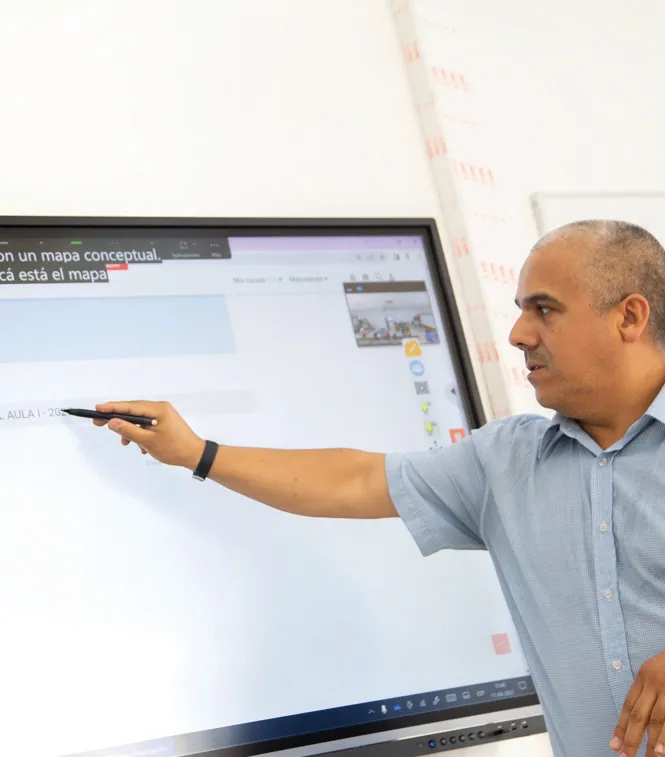


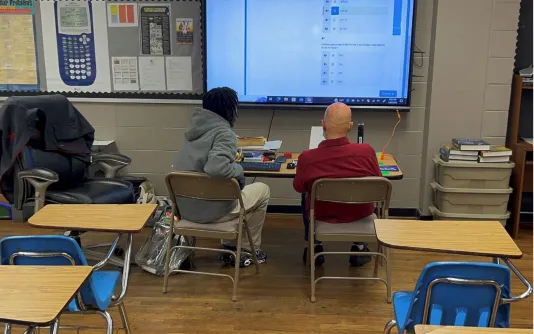
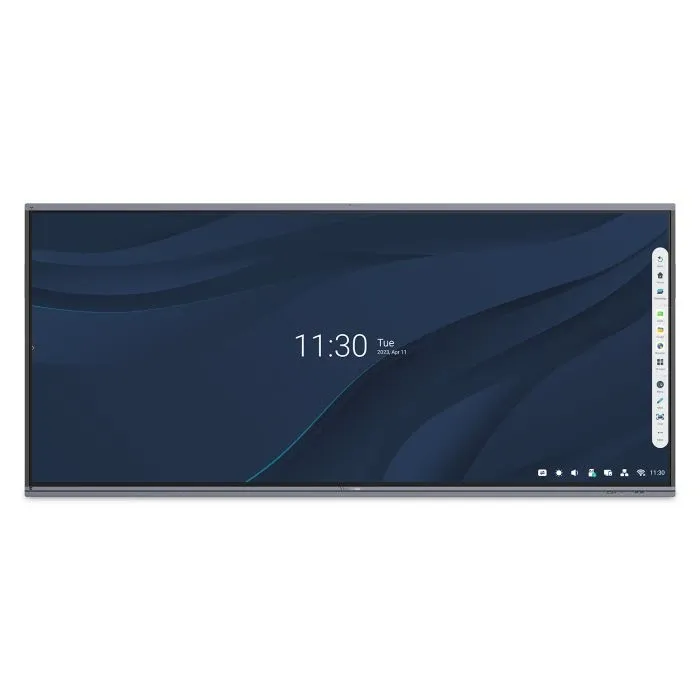


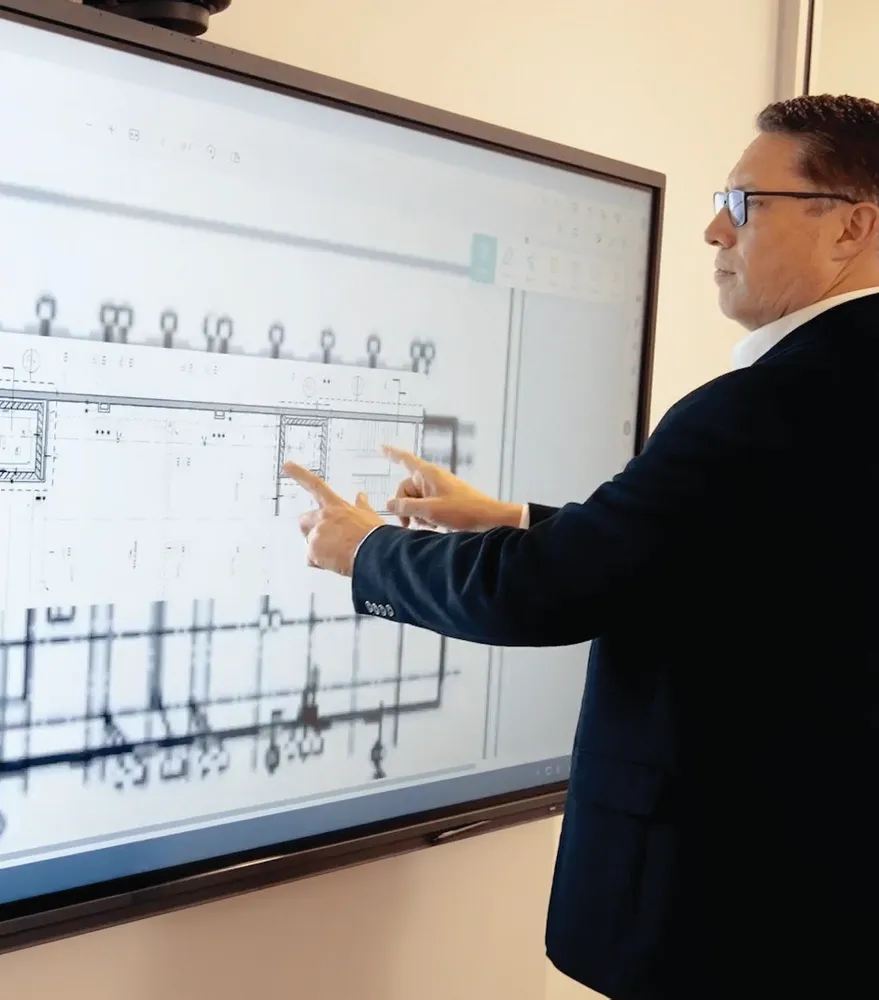


Login and Registration Form