 Teacher's Community
  Support
How a Southeast School District Standardized ViewBoard® Interactive Displays for a Three-Year Classroom Rollout
- Jul 27, 2026
SOLUTION BRIEF
How a Southeast School District Standardized ViewBoard® Interactive Displays for a Three-Year Classroom Rollout
What Challenge Was This District Trying to Solve?
The school district was struggling with aging classroom projectors and screens that were hard to see and expensive to maintain. They wanted to replace them with modern interactive screens. To keep a consistent layout in every classroom, the new hardware had to match the footprint of their old 98-inch projector setups.
Why Did ViewSonic Interactive Displays Fit This Project?
ViewSonic and its partner, STS Education, had the inventory ready to ship and the pricing security the district needed for its three-year budget.
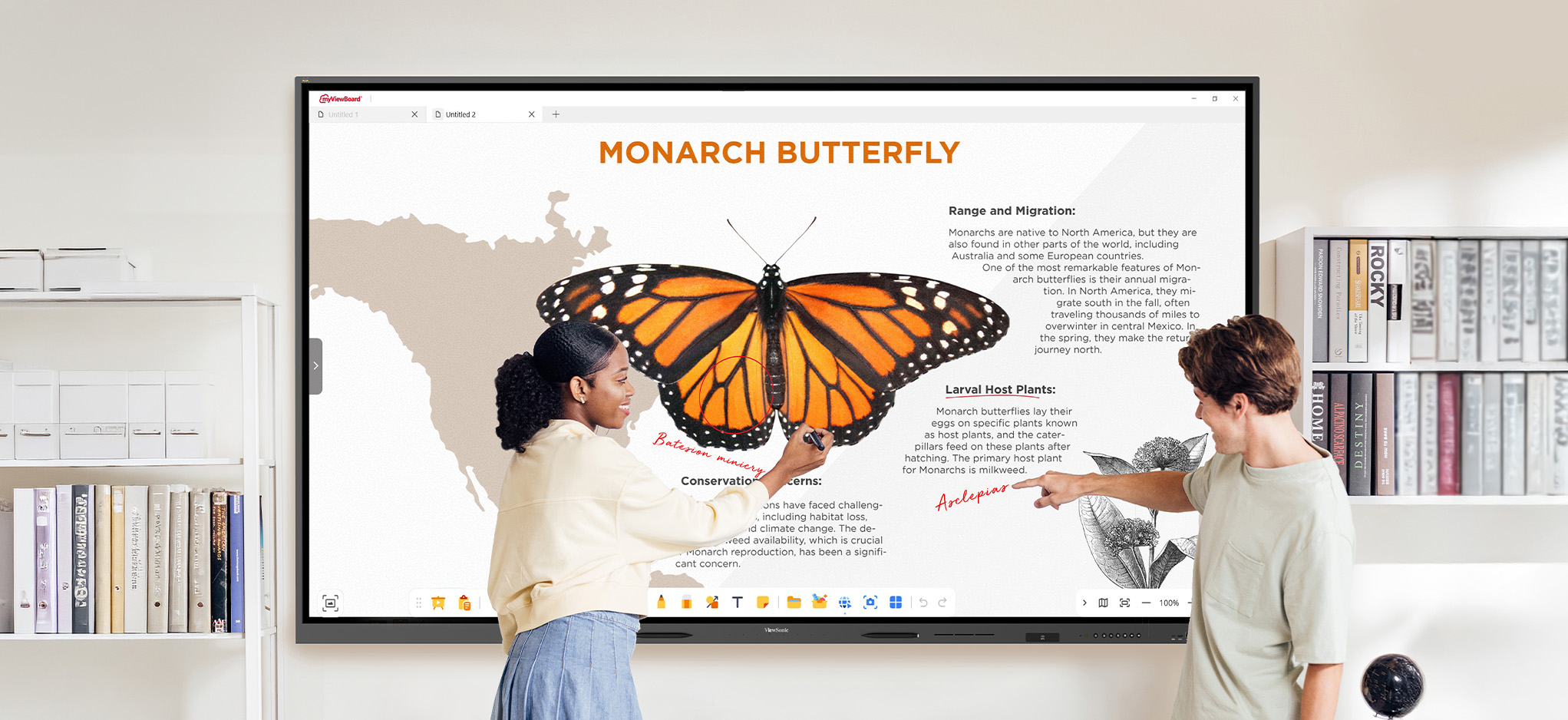
The district chose ViewSonic because it solved their hardware and software worries at the same time. ViewSonic’s hardware was a great fit for their space and budget, while myViewBoard software gave teachers a simple platform to build and present interactive lessons. For the IT team, Viewsonic Manager software offered a single dashboard to manage every classroom screen remotely.
In Their Words
“We didn't know this was possible!”
- Technology Coordinator, Midwest K-12 school district
What ViewSonic Solution Did They Deploy?
The district purchased multiple 98” ViewBoard interactive displays, pairing them with a 5-year Viewsonic Manager® Advanced license to manage every display.
Shipping thousands of massive screens could have been a huge logistical challenge, but the ViewSonic warehouse team worked closely with STS Education to coordinate the delivery, bringing 53-foot trailers of equipment directly to school sites on a strict schedule. District staff then installed the screens with hands-on labor support from STS.
What Results Has the District Seen?
- Successfully coordinated deliveries at scale, including 53' trailers arriving at schools districtwide.
- The ViewSonic professional development team has supported strong myViewBoard adoption among teachers throughout the rollout.
- Secured pricing that fit the district's three-year rollout budget.
- Teachers and IT staff are pleased with the ViewSonic experience, from the hardware to the myViewBoard software.
Frequently Asked Questions
What Is myViewBoard?
myViewBoard is ViewSonic's award-winning whiteboarding software, giving teachers a simple platform to build lessons, present content and get real-time input from students.
What Is Viewsonic Manager, and Why Do IT Teams Use It?
Viewsonic Manager is a cloud-based device management platform that lets IT staff monitor, update and troubleshoot ViewSonic interactive displays across an entire district from one dashboard, instead of managing each classroom's panel individually.
With Viewsonic Manager, IT admins can troubleshoot display issues over the computer or phone rather than being there in person.
Can a Mobile dvLED Display Move Between Different Spaces on Campus?
Yes. Because All-in-One dvLED displays are built on a wheeled, foldable stand, they can be rolled out of a boardroom and repositioned in another space, such as a gym, cafeteria or event space for other display needs.
How Does a District Plan a Large-Scale IFP Rollout Across Multiple Schools?
A large-scale rollout works best with a reseller experienced in coordinating deliveries and installation at scale. Equipment often arrives on freight trailers serving multiple schools at once, so planning logistics alongside the reseller and ViewSonic's own team helps keep a multi-year, districtwide rollout on schedule.
What Is the ViewSonic IFP9850 Used for?
The IFP9850 is a 98" interactive display built for classrooms that need a large-format solution sized to match existing projector screen footprints, giving districts a like-for-like upgrade path from projectors to interactive touch displays.
For the most recent version of this high-performance classroom solution, check out the IFP41 series of ViewBoard interactive displays.
Does ViewSonic Support Installation for Large Classroom Rollouts?
Yes. For large rollouts, ViewSonic's warehouse and logistics team works alongside the reseller to plan deliveries. Installation can be completed by district staff, reseller labor or a combination of both, depending on the district's needs.
Ready to Modernize Your District's Classrooms?
Talk to a ViewSonic representative or an authorized partner like STS Education about planning a district-wide IFP rollout, from procurement to installation.
Related Products
- 98” ViewBoard IFP9850 interactive display viewsonic.com/us/ifp9850.html
- myViewBoard Manager Advanced (MVBM_ADV_5Y01): viewsonic.com/us/myviewboard-manager
- myViewBoard 3.0: viewsonic.com/edu/myviewboard-3.0
- ViewSonic Professional Development: viewsonic.com/edu/education/professionaldevelopment
Comparative claims are based on specific features and publicly available manufacturer specifications as of the date of publication, and are not intended to represent a comprehensive evaluation of all product attributes. Delivery schedules, network performance, training outcomes, and user results may vary depending on individual needs, district or agency requirements, implementation, environmental conditions, and other factors. Any references to third-party products, competitors, software platforms, hardware architectures, certification seals, control systems, or corporate trademarks are for identification, compatibility, and comparative reference purposes only and do not imply endorsement, affiliation, or sponsorship by their respective owners. Corporate names and trademarks stated herein are the property of their respective companies. Environmental protection ratings (including GOB, IP54, and IK06 ratings) are based on standard operating conditions; proper wall mounting, structural reinforcement, mobile assembly, freight handling, and professional installation are the sole responsibility of the customer or installer. ViewSonic assumes no liability for property damage or personal injury resulting from improper installation.


Login and Registration Form