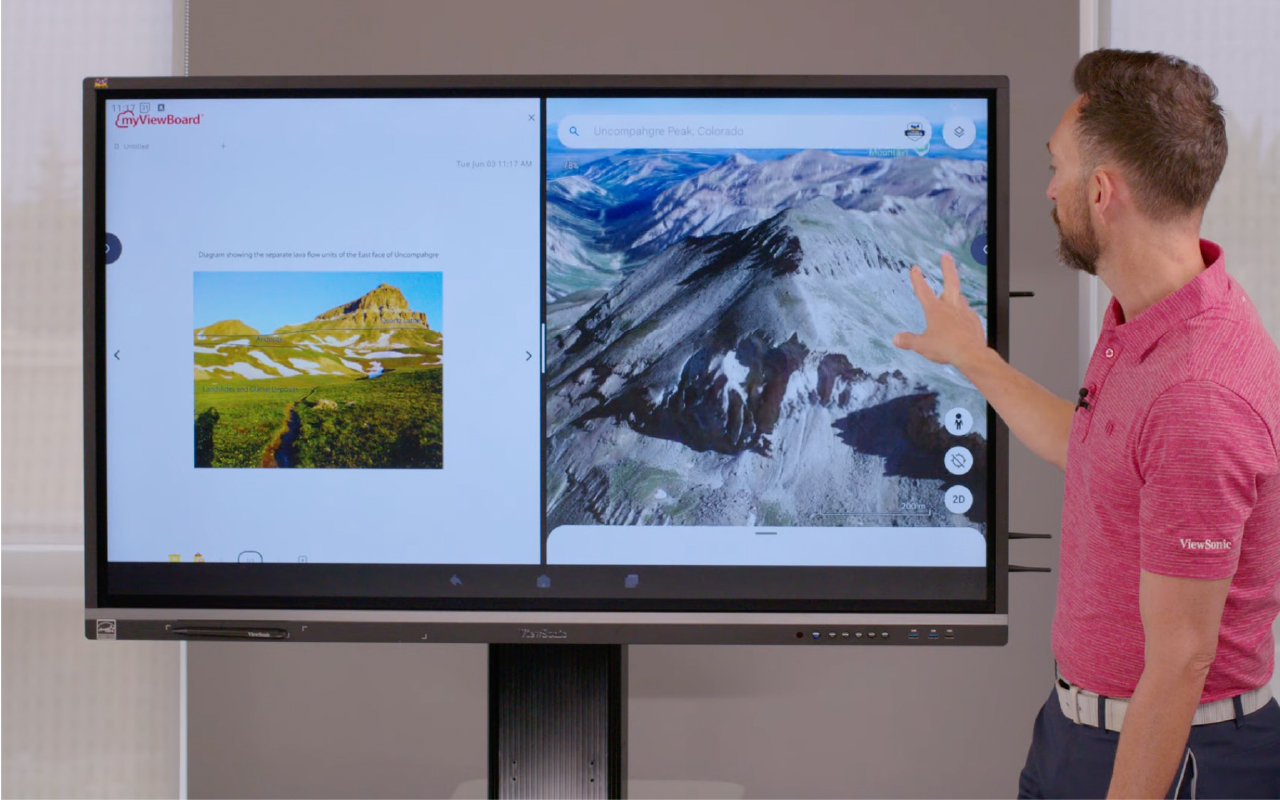
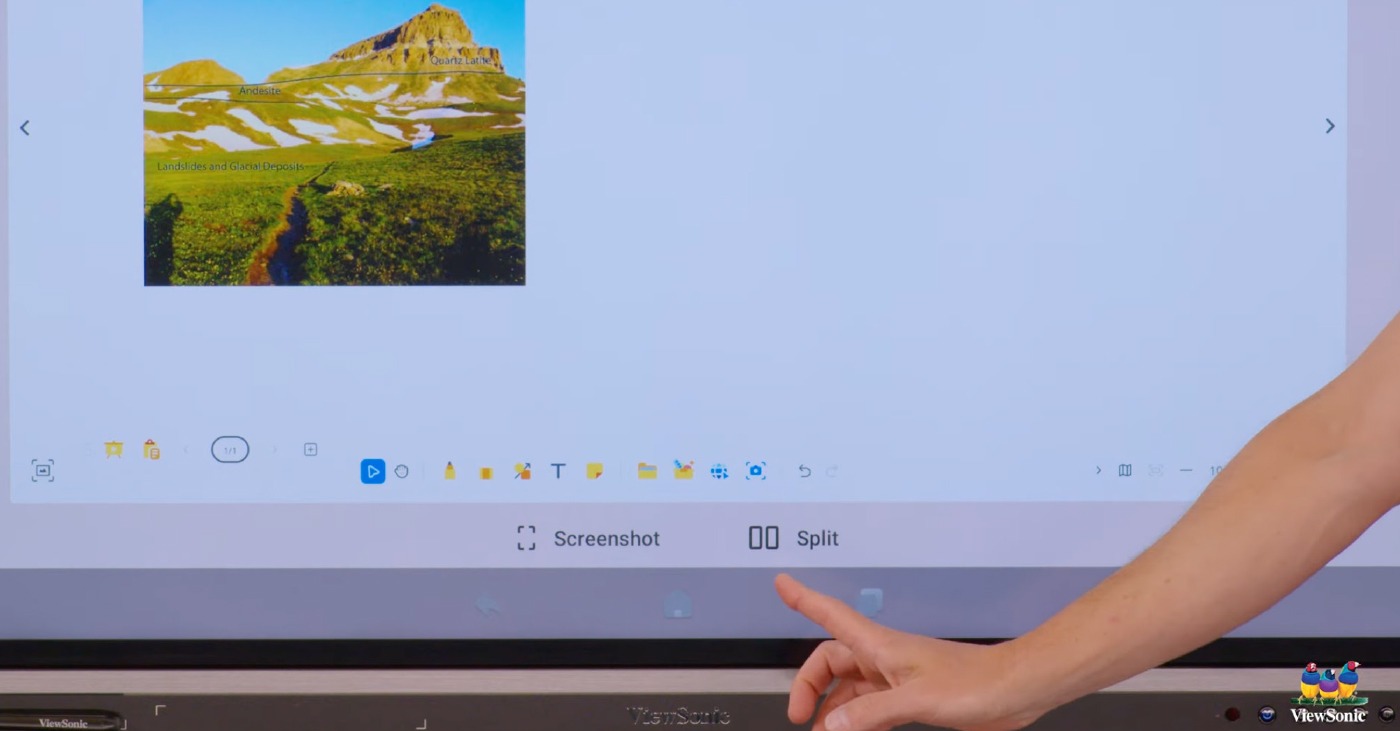
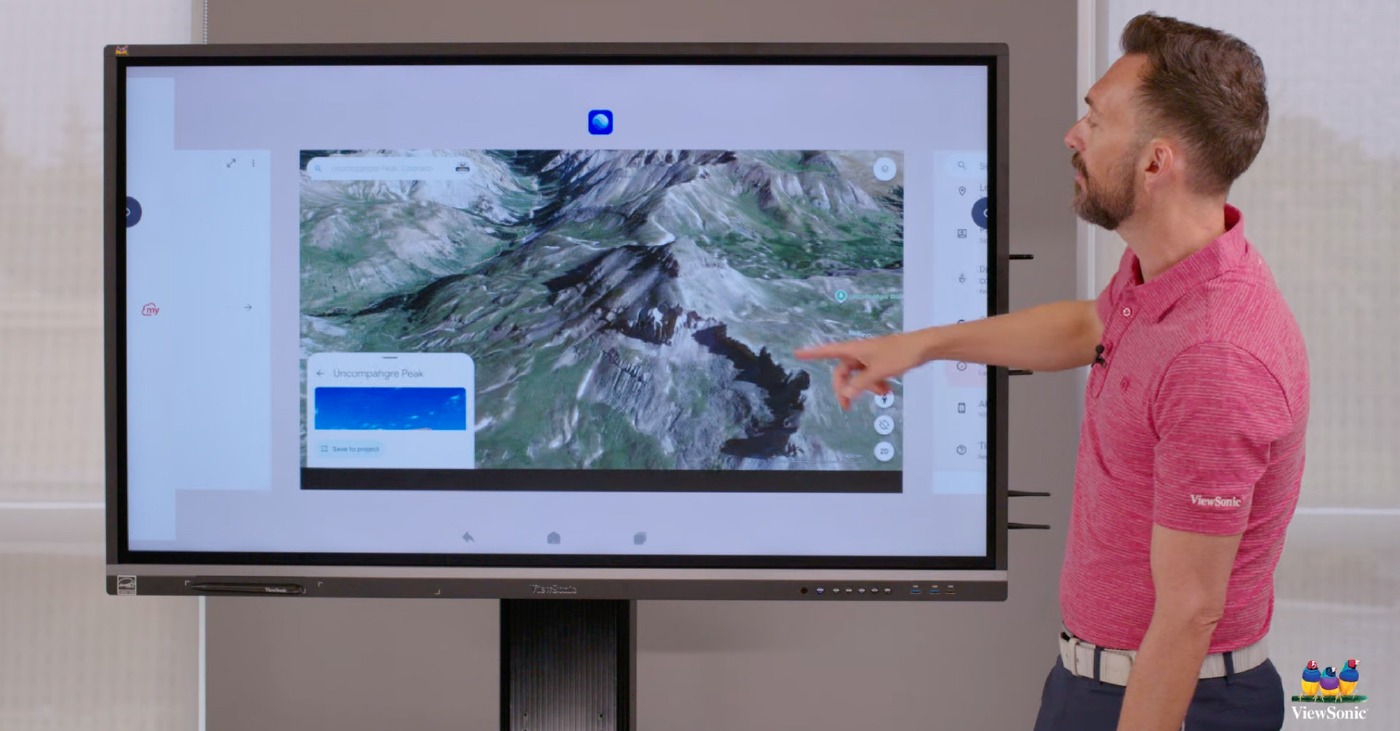
Digitalizing municipal gyms and sports complexes is essential to raising the profile of local clubs, improving communication for local authorities, and energizing the spectator experience.
However, integrators and municipalities face heavy technical and structural constraints:
High risk of impact: Traditional displays and LCD panels cannot withstand the impact of heavy balls (handball, basketball, futsal), leading to shattered glass or repeated pixel failures.
Light pollution and glare: The large glazed surfaces of gyms create significant variations in natural light, making conventional displays unreadable due to reflections.
Installation and maintenance complexity: Mounting a heavy display at height often requires reinforcing the building structure, and the smallest fault can put the equipment out of service if rear access is impossible.
Solution
The ViewSonic dvLED (Direct View LED) solution combines durable technology with custom-built structures designed to adapt perfectly to the demands of sports environments. It delivers a turnkey solution that removes integration complexity:
Built-in sports-grade durability The LED modules feature a reinforced surface treatment (GOB technology or equivalent) that absorbs the energy of ball impacts with no damage to the components.
Adjustable full-daylight visibility With brightness above 600 cd/m² and a native anti-glare treatment, the image stays sharp and high-contrast even when light hits the screen directly.
100% front-access maintenance The LED panels are magnetically mounted on an ultra-light aluminum chassis. For maintenance, a technician can replace a module from the front in under 2 minutes using a magnetic extraction tool, without dismantling the display.
Discover our full range of all-in-one dvLED displays
LDS Series — Mobile LDE Series — Pre-configured LDP Series — Pre-configured Premium LDC Series — Customizable
This General Wall Mounting Guideline is provided for convenience of reference only. Please consult local codes for further guidance. ViewSonic assumes no liability for any errors or omissions in the information displayed. ViewSonic shall not be liable for any equipment damage, property damage, or personal injury—including death—caused as a result of incorrect installation, operation, human factors, acts of God, or failure to comply with local codes and these instructions. Drywall alone is not a structural mounting surface and must never be used as the sole means of support. Proper wall suitability, reinforcement, and the use of appropriate commercial-grade mounting hardware are the sole responsibility of the customer, installer, or system integrator. ViewSonic does not design, evaluate, inspect, or certify wall structures or installation methods. If there is any uncertainty regarding wall construction, load-bearing capacity, or installation methods, you must consult a licensed contractor, structural engineer, or qualified professional prior to installation.
High-Tech Radiosurgery Meets a Feel-Good Atmosphere –
The Visual Transformation at the ZAP-X® Center Essen
Executive Summary
As part of the introduction of the novel ZAP-X® radiosurgery, the Alfried Krupp Hospital in Essen faced the task of combining top-tier medical technology with an immersive, patient-centered spatial concept. Together with ViewSonic and the system integrator, a custom All-in-One Direct View LED (dvLED) display was implemented. Through the use of a 136” LED wall in the reception area and a monumental 325” 8K LED wall in the treatment room, a calm, anxiety-reducing environment was created that supports patients during relaxation therapy and impresses with first-class image quality.
The Challenge: High-Tech Radiosurgery Meets Emotional Space Design
With the introduction of the novel ZAP-X® radiosurgery, the Alfried Krupp Hospital Essen now offers a highly precise, non-invasive treatment for brain tumors. In setting up the ZAP-X center, the hospital faced the task of combining top-tier medical technology with a patient-centered design of space and information:
Relaxation therapy in the treatment room: The sterile atmosphere of classic medical-technology rooms often causes tension in patients. The aim was to create an immersive ambience that reduces anxiety and supports relaxation processes.
Information & orientation: The reception area needed a modern large-format display for targeted patient guidance.
Autonomy & content playback: A sophisticated 8K visualization was required that could be operated independently by the in-house media technology team (MACOM).
The Solution: Custom LED Wall Installations
In close coordination with the system integrator Pestinger GmbH (Rhein-Main Medientechnik), ViewSonic integrated two custom Direct View LED large-area solutions from the LDC series for two central areas of the hospital:
136” LED wall in the reception area: As a representative reception and information display.
325” 8K LED wall in the ZAP-X room: As a gigantic panoramic surface for immersive content.
Reliable technology: External controllers and power boxes keep the treatment rooms free of noise and heat and simplify maintenance.
Optimal patient guidance: The 136” display in the reception area provides clear orientation and underscores the hospital's high-tech standard.
The Result: A Perfect Symbiosis of Medical Technology & Feel-Good Atmosphere
The successful implementation fully meets the hospital's high requirements, ensures complete customer satisfaction and creates measurable added value in everyday treatment:
Targeted stress reduction: The 325” wall transforms the treatment room into a calming environment and noticeably supports patients during relaxation therapy.
Optimal patient guidance: The 136” display in the reception area provides clear orientation and underscores the hospital's high-tech standard.
Easy operation: The in-house MACOM team controls all content flexibly and autonomously.
Founded in California, ViewSonic is a leading global provider of visual solutions. This document is an English translation of the original German ViewSonic solution brief prepared for Alfried Krupp Hospital Essen.
ViewSonic products are not considered medical devices and are not intended for use in the diagnosis of disease or other conditions, or in the cure, mitigation, treatment, or prevention of disease.
Next-generation Hybrid Learning at Bakirçay University
Summary
İzmir Bakırçay University transformed its projection-based classroom infrastructure into
a modern setup that supports hybrid education. In partnership with ViewSonic and Atlas
Kurumsal, 30 classrooms were equipped with 98-inch ViewSonic IFP9850-4 interactive
displays, VB-CAM-201 camera systems, VB-MIC-201 microphones, and VB-STND-005
mobile stands. myViewBoard and ViewSonic Manager solutions enabled an interactive
class experience and centralized remote device management.
Challenge
The university's projection-based classroom infrastructure was falling short in the face of
environmental conditions affecting image quality and the demands of hybrid education.
There was a need for an integrated display, camera, and microphone setup that offered clearer
viewing and allowed remote students to follow the instructor and classroom environment. At
the same time, the goal was a modern class experience where instructors could use digital
content more effectively.
Mobile display use that could adapt to different classroom layouts, along with the ability
to centrally and remotely manage devices spread across 30 classrooms, were also among
the project's core requirements. All components were intended to work together within a
single class scenario, planning an efficient and sustainable hybrid education infrastructure.
The aim was to create a seamless and interactive learning environment for both in-person
and online participants.
Solution
30 units of 98-inch ViewSonic IFP9850-4 interactive displays were used as the project's main
display solution. Thanks to the large screen surface and touch capability, class content was
displayed more clearly while instructors could interact directly with presentations and digital
materials. Replacing projection systems, this setup offered a cleaner, more efficient class
experience. The ViewSonic VB-CAM-201 camera system supported video communication
in hybrid classes, while the VB-MIC-201 microphone system delivered clear, two-way audio
pickup across the classroom, enabling remotely participating students to be actively involved
in the class process.
ViewSonic VB-STND-005 mobile stands allowed displays to be positioned flexibly according to
different classroom layouts, while myViewBoard provided instructors with interactive teaching
tools. The centralized management infrastructure set up with ViewSonic Manager enabled
remote monitoring and management of displays across 30 classrooms, reducing the IT team's
workload. As a result, classroom technology infrastructure became more efficient and
sustainable to manage.
Result
As a result of the project, 30 units gained a modern hybrid education infrastructure with 98-inch
ViewSonic IFP9850-4 interactive displays. Thanks to the large displays and the VB-CAM-201
camera system, both in-person and remote students enjoyed a more interactive class
experience, while the VB-MIC-201 microphone system delivered clear, reliable audio between
classroom and remote participants, and instructors could use digital content directly on the
screen. Class content became easier to follow from every point in the classroom.
Communication continuity in hybrid classes was strengthened. Physical and online education
were thus brought together in a single class flow.
VB-STND-005 mobile stands helped displays adapt to different classroom layouts, while
myViewBoard supported interactive teaching processes. With ViewSonic Manager, displays
across 30 classrooms became centrally and remotely manageable, increasing the IT team's
operational efficiency. Ultimately, the university brought display, hybrid communication, and
device management together within a single integrated education technology infrastructure.
Performance, security, compliance, and sustainability outcomes may vary depending on system configuration, usage environment, and institutional requirements. Drywall alone is not a structural mounting surface and must never be used as the sole means of support. Proper wall suitability, reinforcement, and the use of appropriate commercial-grade mounting hardware are the sole responsibility of the customer, installer, or system integrator. ViewSonic does not design, evaluate, inspect, or certify wall structures or installation methods.
Founded in California, ViewSonic is a leading global technology provider in visual solutions, operating in more than 100 countries worldwide. With its innovative and visionary approach, ViewSonic offers comprehensive hardware and software solutions spanning monitors, projectors, pen displays, commercial displays, All-in-One LED displays, ViewBoard interactive displays, and the myViewBoard software ecosystem. With 40 years of expertise in visual display technologies, ViewSonic delivers innovative and reliable solutions for the education, corporate, consumer, and professional markets, helping customers experience “See the Difference.” To learn more about ViewSonic, visit our website at www.viewsonic.com.
Beyond Digital Transformation At FMV Işık Schools Ispartakule Campus: The Learning
Experience of the Future
Summary
As part of the ViewSonic Future School project carried out at FMV Işık Schools' Ispartakule
Campus in partnership with ViewSonic and ADK Bilgisayar, the school created a
comprehensive digital learning ecosystem. By bringing together ViewBoard interactive
displays, the myViewBoard ecosystem, myViewBoard Quiz Tools powered by ClassSwift, and
teacher development programs, it built a technology-supported, sustainable, innovative, and
future-ready ecosystem that strengthens teacher and student interaction.
Challenge
Installing digital displays in classrooms does not by itself bring about real transformation in
educational institutions. For technology to add value to educational processes, teachers must
be able to use digital tools effectively and in alignment with pedagogical goals. FMV Işık
Schools needed a structured and sustainable professional development model that integrates
the technology investment with the teaching approach and continuously develops teachers'
digital competencies.
At the same time, the school aimed to create a holistic learning ecosystem supporting the
needs of the future, such as artificial intelligence, digital content creation, interactive lesson
design, hybrid learning, and student-centered education. The goal was to build a sustainable
digital learning culture that could strengthen existing lesson processes while also adapting to
changing educational requirements.
Solution
A customized transformation model bringing together technology installation and teacher
development was developed for FMV Işık Schools. ViewBoard interactive displays, the
myViewBoard ecosystem, and the ViewSonic Professional Development Program —
supported by Graduate, Educator, and Expert certification levels — created a sustainable
development process extending from teachers' basic usage skills to advanced digital
pedagogical practices. This provided a strong educational infrastructure so teachers could use
digital tools in alignment with lesson objectives, effectively and confidently. At the same time, a
structured and long-term development model was put in place through which teachers can
continuously improve their digital competencies.
With the inclusion of myViewBoard Quiz Tools powered by ClassSwift in the educational
ecosystem, digital content creation, lesson planning, in-class interaction, and student-centered
learning were brought together under a single integrated structure. Supported by workshops,
webinars, and hands-on classroom scenarios, the Future School model carried technology
beyond hardware, creating a digital learning ecosystem strengthened by educational
consulting, professional development, and continuous support.
Result
As a result of the project, a holistic model bringing together technology investment, continuous
teacher development, and pedagogical transformation was created at FMV Işık Schools. The
professional development approach, supported by the Graduate, Educator, and Expert
certification programs, strengthened teachers' digital pedagogical competencies while enabling
technology to be used more effectively, measurably, and sustainably in classrooms. This
approach helped teachers integrate digital tools into daily educational processes more
consciously and efficiently. It also supported the adoption of a shared digital teaching approach
across the school.
Through the combined use of ViewBoard, myViewBoard, and myViewBoard Quiz Tools
powered by ClassSwift more interactive and student-centered lesson experiences were
supported, while digital content creation and hands-on work were integrated into educational
processes. Thanks to the Future School approach, a standardized and sustainable digital
transformation model was established across the school, while the collaboration between the
school, the technology provider, and educational stakeholders was turned into a strong
learning ecosystem supporting long-term development.
Training outcomes and participant experiences may vary depending on individual needs, district requirements, and implementation. Drywall
alone is not a structural mounting surface and must never be used as the sole means of support. Proper wall suitability, reinforcement, and the
use of appropriate commercial-grade mounting hardware are the sole responsibility of the customer, installer, or system integrator. ViewSonic
does not design, evaluate, inspect, or certify wall structures or installation methods.
Founded in California, ViewSonic is a leading global technology provider in visual solutions, operating in more than 100 countries worldwide.
With its innovative and visionary approach, ViewSonic offers comprehensive hardware and software solutions spanning monitors, projectors,
pen displays, commercial displays, All-in-One LED displays, ViewBoard interactive displays, and the myViewBoard software ecosystem. With
40 years of expertise in visual display technologies, ViewSonic delivers innovative and reliable solutions for the education, corporate,
consumer, and professional markets, helping customers experience “See the Difference.” To learn more about ViewSonic, visit our website at
www.viewsonic.com.
Koç School carried out a comprehensive transformation in partnership with ViewSonic and
Dora Teknoloji to renew its existing projection-based interactive whiteboard systems. As part of
the project, 25 units of 86-inch ViewSonic IFP51 Series interactive displays were installed,
enabling a transition to a more modern, interactive, and sustainable learning infrastructure.
Challenge
In the projection-based interactive whiteboard systems used at Koç School, environmental
factors such as light, shadow, and alignment could affect image quality and visibility, making it
particularly difficult to clearly follow content from different seating positions. The setup and
maintenance processes of the existing systems also created additional operational demands,
while managing the various components highlighted the need for an easier and more
sustainable technology infrastructure.
With this in mind, the goal was a more up-to-date learning experience that would let teachers
use digital content more quickly and efficiently, support students' active participation in
lessons, and increase in-class interaction. The new solution was intended to contribute to the
learning process by making things easier for teachers to use while also offering students a
clearer, smoother, and interaction-focused educational environment.
Solution
As part of the project carried out in partnership between ViewSonic and Dora Teknoloji, 25
units of 86-inch ViewSonic IFP51 Series interactive displays were installed across Koç
School's classrooms and learning spaces. Thanks to the large screen and 4K image quality,
digital content could be followed more clearly and visibly from different points in the classroom.
The multi-touch capability allowed teachers and students to interact directly with on-screen
content. Digital content sharing and on-screen interaction helped make the flow of lessons
more efficient, participatory, and user-friendly.
With the shift from projection-based systems to an interactive display infrastructure, a more
standardized and sustainable technology setup was established in the classrooms. Thanks to
the advantages of easy setup and management, the aim was to simplify the daily use of
learning spaces and make operational processes more efficient.
Result
As a result of the project, 25 ViewSonic IFP51 Series interactive displays were brought into
service to replace the traditional IWB projection systems used at Koç School. This
transformation created a display infrastructure in classrooms and learning spaces that is more
up-to-date, directly usable, and supportive of interaction.
The 86-inch large screen and clear image quality made it easier to follow content from
different points in the classroom. While teachers were supported in using digital content
quickly and easily, students were offered a stronger, more participatory, and more
interactive learning experience.
Compared to projection-based systems, ease of use was increased while a more efficient
structure was achieved in maintenance and operations. The transformation applied in shared
areas and classrooms helped make Koç School's learning environments more modern,
sustainable, and user-friendly.
Products: ViewSonic IFP51 Series
Drywall alone is not a structural mounting surface and must never be used as the sole means of support. Proper wall suitability, reinforcement,
and the use of appropriate commercial-grade mounting hardware are the sole responsibility of the customer, installer, or system integrator.
ViewSonic does not design, evaluate, inspect, or certify wall structures or installation methods.
Founded in California, ViewSonic is a leading global technology provider in visual solutions, operating in more than 100 countries worldwide.
With its innovative and visionary approach, ViewSonic offers comprehensive hardware and software solutions spanning monitors, projectors,
pen displays, commercial displays, All-in-One LED displays, ViewBoard interactive displays, and the myViewBoard software ecosystem. With
40 years of expertise in visual display technologies, ViewSonic delivers innovative and reliable solutions for the education, corporate,
consumer, and professional markets, helping customers experience “See the Difference.” To learn more about ViewSonic, visit our website at
www.viewsonic.com.
Birollar Otomotiv Transforms the Premium Showroom Experience with Digital Technology
Summary
Birollar Otomotiv carried out a comprehensive digital transformation project to reshape its
showroom experience in line with global premium brand standards. Complemented by an
on-site café, the showroom offers visitors an experience that extends beyond vehicle sales. As
part of the project, conducted in partnership with ViewSonic and Design Sign, an integrated
display infrastructure made up of LED, interactive, and commercial displays was established.
With the ViewSonic LDM136-151, IFP7550, CDE5530, and IFP6550 solutions, brand
communication, vehicle presentation, and an interactive sales experience were brought
together under a single digital structure.
Challenge
The showroom experience of a global, premium automotive brand needed to be supported by
a modern digital infrastructure that reflects the brand's understanding of quality, innovation,
and design. The goal was for the showroom to create a strong impression from the visitor's first
moment of contact and to reinforce the premium brand identity.
The aim was to present vehicles' colors, material details, and technological features in a
compelling way, and to offer an interactive sales experience where customers could easily
compare different models and equipment options.
In addition, more efficient use of showroom spaces, easier content management, and fast
access to needed information for the sales teams were among the project's core requirements.
Solution
An integrated display infrastructure made up of ViewSonic LED, interactive, and commercial
display solutions was set up for the showroom's different usage areas. The 136-inch
ViewSonic LDM136-151 All-in-One Direct View LED display was positioned as the showroom's
main digital showcase, presenting premium content with high image quality. Thanks to its
seamless screen and powerful visual performance, an eye-catching focal point was created at
the showroom entrance, reinforcing the premium brand perception.
The ViewSonic IFP7550 and IFP6550 interactive displays offered an interactive sales
experience where customers could examine vehicle models in detail, evaluate features, and
easily compare equipment options. The ViewSonic CDE5530 commercial display supported
the effective sharing of corporate information, campaign communication, and brand content
across different showroom areas. With centralized content management and high image
quality, daily operations became easier while brand communication, vehicle presentation, and
customer interaction were brought together under a single integrated digital structure.
Result
As a result of the project, the Birollar Otomotiv showroom gained a more modern, visually
striking, and digitally integrated customer experience. The 136-inch ViewSonic LED display
became the showroom's main digital showcase, creating strong visual impact and reinforcing
the premium brand perception. The solution structure of LED, interactive, and commercial
displays brought brand communication, vehicle presentations, and customer interaction
together in a single digital infrastructure.
The scalable display infrastructure delivered tailored solutions for different showroom areas
and usage scenarios, enabling customers to explore vehicle models and equipment options
in a more interactive way.
Drywall alone is not a structural mounting surface and must never be used as the sole means of support. Proper wall suitability, reinforcement,
and the use of appropriate commercial-grade mounting hardware are the sole responsibility of the customer, installer, or system integrator.
ViewSonic does not design, evaluate, inspect, or certify wall structures or installation methods."
Founded in California, ViewSonic is a leading global technology provider in visual solutions, operating in more than 100 countries worldwide.
With its innovative and visionary approach, ViewSonic offers comprehensive hardware and software solutions spanning monitors, projectors,
pen displays, commercial displays, All-in-One LED displays, ViewBoard interactive displays, and the myViewBoard software ecosystem. With
40 years of expertise in visual display technologies, ViewSonic delivers innovative and reliable solutions for the education, corporate,
consumer, and professional markets, helping customers experience “See the Difference.” To learn more about ViewSonic, visit our website at
www.viewsonic.com.
The Ultimate App Toolkit: Why the ViewSonic EDLA ViewBoard Display Is the Heart of the Modern Classroom
The beauty of ViewSonic® EDLA-certified ViewBoard® displays, like the IFP41 and IFP51 series, is the native integration of the Google Play Store. For teachers, this means the panel behaves like a giant, intuitive smartphone. For administrators, it means a secure, manageable and highly compatible ecosystem that protects school data while getting the most from the hardware investment.
Here’s are the must-have apps to turn your interactive display into a powerhouse of engagement.
1. The Essential Google Suite (Optimized for EDLA)
Because these panels are EDLA-certified, Google apps run natively with full security updates and seamless Google Workspace integration.
Google Drive: Access all your resources instantly. Pro tip: add a Drive widget to your home screen so your starred and recent files are there the second you walk into class.
Google Translate: Use this on panels with integrated microphones, like the IFP41 and IFP51, to provide real-time translation for ESL and ELL students, making your lectures instantly inclusive.
Google Arts & Culture: A favorite for humanities classes. Display high-resolution masterpieces for visual thinking strategies or use it as a creative prompt for English, music and art projects.
Google Maps: Perfect for social studies and geography. Use Street View to take students on virtual field trips without leaving the room.
2. Proven Edtech Tools for High Engagement
These tools work across subjects and grade levels, and most teachers already know them.
ViewSonic myViewBoard®: The native digital whiteboarding software for annotation, screencasting and lesson recording. Includes Quiz Tools powered by ClassSwift for quick checks for understanding.
ClassDojo: Manage classroom behavior and routines right on the shared screen.
Canva: Open your lessons directly on the board and let students collaborate on designs in real time.
Book Creator: Celebrate student voice by showcasing digital books the class has created together.
XL: Display practice problems on the board while students work through them on their own devices or notebooks
CK-12: A free, standards-aligned content library you can pull from across nearly any subject.
GoNoodle: The perfect cure for the after-lunch slump. Use the panel’s speakers to get the class moving with a quick brain break.
3. Subject-Specific Powerhouses
STEM: Use PhET Simulations and GeoGebra for interactive math and science visualizations, and Stellarium Mobile to turn your classroom into a planetarium.
Earth and Space Science: NASA’s Earth Now app shows climate data and satellite imagery in stunning 4K detail.
Anatomy: BioDigital Human and Visible Body offer incredible 3D views of the human body, no lab coats required.
Primary Education: Khan Academy Kids, Starfall, Endless Alphabet and PBS Kids are built for multi-touch interaction during station rotation.
Music: Soundtrap enables students to create music or podcasts right from the board.
Bonus Tips for Power Users
Customize Your Workspace: Use Muzei or Resplash to keep your classroom environment fresh with high-quality, inspiring panel wallpapers.
One-Touch Access: Save your favorite websites, like BouncyBalls.org for noise management or Wordle for a morning warm-up, directly to your home screen as web apps for instant access.
The Bottom Line for Schools
Whether you’re a teacher looking to streamline your workflow or an administrator looking to provide the most secure, future-ready smart technology for your district, ViewSonic EDLA panels are the answer. They don’t just display content, they drive active learning.
ViewSonic Modernizes the Technology Infrastructure
of One of Mexico’s Leading Pharmacy Chains
CHALLENGE
One of Mexico’s leading pharmacy chains was undergoing an expansion and modernization of its technology infrastructure, with the need to standardize equipment across both corporate offices and branch locations to improve operations, customer service, and the experience at points of sale.
SOLUTION
The deployment used three ViewSonic monitor lines, each matched to the work happening in that part of the business.
VG2441V monitors equip workstations in the corporate offices. The VG2441V is built for people at a desk all day, with a fully adjustable ergonomic stand and a built-in camera for video calls.
VA1903H monitors run the price lookup and verification stations inside the pharmacies. The VA1903H delivers dependable everyday performance at a price that holds up when you are equipping hundreds of locations.
TD2465 touch monitors run the points of sale at branch locations. The TD2465 is a durable multi-touch display made for continuous use by staff and customers through a full trading day.
The TD2465 deployment marks the second consecutive year this model has been selected for the nationwide rollout, cementing it as the standard platform for the organization’s sales terminals thanks to its reliability and performance in continuous-operation environments.
“The reliability and performance of the TD2465 in continuous-operation environments made it the standard platform for our sales terminals.”
RESULTS
The investment enabled a comprehensive modernization of the chain’s technology, from the corporate level down to every branch, with standardized equipment that streamlines daily operations. In the offices, the VG2441V unified workstations; on the sales floor, the VA1903H facilitates price inquiry and verification; and the TD2465 continues to solidify its position — for the second consecutive year — as the standard point-of-sale platform, thanks to its reliability and performance in continuous-operation environments.
The result is a faster, more consistent shopping experience nationwide, and a technology infrastructure ready to support the chain’s next phase of expansion.
Frequently Asked Questions
What Made the Old Projector Setup a Problem for Hybrid Instruction?
Two ceiling-mounted projectors cast onto dual wall screens, which created three issues at once. Projector light shone into the instructor’s eyes at the front of the room, image brightness and consistency varied with ambient lighting, and the setup was never designed to serve remote students alongside the in-person class.
Why Choose dvLED Instead of Replacing the Projectors?
Direct View LED holds brightness and consistency in a fully lit room, which matters when the same content has to read clearly for students in the room and on a recording. It also removes the consumables and alignment work a projector requires. For a room that runs most of the day and is monitored in real time by IT, that changes the maintenance profile as much as the image quality.
What Does Glue-on-Board Construction Change for Facilities Teams?
Glue-on-Board encapsulates the LEDs and electronics in a thin resin layer, so the display surface tolerates contact rather than losing pixels to it. In a classroom where students walk past the wall every day, that is the difference between a durable install and a recurring repair line. Tiles are also individually replaceable, so a damaged section is a panel swap rather than a full-unit service call.
How Do Confidence Monitors Help an Instructor Teaching to Two Audiences?
An instructor facing the class cannot see the front-of-room displays. Rear-wall confidence monitors let them verify that content is displaying correctly without turning around, and a second monitor keeps remote participants visible. That is what makes it possible to teach to both audiences without treating one as an afterthought.
Can ViewSonic Displays Integrate With an Existing Crestron System?
Yes. In this installation the integrator brought the ViewSonic displays into the classroom’s existing Crestron matrix switcher, so control stayed on the system the campus already runs. ViewSonic also offers integration with Q-SYS, Extron and AMX platforms.
Is This Configuration Repeatable for Other Classrooms?
That was one of the stated goals. The university treats this room as a model for future refreshes, and the configuration scales down for smaller rooms by reducing the number of front-of-room displays while keeping the same podium and confidence monitor pattern.
Ready to Modernize Your Hybrid Classrooms?
Talk to a ViewSonic representative or an authorized partner about a hybrid classroom configuration for your campus, including dvLED sizing, confidence monitor placement and control system integration.
The LDS136-152 Was Honored by AV Technology, Systems Contractor News, and Sound & Video Contractor Magazines
Brea, CA (Oct. 5, 2026) –ViewSonic Corp., a leading global provider of visual and edtech solutions, announced that the LDS136-152 Mobile Direct View LED Display Solution has been awarded Pro AV Best in Market Award from AV Technology, Systems Contractor News, and Sound & Video Contractor magazines. The award recognizes the LDS136-152 as one of the standout products making an impact across the professional audiovisual industry, highlighting ViewSonic’s commitment to developing innovative solutions that meet the evolving needs of today's Pro AV market.
The Pro AV Best in Market Awards shine a spotlight on the products and technologies helping to shape the future of professional audiovisual. Judged by a panel of experienced industry experts, the awards recognize solutions that demonstrate innovation, excellence and real impact within the Pro AV landscape. For ViewSonic, this award is a testament to the innovation and expertise behind the LDS136-152, and the value it brings to AV professionals and their customers.
The Pro AV Best in Market Awards editorial team stated, “The Pro AV Best in Market Awards celebrate the companies and products driving innovation across the professional AV industry. This year's entries showcased an exciting range of new ideas, technologies and solutions, and our industry experts were impressed by the quality and innovation on display. Congratulations to all of our 2026 winners.”
“We’re excited that the LDS136-152 was recognized as a winner by all three editorial publications,” said Jeff Muto, Business Line Director at ViewSonic. “This fourth-generation mobile display solution provides users the flexibility to deliver high-impact visuals wherever they’re needed without the complexity or permanence of traditional dvLEDs. Without the limitation of a fixed installation, it can be utilized as a mobile solution in various markets and industries.”
The ViewSonic® LDS136-152 is a 136-inch all-in-one, foldable Direct View mobile LED display. It is a mobile video wall solution on wheels built for maximum flexibility and delivers a large screen display in a pre-assembled design, which enables effortless setup within minutes.
A 4th generation model, the LDS136-152 features beneficial upgrades that make setup and operation even easier. The motorized lift raises the top of the screen to 9.34 feet, helping everyone get a clearer view. An integrated stand and display remote control allow the management of both the screen settings and motorized lift. Rear I/O ports are easy to reach and provide direct connectivity without opening panels or exposing internal boards, so connecting devices is quick and simple.
The display features durable Glue-on-Board (GOB) surface treatment technology that safeguards the display against impact, dust, and moisture—earning an IP65 rating. The robust construction delivers IK06-rated impact protection for extra durability in heavy-use environments.
Founded in 1987 and headquartered in Brea, California, ViewSonic is a leading global provider of visual solutions for the education, business, and consumer markets, with a presence in over 100 countries. Driven by the mission to transform education, workplaces, and lives, the company delivers a unified ecosystem of innovative hardware, software, and services that integrates seamlessly with the platforms, tools, and partners customers trust. Its product portfolio includes monitors, projectors, interactive displays, LED displays, commercial displays, video conferencing systems, and industrial solutions. Complementing its hardware is a robust suite of software offerings—including myViewBoard, ClassSwift, TeamOne, Manager, and AirSync—featuring AI-powered tools for collaboration, device optimization, and management. By empowering creativity, collaboration, and lifelong learning, ViewSonic supports customers at every stage in achieving their business and sustainability goals, creating a lasting impact and helping people everywhere connect with purpose—and See the Difference. Learn more at www.viewsonic.com.
myViewBoard with Quiz Tools, WPD-900E Wireless Presentation System, and LDE Series of Direct View LED Displays Each Won in Their Respective Categories
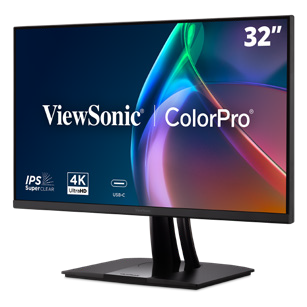
Brea, CA (Oct. 2, 2026) –ViewSonic Corp., a leading global provider of visual and edtech solutions, announces the launch of the VP2766-2K and VP2766-4K, the company’s latest 27-inch ColorPro® monitors. Both monitors bring precision and stunning color performance for graphic design, animations, video editing, and other creative endeavors. For more accurate and consistent color performance, the VP2766-2K and VP2766-4K are Pantone® validated with factory hardware calibration, which fine-tunes color settings within the monitor itself, without relying solely on computer-side software adjustments. With 100 percent sRGB coverage, the two monitors deliver true-to-life color reproductions, so the content looks exactly as intended.
Now celebrating another year of recognizing innovation across the education industry, the Tech & Learning Awards of Excellence highlight the products and solutions making a meaningful difference to educators and learners. The Back-to-School awards recognize products and solutions that demonstrate versatility, value, innovation, and the ability to address real-world challenges across today’s education landscape.
Judged by a panel of experienced education technology experts, the awards represent recognition from one of the industry’s leading education technology publications. The awards showcase the products and solutions that are helping educators deliver more engaging, effective and innovative teaching and learning experiences as the new academic year gets underway.
The Tech & Learning awards editorial team commented, “The 2026 awards saw an impressive range of products and solutions designed to meet the evolving needs of today’s education sector. Our expert judges were particularly impressed by the quality, innovation and practical impact demonstrated by this year’s winners. Each winning product has shown its ability to support educators and learners in meaningful ways, and we’re delighted to recognize their achievements. Congratulations to all of this year’s well-deserved winners.”
“We’re proud to have all three products recognized as winners in their respective categories,” said Jeff Muto, Business Line Director at ViewSonic. “To be recognized with a Tech & Learning Award of Excellence: Back to School 2026 means that myViewBoard with Quiz Tools, the WPD-900E, and the LDE Series are making an impact in the highly competitive education market, and that our focus on making sure these products enhance learning is moving in the right direction.”
myViewBoard with Quiz Tools, the WPD-900E, and the LDE Series will be featured across Tech & Learning’s editorial and promotional channels, including the website and newsletter, providing further recognition of this achievement among the publication’s engaged education technology audience.
Founded in 1987 and headquartered in Brea, California, ViewSonic is a leading global provider of visual solutions for the education, business, and consumer markets, with a presence in over 100 countries. Driven by the mission to transform education, workplaces, and lives, the company delivers a unified ecosystem of innovative hardware, software, and services that integrates seamlessly with the platforms, tools, and partners customers trust. Its product portfolio includes monitors, projectors, interactive displays, LED displays, commercial displays, video conferencing systems, and industrial solutions. Complementing its hardware is a robust suite of software offerings—including myViewBoard, ClassSwift, TeamOne, Manager, and AirSync—featuring AI-powered tools for collaboration, device optimization, and management. By empowering creativity, collaboration, and lifelong learning, ViewSonic supports customers at every stage in achieving their business and sustainability goals, creating a lasting impact and helping people everywhere connect with purpose—and See the Difference. Learn more at www.viewsonic.com.
The VP2766‑2K and VP2766‑4K are Pantone‑Validated Displays that Feature 120Hz Refresh Rate, QHD and UHD Resolutions, and USB‑C Connectivity for Streamlined Cable Management
Brea, CA (Sept. 30, 2026) –ViewSonic Corp., a leading global provider of visual and edtech solutions, announces the launch of the VP2766-2K and VP2766-4K, the company’s latest 27-inch ColorPro® monitors. Both monitors bring precision and stunning color performance for graphic design, animations, video editing, and other creative endeavors. For more accurate and consistent color performance, the VP2766-2K and VP2766-4K are Pantone® validated with factory hardware calibration, which fine-tunes color settings within the monitor itself, without relying solely on computer-side software adjustments. With 100 percent sRGB coverage, the two monitors deliver true-to-life color reproductions, so the content looks exactly as intended.
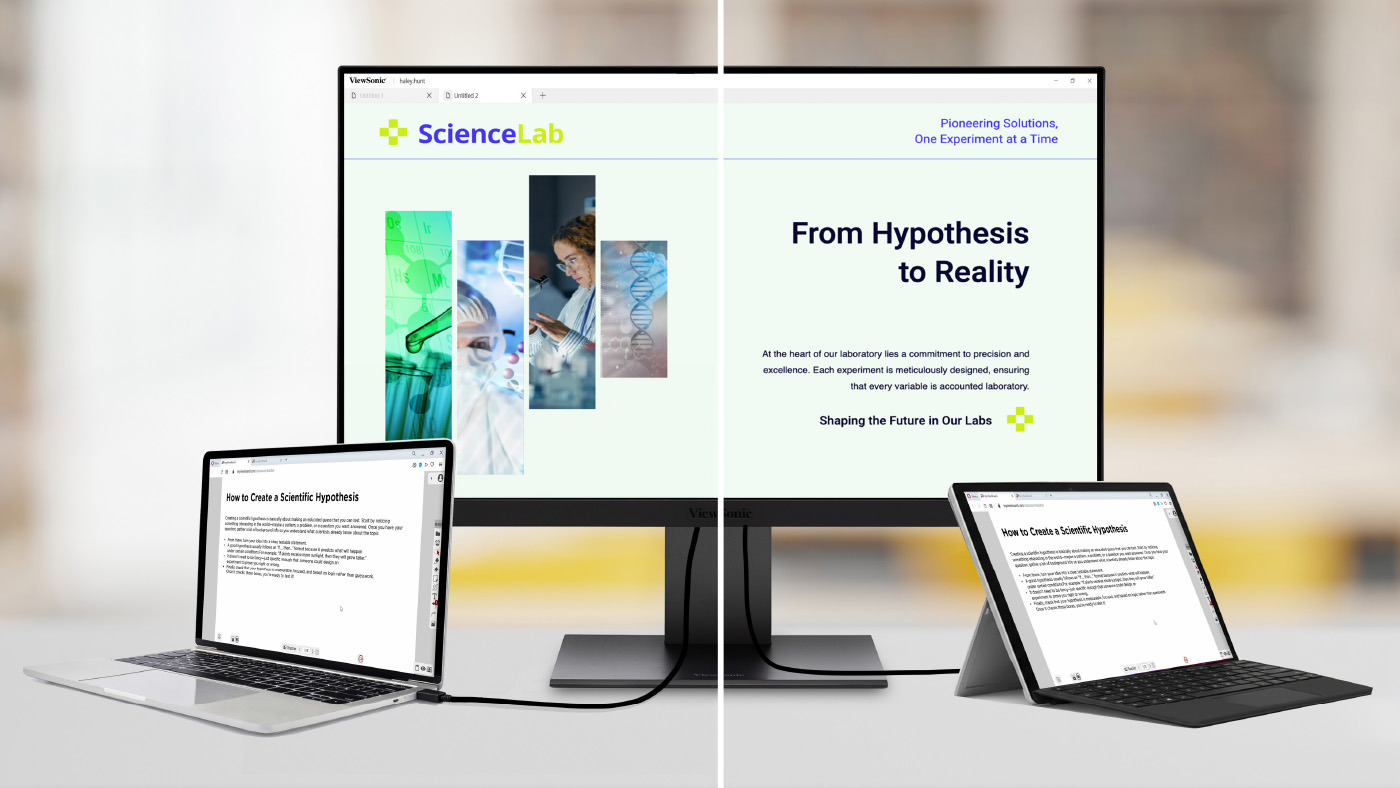
The ViewSonic® VP2766-2K features a native 2K QHD (2560x1440) resolution and the VP2766-4K comes a native 4K UHD (3840x2160) panel. Both monitors come with a 120Hz refresh rate for smooth visual motion and playback. The USB-C connection makes cable management easy, as the single USB-C cable handles video, data and up to 90W of power delivery while an HDMI port adds greater flexibility. A USB hub with three USB-C ports and one USB-A port provides ample options for connecting a keyboard and mouse or charging other devices such as a phone or tablet. The VP2766-2K and VP2766-4K both have a sleek ergonomic stand that can easily adjust the tilt, swivel, pivot, and height. Built-in flicker-free technology and a low blue light solution can help reduce eye fatigue.
“To offer more options for the creative community, we’ve added the VP2766-2K and VP2766-4K monitors to the ColorPro line-up,” said Jenny Lopez, Sr. Product Manager of Monitors at ViewSonic. “Creative work requires precision and accuracy, whether it’s with color or motion, and both these monitors offer that at great price points. We also made sure that the monitors can be used easily with Macs. With ColorPro® Display Manager, brightness and volume are easily adjusted using Mac function keys. The on-screen menu allows users to personalize settings like ViewMode™ and customize other display options to match.”
VP2766-2K ColorPro Monitor
27-inch monitor with native 2K QHD (2560 x 1440) resolution
120Hz refresh rate with 5ms response time
Connectivity options include USB-C, USB-A, HDMI 2.1, and Audio-Out
Available: Now for an estimated street price of $239.99 [USD]
VP2766-4K ColorPro Monitor
27-inch monitor with native 4K UHD (3840 x 2160) resolution
120Hz refresh rate with 5ms response time
Connectivity options include USB-C, USB-A, HDMI 2.1, and Audio-Out
Available: Now for an estimated street price of $339.99 [USD]
Founded in 1987 and headquartered in Brea, California, ViewSonic is a leading global provider of visual solutions for the education, business, and consumer markets, with a presence in over 100 countries. Driven by the mission to transform education, workplaces, and lives, the company delivers a unified ecosystem of innovative hardware, software, and services that integrates seamlessly with the platforms, tools, and partners customers trust. Its product portfolio includes monitors, projectors, interactive displays, LED displays, commercial displays, video conferencing systems, and industrial solutions. Complementing its hardware is a robust suite of software offerings—including myViewBoard, ClassSwift, TeamOne, Manager, and AirSync—featuring AI-powered tools for collaboration, device optimization, and management. By empowering creativity, collaboration, and lifelong learning, ViewSonic supports customers at every stage in achieving their business and sustainability goals, creating a lasting impact and helping people everywhere connect with purpose—and See the Difference. Learn more at www.viewsonic.com.
Rolling Into Learning: Why Mobile Carts Are the Secret to Flexible, High-Engagement Classrooms
When people picture an interactive display, they usually picture it mounted at the front of the classroom. That’s changing. More schools and districts are moving their panels onto mobile carts, and the reasons go well beyond convenience.
Beyond the Front of the Room: Why Schools Are Taking ViewBoard Displays Off the Wall
Moving a ViewBoard display onto a cart does more than free up wall space. It changes how teachers actually use the room.
Reclaiming the Whiteboard: Keeping Your Marker Space While Adding Digital Power
Teachers still love a good old whiteboard marker, and that isn’t going away. Putting your ViewBoard display on a mobile cart frees up the wall space teachers already use for analog teaching. You get digital power without giving up the marker board behind it. This kind of setup works well in schools that combine interactive technology with analog instruction, where the digital display and the traditional marker board serve complementary purposes instead of competing for space.
Breaking the “Fixed Front” Classroom Model
A wall mount keeps your panel in one spot. And while that might be helpful in many classrooms, a mobile cart lets you roll it wherever a lesson needs it, whether that’s a reading corner, a different wall or the center of the room. So much changes in a classroom throughout the day, and a panel that moves with the lesson keeps students more engaged than one that stays fixed in place.
Sizing and Accessibility: Solving the “Kindergarten Height” Problem
Every classroom has a mix of heights, from kindergartners to teachers well over six feet tall. Mobile carts help you meet everyone in the middle.
Reaching Every Student: How Adjustable Carts Bridge the Gap for Early Learners
Younger students need to actually reach the screen, and teachers need to write on it without bending over all day. A cart with adjustable height solves both problems at once, so the same board works for a kindergartner and a six-foot-tall teacher in the same classroom.
Motorized Precision: Using BalanceBox® and Motorized Carts for Ergonomic Teaching
Our motorized carts, including the BalanceBox line, let you raise or lower the panel with the push of a button. That means the board is always at the right height for whoever is using it, whether that’s a student reaching the screen or a teacher writing at the top. This kind of ergonomic accessory often gets overlooked in procurement conversations, but it has a real impact on daily usability, especially in early education where students and teachers of very different heights share the same display.
The “Anywhere” Board: Utilizing ViewBoard Displays in Hallways, Gyms and Beyond
A ViewBoard display doesn’t have to stay in one classroom. Once it’s on a cart, it can go wherever your campus needs it that day.
From Gallery Walks to Parent Nights: Interactive Tech Outside the Classroom
A mobile cart means your ViewBoard display isn’t stuck in one room. For a back-to-school night, a teacher can display student work in the classroom, then roll the panel into the hallway for a gallery walk. During a parent-teacher event, the same board can run a sign-in station right outside the door, so parents stay engaged while they wait. One panel can do the job that used to take several.
Strategy in the Gymnasium: Safe, Mobile Tech for Coaches and Athletics
Another option is placing the board in strategic spaces, such as a basketball court or a gymnasium. A basketball or volleyball coach can use it to highlight strategy and plan out plays for students before they play. While you may not want to put a permanent wall mount in a gymnasium where balls are flying, a mobile cart allows you to move the panel out of the way when the game is in progress but still lets you strategize during practice.
Scaling Your Campus Fleet: Finding the Right Fit for Every Space
Different spaces call for different setups, and ViewSonic gives you room to mix and match across your campus.
Choosing Between Fixed Mounts and Mobile Deployment Strategies
Every district has different needs, so ViewSonic offers both options. Choose a wall mount for spaces that need a permanent, secure setup, or choose a mobile cart for spaces that need flexibility. Most campuses end up using a mix of both.
Centralized Control: Managing Your Mobile ViewBoard Displays via ViewSonic Manager
Moving panels between rooms doesn’t mean losing visibility. With ViewSonic Manager, IT teams can push updates, monitor device status and manage security settings remotely, no matter which room or gym a panel is in that day.
There’s no single right answer. Some spaces need a fixed wall mount. Others need a cart that can roll from the classroom to the hallway to the gym. ViewSonic offers both, so you can build a fleet that matches how your campus actually teaches.
Ready to find the right setup for your classroom? Contact your ViewSonic education representative to explore mobile cart and wall mount options.
Formative Assessment Tools for Teachers | myViewBoard
See how free Quiz Tools inside myViewBoard 3.0 turn any lesson into a live check for understanding, from a former science teacher’s webinar.
Formative Assessment Tools for Teachers: Webinar Recap
Feedback works best the moment students need it, not at the end of the semester.
That’s the premise behind Smarter Formative Assessment Made Simple, a recent ViewSonic webinar on myViewBoard® Quiz Tools powered by ClassSwift®. It was led by Bari Gersten, a former middle school science teacher who has spent more than twenty years in professional development and the last seven at ViewSonic.
Her argument, in one line: formative assessment gets easier when it works with the content you already have. No need to build any quizzes on separate apps.
Why real-time feedback changes what you do next
Most teachers know the feeling. You ask a question, a few hands go up, and you’re left guessing about the other 25 students in the room.
A quiz grade tells you who struggled three days after the moment you could have helped. A live check tells you before the class moves on. That’s the whole difference, and Bari framed it around the answers most software treats as failures:
“I always appreciate when I see a wrong answer, because that allows me to have information into what’s going on in my classroom.”
Formative assessment isn’t more testing. It’s faster information, while you can still act on it.
She also named the limit that makes this necessary. She loves that interactive panels are “getting students out of their seat and up to the board” but she wants every student to participate, not just a few. Only a few can be at the board at once. Quiz Tools is how the other 25 participate at the same time.
Capture, share, collect: one workflow, no tab switching
The session’s throughline was that the whole loop happens in one place.
Capture. Bari opened a PDF on physical and chemical changes, a file she already had rather than something she had to build. Using the screen capture tool, she shared the static image from that PDF into a quick quiz. Later she did the same with a live PhET simulation, loaded inside myViewBoard’s Embedded Browser so the site opens with the page. Her reason for that one is pure classroom management:
“As soon as I had to turn my back and enter in a website, I was going to lose my students.”
Share. One toggle turned the lesson into a live session. Students joined from a phone, tablet or Chromebook by scanning a QR code or opening a link. Nothing to install on the student side. Bari shared the content that she screenshotted.
Collect. Answers arrived on her screen as students submitted, along with how quickly they came in, which is its own read on the room. She demonstrated True/False on the image captured from the PDF and Multiple Choice on perimeter using the simulation. When she was ready, she revealed the correct answer and reviewed results as a whole-class view and then student by student.
Questions can be built into a lesson in advance or created on the spot. An attendee asked about exactly that mid-session, and Bari answered it by building one live on a blank page.
The mechanism is the same screen capture tool she used on the PDF. Screenshot a question you already wrote, wherever it happens to live, and that becomes the prompt students see. Or annotate the question on the board by hand and screenshot that.
So there’s no separate quiz authoring step. A question you wrote in your lesson plan last night and a question you thought of ten seconds ago both get into Quiz Tools the same way.
What students see, and what stays private
Results show the distribution of answers to the room. Student names can stay hidden in that view, so the class can look at what went wrong together without anyone’s name attached to it.
For a teacher trying to build a room where students feel comfortable sharing any misunderstandings, that setting matters more than any feature on the list.
What you need before you try it
myViewBoard 3.0. Quiz Tools live in 3.0. If you don’t see the Quiz Tool toggle on your whiteboard, you’re likely on 2.0 or your administrator needs to run an update in Manager.
Windows or Android. Free on both, with macOS coming soon.
Any student device. Phone, tablet or Chromebook all work.
For IT teams evaluating panels, the same facts read differently: the assessment software is included rather than licensed per teacher, and there’s nothing to deploy to student devices. This saves you from having to purchase a panel and formative assessment software like Kahoot, PearDeck or Wayground.
Frequently Asked Questions
Do I need myViewBoard 3.0?
Yes. Quiz Tools are built into myViewBoard 3.0. On 2.0 the toggle won’t appear.
Does Quiz Tools work on an iPad?
Students can answer on an iPad, but myViewBoard does not offer the Quiz Tools features
on macOS yet. It’s free on Windows and Android today, with macOS coming soon. Students
can respond from any device once you’re running the session from a supported panel or
computer.
What if my students don’t all have devices?
It still works. Students can share a device or work in pairs. You may also consider using
Participate Mode to get students or groups of students to board.
Can students see who got the answer wrong?
Only if you want them to. Hide student names in the results view and the class sees the
distribution without the names.
How Modern Visual Communication Systems Keep Campuses Connected and Safe
When severe weather moves in or a schedule shifts on short notice, getting the word out fast isn’t just convenient; it’s critical. Relying on printed notices or manual updates across multiple buildings can leave gaps in campus communication.
A campus visual communication system solves this by connecting every display to a single central dashboard, giving administrators the power to reach the entire campus in just a few clicks. IT retains full control over every device on the network, from firmware to content permissions.
What is a Campus Visual Communication System?
At its core, a campus visual communication system connects digital screens, media players and device management software across every building on campus.
Instead of treating every screen like an isolated TV, content management software like TSN Visual Communication Solutions links commercial displays into a single network.
TSN handles the content side, letting campus teams create and schedule what appears on screen, while ViewSonic Manager handles the device side, keeping every screen updated, monitored and running smoothly.
Together, the two cover both halves of a campus communication system.
Why Digital Displays Beat Paper Announcements
Paper posters and static signs often get ignored, blending into the background once people have walked past them a few times. Connected digital signage is live and responsive, reflecting campus activity as it happens.
A long line at the campus bookstore or cafeteria feels much shorter when nearby screens show live social media feeds, athletic game countdowns or student photos. When hooked up to live data feeds, displays can turn into helpful daily assistants. They can show upcoming bus arrival times or pull room calendars so student groups can instantly spot open meeting spaces.
Safety, Wayfinding and Campus Culture
Schools lean on their large-format displays for several everyday responsibilities.
Instant Safety Alerts
When bad weather hits or a hazard arises, ViewSonic Manager’s CAP messaging integrates with the campus emergency alert system to trigger an automatic override. Displays can instantly switch from regular programming to bold, high-visibility messages or instructions that can be seen throughout the school.
Stress-Free Wayfinding
Getting lost on a sprawling campus can be a common frustration for visitors and new students alike. ViewSonic’s interactive ePoster kiosks let people tap, zoom and search a digital directory to find their way.
Building Campus Spirit
Large-format displays help bring the campus together. Spotlighting student art, congratulating the debate team and posting club signups keeps the whole community feeling involved.
Commercial Displays vs Standard Consumer TVs
It can be tempting to buy cheap consumer TVs from a local retail store for school hallways, but home electronics aren’t built for that kind of daily demand.
Consumer TVs are designed for use in a dim living room, while commercial displays are heavy-duty units built to handle continuous operation in bright spaces.
The Feature
Consumer TVs
Commercial Displays (like the ViewSonic CDE31 series)
Daily Runtime
Built for intermittent home viewing, typically not rated for continuous commercial use
16 to 24 hours a day, 7 days a week
Screen Glare
High gloss finish that turns into a mirror under bright lights
Matte anti-glare finish for clear reading in bright sunlight
Warranty
Usually voided if installed in a school or business
3-year commercial warranty with extended options
Durability
Plastic shells that trap internal heat
Durable construction built for continuous commercial use
Choosing purpose-built hardware like the ViewSonic CDE31 series of commercial displays prevents frequent screen failures and can help protect school budgets long-term.
The Advantage of Remote Device Management
Remote device management platforms like ViewSonic Manager let IT teams update, troubleshoot and control every screen across multiple buildings without leaving their desks.
Imagine a campus with 50 screens spread across five buildings right when Daylight Savings Time kicks in. Without centralized management software, an IT technician has to physically walk to every single screen with a remote control just to change the clock.
With a solid management platform, the tech team can push firmware updates, set automatic power schedules to save electricity at night and fix software glitches remotely. That keeps the entire network running smoothly without turning minor tech hiccups into full-day headaches.
Finding the Right Display for Every Space
Every location on campus serves a different purpose, so a smart setup mixes standing displays, touch kiosks and wall mounts based on what people need in that area.
Direct View LED Displays: Place these high-impact messaging solutions in lobbies and cafeterias to reach students throughout campus.
ePoster Kiosks: Position these kiosks in busy hubs like student unions or main courtyards where people need to look up directories, browse digital maps or view announcements.
Commercial Displays: Set up these reliable workhorses in classrooms, lecture halls, hallways and breakrooms. The ViewSonic CDE31 series of commercial displays offers wide viewing angles so everyone in the back of the room can read the text without eye strain.
Interactive Displays: Installing ViewSonic® ViewBoard® interactive displays in classrooms turns lessons into a hands-on learning experience that facilitates participation and boosts learning outcomes.
Planning Checklist Before Buying
A great display system brings the right hardware, software and network together, so everything keeps working in sync as campus needs grow. Here’s what to check before buying.
Open Software Compatibility: Ensure the hardware works with the school’s preferred content management software without locking it into a restrictive ecosystem.
Security: Restrict who can push content to the screens with role-based user permissions.
Room Lighting: Test how displays handle unique lighting challenges, like bright sunlit glass atriums versus harsh fluorescent hallway lights.
Room to Grow: Make sure the network setup can easily expand to add a dozen more screens next semester.
Reliable Support: Verify what level of professional B2B tech support and warranty backing is available when a screen needs immediate troubleshooting.
Frequently Asked Questions
How Fast Can Screens Switch Over to an Emergency Alert?
Almost instantly. ViewSonic Manager integrates with a school’s primary emergency alert system using CAP messaging, triggering an automatic override the moment an alert goes live and swapping in clear, on-screen safety guidance.
Do We Need a Separate Media Player for Every Single Screen?
Not necessarily. Many modern commercial displays, including the ViewSonic CDE31 series, include a built-in Android media player, so there’s no external hardware required out of the box. For more demanding setups, the same displays also include an OPS (Open Pluggable Specification) slot, letting you add a dedicated PC module without an external box hanging off the display.
Can Student Clubs Create and Post Content to the Screens?
Yes, if your school permits it. Content management systems let you set up user permissions. Solutions like TSN Visual Communication Solutions come with a student-specific portal that lets students share information while administrators retain final control over what shows up and when.
What Happens if Campus Wi-Fi Drops Out?
Most high-quality commercial displays and media players have local storage built in. If the internet blinks out, the screen will keep playing its cached loop of content rather than going blank or displaying an error message.
7 Things to Look for in a Next-Gen School Projector
If your school is conducting an audit for an upcoming hardware refresh, you don’t just want to replace your current equipment. You want to future-proof your classrooms and multi-purpose spaces.
Five years ago, managing classroom projectors meant dealing with dim bulbs, heavy maintenance schedules, and limited options. Following significant strides in projector technology, they now present a durable, budget-friendly alternative to flat-panel displays.
Key Takeaways
When choosing a next-gen projector, look for:
High Brightness
Flexible optical zoom and keystone
Centralized management
Low maintenance
360° rotation
Light source
Display engine
1. Daylight-Defeating Brightness
While the actual brightness of your projector will depend on the size of the room you’re outfitting, look for a projector with a high lumen output. The 5,500 ANSI lumens found in the ViewSonic® LSD500HD ensure teachers never have to switch off the lights just to make a slide or worksheet legible.
2. Flexible Optical Zoom and Keystone
Modern classrooms come in all shapes and sizes, and hardware placement is rarely ideal. But if you get a projector that has optical zoom and a similar throw ratio as your existing projector, you won’t have to install a new wall mount elsewhere.
Look for a minimum of 1.3x optical zoom and 4-corner keystone adjustment so the image stays perfectly proportioned from any angle. These alignment capabilities eliminate distortion caused by offset ceiling mounts, ensuring a perfectly square image without manual physical readjustments.
3. Centralized IT Remote Management
Your projector should work with systems you already use, so you don’t have to purchase new or proprietary software. When upgrading your AV setup, ensure the unit features full LAN control and integrates directly with professional systems like Crestron, Extron, AMX, and Q-SYS.
4. Low Maintenance and Long Lifespan
Gone are the days of spending your AV budget on replacement bulbs or filters for LCD projectors. Next-gen lamp-free projectors ensure a longer lifespan without the recurring maintenance strain.
Upgrading your old projectors can also save you money in terms of electricity spending. The ViewSonic LSD500HD laser projector, for example, uses 62% less power than traditional lamp models.
5. 360-Degree Placement
Your hardware shouldn’t dictate your physical space. From portrait mode setups for digital signage to floor projections for unique learning experiences, look for 360° rotation capabilities that open up new teaching possibilities.
6. Light Source
Consider your environment before choosing a light source. While lamp-based projectors remain a cost-effective choice for low-use classrooms, laser technology is the clear winner for heavy daily use. Lasers eliminate replacement bulbs, warm up instantly, and maintain bright, true-to-life colors for years.
7. Display Engine
With vivid color performance a major benefit, DLP technology leads in text sharpness and contrast while offering a compact, filter-free design that reduces ongoing IT maintenance in dust-prone environments.
Key Projector Feature at a Glance
Here’s a table to give you a quick summary of the key projector features to look for and why they matter:
Projector Feature
Why It Matters
High Brightness (5,000+ lumens)
Ensures high clarity so teachers don’t have to dim classroom lights.
Long Lifespan (up to 30,000 hours)
Laser phosphor light sources eliminate costly bulb replacements and slash power consumption.
Allows adjustment of the image without needing to change the ceiling mount’s placement and costly re-wiring.
Centralized IT Management (LAN control; Crestron, Extron, AMX, Q-SYS integration)
Enables remote device administration through the control system your IT team already uses.
360-Degree Placement (Multi-angle and portrait orientation capabilities)
Opens up creative setup possibilities across the campus.
Light source
Laser projectors are more expensive upfront but cheaper to run than lamp projectors.
Display Engine
DLP delivers vivid colors as well as sharp text, deep contrast and low maintenance.
Final Thoughts
Future-proofing your school’s screens isn’t just about replacing old hardware with newer models. It’s about making a strategic investment that supports both teachers and IT teams. By focusing on high brightness, low-maintenance lamp-free technology, installation flexibility, and central network management, school districts can upgrade lecture halls and classrooms without stretching their AV budgets.
Solutions like the ViewSonic LSD500HD demonstrate that modern projectors are more than just a big-screen option. They’re a convenient, cost-effective display alternative built to keep up with the demands of modern education. By striking the ideal balance between low total cost of ownership and simplicity of use, next-gen projectors ensure your school or district’s edtech is future-proofed. Check understanding during a lesson.
Frequently Asked Questions
Here are answers to some of the most frequently asked questions we get about projectors in school environments:
Do modern laser projectors turn on as quickly as flat-panel displays?
Yes. Unlike traditional lamp-based projectors that require a few minutes to warm up or cool down, modern laser projectors offer instant power-on and power-off functionality. Teachers can turn on the system and start class immediately with no downtime.
How does a lamp-free projector lower total cost of ownership for schools?
Lamp-free projectors reduce TCO for schools in two key ways:
Lower energy consumption and maintenance costs.
Reduced hardware replacement costs and maintenance labor since lamp-free projectors last longer and have no bulbs or filters to replace.
Can we install modern projectors using our existing ceiling mounts?
If the projector has the same or a similar throw ratio, then yes. Projectors equipped with wide optical zoom, ideally 1.3x, and comprehensive keystone adjustment allow IT teams to fit the new projector into existing mounting locations.
How do modern projectors perform in brightly lit classrooms?
High-brightness lamp-free projectors that deliver 4,000 to 5,500+ ANSI lumens are explicitly engineered to work even in ambient daylight conditions. This ensures vibrant colors, high-contrast, and crisp text from anywhere in the room. without forcing teachers to draw the blinds or dim classroom lights.
Comparative claims and energy savings are based on specific features and publicly available manufacturer specifications as of the date of publication, and are not intended to represent a comprehensive evaluation of all product attributes. Actual performance, energy usage, and compatibility may vary depending on system configuration, network conditions, usage settings, and environmental factors. Any references to third-party platforms (including Crestron, Extron, AMX, and Q-SYS) are for identification and compatibility purposes only and do not imply endorsement, affiliation, or sponsorship by their respective owners. Proper wall and ceiling suitability, reinforcement, and professional mounting hardware are the sole responsibility of the customer, installer, or system integrator; ViewSonic assumes no liability for equipment damage, property damage, or personal injury resulting from incorrect installation.
Tight Edtech Budget? An OPS Slot-In PC Can Help You Do More with Less
Today’s classrooms move fast, and the technology supporting them needs to keep up. But budget cycles don’t always align with full hardware refreshes. When a complete display upgrade isn’t in this year’s budget, IT teams shouldn’t have to compromise on classroom performance.
ViewSonic® slot-in PCs offer a seamless bridge strategy. By upgrading the computing engine behind your existing screens, you can deliver immediate speed and memory gains for teachers today while keeping your long-term refresh strategy on track.
Change the Brain: Upgrade Aging Interactive Displays with a Slot-In PC
The most cost-effective way to increase the processing speed of your existing interactive flat panels is with an OPS (Open Pluggable Specification) slot-in device.
Think of it as a brain transplant for your classroom technology. Instead of replacing the entire 65”, 75”, or 86” screen—which is often still in great physical condition—you simply add in a new ViewSonic OPS unit to replace the original processor inside.
Why Choose a ViewSonic Slot-In PC?
Instant Speed Boost: An OPS slot-in PC lets you upgrade your interactive whiteboards with the latest processors and expanded memory when you’re facing tight budget for a new panel update.
Near-universal Compatibility: ViewSonic slot-in PCs are compatible with many other brands, including Newline, Promethean, Smart, and BenQ. So even if your district has a mix of panels, our OPS PC units can likely fit those as well (talk to our experts to find the right match for your setup).
Future-Proofing: As educational software and AI tools demand more power over time, modular slot-in PCs let you upgrade computing performance effortlessly. Your displays stay capable and ready for tomorrow’s tech updates without needing a full system redesign.
Minimal Downtime: An IT admin can swap an OPS unit in seconds, keeping classrooms functional and teachers productive without losing a full day to installation.
Ecosystem Flexibility: If you’ve already purchased or are planning to buy new panels, a slot-in PC can still work for you. Slotting an OPS module into an OS-free or compatible panel allows you to align with your district’s tech stack—whether that’s ChromeOS, Android EDLA, or Windows. Teachers get seamless access to their everyday apps, while you retain the flexibility to adapt as your needs evolve.
Maximize Your Current Investment
You don’t have to settle for “old” just because your classroom technology budget is tight. By focusing on “brains” rather than the external display, you can ensure a fast, premium experience for both teachers and students at a fraction of the cost of a new installation.
Can you upgrade an old interactive display without replacing it? Yes. If the display includes an OPS slot, you can add a slot-in PC instead of purchasing a whole new display. ViewSonic OPS slot-in PCs provide modern processing power that can help older interactive whiteboards run faster and support newer educational applications.
What is an OPS slot-in PC? An OPS (Open Pluggable Specification) slot-in PC is a compact computer that slides directly into a compatible interactive display. ViewSonic OPS slot-in PCs add processing power, memory, and storage to the display without requiring you to replace the entire unit.
Are ViewSonic OPS slot-in PCs compatible with non-ViewSonic displays? Many interactive displays from major manufacturers support the OPS standard. While compatibility should always be verified before purchase, ViewSonic OPS slot-in PCs can often be used with compatible displays from multiple brands.
Why are schools upgrading OPS modules instead of replacing displays? Many older interactive displays still have functional screens and touch technology. Replacing the OPS computing module allows schools to improve performance and support newer software at a lower cost than replacing the entire display. ViewSonic OPS solutions help districts extend technology investments while reducing refresh costs.
How much performance improvement can an OPS upgrade provide? Performance improvements depend on the age of the existing hardware and the specifications of the new OPS module. Upgrading to a newer ViewSonic OPS slot-in PC can improve application responsiveness, multitasking, startup times, and support for modern classroom software.
What are the benefits of using an OPS slot-in PC in education? An OPS slot-in PC helps schools extend the life of interactive displays, reduce technology replacement costs, minimize classroom downtime, and provide teachers with a faster, more reliable classroom experience. ViewSonic OPS solutions make these upgrades simple and scalable for school districts, fitting seamlessly into your existing tech stack with ChromeOS, EDLA, or Windows.
Why the LSD500HD is the Perfect Replacement for Aging School Projectors
Projector technology has come a long way, and the gap between today’s units and decades-old models still in use in many schools is significant. For teachers who already spend enough time on lesson preparation, a modern projector means they don’t have to worry about whether the projector will be bright enough, or whether it will be ready to go when class starts.
The best part is, with a laser projector like the ViewSonic® LSD500HD, it doesn’t have to become a full infrastructure project.
Key Takeaways
Aging lamp projectors lose brightness over time and come with ongoing bulb replacement costs that add up fast.
A drop-in replacement projector can modernize every classroom without moving your existing ceiling mounts.
The LSD500HD offers up to 30,000 hours of use and up to 62% less power consumption than traditional lamp models.
Pairing the LSD500HD with a wireless sharing solution simplifies classroom presenting.
How to Approach Projector Replacements Across Your Campus
A campus-wide refresh goes smoother when you know what to prioritize before the first unit gets swapped out.
Ensure Compatibility with Existing Infrastructure
Having to remeasure and redrill mounts and patch up holes left behind from old ceiling mounts can quickly turn a simple hardware swap into an expensive and time-consuming infrastructure project. However, this can all be avoided by choosing a replacement projector that fits into your current setup.
The LSD500HD was designed to match the standard throw ratios and zoom profiles of the most common classroom Epson models. Specifically, it offers:
Flexible 1.3x optical zoom
1.13~1.47 throw ratio
Vertical/horizontal keystone correction
Full 360-degree projection capability
Centralized LAN control
It’s thanks to these features that the LSD500HD can adapt perfectly to your existing infrastructure. Your AV team simply unmounts the old unit, installs the LSD500HD in the same position, uses the 4-corner adjustment to square the image, and moves on to the next room. No new drilling, no ceiling patching.
Look for High Brightness
One of the most common complaints about aging projectors is declining brightness, as lamp-based projectors lose luminosity steadily over time. A projector that was adequate at installation may be producing a noticeably dimmer image a few years later, particularly in classrooms with large windows and ambient light.
High-brightness projectors deliver 5,000 or more ANSI lumens, which is strong enough to hold up in real classroom environments. The image is clear and vibrant regardless of the time of day, making it a meaningful upgrade for any classroom that has been making do with a dimming lamp-based unit.
The ViewSonic LSD500HD also powers on instantly at full brightness with no warm-up period, which means teachers are not standing in front of a class waiting for the projector to be ready before the lesson can begin.
Choose a Laser Projector
Bulb replacements are one of the most persistent ongoing costs of traditional lamp projector ownership. Replacement lamps need to be installed every 2,000-5,000 hours and can run anywhere from $50 to $400 apiece, plus any labor cost. Schools also bear the responsibility of disposing of them properly when they fail, as some projector lamps contain hazardous materials that require specific disposal processes.
A laser projector eliminates this hassle entirely. Unlike lamp-based models, laser projectors require no bulb replacements and are typically rated for between 20,000 and 30,000 hours of use. To put that in context, a projector used for eight hours a day, five days a week across a 40-week school year accumulates roughly 1,600 hours of use annually.
Complete the Upgrade with a Wireless Screen Sharing Solution
A brighter, longer-lasting projector solves the infrastructure side of the problem. But there is another side: the teacher experience. There’s nothing more disruptive to a lesson than ten minutes of troubleshooting a laptop connection. Missing adapters, dropped Wi-Fi, and incompatible cables are a daily reality in many classrooms. Pairing a projector like the LSD500HD with the ViewSonic® ViewShare™ WPD-900 wireless presentation system closes that gap.
Teachers just plug a small transmitter into their device of choice and are sharing their screen within seconds. There’s no need for app downloads or network passwords, and it works with any laptop, MacBook, iPad, tablet, or smartphone with a fully enabled USB-C port. And if you’re concerned about unauthorized student takeovers, the WPD-900E model disables Miracast and AirPlay by default.
The result is a classroom where the technology simply works. Teachers walk in, connect, and teach while students get more out of the lesson.
Final Thoughts
Replacing aging projectors doesn’t have to mean a disruptive, expensive infrastructure overhaul. With the right hardware, it can be as straightforward as swapping the unit, adjusting the image, and the projector is ready for use. By adopting the same throw ratio as the most common models found in classrooms, the ViewSonic LSD500HD laser projector is designed to make that upgrade as painless as possible. Paired with the WPD-900, it gives both IT teams and teachers a setup they can rely on for many years to come.
Learn more about how the ViewSonic LSD500HD can provide a better teaching experience in your school or district.
Frequently Asked Questions
What is the difference between a laser projector and a lamp-based projector?
The core difference between a laser projector and a lamp-based projector is the light source. As the name suggests, lamp-based projectors use a replaceable bulb that dims over time and typically needs replacing every 2,000 to 5,000 hours.
Laser projectors use a solid-state light source that maintains consistent brightness for up to 20,000 to 30,000 hours with no replacements required. Laser projectors also power on instantly at full brightness, whereas lamp-based models often require a warm-up period.
What throw ratio should I look for when replacing an existing projector?
When replacing an existing unit, the ideal replacement matches or closely approximates the throw ratio of the outgoing model so that no repositioning of the ceiling mount is required.
A projector with optical zoom gives additional flexibility, allowing it to fill the same screen size from a slightly different distance.
Will the LSD500HD fit my existing ceiling mount?
The LSD500HD’s 1.3x optical zoom, keystone correction, and 360-degree projection capability are designed to accommodate a wide range of existing installations without requiring new mounts or structural changes.
How bright does a projector need to be for classroom use?
It depends on the room. As a general rule, a classroom with controlled lighting can get by with 2,500 to 3,500 ANSI lumens. For rooms with ambient light, large windows, or no ability to dim the lights, 4,000 to 5,500 lumens or more is recommended.
Comparative claims are based on specific features and publicly available manufacturer specifications as of the date of publication, and are not intended to represent a comprehensive evaluation of all product attributes. Any references to competitors’ products or trademarks, including ‘Epson,’ as well as third-party hardware or software platforms, are for identification and compatibility purposes only and do not imply endorsement, affiliation, or sponsorship by their respective owners.
The LDS136-152, From the Industry Leading Mobile Direct View LED Line, Offers an All-in-One Solution with Better Accessibility and Effortless Setup
Brea, CA (Sept. 22, 2026) – ViewSonic Corp., a leading global provider of visual and edtech solutions, announces that the latest generation of the award-winning Mobile Direct View LED display solution is now shipping. The ViewSonic LDS136-152 mobile solution delivers a large screen display in a pre-assembled design, which enables effortless setup within minutes. The LDS136-152 is a foldable 136-inch Direct View LED video wall on wheels built for maximum flexibility.
A 4th generation model, the LDS136-152 introduces beneficial upgrades that make setup and operation even easier. The motorized screen lifts higher than any other dvLED in its class, helping everyone get a clearer view of content on the screen. The new commercial-grade built-in motorized stand provides an industry-leading extra 3.7 feet of vertical adjustment. An integrated stand and display remote control allow the management of both the screen settings and motorized lift. Rear I/O ports are easy to reach and provide direct connectivity without opening panels or exposing internal boards, so connecting devices is quick and simple.
“The ViewSonic mobile dvLED solution delivers a giant LED screen that arrives ready to go, so our partners and customers can skip complex installations,” said Shane Roma, Technical Product Manager of dvLED/Commercial Displays at ViewSonic. “The LDS136-152 sets up in minutes and ships in a rugged flight case for easy transport and storage. Just unfold it, plug it in and you’re ready to showcase content or present messaging to your audience. It’s one of the easiest ways to get a larger-than-life, stunning display wherever you need it. We have inventory in the U.S., along with technical support to assist as needed.”
The LDS136-152 features an integrated OPS slot to make it easy to expand the system when needed. Glue-on-Board (GOB) technology protects the LED panels from daily wear-and-tear, while its IP65 and IK06 ratings ensure resistance to bumps, dust, and moisture, ensuring that it can work in public spaces like auditoriums and lobbies. A redesigned hinge adds durability for repeated setup and transport, so the display can be used for events, trade shows and pop-up spaces. It glides silently on 360-degree wheels, making it simple to share between rooms or venues, while the foldable design fits into most elevators.
136-inch foldable screen pre-assembled in a protective flight case
New commercial-grade built-in motorized stand provides an industry-leading extra 3.7 feet of vertical adjustment
Integrated stand and display remote control allow management of both the screen settings and motorized lift
I/O ports are more accessible and provide direct connectivity without opening panels or exposing internal boards
Glue-on-Board (GOB) Technology is designed to provide additional resistance to impact, dust, and moisture for an IP65 rating; IK06 rating for impact protection in heavy-usage environments
Versatile connectivity includes HDMI (x4), HDMI output (x1), SPDIF and 3.5mm Audio Out, USB connectivity, WiFi, Bluetooth, Ethernet, RS-232, and an OPS slot
Native 1080p (1920x1080) Full HD resolution, 600-nit brightness, 3840Hz refresh rate, 6,500:1 contrast ratio, and dual 30W speakers
Supports split-screen functionality, as well as Picture-by-Picture (from up to 4 different inputs) and Picture-in-Picture in real-time (requires an HDMI source input)
With the ViewSonic AirSync software, the screen can be shared wirelessly from any device with tools such as AirPlay and Google Cast
Can be integrated into the Q-SYS ecosystem via a Q-SYS LIBRARY VERIFIED plug-in; also compatible with Crestron, Extron, and AMX systems
ViewSonic dvLED solutions are developed and engineered to make large-scale display solutions more accessible for AV/IT teams. With the latest features and technologies, the ViewSonic dvLED All-in-One solutions ensure easy deployment, management, and scalability for various applications and real-world environments. The LDS mobile solution is a plug-and-play display that can be used almost anywhere without the extensive setup that comes with a traditional, permanent dvLED installation.
About ViewSonic Founded in 1987 and headquartered in Brea, California, ViewSonic is a leading global provider of visual solutions for the education, business, and consumer markets, with a presence in over 100 countries. Driven by the mission to transform education, workplaces, and lives, the company delivers a unified ecosystem of innovative hardware, software, and services that integrates seamlessly with the platforms, tools, and partners customers trust. Its product portfolio includes monitors, projectors, interactive displays, LED displays, commercial displays, video conferencing systems, and industrial solutions. Complementing its hardware is a robust suite of software offerings—including myViewBoard®, ClassSwift®, TeamOne®, ViewSonic Manager™, and AirSync™—featuring AI-powered tools for collaboration, device optimization, and management. By empowering creativity, collaboration, and lifelong learning, ViewSonic supports customers at every stage in achieving their business and sustainability goals, creating a lasting impact and helping people everywhere connect with purpose—and See the Difference®. Learn more at www.viewsonic.com.
# # #
*Actual performance, compatibility, and user experience may vary depending on system configuration, network conditions, usage environment, and other factors. Features and specifications are subject to change without notice. This news release contains forward-looking statements that reflect the Company’s expectations with regard to future events. Actual events could differ significantly from those anticipated in this document. Trademark footnote: ViewSonic and the ViewSonic trademarks are trademarks or registered trademarks of ViewSonic Corporation in the United States and/or other countries. All other corporate names and trademarks stated herein are the property of their respective companies.
By Clicking "CONTINUE" you agree to receive our newsletter. You can unsubscribe at any time. Discount applies to one (1) item only, not the entire order. Offer is not stackable or combinable with any other promotions or promo codes.
Login and Registration Form