 Teacher's Community
  Support
How a Large Texas District Started a Multi-Phase ViewBoard Interactive Display Rollout with Secure Sign-On
- Sep 10, 2026
SOLUTION BRIEF
How a Large Texas District Started a Multi-Phase ViewBoard Interactive Display Rollout with Secure Sign-On

-
A large Texas district needed a secure, centrally managed display solution for its multi-classroom rollout.
“ViewSonic covered every requirement, and validating NFC authentication up front proved the solution met the district’s strict security standards.”
CHALLENGE
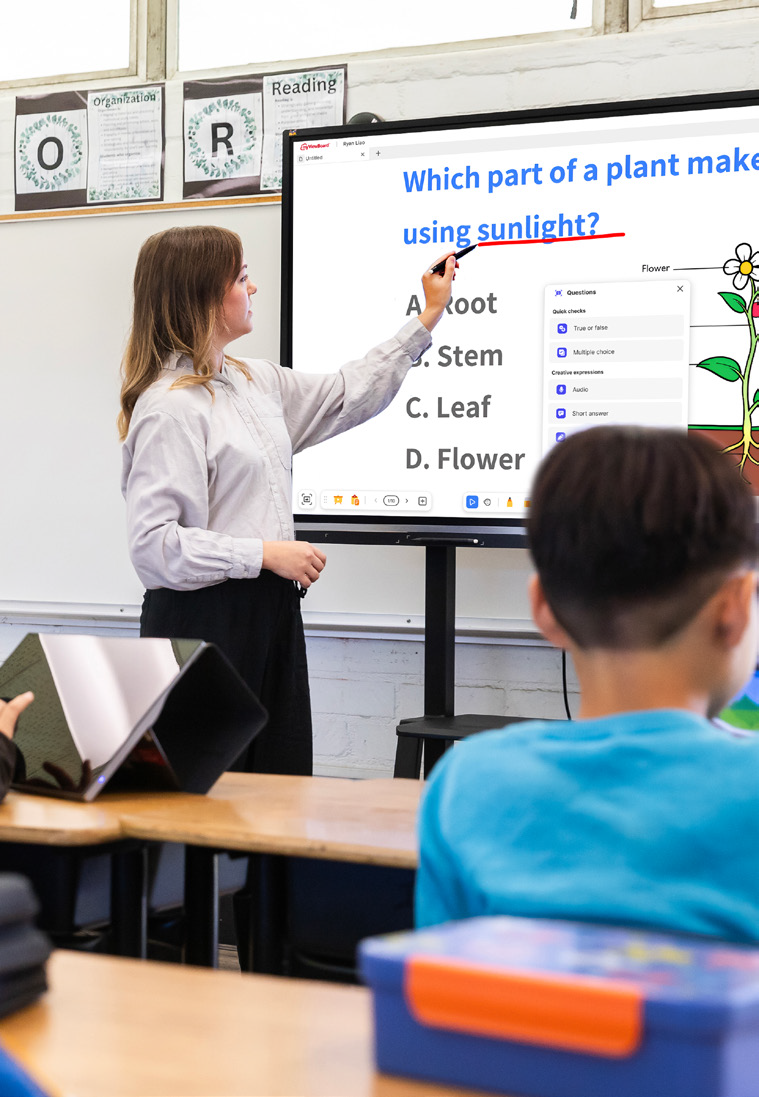
A large urban school district in Texas set out to modernize classroom technology across all its schools. The project started with 451 interactive displays in phase one, with plans to expand into thousands of additional classrooms later.
The district didn’t just need hardware. It required a complete solution that fit its Chrome and Google ecosystem, offered secure authentication for staff and students, provided mounting flexibility for different room layouts and enabled central fleet management.
Security was a top priority, especially around validating how badge authentication would work right at the display.
The timing for this project was also tight. Everything had to be sourced, shipped to multiple locations and delivered before a strict fiscal year-end deadline, requiring precise coordination with channel partners.
What ViewSonic Solution Did the District Deploy?
Working with CDW as its reseller partner, the district deployed a complete classroom technology package:
- 451 ViewBoard® IFP8641 86” 4K Android EDLA interactive displays.
- 451 VPC13-C33-G1 Chromebox OPS slot-in PCs built for Chrome OS and Google environments.
- 481 VB-BLM-002 BalanceBox height-adjustable mounts, including extra units for existing displays.
- 451 ViewSonic® Manager Advanced software 7-year licenses for central fleet management.
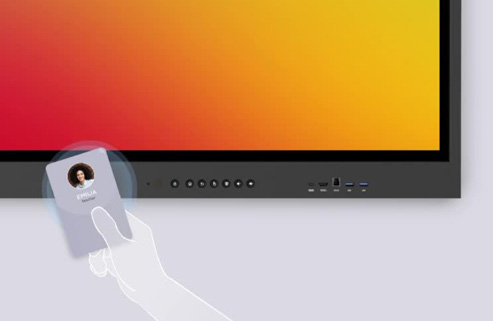
- 451 NFC card readers for secure sign-on
The 86” ViewBoard IFP8641 anchored each room, VPC13-C33-G1 Chromebox OPS devices matched the district’s Google setup while NFC card readers gave teachers a fast, secure way to sign in at the display. VB-BLM-002 BalanceBox mounts allowed staff to set displays at the right height for every classroom.
The IFP8641 fit the district’s requirements on its own specs: an 86” 4K display with Android EDLA certification, built-in Google security, native access to Google and Microsoft ecosystems, EPEAT Silver and ENERGY STAR 8.0 ratings and a 3-year limited on-site warranty.
ViewSonic Manager Advanced software tied the whole setup together, giving IT central monitoring across every building. Before finalizing the deal, ViewSonic worked directly with the district to validate NFC functionality, resolving its primary security concern.
ViewSonic and its reseller partner coordinated a multi-location delivery plan to ensure all 451 displays and accessories arrived before the district’s fiscal yearend deadline.
Why Did the District Choose ViewSonic?
The district needed one manufacturer that could supply interactive displays, Chrome computing, secure authentication and central management as a complete package, delivered at scale on a tight deadline.
ViewSonic covered every requirement, and validating NFC authentication up front proved the solution met the district’s strict security standards.
ViewSonic’s reseller partner coordinated pricing, ordering and multi-location logistics, letting the district run a large, time-sensitive rollout through a single reseller relationship.
What Results Has the District Seen?
- Deployed 451 interactive displays across the district on time to hit a strict fiscal year-end deadline.
- Enabled secure sign-on at the display using NFC card readers, validated before purchase to meet security requirements.
- Integrated Chrome OS computing into classrooms using Chromebox OPS devices.
- Centralized fleet management through Manager Advanced software so IT supports every location from one platform.
- Established a proven standard ready to expand across thousands of additional classrooms in future phases.
Phase one gave the district a secure, centrally managed display platform delivered on schedule. It also created a clear blueprint for the future: with the standard proven, the district and its partners can easily expand the same setup to thousands of other classrooms.
SOLUTION
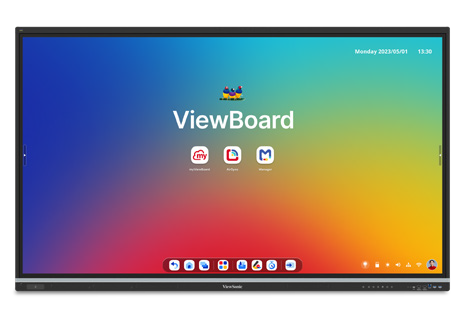
86” IFP8641 ViewBoard interactive display
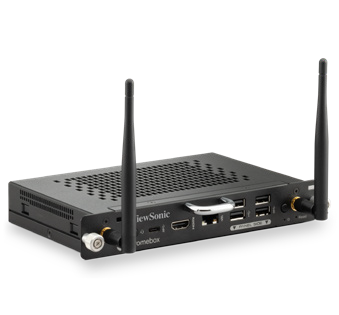
VPC13-C33-G1 Chromebox OPS slot-in PC
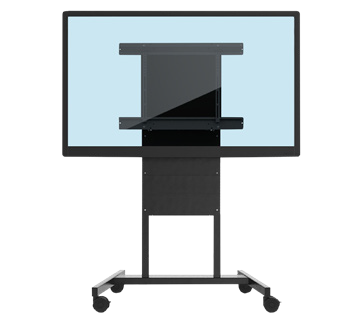
VB-BLM-002 BalanceBox mount

ViewSonic Manager Advanced software
ACR1552U-M1 NFC card reader
Frequently Asked Questions
How Does NFC Authentication Work on an Interactive Display?
NFC authentication lets users tap a card or badge on a reader at the display to sign in securely without typing passwords. This district added NFC card readers to its ViewBoard deployment so staff could sign on quickly and get started teaching faster.
Can Interactive Displays Run in a Chrome and Google Environment?
Yes. A Chromebox OPS device like the ViewSonic VPC13-C33-G1 turns a ViewBoard interactive display into a Chrome OS endpoint that fits into Google environments. This district paired all 451 IFP8641 displays with VPC13-C33-G1 devices so classrooms matched its existing setup.
How Does a District Manage Hundreds or Thousands of Interactive Displays?
Manager Advanced software is a cloud platform that lets IT teams check status, push updates and manage displays across every school from one dashboard. The district licensed Manager Advanced software for all 451 displays. This made the growing fleet easier to manage from one platform.
Can a District Roll Out Interactive Displays in Phases?
Yes. A phased rollout lets a district standardize on one platform, test it in real classrooms and expand with confidence. This district deployed 451 interactive displays in phase one and is ready to roll out the same setup across thousands of additional classrooms in upcoming phases.
Ready to Plan a District-Wide Display Rollout?
Talk to a ViewSonic representative or an authorized partner about standardizing interactive displays, Chrome computing, secure authentication and central management across your district.
Related Links
- IFP8641, 86” 4K Android EDLA ViewBoard interactive display
- VPC13-C33-G1 Chromebox OPS slot-in PC
- VB-BLM-002 BalanceBox mount
- Manager Advanced device management software


Login and Registration Form