
Rolling Into Learning: Why Mobile Carts Are the Secret to Flexible, High-Engagement Classrooms
- Sep 29, 2026
Buyer's Guide | Nov 12 2025
Rolling Into Learning: Why Mobile Carts Are the Secret to Flexible, High-Engagement Classrooms
When people picture an interactive display, they usually picture it mounted at the front of the classroom. That’s changing. More schools and districts are moving their panels onto mobile carts, and the reasons go well beyond convenience.
Beyond the Front of the Room: Why Schools Are Taking ViewBoard Displays Off the Wall
Moving a ViewBoard display onto a cart does more than free up wall space. It changes how teachers actually use the room.
Reclaiming the Whiteboard: Keeping Your Marker Space While Adding Digital Power
Teachers still love a good old whiteboard marker, and that isn’t going away. Putting your ViewBoard display on a mobile cart frees up the wall space teachers already use for analog teaching. You get digital power without giving up the marker board behind it. This kind of setup works well in schools that combine interactive technology with analog instruction, where the digital display and the traditional marker board serve complementary purposes instead of competing for space.
Breaking the “Fixed Front” Classroom Model
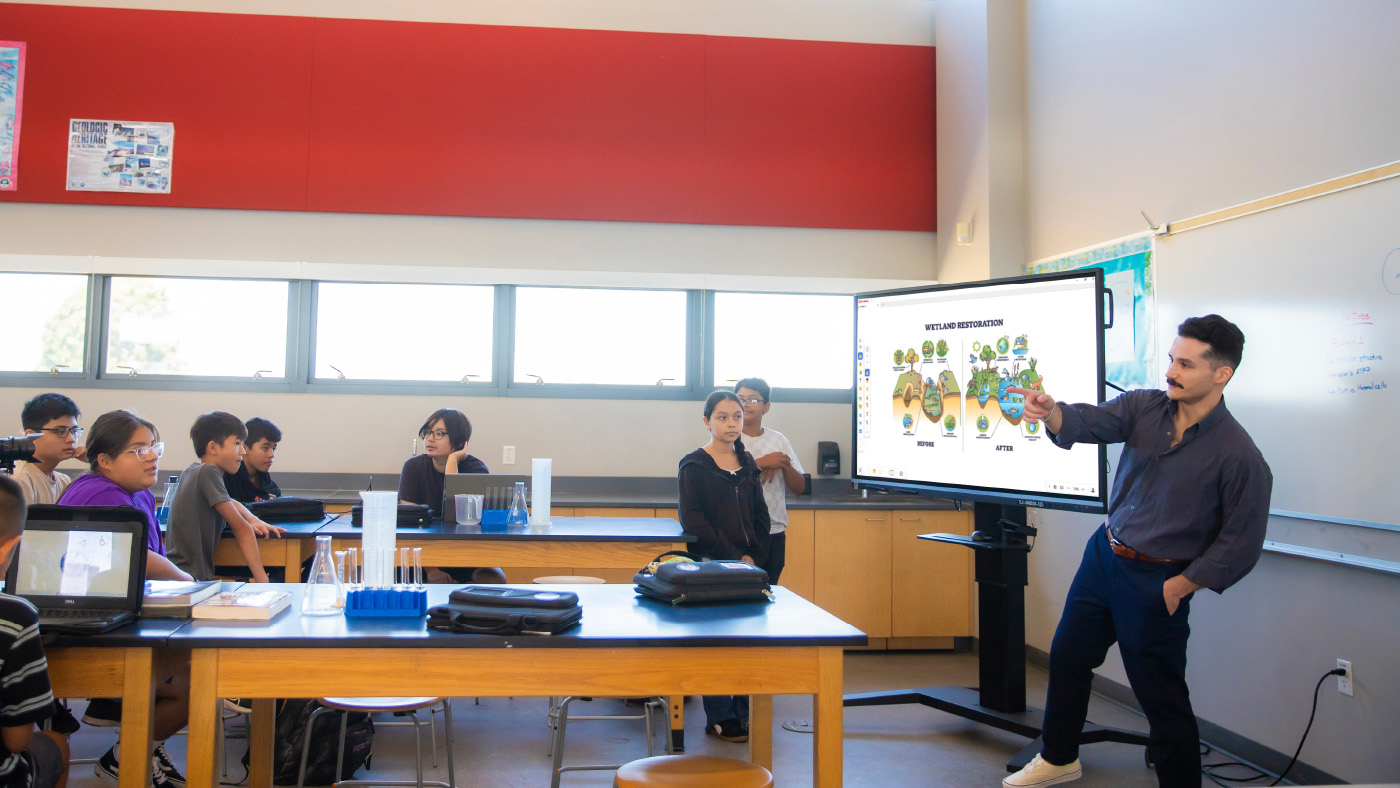
A wall mount keeps your panel in one spot. And while that might be helpful in many classrooms, a mobile cart lets you roll it wherever a lesson needs it, whether that’s a reading corner, a different wall or the center of the room. So much changes in a classroom throughout the day, and a panel that moves with the lesson keeps students more engaged than one that stays fixed in place.
Sizing and Accessibility: Solving the “Kindergarten Height” Problem
Every classroom has a mix of heights, from kindergartners to teachers well over six feet tall. Mobile carts help you meet everyone in the middle.
Reaching Every Student: How Adjustable Carts Bridge the Gap for Early Learners
Younger students need to actually reach the screen, and teachers need to write on it without bending over all day. A cart with adjustable height solves both problems at once, so the same board works for a kindergartner and a six-foot-tall teacher in the same classroom.
Motorized Precision: Using BalanceBox® and Motorized Carts for Ergonomic Teaching
Our motorized carts, including the BalanceBox line, let you raise or lower the panel with the push of a button. That means the board is always at the right height for whoever is using it, whether that’s a student reaching the screen or a teacher writing at the top. This kind of ergonomic accessory often gets overlooked in procurement conversations, but it has a real impact on daily usability, especially in early education where students and teachers of very different heights share the same display.
The “Anywhere” Board: Utilizing ViewBoard Displays in Hallways, Gyms and Beyond
A ViewBoard display doesn’t have to stay in one classroom. Once it’s on a cart, it can go wherever your campus needs it that day.
From Gallery Walks to Parent Nights: Interactive Tech Outside the Classroom
A mobile cart means your ViewBoard display isn’t stuck in one room. For a back-to-school night, a teacher can display student work in the classroom, then roll the panel into the hallway for a gallery walk. During a parent-teacher event, the same board can run a sign-in station right outside the door, so parents stay engaged while they wait. One panel can do the job that used to take several.
Strategy in the Gymnasium: Safe, Mobile Tech for Coaches and Athletics
Another option is placing the board in strategic spaces, such as a basketball court or a gymnasium. A basketball or volleyball coach can use it to highlight strategy and plan out plays for students before they play. While you may not want to put a permanent wall mount in a gymnasium where balls are flying, a mobile cart allows you to move the panel out of the way when the game is in progress but still lets you strategize during practice.
Scaling Your Campus Fleet: Finding the Right Fit for Every Space
Different spaces call for different setups, and ViewSonic gives you room to mix and match across your campus.
Choosing Between Fixed Mounts and Mobile Deployment Strategies
Every district has different needs, so ViewSonic offers both options. Choose a wall mount for spaces that need a permanent, secure setup, or choose a mobile cart for spaces that need flexibility. Most campuses end up using a mix of both.
Centralized Control: Managing Your Mobile ViewBoard Displays via ViewSonic Manager
Moving panels between rooms doesn’t mean losing visibility. With ViewSonic Manager, IT teams can push updates, monitor device status and manage security settings remotely, no matter which room or gym a panel is in that day.
There’s no single right answer. Some spaces need a fixed wall mount. Others need a cart that can roll from the classroom to the hallway to the gym. ViewSonic offers both, so you can build a fleet that matches how your campus actually teaches.
Ready to find the right setup for your classroom? Contact your ViewSonic education representative to explore mobile cart and wall mount options.


Login and Registration Form