
Community Webinar Recap: 3 Dynamic Ways to Level Up Whiteboard Content
- Jun 24, 2026
Community Webinar Recap: 3 Dynamic Ways to Level Up Whiteboard Content
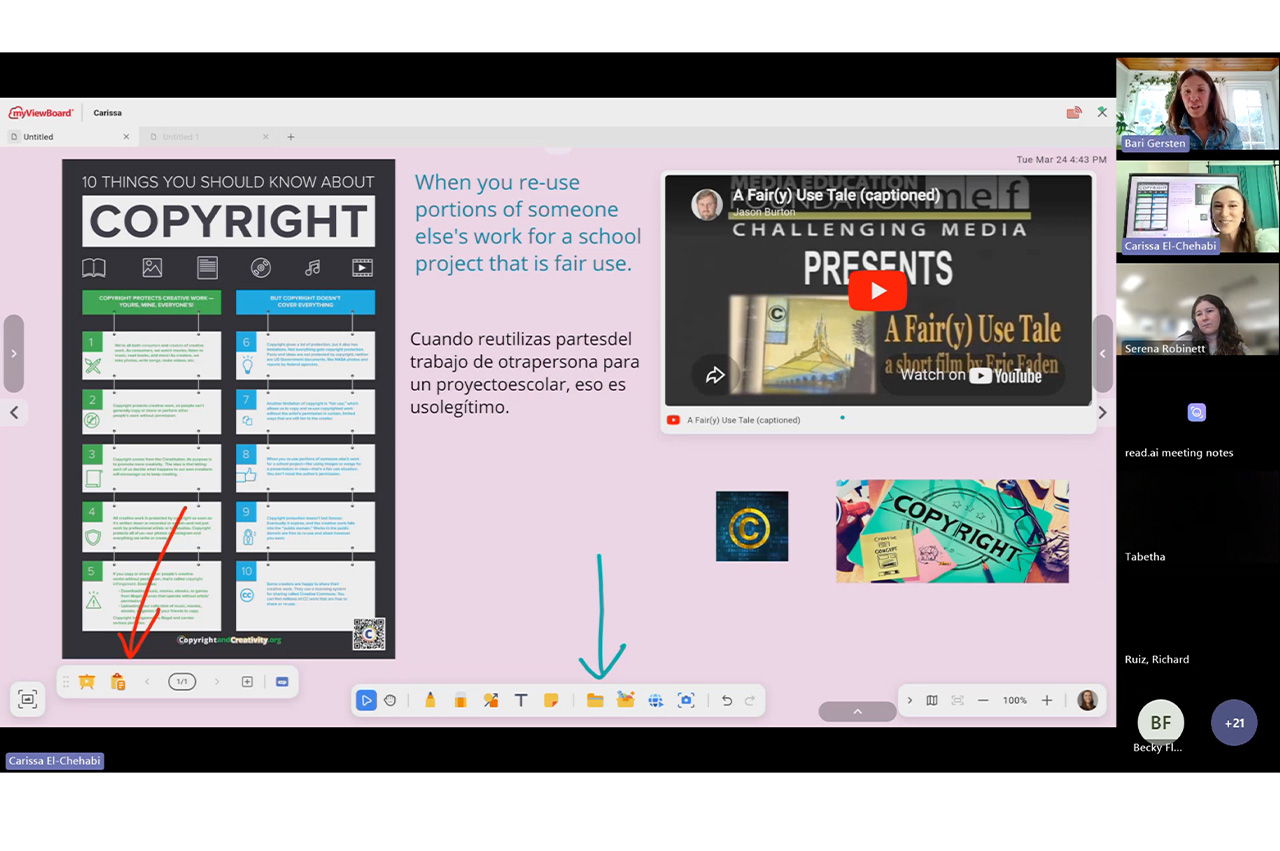
The myViewBoard® ecosystem is designed to be more than just a blank space. It’s a true hub for interactive learning! In a recent ViewSonic Community webinar, professional development trainer Carissa El-Chahabi showed us how to move beyond basic annotation. She demonstrated exactly how to transform your canvas into a rich multimedia experience.
Here are three powerful ways to bring your lessons to life.
1. Direct File Imports
There is no need to reinvent the wheel when planning your week. If you have existing resources saved as Google Docs, Promethean Flipcharts, Smart Notebook files, presentation slides or PDFs, you can open them directly inside your session.
2. Magic Box: Seamless YouTube Integration
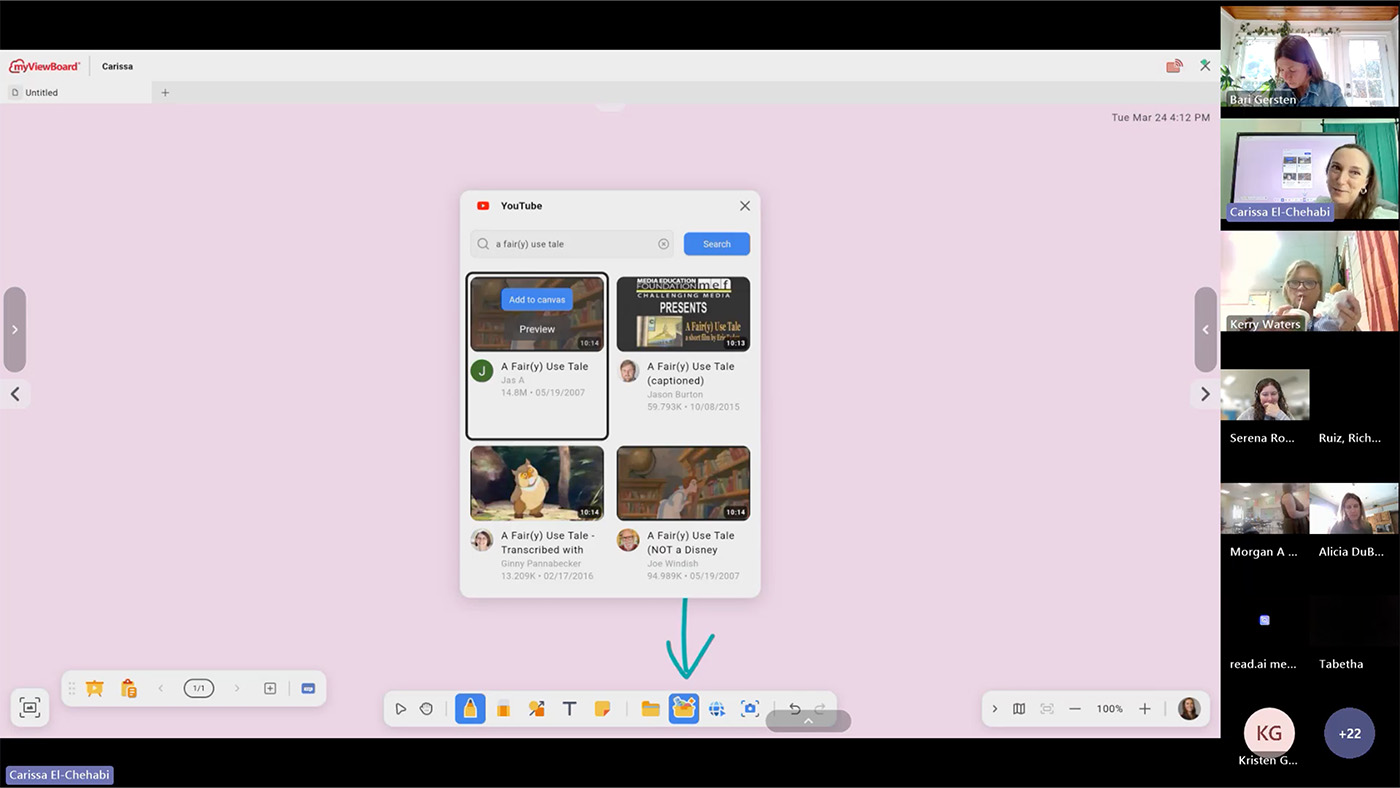
Stop fumbling with browser tabs and distracting web links. The Magic Box allows you to search for and embed YouTube videos directly onto your canvas.
Why is this a game changer? It automatically skips all those annoying advertisements. This keeps the classroom focus entirely on your curriculum. Because the video is embedded right into your file, you never have to leave the myViewBoard environment to hit play.
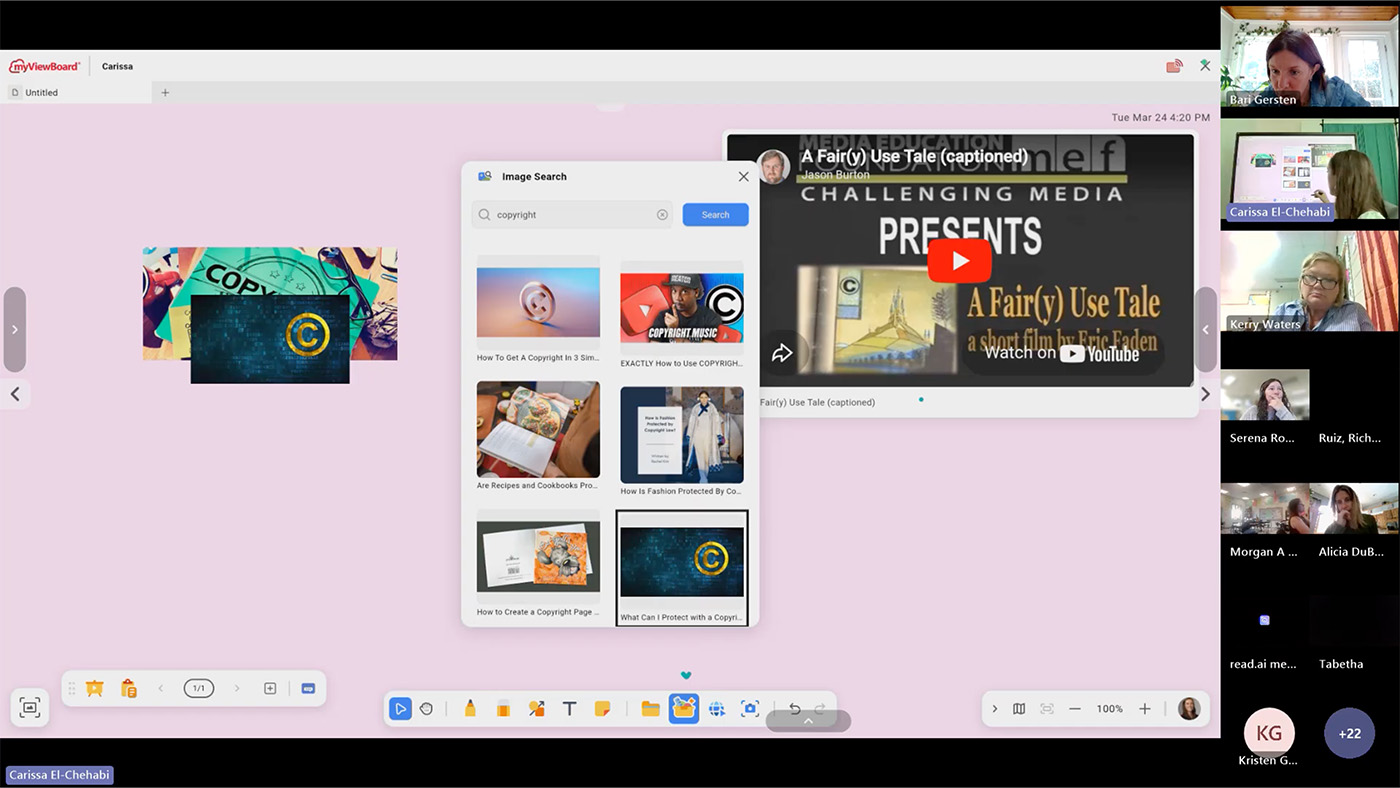
3. Magic Box: Integrated Image Search
Need a quick diagram of a plant cell or a high-res photo of the Colosseum? You can search and add images without having to go to the web or save on your computer.
Once you drop an image onto the canvas, our adorning menu gives you instant control. You can freely resize, crop or lock the image in seconds to fit your lesson layout perfectly.
Keep Learning With Us
We are always sharing new ideas and helpful tricks to make teaching easier. Ready to see these digital whiteboard features for yourself?
Want to learn more from our experts? Join the ViewSonic Educator Community.


Login and Registration Form