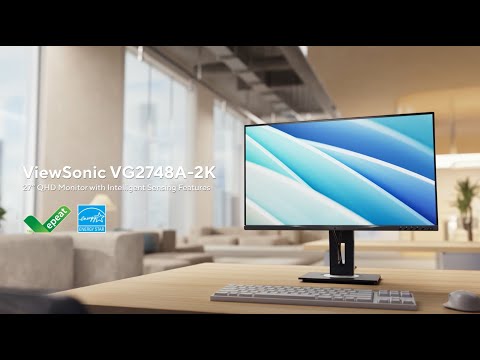
VG2748A-2K
27” QHD Monitor with Intelligent Sensing Features
- QHD resolution (2560 x 1440) for sharp detail and clarity
- 100Hz refresh rate ensures smooth, fluid visual performance
- USB 3.2 hub with 1 upstream and 4 downstream ports, HDMI, DisplayPort, and VGA inputs for versatile connectivity
- Intelligent sensing technology with built-in sensors and 7 adaptive modes designed to enhance energy efficiency, productivity, privacy, and well-being
- Ergonomic stand with tilt, swivel, pivot, and height adjustment for personalized comfort
OVERVIEW
The ViewSonic VG2748A-2K is a 27-inch QHD (2560 x 1440) business monitor designed to elevate productivity, comfort, and energy efficiency in modern workspaces. It features seven intelligent sensing modes that enhance viewing comfort, protect privacy, and support user well-being throughout the workday. A fully adjustable ergonomic stand allows for optimal positioning with tilt, swivel, pivot, and height adjustments. Equipped with a USB 3.2 hub (1 USB-B upstream, 3 USB-A, and 1 USB-C downstream with 15W power delivery), along with HDMI, DisplayPort, and VGA inputs, the VG2748A-2K ensures seamless device connectivity. vDisplay Manager and vSplit software provide enhanced screen management, while the ViewSonic Display Portal supports convenient software access and updates. Designed with sustainability in mind, the monitor meets EPEAT Silver and Energy Star 8.0 certifications and comes in eco-friendly packaging, reducing environmental impact without compromising performance.Stunning Image Quality
Whether you’re working or relaxing, the 16:9 screen featuring QHD 2560 x 1440 resolution display delivers enhanced quality visuals, improving your workflow and downtime by making in-screen content more enjoyable and immersive.QHD 2560 x 1440

Smooth Visuals with 100Hz Refresh Rate
With a fast 100Hz refresh rate, experience a truly fluid visual display. This improves viewing clarity, reduces screen stutter in fast action scenes, and enhances work-related tasks, reducing eye strain and boosting productivity.100Hz Refresh Rate

Seamless Flexibility with Integrated Docking
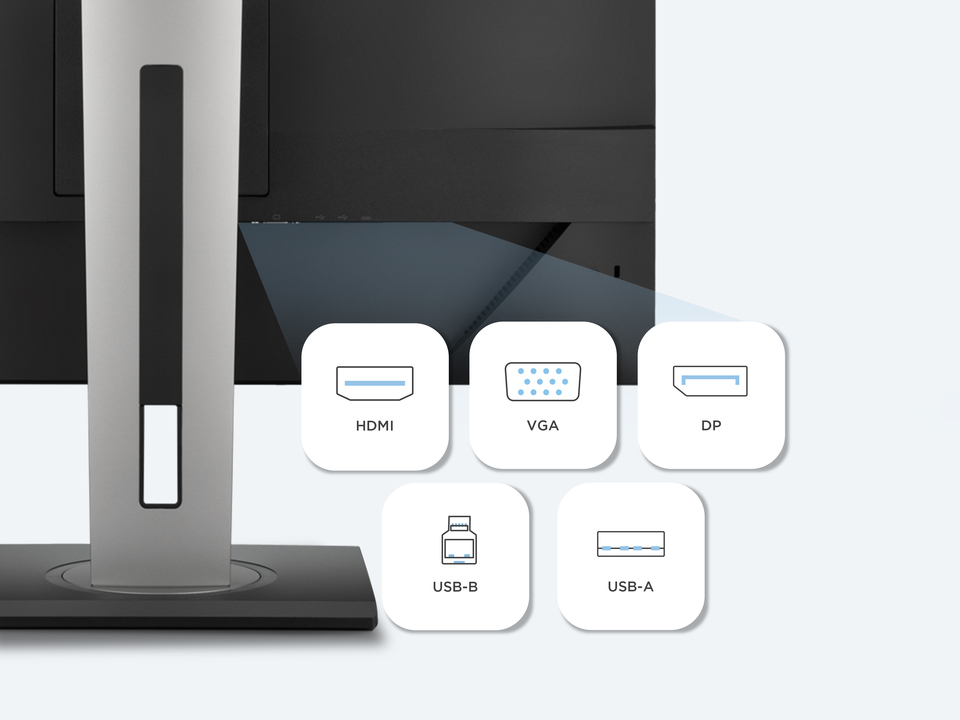
Stay connected and work efficiently with HDMI, VGA, and DisplayPort inputs, giving you the freedom to link your monitor to a wide variety of devices. The integrated USB 3.2 hub simplifies daily tasks, with 3 USB-A downstream ports for fast data transfers and effortless connections to peripherals like keyboards and mice. In addition, a USB-B upstream port and a USB-C downstream port with 15W power delivery offer convenient, dedicated charging for your devices, keeping your workspace organized and powered up.HDMI, VGA, DP, USB-B Upstream, USB-A Downstream*3
Brightness That Adapts to Your Environment
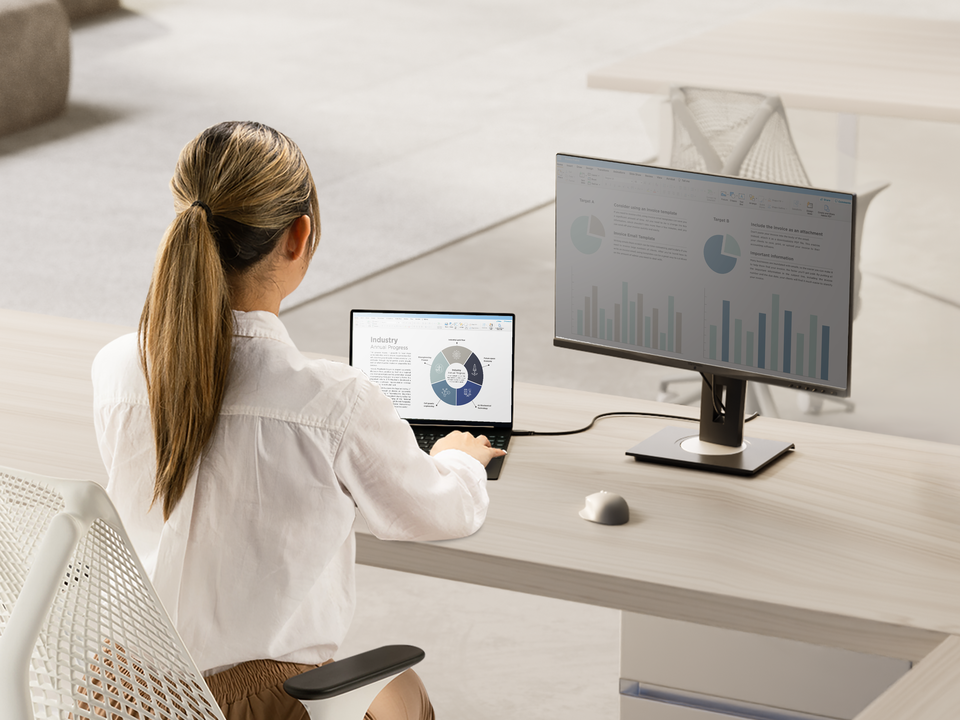
Experience optimal viewing comfort with the built-in Ambient Light Sensor mode, which automatically adjusts screen brightness based on surrounding light conditions. Whether it’s bright at noon or dim in the evening, the monitor adapts in real time to reduce eye strain, maintain clear, comfortable visibility, and save up to 30% in power consumption throughout the day.Note: The screen automatically adjusts brightness across three levels based on ambient lighting.
Ambient Light Sensor
Stay Focused with Seamless Control
Boost productivity, conserve energy, and enhance screen privacy with Auto-Dimmer. This intelligent mode decreases the screen brightness when you're not actively viewing it—helping reduce distractions, protect privacy in shared or open workspaces, and save up to 50% in power consumption.Note: The screen dims after 20 seconds when you look away and brightens again when you return. Optimized for multi-monitor, side-by-side setups.
Auto-Dimmer
Protect Your Privacy
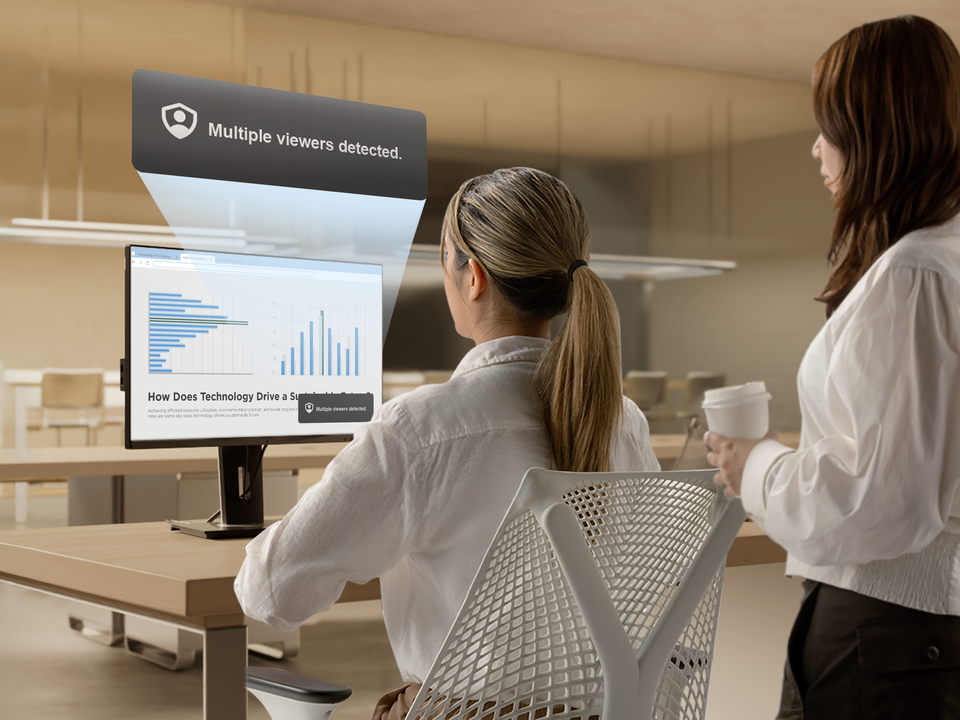
Keep your screen confidential with Privacy Alert, an intelligent sensing feature that helps prevent shoulder surfing in shared or open environments. When another person is detected viewing your screen, the monitor automatically displays a warning message—adding an extra layer of protection for sensitive information.Note: If another person overlaps with the main user, the monitor sensor may not detect their presence accurately.
Privacy Alert
Automatic Screen Power Saving
Save up to 85% in power consumption without interrupting your workflow. When no user is detected, Power Saving Mode automatically turns off the screen backlight and reactivates it as soon as you return—helping reduce energy use while maintaining everyday convenience.Note: The screen backlight turns off after 45 seconds of inactivity and automatically turns back on when the user returns.
Power Saving Mode
Smarter Breaks for Better Focus
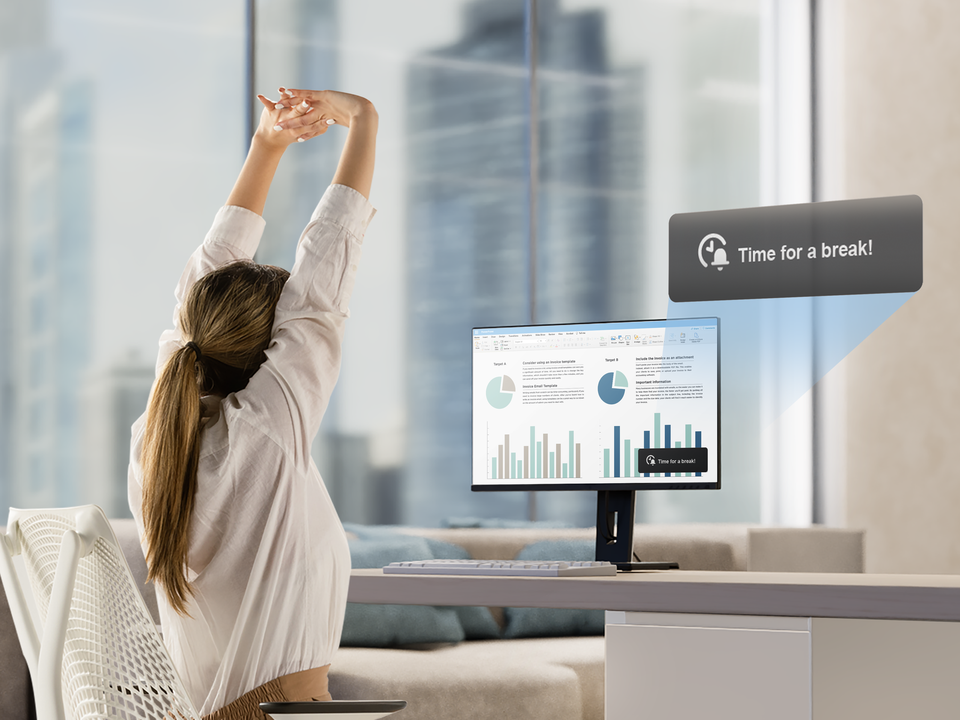
Track screen time and receive gentle prompts to take regular breaks—encouraging movement, reducing eye strain, and supporting overall well-being. Break Reminder helps promote healthier work habits by allowing users to customize reminder intervals that align with their schedule, fostering a more balanced and productive workflow.Note: Break reminders can be set to occur every 1 or 2 hours.
Break Reminder
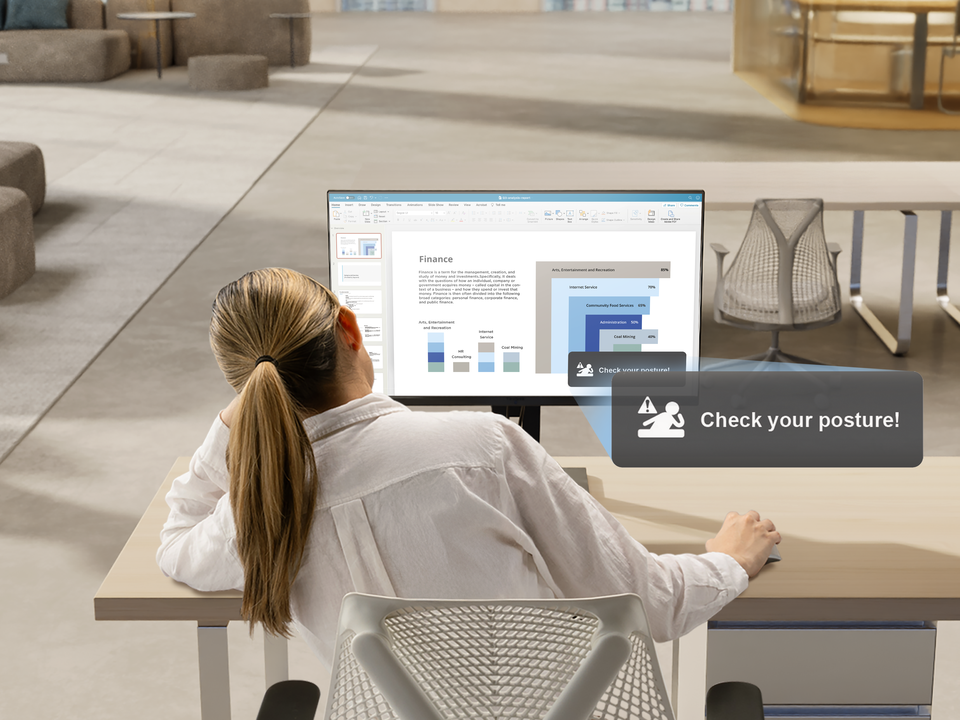
Smart Alerts for Healthy Posture
Posture Check offers gentle reminders to help you maintain healthy sitting habits throughout the day. When poor posture is detected, an on-screen message prompts a quick adjustment—promoting greater comfort and well-being during extended periods of work.Posture Check
Navigate with a Glance
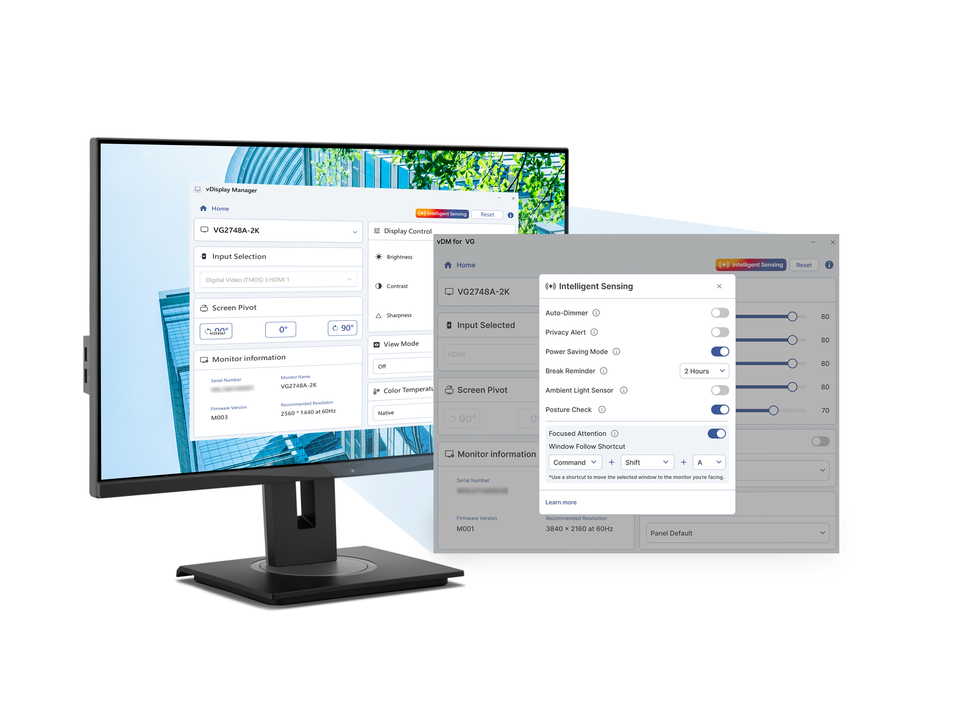
Focused Attention Mode automatically shifts your mouse pointer to the screen you’re looking at—making multitasking across multiple monitors smoother and more intuitive. For an even faster workflow, the built-in Window Follow Shortcut lets you instantly move the active window to the screen you're facing, minimizing manual adjustments and keeping you focused on the task at hand.Note: Requires vDisplay Manager software and is compatible with Windows and Mac systems. To connect with the software, the monitor must be connected via HDMI or DisplayPort, and a USB-B to USB-A cable must also be used. Shortcut keys can be customized within the software settings.
Focused Attention Mode
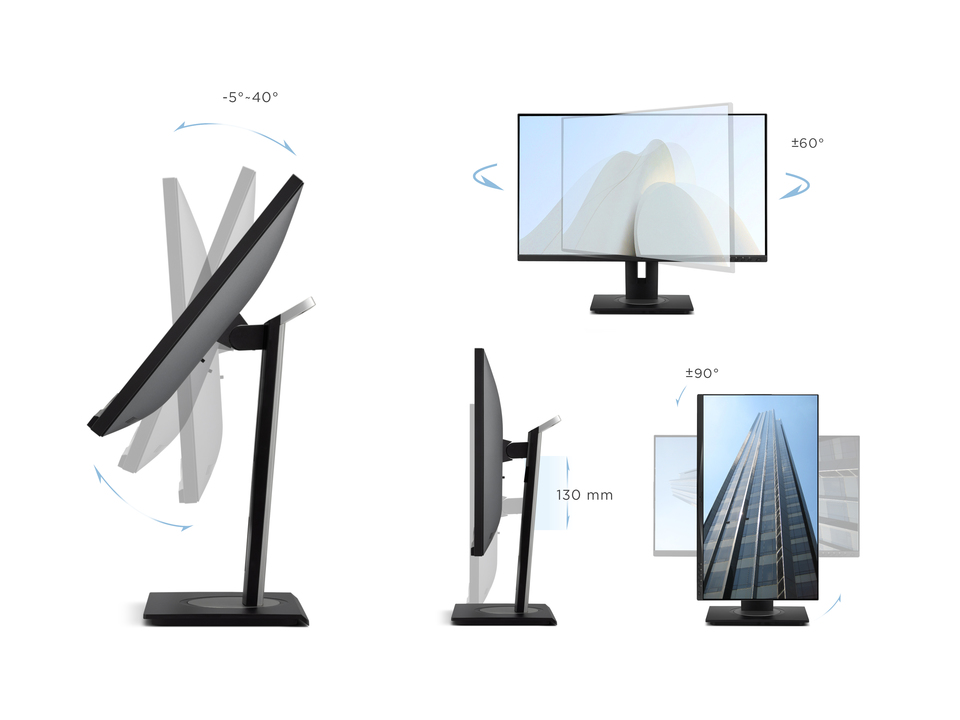
A New Angle on Workplace Ergonomics
Enjoy every detail with advanced ergonomics – swivel, pivot, height adjustment, and a -5° ~ 40° ergonomic tilt angle. Each provides a greater range of customizable adjustments for maximum comfort. The full ergonomic design also enables you to use the monitor while standing or having a strategic group discussion around the screen.Tilt -5°~40°, Swivel ±60°, Pivot ± 90°, Height Adjust 130 mm
Streamline Your Workflow with ViewSonic Software
Enhance productivity and customization with a suite of free tools available through the ViewSonic Display Portal. From multi-window management to intelligent display controls, these solutions help streamline workflows and elevate the workspace experience. Note: Available software for the VG2748A-2K includes vDisplay Manager, vSplit, and more.
ViewSonic Display Portal

All Settings, One Interface
Easily adjust your display and manage Intelligent Sensing features right from your desktop. vDisplay Manager gives users full control over each mode, from brightness and posture alerts to multitasking enhancements—making setup simple and customization seamless.vDisplay Manager
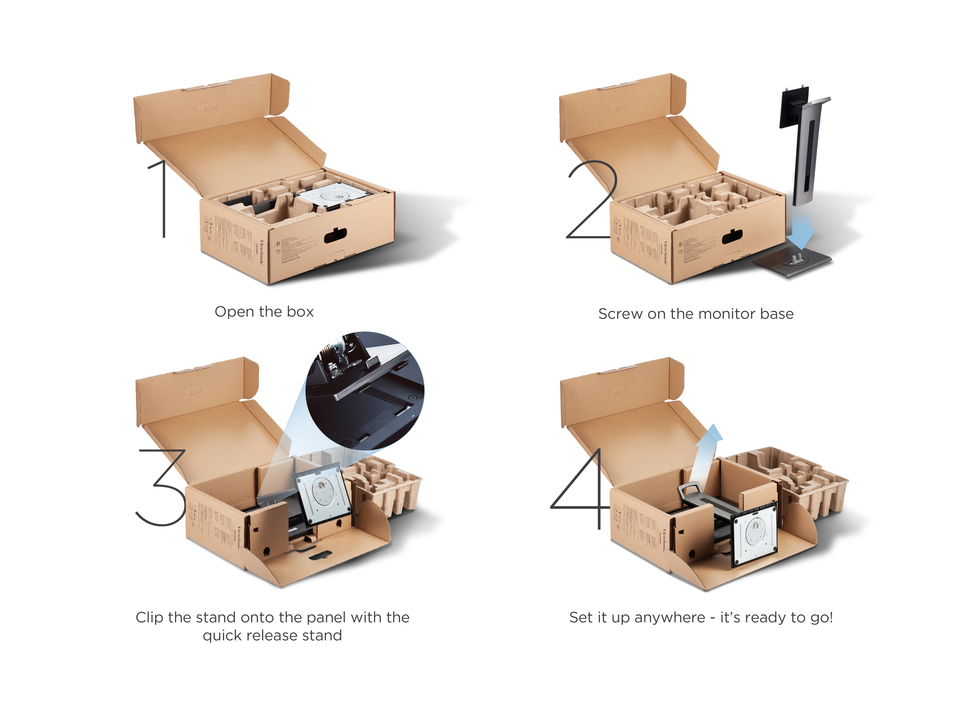
Effortless Installation
Installation could not be easier. Simply open the box, screw the base without tools to the quick release stand, snap the stand into place, and lift your fully assembled display out of the box.Quickly Assembly Design
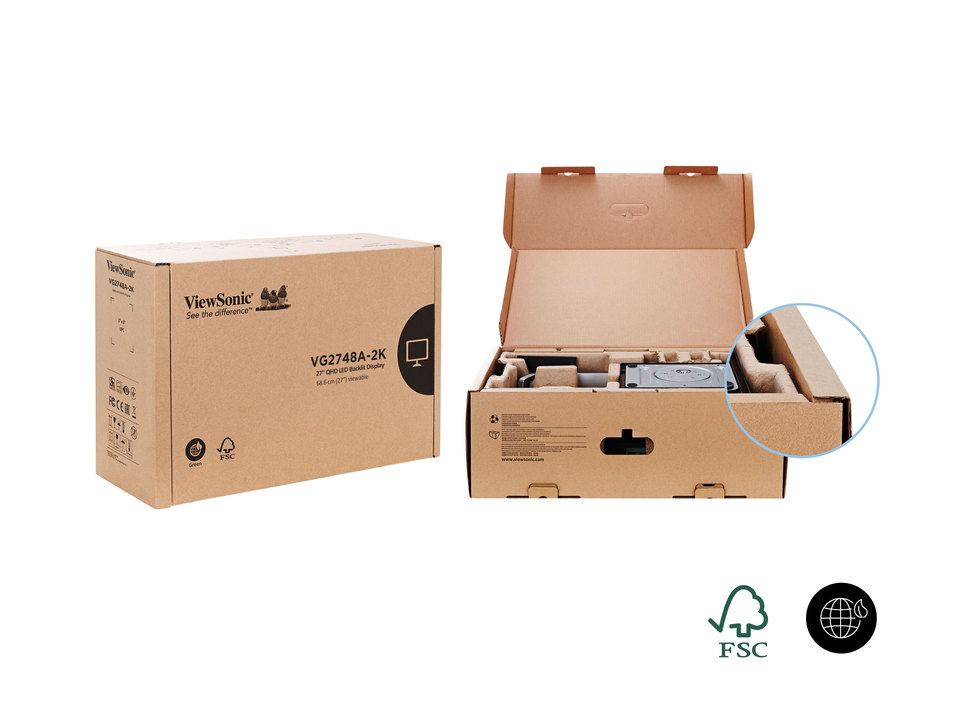
Eco-friendly, Biodegradable Packaging
Designed with sustainability in mind, the packaging is crafted from 100% recyclable, FSC-certified materials and uses water-based ink for prints. Inside, the monitor is wrapped in a biodegradable protective sleeve, and cables are secured with a reusable Velcro strap, minimizing the use of single-use materials.FSC-Certified Packaging
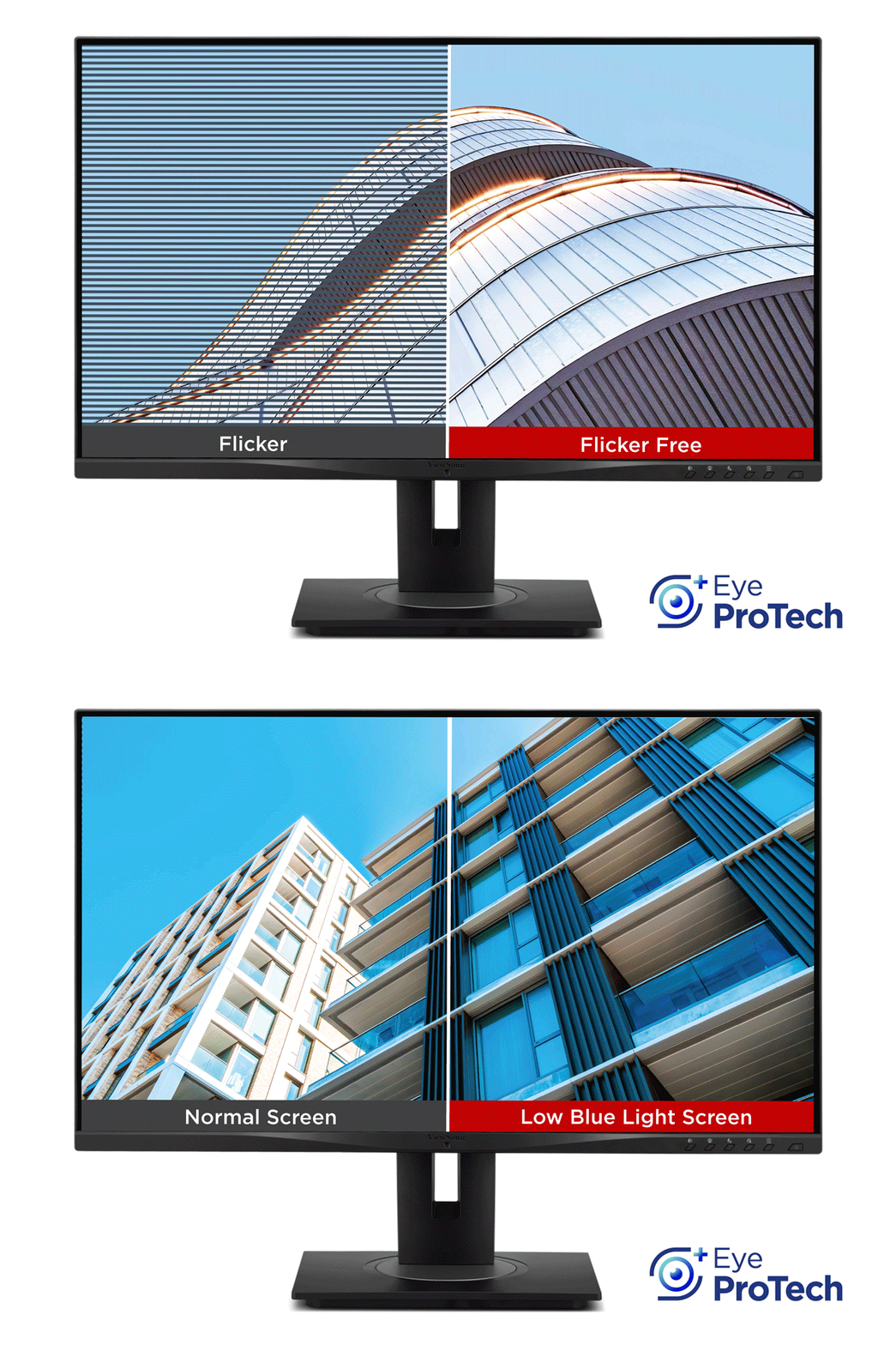
Eye ProTech+ for Always-on Eye Protection
Work comfortably over extended periods with ViewSonic Eye ProTech+. Combining Flicker-Free technology with a built-in low blue light screen, this monitor helps maintain fresh-feeling eyes and prevent digital eye fatigue at all times without compromising image quality.Flicker-Free, Low Blue Light Monitor
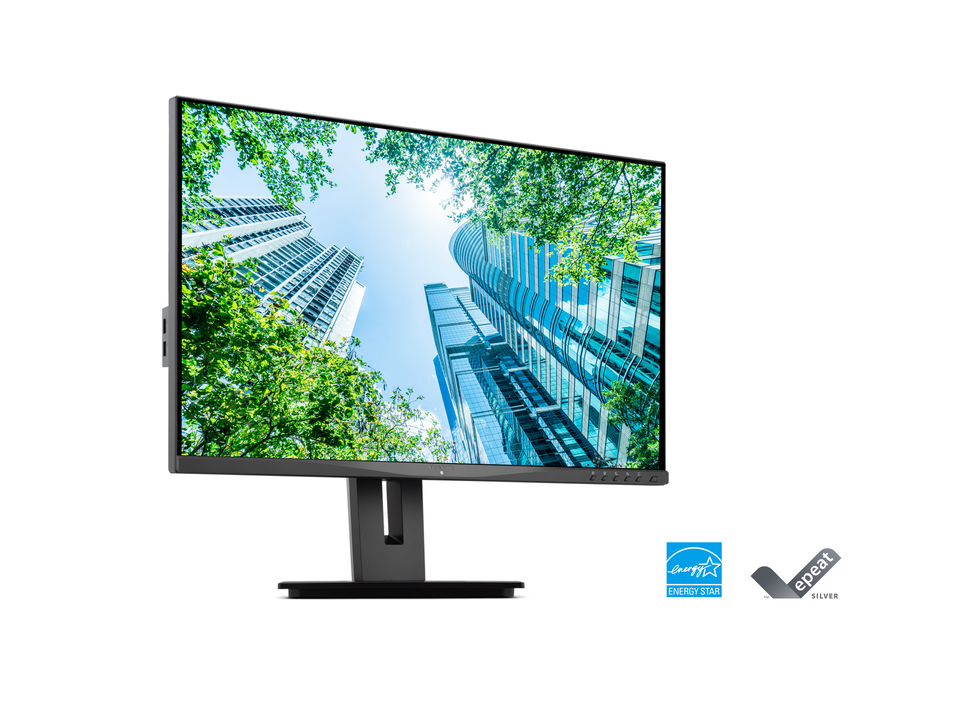
Certified Environmental Sustainability
This monitor is EPEAT Silver and ENERGY STAR-certified, designed to save energy costs and reduce greenhouse gas emissions.*Energy savings may vary based on usage and other factors.
*Certifications and safety regulations may vary by region.
Energy Star, EPEAT
Dimension & I/O Ports
Conveniently mount the monitor to your preference by utilizing the 100mm x 100mm VESA-compatible mount design.100mm x 100mm VESA mount
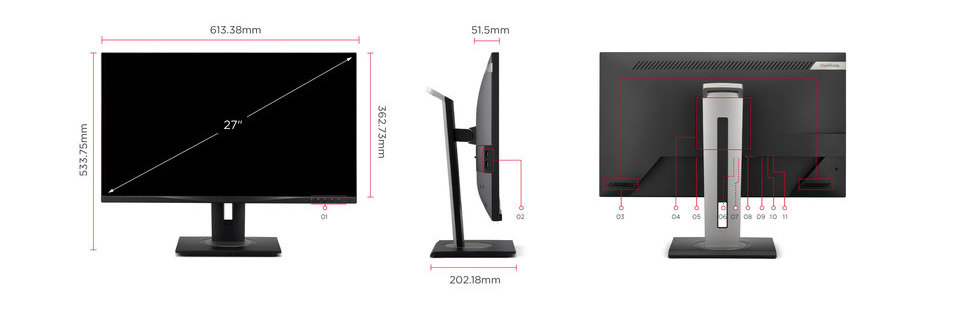
- Menu Control Panel
- USB 3.2 Downstream (Type A*2)
- Speakers
- VESA Compatible
(Wall Mount 100 x 100mm) - Power In
- HDMI
- DisplayPort
- VGA
- USB 3.2 Upstream (Type B)
- USB 3.2 Downstream (Type A)
- USB 3.2 Downstream (Type C)
SPECIFICATIONS
- DisplayDisplay Size (in.): 27
Viewable Area (in.): 27
Panel Type: IPS Technology
Resolution: 2560 x 1440
Resolution Type: QHD (Quad HD)
Static Contrast Ratio: 1,300:1 (typ)
Dynamic Contrast Ratio: 50M:1
Light Source: LED
Brightness: 350 cd/m² (typ)
Colors: 16.7M
Color Space Support: 8 bit true
Aspect Ratio: 16:9
Response Time (Typical GTG): 5ms
Response Time (GTG w/OD): 5ms
Viewing Angles: 178º horizontal, 178º vertical
Backlight Life (Hours): 30000 Hrs (Min)
Glass Hardness: 3H
Curvature: Flat
Refresh Rate (Hz): 100
Low Blue Light: Hardware solution
Flicker-Free: Yes
Color Gamut: NTSC: 76% size (Typ)
sRGB: 108% size / 99% coverage (Typ)
Pixel Size: 0.233 mm (H) x 0.233 mm (V)
Surface Treatment: Anti-Glare, Hard Coating (3H) - CompatibilityPC Resolution (max): 2560x1440
Mac® Resolution (max): 2560x1440
PC Operating System: Windows 10/11 certified; macOS tested
Mac® Resolution (min): 2560x1440 - ConnectorVGA: 1
USB 3.2 Type A Down Stream: 3
USB 3.2 Type B Up Stream: 1
USB 3.2 Type C Down stream: 1 (15W power charger & Data transfer only)
HDMI 2.1: 1
DisplayPort: 1
Power in: 3-pin Socket (IEC C14 / CEE22)
- AudioInternal Speakers: 2Watts x2
- PowerEco Mode (Conserve): 25.1W
Eco Mode (optimized): 28.5W
Consumption (typical): 33W
Consumption (max): 36.6W
Voltage: AC 100-240V
Stand-by: 0.5W
Power Supply: Internal Power Supply - Additional HardwareKensington Lock Slot: 1
Cable Organization: Yes - ControlsPhysical Controls: Key 1 (auto-dimmer), Key 2, Key 3, Key 4, Key 5, Key 6 (power)
On Screen Display: Input Select, Intelligent Sensing, ViewMode, Color Adjust, Manual Image Adjust, Setup Menu - Operating ConditionsTemperature: 32°F to 104°F (0°C to 40°C)
Humidity (non-condensing): 20% to 90% - Wall Mount VESA Compatible: 100 x 100 mm
- Input SignalFrequency Horizontal: RGB Analog: 31 ~ 80KHz, HDMI (v2.1): 31 ~ 150KHz, DisplayPort (v1.2): 31 ~ 150KHz
Frequency Vertical: RGB Analog: 50 ~ 75Hz, HDMI (v2.1): 50 ~ 100Hz, DisplayPort (v1.2): 50 ~ 100Hz - Video InputDigital Sync: TMDS - HDMI (v2.1), Micro-Packet - DisplayPort (v1.2)
Analog Sync: Separate/Composite/SOG - RGB Analog - ErgonomicsHeight Adjust (mm): 130
Swivel: 120º
Tilt (Forward/Back): -5º / 40º
Pivot (Right/Left): 90º / 90º - Weight (imperial)Net (lbs): 15.5
Net Without Stand (lbs): 10.5
Gross (lbs): 21.9 - Weight (metric) Net (kg): 7.1
Net Without Stand (kg): 4.8
Gross (kg): 9.9 - Dimensions (imperial) (wxhxd)Packaging (in.): 27.2 x 16.9 x 8.6
Physical (in.): 24.15 x 15.99~21.01 x 7.96
Physical Without Stand (in.): 24.15 x 14.28 x 2.03 - Dimensions (metric) (wxhxd)Packaging (mm): 692 x 430 x 218
Physical (mm): 613.38 x 406.19~533.75 x 202.18
Physical Without Stand (mm): 613.38 x 362.73 x 51.5 - GeneralRegulations: cTUVus, FCC-B, ICES003, Energy Star, EPEAT, CEC, NOM, Mexico Energy, CE, CE EMC, CB, RoHS, ErP, REACH, WEEE, EAC, UkrSEPRO
PACKAGE CONTENTS: VG2748A-2K x1, 3-pin Plug (IEC C13 / CEE22) x1, DisplayPort Cable (v1.2; Male-Male) x1, USB A/B Cable (v3.2; Male-Male) x1, Quick Start Guide x1
Recycle/Disposal: Please dispose of in accordance with local, state or federal laws.
Warranty: *Warranty offered may differ from market to market
Power Management: Energy Star standards, EPEAT
SUPPORT & DOWNLOADS
Datasheets
User Guides
VG2748A-2K User Guide (Bahasa Indonesia)VG2748A-2K User Guide (Dansk)VG2748A-2K User Guide (Deutsch)VG2748A-2K User Guide (Español )VG2748A-2K User Guide (Français)VG2748A-2K User Guide (Hrvatski)VG2748A-2K User Guide (Italiano)VG2748A-2K User Guide (Magyar)VG2748A-2K User Guide (Nederlands)VG2748A-2K User Guide (Norsk)VG2748A-2K User Guide (Polski)VG2748A-2K User Guide (Português)VG2748A-2K User Guide (Română)VG2748A-2K User Guide (Srpski)VG2748A-2K User Guide (Suomi)VG2748A-2K User Guide (Svenska)VG2748A-2K User Guide (Türkçe)VG2748A-2K User Guide (Česky)VG2748A-2K User Guide (Ελληνικά)VG2748A-2K User Guide (Български)VG2748A-2K User Guide (Русский)VG2748A-2K User Guide (Українська)VG2748A-2K User Guide (日本語)VG2748A-2K User Guide (简体中文)VG2748A-2K User Guide (繁體中文)VG2748A-2K User Guide (한국어)VG2748A-2K User Guide (ﺍﻟﻌﺭﺑﻳﺔ)VG2748A-2K UserGuide (English)
Quick Start Guide
Safety Compliance
Driver & Software
Standard Monitor Driver Signed Windows 10 x64Standard Monitor Driver Signed Windows 10 x86Standard Monitor Driver Signed Windows 7Standard Monitor Driver Signed Windows 7 x64Standard Monitor Driver Signed Windows 8 x64Standard Monitor Driver Signed Windows 8 x86Standard Monitor Driver Unsigned WindowsStandard Monitor Driver Unsigned Windows x64