Monitor Calibration and Colour Accuracy Combined – VP2768 Review
Few people realise that the screens on the back of their cameras are not particularly accurate, yet they rely on them at every photo shoot.We then tell ourselves that we’ll look at them properly on the computer when we get back to the studio.
But what if your PC monitors are just ‘stock screens’ and not colour management screens?
A myriad of questions begin to arise:
- How do you actually know what your camera is producing is accurate?
- How do you know what kind of reds, blues, greens or whites your monitor is displaying?
- What happens when you print them? Will the prints be as you expect?
- Do they match what you see on the monitor or even your camera screen?
- Will it be completely different?
- If it is different; where do you begin to make it look like it should?
- Do i need to do regular monitor calibration?
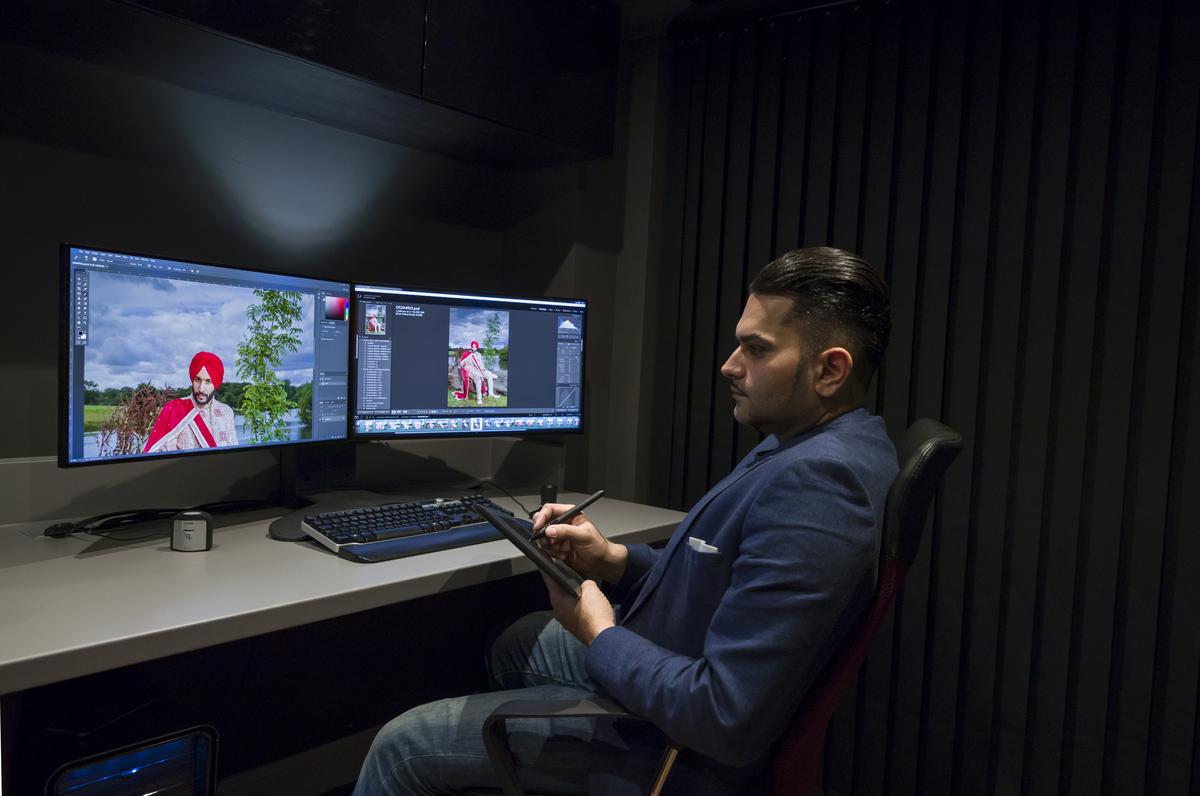
As a wedding photographer of luxury high-end (predominantly) Indian weddings, I am regularly faced with a feast of color, tradition and emotion all of which must be represented as faithfully in our images for the sake of our brides & grooms’ memories.
Colour Profiles
This process, for me, begins by creating a specific profile for each of my Canon EOS 1DX Mark 2 cameras using the X-Rite Colour Checker Passport – these individual profiles appear in Lightroom automatically and are used for every photograph in that catalogue.
The effect of these profiles is that it eliminated the variances between the different cameras as well as representing the colour values as they should be in Adobe Lightroom.
The Role My Monitor Plays
This is only the first step however; for me the major link in this ‘colour management chain’ is the monitor, and anyone who has looked into investing in one of these will tell you that it is a minefield and an expensive one at that!
In my experience it has always been a game of compromises between technical specifications, design and price; generally, if you want outright technical superiority then you won’t get much change back from £1500 and generally none of the screens are particularly attractive… until, that is, I saw the 27-inch ViewSonic VP2768.
Unboxing VP2768
My first impression when I saw this screen was how strikingly gorgeous it is. Its bezel is all but invisible combined with a matte anti-glare screen with no controls in sight. In-fact all the buttons are on the right-hand side on the back face of the screen and ViewSonic have been very thoughtful by aligning the ‘On Screen Display’ (OSD) associated with each of the controls on the back making navigation of the menu easy.
The near frameless design means my multiscreen setup will look very futuristic without frames creating boundaries. Despite the sleek, elegant and clever design, the VP2768 is incredibly well built and feel like a screen 3 times its price – and whilst we’re on the subject of price, this monitor can be purchased from Amazon around the £500 mark making the whole purchase process quick and easy and inexpensive.
Monitor Calibration
Out of the box both of my VP2768 panels displayed a consistent and identical image because ViewSonic (again very thoughtfully) has performed monitor calibration on each screen prior to packing and include a uniformity report in the box, but if you’re a serious photographer then you’ll be expecting to do some monitor calibration regularly.
This is where the VP2768 really shines because not only does the monitor feature ‘Hardware Monitor Calibration’, but the actual monitor calibration process is done using the ViewSonic CS-XRi1 monitor calibration kit which is essentially the X-Rite i1-Display Pro, it also works with the X-Rite i1 Pro 2 calibrator.
The interface which allows 6 axis-adjustment is user friendly, logical and familiar if you’re used to using X-Rite products because it has been designed in conjunction with X-Rite with ViewSonic in mind. The interface also allows you to perform a quick monitor calibration or a more detailed consistency check for each part of the screen individually, which deals solves the occasional colour fade that you see on many monitors (including the very expensive ones) as they clock up the hours.
This partnership with X-Rite should instill confidence in you, as it illustrates how serious ViewSonic are about providing for the ‘pro’ market without the huge price tag that usually goes with this segment of the market.
Monitor Specifications
Now for the technical stuff; if you’re technically biased you will be pleased to know that you get superb WQHD (Wide Quad High Definition) 1440p (2560x1440) resolution on a 16:9 ratio with a 60Hz refresh rate and a 14ms response time. Colour performance consists of 100% sRGB coverage, which for me is more important than Adobe RGB which can often times cause inconsistency between monitors and print.
Colour Accuracy
It also boasts a Delta E of less than 2 which essentially means that it presents colour with an accuracy that is so high that it’s barely noticeable to the human eye, and to add some context, a Delta E of 3 to 6 is considered as acceptable range for commercial reproduction.
This precision and vibrancy is in part thanks to the powerful 14-bit/3D LUT engine, but a monitor’s luminance performance is as just important as its colour accuracy and outright luminance is useless if the uniformity of this accuracy and luminance is missing. With a Delta LV as low as <5%, the uniformity across VP2768 ‘SuperClear’ IPS Panel is comparable to panels that cost twice as much making retouching and colour grading easier when viewed from any angle.
Connectivity and Flexibility
This leads me to the next feature which is a clever function called ‘Auto Pivot’ where the built-in G sensor allows the image to pivot automatically and fill the screen when positioned vertically using the inclusive stand which allows a full range of swivel, pivot, tilt, and height adjustment to allow you to find the most comfortable positioning of the monitor.
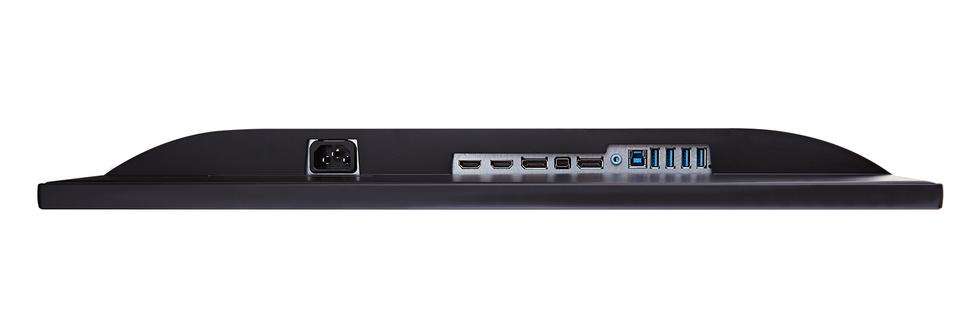
The connectivity is particularly versatile regardless of whether you use PC or Mac that also allows you to daisy-chain a number of VP2768 panels together without having to run cables back to your graphics card for each screen giving you a larger desktop and working area. The ports include HDMI, USB 3.0, DisplayPort, and Mini DisplayPort inputs for all you Mac users.
Verdict
Overall the VP2768 is a brilliant all-rounder and whilst it may not have a hood included, it is available as an option, and there is no built in speaker which personally I do not think is a reuirement for pros. With this level and balance of accuracy, performance, hardware monitor calibration, the X-Rite expertise, design and connectivity at the £500 mark, I cannot see how this screen is anything other than a win-win situation. I can’t wait to see what ViewSonic comes up with next!