Finally! A Monitor that Displays Colors Correctly!
My colleagues at Photofocus have heard me and seen me say some very choice words during a time, not so long ago, when I had a monitor that wouldn’t or couldn’t calibrate! At first, I couldn’t tell if it was the calibration tool I was using, or the monitor itself!
Monitor Calibration
Now color calibration is super important– it makes it simple for you to edit your images on your machine and basically have it be seen on other color calibrated devices they way that you intended it to. There’s a standard called sRGB that was developed to help a bunch of different displays, printers, devices, cameras and so forth, all see, print, and otherwise display the same color.
I’m sure you’ve seen the differences in colors for a picture that you’ve edited and displayed on a TV, laptop, or another machine. I see it all the time– try hooking up an iPhone to a Samsung TV. The colors are all sorts of wonky. And basically, that’s what I was dealing with.
For that very long and frustrating time, I had a 29″ LG Ultrawide monitor 21:9 — which is great for the horizontal space and interesting resolution for gaming (if you’re into that sort of thing.) When I first bought it, I noticed that it was exceptionally darker than my other monitor– an Apple Thunderbolt Display (a now discontinued display which calibrated really well.) I calibrated it with my Spyder Elite and went on my way. After my first gig with it. I decided to finalize everything and export images from my computer to my iPad Pro (which is relatively close to what I see on my calibrated machine.) That’s when I realized that all the time that I had put into the edits was a complete waste.
The images were nothing close to what I saw on my iPad, or even on another calibrated MacBook (that’s the joy of having calibrated machines, you can tell when something is off because they all look the same). I was furious. I spent hours trying to recalibrate the monitor with the Spyder Elite.. then tried all the different viewing modes on the LG followed by a calibration. Then I tried manually tweaking the color to hopefully make it look closer to a calibrated screen (I used the MacBook I had as a reference and iPad Pro as a second reference). I tried another calibration system– and it didn’t help either.
ViewSonic to the rescue!
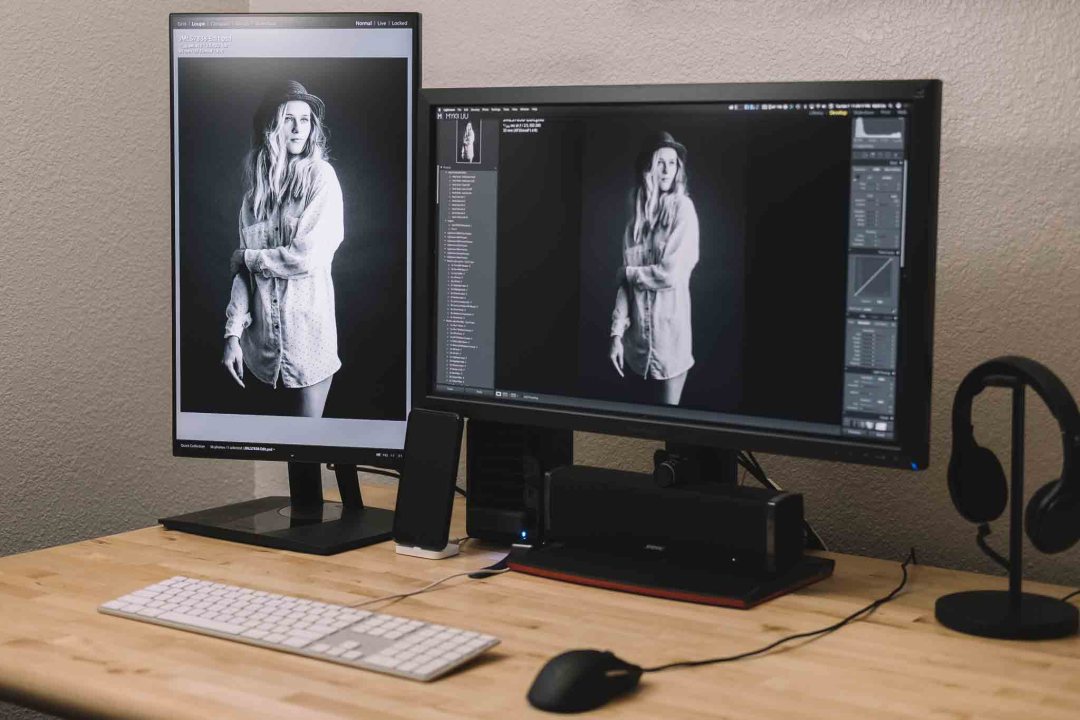
My new pair of displays. The ViewSonic VP2468 is pictured on the left.
Did you know that ViewSonic has a professional line of monitors for photographers and videographers?? And they’re pretty dang affordable and packed with a bunch of features!
I found a 24″ professional 1080p IPS display (IPS technology helps a screen be more consistently viewable from different angles), called the VP2468 at $250 from B&H… and boy is it pretty!!
A ViewSonic VP2468 ended up arriving on my doorstep shortly after I boxed up my LG to sell. This little VP2468 is fascinating for a couple of reasons, and those reasons are why this is one of my favorites.
Nearly Frameless Design
I’m a sucker for sleek aesthetics — so this is top on my list. Would any customer trust someone who is using a really clunky and out-of-date looking piece of technology? It really makes all of my technology look out of date now that I think of it…
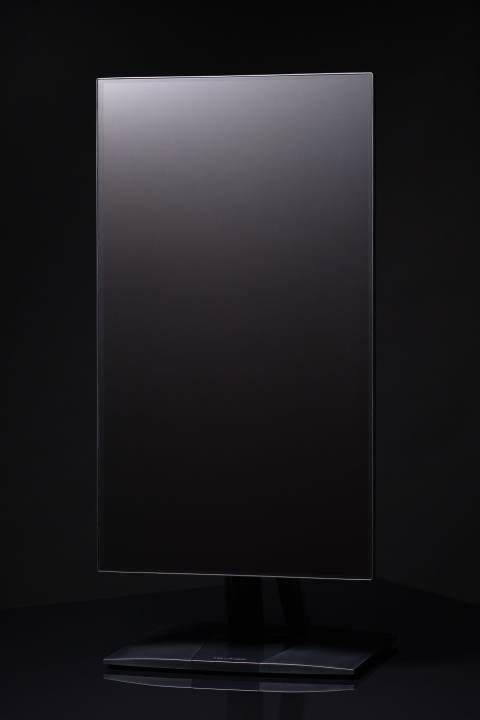
This thing is nearly frameless! It really is just so pretty. I can see myself getting another one or two of these displays and having a super stunning setup on my desk. I think the bezel is about 3mm or so thick– or that’s what it feels like.
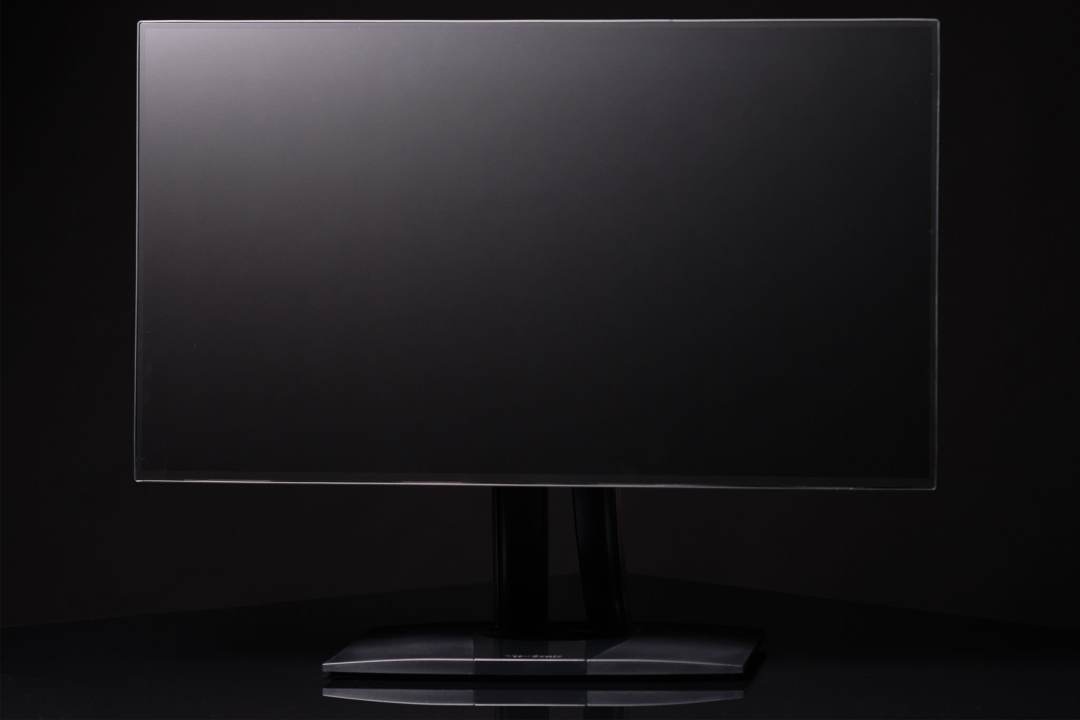
Image of the monitor shot with one light, just to give you a feel of the beauty of it
Sometimes the bezel can distract from the image displayed on the screen (especially if it is super thick, all black or even worse, silver). Since colors are perceived to be to be brighter or darker than the surrounding colors, it is relatively important.
When I asked around, some people were more affected by things like that than others. If you don’t believe me and you have Lightroom, try changing the background color from gray to white or black, and tell me that the perceived brightness of don’t colors change because of background.
Color Calibration
The most important thing for a monitor (besides awesome looks) for a photographer, videographer or digital artist, is color rendition! These monitors come pre-calibrated out of the box. A print-out of values from when the factory calibrates it comes with the monitor. The pre-calibration is pretty dang nice and it matches my other monitor that I bought at the same time– which also happens to be another ViewSonic.
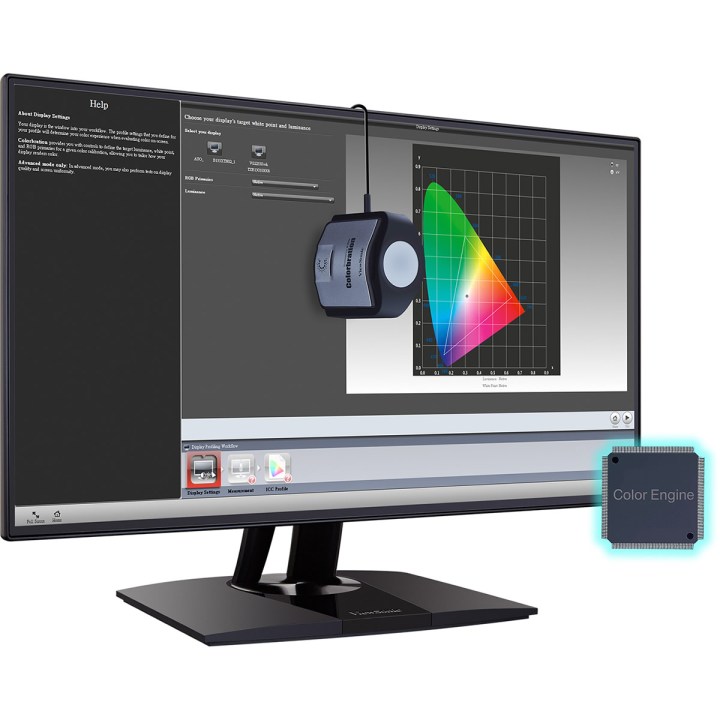
Image provided by ViewSonic – color.viewsonic.com
This monitor displays 100% of sRGB according to ViewSonic, and my calibration kit says 100% too, so… believe what you will. Having a screen that shows all the colors that I expect it to sure makes my editing headaches go away. Since every display will have a color shift over time, it is important to have a way to recalibrate the screen. Thankfully this monitor provides a method of hardware calibration via their Colorbration Kit — which is developed with their partner for this series of monitors, X-Rite– a company that is known for their tools that help devices display consistent color across all sorts of devices. You can also use X-Rite’s CS-XRi1, I1 Display pro, and I1 Pro2 calibrators instead of the Colorbration Kit.
One specification that is really neat to know about this display is the Delta E value, which is the measure of change in visual perception of two given colors. It basically is a term for how the human eye perceives the difference in two colors. The Delta E value is less than 2 for this display. Basically, that just means this display is really awesome. For comparison, EIZO displays, for instance, ship a Delta E value of less than 3. So yeah… that reinforces that just means that this display is really really awesome for the price point.
Connectivity
Lots of monitors in the price range of this ViewSonic, support HDMI– and only HDMI (like the happily sold LG I had). Kind of a bummer if you have other methods of connectivity from different computers. So to me, it was a surprise when I saw all these ports:
4 USB-A 3.0 ports that stem from an upstream USB-B port to the computer– So that’s a 4 port USB hub!A Headphone jack (I guess if you were getting audio from HDMI)DisplayPort out as well as Mini DisplayPort and a regular Display Port, which support daisy-chaining!HDMI of course, just in case you want it to– but not just one! Look! There’s two!
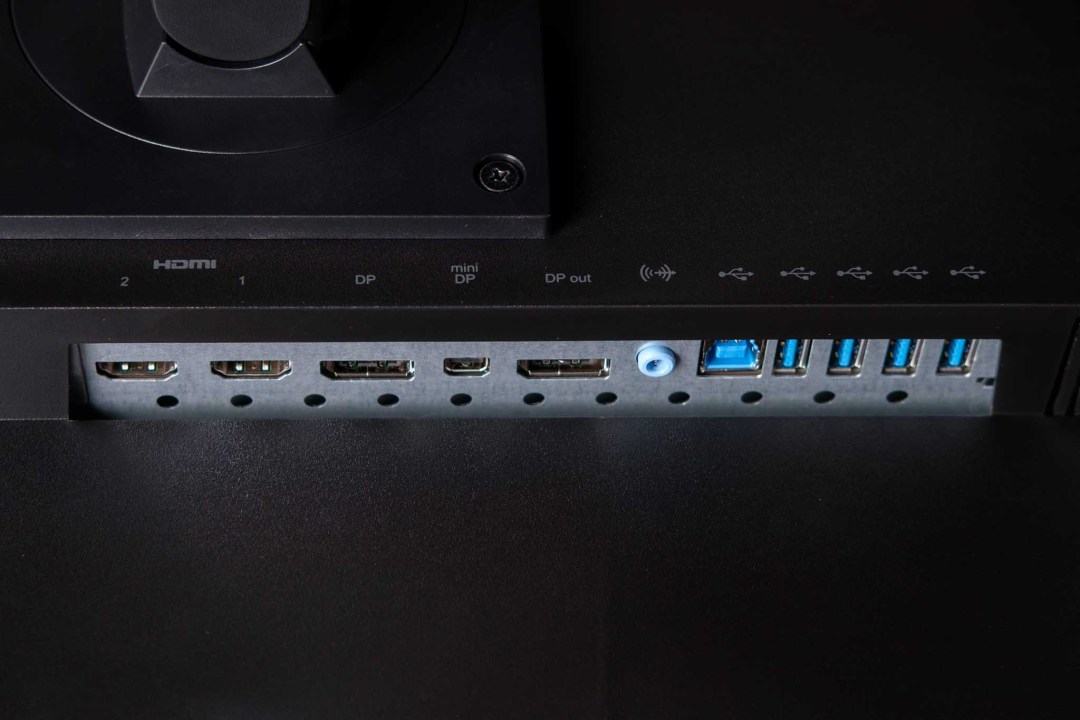
Ports for days… or lots of wires… or whatever you need!
I’m seriously not used to having a 4 port hub built into the display at this price point! I feel that every monitor should include those extra USB ports– I HATE bending under my desk to plug in a USB flash drive, calibration kit, mouse, keyboard or even Apple’s Lightning cable to charge my phone.
Screen Rotation
This monitor is able to rotate from a horizontal position to a vertical position, both in clockwise and counter-clockwise rotations. If you like shooting portraits, like me, having the portrait orientation image displayed full screen on a 24″ monitor is ever so helpful. I use this as a second display for Lightroom and having the secondary display available to show quick previews of whatever I’ve selected in my Library makes me so much more efficient.
90º or 270º– you pick!
Besides having it work in Lightroom, having the vertical position makes it easy for me to keep my distractions isolated on the side. When I’m working in Photoshop, the VP2468 holds my Facebook page open allowing for endless scrolling when I need a break. While this isn’t something super new, it is nice to see on a sub $400 monitor.
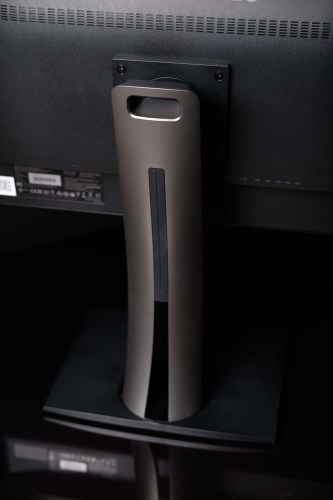 Convenient handle– it’s pretty light weight as well. This is the column that raises and lowers depending on what you need.
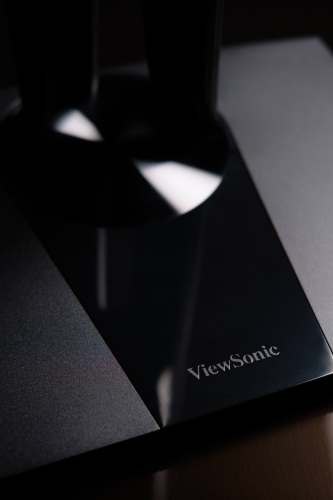 A solid and pretty base plate anchors the display and provides the ability to swivel.
Suggested Uses
If you’re looking for a stand-alone display, by all means, this absolutely works well! Where I think this display really shines is in the role of a secondary display to a laptop or even a desktop. Because of its weight and size, I’d probably use it in the studio when I want to shoot tethered. The IPS panel provides great and clear imagery from ridiculous angles so that you and your subject can see what is going on.
Currently, I’m using it as a secondary display. It fits so well when I work with apps like Lightroom (when it doesn’t blank a screen out– more on that sometime else). I’ll tend to have a grid view on one of my screens, and either the Develop panel or the Library panel open depending on if I’m culling, editing or searching through images.
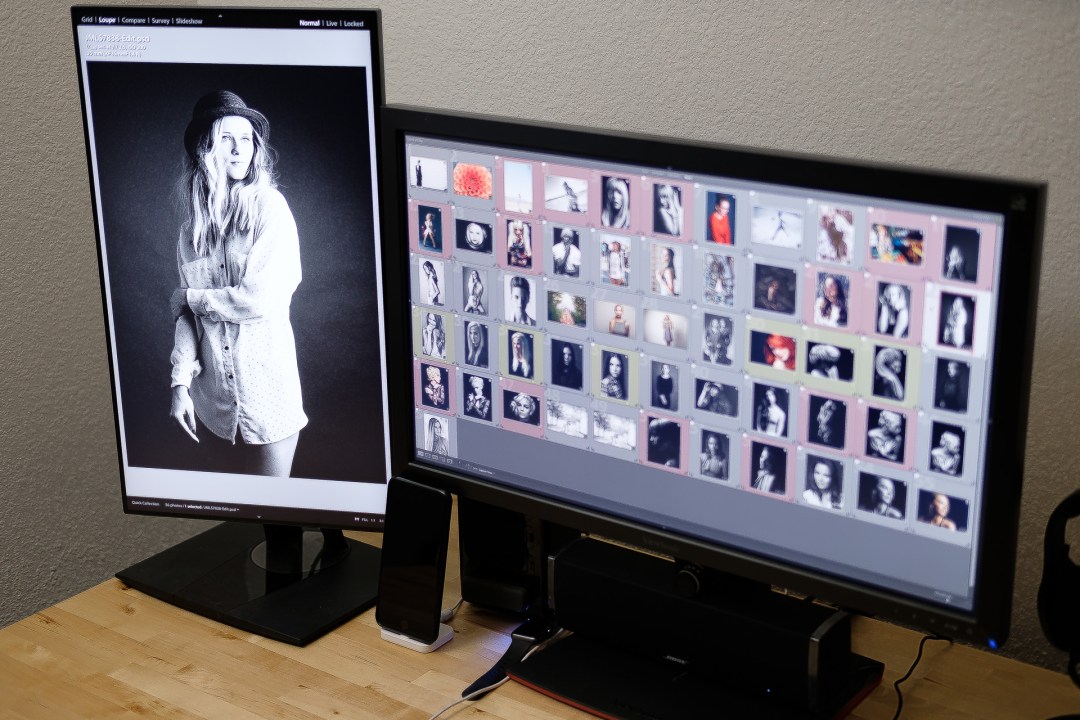
Using that Secondary Display in Portrait Orientation, providing a larger view of all those portraits I shoot.
I’m happy with this display– like SUPER happy!
It may seem that I would be super happy with any display after the horrible LG display I had, but the VP2468 really surprised me with all basics I cared about as well as a bunch of ridiculous advanced stuff I could change if I ever needed to. It is more advanced than I ever need it to be.
The display looks super crisp the frameless design is pretty dang sweet. The stand is pretty nice as well since it can rotate to be vertical, tilt, swivel, and the display can change height– so if you don’t need a vertical display, you can at least adjust the display to be an optimal height!
Bạn có thể thích những sản phẩm này
-

VP2766-2K-W
Moniteur 27 pouces 120 Hz 2K QHD certifié Pantone 100 % sRGB et calibré en usine avec alimentation USB-C 90 W
Xem thêm -

VP2766-2K
Moniteur 27 pouces 120 Hz 2K QHD certifié Pantone 100 % sRGB et calibré en usine avec alimentation USB-C 90 W
Xem thêm -
Écran Incurvé 38" - VP3881a
Moniteur pc incurvé 38" Pouces validé 100% sRGB
Xem thêm


