Monitor Calibration Basics Four reasons to perform monitor calibration
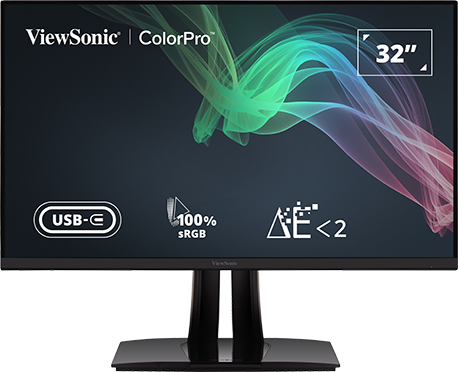
By now, you probably understand how a high-end color management monitor can help you see your hard-earned photographs in the best possible light. You appreciate the benefits of higher color capability and better overall color performance. Maybe you have already made a purchase and added a color management monitor to your workspace and are now basking in the brilliance of its 14-bit LUT and 4.39-trillion-color palette. One critical step, however, remains to be taken after un-boxing and setting up your new display — calibration. “But,” you may ask, “isn’t that something manufacturers do at the factory?” While it’s true that many monitors are factory calibrated, most still require some fine-tuning when unpacked and set up in your home, studio, or office. Here’s why:
Hit Your Color Target
While multi-purpose monitors are fine for a wide variety of tasks, from word processing to watching movies, these screens won’t cut it when it comes to reproducing accurate color for high-level photo processing. Because most photos today are viewed on a screen, photographers and photo editors need to see an image not only as the camera recorded it, but also as the final viewer will experience it. Most of today’s multi-purpose monitors are not made to produce color-accurate images on the screen. That’s why photographers who put valuable time and effort into their images require a display that is purpose-built for photo editing.
1. Calibrate for long-term satisfaction
Yes, most monitors come out of the box with factory-calibrated settings, but calibration is not a one-time proposition where you set it and forget it. As with nearly any electronic device, a display’s operational output changes over time. In the case of a monitor, this shows up in the way it reproduces color. As a screen ages, the LED backlight will begin to degrade. This occurrence is not limited to inexpensive general purpose monitors. Even high-end monitors designed for image professionals and photographers will shift color accuracy over time, making colors appear faded or washed out. There’s no need to panic or start thinking about purchasing a new display when this happens. Regular recalibration will allow you to restore your monitor’s output for accurate color reproduction.

2. Calibrate for color accuracy
While factory calibration may be fine for the average user, it is often not sufficient for professional image editing purposes where color accuracy is a must. There are several reasons for this. First, any calibration of a monitor is dependent upon the ambient lighting conditions in the location where the calibration is performed. Unless you are planning to use your monitor in the same factory where it was originally calibrated, you will need it to be matched to the conditions of your personal work environment. This includes recalibrating your monitor every time you move your workspace or alter the lighting.
3. Calibrate for more reliable performance
Buyers in the market for a new monitor are often attracted to bright, high-contrast screens. For this reason, manufactures will often factory set their displays to help them stand out under the bright lights of a sales display. While these showroom settings may be fine for the average user, those needing accurate color will want to make sure to their monitor’s settings are suited to the environment it will be used in. Otherwise, what you see on the screen when editing your images or video will not match what the end user views on their display. Ultimately, your goal in calibrating should be to ensure that your monitor produces accurate and repeatable results every time so the final viewer experiences your work as you intended.

4. Standardize your image output
Self-calibration offers another advantage in allowing you to meet and maintain professional industry standards. By regularly calibrating your monitor, you can create profiles for a variety of conditions and scenarios. This also assures uniform output when you collaborate with others. In such situations, multiple individuals are depending on the accuracy of each other’s image output, and you don’t want your monitor to be the weakest link in this chain. Only by making sure all equipment, including monitors, are functioning within a pre-established set of industry standards can one be guaranteed a high-quality final product.
Calibrating your monitor is a relatively painless process thanks to a handful of simple tools. The least complicated approach is software calibration, and most monitors come with some form of calibration program. There are also software-based calibration tools built into operating systems like Windows and the Apple OS. A more common approach used by high-end power users is to utilize a monitor calibration device. These look a bit like a computer mouse that dangles in front of your screen while measuring the monitor’s color output. These devices often come with calibration software to walk you through the process in just a few simple steps.
With easy-to-use tools at your disposal and so many benefits to be gained, there really is no excuse for not calibrating before putting your professional photo editing monitor to use. You have already put in the time and research to finding the best display on the market. Isn’t it worth a little extra effort to be confident that you are getting the most from your monitor?