ViewSonic’s VP 2785-4K is such a beast!
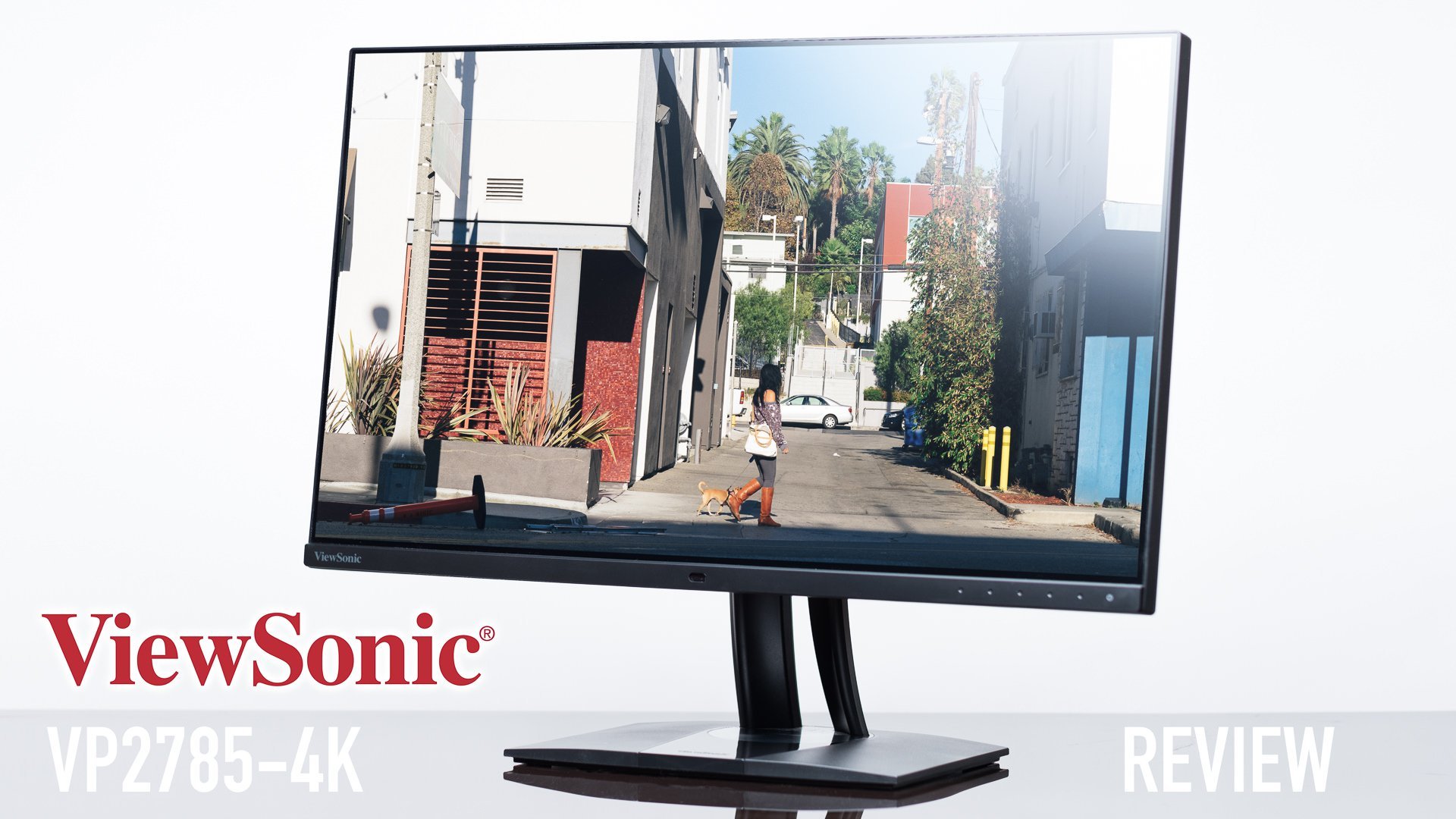
The worst thing you can do in your workflow as a visual artist is to blow a whole lot of money on expensive camera gear, and skimp out on the equipment that is needed to view what you capture. Having a poor monitor is just as bad as having a super poor lens– I mean, it’s great if you’re being spontaneously artistic and aren’t expecting realistic colors. I’ve been given the opportunity to take a look at the ViewSonic VP2785-4K display, and I think that this screen is super awesome! Here’s a few reasons why…
Thought-out Features
Like the other ViewSonic monitor I ended up playing with, the 24″ VP2468, I fell in love with the sleekness that ViewSonic put into this basically frameless series. The VP2785-4K looks like the older brother of the 24-incher with a very strong family similarity. This monitor is feature-packed, with some standing out more than others
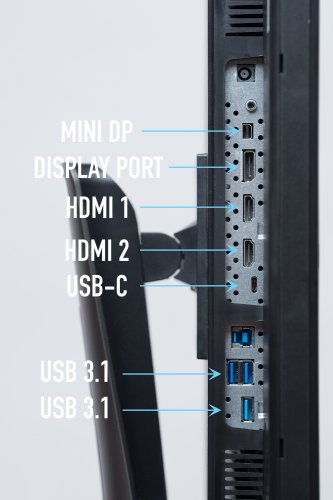
This 27-inch monitor comes with a load of hook-ups for various inputs: two HDMI 2.0, a DisplayPort, a MiniDP, a USB-C and a USB Up-stream that hosts a USB 3.1 Hub that gives you 3 USB-A ports to use as a docking station if you’re working with a laptop.
Like its brother, this VP2785-4K can be raised and rotated vertically, making it quite a bit easier to retouch a portrait oriented image. It can also be tilted up 5º and down 21º to help match whatever viewing angle you’re at. Something that is super nice about this monitor is the stability of it. I’ve played with some monitors made by Samsung and LG that are super wobbly– specifically, if you touched it, but if you bumped the desk or pushed your chair in, the screen would shake. That’s not the case with the VP2785-4K. This thing is solid and really has a feel of luxury. The base also allows you to swivel the display a good 120º, making it easy to show off your images to the people around you.
There’s a handle on top of the stand– something seemingly insignificant, but dang super helpful when toting things around. One can opt for a VESA compatible mount instead of the included stand if preferred.
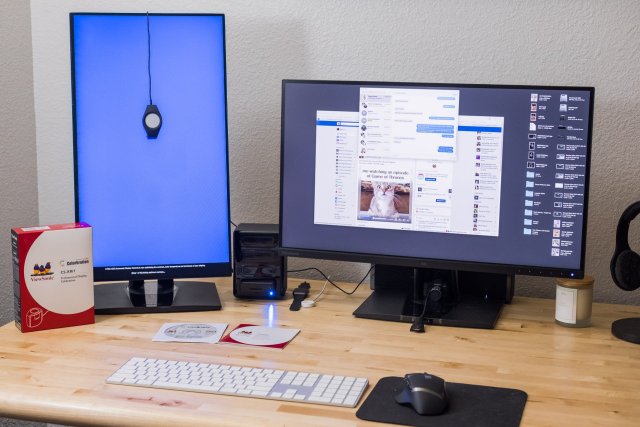
My favorite feature is the ability to hardware calibrate the monitor using the CS-XRi1 calibration kit. It keeps everything consistent and accurate and can be used across multiple VP monitors to guarantee that consistent workflow. It isn’t simply just a hardware-software communication, it’s a hardware to hardware communication- the CS-XRi1 saves the calibration settings to the monitor! That makes it so that when you hook the monitor up to a different computer, the calibration isn’t lost and the monitor will show accurate colors!
Other features of note to mention, but won’t be discussed in detail include:
- Ambient light sensor – adjusts brightness based on ambient light.
- Presence sensor – shuts off the monitor when you’re not there.
- HDR10 Content support — amazing video playback for compatible video.
- KVM ability with Picture-By-Picture (splitting the screen between two computers)
- 14-bit 3d Look-up table – renders smooth transitions of color
Performance
This 4K (3840×2160) IPS panel is absolutely stunning and is really forgiving on viewing angles. The brightness is seemingly even. In a blacked out room and a blank black screen, I wasn’t able to view any hot spots, and the screen seems super even from edge to edge. The screen refreshes at a good 60Hz with 14ms response time, making this great for people in our industry. Gamers would probably prefer a ViewSonic XG2700-4K, which has AMD FreeSync and a response time of 5ms over the VP line, which prioritizes color accuracy and brightness.
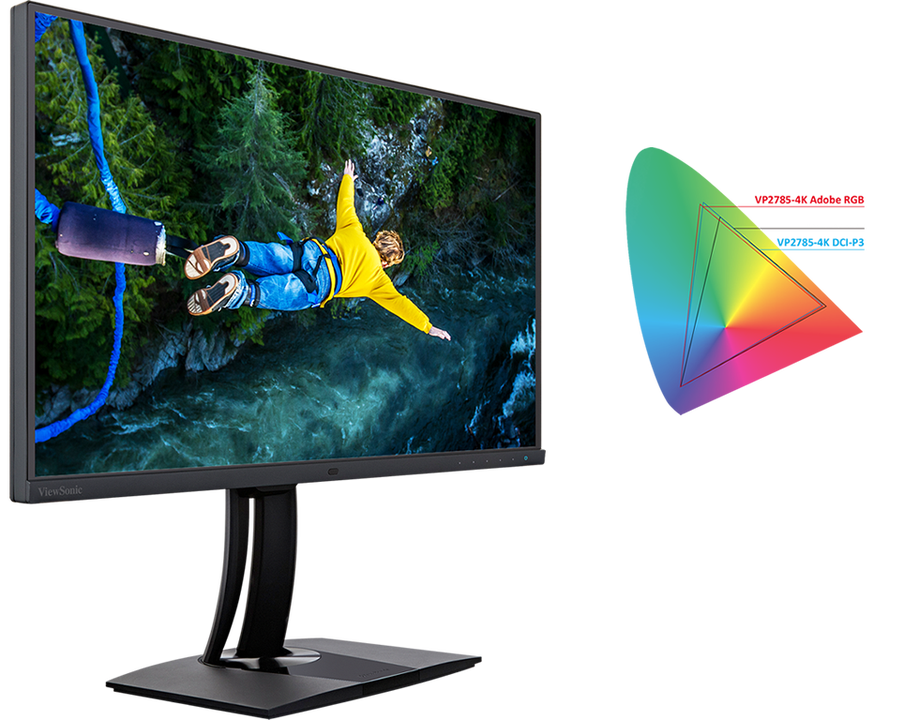
Most importantly for photographers, this monitor covers 99% of the AdobeRGB color gamut, 96% DCI-P3, and also displays 100% of sRGB. This should calm some of those who work in larger color spaces. For the majority of us who like to use sRGB as the final color space of images, this will be more than enough. Color reproduction is awesome with an accuracy of Delta E<2. Delta E is a standard calculation metric that correlates the visual judgment of differences between two colors. In general, the lower the Delta E number, the closer the display matches the input color to the display’s reproduced color. Most of us wouldn’t be able to tell the difference between the Delta E value of 1 and 2.5. The monitor comes pre-calibrated with printouts and such for a couple different standards including sRGB, EBU, SMPTE-C, REC709 and uniformity for the actual monitor that is shipped.
Other specifications of note: 1000:1 contrast ratio, 350 cd/m2 brightness, anti-glare surface.
Price
With the addition of AdobeRGB to 4K, a barebones monitor would cost something in excess of $1000. A normal 27″ AdobeRGB monitor is around $700, and a good IPS 4K screen is around $400 for a cheap one. This monitor, with all its benefits, rings in at $899.99 at B and H.
That’s a pretty dang good deal considering everything that it does.
Things I liked
- Hardware calibration to AdobeRGB, sRGB, and others
- Large Anti-glare display (except when you use a giant softbox to light the monitor like the title image)
- Basically bezel-less.
- Built-in USB Hub
- USB-C charges the computer that’s hooked up to it
- 4K IPS Display which provides wide viewing angles that don’t dim down colors and brightness.
- Optional KVM for displaying two computers at once on the display
- Includes all the cables you would need to connect to any of the inputs, and there are many.
- Stability– no weak stands here!
Things I’d ask for
- Perhaps a monitor hood for bright offices.
- Can’t daisy-chain into this monitor (which is just a technical limitation). 4K needs a lot of bandwidth, and perhaps when the future comes, we will see 4K daisy-chaining. This can be placed at the end of the daisy-chain though.
- Speakers– it’s a lot to ask for in such a slim and sleek body, but some decent speakers would be nice.
Conclusion
This is by far my favorite 4K monitor for working on images. I do have the XG2700-4K for gaming, which I used for my editing for a while, but the VP2785-4K definitely has the features that are necessary. I’ve been using it for more than a month now, and it simply just works. There are so many features that you can fine tune if necessary, but for most people, this will work right out of the box as a beautiful, stunning and even display for wonderful colors. There aren’t any real quirks with the monitor itself
If you haven’t used ViewSonic before, this is a great time to check them out– they’re like the Sigma Art series of monitors, providing awesome features and competing for performance at an affordable price for all visual professionals.