4 Photography Tips for Editing Using Adobe Lightroom
How to achieve dramatic and atmospheric style in photos
I wanted to share a few photography tips, but this time related to editing, using Adobe Lightroom. This is the keystone to achieving my dramatic and atmospheric style in my photos.
Tip 1 – Tone curve fade
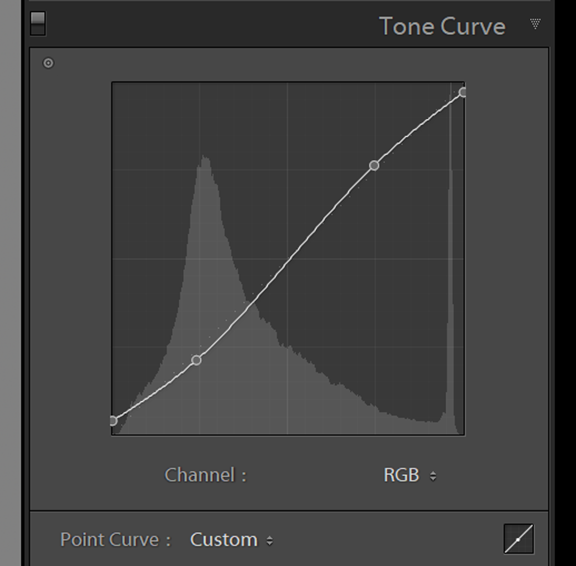
This is a standard tone curve in a typical S shape, you may be familiar with the S curve and I use a variant on this for most of my edits. This dampens the blacks and whites, creating a more matte look.
You can adjust the strength of curve to suit your style, by bringing up the darks on the left side (creates a more matte look in the blacks) or bringing down the top right of the curve to fade the whites to a more flat look. The overall effect is creating a more subtle tonal balance.
Tip 2 – Detail & sharpening
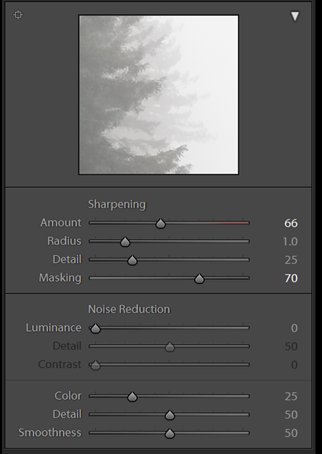
In order to retain the crispness of an image, despite the reduced clarity from the basic panel adjustment, I tend to add an increased amount of sharpness, which is applied on all my presets also.
The secret to doing this without introducing noise is to hold alt / cmd key and drag the masking slider to see where the sharpening is being applied to. I typically hover around 50-70 which is usually the edges only. Now the image will be looking almost painting like whilst retaining sharpness on the edges!
Tip 3 – Colour Grade
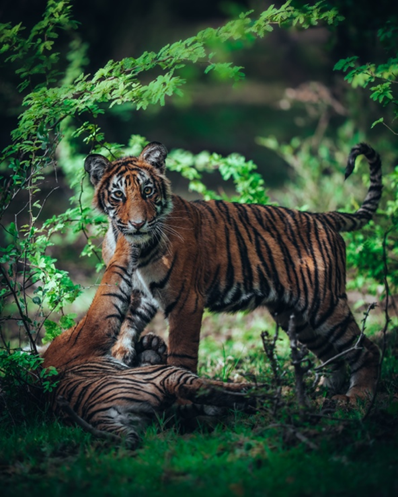
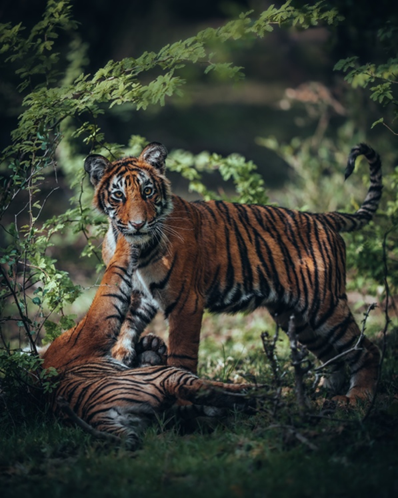
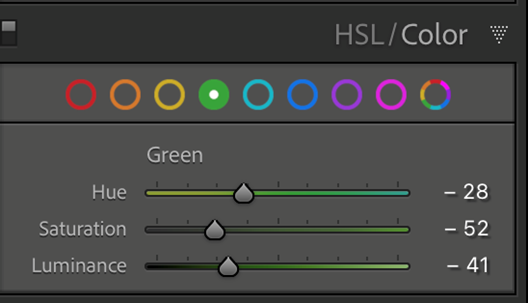
I wanted to show the power of colour grading using just 1 colour slider – in this example, the green slider in Lightroom. My adjusting the hue to the left, (more yellow) and reducing the saturation and luminance we can achieve a totally different atmosphere, a more natural colour yet far more visually appealing and cinematic in my opinion. Check the images below of the Tigers to see the difference!
Tip 4 – Adding Dynamic Light
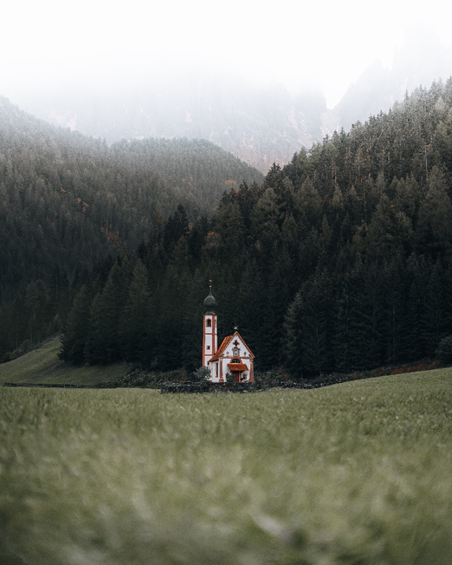
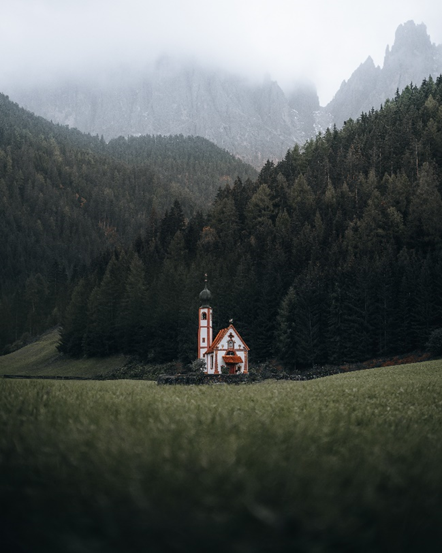
The last thing I do to an image is work with the graduated filter controls to add depth and dynamism to an image through playing with the lighting. Typically I will lighten / darken certain areas of an image to lead the eye in the frame and create a sense of atmosphere. In the image below you will see it looks quite flat before adding a darkening to the foreground and sky and after it really leads you into the centre of the frame to capture all your attention on the important aspects of the photo.
A la mayoría de la gente también le gustan estos productos
-

VP2766-2K-W
Moniteur 27 pouces 120 Hz 2K QHD certifié Pantone 100 % sRGB et calibré en usine avec alimentation USB-C 90 W
Más información -

VP2766-2K
Moniteur 27 pouces 120 Hz 2K QHD certifié Pantone 100 % sRGB et calibré en usine avec alimentation USB-C 90 W
Más información -

Écran Incurvé 38" - VP3881a
Moniteur pc incurvé 38" Pouces validé 100% sRGB
Más información


