
Laser Pen (Windows-only)
The Laser Pen is a Pen tool that allows the user to temporarily highlight content by drawing transparent lines.
The highlighting lines disappears whenever the Laser pen draws another line.
For using the Laser Pen:
- Double-click the Pen tool
 icon from the Main toolbar to open the Pen tool options.
- Select the Laser Pen
 and start to highlight content into the canvas.
- Click again to open the Laser Pen menu to adjust the size and color.
- (Optional) Click one of the 3 colored dots next to the Laser Pen to quickly switch between 3 standard colors without opening the menu.
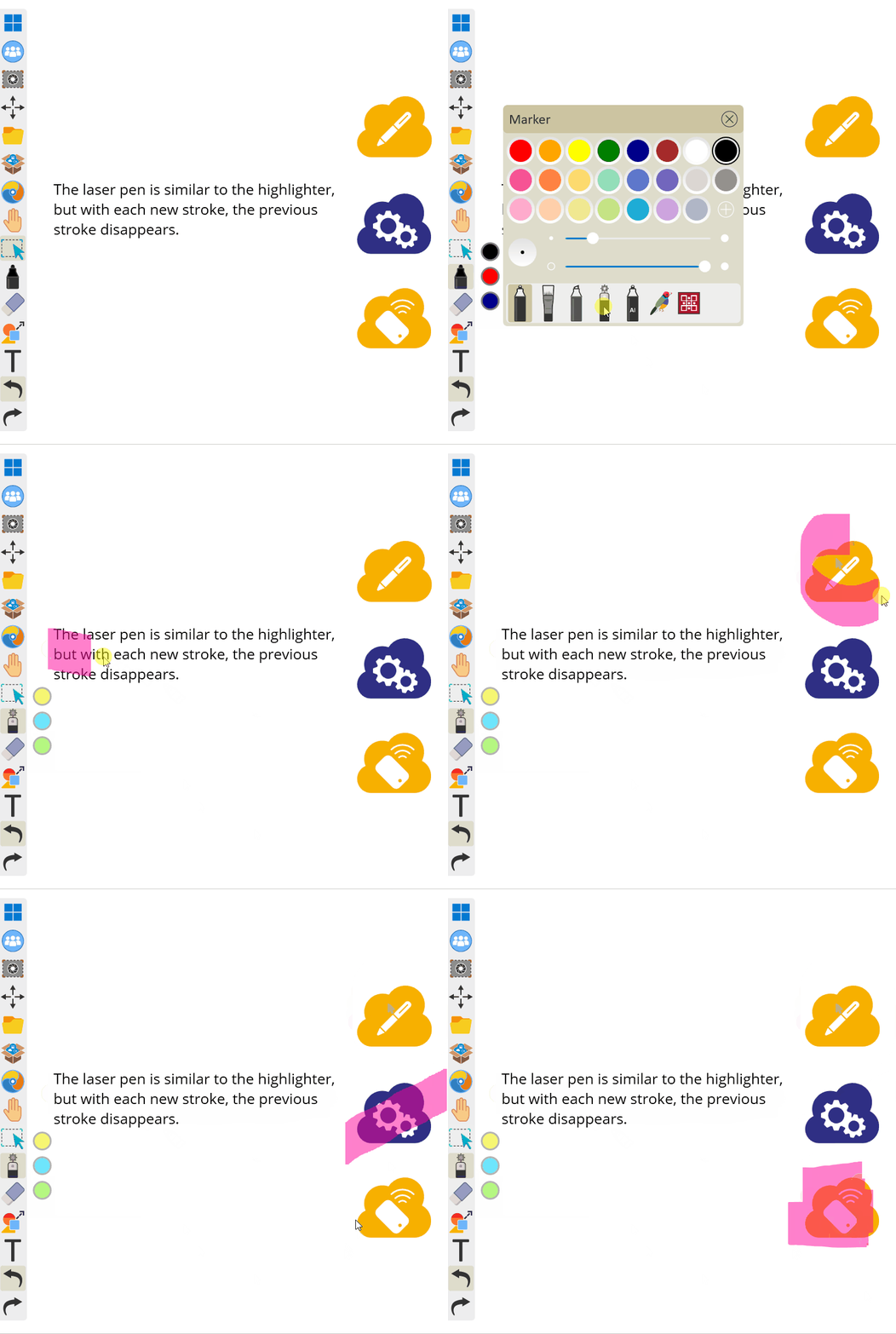 User selects the laser pen and highlights various objects on the canvas. After each new stroke is started, the previous stroke disappears.